


Overview
Overview, Walkaround and Field Test by William Brawley
Tech Insights by Dave Etchells
Hands-on Preview: 02/06/2014
Review finalized: 08/14/2014
Updates:
03/10/2014: Added pricing and availability
04/21/2014: Image Quality Comparison and Print Quality Analysis
05/30/2014: Field Test Part I: High Performance, High Resolution, High Functionality
08/04/2014: Field Test Part II: Video Recording and that's a wrap!
08/14/2014: Conclusion posted and review finalized!
Last edited: 02/09/2017

---
UPDATE: 02/09/2017:
Want the absolute latest and greatest? If so, you'll want to check out the Panasonic GH5, a successor to this camera which brings with it a huge raft of improvements, as you'll find out in our hands-on Panasonic GH5 preview!
If you prefer to spend a little less to get the previous generation, though, the Panasonic GH4 remains pretty readily available. And it's certainly one heck of a camera, as our 2014 Camera of the Year awards made clear. The Panasonic GH4 earned itself mention as a Camera of Distinction in the Enthusiast Mirrorless category, drawing praise for its construction and build, image and video quality, exceptional movie-making chops and swift Depth from Defocus autofocus system.
---
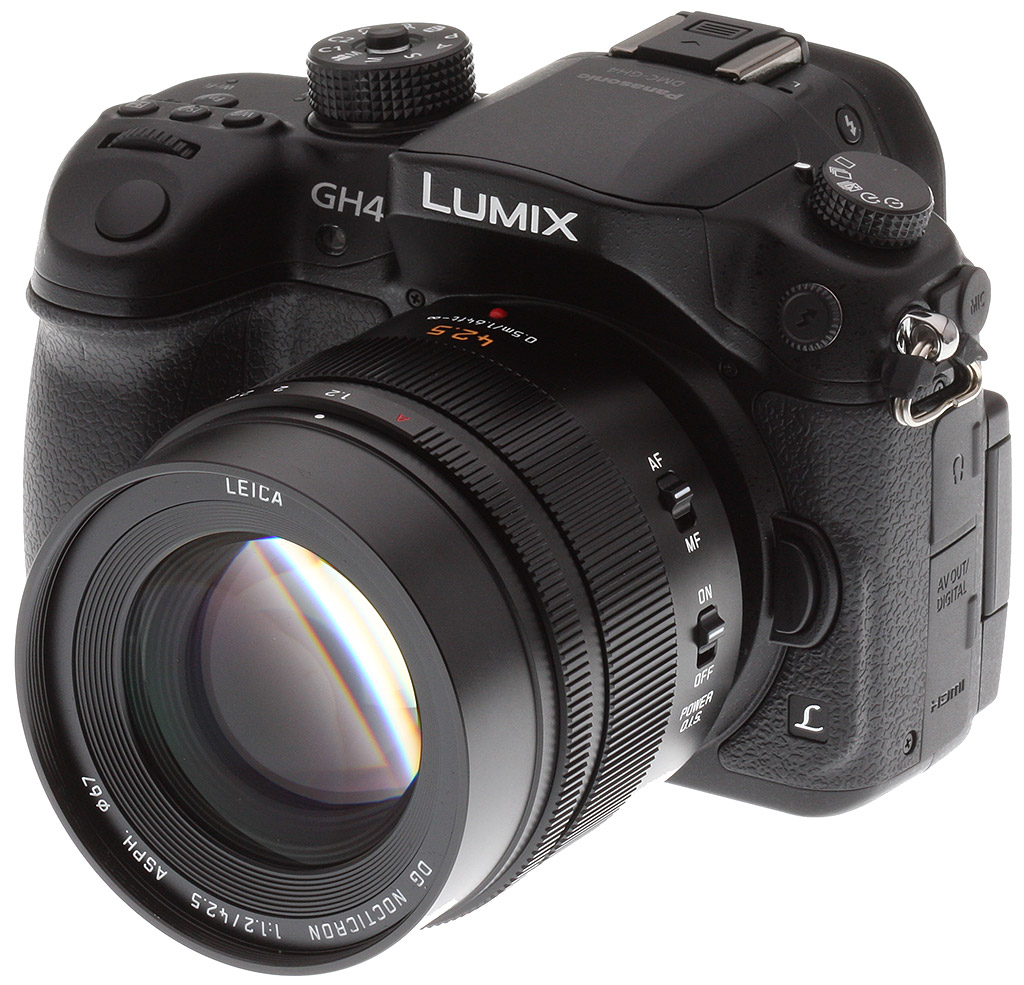
Panasonic takes their flagship GH camera to the next level with the new Panasonic GH4. As one might expect, given the sneak-peek of its prototype shown at CES this year, the "4" in the name will surely come to represent "4K." The Panasonic GH4 is the world's first mirrorless camera with 4K video recording capabilities.
Indeed, 4K video recording is making its way into the hands of mere mortals with the Panasonic GH4 after spending much of its time solely in the realm of high-end, professional cinema cameras. Cameras like the Canon 1D C HD-DSLR and dedicated video cameras such as the Canon C500 and Blackmagic Production Camera 4K are all aimed at professionals with professional budgets. Now, with the Panasonic GH4, high-resolution 4K video is within reach of a large number people from advanced enthusiasts and serious hobbyists, as well as being ready to tackle serious professional-level cinema and video productions.
Imaging
Going down the specs list for the Panasonic GH4, nearly all aspects of the camera have received an update or improvement compared to the GH3. The GH4's imaging sensor has received some polishing, and while it keeps the same 16.05-megapixel resolution, this new Digital Live MOS sensor features wider dynamic range with an expanded ISO 100 option (GH3 went as low as ISO 125) and allows for a 60 minute bulb shutter.
Panasonic has also said the new sensor delivers twice the readout speed compared to the GH3, which clocked in at around 100 milliseconds. The new GH4 sensor is said to have a high-speed readout of under 50 milliseconds. What does this all mean? The GH4 should be significantly better at handling rolling shutter in both stills (when using the electronic shutter) and video with Full HD 60 frames per second readout.

Speed and Focusing
Coupled with this new sensor is a new quad-core imaging processor, the Venus Engine 9AHD. The new horsepower provides better sensitivity with a standard ISO range of 200-25,600 (expandable down to ISO 100), and boasts new burst shooting performance at 12fps (in AF-S mode) for up to 40 RAW images or 100 JPEGs. The GH4 also provides a big improvement over the GH3 with continuous AF burst shooting at 7fps (up from just 4.2fps).
Panasonic also claims that the new processor helps produce better image resolution, dynamic range and more accurate colors, as well as doing hefty number crunching for 4K video encoding and giving a boost to the GH4's AF speed.
The new GH4 utilizes Panasonic's fast contrast-detect AF combined with a new technology call "Depth From Defocus" (DFD), which uses the lens information (when using Lumix lenses) to calculate the subject distance using the out-of-focus areas of the two pictures (one near and one far). This data is then combined with contrast AF for final fine-tuning, all within 0.07 seconds for very high-speed AF performance, helping not only with sheer AF speed, but also with increased AF tracking performance and continuous AF burst shooting.
IR publisher Dave Etchells goes in-depth with the new DFD technology here.
The GH4 also features improvements to continuous AF in both stills and video with better accuracy thanks to finer wobbling (presumably meaning subtler back-and-forth adjustments as it continuously maintains focus). According to Panasonic, since there is no need for on-chip phase-detect pixels, thanks to DFD, the full sensor is devoted to image quality (no missing pixels being used for AF).
The Panasonic GH4 features many other focusing improvement seen on other recent Panasonic cameras like the GX7 and GM1 including Pinpoint AF and higher AF performance in low-light conditions (-4EV). The GH4 also introduces some new features for the GH line including a 49-area AF grid (up from 23 on the GH3) with the ability to manually select custom AF area groupings. There's also a freely re-sizable 1-area AF mode as well as face and eye detection AF.

Video Features
While the Panasonic GH4 undoubtedly features a lot of improvements for still photography, Panasonic themselves have said the image quality is a slight improvement over the GX7, but the main focus was drastically increasing the video recording features, performance and image quality.
The big story with the GH4, like with the GH3 before it, is video recording. The GH3 blew us away with its high quality video recording features, and now the new GH4 provides not only much higher resolution video, with both Cinema 4K (4,096 x 2,160) and 4K Ultra HD (3,840 x 2,160), but also drastically increased video bitrates practically across the board compared to the GH3.
Both 4K resolution video formats are recorded with a bitrate of 100Mbps in IPB compression, and Full HD video can be cranked up to a whopping 200Mbps bitrate with ALL-Intra compression for some seriously high quality HD footage. Of course you can also tone it down to 100Mbps IPB or a humble 50Mbps IPB. The GH4 can also record in AVCHD with a same array of video resolutions and bitrates as the GH3.
Be sure to check out Dave Etchells' in-depth video features rundown for all the details!
With all that horsepower in such a small body, Panasonic did some serious engineering work and created a heat-dispersing design that allows for unlimited continuous video recording, even in 4K. Yes, that also means that the strange dual-model setup of the GH3, with one version for NTSC countries and another for PAL, differing only by how long you could continuously record video, is no more. The GH4 is a single model, with user-selectable NTSC or PAL recording frame rates.
Speaking of frame rates, as the "cinema" naming in Cinema 4K suggests, C4K video is captured at the film-standard 24.00fps (not 23.97), while 4K Ultra HD resolution provides some options with 29.97p, 23.98p, and cinema 24p (there's also 25p for PAL countries).
For the professional shooter, Panasonic really goes all-out to make the GH4 a serious option for high-end video productions. Apart from the high-resolution and high-bitrate video, the GH4 has full 1080p HD clean HDMI out with 4:2:2 10-bit (or 8-bit) output, giving you not only the ability to use an external HD monitor while recording video but also use HD capture recorders like the ATOMOS Ninja and Blackmagic HyperDesk Studio. The GH4 is, furthermore, able to output full 4:2:2 10-bit 4K video via HDMI for use with 4K recorders or monitors.

For serious professional workflows, Panasonic also created alongside the GH4 an attachable interface unit, the AG-YAGH (or DMW-YAGH for the US), shown above, providing 4K HD-SDI output with timecode, XLR audio, and DC power. This gives the Panasonic GH4 the ability to integrate very well with professional cinema and high-end video production workflows with industry-standard connections and interfaces.
The all new Panasonic GH4 provides not only 4K high-res video and very high bitrates for stunning image quality, but also a number of improvements for still photographers all at a relatively affordable price point; one that's far below other professional flagship stills cameras and pro 4K cinema cameras alike. The Panasonic GH4 body has been available since April 2014 for a list price of US$1,699.99. The DMW-YAGH interface unit is listed at US$1,999.99, and when purchased together, the body plus interface unit go for about US$3,300.
With super fast AF and burst shooting, improved dynamic range and high ISO performance as well as super high-resolution 4K and HD video, all packaged inside a rugged weather-resistant magnesium body with a durable 200K-rated shutter life, Panasonic is clearly taking aim at the Olympus E-M1 as the perfect professional field camera that's not only a very well-rounded stills shooter, but also perfectly at home as a professional video camera, thus making it, as Panasonic puts it, "the ultimate photo/video hybrid interchangeable lens camera."

Walkaround
The design of the Panasonic GH4 is strikingly similar to the GH3, so much so, that if there wasn't a "GH4" logo stamped on the front you probably would have trouble telling the two apart unless you knew what subtle changes to look for.
By the numbers, the GH4 is nearly identical to the GH3 (just 1.9mm deeper), measuring in at 132.9 x 93.4 x 83.9mm (5.23 x 3.68 x 3.30 in.) and weighing just a bit more than its predecessor at 569g (versus 555g) with SD card and battery. The body construction itself is also nearly identical with rugged magnesium alloy body that's sealed to be splash- and dust-proof.
Along the front, you have the same minimal buttons aside from the lens mount release button and flash sync terminal. Like the GH3 before it, the hand grip and left-most front surface are coated in a nice, rubberized grip for a secure hold.
Moving to the top of the camera, you'll see the one main difference in the GH4 -- the mode dial. The biggest change is the new locking mechanism. Functioning just like the locking mode dial of the Olympus E-M1, press the button to lock the dial in place, and press it again to unlock -- very useful to prevent accidentally changing modes.

The other change is that Panasonic has removed the Scene Mode option on the dial. The GH4 does still include a range of creative effects modes and picture styles for fun and creative photos and video, though.
Along the top of the handgrip, the GH4 includes a trio of quick access buttons for White Balance, ISO and Exposure Compensation, just like the GH3. In front of those buttons, sits the top control dial for making adjustments to exposure settings such as aperture. Below this trio, is the first of five customizable function buttons. There is also an indicator light for Wi-Fi connectivity. The GH4 also includes NFC connectivity for quick and easy pairing with a smart device for image sharing and remote control with Panasonic's Image App.
In the center, the GH4 has a standard hot shoe for mounting various accessories like the Panasonic DMW-MS2 Stereo/Shotgun mic, which thanks to the new processor and software in the GH4 is now able to zoom and adjust the balance between stereo and shotgun recording angles. The hot shoe is also compatible is flash units such as the new Panasonic Wireless Flash DMW-FL580L. Flanked on either side of the hot shoe sit left and right mics for stereo audio recording.
The GH4 also includes a pop-up flash unit, that's activated by a soft button along the left side of the EVF.
Lastly off to the leftmost side of the top panel sits and the smaller drive mode dial, featuring options such as Single, Continuous, Exposure Bracketing, Self-Timer, and a new Interval option.

Moving down to the back of the camera, the layout of buttons and dials are, again, identical to the GH3. However, there are big changes for the 3" monitor and EVF. The 3.0-inch, vari-angle, touchscreen OLED monitor sports a big resolution increase from a 610K dots to 1036K dots with a 10,000:1 contrast ratio. The EVF also gets a resolution boost with 2360K dots over the 1744K dots of the GH3. The EVF of the GH4 provides a 100% field of view with a 0.7x magnification.
As far as buttons go the layout is fairly standard, with a second control dial right next to the mode dial for exposure adjustments like shutter speed or scrolling through menus. On the right side of the EVF, placed comfortably near the thumb-rest is the AF mode dial, which surrounds the AF/AE Lock button. The recessed video recording start/stop button is also placed next to the thumb-rest. The button is easy to press when you want, but the recessed design helps prevent accidental presses.

Further down in the bottom right region, sits the large main 4-way control dial for navigating through various menus and settings. We also have a section of Function buttons (#2-4) that are programmable, but have default functions as well, which are printed below each button, and the display button for toggling through various on-screen information overlays.

Lastly, up on the top left corner of the rear of the camera sits the playback button and the fifth programmable Function button, which also doubles as the LVF/EVF toggle button.
Moving around to the sides of the GH4, we have the SD card door and 2.5mm remote terminal on the right side (as viewed from the rear), and the 3.5mm mic jack input, 3.5mm headphone jack, Micro HDMI (Type-D) and USB/AV out ports on the left.
Lastly, along the bottom, the GH4 features a standard 1/4-20 thread tripod socket, connections for the DMW-BGGH3 battery grip accessory and new DMW-YAGH interface unit, and the locking lithium-ion battery compartment. The battery life on the GH4 with the included Lithium-ion rechargeable battery pack is CIPA-rated to 500 shots per charge, and can be doubled with a second battery installed in the optional battery grip.

In the Box
The Panasonic GH4 retail package (as reviewed) contains the following items:
- Panasonic DMC-GH4 body
- 7.2V 1860mAh Lithium-ion battery pack
- Battery charger with AC cable
- Body cap
- Hot shoe cover
- USB cable
- Shoulder strap
- DVD with:
- PHOTOfunSTUDIO 9.5 PE (Windows)
- SILKYPIX® Developer Studio 4.1 SE (Windows & Mac)
- LoiLoScope (Trial Version, Windows)
- PDF Owner's manual
Recommended Accessories
- Large capacity SDHC/SDXC memory card. If you're recording 4K or high bitrate Full HD video, a UHS Speed Class 3 (U3) card is required.
- Extra battery pack DMW-BLF19 (~US$80)
- Battery grip DMW-BGGH3 (~US$300)
- DMW-YAGH interface unit (~US$3,000)
- AC adapter kit ACK-E6 (~US$120)
- Panasonic VW-LED1 Video LED Light (~US$170)
- Panasonic DMW-FL580L External Flash (~US$600)
- Small to medium DSLR/mirrorless bag
Ready to Order? Support this site by purchasing through a trusted Imaging Resource affiliate now:
(No added cost to you, a big help to us)
Panasonic GH4 body-only: ADORAMA | AMAZON | B&H
Panasonic GH4 + DMW-YAGH Interface Unit Kit: ADORAMA | B&H
Panasonic DMW-YAGH Interface Unit: ADORAMA | B&H
Panasonic DMW-FL580L Wireless Flash: ADORAMA | B&H
Optics
The Panasonic GH4 does not normally ship with a standard kit lens, so we do not have any kit lens test results to share.
See below for our viewfinder accuracy test results.
Viewfinder Test Results
Accuracy
Very good accuracy from the electronic viewfinder and OLED monitor.


The Panasonic GH4's electronic viewfinder and OLED monitor both proved quite accurate in record mode, showing just over 100% coverage with our low-distortion Olympus 50mm f/2 reference lens. Very good results here.
The images above were taken from our standardized test shots. For a collection of more pictorial photos, see our Panasonic Lumix DMC-GH4 Photo Gallery .
Exposure
Color
Saturation & Hue Accuracy
Fairly typical mean saturation levels, though saturation drops noticeably at high ISOs. About average hue accuracy.
 |
||
|
ISO Sensitivity
|
||
| In the diagram above, the squares show the original color, and the circles show the color that the camera captured. More saturated colors are located toward the periphery of the graph. Hue changes as you travel around the center. Thus, hue-accurate, highly saturated colors appear as lines radiating from the center. Mouse over the links to compare results at different ISOs, and click on the links for larger images. | ||
Saturation. The Panasonic GH4 produces images with fairly typical mean saturation levels compared to most cameras at default settings. Mean saturation is 108.9% (8.9% oversaturated) at the base ISO of 200, but it falls quite a bit above ISO 6400, to a minimum of 92.4% at ISO 25,600. The Lumix GH4 pushes dark red and dark blues a fair bit and some other colors slightly, but undersaturates yellow, aqua and cyan. Most consumer digital cameras produce color that's more highly saturated (more intense) than found in the original subjects. This is simply because most people like their color a bit brighter than life.
Skin tones. Here, the Panasonic GH4 does reasonably well, producing fairly natural-looking Caucasian skin tones with a slight push towards pink when either Auto or Manual white balance is used, giving a healthy appearance. Darker skin tones have a small nudge towards orange, but overall results are pretty good. Where oversaturation is most problematic is on Caucasian skin tones, as it's very easy for these "memory colors" to be seen as too bright, too pink, too yellow, etc.
Hue. The Panasonic GH4 shifts orange toward yellow and cyan toward blue, but most other hue shifts are quite minor. The typical Panasonic yellow to green shift and desaturation is still present, though not as pronounced as some prior Lumix models. The GH4's mean "delta-C" color error after correction for saturation is 5.34 for JPEGs at the base ISO of 200 (100 is an extended ISO). That's about average these days, and color error remains quite stable throughout the ISO range except at the highest ISO setting where it jumps to 6.51. Hue is "what color" the color is.
Saturation Adjustment
The Panasonic GH4 lets you adjust image saturation in eleven (!) steps, giving unusually fine control over the effect. The saturation setting also has little effect on contrast, which is good.
| Saturation Adjustment Examples | ||
 |
 |
 |
| -5 | 0 | +5 |
The table above shows results with the default as well as the two "extreme" saturation settings. Click on any thumbnail above, then click again to see the full-sized image.


Sensor
Exposure and White Balance
Indoors, incandescent lighting
Warm colors with Auto and Incandescent white balance setting. Very good color balance with the Manual setting, a little cool with 2,600 Kelvin. Average exposure compensation required.


Indoors, under normal incandescent lighting, color balance is quite warm with the Auto white balance setting. Results with the Incandescent setting are also much too warm, with a slightly stronger orange-yellow cast. The Manual setting produced very accurate results, though, while the 2,600 Kelvin setting which should match the color temperature of our lights for this shot is a bit too cool with a slight cyan cast. The Panasonic GH4 required +0.3 EV exposure compensation here, about average for this scene. (Our test lighting for this shot is a mixture of 60 and 100 watt household incandescent bulbs, a pretty yellow light source, but a very common one in typical home settings here in the U.S.)
Outdoors, daylight
Pleasant if slightly cool colors overall, with a tendency toward high contrast under harsh lighting. About average exposure accuracy.

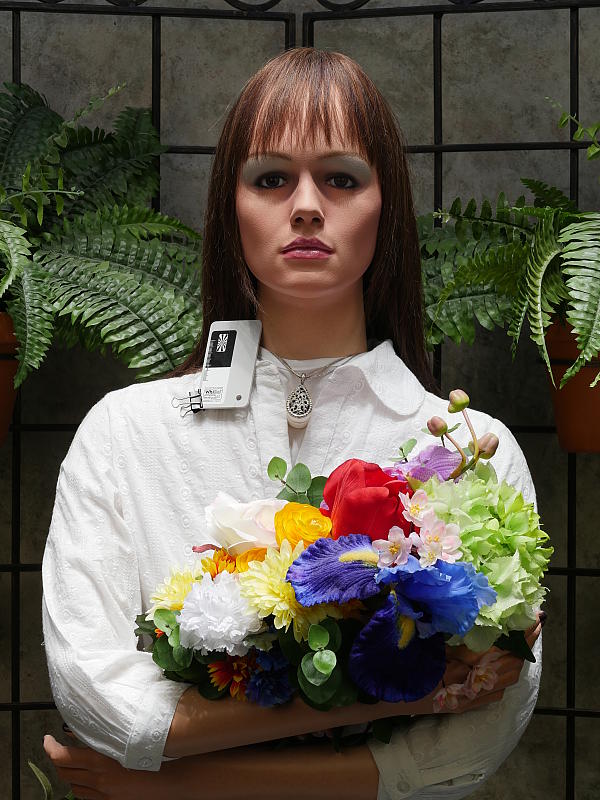
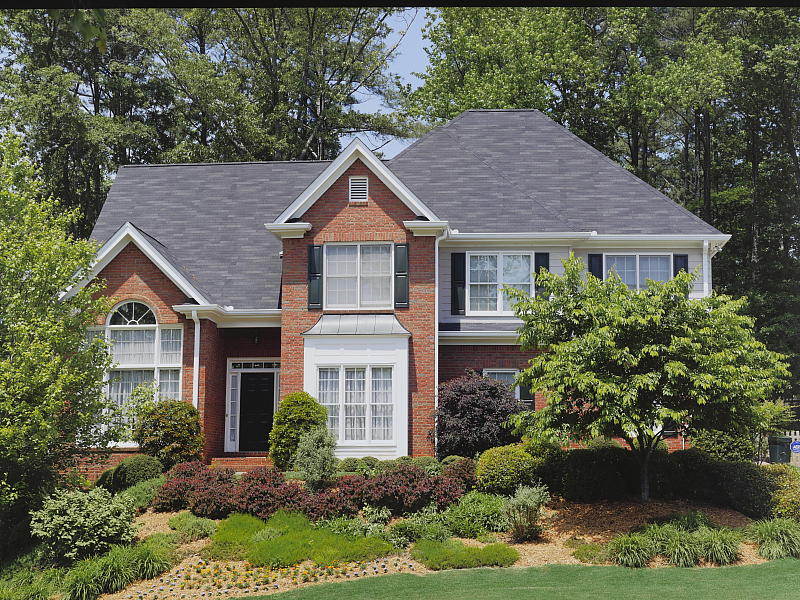
Outdoors, the Panasonic GH4 performed well, with good though slightly cool color in the Far-field shot (at right). Skintones are fairly realistic in our "Sunlit" Portrait shot, with a healthy-looking push of pinks and reds which is preferable to too flat or yellow. Exposure accuracy is about average, as the camera required +0.7 EV compensation for our "Sunlit" Portrait shot to keep facial tones reasonably bright. That's typical for this shot. Despite the bright appearance, few highlights were actually blown in the mannequin's white shirt which is very good, though there are some very deep shadows that are a bit noisy, discolored and posterized. The default exposure is good, just slightly dim for the Far-field shot, but as a result there are very few blown highlights, though again there are some very deep shadows that are somewhat noisy and discolored.
See full set of test images with explanations
See thumbnails of all test and gallery images
Resolution
Very high resolution, ~2,450 to ~2,500 lines of strong detail.


In camera JPEGs, our laboratory resolution chart reveals sharp, distinct line patterns to about 2,500 lines per picture height horizontally, and perhaps a little less in the vertical direction to about about 2,450 lines. Complete extinction of the pattern occurs just after 3,200 lines horizontally and about 3,100 lines vertically. We weren't able to extract significantly more high-contrast resolution by processing the Panasonic GH4's RW2 file using Adobe Camera Raw, and the ACR conversion also shows some color moiré which is practically nonexistent in the camera JPEG.
Use these numbers to compare with other cameras of similar resolution, or use them to see just what higher resolution can mean in terms of potential detail.
See full set of test images with explanations
See thumbnails of all test and gallery images
Sharpness & Detail
Fairly conservative default sharpening with just minor edge-enhancement artifacts around high-contrast subjects. Mild to moderate noise suppression visible in the shadows even at base ISO.


Sharpness. The Panasonic GH4 captures fairly sharp, detailed images overall, with relatively conservative default sharpening. Only minor edge enhancement artifacts are visible on high-contrast subjects such as the sharpening "halos" along the lines and text in the crop above left, so default sharpening here is fairly tame and not overdone, more in keeping with the camera's pro target buyer. Edge enhancement creates the illusion of sharpness by enhancing colors and tones right at the edge of a rapid transition in color or tone.
Detail. The crop above right shows the effect of noise suppression in the form of smudging of individual strands together in the darker areas of the model's hair, as well as in areas with low local contrast. Still, this is good noise versus detail processing performance for a 16-megapixel Four Thirds sensor, leaving plenty of detail intact instead of blurring much of it away in an attempt to hide noise. Noise-suppression systems in digital cameras tend to flatten-out detail in areas of subtle contrast. The effects can often be seen in shots of human hair, where the individual strands are lost and an almost "watercolor" look appears.
RAW vs In-Camera JPEGs
As noted above, the Panasonic GH4 produces fairly sharp in-camera JPEGs with good detail. As is almost always the case, better detail can be obtained from carefully processing RAW files than can be seen in the in-camera JPEGs, with fewer sharpening artifacts to boot. Take a look below, to see what we mean:
| Base ISO (200) | |
 |
 |
 |
 |
 |
 |
|
Camera JPEG, defaults
|
RAW via Adobe Camera Raw
|
In the table above, we compare an in-camera, best quality JPEG taken at base ISO using default noise reduction and sharpening (on the left) to a matching RAW file converted with Adobe Camera Raw 8.5 using default noise reduction with some strong but tight unsharp masking applied in Photoshop (300%, radius of 0.3 pixels, and a threshold of 0).
As you can see, the in-camera JPEG contains pretty good detail, however ACR extracted additional detail particularly in our troublesome red-leaf swatch. But ACR also revealed more noise, especially in flatter areas (keep in mind base ISO is 200, though). You can always turn up the luminance noise reduction (default of zero was used here), or process the files in your favorite noise reduction program or plugin if you find the noise objectionable. Bottom line, though, as is almost always the case shooting in RAW mode provides better detail, color, and control than in-camera JPEGs when converted with a good RAW converter.
ISO & Noise Performance
Good high ISO performance up to ISO 3200.
|
Default Noise Reduction
|
||
 |
 |
 |
| ISO 100 | ISO 200 | ISO 400 |
 |
 |
 |
| ISO 800 | ISO 1600 | ISO 3200 |
 |
 |
 |
| ISO 6400 | ISO 12,800 | ISO 25,600 |
The Panasonic GH4's images are very detailed and clean at ISOs 100 (extended) and 200, with only minor luminance and chrominance noise detectable in the shadows. As ISO increases, noise versus detail also increases as expected, but the trade off remains quite good until ISO 3200 where we start to see noticeable detail loss and more obvious luminance noise, however noise "grain" is fairly fine and tight and image quality is still good. ISO 6400 shows a more abrupt drop in image quality, with some obvious chroma noise as well as luminance noise that starts to take on a crystalline effect. Loss of detail and noise reduction artifacts increase rapidly from there, to the point where the ISO 25,600 setting is very noisy with a peppered look and, while showing strong chroma blotching. Colors also begin to desaturate noticeably above ISO 6400.
Overall, though, high ISO performance is excellent for a Micro Four Thirds model, though as expected, not quite as good as leading APS-C models. We're of course pixel-peeping to an extraordinary extent here, since 1:1 images on an LCD screen have little to do with how those same images will appear when printed. See the Print Quality section below for our evaluation of maximum print sizes at each ISO setting.
A note about focus for this shot: We shoot this image at f/4, usually using one of three very sharp reference lenses (70mm Sigma f/2.8 macro for most cameras, 60mm f/2.8 Nikkor macro for Nikon bodies without a drive motor, and Olympus Zuiko 50mm f/2.0 for Four Thirds and Micro Four Thirds bodies). To insure that the hair detail we use for making critical judgements about camera noise processing and detail rendering is in sharp focus at the relatively wide aperture we're shooting at, the focus target at the center of the scene is on a movable stand. This lets us compensate for front- or back-focus by different camera bodies, even those that lack micro-focus adjustments. This does mean, though, that the focus target itself may appear soft or slightly out of focus for bodies that front- or back-focused with the reference lens. We know this; if you click to view the full-size image for one of these shots and notice that the focus target is fuzzy, you don't need to email and tell us. :-) The focus target position will have been adjusted to insure that the rest of the scene is focused properly.
Extremes: Sunlit, dynamic range and low light tests
Somewhat high default contrast but with surprisingly good dynamic range. Excellent low-light performance.

Sunlight. The Panasonic GH4 did quite well with the deliberately harsh lighting of this test. Contrast is a little high at its default setting as with most cameras, but dynamic range is actually quite good. We felt the +0.7 EV exposure is the best compromise here. Although skintones around the eyes are a bit dark, we prefer it to the +1.0 EV exposure overall, because the latter has a few clipped highlights, though not as many as you might think from the apparent brightness. It's really the photographer's choice here as to which direction to go in. For those Panasonic GH4 owners that are going to want to just print an image with little or no tweaking, the +1.0 image would probably produce a better-looking face uncorrected. The bottom line though, is that the Panasonic GH4 performed well with the wide dynamic range of this very harshly lit shot.
Because digital cameras are more like slide film than negative film (in that they tend to have a more limited tonal range), we test them in the harshest situations to see how they handle scenes with bright highlights and dark shadows, as well as what kind of sensitivity they have in low light. The shot above is designed to mimic the very harsh, contrasty effect of direct noonday sunlight, a very tough challenge for most digital cameras. (You can read details of this test here.)
Contrast Adjustment
The camera's contrast adjustment was effective in handling the harsh lighting.
|
Minimum Contrast
|
|
 |
 |
| Contrast set to lowest, +0.7 EV |
Contrast set to lowest, Auto Exposure |
The Panasonic GH4's lowest contrast setting did a good job bringing out detail in the shadows and midtones, but had less effect on highlights, however few highlights were clipped to begin with.
| Contrast Adjustment Examples | ||
|
 |
 |
| -5 | 0 | +5 |
Like saturation, the Panasonic GH4 offers 11 (!) contrast settings, providing more than the usual latitude in this adjustment. The table above shows results with the default as well as the two "extreme" contrast settings. Click on any thumbnail above, then click again to see the full-sized image.
| Tone Curve Adjustment | ||
 |
 |
 |
| Lower Contrast | Raise Contrast | Brighten Dark Areas |
The Panasonic GH4 also has a curves setting which allows you to adjust the shape of the tone curve to tweak shadows and highlights independently. There are 4 presets (Standard, Raise Contrast, Lower Contrast, and Brighten Dark Areas) as well as 3 custom settings that allow you to adjust the highlight and shadow ends of the curves by +/-5 units. Above are samples using the 3 non-standard presets.
| Face Detection | ||
 |
 |
 |
| Aperture Priority, 0 EV, f/8 Face Detection Off |
Aperture Priority, 0 EV, f/8 Face Detection On |
iAuto, 0 EV, f/2.2 |
Face Detection
Like most cameras these days, the Panasonic GH4 has the ability to detect faces (up to 15 in a scene), and adjust exposure and focus accordingly. As you can see from the examples above, face detection improved exposure dramatically in both Aperture Priority mode at f/8, and in iAuto mode where the camera had control over aperture.
Panasonic's Intelligent Dynamic Range
The above shots are examples of Panasonic's Intelligent Dynamic Range Control (or iDynamic) at work, with no exposure compensation. Note that the camera does not take multiple shots and merge them as HDR mode does (see below). It's a system that adjusts local contrast and exposure more akin to Nikon's Active D-lighting, Canon's Automatic Lighting Optimization or Sony's Dynamic Range Optimization.
There are three levels of iDynamic available on the Panasonic GH4: Low, Standard and High, plus Auto and Off. It's automatically invoked in iAuto and manually selectable in PASM modes. Here, you can see darker midtones and shadows were progressively boosted as the strength was increased, without blowing many highlights in the process.
|
Far-field HDR Examples
|
||||
|
|
||||
HDR mode
Here, you can see the Panasonic GH4's High Dynamic Range mode at work with our Far-field shot. HDR mode takes three images at different exposures and combines them to increase dynamic range. Options include strength settings of Auto +-1EV, +/-2EV or +/-3 EV and whether or not the camera auto aligns the images. Mouse over the links, and click on them the view the full resolution files.
The Auto, +/-1 EV and +/2 EV settings produced very similar exposures, while +/-3 dimmed the entire image. Notice the ghosting of moving objects like the flag, as is expected when compositing multiple images. Also notice the angle of view is narrower in the HDR images, likely because the images have been cropped and upsized during the optional auto alignment process.
Dynamic Range Analysis (RAW mode)
While we once performed our own dynamic range measurements based on in-camera JPEGs as well as converted RAW images (when the camera was supported by Adobe Camera Raw), we've switched to using DxO Labs' results from their DxOMark website. As technology advanced, the dynamic range of modern high-end cameras in some cases exceeded the range of the Stouffer T4110 density scale that we used for our own measurements. DxO's approach based on RAW data before demosaicing is also more revealing, because it measures the fundamental dynamic range of the sensor, irrespective of whatever processing is applied to JPEGs, or to RAW data by off-the-shelf conversion software.
In the following, we use DxO's "Print" dynamic range results, which are scaled based on camera resolution. As the name suggests, this scaling corresponds to the situation in which you print at a given size, regardless of how many megapixels the camera might have. (In other words, if you've decided to make a 13x19 inch print, that's the size you're printing, whether the camera's resolution is 16 or 300 megapixels.) For the technically-minded, you can find a discussion of the reasoning behind this here on the DxOMark website. Also note that DxO Labs uses a signal-to-noise (SNR) threshold of 1 when defining the lower boundary of acceptable luminance noise in their dynamic range measurements, which corresponds to the "Low Quality" threshold of the Imatest software we used to use for this measurement.

In the above graph we compare the Panasonic GH4's normalized dynamic range to its predecessor, the GH3, as well as to the Canon 70D, another interchangeable lens camera that is highly capable when it comes to video (though without 4K support).
As you can see, the GH4's dynamic range (plotted in orange) is just a bit better than the GH3's at the lowest ISO (12.76 vs 12.35 EV), and is among the best we've seen from a Four Thirds sensor, but the two Lumix cameras are essentially equal at ISOs above 200. Note however that the GH4's measured sensor sensitivity is noticeably lower than the GH3's at most ISOs; it's almost a full stop lower than advertised from ISO 200 to 6,400, and it tops out at only ISO 7,533 equivalent (while the GH3 tops out at only ISO 4,832).
The GH4's dynamic range is significantly better than the Canon 70D's at lower ISOs (12.76 vs 11.58 EV at ISO 100) but the 70D catches up at ISO 400, and surpasses the GH4 at higher ISOs. Click here to visit the DxOMark page for the Panasonic GH4 for more of their test results and additional comparisons.
| 1 fc 11 lux |
1/2 fc 5.5 lux |
1/4 fc 2.7 lux |
1/8 fc 1.3 lux |
1/16 fc 0.67 lux |
1/16 fc No NR |
|
|---|---|---|---|---|---|---|
| ISO 100 |
 2 s f2.8 |
 4 s f2.8 |
 8 s f2.8 |
 15 s f2.8 |
 30 s f2.8 |
 30 s f2.8 |
| ISO 200 |
 1 s f2.8 |
 2 s f2.8 |
 4 s f2.8 |
 8 s f2.8 |
 15 s f2.8 |
 15 s f2.8 |
| ISO 400 |
 0.5 s f2.8 |
 1 s f2.8 |
 2 s f2.8 |
 4 s f2.8 |
 8 s f2.8 |
 8 s f2.8 |
| ISO 800 |
 1/4 s f2.8 |
 0.5 s f2.8 |
 1 s f2.8 |
 2 s f2.8 |
 4 s f2.8 |
 4 s f2.8 |
| ISO 1600 |
 1/8 s f2.8 |
 1/4 s f2.8 |
 0.5 s f2.8 |
 1 s f2.8 |
 2 s f2.8 |
 2 s f2.8 |
| ISO 3200 |
 1/15 s f2.8 |
 1/8 s f2.8 |
 1/4 s f2.8 |
 0.5 s f2.8 |
 1 s f2.8 |
 1 s f2.8 |
| ISO 6400 |
 1/30 s f2.8 |
 1/15 s f2.8 |
 1/8 s f2.8 |
 1/4 s f2.8 |
 0.5 s f2.8 |
 0.5 s f2.8 |
| ISO 12800 |
 1/60 s f2.8 |
 1/30 s f2.8 |
 1/15 s f2.8 |
 1/8 s f2.8 |
 1/4 s f2.8 |
 1/4 s f2.8 |
| ISO 25600 |
 1/125 s f2.8 |
 1/60 s f2.8 |
 1/30 s f2.8 |
 1/15 s f2.8 |
 1/8 s f2.8 |
 1/8 s f2.8 |
Low Light. The Panasonic Lumix DMC-GH4 performed well in our low light tests, able to capture bright images down to the lowest light level we test at, at all ISO settings. The darkest level equates to about 1/16 the brightness of average city street lighting at night, so the Panasonic GH4 should be able to take well-exposed photos in almost any environment in which you can see well enough to walk around in.
Using the default noise reduction setting, noise is fairly well-controlled up to ISO 6400, though turning down NR produced some objectionable chroma noise in darker areas at lower ISOs. (At moderate to high ISOs, even the lowest NR setting eliminates much of it.) We didn't notice any significant issues with hot pixels or heat blooming, and just a hint of pattern noise is visible at the highest ISOs with NR turned down.
Automatic color balance is a little cool particularly at lower light levels, but pretty good.
The camera's autofocus system was able to focus on our subject down to below the 1/16 foot-candle light level unassisted with an f/2.8 lens which is excellent, especially for a camera with contrast-detect autofocus. The Panasonic GH4 does have a focus-assist light option which allows it to autofocus in total darkness, as long as the subject is within range and has sufficient contrast.
How bright is this? The one foot-candle light level that this test begins at roughly corresponds to the brightness of typical city street-lighting at night. Cameras performing well at that level should be able to snap good-looking photos of street-lit scenes.
NOTE: This low light test is conducted with a stationary subject, and the camera mounted on a sturdy tripod. Most digital cameras will fail miserably when faced with a moving subject in dim lighting. (For example, a child's ballet recital or a holiday pageant in a gymnasium.) Thanks to their phase-detect AF systems, digital SLRs tend to do much better than point & shoots, but you still shouldn't expect a quick autofocus lock with moving subjects. The GH4 uses contrast-detect autofocus, as is found in most point & shoot cameras, so its low-light focusing ability may be less than that of some SLRs with phase-detect systems. That said, though, the larger, more sensitive pixels of the GH4's sensor do better under dim lighting than do the tiny pixels of most point & shoots.
Built-in Flash Test Results
Exposure and Range
A powerful flash for a built-in. Less than average positive exposure compensation required.


Exposure. Indoors under incandescent background lighting, the Panasonic GH4's flash produced a bright exposure of our Indoor Portrait scene at ISO 200 with +0.3 EV flash exposure compensation. The typical amount required for this shot is +0.7 EV, so the GH4's performance is above average here. The camera's slow-sync flash mode required no compensation for bright results, though the longer exposure resulted in a very warm cast from the ambient background lighting.
| Manufacturer-Specified Flash Range |
|---|
 9.9 feet ISO 200 |
Manufacturer-Specified Flash Range Test. Panasonic rates the GH4's flash Guide Number at 12m at ISO 100, or 17m at ISO 200, the same as the GH3's. That works out to about 9.9 feet at f/5.6 and ISO 200, as shot above. As you can see, the Panasonic GH4 captured a bright flash target, so the built-in flash performs to specification. Our standard test method for flash range uses either a fixed setting of ISO 200, to provide a fair basis of comparison between cameras. We've now also begun shooting two shots using the manufacturer-specified camera settings, at the range the company claims for the camera (at Auto ISO if so specified), to assess the validity of the specific claims.
Output Quality
Print Quality: Overall, very good 24 x 36 inch prints at ISOs 100 and 200; ISO 1600 capable of a nice 13 x 19; ISO 6400 prints a good 5 x 7.
 ISO 100 and 200 images are excellent at 24 x 36 inches, with nice detail. Colors are generally accurate, but yellows are desaturated and shifted a bit toward green. Despite the extended ISO of 100, prints at both 100 and 200 look practically identical. Even though the GH4 has "only" a 16MP sensor, up to 36 x 48 inch prints are easily suitable for wall display purposes.
ISO 400 prints look quite good at 20 x 30 inches, with wall display prints possible up to 30 x 40 inches.
ISO 800 yields a nice 16 x 20 inch print. 20 x 30s are fine for less critical applications, but there is some minor luminance noise in the shadow areas. Colors still look accurate, and the camera still has the ability to resolve fine detail.
ISO 1600 is capable of a good 13 x 19 inch print, with 11 x 14s looking even better. Typical troublesome areas like the red swatch in our test target still looks great at this ISO.
ISO 3200 prints are good at 11 x 14 inches, with some minor grain in the shadows. Also, the red fabric swatch is starting to lose detail. Colors are beginning to be slightly muted as well, but enough saturation is preserved for good prints.
ISO 6400 produces a nice 5 x 7, with 8 x 10s being suitable for less critical applications. Noise is starting to show up more, but is still mostly concentrated in shadowy areas.
ISO 12,800 prints are acceptable at 4 x 6, although colors look slightly muted, but enough color is preserved for decent prints. Noise is quite high here, preventing us from calling any larger size acceptable.
ISO 25,600 does not print a usable 4 x 6 and is best avoided.
While the Panasonic GH4 certainly brings lots of upgrades in terms of video capabilities, it's not altogether much different from the GH3 in terms of still image quality. Housing a similar 16MP sensor, the GH4 yields high quality 24 x 36 inch prints at extended ISO 100 and base ISO 200. This quality is maintained nicely at ISO 800 with relatively large prints for its Four Thirds sensor size, and allows for good 11 x 14 prints up to ISO 3200. The default level of noise reduction does well at these relatively high ISOs to keep noise under control while maintaining a lot of fine detail. At very high ISO levels, however, prints sizes can only go so large before noise takes its toll on fine detail and color.
The images above were taken from our standardized test shots. For a collection of more pictorial photos, see our Panasonic Lumix DMC-GH4 Photo Gallery .
Not sure which camera to buy? Let your eyes be the ultimate judge! Visit our Comparometer(tm) to compare images from the Panasonic Lumix DMC-GH4 with those from other cameras you may be considering. The proof is in the pictures, so let your own eyes decide which you like best!
Performance
Timing and Performance
Excellent performance for a Compact System Camera, though buffer clearing can be sluggish with RAW files.
| Startup/Mode Switching/Buffer Clearing | ||
|---|---|---|
|
Power on |
~0.8 second
|
Time it takes to turn on and capture a shot. |
|
Play to Record, |
~0.7 second
|
Time until first shot is captured. |
|
Buffer clearing time |
4 seconds after
230 Large/Fine JPEGs* |
Worst case buffer clearing time. -- This is the delay after a set of shots before you can remove the card. |
|
23 seconds after
21 RAW files* |
||
|
37 seconds after
21 RAW+ L/F JPEG files* |
||
|
*Note: Buffer clearing times measured with a SanDisk Extreme Pro 95MB/sec UHS-I SDHC card. Slower cards will produce correspondingly slower clearing times. Slow cards may also limit length of bursts in continuous mode. ISO sensitivity and noise reduction settings can also affect cycle times and burst mode performance.
|
||
Startup time is quite fast for a Compact System Camera, and so is changing from Play to Record and taking a shot. Buffer clearing times can be long, but buffers are deep, particularly when shooting JPEGs. See below for some additional buffer clearing with a U3 rated UHS-II card.
| Shutter Response (Lag Time) with Panasonic 12-35mm f/2.8 H-HS12035 lens |
||
|---|---|---|
|
Full Autofocus, |
0.186 second
|
Time from fully pressing shutter button to image capture, with the lens already at the proper focal distance setting. |
|
Full Autofocus, |
0.186 second
|
Time from fully pressing shutter button to image capture, with the lens already at the proper focal distance setting. |
|
Full Autofocus, |
0.351 second
|
Time from fully pressing shutter button to image capture, with the lens already at the proper focal distance setting, auto flash enabled. |
|
Manual Focus |
0.057 second
|
For most cameras, shutter lag is less in manual focus than autofocus, but usually not as fast as when the camera is "prefocused". |
|
Prefocused |
0.050 second
|
Time to capture, after half-pressing and holding shutter button. |
The Panasonic GH4's contrast-detect autofocus is very quick for a CSC, and improved over the GH3's. The GH4's single-shot full-autofocus shutter lag (with the subject at a fixed distance) is 0.186 second using single-area (center) AF with the 12-35mm f/2.8 lens in our tests, and 49-area AF tested the same. Enabling the flash increases lag quite a bit to 0.351 second, but that's still pretty good. When manually focused, the GH4's lag time drops to only 0.057 second, which is also quite fast. The GH4's prefocused shutter lag time of 0.050 second is also very quick, though not as fast as some CSCs.
To minimize the effect of different lens' focusing speed, we test AF-active shutter lag with the lens already set to the correct focal distance.
To see how much difference a more recent lens makes, we retested 1-area and 49-area AF modes with the recently released 14-42mm II lens:
| Shutter Response (Lag Time) with Panasonic 14-42mm f/3.5-5.6 II H-FS1442A lens |
||
|---|---|---|
|
Full Autofocus, |
0.143 second
|
Time from fully pressing shutter button to image capture, with the lens already at the proper focal distance setting. |
|
Full Autofocus, |
0.151 second
|
Time from fully pressing shutter button to image capture, with the lens already at the proper focal distance setting. |
As you can see, single-shot full AF lag with the newer 14-42mm II H-FS1442A lens is even faster than with the older 12-35mm f/2.8 lens we used to test the GH3 with. These speeds are approaching pro DSLR performance.
| Cycle Time (shot to shot) with SanDisk Extreme Pro 95 MB/sec UHS-I card |
||
|---|---|---|
|
Single Shot mode |
0.35 second
|
Time per shot, averaged over 20 shots with no signs of slowing, 1 second to clear*. |
|
Single Shot mode |
0.40 second
|
Time per shot, averaged over 20 shots with no signs of slowing, 7 seconds to clear*. |
|
Single Shot mode |
0.35 second
|
Time per shot, averaged over 20 shots with no signs of slowing, 27 seconds to clear*. |
|
Early shutter |
No
|
Some cameras don't snap another shot if you release and press the shutter too quickly in Single Shot mode, making "No" the preferred answer. |
|
Continuous High |
0.08 second (12.83 frames per second);
230+ frames total; 4 seconds to clear* |
Time per shot, averaged over 230 frames with no signs of slowing. |
|
Continuous High |
0.09 second (11.76 frames per second);
21 frames total; 23 seconds to clear* |
Time per shot, averaged over buffer length of 21 frames, then slows to an average of 0.51s or 1.98 fps. |
|
Continuous High |
0.08 second (11.90 frames per second);
21 frames total; 37 seconds to clear* |
Time per shot, averaged over buffer length of 21 frames, then slows to an average of about 1.06s or 0.94 fps. |
|
Continuous Super High |
0.03 second (40.00 frames per second);
120 frames total; 11 seconds to clear* |
Time per shot, averaged over maximum buffer length of 120 frames. |
|
Flash Recycling |
4.2 seconds
|
Flash at maximum output. |
|
*Note: Buffer clearing times measured with a SanDisk Extreme Pro 95 MB/sec UHS-I SDHC card. Slower cards will produce correspondingly slower clearing times. Slow cards may also limit length of bursts in continuous mode. ISO sensitivity and noise reduction settings can also affect cycle times and burst mode performance.
|
||
Single-shot cycle times are quite fast, and also improved over the GH3. We measured 0.35 second for Large/Fine JPEGs, 0.40 second for RAW and 0.35 second for RAW+L/F JPEGs.
Continuous High mode is very fast at about 12.8 frames per second when shooting full-resolution JPEGs with AF locked at the first frame. This drops to about 11.8 frames per second with RAW files, and 11.9 fps for RAW+JPEGs, still very fast.
Full resolution buffer depth is essentially unlimited for Large/Fine JPEGs, with a fast card. When shooting RAW or RAW+JPEG files, buffer depth drops to 21 frames, which is still pretty good. Buffer clearing times are fast with just JPEGs, but a little slow when shooting RAW files with our 95MB/s UHS-I card.
The flash recycles after a full discharge in an average of 4.2 seconds, a bit on the slow side.
Since Panasonic specifies a UHS Speed Class 3 card for 4K and high-bitrate Full HD video recording, we also tested stills-mode cycle times and burst mode with a SanDisk Extreme Pro UHS-II card which is rated up to 250MB/s for writes and 280MB/s for reads (using UHS-II, which is not supported by the GH4. However the card is U3 speed rated). Below are our results with the U3 UHS-II card:
| Cycle Time (shot to shot) with SanDisk Extreme Pro 250 MB/sec UHS-II card |
||
|---|---|---|
|
Single Shot mode |
0.35 second
|
Time per shot, averaged over 20+ shots with no signs of slowing, 2 seconds to clear. |
|
Single Shot mode |
0.46 second
|
Time per shot, averaged over 20+ shots with no signs of slowing, 5 seconds to clear. |
|
Single Shot mode |
0.41 second
|
Time per shot, averaged over 20+ shots with no signs of slowing, 26 seconds to clear. |
|
Early shutter |
No
|
Some cameras don't snap another shot if you release and press the shutter too quickly in Single Shot mode, making "No" the preferred answer. |
|
Continuous High |
0.08 second (13.31 frames per second);
160 frames total; 8 seconds to clear |
Time per shot, averaged over 160 frames before slowing down. |
|
Continuous High |
0.09 second (11.69 frames per second);
39 frames total; 25 seconds to clear |
Time per shot, averaged over buffer length of 39 frames before slowing down. |
|
Continuous High |
0.08 second (11.95 frames per second);
36 frames total; 45 seconds to clear |
Time per shot, averaged over buffer length of 36 frames before slowing down. |
|
Continuous Super High |
0.03 second (39.8 frames per second);
120 frames total; 7 seconds to clear |
Time per shot, averaged over maximum buffer length of 120 frames. |
As expected, the U3 UHS-II card didn't really make a big difference to frame rates, however it did provide deeper buffers when shooiting RAW files. Oddly, the GH4 was actually slower at clearing than with our UHS-I card. (As mentioned, the GH4 is not UHS-II compliant, but the card should fall back to UHS-I mode.)
Bottom line, the Panasonic GH4's performance is generally excellent. The only real performance weakness we found in the lab is sluggish buffer clearing when shooting RAW files.
Battery Life
Above average battery life for a Compact System Camera.
| Operating Mode | Battery Life |
|---|---|
|
Still Capture, CIPA standard
(Monitor, with H-HS12035 lens) |
530 shots
|
|
Still Capture, CIPA standard
(EVF, with H-HS12035 lens) |
500 shots
|
The Panasonic GH4 uses a custom rechargeable lithium-ion battery pack for power, and comes with both a single battery and charger. The CIPA rated 500-530 shots per charge is well above average for a Compact System Camera, but still lower than a typical prosumer DSLR when using an optical viewfinder. We strongly recommend getting a second battery for your GH4 if you plan any extended outings, and if you need longer battery endurance, consider purchasing the DMW-BGGH3 battery grip which effectively doubles battery life with a second lithium-ion battery installed.
The table above shows the number of shots the camera is capable of (on a fully-charged rechargeable battery), based on CIPA battery-life and/or manufacturer standard test conditions.
(Interested readers can find an English translation of the CIPA DC-002 standards document here. (180K PDF document))
Image Quality
A video powerhouse, but a great stills shooter, too
The Panasonic GH4, aims to take the enthusiast and professional video market by storm, but let's not forget it's also a mighty stills camera first and foremost (given that its ergonomics still resemble that classic DSLR-like shape). The Panasonic GH4's got a host of upgrades including a newly designed 16MP Live MOS sensor and a new quad-core Venus Engine 9AHD image processor, to create images with improved dynamic range, high ISO performance and better, more accurate color rendition.
In the section below, we compare the Panasonic GH4's still-image quality against that of the earlier Panasonic GH3, as well as the hot new Sony A6000, the Nikon D7100, and the Olympus E-M1 as well as the video powerhouse Canon 70D.
NOTE: These images are best quality JPEGs straight out of the camera, at default settings including noise reduction and using the camera's actual base ISO (not extended ISO settings). All cameras in this comparison were shot with our very sharp reference lenses.
Panasonic GH4 versus Panasonic GH3 at Base ISO
 |
 |
 |
 |
 |
 |
Panasonic GH4 at ISO 200 |
Panasonic GH3 at ISO 200 |
Given that both the GH4 and GH3 have similar 16.1-megapixel sensors, it's no surprise that their images are nearly identical here at base ISO. The fine detail in the mosaic crop looks similar as do the fabric swatches, apart from perhaps a minor difference in exposure. Default noise reduction seems stronger in the GH4, though, as you can see in the first crop comparison, with shadowy areas looking a bit smoother than the GH3. (In fact, some of the texture in our background is treated as noise and actually smoothed away.) |
|
Panasonic GH4 versus Canon 70D at Base ISO
|
 |
|
 |
|
 |
Panasonic GH4 at ISO 200 |
Canon 70D at ISO 100 |
Despite the smaller sensor, the GH4 wins with sharper fine detail in both the mosaic and fabric crop comparisons, although the 70D is definitely not a bad performer with more accurate colors and higher contrast. However the 70D also produces more obvious sharpening haloes. |
|
Panasonic GH4 versus Nikon D7100 at Base ISO
|
 |
|
 |
|
 |
Panasonic GH4 at ISO 200 |
Nikon D7100 at ISO 100 |
Unlike the previous comparison, the APS-C Nikon D7100 with its 24MP AA-filterless sensor is able to out-resolve the 16MP Four Thirds Panasonic GH4, especially in the fabric crops comparison, and we prefer the Nikon's color. Even though there's a noticeable difference in resolution, the GH4 is able to produce a nice, high level of fine detail in the mosaic crops, however. |
|
Panasonic GH4 versus Olympus E-M1 at Base ISO
|
 |
|
 |
|
 |
Panasonic GH4 at ISO 200 |
Olympus E-M1 at ISO 200 |
These two flagship Micro Four Thirds cameras are fairly evenly matched here at ISO 200, with both cameras producing lots of fine detail. The GH4's rendering looks slightly more natural while the E-M1's is a bit crisper with higher sharpening and contrast. Both do well with the fabric swatches, as well as with the mosaic, although there is a slight color cast difference. |
|
Panasonic GH4 versus Sony A6000 at Base ISO
|
 |
|
 |
|
 |
Panasonic GH4 at ISO 200 |
Sony A6000 at ISO 100 |
Both cameras do an excellent job with crisp, fine detail at base ISO. Other than the noticeable difference in resolution, both cameras display excellent detail in the mosaic crop. The GH4 in fact appears to edge out the A6000 with the red fabric with a cleaner, crisper look to the leaf pattern, while the A6000 handles the pink fabric noticeably better. |
|
Most digital SLRs and CSCs will produce an excellent ISO 100 shot, so we like to push them and see what they can do compared to other cameras at ISO 1600, 3200, and 6400. Recent advances in sensor technology have made ISO 1600 look a lot more like ISO 100, but there are still cameras whose quality starts to fall apart at this setting. We also choose 1600 because we like to be able to shoot at least at this level when indoors and at night.
Panasonic GH4 versus Panasonic GH3 at ISO 1600
 |
 |
 |
 |
 |
 |
Panasonic GH4 at ISO 1600 |
Panasonic GH3 at ISO 1600 |
Again, like the base ISO comparison, the GH4 and GH3 are pretty evenly matched here at ISO 1600. Interestingly, there are some noticeable chroma noise "splotches" in the GH4 bottle crop that aren't seen in the GH3 crop, though the GH3 shows slightly higher luminance noise and sharpening artifacts. In terms of fine detail, they are quite similar in the mosaic crop, but the GH3 gets the nod in the red and pink fabric swatches. |
|
Panasonic GH4 versus Canon 70D at ISO 1600
|
 |
|
 |
|
 |
Panasonic GH4 at ISO 1600 |
Canon 70D at ISO 1600 |
The GH4 does much better than the 70D at reducing luminance noise grain at ISO 1600, though it does leave green and red chroma noise splotches in the shadows. Fine detail in the mosaic is similar, but the GH4 tips the scale with a more natural look to the tiled pattern. The 70D does a bit better in the red fabric, while the GH4 wins with the pink one though it's a bit too magenta. |
|
Panasonic GH4 versus Nikon D7100 at ISO 1600
|
 |
|
 |
|
 |
Panasonic GH4 at ISO 1600 |
Nikon D7100 at ISO 1600 |
Despite the larger, much-higher-res sensor, the GH4 generally does better at reducing high ISO luminance noise at default settings. Interestingly, even though the D7100 is quite effective at reducing chroma noise, it continues to do much better with the red fabric. Fine detail in the higher contrast mosaic crops actually looks fairly similar barring the differences in resolution and default sharpening, but again, the Nikon produces more accurate colors. |
|
Panasonic GH4 versus Olympus E-M1 at ISO 1600
|
 |
|
 |
|
 |
Panasonic GH4 at ISO 1600 |
Olympus E-M1 at ISO 1600 |
| Both cameras here do well at reducing noise, but the effect of the E-M1's noise reduction looks stronger. Fine detail looks better on the GH4 however, as the E-M1's noise reduction processing produces a somewhat muddled, distorted appearance to the mosaic crop. However, on the red fabric, things are quite evenly matched, though the GH4 does better with the pink fabric. |
|
Panasonic GH4 versus Sony A6000 at ISO 1600
|
 |
|
 |
|
 |
Panasonic GH4 at ISO 1600 |
Sony A6000 at ISO 1600 |
Again, another big difference in resolution, 16 vs 24, but the GH4 does surprisingly well against the A6000. Noise reduction is much stronger on the A6000, and while it does well at removing noise, it muddles up the mosaic detail and the fabric swatches, especially the pink fabric. The GH4, on the other hand, maintains a nice level of fairly clean, fine detail. |
|
Today's ISO 3200 is yesterday's ISO 1600 (well, almost), so below are the same crops at ISO 3200.
Panasonic GH4 versus Panasonic GH3 at ISO 3200
 |
 |
 |
 |
 |
 |
Panasonic GH4 at ISO 3200 |
Panasonic GH3 at ISO 3200 |
At ISO 3200, the GH4 shows better noise reduction processing, as the GH3's NR looks a little too strong with artifacts more visible in the bottle crop, for instance. The level of fine detail on the mosaic crop looks similar, although NR processing is a little more evident from the GH3. The GH3 does ever-so-slightly better at the fabric crops over the GH4 (both struggle quite a bit though with the red fabric). |
|
Panasonic GH4 versus Canon 70D at ISO 3200
|
 |
|
 |
|
 |
Panasonic GH4 at ISO 3200 |
Canon 70D at ISO 3200 |
It's a similar comparison here as the one we saw at ISO 1600, as the GH4 processes out high ISO noise and grain much better than the 70D at ISO 3200. Fine detail in the mosaic is better from the GH4, and while the 70D does a bit better in the red fabric, again, the GH4 wins handily with the pink one. |
|
Panasonic GH4 versus Nikon D7100 at ISO 3200
|
 |
|
 |
|
 |
Panasonic GH4 at ISO 3200 |
Nikon D7100 at ISO 3200 |
Again, like the ISO 1600 comparison, the GH4 shows less noise thanks to its noise reduction processing, while still showing good fine detail. However, despite the noise, the D7100 also does well with fine detail, especially when comparing the fabric swatches, with which the GH4 struggles. |
|
Panasonic GH4 versus Olympus E-M1 at ISO 3200
|
 |
|
 |
|
 |
Panasonic GH4 at ISO 3200 |
Olympus E-M1 at ISO 3200 |
Very similar comparison again in terms of noise reduction, and while the GH4 shows a nice amount of fine detail in the mosaic crop, the E-M1's NR processing distorts the mosaic tile crop detail quite a bit. Both cameras struggle similarly with the red fabric, though the GH4 still does better with the pink one. |
|
Panasonic GH4 versus Sony A6000 at ISO 3200
|
 |
|
 |
|
 |
Panasonic GH4 at ISO 3200 |
Sony A6000 at ISO 3200 |
At ISO 3200, the GH4 and A6000 compare quite similarly, especially in the bottle and mosaic crops, but with an obvious difference in image resolution. Both show relatively low levels of noise and fine detail, though the A6000 looks a bit more "processed." However, things change with the fabric crops, where the A6000 show a better attempt at resolving the red leaf pattern. |
|
Detail: Panasonic GH4 vs. Panasonic GH3, Canon 70D, Nikon D7100, Olympus E-M1 and Sony A6000
 |
 |
 |
 |
 |
 |
 |
 |
 |
 |
 |
 |
 |
 |
 |
 |
 |
 |
| Panasonic GH4 ISO 200 ISO 3200 ISO 6400 |
Panasonic GH3 ISO 200 ISO 3200 ISO 6400 |
Canon 70D ISO 100 ISO 3200 ISO 6400 |
Nikon D7100 ISO 100 ISO 3200 ISO 6400 |
Olympus E-M1 ISO 200 ISO 3200 ISO 6400 |
Sony A6000 ISO 100 ISO 3200 ISO 6400 |
| Detail comparison. For fine, high-contrast detail, these letters allow us to really "read between the lines" so to speak. All cameras here do well at base ISO with lots of crisp, fine detail in the lettering, with the 70D, E-M1 and A6000 showing a bit more contrast by default across the board. It's a similar story at ISO 3200 as well, although the 70D and D7100 falter a bit with a lack of crispness compared to the others. The GH4 does well at all ISOs, even ISO 6400 and compared to cameras with larger sensors like the 70D and D7100. Compared to the GH3, the GH4 looks quite similar in terms of levels of crisp, fine detail and low noise at the higher ISOs. | |||||
Overall, very good 24 x 36 inch prints at ISOs 100 and 200; ISO 1600 capable of a nice 13 x 19; ISO 6400 prints a good 5 x 7.
ISO 100 and 200 images are excellent at 24 x 36 inches, with nice detail. Colors are generally accurate, but yellows are desaturated and shifted a bit toward green. Despite the extended ISO of 100, prints at both 100 and 200 look practically identical. Even though the GH4 has "only" a 16MP sensor, up to 36 x 48 inch prints are easily suitable for wall display purposes.
ISO 400 prints look quite good at 20 x 30 inches, with wall display prints possible up to 30 x 40 inches.
ISO 800 yields a nice 16 x 20 inch print. 20 x 30s are fine for less critical applications, but there is some minor luminance noise in the shadow areas. Colors still look accurate, and the camera still has the ability to resolve fine detail.
ISO 1600 is capable of a good 13 x 19 inch print, with 11 x 14s looking even better. Typical troublesome areas like the red swatch in our test target still looks great at this ISO.
ISO 3200 prints are good at 11 x 14 inches, with some minor grain in the shadows. Also, the red fabric swatch is starting to lose detail. Colors are beginning to be slightly muted as well, but enough saturation is preserved for good prints.
ISO 6400 produces a nice 5 x 7, with 8 x 10s being suitable for less critical applications. Noise is starting to show up more, but is still mostly concentrated in shadowy areas.
ISO 12,800 prints are acceptable at 4 x 6, although colors look slightly muted, but enough color is preserved for decent prints. Noise is quite high here, preventing us from calling any larger size acceptable.
ISO 25,600 does not print a usable 4 x 6 and is best avoided.
While the Panasonic GH4 certainly brings lots of upgrades in terms of video capabilities, it's not altogether much different from the GH3 in terms of still image quality. Housing a similar 16MP sensor, the GH4 yields high quality 24 x 36 inch prints at extended ISO 100 and base ISO 200. This quality is maintained nicely at ISO 800 with relatively large prints for its Four Thirds sensor size, and allows for good 11 x 14 prints up to ISO 3200. The default level of noise reduction does well at these relatively high ISOs to keep noise under control while maintaining a lot of fine detail. At very high ISO levels, however, prints sizes can only go so large before noise takes its toll on fine detail and color.
Field Test Part I
Field Test Part II
High Performance, High Resolution, High Functionality
By William Brawley | Posted: 05/30/2014

Despite 4K video recording as the hallmark feature of the new Panasonic GH4, Panasonic's new flagship mirrorless camera is still a top-notch camera for still photography. I had a couple of weeks to spend some quality time shooting with the GH4 -- out on the streets of New Orleans and along South Carolina's coast -- and right off the bat, I was very impressed with both the image quality and performance of this new mirrorless camera.

In the hand. On the physical side of things, if you're familiar with the GH3, then the GH4 has practically no learning curve in terms of handling and ergonomics. Despite the drastic weight- and space-saving benefits that come with the average mirrorless camera compared to the typical DSLR, the GH4 is certainly on the larger end of the spectrum with a more traditional DSLR design.

Compared to smaller to mid-sized DSLRs, such as the Pentax K-5 or Nikon D7100, the Panasonic GH4 looks practically the same size, with a nice solid heft -- although with a much more comfortable, contoured handgrip in my opinion. If you want a small and lightweight interchangeable lens camera to slip into your bag, the GH4 is not for you.
However, even with the slightly larger body, you still reap the benefits of the large selection of Micro Four Thirds lenses, which are inherently smaller than their DSLR counterparts. I was able to carry around a bright f/2.8 wide-angle zoom and a super-telephoto zoom lens with the 35mm-eq. FOV of 600mm with no sweat and hardly much space used up in my bag. Try that with a DSLR!
The 12-35mm and the GH4 make a great walkaround combo. Compared to the something like a full-frame 24-70mm f/2.8 lens, which weighs a ton, the 12-35mm "equivalent" for the Panasonic is a welcome change.
All in all, the Panasonic GH4 is a superbly comfortable and well-built camera, and the lightweight lenses make it all the more convenient.
One of my favorite things about the GH4 is that Panasonic is not shy about external buttons and dials. Similar to a DSLR, many of the camera's settings and modes can be adjusted by a simple button press or the turn of a dial without having to dive deep into the menus.

I especially love the rotating focus mode switch to the right of the EVF. Not only is the AF/AE Lock button right there too, but I could quickly change from AFS to AFC (and MF, too) all with the flick of my thumb and without taking the camera down from my face, even though I'm left-eye dominant. When I was shooting wildlife, I could quickly change to burst shooting with the dial on the top left, and then easily toggle between AFS for more stationary subjects at the full 12fps speed, or use AFC for moving subjects at a slower (but still speedy) 7fps.
I also love that dedicated drive mode dial. It makes it very easy to switch from single-shot to burst shooting or even self-timer or time-lapse shooting. Compared to the way Canon implements these settings, for example, making you press a "Drive" button and then scroll though the modes with a dial, the GH4 is certainly simpler.
Performance. The GH4 feels built around speed, with lightning-quick autofocus, great shot-to-shot performance and a massive 12fps burst rate (without continuous AF, though). In shooting both quick street shots and urban scenes to various animals, including small birds, the GH4 rarely had issues autofocusing.
Using the Panasonic 12-35mm F2.8 OIS lens, I was able to utilize the new DFD focusing technology in the GH4, which made AF performance super-fast. Even in low-light situations, I found the GH4's AF works very well with this lens.


The only time I had issues with focusing was while photographing small birds using the Olympus 75-300mm F4.8-6.7 II lens. Not being a Panasonic lens, the GH4 wasn't able to utilize the cool DFD contrast-detect focusing algorithm with it. Still, for the most part, this lens performed admirably with nearly instantaneous focusing. However, there were times while photographing some small birds that the camera would simply refuse to focus on them. Despite adjusting the focusing target area to a smaller, more precise size to better ensure that I was focusing directly on my subject, the camera sometimes still didn't focus properly -- rather it would tend to focus on the background behind these small subjects.
I typically resorted to quickly re-focusing on a larger nearby object, like the bird feeder itself, at which point the camera could more easily rack the focus up to the proper distance. Luckily, the birds I was shooting generally "behaved" themselves and stayed roughly in the same place long enough to capture some frames, but for faster-moving objects, I can definitely see quite a few missed opportunities.
 |
Sometimes the GH4 struggled to focus on smaller objects in the frame, such as this bird. A quick re-focus on a larger object, like the feeder, helped bring the lens back to the proper focusing distance. GH4 + Olympus 75-300mm II: 300mm, f/6.7, 1/640s, ISO 640 |
The shot-to-shot and continuous burst performance of the GH4 is also fantastic. Taking quick single-shot snaps was a breeze, and I never felt like I was waiting for the camera at all to let me take another shot, even while shooting RAW+JPEG (granted, I was using fast Class 10 SD cards, though).

Continuous burst shooting with the GH4 does differ in speed depending on your focus mode. With single-shot AF, the GH4 gives you a blazingly fast 12fps. In day-to-day shooting I never needed the full buffer, which I found to be around 19-20 frames in RAW+JPEG mode, and the burst speed was impressive. It came in very useful when shooting birds that were perched at a set distance away from the camera, as I could fire off a quick rapid burst of five or so frames practically instantly to ensure I got a good pose or expression.
With continuous AF, the burst speed drops noticeably to a still-respectable 7fps, which was certainly fast enough for most subjects. The continuous AF performance, itself, was also excellent, even when using an Olympus lens, and displayed barely any lag or strong "wobbly" hunting that is typically seen with contrast-detect AF systems.

Image Quality. The GH3 and now the GH4 are renowned for their video image quality (more on GH4 video later), but the GH4 is a solid performer when it comes to still image quality as well. At low ISOs and mid-range ISOs around the ISO 1600 mark, I found the GH4 does a fantastic job with lots of detail and great color reproduction. However, in a few shots of a bright red cardinal in full sunlight, I felt the reds had a bit more of an orange-ish cast than I saw in real life. Fine detail was also excellent in this ISO range, I found, and the camera's JPEG processing and default level of noise reduction does a good job at controlling noise.


The smaller Four Thirds sensor has an obvious disadvantage compared to larger APS-C or full-frame cameras for very high-ISO shots, however the GH4 did a respectable job even around ISO 2500-3200. I shot a few low-light shots with the f/2.8 Panasonic lens, including a few long exposure star photos, and while high luminance and chroma noise is prominent, -- even without pixel-peeping -- the in-camera JPEG processing and noise reduction does a great job of reducing a lot of noise and keeping a relatively good amount of fine detail.
 |
The GH4 does a decent job with high ISO long exposure shots, but this is an area where larger sensor cameras have an advantage, as the noise is pretty strong -- and any longer exposure time, in this case, would have started showing effects of the Earth's rotation more heavily (star trails). |
4K Video. Remember when 720p HD and then Full HD hit, and we all stared in amazement wondering how in the world we watched standard definition video and TV all these years? Well, that's about to happen again with 4K video. And the 4K video quality from the Panasonic GH4 is stunning. Both Cinema 4K (4,096 x 2,160) and 4K Ultra HD (3,840 x 2,160) videos are super-sharp and highly-detail with great color and dynamic range. So detailed, in fact, that you can easily pull frame grabs from 4K videos to use as still photos!


However, compared to an actual still image file (click the above image to access), of course, the straight-up photos are higher resolution and more detailed. The 4K videos have undergone some compression as they are processed to .MOV files. If you're not printing large photos or pixel-peeping, a frame grab from a 4K video on the GH4 is absolutely usable as a photograph.

The Cinema 4K video, unlike the other Ultra-HD resolution, is only available in a true, film-centric 24p framerate, making it easy for professional filmmakers to use it in their cinema workflow. Interestingly, in order to access the Cinema 4K video resolution, you'll have to dive into the Setup menu and change the "System Frequency" to 24.00Hz, and then power the camera off and on again. This is also where non-US and other PAL-region videographers will need to go to get 25p and 50p video framerates -- just choose the PAL frequency option instead. No more region-specific models like there were with the GH3. I'm unsure of the technical reason behind the need to toggle the camera off and on, as other cameras like the Canon 7D for example, let you switch between NTSC and PAL framerates with just a menu option and you're on your way.
GH4 Cinema 4K Sample Video: Cinema 4K (4096 x 2160) / 24p / MOV Download Original (492.5MB) |
Autofocusing during video was very smooth with practically no wobbling or hunting normally seen in contrast-detect AF cameras. The tap-to-focus feature with the rear LCD was very convenient, and the smooth racking from near to far subjects gave it a very professional look; much like the Canon 70D, in fact.
GH4 Focusing Sample Video: Cinema 4K (4096 x 2160) / 24p / MOV Download Original (195.3MB) |
Overall, 4K video and video recording in general, was top-notch with the GH4, which I was expecting, given the performance of the GH3. We'll go in-depth with the video features in an upcoming installment, including our standard array of sample videos, as well as showing video quality of not only the 4K resolution, but also the high bitrate Full HD formats, so stay tuned! We also plan to shoot an ISO series at 4K resolution so you can see how video quality holds up at high ISOs.

Wi-Fi. I must admit, when I first started seeing cameras with built-in Wi-Fi, I brushed it off as a gimmick. The setup process was clunky, and I thought that if you wanted to share photos quickly on sites like Instagram, then that's what your smartphone is for.

However, that's all changed for me. After first trying with the remote shooting features on the Canon 70D, and then playing extensively with mobile editing and social sharing with the Olympus TG-3, I've grown to love cameras with Wi-Fi. Needless to say, I had a blast with the GH4 and its built-in Wi-Fi features.
Like the latest Olympus cameras, the Panasonic GH4 makes use of a QR code that you scan with your smart device for quicker pairing, allowing you to bypass entering a Wi-Fi password for the camera's hotspot. There is a strange inconvenience, though -- at least on iOS -- that can add an extra step in the pairing process. If you're using your camera in range of your home or office Wi-Fi network, or any other network that you've previously connected to with your iOS device, the device will not auto-connect to the camera's Wi-Fi hotspot. You'll have to manually change networks. Not really a big deal, to be honest, but it's something to look out for if you're having trouble getting the devices to connect.

After the initial pairing, which was all rather painless, each subsequent time you want to go wireless, the Fn1 button on the top of the GH4 is set by default to enable and launch Wi-Fi control. After a couple seconds as my iPhone connects to the GH4, I'm ready to go with both full-on remote control shooting for both stills and video.
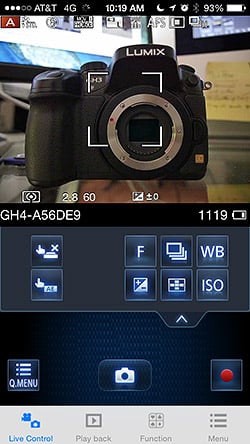
With Panasonic's Image App, I'm able to adjust a wide range of settings such as aperture, shutter speed, white balance and ISO, as well as tap-to-focus. I'm also shown a real-time live view screen. Even at a distance of around 15 feet or so, remote shooting performance was excellent with barely any noticeable lag in firing the shutter.
The app also lets you geo-tag photos, which I experimented with only briefly, but like other features with the mobile app, it worked well. You'll first have to sync the time from your phone or device with that of the camera, and then you simply take some shots -- with or without the app (though the app needs to stay open), and then you transfer and write the GPS data from the app to the images.
Transferring photos to my iPhone was also a breeze with fast transfer rates, even with batch transfers of multiple photos. Browsing through the photos on my iPhone was simple and almost like swiping through photos locally on my device, though there is a short lag as higher-res images load. The whole process took only a few minutes from connecting my camera and browsing photos, to then editing some on my phone and uploading to Instagram. Simple and fun.
Up next. Well, I wrote more than I had intended with this first Field Test installment, but I had a lot to report after shooting with the camera for the past couple of weeks. In the next installment, I'll dive more deeply into the video features of the Panasonic GH4 and also wrap up my review. Feel free to comment down below if you have any questions about the camera or would like me to test something for my next shooter's report.
Field Test Part III
Video Recording and that's a wrap!
By William Brawley | Posted: 08/04/2014
GH4 4K Daytime Sample Video: Ultra HD 4K (3840 x 2160) / 30p / MOV Download Original (446.2MB) |
Whether you're a still photographer who's just dipping his or her toes into the ocean that is video production or you're a hardcore, seasoned professional videographer, the Panasonic GH4 is like the "Swiss Army knife" of video -- boatloads of file formats, bitrates, framerates, clean HDMI output, headphone jack, full-time AF... you name it, the GH4 probably has it.

The GH3 garnered heavy praise from us for its impressive video quality and pro-level feature set -- and doing so at a very "un-pro-like" price point -- and the new GH4 has upped the ante with not only 4K video recording, but also with even higher quality 1080p video bitrates (with a total of 26 different video resolution/frame rates options), cinema-like picture styles and advanced production features like zebra pattern, focus peaking and clean HDMI output at 4:2:2 8- or 10-bit quality.
And still, the GH4 maintains a relatively low price for a pro-level camera at around $1,700, which is impressive considering it's: A) Panasonic's flagship photo-oriented interchangeable lens camera (the AF100 being a professional Micro Four Thirds camcorder) and B) a camera with video features and image quality that meet or surpass professional cinema cameras that can cost upwards of tens of thousands of dollars.
While I certainly don't consider myself a professional videographer, I've had a fair share of experience in video production, and after spending some quality time with Panasonic's new top-of-the-line Micro Four Thirds camera, I'm ready to discuss my thoughts on the video recording features of the GH4.
GH4 Cinema 4K Sample Video: Cinema 4K (4096 x 2160) / 24p / MOV Download Original (310.7MB) |
Image Quality
First of all, the video quality on the Panasonic GH4 is nothing short of impressive. Having come from using Canon HD-DSLRs for my video recording needs -- the Canon 5D Mark II and 7D -- I was stunned with the image quality the first time I used a GH3, especially at low ISOs -- the sharp, fine detail and flatter, wider dynamic range, and not to mention the ease of use with full-time autofocus. With the GH4, Panasonic has continued with that high level of image quality, and now with 4K resolution, the camera is even more stunning.
I shot all video with the Panasonic 12-35mm f/2.8 lens, and video at both 4K and 1080p resolutions is very sharp and highly detailed with excellent dynamic range -- especially with shadow detail -- even with the "Standard" Photo Style setting. Color rendition looks realistic and pleasant without being overly saturated. 4K resolution footage uses the IPB compression scheme at 100Mbps, while at Full HD, you have the option for some seriously high bitrate video with 200Mbps and ALL-INTRA compression that produces extremely high quality video. (There are also 100Mbps and 50Mbps HD video quality settings for MOV and MP4 formats.)
| Panasonic GH4 4K Still Life framegrab - ISO 200 | |
 |
|
 |
|
 |
|
Still Life Target shot. ISO 200, Ultra HD 4K (3840 x 2160), MOV, 100Mbps Panasonic GH4 + 12-35mm F2.8: |
|
With a Four Thirds sensor, you're not going to get the high ISO performance as you would with an APS-C or full-frame camera, such as the Canon 5D Mark III or Sony A7S. Still, high-ISO video quality from the GH4 is not to be scoffed at, at least not in properly exposed scenes. We shot a series of Still Life images in our test lab using the GH4's 4K resolution, and noise was very well-controlled all the way up until ISO 3200. At ISO 6400, you can see a noticeable jump in noise. However, in poorly-lit scenes such as in the night time video below, or the low-light torture test using a candle-lit scene, the GH4 looks a little rough at ISO 3200-6400 with lots of noise, though fine detail is still rather impressive.
| Panasonic GH4 4K Still Life framegrab - ISO 3200 vs 6400 | ||
 |
 |
|
ISO 3200 |
ISO 6400 |
|
GH4 4K Night Sample Video: Ultra HD 4K (3840 x 2160) / 30p / MOV / 100Mbps Download Original (279.8MB) |
GH4 4K Low Light Candle Test: Ultra HD 4K (3840 x 2160) / 24p / MOV / 200Mbps Download Original (424.2MB) |
Shooting often with Aperture Priority mode, I did notice a tendency for the GH4 to clip highlights when shooting in very harsh, sunny conditions, while maintaining good exposure in the mid-tones and the shadows. However, there are various image adjustments to counteract or compensate for high contrast scenes or for avoiding blown highlights.

First, you can always adjust exposure compensation, though you have to be careful not to end up with an overall underexposed image or crushed blacks in the shadows. The GH4 also lets you adjust the shadow and highlight tone curves separately (a max/min of +/- 5 increments), to help rein in highlight tones a bit and boost the shadows. In a high contrast test scene I shot, I had to adjust exposure compensation down to -2EV to avoid blowing highlights, however I was able to adjust the shadow tone curve to bring out a little more detail in the darker tones. A word of caution though: I was outdoors in bright lighting at a low ISO, but boosting the shadows with the tone curve adjustment could introduce some shadow noise at higher ISOs, so adjust accordingly.
| Panasonic GH4 contrast and highlights demonstration | |
 |
|
| Framegrab: 1920 x 1080 -- Standard Photo Style, 0EV | |
 |
 |
Standard Photo Style, -1EV |
Standard Photo Style, -2EV |
|
 |
Standard Photo Style, -2EV, Shadow Comp. +5 |
Cinelike D Photo Style, -2EV |
|
 |
Standard Photo Style, -2EV, Contrast -5 |
Standard Photo Style, 0EV, Contrast -5 |


In a quick test for rolling shutter, the performance at Full HD resolutions was very good. I saw practically no rolling shutter at 60p and only a hint of the "jello-effect" at 30p and 24p. However, at 4K resolutions -- both 30p and 24p framerates -- the rolling shutter effect is more noticeable, though still not to a degree that I would consider severe. It's becoming easier to correct for rolling shutter with various non-linear editing programs, but as long you're careful when panning horizontally, especially at 4K, you should be just fine.
GH4 Rolling Shutter Test: Ultra HD 4K (3840 x 2160) / 30p / MOV / 100Mbps Download Original (185.7MB) |
GH4 Rolling Shutter Test: Ultra HD 4K (3840 x 2160) / 24p / MOV / 100Mbps Download Original (178MB) |
GH4 Rolling Shutter Test: Full HD (1920 x 1080) / 60p / MOV / 200Mbps Download Original (420.3MB) |
GH4 Rolling Shutter Test: Full HD (1920 x 1080) / 30p / MOV / 200Mbps Download Original (433MB) |
GH4 Rolling Shutter Test: Full HD (1920 x 1080) / 24p / MOV / 200Mbps Download Original (415.5MB) |
Similarly, moiré and aliasing was minor, although it can still make an appearance on notorious surfaces like fine meshes or certain fabrics. I actually noticed it less on 4K video and more so at 1080p and 720p resolutions.
Special Features

Fans of slow-motion video will be very happy with the upgrade to the GH4. While the GH3 also had a Variable Frame Rate setting, it only went up to 60fps and only offered playback set to 1080/24p. The GH4, however, lets you boost the frame rate up to 96fps at Full HD with playback set to 30p or 24p, depending on the video format you choose. The VFR adjustment is only available in "MP4 (LPCM)" format at 1080/30p and 1080/24p at the 100Mbps bitrate (otherwise the VFR option is disabled).

The VFR setting was very fun to use, and allowed me to capture some fun footage of Charlotte, IR's "ISO-standard Australian Shepherd," chasing the Frisbee. The GH4 makes the process very simple -- set the frame rate speed you want, point and shoot. The camera re-times the footage for you, so there's no need to calculate frame rates or lengths of clips and do the heavy lifting in a video-editing program. On the opposite end of the scale, you can also have a very slow frame rate -- down to 2fps or 1200% slower for 24p playback or 1500% slower for 30p -- for a timelapse-like effect or otherwise fast-motion video.
There is a caveat to this VFR mode -- no continuous AF. Regardless of whether or not you have it set to AF-S/AF-F or AF-C modes, enabling a variable frame rate speed kicks it to manual focus. When I was out shooting, I normally kept continuous AF turned on, but when I played with the VFR mode for some slo-mo video, I didn't realize at first that it was in manual focus. On the rear LCD, the image looked in focus, but it was only when I watched the videos on the computer at full-resolution that I noticed they were indeed out of focus for a portion of the video.
GH4 Variable Frame Rate Test #2: Full HD (1920 x 1080) / 96fps / MP4 (*) Download Edited File (39.2MB) (*Edited in Adobe Premiere Pro CC for length) |
The Panasonic GH4 is also packed with various advanced and professional-level features, many of which are beyond my level of expertise and my ability to test due to lack of the necessary equipment, such as the advanced audio, timecode and SDI video output with the DMW-YAGH Interface Unit (which we did not have for reviewing).

Some of the new advanced features I was able to experiment with were the new "cinema-style" gamma settings and the image luminance settings, Master Pedestal Level and Luminance Level.
When shooting video that will later undergo some form of post-production, especially color grading, a lot of advanced videographers want to have as much latitude as possible to tweak and massage the image without degrading it. While the GH4 doesn't record RAW video, the idea is the same as it is with RAW still images -- the more information you maintain, the more you can adjust later (i.e. bring detail out from the darker areas, rein in the highlights, or more easily correct colors). As such, many advanced users opt for a flatter, lower-contrast image profile with as much dynamic range as possible for recording video, making it easier to tweak the final image in post-production.
The Panasonic GH4 has a wide variety of ways to alter the look of video footage apart from the standard Picture Style presets, each of which include user adjustable levels of contrast, saturation, sharpness, etc. The GH4 introduces two new Picture Style presets -- Cinelike D and Cinelike V -- to give videographers a quick way to give a more cinematic look to their footage. I shot a few test videos comparing the two "Cinelike" styles versus the "Standard" picture style, which you can see below. The Standard Picture Style has fairly strong contrast with bright highlights, whereas the Cinelike D uses a gamma curve that is much lower in contrast -- shadows detail is more apparent and highlights are toned down and less apt to be blown out. Now, "Cinelike V" is more 'contrasty' -- even compared to Standard P.S., but still has more toned down highlights.
GH4 Cinelike Gamma Comparison: Full HD (1920 x 1080) / 60p Download Edited File (23.9MB) (Edited in Adobe Premiere Pro CC) |
Now, you can go even further by customizing the Cinelike D style by dropping the contrast and sharpness settings for an even flatter, lower-contrast image, making the footage even more suitable for post-production massaging.

The GH4 brings even further image adjustments, which should be notable to seasoned professional videographers. Panasonic has now included a Master Pedestal adjustment to let shooters adjust brightness level of the image based on the black level. This not only helps adjust the image to have more or less contrast, but also allows for easier matching of footage from multiple cameras.

Panasonic has also introduced an adjustable luminance level for matching the source footage to its proper output format, such as those for broadcast video or viewing on a computer. In a typical RGB color space, luminance level ranges from 0-255, with 0 being black and 255 being pure white. While the GH4 will let you shoot video at the 0-255 range, it actually defaults to 16-255, setting the black level at 16, which helps prevent very crushed blacks when played back either on a computer or in broadcast video. However, the "studio standard" luminance range for broadcast TV, HDTV, Blu-Ray, etc., all use a different range -- 16-235 -- which keeps the black levels from being too black and the highlights from being too high that they clip. The GH4 can be set to this luminance level as well for use in critical professional production or studio settings.
Focusing
Like the GH3, the new GH4 includes full-time autofocus during video recording, which has become a fairly mainstream feature these days with mirrorless cameras and some DSLRs. Coming from a Canon 5D2 and 7D with manual focusing only, I found having AF during video recording very nice for most scenarios, especially in run-and-gun situations. However, indoors and on areas of low-contrast, the GH4's AF can still hunt a bit -- even with Panasonic's new DFD technology with the 12-35mm lens -- which can be a bit disrupting to video recording with your image hunting and wobbling as it adjusts focus.
GH4 Focusing Sample Video: Cinema 4K (4096 x 2160) / 24p / MOV / 100Mbps Download Original (195.3MB) |
Like with the Canon 70D which does support AF during video recording, the touchscreen on the GH4 allows you to tap-to-focus before and during recording. While video is being captured, taping lightly to focus produces a very smooth, cinema-like focus transition between subjects. It's not a super fast transition, though, so trying to tap-to-focus on fast-moving subjects can be tricky.
For more fine-grained focus control, you can also manually focus and display peaking and an adjustable magnified view, which are very handy things to have that insure you have crisp, critical focus. Even in MF mode, there's a option on-screen to tap to quickly AF, which I found very helpful in quickly setting focusing, and then letting me fine-tune or confirm if I had critical focus.
Audio

The audio features on the GH4 are fairly standard fair nowadays compared to other enthusiast- and professional-level video-capable stills cameras. There's both a 3.5mm microphone input jack and headphone jack for monitoring audio. The mic input levels are adjustable, with a range of -12dB to +6dB, and there's a variable-strength wind noise filter setting.
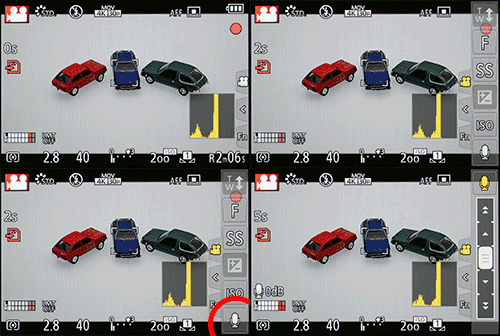
One very handy audio feature I discovered is that you can adjust the mic volume level in-camera during recording. Using the touchscreen interface, there's a slide-out set of tabs along the right edge of the screen, and you can tap open the movie options and choose a mic level adjustment, all while video is being recorded. Obviously it goes without saying, but be sure to use a light touch as you could easily bump the camera and ruin a shot with a forceful tap.
As with most things related to the GH4, options abound in terms of audio recording formats. For most 4K resolutions and the high-bitrate Full HD containers, audio is recorded in uncompressed Linear PCM format. (4K resolution in the MP4 container uses AAC compressed audio.) With AVCHD, however, Dolby audio is used, and for other lower bitrate MP4 videos formats, AAC is used for audio.
Using the optional DMW-YAGH Interface Unit, you can have additional audio connections and controls. With the unit you'll get 2 mono XLR inputs for line-in or mic input with separate volume control for the left and right channels. There's also an audio level display and 48 volt phantom power for each channel to support condenser microphones.

It's a wrap: My summary of the Panasonic GH4
My experience shooting with the Panasonic GH4 has been overwhelmingly positive. It's a very solid camera -- build-wise and feature-wise. With design and handling more like a smaller DSLR than a super-portable mirrorless camera, the GH4 will feel right at home in the hands of seasoned DSLR shooters. The larger contoured grip is very comfortable and secure in the hand, and the plethora of external controls, including the two thumb and forefinger control dials make for a familiar shooting experience. I particularly loved the dedicated drive mode dial and conveniently-placed AF mode switch, which let me quickly change shooting parameters from, say, a portrait shot to being able to capture a fast-moving subject such as a birds or other wildlife (with a super quick 12fps burst speed with no AF -- impressive).
For still photography, the GH4 is still a very capable camera. It's not leaps-and-bounds better than the GH3, however, with a similar resolution sensor, image quality and high ISO performance. And speaking of high ISO performance, that's one area where the smaller Four Thirds sensor -- compared to similarly-priced APS-C and now even full-frame cameras -- shows its weakness. I was very comfortable shooting up to around ISO 1600, but beyond that, you start to notice either a) a lot of noise or b) lots of noise reduction processing, at least at default settings for JPEGs. I will say the GH4 is still a respectable camera with a good amount of fine detail up to around ISO 2500-3200. And the new DFD autofocus technology was for the most part super-quick and silent. On all but the trickiest, smallest and lowest of contrast subjects, the GH4 felt about as fast as a DSLR -- focus was nearly instantaneous.
The big story with the GH4, though, is video. 4K video. And it is awesome. It was my first foray into 4K video, and the GH4 proved a very capable camera. The GH3 had already proved itself an excellent performer with video, and the GH4 continues that achievement. Videos at both 4K and HD resolutions were very crisp, with excellent detail, colors and dynamic range.
For advanced videographers, the GH4 provides a plethora of image quality controls and tweaks to get your video exactly the way you want or need it to be, including image presets -- adding two new "Cinelike" gamma presets -- as well as dynamic range adjustments, black levels, sharpness, and highlight / shadow adjustments. If you're looking to integrate the Panasonic GH4 into a professional production or studio shooting environment, you're pretty much good to go -- with clean HDMI output (with 4:2:2 8/10-bit quality), zebras and focusing peaking, color bars and timecode -- you name it.
All in all, the Panasonic GH4 is one heck of a camera that crams a ton of features and performance into a compact, well-priced package. Whether you're stepping up to a more advanced mirrorless camera, switching from a DSLR or off filming with a professional cinema or video production, the GH4 is capable, comfortable and relatively affordable (though if you're a professional videographer, the GH4 is a down-right bargain compared to the competition).
Video
Check out the links below for more sample images, videos and image quality analysis:
- Panasonic Lumix DMC-GH4 Optics page (Crops from images shot with the camera's kit lens, if sold as a kit)
- Panasonic Lumix DMC-GH4 Sample Images page (Index to all standard test shots, with explanations)
- Panasonic Lumix DMC-GH4 Thumbnails page (Thumbnails of all shots, including RAWs, with EXIF data)
- Panasonic Lumix DMC-GH4 Gallery page (Regular photos taken with the Panasonic Lumix DMC-GH4)
A whole new level for video recording in compact ILCs
The earlier GH3 was already one of the leading interchangeable-lens video platforms, but the Panasonic GH4 takes its video capabilities to a whole new level, with full 4K video, both IPB and All-I recording in a range of container formats, data rates as high as 200 Mbps(!), clean HDMI output at either 8 or 10 bits, and a super-high full HD frame rate of 96fps for 1/4x slow-motion when played back at 24fps. There's a whole host of other features, so many that we're going to just hit them briefly here. It's safe to say, though, that the Panasonic GH4 is a dream machine for both professional and high-end amateur videographers.
4K recording. Around the office, we've been joking that 4K is this year's 3D, given the massive focus on it at this year's CES show. TV manufacturers are clearly hoping that 4K will revive TV sales, by getting consumers to upgrade their current sets, just as they did with 3D. While 3D was an unmitigated flop with consumers, 4K does in fact bring noticeable improvements in image quality. Whether the improvements will be enough to make consumers reach for their wallets isn't clear, but 4K is potentially useful for many filmmakers, looking to integrate video with conventional film. Depending on the software involved, it's also quite possible that downsampled 4K video will result in better-looking HD than you'd get shooting directly in HD in the first place.
However the 4K space eventually sorts itself out, the Panasonic GH4 will be fully 4K capable at launch, able to record in both 3,840 x 2,160 and 4,096 x 2,160 formats, recording IPB data at a rate of 100Mbps in either format. (The processing burden of encoding 4K data means the data rate is limited to 100Mbps; the camera can do 200Mbps with conventional 1080 HD imagery.)
High bit rates, multiple container formats. We just alluded to this, but a key feature of the Panasonic GH4 is the very high data rates it can record at, as well as pass through its HDMI port (more on that in a bit). Where the GH3 was limited to a maximum of 50Mbps (not too shabby in its own right), the GH4 can go as high as 200Mbps in All-Intra mode at full HD resolutions, and frame rates from 24-60fps. IPB recording can go as high as 100Mbps, at the same frame rates. High bit rate video can be saved in either MP4 or MOV containers, and standard AVCHD format can be recorded up to 28Mbps. Of course, data rates of 200Mbps require a very fast memory card to keep up. The Panasonic GH4 is compatible with the SD UHS Speed Class 3 (U3) standard, which guarantees an uninterrupted 30 MB/sec data stream. Very few of these cards are on the market as yet, so be sure you're using the right card, if you want to achieve these very high sustained data rates.
| Panasonic Lumix DMC-GH4 Video Options
|
||||
|---|---|---|---|---|
4K |
||||
Container |
Resolution |
Frame Rate |
Bitrate |
Compression |
MP4 / MOV |
Cinema 4K |
24.00p |
100Mbps |
IPB |
4K Ultra HD |
29.97p / 23.98p |
|||
25.00p |
||||
24.00p |
||||
29.97p / 23.98p |
||||
23.98p |
||||
High-Bitrate Full HD |
||||
Container |
Resolution |
Frame Rate |
Bitrate |
Compression |
MP4 / MOV |
1080p |
59.94p / 50.00p
|
200Mbps
|
ALL-Intra |
100Mbps |
IPB |
|||
50Mbps |
||||
29.97p / 25.00p
|
200Mbps
|
ALL-Intra |
||
100Mbps |
IPB |
|||
50Mbps |
||||
24.00p
|
200Mbps
|
ALL-Intra |
||
100Mbps |
IPB |
|||
50Mbps |
||||
23.98p |
200Mbps
|
ALL-Intra |
||
100Mbps |
IPB |
|||
50Mbps |
||||
Low-Bitrate Full HD |
||||
Container |
Resolution |
Frame Rate |
Bitrate |
Compression |
MP4 / MOV |
1080p |
59.94p / 50.00p |
28Mbps
|
IPB |
29.97p / 25.00p |
20Mbps |
|||
720p |
10Mbps |
|||
SD |
4Mbps
|
|||
AVCHD |
1080p |
59.94p / 50.00p |
28Mbps
|
|
AVCHD |
59.94i / 50.00i |
17Mbps
|
||
24Mbps
|
||||
23.98p |
24Mbps
|
|||
Clean HDMI, 4:2:2, 8 or 10-bit output."Clean" HDMI means straight output of the video stream, without any viewfinder or settings overlays, for recording on an external recorder. So-called 4:2:2 is a standard professional digital video format, and is supported by most video-capable ILCs (Interchangeable-Lens Cameras). The big news with the Panasonic GH4 in this area is that you can select either 8 or 10-bit output. The higher bit-depth will produce much smoother gradations, something particularly noticeable in areas of very subtle variation, such as blue sky, or subtle highlight gradations. (It's important to note here, though, that the GH4's 10-bit output is only available when streaming video to an external recorder. The data recorded on the internal SD card is 4:2:0 at 8 bits, and internal recording is not supported when 10-bit HDMI output is active.)
Zebras! This was a very highly-requested feature from GH3 customers, and Panasonic stepped up to offer it in the GH4. It's a way of easily seeing areas of your image that might be over- or under-exposed; the camera overlays a pattern of zebra-stripes on such areas, making them immediately evident. For whatever reason, relatively few video-capable ILCs offer this feature, but it's a standard one in dedicated video equipment that pro video shooters rely on heavily.
Variable frame rate. Mentioned briefly above, this will be of interest to people wanting to shoot slow-motion video. Shooting slo-mo involves capturing video at a high frame rate, and then playing it back at a slower one, typically 24fps. With a maximum frame rate of 60fps, most video ILCs can only achieve only a 1/2.5x slow motion effect. The GH4 supports frame rates as high as 96fps at full HD resolution, meaning you can achieve a slow motion effect of 1/4x.
Time Code, Rec run/Free run. As the name suggests, time code is a separate data stream of precisely-encoded time information that indicates just when each frame of video was shot. Time code is essential for editing-together video shot on different cameras. Rec run means the time code advances only when the camera is recording, while Free run means it runs continuously from whenever it was first set. Free run is useful when multiple cameras are being used, with the video from each stopping and starting at random times. With the DMW-YAGH interface unit (the AF-YAGH outside the US, see below for more info), the Panasonic GH4 can also accept external time code input, so multiple cameras can be precisely synchronized on a set.
Pro-level video signal adjustments. This is a bit of a catch-all category, as there are a number of adjustments to the video signal that important in professional environments. Among them, the Master Pedestal Adjustment sets the black level of the video signal, Cinema-Like Gamma makes the GH4's tonal rendition match the specs of cinema vs normal video output, and Luminance Level Adjustment lets you set the tonal range from 16-255 brightness units, 16-235 units, or 0-255 units. While of little interest to amateurs, these adjustments are critical in professional applications.
Color bars and audio reference signal output. This is another pro-only consideration, but having the Panasonic GH4 able to output standard color bars and an audio reference signal makes it much easier to match its output to other video devices, avoiding odd color casts, tonal breaks, or audio level problems.
Center marker. This is a small point, but illustrates the attention Panasonic gave to user requests in designing the GH4. Having the frame's center point marked with an overlay in the viewfinder display can help a lot in setting up shots, especially when you need to match the framing from one take to another.
The DMW-YAGH Interface Unit (AF-YAGH outside the US). While the Panasonic GH4's video capabilities are quite impressive on its own, the DMW-YAGH interface unit delivers a lot of connectivity that's important to professional videographers. The shot above shows a rear view of it, where you can see separate stereo VU displays (the bar graph segments on the left), the manual record level adjustments for both channels, and the controls to set mono or stereo recording, and the level options (including +48v phantom power) for the two XLR connections on the side.

As the name "Interface Unit" suggests, the main function of the DMW-YAGH is to provide audio and video interfaces necessary for use in professional videography applications. On the audio side, a pair of latching XLR-type connectors provides balanced-line connectivity for external microphones, and as noted above, the unit is capable of accepting either line-level or mic-level signals, as well as providing +48v phantom power for condenser mics.
There's also a set of four BNC connectors for the SDI digital video interface preferred in pro video applications. A key advantage of SDI connections over HDMI ones is that the BNC connectors lock, so the cables won't disconnect if they're tugged. As alluded to earlier, there's also a time code input (TC In) connector, that lets you slave the Panasonic GH4 to a master clock that ties together all the capture devices used on a set.

The DMW-YAGH adds some bulk to the GH4, but really not much more than dictated by the bulk of the connections themselves. (They arguably might have reduced the bulk slightly, by having the SDI and XLR connections exit from opposite sides, but that would have resulted in much more unwieldy cable routing.) The combined package is still very much hand-holdable, although you'd probably mount the camera on a fluid-head tripod for most pro video applications, anyway.
At the time of this writing, Panasonic hadn't yet released prices for either the GH4 itself or the DMW-YAGH interface unit, but it's a safe bet that they'll come in well below the cost of current competing solutions from other manufactures. (For instance, we expect that the price of the Panasonic GH4 itself will be close to that of the GH3 before it, which will price it far below competing pro-grade 4K capture solutions.)
Update 03/10/2014: Panasonic has announced pricing and availability! Suggested list price for the DMC-GH4 body is US$1,699.99, a $400 premium over the GH3's list price. The DMW-YAGH interface unit is listed at US$1,999.99. When purchased together, the body plus interface unit go for about US$3,300. Shipments begin in late April, 2014.
Panasonic GH4 video summary. As we said at the outset, the GH3 was already one of the preeminent video capture platforms on the market, but the Panasonic GH4 represents a large step up in almost every area. After testing a full production unit, the GH4's video capabilities are indeed very impressive. The GH4's capabilities, at the relatively affordable pricepoint, should really throw down the gauntlet to all competing manufacturers. Hard on them, perhaps, but a very good thing for videographers everywhere.
Ready to Order? Support this site by purchasing through a trusted Imaging Resource affiliate now:
(No added cost to you, a big help to us)
Panasonic GH4 body-only: ADORAMA | AMAZON | B&H
Panasonic GH4 + DMW-YAGH Interface Unit Kit: ADORAMA | B&H
Panasonic DMW-YAGH Interface Unit: ADORAMA | B&H
Panasonic DMW-FL580L Wireless Flash: ADORAMA | B&H
High ISO Noise Reduction
Panasonic GH4 Noise Reduction
The Panasonic GH4 offers no fewer than 11(!) noise reduction levels, offering very fine granularity on noise reduction strength, however there doesn't appear to be a way to assign different NR levels to specific ISO ranges as we've seen on some cameras. The Panasonic GH4 user manual doesn't say when noise reduction kicks in, so we've included crops from the entire range of ISOs in the tables below.
See for yourself how the Panasonic GH4's default and -5 (lowest) noise reduction settings compare to RAW without noise reduction under daylight-balanced lighting. (Note that these RAW images also have no sharpening applied, so they're a little softer than camera JPEGs at low ISOs.) Click on any of the crops below to see the corresponding full-sized image.
| High ISO Noise Reduction Comparison Daylight-balanced illumination |
|||
|
Default
|
-5
|
RAW (no NR)
|
|
|
I
S O 1 0 0 |
 |
 |
 |
 |
 |
 |
|
 |
 |
 |
|
|
Default
|
-5
|
RAW (no NR)
|
|
|
I
S O 2 0 0 |
 |
 |
 |
 |
 |
 |
|
 |
 |
 |
|
|
Default
|
-5
|
RAW (no NR)
|
|
|
I
S O 4 0 0 |
 |
 |
 |
 |
 |
 |
|
 |
 |
 |
|
|
Default
|
-5
|
RAW (no NR)
|
|
|
I
S O 8 0 0 |
 |
 |
 |
 |
 |
 |
|
 |
 |
 |
|
|
Default
|
-5
|
RAW (no NR)
|
|
|
I
S O 1 6 0 0 |
 |
 |
 |
 |
 |
 |
|
 |
 |
 |
|
|
Default
|
-5
|
RAW (no NR)
|
|
|
I
S O 3 2 0 0 |
 |
 |
 |
 |
 |
 |
|
 |
 |
 |
|
|
Default
|
-5
|
RAW (no NR)
|
|
|
I
S O 6 4 0 0 |
 |
 |
 |
 |
 |
 |
|
 |
 |
 |
|
|
Default
|
-5
|
RAW (no NR)
|
|
|
I
S O 1 2 8 0 0 |
 |
 |
 |
 |
 |
 |
|
 |
 |
 |
|
|
Default
|
-5
|
RAW (no NR)
|
|
|
I
S O 2 5 6 0 0 |
 |
 |
 |
 |
 |
 |
|
 |
 |
 |
|
The Panasonic GH4's default noise reduction setting provides a good tradeoff between noise and detail at lower ISOs to our eye, but we'd shoot with the lowest setting at higher ISOs and reduce noise ourselves in post-processing (or just shoot RAW). As you can see, the GH4 already applies noise reduction at its lowest (extended) ISO of 100. At the other end of the ISO range, you can see that the GH4 is quite effective at reducing chroma noise, starting at the lowest NR setting.
Technical Info
Tech Insights: Panasonic's DFD autofocus technology
With the GH4, Panasonic has introduced an all-new autofocus algorithm that eliminates many of the drawbacks of contrast-detect autofocus, and delivers AF speeds approaching those of traditional SLRs. DFD stands for "Depth From Defocus," and to understand what this is all about and why it's such an impressive innovation, let's first take a quick look at how camera AF systems work.
In traditional SLRs, the mirror system diverts a small portion of the incoming light to a separate autofocus sensor, typically located in the bottom of the mirror box. A prism there splits the light coming from opposite sides of the lens and directs it to paired groups of sensor pixels, forming each AF point. Depending on the focus of the lens, the light falling on the paired groups of pixels will either line up (focused) or be shifted one way or the other relative to each other (front-focused or back-focused). Phase-detect AF thus not only knows whether the subject is in focus or not, but if out of focus, it knows in what direction and how much out of focus the image is. This means the camera can command the lens to move directly to the correct focus setting, without having to "hunt" along the way.

The other way of determining focus is called "Contrast-Detect", and involves measuring how abruptly objects in the image change from light to dark or back again. When an object is in sharp focus, the tonal values will change fairly rapidly as you move from pixel to pixel. When it's out of focus, these transitions happen much more gradually. With contrast-detect AF, the camera measures how rapidly brightness levels change from pixel to pixel, shifts the lens' focal distance slightly, and measures the brightness changes again. If there were more differences between pixels after the focus change, that means the subject is closer to being in focus, so the camera will shift the focus again, take another look, and keep going until it finds that the pixel to pixel contrast dropped slightly. That means it just passed the point of best focus, so it'll drop back one increment and snap the picture.

This figure shows an example of contrast-detect AF at work, including "hunting" for the point of sharpest focus. (Illustration courtesy of and copyright 2013 by Rob Taylor - Source )
Because it's an iterative process, contrast-detect AF can be rather slow, compared to conventional phase-detect AF, as found in SLRs. Also, since the only way the camera can tell whether the subject is focused or not is by tweaking the focus and seeing if the contrast signal gets better or worse, this is why you'll often see contrast-detect AF systems "hunting" for the best focus, constantly moving in and out of focus during a video recording.
Panasonic has been very successful in making their contrast-detect AF systems very fast, to the point that they're in many cases as fast or faster than the phase-detect systems on low-end SLR cameras. Still, they're not up to the speed levels of the best phase-detect systems, and they're still prone to hunting during video recording, even if to a lesser degree than many competing systems.
Recently, a number of manufacturers have managed to integrate phase-detect pixels onto the main image sensor, but on large-sensor cameras, AF speeds are still rather slow, because it takes too long to clock the PDAF data off the larger imaging chips.
With all that as background we can now talk about Panasonic's latest AF innovation, Depth From Defocus, or DFD technology. Panasonic's engineers realized that they had more information to work with than just whether incremental changes in focus resulted in better or worse contrast measurements; they could also tell how much the contrast signal improved or worsened. By knowing how much the focus improved or worsened after a small focus change, they had an opportunity to tell how far out of focus the lens was. They had the opportunity to tell that, but actually knowing how far the lens needed to travel required that the camera know a great deal about the lens. Basically, the camera has to have a detailed understanding of the lens' bokeh, across the full range of out of focus conditions, at all focal lengths (in the case of a zoom lens), and all apertures.
That's a pretty tall order, but since Panasonic manufactures their own lenses, they could in fact characterize each of them fully in this regard. So of course, that's what they did, and they loaded a full database of the bokeh behavior of all their current lenses into the GH4's memory. As a result, no matter the focal length, aperture, or subject distance, the GH4 can very quickly determine now much out of focus each lens is, and in what direction, just by comparing two images, acquired in rapid succession, with a small lens movement in between. By interpreting the change in bokeh from one "look" to the next, the GH4 can calculate how far it needs to move the lens, to get very close to the final focus setting. After this rapid movement, it does one or two normal contrast-AF cycles to fine-tune the focus, before snapping the shot.
 |
Conventional contrast-detect autofocus involves a progressive "hunting' process to find the point of best focus. Panasonic's new Distance From Defocus method can quickly calculate the amount and direction of misfocus and move the lens close to the final focus setting very quickly. |
When shooting with our production review unit, the DFD technology worked well, with very quick focus acquisition times. For video recording, the focus transitions between focus distances was precise and smooth with little to not hunting.

49-area AF.
This deep understanding of lens bokeh by the GH4 apparently also helps minimize focus hunting, since the camera can detect and quantify changes in subject focus without having to move the lens. You should thus only see the lens shift focus when the subject actually moves, and the process of re-acquiring focus should be noticeably faster than in the past. (You can bet we'll put all this to the test, as soon as we can get our hands on a production sample of the GH4!)
Of course, given that the camera needs to understand each lens' bokeh characteristics in great detail, the first question we asked was what will happen as Panasonic develops and releases new lenses: Will the GH4's firmware have to be updated every time a new lens comes out? The answer was that, while the GH4 will contain a database of all the current Lumix lenses, new models will have their bokeh profiles stored on internal memory in the lens itself. So, no camera firmware updates needed, each new lens will carry with it the information needed to make DFD work.

Focus peaking.
This naturally leads to the next question: What about third-party lenses? As you might expect, the GH4 doesn't contain a bokeh database for every non-Lumix lens out there, so third-party lenses will revert to Panasonic's (already very fast) conventional contrast-detect AF algorithms.
The Panasonic GH4's AF features aren't only about improved speed, though; the camera now sports 49 contrast-detect AF areas up from 23 in the GH3, and has both face and eye-detection AF, a flexible 1-area AF option, and a flexible "pinpoint" AF display, for setting focus very precisely on small elements within the scene. In 1-area AF mode, you can change the size of the AF frame, and there's also focus peaking, a much-requested feature.

Face and eye detection.
You can also select the AF area via the rear-panel touch screen, optionally enable Eye Sensor AF, which starts the AF running when you bring the camera to your eye, and select a one-shot AF mode that lets you use AF for initial rough focusing, then switch to manual focus for fine-tuning. Finally, the GH4 is capable of focusing at light levels down to -4EV, a challenge even for many phase-detect systems. All in all, the Panasonic GH4 sports an unusually capable and flexible AF system.
As always with new technologies, we'll withhold judgment on Panasonic's new DFD approach until we have a chance to try it out in practice. The performance of the early prototype and the demo videos Panasonic showed us were very encouraging indeed, though. Panasonic has always been a leader in advancing the speed and accuracy of contrast-detect autofocus, and this latest innovation of theirs promises to kick it up another substantial notch. Kudos to Panasonic for their continuing innovation in this area.
Ready to Order? Support this site by purchasing through a trusted Imaging Resource affiliate now:
(No added cost to you, a big help to us)
Panasonic GH4 body-only: ADORAMA | AMAZON | B&H
Panasonic GH4 + DMW-YAGH Interface Unit Kit: ADORAMA | B&H
Panasonic DMW-YAGH Interface Unit: ADORAMA | B&H
Panasonic DMW-FL580L Wireless Flash: ADORAMA | B&H
Conclusion
| Pros: | Cons: |
|---|---|
|
|
The Panasonic GH3 is already an excellent camera and one of the best Micro Four Thirds models out there, yet Panasonic has somehow managed to make it even better with the GH4. From the exterior, the Panasonic GH4 might not look all that much different than just a GH3 with a new badge, but the interior has undergone some serious revamping. The sensor, while keeping the same 16 megapixel resolution, has slightly improved dynamic range, and a new extended ISO of 100 is available. But above ISO 200, it's pretty much neck-and-neck compared to its predecessor, with only minor improvements seen in JPEGs at some higher ISOs. The sensor readout has also been given a boost, which, as we found, also helps reduce rolling shutter.
Other areas received a nice performance boost as well. Autofocus performance is excellent, especially when using Panasonic lenses, as the camera incorporates Panasonic's new DFD technology, and the GH4 now gets a 49-area AF grid (up from 23 on the GH3). We found AF speed in good lighting to be near instantaneous with most subjects, though small and low contrast subjects can cause issues.
Thanks in part to its new quad-core image processor, burst shooting and buffer performance is impressive. While burst shooting with continuous AF takes a hit in speed, the GH4 still manages a very respectable 7fps. The eye-opener is with burst shooting without continuous AF: 12fps. Coupled with a bigger buffer that's able to handle more than 100 JPEGs or up to 40 RAW images (RAW buffer clearing is a on the slow side, though), the GH4 is a worthy camera for capturing fast-moving subjects, so long as continuous AF tracking is not a priority.
Of course, the GH4 is not just a stills camera, it's a hybrid. The GH3 made a huge splash in the HD-DSLR, or rather, "HD-DSLM" market, and the GH4 improved upon its already-impressive set of video features and image quality. The big story with video on the GH4 is, of course, 4K. Offering both Cinema 4K and Ultra HD/4K resolutions, the GH4 is ready, out of the box, for all your ultra-high-res video needs. Full HD also gets a significant boost in image quality with a trio of high bitrate options (200, 100 and 50Mbps), and there's a vast array of professional-level amenities, from focus peaking and zebras for highlight clipping to timecode and luminance and black level adjustments.
Video quality, not surprisingly, is very impressive with highly detailed picture quality and excellent dynamic range. While the default Photo Style is a little heavy on contrast and highlights were easy to blow out, like most settings with the GH4, it's very easy to tweak the image styling, tone, sharpness and contrast to your liking or needs, including two new cinema-style presets.
Of course, one of the biggest downsides to the GH4 is the smaller Four Thirds sensor, which simply does not have the low-light, high-ISO performance of most APS-C cameras at a similar price point. We saw image quality start to take a significant hit past ISO 3200 which isn't as good as some cameras with larger sensors, but is pretty much on par with the best Micro Four Thirds models shipping as of this writing.
The other potential downside, though admittedly a rather subjective one, is that of physical size. Mirrorless cameras, by virtue of their design "sans mirror" have the ability to be very compact or at least significantly smaller than DSLRs. The Panasonic GH4, however, is still rather large, and similar in size and ergonomics to a smaller DSLR, such as a Canon T5i or Nikon D5300. Granted, it's certainly much smaller and lighter than something like a Canon 5D Mark III, which the GH4 competes against in the video market, so there's still a significant size and weight advantage there. And of course, Micro Four Thirds lenses are significantly smaller than their APS-C and full frame counterparts.
So, if you're a DSLR shooter looking to downsize to a mirrorless camera and still want classic DSLR ergonomics and comfort, the GH4 is the camera for you. If you're looking for that go-anywhere, carry-with-you-all-the-time camera, the GH4 might not be the one, well, unless you carry a bag everywhere too.
All in all, the Panasonic GH4 takes the impressive specs and performance of the GH3 and kicks them up a notch -- a big notch -- with faster burst shooting and quicker AF, not to mention tons of video features. With 4K video, higher-bitrate Full HD, focus peaking, zebras, a plethora of image tweaking adjustments and clean, uncompressed HDMI output, the GH4 is at home in the hands of not only advanced and professional still photographers, but also in the hands of advanced and professional videographers.
In what is most assuredly one of the best Micro Four Thirds cameras on the market today, the Panasonic GH4 is an easy choice for a Dave's Pick.
Follow Imaging-Resource.com on Twitter!
Pros
- Excellent still image quality for its class
- Fantastic, highly-detailed video quality
- Superior video recording chops with 4K video (both Cinema 4K and Ultra HD)
- Responsive all-around performer with great AF performance and burst shooting
- Rolling shutter is minimal with 60p and 30p video
- Splash- and dust-proof magnesium alloy body
- Built-in Wi-Fi with NFC.
Cons
- High ISO performance not as good as some APS-C models (IQ drops quickly past ISO 3200)
- Overall still image quality not significantly better than the GH3
- Sluggish buffer clearing with RAW files
- Rolling shutter noticeable on 4K video
- Not as compact as most mirrorless cameras.