

Overview
Overview and Technical Info by Mike Tomkins
Extended Walkaround by Dave Etchells and Mike Tomkins
Field Test by David Schloss
Preview posted: 10/16/2013
Review finalized: 04/18/2014

A little over a decade ago, enthusiast photographers were clamoring for an affordable APS-C digital SLR. That dream has long since become a reality, but for some, the dream wasn't big enough. They've been asking for an altogether different -- yet still affordable -- camera. They needed it to have a bigger sensor, and to drop the bulky mirror box of an SLR. Until now, they could choose one or the other. Sony has changed all that, with the launch of the full-frame Sony A7 and A7R mirrorless cameras.
The two cameras are very closely-related, and in this first impressions review, we'll be looking at the Sony A7. It's the lower-resolution of the two models -- albeit still pretty high-res, compared to what's available in its mirrorless and DSLR rivals -- but it has some important advantages over the A7R in other areas. If resolution above all else is your goal, though, you'll want to take a look at our Sony A7R review, instead.
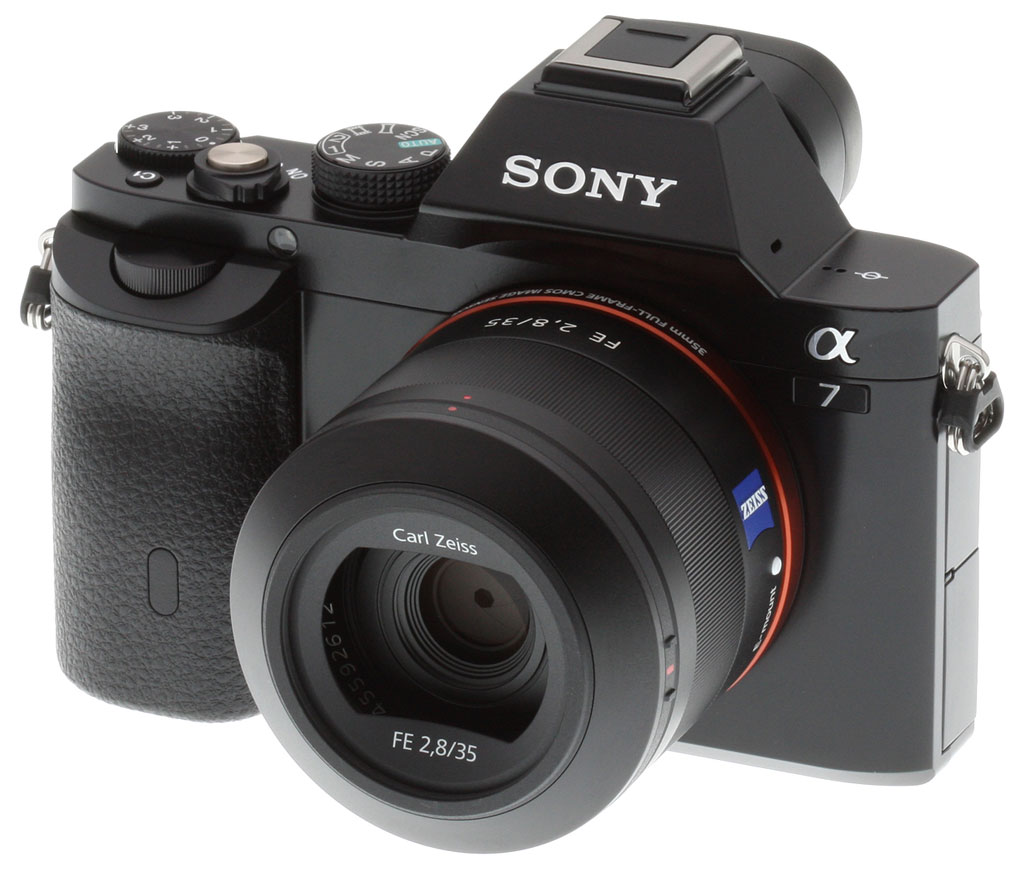
Design. Externally, there's very little to tip you off to which of the two cameras you're looking at beyond their badges. The Sony A7 is just slightly heavier than its sibling, but the difference is not one you'd notice, even holding the two cameras side-by-side. Despite being heavier, it also features just slightly more plastic in its construction. You can tell the difference by touch -- the A7's front panel is warmer plastic, and that of the A7R is cooler metal. The A7's Mode dial and Exposure Compensation dial are also just slightly different, with coarser knurling on the former, and a slight increase in height on the latter. None of these physical differences is noticeable unless you're looking very closely indeed.
| Differences between the Sony A7, A7S and A7R | |||
| Camera | Sony A7S | Sony A7 | Sony A7R |
| Body-only List Price | Unknown | US$1,700 | US$2,300 |
| Available in Kit with Lens | Unknown | Yes | No |
| Body Materials | Magnesium alloy | Magnesium alloy and polycarbonate | Magnesium alloy |
| Sensor Size | 35.8 x 23.9mm | 35.8 x 23.9mm | 35.9 x 24.0mm |
| Sensor Resolution (Total) | 12.4 mpix | 24.7 mpix | 36.8 mpix |
| Sensor Resolution (Effective) | 12.2 mpix | 24.3 mpix | 36.4 mpix |
| Maximum Image Size | 4,240 x 2,832 pixels | 6,000 x 4,000 pixels | 7,360 x 4,912 pixels |
| Standard ISO sensitivity (Still) | 100 - 102,400 | 100 - 25,600 | 100 - 25,600 |
| Expanded ISO sensitivity (Still) | 50 - 409,600 | 50 - 25,600 | 50 - 25,600 |
| Standard ISO sensitivity (Video) | 200 - 102,400 | 200 - 25,600 | 200 - 25,600 |
| Expanded ISO sensitivity (Video) | 200 - 409,600 | N/A | N/A |
| Electronic First Curtain Shutter | Yes, optional | Yes, optional | No |
| On-chip Phase Detect Pixels? | No | Yes | No |
| Continuous Shooting Rate (with continuous autofocus) |
2.5 fps max. | 2.5 fps max. | 1.5 fps max. |
| Speed Priority Continuous Shooting Rate | 5.0 fps max. (No continuous AF) |
5.0 fps max. (Continuous AF supported) |
4.0 fps max. (No Continuous AF) |
| Autofocus Type | Contrast Detection 25-points |
Fast Hybrid AF 117-point (phase detect) 25-point (contrast detect) |
Contrast Detection 25-points |
| Predictive Autofocus Tracking | No | Yes | No |
| Flash Sync Speed | 1/250 second | 1/250 second | 1/160 second |
| Maximum resolution for HDMI live view | 3,840 x 2,160 pixels | 1,920 x 1,080 pixels | 1,920 x 1,080 pixels |
| Video codecs | XAVC S / AVCHD / MP4 | AVCHD / MP4 | AVCHD / MP4 |
| Maximum clip length | 29 min. (XAVC S); 29 min. (AVCHD); 20 min. / 2GB (MP4) | 29 min. (AVCHD); 20 min. / 2GB (MP4) | 29 min. (AVCHD); 20 min. / 2GB (MP4) |
| 120fps at 720p? | Yes | No | No |
| S-Log 2 gamma option | Yes | No | No |
| Picture profile function | Yes | No | No |
| Time code | Yes | No | No |
| Maximum Magnification (Playback) | 13.3x | 18.8x | 23.0x |
| Battery life (Still) | 380 shots (LCD) 320 shots (EVF) |
340 shots (LCD) 270 shots (EVF) |
340 shots (LCD) 270 shots (EVF) |
| Battery life (Video, clips with power-cycling and zoom) | 60 min. (LCD); 55 min. (EVF) | 65 min. (LCD); 60 min. (EVF) | 60 min. (LCD); 65 min. (EVF) |
| Battery life (Video without power-cycling or zoom) | 90 min. (EVF / LCD) | 100 min. (EVF / LCD) | 90 min. (EVF / LCD) |
| Weight (Body Only) | 15.7 ounces (446g) | 14.7 ounces (416g) | 14.4 ounces (407g) |
| Weight (with battery and
Memory Stick PRO Duo flash card) |
17.2 ounces (489g) | 16.7 ounces (474g) | 16.4 ounces (465g) |
Full-frame sensor. It's under the skin where you'll find the important differences, though, and they relate almost entirely to the choice of image sensor. The 24.3-megapixel Sony A7 has one-third fewer pixels than its sibling, but its sensor includes a generous helping of phase detection pixels. That allows it to offer a hybrid autofocus system, where the A7R is contrast-detect only. The A7's hybrid system allows for significantly faster autofocusing, not to mention better AF tracking. It also provides a significant improvement in burst shooting performance, whether or not exposure and autofocus are locked.

The higher-resolution sensor of the Sony A7R will be attractive for some for whom focus speed isn't such an issue, however, such as landscape photographers. (Even if the A7 is itself no slouch in the resolution department.)
Lenses. Speaking of lenses, the Sony A7 and its sibling will both accept existing Sony E-mount lenses, albeit with an APS-C crop or vignetting. They'll also accept Alpha-mount lenses -- be they cropped or full-frame -- with an adaptor.
Full-frame optics. Of most interest, though, are several brand-new, full-frame E-mount optics, branded as "FE" lenses. Five FE-series full-frame E-mount lenses have been announced for separate sale, and four have pricing and availability information. The FE 35mm f/2.8 ZA and FE 28-70mm f/3.5-5.6 OSS lenses were the first to ship this December, priced at US$800 and US$500 respectively. The FE 55mm F1.8 ZA prime followed from January 2014, priced at US$1,000. The first zoom option for the Sony A7R arrived in February 2014, in the form of the FE 24-70mm F4 ZA OSS for US$1,200. Finally, an FE 70-200mm F4 G OSS telephoto zoom is planned, but Sony hasn't disclosed when it plans to ship this lens, nor at what price.
Lens adapters. There are also two new full frame-specific mount adapters. One -- the LA-EA3 -- has been available for a while in a bundle with the NEX-VG900 full-frame camcorder. The other is the LA-EA4, and adds a Translucent Mirror plus phase detect AF sensor, much like the existing APS-C format LA-EA2. The LA-EA3 costs US$200, and the LA-EA4 costs US$350. Both shipped from early December 2013.
Accessories. Finally, there are several related accessories to choose from. The Vertical Grip for A7 and A7R costs US$300, and a leather case costs US$140. Screen protectors are priced at US$15, and a new W-series battery charger at US$50. Finally, an off-camera flash shoe is priced at US$50. All of these accessories have been available since December 2013 or January 2014.
Let's take a closer look at the Sony A7.
Place your order with trusted Imaging Resource affiliate Adorama now:
- Sony A7 body -- Black, body only, US$1,698 with free shipping
- Sony A7 28-70mm kit -- Black, with FE 28-70mm f/3.5-5.6 OSS kit lens, US$1,998 with free shipping
- Sony Sonnar T* FE 35mm f/2.8 ZA lens -- US$798 with free shipping
- Sony Sonnar T* FE 55mm f/1.8 ZA lens -- US$998 with free shipping
- Sony 24-70mm f/4 Vario Tessar T* FE ZA OSS lens -- US$1,198 with free shipping
Or with Amazon:
- Sony A7 body -- Black, body only, US$1,698, free shipping for Prime members
- Sony A7 28-70mm kit -- Black, with FE 28-70mm f/3.5-5.6 OSS kit lens, US$1,998, free shipping for Prime members
- Sony Sonnar T* FE 35mm f/2.8 ZA lens -- US$798, free shipping for Prime members
- Sony Sonnar T* FE 55mm f/1.8 ZA lens -- US$998, free shipping for Prime members
- Sony 24-70mm f/4 Vario Tessar T* FE ZA OSS lens -- US$1,198, free shipping for Prime members
Or with B&H Photo Video:
- Sony A7 body -- Black, body only, US$1,698 with free shipping
- Sony A7 28-70mm kit -- Black, with FE 28-70mm f/3.5-5.6 OSS kit lens, US$1,998 with free shipping
- Sony Sonnar T* FE 35mm f/2.8 ZA lens -- US$798 with free shipping
- Sony Sonnar T* FE 55mm f/1.8 ZA lens -- US$998 with free shipping
- Sony 24-70mm f/4 Vario Tessar T* FE ZA OSS lens -- US$1,198 with free shipping
Walkaround. The Sony A7 feels wonderful in the hand. Although its body couples magnesium alloy and plastic, it's still very solid, with a similar sense of quality and precision in its operation to that of the A7R. (In fact, were it not for the difference in the perception of temperature given by the metal and plastic panels, we'd probably have assumed the construction to be entirely metal.)
Controls provide good tactile feedback, and command dials strike the right balance between stiffness -- so they won't be jostled accidentally -- and ease of operation. (Although we might wish for just a tad less stiffness on the exposure compensation dial.)
Given that we were huge fans of the Sony RX1's user interface, and loved the "Tri-Navi" interface on the Sony NEX-7, it's probably no surprise that we found ourselves liking the user experience of the new Sony Alpha 7 a lot as well. It's something of a melding of the characteristics of the two previous cameras. In many ways, this new camera feels a lot like a big brother to the NEX line, but Sony has chosen to label it an Alpha -- perhaps hoping to associate it more with the higher end of their ILC line. While the Sony A7 and its higher-resolution sibling the Sony A7R have a lot in common with the NEX series, there are also some obvious differences.
The Sony A7 is bigger than the typical NEX-series camera, as you might expect given its full-frame image sensor and built-in electronic viewfinder, but it's not as large as you might have feared. Compared to the NEX-7,which features an APS-C sized sensor, it's around 1.1 inches taller, and 0.3 inches wider / thicker. The majority of that difference is due to its viewfinder, which stands well proud of the camera's top deck at the shoulders.

The body is somewhat larger than that of the Sony RX1, but maybe not as much bigger as we were expecting. The body itself is only slightly taller, thicker, and wider than the RX1's, the big difference being the large EVF housing on top, which adds greatly to the sense of bulk. The 35mm f/2.8 lens isn't actually too much larger than the 35mm f/2.0 optic on the RX1, but the combined bulk of body and lens (particularly a zoom) is enough that it really puts it into a different category than the RX1. The RX1 could be considered a coat-pocket camera, but you'd have to have an awfully big coat to squeeze the Sony A7 into it.
That said, we felt that the Sony Alpha 7 was quite well balanced with all three lenses we tried it with. I'd say it's still a two-handed camera, particularly given that you'll want to have a hand on the zoom and/or focus rings of the lens, but it feels very nicely balanced with a moderate-sized lens like the 28-70mm f/3.5-5.6 kit optic attached, and it's no trouble at all to hold one-handed, as for over-the-head shots in a crowd.

Of course, saying that the Sony A7 is bigger than the RX1 may not mean all that much: Compared to any other full-frame interchangeable-lens camera (apart, perhaps from the rangefinder-style and considerably less feature-rich Leica M9), it's downright diminutive. The current size extremes in Sony's Translucent Mirror range are the APS-C sensor-shod Sony A37, and the full-frame Sony A99. The Sony A7 is 0.1 inches wider and taller than the A37, but a much more significant 0.8 inches narrower and shorter than the A99. More importantly, it's 1.1 to 1.3 inches slimmer than both, without a lens mounted. Getting rid of the mirror box clearly still pays dividends on size for a full-frame camera, then.
The Sony Alpha 7's grip is wider than some, but not very deep. Our personal preference is for deeper/narrower, but we found the Alpha 7 very comfortable to hold. This is partly due to the nice thumb-rest on the back of the camera and the leather-textured rubbery plastic coating on the grip and right rear of the camera, the combination of which meant our hold on the camera always felt very secure. We also found the various dials mounted on or just beneath the top deck were very easy to access while holding the camera, and the shutter button was comfortably positioned as well.

Seen from the front, things are pretty straightforward. The Sony A7's front surface is mostly smooth and featureless, save for the hand grip, Sony E lens mount, autofocus assist lamp, and a few controls. Of particular note is just how large that full-frame sensor appears, occupying the great majority of the E-mount's interior. For a comparison, take a look at this image from our review of the Sony NEX-7, which features a more typical APS-C sized sensor. The lens mount release button sits snug beneath and to the right of the lens mount (as seen from the rear of the camera), right where you'd expect to find it.
The handgrip is relatively shallow and wide, as we'll see in the top view momentarily, with a slight indent in the front surface that helps give more purchase for the fingers. An infrared receiver sits behind a small oval window near the base of the grip. At its top sits the front control dial, partially recessed in a small plateau below the camera's top deck. Just above and to the left sits the bright orange autofocus assist lamp.

Jumping to the top of the camera, it's clear that it's aimed at experienced photographers. As well as the front dial crowning the hand grip, and another control dial peeking out from behind the Mode dial and Shutter button, there's a third dial dedicated to exposure compensation at the very right-hand end. In front of this sits a Custom button, and the Shutter button is encircled by a Power lever.
Moving left, the electronic viewfinder hump -- there's no prism here, since this is a mirrorless camera -- is topped by Sony's Multi Interface Shoe. From this angle it doesn't look like an intelligent shoe, but when seen from the rear you can just make out terminals tucked beneath its front surface that allow communication not just with strobes, but with other accessories such as a clip-on LCD monitor or external microphone adapter. On either side of the electronic viewfinder hump are two single-hole microphone ports, which together provide for stereo audio. A small two-hole speaker sits just left of the hump, alongside the focal plane mark.

Switching to the rear deck gives a clearer view of that second control dial, but the dominant features here are the 3.0-inch tilting LCD monitor, and the electronic viewfinder which sits just above it.
The Sony A7's eye-level electronic viewfinder is housed in angular bulge very reminiscent of the pentaprism on an SLR. EVFs have been steadily evolving in recent years, and the one in the Sony A7 is a good example of the state of the art. It uses OLED technology, and sports no fewer than 2.4 million dots, a level of resolution that means we can only just barely see hints of pixels along the edges of letters, and not at all in images displayed.
Its very high resolution is only part of the story of the Sony A7's EVF, though. Perhaps more important are the optics that Sony's put behind it. Viewfinder optics are often an afterthought in camera design, with optical artifacts like coma, blur, and chromatic aberration all too common. Since they're not being used to take a picture through, they often receive short shrift in the camera-design process.

Not so the EVF on the Sony A7. It uses a three-lens optical system similar to that found in the flagship Sony A99 SLT camera, although with a slightly improved configuration. The dioptric adjustment range for eyeglass-wearers is an unusually broad -4 to +3 diopters, very welcome for far- or nearsighted people. The net result is a very highly-corrected view of the OLED screen, that's sharp from corner to corner, with nary a sign of chromatic aberration anywhere, and a nice, wide field of view (0.71x with a 50mm lens focused at infinity). The OLED screen itself has also been enhanced a good bit, with three times the contrast of the one used in the A99. The result is a remarkably clear view with better than average dynamic range, although still not quite up to what my eye can see when looking through an optical viewfinder. There are some areas in which optical viewfinders still outperform EVFs, but there are at least as many in which EVFs surpass, and the one in the Sony A7 is truly state of the art for current technology.
The EVF has much higher resolution, with 2.4 million dots (1,024 x 768 RGB pixels), versus the 921,600 dots (640 x 480 RGB pixels) of the LCD monitor. If critical focus is key, you'll want to use the viewfinder. We'd imagine most Sony A7 shooters will be doing so -- we certainly did. Proximity sensors above the viewfinder are used to switch between this and the main display automatically, when you bring the camera to your eye, and away again.
The rear deck controls are fairly straightforward, with no NEX-style soft buttons employed. The Menu button sits above the monitor, as does a second Custom button. Beneath the rear Control dial is an Auto / Manual focus selector switch, at the center of which sits an Auto-exposure Lock button. Below is a Function button, which also serves to enable Wi-Fi sharing in Playback mode.
Further down, there's a cluster of four controls which bear a little more discussion. Another rear Control dial also doubles as a Four-way rocker, and during image capture is used to select the Drive mode, Display mode, or White Balance mode by pressing its left, top, or right sides. At its center is a Select button, used to acknowledge menu options, settings changes, and so forth. Directly beneath the dial are the Playback button, and a Delete button which also serves as yet another Custom button when in record mode.

Moving to the camera's left side and starting from the top, there's a neck strap eyelet with, unfortunately a metal D-ring. (Not our favorite thing to see on a video-capable camera, since the metal-on-metal interface tends to generate handling noise every time you so much as look at the neck strap.)
Beneath are two rubber flaps which cover most of the camera's side. The top flap conceals audio connectivity -- both a 3.5mm stereo microphone jack, and a 3.5mm stereo headphone jack. The lower flap covers Sony's Multi Terminal interface, which provides for both USB 2.0 Hi-Speed and standard-definition video output, as well as wired remote control connectivity. The same flap also hides the Type-D Micro HDMI connector, which you'll use to get your images onto a high-definition display.

The right side of the Sony A7 is as simple as can be: There's a second neck strap eyelet with D-ring, and a Movie Record button which is tucked into the side of the rear-panel thumb grip. Beneath is the memory card compartment door, behind which you'll find a single shared Secure Digital / Memory Stick PRO Duo card slot. Wi-Fi and NFC logos hint at the inclusion of these two wireless networking features, and the latter provides near-instant pairing with many Android devices, simply by holding them alongside the logo momentarily. (Apple doesn't, as yet, support NFC in any of its products.)

And in the interests of completeness, let's take a quick look at the camera's base. The Sony A7 features a metal tripod socket, nicely positioned on the central axis of the lens. (That's where you want it, to minimize parallax error during panorama shooting.) A battery compartment door resides in the bottom of the handgrip, and includes a small rubber cutout which provides ingress for the dummy battery cable of an optional AC adapter kit.

User interface. We mentioned the Sony A7's user interface at the outset: Let's look at it in a bit more detail. It bears a passing resemblance to the Tri-Navi interface on the NEX-7, in that it has both a front and rear dial, plus the back-panel dial control to adjust settings with. In addition, there's a dedicated exposure-compensation dial on the right rear corner of the camera's top panel, in easy reach of your thumb.
Compared to the RX1, controls on the Sony A7 are equally configurable, but also have explicit default functions printed on the camera body next to some of them. The lack of such labels on the RX1 had a lot to do with how quickly we were moved to assign our own, custom function layout to them. That little nudge to free myself from the default functions was a big plus, but we imagine a lot of users would be more comfortable with having the default functions labeled, as on the A7.
Despite the presence of the labels, the Sony A7's user interface is exceptionally configurable. The C1 button on the top panel and the C2 button at the top of the rear panel are of course both configurable, as is the C3 button, which doubles as the Trash button in playback mode. All three of these buttons can have any of 46 functions assigned to them, or they can be left unassigned. Additionally, the center button of the rear controller can have any of 47 functions assigned, and the left, right, and down keys can each have any of 39 assigned to them. This surely sets a new benchmark for camera configurability. (There may have been a camera or cameras with more configuration options, we just can't recall any.)

While it takes a little while to settle on the best configuration for a highly-customizable user interface like this, and some more time before your custom configurations become second nature, the benefit to regular shooters is huge. Rather than cursing a multi-level menu system, the camera becomes a fluid extension of your creative process. The impact of the sort of deep configurability of the Sony A7's user interface shouldn't be underestimated.
Menus and on-screen controls. We rather liked the default menu system as well, being something of a hybrid between that used on the NEX line and the more conventional enthusiast-oriented menus of the Alpha series. The top level is more NEX-like, with six tiles offered to let you quickly access the particular category of functionality you're interested in. Once you select a tile, you're dropped into a standard Alpha menu system, but on the appropriate tab set. We found this a good bit quicker than having to scroll through all the menu tabs between wherever we entered the menu system and where we wanted to be, as is generally the case in standard tabbed menu systems. We'd have to time ourselves with a stopwatch to say whether the tiled approach actually ended up faster or not (you still have to scroll between tiles, after all), but it certainly felt faster when we were using it. You can disable this tiled front-end if you wish, though, via a setup menu function, and the menu button will drop you directly in to the tabbed menu system.

There's also a "Quick Navi" interface that provides access to a wide range of camera functions, accessed by default via the Fn button. The operation of this menu on the Sony Alpha 7 is a step forward from some other Sony models, in that you can immediately change a setting with the front/rear control dials as soon as you've scrolled the cursor to it with the left/right keys. Some cameras require you to press the center OK button before you can change the settings, which always caused a bit of a mental disconnect for us. On the Sony A7, though, you can immediately make changes with the front dial, once the cursor has highlighted a particular function. A number of settings have sub-settings for them (such as exposure bracketing, where you can pick both the number and size of the exposure steps), and in those cases, the front dial selects the main setting, and the rear one the sub-setting. It's a very fast, fluid, and intuitive setup.
As with the camera's many control buttons, the Quick Navi menu is also highly configurable. Each of the 12 slots in it can have any of 27 different functions assigned to it, or that slot can be left blank.

No more modal menu failures! In recent history, Sony's menus have been very modal, in that various options would be grayed-out if they didn't apply to the current camera configuration. (For example, a setting pertaining to manual focus would be grayed out if you were in an autofocus mode.) The problem was, the camera wouldn't tell you why something was grayed out! It was often a puzzle, and a guessing game of many steps to figure out why the @#! you couldn't change a given menu setting.
We suspect others complained to Sony about this as well, so it probably wasn't just us bringing it up every time we had a chance to talk with their engineers, but we're happy to report that Sony listened, and the new A7 actually tells you why you can't access grayed-out menu options! To our mind, this was the single biggest thing Sony needed to change in their user interface, and they've done it! Not every grayed-out menu has an information screen associated with it (a couple in the setup menus just say "this function is currently disabled"), but this is still a huge step forwards for ease-of-use.
In the Box
The Sony A7 retail box ships with the following items:
- Sony A7 camera body
- Sony FE28-70mm F3.5-5.6 OSS (SEL 2870) lens if purchased as kit
- Front and rear lens caps (if lens included)
- Body cap
- NP-FW50 lithium-ion rechargeable battery pack
- AC-UB10 battery charger (charges in-camera via USB)
- Hot shoe cap
- Eyepiece cup
- Shoulder strap
- Micro USB cable
- Instruction manual
- CD-ROM with Sony PlayMemories Home and Image Data Converter 4 software
Recommended Accessories
- Extra NP-FW50 battery pack for extended outings
- BC-VW1, BC-QM1, or BC-TRW battery charger (if you want to charge one battery while shooting with another)
- VG-C1EM vertical grip (if you want portrait-orientation controls, and extended battery life)
- Large capacity SDHC/SDXC memory card. Given the high resolution and large file sizes of the A7R, 32GB is a good tradeoff between cost and capacity. If you plan to capture HD movie clips, shoot image bursts, or shoot in RAW format, look for cards with UHS-I markings.
- LA-EA3 or LA-EA4 lens mount adapters (to use Sony Alpha-mount lenses)
- External shoe mount flash (HVL-F20M, HVL-F60M, or HVL-F43M), or other accessory flash
- ADP-MAA shoe mount adapter (if you want to use an older strobe with Sony / Konica Minolta's proprietary shoe, colloquially known as an iISO shoe)
- AC-PW20AM power supply kit with DC coupler
- HVL-LEIR1 or HVL-LE1 video light
- ECM-CG50 mono or ECM-ALST1 / ECM-XYST1M / XLR-KM1 stereo microphone
- CLM-V55 clip-on LCD monitor
- RM-VPR1 or RMT-DSLR2 remote commander
- PCK-LM16 screen protector
- Medium size camera bag
Sony A7 vs. Sony A7R (full editorial comparison)
Sony A7 vs. Fuji X-T1
Sony A7 vs. Olympus E-M1
Optics
Below are optical test results with the optional Sony FE 28-70mm f/3.5-5.6 OSS kit lens. Most test images shown on other pages of these test results were taken with very sharp references lenses, so we use this page to explore kit lens quality.
Kit Lens Test Results
Zoom
Limited zoom range, with decent if not stellar performance for a full-frame kit lens.


The Sony A7 is available bundled with a 28-70mm f/3.5-5.6 OSS "kit" lens. This optically stabilized lens possesses a lower than average optical zoom ratio of only 2.5x, and because the A7 is a full-frame camera, there is no crop factor.
Sharpness and contrast at full wide angle (28mm) are very good at f/8 in the center, though corners and edges show some significant softness, particularly on the left side of this sample. Chromatic aberration isn't an issue since the camera suppresses it (see below), and flare seems well controlled. At full telephoto (70mm) and f/8, the lens also performs fairly well with good sharpness across much of the frame, though corners and edges still exhibit some noticeable softness.
(Note: We had to return our original kit lens before testing was completed, so the shots taken above were from a different copy of the lens than the lab shots below. There are unfortunately noticeable differences in optical performance, so please be aware that there can be significant sample variation.)
Digital Zoom
The A7 offers three types of digital zoom. Sony's "Clear Image" digital zoom is available at 2x magnification, standard digital zoom up to 4x, and "Smart Zoom" is available where the camera just crops away the unused portion of the image when a lower resolution is selected. You can combine the various digital zooms as well, but maximum total digital zoom is 4x at full resolution.
Clear Image zoom appears to do a pretty good job at 2x magnification. Standard 4x digital zoom shows the typical loss of detail that amount of enlargement produces. It's difficult to tell given the lack of fine detail in this scene at these zoom levels, but it's probably best to avoid using standard digital zoom and instead crop, upsize and sharpen as required during post processing.
Macro
A much larger than average minimum coverage area, with good detail.

As with zoom performance, the Sony A7's macro performance will depend entirely on the lens mounted. However with the 28-70mm kit lens set to 70mm, the A7 captures a minimum area measuring 6.26 x 4.17 inches (159 x 106 millimeters), which is much larger than average for a kit lens. Sharpness is very good across most of the frame at f/8, with corners that are just a touch soft, particularly on the right side. (Most lenses have some softening in the corners at macro distances.)
Geometric Distortion
Lower than average geometric distortion at wide angle and telephoto in JPEGs, but the A7 always applies distortion correction to JPEGs when the 28-70mm kit lens is mounted.
|
Barrel distortion at 28mm is ~0.2 percent
|
 |
|
Barrel distortion at 70mm is ~0.2 percent
|
 |
With the 28-70mm kit lens, the Sony A7 produces JPEGs with about 0.2 barrel distortion at both maximum wide angle (28mm) and full telephoto (70mm). In both cases, distortion is quite low and hardly noticeable. This is the tendency for the lens to bend straight lines outward (like a barrel -- usually at wide-angle) or inward (like a pincushion -- usually at telephoto).
See below for uncorrected distortion from this lens.
Chromatic Aberration, Corner Sharpness & Vignetting
Low levels of C.A. (and the A7 suppresses it). The lens produces some soft corners.
| Aperture: maximum | |
 |
 |
| 28mm@f/3.5: Upper left C.A.: Moderately low Softness: Minor blurring |
28mm@f/3.5: Center C.A.: Very low Softness: Very sharp |
 |
 |
| 70mm@f/5.6: Upper right C.A.: Very low Softness: Soft |
70mm@f/5.6: Center C.A.: Very low Softness: Sharp |
Chromatic Aberration. Chromatic aberration in the corners at wide angle (28mm) while wide open is moderately low with some minor magenta fringing, and the center of the image shows very little C.A. The camera does a pretty good job at suppressing much of the lateral C.A. produced by the lens (see below). At full telephoto (70mm), C.A. is is quite low and muted across the frame.
Corner Softness. Wide open at full wide angle, the 28-70mm lens that first came with our A7 is just a touch soft in all four corners, and the center is quite sharp with excellent contrast. Wide open at full telephoto, corners on the right-hand-side are soft and exhibit some astigmatism with better vertical resolution than horizontal. Blurring extends deep into the frame from the right side, while the left side is fairly sharp, and the center is sharp.
Vignetting. Minor vignetting (corner shading) is noticeable at full wide angle and telephoto, as indicated by the darker corner crops, even with automatic vignetting correction enabled by default (see below).
| Aperture: f/8 | |
 |
 |
| 28mm@f/8: Upper left C.A.: Moderately low Softness: Sharp |
28mm@f/8: Center C.A.: Very low Softness: Very sharp |
 |
|
| 70mm@f/8: Lower right C.A.: Low Softness: Soft |
70mm@f/8: Center C.A.: Very low Softness: Sharp |
F/8: "Stopped-down" to f/8, corner sharpness improved at wide angle to the point where they are almost as sharp as the center. Excellent performance here. At full telephoto, corner sharpness improved in the top right, but the bottom right corner actually became a little softer. Minor to moderate vignetting is still visible at f/8 at both ends of the zoom, and C.A. remains well controlled.
Overall, decent performance for a full-frame kit zoom lens, especially considering its low price (~US$300) when purchased bundled with the camera. Our second copy however didn't seem to perform as well (at least in our far-field shots), so be aware of significant sample variation.
Lens Corrections
The Sony A7 has the ability to automatically compensate for geometric distortion, chromatic aberration, and lens shading (vignetting), as images are captured. Only E-mount lenses are supported.
Geometric Distortion
| Uncorrected RAW |
|
Barrel distortion at 28mm is ~0.9 percent
|
 |
| Pincushion distortion at 70mm is ~1.3 percent |
 |
Above, you can see the uncorrected geometric distortion from the 28-70mm kit lens is moderately high at wide angle, with about 0.9% barrel distortion. At the telephoto end, pincushion distortion is higher at about 1.3%.
The default Distortion Compensation setting is normally Off for the A7, but is forced to Auto when some lenses such as the 28-70mm lens are mounted. In cases where distortion correction can't be disabled on the camera, we use RawDigger or dcraw to convert RAW files as they both don't apply distortion correction even if a RAW file contains correction instructions. Thus, like most Micro Four Thirds lenses, it appears that Sony designed this lens with considerable geometric distortion and is correcting it during processing.
Chromatic Aberration
| CA Correction Auto | CA Correction Off |
 |
 |
| 28mm@f/3.5: Upper left C.A.: Low |
28mm@f/3.5: Upper left C.A.: Moderate |
 |
 |
| 70mm@f/5.6: Upper left C.A.: Very low |
70mm@f/5.6: Upper left C.A.: Moderately low |
Above, you can see significantly higher lateral Chromatic Aberration in the corners at wide angle with Chromatic Aberration Compensation disabled, though the difference at telephoto is minimal because C.A. is low at full telephoto to begin with. The default for this setting is Auto.
Shading (Vignetting)
 |
 |
||
| 28mm@f/3.5 | 70mm@f/5.6 | ||
| Shading Compensation: | Off | ||
Mouse-over the links above to see the difference the A7's Shading Compensation makes when wide open (the worst-case scenario for most lenses). As you can see, significant corner shading correction is being performed particularly at wide angle, though some fall-off is still left behind at both ends of the zoom in the corrected images. The default for this setting is also Auto.
Note that the Sony A7 applies Shading Compensation to RAW (ARW) files as well as JPEGs, so if you'd rather correct for it yourself when shooting RAW, make sure to turn Shading Compensation off before shooting. As far as we can tell, Shading Compensation is the only lens correction the A7 bakes into RAW image data (the other corrections are just tags in metadata).
Sony A7 Viewfinder Accuracy
Viewfinder Test Results
Coverage
Excellent accuracy from the EVF and LCD monitor.


The Sony A7's OLED electronic viewfinder and LCD monitor both show just over 100% coverage with our FE 55mm f/1.8 prime lens. Excellent performance.
The images above were taken from our standardized test shots. For a collection of more pictorial photos, see our Sony Alpha ILCE-A7 Photo Gallery .
Exposure
Color
Saturation & Hue Accuracy
Typical saturation levels and hue accuracy.
 |
||||
|
ISO Sensitivity
|
||||
| In the diagram above, the squares show the original color, and the circles show the color that the camera captured. More saturated colors are located toward the periphery of the graph. Hue changes as you travel around the center. Thus, hue-accurate, highly saturated colors appear as lines radiating from the center. Mouse over the links to compare ISOs and click on links for larger images. | ||||
Saturation. The Sony A7's mean default color saturation is 111.2% at base ISO or in other words, oversaturated by 11.2%. That's about average these days. Saturation remains fairly consistent across the ISO range, dropping just slightly as sensitivity rises. Reds, dark blues and dark green are boosted the most, but not as much as we often see. Most other colors are pushed just a bit, though yellow, light green and aqua are slightly undersaturated which is quite common. Overall, saturation levels are quite pleasing to our eyes, and you can of course tweak saturation to your liking. Most consumer digital cameras produce color that's more highly saturated (more intense) than found in the original subjects. This is simply because most people like their color a bit brighter than life.
Skin tones. The Sony A7 does fairly well with Caucasian skin tones when white balance is adjusted to match the lighting. Brighter flesh tones have a healthy-looking pinkish tint, though darker areas are nudged slightly toward orange. Still, pretty good results here. Where oversaturation is most problematic is on Caucasian skin tones, as it's very easy for these "memory colors" to be seen as too bright, too pink, too yellow, etc.
Hue. Like many cameras, the Sony A7 pushes cyan toward blue, red toward orange, orange toward yellow and yellow toward green, but shifts are relatively minor. (The cyan to blue shift is actually fairly minor and very common among the digital cameras we test; we think it's a deliberate choice by camera engineers to produce better-looking sky colors.) With an average "delta-C" color error of 5.17 after correction for saturation at base ISO, overall hue accuracy is about average, with accuracy only moderately lower at higher ISOs. Hue is "what color" the color is.
Saturation Adjustment
The Sony A7 has a total of seven saturation settings available, three above and three below the default saturation. This covers a pretty wide range of saturation levels. Saturation also has little effect on contrast, which is how it should work.
| Saturation Adjustment Examples | ||||
 |
 |
 |
 |
 |
| -3 | -1 | 0 | +1 | +3 |
The table above shows results with five of the seven saturation settings, including the default and the two extremes. Click on any thumbnail above, then click again to see the full-sized image.


Sensor
Exposure and White Balance
Indoors, incandescent lighting
Warm cast with Auto white balance; Incandescent is pretty good, and Manual is very good; too cool with the Kelvin setting. Average exposure compensation required.


Indoors, under normal incandescent lighting, color balance is a bit too warm and orange with the Auto white balance setting, though results here are slightly better than average. Results with the Incandescent setting are quite good and only slightly warm. Results with the Manual setting are the most accurate. The 2,600 Kelvin setting which should match the color temperature of our lights is too cool and bluish. The Sony A7 required +0.3 EV positive exposure compensation here, which is about average for this shot. (Our test lighting for this shot is a mixture of 60 and 100 watt household incandescent bulbs, a pretty yellow light source, but a very common one in typical home settings here in the U.S.)
Outdoors, daylight
Excellent results under harsh lighting, with very good handling of contrast, color, and exposure.
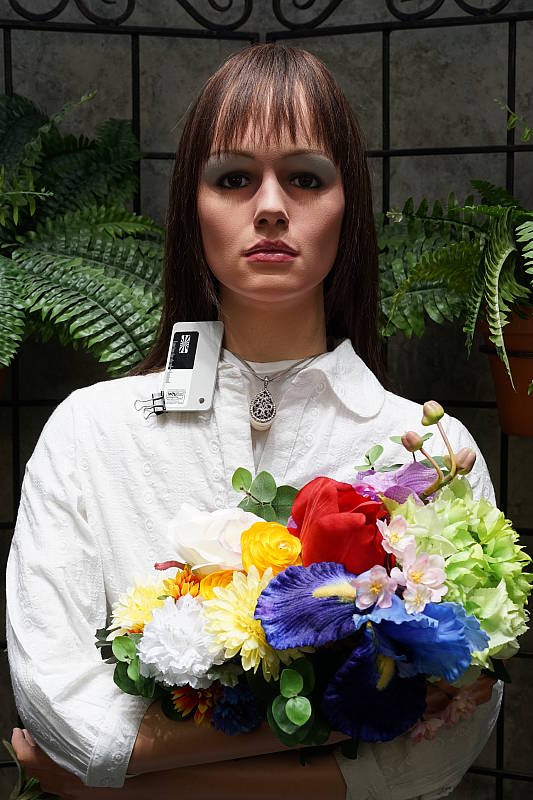
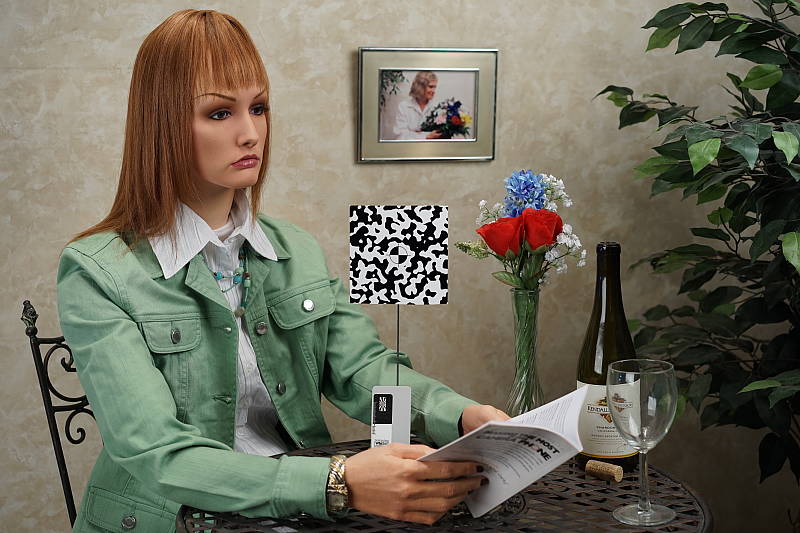
Outdoors, the Sony A7 performed very well. +0.7 EV exposure compensation was required to keep the mannequin's face bright in our "Sunlit" Portrait shot, which is average among the cameras we've tested. (Actually, in fully automatic mode, exposure is bright without any compensation so the A7 performs better than average here in full Auto mode.) Contrast is a little high as you might expect under such harsh lighting, but the camera does a great job of holding onto detail in both the shadows and bright highlights, even without the help of DRO. We preferred Manual color balance for the "Portrait" shot though, as Auto white balance produced skintones that were a touch too warm and yellow. Default exposure is just slightly underexposed in our Far-field shot, but with very few highlights blown or shadows lost, again with DRO disabled. The Far-field shot with Auto white balance has very good color, just a touch cool. Overall, great performance in harsh lighting, especially considering DRO was off for these shots.
See full set of test images with explanations
See thumbnails of all test and gallery images
Resolution
Very high resolution, ~2,850 to ~2,900 lines of strong detail from JPEGs, about the same from RAW files.


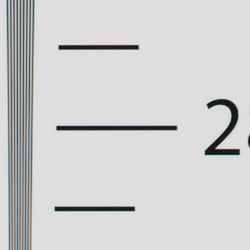

In-camera JPEGs of our laboratory resolution chart reveal sharp, distinct line patterns down to about 2,900 lines per picture height in the horizontal direction and to about 2,850 lines per picture height in the vertical direction. Some may argue for higher numbers, but aliasing artifacts start to interfere at this resolution. Complete extinction of the pattern didn't occur until about 3,600 lines in both directions. (Interestingly, the Sony A7 leaves more color moiré in the JPEG than its AA-filter-less sibling the A7R. Perhaps Sony thought the A7 doesn't need to suppress it since it has an optical low-pass filter, albeit an obviously weak one.) Adobe Camera Raw wasn't really able to extract more resolution here from matching RAW files, but it produced a lot more color moiré as it often does. Use these numbers to compare with other cameras of similar resolution, or use them to see just what higher resolution can mean in terms of potential detail.
See full set of test images with explanations
See thumbnails of all test and gallery images
Sharpness & Detail
Excellent detail and sharpness, with very few sharpening artifacts (at low ISOs). Mild noise suppression visible in the shadows and areas of low contrast.


Sharpness. The Sony A7 captures very sharp, crisp and detailed images overall, and it doesn't leave behind heavy sharpening halos around edges with high contrast that we often see around the lines and letters of our bottle label crop (above left), at least not at low ISOs. The A7's RAW images don't need a lot of sharpening because of the weak optical low pass filter, but Sony really has done an excellent job with the A7's JPEG processing as well, at least at low ISOs. Edge enhancement creates the illusion of sharpness by enhancing colors and tones right at the edge of a rapid transition in color or tone.
Detail. The crop above right shows fairly mild noise suppression in the darker areas of the model's hair. A number of low-contrast strands are smudged together, though higher contrast strands are distinct, though as you can see some suffer from the "jaggies" (see below). Still, excellent results here considering the resolution. Noise-suppression systems in digital cameras tend to flatten-out detail in areas of subtle contrast. The effects can often be seen in shots of human hair, where the individual strands are lost and an almost "watercolor" look appears.
 Aliasing artifacts. As mentioned previously the Sony A7 captures incredibly sharp, detailed images thanks to its high resolution, weak optical low pass filter and excellent JPEG processing (at low ISOs), but that means it's also more susceptible to moiré and other aliasing artifacts than some cameras when used with a sharp lens.
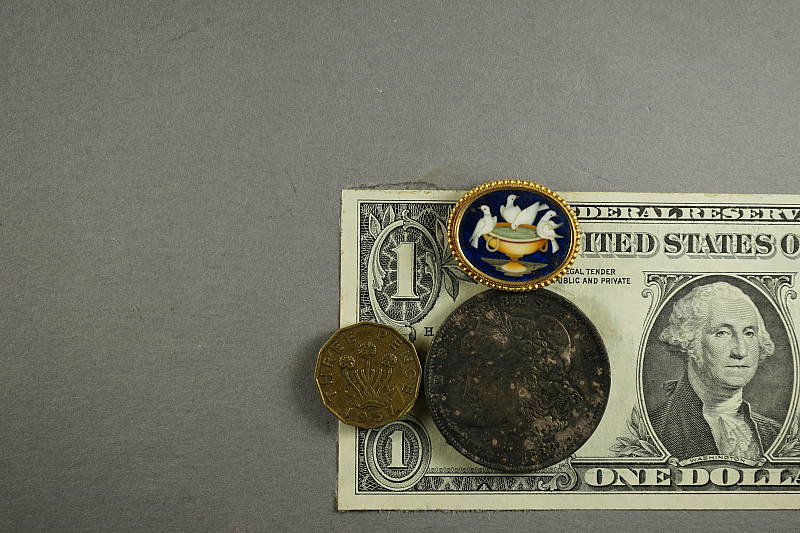
As you can see in the crop on the right, there are odd demosaicing errors in our mannequin's hair as well as the "jaggies" (jagged edges) in some individual strands. In our Still Life shots (see crops below), moiré patterns can be seen in the red-leaf fabric, and you can see moiré in some other shots as well, such as in the artificial roses of our Indoor Portrait test shots and in some of our gallery shots.
With the increasing trend of using either a very weak or no optical low pass filter, quite a few cameras produce similar artifacts these days, but it's still something to be aware of especially if you shoot a lot of man-made subjects with repeating patterns, such as buildings, fabrics, etc. Techniques than can be used to reduce aliasing include shooting at a smaller aperture so that lens diffraction acts as an anti-alias filter, defocusing slightly, shooting at higher ISOs, and post-processing particularly with RAW files.
RAW vs In-Camera JPEGs
As noted above, the Sony A7 produces in-camera JPEGs with lots of crisp detail. Additional detail can often be obtained from carefully processing RAW files with a good converter, but the A7's JPEG processing is some of the best we've seen from a camera, at least at lower ISOs.
| Base ISO (100) | |
 |
 |
 |
 |
 |
 |
|
Camera JPEG, defaults
|
RAW via Adobe Camera Raw
|
In the table above, we compare an in-camera JPEG taken at base ISO using default noise reduction and sharpening (on the left) to the matching RAW file converted with Adobe Camera Raw 8.3 using default noise reduction with some strong but tight unsharp masking applied in Photoshop (200%, radius of 0.3 pixels, and a threshold of 0).
As you can see, the Adobe Camera Raw conversion contains more fine detail, even revealing some of the threads in our challenging red-leaf fabric, but it also reveals a bit more luminance noise in flat areas. You can always turn up the luminance noise reduction (default of zero was used here), though. Also note the moiré pattern in the red-leaf pattern in both images, as sign that the A7's anti-alias filter is quite weak.
Bottom line: Although Adobe Camera Raw is able to extract a bit more detail, the Sony A7's JPEG engine does a fantastic job at low ISOs, with a great balance of fine, crisp detail, low noise, and low sharpening artifacts straight out of the camera.
ISO & Noise Performance
Excellent detail versus noise tradeoff up to ISO 3200.
|
Default High ISO Noise Reduction
|
 |
 |
 |
| ISO 50 | ISO 100 | ISO 200 |  |
 |
 |
| ISO 400 | ISO 800 | ISO 1600 |
 |
 |
 |
| ISO 3200 | ISO 6400 | ISO 12,800 |
 |
||
| ISO 25,600 | ||

The Sony A7's JPEG images are quite clean and extremely detailed at ISOs 50 though 400, with just minor smudging in the shadows and in areas of low contrast and a tiny drop in image quality as ISO rises. As mentioned previously, there are demosaicing errors in the hair above the mannequin's forehead and some individual strands of hair exhibit the jaggies, but surprisingly there's no color moiré in the jacket where we normally expect to see it from cameras with weak (or no) OLPFs. You can however see a little luminance moiré in the artificial roses. ISO 800 is slightly softer though fine detail is still excellent. ISO 1600 is the first sensitivity step that shows any significant blurring of fine detail, but detail retention is still very good. ISO 3200 is softer as you'd expect, however fine detail is still good, but images start to take on a more processed, almost painted look in flat areas. ISO 6400 still contains some fine detail but flatter areas start to look a bit crunchy with more obvious noise reduction artifacts. ISO 12,800 is significantly noisier and sharpening combined with strong noise reduction give the image a somewhat crystalline look, while abrupt tonal transitions and edges look rough and haloed. Chroma noise also starts to become an issue with purple and yellow blotches in the hair, though overall, chroma noise is still well controlled. Almost all fine detail in the hair is lost at ISO 25,600 and high contrast edges are very rough and strongly haloed with obvious noise reduction, sharpening and possibly compression artifacts. Chroma noise is more obvious as well.
Overall, though, very good noise versus sensitivity performance that's competitive with other full-frame models of similar resolution, though noise reduction processing could be a bit more refined at higher ISOs. (We'd prefer a more natural looking film-like grain instead of the cleaner but over-processed look, especially from this class of camera.) As always, see the Print Quality section below for maximum recommended print sizes at each ISO.
A note about focus for this shot: We shoot this image at f/4 since the scene isn't brightly lit as it's in typical indoor lighting. To insure that the hair detail we use for making critical judgements about camera noise processing and detail rendering is in sharp focus at the relatively wide aperture we're shooting at, the focus target at the center of the scene is on a movable stand. This lets us compensate for front- or back-focus by different camera bodies, even those that lack micro-focus adjustments. This does mean, though, that the focus target itself may appear soft or slightly out of focus for bodies that front- or back-focused with the reference lens. We know this; if you click to view the full-size image for one of these shots and notice that the focus target is fuzzy, you don't need to email and tell us. :-) The focus target position will have been adjusted to insure that the crop area of the scene is focused properly.
Extremes: Sunlit, dynamic range and low light tests
Very high resolution with excellent highlight and shadow detail. Very good low-light performance, capable of capturing bright images in near darkness.


Sunlight. The Sony A7 handled the deliberately harsh lighting in the test above very well. We preferred the +0.7 EV exposure here, as the +0.3 EV exposure is a touch dim in the face while the +1.0 EV exposure is a bit too bright. Contrast is a little high, but shadow and highlight detail are both very good. Despite the bright appearance, few highlights are blown in the model's shirt and face at +0.7 EV, though the red channel is clipped in some of the flowers as is often the case, and in specular highlights where you'd expect clipping. There are some dark shadows however they're pretty clean, though very deep shadows are posterized as expected. Overall, excellent performance here.
For best results, be sure to use fill flash in situations like the one shown above; it's better to shoot in the shade when possible. See below for results with Dynamic Range Optimization and High Dynamic Range features enabled.
Because digital cameras are more like slide film than negative film (in that they tend to have a more limited tonal range), we test them in the harshest situations to see how they handle scenes with bright highlights and dark shadows, as well as what kind of sensitivity they have in low light. The shot above is designed to mimic the very harsh, contrasty effect of direct noonday sunlight, a very tough challenge for most digital cameras. (You can read details of this test here. In actual shooting conditions, be sure to use fill flash in situations like the one shown here; it's better to shoot in open shade whenever possible.)
| Face Detection | ||
 |
 |
 |
| Aperture Priority, 0 EV Face Detection Off |
Aperture Priority, 0 EV Face Detection On |
Auto Mode, 0 EV |
Face Detection. Like most cameras these days, the Sony A7 has the ability to detect faces (up to 8 in a scene), and adjust exposure and focus accordingly. As you can see from the examples above, face detection didn't work as expected in Aperture Priority at f/8, producing a darker image than without it. Full Auto mode worked well, though, where the camera had control over aperture and automatically applied DRO. Nice.
Contrast Adjustment. We really like it when a camera gives us the ability to adjust contrast and saturation to our liking. It's even better when those adjustments cover a useful range, in steps small enough to allow for precise tweaks. Just as with its saturation adjustment, the Sony A7's contrast setting meets both challenges.
|
Minimum Contrast
|
|
 |
 |
| Contrast set to lowest, +0.3 EV |
Contrast set to lowest, 0 EV |
At its lowest contrast setting, the A7 does a really excellent job of toning down highlights and opening up shadows while maintaining fairly natural-looking skin tones. Very good results here.
| Contrast Adjustment Examples | ||||
|
 |
 |
 |
 |
| -3 | -1 | 0 | +1 | +3 |
The table above shows five of the seven contrast setting, including the default and two extremes. It's pretty hard to evaluate small differences in contrast on small thumbnails like these, so click on any thumbnail to go to the full-size image.
The Sony A7's contrast adjustment has only a minor effect on color saturation. Contrast and saturation are actually fairly closely coupled, it's a good trick to be able to vary one without the other changing as well.


Dynamic Range Optimization is Sony's name for their dynamic range enhancement technology. DRO divides the image into small areas, analyzes the range of brightness of each area, and adjusts the camera's image processing parameters accordingly to make the best use of the available dynamic range. Auto DRO is enabled by default on the Sony A7. You can also set the level manually, from 1 ("weak") to 5 ("strong"), or turn it off. As one would expect, DRO is only available for JPEG files.
The above thumbnails and histograms show the effects of the various levels of DRO on our "Sunlit" Portrait shot with no exposure compensation. Mouse over the links on the right to load the associated thumbnail and histogram, and click on the link to visit the full resolution image. As you can see from the thumbnails and associated histograms, increasing DRO progressively boosts shadows and midtones while leaving highlights essentially intact, though boosting shadows does make noise slightly more visible. The Auto setting did a pretty good job overall, and the five manual levels give quite a bit of control over the effect.

Above, you can see the effect of DRO settings on our Far-field shot. The default Auto setting produced a nicely balanced exposure, despite the harsh lighting. A useful feature.
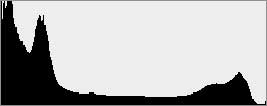


High Dynamic Range. The Sony A7's HDR mode takes three images in rapid succession, one nominally exposed , one underexposed, and one overexposed, then combines them into one high dynamic range JPEG automatically. Lighter areas from the underexposed image are combined in-camera with darker areas from the overexposed image to produce an image with compressed tonal range. The camera then saves a single composite image, as well as the nominally exposed image. The overlaid images are micro-aligned by the camera, but it can only correct for so much movement. If it can't micro-align successfully, an icon indicating HDR capture failed will appear. For best results, the subject should not move or even blink, so it's not really intended for portraits. There is also a manual mode where you can select 1 EV ("weak") to 6 EV ("strong") difference in exposures.
Mouse over the links to load the associated thumbnail and histogram, and click on the link to visit the full resolution image. As you can see, the Auto setting did a pretty good job, similar to the 4 EV manual setting. The higher the manual setting, the more highlights were toned-down and shadows opened up, but as you can see higher settings can produce flat and unnatural results with this subject.
Above, you can see the effect of HDR settings on our Far-field shot. Watch out for ghost images from subject movement during the capture sequence, though, as can be seen in some of the shots above. Still, Sony has one of the better in-camera HDR implementations we've seen.
Dynamic Range Analysis (RAW mode). While we once performed our own dynamic range measurements based on in-camera JPEGs as well as converted RAW images (when the camera was supported by Adobe Camera Raw), we've switched to using DxO Labs' results from their DxOMark website. As technology advanced, the dynamic range of modern high-end cameras in some cases exceeded the range of the Stouffer T4110 density scale that we used for our own measurements. DxO's approach based on RAW data before demosaicing is also more revealing, because it measures the fundamental dynamic range of the sensor, irrespective of whatever processing is applied to JPEGs, or to RAW data by off-the-shelf conversion software.
In the following, we use DxO's "Print" dynamic range results, which are scaled based on camera resolution. As the name suggests, this scaling corresponds to the situation in which you print at a given size, regardless of how many megapixels the camera might have. (In other words, if you've decided to make a 13x19 inch print, that's the size you're printing, whether the camera's resolution is 16 or 300 megapixels.) For the technically-minded, you can find a discussion of the reasoning behind this here on the DxOMark website. Also note that DxO Labs uses a signal-to-noise (SNR) threshold of 1 when defining the lower boundary of acceptable luminance noise in their dynamic range measurements, which corresponds to the "Low Quality" threshold of the Imatest software we used to use for this measurement.

Here, we compare the Sony A7 to the Nikon D610 and Canon 6D full-frame DSLRs. As you can see from the above graph (click for a larger image), the A7's dynamic range compares fairly nicely to the D610's, ranging from a maximum of about 14 EV at base ISO down to 7.3 EV at maximum ISO. The Sony A7's dynamic range is up to about 2/3 EV less than the Nikon D610's at lower ISOs, but is practically identical at ISO 1600 and higher. The A7's dynamic range is however dramatically better than the 6D's at lower ISOs with an almost 2 EV advantage at base ISO, though at ISO 3200 and above, the Canon pulls ahead of both cameras with up to a ~0.8 EV advantage compared to the A7. Bottom line, though, the Sony A7's dynamic range in RAW data across ISOs is excellent. Click here to visit the DxOMark page for the Sony A7 for more of their test results and additional comparisons.
| 1 fc 11 lux |
1/2 fc 5.5 lux |
1/4 fc 2.7 lux |
1/8 fc 1.3 lux |
1/16 fc 0.67 lux |
1/16 fc No NR |
|
|---|---|---|---|---|---|---|
| ISO 50 |
 4 s f2.8 |
 8 s f2.8 |
 15 s f2.8 |
 30 s f2.8 |
 30 s f2.8 |
 30 s f2.8 |
| ISO 100 |
 2 s f2.8 |
 4 s f2.8 |
 8 s f2.8 |
 15 s f2.8 |
 30 s f2.8 |
 30 s f2.8 |
| ISO 200 |
 1 s f2.8 |
 2 s f2.8 |
 4 s f2.8 |
 8 s f2.8 |
 15 s f2.8 |
 15 s f2.8 |
| ISO 400 |
 0.5 s f2.8 |
 1 s f2.8 |
 2 s f2.8 |
 4 s f2.8 |
 8 s f2.8 |
 8 s f2.8 |
| ISO 800 |
 1/4 s f2.8 |
 0.5 s f2.8 |
 1 s f2.8 |
 2 s f2.8 |
 4 s f2.8 |
 4 s f2.8 |
| ISO 1600 |
 1/8 s f2.8 |
 1/4 s f2.8 |
 0.5 s f2.8 |
 1 s f2.8 |
 2 s f2.8 |
 2 s f2.8 |
| ISO 3200 |
 1/15 s f2.8 |
 1/8 s f2.8 |
 1/4 s f2.8 |
 0.5 s f2.8 |
 1 s f2.8 |
 1 s f2.8 |
| ISO 6400 |
 1/30 s f2.8 |
 1/15 s f2.8 |
 1/8 s f2.8 |
 1/4 s f2.8 |
 0.5 s f2.8 |
 0.5 s f2.8 |
| ISO 12800 |
 1/60 s f2.8 |
 1/30 s f2.8 |
 1/15 s f2.8 |
 1/8 s f2.8 |
 1/4 s f2.8 |
 1/4 s f2.8 |
| ISO 25600 |
 1/125 s f2.8 |
 1/60 s f2.8 |
 1/30 s f2.8 |
 1/15 s f2.8 |
 1/8 s f2.8 |
 1/8 s f2.8 |
Low Light. The Sony A7 performed well in our low light tests, producing usable images down to the lowest light level we test at (1/16 fc) at all ISO settings, though ISO 50 at the lowest light level is a little dim because of the 30 second shutter speed limit (bulb mode can be used for longer exposures, though). Noise is well-controlled up to ISO 6400, though as expected, at higher ISOs there are moderate amounts of fine luminance noise especially around edges as well as some blotchy chroma noise in darker areas. With noise reduction minimized (right-most column), noise "grain" is quite fine and tight and not too objectionable except at the highest ISOs. (Apologies for some slightly soft images, manual focus seems to have shifted slightly during the series.)
We found a few hot pixels, particularly when long exposure noise reduction is turned off (where you'd expect to find them), but nothing significant. We didn't detect any significant issues with banding, however some minor heat blooming can be seen emanating from the bottom of the frame in longer exposures at the highest ISOs. That's not unusual, though.
Auto white balance did a very good job here, producing a fairly neutral, just slightly cool color balance.
The Sony A7's autofocus system was able to focus on our target down to just above the 1/8 foot-candle light level unassisted with an f/2.8 lens. That's fair for a mirrorless, and not nearly as good as most DSLRs. And with the AF-assist lamp enabled the Sony A7 needed 1/2 foot-candle to autofocus in our tests, because the bright AF-assist lamp overwhelmed the camera's autofocus system. This of course will vary with subject type and distance.
How bright is this? The one foot-candle light level that this test begins at roughly corresponds to the brightness of typical city street-lighting at night. Cameras performing well at that level should be able to snap good-looking photos of street-lit scenes. (A useful trick is to just prop the camera on a convenient surface, and use its self-timer to release the shutter. This avoids any jiggling from your finger pressing the shutter button, and can work quite well when you don't have a tripod handy.)
NOTE: This low light test is conducted with a stationary subject, and the camera mounted on a sturdy tripod. Most digital cameras will fail miserably when faced with a moving subject in dim lighting. (For example, a child's ballet recital or a holiday pageant in a gymnasium.) Thanks to its larger sensor and Hybrid AF, compact system cameras like the Sony A7 tend to do better than point & shoots, but you still shouldn't expect a quick autofocus lock with moving subjects.
| Low Light (1 foot-candle) Multi-frame NR | ||
 |
 |
|
| Default NR, 1/125s, ISO 25,600 | Multi-frame NR, 1/125s, ISO 25,600 | |
 |
 |
|
Multi-frame Noise Reduction. This feature is similar to Sony's Hand-held Twilight mode which shoots a burst of four images with a single press of the shutter button and combines all four images into one composite image with reduced noise. But unlike Hand-held Twilight, Multi-frame NR gives you control over the ISO, aperture and shutter speed used, so you may still need to use a tripod depending on the exposure parameters you select. (We frankly don't see the value to this mode when using a tripod, as selecting a lower ISO and longer shutter speed will produce a cleaner image as well.) As you can see, the image captured with Multi-frame Noise Reduction (right) is cleaner than the standard image (left) despite both being shot at ISO 25,600. An added bonus is that ISO 51,200 equivalent is available with MF NR. As with HDR mode, though, static subjects are recommended.
Output Quality
Print Quality
Excellent 36 x 48 inch prints at ISO 50/100; ISO 3200 images look good at 13 x 19; ISO 12,800 images make a good 5 x 7.
 ISO 50 and 100 images look excellent at 36 x 48 inches, with super-sharp detail and rich color across the board, even at handheld distances. Wall display prints look great at 40 x 60 inches.
ISO 200 and 400 prints look superb at 30 x 40 inches, with excellent detail, nice color, and no trace of noise or noise suppression artifacts.
ISO 800 images look quite good at 24 x 36 inches, with only the slightest hint of noise in flatter areas and mild softening in reds. 20 x 30's are fantastic here and eliminate virtually all of these minor concerns.
ISO 1600 shots show a slight pattern of luminance and chrominance noise in the shadows, but you have to look closely to make it out, even at 20 x 30 inches, which is a nice size for this ISO. Detail is still quite sharp except for our tricky red swatch, which is typical for most cameras to have trouble with. 16 x 20s tighten up a lot more and are superb here.
ISO 3200 prints at 13 x 19 inches start to show a light grain pattern in the shadows, with reds becoming a bit softer. We can still give this size our "good" rating, but for ultra-critical prints at this ISO you'd be better to remain at 11 x 14 inches.
ISO 6400 images almost make the grade at 11 x 14, but there is just a bit too much noise in flatter areas with default noise reduction to call them "good". Certainly OK for less critical applications, but we can call 8 x 10s good here, which is still a nice size print for ISO 6400.
ISO 12,800 prints will work for less critical applications at 8 x 10 inches and almost warrant the "good" seal, which is really amazing. 5 x 7's are quite good for most any application, and colors still look nice, retaining good overall saturation for this ISO.
ISO 25,600 prints are a bit on the soft side in general, but will work for a decent 4 x 6, which is not bad!
The Sony A7 certainly delivers the goods in the print quality department, as expected. At base ISO, 36 x 48 inch prints look outstanding indeed, and while not of the super-crisp caliber of the 36mp big brother A7R, they're still world class and among the best for this resolution of 24 megapixels. There is a noticeable downturn in quality and a rise in noise beginning at ISO 3200, but it's nice to know that even at ISO 6400 you can still achieve a good quality 8 x 10 inch print. And good for Sony for producing a decent print even at the highest rated ISO!
The images above were taken from our standardized test shots. For a collection of more pictorial photos, see our Sony Alpha ILCE-A7 Photo Gallery .
Not sure which camera to buy? Let your eyes be the ultimate judge! Visit our Comparometer(tm) to compare images from the Sony Alpha ILCE-A7 with those from other cameras you may be considering. The proof is in the pictures, so let your own eyes decide which you like best!
Performance
Timing and Performance
Generally good performance overall.
|
Startup/Play to Record/Buffer Clearing |
||
| Power on |
~2.1 seconds
|
Time it takes to turn on and capture a shot. |
|
Play to Record, |
~0.7 second
|
Time until first shot is captured. |
|
Buffer clearing time
|
37 seconds after 50 Large/Extra Fine JPEGs*
|
Worst case buffer clearing time. -- This is the delay after a set of shots before you can remove the card.
|
|
14 seconds after 28 RAW files*
|
||
|
21 seconds after 24 RAW+ L/F JPEG files*
|
||
|
*Note: Buffer clearing times measured with a SanDisk Extreme Pro 95MB/sec UHS-I SDHC card. Slower cards will produce correspondingly slower clearing times. Slow cards may also limit length of bursts in continuous mode. ISO sensitivity and noise reduction settings can also affect cycle times and burst mode performance.
|
||
Powerup to first shot was sluggish, and the camera penalizes pressing the shutter button before it's ready by needing a second press. Switching from Play to Record mode and taking a shot was pretty fast, though. Buffer clearing times can be slow given the deep buffers and large file sizes.
| Shutter Response (Lag Time) | ||
|---|---|---|
|
Full Autofocus,
Single-area AF mode |
0.227 second
|
Time from fully pressing shutter button to image capture, with the lens already at the proper focal distance setting. (AF timing performed with the Sony FE 28-70mm f/3.5-5.6 OSS lens at medium focal length.) |
|
Full Autofocus,
Multi-area AF mode |
0.230 second
|
Time from fully pressing shutter button to image capture, with the lens already at the proper focal distance setting. |
|
Manual Focus |
0.132 second
|
For most cameras, shutter lag is less in manual focus than autofocus, but usually not as fast as when the camera is "prefocused". |
|
Prefocused |
0.023 second
|
Time to capture, after half-pressing and holding shutter button. |
Looking at the Sony A7's ability to determine that it's properly focused when shooting the same target multiple times, its autofocus speeds were good for a CSC, and about average compared to most consumer DSLRs. The Sony A7's full-autofocus shutter lag (with the subject at a fixed distance) was 0.227 second in Single-area AF mode. This increased slightly to 0.230 second in Multi-area AF mode. When manually focused, the Sony A7's lag time dropped to 0.132 second, which is also good. The Sony A7's prefocused shutter lag time was only 0.023 second which is faster than most CSCs and much faster than DSLRs, thanks to its electronic first curtain shutter which is enabled by default.
To minimize the effect of different lens' focusing speed, we test AF-active shutter lag with the lens already set to the correct focal distance.
| Cycle Time (shot to shot) | ||
|---|---|---|
| Single Shot mode |
0.67 second
|
Time per shot, averaged over 20 shots, 9 seconds to clear*. |
|
Single Shot mode |
0.79 second
|
Time per shot, averaged over 20 shots, 2 seconds to clear*. |
|
Single Shot mode
RAW + L/F JPEG |
0.79 second
|
Time per shot, averaged over 20 shots, 7 seconds to clear*. |
| Early shutter |
No
|
Some cameras don't snap another shot if you release and press the shutter too quickly in Single Shot mode, making "No" the preferred answer. |
|
Continuous mode |
0.35 second (2.87 frames per second);
50+ frames total; 37 seconds to clear* |
Time per shot, averaged over 50 shots, with no signs of slowing. |
|
Speed Priority |
0.20 second (5.00 frames per second);
50 frames total; 20 seconds to clear* |
Time per shot, averaged over buffer length of 50 frames. |
|
Speed Priority |
0.20 second (5.00 frames per second);
28 frames total; 14 seconds to clear* |
Time per shot, averaged over buffer length of 28 frames. |
|
Speed Priority |
0.20 second (5.00 frames per second);
24 frames total; 21 seconds to clear* |
Time per shot, averaged over buffer length of 24 frames. |
| Flash Recycling |
N/A
|
Flash at maximum output. |
|
*Note: Buffer clearing times measured with a SanDisk Extreme Pro 95MB/sec UHS-I SDHC card. Slower cards will produce correspondingly slower clearing times. Slow cards may also limit length of bursts in continuous mode. ISO sensitivity and noise reduction settings can also affect cycle times and burst mode performance.
|
||
Single-shot cycle time was about 0.7 second when shooting Large/Extra Fine JPEGs. This increased slightly to 0.8 second when shooting RAW or RAW+ Large/Fine JPEG. This is a little sluggish compared to most DSLRs, but pretty good for a CSC.
Standard continuous mode performance was quite slow at about 2.9 frames per second. Speed Priority Continuous mode managed 5 frames per second, though autofocus is fixed at the first frame of a burst in that mode by default. Unlike the A7R, though, when continuous AF is enabled, the A7 will use phase-detect AF for focus tracking during Speed Priority Continuous mode. While not as fast as most DSLRs or CSCs these days, this isn't bad considering the sensor size and resolution.
Buffer depths were very good at 50 frames for Large/Extra Fine JPEGs, 28 for RAW and 24 for RAW+Large/Fine JPEGs in Speed Priority mode. In standard continuous mode, buffer depths are likely better (we only tested Large/Extra Fine JPEGs and didn't run into the buffer limit before stopping our test at 50 frames). Note, though, that our target for this test was designed to be difficult to compress, so maximum JPEG burst lengths should be even longer with typical subjects. Buffer clearing times were slow, but perhaps not unreasonable given the deep buffers and file sizes, ranging from 14 seconds after 28 RAW files to 37 seconds after 50 Large/Extra Fine JPEGs.
| Download Speed | ||
|---|---|---|
| Windows Computer, USB 2.0 |
23,628 KBytes/sec
|
Typical Values: |
Download speeds were very fast, quick enough that you won't feel the need for a separate card reader, even with large memory cards. (Note that this test was performed with a SanDisk Extreme Pro 95MB/sec UHS-I SDHC card: Slower cards would likely show slower transfer times.)
Bottom line, the Sony A7's overall performance is good compared to most Compact System Cameras, and noticeably faster than its higher-resolution sibling, the Sony A7R, with faster autofocus, shutter lag and burst performance. Startup time and buffer clearing after max-length bursts are however sluggish.
Battery Life
Fair battery life for a Compact System Camera.
| Operating Mode | Battery Life |
|---|---|
|
Still Capture,
(CIPA standard, LCD Monitor) |
340 shots
|
|
Still Capture,
(CIPA standard, EVF) |
270 shots
|
The Sony A7 uses a custom NP-FW50 rechargeable lithium-ion battery pack for power, and comes with both a single battery and AC adapter for in-camera charging via USB. The battery is rated for 340 shots per charge when using the LCD monitor and 270 shots when using the electronic viewfinder, according to the CIPA standard. Battery life is fair compared to typical CSCs though pretty good considering its size and sensor, but poor compared to most DSLRs. We recommend getting a second battery for your A7 if you plan any extended outings or shoot a lot of video. An optional VG-C1EM vertical grip is available which doubles battery life with two batteries.
The table above shows the number of shots the camera is capable of (on a fully-charged rechargeable battery), based on CIPA battery-life and/or manufacturer standard test conditions.
(Interested readers can find an English translation of the CIPA DC-002 standards document here. (180K PDF document))
Image Quality
Below are crops comparing the Sony A7 with the Sony A7R, Canon 6D, Fuji X-Pro1, Nikon D600 and Sony A99. The comparison between the A7 and A99 is particularly interesting, in that it's the same sensor in both cameras. Does the Sony A7's more powerful BIONZ X processor make a difference in image quality? Check the crops below and decide for yourself!
NOTE: These images are best quality JPEGs straight out of the camera, at default settings including noise reduction. All cameras in this comparison were shot with our very sharp reference lenses.
Sony A7 versus Sony A7R at ISO 100
 |
 |
 |
 |
 |
 |
Sony A7 at ISO 100 |
Sony A7R at ISO 100 |
Both Sony Alpha A7 models produce a tremendous amount of clean, fine detail at ISO 100. The A7R, though, takes the cake with crisper, finer detail and better rendering of the threads in the fabric swatches, thanks to its 50% higher resolution and lack of an optical low-pass filter. |
|
Sony A7 versus Canon 6D at ISO 100
|
 |
|
 |
|
 |
Sony A7 at ISO 100 |
Canon 6D at ISO 100 |
This is an interesting comparison with both cameras producing lots of fine detail, but the Sony does noticeably better with the mosaic crop, while the Canon does a bit better with the tone-on-tone detail in the red fabric. Despite having a low-pass filter, we can see some moiré pattern interference in the red fabric in the A7 image. The Sony, however, does do considerably better with detail in the pink fabric. |
|
Sony A7 versus Nikon D600 at ISO 100
|
 |
|
 |
|
 |
Sony A7 at ISO 100 |
Nikon D600 at ISO 100 |
Similar to what we saw with the A7R vs D800E, it appears that the Sony is applying a bit more in-camera sharpening versus the Nikon. Both cameras produce a lot of fine detail, and both do great with the red fabric. The Sony wins with the pink fabric in this comparison. Sony has made huge strides in their JPEG processing, and particularly with how they can create dramatically sharp images without creating halos or outlines around objects. |
|
Sony A7 versus Fuji X-Pro1 at Base ISO
|
 |
|
 |
|
 |
Sony A7 at ISO 100 |
Fujifilm X-Pro1 at ISO 200 |
Pitting a 24.3 full-frame camera against a 16.3 APS-C camera is a little unfair, but the two cameras have similar form-factors, and the Fuji's X-Trans sensor is known to produce fantastic images, so we thought this could be an interesting comparison. In all three comparisons, both cameras produce lots of sharp, fine detail, but the Fuji struggles in the pink fabric and just doesn't have the "pop" of the sharpness from the Sony (which could be in part due to differences in their in-camera sharpening). |
|
Sony A7 versus Sony A99 at ISO 100
|
 |
|
 |
|
 |
Sony A7 at ISO 100 |
Sony A99 at ISO 100 |
Now, this is a compelling comparison, because according to Sony, the A7 and A99 share the same 24.3 megapixel full-frame sensor. It appears the A7 with its newer BIONZ X processor is able to pull out a lot more fine detail versus the A99, most notably in the mosaic crop. Both cameras do great in the fabric, but the moiré issue in the red fabric from the A7 is apparent. This last comparison is very interesting, given that both cameras have the same sensor (which includes a low-pass filter), and the magnification is pretty much identical between the two. We wouldn't have expected it, but somehow the A7's incredible sharpening algorithm seems to be bringing out moiré patterns that were completely absent in the A99's image. |
|
Most digital SLRs and CSCs will produce an excellent ISO 100 shot, so we like to push them and see what they can do compared to other cameras at ISO 1600, 3200, and 6400. Recent advances in sensor technology have made ISO 1600 look a lot more like ISO 100, but there are still cameras whose quality starts to fall apart at this setting. We also choose 1600 because we like to be able to shoot at least at this level when indoors and at night.
Sony A7 versus Sony A7R at ISO 1600
 |
 |
 |
 |
 |
 |
Sony A7 at ISO 1600 |
Sony A7R at ISO 1600 |
At ISO 1600, both cameras here are pretty evenly matched, apart from the obvious resolution difference. Both cameras have default noise reduction enabled and both show minimal high ISO noise while still preserving lots of detail. The A7R appears to show slightly more fine detail in the fabrics, however. |
|
Sony A7 versus Canon 6D at ISO 1600
|
 |
|
 |
|
 |
Sony A7 at ISO 1600 |
Canon 6D at ISO 1600 |
The default noise reduction from the Canon in the first crop seems to be just a hair cleaner and smoother than the Sony, but it's quite minor. Both cameras retain lots of fine detail in the mosaic, with the Sony in the lead thanks to its excellent sharpening, and both do almost equally well with the red fabric (though the edge goes to Canon with a better leaf pattern). |
|
Sony A7 versus Nikon D600 at ISO 1600
|
 |
|
 |
|
 |
Sony A7 at ISO 1600 |
Nikon D600 at ISO 1600 |
This is a bit of a mixed comparison, with no clear winner. The Sony does better at cleaning up high ISO noise with their default level of noise reduction in the bottle crop, and also produces more detail in the mosaic. However, Nikon does markedly better with the red fabric, while the Sony handles the pink fabric much better. Apart from its handling of the red fabric, we'd give the nod to the Sony A7 here. |
|
Sony A7 versus Fuji X-Pro1 at ISO 1600
|
 |
|
 |
|
 |
Sony A7 at ISO 1600 |
Fujifilm X-Pro1 at ISO 1600 |
The smaller sensor of the Fuji holds up surprisingly well here at ISO 1600. There's a little more grain in the bottle crop from the Fuji (and we mean a little), and the Sony produces crisper detail in the mosaic. However, the Fuji is able to produce a much more distinct red leaf pattern. The overall win goes to the Sony, but it's frankly surprising how well the X-Pro1's smaller sensor does here. |
|
Sony A7 versus Sony A99 at ISO 1600
|
 |
|
 |
|
 |
Sony A7 at ISO 1600 |
Sony A99 at ISO 1600 |
While the A99 does just slightly better in producing a more discernible leaf pattern in the red fabric, the A7 is the clear winner overall, with cleaner noise reduction and more detail in the mosaic and pink fabric. |
|
Today's ISO 3200 is yesterday's ISO 1600, so below are the same crops at ISO 3200.
Sony A7 versus Sony A7R at ISO 3200
 |
 |
 |
 |
 |
 |
Sony A7 at ISO 3200 |
Sony A7R at ISO 3200 |
At ISO 3200, it's clear that the default noise reduction is affecting fine detail, especially in the mosaic crop. However, both cameras hold up really well at this ISO level and still produce a lot of fine detail. The A7R does slightly better in the pink fabric, however. |
|
Sony A7 versus Canon 6D at ISO 3200
|
 |
|
 |
|
 |
Sony A7 at ISO 3200 |
Canon 6D at ISO 3200 |
The Sony does a bit better with the mosaic crop in terms of fine detail, but the Canon looks slightly cleaner with noise in the bottle crop and does slightly better with the red fabric. A toss-up, really, depending on what you're looking for. We'd personally probably go with the A7, but others might as easily pick the 6D. |
|
Sony A7 versus Nikon D600 at ISO 3200
|
 |
|
 |
|
 |
Sony A7 at ISO 3200 |
Nikon D600 at ISO 3200 |
Wow, big differences in overall noise levels here: The high ISO noise starts to hurt the image quality from the Nikon, which you can see in both the bottle and mosaic crops. The Sony shows much less noise and is able to produce a lot of fine detail in the mosaic. As before, the Nikon does better with the red fabric, while the Sony handles the pink fabric better. |
|
Sony A7 versus Fuji X-Pro1 at ISO 3200
|
 |
|
 |
|
 |
Sony A7 at ISO 3200 |
Fujifilm X-Pro1 at ISO 3200 |
Both bottle crops here looking very similar with both cameras doing equally well at controlling high ISO noise. The Sony does better with fine detail in the mosaic crop, while they both struggle with the red fabric pattern. Again, advantage Sony, but we're surprised by how well the X-Pro1 does, given the difference in sensor sizes. |
|
Sony A7 versus Sony A99 at ISO 3200
|
 |
|
 |
|
 |
Sony A7 at ISO 3200 |
Sony A99 at ISO 3200 |
Cleaner, sharper and more detailed is the mantra for the A7 in this comparison; its more powerful processor really makes a difference at the highest ISOs. The A99 has a little more high ISO noise, as seen in the bottle crop (although it's still very low), and doesn't produce nearly as much fine detail in the mosaic as the newer A7 can. |
|
Detail: Sony A7 versus Sony A7R, Canon 6D, Fuji X-Pro1, Nikon D600 and Sony A99.
 |
 |
 |
 |
 |
 |
 |
 |
 |
 |
 |
 |
 |
 |
 |
 |
 |
 |
| Sony A7 ISO 100 ISO 3200 ISO 6400 |
Sony A7R ISO 100 ISO 3200 ISO 6400 |
Canon 6D ISO 100 ISO 3200 ISO 6400 |
Fuji X-Pro1 ISO 200 ISO 3200 ISO 6400 |
Nikon D600 ISO 100 ISO 3200 ISO 6400 |
Sony A99 ISO 100 ISO 3200 ISO 6400 |
| Detail comparison. High-contrast detail is also important, pushing the camera in different ways, so we like to look at it, too. Both the Sony A7 and A7R show a fantastic amount of high-contrast detail all the way from ISO 100 to ISO 6400. There is also a difference in the default level of contrast applied to in-camera JPEG across these different models and brands. While all cameras here do well in the ISO 100 comparison, the two new Sonys really pull out ahead with much-improved sharpness. It's even more noticeable as the ISO rises, with ISO noise taking its toll on fine detail and contrast. The Canon 6D does quite well at the higher ISO levels, but the Sony A7 (and particularly the A7R) really maintain a high level of fine detail, contrast and low noise at the higher ISO sensitivities. | |||||
Sony A7 Print Quality
Excellent 36 x 48-inch prints at ISO 50/100; ISO 3200 images look good at 13 x 19; ISO 12,800 images make a good 5 x 7.
ISO 50 and 100 images look excellent at 36 x 48 inches, with super-sharp detail and rich color across the board, even at handheld distances. Wall-display prints look great at 40 x 60 inches.
ISO 200 and 400 prints look superb at 30 x 40 inches, with excellent detail, nice color, and no trace of noise or noise suppression artifacts.
ISO 800 images look quite good at 24 x 36 inches, with only the slightest hint of noise in flatter areas and mild softening in reds. 20 x 30-inch prints are fantastic, and eliminate virtually all of these minor concerns.
ISO 1600 shots show a slight pattern of luminance and chrominance noise in the shadows, but you have to look closely to make it out -- even at 20 x 30 inches, which is a nice size for this ISO. Detail is still quite sharp except for our tricky red swatch, which most cameras typically have trouble with. 16 x 20-inch prints tighten up a lot more and are superb.
ISO 3200 prints at 13 x 19 inches start to show a light grain pattern in the shadows, with reds becoming a bit softer. We can still give this size our "good" rating, but for ultra-critical prints at this sensitivity you'd be better to remain at 11 x 14 inches.
ISO 6400 images almost make the grade at 11 x 14, but there is just a bit too much noise in flatter areas with default noise reduction to call them "good". Certainly OK for less critical applications, but we can call 8 x 10s good, and that's still a nicely-sized print for this sensitivity.
ISO 12,800 prints will work for less critical applications at 8 x 10 inches and almost warrant the "good" seal, which is really amazing. 5 x 7's are quite good for most-any application, and colors still look nice, retaining good overall saturation for this sensitivity.
ISO 25,600 prints are a bit on the soft side in general, but will work for a decent 4 x 6, which is not bad!
The Sony A7 certainly delivers the goods in the print quality department, as expected. At base sensitivity, 36 x 48-inch prints look outstanding indeed, and while not of the super-crisp caliber of the 36MP big brother A7R, they're still world class and among the best for the 24-megapixel resolution. There is a noticeable downturn in quality and a rise in noise beginning at ISO 3200, but it's nice to know that even at ISO 6400 you can still achieve a good quality 8 x 10 inch print. And well done Sony for producing a decent print even at the highest-rated sensitivity!
Field Test Part I
Field Test Part II
Initial thoughts, performance and quirks
By David Schloss | Posted: 03/07/2014

The Sony A7 and its sibling the A7R (which we've also reviewed) together mark a pivotal moment in the photographic world. Though at first glance it looks for all the world like a particularly nice fixed-lens camera, the A7 is in fact a full-frame, interchangeable-lens mirrorless cam. Its semi-pro grade body fires a shot across the bow of Nikon and Canon, both of which have taken a more cautious approach to mirrorless than some of their customers would have liked.
A more versatile option. At first glance the Sony A7 might not seem like a game changer, but it most certainly is. The camera pairs a 24-megapixel, full-frame image sensor and phase detection technology to create a camera that, in my opinion, is more versatile and groundbreaking than the higher-res (but slower-focusing) Sony A7R.
In my Sony A7R review, I noted that camera to be perfect for portraits and relatively-slow-moving subjects. It's great for wedding photographers, event photographers and enthusiasts photographing the occasional little league game. With its phase-detection autofocus capability and emphasis on greater performance, the A7 tries to capture a wider market.
It's pretty successful, although it doesn't have the performance of a professional-grade camera. It's more akin to a Canon 6D than it is to the flagship EOS 1D X, but for many users that's more than sufficient. While it would be nice to have the extra resolution of the A7R, it's more important to have a camera that can keep up with your subjects -- and the A7 can do so more often than its higher-priced sibling.

The Sony A7 might have lower resolution than the A7R, but it still captures plenty of detail. Look at the basket of the second-nearest bike, which falls within the depth of field for a nice example.
Reasonably swift burst shooting. In its fastest drive mode with focus locked, the Sony A7 will shoot at five frames per second for, effectively, as long as you like at full resolution. With my 60MB/second Lexar UHS-I flash card, I managed 75 frames before the capture rate slowed somewhat, but as with most cameras, reviewing those images is an asynchronous function -- I had to wait for the entire buffer to write to the flash card before I could review even the first image in the burst.
Nor could I access the main menu system until the buffer had cleared, and although the Function menu could be accessed, most options were greyed out. Only metering mode, focus area, DRO mode, and Creative Style could be adjusted before the buffer was empty. But on the plus side, if there was space remaining in the buffer, I could start shooting again straight away -- so I wasn't missing shots unless I needed to change camera settings before continuing.
More sophisticated autofocus. The topic of phase detection autofocus versus contrast detection is a bit technical, but it's worth knowing how it works, because it's directly related to one of the key differences between the Sony A7 and A7R.
In years gone by, conventional wisdom had it that contrast detection -- while more accurate -- was much slower than phase detection. With powerful modern processors and aggressive algorithm development, though, contrast detection has now reached performance parity -- at least, for some brands. There are still areas where each system has advantages or disadvantages.
How it works. Contrast detection works by calculating the level of contrast at the autofocus point location, then adjusting focus slightly and repeating the process. If contrast increases, you know you're heading towards correct focus; if it decreases, you're going in the wrong direction.
Phase-detection systems superimpose two images seen from opposite sides of the lens. If they overlap, then the subject is in focus. If not, then you can tell both the distance and direction to focus from the mismatch in phase between the images. That's important, because it means that there's no need to hunt around the point of focus to determine precisely where it lies.
 |
The A7's photos couple great detail with pleasing color, good auto white balance, and spot-on exposure at default settings, most of the time. This scene is exactly as I remember it in person. This particular image was shot with the Zeiss 35mm f/2.8 lens. |
This ability to determine the distance and direction of the point of focus means that phase-detection systems can track moving subjects more easily, making them better suited to shooting moving subjects. In an SLR camera, phase detection is performed with a separate, dedicated autofocus sensor. In a mirrorless camera, it's performed using the image sensor itself.
The best of both worlds. Sony's Hybrid autofocus system in the A7 uses both phase-detection and contrast-detection together for subjects located towards the center of the frame. The PDAF system provides the camera with information about the distance and direction to focus, while the CDAF system fine-tunes for maximum precision. Nearer the edges, only contrast detection is used. The result, when compared to the CDAF-only system in the A7R, is more confident and quicker autofocus, with less focus hunting.
The A7 shares the same autofocus settings as the A7R, plus one addition: an on/off menu item rather confusingly named "Phase Detect. Area". This doesn't enable or disable phase detection, but rather controls an optional overlay on the live view showing the outer limits of the phase detection area.

Not the fastest, but better than the A7R. I set the A7 to continuous autofocus and continuous shooting, then enabled the phase-detection area display so I could see where to frame my subject, and was able to capture a fast moving subject at a little under three frames per second for as long as I held down the shutter button.
Admittedly, that's a bit sedate in terms of performance, but the camera continued to focus on my subject just fine as it moved around the frame. (And by way of contrast, the A7R manages a rather lethargic sub-2 fps.)
The electronic viewfinder wasn't completely able to keep up with the action of the subject, stuttering a bit as it tried to display between shots, and blacking out between frames for longer than I'd like, but it still managed to maintain focus.

Shooting moving subjects is noticeably easier with the Sony A7 than its higher-res sibling. Here, the extremely animated Ben Folds is tack-sharp. Sadly, with the side view and glasses to contend with, I didn't manage to place focus on his eye, but I wasn't far off.
Great viewfinder. I'm a big fan of the Sony A7's electronic viewfinder, which makes EVFs of old seem like looking at video from the moon landing. It has plenty of resolution, and I think in many ways it's more useful than an optical viewfinder. Seeing a real-time histogram, for example, is impossible with a TTL optical viewfinder.
That's not to say its perfect. I felt that I had to increase the brightness in order to give me more visible detail for focus confirmation, at the expense of a slightly less accurate preview of exposure. But putting that aside, the EVF on the A7 is the most vibrant I've tried, and it's a pleasure to use. It's my belief that we're now only a generation or two away from the point at which the EVF/OVF debate is settled once and for all.
Tilting monitor. The rear-panel LCD screen is just as vibrant as the EVF, albeit with a lower resolution. Because the viewfinder is so good, I only used the LCD screen for playback, navigating menus, and for occasional over-the-head or waist-level shots. It's clear and bright even in outdoor, sunny-weather shooting, and isn't unusually fingerprint-prone.
The LCD monitor is articulated, but since it's not a tilt/swivel design it's useful only for landscape shots, and not those in portrait orientation. I must admit that I'd have preferred a tilt-swivel screen, but only if it could be installed without significantly increasing the depth of the camera.
No touch? No problem. I've become so accustomed to testing cameras with touch-screen displays that I usually find non-touch screens a step backwards in usability, but thanks to its great (and very configurable) physical controls and mostly well-considered menu system, this isn't such an issue with the A7.
One of reasons I typically prefer a touch-screen interface over a non-interactive panel is that many cameras force you to dig down through multiple menu levels to change settings, but the A7 negates the need for most of this with a smart user interface. For example, when in the AF Area menu, the vertical arrow buttons change focus mode, but you can also cycle through the different AF point sizes for the Flexible Spot setting with the left and right arrows. In some cameras, there would be an extra layer in the menu for the latter, or it would be accessed via a separate menu item.

The FE 28-70mm kit lens -- shooting here at its 70mm focal length and stopped down to f/6.3 -- can yield some deliciously smooth, creamy bokeh.
The physical controls help out, too. To adjust sensitivity, many cameras first require that you press an ISO button to toggle ISO control with a dial or buttons, or even send you running to the menu system. The A7 instead allows for ISO adjustment by spinning the dial on the face of the four way rocker. (Another function can, optionally, be assigned, and some modes don't allow ISO control. Hence, a small icon on the LCD or EVF indicates what the dial currently controls.)
It takes a little while to learn these controls, though. During my review, I've shown the A7 to several friends who are professional photographers. They've all been impressed, but they've also all asked "Why can't I change the sensitivity without using the menu," because they didn't know about this dial's hidden purpose.
Occasionally illogical. The menu system is fairly straightforward, but its organization isn't always the greatest. For example, I'd expect to find the Format option on the first or last page of the setup menu, but it's actually on the fifth of six pages. And the seven options related to focusing are scattered across three different tabs of the Record menu, with 11 items completely unrelated to focusing interspersed between them.
Translations are occasionally a little clumsy, as well -- for example, the recommendation to "Shoot with fitting into the face frame" when registering a new subject for face recognition.
Thankfully, the quick menu (accessible by pressing the Fn button) has direct access to the most common shooting functions, and eliminates much of the need to jump into the menu once the camera is set up.
Loud shutter. The Sony A7 has a surprisingly loud shutter, which may be an issue if you're shooting in environments where noise is frowned on, or with a skittish subject. In fact, even for street photography -- a genre for which the A7 is otherwise extremely well suited -- you're not going to sneak up on anyone with the A7, once you've tripped the shutter for the first time nearby.

One thing worth noting, though, is that the A7 has an electronic first curtain shutter function, which makes it a little better in this respect than its sibling, the A7R. Electronic first curtain can be disabled, but when active it makes the shutter sound both slightly quieter, and of significantly shorter duration.
Field Test Part III
New glass, great pics, features and closing thoughts
By David Schloss | Posted: 03/07/2014
Great new lenses. I tested the A7 with the new FE-mount Carl Zeiss Sonnar T* FE 35mm F2.8 ZA lens, which costs $800. I quickly fell in love with this optic: It only projects a little less than three inches from the front of the camera, and it's one of the sharpest pieces of glass I've used. That's to be expected from Zeiss, a company with which Sony has a long partnership.

Even though I found it hard to tear myself away from the Zeiss glass, I also used the Sony-branded kit lens that's available with the A7. The kit lens is a 28-70mm f/3.5-5.6 optic, and it feels much more durable and substantial than most other kit lenses I've tried. Depending on the focal length, you lose 2/3 to 2 stops over the f/2.8 Zeiss lens, but the zoom is still a great and efficient piece of kit.
Plenty of detail. Images from the A7 are wonderful, though slightly less detailed than those from the A7R. That's understandable -- with 24 megapixels instead of 36, there's a lot less data in the A7's images, although it's still providing as much (or more) resolution than you'll get from the majority of cameras on the market. And that's borne out by my experiences.
Mount the 35mm f/2.8 Zeiss lens, and the A7 produces images that are indistinguishable in quality from what I'd manage with my professional cameras. Tonal and dynamic range of the A7's images are great, as are detail and exposure. That's not surprising to me, as my experience has been that Sony's cameras typically provide some of the best-in-class images. Still, it's amazing when this full-frame camera system is smaller than some Micro Four Thirds bodies.
For my money, that's one of the most intriguing things about the A7: It provides ful-frame SLR-quality images without the bulk of a professional camera, or even of an APS-C DSLR. It's something that experienced shooters like myself have been clamoring for.

Great exposures. The metering system in the A7 is incredible, just as it is in the A7R. Even intentionally presenting it with difficult subjects to to try and throw it off, I couldn't get the A7 to make a bad shot. Everything was at least in the ballpark.
A comfy fit. The Sony A7 looks like it's made out of a single piece of carved metal -- there's a feeling to it that's not unlike grabbing the first MacBook, which was CNC-milled from a slab of aluminum. The body has a reassuring solidity, despite its small size.
The grip is a perfect fit for my hand, although it might not be as comfortable if you have bigger mitts. The camera is just tall enough that my pinky wraps underneath the handgrip, for added support. All controls are well within reach without adjusting my grip, with the exception of the dedicated video button, which is on the outside rear of the camera. The allows the A7 to be used one-handed for snapshots and casual use, but I still think it's best used two-handed.
Pro-friendly controls. I was happy to find that the A7 has a front and a rear control dial along with an exposure compensation dial and mode dial. These two dials, along with the on/off switch, have enough resistance that I didn't accidentally move them in normal shooting or in storage in a camera bag. The dial built into the four-way controller, though, is quite easy to bump. Fortunately, its function can be changed or disabled, or you can optionally lock and unlock it with a press of the center button.
Unusual card slot. The memory card slot sits behind a door in the handgrip, which I prefer to cameras that place the card slot inside the battery compartment. It makes it impossible to accidentally dislodge the battery while trying to change the card, or to get rain in the battery compartment during a flash card change. It's a bit unusual in that the card ejects backwards rather than sideways, but I got used to it quickly enough.

In-camera charging. The Sony A7 doesn't ship with a battery charger -- instead the micro USB slot on the side of the camera is used to charge the battery in-camera. While I'm always happy to see an option to charge a battery over USB, I'd also like to see a standalone battery charger in the product bundle, because it gives me the ability to charge a second battery while I'm out shooting. It's easy enough to pick up an external charger separately, but with a price tag of US$50, it's a bit of a pricey option.
Movie capture. Video shot with the Sony A7 shows good detail, and has the same combination of attractive color and good exposure / white balance as do still images. I did notice a little aliasing and false color, but that's typical of cameras which skip rows of pixels during readout in movie mode -- which is to say, almost all still cameras.

Rolling shutter looks to be fairly well controlled, too. In fact, the biggest issue is that the contrast-detection autofocus system induces noticeable hunting around the point of focus. It's also a little slow to catch up when the focus distance changes suddenly. And unfortunately, the phase-detection autofocus capability of the A7 isn't available for movies. Most experienced videographers will simply disable autofocus, and focus manually or use a narrow aperture to expand the depth of field.
Audio. The built-in stereo mic does a fair job of audio capture, all things considered, and you can adjust the audio levels in 32 steps. You can also monitor levels over a 3.5mm headphone jack, either with near-live or LCD / EVF-synced timing. That's a rather nice touch, and one I haven't seen on many cameras thus far. You can of course attach external mics, and fully manual exposure control is possible too.
Look for much more info on the A7's movie capture capabilities in our video page, coming shortly.
Wireless connectivity. Sony has built Wi-Fi wireless networking connectivity including NFC for quick setup on Android devices into the A7 camera body, as well as its in-camera PlayMemories Camera Apps. I tested using two Android products: a Google Nexus 10 tablet, and an HTC One X+ smartphone. (Although the latter isn't on Sony's "Verified Mobile Devices" list, it's functionally identical to the HTC One X, which is.)
Just as with the recently-reviewed Sony RX10, the tablet worked fine, but a connection could never be established to the phone. An app for iOS devices -- the iPhone or iPad -- is also available, but you can't use NFC for easy pairing on Apple devices since they lack the necessary hardware.

Keyboard "fun". Apps must be installed on the camera and updated via a Wi-Fi hotspot or router, and if you have a long Wi-Fi password, entering it on the old-school multi-tap keyboard (similar to that from an old dumbphone) using the four-way controller is a painful experience. And once you're done with that, you have to sign up for a Sony account online, then enter your email address and password on the camera using a different on-screen keyboard more similar to that on a smartphone.
Updatable in-camera apps. On the plus side, these apps make it easier for Sony to add new features to the camera, and you can choose which of those features are important to you. As of early March 2013, you can choose from an updated Smart Remote Control app, a Direct Upload app, a Flickr add-on for Direct Upload, and a Picture Effect+ app. There are also several payware apps: Time-lapse ($10), Lens Compensation ($10), and Multiple Exposure ($5).
Remote live shooting. The Smart Remote Control app is the interesting one. It's similar to that which we saw on the Sony RX10, but allows for more features. It also leaves the physical controls on the camera active. You can shoot in Program, Priority, or Manual exposure modes, and can set exposure variables (including shutter speed, aperture, exposure compensation, ISO sensitivity, and white balance) as appropriate from the smart device, be it a phone or tablet. You can also touch on the smart device screen to select a point for focus, and trigger autofocus operation.
In addition, you can enable a self-timer, change the live view feed to prioritize speed or quality, and opt for either 2-megapixel or full-size image transfer. Live view quality, while well below the resolution of a tablet like the Nexus 10, is certainly sufficient to get an approximation of focus. And unlike the RX10, images can optionally transfer to your smart device immediately after capture.

Quick transfer. Transfer speeds are also much better than those we saw with the RX10, taking only a couple of seconds to transfer a full-res image, while the live view is similarly snappy. (Perhaps a quarter of a second lag, or less.) Wi-Fi range was also better, on the order of perhaps 20-25 feet, although I still couldn't go out of line-of-sight without the live view image becoming too slow to be usable.
And of course, you can also transfer images you've already shot, handy for when you have rattled off a burst of shots with the camera and then want to review them on a larger screen. Here, you can select images either from the camera or the smart device.
Still-image only. The only area in which the Sony A7 lags the RX10's Wi-Fi feature set is that you can't transfer or shoot movies remotely at all. It's still image or nothing for the A7. But if you're willing to overlook that, and the relatively limited Wi-Fi range -- which could perhaps be addressed with a repeater of some kind -- the feature is pretty handy, and the ability to adjust exposure from your phone or tablet, then focus on your chosen subject remotely, is cool indeed!
 |
Having a really large full-frame sensor makes available-light, handheld shots much more feasible. This shot was taken in a very dimly-lit hotel room, and while auto white balance struggled a bit, there's still a fair bit of detail in the shot. |
Closing thoughts. The Sony A7 is a groundbreaking camera. It challenges the conventions of what can be done with a full-frame camera body, much like APS-C mirrorless cameras redefined the crop-sensor camera market. Until now, if you wanted full-frame and interchangeable lenses, you had no choice but to buy a bulky DSLR. With the Sony A7 and A7R, that's no longer the case.
Chances are, these cameras will go down in history as having changed the full-frame game. Ultimately, there may be faster, more efficient and more professional mirrorless cameras, but right now, if you want full-frame and phase detection in a mirrorless body, the Sony A7 is simply a camera with no rival.
High ISO Noise Reduction
Sony A7 High ISO Noise Reduction
The Sony A7 offers only three High ISO Noise Reduction settings: "Off", "Low" and "Normal" (default). The user manual doesn't say at what sensitivity High ISO Noise Reduction begins to be applied, so we've included crops from ISO 50 on up to find out.
See for yourself how the the default and lowest noise reduction settings compare to RAW files with no noise reduction or sharpening applied. Click on any of the crops below to see the corresponding full-sized image.
| High ISO Noise Reduction Comparison In-Camera JPEGs vs RAW Simulated Daylight |
|||
|
Normal
|
Off
|
RAW (No NR)
|
|
| I S O 5 0 |
 |
 |
 |
 |
 |
 |
|
 |
 |
 |
|
|
Normal
|
Off
|
RAW (No NR)
|
|
| I S O 1 0 0 |
 |
 |
 |
 |
 |
 |
|
 |
 |
 |
|
|
Normal
|
Off
|
RAW (No NR)
|
|
| I S O 2 0 0 |
 |
 |
 |
 |
 |
 |
|
 |
 |
 |
|
|
Normal
|
Off
|
RAW (No NR)
|
|
| I S O 4 0 0 |
 |
 |
 |
 |
 |
 |
|
 |
 |
 |
|
|
Normal
|
Off
|
RAW (No NR)
|
|
| I S O 8 0 0 |
 |
 |
 |
 |
 |
 |
|
 |
 |
 |
|
|
Normal
|
Off
|
RAW (No NR)
|
|
| I S O 1 6 0 0 |
 |
 |
 |
 |
 |
 |
|
 |
 |
 |
|
|
Normal
|
Off
|
RAW (No NR)
|
|
| I S O 3 2 0 0 |
 |
 |
 |
 |
 |
 |
|
 |
 |
 |
|
|
Normal
|
Off
|
RAW (No NR)
|
|
| I S O 6 4 0 0 |
 |
 |
 |
 |
 |
 |
|
 |
 |
 |
|
|
Normal
|
Off
|
RAW (No NR)
|
|
| I S O 1 2 8 0 0 |
 |
 |
 |
 |
 |
 |
|
 |
 |
 |
|
|
Normal
|
Off
|
RAW (No NR)
|
|
| I S O 2 5 6 0 0 |
 |
 |
 |
 |
 |
 |
|
 |
 |
 |
|
As you can see, the Sony A7's High ISO Noise Reduction already has a noticeable effect at sensitivities as low as ISO 50, and the "Off" setting really isn't off (which is often the case), as the A7 still applies fairly strong chroma noise reduction with that setting at low to moderate ISOs.
With default noise reduction, you can see signs of Sony's new area-specific algorithm as it leaves high-frequency detail (and noise) around edges which can give them a somewhat rough, haloed look at higher ISOs. This helps produce crisper-looking prints at very high ISOs, but can look a little coarse and unrefined on screen at 100%.
As we've seen with some prior Sony models, the lowest NR setting also blurs our difficult red-leaf swatch more than the default at ISOs 800 through 6400, even though luminance noise levels are higher as expected. Interestingly, moiré patterns in the red-leaf swatch are quite visible, despite the fact that the A7 is equipped with an optical low-pass filter. It must be quite a weak AA filter.
Technical Info
Sony A7 Technical Info
by Mike Tomkins
Sensor. The Sony A7 is based around a 24.3-megapixel, RGB Bayer-filtered, Exmor CMOS image sensor with approximately the same dimensions as a 35mm film frame. Total resolution is 24.7-megapixels, and the design includes on-chip phase detection autofocus pixels. Sensor size is 35.8 x 23.9mm.
Processor. Output from the Sony A7's image sensor is handled by a brand-new BIONZ X-branded image processor. Compared to the previous generation, BIONZ X has improved performance. Sony also says that it has improved area-specific noise reduction, which varies noise reduction strength across the image in an attempt to yield a clean result without disturbing image detail.
BIONZ X also brings two new features. Diffraction-reducing technology combats the effects of diffraction limiting, improving detail at smaller apertures. Interestingly, the effect applied is both lens and aperture specific, and said to work even with Alpha-mount lenses shot through an adapter. It also has what Sony bills as "Detail reproduction technology", which tries to draw out finer details without creating halos in the process.
Sensitivity. The Sony A7's sensor and processor combine to yield a sensitivity range of ISO 100 to 25,600 equivalents. The lower end of this range can be expanded to encompass ISO 50. There's also an Auto ISO function, ordinarily 100 to 6400 equivalents. Upper and lower limits for this Auto ISO function can be adjusted to match the photographer's needs.
Performance. The Sony A7 isn't a camera you'll select for sports, with relatively sedate burst shooting performance. That will likely be forgiven by photographers hooked on its pairing of a huge sensor, compact body and affordable price, though. With focus and exposure locked from the first frame, you can shoot at up to 5 frames per second. With autofocus and exposure between frames, the maximum rate plunges to just 2.5fps. That's one frame per second faster for both figures than its higher-res sibling, the Sony A7R.
Lens mount. The Sony A7 still sports the company's mirrorless E-mount, but it now accepts new Sony FE full-frame lenses. Five Sony FE lenses debut alongside the camera, and Sony tells us it aims to have 10 FE lenses by the end of next year, and 15 lenses by the end of 2015. Of the currently-announced lenses, two are primes, and three are stabilized zooms.
The A7 can also accept standard E-mount lenses, and these can either be used with an APS-C crop (reducing image resolution correspondingly), or you can opt to view the full image circle and decide for yourself if vignetting and image quality outside of the APS-C image circle are acceptable.
You can also use Sony Alpha-mount lenses with an adapter, be they APS-C or full-frame. The latter are catered for with two new full-frame compatible adapters -- the LA-EA3 and LA-EA4 -- which replace both existing APS-C adapters. Although technically, the LA-EA3 isn't actually new, as it's been available for a while. It's just that until now, you could only buy it in a bundle with the full-frame NEX-VG900 camcorder.
Shake reduction. The Sony E-mount uses lens-based image stabilization, meaning that availability of stabilization is lens-specific. For the initial round of Sony FE lenses, all three zooms announced so far feature SteadyShot stabilization, while both primes don't.
Dust removal. As you'd expect on an interchangeable-lens camera, Sony has accounted for the possibility of dust on the sensor. The company is using an ultrasonic vibration system, coupled with a charge protection coating on a filter overlying the sensor.
Focus. The Sony A7, unlike its sibling the A7R, includes on-chip phase detection pixels, allowing for a hybrid autofocus system. There are a total of 117 phase-detect pixels, of which 99 are available when shooting with a Fast Hybrid autofocus-compatible APS-C lens.
The CDAF system in the A7, meanwhile, is branded as Fast Intelligent AF. It's said to offer good performance, thanks to a healthy readout rate from the sensor. The system provides a total of 25 contrast detection autofocus points, and is able to locate and prioritize an individual's eye when focusing.
It also includes the Lock-On Autofocus function first seen in the Sony A58, which tracks your subject as it passes between focus points, or strays outside of the focus point coverage area. (It's the first time this tech has been included by Sony in a camera without phase detection.)
If you prefer to focus manually, you'll find the presence of a manual focus peaking function to be a great aid for getting the point of focus just where you want it.
Viewfinder. Sony has gifted the A7 with a high-resolution XGA (that is to say, 1024 x 768 pixel) Organic LED electronic viewfinder. It's related to that seen previously in the flagship Sony A99 Translucent Mirror camera, but with further-improved optics for a better viewfinder image. (And indeed, it's among the best we've seen to date.)
LCD. On the rear panel of the Sony A7 is an articulated LCD monitor. It has a 3-inch diagonal and a 921600 dot resolution, and its articulation mechanism allows it to tilt up by 84 degrees for low / waist-level shooting, or down 45 degrees for shooting over your head.
There's a five-step manual brightness adjustment, and a Sunny Weather mode is available if you are shooting in bright conditions, where a washed-out-but-bright image is better than no image at all.
External flash. Sony hasn't included a built-in flash in the A7, doubtless in the interest of reducing size. That limits users to external strobes only, and they're attached via the top-deck Multi Interface Shoe mount. This has proprietary intelligent contacts, and can also be used to mount various non-flash accessories.
The A7 also accepts Minolta / Sony iISO strobes using an optionally-available adaptor. No strobe is bundled with the camera.
Exposure modes. The Sony A7 provides a healthy selection of exposure modes. These include Auto (both single-shot Intelligent Auto and multi-shot Superior Auto), Program, Aperture-priority, Shutter-priority, and Manual, plus Scene, Sweep Pano, and Movie. Scene-mode choises are Portrait, Landscape, Macro, Sports Action, Sunset, Night Portrait, Night Scene, Hand-held Twilight, and Anti Motion Blur.
Drive modes. Five drive modes are available: Single, continuous, speed priority continuous, self-timer, and bracketing. Speed priority continuous differs from standard continuous in that focus is locked from the first shot by default, but continuous AF can be enabled. Self-timer options are two or ten seconds.
Metering. The Sony A7 uses a 1,200 zone evaluative metering system, which like all mirrorless cameras operates on information from the image sensor. Three metering modes are available: Multi-segment, center-weighted, or Spot.
Shutter. Available shutter speeds range from 1/8000 to 30 seconds, plus a bulb shutter function. Maximum flash sync is 1/250s, and the A7 offers an electronic front curtain shutter option.
Movie capture. The Sony A7 can record Full HD (1920 x 1080 pixel) movies, with a rate of 60 progressive-scan frames, 60 interlaced fields, or 24 frames per second, using AVCHD version 2.0 compression in an MPEG-4 container. Sound is recorded with a built-in stereo mic, or via a stereo 3.5mm mic port. There's also a stereo 3.5mm headphone jack for audio monitoring, and you can display / adjust audio levels. The A7 is also compatible with Sony's optional XLR adapter, allowing XLR mics to be attached via the Multi Interface Shoe.
You can also output clean video with no overlays on the Sony A7's HDMI port.
Weather-sealing / cold-proofing. Although it doesn't provide a count for the number of seals, Sony describes the A7's magnesium-alloy body as both dust and moisture-resistant.
Connectivity. A generous range of connectivity options are provided for on the Sony A7. These include both Wi-Fi and NFC wireless communications, high-definition Type-D Micro HDMI video output, and a combined USB data / wired remote port, which Sony calls the Multi-Terminal Interface. There's also the aforementioned Multi Interface Shoe for external strobes and accessories, and 3.5mm stereo headphone / microphone jacks.
The Wi-Fi and NFC wireless connectivity is probably the most interesting. This allows you to share your full-frame images with a smart device such as phone or tablet, or even to view them wirelessly from your DLNA-compliant TV. You can also control the camera remotely via Wi-Fi using an available Android / iOS app.
The HDMI port is interesting, too, though. According to Sony, it's the first to automatically detect 4K displays, and provide a 4K ultra high-def video output when one is detected. The HDMI port is also unusual in that it can be used at the same time as the camera's LCD monitor.
Remote control. As well as the ability to control it remotely via Wi-Fi, the Sony A7 lets you trip the shutter release from an infrared remote, using a receiver in the handgrip. It can also accept Sony's Multi-Terminal Interface wired remotes in the USB port.
Power. Power comes courtesy of an 1080mAh Sony InfoLithium NP-FW50 battery pack. This is capable of providing up to 340 shots on a charge, with the LCD active. Note, though, that while it's tested to CIPA standards, the battery life figure doesn't include the typical 50% flash usage, since there is no internal flash in this camera.
If 340 shots isn't enough, you can double battery life by attaching the optional VG-C1EM vertical grip, which accepts two NP-FW50 batteries. With this in place, around 680 shots on a charge should be possible.
Storage. The Sony A7 stores images on Secure Digital cards, including the higher-capacity SDHC / SDXC types, and the higher-speed UHS-I types. Its single flash card slot can also accept Sony's proprietary Memory Stick PRO Duo cards, if you prefer.
Conclusion
| Pro: | Con: |
|---|---|
|
|
Late last year, Sony set the mirrorless world alight with the announcement of not one, but two brand-new, fully-featured compact system cameras with full-frame image sensors. Realistically, the Sony A7 and A7R were -- and still are -- unrivaled.
The nearest thing to a competitor is Leica's M-system, but where the German photography icon's retro rangefinders place an emphasis on manual control, shunning even commonplace features like autofocus, the Sony A7 and A7R are fully-featured, modern powerhouses. And other rivals with a full-frame sensor have a bulky mirror box and an old-fashioned reflex mirror.
The advantages of the Sony A7 and A7R, then, are clear. But what's the difference between the two, and which should you be spending your money on? That's a harder question, because in most respects these two cameras are incredibly similar. Predominantly, the variation between the two relates to their choice of image sensor. The Sony A7 also replaces some of its sibling's magnesium-alloy body panels with plastic ones -- yet curiously, is also a little heavier. But this simply isn't noticeable in-hand: both cameras feel equally solid and comfortable.
It's their sensor-related differences that should make your decision for you. And there, the differentiation is clear. With roughly one-third fewer pixels and a quarter less linear resolution, not to mention the presence of an optical low-pass filter, there's no denying that the Sony A7's images don't provide the same level of detail as those from the A7R. It's obvious both in our image quality comparison, and in our real-world gallery samples. But for most purposes, the Sony A7's resolution will more than suffice: It matches or betters most current DSLR and mirrorless cameras, and even at 300dpi, there's enough here for a 20 x 13-inch print without interpolation.
At the same time, the somewhat-lower resolution allows a number of advantages for the Sony A7 over its sibling in other areas. Most notably, its hybrid autofocus system -- enabled thanks to on-chip phase-detection -- is faster and more confident, not to mention able to provide predictive tracking. It's also much more responsive for burst shooting, especially if you need autofocus between frames. And as you'd expect, there's a slight edge in ISO sensitivity for the Sony A7 over its higher-res sibling, although it's perhaps not as significant as you might expect.
The Sony A7's higher flash sync speed is also nice to have, as is an electronic first-curtain shutter that reduces prefocused shutter lag and helps reduce the impact of the surprisingly-noisy shutter mechanism shared by both cameras.
At the end of the day, both cameras are superb, and this is a decision that's going to come down to your shooting style -- and what you plan to use your photos for -- than it will to one camera being better than than the other, per se. That was probably obvious if you read our 2013 Camera of the Year awards, where the Sony A7R just squeaked the top spot and the A7 nipped at its heels as a Camera of Distinction. It was a struggle for us to choose one over the other, instead of simply letting both cameras share a first-place tie.
For my own shooting style, I think the Sony A7 -- even though it's the more affordable of the pair -- suits me better. While I loved the higher resolution of the A7R, I think the A7's swifter and more dependable autofocus will serve me better in day-to-day shooting, and the ability to shoot at more than triple the speed with continuous autofocus is also a huge deal for me. But for you, the ability to get razor-sharp detail comparable to that of a medium-format camera from a body that can fit in a coat-pocket might be closer to your own ideal.
Either way, there's no question that like the A7R before it, the Sony A7 is a clear choice for a spot on our coveted Dave's Picks list. It's one of the best mirrorless cameras money can buy, it shoots great photos, and it's by far your most affordable option for a full-frame mirrorless camera. If you've been considering picking up the A7, it's time to stop merely considering. Buy it: It's that good.
Like what you see? Support IR and place your order with trusted Imaging Resource affiliate Adorama now:
- Sony A7 body -- Black, body only, US$1,698 with free shipping
- Sony A7 28-70mm kit -- Black, with FE 28-70mm f/3.5-5.6 OSS kit lens, US$1,998 with free shipping
- Sony Sonnar T* FE 35mm f/2.8 ZA lens -- US$798 with free shipping
- Sony Sonnar T* FE 55mm f/1.8 ZA lens -- US$998 with free shipping
- Sony 24-70mm f/4 Vario Tessar T* FE ZA OSS lens -- US$1,198 with free shipping
Or with Amazon:
- Sony A7 body -- Black, body only, US$1,698, free shipping for Prime members
- Sony A7 28-70mm kit -- Black, with FE 28-70mm f/3.5-5.6 OSS kit lens, US$1,998, free shipping for Prime members
- Sony Sonnar T* FE 35mm f/2.8 ZA lens -- US$798, free shipping for Prime members
- Sony Sonnar T* FE 55mm f/1.8 ZA lens -- US$998, free shipping for Prime members
- Sony 24-70mm f/4 Vario Tessar T* FE ZA OSS lens -- US$1,198, free shipping for Prime members
Or with B&H Photo Video:
- Sony A7 body -- Black, body only, US$1,698 with free shipping
- Sony A7 28-70mm kit -- Black, with FE 28-70mm f/3.5-5.6 OSS kit lens, US$1,998 with free shipping
- Sony Sonnar T* FE 35mm f/2.8 ZA lens-- US$798 with free shipping
- Sony Sonnar T* FE 55mm f/1.8 ZA lens -- US$998 with free shipping
- Sony 24-70mm f/4 Vario Tessar T* FE ZA OSS lens -- US$1,198 with free shipping
Follow Imaging-Resource.com on Twitter!
Pros
- Incredibly small body for a fully-featured, full-frame camera
- Very high resolution
- Hybrid autofocus is reasonably fast and confident
- Significantly better burst-shooting performance than A7R
- Excellent image quality even at very high sensitivities
- Faster x-sync than A7R
- Accepts existing Alpha-mount and E-mount lenses, and can optionally crop to APS-C image circle.
Cons
- Grass-is-greener syndrome when compared to its higher-res sibling
- Moderate performance
- Loud shutter (but electronic first-curtain helps)
- Mediocre battery life when using electronic viewfinder
- Weak low-light autofocus considering its price
- Limited selection of native Sony FE lenses.