


Overview
Sony Alpha NEX-3 Overview
Reviewed by Dave Etchells, Shawn Barnett, Zig Weidelich, and Mike Tomkins
Hands-on Preview Posted: 05/11/2010
Updated to Full Review: 07/09/2010
As the fourth major manufacturer to enter the market for small, mirrorless digital cameras with interchangeable lenses, Sony had to make a big impression. We think they'll do just that with the new Sony NEX-5 and NEX-3, two cameras they're calling "alpha compact interchangeable lens digital cameras."
The promise of mirrorless digital cameras has been high image quality without all the bulk, and the photographic versatility of interchangeable lenses. The Sony NEX-5 delivers that better than any model so far, and does it with style and a sturdy build.
There are so many interesting innovations in the Sony NEX-5 and NEX-3, that it's difficult to know where to start. Easily the biggest news, though, is that the Sony NEX series is the first interchangeable lens digital camera system designed to tackle continuous autofocus and exposure adjustment while recording video, where all the components, bodies and lenses, support the feature. (Panasonic's GH1 was the first to take on this challenge, but only Panasonic's HD lenses support these advanced features, not every Micro Four Thirds lens.) Video is indeed the one major area, aside from size, where the two new cameras differ: The NEX-5 supports 1080i AVCHD video recording, while the NEX-3 is limited to 720p video capture.
A 14-megapixel Exmor APS HD CMOS sensor is responsible for the high quality we found in the images from both cameras, and a new Bionz processor is also hard at work in the two cameras.
Several hot features were brought over from recent Alphas and Cyber-shot digital cameras, including Sweep Panorama, Auto High-Dynamic Range shooting, Handheld Twilight, and Anti-motion-blur modes, each of which strategically combine and align several images into one seamless one. It's pretty impressive stuff. As if that weren't enough, Sony's also announcing an upcoming upgrade (even before the cameras ship!) that will enable a special 3D Sweep Panorama mode that will work with several as-yet unannounced Bravia TV sets coming in July 2010.
Both the Sony NEX-5 and NEX-3 sport a wide, 3-inch LCD with 921,000-dot resolution. The surprise is that the super-slim LCD tilts up 80 degrees and down 45 degrees for easy viewing. With TruBlack technology borrowed from Sony's picture frames, shooting in or out of doors is a pretty good experience.
Though by name the new cameras are Alphas, they no longer use the Alpha mount; instead Sony has christened a new E-mount, for which two lenses will ship right away, both as kit lenses. The first is a fairly standard 18-55mm f/3.5-6.3 lens with Optical SteadyShot, and the second is a 16mm f/2.8 pancake prime lens. Both have a beautiful aluminum barrel in brushed gunmetal gray.
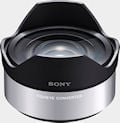
An adapter is available for mounting Alpha lenses, but autofocus will be disabled with the NEX cameras. Two converters will also ship for use with the 16mm lens: an Ultra Wide Converter with a 12mm equivalent view, and a Fisheye Converter.
Finally, an 18-200mm f/3.5-6.3 OSS lens is planned for shipment some time this year.
Both the Sony NEX-5 and NEX-3 accept both Memory Stick Pro Duo/Pro-HG Duo/Pro-HG HX Duo and SD, SDHC, and SDXC media.
The NEX-5A will ship in July with the 16mm lens for US$650, while the NEX-5K with the 18-55mm lens will sell for US$700. NEX-3A cameras with the 16mm lens will sell for US$550, while the NEX-3K cameras with the 18-55mm will sell for US$650.
Sony NEX-3 User Report
by Shawn Barnett, with Mike Tomkins
While "smaller and more aggressive" was the tactic with the NEX-5, the Sony NEX-3 takes a more conservative approach, taking on a size not much smaller than an Olympus E-P1. Both new Sony cameras evoke the memory of the Sony F505 through the F717, unusual looking cameras produced from 2000 to 2002, with a small grip and large, protruding lenses. Unlike the competition in this space, there's next to no camera body left of the lens, with all the body appearing either directly behind or to the right of the grip (as viewed from behind).
 Look and feel. Unlike the rest of the SLD (single-lens, direct-view) digital cameras, the Sony NEX-3 doesn't try at all to look like an SLR or rangefinder. Instead it looks more like a midsize digital camera with a big lens grafted on. Bordering on the absurd, the NEX-3 manages to pull off this seeming overemphasis on optics if only because of the lens's shiny aluminum barrel, whose efficient shape speaks of precision. After several years of relative sameness among digital camera designs, it's refreshing to see something bold. Least inspired of the colors among the Sony NEX-3 line is the silver body we received, which makes it harder to get as excited about this camera's particularly understated finish, so I've used Sony's black body images for the first two shots. The Alpha NEX-3 is also available in red.
Smallest among the new line's competition, the Sony NEX-3 is also light. Its plastic body weighs just 10.5 ounces (0.69 pound, 297g) with battery and card, and adding the lens raises the weight to 18 ounces (1.1 pounds, 511g). By comparison, the Panasonic G2 weighs 21.8 ounces (1.36 pounds, 618g); the Olympus E-P2 weighs 19 ounces (1.2 pounds, 539g); and the Samsung NX10 weighs 21.5 ounces (1.3 pounds, 610g) each with kit lens, battery, and card.

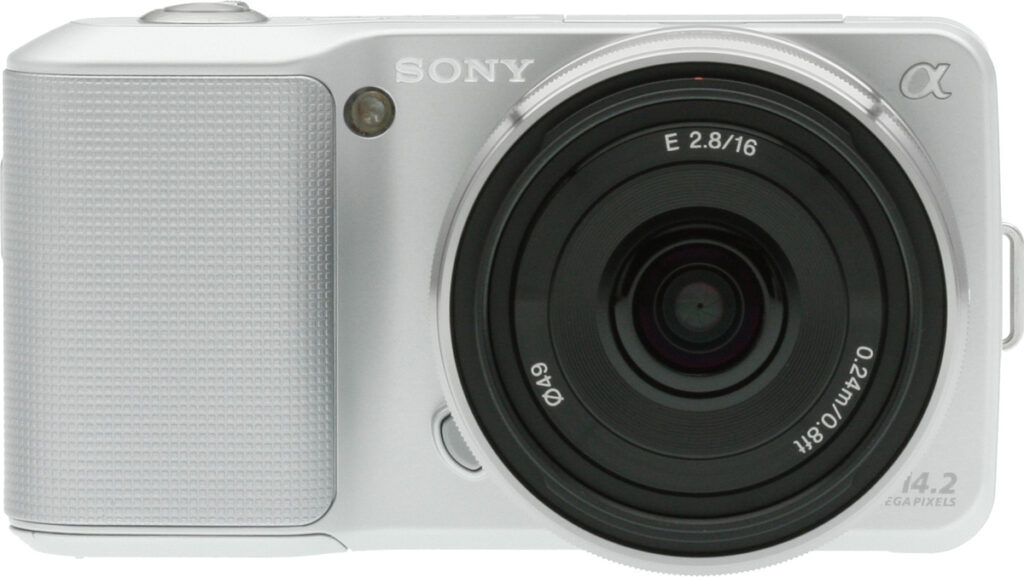
Much like sportscars show their command of the road by contrasting their low profile bodies with large, fully exposed wheels, the Sony NEX-3 design shows its command of light by contrasting its small digital camera body with a large, burnished gunmetal lens (the 18-55mm is shown here). Lower left of the lens in this shot is the lens release button, and upper left is the AF-assist and self-timer lamp. Unlike the Sony NEX-5, there is no infrared remote control port on the NEX-3.

From the top you see the stereo microphones, rather obviously marked L and R, and the three holes for the speaker. Between these two mics is the accessory flap, which you lift up and back, pivoting on its rubber hinge, to access the small accessory port. So far, the port accepts the included accessory flash and the optional accessory microphone; for now we haven't heard of any plans for an accessory EVF, though Sony plans to release an optical viewfinder accessory with a 16mm field of view.

Thickness. While the Sony NEX-3's lens mount makes the Sony 16mm lens look thicker, it's really about the same thickness as the Olympus 17mm M.Zuiko. Click the image for a larger view.
The large rear-accessed power switch rings the shutter button. Note the wide, thinner grip. It's easily the least comfortable aspect of the Sony NEX-3, because it's too wide, and the grip angle is too shallow, giving the fingers less to grip, while the Sony NEX-5's grip is much thicker front to back, with a deeper angle. The Playback button is also on top, which is a bit of a nuisance, since it's one of the things you want to quickly find and activate while you're looking at the LCD.
Here also is the first evidence of the tilting LCD screen, just left of the Movie Record button.
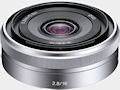
The 16mm f/2.8 lens also has an aluminum barrel, and looks larger than it is, thanks to the metal mount, which is several millimeters thick. The lens is actually about as thick as the Olympus 17mm f/2.8 M.Zuiko pancake lens. The 16mm lens will also accept the Ultra Wide Converter lens (VCL-ECU1) and the Fisheye Converter (VCL-ECF1), which mount on the bayonet located on the inset plastic barrel that holds the actual lens elements.

Note the position of the two camera strap lugs. The Sony NEX cameras are designed to hang with the lens pointing down, just like their spiritual predecessors (the F505-F717 mentioned earlier). This has several advantages, one being that the screen is less likely to be scratched by shirt buttons, and the small camera body won't pitch forward at different angles depending on what lens you have mounted. Sony knows that the lenses will usually tip the camera forward, especially on a camera whose body is so light, so why not just hang the lens downward in the first place? What I discovered when I attached the strap was that several of the camera's design elements that seem awkward at first suddenly make perfect sense.
 Tilting LCD. The 3-inch LCD tilts up 90 degrees and down about 45 degrees, and has a 921,000-dot resolution. The display also uses Sony's Clear Photo LCD Plus and Tru Black technology from Sony's line of digital picture frames.
With the strap attached, the LCD is always facing up, ready for chimping. Wrap your fingers around the Sony NEX-3's grip and bring your thumb around and up to the strap, and your thumb easily reaches the power switch. Draw your thumb back to use the Control wheel and soft keys. The Control wheel is very well designed, with a high edge around the perimeter with fairly sharp cuts for a good grip. Rather than fill the small space with expensive buttons, Sony has designed a new interface that's context-sensitive. The menu's responsiveness is very quick, with snappy clicks to accompany wheel motion and onscreen action. It's sometimes confusing, but always responsive. More on this later. We did notice that using the Control wheel to make frequent adjustments can wear on your thumb after only a short time, so beware.
Inside the Sony NEX-3

APS-C with digicam features. The NEX-3 uses an all-new Sony Exmor CMOS sensor that combines the large, low-noise pixels of APS-C format chips with advanced high-speed features previously found only in Sony's Exmor-R digicam sensors. The photo above shows the sensor from the NEX-3 next to an Exmor-R sensor of the sort used in Sony's X-series digicams. (TX7, HX5v, etc.)
Sensor. The Sony NEX-3 and NEX-5 have the company's third generation Exmor sensor. It is an APS-C sized HD-CMOS sensor that Sony says is 60% larger than a Four Thirds sensor, and 13 times larger than a typical video camera sensor, so they expect performance gains in both areas.
Dust. The Sony NEX cameras have a dust abatement and removal system, where they've included a charge-protection coating on the low-pass filter, and they also vibrate the low pass filter to shake dust free.
Processor. Sony doesn't say much about the new Bionz processor beyond that it's the third generation of the chip. Looking at the images, it could be a big part of what's improved their image quality so much.
Autofocus and metering. The Sony NEX-3 uses contrast-detect autofocus only. It has two autofocus modes AF-S for single and AF-C for continuous focusing. There are three autofocus area modes, including Center, Multi, and Flexible Area modes. You can also choose full Autofocus, DMF, which allows you to adjust focus after the autofocus operation, and Manual Focus. Focus is fast and fairly accurate. See the Field Test or Performance tab for more.
The Sony NEX-3 has the option of Spot, Center-weighted, and Multi-area metering.
Optics. Sony's new lenses are designed to respond more quickly than conventional SLR lenses can, with the express purpose of enabling autofocus while shooting video. Most SLRs either disable autofocus while capturing video, or else they essentially ruin the bit of the video where you're focusing because of the lens motor noise and the excessive focus and exposure changes required.
 |
|
Sony developed an all-new lens system for the new NEX line (shown here on an NEX-5, with a shorter flange distance (back-focus distance) to yield more compact lenses, and lenses with faster, more precise focus drive to meet the demands of live contrast-detect autofocus during video recording. The lens irises are also driven by stepper motors to provide continuous aperture adjustment to prevent sudden jumps in brightness as the aperture is adjusted while video is being recorded.
|
Sony says the new E-Mount lenses have silent focus and silent, continuous aperture control. See our Optics tab for a more thorough writeup of Sony's new approach, as well as our completed test results for both kit lenses.
White balance options include Auto, Daylight, Shade, Cloudy, Incandescent, Fluorescent, Flash, Color Temperature/Filter, and Custom.
Menus. Sony's introducing a whole new menu system on the NEX series cameras, one that looks and sounds quite snappy as you navigate, but our pre-release cameras had a few problems that served as the only real negative points in our experience with the NEX-5 and NEX-3. See the Field Test for more on that. The general interface is pretty good, if you stick to the basic controls.
Special features. The Sony NEX-3 comes with quite a few special features borrowed from the Cyber-shot line, the most interesting of those being the Sweep panorama feature.
 |
|
First seen on Sony's TX1 and WX1 digicams a year ago, the high-speed ability of the NEX-3's advanced Exmor CMOS image sensor and the power of Sony's Bionz processor lets you capture in-camera panoramas by simply holding down the shutter button and "sweeping" the camera across in a short arc. The result can be a panorama up to 12,416 pixels wide, covering a horizontal angle of 149 - 226 degrees. Or, sweep the camera vertically, for a narrower/thicker panorama up to 5,536 pixels wide, covering a vertical angle of 106 - 151 degrees. Sony's high-speed technologies take SLD shooting into a whole new dimension. (And sometime in July of 2010, it'll literally take you to a new dimension, when a firmware update will let you create panoramas in 3D, for display on Sony's 3D HDTV sets.)
|
 Storage and battery. The Sony NEX-3 is compatible with two memory card standards, each with various permutations. The first is Memory Stick Pro Duo/Pro-HG Duo/Pro-HG HX Duo, and like Olympus did with the Pens last year, Sony now also supports SD, SDHC, and SDXC media in the same slot.
The Sony NEX-3 uses a 7.2V 1080mAh lithium-ion battery with part number NP-FW50. Tested to the CIPA standard, the Sony NEX-3 is expected to get about 330 shots per charge. Expected Battery life is shortened somewhat because while the camera is on and in Record mode, the Sony NEX-3 will continue to seek focus whether you're in continuous or single focus mode.
Sony NEX-3 Comparisons
Size is a big advantage to SLDs, and the Sony NEX-3, while not as small as the NEX-5, is still smaller than most. But first, how much larger is it than the NEX-5?
Sony NEX-3 vs Sony NEX-5


Sony NEX-3 vs Olympus E-P1


Sony NEX-3 vs Pentax Kx


Shooting with the Sony NEX-5 and NEX-3
by Shawn Barnett
Sony makes cameras that are easy to love. Not all of them are perfect, but when it comes to design, Sony usually has an edge. That was lost with many of the Alphas, with the exception of the high-end of their body and lens lineup. We definitely see more of Sony's acute design skill built into the NEX-3 and NEX-5. Though physically they are very different, functionally they are nearly identical, so I'll talk mostly about my experiences that are familiar with both.
I had to be fairly stealthy when out shooting the new cameras, but they're small enough that I was able to conceal most of the camera with one hand. I just wrapped my thumb and index finger around the lens barrel and extended my palm over the grip: all you see is the front of the lens. That was true with both cameras, but easier to achieve with the NEX-5.
While they don't power-up quickly, the Sony NEX cameras do focus and fire quickly, especially in good light. Focus can take a little longer in low light, as with most contrast-detect cameras. Powering the camera on, though, is a little like watching yourself wake-up after a very deep sleep. You flip the switch, and nothing happens. Then after half a second, the icons appear onscreen. Then after another half-second, the view begins to fade in, from blackness to a dim vision, to full brightness. I confess I've never seen a camera do this. It takes long enough that I've more than once had to check to make sure the lens cap wasn't on.
Generally, if I'm out shooting, I have the camera on, so its power-up time hasn't been an issue. But know that it's not quick, at least not with our pre-release camera.
Although I'm a fan of many larger SLRs, and the Micro Four Thirds cameras from Olympus and Panasonic, I have to say, shooting with such a small camera feels very natural. I think there are plenty who won't like the large lens on the small camera body, but I can't think of anything more appropriate in the digital age. Lens, finder, and grip: that's what a photographer needs. No, an LCD isn't always the ideal viewfinder, but for the target market it's the right choice, and allows Sony to make the camera very small. (An optional optical viewfinder will be available, but it wasn't ready as of press time.)

Optics. To my surprise, I'm more drawn to the 18-55mm lens than to the 16mm. The opposite is true with the Micro Four Thirds camera, where the 17mm is pretty much all I use for the shooting I do. Since the 17mm is equivalent to a 34mm lens, it's natural I'd prefer that over the 24mm equivalent found in the 16mm. Though I used to love my 24mm on my old film cameras, the way the lens distorts faces at the edges makes for unappealing family photos. The good news is that it really grabs the scene, great for landscapes. The bad news is that you have to step forward quite a bit more than you thought you would to fill the frame with your subject, and the result is often distorted, unnatural people pictures.
A rather large 18-200mm is also planned for relatively early release, but an adapter that works with other Alpha-mount lenses will also be shipping. We used a sample of the adapter for many of our laboratory shots. The only drawback is that even these Alpha lenses must be focused manually, as they're not designed to work well enough with the NEX's contrast-detect autofocus system, according to Sony representatives.
With the 18-55mm, I like the way it feels to have just lens, grip, and LCD to frame my images: the bare necessities. It feels like I'm getting away with something.
Still, if you're looking for a wide-angle view, the 16mm is wide and flat, and you can make it even wider with the two accessory lenses that will also be available. The VCL-ECU1 is an Ultra Wide Converter that makes the 16mm into a 12mm lens thanks to its 0.75x magnification. The Fisheye Converter will give a very wide view with all the distortion you expect from a fisheye lens.

Low light. I like that they included the flash with the Sony NEX cameras, rather than made it an aftermarket purchase, as Olympus did with its first two Pens. I also like that you can take it off. It's absolutely tiny, rests right above the lens, and jacks in via a special connector concealed beneath a plastic door. A thumbscrew tightens the flash in place. As I say, it rests flat above the lens, but must be flipped up to activate. The camera senses when it's flipped up and fires in the selected mode.
Regardless, what's better than a cute little flash that comes off with ease? A camera that doesn't usually need a flash. And that's what you get with the Sony NEX-3. As if it weren't enough to have a camera that does Sony's cool Handheld Twilight mode, Sony made some strides that improve its high-ISO performance noticeably. It's no Nikon D3x, but it still does better than a good share of the market in our low light tests.
I really enjoyed shooting in low light with the Sony NEX-3, with only Auto ISO enabled. It's not going to perform miracles, but it does get you indoor shots that you'd never get otherwise.
 |
 |
|
Handheld Twilight
|
Anti-motion blur
|
|
Handheld Twilight mode captured six images at f/5, 1/8 second, and ISO 1,600 and combined them into one. Anti-motion blur mode chose f/5 and ISO 6,400 in a bid to raise the shutter speed to 1/25 second.
|
|
Handheld Twilight. A cool Scene mode called Handheld twilight (HHT) does a trick that some of Sony's backlit-sensor cameras introduced last year. No, this sensor is not backlit, but it will fire off six shots at a hand-holdable shutter speed and combine them into one usable image that you'd never get without using a higher ISO. But don't think that you're going to sneak into your kids' bedroom to get a cute shot of them sleeping, because the relatively loud -- if cool-sounding -- shutter has to fire six times, a salvo that's sure to wake most people.
Similar to HHT is Anti-motion blur mode, which biases exposure toward a fast shutter speed and also fires off several images that it combines into one to eliminate motion from camera movement, which is amplified by use of telephoto lenses. Again, this makes quite a bit of noise, and those nearby might wonder what you're doing. (Just tell them they wouldn't understand.)
Easy Panoramas. I'm also impressed that Sony managed to put their Sweep Panorama mode into the NEX series. The Sony NEX-5 and NEX-3 have to fire much larger shutters than their Cyber-shot counterparts, then combine the images into one shot.


It does not work as well as Sony's Intelligent Panorama mode, which analyzes the scene to find moving objects and put only one image of said objects into the final panorama. For example, a car traveling through the scene might appear more than once as the camera sweeps across a scene, but intelligent Panorama would delete the multiple images from the scene when possible, leaving only one image of the car. As I swept across a street scene, all the buildings were fine, but cars moving with the pan had an extra tail and nose added to their length, while cars moving counter my motion were shrunk to just a noise and tail, with no middle. Not the best, but since most folks shoot panoramas of relatively static scenes, it'll work well enough in most common situations, where objects are distant and not moving rapidly. Note, too, that all of the Sweep Panorama images I made with our pre-release camera were somewhat soft, with a touch of motion blur. The top shot above, taken in bright sunlight at 1/250 second still shows motion blur, but it could be that Sony has some work to do yet. Later, when we reshot the tree scene, the shutter speed was slower, but we just let the Sony NEX-5 keep firing, and we got a much sharper result.


Auto HDR. When you know the camera's going to have a hard time capturing a scene like this, Sony's Auto HDR can help. Note the cosmetics on the shelf in the doorway in the bottom image and the shadow area under the tree.
Auto HDR. Another multi-shot mode designed to improve your images is the Sony NEX-3's HDR mode. Dynamic Range Optimization does a little electronic processing to enhance shadows and maintain highlights, but when that's not doing the trick, you can (after some fumbling in the menus) activate Auto-HDR. Again, this handy mode fires off three hand-holdable images that expose for the highlights, the mids, and the shadows and combine them into one image that has usable detail in all of these areas. Often, these images can look flat, because they essentially process out image contrast. The good news is that the Sony NEX-3 also saves a copy of the middle exposure before building the HDR image, giving it the next number in the series. While I've often been pleased with the HDR image onscreen, I was occasionally glad I had the regular exposure as well, since HDR can too often just look surreal. Not just from the NEX, by the way, but all HDR images.
The Pentax K-7 has this feature as well, but Sony's implementation automatically aligns all three images, even when handheld, while most of the K-7's shots need to be made on a tripod to avoid image misalignment. I found a perfect opportunity to demonstrate HDR's benefit: a beauty salon built into the old Woodstock Jailhouse with its door open. Part of its front is lit by bright sunlight, part is in shadow, and the open door is even darker. The key, though, is that I can see into the open door with my eyes, and I can also see detail in bright and shadow areas. But I knew the camera wouldn't. The shot at right shows this clearly. Yes, there are hints of the items seen in the room, but the HDR image manages to assemble a better sample of what my eye made out: cosmetics on a rack, stacked on a table. I think the bright part of the wall is a little too washed out, but it's about right for what my eye saw, so I can't complain. Overall, in this scenario, HDR did exactly what I think it's supposed to do: give you more of what your eye sees, in one image. Our eyes and mind are compensating as we look around a high-contrast scene like this, adjusting sensitivity as we go, but a digital camera really can't do this without the help of HDR; at least not yet.
Focus. Focus is active at all times, far as I could tell, whether I had continuous focus on or off. I usually choose the Center point AF option regardless what camera I use, but the Sony NEX-3 has a strange habit of just giving up and selecting the entire image as the center, especially in low light. I'm not really fond of that. I want to know that it's going to focus where I tell it, so I switched to Flexible Spot, which has the added benefit of moving to just about anywhere onscreen, corner-to-corner, just missing the edges. Not bad at all.
Focus is also fairly fast, pretty close to some of the other contenders in this space. Wide and tele full autofocus lag times average 0.44 second, and prefocus shutter lag is 0.12 second. Startup to first shot is about 1.0 second, but in reality it's about 2 seconds before the screen comes fully alive. I have no complaints about focus at all with the Sony NEX-3. If you set the camera to Continuous AF, though, focus will tend to wobble very rapidly as the contrast-detect AF system rapidly checks and rechecks focus many times a second. It can be quite strange to see an entire building pulsate as you try to hold the camera steady, but rest assured the camera is doing what you told it to.


Out of focus areas are a little softer and more appealing from the Sony NEX-5 (top) than the Olympus E-PL1, both shot wide open (f/4, f/3.9 respectively, at about 35mm eq.) with their kit lenses. (Click on the images for an 800-pixel version, then click again to see them full size)
Bokeh. Put simply, bokeh is the quality of the out-of-focus areas in an image, and Sony boasted that their larger APS-C sensor (which allows a narrower depth-of-field) combined with their optics give better bokeh than Micro Four Thirds cameras can. It seems to be true of the two kit lenses, with background elements appearing a little softer and smoother from the Sony. The quality of bokeh can vary quite a bit, though, depending on which lens you use.
Simpler menus? Of course, it's not all great news. The Sony NEX-3 is a blend of more traditional digital camera design with an SLR sensor and interchangeable lenses, but the best of both worlds were not always chosen. In this case, Sony says they completely redesigned the interface to make it easier to control with only a few buttons, but it really brings to mind the inconvenience of some of Sony's recent Cyber-shot menu systems. My first impression of the NEX-3's menu system was quite positive, because it was snappy and beautiful. The most attractive item is the Scene menu, in fact, which includes high resolution photos to illustrate the purpose of each. Very nicely done. For the first time, too, the sound that accompanies menu selections -- a sharp click -- is actually quite nice. Unfortunately, my initially positive reaction to the NEX-3's menus didn't survive my actually trying to use them.
Rather than using the truly simple menu from the other Alphas, which are among the best in the business, Sony opted for a more complicated scheme that uses buttons to get to icons to get to menus, some of which are pretty long -- and when you get to the bottom of some very long lists, the menus don't wrap back up to the top. Worse, once you've found and adjusted a menu item, you're dropped into Record mode, rather than back to the Menu, where you could make further adjustments. Instead, you have to hit Menu again and start all over from the top.

Leaving iAuto. Unfortunately, in Program mode, there is no Program Shift. But you can use Background Defocus, available in Intelligent Auto mode. Getting into Intelligent Auto isn't hard at all. Just press the Shoot Mode button, the virtual Mode dial comes onscreen, you rotate the dial, press the center button, and you're in. But now what was once the Shoot Mode button is now the Background Defocus button. How do you get back to Program or any other mode? Press Menu. Navigate to Shoot Mode. Press OK. Wait for black screen. Rotate the dial. Press OK. No, it's not horrible, but there are a lot of steps, and it's not obvious for the novice. Then again, perhaps that's the idea.
Thanks to the large, high resolution screen, there are plenty of icons to tell you about the camera's settings, but to change any of them, you have to first look on the four-way navigator, then hit the Menu button (provided it's available, since it is a "soft" button, whose use may change as the mode changes). Once the Menu pops up, you have to choose the right one from among six: Shoot mode, Camera, Image Size, Brightness/Color, Playback, and Setup. Here's where tabs would have been nice, because it's not exactly obvious that ISO and DRO are hidden under the Brightness/Color menu rather than the Camera menu.
And a Quick menu would make changing things like ISO or DRO/HDR more easily accessible. As it is, you have to press the Menu button, navigate to Brightness/Color, scroll down to DRO/Auto HDR, and press the center button. Then the screen goes completely black, and you're taken to the live view, where the little DRO/Auto HDR options pop out of the right side of the screen. Rotate the control dial until your selection appears and press the center button again. Take your shot! The big problem I have isn't how hard it is to turn on, though. It's how hard it is to turn back off, because I seldom want to shoot in Auto HDR for more than a few images, and then I forget I have it set for the next shot, and right when I don't want it to, the Sony NEX-3 will rattle off another three shots. It's then that I have to go back into the menu, navigate to Brightness/Color... You get the idea. What's worse is if you need to change a setting on the Setup menu, which contains 35 items. Format is number 29.
There are also many instances when a menu option is inexplicably unavailable. It's just grayed out, and the pop-up explanation doesn't offer any remedy. The Face Detection option for example, is grayed out by default, and the only way to activate it is to first turn on Multipoint AF and Multi-area exposure. While the camera has 80 photography tips, none of them address such a fundamental issue as this. There's always the manual, yes, but some of this stuff should just be automatic (turn on face detection and it automatically changes to Multipoint AF and Multi-area exposure).
Note: These comments are based on the NEX firmware version that was available at the time the review was written (v1.00). Sony has since released firmware update version 03, which addresses some of these UI issues and adds new features as well. We unfortunately can't go back and update reviews each time new firmware comes out, but you can view the list of improvements according to Sony in our NEX firmware update news article. |
Another peculiarity is that you can't review both images and videos in Playback mode at the same time. Playback confines the list of available items to whatever you shot last. That is, if you've been shooting stills and movies, and the last thing you shot was a still, when you press the Playback button you'll only see still images. To see movies, you have to switch to Movie mode, or else a quick movie. You can also hit the Menu button, select the Playback menu item, and scroll down to Still/Movie Select, press that menu item, then select between Still and Movie on a separate screen. We think this might be because scrolling through movies takes a long time -- like two or three seconds per item -- while stills are easy to flick through. Rather than please consumers, though, idiosyncrasies like this are going to make users think they've lost images or videos. Hopefully this is due to the prerelease nature of the NEX cameras.
It may not be possible to make a lot of changes before release, given how close that is relative to manufacturing cycles, but here's a summary of things we'd like to see change in the NEX's menu system:
- Add an option to the Setup menu that would let you configure the camera's default menu behavior to drop you back to the last-used menu position, rather than always at the top level. Call it something like "Menu Default," with options of "Return to last setting" and "Return to top."
- Likewise, as noted above, an option for the camera to leave you in the menu system after making an adjustment, rather than popping you out to shooting mode again would be a real convenience.
- Make the system less modal; let the user change more things regardless of the mode the camera is in. For instance, rather than requiring that the user first set AF area to Multi and change the AF mode to Autofocus or DMF before they can select Face Detection, why not just make the choice of Face Detection put the camera in AF/Multi-Area mode? Telling the user that the Face Detection function is disabled isn't at all helpful. And why shouldn't users be able to select digital zoom with zoom lenses if they want to? Ditto panorama direction or panorama size, when they're not in Panorama mode? Having items mysteriously greyed-out only makes the camera more confusing for users of any level.
- If you can't get rid of the modal nature of the menus, add explanatory text, telling why an option is greyed out, rather than just saying "This function is currently disabled." - This would arguably hold more real end-user benefit than the current 80 pages of shooting tips.
- In Playback mode, make the Menu button take you immediately to the Playback menu, and make the first option there be Still/Movie Select. (This is one place where the camera really needs one more button, as all the buttons on the back already have necessary functions assigned to them.)
- Add a setup menu item that would let you configure the lower-right button as a custom function button, rather than defaulting to Shooting Tips. Let the user configure it to optionally control their choice of White Balance, ISO, AF area (it does currently turn into Focus when you're in Flexible Spot mode, so you can adjust the focus point, but it'd be nice if you could choose to make it select AF mode all the time as an option), Face Detection, Metering Mode, DRO/HDR, Creative Style, and possibly Steadyshot.
- Add a Quick Menu, optionally activated by the lower soft button, to give quick access to a number of common settings. (The list above would be a good start, but add things like image size/quality, movie type/size, etc., as well.)
- On future models, don't be quite so focused on reducing the number of buttons. Even one more button in the lower right corner of the rear panel, or to the left of the Movie button on the angled top panel could have really helped with some of the user interface complexity.
As we said, it may be too late to make any of these changes before release, but they'd be great to add to the firmware update slated to bring 3D Sweep Panorama sometime in July. Some would be more involved than others, but some of the simplest (default menu behavior options, for instance) should be trivial to add, and would make a huge difference to UI usability.
Stabilization. I didn't get a strong impression of the Optical SteadyShot's effectiveness with the 18-55mm, probably because I was so busy playing with all the other low-light features. But most of my shots were good, and as I hold the camera still, analyzing the image on the LCD, the system seems to absorb my heartbeats pretty well while I hold the camera as steady as possible. Sony expects it to deliver around four stops of correction, which seems about right.
Movie mode. Certainly the hot feature among SLRs these days is video capture with interchangeable-lens digital cameras. Their reasonably inexpensive optics open up budding videographers to new levels of creativity. The large sensor in APS-C-sized digital cameras allow better low light performance and let shooters use selective focus as a storytelling device, quickly switching attention from one subject to another using only the focus ring.
The Sony NEX-3 records 720p video at 30 frames per second. Most impressive is that it focuses fast enough to track a subject running full speed at the camera. There are some issues as to what type of subject is more likely to get its attention, but as I've already mentioned, the Sony NEX-3 seems to be checking focus all the time it's on, whether you're shooting stills or video.
Though we're not done with the NEX-3's review, check out Dave's very thorough writeup of on the Sony NEX-5's video capability on the NEX-5's Video tab.
Sony NEX-3 Image Quality
No camera is without its issues, and the Sony NEX-3 has a few, brought out by some of our laboratory shots.
See the crops and commentary below for more, and be sure to see our Optics and Image Quality pages for a more thorough analysis of image quality. (Note that we shot both the NEX-5 and NEX-3 cameras and found their image quality to be identical.)
Sony NEX-3 versus Panasonic G2 at ISO 1,600
 |
 |
 |
 |
 |
 |
|
Sony NEX-3 at ISO 1,600 |
Panasonic G1 at ISO 1,600
|
|
Going up against Panasonic's latest Micro Four Thirds camera at ISO 1,600 reveals some significant differences in how the two cameras handle noise vs. detail. Panasonic's trouble with yellows is also thrown into fine relief, as the top of the Mas Portel bottle appears green, as does the border on the mosaic image. Note also the difference in the shadow areas behind the olive oil bottle. The Sony has a blurry appearance, while the Panasonic opts for emphasizing luminance noise. This latter strategy actually works well in prints. Canon and Nikon manage to produce a gray background that's both smooth but seems flat and reasonably in-focus. Both of these approaches look fine in prints, but the gaussian appearance is indeed present if you look closely. The Sony NEX-3 does better with fine detail in all of the images, including the red leaf fabric.
|
|
Sony NEX-3 versus E-P1 at ISO 1,600
|
 |
|
 |
|
 |
|
Sony NEX-3 at ISO 1,600 |
Olympus E-P1 at ISO 1,600
|
|
Though the Olympus E-P1 uses the same sensor as the Panasonic G2, Olympus's processing does a little better in some areas. Still, the Sony NEX-3 eliminates more luminance and chroma noise, while still delivering more detail. Looking at the MA in the label in the top images, the E-P1 manages a little stronger detail without as much oversharpening, but it leaves a lot more chroma noise in the mosaic pattern. The leaf fabric appears to be a draw. Neither renders the swatch as it really is, but I might give the edge to the E-P1 for introducing less false contrast data. But as I say, neither does well enough for all-out praise (see the Nikon D5000 below for the truest representation of the bunch).
|
|
Sony NEX-3 versus Samsung NX10 at ISO 1,600
|
 |
|
 |
|
 |
|
Sony NEX-3 at ISO 1,600 |
Samsung NX10 at ISO 1,600
|
|
The other big contender in this space doesn't fare quite as well against the NEX-3 at ISO 1,600. Your eyes can do the analysis easy enough on this one. The chroma noise in the shadows is overpowering, and the red swatch is just blurry by comparison. The NX10's mosaic image also doesn't look as "photographic," but this rendering prints just fine, despite the artificial appearance in this crop. The Samsung NX10 does just fine, producing great printed images, but the Sony NEX-3 does better. |
|
Sony NEX-3 versus Canon T1i at ISO 1,600
|
 |
|
 |
|
 |
|
Sony NEX-3 at ISO 1,600 |
Canon T1i at ISO 1,600
|
|
The Sony NEX-3's 14.2 megapixels stack up nicely against the Canon T1i's 15.1 megapixels. Overall, the T1i is a little softer, but with fewer sharpening artifacts. I prefer the Canon's treatment of the background shadow, even though it leaves some luminance artifacts. The extra noise makes it look more natural when printed. Where the Sony NEX3 has a clear advantage is in the red leaf swatch. The NEX-3 makes something of it, while all the T1i can manage is an unreasonable facsimile. |
|
Sony NEX-3 versus Nikon D5000 at ISO 1,600
|
 |
|
 |
|
 |
|
Sony NEX-3 at ISO 1,600 |
Nikon D5000 at ISO 1,600
|
|
Pixel for pixel, the 12-megapixel Nikon D5000 has scored better than the Micro Four Thirds cameras on these particular crop elements, but the Sony finally exceeds it in every area but the red leaf pattern. Despite its soft appearance, the Sony NEX-3 does eliminate the chroma noise in the shadows better than the D5000, and the mosaic image, while not as rich looking as the D5000's rendering, has more usable detail. It's pretty close, though. |
|
Detail: Sony NEX-3 vs Panasonic G2, Olympus E-P1, Samsung NX10, Canon T1i, and Nikon D5000
 |
 |
 |
 |
 |
 |
 |
 |
 |
 |
 |
 |
|
Sony NEX-3 |
Panasonic G2
ISO 100 ISO 3,200 |
Olympus E-P1
ISO 100 ISO 3,200 |
Samsung NX10
ISO 100 ISO 3,200 |
Canon T1i
ISO 100 ISO 3,200 |
Nikon D5000
ISO 100 ISO 3,200 |
|
Detail comparison. An ISO 1,600 comparison is only so helpful. A camera's ISO 100 and 3,200 performances are also of value, especially when it comes to fine detail, so I've pitted the same set of cameras against each other in the high-contrast detail department. When we originally looked at the Sony NEX-3's high ISO images, we thought a new benchmark had been set. Indeed, the images do look pretty good, and may actually set a new high mark for overall quality, but these detail crops show that it's not quite a complete coup. The chief rivals for the top spot continue to be the T1i and E-P1 at ISO 100, and the E-P1 and T1i at ISO 3,200. At 3,200 the T1i renders more lines in the Lager letters, but that's partially a function of its slightly higher resolution (14.2 vs. 15.1). I'd say the Sony NEX-3 is probably the most even performer we've seen to date in this price and size range. Also consider that this test is not independent of lens quality, focus errors, and other variables, so again take this mostly as a comparison of what each camera was able to do with the best standardized optics we can muster. The Samsung NX10 used its very sharp 30mm f/2 lens. The Olympus E-P1 and Panasonic G2 used the rather excellent Olympus Digital Zuiko 50mm f/2 Macro lens. The Sony NEX-3, Nikon and Canon used our laboratory-standard Sigma 70mm f/2.8 EX DG Macro lenses, which are very sharp. |
|||||
Sony NEX-3 Print Quality
 JPEGs look very good printed straight from the Sony NEX-3. Enlargement of these 14.2-megapixel images to 20x30 was a tad soft from ISO 200, but better than most 12-megapixel cameras can do. Shots at this size would be fine for wall display, and would sharpen up nicely in a photo editing program. That softness becomes a non-issue at 16x24, though. Color saturation is great and contrast seems a bit high, but not unpleasant.
ISO 400 shots look great at 16x24 too.
ISO 800 shots are also great at 16x24. You can raise your eyebrows now, because that's pretty amazing. Great detail in most areas, only the slightest softness in low-contrast areas, barely detectable unless you squint. Gray shadow areas have some surreal blurring, again if you look closely, but it's a lot better than the luminance noise that could be there.
ISO 1,600 images are a little softer in the low-contrast areas, and some detail starts to suffer, but it's not a problem at arm's length; so even these images are usable at 16x24 inches. Color and contrast are still quite good. The softness goes away at 13x19 inches.
ISO 3,200 images, as expected, start to show some weakness in the darker parts of the image, but high-contrast detail is still quite good at 13x19 inches. Very usable at this size, but naturally better at 11x14.
ISO 6,400 finally demands some reduction from 13x19 inches all the way down to 8x10 before the blotchy dark areas and shadows become acceptable for wall display.
ISO 12,800 suddenly looks quite good at 5x7, a surprise considering how much it seems degraded onscreen. Some colors are faded, but not as bad as we usually see. It makes a great 4x6, too, promising great snapshots in very low light.
Overall, the Sony NEX-3 produces very good prints at very large sizes, impressive considering its lack of an ISO 100 setting. You can print extremely sharp prints at larger sizes than most people print (above 11x14 and up) from ISO 200 to 3,200 without a worry at all.
In the Box
The Sony NEX-3 ships with the following items in the box:
- Sony NEX-3 body
- 18-55mm w/lens hood or 16mm lens (depending on kit)
- Flash
- Body cap
- Lens caps
- Lithium-ion battery
- Battery charger
- USB cable
- Shoulder strap
- CD-ROM
- Quick Start manual
- Warranty card
Sony NEX-3 Conclusion
| Pro: | Con: |
|---|---|
|
|

Sony has done just what they needed to: They've shaken up the camera market. Even though they were fourth to the Single Lens Direct-view digital camera category, the Sony NEX-3 and NEX-5 are unique cameras that will be remembered for their design as well as their excellent image quality.
As a longtime Sony fan, I've been waiting for a camera that really feels and works like a Sony. While I wish Sony had stuck with the tried and true Alpha menu system, everything else about this design represents Sony at its finest. Dave and I agree that despite the menu, we'd both be happy to own and carry the NEX-3 to just about any event where an SLR would be inappropriate or cumbersome, and I might even feel confident using the NEX-3 or NEX 5 as a backup camera should my SLR fail.
The Sony NEX-3 is not a camera for the seasoned pro, but it just might serve anyone wanting digital SLR quality in a very small, pocketable form factor. We were surprised by the NEX-3's good image quality at all ISOs, and its printed quality was remarkable. For a small camera to output ISO 3,200 images that look amazing when printed at 13x19 inches: that's worth noticing.
What was more of a surprise was Sony's ability to build in Sweep Panorama mode and both Handheld Twilight and Anti-motion blur into a camera with a larger sensor and large shutter, since these modes were first introduced in Cyber-shot digital cameras.
Overall, we are really impressed with the Sony NEX-3 and the NEX-5. Both offer higher image quality than any of their rivals, all in a package that's smaller than all of their large-sensor rivals. They are fun to carry and shoot, and gorgeous to behold with a bevy of features you're going to want to explore. The plastic body of the NEX-3 has less dramatic impact than the slimmer, metal body of the NEX-5, some of us liked the grip better than others, and the HD video is 720p instead of Full 1080i, but it's the still image quality that impresses us most, and they both serve up the best quality we've seen for this form factor. If Sony can improve the menu, fix the Playback mode, and add a Quick menu, we'll be even more excited, but for now we're content to have great looks, great features, and excellent, category-leading image quality, making the Sony NEX-3 a Dave's Pick.
Be sure to read the rest of this review on the tabs that you'll find at the top and bottom of this page. Dave, Mike, and Zig spent a lot of time writing about the new features and analyzing the image quality of the NEX cameras. Check it out, you'll be glad you did! Start with Design and hover over each item for a full description, then go to any of the others you like: Operation, Viewfinder, Modes and Menus, Video, Optics, Exposure, Image Quality, Flash, Performance, Specs, Samples, and Gallery (NEX-5)! If you want to get really technical, check out the Imatest Results, High ISO NR, and RAW pages as well.
Design
Sony NEX-3 Design
Roll-over the various controls and features with your mouse for a brief description. Note: Rollovers are best viewed with the latest versions Firefox, Safari, or Opera browsers, or Internet Explorer 6 or earlier.
Front View. The Sony NEX-3 has a clean, modern looking front, with only one control. The NEX-3’s body is largely constructed of polycarbonate plastic, with metal used only for the lens mount, strap lugs and tripod socket. The hard, textured handgrip has a relatively rounded profile, and protrudes enough to give a reassuring grip, without detracting from the camera’s compact size. It does extend close enough to the lens mount that those with large hands can find their fingers uncomfortably pressed against the lens release button. The small dot below and to the left of the Sony logo is an extremely bright orange LED, which serves as an AF illuminator, as well as being an indicator lamp for the self-timer and smile shutter functions.
Left View. Shown with the Sony SEL16F28 E-Mount 16mm F2.8 lens attached. As well as the strap lug, the left side of the camera contains access to the USB and HDMI ports. These are concealed beneath two hard plastic doors, each secured to the camera with a flexible rubber strap. While the doors feel a little flimsy, they do snap securely closed, flush with the surface of the camera body.
Right View. Shown with the Sony SEL16F28 E-Mount 16mm F2.8 lens attached. There are no controls to see on this side of the camera, which is smooth apart from the metal lug to which the neck strap can be attached. Thankfully the NEX-3 uses a fixed lug, rather than the retro eyelet / D-ring combinations of some of its rivals, which are prone to making noise that can be picked up during movie recording. The NEX-3’s strap lugs are positioned so that the camera hangs in a lens-down position, and have a low-enough profile that they don’t cause discomfort under one’s hand.
Top View. Shown with the Sony SEL16F28 E-Mount 16mm F2.8 lens attached. The top panel has a few controls including the Power switch, Shutter button, Movie button, and Playback button. The shutter button has a soft resistance up to the half-press, and yields a reassuring click with a full press. The Movie button has no half-press position, and is recessed slightly to prevent accidental presses. A small door above the lens mount conceals Sony’s Smart Accessory Terminal, which can be used to attach proprietary accessories to the NEX-3. These include an included external folding flash with a GN of 7m at ISO 100, and two optional accessories — a wide-angle stereo microphone, and an optional eye-level viewfinder. A small screw thread at the center of the terminal allows accessories to be fixed to the camera body, preventing their being accidentally detached. Two small slits on either side of the Accessory Terminal door mark the left and right ports for the NEX-3’s stereo microphone. The three tiny holes adjacent to the right microphone port are the NEX-3’s speaker grill.
Back View. The few remaining controls are on the NEX-3’s rear panel, along with the 3.0-inch, 921.6K dot LCD. The display is mounted on a double-hinged mechanism that allows it to be tilted upwards around 80 degrees, and downwards to about 45 degrees. Although it isn’t visible behind the LCD cover glass, an ambient light sensor is located at the lower left corner of the LCD display. All four controls to the right of the display are what’s known as “soft” controls, meaning their function changes depending on the camera’s operating mode. The current function for each control is usually indicated on the LCD panel adjacent to the control, although occasionally the soft controls do still function when no label is displayed.
The Control Wheel serves double duty as a rotary dial, and as a four-way arrow pad when pressed at its top, bottom, left or right quadrants. Button presses on the Control Wheel have a reassuring click, and are easily made without accidentally turning the dial, which is sometimes an issue with such combined controls. When used as a dial, the Control Wheel turns in distinct steps, and has exactly the right level of resistance between steps, although we did find its strongly ridged surface a little uncomfortable during extended use.
Bottom View. Shown with the Sony SEL16F28 E-Mount 16mm F2.8 lens attached. The camera’s bottom panel is flat, with a metal tripod mount located on the central axis of the lens mount, and slightly behind the image sensor plane. The battery door conceals the SD / MS Duo and battery slots.
Operation
Sony NEX-3 Operation
Soft Controls. The NEX-3’s user interface is based around several “soft” controls — a dial and three buttons — whose current function in any particular mode is indicated at the right side of the LCD display adjacent to the control itself.
The Sony NEX-3 packs a lot of features into a very compact body whose design emphasis the use of what are known as “soft” controls, whereby the function of the controls changes depending on the camera’s current operating mode. There are also relatively few external controls, and this means that many features are accessed via menus shown on the LCD instead of via dedicated or soft buttons. The result is a clean and attractive body that’s for more approachable than your typical button-packed, intimidating digital SLR. The on-screen graphical user interface proves equally welcoming to beginners, featuring a handful of large, friendly icons on its front page, and an easy-to-navigate flat structure. There’s also an uncommonly detailed Shooting Tips function that acts as a built-in guide to photography, offering advice on everything from topics for beginners such as how to hold the camera or frame a portrait, right up to tips for advanced amateurs on prefocusing for fast-moving subjects, and how to capture star trails.
The NEX-3’s design offers up a total of six buttons, as well as a control that serves double duty as both a control wheel and four-way arrow pad. Of these, the dial and three of the buttons are soft controls, whose current function is usually indicated on the LCD display adjacent to the control itself (although just occasionally, the soft controls still function even when no label is provided on-screen.)
The topmost soft button adjacent to the top right corner of the LCD display generally activates the NEX-3’s menu system, which opens with six selections, each linking to a submenu and prefaced with a friendly icon and logical name. By default, as each icon or menu item is highlighted, a description of its function pops up on the screen after a brief moment of inactivity. The Shoot Mode submenu acts much like — and indeed, provides a visual representation of — a Mode dial, allowing the camera’s operating mode to be chosen. The Camera submenu groups together some of the most common photograph functions, such as drive, flash, and focusing modes. The Image Size submenu is self explanatory (and also contains options for aspect ratio, quality / compression types, and movie resolution. The Brightness / Color submenu collects settings such as exposure, sensitivity, white balance, creative styles and the like. Playback options are also grouped in their own submenu, while the Setup menu acts as a repository for more advanced settings that aren’t often changed, as well as options that don’t logically fit elsewhere.
Menus can be navigated either by using the four way arrow pad, or by turning the command wheel. The soft key in the center of the command wheel generally makes selections, while the upper soft key steps back out of a menu page or option, and the lower soft key is used to access extended settings if available. The command wheel is also used to adjust shutter speed and aperture in Manual or Priority exposure modes, and the Background Defocus control when in Intelligent Auto mode. Since there’s only one command wheel and two variables to adjust when in Manual mode, the down arrow button switches between the two variables. In other record modes where Exposure Compensation is available, the same button allows adjustment of the compensation amount. The left and right arrow buttons respectively access the drive mode and flash mode dialogs, while the up arrow changes the display type. A dedicated Movie button is used to start and stop video recording, separate from the still image Shutter button.
Record Mode Displays
Full-time Live View
the shutter speed and aperture settings, exposure compensation level, exposure mode, flash mode, ISO sensitivity setting, metering mode, AF mode, number of available images, resolution for still images and movies, compression, aspect ratio, image stabilizer mode, drive mode, white balance,
creative style mode, Face detection / smile shutter modes, DRO / HDR modes, focus confirmation, battery status, etc. As you change exposure settings, the display changes to reflect what the captured image will look like, also known as “exposure simulation.” A graphic display mode allows you to see both shutter speed and aperture represented on gauges showing their current position relative to the available range for each exposure variable. You can also enable a
live histogram. Through the Setup menu, you can enable a rule-of-thirds grid display. See the illustration below (courtesy of Sony America) for information callouts in record mode.
| Sony NEX-3 Record Mode Displays | |||
|
Section 1
|
|||
|
|
Shoot Mode
|
|
Scene Selection
|
|
|
Image size / Aspect ratio of still images
|
|
Image size of movies
|
|
|
Number of recordable still images
|
|
Recordable time of movies
|
|
|
Image quality of still images
|
|
Remaining battery
|
|
|
Scene Recognition icons
|
|
Memory card / Upload
|
|
|
Flash charge in progress
|
|
AF illuminator
|
|
|
Does not record sound during movie recording
|
|
Camera shake warning
|
|
|
Overheating warning
|
|
Database file full / Database file error
|
|
|
Histogram
|
|
Print order and number of copies
|
|
|
Playback folder – File number
|
|
Protect
|
|
Section 2
|
|||
|
|
Soft keys
|
||
|
Section 3
|
|||
|
|
Focus Status
|
|
SteadyShot
|
|
|
Shutter Speed
|
|
Aperture
|
|
|
Exposure Compensation
|
|
Metered Manual
|
|
|
Shutter Speed Indicator
|
|
Aperture Indicator
|
|
|
Recorded date / time of the image
|
|
Recording time of the movie (m:s)
|
|
|
Appears when HDR did not work on the image.
|
|
Image number / Number of images recorded in the date or selected folder
|
|
Section 4
|
|||
|
|
Flash mode / Red Eye Reduction
|
|
Drive mode
|
|
|
Focus mode
|
|
Face Detection
|
|
|
Metering mode
|
|
Focus Area mode
|
|
|
Flash compensation
|
|
Smile Shutter
|
|
|
ISO
|
|
DRO / Auto HDR
|
|
|
White Balance
|
|
Creative Style
|
|
|
Smile detection sensitivity indicator
|
 |  |
Playback Mode Displays
Information Screens
Index View
Magnified View
while pressing the arrow buttons pans around the image. The upper soft key exits magnified view, and the lower soft key deletes the magnified image (after a confirmation screen), then returns you to full image view. For panoramic images, the first press of the center soft key scales the panorama to fit the screen on its shorter side, then pans the length of the panorama automatically once, before returning you to full image view. Pressing the center soft key while the panorama is panning will pause the display, at which point you can enter magnified view by pressing the lower soft key. This then allows you to pan and zoom exactly as you would with any other still image.
Movie Playback
Pressing the soft key at the center of the Control wheel while viewing a single movie in Playback mode launches movie playback. A second press will pause movie playback, and a third press will resume it. While the movie is playing, rotating the Control wheel will cue forwards or backwards through the movie. Pressing the Down arrow button while paused brings up a volume adjustment control, allowing the volume to be adjusted within a seven step range, or the video muted altogether, by either turning the Control wheel or using the vertical arrow buttons. The lower soft key deletes the magnified video (after a confirmation screen).
Optics
Sony NEX-3 Optics
Sony E-mount Lenses
The Sony NEX-3 features a new lens mount dubbed the Sony E-mount, and at launch, Sony is offering three E-mount lenses compatible with its NEX-series camera bodies — a 16mm f/2.8 prime, an 18-55mm f/3.5-5.6 zoom, and an 18-200mm f/3.5-6.3 zoom. Two conversion lenses specific to the 16mm prime increase the wide-angle possibilities for E-mount photographers. In addition, the NEX-3 is also compatible with the company’s Alpha (A-mount) lenses courtesy of an optional adapter. Thanks to its use of an APS-C sized image sensor, the NEX-3 has a 1.5x focal length crop. Given that the Sony NEX-3 and NEX-5 are the first E-mount cameras to be announced, it might be good to take a quick look at just what the E-mount is all about.
Much like the Micro Four Thirds format pioneered by Olympus and Panasonic, and the NX format from Samsung, Sony’s E-mount standard is designed to significantly reduce the size and weight of interchangeable lens digital cameras, by eliminating the bulky mirror box from the design. With the mirror box gone, the “back-focus distance” (or back focal length) of compatible lenses can be reduced. Technically, back focus distance is defined as the distance from the vertex of the lens’s rear element to the sensor, but for practical purposes, it’s easier to speak in terms of the distance from the lens-mounting flange to the sensor surface. In the existing Alpha (A-mount) DSLR system, this dimension was 40mm. For the Sony E-mount, it has been slashed to just 18mm. That’s significantly less than the 25.5mm flange-back distance of Samsung’s competing NX format, and it’s even a little less than the 20mm flange-back of Micro Four Thirds. This despite Sony’s use of the same APS-C sensor size as in its Alpha DSLRs (also shared by Samsung’s NX format), which is some 60% greater in area than the smaller Four Thirds sensors used by Panasonic and Olympus. The decreased flange back distance has allowed Sony to significantly reduce both the size and weight of the camera body, as compared to its Alpha DSLRs.
That’s not the only benefit, though. Like its rival formats, the Sony E-mount offers not only the possibility of smaller and lighter camera bodies, but also of a significant reduction in the size and weight of the lenses. While the physical size of a lens depends somewhat on the size of the image circle it must produce, it also depends strongly on the back focus distance the lens was designed for. Reducing the back focus distance can significantly decrease the length of the lenses needed to cover the area of an APS-C image sensor. Lenses for the new system can also be somewhat smaller in terms of diameter as well, and indeed the new mount is just slightly smaller than those of Sony’s existing Alpha (A-mount) lenses. The maximum dimension of an E-mount lens flange is 1.815″ (46.1mm), versus 1.939″ (49.7mm) for A-mount lenses.
Removing the mirror box does have some potential disadvantages, though. Obviously, it removes the possibility for any E-mount camera to offer a true through-the-lens optical viewfinder, with no way to divert the optical path to the viewfinder between exposures. Just like Micro Four Thirds and NX designs, Sony E-mount cameras are limited solely to using a Live View mode, where data streaming from the image sensor is used to provide a preview image for framing. For current NEX-series cameras, the LCD display is the sole option for live view, as Sony doesn’t offer an electronic viewfinder. (The FDA-SV1 viewfinder accessory is an optical viewfinder with its own separate objective lens.)
Likewise, with nowhere in the optical path to put dedicated sensors for metering or phase detection autofocus, E-mount cameras are reliant on the image sensor itself for both functions. This means using contrast detection autofocus, which can offer higher focusing accuracy (and negates problems with front or back focusing), but is typically rather slower than the phase detection systems found in digital SLRs. Since contrast detection relies on stepping the focus and confirming whether contrast at the AF point has increased or decreased as a result, this also places rather greater demands on the lens’ focus drive mechanism.
Conversion lenses. Sony offers two conversion lenses for the NEX-3. Mounted on the 16mm (24mm equivalent) prime, the 0.75x ultra wider converter provides an 18mm-equivalent focal length. The 0.62x fisheye converter (pictured) accommodates even more of your subject, with a 15mm-equivalent focal length.
To improve contrast detection AF performance, Sony has reduced the weight and adjusted the positioning of the focusing group in its new E-mount lenses, while focus drive is provided by a stepper motor. With NEX-series cameras also featuring video recording capability, another important design factor for Sony was to ensure that the sensitive onboard microphone didn’t pick up focusing noise. Thankfully, the new focus drive is pretty near silent, which couples with its speed to make autofocus a genuinely useful proposition in video recording. A second stepper motor is used for electromagnetic iris control, and this too is near-silent).
Because of the demands of contrast detection AF, NEX-series cameras only offer autofocusing when using E-mount lenses, which have been designed with these requirements in mind. Alpha-mount lenses attached courtesy of the optional LA-EA1 mount adapter (priced at $199) can only be focused manually, with no autofocusing possible. (Note that NEXÂ firmware update version 03 adds autofocus support when using a variety of Sony’s Alpha-mount lenses on NEX-series cameras using the LA-EA1 mount adapter, once the adapter firmware itself has been updated to version 02. See our NEXÂ firmware news article for details with links to the firmware downloads.) It also doesn’t allow SteadyShot stabilization, and its use reduces continuous burst speed. The good news is that the mount adapter does pass aperture information between the attached lens and camera body, and is compatible with all Sony’s Alpha-mount lenses. (Third party lenses may or may not work with the adapter, depending on how closely they mirror the design of Sony’s own lenses.)
The initial three lenses for the Sony E-mount system all feature all-metal construction with aluminum lens barrels, and steel mounts. Both zoom lenses offer optical image stabilization, with the E 16mm f/2.8 lens (model SEL16F28) being the sole model to forgo image stabilization. For that small sacrifice, it’s also the smallest and lightest E-mount lens thus far, as well as offering the closest focusing of the group. The stabilized E 18-55mm F3.5-5.6 OSS lens (model SEL1855) has the same barrel diameter, but is just a little under triple the length and weight. Usefully, the 18-55mm lens accepts the same 49mm filter threads as the prime — doubly helpful because it means the pair can also share lens caps, saving fumbling in your pocket for the second cap every time you switch lenses. Finally, the E 18-200mm F3.5-6.3 OSS lens (SEL18200) offers by far the most telephoto reach of the trio. Featuring the more powerful SteadyShot Active stabilization system, the E 18-200mm also provides the highest maximum magnification of the trio, at approximately 0.35x. It’s also the largest of the group, with a barrel diameter that tapers outwards a little over 20% wider than its siblings, and being two thirds longer than the 18-55mm lens. It also weighs over two and a half times more than the 18-55mm lens, and takes a significantly larger 67mm filter thread.
 |
|
The NEX-3 also accommodates Sony’s Alpha-mount lenses, courtesy of the optional LA-EA1 mount adapter. Autofocus isn’t possible when using A-mount lenses on an E-mount camera, and nor is SteadyShot stabilization. On the positive side, iris information is translated between lens and body, and all Sony’s Alpha lenses are compatible. The adapter also has a detachable tripod mount, for use with larger lenses. Pictured is the Sony NEX-3, with LA-EA1 adapter and SAL30M28 30mm f/2.8 lens attached, yielding a 45mm-equivalent focal length.
|
Full specifications for each of the three lenses are as follows:
| Sony E-mount lenses | |||
|
Name
|
E 16mm f2.8
|
E 18-55mm F3.5-5.6 OSS
|
E 18-200mm F3.5-6.3 OSS
|
|
Model
|
SEL16F28
|
SEL1855
|
SEL18200
|
 |
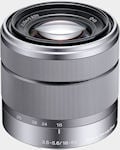 |
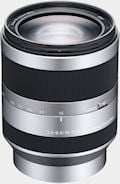 |
|
|
Focal Length
|
16mm
|
18 – 55mm
|
18 – 200mm
|
|
Eq. Focal Length
|
24mm
|
27 – 82.5mm
|
27 – 300mm
|
|
Angle of View
|
83°
|
76° – 29°
|
76° – 8°
|
|
Aperture Blades
|
7 – circular
|
7 – circular
|
7 – circular
|
|
Max. Aperture
|
f/2.8
|
f/3.5 – 5.6
|
f/3.5 – 6.3
|
|
Min. Aperture
|
f/22
|
f/22 – f/32
|
f/22 – f/40
|
|
Max. Magnification
|
0.073x
|
0.3x
|
0.35x
|
|
Min. Focusing Distance
|
9.4″
|
9.8″
|
11.8″
|
|
Image Stabilization
|
N/A
|
Optical SteadyShot
|
Optical SteadyShot Active
|
|
Elements
|
5 – 1 aspheric
|
11 – 4 aspheric
|
17 – 5 aspheric / 1 ED
|
|
Groups
|
5
|
9
|
12
|
|
Filter Diameter
|
49mm
|
49mm
|
67mm
|
|
Dimensions
|
62 x 22.5mm
|
62 x 60mm
|
75.5 x 99mm
|
|
Weight
|
74g
|
214g
|
524g
|
Full specifications for the mount adapter and conversion lenses are as follows:
| Sony E-mount lens accessories | |||
|
Name
|
Mount Adapter
|
Ultra Wide Converter
|
Fisheye Converter
|
|
Model
|
LA-EA1
|
VCL-ECU1
|
VCL-ECF1
|
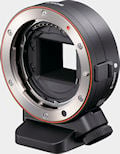 |
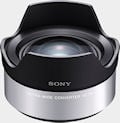 |
||
|
Magnification
|
N/A
|
0.75x
|
0.62x
|
|
Dimensions
|
65 x 26.6mm
|
66 x 44mm
|
66 x 44mm
|
|
Weight
|
110g (excluding tripod attachment)
|
125g (excluding cap)
|
150g (excluding cap)
|
Â
Sony NEX-3 Autofocus
25-Area AF. If the NEX-3’s 25 focus areas (pictured above) don’t provide enough positioning flexibility, you can switch to flexible spot mode, offering 187 possible positions that cover the frame, except for the extreme edges.
The Sony NEX-3 has a 25-area contrast-detect autofocus system, using the main imaging-sensor to determine focus, similar to how most Point &Â Shoot cameras work. There are three AF Area options: “Multi” mode, where the camera automatically selects the active area(s) for you, “Center”, where only the single AF point at the center of the image frame is used, or “Flexible Spot” mode, where you specify the active area by selecting it with the 4-way controller. This last mode provides greater positioning accuracy and a smaller AF point, which can be placed anywhere within a 17 x 11 grid that fills most of the image frame, except for the extreme edges.
In addition, the NEX-3 offers a Face Detection function, capable of
simultaneously locating up to eight individual faces. The face selected by the camera as being the main subject is outlined with an orange frame, and is then taken into account when focusing and metering.
Each additional face that the
camera finds is indicated on the display or electronic viewfinder with a
white frame. Much like the Flexible Spot AF mode, you’re not limited to the NEX-3’s 25 autofocus points – the camera
will lock focus on a face anywhere within the frame except for the extreme edges. It can also differentiate between the faces of adults and children, and while the NEX-3 can’t recognize specific individuals’ faces, it can at least prioritize either the kids, or the grown-ups. The Face Detection capability is also used to offer a Smile Shutter mode, which can automatically trip the shutter when at least one person in the image frame is smiling — and the degree of smile that’s required for the shutter to be tripped is adjustable in three steps.
The NEX-3 includes a bright orange AF assist illuminator adjacent to the Sony logo on its front panel, which can be very helpful with attaining a focus lock in poor ambient lighting, at least for nearby subjects. The same lamp also functions as an indicator for the camera’s self-timer and smile shutter functions. If its use might prove distracting or objectionable, such as in a museum or place of worship, the AF illuminator can be disabled altogether. Note that even when disabled for AF assist, the lamp will still function for self-timer or smile shutter shooting, however.
Of course, the Sony NEX-3 also offers manual focusing – either as the sole focusing method, or for fine-tuning focus once AF is complete. In the manual focus modes, an option called MFÂ assist optionally causes the camera to magnify the preview image by either 7x
or 14x, whenever the focus ring is adjusted. The zoom level is adjusted by pressing a soft key, and MF assist preview is centered around
either the user-selected focus point in Flexible Spot or Center modes, and around the AF point selected by the camera in Multi AF. (If more than one AF point is considered to be in focus, then the camera selects one of these points around which to base the preview, although we’re not exactly sure what the criteria for choosing the center point is.) Given that Alpha (A-mount) lenses offer only manual focusing through the mount adaptor, MF Assist will prove doubly useful for owners of Alpha digital SLRs who want to share their glass between bodies. Of course, while the fly-by-wire E-mount lenses can tell the camera when focus is being adjusted, this isn’t possible with A-mount glass, so the MF Assist function must be manually triggered when needed.
As we note elsewhere, the LCD on the NEX-3 is superb, with great contrast and an extremely high resolution of 921.6K dots.
It’s also generously sized, with a 3.0″ diagonal, and can automatically account for ambient lighting to adjust its brightness. Add in its double-hinged tilt mechanism for shots overhead or low to the ground, and the NEX-3 becomes a joy for precise manual focusing, from most any angle.
As well as manual focus, Autofocus servo modes consist of single shot or continuous autofocus. In S-AFÂ mode, focus is locked along with the exposure when the shutter button is half-pressed, and this behavior can’t be changed. If you want to meter off one subject, but focus on a subject at a different distance, the only workarounds are to use continuous autofocus, or one of the manual focus modes. In continuous AF mode, the camera continuously cycles its AF system, which helps it track moving objects, keeping the current lens focal distance setting closer to the current subject distance than it might otherwise be. This can reduce AF “hunting” when it comes time to snap the actual shot. Because contrast-detect AF systems have to perturb the focus in order to tell whether the image is actually in focus or not, the NEX-3’s Continuous-AF mode disturbs the viewfinder display on the LCD while it’s operating. That is, the viewfinder image continuously shifts in and out of focus when C-AF is active, as the camera constantly re-checks its focus setting. This is a necessity for any contrast-detect AF system, but the amount of defocusing required by the NEX-3 is subjectively a little less than we’ve seen in some other systems. It does seem to vary by subject even with static scenes though, with some scenes provoking only a modest but frequent shuffling of the focus point, where other subjects prompt less frequent (but more dramatic) shifts in focus.
AF in Movie mode
In Movie mode, the NEX-3 offers a choice of either continuous autofocus, or manual focus, and appears to use multiple-point focusing. The AF system seems to respond more slowly to changes in subject distance, and to make the focus adjustment at a reduced rate compared to still-image shooting, but the AF operation is relatively smooth and for the most part free of the hunting that’s seen with continuous AF in still image mode. Thanks to the aforementioned E-mount lens design, focus motor operation isn’t picked up by the camera’s internal
microphone, making both autofocus and fly-by-wire manual focus a useful proposition. (You do have to be careful about handling noise while you’re holding the camera, if adjusting focus manually, of course.).
Sony NEX-3 Sensor Cleaning
The Sony NEX-3 features an electromagnetic vibration dust-reduction system, coupled with a charge protection coating on its low-pass filter that aims to prevent dust adhering — especially
important since the NEX-3’s shutter is normally open for full-time Live View. The vibration seems to be at a rather lower frequency than some competing systems (or perhaps to have a harmonic at a lower frequency), because it’s clearly audible as a brief, high-pitched whine when operating.
Intelligently, the system automatically runs only at power-off, meaning that it doesn’t delay camera startup. It can also be triggered at any time while using the camera, should you notice that dust specks are present in your images.
We have found, however, that in-camera dust-removal systems are less than perfectly effective. You’re still going to need to use a sensor-cleaning kit fairly often, so the advantage of in-body dust removal is perhaps less than it might seem. If you’ve got dust specks on your sensor (and sooner or later you will), you’re going to need to clean it. There are a lot of products out there intended to address this need, but a distressing number of them work poorly (if at all), and many are grossly overpriced. Advertising hype is rampant, with bogus pseudo-scientific jargon and absurd product claims. And prices — Did I mention prices? How about $100 for a simple synthetic-bristle brush?
So how do you know what product to use?
We don’t pretend to have used everything currently on the market, but we can tell you about one solution that worked very well for us. The “Copper Hill” cleaning method is straightforward and safe, and in our routine usage here at Imaging Resource, highly effective. Better yet, the products sold by Copper Hill Imaging are very reasonably priced. Best of all, Nicholas R (proprietor of Copper Hill) has put together an amazingly detailed tutorial on sensor cleaning, free for all.
Sensor cleaning is one of the last things people think about when buying a d-SLR, but it’s vital to capturing the best possible images. Take our advice and order a cleaning kit from Copper Hill right along with your d-SLR, so you’ll have it close at hand when you need it: You’ll be glad you did!
(While they’ve advertised on our sister site SLRgear.com from time to time, we receive no promotional consideration from Copper Hill for this note. We just think their sensor cleaning products are among the best on the market, and like their way of doing business. — We think you will too. Click here to check them out.)
Optics Test Results
The Sony NEX-3 is available bundled with either the 18-55mm f/3.5-5.6 OSS lens for $650, or the 16mm f/2.8 prime for $550. Below are test results from both lenses mounted on a NEX-3.
Lens Test Results
18-55mm Zoom
Good performance with the 18-55mm OSS kit lens.
 |
 |
| 18mm @ f/8 | 55mm @ f/8 |
The Sony NEX-3 is available bundled with the Sony E18-55mm f/3.5-5.6 OSS lens, the first E-mount zoom lens. This lens possesses a very typical optical zoom ratio of about 3x, with a 35mm equivalent focal range of about 27-83mm because of the NEX-3’s 1.5x “crop factor.” Results were good at 18mm with strong detail across most of the frame, though there was some softening in the extreme corners, even at f/8. Coma distortion in the trees was moderate in the corners, as was chromatic aberration along high contrast elements near the edges of the image. Results were similar at the 55mm setting, with good sharpness across most of the frame, but extreme corners were soft. Chromatic aberration at full telephoto was negligible. Overall, good results for a kit lens, and the built-in image stabilization should come in handy for low-light shooting.
16mm: Good results with the 16mm f/2.8 lens.
 |
| 16mm f/2.8 lens @ f/8 |
Also available bundled with the NEX-3 is the Sony E16mm f/2.8 lens. Its equivalent focal length is 24mm, which is wider than most kit lenses. It performs similar to the 18-55mm lens with fairly sharp detail across most of the frame, but with moderate softness in the extreme corners, as well as moderately high levels of chromatic aberration. This is a good (but not great) performance for a wide prime. Note that the 16mm f/2.8Â lens is not optically stabilized.
The Sony NEX-3 offers up to 10x precision digital zoom (interpolated) when a prime lens is attached, however we did not test that feature.
Macro
18-55mm: An average minimum coverage area (for an SLD* zoom kit lens), with soft detail overall. Flash did a pretty good job throttling down.
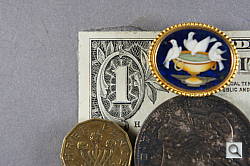 |
 |
| Macro with 18-55mm kit lens @ f/5.6 |
Macro with Flash |
As with zoom performance, the Sony NEX-3’s macro performance will depend entirely on the lens in use. However with the 18-55mm kit lens set to 55mm, the Sony NEX-3 captured an average minimum area measuring 2.97 x 1.98 inches (76 x 50 millimeters). Detail was quite soft in the center, and the corners were softer still. (Most lenses have some softening in the corners at macro distances.) The detachable flash did a pretty good job throttling down, resulting in just a slightly overexposed image. The flash had no trouble clearing the lens, though, as there is no detectable shadow.
*SLD = Single Lens Direct-view
16mm: Very large minium area, but with excellent detail in the center. Flash coverage was uneven.
 |
 |
| Macro with 16mm f/2.8 lens @ f/5.6 |
Macro with Flash |
With a very large minimum coverage area of 10.9 x 7.2 inches (278 x 183 millimeters), the 16mm f/2.8 makes a very poor “macro” lens. Detail was very good in the center of the image, but there was significant softening in the corners that extended fairly deep into the frame. Flash coverage at this distance is very uneven.
Geometric Distortion
18-55mm: Higher than average geometric distortion at both wide-angle and telephoto.
| 18-55mm: Barrel distortion at 18mm is 1.1 percent |
 |
| 18-55mm: Pincushion distortion at 55mm is 0.4 percent |
 |
The Sony NEX-3’s 18-55mm kit lens produced about 1.1 percent barrel distortion at wide-angle, which is higher than average and noticeable in some of its images. At the telephoto end, there’s about 0.4 percent pincushion distortion, also slightly higher than average but not as noticeable in images. This is the tendency for the lens to bend straight lines outward (like a barrel — usually at wide-angle) or inward (like a pincushion — usually at telephoto).
16mm: Moderate geometric distortion.
| 16mm f/2.8: Pincushion distortion is 0.5 percent |
 |
The Sony 16mm f/2.8 lens showed about 0.5% pincushion distortion, which is a little high for a prime, but reasonable for a wide-angle lens. The distortion is complex, with most of it occurring near the corners. It’s unusual to have pincushion distortion in a wide-angle prime lens, though, as most have barrel distortion.
The Sony NEX-3 does not appear to be applying any geometric distortion correction to its JPEGs, as uncorrected RAWÂ files show the same amount of distortion.
Chromatic Aberration and Corner Sharpness
18-55mm: Moderately high chromatic aberration at wide-angle; much lower levels at full telephoto. The lens produced some soft corners.
| 18-55mm OSSÂ kit lens @ f/3.5 (W) and f/5.6 (T) | |
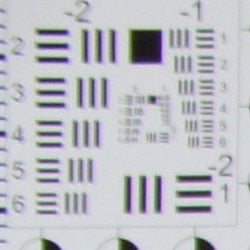 |
 |
| Wide: Upper left C.A.: Moderately high and bright Softness: Moderate blurring |
Wide: Center C.A.: Very low Softness: Sharp |
 |
 |
| Tele: Upper right C.A.: Moderate, but very dull Softness: Strong blurring |
Tele: Center C.A.: Very low Softness: Slightly soft |
Chromatic Aberration. Chromatic aberration in the corners with the NEX-3’s 18-55mm kit lens at wide-angle (18mm) is moderate in terms of the number of pixels, but quite bright, so the effect is noticeable. At full telephoto (55mm), C.A. is also moderate in terms of pixels, but the colors in the fringes are quite muted, partially due to loss of contrast. Â Color fringing gradually reduces in brightness and width as it approaches the center of the image, where it is almost nonexistent at both full wide-angle and full telephoto.
Corner Softness. The Sony NEX-3’s 18-55mm kit lens produced some soft corners in most shots. At full wide-angle the left-hand corners exhibited moderate blurring, with the top left corner being the softest. The center of the image was sharp with good contrast. At full telephoto, the top corners were quite soft and suffered from a loss of contrast, and the softness extended pretty far into the frame from the left side. The bottom was better but still soft in the extreme corners, while the center was slightly soft. A slightly below average performance overall for a kit lens here. (Note that the lens was “wide-open” for these shots, and corner sharpness generally improves when a lens is “stopped-down” a couple of f-stops below full aperture.)
16mm: Moderately high chromatic aberration and strong blurring in extreme corners.
| 16mm f/2.8 lens @ f/2.8 | |
 |
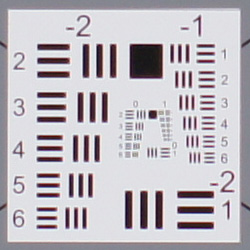 |
| Wide: Lower right C.A.: Moderately high Softness: Strong blurring |
Wide: Center C.A.: Low Softness: Sharp |
Chromatic Aberration. Chromatic aberration with the 16mm f/2.8 lens is moderately high in the corners, and it extends fairly far into the frame where it reduces overall sharpness and definition. Some minor chromatic aberration is visible in the center as well.
Corner Softness. The Sony 16mm f/2.8 produced strong blurring in the extreme corners, with the right-hand side corners being slightly softer than the left. Though the extreme blurring didn’t extend very far into the frame, there was some softness across much of the frame, except near the center which was fairly sharp and contrasty. There also appears to be a fair bit of vignetting in the corners, as they are noticeably darker than the center. Keep in mind these shots were taken with the lens wide-open, and that corner sharpness and vignetting improve when the lens is stopped-down a bit. See: NEX3hVFA16L.JPG for the same target, but with the 16mm lens stopped down to f/5.6.
The Sony NEX-3 doesn’t appear to be applying any chromatic aberration in its JPEGs, as uncorrected RAWÂ files show similar amounts.
The images above were taken from our standardized test shots. For a
collection of more pictorial photos, see our
Sony Alpha NEX-3 Photo Gallery
.
Exposure
Sony NEX-3 Exposure Options
The Sony NEX-3 offers much the same exposure options you’d find in a traditional SLR camera, plus a few Sony-specific options. Available exposure modes include Program AE, Manual, Aperture Priority, and Shutter Priority modes, with shutter speeds from 1/4,000 to 30 seconds, as well as a Bulb setting for longer exposures. The x-sync speed for flash photography is 1/160 second. A fully automatic mode called Intelligent Auto (iA) enables Scene Detection, and places the camera in control of almost all functions, to try to deliver optimum results under a wide range of conditions. Even basic options such as exposure compensation aren’t available to the photographer in this mode. The Sony NEX-3 also offers a number of Scene modes, a Sweep Panorama mode, and an Anti Motion Blur mode which merges multiple high-ISO images into a single exposure with reduced noise. See the Modes and Menus page for more details.
The NEX-3 offers an optional live histogram function in all operating modes except Sweep Panorama. Located near the top right corner of the LCD panel, it’s rather small, and offers only a luminance readout rather than a full RGBY histogram, but it’s still very useful for ensuring your exposures are correct. Another feature that’s rather more common, but still very welcome, is the exposure display visible near the bottom left of the LCD when the camera is in Manual exposure mode. This shows the amount the camera thinks an image will be over- or underexposed within a range of +/-2.0EV, based on the settings you have selected, to help you find the best exposure for the subject. (Beyond the 2.0EV range, the value blinks to emphasise that the metering system’s limit has been reached.) Together, the live histogram and exposure display make it relatively easy to get suitable exposures even when shooting manually.
Sony NEX-3 Face Detection
The NEX-3 also includes a related feature that is now pretty common in point-and-shoot cameras, but relatively unknown in large-sensor cameras. Dubbed “Smile Shutter”, this allows the NEX-3 to automatically trigger the shutter, capturing photographs by itself when a smiling face is detected within the image frame. The NEX-3’s implementation is perhaps best suited to portraits of individuals, since the shutter is tripped when only one face within a group is smiling. There’s a three-step control over the degree to which a subject must smile before the shutter is tripped. and when Smile Shutter is enabled, the NEX-3 also provides a graph at the left of the screen that indicates how close a particular expression has come to passing the required threshold for the shutter to be tripped. In our testing we found the feature a little hit-and-miss, however, consistently spiking to the top of the scale and tripping the shutter for some individuals with barely the slightest smile, even when set to require a big smile.
Sony NEX-3 ISO Range
In all but Manual mode, an Auto ISOÂ mode is available. The function is limited to a maximum of ISO 1,600 in most operating modes, although the Anti Motion Blur and Hand-held Twilight modes will both allow Auto ISO to range as high as ISO 6,400 equivalent if needed. Curiously, we couldn’t get Auto ISO to go beyond the base sensitivity of ISO 200 when in Intelligent Auto mode, even by shooting with the lens cap still in place.
Sony NEX-3 Noise Reduction
Sony NEX-3 White Balance Options
In all of the preset white balance modes, you can fine-tune the color by pressing the bottom Soft key. You’re then presented with a menu that allows blue / red adjustment within a range of -3 to +3 arbitrary units for all but the fluorescent mode, which offers only a -1 to +2 unit range. In Kelvin white balance mode, there’s also a color filter function which offers a magenta – green filter within a fairly wide range of -9 to +9 arbitrary units.
Custom white balance is set by selecting Custom Setup from the white balance menu, and pointing the camera at a neutral white or grey card under the lighting you’ll be shooting in, filling a frame in the center of the display with the reference target, then pressing the Shutter button.
Sony NEX-3 Metering Options
Sony NEX-3 Exposure Compensation & Bracketing
Sony NEX-3 DRO / HDR
The DRO and HDR modes can’t be used together, and each brings its own set of advantages and disadvantages. Since DRO only works from a single shot, it must operate entirely within the dynamic range available from the image sensor, where the HDR mode is able to capture a significantly greater dynamic range than is possible in one shot. Since DRO is effectively amplifying the signal in shadow areas of the image, it also brings increased noise (or increased noise reduction) in the shadows. HDR mode, meanwhile, is suitable only for relatively static subjects, given that it requires multiple exposures. Thanks to microalignment capability, Sony’s HDR mode is at least able to deal with the slight changes in framing caused by shooting handheld, but subject motion or camera shake will likely cause unacceptable artifacts in HDR images.
Both DRO and HDR can be disabled altogether if desired, although the default on the NEX-3 is for DRO Auto mode to be left enabled.
Sony NEX-3 Anti-Motion Blur
The Sony NEX-3’s implementation of Anti-Motion Blur does have one important difference from the similar mode found on its point-and-shoot siblings. Where the existing cameras have been able to use an electronic shutter to capture the source images, the NEX-3 must instead rely on its physical shutter. The act of firing the NEX-3’s shutter is surprisingly loud, given that there’s no reflex mirror entering into the equation — we’ve seen some DSLRs issuing similar noise levels (or possibly even a little less). The net result is that with six frames captured in a rapid burst, the NEX-3’s Anti-Motion Blur mode can have bystanders turning around in expectation of seeing a paparazzo in their midst. 😉
Sony NEX-3 Hand-held Twilight
Sony NEX-3 Sweep Panorama
Focus and exposure are locked from the first frame of the panorama, so you’ll want to pick your starting point carefully. From there, you can pan left, right, up, or down, simply sweeping the camera across your subject matter after pressing the shutter button. Two panorama sizes are available — standard, or wide. Standard horizontal panoramas are limited to 15 megapixels, and vertical panoramas to 8.4 megapixels. In Wide mode, horizontal panoramas are 23 megapixels, and vertical panoramas are 12 megapixels. A darkened mask over the left third of the LCD display shows an area of the frame that won’t be included in the final output image, and an on-screen message warns you if the NEX-3 wasn’t able to track your panning, prompting you to recapture the panorama. (Depending on how much was captured, the NEX-3 sometimes retains a partial panorama with the uncaptured portion of the image left as a flat grey.)
Sony NEX-3 Drive Modes
The Self-timer mode offers a choice of either two or ten second timers, as well as a 10 second timer that captures either three or five images in a rapid (sub-one second) burst. Finally, Continuous Bracket mode lets you take a sequence of three shots with either 0.3 EV or 0.7 EV exposure variation steps, with the sequence order being to shoot the metered exposure first, followed by the underexposed and overexposed frames.
Sony NEX-3 Creative Styles
The images above were taken from our standardized test shots. For a
collection of more pictorial photos, see our
Sony Alpha NEX-3 Photo Gallery
.
Not sure which camera to buy? Let your eyes be the ultimate judge!
Visit our Comparometer(tm)
to compare images from the Sony Alpha NEX-3 with those from other
cameras you may be considering. The proof is in the pictures, so let
your own eyes decide which you like best!
Performance
Sony NEX-3 Performance
Note: These results are taken from a NEX-5, as we ran a few timing tests on the NEX-3 and got nearly identical results. We also upgraded to firmware 1.02, but found the only performance difference was the preview display appeared more quickly upon startup in low-light, instead of gradually becoming visible.
Timing and Performance
The Sony NEX-3 is generally slower than average compared to most consumer SLRs, but as fast or faster than most other SLDs.
|
Startup/Shutdown
|
||
|
Power on |
~1.0 second
|
Time it takes to turn on and capture a shot. |
|
Shutdown |
~0.5 second
|
How long it takes camera to turn off before you can remove the memory card. |
|
Buffer clearing time
|
8 seconds after 55 large/fine JPEGs*
|
Worst case buffer clearing time. — This is the delay after a set of shots before you can remove the card.
|
| 17 seconds after 7 RAW files* | ||
|
27 seconds after 7 RAW+ LF JPEG files*
|
||
|
*Note: Buffer clearing times measured with a SanDisk Extreme III 30MB/sec 8GB SDHC card. Slower cards will produce correspondingly slower clearing times. Slow cards may also limit length of bursts in continuous mode. ISO sensitivity and noise reduction settings can also affect cycle times and burst mode performance.
|
||
Startup and shut-down times are slower than those for most SLRs, but good for an SLD. The dust reduction system runs at each shut-down, or can be activated manually. Buffer clearing times are a bit slow, and will depend on the image size and type, as well as the speed of the memory card.
| Mode Switching | ||
|---|---|---|
|
Play to Record, |
~1.0 second
|
Time until first shot is captured. |
|
Record to Play |
~1.0 second
|
Time to display a large/fine JPEG file immediately after capture. |
|
Display |
0.9 second
|
Time to display a large/fine JPEG file already on the memory card. |
Mode switching times are pretty good for its class.
| Shutter Response (Lag Time) | ||
|---|---|---|
|
Full Autofocus,
Single-area AF mode Wide Angle |
0.441 second
|
Time from fully pressing shutter button to image capture, with the lens already at the proper focal distance setting. (Unless otherwise noted, AF timing performed with the Sony E18-55mm kit lens.)
|
|
Full Autofocus,
Single-area AF mode Telephoto |
0.444 second
|
Time from fully pressing shutter button to image capture, with the lens already at the proper focal distance setting. |
|
Full Autofocus,
Multi-area AF mode Telephoto |
0.461 second
|
Time from fully pressing shutter button to image capture, with the lens already at the proper focal distance setting.
|
|
Full Autofocus,
Single-area AF mode Auto Flash Enabled |
0.745 second
|
Time from fully pressing shutter button to image capture, with the lens already at the proper focal distance setting, TTL Auto flash enabled. |
|
Full Autofocus,
Single-area AF mode 16mm f/2.8 lens |
0.448 second
|
Time from fully pressing shutter button to image capture, with the lens already at the proper focal distance setting. (Sony E16mm f/2.8 lens.)
|
|
Prefocused |
0.115 second
|
Time to capture, after half-pressing and holding shutter button. There was about 7% variation between iterations on this particular measurement. |
|
Continuous AF
|
0.441 second
|
This mode usually shows no speed increase with our static subject; we have no way to measure performance with moving subjects.
|
|
Manual Focus
|
0.257 second
|
For most cameras, shutter lag is less in manual focus than autofocus, but usually not as fast as when the camera is “prefocused”.
|
The Sony NEX-3 showed full-autofocus shutter lag (with the subject at a fixed distance) that ranged from 0.411 second at wide angle to 0.444 second at full telephoto when using the 18-55mm kit lens in Single-area AF mode. Switching to Multi-area mode increased lag slightly to 0.461 at telephoto.
With the flash enabled, the NEX-3’s full AF shutter lag increased to 0.745s, to account for the preflash metering. Shutter lag was 0.441 second in continuous mode AF, though your subject may not be in focus in this mode. When manually focused, the Sony NEX-3’s lag time dropped to 0.257 second, which is a bit slower than most cameras in manual focus mode. The NEX-3’s prefocused lag time 0.115 second, which is good, but not great.
While slower than most SLRs using an optical viewfinder, autofocus speeds and shutter lag are pretty fast for an SLD, which all use contrast-detection AF.
To minimize the effect of different lens’ focusing speed, we test AF-active shutter lag with the lens already set to the correct focal distance. We also use the same Sigma 70mm f/2.8 macro with every camera (on all platforms except Four Thirds/Micro Four Thirds, Samsung NX, Sony E-mount, and Nikon consumer models lacking an in-body focus motor), to further reduce variation, and because our tests showed that focus-determination time with this lens was close to the fastest, across multiple camera bodies from different manufacturers. Being an older design with a non-ultrasonic motor, it wouldn’t be the fastest at slewing from one focus setting to another, but that’s exactly the reason we measure focus determination speed, which is primarily a function of the camera body, vs focus adjustment speed, which is primarily a function of the lens.
| Cycle Time (shot to shot) | ||
|---|---|---|
|
Single Shot mode |
0.77 second
|
Time per shot, averaged over 20 shots, 1 second to clear*. |
|
Single Shot mode |
0.77 second
|
Time per shot, averaged over 17 shots, 4 seconds to clear*. |
|
Single Shot mode
RAW + LF JPEG |
0.77 second
|
Time per shot, averaged over 8 shots, 4 seconds to clear*. |
|
Early shutter |
No
|
Some cameras don’t snap another |
|
Continuous Mode |
0.37 second (2.68 frames per second);
38 frames total; 8 seconds to clear* |
Time per shot, averaged over 38 shots, then slows to an average of about 0.57s or 1.74 fps when buffer is full. |
|
Continuous Mode |
0.37 second (2.68 frames per second);
9 frames total; 7 seconds to clear* |
Time per shot, averaged over buffer length of 9 frames, then slows to an average of about 1.15s or 0.87 fps when buffer is full. |
|
Continuous Mode |
0.38 second (2.60 frames per second);
6 frames total; 9 seconds to clear* |
Time per shot, averaged over buffer length of 6 frames, then slows to 1.64s or 0.61 fps when buffer is full. |
|
Speed Priority Mode
Large/Fine JPEG |
0.14 second (7.00 frames per second); 15 frames total; 6 seconds to clear* |
Time per shot, averaged over buffer length of 15 frames, then slows to 0.56s or 1.80 fps when buffer is full.
|
|
Speed Priority Mode
RAW |
0.14 second (7.00 frames per second); 7 frames total; 17 seconds to clear* |
Time per shot, averaged over buffer length of 7 frames.
|
|
Speed Priority Mode
RAW + LF JPEG |
0.14 second (7.00 frames per second); 7 frames total; 27 seconds to clear* |
Time per shot, averaged over buffer length of 7 frames.
|
|
Flash Recycling |
2.8 seconds
|
Flash at maximum output. |
|
*Note: Buffer clearing times measured with a SanDisk Extreme III 30 MB/sec 8GB SDHC card. Slower cards will produce correspondingly slower clearing times. Slow cards may also limit length of bursts in continuous mode. ISO sensitivity and noise reduction settings can also affect cycle times and burst mode performance.
|
||
Single-shot cycle times are good for an SLD, at 0.77 second for all the file types we tested (large/fine JPEG, RAW, and RAW+ large/fine JPEG). Standard continuous mode is a bit below average for its class, at 2.68 frames-per-second for large/fine JPEGs or RAW, and 2.60 frames-per-second for RAW + large/fine JPEG. However, in Speed Priority mode, burst speed is excellent at 7 frames-per-second, though focus and exposure are fixed at the first frame of a burst.
Buffer depth for large/fine JPEGs is very good at 38 frames in standard continuous mode, and 15 frames in Speed Priority mode. When shooting RAW, buffer depth drops to 9 frames in standard mode and 7 frames in Speed Priority. For RAW + large/fine JPEG, buffer depths drop to 6 or 7 frames. That’s still pretty good, though, especially for a 14-megapixel consumer model. Note that our test target for this was designed to be difficult to compress, so JPEG burst lengths should be longer with simpler subjects.
The flash was able to recycle from a full discharge in 2.8 seconds, which is also pretty good considering how powerful the flash is.
| Download Speed | ||
|---|---|---|
|
Windows Computer, USB 2.0 |
15,477 KBytes/sec
|
Typical Values: |
Download speeds were very fast, quick enough that you won’t feel the need for a separate card reader, even with large memory cards. (Note that this test was performed with a SanDisk Extreme III 30 MB/sec SD card: Slower cards would likely show slower transfer times.)
Bottom line, the Sony NEX-3 performance is pretty good for an SLD overall. Full autofocus is a bit slow compared to most SLRs, but pretty fast for an SLD and on par with most digicams. Cycle times are good too, and Speed Priority continuous mode is very fast, making the NEX-3 suitable for capturing sports as long as the subject distance and lighting doesn’t change much within a burst.
Battery and Storage Capacity
Battery
Average battery life for an SLD camera.
| Operating Mode | Battery Life |
|---|---|
|
Still Capture,
(CIPA standard) |
330 shots
|
|
Video Capture,
(CIPA standard) |
Not published
|
|
Playback,
(CIPA standard) |
Not published
|
The Sony NEX-3 uses a custom rechargeable lithium-ion battery pack for power, and comes with both a single battery and charger. The battery is rated for 330 shots per charge using the CIPA standard, which includes 50% flash shots with the detachable flash. Battery life is about average for an SLD, but we do recommend getting a second battery for your NEX-3 if you plan any extended outings.
The table above shows the number of shots the camera is capable
of (on a fully-charged rechargeable battery), based on CIPA battery-life
and/or manufacturer standard test conditions.
(Interested readers can find an English translation of the CIPA DC-002 standards document here. (180K PDF document))
Storage
The Sony NEX-3 accepts Memory Stick PRO Duo/PRO-HG Duo/PRO-HG HX Duo or SD/SDHC/SDHX memory cards, and does not ship with a card.
| Image Capacity with 1GB Memory Card |
Fine | Normal | RAW | RAW + Fine JPEG |
|
|---|---|---|---|---|---|
|
4,592 x 3,056
|
Images
(Avg Size) |
158
6.5 MB |
224
4.6 MB |
63
16.1 MB |
44
23.0 MB |
|
Approx.
Comp. |
7:1
|
9:1
|
1.3:1
|
–
|
|
|
3,344 x 2,224
|
Images
(Avg Size) |
253
4.0 MB |
347 2.9 MB |
–
|
–
|
|
Approx.
Comp. |
6:1
|
8:1
|
–
|
–
|
|
|
2,288 x 1,520
|
Images
(Avg Size) |
398
2.6 MB |
496 2.1 MB |
–
|
–
|
|
Approx.
Comp. |
4:1
|
5:1
|
–
|
–
|
|
We strongly recommend buying a fast, large capacity Memory Stick PRO Duo or SDHC/SDXC memory card at least a 2GB card, preferably a 4 or 8GB one, to give yourself extra space for extended outings, or when shooting RAW or video files. (Check the shopping link above, memory cards are really cheap these days, so no reason to skimp.)
Imaging
Sony NEX-3 Image Quality
Note that the Sony NEX-3 produced very similar test results to the NEX-5 (as expected), so if you’ve read the NEX-5 review, these NEX-3 test results will be very familiar.
Color
Saturation & Hue Accuracy
Very good overall accuracy and saturation, with only minor shifts in hue and intensity.
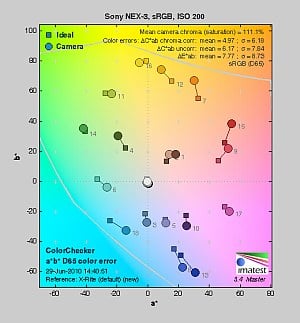 |
| In the diagram above, the squares show the original color, and the circles show the color that the camera captured. More saturated colors are located toward the periphery of the graph. Hue changes as you travel around the center. Thus, hue-accurate, highly saturated colors appear as lines radiating from the center. Click for a larger image. |
Saturation. The Sony NEX-3 pushes strong reds, dark blues and some greens, browns and purples just a little, but actually undersaturates bright yellows, light greens, and cyan tones slightly. The NEX3’s overall color saturation is about average for its class. You can of course tweak saturation to your liking, or choose a different color mode. See the comparison of available “Creative Style” image options below. Most consumer digital cameras produce color that’s more highly saturated (more intense) than found in the original subjects. This is simply because most people like their color a bit brighter than life.
Skin tones. Here, when adjusted for the correct white balance, the Sony NEX-3 did well, producing natural-looking skin tones. Where oversaturation is most problematic is on Caucasian skin tones, as it’s very easy for these “memory colors” to be seen as too bright, too pink, too yellow, etc.
Hue. The Sony NEX-3 did push cyan toward blue, red toward orange, orange toward yellow and yellow toward green, but shifts were relatively minor. (The cyan to blue shift is very common among the digital cameras we test; we think it’s a deliberate choice by camera engineers to produce better-looking sky colors.) With an average “delta-C” color error of only 4.97 after correction for saturation, overall hue accuracy was very good; better than average. Hue is “what color” the color is.
Creative Style
The Sony NEX-3 offers six preset “Creative Style” options. You can adjust contrast, saturation, and sharpness for any of the settings.
| Creative Style Options | ||
|
|
||
Mouse over the links above to see the effect of the presets on our Still Life target. Click on a link to load the full resolution image.
Saturation Adjustment
The Sony NEX-3 has a total of seven saturation settings available, three above and three below the default saturation. This covers a pretty wide range of saturation levels, about as wide a range as you’re likely to find photographically relevant, apart from special effects that are arguably better achieved in software. The fine steps between settings mean you can program the camera to just the level of saturation you prefer, a feature we look for in cameras.
| Saturation Adjustment Examples | ||||
 |
 |
 |
 |
 |
| -3 | -1 | 0 | +1 | +3 |
The table above shows results with five of the seven saturation settings, including the default and the two extremes. Click on any thumbnail above, then click again to see the full-sized image.
 |
 |
 |
| See full set of test images with explanations See thumbnails of all test and gallery images |
||
Sensor
Exposure and White Balance
Indoors, incandescent lighting
Very warm cast with Auto, but good color with the Incandescent and Manual settings. Slightly above average amount of positive exposure compensation required.
 |
 |
| Auto White Balance +0.7 EV |
Incandescent White Balance +0.7 EV |
 |
 |
| Manual White Balance +0.7 EV |
2,600 Kelvin +0.7 EV |
Indoors, under normal incandescent lighting, color balance was overly warm with the Auto white balance setting. Results with the Incandescent setting were quite good, just slightly warm. The Manual setting was very accurate, though some may prefer Incandescent because it conveys a touch more of the warmth of the original lighting. The 2,600 Kelvin setting which matches the color temperature of our lights resulted in a slightly cool image. The Sony NEX-3 required +0.7 EV positive exposure compensation here, which is slightly above the average amount of +0.3 EV for this shot. (Our test lighting for this shot is a mixture of 60 and 100 watt household incandescent bulbs, a pretty yellow light source, but a very common one in typical home settings here in the U.S.)
Outdoors, daylight
Very good results under harsh lighting, with good handling of contrast, detail, and exposure.
 |
 |
| Manual White Balance, Auto Exposure |
Auto White Balance, Auto Exposure |
Outdoors, the Sony NEX-3 performed well, requiring no exposure compensation to keep the model’s face bright in our “Sunlit” Portrait shot. The average among the cameras we’ve tested is +0.7 EV, so the NEX-3 performed much better than average here. Contrast is a little high, as you might expect under such harsh lighting, but the camera does a good job of holding onto detail in both the deep shadows and bright highlights. Despite the apparent brightness, there aren’t very many clipped highlights in the model’s face and shirt, with most of the clipping occurring in the flowers. Only a few highlights were blown in the House shot at the default exposure as well, also a very good result. Color balance is good, though Auto white balance rendered the model’s face a touch too pink and her shirt had a very slight magenta cast to it. We preferred results from the Manual white balance setting, which was very accurate. The Far-field House shot had very good color, if just a touch cool. Overall, very good performance.
See full set of test images with explanations
See thumbnails of all test and gallery images
Resolution
Very high resolution, 1,900 ~ 2,100 lines of strong detail.
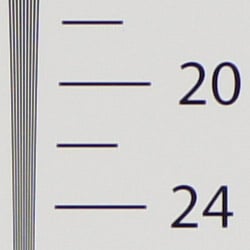 |
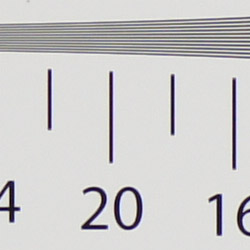 |
| Strong detail to 2,100 lines horizontal Camera JPEG |
Strong detail to 1,900 lines vertical Camera JPEG |
In camera JPEGs of our laboratory resolution chart revealed sharp, distinct line patterns down to about 2,100 lines per picture height in the horizontal direction, and about 1,900 lines per picture height in the vertical direction. Complete extinction of the pattern didn’t occur until about 2,800 lines. Use these numbers to compare with other cameras of similar resolution, or use them to see just what higher resolution can mean in terms of potential detail.
See full set of test images with explanations
See thumbnails of all test and gallery images
Sharpness & Detail
Very good detail and sharpness, with some minor edge-enhancement on high-contrast subjects. Moderately low noise suppression visible in the shadows and areas of low contrast.
 |
 |
| Very good definition of high-contrast elements with some visible sharpening artifacts. |
Subtle detail: Hair Noise suppression tends to blur detail in areas of subtle contrast. |
Sharpness. The Sony NEX-3 captures fairly sharp, detailed images overall, though some edge enhancement artifacts are visible on high-contrast subjects such as the tree branches, roof and trim in the crop above left. Fine detail such as the smaller branches and pine needles show very little edge enhancement. The NEX-3 offers seven levels of sharpening though, so you can always tweak JPEG output to your taste. Edge enhancement creates the illusion of sharpness by enhancing colors and tones right at the edge of a rapid transition in color or tone.
Detail. The crop above right shows moderately low noise suppression in the darkest areas of the model’s hair. Some individual strands are smudged together, though quite a few strands are still visible despite the low contrast subject. Overall, very good results here, especially for a 14-megapixel APS-C sensor. Also keep in mind that the Sony NEX-3’s minimum ISOÂ is 200, so we’d expect to see more noise and noise suppression than SLRs/SLDs with a base ISOÂ of 100 for this shot. Noise-suppression systems in digital cameras tend to flatten-out detail in areas of subtle contrast. The effects can often be seen in shots of human hair, where the individual strands are lost and an almost “watercolor” look appears.
RAW vs In-Camera JPEGs
As noted above, the Sony NEX-3 produces fairly sharp, detailed in-camera JPEGs. However, quite a bit more detail can often be obtained from carefully processing RAW files with a good RAW converter.
|
|
|||
In the table above, mousing over a link at the bottom will load the corresponding crop in the area above, and clicking on the link will load the full resolution image. Examples include (from left to right): an in-camera Fine JPEG, RAW file processed through Sony’s Image Data Converter SR version 3.2 software at default settings, another processed with IDC’s sharpening turned up to +100, and finally one converted with Adobe Camera RAW 6.2 beta, sharpened in Photoshop. For the Sony NEX-3’s images, I found best results with strong but tight 300% unsharp masking with an 0.3 pixel radius.
As you can see, the Sony IDCÂ version at default settings is somewhat softer than the in-camera JPEG. (Color rendering is also slightly different.)Â Increasing the sharpness helped, but the resulting image doesn’t really show any additional detail. There is also an odd green coloration along some of the white trim on the house that’s not present in the camera JPEG, so it’s possible IDC still needs some work to properly support the Sony NEX-3’s ARW files. The Adobe Camera RAW version sharpened in Photoshop reveals more fine detail, but it also shows a touch more noise. (Keep in mind that the base ISOÂ is 200 for the NEX-3, so noise will be slightly higher than models with a base ISOÂ of 100.)
ISO & Noise Performance
Much better than average performance for 14 megapixels, with very good results up to ISO 800.
|
Default High ISOÂ Noise Reduction
|
 |
 |
 |
| ISO 200 | ISO 400 | ISO 800 |
 |
 |
 |
| ISO 1,600 | ISO 3,200 | ISO 6,400 |
 |
||
| ISO 12,800 | ||
The Sony NEX-3’s images are quite clean at ISOÂ 200, and ISOÂ 400 is almost as good. Some noise “grain” is noticeable at ISOÂ 800, and there’s a bit of chroma noise in the shadows, but the camera doesn’t smudge away as much fine detail as most others at this ISO. There’s some stronger smudging of fine detail at ISO 1,600, but the NEX-3 still does better than most at this ISOÂ for its resolution. At ISO 3,200, fine detail suffers from more aggressive noise reduction, but there is still some detail left, and chroma noise really isn’t an issue. Detail takes larger hit at ISOÂ 6,400 and especially 12,800. There’s also quite a bit of chroma noise in the form of purple and yellow blotching, especially at ISO 12,800. Overall though, these are excellent results considering the size of the camera and the resolution offered. As always, see the Print Quality section below for maximum recommended print sizes at each ISO.
A note about focus for this shot: We shoot this image at f/4, usually using one of three very sharp reference lenses (70mm Sigma f/2.8 macro for most cameras, 60mm f/2.8 Nikkor macro for Nikon bodies without a drive motor, and Olympus Zuiko 50mm f/2.0 for Four Thirds and Micro Four Thirds bodies). For the Sony NEX-3, we used the very sharp Carl Zeiss 24-70mm f/2.8 with an E-mount adapter. To insure that the hair detail we use for making critical judgements about camera noise processing and detail rendering is in sharp focus at the relatively wide aperture we’re shooting at, the focus target at the center of the scene is on a movable stand. This lets us compensate for front- or back-focus by different camera bodies, even those that lack micro-focus adjustments. This does mean, though, that the focus target itself may appear soft or slightly out of focus for bodies that front- or back-focused with the reference lens. We know this; if you click to view the full-size image for one of these shots and notice that the focus target is fuzzy, you don’t need to email and tell us. 🙂 The focus target position will have been adjusted to insure that the rest of the scene is focused properly.
 |
 |
 |
 |
|
ISO 1,600
High ISOÂ NR = Weak |
ISO 1,600
High ISOÂ NR = Auto |
Noise Reduction Oddity. The “Weak” high ISO NR setting smudges the red leave pattern in our Still Life target setting more than the “Auto” setting at higher ISOs. The Auto setting does reduce chroma noise compared to the Weak setting though (lower crops), and we confirmed the filenames are correct. We saw similar behavior with the Alpha 550 (and 500), only this time Sony made the better setting the default for the two NEX models.
Extremes: Sunlit and low light tests
Very high resolution with excellent highlight and shadow detail. Very good low-light performance, capable of capturing bright images in near darkness. Special modes make it possible to capture low-light images without a tripod.
 |
 |
 |
| 0 EV | +0.3 EV | +0.7 EV |
Sunlight. The Sony NEX-3 handled the deliberately harsh lighting in the test above very well. Though contrast is a little high, shadow and highlight detail are both very good. The camera’s contrast adjustment also did a good job of decreasing overall contrast without producing strong color variations; see the section below. The default exposure did the best job here, as the model’s face was well exposed. Too many highlights were lost in the shirt and face at +0.3 EV and +0.7 EV. Note that these shots were captured with the Sony NEX-3’s DRO (Dynamic Range Optimizer) control set to Off, so the camera’s dynamic range is pretty good even without the aid of DRO. Still, be sure to use fill flash in situations like the one shown above; it’s better to shoot in the shade when possible. See below for DROÂ results.
Because digital cameras are more like slide film than negative film (in that they tend to have a more limited tonal range), we test them in the harshest situations to see how they handle scenes with bright highlights and dark shadows, as well as what kind of sensitivity they have in low light. The shot above is designed to mimic the very harsh, contrasty effect of direct noonday sunlight, a very tough challenge for most digital cameras. (You can read details of this test here. In actual shooting conditions, be sure to use fill flash in situations like the one shown here; it’s better to shoot in open shade whenever possible.)
Contrast Adjustment
We really like it when a camera gives us the ability to adjust contrast and saturation to our liking. It’s even better when those adjustments cover a useful range, in steps small enough to allow for precise tweaks. Just as with its saturation adjustment, the Sony NEX-3’s contrast setting meets both challenges.
|
Minimum Contrast
|
|
 |
 |
| Contrast set to lowest, Auto Exposure |
Contrast set to lowest, Auto Exposure |
At its lowest contrast setting, the NEX-3 did a really excellent job of preserving highlight detail, maintaining fairly natural-looking skin tones, and holding nice detail in the shadows. The Sony NEX-3 captures good color outdoors, though just a touch on the cool side. Overall, very good results here, especially when the contrast setting is tweaked. (This is a really tough shot; the Sony does a much better than average job handling it.)
| Contrast Adjustment Examples | ||||
 |
 |
 |
 |
 |
| -3 | -1 | 0 | +1 | +3 |
The table above shows five of the seven contrast setting, including the default and two extremes. It’s pretty hard to evaluate small differences in contrast on small thumbnails like these, so click on any thumbnail to go to the full-size image.
One very nice feature of Sony’s contrast adjustment is that it has very little effect on color saturation. Contrast and saturation are actually fairly closely coupled, it’s a good trick to be able to vary one with out the other changing as well. Sony did a good job here.
| Outdoor Portrait DRO Examples | ||||
 |
 |
 |
 |
|
| DROÂ Off | DRO Auto | DRO Level 1 | DRO Level 5 | |
 |
 |
 |
 |
|
| Highlights | ||||
 |
 |
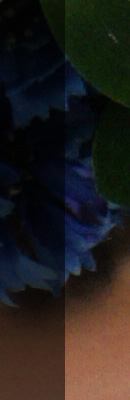 |
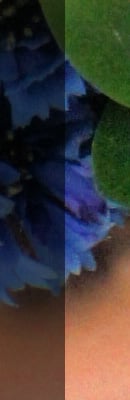 |
|
| Shadows (Levels adjusted equally in Photoshop on the right-hand side to show noise) |
||||
Dynamic Range Optimization is Sony’s name for their dynamic range enhancement technology. DRO divides the image into small areas, analyzes the range of brightness of each area, and adjusts the camera’s image processing parameters accordingly to make the best use of the available dynamic range. The Sony NEX-3 automatically enables Auto DRO when using Intelligent Auto mode, or when Portrait, Landscape, Macro or Sports Action scene mode is selected. You can control whether it is enabled in Program Auto, Aperture Priority, Shutter Priority or Manual exposure mode. (It’s on by default.) You can also set the level manually, from 1 (“weak”) to 5 (“strong”). As one would expect, DRO is only available for JPEG files.
The above images and crops show the effects of DRO disabled, set to Auto (the default), Level 1 (“weak”) and Level 5 (“strong”) for our “Sunlit” Portrait shot. As you can from the crops, Auto DRO had very little effect on the highlights in this shot, as the images are virtually the same when it comes to clipped highlights. This is probably because few highlights were lost in the first place. The bulk of the difference between different levels of DRO is found in the shadow areas. The stronger the level, the more boost is applied to the shadows. Along with that boost is an increase in shadow noise, though noise is not as much of an issue as we expected for a 14-megapixel subframe sensor.
| Far Field DRO Auto Example | ||
 |
 |
|
| DROÂ Off, 0 EV | DROÂ Auto, 0 EV | |
 |
 |
|
|
Highlights
|
||
 |
 |
|
|
Shadows
|
||
Here’s an example of Auto DRO at work with our Far-field House shot. The difference is very subtle because the original image had very few blown highlights and lost shadows to begin with.
| Far Field DROÂ Levels | ||
 |
 |
 |
| Level 1 | Level 2 | Level 3 |
 |
 |
 |
| Level 4 | Level 5 | Auto |
Above, you can see the effects of the five manual levels of DRO, plus Auto on our Far-field House shot. Auto DROÂ produced results similar to the manual Level 1 setting, though not identical.
| Outdoor Portrait HDR Examples | ||||
 |
 |
 |
 |
|
| HDRÂ Off | HDR Auto | HDR 1 EV | HDR 6 EV | |
 |
 |
 |
 |
|
| Highlights | ||||
 |
 |
 |
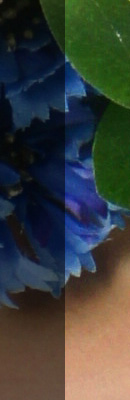 |
|
| Shadows (Levels adjusted equally in Photoshop on the right-hand side to show noise) |
||||
High Dynamic Range. The Sony NEX-3’s HDRÂ mode takes three images in rapid succession, one at the nominal exposure, one underexposed, and one overexposed, then combines them into one high dynamic range JPEG automatically. Highlight areas from the underexposed image, shadow areas of the overexposed image, and properly exposed areas from the nominal image are combined in-camera to produce an image with increased dynamic range. The camera saves the composite image, as well as the one taken at nominal exposure. The overlaid images are micro-aligned by the camera, but it can only correct for so much movement. If it can’t micro-align successfully, an icon indicating HDR capture failed will appear. The user manual warns that for best results, the subject should not move or blink, so it’s not really intended for portraits. There is also a manual mode where you can select 1 EVÂ (“weak”) to 6 EV (“strong”) difference in exposures. As you can see, the Auto setting produced an image that looks quite flat and unnatural, roughly matching the 3 EVÂ setting. The lowest manual setting of 1 EV did a great job however, taming highlights and boosting shadows without additional noise. In fact, shadow noise is lower since the overexposed image would have less noise in the shadows than the nominally exposed image. There may also be some blending going on, which would also average out random noise.
| Far Field HDR Example | ||
 |
 |
|
| HDR Off, 0 EV | HDR Auto, 0 EV | |
 |
 |
|
|
Highlights
|
||
 |
 |
|
|
Shadows
|
||
Above is another example of the Sony NEX-3’s HDR mode at work. As you can see, both highlights and shadows are well preserved, with no noise penalty. The image does look a bit flat, though. If you look carefully at the full resolution HDRÂ image, you will see some ghosting in the leaves, caused by movement from wind between exposures.
| Far Field HDRÂ Levels | ||
 |
 |
 |
| 1 EV | 2 EV | 3 EV |
 |
 |
 |
| 4 EV | 5 EV | 6 EV |
 |
||
| Auto | ||
Above, you can see the effects of the six manual levels of HDR on our Far-field House shot, plus Auto. Auto HDRÂ produced results similar to the manual 2 EV setting, though not identical.
Because digital cameras are more like slide film than negative film (in that they tend to have a more limited tonal range), we test them in the harshest situations to see how they handle scenes with bright highlights and dark shadows, as well as what kind of sensitivity they have in low light. The shot above is designed to mimic the very harsh, contrasty effect of direct noonday sunlight, a very tough challenge for most digital cameras. (You can read details of this test here.)
| Â | 1 fc 11 lux |
1/2 fc 5.5 lux |
1/4 fc 2.7 lux |
1/8 fc 1.3 lux |
1/16 fc 0.67 lux |
1/16fc No NR |
|---|---|---|---|---|---|---|
| ISO 200 |
 2 sec f2.8 |
 4 sec f2.8 |
 8 sec f2.8 |
 15 sec f2.8 |
 30 sec f2.8 |
 30 sec f2.8 |
| ISO 400 |
 1 sec f2.8 |
 2 sec f2.8 |
 4 sec f2.8 |
 8 sec f2.8 |
 15 sec f2.8 |
 15 sec f2.8 |
| ISO 800 |
 0.5 sec f2.8 |
 1 sec f2.8 |
 2 sec f2.8 |
 4 sec f2.8 |
 8 sec f2.8 |
 8 sec f2.8 |
| ISO 1600 |
 1/4 sec f2.8 |
 0.5 sec f2.8 |
 1 sec f2.8 |
 2 sec f2.8 |
 4 sec f2.8 |
 4 sec f2.8 |
| ISO 3200 |
 1/8 sec f2.8 |
 1/4 sec f2.8 |
 0.5 sec f2.8 |
 1 sec f2.8 |
 2 sec f2.8 |
 2 sec f2.8 |
| ISO 6400 |
 1/15 sec f2.8 |
 1/8 sec f2.8 |
 1/4 sec f2.8 |
 0.5 sec f2.8 |
 1 sec f2.8 |
 1 sec f2.8 |
| ISO 12800 |
 1/30 sec f2.8 |
 1/15 sec f2.8 |
 1/8 sec f2.8 |
 1/4 sec f2.8 |
 0.5 sec f2.8 |
 0.5 sec f2.8 |
Low light. The Sony NEX-3 performed well in our low light test, producing (very) bright images down to the lowest light level we test at (1/16 fc) at all ISO settings. The metering system struggled a bit at very low light levels though, so we used manual exposure for these shots. Noise is very well controlled up to ISOÂ 800, though as expected, at higher ISOs there are moderate to high amounts of fine luminance noise and some blotchy chroma noise. Auto white balance did a very good job here, producing a neutral color balance at all ISOs and light levels. There is just a hint of some horizontal banding at very high ISOs, but that’s not uncommon. Hot pixels can be seen with long exposure noise reduction turned off (the right-most column), even at ISOÂ 200, but they are few and far between.
The camera’s autofocus system was able to focus on the subject down to between the 1/4 and 1/8 foot-candle light level unassisted with the 18-55mm kit lens. That isn’t as good as most digital SLRs, but good for a camera using contrast-detect autofocus. The NEX-3 was able to focus in complete darkness with its built-in focus assist lamp enabled.
How bright is this? The one foot-candle light level that this test begins at roughly corresponds to the brightness of typical city street-lighting at night. Cameras performing well at that level should be able to snap good-looking photos of street-lit scenes.
NOTE: This low light test is conducted with a stationary subject, and the camera mounted on a sturdy tripod. Most digital cameras will fail miserably when faced with a moving subject in dim lighting. (For example, a child’s ballet recital or a holiday pageant in a gymnasium.) Thanks to their phase-detect AF systems, digital SLRs tend to do much better than point & shoots, but you still shouldn’t expect a quick autofocus lock with moving subjects. The Sony NEX-3 uses contrast-detect autofocus, as is found in most point & shoot cameras, so its low-light focusing ability is less than that of most SLRs with phase-detect systems. That said, though, the larger, more sensitive pixels of the NEX-3’s sensor do better under dim lighting than do the tiny pixels of most point & shoots, (A useful trick is to just prop the camera on a convenient surface, and use its self-timer to release the shutter. This avoids any jiggling from your finger pressing the shutter button, and can work quite well when you don’t have a tripod handy.)
| Low Light Anti-Motion Blur (NEX-5) | ||
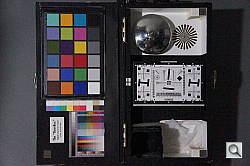 |
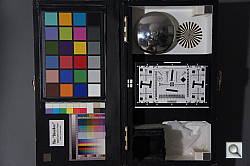 |
|
| Shutter Priority, 1/30s, ISO 12800 | Anti-Motion Blur, 1/20s, ISOÂ 6400 | |
 |
 |
|
| Detail | ||
 |
 |
|
| Noise | ||
Anti-Motion Blur. As mentioned elsewhere in this review, Anti-Motion Blur is a function which the Sony NEX-3 has inherited from the company’s point-and-shoot camera. Anti-Motion Blur mode shoots a burst of six images with a single press of the shutter button, using high sensitivity to offer moderately fast shutter speeds, with which to freeze motion blur. The NEX-3 then combines all six source images into one image with reduced noise in static areas, as compared to a single shot taken with the equivalent exposure settings.
Above are results comparing a single image at a fast enough shutter speed for most users to hand-hold (~1/focal-length) to that of Anti-Motion Blur, in one foot-candle of light which is about the same brightness as a typical city street at night. Both shots were handheld, and are representative of typical results we got from six iterations. As you can see, the Anti-Motion Blur version is much cleaner and more detailed. Note also that the shutter speed reported in Anti-Motion Blur does not appear to be the actual shutter speed of each image, but some kind of equivalent sum.
(Note, the low light images for this section were taken with a Sony NEX-5, but NEX-3 results should be identical.)
| Low Light Hand-Held Twilight (NEX-5) | ||
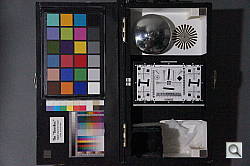 |
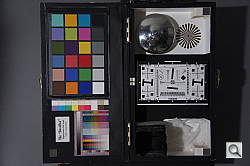 |
|
| Shutter Priority, 1/30s, ISO 12800 | Hand-Held Twilight, 1/20s, ISOÂ 6400 | |
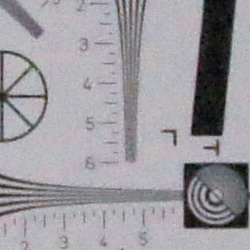 |
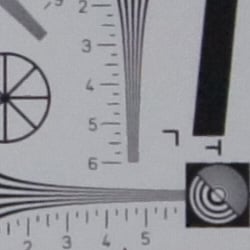 |
|
| Detail | ||
 |
 |
|
| Noise | ||
Hand-Held Twilight. Another function that’s closely related to Anti-Motion Blur is Sony’s Hand-held Twilight mode. Another feature inherited from Sony’s Cyber-shot point-and-shoot cameras, Hand-held Twilight is extremely similar to Anti-Motion Blur, but with one important difference. Hand-held Twilight will generally opt for significantly lower (but still hand-holdable) shutter speeds, allowing it to select lower ISO sensitivities, and resulting in less image noise than Anti-Motion Blur. Anti-Motion Blur hence proves a better option for moving subjects, but Hand-held Twilight can give great results for relatively static scenes.
Here, we can see Hand-Held Twilight mode selected the same shutter speed and ISO as Anti-Motion Blur mode. (We think Anti-Motion blur may be limited to ISOÂ 6400). Compared to the image on the left that was taken in Shutter Priority mode, the lower ISO combined with the averaging of six images in Hand-Held Twilight mode resulted in much lower noise and more detail in the image on the right. However, we found it odd that the NEX-3 didn’t lower the ISOÂ and shutter speed further than Anti-Motion Blur mode. See below for real world results.
| Real World Results | ||
 |
 |
|
| Anti-Motion Blur, 1/25s, ISO 6400 | Hand-Held Twilight, 1/8s, ISOÂ 1600 | |
 |
 |
|
| Detail | ||
 |
 |
|
| Noise vs Motion Blur | ||
Outside the lab, the Sony NEX-3’s special night modes behaved as expected for a typical night scene. Anti-Motion Blur mode selected ISO 6,400 and 1/25s to reduce blur from movement, but the results were much noisier where motion was present, and softer where the image was static. Hand-Held Twilight mode selected ISO 1,600 with a slower shutter speed of 1/8s. The lower ISO resulted in cleaner, sharper image, but the slower shutter speed could not freeze all the motion in the scene.
Output Quality
Print Quality
Print quality is excellent, able to output 16×24-inch prints from ISO 200 to 1,600 that would look just great on a wall.
ISO 400 shots look great at 16×24 too.
ISO 800 shots are also great at 16×24. You can raise your eyebrows now, because that’s pretty amazing. Great detail in most areas, only the slightest softness in low-contrast areas, barely detectable unless you squint. Gray shadow areas have some surreal blurring, again if you look closely, but it’s a lot better than the luminance noise that could be there.
ISO 1,600 images are a little softer in the low-contrast areas, and some detail starts to suffer, but it’s not a problem at arm’s length; so even these images are usable at 16×24 inches. Color and contrast are still quite good. The softness goes away at 13×19 inches.
ISO 3,200 images, as expected, start to show some weakness in the darker parts of the image, but high-contrast detail is still quite good at 13×19 inches. Very usable at this size, but naturally better at 11×14.
ISO 6,400 finally demands some reduction from 13×19 inches all the way down to 8×10 before the blotchy dark areas and shadows become acceptable for wall display.
ISO 12,800 suddenly looks quite good at 5×7, a surprise considering how much it seems degraded onscreen. Some colors are faded, but not as bad as we usually see. It makes a great 4×6, too, promising great snapshots in very low light.
Overall, the Sony NEX-3 produces very good prints at very large sizes, impressive considering its lack of an ISO 100 setting. You can print extremely sharp prints at larger sizes than most people print (above 11×14 and up) from ISO 200 to 3,200 without a worry at all.
Testing hundreds of digital cameras, we’ve found that you can only tell just so much about a camera’s image quality by viewing its images on-screen. Ultimately, there’s no substitute for printing a lot of images and examining them closely. For this reason, we now routinely print sample images from the cameras we test on our Canon Pro9000 Mark II studio printer, and the Canon Pixma MP610 here in the office. (See the Canon Pixma Pro9000 Mark II review for details on that model.)
Viewfinder
Sony NEX-3 Optical Viewfinder Accessory
Some competing cameras have included a built-in electronic viewfinder in place of the optical finder, and with the higher-resolution displays now available, these can serve as a fairly useful replacement. They also increase the size of the camera itself, diluting the main advantage that SLDs hold over their SLR brethren — and that would hardly fit with Sony’s design ethos for the NEX-series cameras. The only acceptable option for providing a viewfinder eyepiece was to do so externally, and here Sony faced two choice: an optical, or an electronic viewfinder accessory. Both paths have already been trodden by Micro Four Thirds cameras from Olympus and Panasonic, and each has its advantages and disadvantages.
Electronic viewfinder accessories allow not only framing of images without parallax error, but also allow review, and even preview of how zoom, white balance, exposure settings, and the like will affect the final image. They can provide essentially anything the main LCD can, allowing photographers to view the same overlays that they’d see on the LCD, including things like live histograms that are simply impossible with an optical viewfinder. If you’re suitably familiar with your camera’s external controls, they even allow you to browse menus and quickly change settings without taking the viewfinder away from your eye. Optical viewfinder accessories are generally rather less expensive though, and don’t require complex (and perhaps delicate) electrical connections to the host camera. They also use no battery power, providing a significant advantage over framing images on an LCD display. There’s also something to be said for the image viewed through a really nice optical viewfinder, something even the best electronic finders struggle to match with current technology.
For the Sony NEX-3, Sony opted to take the latter path, and created its FDA-SV1 optical viewfinder accessory. Unfortunately the FDA-SV1 wasn’t available during our time with the NEX-3, and so we’re not able to comment on its optical qualities. We also don’t know what framing guidelines the accessory provides, although we do know that it offers a 16mm field of view. The FDA-SV1 design features five multi-coated glass elements in four groups, with an exit pupil size of 5mm. The FDA-SV1 has a 15mm eyepoint (the distance from the rear element of the viewfinder at which you can see the entire image), which might be a little tight for some eyeglass wearers, but will likely accommodate many just fine.
The FDA-SV1 is an optional accessory, and its US-market price hasn’t yet been announced. Like Sony’s proprietary flash strobe and external stereo microphone accessories, the FDA-SV1 mounts in the accessory port on the top of the NEX-3, directly above the central axis of the lens. This means that its use precludes either of the other accessories being attached at the same time. As with the other accessories, a small threaded screw in the base of the FDA-SV1 is used to affix it to the accessory port, ensuring that it can’t be accidentally knocked off the camera. Unlike the other accessories, there’s no electrical connection between the FDA-SV1 and the camera body, however.
Sony NEX-3 Full-time Live View
By its nature, the Sony NEX-3 is always in “Live View” mode: In that respect, it’s like any point & shoot digicam with a rear-panel LCD that works as its viewfinder. The differences with this camera are that it has interchangeable lenses,
and has a larger sensor to provide better low-light performance than typical pocket cameras. Unlike most cameras, the NEX-3 also has a double-hinged mechanism beneath its LCD display that allows it to be tilted upwards by some 80 degrees, and downwards by as much as 45 degrees — great for shooting over a crowd, or down low to the ground. The NEX-3’s display has an uncommonly high 921.6K dot resolution, which makes light work of manual focusing. It also includes what Sony refers to as “TruBlack” technology, which replaces the air gap that exists between the screen itself and its cover glass with a resin layer, reducing reflections and light scatter for a richer, higher-contrast image under direct sunlight.
Several display modes are available, allowing for information overlays
including a live histogram. The information display in record mode can include
shutter speed and aperture, exposure mode, flash mode, ISO sensitivity setting,
metering mode, AF mode, number of available images, resolution, aspect ratio,
image stabilizer mode, drive mode, white balance, focus confirmation, battery
status, etc. Through the Custom menu, you can also enable one of four styles of grid displays. See our Operation page for information callouts in record mode.
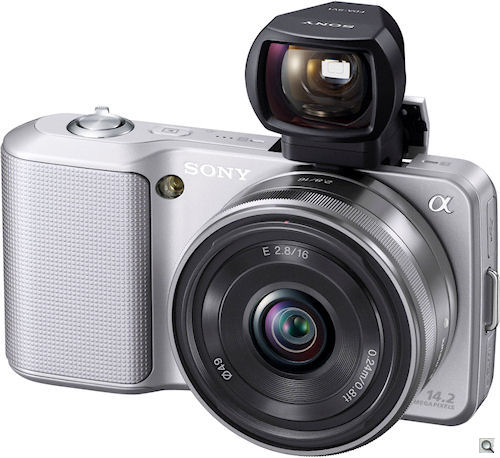 |
|
The FDA-SV1 viewfinder accessory mounts in the same place as the proprietary flash and external stereo microphone accessories, but since it’s purely optical, it doesn’t have any electrical connections. Field of view is 16mm. Unfortunately, we don’t currently know which focal length the framing guideline matches. The FDA-SV1 is pictured here mounted on the Sony NEX-3, with 16mm (24mm equivalent) f/2.8 prime lens attached.
|
Â
Viewfinder Test Results
Accuracy
Excellent accuracy from the LCD monitor.
 |
| 70mm, LCD |
The Sony NEX-3’s LCD monitor proved to be very accurate, showing about 100% coverage with our low-distortion Sigma 70mm f/2.8 prime lens. Excellent results here. The optional optical viewfinder was not available to test.
Video
Check out the links below for more sample images, videos and image quality analysis:
-
Sony Alpha NEX-3 Optics page
(Crops from images shot with the camera’s kit lens, if sold as a kit) -
Sony Alpha NEX-3 Sample Images page
(Index to all standard test shots, with explanations) -
Sony Alpha NEX-3 Thumbnails page
(Thumbnails of all shots, including RAWs, with EXIF data) -
Sony Alpha NEX-3 Gallery page
(Regular photos taken with the Sony Alpha NEX-3)
Sony NEX-3 Video Recording
Sony has long been a dominant player in both professional and home-video recording, and many of their point & shoot digital cameras have offered HD video recording for some time now – But their SLR lineup has until now lacked this capability. Likewise, Sony has until now sat on the sidelines in the SLD (Single-Lens Direct view) camera market, being content to let Panasonic and Olympus break the new ground there.
With the announcement of the new NEX line of SLD cameras, Sony has made a bold step in two important directions, offering both their first SLD models, and their first interchangeable-lens hybrid still/video cameras at the same time.
Video capability. There is no separate video recording mode on the Sony NEX-3: Video can be initiated from any still-capture mode by pressing the video Movie button on the angled rear face of the body.
The new Sony NEX-3 is built around fundamentally new technology, employing both a new CMOS Exmor sensor ( Exmor is Sony’s trade name for their advanced sensors), as well as an all-new lens design engineered specifically for the demands of video recording. The combination of Sony’s Exmor CMOS technology and an APS-C sensor size (larger than the Four Thirds chips used in SLDs from Olympus and Panasonic) brings excellent noise characteristics at high ISOs, which in turn means better low-light recording capability than other current SLD competitors.
|
Note: The comments in this review are based on the NEXÂ firmware version that was available at the time the review was written (v1.00). Sony has since released firmware update version 03, which among other improvements, adds aperture control during videos in Aperture Priority and “Background Defocus Control” modes. We unfortunately can’t go back and update reviews each time new firmware comes out, but you can view the list of improvements according to Sony in our NEX firmware update news article. |
Its lack of manual control over video exposure parameters means that the Sony NEX-3 may not be a choice for serious video aficionados, but it does offer the ability to attach an external stereo microphone via the top-mounted accessory terminal. While it may not quite have the feature set required by high-end video users, its autofocus tracking during recording and its good low-light capability make it an excellent choice for consumers looking for a true all-in-one still/video camera for recording memories. (And as we’ve noted elsewhere in this review, its excellent still-image quality and low high-ISO noise make it well suited for enthusiast still photographers.)
Bottom line, if you’re looking for serious still-image quality and easy and effective video capture in the same affordable camera, the Sony NEX-3 clearly belongs on your very short list of cameras to consider. Let’s look at its video capabilities in a bit more detail:
Sony NEX-3 Basic Video Specs
- 720p (1,280 x 720), 30p (29.97 progressive frames/second) high-definition recording in MPEG-4 format, with two available compression levels
- 640 x 480, 30p (29.97 progressive frames/second) standard-definition recording in MPEG-4 format
- Autofocus functions during movie recording, with any NEX-series lenses (currently the 18-55mm and 16mm kit lenses, with an 18-200mm model coming soon)
- Essentially silent autofocus and aperture operation on NEX-series lenses
- Auto-only exposure (that is, no aperture-priority, shutter-priority, or manual exposure control)
- EV adjustment is available in all movie recording modes
- Stereo audio recording via built-in microphones or via an external mic attached to the top-mounted accessory connector (Sony accessory mic available; it’s not clear whether there will be adapters to connect standard 3.5mm phone plugs or not.)
- Much better than average video recording under low-light conditions
- Compatible a wide range of Sony Alpha-mount lenses, via an accessory adapter (Alpha-mount lenses permit only manual focus on the NEX-3, and aperture control may not work properly during video recording .)
- Some scene modes carry over into video recording, adjusting parameters for color and tone to match specific subject types
Sony NEX-3 Video: Aperture control or not?
In the early days following its announcement, there was a lot of confusion as to whether it provided any control over lens aperture during video recording, and even some Sony corporate sites were displaying incorrect information. We checked with our main technical contact for Sony imaging here in the US, who detailed for us which settings you’re able to adjust in movie mode, and which remain under the camera’s control. Here’s the definitive list, as received from Sony US:
|
Sony NEX-3 Video Settings
|
|
|---|---|
|
Function
|
Condition
|
|
AF Mode
(AF/MF/DMF) |
Can preset (before recording)
|
|
Exposure Compensation
|
+/- 2EV in 1/3 EV increments
Adjustable during recording |
|
White Balance
|
Can be preset (before recording)
|
|
Creative Style
|
Can be preset (before recording)
|
|
AF Area
|
Fixed at “Movie AF”
(Can’t preset, can’t change during recording) |
|
AE Pattern
|
Fixed at multi-segment
(Can’t preset, can’t change during recording) |
|
Exposure Control
(Aperture/Shutter Priority) |
Fixed at Auto
(Can’t preset, can’t change during recording) |
|
ISO Sensitivity
|
Fixed at Auto
(Can’t preset, can’t change during recording) |
|
Scene Selection
|
Fixed at Standard
(Can’t preset, can’t change during recording) |
Sony NEX-3 Video: Image Size, Frame Rate, and Encoding
The Sony NEX-3 records just two different video resolutions in MPEG-4 format. Audio recorded during movie capture is encoded as AAC-LC. No spec is provided for the sampling rate of the audio tracks, though video players report 48 kHz at 128 kbps.
The table below shows the specs for various video recording options.
|
Sony NEX-3 Video Options
|
|||
|---|---|---|---|
|
MPEG-4 Format (.MP4 files)
|
|||
|
Menu Designation
|
Resolution
|
Frame Rate
|
Card Capacity
(very approximate) |
|
1280 x 720 Fine |
1,280 x 720 |
30 fps (progressive) |
1.1 MB/second
(~30 minutes on 2GB card) |
|
1280 x 720 Std. |
30 fps (progressive) |
0.7 MB/second
(~47 minutes on 2GB card) |
|
|
VGA |
640 x 480 |
30 fps (progressive) |
~0.4 MB/second
(~83 minutes on 2GB card) |
As noted above, the Sony NEX-3 offers only one video recording format — MPEG-4 AVC, also known as H.264. The MPEG-4 file format isn’t the most efficient in its use of memory card space for a given image quality level, but is widely supported, and doesn’t have the most strenous requirements in terms of processor power.
The NEX-3 offers a maximum movie resolution of 1,280 x 720 pixels, with choice of two compression levels, as well as a reduced resolution VGA mode with a fixed compression level. Frame rates and compression levels are as detailed in the table above. If you plan to shoot much high-definition video, you’ll definitely want to buy a really big SD card for use with your NEX-3, as HD video files take up a lot of card space. Continuous movie recording is however limited to approximately 29 minutes and maximum movie file size is 2GB. Sony recommends use of Class 4 or higher-rated Secure Digital memory cards for the NEX-3.
Here are some examples of video shot with our sample of the Sony NEX-3:
|
Sony NEX-3 Video Samples |
|
|---|---|
| MPEG-4 720p (1,280 x 720 Fine quality) (11.5 MB) |
MPEG-4 720p (1,280 x 720 Standard quality) (9.4 MB) |
| MPEG-4 VGA (640 x 480) (3.5 MB) |
 |
|
Night Video, MPEG-4 720p |
|
|
The night scene above is a pretty dark shot, captured under slightly dimmer than average city street lighting. Some cameras can manage it, albeit with a fair bit of noise; some can handle it cleanly, but produce very dark videos. The Sony NEX-3 managed to get very usable detail, albeit at the cost of some noise and minor focus-hunting. Its overall performance was better than anything else anywhere near its price range, except for its sibling the NEX-5, though. (Note: This video was shot alongside that of the NEX-5, hence the reference to Motion JPEG being the only mode available, since the NEX-5 also offers AVCHD. In place of an alternate compression type, the NEX-3 offers two compression levels when recording HD videos.) |
|
Sony NEX-3 Video-Mode Focusing
Live autofocus during video recording has been a consumer bugaboo ever since video first appeared as a feature on SLR cameras a bit less than two years ago. It’s less of an issue than one might expect, because the lower resolution of video images results in greater effective depth of field than with high-resolution still images, but it’s still an issue for many consumers. Sure, you can often arrange the camera angles so the subject will stay in the plane of focus for the duration of a clip, but it’s not always possible to do that. You can also learn to “pull focus” while the camera is recording, moving between preset focus points manually, but doing that well requires a surprising level of skill and experience.
Without live AF, consumers for the most part are reduced to only shooting subjects at a constant distance from the camera, or to having to settle for a lot of poorly-focused video. A lot of video-capable SLRs are certainly being sold to consumers these days, and having some video capability is certainly better than none, but for most consumers to make full use of a video camera, it really needs to be able to focus on the fly.
Most SLD cameras currently on the market offer at least some level of live autofocus, but very few do it well. Until now, the Panasonic GH1 was the only model with an autofocus system that was truly effective during video recording. The recent Panasonic G2 did very well, too, but wasn’t quite in the same league when operating with its kit lens as was the GH1. For its part, the Sony NEX-3’s live AF speed seems to be on par with or perhaps a bit ahead of the G2’s.
There are two requirements for live autofocus in a camera using contrast-detect focusing; namely a fast AF-determination system, and a lens with very fast and stable focus operation. In the Sony NEX cameras, the advanced Exmor image sensor and powerful Bionz image processing engine provide the focus-determination speed required for live autofocus. On the lens front, Sony’s NEX announcement included an entirely new lens mount (the E-mount) and a set of three new lenses to fit it. These new E-mount lenses are all designed with low-mass focusing elements and high-speed stepper motors, to give the rapid response required for live contrast-detect focusing during video recording. (They also employ a continuously-variable aperture mechanism, to provide stepless exposure control, another key issue for video recording.) While you can mount other lenses on the NEX-3’s body via adapters, it’s important to note that you do have to use Sony’s E-mount lenses to get live AF capability. In fact, as noted above, standard A-mount lenses revert to manual focus when attached to the Sony NEX-3 via the optional mount adapter.
The result of this new technology is a pretty effective live AF system for movie recording, delivering the focus performance the average consumer needs for video recording. In our testing, focus-tracking speed seemed quite good, and for rapidly-moving subjects, any lag in focus generally caught up with them in just a fraction of a second, once they came to rest. Most problems we thought were the fault of focus tracking turned out on further analysis to be caused by the background having more contrast than our subjects did.
This brings us to our biggest complaint about the Sony NEX-3’s video-mode focusing: As we found with the NEX-5, the video AF area is just way broad. A bright or contrasty object a good ways away from the center of the frame can draw the camera’s focus away from a centrally-located but lower-contrast subject pretty easily. It turns out that video recording on the NEX-3 ignores any AF area setting you might have made in still-capture mode, always reverting to what seems to be an unusually large focus area. We don’t know exactly how large the video AF area is, but it seemed that a bright object anything more than about 15% of the frame width/height from the edges would cause the camera to shift focus to it. In our own shooting with the Sony NEX-3, we frequently found ourselves wishing we could tell it to use a specific focus area (as is easily done on the Panasonic G2), and had to be careful to keep contrasty background objects well away from the center of the frame. Also note that the Background Defocus control in iA mode has no effect when you begin video recording; aperture control is always automatic when recording movies.
There may well be technical limitations that preclude it (it takes quite a lot to get any kind of live AF to happen at video frame rates), but we’d really like to see an option for closest-subject focus priority and/or the ability to set a specific focus point the way you can in still capture mode. We think a lot of users will just assume that the center-area or flexible-spot focus selection they made in still mode will carry over to video recording, and be disappointed when that isn’t the case.
For more advanced users, manual focus during video recording is certainly an option, just as it is on many video-capable SLRs. The Sony NEX-3’s very high resolution screen makes this somewhat feasible, but without magnification, even a screen as sharp as this one doesn’t quite hold up to 1,280 x 720 video resolution: The AF system could almost always do a noticeably better job of focusing than we could manually, even when we got out a loupe and held it to the screen to compensate for our less-than-perfect eyesight. While 921K dots sounds like a ton of resolution (and it is, for a compact LCD screen), it only amounts to 640 x 480 pixels, only 1.5 times the linear resolution of a full HD image. This isn’t a specific knock against the Sony NEX-3, as there aren’t any appreciable differences between cameras in this regard; the LCD screen on the NEX-3 is as high-resolution as they come. One solution for manual focus inaccuracy is to simply stop down the lens more; alas, this isn’t possible with the NEX-3, because you have no aperture control during video recording.
The crops below are the same as used in our NEX-5 review, showing how well it did tracking the official IR mascot Charlotte, as she retrieved a frisbee. On a number of runs, we initially thought the camera was lagging behind Charlotte, but further experiments with a person as the subject revealed that the problem with Charlotte was most likely that she didn’t occupy enough of the frame, so the camera was taking its contrast-detect focus signal from the grass in the background. Bottom line, while not perfect, the Sony NEX-5’s video AF actually did very well. (Note that the crops below of individual frames are the video equivalent of extreme pixel-peeping in still images.)
|
Sony NEX-5 Video: Tracking Autofocus (MP4 files, shot with the 18-55mm kit lens) (NOTE: Samples from NEX-5 video, NEX-3 performed similarly) |
|
|---|---|
|
|
|
|
I started the camera rolling after Charlotte had rounded the corner and was already heading back. None of the video here is wonderfully-sharp looking, thanks to the file compression and many areas of subtle contrast. (Which get compressed more.)
|
This is 15 frames into the clip (a half-second after the previous shot). While still looking soft from the compression, the camera is tracking very well. (Note the sharp individual grass blades, where they stand out against Charlotte’s shadow; the compression tends to leave high-contrast edges alone.)
|
|
|
|
|
Around frame 28 (a quarter-second or so following the prior shot, the camera is a bit behind Charlotte, as it hunts for focus. (Grass blades behind her are sharper than those under her feet.)
|
Just five frames later, though, the camera is back at proper focus. Details in Charlotte’s face are really stepped on by the compression, but note how crisp the high-contrast elements on the frisbee are.
|
|
|
|
|
A third of a second later (frame 53), Charlotte’s quite a bit closer to the camera, and it’s starting to lose her again. Her fur isn’t a whole lot softer than in the prior crop, but the logo is only just starting to go out of focus.
|
The camera had her face back in good focus again very quickly after she came to a stop. The camera and Charlotte were both still moving quite a lot, literally just a couple of frames before this one. Re-acquiring focus in just a couple of frames is pretty impressive.
|
|
|
|
|
The prior sequence was the best focus tracking we saw with Charlotte, obtained after I took particular care to keep her at the center of the frame. On several other runs, it seemed to be tracking behind her, but we discovered it was most likely just a matter of it focusing on the grass rather than Charlotte. We tried a human subject and found that the camera tracked perfectly.
|
This is about 2 seconds into the clip, and only a quarter-second or so after the crop on the left, so Chris was approaching the camera pretty rapidly at this point. We again see the overall softness from the image compression, but the logos on his shirt are about as crisp as they can get.
|
|
A bit over a third of a second (23 frames) later, the camera is still maintaining excellent focus tracking. Chris is quite close to the camera and approaching rapidly, making this a very tough AF challenge.
|
Another 7 frames (a bit over a tenth of a second), and Chris is now getting really close. Not surprisingly, this was about the point at which the NEX-3 finally started to lose tracking. Pretty impressive, that it could track this well!
|
The above shots were all cropped from MPEG-4 frames captured with the NEX-5 at 1,080 resolution (1,440 x 1,080 pixels) and are shown 1:1 on-screen. (In comparing these crops to those you might see on our site for other cameras, note that most competing models only capture at 1,280 x 720 pixels, so they’ll naturally appear a bit more crisp when viewed 1:1 like this.)
As you can see, the NEX-5 actually did a very good job of tracking motion with its live AF, provided that the subject was large enough in the frame: We initially thought it was lagging a bit when we shot Charlotte retrieving the Frisbee, the sequence above being one of the better ones we shot. Once we discovered how large its AF area is, though, it occurred to us that it might just be an issue of Charlotte not being a large enough or contrasty enough subject. The tests with Chris running toward the camera showed that the NEX-5 could indeed track very well, to very close distances. With the larger subject, there was also very little sign of it hunting back and forth to find the correct focus: It seemed to do a surprisingly good job of predicting where the proper focus point would be as the subject moved. As noted previously, we found the overly-broad video AF area and general AF dynamics to be essentially identical between the Sony NEX-3 and NEX-5.
Bottom line, the Sony NEX-3 is a very serviceable “hybrid” video/still camera. Usable autofocus tracking during video recording is hugely important for consumers, and the Sony NEX-3’s live AF worked pretty well. We’d really like to see a tighter AF area, and the ability to set specific AF points for movie recording, but the average consumer will find the NEX-3 vastly more usable than cameras that offer either manual-only focus in video mode, or that stop focusing once recording has started.
Sony NEX-3 Video Exposure Control
While the Sony NEX-3 lets you record movies directly from any of its still-image exposure modes, including aperture-priority, shutter-priority, and full manual exposure modes, the shutter speed, aperture, and ISO settings for video recording are always automatically controlled. Thus, while the camera’s menu system might suggest full PASM (programmed, aperture-priority, shutter-priority, and full manual exposure) exposure control for videos, there in fact is no direct control over aperture, shutter speed, or ISO during movie recording.
Exposure compensation adjustments made in still-capture modes do carry over into movie recording, provided that there’s enough light. (That is, if it’s too dark, boosting the EV adjustment won’t make your video any brighter.) White balance settings also carry over to video mode, as do the tone/color aspects of the camera’s various scene modes.
Shutter speed is one aspect of video exposure we’ve recently become more aware of. It turns out that slower shutter speeds tend to produce more natural-looking videos than faster ones: The motion blur associated with a slower shutter speed tends to smooth-out transitions between frames with rapidly-moving subjects: Cameras with 30fps recording, but shutter speeds 1/100 second or higher produce somewhat choppy, artificial-looking movie footage, while cameras with exposure curves biased toward shutter speeds in the 1/30 – 1/60 second range show a lot more motion blur, but the end result looks more natural to the eye. As with most of its competition, the Sony NEX-3’s video exposure curve is biased toward higher shutter speeds and the crispness they bring, but its 30 fps frame rate helps avoid some of the choppiness you’d normally see from such a fast shutter. We’d obviously like to see full user control over shutter speed and aperture in the NEX-3, but suspect those features are more likely to appear in Sony cameras aimed more at the video enthusiast in the not too distant future.
Sony NEX-3 Movie-Mode Image Stabilization
Sony’s unique among camera manufacturers, in having both body-based and lens-based image stabilization technology in their product lines. In the case of the NEX-3, image stabilization happens in the lens, so its availability will be a function of the particular lens used. Among the new E-mount lenses that were announced with the NEX-3 and NEX-5, the 18-55mm and 18-200mm models offer nearly silent lens-based IS, while the 16mm f/2.8 model does not. Even in dead-quiet passages in the Sony NEX-3’s video, we were unable to hear any trace of the 18-55mm lens’s IS in the sound track. (Or to hear any other aspect of lens operation, for that matter.) This was by far the most silent IS system we’ve yet found on as SLD-style camera.
Sony NEX-3 Video: Audio recording
External Mic. The Sony NEX-3’s optional external stereo mic plugs into the top-mounted accessory port also used by the flash.
Like most competing SLR/SLD cameras with video recording capability, the Sony NEX-3 can record audio via its internal microphones. The NEX-3 goes most of its competitors one better, though, in that it actually has two internal mics, providing stereo sound. It also provides for recording via an external stereo microphone, attached via the same accessory socket on the camera’s top that’s used by the bundled mini-flash. Currently, only a proprietary Sony external mic (shown above right) can be connected to this jack. We hope that Sony will eventually offer an adapter for the common 3.5mm stereo phone plug standard, but they may choose to reserve that capability for some as-yet-unannounced future NEX model aimed more specifically at video enthusiasts: People serious enough about video to think in terms of attaching external mics with 3.5mm plugs are also probably serious enough that they’d consider the NEX-3’s exposure control limitations too confining creatively.
Sony’s only published spec for the NEX-3’s audio recording capability simply says “MPEG-4 AAC-LC”, so we don’t officially know the sampling rate or number of bits of A/D resolution employed, although third-party MPEG players suggest a 48 KHz sample rate. Audio recorded with the camera’s internal mic sounded very clear, but we do no tests to measure frequency response or sensitivity, so can’t comment quantitatively. Hiss levels during quiet sections also seemed quite low compared to those of some competing models. We did notice that there was audible hiss in audio tracks recorded with the in-camera mic in very quiet environments, but less than we’ve heard on some competing models. The camera’s auto-gain system also did a good job of adjusting sensitivity as sound levels got louder or softer, with no evident “breathing” in transitions from high to low sound levels.
We did have one significant complaint with the Sony NEX-3’s audio recording: As is the case with most video-capable SLR/SLD cameras we’ve tested, the NEX-3’s internal microphones are exquisitely sensitive to noise produced when operating the camera’s controls or even moving your hands on the body. Unique in our experience, though, is that the NEX-3 records a very audible click at the end of every clip, produced when the Movie Record button is pressed to stop recording. This seems absolutely nonsensical to us. Since you’re trying to stop the recording, why should the camera record the sound of the very button you’re using to tell it to stop? Rather than having an approximately half-second lag before the recording stops, why can’t the camera just look back in its buffer, and simply not record the last half-second of video to the memory card? It’s probably not as simple as that, and the NEX-3’s behavior in this area is probably preferable to that of the Panasonic G2, which actually stops recording the video before you press the button. Still, the inevitable “click” at the end of every recording was probably our second-biggest gripe with the Sony NEX-3’s video mode. (Second behind its over-large video-mode AF area.)
As noted above, the AF and iris-control systems on both kit lenses we tested (the 18-55mm and 16mm) were effectively silent, in that their operation couldn’t be heard on the audio track, even with no background noise. Zooming the 18-55mm lens could produce audible noise, but the amount and whether it was apparent on the audio track depended a lot on how much background noise there was, and on how fast we zoomed (slow zooming was almost never audible, except in very quiet environments).
Finally, as with all its competitors, the Sony NEX-3 doesn’t have any provision for manual audio level control, whether working from the internal or optional external mic. As is the case with the lack of a 3.5mm external jack, we don’t think this will be an issue for the NEX-3’s primary target buyers.
Sony NEX-3 Movie Recording/Playback User Interface
The Sony NEX-3 makes movie recording very easy, as you can initiate it at any time, regardless of the mode-dial setting: Simply press the prominent Movie Record button with the red dot at its center on the camera’s top panel, and the camera will start recording video.
Normally, this is where we’d list the Movie-mode menu items, but the NEX-3 has no separate movie menu. In fact, the only menu item exclusively related to video recording is the image size (1,280 x 720 in either Fine or Standard quality, or 640 x 480.)
Playback mode on the Sony NEX-3 is decidedly odd, although it offers at least one feature we liked. The odd part is that the NEX-3’s playback is an either/or proposition, relative to stills and videos: If you’ve just shot a video and press the playback button, you’ll see only movies that are stored on the card; not the still images. Likewise, if you’ve just shot a still image, you’ll only see other stills when you hit the playback button. To switch between the two modes, you have to either navigate to an option on the Playback menu, drop into thumbnail view and scroll over to the left, to select the correct tab on that screen, or simply grab a throwaway exposure of the type you want to view. We actually found it much more convenient to hit the Movie Record button twice (to record a brief video clip) than to navigate through the playback menu to change the playback mode. This was the first time we’d ever seen a camera’s playback mode work like this, and it caused us some consternation until we figured out what was going on. “Where’d all my movies/stills go?” RTM, as they say, but we can only imagine the dismay many users will experience (if only until they read the manual) when they think all their vacation photos disappeared after they’d finally shot a video. Since so few people actually do read manuals, we also suspect this is going to be the source of a lot of service calls to Sony’s support centers.
The likely reason for this odd either/or choice for movie/still playback reveals itself when you try to scroll through movies you’ve recorded, to find a particular one you want to play back: Scrolling through recorded movies is just ineffably slow. Well, perhaps not ineffably; it’s a matter of a couple of seconds per movie, but that’s slow enough that navigating through more than two or three movies can be seriously painful. Why so slow? The camera is lightning-quick scrolling through still images, and doesn’t it save a JPEG thumbnail of each movie, for just this purpose? This is another area that’s going to produce a lot of frustration with users.
While it pales beside the slow playback scrolling, we missed one other playback option that’s become increasingly common on both digicams and SLDs; namely the “trim” function. Whenever you record a short video clip, it’s almost inevitable that you’ll start earlier and keep recording longer than the action you’re interested in. (If you don’t do this, you’re almost certainly going to miss action you’re interested in.) While “padding” like this is important and necessary, we like to keep our videos concise by trimming away the extraneous material at the beginning or end of the clip after they’re recorded. Many cameras support doing this in-camera these days, but the NEX-3 does not. You could certainly import the video clips to your computer and do the trimming there, but that’s awfully cumbersome. Far easier to simply trim and toss away the unwanted footage on the camera. (More grist for the mill for the first firmware update to the NEX-3… 😉
Rolling Shutter Artifacts
|
Sony NEX-5: Rolling Shutter Artifacts |
|---|
|
|
|
We’ve not yet shot our rolling shutter test for the NEX-3, but in the meantime, here’s the result from the closely-related NEX-5. While present, we found the Sony NEX-5’s rolling shutter artifacts to be less obtrusive than those of some of its competitors. The slanted verticals in the shot above show this effect, in response to some pretty fast shaking. (Faster than you’d be likely to pan, even following action.)
|
Essentially every video capable digital SLR/SLD currently on the market exhibits some level of motion-related distortion called rolling shutter artifacts. These are caused because the image data is captured and then read off the chip sequentially by rows, rather than each frame’s data being captured all at once. In the case of the Sony NEX-3, this means that image data for the last row of a given frame is captured and read out anywhere from 1/25th to 1/30th second after the data for the top row was captured. The effect on moving objects is like that of a focal plane shutter in an SLR, but more pronounced, because the video frame is read out much more slowly than the slit of a focal plane shutter moves across the sensor.
For a camera that scans video frames vertically (as all do that we’re aware of), rolling shutter artifacts will be most noticeable for subjects that are moving rapidly side to side, or when the camera itself is being panned horizontally. Verticals in the scene will appear tilted to the right or left, depending on the direction of camera motion. As an example, consider the case of a camera being panned from left to right, with a flagpole or other vertical object in the middle of the scene when recording for a particular frame begins: If the top of the object was centered horizontally when the first line of the video frame is acquired, by the time the last line of the frame has been captured, the bottom of the object will have shifted to somewhere left of center: As a result, the vertical object would appear to be leaning to the right.
Computer Requirements for Viewing HD Video
A typical computer these days has little trouble dealing with still images, but high-definition video can be another matter. Depending on the file format involved, it can take a pretty beefy computer to handle HD-resolution video playback without stuttering or dropping frames. The Sony NEX-3 supports only the MPEG-4 recording format. MPEG-4 isn’t quite the most space-efficient format relative to its quality level, but is quite widely supported by computer playback and editing software. It also has the advantage that it requires somewhat less processing power than some formats such as AVCHD.
Sony NEX-3 Video Mode: The Bottom Line
Overall, the Sony NEX-3 is a great camera for consumers looking for a capable interchangeable-lens camera that can record video without the hassle of poor or no live focusing encountered with most of its competitors. We’d really like to see both a smaller AF area and the option to change its location within the frame, but with reasonable-sized and reasonably well-lit subjects, the NEX-3’s autofocus responds quickly and accurately. The near-silence of the 18-55mm kit lens’ focusing, aperture and IS operation is a big plus. When recording video, the Sony NEX-3 offers no control over exposure other than exposure compensation and white balance, but most consumer-level users won’t be looking for these capabilities. Serious video enthusiasts will likely pass over the NEX-3 unless or until more advanced exposure controls are added via a firmware update. Ditto with external audio: The Sony NEX-3’s internal stereo mics do an excellent job of recording sound, and the proprietary Sony external stereo mic will likely do ever better. Video enthusiasts will miss the option of connecting external mic systems equipped with standard 3.5mm plugs. On a positive note, though, the NEX-3 does better recording under limited- or low-light conditions than most of its competition.
At the end of the day, the Sony NEX-3’s video capabilities are a good match for its target markets: On the one hand, it’ll be amply adequate for the average consumer who wants to record video, but doesn’t want to learn learn the fine art of focus-pulling to do so. It should also be adequate for advanced still shooters drawn to the camera’s good still image quality, but who want to record occasional videos with better quality and less hassle than a second-camera digicam would provide. While the NEX-3 does trade away the NEX-5’s AVCHD recording option and the 1,080i resolution that it offers, we think most users will be entirely happy with 720p for their videos. (And the MPEG4 format is more widely supported by consumer-level video editing software than is AVCHD.) All in all, it provides a level of practical video recording that few SLRs or SLDs can equal.
Flash
Sony NEX-3 Flash
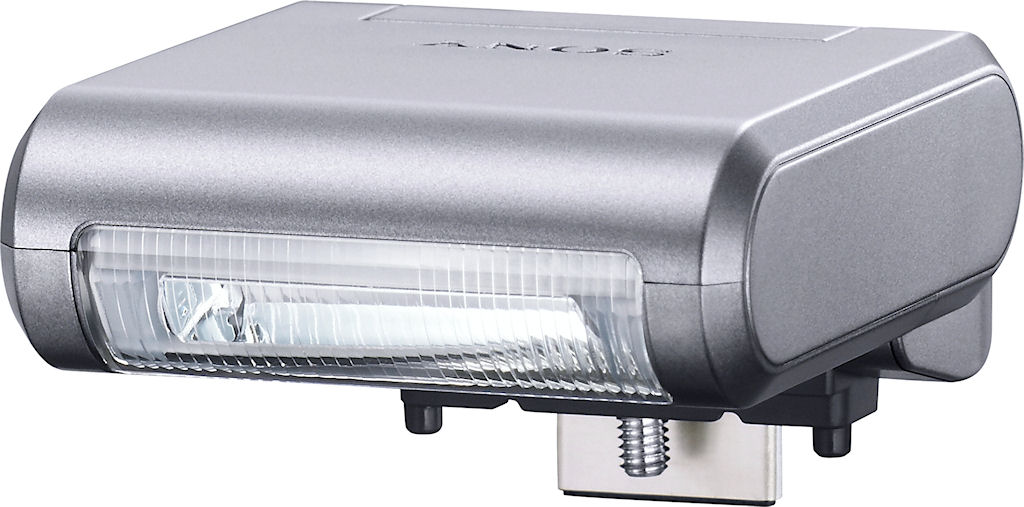
Sony has made a decision in the design of its NEX-3 that’s likely to prove just as divisive for the company as it was for with two recent cameras from rival Olympus. Playing up to the strengths of the single-lens direct view camera format, namely its extremely compact size and weight, Sony has forgone an internal flash strobe. Olympus followed the same route in the design of its first two Micro Four Thirds SLDs, the Pen E-P1 and E-P2, and the decision split public opinion — not to mention causing some debate in the IR labs. On the one hand, there were those who felt that the absence of a built-in flash was a curious decision, for two reasons. It meant bringing along a bulky external flash strobe everywhere you went, if you had the least concern about ambient light conditions. Since the hot shoe shared double duty as a mount for the accessory port, it also meant that flash couldn’t be used at the same time as the external viewfinder accessory. On the other hand, some observers argued that much of the time, they simply didn’t need to use flash photography — and that the ability to pare off a little more bulk from the camera was more than worth these trade-offs.
With the Sony NEX-3, those on both sides of the argument may find themselves digging trenches and preparing to escalate the battle, because new ammunition has been provided for both arguments. There are a couple of reasons for this, and they both relate to how Sony has chosen to implement external flash. Like Olympus before it, Sony has introduced a diminutive external flash strobe to accompany its NEX-series cameras. Sony’s HVL-F7S flash is even smaller than that provided by Olympus, however — and it even folds flat against the top of the lens mount when not in use. It’s also reasonably powerful for its size, with a useful range extending out as far as sixteen feet. Sony officially lists the guide number as being seven meters (23 feet) at ISO 100 — which while it’s rather less powerful than the strobes on most digital SLRs (typically rated at 12 or 13 meters), is equal to the built-in strobe on the Olympus E-PL1, and actually a little more powerful than the built-in strobe of the Panasonic GF1. The folding design makes it surprisingly compact even when attached to the camera. Once safely packed in its protective plastic case, it’s dimensions are barely under 2″ x 1.5″ x 1″, easily small enough to slip in a pants pocket and forget you’re even carrying it, until you have a need for it.
One could be forgiven for thinking that the compact size of the flash strobe entirely solved the problem, were it not for a couple of other features of its design. Firstly, the coverage is rather narrow, leading to pretty uneven illumination with the 16mm prime kit lens, and at wide angle with the 18-55mm zoom kit lens. The same will apply to the 18-200mm kit lens, and vignetting will likely prove an additional concern with that combination, given the modest height of the HVL-F7S strobe when extended, and the significantly larger dimensions of the lens itself. Perhaps more of an issue, though, is that the HVL-F7S is your only choice for on-camera flash, full-stop. The reason for this is that Sony’s NEX-series models — unlike every other current SLD camera — don’t include a standard flash hot shoe. Instead, Sony has instead adopted a proprietary accessory connector, shown at right above, that accepts either the HVL-F7S flash strobe, an external stereo microphone accessory, or an optical viewfinder.
A small thumb screw in the base of the strobe and other accessories allows them to be tightly fixed to the camera, safe from being accidentally bumped off, while two small pins on all the accessories mate into holes on the camera body to keep everything steadily aligned. The decision to adopt this proprietary port doubtless has helped Sony to keep the camera size and weight down, and enables the NEX-3’s smooth, clean top panel (once the accessory port door is closed). Unfortunately, it also means that there’s no way to mount any more powerful, third-party flash strobes on the camera, though. Nor is there any provision for bounce flash, a feature not offered by the tiny HVL-F7S strobe. Unless Sony releases a larger and more capable flash strobe compatible with the mount, or another manufacturer licenses or reverse engineers the connection, this is likely to remain the case. Given the modest size of the thumb screw and alignment pins, there’s likely a fairly strict limit on the size and weight of accessory that the cameras could accept. If you’re willing to accept these quirks, though — and many photographers will be — then there’s no denying that the size of the HVL-F7S strobe beautifully complements that of the NEX-3 body.
When raised, the HVL-F7S flash stands proud about an inch above the camera’s top deck, and when lowered once more, the  flash is automatically disabled. The Sony NEX-3’s has six flash modes: Auto, Fill, Slow Sync., Rear Sync., and Off. Through a separate menu option, red-eye reduction can be enabled, which function by adding several bursts of preflash to contract your subjects’ pupils, in addition to the regular metering and exposure flashes. Flash modes are changed in the Camera menu, Flash Compensation in the Brightness / Color menu, and Red-Eye Reduction in the Setup menu. Available settings vary depending on exposure mode. X-Sync (the maximum shutter speed with the flash enabled) is 1/160 second by
default — a bit below average these days, but identical to the X-sync speeds of the Olympus Pen E-PL1 and Panasonic Lumix DMC-GF1.
The Sony NEX-3 allows you to adjust flash and ambient exposure independently
of each other, by providing flash exposure compensation between -2 and +2 EV in
one-third EV increments.
 |
|
The HVL-F7S flash strobe folds down against the top of the lens mount when not in use, keeping the overall package more compact. Unfortunately, the accessory port door sticks out when the flash is attached, so you wouldn’t want to store the camera in a bag this way lest you accidentally break the door off. The flash is automatically disabled when folded..
|
Flash Test Results
Coverage and Range
A powerful flash given its size, but with very narrow coverage. Our standard flash shots required less than average amount of exposure compensation.
 |
 |
| 18-55mm: 18mm | 18-55mm: 55mm |
 |
|
| 16mm | |
 |
 |
| Normal Flash +0.3 EV |
Slow-Sync Flash Default |
Coverage Flash coverage was quite uneven with the 18-55mm kit lens at wide-angle (18mm), resulting in dark corners when shooting our flash coverage target. Flash coverage was much more uniform at telephoto (55mm). As you’d expect, coverage was even more uneven with the 16mm lens, with very dark corners.
Exposure. In the Indoor scene test, the Sony NEX-3 required +0.3 EV flash exposure compensation adjustment, which is less than average among the cameras we tested for this shot. (The average among cameras we’ve tested is +0.7 EV). The camera’s Slow-Sync flash mode produced good results without any flash exposure compensation, though with a strong pink-orange cast from the ambient room lighting.
| 18-55mm Flash Range: Wide Angle | |||||
|---|---|---|---|---|---|
| 6 ft | 7 ft | 8 ft | 9 ft | 10 ft | 11 ft |
 1/60 sec f3.5 ISO 200 |
 1/60 sec f3.5 ISO 200 |
 1/60 sec f3.5 ISO 200 |
 1/60 sec f3.5 ISO 200 |
 1/60 sec f3.5 ISO 200 |
 1/60 sec f3.5 ISO 200 |
| 12 ft | 13 ft | 14 ft | 15 ft | 16 ft | |
 1/60 sec f3.5 ISO 200 |
 1/60 sec f3.5 ISO 200 |
 1/60 sec f3.5 ISO 200 |
 1/60 sec f3.5 ISO 200 |
 1/60 sec f3.5 ISO 200 |
|
| 18-55mm Flash Range: Telephoto | |||||
|---|---|---|---|---|---|
| 6 ft | 7 ft | 8 ft | 9 ft | 10 ft | 11 ft |
 1/100 sec f5.6 ISO 200 |
 1/100 sec f5.6 ISO 200 |
 1/100 sec f5.6 ISO 200 |
 1/100 sec f5.6 ISO 200 |
 1/100 sec f5.6 ISO 200 |
 1/100 sec f5.6 ISO 200 |
| 12 ft | 13 ft | 14 ft | 15 ft | 16 ft | |
 1/100 sec f5.6 ISO 200 |
 1/100 sec f5.6 ISO 200 |
 1/100 sec f5.6 ISO 200 |
 1/100 sec f5.6 ISO 200 |
 1/100 sec f5.6 ISO 200 |
|
18-55mm ISO 200 Range. We normally test flash range using ISO 100, but the Sony’s minimum ISOÂ sensitivity is 200. With the 18-55mm kit lens, flash exposure started out bright at 6 feet at wide-angle, and generally became brighter up to about 10 feet, where it started to decrease gradually as distance increased. Exposure wasn’t always consistent with distance however, with the 8 foot exposure being slightly dimmer than 9 feet. Flash images were still usable all the way out to 16 feet, though. At full telephoto, flash exposures started out slightly dim at 6 feet, but exposure didn’t drop off appreciably until about 10 feet. Good results here, but keep in mind results are not directly comparable to cameras that have a base ISOÂ of 100. (ISOÂ 200 provides roughly 1.4x the flash range as ISOÂ 100.)
| 16mm Flash Range | |||||
|---|---|---|---|---|---|
| 6 ft | 7 ft | 8 ft | 9 ft | 10 ft | 11 ft |
 1/60 sec f2.8 ISO 200 |
 1/60 sec f2.8 ISO 200 |
 1/60 sec f2.8 ISO 200 |
 1/60 sec f2.8 ISO 200 |
 1/60 sec f2.8 ISO 200 |
 1/60 sec f2.8 ISO 200 |
| 12 ft | 13 ft | 14 ft | 15 ft | 16 ft | |
 1/60 sec f2.8 ISO 200 |
 1/60 sec f2.8 ISO 200 |
 1/60 sec f2.8 ISO 200 |
 1/60 sec f2.8 ISO 200 |
 1/60 sec f2.8 ISO 200 |
|
16mm ISO 200 Range. Since the Sony NEX-3 is also available bundled with the 16mm f/2.8 lens, we did a flash range test with it as well. Here, flash exposures where fairly bright all the way out to 16 feet, the limit of our test, though some inconsistency compared to distance can be seen.
| Manufacturer-Specified Flash Range | |
|---|---|
| Wide Angle | Telephoto |
 9.3 feet ISO 200 |
 5.8 feet ISO 200 |
Manufacturer Specified Flash Test. Sony rates the NEX-3’s flash with a Guide Number (GN) of 7 meters at ISOÂ 100. At ISO 200, that works out to about 9.3 feet at an aperture of f/3.5 and 5.8 feet at an aperture of f/5.6 with the kit 18-55mm zoom lens. In the shots above, the Sony NEX-3 produced a bright exposure at wide-angle (about 1/4 EVÂ overexposed), but telephoto was just a touch dim (about 1/10 EV underexposed). Pretty good result here. Our
standard test method for flash range uses a fixed setting of ISO 100, to
provide a fair basis of comparison between cameras. We’ve now also begun
shooting two shots using the manufacturer-specified camera settings, at
the range the company claims for the camera, to assess the validity of the
specific claims.
High ISO Noise Reduction
Sony NEX-3 High ISO Noise Reduction
The Sony NEX-3 offers only two high ISO noise reduction settings: Auto and Weak, with Auto being the default. The NEX-3 user manual does not say at what ISO noise reduction kicks in, so we’ve included crops starting from the base ISO of 200.
See for yourself how the noise reduction works under daylight-balanced lighting. Click on any of the crops below to see the corresponding full-sized image.
| High ISO Noise Reduction Comparison Daylight-balanced illumination |
||
|
Weak
|
Auto
|
|
| I S O 2 |
 |
 |
 |
 |
|
 |
 |
|
|
Weak
|
Auto
|
|
| I S O 4 |
 |
 |
 |
 |
|
 |
 |
|
|
Weak
|
Auto
|
|
| I S O 8 |
 |
 |
 |
 |
|
 |
 |
|
|
Weak
|
Auto
|
|
| I S O 1 |
 |
 |
 |
 |
|
 |
 |
|
|
Weak
|
Auto
|
|
| I S O 3 |
 |
 |
 |
 |
|
 |
 |
|
|
Weak
|
Auto
|
|
| I S O 6 |
 |
 |
 |
 |
|
 |
 |
|
|
Weak
|
Auto
|
|
| I S O 1 |
 |
 |
 |
 |
|
 |
 |
|
The above crops show the effects of the Sony NEX-3’s two high ISO noise reduction settings, under our studio HMI lighting we use to simulate daylight. As you can see, the “Weak” setting does result in more chroma noise than the Auto, but it also smudges the detail in the red fabric at higher ISOs. (You can really see a difference at ISO 1,600 and above.) At first, we though we had the filenames swapped, but we double-checked and they are correct. Then we remembered the Sony A500 and A550 had a similar oddity, where the Normal high ISO NR setting caused excessive smudging while the High setting did not.
How does the Sony NEX-3 compare to other recent SLDs? See the crops below.
| High ISO Comparison with Sony NEX-5, Olympus EP-2 and Panasonic G2 (In-camera JPEGs, all default NR) Daylight-balanced illumination |
||||
|
Sony NEX-3
|
Sony NEX-5
|
Olympus EP2
|
Panasonic G2
|
|
| I S O 8 |
 |
 |
 |
 |
 |
 |
 |
 |
|
 |
 |
 |
 |
|
|
Sony NEX-3
|
Sony NEX-5
|
Olympus EP2
|
Panasonic G2
|
|
| I S O 1 |
 |
 |
 |
 |
 |
 |
 |
 |
|
 |
 |
 |
 |
|
|
Sony NEX-3
|
Sony NEX-5
|
Olympus EP2
|
Panasonic G2
|
|
| I S O 3 |
 |
 |
 |
 |
 |
 |
 |
 |
|
 |
 |
 |
 |
|
|
Sony NEX-3
|
Sony NEX-5
|
Olympus EP2
|
Panasonic G2
|
|
| I S O 6 |
 |
 |
 |
 |
 |
 |
 |
 |
|
 |
 |
 |
 |
|
|
Sony NEX-3
|
Sony NEX-5
|
Olympus EP2
|
Panasonic G2
|
|
| I S O 1 |
 |
 |
N/A
ISO 12800 not supported |
N/A
ISO 12800 not supported |
 |
 |
N/A
ISO 12800 not supported |
N/A
ISO 12800 not supported |
|
 |
 |
N/A
ISO 12800 not supported |
N/A
ISO 12800 not supported |
|
Apart from some minor exposure differences (even though the same shutter speed and aperture were used), the Sony NEX-3 performs the same as the Sony NEX-5. And, as you can see, they both outperform these Micro Four Thirds models at ISO 1,600 and above.
Let’s see how the Sony NEX-3 compares to other cameras with APS-C sensors.
| High ISO Comparison with Canon T1i, Nikon D5000 and Samsung NX10 (In-camera JPEGs, all default NR) Daylight-balanced illumination |
||||
|
Sony NEX-3
|
Canon T1i
|
Nikon D5000
|
Samsung NX10
|
|
| I S O 8 |
 |
 |
 |
 |
 |
 |
 |
 |
|
 |
 |
 |
 |
|
|
Sony NEX-3
|
Canon T1i
|
Nikon D5000
|
Samsung NX10
|
|
| I S O 1 |
 |
 |
 |
 |
 |
 |
 |
 |
|
 |
 |
 |
 |
|
|
Sony NEX-3
|
Canon T1i
|
Nikon D5000
|
Samsung NX10
|
|
| I S O 3 |
 |
 |
 |
 |
 |
 |
 |
 |
|
 |
 |
 |
 |
|
|
Sony NEX-3
|
Canon T1i
|
Nikon D5000
|
Samsung NX10
|
|
| I S O 6 |
 |
 |
 |
N/A
ISO 6400 not supported |
 |
 |
 |
N/A
ISO 6400 not supported |
|
 |
 |
 |
N/A
ISO 6400 not supported |
|
|
Sony NEX-3
|
Canon T1i
|
Nikon D5000
|
Samsung NX10
|
|
| I S O 1 |
 |
 |
N/A
ISO 12800 not supported |
N/A
ISO 12800 not supported |
 |
 |
N/A
ISO 12800 not supported |
N/A
ISO 12800 not supported |
|
 |
 |
N/A
ISO 12800 not supported |
N/A
ISO 12800 not supported |
|
Here, the Sony NEX-3 clearly outperforms the Samsung NX10 by a wide margin. It also does better than the Canon T1i. It’s a bit of a toss-up versus the Nikon D5000. The Nikon does a slightly better job with fine detail in the red fabric, and it leaves a bit more chroma and luminance noise in return for slightly better detail overall. Still, amazing results for the ultracompact 14-megapixel Sony NEX-3.
Imatest Results
Sony NEX-3 Imatest Results
We routinely use Norman Koren’s excellent “Imatest” analysis program for quantitative, thoroughly objective analysis of digicam test images. I highly recommend it to our technically-oriented readers, as it’s far and away the best, most comprehensive analysis program I’ve found to date.
My comments below are just brief observations of what we see in the Imatest results. A full discussion of all the data Imatest produces is really beyond the scope of this review: Visit the Imatest web site for a full discussion of what the program measures, how it performs its computations, and how to interpret its output.
Here’s some of the results produced by Imatest for the Sony NEX-3:
sRGB Accuracy Comparison |
||||
The Sony NEX-3 showed generally good color accuracy, with only minor oversaturation of bright reds and deep blues, and to a lesser extent, some oranges and greens. Hue accuracy was also generally good, with the typical (typical meaning significant) cyan shift we see in most cameras we test, and also a little shift in some reds and oranges. Average saturation for the Sony NEX-3 was 111.1% (oversaturated by 11.1%). Average “delta-C” color error was 4.97 after correction for saturation, which puts it in the top tier. (Delta-C is the same as the more commonly referred to delta-E, but delta-C takes into account only color differences, ignoring luminance variation.) All in all, a very good color response for this class of camera. Mouse over the links below the illustration above to compare results with other recent consumer SLDs.
Adobe RGB Accuracy Comparison |
||||
Most SLRs/SLDs dramatically oversaturate colors when shooting in Adobe RGB mode, and the Sony NEX-3 follows suit. Average saturation was 116.3%, and average saturation-corrected hue error was 5.26 “delta-C” units, just slightly less accurate than the sRGB result. Again, mouse over the links below the illustration above to compare results with recent SLDs.
Sony NEX-3 Color Analysis
This image shows how the Sony NEX-3 actually rendered the colors of the MacBeth chart, compared to a numerically ideal treatment. In each color swatch, the outer perimeter shows the color as actually captured by the camera, the inner square shows the numerically correct color after correcting for the luminance of the photographed chart (as determined by a second-order curve fit to the values of the gray swatches), and the small rectangle inside the inner square shows the numerically correct color, without the luminance correction. This image shows the generally very good hue and saturation accuracy. Most colors are rendered reasonably close to the right brightness, the most obvious exception being the cyan and light blue swatches, which are noticeably brighter than the luminance-corrected versions. You can also see a slight greenish tinge in the orange swatch on the right side of the figure. Overall, though, the NEX-3’s color is quite good: A little brighter than that of the Olympus and Panasonic SLDs (both of which are less oversaturated), and without the orange through yellow hue shifts of the Panasonic line.
Â
Sony NEX-3 Noise Analysis
As always, there’s more in this particular graph than we really have room to go into here. (Also note that this set of plots has also changed a few revisions back in Imatest. Some of the plots that were once shown here are now shown in other Imatest output. Since we largely focus on the Noise Spectrum plot, we only show the graphic above, which includes that plot.)
In comparing these graphs with those from competing cameras, we’ve found that the Noise Spectrum graph at lower right is often the most important. Cameras that manage to shift their noise spectrum to higher frequencies have much finer-grained noise structures, making their noise less visually objectionable. In the graph above, this would show up as a noise spectrum curve that remained higher on the right side, representing higher noise frequencies.
In the case of the Sony NEX-3, we find an interesting situation at its base ISO of 200: The luminance noise is unusually fine-grained, with very little rise in the noise spectrum at low frequencies. On the other hand, the color channels (and especially the red one) have a lot of energy lumped up on the low-frequency side of the curve. The bottom line on the NEX-3 is that there’s very little noise at all, regardless of the frequency distribution, so the big, puffy clouds of color aren’t visible unless you really do some really radical tonal adjustments.
Above is the same set of noise data at ISO 1,600. Here, the overall Noise Spectrum graph is shifted a fair bit toward the left-hand, lower-frequency side than it was at ISO 200, coarsening the “grain” of the image noise patterns, but there’s much less difference between the color channels in this plot, with green tracking the luminance noise very closely, and only the red and blue-channel noise being a bit elevated at the lowest frequencies. In the past, it’s been unusual to find a greater difference between chroma and luminance noise at lower ISOs than at higher ones, although it’s becoming more common. Overall noise levels here are lower than those of competing SLD cameras, at least as of this writing in early July, 2010, and are very much on par with the best SLRs using APS-C size sensors.
Here’s the same set of noise data at ISO 3,200. Here again, the Noise Spectrum graph is shifted even more toward the left-hand side, further coarsening the “grain” of the image noise patterns further. Overall noise levels are again excellent, though, the Sony NEX-3 very much holding its own against pretty much all comers. (Short of full-frame camera models, which are obviously in a very different category.)
This chart compares the Sony NEX-3’s noise performance over a range of ISOs against that of other SLR and SLD cameras capable of video recording. While we continue to show noise plots of this sort because readers ask for them, we each time point out that the noise magnitude is only a small part of the story, the grain pattern being much more important, not to mention what the camera does to achieve a given noise level. (Some cameras obliterate subject detail along with noise, so the camera with the lowest noise levels on MacBeth chart swatches may not necessarily produce the most appealing images.)
All the caveats about absolute noise levels not necessarily being that applicable to real images, the Sony NEX-3 does look very impressive here: Its midtone noise level essentially equals or betters that of all the other cameras shown. As expected, results were very similar to the NEX-5. (The NEX-3’s luminance noise is practically identical to the NEX-5 up to ISOÂ 3,200 and a bit higher at ISOs 6,400 and 12,800, but that is likely due to slightly different exposures at the higher ISOs, not a real difference in the sensors.)Â The results might be easy to dismiss, if it turned out that its detail handling was poor, but our close visual examination of key test images revealed that its detail handling is also among the best we’ve seen from this size sensor. All in all, a very impressive performance, and a real step forward for Sony.
Â
Sony NEX-3 Dynamic Range Analysis
A key parameter in a digital camera is its Dynamic Range, the range of brightness that can be faithfully recorded. At the upper end of the tonal scale, dynamic range is dictated by the point at which the RGB data “saturates” at values of 255, 255, 255. At the lower end of the tonal scale, dynamic range is determined by the point at which there ceases to be any useful difference between adjacent tonal steps. Note the use of the qualifier “useful” in there: While it’s tempting to evaluate dynamic range as the maximum number of tonal steps that can be discerned at all, that measure of dynamic range has very little relevance to real-world photography. What we care about as photographers is how much detail we can pull out of the shadows before image noise becomes too objectionable. This, of course, is a very subjective matter, and will vary with the application and even the subject matter in question. (Noise will be much more visible in subjects with large areas of flat tints and subtle shading than it would in subjects with strong, highly contrasting surface texture.)
What makes most sense then, is to specify useful dynamic range in terms of the point at which image noise reaches some agreed-upon threshold. To this end, Imatest computes a number of different dynamic range measurements, based on a variety of image noise thresholds. The noise thresholds are specified in terms of f-stops of equivalent luminance variation in the final image file, and dynamic range is computed for noise thresholds of 1.0 (low image quality), 0.5 (medium image quality), 0.25 (medium-high image quality) and 0.1 (high image quality). For most photographers and most applications, the noise thresholds of 0.5 and 0.25 f-stops are probably the most relevant to the production of acceptable-quality finished images, but many noise-sensitive shooters will insist on the 0.1 f-stop limit for their most critical work.
The image below shows the test results from Imatest for an in-camera JPEG file from the Sony NEX-3 with a nominally-exposed density step target (Stouffer 4110), and its settings such as DRO and HDR turned off.
Here, we can see that the tone curve maintains excellent gradation in both the highlights and shadows, with a very film-like “S”. These results handily beat those from all other current SLD models, and in fact are very much on par with those from the best SLRs with APS-C sensors.
Once again, it would be easy to dismiss this excellent performance, if it turned out that Sony’s anti-noise processing was wiping out subject detail in the process: But that’s not what’s happening; the Sony NEX-3 does an excellent job of preserving subtle subject detail, far more so than any Sony camera we’ve seen to date. (Apart from its sibling the NEX-5, of course, shares the same sensor.)
Processing the Sony NEX-3’s RAW (.ARW) files through Adobe Camera Raw (ACR) version 6.2 beta increased dynamic range by more than an f-stop at the highest quality level (8.87 f-stops), compared to the best in-camera JPEG (7.44 f-stops) while total dynamic range reported increased from 10.6 to 11.9 f-stops. These results were obtained by using ACR’s automatic settings; slightly better results may be possible by manually tweaking from there. It’s worth noting here that ACR’s default noise reduction settings reduced overall noise (see the plot in the lower left-hand corner) relative to the levels in the in-camera JPEG, which would tend to boost the dynamic range numbers for the High Quality threshold. Also, the extreme highlight recovery being performed by ACR here would likely produce color errors in strong highlights of natural subjects.
Dynamic Range, the bottom line:
The net result was that the Sony NEX-3 showed excellent dynamic range, performing as well as the NEX-5 (within the margin of error)Â and easily beating competing SLD camera models we’ve tested to date (including the Samsung NX10, which also has an APS-C size sensor). What’s more, it’s really in the upper percentile ranking of all the SLRs we’ve tested with APS-C sensors. A very impressive step up for Sony.
To get some perspective, here’s a summary of the Sony NEX-3’s dynamic range performance, and how it compares to other digital SLRs that we also have Imatest dynamic range data for. (Results are arranged in order of decreasing dynamic range at the “High” quality level.):
| Dynamic Range (in f-stops) vs Image Quality (At camera’s base ISO) (Blue = RAW via ACR, Yellow=Camera JPEG, Green=Current Camera) |
||||
| Model | 1.0 (Low) |
0.5 (Medium) |
0.25 (Med-High) |
0.1 (High) |
| Nikon D3X (Adobe Camera Raw 5.3b) |
— | — | 11.1 | 9.64 |
| Nikon D3S (Adobe Camera Raw 5.6) |
— | — | 10.7 | 9.55 |
| Nikon D700 (Adobe Camera Raw 4.5) |
12.1 | 11.6 | 10.6 | 9.51 |
| Nikon D5000 (Adobe Camera Raw 5.4b) |
— | 11.6 | 10.8 | 9.50 |
| Sony A900 (Adobe Camera Raw 4.6b) |
— | 12.1 | 10.7 | 9.36 |
| Pentax K-x (Adobe Camera Raw 5.6b) |
11.5 | 11.2 | 10.7 | 9.33 |
| Nikon D90 (Adobe Camera Raw 4.6b) |
12.1 | 11.8 | 10.7 | 9.27 |
| Fujifilm S3 Pro (Adobe Camera Raw 2) |
12.1 | 11.7 | 10.7 | 9.00 |
| Sony NEX-5 (Adobe Camera Raw 6.2b) |
11.9 | 11.5 | 10.4 | 8.95 |
| Sony A230 (Adobe Camera Raw 5.5) |
11.7 | 11.1 | 10.1 | 8.95 |
| Nikon D40x (Adobe Camera Raw 4.1) |
12.0 | 10.9 | 10.3 | 8.90 |
| Nikon D300S (Adobe Camera Raw 5.5) |
— | 11.3 | 10.4 | 8.89 |
| Canon 5D Mark II (Adobe Camera Raw 5.2) |
— | 10.8 | 10.0 | 8.89 |
| Sony NEX-3 (Adobe Camera Raw 6.2b) |
11.8 | 11.4 | 10.1 | 8.87 |
| Sony A330 (Adobe Camera Raw 5.4) |
— | — | 10.1 | 8.86 |
| Canon EOS-1Ds Mark III (Adobe Camera Raw 4.5) |
11.5 | 10.7 | 9.96 | 8.84 |
| Nikon D3 (Adobe Camera Raw 4.5) |
11.7 | 11.0 | 10.0 | 8.75 |
| Canon EOS-1D Mark III (Adobe Camera Raw 4.5) |
11.7 | 10.7 | 9.99 | 8.73 |
| Sony A380 (Adobe Camera Raw 5.5) |
11.8 | 10.9 | 10.1 | 8.62 |
| Nikon D3000 (Adobe Camera Raw 5.5) |
— | 10.8 | 10.1 | 8.61 |
| Pentax K20D (Adobe Camera Raw 4.5) |
11.4 | 10.6 | 9.82 | 8.56 |
| 8.5 Stops | ||||
| Nikon D300 (Adobe Camera Raw 4.3.1) |
11.4 | 10.9 | 9.87 | 8.45 |
| Sony A200 (Adobe Camera Raw 4.3.1) |
11.6 | 10.4 | 9.82 | 8.43 |
| Nikon D60 (Adobe Camera Raw 4.4.1) |
11.6 | 10.5 | 9.74 | 8.31 |
| Nikon D40 (Adobe Camera Raw 4.1) |
11.9 | 10.9 | 9.89 | 8.30 |
| Canon EOS-1Ds Mark III (Camera JPEG) |
10.9 | 10.2 | 9.71 | 8.23 |
| Pentax K100D (Adobe Camera Raw 3.6) |
11.3 | 10.3 | 9.51 | 8.23 |
| Pentax K200D (Adobe Camera Raw 4.4.1) |
— | 10.5 | 9.54 | 8.19 |
| Pentax K10D (Adobe Camera Raw 3.7) |
10.6 | 10.0 | 9.29 | 8.19 |
| Canon 7D (Adobe Camera Raw 5.6) |
11.2 | 10.3 | 9.52 | 8.18 |
| Sony A100 (Adobe Camera Raw 3.4) |
11.3 | 10.5 | 9.69 | 8.16 |
| Canon EOS-1Ds Mark II (Adobe Camera Raw 3) |
11.2 | 10.3 | 9.40 | 8.14 |
| Canon EOS 50D (Adobe Camera Raw 4.6) |
11.2 | 10.5 | 9.49 | 8.06 |
| Nikon D40x (Camera JPEG) |
10.8 | 10.0 | 9.42 | 8.04 |
| Olympus E-P1 (ISO 200, Adobe Camera Raw 5.5) |
11.5 | 10.4 | 9.26 | 8.04 |
| Canon Rebel XSi (Camera JPEG) (ALO on by default) |
11.3 | 10.1 | 9.34 | 8.01 |
| 8.0 Stops | ||||
| Nikon D3S (Camera JPEG) |
— | — | — | 7.96 |
| Fujifilm S3 Pro (Camera JPEG) |
— | 9.90 | 9.40 | 7.94 |
| Canon T2i (Adobe Camera Raw 5.7) |
— | 10.0 | 9.21 | 7.94 |
| Samsung NX10 (Adobe Camera Raw 5.7 beta) |
— | — | 9.18 | 7.91 |
| Sony A350 (Adobe Camera Raw 4.4) |
11.6 | 10.5 | 9.61 | 7.89 |
| Canon EOS-1D Mark III (Camera JPEG) |
— | 10.2 | 9.70 | 7.88 |
| Olympus E-P2 (Adobe Camera Raw 5.6) |
— | 10.2 | 9.44 | 7.88 |
| Canon Rebel XS (Adobe Camera Raw 4.5) |
— | 10.3 | 9.27 | 7.88 |
| Nikon D3 (Camera JPEG) |
— | — | — | 7.87 |
| Canon Digital Rebel XTi (Adobe Camera Raw 3.6) |
10.8 | 9.88 | 9.18 | 7.84 |
| Canon EOS 5D (Adobe Camera Raw 3) |
11.0 | 10.4 | 9.21 | 7.83 |
| Nikon D90 (Camera JPEG) |
— | — | — | 7.77 |
| Panasonic DMC-GH1 (Adobe Camera Raw 5.4b) |
9.88 | — | 9.30 | 7.76 |
| Canon Rebel T1i (Adobe Camera Raw 5.4b) |
11.2 | 10.2 | 9.16 | 7.73 |
| Pentax K-7 (Adobe Camera Raw 5.4) |
10.6 | 9.93 | 9.07 | 7.73 |
| Canon EOS 40D (Adobe Camera Raw 4.2) |
11.2 | 10.1 | 9.26 | 7.72 |
| Panasonic DMC-GH1 (Camera JPEG) |
8.77 | — | — | 7.70 |
| Canon Rebel XSi (Adobe Camera Raw 4.4.1) |
10.6 | 9.95 | 9.10 | 7.68 |
| Canon EOS 50D (Camera JPEG) (ALO STD by default) |
— | — | 8.90 | 7.68 |
| Nikon D700 (Camera JPEG) |
— | — | 9.05 | 7.67 |
| Canon 5D Mark II (Camera JPEG) (ALO STD by default) |
10.6 | 9.68 | 8.98 | 7.66 |
| Nikon D5000 (Camera JPEG) |
— | — | 8.96 | 7.65 |
| Canon EOS-5D (Camera JPEG) |
10.2 | 9.68 | 8.82 | 7.65 |
| Olympus E-3 (Adobe Camera Raw 4.3) |
10.3 | 10.1 | 9.29 | 7.64 |
| Nikon D60 (Camera JPEG) |
10.5 | 9.62 | 8.89 | 7.62 |
| Nikon D200 (Adobe Camera Raw 3) |
10.6 | 9.65 | 8.96 | 7.61 |
| Sony NEX-5 (Camera JPEG) |
10.4 | 9.64 | 8.82 | 7.57 |
| Canon 7D (Camera JPEG) (ALO STD by default) |
— | 9.70 | 8.54 | 7.54 |
| Canon T2i (Camera JPEG) |
— | 9.44 | 8.45 | 7.53 |
| Nikon D80 (Adobe Camera Raw 3.6) |
11.1 | 10.4 | 9.42 | 7.51 |
| 7.5 Stops | ||||
| Nikon D300S (Camera JPEG) |
— | — | — | 7.49 |
| Olympus E-500 (Adobe Camera Raw 3) |
10.7 | 9.97 | 8.90 | 7.46 |
| Olympus E-510 (Adobe Camera Raw 4.1) |
10.0 | 9.43 | 8.64 | 7.46 |
| Pentax K10D (Camera JPEG) |
— | 9.49 | 8.88 | 7.44 |
| Sony NEX-3 (Camera JPEG) |
10.0 | 9.62 | 8.86 | 7.44 |
| Nikon D300 (Camera JPEG) |
— | — | 8.70 | 7.44 |
| Olympus E-420 (Adobe Camera Raw 4.1.1) |
10.0 | 9.61 | 8.65 | 7.44 |
| Canon Rebel T1i (Camera JPEG) (ALO=STD by default) |
11.3 | 10.1 | 9.34 | 7.43 |
| Nikon D2Xs (Adobe Camera Raw 3.6) |
10.6 | 9.90 | 8.93 | 7.42 |
| Canon EOS 40D (Camera JPEG) |
10.6 | 9.52 | 8.78 | 7.42 |
| Olympus E-PL1 (Adobe Camera Raw 5.7) |
10.4 | 9.89 | 8.76 | 7.39 |
| Nikon D3X (Camera JPEG) |
— | — | — | 7.37 |
| Nikon D50 (Camera JPEG) |
10.7 | 9.93 | 8.70 | 7.36 |
| Panasonic DMC-G2 (Adobe Camera Raw 5.7) |
10.3 | 9.87 | 8.77 | 7.35 |
| Sony A380 (Camera JPEG) (DRO Standard by default) |
— | 9.54 | 8.84 | 7.32 |
| Panasonic DMC-G1 (Adobe Camera Raw 5.2) |
10.7 | 9.78 | 8.70 | 7.32 |
| Nikon D3000 (Camera JPEG) |
10.2 | 9.64 | 8.69 | 7.31 |
| Sony A900 (Camera JPEG) (DRO off by default ) |
10.2 | 9.75 | 8.49 | 7.31 |
| Sony A330 (Camera JPEG) (DRO Standard by default) |
10.1 | 9.37 | 8.59 | 7.30 |
| Sony A200 (Camera JPEG) (DRO on by default) |
10.4 | 9.43 | 8.91 | 7.29 |
| Canon EOS 20D (Camera JPEG) |
10.3 | 9.66 | 8.85 | 7.29 |
| Canon EOS 30D (Camera JPEG) |
10.3 | 9.50 | 8.57 | 7.29 |
| Nikon D40 (Camera JPEG) |
10.4 | 9.80 | 8.89 | 7.28 |
| Sony A230 (Camera JPEG) (DRO Standard by default) |
10.1 | 9.51 | 8.51 | 7.26 |
| Sony A900 (Camera JPEG) (DRO on) |
10.1 | 9.76 | 8.47 | 7.26 |
| Canon Rebel XS (Camera JPEG) |
10.3 | 9.4 | 8.61 | 7.22 |
| Olympus E-520 (Adobe Camera Raw 4.5) |
11.0 | 9.46 | 8.70 | 7.20 |
| Sony A350 (Camera JPEG) (DRO on by default) |
10.3 | 9.55 | 8.85 | 7.19 |
| Pentax K-x Camera JPEG |
9.99 | 8.94 | 8.31 | 7.18 |
| Panasonic DMC-GF1 (Adobe Camera Raw 5.5) |
10.2 | 9.62 | 8.62 | 7.16 |
| Nikon D80 (Camera JPEG) |
10.1 | 9.43 | 8.48 | 7.12 |
| Canon Digital Rebel XT (Camera JPEG) |
10.3 | 9.51 | 8.61 | 7.11 |
| Nikon D200 (Camera JPEG) |
— | 9.07 | 8.36 | 7.11 |
| Olympus E-300 (Camera JPEG) |
10.8 | 9.26 | 8.48 | 7.07 |
| Olympus E-410 (Adobe Camera Raw 4.1) |
10.2 | 9.40 | 8.24 | 7.05 |
| Olympus E-500 (Camera JPEG) |
10.0 | 9.14 | 8.16 | 7.05 |
| Canon Digital Rebel XTi (Camera JPEG) |
9.83 | 9.10 | 8.27 | 7.04 |
| Canon EOS-1Ds Mark II (Camera JPEG) |
10.3 | 9.38 | 8.60 | 7.04 |
| Panasonic DMC-G1 (Camera JPEG) |
— | 9.33 | 8.52 | 7.03 |
| Pentax K200D (Camera JPEG) |
— | 9.50 | 8.30 | 7.01 |
| 7.0 Stops | ||||
| Panasonic DMC-GF1 (Camera JPEG) |
— | 9.33 | 8.44 | 6.99 |
| Canon Digital Rebel (Camera JPEG) |
10.1 | 9.11 | 8.47 | 6.97 |
| Nikon D2Xs (Camera JPEG) |
9.82 | 8.98 | 8.23 | 6.97 |
| Panasonic DMC-L10 (Adobe Camera Raw 4.2) |
10.4 | 9.34 | 8.48 | 6.91 |
| Sigma DP1 (Camera JPEG) |
— | 8.95 | 8.13 | 6.91 |
| Pentax *istDs (Camera JPEG) |
10.2 | 10.0 | 8.87 | 6.90 |
| Sony A100 (Camera JPEG) |
10.2 | 9.24 | 8.39 | 6.89 |
| Samsung NX10 (Camera JPEG, Smart Range, ISO 200) |
10.1 | 8.99 | 8.22 | 6.78 |
| Pentax K100D (Camera JPEG) |
10.3 | 9.30 | 8.39 | 6.73 |
| Panasonic DMC-G2
(Camera JPEG) |
9.72 | 9.18 | 8.15 | 6.68 |
| Pentax K20D (Camera JPEG) |
10.2 | 9.21 | 8.09 | 6.66 |
| Pentax K-7 (Camera JPEG) |
9.59 | 8.87 | 8.03 | 6.54 |
| 6.5 Stops | ||||
| Nikon D2x (Camera JPEG) |
— | 8.93 | 7.75 | 6.43 |
| Olympus E-3 (Camera JPEG) |
9.32 | 9.06 | 8.50 | 6.42 |
| Panasonic DMC-L10 (Camera JPEG) |
— | 8.94 | 8.00 | 6.38 |
| Olympus E-420 (Camera JPEG) |
9.18 | 8.82 | 7.93 | 6.37 |
| 6.0 Stops | ||||
| Olympus E-410 (Camera JPEG) |
— | — | 7.60 | 5.99 |
| Olympus E-PL1 (Camera JPEG, Gradation = Normal) |
— | 8.63 | 7.45 | 5.89 |
| Samsung NX10 (Camera JPEG) |
9.32 | 8.48 | 7.46 | 5.88 |
| Nikon D70s (Camera JPEG) |
9.84 | 8.69 | 7.46 | 5.85 |
| Nikon D70 (Camera JPEG) |
9.81 | 8.76 | 7.58 | 5.84 |
| Olympus E-520 (Camera JPEG) |
9.32 | 8.68 | 7.74 | 5.74 |
| Olympus E-P2 (Camera JPEG, Gradation = Normal) |
10.1 | 8.83 | 7.78 | 5.58 |
| Olympus E-P1 (Camera JPEG, Gradation = Normal) |
— | 8.85 | 7.74 | 5.47 |
Note that this test is repeatable to within 1/3 EV according to the Imatest website, so differences of less than 0.33 can be ignored.
As noted above, the Sony NEX-3’s JPEG dynamic range at the highest quality level was better than its current SLD competition, with the exception of the NEX-5 (of course), and the Panasonic GH1. – But the GH1 drops out of the race below that top quality level, as you have to go to more than the maximum 1.0 stops of noise before it breaks above 7.77 stops of dynamic range. Comparing the NEX-3 with full-size SLRs with APS-C sensors, we find that it holds its own very well indeed: It’s within a few tenths of a stop of all the top performers. (Keep in mind that Imatest only claims repeatability on dynamic range measurements to within 1/3 stop, so the difference compared to the NEX-5 scores is negligible.)
Sony NEX-3 Resolution Chart Test Results
The chart above shows consolidated results from spatial frequency response measurements in both the horizontal and vertical axes. The “MTF 50” numbers tend to correlate best with visual perceptions of sharpness, so those are what we focus on here. The uncorrected resolution figures are 2,580 line widths per picture height in the horizontal direction (corresponding to the vertically-oriented edge), and 2,104 lines along the vertical axis (corresponding to the horizontally-oriented edge), for a combined average of 2,342 LW/PH. Correcting to a “standardized” sharpening with a one-pixel radius increased both horizontal and vertical numbers very slightly, resulting in an average of 2,391 LW/PH.
The Sony NEX-3 delivers good resolution, quite competitive with 14-15-megapixel DSLRs currently on the market. Images straight from the camera show good detail, although we can’t yet report on the results obtainable via Adobe Camera Raw, because as of this writing (early July, 2010), it does not support the NEX-3 yet.
To see what’s going on, refer to the plots below, which show the actual edge profiles for both horizontal and vertical edges, in both their original and corrected forms. Here, you can see that a moderate amount of in-camera sharpening is applied in both the horizontal and vertical directions, but with a modest amount of overshoot, and fairly small extent (oversharpened by only 0.33% in the horizontal direction, and actually undersharpened by 3.4% in the vertical, according to Imatest’s calculations). As usual, you should turn the camera’s sharpening down a little for optimal results when sharpening in-camera JPEGs post-exposure in Adobe Photoshop or other image editing software, but the NEX-3’s in-camera sharpening is better controlled than we see on many cameras.
Note: We don’t feature SFR-based LW/PH resolution numbers more prominently in our reviews (eg, outside the Imatest pages) because we’ve found that they’re *very* sensitive to minor differences in in-camera image processing. Relatively small changes in the amount of in-camera sharpening can have a large effect on the resulting resolution numbers. Imatest attempts to compensate for this by adjusting to a “standard” sharpening, but this approach can’t completely undo what happens inside the cameras, and so often gives inconsistent results. Sometimes the “standardized” sharpening happens to just match the shape of the edge profile with the in-camera sharpening applied, and you’ll get wildly high results. At other times, it will tend to correct in the opposite direction. Unfortunately, ignoring the in-camera sharpening entirely can result in even greater discrepancies, particularly between models from different manufacturers. Turning off sharpening in the camera may or may not fully eliminate the sharpening, so simply turning off sharpening in the camera JPEGs isn’t a reliable solution. It also wouldn’t be the way most people shoot the cameras. We could process RAW files with no sharpening (as shown below), but then that’d only suit the people working primarily or exclusively from RAW, and would open another can of worms as to what RAW converter was used, etc, etc.
The bottom line is that numbers for resolution only take you so far. Detail handling and edge acuity are very complex issues; ones that don’t easily boil down to a single number. The best approach is to simply look look at the broad array of standardized test shots we take with each camera, to the point of downloading and printing them with whatever processing you’d use if you owned the camera and shot with it. See how the differences stack up for you visually, and make your decision on that, rather than on abstract resolution numbers.
RAW Files
Sony NEX-3 RAW Image Quality
We’ve recently started looking at RAW files converted with dcraw, an excellent freeware raw converter. dcraw usually offers timely support for the latest cameras, but more importantly, it does not apply any noise-reduction, sharpening or other corrections such as geometric distortion correction to the output files. (We found that Adobe Camera Raw still applies some limited noise-reduction when its NR settings are set to zero, and it also applies other corrections depending on the make and model of the camera). There will always be differences between RAW converters, in terms of the sort of demosaicing algorithms they use (the processes by which they convert the separate Red, Green, and Blue data sets to an array of full-color RGB pixels), but dcraw seems to use a fairly generic algorithm that delivers good sharpness with relatively few artifacts, and can be counted on to not apply any noise reduction if you don’t want it to.
Below are crops from Sony NEX-3 high ISO RAW files compared to RAW files from other SLDs such as Sony NEX-5, Olympus E-P2 and Panasonic G2, converted with dcraw.
| High ISO Comparison with Sony NEX-5, Olympus E-P2 and Panasonic G2 RAW files converted with dcraw, no NR, no sharpening Daylight-balanced illumination |
||||
|
Sony NEX-3
|
Sony NEX-5
|
Olympus E-P2
|
Panasonic G2
|
|
| I S O 2 |
 |
 |
 |
 |
 |
 |
 |
 |
|
 |
 |
 |
 |
|
|
Sony NEX-3
|
Sony NEX-5
|
Olympus E-P2
|
Panasonic G2
|
|
| I S O 4 |
 |
 |
 |
 |
 |
 |
 |
 |
|
 |
 |
 |
 |
|
|
Sony NEX-3
|
Sony NEX-5
|
Olympus E-P2
|
Panasonic G2
|
|
| I S O 8 |
 |
 |
 |
 |
 |
 |
 |
 |
|
 |
 |
 |
 |
|
|
Sony NEX-3
|
Sony NEX-5
|
Olympus E-P2
|
Panasonic G2
|
|
| I S O 1 |
 |
 |
 |
 |
 |
 |
 |
 |
|
 |
 |
 |
 |
|
|
Sony NEX-3
|
Sony NEX-5
|
Olympus E-P2
|
Panasonic G2
|
|
| I S O 3 |
 |
 |
 |
 |
 |
 |
 |
 |
|
 |
 |
 |
 |
|
|
Sony NEX-3
|
Sony NEX-5
|
Olympus E-P2
|
Panasonic G2
|
|
| I S O 6 |
 |
 |
 |
 |
 |
 |
 |
 |
|
 |
 |
 |
 |
|
|
Sony NEX-3
|
Sony NEX-5
|
Olympus E-P2
|
Panasonic G2
|
|
| I S O 1 |
 |
 |
N/A
ISO 12800 not supported |
N/A
ISO 12800 not supported |
 |
 |
N/A
ISO 12800 not supported |
N/A
ISO 12800 not supported |
|
 |
 |
N/A
ISO 12800 not supported |
N/A
ISO 12800 not supported |
|
Apart from white balance differences (dcraw doesn’t seem to handle white balance very well for the NEX series), the Sony NEX-3 performs virtually the same as the Sony NEX-5. And, as you can see, they both outperform the Panasonic G2 above ISOÂ 400, and the Olympus E-P2 above ISO 1,600.
Let’s see how the Sony NEX-3 compares to other cameras with APS-CÂ sensors.


























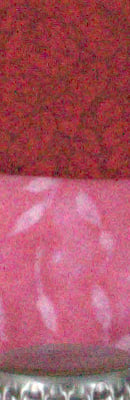
















Here, the Sony NEX-3 clearly outperforms the Samsung NX10 by a comfortable margin. It also does a bit better than the Canon T1i, but it’s pretty close. It’s a toss-up with the Nikon D5000, but keep in mind the 14.2-megapixel Sony NEX-3 has slightly smaller photosites than the 12.3-megapixel D5000, so the Sony NEX-3 really is performing well.
Comparison
We’ve assembled a full comparison of all SLD-style cameras on the market, as of May, 2010. It’s too wide to fit our standard review pages, so click on the link below to open it in a separate window.
Press Release
SONY INTRODUCES WORLD’S SMALLEST AND LIGHTEST INTERCHANGEABLE LENS DIGITAL CAMERAS
Models Provide DSLR Performance, Full HD Video, Sweep Panorama, APS-C sensor and Low-Light Capability in an Unprecedented Compact Design
SAN DIEGO, May 10, 2010 – Sony today introduced two innovative α (alpha) compact interchangeable lens digital cameras (models NEX-5 and NEX-3) that provide the quality of a digital SLR in a compact body that is easy to slip into a small purse or jacket pocket for ultimate portability.
“Consumers want better picture quality in a smaller form factor. Sony has made that a reality with these cameras. The NEX-5 and NEX-3 cameras truly embody Sony’s make.believe spirit,” said Kristen Elder, director of Sony’s alpha digital imaging business. “These new cameras are the game-changers everyone has been waiting for and will revolutionize the consumer experience by offering outstanding picture quality with a totally pocketable size.”
With breakthrough video performance, these models are the world’s first interchangeable lens cameras with an APS-C sensor to continuously adjust focus and exposure while recording video. The NEX-5 camera offers Full HD movie capture (1080i AVCHD and 720p MP4) with Full HD 60i recording.
These cameras are perfect for point-and-shoot users looking to advance from snapshots to creative photography as well as existing DSLR users searching for a no-compromise compact alternative.
Innovative Design
Unlike conventional DSLR models, the “mirrorless” construction of the new models reduces the thickness of both camera bodies to just about an inch at their slimmest point (excluding grip and mount portions). The NEX-5, constructed from magnesium alloy, and the NEX-3, with a polycarbonate casing, offer a newly developed 14.2 megapixel Exmor™ APS HD CMOS sensor. About 60 percent larger than the sensor in micro four-thirds cameras, this sensor is key to the exceptional image quality, extremely low image noise and creative defocus background effects that are familiar to DSLR users.
HD Movie Recording and Fast, Silent Autofocus
The NEX-5 and NEX-3 are the first α cameras to offer the extra convenience of high definition video recording. In addition to 720p HD recording, the NEX-5 also captures Full HD (1920 x 1080i) video in high-quality AVCHD files that can be easily enjoyed on a compatible HD television via the cameras built-in HDMI™ terminal (cable not included). The NEX-3 shoots 720p HD video as compact MP4 files. Both Sony cameras include built-in stereo microphones for high-quality audio recording.
Still and video image quality is further refined by Sony’s powerful BIONZ® processor that ensures quick DSLR-style shooting response with fast, precise autofocus and minimal shutter lag. Both cameras can also capture fast-moving action with a high-speed burst of full-resolution images at up to 7fps (AF/AE fixed from first frame).
Sweep Panorama
The NEX-5 and NEX-3 are the first α cameras featuring Sweep Panorama. Capturing large group shots is as easy as press-and-sweep. Sweep Panorama mode lets consumers capture breathtaking shots up to 226-degree horizontal or 151-degree vertical shots.
Both models will be ready for 3D Sweep Panorama this July (with firmware update). With 3D Sweep Panorama mode, these cameras can shoot 3D panoramic still images with a single lens. The high-speed burst of frames is stitched together using innovative processing techniques to automatically create detail-packed 3D panoramas. These files can be enjoyed in stunning 3D on compatible 3D televisions (other accessories may be required).
These cameras provide the advantages of multi-frame capture featured in Cyber-shot® cameras, including Hand-Held Twilight and Anti-motion Blur modes, which offer extraordinary low-light performance.
Simple To Use
Overcoming the complexity and intimidation that often come along with DSLR use, the NEX-5 and NEX-3 cameras have a new easy-to-use interface. It makes their performance advantages and features-including the techniques of creative photography-simple to master for consumers stepping up from compact digital still cameras and simultaneously offers easy access to the important camera controls that DSLR users demand.
Images and camera settings are displayed on the 3-inch (diagonal) wide-type Xtra Fine LCD™ display with TruBlack™ technology and 921k dot high resolution LCD that tilts up or down for comfortable viewing in any shooting position. The screen features an auto-brightness control function for excellent visibility, even outdoors. TruBlack screen technology enables an even more vivid, high-contrast view of images and camera settings.
E-Mount Lenses
Three new E-mount lenses are being introduced, including a 16mm F2.8 wide angle prime lens (model number SEL16F28), an 18mm-55mm F3.5-5.6 standard zoom lens (model number SEL1855) and an 18mm-200mm F3.5-6.3 (model number SEL18200) high magnification zoom lens.
The E-mount lenses provide the cameras with extreme compactness as well as the performance required for quiet continuous auto focus and auto exposure during HD video capture. These all new lenses are of premium construction, with brushed aluminum barrels and steel mounts. An optional LA-EA1 Mount Adaptor extends compatibility to the α family of 30 lenses, plus a huge range of other legacy A-mount lenses (Manual Focus only).
Ideal for everyday shooting, the low-profile E 16mm F2.8 lens minimizes bulk, allowing the camera to easily be carried in a coat, pants pocket, or purse. This lens’ creative possibilities can be expanded even further by the VCL-ECU1 Ultra Wide Converter which provides a 12mm view, and VCL-ECF1 Fisheye Converter that delivers impressive curvi-linear distortion.
Featuring in-lens Optical SteadyShot™ image stabilization for clearer handheld images, the E 18-55mm F3.5-5.6 OSS zoom is a perfect travel partner. The NEX-5 and NEX-3 are available in kit form with either the 16mm prime or the 18mm-55mm lens. The E 18-200mm F3.5-6.3 OSS zoom lens offers a powerful 11x magnification range plus Optical SteadyShot image stabilization with Active mode that is used in the most advanced Handycam® camcorders.
Accessories
Both cameras are supplied with a super-compact clip-on flash that attaches via the smart accessory terminal when needed. Other optional accessories include the FDA-SV1 Optical Viewfinder plus stylish cases and shoulder straps. As an option, the accessory shoe on both cameras accepts a compact ECM-SST1 Stereo Microphone that captures even more high-quality sound for HD video recordings than the cameras’ built-in stereo recording.
The new cameras accept both Memory Stick PRO Duo™ (including Memory Stick PRO-HG Duo™) and SD (including both SDHC and SDXC formats) media (all sold separately). Sony’s new Memory Stick PRO-HG Duo HX offers 30MB per second transfer rates that save you time when downloading images.
Pricing and Availability
The NEX-5A and NEX-3A cameras, which are supplied with SEL16F28 lens, will cost about $650 and $550 respectively. NEX-5K and NEX-3K cameras, supplied with SEL1855 lens will cost about $700 and $600 respectively. The NEX-3 will be available in silver, black and red, and the NEX-5 in silver and black.
The SEL16F28 and SEL1855 lenses will be available for about $250 and $300. (The SEL18200 zoom lens will be available this fall for about $800.)
The cameras, lenses and a range of accessories will be available in July at Sony Style® retail stores (www.Sonystyle.com/retail) and at authorized dealers nationwide.
###
The NEX-5 and NEX-3 cameras are the world’s smallest and lightest interchangeable lens digital cameras as of the announcement date and based on Sony’s research.