
Adobe updates Photoshop with document collaboration, preset syncing, and more


Imaging Resource is reader-supported. When you buy through links on our site, we may earn an affiliate commission. How this works.
Abode has announced updates to its ecosystem, making collaboration easier than ever before. While the updates apply to Adobe Photoshop, Illustrator, and Fresco, we’ll focus on Photoshop.
With today’s update to Photoshop, users can now invite others to collaborate via the new Invite to Edit feature. Alongside a new Preset Sync feature, collaboration on documents in Photoshop has never been simpler.
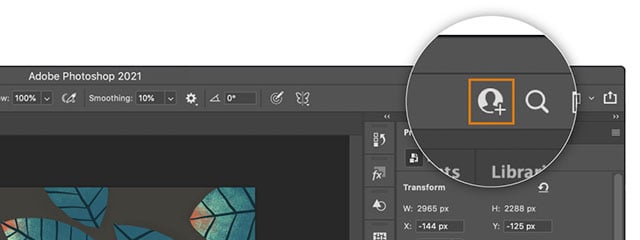
To invite someone else to edit a document in Photoshop on desktop and iPad, you save your .psd file as a cloud document, and you will then be able to invite others to edit them. There’s a new Invite to Edit icon in the top right corner of the Photoshop application. Once clicked, you type in the email addresses of those you wish to invite to collaborate on the document. The document must be saved as a Photoshop cloud document to invite someone to edit the file. Shared cloud documents can be accessed using the Creative Cloud Desktop app or by visiting assets.adobe.com.
The Photoshop update also adds the ability to sync your presets, although unlike collaboration, the new syncing feature is only for Photoshop on desktop. With the update, users can sync presets including Brushes, Gradients, Swatches, Styles, Shapes and Patterns to Creative Cloud. To access synced presets, you must sign in using the same Adobe ID on a separate device and have enabled Preset Syncing on your initial device. You can enable the setting by going to Preferences > General and checking Preset Syncing. To learn more about this feature, click here.

Further, with the new update, users can control Width, Height, Angle, Flip, Reset, and Appearance of custom shapes using the Shape Properties panel while using the Custom Shape Tool. You can also now on-canvas transform controls to adjust a custom shape while maintaining shape properties.

Adobe has also added new camera and lens support in the latest Photoshop update, although Adobe documentation has not been updated yet with the list. We will update the article when the list is updated. The latest version of Photoshop also includes bug fixes. You can download Photoshop version 22.2 now through Creative Cloud.
More in News
 NewsFlashback One75 Emulates Film Photography With a Mechanical Winder and 27-Shot Rolls20 Oct 2026
 NewsAntigravity A1 Follow Me Bundle Makes Self-Filming Easier With Wrist and Ring Controls20 Oct 2026
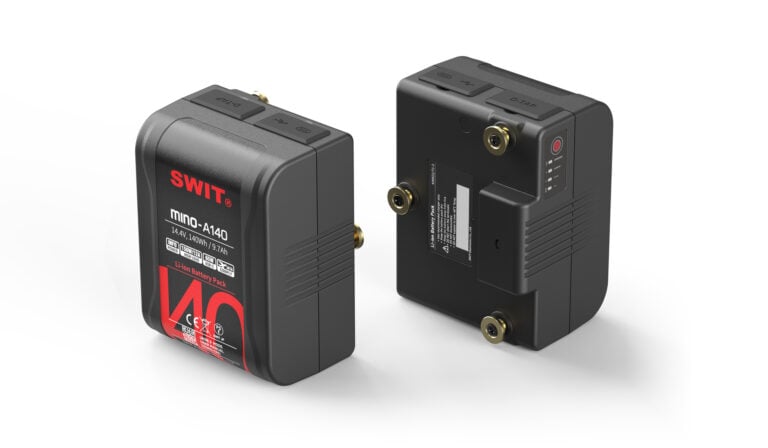 NewsSWIT Introduces MINO-A140 and MINO-A210 Compact Batteries for Camera Rigs20 Oct 2026
 NewsGodox Announces a New Magnetic A2 Flash for Your iPhone19 Oct 2026
 NewsSigma CEO Says Possibilities for New Lenses Are “Limitless”19 Oct 2026
 NewsNikon ZR, GoPro Mission 1 Pro ILS, and Fujifilm Instax Mini Evo Cinema Make TIME’s Best Inventions of 202619 Oct 2026