Canon T1i Design
Roll-over the various controls and features with your mouse for a brief description. Note: Rollovers are best viewed with the latest versions Firefox, Safari, or Opera browsers, or Internet Explorer 6 or earlier.
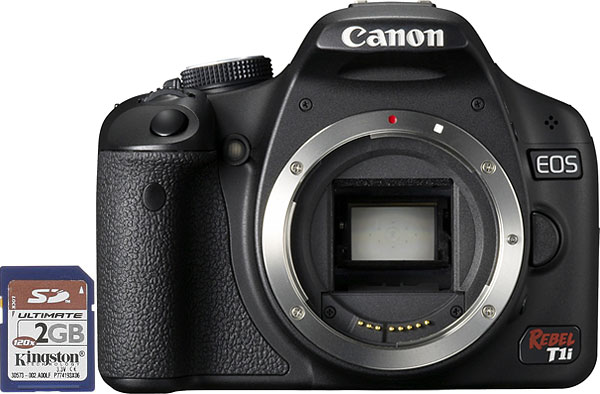
Front. The new Canon T1i follows the design of the previous XSi almost exactly. The view from the front is identical, with the same controls in the same positions as on its predecessor. The body has the same slightly taller stature adopted by the XSi relative to the earlier XTi. On the grip you can see the shutter button and the infrared sensor for use with the RC-1 remote controller. The rubber material on the Canon T1i's grip has been extended to cover more of the camera's front, giving the fingertips more surface to grip. To the right of Canon T1i's lens mount is the lens release button.
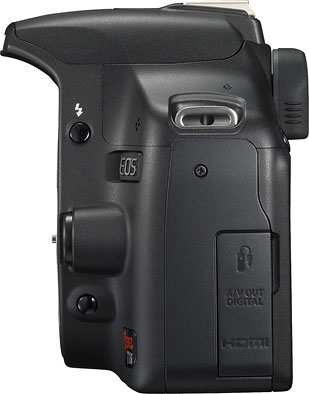
Left. From the left you can see the AF/MF and Stabilizer switches on the kit lens, the flash pop-up button, and the Canon T1i's Depth-of-field Preview button. The strap lug is recessed into the shoulder and the port cover is below that. (One of the few design changes we found between the Canon T1i and XSi is the position of the fingernail recess for the port cover, which has been moved upward a half-inch or so.)
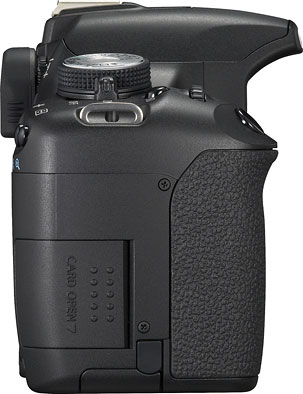
Right. On its left side, the Canon T1i sports the same control placements and functions as are found on the XSi.
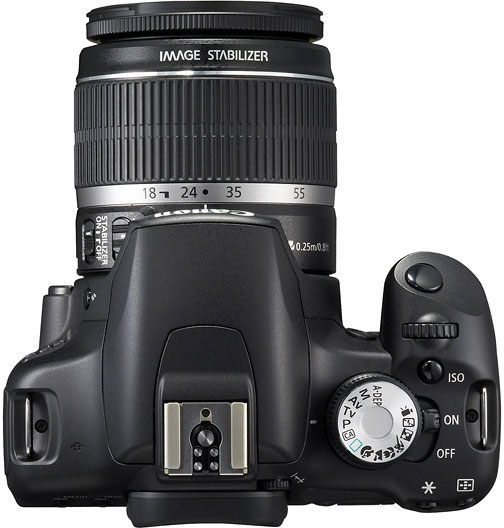
Top. The top deck of the Canon T1i retains the styling of the XSi, the only notable differences being the addition of the movie-mode and CA icons to the mode dial. (CA stands for Creative Auto, brought over from the 50D.)
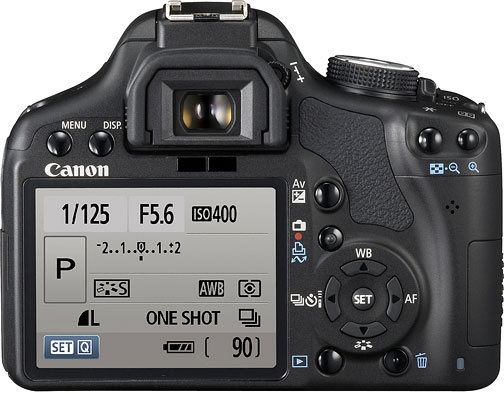
Back. The back of the Canon T1i is very similar to that of the XSi, with the same bright, sharp 3-inch LCD, but control assignments have been modified slightly to accommodate using what was formerly the White Balance/PictBridge Printing button to start and stop video recording (in movie mode) or to toggle Live View on/off (in still capture mode). The Canon T1i's operating display has also been redesigned somewhat, following the layout of the 50D's screen more closely than that of the XSi. (More on this under the Operation tab of this review.) The Canon T1i's card write LED is in the same location, right next to the SD card door, where it's easily seen, and therefore more likely to prevent you from accidentally removing a card in mid-write.
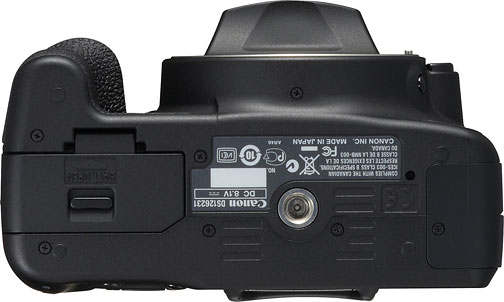
Bottom. The Canon T1i's bottom is again the same as the XSi's, with the same simplified battery door and metal tripod socket.
 Fujifilm GFX 50S Review
 Fujifilm X-T3 Review
 Olympus E-M5 III Review


Follow Imaging Resource