Canon Rebel XSi Operation
The Rebel XSi relies on its large, color LCD screen for all user interaction. This makes for a very clear, highly visible user interface, but probably does contribute to slightly shorter battery life, since the large LCD has to be fired up any time you want to change a setting. One feature we do like very much is the infrared proximity sensor that turns off the LCD screen when you hold the camera up to your eye.
Overall, the control layout places a few main controls (Power, Shutter button, Command dial, and Mode dial) on the right side of the camera's top panel, with most of the other controls on the back of the camera. Let's take a closer look at some of the user-interface elements:
Canon XSi Rear-Panel LCD Display
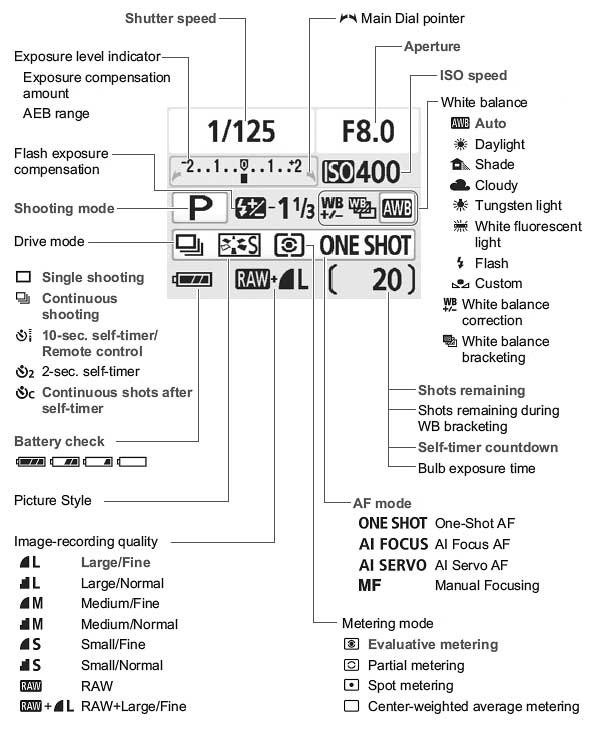
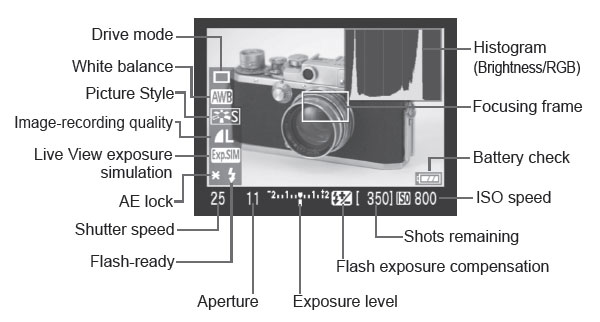
Let's take a closer look at the rear-panel display. The image below shows callouts for all the information shown in the default display. (Illustration courtesy Canon USA.)
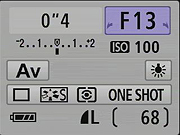
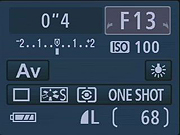
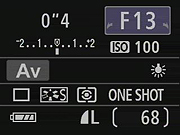
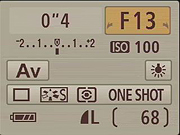
There are four Screen color options on the Status display, adjustable in the first Settings menu, under Screen color.
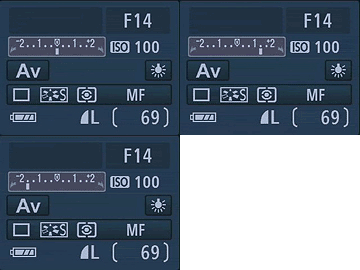
One time when color is used on the rear-panel display is when you adjust the exposure compensation. As soon as you press the exposure compensation button on the camera's body, the exposure compensation area is highlighted on the LCD display, as seen above.
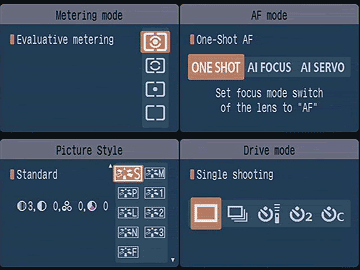
Pressing any of the arrow keys to the right of the LCD screen immediately brings up a screen for the exposure parameter associated with that button. Once the option screen is displayed, you can use the arrow keys to scroll the cursor highlight through the options presented. When you've made the choice you want, pressing Set confirms it and returns you to the main shooting display. The new icon arrangement allows you to just continue to press the same button and the highlight will scroll through all the options, wrapping around when it gets to the end of the list.
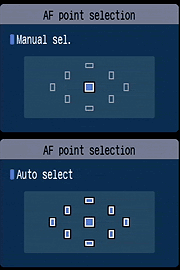
The AF-point selection screen is also very clear and straightforward. When you press the AF-point selection button in the upper right corner of the back panel, the display shown above appears. As you'd expect, you can use the arrow keys to select the point you want, and then exit by pressing either the Set or Shutter button.
Canon XSi Live View, Playback & Record Review Displays
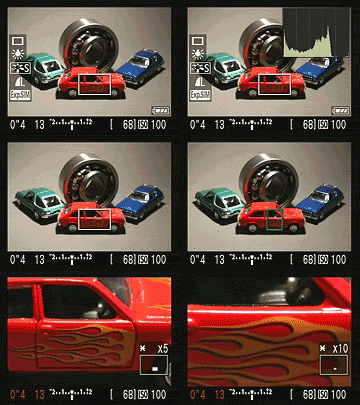
The Canon Rebel XSi's rear-panel LCD screen can be used as a live viewfinder, which is enabled by pressing the Set button outside of a menu or settings screen. In Live View mode, the default display reports the current shutter speed, aperture, exposure compensation setting, ISO setting and number of available images at the bottom of the screen. Pressing the DISP button enables a more detailed information display, and a third press displays a small histogram. Through a Setup menu option, you can also enable a gridline display. (Illustration courtesy Canon USA.)
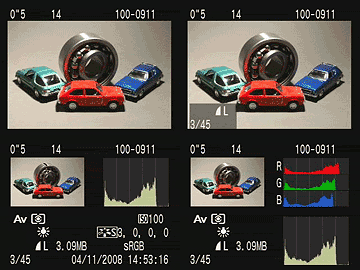
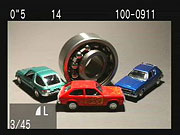
Like the Rebel XTi, the Rebel XSi shows each image as it's captured, though you can turn off this function through the Camera menu. The display mode used in Record Review is the same as was last used in Playback mode, or you can hit the DISP button to cycle to a different mode. Likewise, in Playback mode, you can cycle between the available display options by pressing the DISP button repeatedly. You can also select between the normal luminance-based histogram and the RGB histogram option via a Playback-mode menu item. The screenshots below show the various displays and options available.
| Canon XSi Image Display Options | |
 |
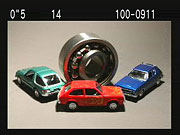 |
This is the default display in playback mode. The file number is displayed upper right, the shutter speed and aperture in the upper left, and file sequence number and quality are shown below left. |
Pressing the DISP button cycles through the three available displays. This is the second option, image with no overlay. |
 |
 |
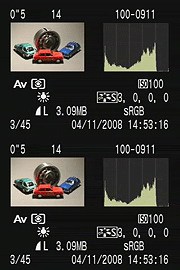
The XSi's third playback display option shows a histogram and more detailed exposure information. If there are any blown highlights, they'll blink in this mode. |
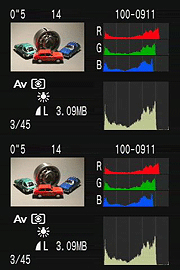
A Custom Settings Menu option lets you choose between a conventional luminance-only histogram, or the separate red, green, and blue displays as seen above. |
 |
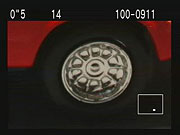 |
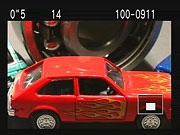
You can also zoom in on an image, up to 10x at the highest resolution. The small navigator window in the lower right-hand corner shows you what part of the larger image you're currently viewing. The arrow keys let you navigate around the full image, and the zoom in / zoom out keys increase or decrease the magnification level. |
|
 |
 |
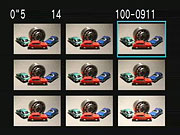
If you press the Zoom Out button while viewing a single image on the LCD screen, it'll take you to a 9-imge thumbnail display. The arrow keys let you navigate among the thumbnail images. The text displays the same basic exposure info for the currently-selected image as does the default single-image display. |
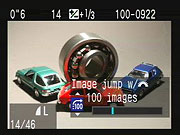
Pressing the JUMP button takes you to a thumbnail display, but one that lets you skip through pages of nine thumbnails at a time.
|
 |
 |
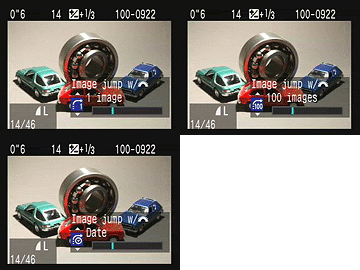
Pressing the JUMP button when a single image is displayed gives you the option of skipping through the images on the card in steps of 1 or 100 at a time, or skipping based on shot dates.
|
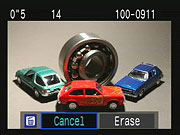
Pressing the Delete button brings up this display, giving you the option to erase the current image, or all (unprotected) images on the card. The Delete display will show either the full image or a thumbnail plus histogram, depending on the playback mode you've selected. |
 Fujifilm GFX 50S Review
 Fujifilm X-T3 Review
 Olympus E-M5 III Review


Follow Imaging Resource