

Overview
Canon EOS-1D Mark IV
Overview
Reviewed by Mike Tomkins, Shawn Barnett,
Andrew Alexander and Zig Weidelich
Review Date: 10/25/2010
The Canon EOS-1D Mark IV is a direct replacement for the company's previous 1D Mark III model, and supplements that camera's functionality with improvements in a number of areas. Perhaps most significant are the use of a new 16.1-megapixel CMOS sensor, and the use of dual DIGIC 4 image processors, which together allow both an increase in image resolution, and allow a huge step up in the camera's ISO sensitivity range while maintaining the 1D's 10 frames per second framerate.
The Canon 1D Mark IV also gains a significantly upgraded autofocus system, a higher-resolution LCD display with improved reflection / glare resistance, and this year's must-have feature: high definition video capability. Other changes of note include support for UDMA CompactFlash cards, Peripheral Illumination Correction, a new generation of Canon's Auto Lighting Optimizer technology, and quite a bit more besides.
Pricing for the new Canon 1D Mark IV is set at US$4,999.00, with a ship date of late December 2009.
Canon EOS-1D Mark IV
Preview
by Mike Tomkins, Shawn Barnett
and Andrew Alexander
The Canon EOS-1D Mark IV features a rugged professional grade magnesium alloy body with 76 gaskets and seals for weather and dust resistance, over a magnesium alloy inner body. Weight of the body without a lens attached has increased just slightly by one ounce, to around 42.6 ounces (1,180 grams), with the weight gain being attributed to the new LCD display. The camera weighs in at 49 ounces or 1,390 grams with battery and CompactFlash card.
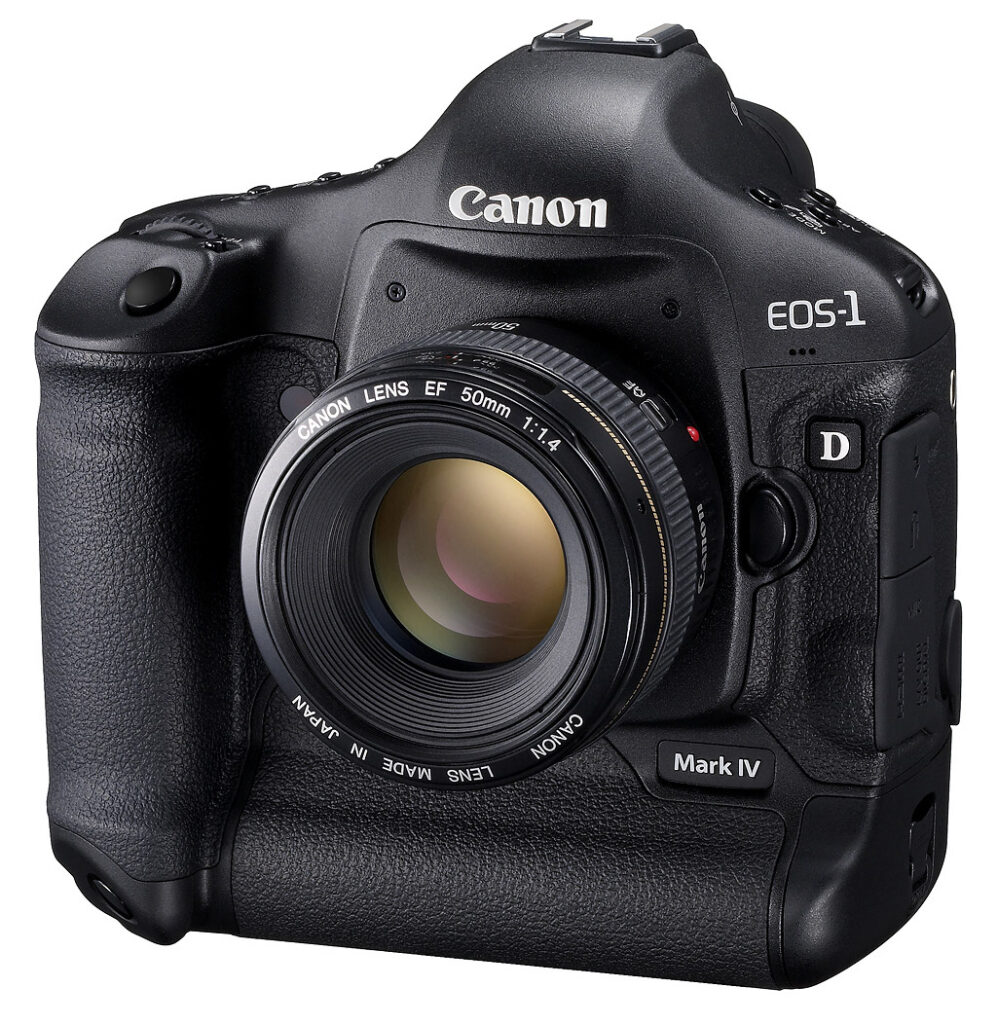
Progression. The Canon 1D series has established quite a legacy. The following table sets out the progression of the series, and sets out the salient changes in the new Mark IV model. The 1D series has always used the APS-H format -- an imaging sensor that's 28.1mm wide by 18.7mm tall. The Mark II saw the conversion from a CCD sensor to a CMOS sensor, and while the Mark III version offered Live View functionality, the Mark IV is the first 1D with a movie recording mode. Except for the model number badge, the only real change that differentiates the 1D Mark IV from its predecessor externally is the presence of a new microphone grill on the front panel, used to record audio.
| EOS 1D | EOS 1D Mark II |
EOS 1D Mark II N |
EOS 1D Mark III |
EOS 1D Mark IV |
|
|---|---|---|---|---|---|
| Release Date: | 2001-12-31 | 2004-04-01 | 2005-09-14 | 2007-04-30 | 2009-12-31 |
| Weight: | 55.9 oz (1,585g) |
54.9 oz (1,555g) |
55.0 oz (1,560g) |
47.8 oz (1,355g) |
49.0 oz (1,390g) |
| Imaging Sensor (Megapixels): | 4.15 | 8.2 | 8.2 | 10.1 | 16.1 |
| Auto Focus Type: | 45-point TTL-AREA-SIR with CMOS sensor | 45-point TTL-AREA-SIR with CMOS sensor | 45-point TTL-AREA-SIR with CMOS sensor | 19-point cross type (plus 26 Assist AF points) TTL-AREA-SIR AF-dedicated CMOS sensor | 45 user selectable points (39 f/2.8 cross-type) TTL-AREA-SIR AF-dedicated CMOS sensor w/ AI Servo II |
| LCD Size (inches): | 2.0 | 2.0 | 2.5 | 3.0 | 3.0 |
| LCD Resolution (pixels): | 120,000 | 230,000 | 230,000 | 230,000 | 920,000 |
| ISO Rating Max: | 3,200 | 3,200 | 3,200 | 6,400 | 102,400 |
| Metering Modes: | Centerweighted averaging, Center Spot, AF-linked Spot, Multi-Spot | 21-zone evaluative, partial, center spot, AF-linked spot, multi-spot, center-weighted average | 21-zone evaluative, partial, center spot, AF-linked spot, multi-spot, center-weighted average | 63-zone: AF linked evaluative, 13.5% partial, center-weighted average, 3.8% center / AF / multi spot | 63-zone: AF linked evaluative, 13.5% partial, center-weighted average, 3.8% center / AF / multi spot |
| Continuous Mode Rate (fps): | 7.70 | 8.10 | 8.50 | 9.91 | 9.95 |
| Live View | N/A | N/A | N/A | Yes, MF only | Yes, 3 AF modes + MF |
| Movie Mode | N/A | N/A | N/A | N/A | 1920x1080 @ 30 / 25 / 24 1280x720 @ 60 / 50 640x480 @ 60 / 50 |
Backstory. Theories abound concerning the release of the EOS 1D Mark IV. For sports shooters, the autofocus performance of the 1D Mark III proved to be unreliable. Four months after the release of the 1D Mark III, Nikon released its game-changing D3, with Canon trying to salvage its position by offering numerous firmware and hardware upgrades (including a servicing program to replace a faulty focusing sub-mirror). Despite these updates, the camera was said to be inferior in performance to that of the previous 1D Mark II N. (One of the most definitive reporting sources of the entire 1D Mark III focusing saga can be found at Rob Galbraith's website.) The Internet came to life with stories far and wide of Canon shooters switching over to other systems. If you pore over Canon's historical release dates in the 1D series, a new model comes out in the first quarter every three years; the 1D Mark IV came out six months "ahead of schedule."

Sensor. Inside the 1D Mark IV's body, Canon has coupled a newly designed image sensor and dual DIGIC 4 image processors that together bring improvements in a number of areas. Approximately equivalent in size to a frame of APS-H film, the Mark IV's RGB-filtered Canon CMOS image sensor has an effective resolution of 16.1 megapixels, and a total resolution of 17.0 megapixels.
The imager has a native 3:2 aspect ratio, and yields images to a maximum resolution of 4,896 x 3,264 pixels in both JPEG and 14-bit CR2 Raw formats. Lower-resolution options include 4,320 x 2,880 pixels (JPEG only), 3,672 x 2,448 pixels (M-Raw only), 3,552 x 2,368 pixels (JPEG only), and 2,448 x 1,632 pixels (JPEG or S-Raw).
Perhaps indicating the company's confidence, Canon is stating that noise levels in Raw data from the Canon EOS-1D Mark IV should show a noticeable improvement over those of the previous model, at equivalent sensitivity. Canon says they achieved this through of a number of design changes to the new CMOS imager.
For one, the ratio of light sensitive to non-light sensitive area for each pixel has been increased, although the boost in resolution means that each pixel is now 5.7 microns, down from the 7.2-micron photodiodes in the Mark III sensor. Other changes include a new amplifier design that improves the signal to noise ratio, deeper photodiode wells that improve dynamic range, the use of gapless microlenses that are also closer to the photodiode surface to improve light gathering efficiency, and the selection of more efficient materials for the color filter array.
Sensitivity. By default, the Canon 1D Mark IV offers sensitivity ranging from ISO 100 to 12,800 equivalents. A custom function expands this range to include ISO 50 at the low end, to ISO 102,400 at the high end, matching the highest ISO of Nikon D3s. The lower limits are unchanged from those of the Mark III, but the maximum sensitivities are vastly higher than the standard ISO 3,200 and expanded ISO 6,400 of the 1D Mark III. Indeed, the Mark IV offers the widest ISO range of any Canon EOS digital SLR to date, which is an especially impressive step forward when one considers the simultaneous increase in sensor resolution from the 10.1-megapixel 1D Mark III.

DIGIC 4. In addition, JPEG shooters will gain the benefits of Canon's current-generation DIGIC 4 image processing, instead of the DIGIC III processing of the 1D Mark III.
Frame rate and buffer. Like its predecessor, the Canon 1D Mark IV is capable of burst shooting at up to ten frames per second. Despite the increase in resolution, large/fine JPEG burst depth has actually increased slightly to 121 frames, from the 110 frames achievable with the Mark III. Raw shooters will find burst depth has decreased by a couple of frames, with 28-frame Raw or 20-frame Raw+JPEG bursts possible. (These are Canon's figures.)
Lens mount. Like its predecessor, the Canon 1D Mark IV accepts Canon EF, TS-E, or MP-E lenses -- but not the EF-S lenses designed for the smaller APS-C sensor format.
Vignetting. The EOS-1D Mark IV includes Canon's Peripheral Illumination Correction function, which aims to correct for vignetting or light fall-off with certain Canon lenses.

Dust control. To combat the adverse effects of dust on image quality, Canon's EOS Integrated Cleaning System is retained from the Mark III design. Dust adhering to the low-pass filter over the image sensor is shaken free using ultrasonic vibrations, and is captured by an absorbent material around the filter's perimeter. The locations of any stubborn particles that remain can then be mapped and tagged in the headers of both JPEG and Raw images for automatic or manual removal using Canon's bundled Digital Photo Professional software.
By default, the ultrasonic dust removal process is triggered for several seconds whenever the camera is first powered on, although this can be disabled, and the process triggered manually at the user's discretion. In either case, a touch of the shutter button immediately stops the dust removal process and returns the camera to normal operation should an unanticipated photo opportunity present itself.

Autofocus improvements. Canon has given its autofocusing system a significant overhaul for the EOS-1D Mark IV. While the total number of focusing points is unchanged at 45, the number of cross-type points has more than doubled. Where the Mark III offered 19 cross-type points, no less than 39 of the Mark IV's 45 points are high-precision (f/2.8 compatible) cross-type points. In addition, where the Mark III's 26 remaining line-sensitive AF points were available as assist points only and hence weren't user selectable, the 1D Mark IV provides for user selection of all 45 points.
An interesting side note concerns those cross-type sensors. In the EOS 1D Mark III, the center point functioned as a cross-type sensor not only at f/2.8, but also at f/4. This is still true in the Mark IV, but with certain lenses or combinations of lens plus teleconverter, the same is true of all the other cross-type points. The precise list of lenses and combinations for which all 39 points can function in high-precision mode is as follows:
|
AF working range is unchanged from the Mark III, being rated at -1EV to 18EV at ISO 100 (73F / 23C). Interestingly, though, Canon is describing AF performance in both low-light / low-contrast and bright light as being improved, although without detailing precisely how.
The Canon EOS-1D Mark IV's AF modes include both one-shot and servo, with the latter earning the new designation AI Servo II AF, thanks to several changes to the underlying algorithms. There's no longer a delay between the subject beginning to move and AI Servo AF beginning to track and predict the focus position. Should an obstacle pass between subject and camera, or the AF point slip off the subject, then the camera will initially continue tracking based on the last calculated subject trajectory. Should the photographer leave the AF point off the subject for a longer period, the camera will begin to drive the focus point towards the new position, but will do so more gradually than was previously the case, rather than suddenly snapping focus to the background. If the subject suddenly changes its trajectory, the AI Servo II AF system now ignores the initial result and waits until it has two matching results before the focus point changes, reducing the likelihood that an error will suddenly throw the lens off focus.
Canon has also added a second claw-like mirror stopper mechanism to the AF submirror, supplementing the mirror stopper on the main mirror as featured in the 1D Mark III design. This should help to provide a steadier image that will allow the AI Servo II AF mode to make better focusing decisions during high-speed burst shooting.
Viewfinder. Images are framed on the Canon EOS-1D Mark IV's fixed eye-level pentaprism viewfinder, whose design is unchanged since the Mark III. As you'd expect in a camera aimed at professional use, the viewfinder offers 100% coverage both horizontally and vertically. The active AF point is indicated in the viewfinder, which also includes a display that provides a wide range of variables including ISO sensitivity, shutter speed, aperture, and more.
Magnification is 0.76x (-1 diopters with a 50mm lens at infinity), and -3.0 to +1.0 diopters of adjustment is available with an eyepoint of 20mm. A built-in eyepiece shutter is a nice touch, preventing ingress of light when your eye isn't against the viewfinder (which could potentially cause metering issues), without the need for a fiddly and easily lost external viewfinder cover.
Perhaps one of the smallest changes most welcomed by shooters both pro and amateur alike is the modification of the viewfinder eyecup. On previous models (the "Eb" model), the eyepiece was fairly easy to remove, so easy in fact that it tended to fall off during casual transport. The eyecup has now been modified with a catch added on each side, so that it must be "squeezed" to be removed. The new "Eg" eyecup is apparently compatible with the Mark III, as well as the 7D camera.

Display. Beneath the viewfinder eyepiece, the Canon 1D Mark IV provides a 3.0-inch LCD with approximately 920,000 dots of resolution, equivalent to a VGA (640 x 480) pixel array with three dots per color. That's a significant step up in resolution from the 230,000 dot (~320 x 240 x 3 dots per color) display on the Mark III, making the screen much better for judging focus accuracy.
The panel is what Canon refers to as a Clear View II LCD type, and is the same model that first appeared in the EOS 7D digital SLR. Coverage is 100%, and in addition to the increased resolution, the panel also offers improved resistance to glare and reflections thanks to an optical acrylic resin layer between the cover glass and LCD surface. The cover glass has also been upgraded, and is now made from scratch-resistant tempered glass rather than the acrylic plate used in the Mark III.
Live View. Like the 1D Mark III before it, the Canon 1D Mark IV also offers a Live View mode, although the higher resolution LCD and a change to the focusing capabilities should make the function rather more useful. Where the 1D Mark III's earlier generation of Live View required the use of manual focusing, the Canon 1D Mark IV allows three autofocusing options in Live View mode, as per other recent Canon digital SLRs.
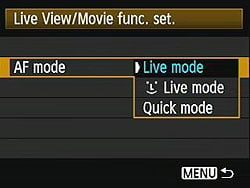
The first of these is what Canon refers to as Live Mode AF, whereby the camera applies contrast detection algorithms to the data streaming from the image sensor. This allows focusing without interrupting the live view, but has the disadvantage that it is significantly slower to achieve a focus lock, which makes it less useful for handheld photography, or when shooting moving subjects. The second mode is Face Detection Live Mode. As you may expect, this mode detects and focuses on human faces. If more than one face is detected, the multi-controller can be used to select a different face. Alternatively, in what Canon refers to as Quick Mode AF, the mirror is briefly dropped to allow an autofocus operation using the camera's phase detection autofocus sensor. This mode offers quick autofocusing, but with the disadvantage that there is an interruption of the live view stream during the AF operation.
As with the Mark III, the 1D Mark IV's Live View mode also offers a selectable 5x / 10x magnified view of the selected focusing point when the photographer elects to focus manually. The Canon 1D Mark IV can also overlay grid lines on the live display to help with framing, and depth-of-field preview is possible both in Live View or with the optical viewfinder.
Metering. As you'd expect on a digital SLR aimed at professionals, operating modes on the Canon EOS-1D Mark IV include Program AE (with Program Shift), Aperture-priority AE, Shutter-priority AE, and Manual. Metering is performed with a 63-zone sensor, and modes include AF-linked evaluative, 13.5% partial, or 3.8% spot metering. The spot-metering point can either be locked at the center of the image frame, or linked to the AF point. In addition, the 1D Mark IV supports multi-spot metering, with up to eight spot meter readings in a row being combined to determine a single exposure that best captures the various metered subjects.
The metering range for the Canon 1D Mark IV is from 0 to 20EV (ISO 100, 73F / 23C, with the EF 50mm f/1.4 USM lens). Up to three stops of positive or negative exposure compensation are available, in one-third or one-half EV steps, and the Canon 1D Mark IV can also automatically shoot 2, 3, 5, or 7 bracketed exposures within the same range.
Shutter. The Canon 1D Mark IV's vertical travel focal plane shutter is controlled electronically, and allows for shutter speeds from 1/8,000 to 30 seconds in 1/3-stop increments, plus bulb. The Canon 1D Mark IV offers a two- or ten-second self timer, and includes a Canon N3-type remote terminal connection.
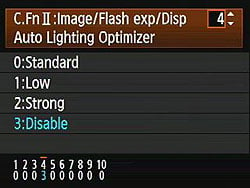
ALO. The Canon 1D Mark IV includes a new generation of Canon's Auto Lighting Optimizer technology, which offers the same preset positions (Disable, Low, Standard, or Strong) as in past cameras. The effectiveness of the function is said to have been improved, though, and it is also now available for the first time in manual exposure mode.
White balance. The Canon EOS-1D Mark IV offers ten white balance modes which include Auto (as determined by the image sensor), five presets, five Custom white balance settings (set in-camera), five Personal white balance settings (set from an attached computer), and finally the ability to specify the color temperature directly in the range of 2,500 to 10,000 Kelvin. It's also possible to fine-tune white balance with +/- nine steps of blue/amber or magenta/green bias, or to bracket white balance with three consecutive shots (but not both together).
Flash. There's also both a hot shoe and PC sync terminal for external flash connection, with X-sync at 1/300 second when using EOS Speedlite flash strobes. With other shoe-mount flashes, X-sync is at 1/250 second maximum, and with studio strobes at 1/60th second. Flash metering choices are E-TTL II, evaluative, or averaged. Three stops of positive or negative flash exposure compensation is available in 1/3 or 1/2EV steps.
Canon says that the algorithms for E-TTL II in the 1D Mark IV have been refined, so as to take greater account of distance information from the attached lens and hence reduce the influence of the background, improving exposure accuracy when shooting a small subject with a wide-angle lens.
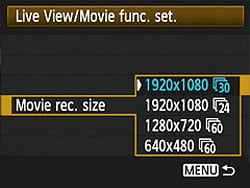
HD Movie mode. Another area of significant change in the Canon EOS-1D Mark IV is its new high-definition video capture mode. The functionality is largely similar to that from the EOS 7D digital SLR, providing for recording of movie clips up to four gigabytes in size, which are saved using AVC / H.264 compression in a .MOV container.
Resolution and frame rate options include 1,920 x 1088 pixels (23.976, 25, or 29.97 frames per second), 1,280 x 720 pixels (59.94 or 50 fps), or 640 x 480 pixels (59.94 or 50 fps). The numerous different frame rates match various broadcast television formats etc., removing the need to transcode to the intended output frame rate after capture, and the available frame rates will depend on whether the camera is set to NTSC or PAL mode.
The Canon 1D Mark IV's movies include 48KHz audio, recorded either with a newly added monaural microphone on the camera's front panel, or via an external microphone attached to the camera's standard 3.5mm stereo jack. No control is offered over audio levels when recording, however. In addition to the new microphone on the front of the camera body, the 1D Mark IV also retains a rear-panel microphone used for the camera's voice memo function, as well as a rear-panel speaker that caters to both video and voice memo modes. The Canon 1D Mark IV's HD video mode would not be complete without an HDMI-out port, so that was included as well.
It is possible to perform a contrast-detect autofocus operation during movie recording; however Canon recommends against doing so on the basis that the AF operation will be noticeable in both the video and audio portions of the recording. Exposure can be controlled either automatically or manually, with all of the camera's extremely wide range of ISO sensitivities available, except for the expanded ISO 50 setting. When recording using manual exposure, it is possible to set the ISO sensitivity directly, or to leave this under the camera's control while manually specifying the aperture and shutter speed.
Limited in-camera video editing is possible, with the ability to trim the start or end of a video clip in one-second increments, and save the result as either a new file, or overwriting the original.
Much like the previous EOS 5D Mark II, the EOS-1D Mark IV provides the ability to capture a still image during movie capture by pressing the shutter button, with the still frame being recorded both as a separate image, and also placed into the video stream at the point of capture rather than leaving blank frames. Video capture itself is triggered by first placing the camera in Live View mode, then pressing the FEL button to start or stop video recording.
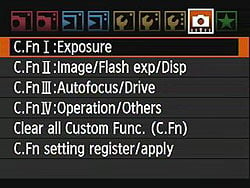
Custom Functions. Several custom functions have been added to the EOS-1D Mark IV which bear mentioning. The first relates to video recording, altering the previously described behavior in one detail. Through a custom function, it is possible to set the camera to remove the two-step process that requires the photographer to first enter Live View mode before the FEL button can be used to start movie recording. With this custom function set, the FEL button can instead simultaneously start live view mode and begin movie recording all in one step.
There are also several new custom functions relating to the EOS-1D Mark IV's autofocus system, which should make the camera rather more versatile. A new addition to the AF Point Expansion function allows the user to select any AF point as a starting point, and have the camera automatically track the subject beginning from that point, across any other AF point. The currently active point is indicated in the viewfinder, and also shown in Canon's Digital Photo Professional software.
The 1D Mark IV also offers a spot AF custom function like that in the EOS 7D, which acts similarly to single-point AF, except that it reduces the size of the AF point. This can be useful when shooting overlapping subjects -- for example, an animal in a cage -- but can also make it harder to obtain a focus lock, especially when hand-holding the camera or shooting moving subjects.
Finally, a EOS-1D Mark IV custom function relating to AI-Servo AF allows separate selection of focus-lock or shutter-release priority for the first shot in a burst, and subsequent shots. This allows the photographer to decide, for example, that the timing of the first shot is more important than whether the camera has determined a focus lock, but that for subsequent shots precise focus is more critical than burst speed.

Storage. The Canon EOS-1D Mark IV can store still images as Adobe RGB or sRGB compressed JPEG files, 14-bit .CR2 Raw files, or both file types simultaneously. Images are stored on either CompactFlash or Secure Digital cards, with one card slot available for each type. For CF, both Type-I and Type-II cards are supported, as are UDMA Mode 6 cards. SD support includes the faster and higher-capacity SDHC types.
It is possible to copy files between cards in-camera, and several options are available that allow the EOS-1D Mark IV to duplicate images on both cards simultaneously, to separate file types by flash card slot, or to select one card as an overflow for use when the other card is filled to capacity.
Connectivity options include USB 2.0 High-Speed data transfer, and NTSC / PAL standard definition video output.

Battery. The EOS-1D Mark IV's power comes courtesy of an LP-E4 lithium-ion rechargeable battery, the same type as that used in the EOS-1D Mark III. Battery life is rather lower, though, due to the increased sensor resolution, and the attendant increase in processing that this brings. Where the Mark III was rated to yield 2,200 shots on a charge (73F / 23C), the EOS-1D Mark IV is rated for 1,500 shots on a charge in the same conditions.
Canon EOS-1D Mark IV
Field Test
by Andrew Alexander
I had the pleasure to shoot with the Canon 1D Mark IV for several weeks, with a variety of lenses. Though my primary focus was on the camera's new video recording mode, I also took the opportunity to test the Canon 1D Mark IV in a variety of scenarios for which the camera was intended, such as sports. The primary emphasis of this report assumes that the reader has had some experience with shooting a pro-level camera (and perhaps the Canon EOS 1D Mark III in particular), but where appropriate, we'll be describing specific features.
Ergonomics. The Canon EOS 1D Mark IV is the definition of a professional camera body: solid and ruggedly built. If there was any doubt of this, its three-pound weight--without a lens attached--should remind you of this fact. Despite the weight, the Canon 1D Mark IV is extremely comfortable in the hand, with great attention to detail being paid to where your fingers and thumbs naturally come to rest in order to operate the camera's controls. The camera is only slightly less comfortable to operate in the portrait orientation, as your thumb tends dig into the side of a less-gracefully sculpted AF-on button. It's a minor complaint, as this is not a camera you'll realistically be shooting with one hand, and thus the weight gets distributed between both your hands. Speaking of minor points, one thing I very much like about the 1D Mark IV is its eyepiece: it protrudes 3/8-inch out from the LCD screen, meaning there is ample room to park your nose.
The Canon 1D Mark IV features strap mounting lugs where you'd expect them, on the top left and top right sections, but there's also a third strap mounting lug on the bottom of the camera, for use in connecting a hand strap. This is a nice touch because most third party systems rely the camera's tripod mounting socket to attach a hand strap; using such a hand strap in conjunction with a tripod becomes a bit of a pain. The tripod mount is a standard 1/4-20 screw size, but there's no alignment hole for locking a tripod mounting plate into position.
The last comment about camera ergonomics is unavoidable: Using the Canon 1D Mark IV in movie recording mode is especially tricky. Since the inception of the EOS-1 series as a film camera, it has been conceived, designed, refined and improved from the ground up as a stills-shooting device, and not as a video camera. Accordingly, holding a three-pound camera with arms outstretched as focus is judged on an LCD screen is challenging for more than the shortest of clips, especially if a lens of any weight is employed. For serious movie recording, this isn't the camera you want. However, this fact has provided fertile ground for the manufacturers of third-party accessories, and a whole industry has built up around improving the dSLR as a video shooting platform.
Controls. There are over two dozen buttons, dials and switches to manipulate on the Canon 1D Mark IV: if you've never used this model before, you're going to have to invest some time in getting to use them. Canon has a "tried and true" design implementation for its controls, with additional buttons appearing as an evolution to the overall design. In terms of the actual usability of the controls, the compliment I will pay the Canon 1D Mark IV is that there is no doubt involved here: there's just the right amount of "click" to the buttons and dials that let you know when the control is being used. You won't accidentally be pushing a button or turning a control wheel, unless you really mash the camera.
Generally, the buttons that are going to be used most are within convenient reach of all fingers and the thumb. In my experience with the Canon 1D Mark IV, there are two exceptions to this statement. The first concerns the top-right control buttons for LCD illumination, exposure compensation, and ISO speed selection: these buttons are just too far away from where my index finger is falling, requiring me to either use my other hand to select the appropriate button, or more likely, requiring me to adjust my right thumb position so I can stretch my finger over where it's required. I see some empty space on the "shelf" where the main dial and Flash Exposure Lock button are located: why can't these buttons show up there? It could be that Canon's user interface engineers have determined that it's too confusing or crowded to put any extra buttons there. I'm no engineer; all I know is, my fingers can't reach those buttons comfortably from where they are naturally encouraged to rest. Those who have been shooting Canon pro and semi-pro SLRs for years will no doubt be used to these buttons in this location.
The second awkward placement isn't quite as frustrating: in the portrait orientation, the Canon 1D Mark IV's FE-L button is below left of the main dial, while in the horizontal orientation, it's above left of the main dial. If you rely on Flash Exposure Lock for your photography, you'll have to adapt to this difference, but I also found that in the portrait orientation the button is just a bit too far away from the main dial to be comfortable: I had to stretch my finger a fair bit to get there. In the regular orientation, it's perfectly placed.
The multi-controller (known popularly as the "joystick") was introduced in the Mark III model to supplement the Quick Control dial, and its operation is unchanged in the Canon 1D Mark IV. In the Mark II model, it was a fairly cumbersome process to pan horizontally and vertically through zoomed-in images in Playback mode, requiring use of both the Quick Control dial and the Main dial; the multi-controller performs this function a bit more intuitively, leaving the Quick Control dial to move backward and forward through the images. The Main dial performs a similar function, but moves backward and forward in groups of ten.
The Canon 1D Mark IV offers multiple methods for performing the same function; this is either good or bad depending on your point of view. For example, selecting an autofocus point. The operation is commenced by pressing the AF Point selection button (the third "thumb" button), which brings up the selection screen, both on the main LCD and a more basic view in the viewfinder. The multi-controller allows you to move directly to the point you'd like to select; the quick control dial scrolls through the points vertically. The main dial scrolls through them horizontally. Confirming your selection is performed by pressing either the shutter button or the "SET" button in the middle of the Quick Command dial; pressing the joystick in either resets the autofocus selection point to the central point, or toggles between the central point Automatic Selection, if it's already in the center. In this particular example there are several ways to accomplish the same objective, and Canon has wisely chosen to augment the functionality rather than change it, allowing Mark II users who didn't adopt the Mark III a way to dive in to the Canon 1D Mark IV.
Menus. Canon uses a standardized menu structure for choosing and selecting the hundreds of options available to modify the performance of the 1D Mark IV. The menu is engaged by pressing the "Menu" button, which brings up Menu options subdivided into nine groups along the top of the LCD screen. This is another case where the camera's two types of controllers provide alternate methods of navigating and selecting the menu functions: the main and quick control dials allow horizontal and vertical navigation through the menu structure, with the "SET" button of the Quick control dial providing selection and confirmation of menu choices. Alternately, the Multi-controller offers the same navigation, and pressing the multi-controller offers the same selection and confirmation functionality as the "SET" button. Different strokes for different folks. Pressing the "Menu" button retreats backwards in the menu structure.
The camera's menu layout is divided into five sub-menu groups: Shooting (Red), Playback (Blue), Set-up (Yellow), Custom functions (Orange), and My Menu (Green). I won't spend a lot of time on the dozens of individual menu settings, other than to say that everything is essentially where you would expect to find it. My one criticism would be that there's no integrated help system in this deep menu structure. While I recognize that this is a professional camera, I can't imagine it would take much work to link the "Info" button to an on-demand system which pops-up a short description explaining what a particular setting does. This would not only create an easier learning curve for the Canon 1D Mark IV, it would allow the photographer to leave the manual at home.
The Custom Functions menu allows the user to fine-tune the operation of the camera with over sixty specific functions. If there were any doubt remaining concerning the nature of this camera as a professional tool, one need only need look at the Custom Functions settings to put those doubts to rest. Everything from lens focusing micro-adjustment to the character of certain buttons can be altered with these settings, to allow the shooter to customize the camera's operation to meet their specific needs. One complete subgroup, with nineteen custom functions, exists solely to adjust the operation of autofocus. All of the Canon 1D Mark IV's settings can be saved to a file on a memory card, so that you can take your settings with you from camera to camera.
New custom functions relating to autofocus bear special attention, as Canon has devoted a great deal of attention to allowing the photographer to customize the camera according to their needs.
| Custom Function | 1D Mark III | 1D Mark IV | Change |
| AI Servo 1st/2nd image priority | C.Fn III-3 | C.Fn III-3 | 3: Release/Tracking priority: allows the camera to prioritize focus tracking over shooting speed. |
| Lens AF stop button function | C.Fn III-6 | C.Fn III-6 | 7: Spot AF: only showing up on super telephoto IS lenses, the camera allows the lens-based button to temporarily switch to a single AF point. |
| AF expansion with selected point | C.Fn III-8 | C.Fn III-8 | 3: All 45 points area: added due to the increase from 19 to 45 AF points in the camera. Initial focusing is performed on the manually selected AF point, combined with the surrounding eighteen focus points. In the AI Servo AF mode, the camera will track focus with all 45 focus points as the subject moves through the frame. |
| Multi-controller while metering | N/A | C.Fn III-9 | New to the 1D Mark IV, with this setting active the photographer may select the AF point directly without first pressing the AF point selector button (+). |
| Selectable AF point | C.Fn III-9 | C.Fn III-10 | The Mark IV switches the order around a bit, changing the default '0' setting to 45 points. The number of selectable points can be limited to 19 (as seen in the Mark III), and a new option to select just 11 points. The inner and outer 9 points settings remain. |
| Switch to registered AF point | C.Fn III-10 | C.Fn III-11 | 2: Only while * is pressed, adds an extra layer of button pushing to ensure the AF point doesn't get accidentally switched. |
| AF-assist beam firing | C.Fn III-14 | C.Fn III-15 | 2: IR AF-assist beam only, restricting the AF assist to flash units that have an infrared assist beam. |
| Orientation linked AF point | N/A | C.Fn III-16 | New to the Mark IV, the orientation sensor in the camera can detect when it is being used in portrait or landscape orientations, and automatically switch to a different registered AF point. |
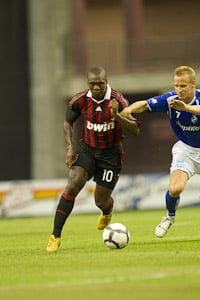
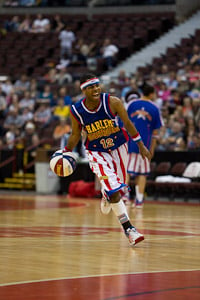
Shooting. The Canon 1D Mark IV isn't really a camera you buy for casual shooting: it's a professional tool, purpose-built to offer class-leading autofocus performance. It's about putting the subject in focus in the widest range of shooting situations possible, consistently. To that end I had to actively seek out a scenario that would provide a challenge for the camera. Thanks to my professional photographer friend Leon Switzer, the Mark IV ended up shooting two pro sporting events: a Harlem Globetrotters basketball game, and an exhibition soccer match featuring Italian team AC Milan.
 | |
| 1 / 5 | [01] [02] [03] [04] [05] |
| A sequence of five images shot at the AC Milan-Impact de Montreal exhibition soccer match. 400mm f/2.8L (effectively 520mm on the Canon 1D Mark IV), 1/500s, f/2.8, ISO 2,500. Images © 2010, Leon Switzer. | |
Neither of us had used the Canon 1D Mark III to a great degree, and certainly not enough to be considered fluent in the eccentricities that demanded the updates that appear in the Canon 1D Mark IV. In general, with L-glass lenses mounted, the autofocus of the Mark IV springs into action, finding focus extremely quickly and confidently. For single-shot focus where both the shooter and the camera had the time to consider what we wanted to focus on, Leon didn't note any difficulty in achieving perfect focus almost all the time. Indeed, in Playback mode, it was clear that when an image was out of focus it was because the autofocus sensor wasn't properly placed on the subject. In AI-servo mode however, he did encounter some focusing issues, but the caveat to be made up front is that this is a camera with more than a handful of options for fine-tuning autofocus performance, and we only had it a short time; this is a camera that demands trial and error to suit to your individual shooting style, and it may be that with the proper settings dialed in, you wouldn't have the same issues we had.
The 1.3x crop factor of the APS-H sensor makes for a perfect working distance when shooting basketball; with the EF 70-200mm f/2.8L mounted, the long end becomes 260mm, which is just enough to get a nice tight shot of the basket. For regular court action, zoomed out to 70mm (effectively 91mm) gives a wider field. Of course, if the action gets too close, you're reaching for the second body with a wider lens attached--if you have the time. Leon usually shoots with the 5D Mark II, and found that the main advantage of the Canon 1D Mark IV is its substantially higher frame rate of 10 frames per second in Continuous High mode. This is extremely fast, especially when compared with the ~4 frames per second of the 5D Mark II, and Leon found that he had the luxury of choosing the exact moment in critical moments compared to hoping he had something he could use.
 | |
| 1 / 4 | [01] [02] [03] [04] |
| A sequence of five images shot at a Harlem Globetrotters exhibition basketball match. 70-200mm f/2.8L (effectively 91-260mm on the Canon 1D Mark IV), ISO 3,200. Images © 2010, Leon Switzer. | |
Leon found that the auto white balance wasn't quite right, particularly during the soccer match with stadium lighting. Instead, he dialed in a custom white balance and shot RAW, so he could fix it in post. For his shots he shot wide open at f/2.8, at 1/500 second, and let the ISO adjust to get properly exposed images; this resulted in ISO speeds of between 2,000 and 2,500. Looking at the images, there is hardly any noise to speak of, which he found quite impressive.
The new predictive autofocus feature of the Mark IV did not work well for Leon; he found he had to turn it off because it was not functioning as he expected. Instead, he used regular AI servo continuous focus with a fixed autofocus point, which worked perfectly for him. Specifically, he noted that when soccer players approached him, as long as he kept the autofocus point on a player, the camera would maintain focus perfectly. With predictive focus tracking enabled, he found the camera would seek to focus on something other than what he intended; essentially, he was fighting with the camera. He readily admitted he didn't have time to figure it out, but did think that if there was a quick selection button which allowed the user to enable or disable it, it could become a useful, if infrequently used function--at least for his shooting style.
To examine the predictive autofocus tracking function in greater detail, I arranged a side-by-side test between the Nikon D3 and the Canon 1D Mark IV. Both cameras were equipped with a 70-200mm f/2.8 image-stabilized lens, and set to use the same equivalent shooting settings. It wasn't a completely fair test, as the D3 did not have the buffer upgrade of the D3s, meaning the D3 could take just over 20 photos before its buffer would be filled; the 1D Mark IV, by comparison, could just keep shooting and shooting.
With all the autofocus options of the Canon 1D Mark IV, it took us a while to get to a point where we were seeing predictive autofocus tracking in action, but eventually we did see it. Canon promotes this predictive autofocus tracking system similarly to Nikon: as the subject moves across the field of view, the camera automatically finds the subject, focuses on it, and changes focusing points automatically as the subject moves from one to the next. In practice, we found that we never really observed a completely successful example of the camera tracking focus. By contrast, the Nikon D3 had no trouble exhibiting this function.
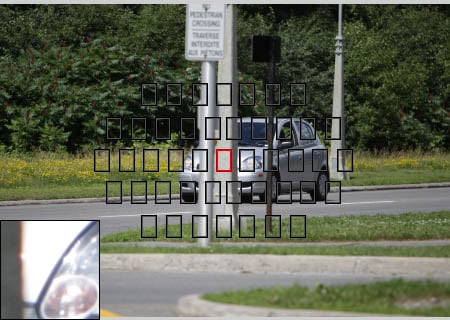
For test subjects we decided to shoot moving cars, which travel in a more or less predictable direction, tracking them as they passed. In all cases, we attempted to focus, and maintain focus, on the front headlight closest to us. The results of our testing were quite mixed: the number of variables in our limited testing were difficult to isolate, so these results can hardly be considered definitive. However, there were some obvious and important conclusions that we drew.
Tracking focus - regular focus. In this case, we shot ten vehicles as they passed in front of us. Our target was the headlight closest to us, and we tried to track the camera so that the headlight was consistently visible (obviously, when the car passed by completely, the headlight was no longer visible). Here is one example of the shots acquired, including commentary for each shot. For this test, the following settings were used:
| Canon 1D Mark IV | Nikon D3 |
| AI Servo tracking sensitivity: Slow | Focus Tracking with Lock-On: Long |
| AS Servo 1st/2nd image priority: AF Priority/Tracking priority | AF-C Priority: Focus |
| AI Servo AF tracking method: Main focus point priority | Dynamic AF Area: 51 points (3D-tracking) |
| Lens drive when AF impossible: Focus search on | AF Point Selection: 51 points |
| AF expansion with selected point: All 45 points area |
| Canon 1D Mark IV | |||
 |
[01]
[02]
[03]
[04]
[05] [06] [07] [08] [09] [10] [11] [12] [13] [14] [15] [16] [17] [18] [19] [20] | ||
| Nikon D3 | |||
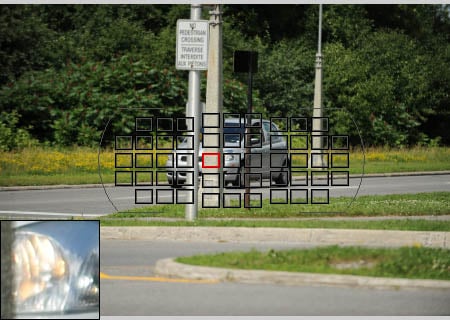 |
Image: | 01 | /20 |
An auspicious beginning; a pole in front of both focus points. The Canon has slightly better focus, but the focus sensitivity settings on both cameras prevent them from re-focusing. | |||
We didn't notice until well after we had left the shooting area that the 1D Mark IV hadn't been set with predictive focus enabled, whereas the D3 had been used with the 51-point 3D focus tracking, making for an unbalanced comparison. As it happened, we actually got better results with Main focus point priority compared to Continuous AF track priority (as we'll explore next). In this example, and many others like it, the Canon 1D Mark IV did exceptionally well with Main focus point priority enabled, tracking focus correctly throughout dozens of images. However, as the above images show, the camera didn't expand its AF range as specified by custom funfmoviction III-8 (AF expansion with selected point) even though that was set to "All 45 points area."
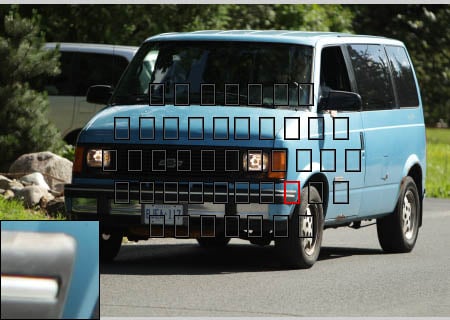
Tracking focus - predictive focus. In this case, we shot vehicles as they passed in front of us. Again, our target was the headlight closest to us, and we tried to track the camera so that the headlight was consistently visible. Here is one example of the shots acquired, including commentary for each shot. For this test, the following settings were used:
| Canon 1D Mark IV | Nikon D3 |
| AI Servo tracking sensitivity: Slow | Focus Tracking with Lock-On: Long |
| AS Servo 1st/2nd image priority: AF priority/Tracking priority | AF-C Priority: Focus |
| AI Servo AF tracking method: Continuous AF track priority | Dynamic AF Area: 51 points (3D-tracking) |
| Lens drive when AF impossible: Focus search on | AF Point Selection: 51 points |
| AF expansion with selected point: All 45 points area |
| Canon 1D Mark IV | |||
 |
[01]
[02]
[03]
[04]
[05] [06] [07] [08] [09] [10] [11] [12] [13] [14] [15] [16] [17] [18] [19] | ||
| Nikon D3 | |||
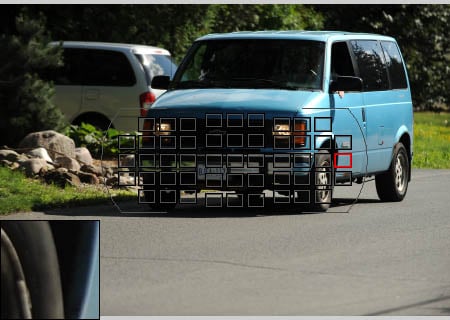 |
Image: | 01 | /19 |
Both cameras start off in focus, though the D3 has chosen a new focus point well away from the initial point. | |||
We can say one thing for sure: the Canon 1D Mark IV is very definitive and blazingly fast when it decides to refocus. In image #15 above, the image is in focus: images #16 and #17 are out of focus, but #18 is back in focus. These four images were all taken at 16:53:49, and there are actually five other images in this series with the same timestamp, meaning that the between images #15 and #18, the camera refocused in a few tenths of a second. Generally though, it's hard to know exactly what to make of these results: they're indicative of the 1D Mark IV's overall performance in each of the tests (some sequences had more shots in focus, some had less, but it was rare that we noted a sequence of absolutely in-focus images throughout). It may be that we didn't set the right combination of custom functions, or use the camera properly. By contrast, the Nikon D3 just seemed to work without fuss. More importantly, you had a sense that you knew what it was focusing on, that it was responding to your direction; the 1D Mark IV seemed almost erratic in comparison. With the Nikon, while it certainly wasn't perfect (it would wander off on its own from time to time) more often than not it was maintaining a focus lock on the subject I had chosen. With the Canon 1D Mark IV, it seemed to be very reluctant to leave the central focus point.
What we can say is that when it worked, predictive focus seemed to work very well. But when predictive focus didn't work, it was unclear what the problem was, and more importantly, how to correct it. This is clearly a camera that is designed with the most advanced autofocus technology and algorithm Canon can muster, but the question is, is it becoming so advanced that it is too difficult for the end user to master? Professionals coming to this system will be well-advised to test and practice with it thoroughly before using it in critical situations.
Canon EOS 1D Mark IV Printed Results
 Printed JPEGs with all settings at their defaults and ISO at 50 yield very sharp 20x30-inch prints with good color and high contrast.
ISO 100 shots are ever so slightly softer at 20x30, but the difference requires squinting, and it's difficult to be sure there's any difference at all.
ISO 200 images also look superb at 20x30.
ISO 400 files also look just great at 20x30.
ISO 800 files--holding this pro camera to a higher standard here--look better at 16x24, but they're also quite amazingly good at 20x30.
ISO 1,600 shots show the slightest hints of grain in the shadows, but are still quite remarkable at 16x24. Difficult patterns like the red leaf fabric and Pure Brewed label start to soften slightly, but not badly.
ISO 3,200 files show more grain, more softness, but are still quite good at 16x24.
ISO 6,400 images show enough noise and noise suppression softening for a reduction to 13x19 inches. Contrast is also increased, with very dark darks, and deepening shadows. The red swatch is really starting to distort as well.
ISO 12,800 shots start to show salt and pepper noise in the shadows, and the red swatch is blurry, but overall it's good at 11x14 inches.
ISO 25,600 is a little dicey at 11x14 inches, looking more like a colorized B&W, with a slight hint of chroma blotches in the shadows and solid colors. Reducing to 8x12 inches makes a more usable print. Darks continue to deepen.
ISO 51,200 shows more chroma noise and grain, but it's not a terrible appearance at 8x12. Still, it's more up to the standard we look for printed at 5x7 inches.
ISO 102,400 has even more chroma noise and grain, looking more like a very festive birthday cake with sprinkles, and darks are essentially clipped blacks. It's usable at 4x6, but not excellent. I'd take it and remove the color with a filter, though.
RAW is obviously where you'd want to start for optimum quality from ISO 3,200 up, but the potential is huge. Overall it's another impressive performance from a Canon pro camera.
Canon EOS 1D Mark IV Basic Features
- 16.1-megapixel APS-H-sized CMOS sensor with gapless microlenses
- 10.1 frames per second
- 3.0-inch LCD with 920,000 pixels
- Top Status LCD
- ISO range from 50 (L) to 102,400 (HI-3)
- Shutter speeds 30 seconds to 1/8,000 including Bulb mode
- Compact Flash Type I and II UDMA slots
- Lithium-ion LP-E4 battery pack
- 6.1 x 6.2 x 3.1 inches (156 x 156.6 x 79.9mm)
- 41.6 ounces (1180g), body only
Canon EOS 1D Mark IV Special Features
- Dual DIGIC 4 processors
- 14-bit A/D conversion
- Live View with contrast detect AF option
- HD Movie mode
- Silent Single Shooting mode
- CompactFlash and Secure Digital (SDHC) memory card slots
- Peripheral Illumination (vignetting) Correction
- Highlight Tone Priority mode
- Automatic Lighting Optimizer with multiple levels
- Three RAW modes: RAW (16 megapixels), M-RAW (9 megapixels), and S-RAW (4 megapixels)
- EOS Integrated Cleaning System for three-phase dust control, removal, and subsequent deletion
- Lens AF microadjustment function
- 45-point AF (39-cross-type points)
- Scratch-resistant, anti-glare LCD coating
- Capable of bursts of up to 121 JPEGs or 28 RAW images
- Multiple levels of noise reduction: Standard/Low/Strong/None
- HDMI output allows display of camera images on HD televisions
- UDMA support
- Pentaprism with 1.00x magnification
- My Menu for quick access to common settings
- Interchangeable focusing screens
- Raw translation software included
In the Box
- Canon EOS 1D Mark IV body
- Body cap
- Wide Camera strap L6
- Battery Charger LC-E4
- Battery Pack LP-E4 (with protective cover)
- USB cable IFC-200U
- Stereo AV Cable AVC-DC400ST
- Cable Protector with attaching screw
- Software CD with Digital Photo Professional for RAW conversion
- Manuals, registration card
Recommended Accessories
- Large capacity CompactFlash memory card; you may also want a large capacity SD card, as there are two slots.
- Camera case for protection
- Accessory lenses
- Flash
Canon EOS 1D Mark IV Conclusion
| Pro: | Con: |
|---|---|
|
|
As the company's more popular professional camera in terms of units sold, Canon's 1D Mark IV came a little early in its development cycle with two major improvements, along with a resolution increase. Movie mode was important to compete with the Nikon D3S, giving Canon professional photographers the ability to shoot video when necessary, as well as stills. And a new approach to the 1D Mark IV's autofocus system was required to address the extreme difficulties many sports photographers had with the 1D Mark III's AF system. Of course, adding the 16-megapixel sensor allows the 1D Mark IV to keep up with the semi-pro and consumer cameras below, while offering improved high-ISO performance.
Overall, the 1D Mark IV's improvements are a success. Movie mode is complete enough for the main purpose of capturing video clips for news, and with the great success of the 5D Mark II, cinematographers already have a full-frame camera better suited for full-scale video production. Adding some control over audio would be an improvement worth making. Autofocus, while not quite as accurate as the 1D Mark II N, is noticeably improved, certainly better than the 1D Mark III. And despite the smaller pixel pitch on the higher-resolution sensor, the Canon 1D Mark IV still manages to improve its high ISO performance over the 1D Mark III. The Nikon D3S still outdoes the 1D Mark IV at the higher ISOs, but this is a great step up.
In most other respects, the Canon 1D Mark IV is a remarkably capable camera, fit for news, sports, and many other types of professional photography. Its fast frame rate of 10 frames per second make it excellent for action, yet its higher resolution makes it great for portrait or other work. Printed results tell most of the story, outputting 16x24-inch prints at ISO 3,200. The Canon 1D Mark IV is built like a tank, is very well sealed against the elements when used with the right lenses, and its controls and menu system are very easy to use. The new tempered LCD glass also makes the 1D Mark IV more durable than ever.
The Canon EOS 1D Mark IV is one fine professional digital camera, and a clear Dave's Pick.

Design
Canon EOS-1D Mark IV Design
Roll-over the various controls and features with your mouse for a brief description. Note: Rollovers are best viewed with the latest versions Firefox, Safari, or Opera browsers, or Internet Explorer 6 or earlier.

Canon 1D Mark IV Front. On its front side, the Canon EOS-1D Mark IV is little changed from its predecessor, the 1D Mark III. Beyond the branding, the only noticeable changes are a slight bulge at camera left to accomodate the new high-definition HDMI video output terminal, and a tiny three-hole monaural microphone grille directly below the EOS-1 logo. (This microphone is applicable only to movie recording -- voice memos are recorded with a separate microphone on the camera's rear.

Canon 1D Mark IV Left Side. On this side, there are a couple of notable changes. Again, you can see the newly added microphone grille, and that the HDMI port has required a larger rubber flap, and a slight bulge on the front of the camera body. The system extension terminal cap is now attached to body -- a great change, as we'd heard of photographers with the Mark III losing this cap, which was previously removable. There's also a little silver trim around the mounting hole for Canon's Wireless File Transmitter.

Canon 1D Mark IV Right Side. Looking from this angle, there are no significant changes as compared to the 1D Mark III.

Canon 1D Mark IV Top. At first glance, there are no significant changes on the top deck of the 1D Mark IV, but a couple of small adjustments can be found on the top-panel LCD. ISO display can now show five digits, rather than four (with the first digit able to show one, or blank). There's also a new "D+" symbol that shows when highlight tone priority is enabled.

Canon 1D Mark IV Back. Other than those on its left side, the most noticeable changes are to be found on the Canon 1D Mark IV's rear panel, but they're still relatively modest. Overlaid on the new, higher res LCD is a slightly smaller glass cover plate, with the Canon logo now screen-printed on the camera body, rather than on the cover plate beneath the LCD panel. Near the bottom right corner is a newly added four-hole speaker grille -- although it had a microphone and voice memo function, the 1D Mark III lacked a speaker, and so couldn't play back audio notes. The protrusion between the portrait-mode AEL and Focus Point Selection buttons has also been reprofiled slightly.

Canon 1D Mark IV Bottom. Looking from this angle, there are no significant changes as compared to the 1D Mark III, with the new LCD panel's smaller cover glass and the new system extension terminal cover just barely visible.
Operation
Canon EOS-1D Mark IV Operation
The Canon EOS-1D Mark IV's user interface is very similar to that of its predecessor. -- important, given that it's a camera aimed at professional use. Time that might otherwise have to be spent learning a new interface can instead be devoted to shooting photos. The main LCD has been upgraded to a higher-resolution panel with a much higher 920,000 dot resolution, the user interface on the main LCD display given a restyling to bring it up to date, and some minor additions and slight changes made to the arrangements on both LCD status displays.
See the Design tab for more details on control layout and descriptions. See the Viewfinder tab for info on and test results for the viewfinder.
Canon 1D Mark IV Top-Panel LCD Display
 The 1D Mark IV's Top LCD panel is very similar to that of the 1D Mark III, with only two very slight changes. An extra '1' digit has been added at the start of the ISO sensitivity value, supplementing the previous four digit design. There's also a new "D+" icon that appears directly below the ISO speed text, whenever highlight tone priority is activated. Beyond those slight changes, the 1D Mark IV's top panel LCD is basically unchanged in layout, and it still features the same soft blue backlight when illuminated.
The image below shows callouts for all the information shown on the Canon EOS 1D Mark IV's top-panel display, by default. (Illustration below courtesy Canon USA.)

 Rear LCD panel. More changes are visible on the Rear LCD panel, , but they're still relatively modest. An extra character has been added next to each of the Raw file format indicators for the two card slots, allowing the 1D Mark IV to show not only the sRaw mode, but also the newly added mRaw format. The positioning of several icons towards the center of the rear LCD panel has also been tweaked to make better use of space, and the horizontal line that separated the white balance modes from the character displays beneath has been removed. In other respects, the 1D Mark IV rear LCD panel is essentially unchanged, and it still features the same soft blue backlight as the top-panel LCD display.
The image below shows callouts for all the information shown on the Canon EOS 1D Mark IV's rear LCD panel, by default. (Illustration below courtesy Canon USA.)

Canon 1D Mark IV Main LCD
The Canon 1D Mark IV's main TFT color LCD monitor is used for status display, accessing menus, image review, and Live View / Movie mode image preview. The 1D Mark IV is the latest Canon model to be upgraded to a gorgeous high resolution 3.0-inch LCD panel, as found on other high-end cameras recently, with approximately 921,000 dots (roughly equating to 640 x 480 pixels, with separate red, green and blue dots per pixel), and also features a wide viewing angle. The LCD panel has a wide 160 degree viewing angle, making it easier to see when framing from awkward angles in Live View or Movie-mode shooting.
Canon has eliminated the air gap between the LCD and cover glass by sandwiching a special optical elastic material between the LCD and the cover glass. This optical elastic material has the same high refractive index as the glass itself. The LCD is covered by a tempered glass cover plate that provides protection against bumps and scratches. The appearance of the LCD is reminiscent of instruments like a liquid-filled compass, with added contrast and less glare. Better yet, it doesn't give your images a blue cast that makes color harder to judge, especially when shooting outdoors.
The LCD's brightness can be adjusted manually in seven steps, but here is no automatic ambient light adjustment, nor any support for adjusting the LCD's color response. As you'd expect for a camera aimed at professionals, there are also no selectable color schemes or font sizes for the displays and menus -- but Canon has restyled these, which couples with the higher resolution to make them rather easier on the eyes.
Canon 1D Mark IV Record Mode Displays
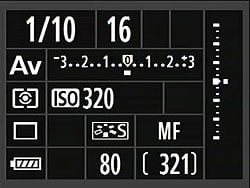
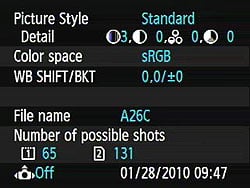
 When the Info button is pressed, the 1D Mark IV's rear panel LCD monitor offers a status display, similar to that of the top-panel status LCD, but taking advantage of the more generous real estate available for improved readability. Unlike many consumer cameras, the settings shown cannot be adjusted directly from this display, but rather must be changed using the dedicated buttons or menu system.
The image below shows callouts for all the information shown in this shooting display. (Illustration courtesy Canon USA.)

| Canon EOS-1D Mark IV Record Displays | |
 |
 |
|
Summary display that comes up when you press the INFO button in Record mode with C. Fn. II-10 set to 0 (Displays Shooting Functions).
|
Summary display that comes up when you press the INFO button in Record mode with C. Fn. II-10 set to 1 (Displays Camera Settings).
|
Additionally, the EOS-1D Mark IV's LCD monitor can be used as a viewfinder, via the camera's Live View mode (see the Live View tab).
Canon 1D Mark IV Playback Mode Displays
The display mode used in Record Review is the same as was last used in Playback mode, or you can hit the INFO button to cycle to a different mode. Likewise, in Playback mode, you can cycle between the available display options by pressing the INFO button repeatedly. You can also select between the normal luminance-based histogram and an RGB histogram option via a Playback-mode menu item.
| Canon EOS-1D Mark IV Playback Displays | |
 |
 |
|
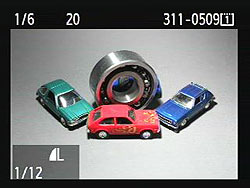
Normal playback mode display, showing shutter time, aperture, exposure compensation (if any), file number, and active memory card. When Highlight Alert is Enabled, overexposed areas will blink as shown above. There is also an option to display the AF point(s) which achieved focus in red.
|
Pressing the INFO button overlays image recording quality/movie recording size and playback number/total images recorded in the bottom left.
|
 |
 |
|
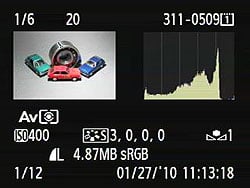
Pressing the INFO button again displays a screen with more detailed shooting info, as well as a luminance histogram. A menu option switches between showing the Brightness and RGB histograms on this screen.
|
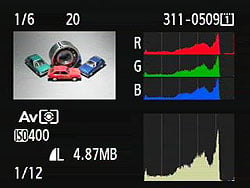
A third press of the INFO button brings up another display with both RGB and luminance histograms.
|
 |
 |
|
You can zoom out to thumbnail views, the standard single-image display moving through screens with a 4-image index and a 9-image index display.
|
There's the usual ability to zoom in on an image, up to 10x magnification in 15 steps, with the location of the current zoomed view within the full frame shown in the little navigator window in the lower right. You can freely scroll around the image as well.
|
 |
|
There is also a Slide Show function, useful viewing images and movies on a TV. Files can be selected by folder, date, type (movies or stills), or all files can be shown. You can set the display interval between 1 and 5 seconds, and set the slideshow to repeat. |
|
Optics
Canon EOS-1D Mark IV Optics
Lens Compatibility
 Like all other Canon EOS-1 series cameras, the Canon EOS-1D Mark IV accepts the full range of EF lenses available for full-frame cameras. Because its APS-H sensor is larger than those of Canon's consumer and enthusiast SLRs, it can't use the EF-S lenses Canon manufactures for use on APS-C cameras. The same applies to lenses with sub-35mm image circles available from third-party manufacturers as well.
The APS-H sensor on the Canon 1D Mark IV means that it has a smaller angle of view (by a factor of 1/1.3x) than a full-frame camera with any given lens. While most properly called a "crop factor," the 1.3x ratio is most commonly referred to as the "focal length multiplier," since that's how it works in practice: Any lens used on the Canon 1D Mark IV will have the same field of view as one with a 1.3x greater focal length will when attached to a 35mm camera. For example, a 100mm lens on the Canon 1D Mark IV will show the same field of view as a 130mm lens on a camera with a 35mm frame size.
The Canon 1D Mark IV also offers Lens Peripheral Illumination Correction, which corrects for lens shading (commonly called "vignetting"), producing uniform exposure across the frame by compensating for the light falloff seen with some lenses in the corners of the frame. Lens Peripheral Illumination Correction first appeared in the Canon 5D Mark II, and has since featured in several of Canon's consumer and enthusiast DSLRs. Peripheral Illumination Correction makes its EOS-1 series debut in the 1D Mark IV, and works with over 85 different Canon lens models, in both Raw and JPEG workflows. For JPEG shooting, the correction is made at capture time, while Raw shooters can access the function in Canon's Digital Photo Professional software. DPP offers the highest degree of correction. In-camera correction of JPEGs operates with somewhat reduced strength, especially when shooting at higher ISO sensitivities, given that the correction can make image noise more pronounced. From the factory, the 1D Mark IV body ships with correction data for 29 lens models. Canon's EOS Utility software allows correction data for further lenses (including models as-yet unreleased) to be uploaded to the 1D Mark IV, with the camera body able to hold data for as many as 40 lens models.
Canon 1D Mark IV: Overhauled AF system
The Canon 1D Mark IV incorporates an overhauled AF system, with a new low-noise AF sensor with improved AF points, refined servo tracking algorithms, automatic correction to increase focus accuracy under artificial lighting, and a variety of new custom functions that better allow AF operation to be tailored to individual photographers' requirements.
Canon 1D Mark IV Autofocus System: New Sensor
The Canon 1D Mark IV's new AF sensor has 45 points, just like it's predecessor from the 1D Mark III, but now allows all but six of these to act as f/2.8 cross-type points, so long as they're addressed manually. In addition, the Mark IV reverts to allowing all of the points to be addressed manually, doing away with the concept of "AF Assist" points that can't be directly addressed, and are only available when selected automatically, or when using tracking autofocus. (A custom function still allows the number of points available for manual selection to be reduced in this manner, however.) In normal operation with automatic selection, there are 19 cross-type points with the same arrangement as in the Mark III.

The 1D Mark IV's 45 autofocus points are arranged in an oval-shaped pattern. The center point has a double line design that allows it to better detect the subject even when extremely out of focus, and is a cross-type sensor that's vertical line sensitive up to f/4, and horizontal line sensitive up to f/8, allowing it to continue operating as a single axis sensor even when using lenses or lens / extender combos with a maximum effective aperture of between f/4 and f/8. The center row of AF points, including the center point, all include a thin line sensor allowing vertical line detection at f/2.8 or faster, improving AF detection precision, and better allowing the 1D Mark IV to focus on low-contrast subjects.

The photo above (courtesy Canon USA, Inc.) shows the sensor from the new EOS-1D Mark III. Notice how all four sensor arrays are the same size, both vertical- and horizontal-sensitive elements now covering the full AF area. This is how the Mark III manages to distribute cross-type AF points across the entire AF area, rather than just in a cluster around the center. The two full-size AF arrays on the left and right contain elements corresponding to the pink-marked vertical-sensitive AF points in the diagram below
As previously noted, the 1D Mark IV's selection of cross-type AF points varies between automatic and manual selection, with 19 cross-type points available for automatic selection, and 39 cross-type points available for manual selection. This is achieved by making the the vertical line-sensitive portions of the sensor with switchable reading positions, effectively sharing the same vertical line sensitive portions between multiple adjacent AF points. The single-axis points -- of which there are 26 during automatic selection, and six when selecting an AF point manually -- are horizontal line-sensitive sensors that operate at maximum apertures up to f/5.6. Two of these points -- those directly above and below the central cross-type AF point -- are dual line types that operate with increased precision and performance. For the cross-type points, all but the center cross point function as high precision cross types with lenses of f/2.8 or faster, and their horizontal line sensors (vertical detail sensitive) offer triple the precision of their vertical line sensors. When using lenses that are between f/2.8 and f/5.6, these cross-type points fall back to operating as single-axis vertical line (horizontal detail sensitive) points. There's an exception to this rule, however. Six specific lenses or lens / extender combinations allow cross-type focusing with 39 AF points, as low as f/4. These are detailed in the table below.
|
Canon 1D Mark IV f/4 Cross-Type AF Compatibility List |
|
|---|---|
|
Lens alone |
|
|
EF 17-40mm f/4L USM |
|
EF 24-105mm f/4L IS USM |
|
Lens plus Extender |
|
|
Lens |
Extender |
EF 70-200mm f/2.8L IS USM |
Extender EF1.4x II |
EF 200mm f/2L IS USM |
Extender EF2x II |
EF 300mm f/2.8L IS USM |
Extender EF1.4x II |
EF 400mm f/2.8L IS USM |
Extender EF1.4x II |
New since the previous 1D Mark III is a dedicated light source detection sensor, located on the back of the 1D Mark IV's pentaprism, which is used to finetune the behavior of the AF system based on color information, reducing AF problems often encountered when shooting under artificial illumination. Without this correction, a lens system will bring different wavelengths of light into focus on different planes. High-quality camera lenses are usually well-corrected apochromats, so this isn't a problem at the image sensor. The relatively simple optics (lenses and prisms) in AF systems are another matter, though, so it's very likely that long (red) wavelength light would produce a different focus point than would short (blue) wavelength illumination. By taking the color of the light source into account, the camera can compensate for this tendency.
The AF sensor itself has also been tuned in terms of noise performance, increasing its signal to noise ratio, and providing a cleaner signal from which to make focusing decisions. No specific information on the level of improvement has been provided by Canon, and it's important to note that the sensitivity range of the AF sensor is unchanged, at EV -1 to EV 18 (at 23°C/73°F, ISO 100), but Canon states that the improved noise performance of the AF sensor should yield higher accuracy and greater stability when dealing with extremely bright or dark subjects, or when shooting subjects with low contrast. One final note related to the AF hardware is that Canon has now implemented stricter standards for autofocus adjustment in its manufacturing process, although no specifics have been provided as to what changes this entails.
The workload of processing the wealth of available information from the AF and light source sensors to perform autofocus calculations is shared between two 32-bit RISC processors -- the Canon 1D Mark IV's main 40MHz CPU, and a dedicated 48MHz autofocus CPU.
Canon 1D Mark IV Autofocus System: Updated AI Servo Autofocus Algorithm
The remainder of changes in the Canon 1D Mark IV's autofocusing system are to be found in the camera's firmware -- specifically, the focusing algorithms, and the custom functions that let photographers tune the camera to their own specific needs.
Canon has apparently made considerable changes to its focus-tracking algorithms, as the 1D Mark IV's servo autofocus mode merits a new name: AI Servo II AF. The basic tracking speed of the Canon 1D Mark IV is the same as that of the Mark III, but its handling of subject motion, lost focus, and integration of information coming from the lens have all taken a step forward, according to Canon representatives.
AI Servo II is Canon's name for their predictive autofocus system, which tries to extrapolate future subject position from past subject motion so the AF system can move the lens elements smoothly to follow it. For instance, if a subject is moving toward the camera at some constant speed, AI Servo would determine that the lens needed to move a certain amount between each AF "look." By moving the lens elements more or less smoothly, the amount of additional correction in each AF cycle will be that much less, making it easier for the camera to follow rapidly-moving objects. Predictive autofocus control begins operating immediately that the camera detects subject motion -- for example, after runners launch from their starting blocks. From that point onwards, the subject's motion is tracked and predicted. AI Servo II AF should better be able to handle a variety of common situations.
The 1D Mark IV's AI Servo II AF algorithms now better recognize sudden, abnormal changes in focus distance that would imply the subject may have been briefly obscured by a closer object, or that the AF point has briefly slipped off the subject and onto the background. Where the Mark IV determines this to be the case, it will continue its tracking based on the last good result, ready to pick the subject back up when it falls under the AF point again.
Another difference in the Canon 1D Mark IV's AI Servo operation has to do with how it deals with lost focus in a continuous-mode shot sequence: If the AF system detects a focus error for one of the shots in a series (which presumably means you had C.Fn III/2 set for shooting speed priority), the AI Servo system will disregard the focal setting associated with that shot in its motion-prediction calculations. By throwing out bad data, the AI Servo algorithm can greatly improve the accuracy of its predictions.
As noted in the discussion of custom functions below, a significant feature upgrade in the Canon 1D Mark IV's AI Servo mode is that you can now specify which of the AF points you want the camera to begin its servo tracking from, and once tracking begins, the subject will be followed by a cluster of up to 18 AF points that can move anywhere on the AF array. If the subject is briefly lost or obscured, it can be recollected by any of those 18 points, and tracking resumed. As the subject is tracked, the Canon 1D Mark IV shows the currently-active AF point in the viewfinder.
Canon 1D Mark IV Autofocus System: New Custom Functions
A new addition to Custom Function III-3, AI Servo 1st / 2nd Image Priority, allows 1D Mark IV shooters to mimic the behaviour of the original EOS-1D, EOS-1D Mark II and EOS-1D Mark II N digital SLRs when shooting image bursts. All three of these cameras would prioritize shutter release over focus lock for the first shot, ensuring that it was captured at the moment the shutter button was pressed even if the camera felt that autofocus lock hadn't quite been achieved. For subsequent frames, though, they'd favor focus priority over frame rate, ensuring that as many shots as possible in the burst were correctly focused. The 1D Mark III changed this behaviour to allow focus priority for all shots, and either focus or shutter release priority for the first frame followed by drive speed priority for subsequent frames. The 1D Mark IV now adds the original behaviour as a fourth option.

For focusing on subjects that occupy a small portion of the frame, or when shooting through obstructions such as a chainlink fence or a race drivers' helmet, a new Spot AF function is available that reduces the point size. Accessed through Custom Function III-6, this should make autofocus easier in these situations, but also brings a reduction in AF speed, and can potentially make it harder to achieve an AF lock.As a (rather subtle) reminder that Spot AF is activated, the AF point will blink with increased brightness when focusing.
Of course, the opposite is an equally common situation -- some subjects will occupy a larger area spanned by several AF points, or will move fast enough that it's difficult to keep them under one specific point. The 1D Mark IV offers another Custom Function that recognizes this, and expands the focus area to include surrounding points C.Fn. III-8 allows three different ways in which the AF point expansion can operate. The left/right AF point option allows the focus points immediately to the left and right of the manually selected point(s) will come into play if focus lock can't be achieved with the selected point. A second option surrounds the selected AF point with a ring of adjacent points.
The third option is a little more complex. In One-Shot AF, it will attempt to set focus from the select point(s), but if this fails, will try the six adjacent points, then the 18 adjacent points, and finally the entire AF array. In AI Servo AF, a much larger 18-point expansion is used, and once subject tracking begins, this expanded area will follow the subject across the entire AF array. If the subject is briefly lost or obscured, the 1D Mark IV will resume tracking only when the subject is detected by the group of points that were last tracking it. This differs from the behaviour in automatic AF point selection, where tracking could resume from any AF point on the array, potentially switching to a different subject unintentionally. In all cases, if the three AF point expansion modes, if the selected point is at the very leftmost or rightmost edge of the frame, then the expansion points will only be added on the inside of the manually selected point(s), and won't wrap around to the other side of the frame.

As previously described, the Canon EOS 1D Mark IV changes the AF point selection behavior of the Mark III, which only allowed direct selection of 19 AF points, and relegated the remaining points to "assist" status. The Mark IV returns to the behaviour of previous cameras, allowing all AF points to be selected manually, and instead allows the number of selectable points to be reduced via Custom Function III-10. Several options are available, removing all but inner 9, outer 9, 11, or 19 points from manual selection, but regardless of the option chosen, all points remain available for automatic selection or tracking operations. The two 9-point options and 19-point option replicate those from the 1D Mark III, while the 11-point option comes from the 1D Mark II/n.

Custom Function III-15, which controls autofocus assist from external flash strobes, has also had a new option added. The IR AF assist beam only option prevents flash strobes such as the Speedlite 270EX from providing autofocus assist. These strobes don't include an infrared assist beam, and hence perform AF assist by firing a succession of low-power flash bursts, which could prove objectionable in some environments. The new option prevents this becoming an issue.
Finally, the new Custom Function III-16 allows AF point selection to be linked to camera orientation. This can prove helpful when shooting a variety of landscape and portrait orientation in succession. The camera can remember different AF point selections for landscape and portrait-mode shooting, and will switch back and forth between these selections automatically as the body is rotated. (It's actually possible to switch between three different point selections -- one for landscape, and two for portrait -- since the 1D Mark IV differentiates between portrait-mode shooting with the camera turned clockwise or counter-clockwise.)
Dust Reduction Technology
First introduced on the Canon Rebel XTi, Canon's system-wide approach to reducing the impact of dust on the image sensor is also included on the Canon 1D Mark IV, with a slight update to the anti-static coatings used.
A key feature of any SLR is the ability for the user to easily swap lenses. This expands creative options enormously, but every time the lens is removed, dust from the environment is free to enter the camera body. From there, it's only a matter of time before some of it makes its way to the surface of the sensor ,where it casts shadows that appear as dark blobs in your images. In truth, it's the anti-aliasing filter that collects dust, rather than the sensor itself, but common parlance refers to "sensor cleaning." For the sake of familiarity, we'll generally refer to sensor cleaning here, but will make mention of the anti-alias or low-pass filter as seems appropriate. Every DSLR ever sold has offered a sensor-cleaning mode, in which the mirror is locked up and the shutter opened to permit the sensor to be cleaned with compressed air, a solvent-carrying swab, or other means. As the market has matured and more DSLRs have found their way into the hands of novice users, it has become clear that some automated way of dealing with sensor cleaning is needed.
The principal approach other manufacturers have used to deal with dust has been to make the system self-cleaning, vibrating either the anti-aliasing filter itself or a protective cover glass lying above it, to shake loose adhering dust particles. Once dislodged, a strip of sticky material at the bottom of the sensor cavity or mirror box catches and holds them. This approach was pioneered by Olympus, but has since been adopted by Canon, Nikon, Pentax, Panasonic, and Sony, in various forms. Some cameras use a dedicated piezoelectic element to provide the vibration, while others perform double duty with the sensor shift mechanism used for their image stabilization, with widely varying vibration frequencies and efficacies. In addition, some manufacturers have adopted coatings on the low-pass filter intended to prevent dust particles from adhering in the first place.

Canon's EOS Integrated Cleaning System employs a piezoelectric, vibratory cleaning method when the power is switched on and off, as a primary part of the overall strategy. To avoid missing the action when first starting up, the Canon 1D Mark IV aborts its power-on cleaning cycle as soon as the user touches the shutter button. This insures that you won't miss a critical shot due to sensor cleaning. It's also possible to trigger the cleaning system to operate manually -- either as well as, or instead of, the automatic startup / shutdown operation.
Previous EOS-1 models have also used an anti-static coating on the anti-aliasing filter to make it harder for dust to gain a foothold in the first place. The 1D Mark IV uses Canon's latest generation fluorine-based coating, which purportedly improves this dust resistance property. Dust particles frequently carry static charges, so the anti-static coating avoids one of the key mechanisms by which dust particles adhere. Canon has also adopted a special shutter-curtain coating designed to greatly reduce the shedding of particles, and a different plastic in their DSLR body caps, one less prone to creating shavings that can drop into the mirror box.
No matter how good an automatic cleaning system, there are going to be some stubborn dust particles that it can't dislodge. To deal with these, the Canon 1D Mark IV has the ability to shoot a dust reference photo, and then transfer that information to Canon's Digital Photo Professional software, which can use it to eliminate the shadows cast by dust particles on the images. Canon's "Dust Delete" processing works for both JPEG and RAW format files. The dust map ("Dust Delete data") that the software uses to perform its magic is stored in the headers of files created by the camera. There's thus no need to keep track of a separate dust image file, the information is always available in the file headers, assuming you've actually performed the dust-mapping process. You can update the Dust Delete data any time you think the camera might have been exposed to dust, or after you've manually cleaned the sensor. The latest dust map is automatically incorporated into the EXIF headers of all JPEG images, or the headers of any RAW files.
Located in Shooting Menu 2, the Dust Delete Data option displays a screen that shows when the last Dust Delete reference image was captured. Selecting OK on this screen initiates a cleaning cycle, after which the camera prompts you to take a picture of a blank white surface. (The camera automatically defocuses the lens and sets the aperture appropriately, to produce the best possible dust image.) The camera then processes this data, and reports whether it was successful or not. If the surface you used to capture the image wasn't sufficiently uniform, you'll get an error message, but if the image was good, you'll see a confirmation screen. The Dust Delete Data just generated will now be included in the headers of any JPEG or RAW images captured, until you decided to capture a new dust reference image.
We don't have any quantitative way of evaluating dust-removal systems, but based on Canon's description of it, their anti-dust technology does appear to go a step or two beyond anything else currently on the market, providing a more comprehensive solution to the problem of dust in DSLR images than we've seen to date.
Don't count on the anti-dust system to do everything, though.
Despite the many advances in Canon's anti-dust technology, though, we feel compelled to point out that we've thus far seen no anti-dust system that completely eliminates the need for sensor cleaning. Sooner or later, you're going to need to clean your sensor, so we strongly recommend purchasing a good-quality sensor cleaning kit right along with your DSLR. Automated anti-dust systems like Canon's will certainly help with some of the dust, typically the dust that the nylon brush-based cleaning systems can also handle. Inevitably, though, you'll encounter dust that sticks to the sensor's cover glass tenaciously; dust that only a wet/dry cleaning approach can remove. We ourselves use and recommend products from Copper Hill, which we've found to be both highly effective and among the most reasonably priced on the market.
Lens Test Results
The Canon EOS 1D Mark IV does not ship with a standard "kit" lens, so this section left blank intentionally. We use a Sigma 70mm f/2.8 Macro lens in our laboratory testing, as our tests on SLRgear.com have revealed it to be one of the sharpest lenses we've tested.
The images above were taken from our standardized test shots. For a collection of more pictorial photos, see our Canon EOS-1D Mark IV Photo Gallery .
Exposure
Canon 1D Mark IV Exposure
Being a professional model, the Canon EOS 1D Mark IV provides only the essentials in terms of exposure modes. The modes consist of Program AE, Aperture-Priority, Shutter-Priority, and full Manual mode, along with a Bulb mode for manually timed exposures. The full Auto, Depth of Field AE and various Scene modes found on lesser Canon models are absent. The majority of the exposure modes are fairly self-explanatory, with Program AE, Aperture Priority, Shutter Priority, and Manual modes provide varying degrees of manual and automatic exposure control. While available apertures vary with the lens used, shutter speeds range from 1/8,000 to 30 seconds in all modes except Bulb, which keeps the shutter open as long as the Shutter button is depressed. Interestingly, Bulb mode has no time limit, other than the available charge in the battery. During the bulb exposure, the 1D Mark IV keeps a count of the exposure time in hours, minutes and seconds on its top panel status LCD, and since it's likely to be used at night, Custom Function II-9 allows you to configure the camera to leave the LCD status panels illuminated during a bulb exposure so they can be read, so long as they were lit when the exposure started.. Canon's optional RS-80N3 remote switch and TC-80N3 Timer Remote Controller allow you to take long time exposures without having to hold your finger on the Shutter button.
Any of these exposure modes can be individually disabled through Custom Function I-9, preventing accidental use and making it quicker to scroll through the modes you prefer to use. In addition, Custom Functions I-12 and I-13 allow upper and lower limits to be specified for both the shutter speeds and aperture values. Maximum shutter speeds can be restricted between 15 and 1/8,000 second, and minimum shutter speeds between 30 and 1/4,000 second. Maximum apertures can be limited between f/1.0 and f/64, while minimum aperture limits can be specified between f/1.4 and f/91, and will apply if the physical limits of the individual lens in use extend beyond the manually specified range.
Custom Function I-8 can enable a "Safety Shift" option, which automatically adjusts the primary variable (aperture or shutter speed) in Av or Tv modes, if the setting you've selected won't permit a good exposure under the current lighting conditions. This could come into play if you were shooting in shutter-priority mode to achieve a motion-blur effect, but the light suddenly got brighter, pushing the required aperture value beyond what the lens could provide. In this situation, the camera would automatically boost the shutter speed the minimum amount needed to achieve a good exposure. Safety Shift can instead automatically adjust ISO from 100 to 3,200 in P, Av or Tv modes, if so enabled in the same Custom menu (C.Fn 1-8). Alternatively, Safety Shift can be configured to adjust the ISO speed in Program or priority-mode shooting, correcting the exposure while retaining your intended shutter speed or aperture, or the balance between these variables if in Program mode.
As you'd expect, in Program AE mode, turning the Main dial on top of the camera cycles through a range of equivalent exposure settings, allowing you to pick the best exposure with an emphasis on either aperture or shutter speed, while letting the camera determine the exposure. (This is commonly referred to as a "program shift" or "vari-program" option.)
Metering Options
The Canon 1D Mark IV's exposure metering options, selected using the Metering / Flash Exposure Compensation button, include a 63-zone Evaluative metering mode, Partial (approximately 13.5% of viewfinder at center), Center Spot (approximately 3.8% of viewfinder at center), AF-point Linked Spot (enabled through Custom Function I-7, approximately 3.8% of viewfinder at selected AF point), Multi-spot (a maximum of eight sequential spot meter readings can be entered) and Center-weighted Average options. Metering range is 0 to 20 EV (at 23°C/73°F, with EF 50mm f/1.4 USM lens, ISO 100). Any of these metering modes can be individually disabled through Custom Function I-10, preventing accidental use and making it quicker to scroll through the modes you prefer to use. In addition, the metering mode used to determine the exposure level in Manual exposure mode can be locked to any of the available modes through Custom Function I-11, although by default the 1D Mark IV will use the mode selected via the Metering / Flash Exposure Compensation button.
 |
|
Here you can see the coverage of the 1D Mark IV's metering modes, accompanied by the positions of the 45 autofocus points. From left to right: Evaluative / Center-weighted Average, 13.5% Partial, and 3.8% Spot metering. It's also possible to link the spot meter point to the AF point with a custom function. |
The Multi-Spot metering option bases the exposure on as many as eight separate readings from different parts of the image. In Multi-Spot metering mode, the central spot metering sensor is activated, and a meter reading is taken every time you press the "FEL" button on the top front of the camera. As you take successive readings, the exposure readouts in the viewfinder show the current aperture and shutter speed settings the camera has computed, while the vertical exposure level indicator shows the relative light levels corresponding to each of the points you measured. This is a pretty powerful exposure option, giving the photographer great control over the final exposure. The exposure level indicator gives you a pretty good idea of how much dynamic range the shot requires, and you can choose to give more weight to a given area of the image by taking multiple readings there.
The Canon EOS 1D Mark IV's Exposure Compensation button allows the user to increase or decrease the metered exposure by up to three stops positively or negatively, in one-third or one-half EV increments. (In Program or Priority-mode shooting, the Quick Control dial also acts as an exposure compensation dial by default, whenever it is enabled and the camera's metering system is active.) Should you find that the 1D Mark IV's metering system has a tendency towards under- or overexposure for your particular needs, it is possible to correct for this using Custom Function I-16, "AE Microadjustment". This allows a correction of +/- 1 EV in fine-grained 1/8 EV steps to be applied by default for all shots. It isn't possible to configure different corrections for each individual metering mode, however -- the same correction is applied regardless of metering mode used. A separate adjustment can be made for flash exposures, using Custom Function I-17, "FE Microadjustment."
In Live View mode, evaluative metering is always used, however Canon does not specify how many zones. The sensitivity range for Live View metering is specified at 0-20 EV (again, at 23°C/73°F, with EF 50mm f/1.4 USM lens, ISO 100).When Face Detection AF is enabled in Live View mode, the Canon 1D Mark IV biases the exposure in an attempt to properly expose for a detected face.
ISO Sensitivity Options
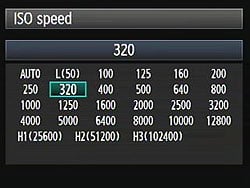 Courtesy of the dedicated ISO button on its top deck, the Canon 1D Mark IV offers full-stop ISO equivalents of 100, 200, 400, 800, 1,600, 3,200, 6,400, and 12,800, and through Custom Function I-2 also allows use of 1/3-stop ISO settings, adding a further fourteen positions inside this range. The EOS-1D Mark IV also offers low and high-range ISO settings enabled through Custom Function I-3, "Set ISO Speed Range," allowing the lower limit to be extended to ISO 50 (L), while ISO 25,600 (H1), 51,200 (H2), and 102,400 (H3) equivalent positions can be added at the upper end of the range. An Auto ISO mode adjusts the ISO as the camera deems necessary, from 100 to 12,800. If operating in bulb mode, Auto ISO is fixed to 400 equivalent. For flash exposures, Auto ISO defaults to ISO 400, but will throttle down as low as ISO 100 to prevent overexposure, and will range as high as ISO 1,600 for bounce flash, if allowed by the Auto ISO limit. Note that ISO 50 is not available when shooting in Movie mode.
Noise Reduction Options
 The Canon 1D Mark IV offers two types of adjustable noise reduction. Long Exposure noise reduction can be performed for exposures one second or longer, and works by taking a second "dark frame" exposure of equal duration with the shutter closed, and then subtracting it from the first frame. This reduces or eliminates most noise generated by the sensor during long exposures at low ISOs, and works for both JPEGs and RAW files, but doubles the time taken to capture each shot, and can make noise worse at higher ISOs (at ISO 1,600 and above). Available settings are Off, Auto and On, and are accessed from Custom Function II-1. The Off setting is the default, and the Auto mode will attempt to automatically detect when this type of noise reduction is beneficial.
The 1D Mark IV also offers the user four levels of high ISO sensitivity noise reduction. Options are Standard, Low, Strong, and Disable, with Standard being the default. Though the name implies this noise reduction is only applied at high ISOs, the Canon 1D Mark IV applies it to all ISOs. This explains why the 1D Mark IV's chroma noise in shadows and darker tones is lower than most DSLRs at low ISOs, when using the default Standard setting. If set to Strong, this brings a great decrease in continuous burst shooting performance. High ISO noise reduction is only applied to JPEGs, keeping RAW files as they should be: unprocessed. These settings are accessed in Custom Function II-2.
Automatic Exposure Bracketing
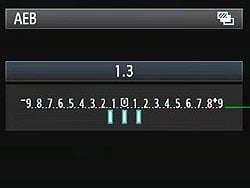 An automatic exposure bracketing feature accessed by simultaneously pressing the Mode and AF / Drive buttons lets you set the Canon 1D Mark IV to capture multiple shots, with an exposure variation between frames of up to 3 EV, in 1/3 or 1/2 EV steps. By default, the 1D Mark IV captures three shots in each bracketed sequence, but this can be changed through Custom Function I-6 so that either two, five, or seven shots are captured in each sequence. The nice part is that the automatic variation is centered around whatever level of manual exposure compensation you have dialed in. Thus, you could manually set a positive exposure compensation of 2/3 EV, and then have the camera give you a variation of +/- 2/3 EV around that point. (This also means that the bracketed exposures can go outside of the standard exposure compensation range, allowing one shot as far as 12 EV from the metered exposure.)
By default, the bracketed sequence captures the metered shot first, followed in turn by frames below and above the metered exposure level. This order can be changed through Custom Function I-5, so that the order is either -, 0, +, or +, 0, -. One final custom function related to automatic exposure bracketing is I-4, which allows the photographer to determine whether bracketed sequences should be continued after powering the camera off, or a new sequence should start once the camera is powered on (the default).
AE/FE Lock ("*" and "FEL" buttons)
 The 1D Mark IV retains the simplified AE Lock button from recent Canon models, which unbundles the AF Lock feature from the old button on the older EOS cameras. Marked with an asterisk (*) symbol, the AE Lock button (and its portrait-orientation duplicate) simply holds the exposure at one setting while you recompose the image. It's very useful when spot metering, but also when dealing with subjects where you want to draw your exposure from one place, while autofocusing on another. You may hold the AE Lock button down while depressing the shutter release multiple times to maintain the same exposure across multiple shots. If you release the AE Lock button, the exposure lock is retained for six seconds in regular operation, although this can be changed in one second steps from 0-60 seconds, or 1 minute steps from 1 to 60 minutes, using Custom Function IV-13. In Live View shooting, the exposure lock is retained for 16 seconds, while in Movie mode, it is retained until manually cancelled, which is done by pressing the AF Point Selection button.
Through Custom Function I-14, the AE Lock button can instead be configured to instantly recall a preconfigured exposure mode, metering mode, shutter speed, aperture, and/or exposure compensation level while held in. The desired configuration must first be set on the camera, and then registered through the Custom Function menu, after which the saved configuration is instantly recalled whenever the AE Lock button is held down, and the previous configuration returns when the button is released. Optionally, an AF cycle can be triggered simultaneously with the configuration being recalled, when C.Fn I-14 is set and the AE Lock button pressed. In the same manner, it's also possible to use the AE Lock button to switch to a registered autofocus point while held down, using Custom Function III-11. The AF point is registered by first selecting it (or selecting automatic selection, if you want to register this), then pressing the ISO button while holding down the AF Point Selection button. Both functions can be used together, so that a single press-and-hold of AE Lock can recall the shooting mode, metering mode, exposure level, and focus point, then perform an AF operation.
Custom Function IV-2 allows the functionality of the AE Lock and AF-On buttons to be transposed, uself if you use the AE lock button more frequently, since the AF-On button location is closer to the grip where your thumb naturally rests when holding the 1D Mark IV body.
Pressing the Flash Exposure Lock ("FEL") button (and its portrait-orientation duplicate) with an external flash mounted activates the FE Lock function, which fires the flash and locks the proper exposure for the following frame(s). The FEL button is also used to perform up to eight sequential spot metering readings, when using the 1D Mark IV's Multi Spot Metering function (described previously in the Metering Options section).
White Balance Options
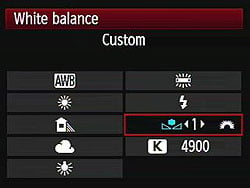 The Canon 1D Mark IV offers a full range of White Balance settings, including an Auto (3,000-7,000K) setting, six presets, five Custom settings, and a direct Kelvin setting. The six presets include Daylight (5,200K), Shade (7,000K), Cloudy / Twilight / Sunset (6,000K), Tungsten (3,200K), White Fluorescent (4,000K), and Flash (6,000K). The Custom settings base color balance on an exposure, meaning you can snap an image of a white or gray card (or select a suitable previously captured image), and then base the color temperature on that image. Each custom setting can be separately tagged with a twenty character caption, for convenience. The desired color temperature in Kelvin can also be entered directly, from 2,500K to 10,000K, in 100K increments. Finally, a Personal White Balance feature allows you to create as many as five different white balance settings on a computer and load them into the Mark IV for quick use. While not quite as flexible as the Custom option, because the Personal settings must be downloaded to the camera from a host computer, it's arguably more powerful, and a great option for pros who have to shoot under highly variable lighting, or for groups of pros needing consistency between their setups.
A White Balance bracketing option snaps only one image, but then writes multiple successive files from that single capture. (The default is to write three files, but through the same Custom Function I-6 used for automatic exposure bracketing, this can be changed to two, five, or seven files per captured frame.) Bracketing steps are from -/+ 3 stops in whole-stop increments. (Each stop corresponds to five mireds of a color conversion filter, for a total range of +/- 15 mireds on a three file capture, corresponding to about a +/- 500K shift at a normal daylight color temperature of 5,500K.) White balance bracketed images are captured with the standard image first, followed by the blue and amber-biased, or magenta and green-biased images. Since, depending on setup, two to seven files must be written for each image captured, the white balance bracketing feature can greatly reduce the burst depth in continuous shooting, and it also brings a reduction in burst speed. If white balance and auto exposure bracketing are both enabled simultaneously, it's possible to record as many as 49 separate files from seven frames, in one single bracketed sequence.
 The Canon 1D Mark IV's WB Bracketing is set on the same grid as the now familiar White Balance Correction control. Fairly sophisticated, the white balance correction tool lets you shift the color balance toward more or less green vs magenta or blue vs amber, using a +/-9 step grid format. You move a highlighted square through the grid to adjust the color balance, and bracketing adjustments spread the single square into a cluster of two, three, five, or seven, depending on the bracketing range configured.
Picture Styles
 As with most other Canon DSLRs, the EOS 1D Mark IV offers a Picture Style option through the LCD menu, which lets you select from Standard, Portrait, Landscape, Neutral, Faithful, Monochrome, or three User Defined settings. In each of the preset modes, the Contrast, Saturation, Sharpness, and Color Tone are set for specific conditions. For Monochrome, Saturation is replaced with Filter effect (options are: None, Yellow, Orange, Red or Green), and Color Tone is replaced with Toning Effect (None, Sepia, Blue, Purple or Green). The three User Defined options let you manually adjust each variable, then save it as a custom parameter. Of course, you can also set the camera's color space to sRGB or Adobe RGB.
Auto Lighting Optimizer (ALO)
First seen on the consumer-class Rebel XSi, Canon's Auto Lighting Optimizer (ALO) function lets you expose for the highlights, preserving detail there, while the camera adjusts the image to open up the shadows. This happens on the fly, as the files are being written to the memory card, so there's no post-capture intervention by the user required to take advantage of this function. We weren't terribly impressed with ALO on the XSi, but newer Canon models -- including the 1D Mark IV -- offer four different settings for it, and the control on the 1D Mark IV seems quite effective. The ALO setting is made via Custom Function II-4, where you can select options of Standard (the default), Low, Strong, or Disable.
Highlight Tone Priority (HTP)
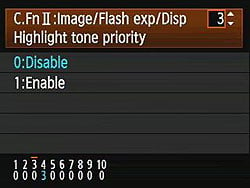 Also included on the Canon 1D Mark IV is Highlight Tone Priority (HTP for short), a feature that's been on Canon SLRs for some time now. It works quite well when dealing with subjects with important detail in strong highlights. (Think of the standard wedding dress shot, and you'll get the idea.) Digital cameras normally expose more like slide film: Once you hit a certain exposure level, detail just vanishes. This really becomes an issue when you're dealing with contrasty lighting and a subject with lots of highlights in it.
HTP's action is pretty subtle, but the results are very evident when dealing with strong highlights under harsh lighting. The way it works is to set the camera's base ISO up one notch, to 200, so it's only half-filling the sensor's pixels with charge during the exposure. The Canon 1D Mark IV then alters its tone curve, basically compressing the top half (that would normally be blown out) into a smaller range, thereby preserving the highlight detail. You can do this yourself when working from RAW files, you just need to significantly underexpose most of the scene, and then fiddle with the tone curve to drastically reduce the contrast, but only in the extreme highlights. If that sounds difficult, it is; it can be a real time-sink, and very difficult to make the end result look natural. Canon's HTP does this for you automatically, though, and the results look just great: You have no sense that the camera has been making radical adjustments to its tone curve; you just see all the detail in the highlights that otherwise would be missing. HTP is controlled via Custom Function setting II-3, giving you options to Disable (the default) or Enable it.
Continuous Shooting Mode and Self-Timer
 The Canon EOS 1D Mark IV's Continuous Shooting modes are accessed via the AF / Drive button, and rated by Canon at ten frames per second in high speed mode, for a total of up to 121 Large JPEG (Quality 8), 28 RAW or 20 RAW + Large JPEGs frames before the buffer fills (at ISO 100, using the Standard picture style, and writing to a 16GB UDMA Mode 6 CompactFlash card). When shooting JPEGs of a very complex scene with a lot of sharp, fine detail may also compress less and result in lower buffer capacities, as was seen in our testing. You can specify the maximum burst rate in Continuous High mode between two and ten frames per second, and between one and nine frames per second in Continuous Low, using Custom Function III-18. You can also limit the burst depth (number of shots) in Continuous mode from two to 99 shots, through Custom Function III-19.
The Canon EOS 1D Mark IV's Drive setting also accesses two Self-Timer modes, which open the shutter 10 or 2 seconds after the Shutter button is pressed. The 10-second setting gives you time to dash around in front of the camera, while the 2-second setting is useful for tripping the shutter without touching the camera, to minimize camera shake.. There is also a Mirror Lockup function, Custom Function III-17, to avoid camera shake due to mirror-slap. The mirror is raised by pressing the Set button, and can either drop immediately that the exposure has been completed, or remain up until the Set button is pressed a second time. Canon's wired RS-80N3, and TC-80N3 remote control units, as well as any N3-type terminal equipped EOS accessory, are supported by the 1D Mark IV.
Finally, the 1D Mark IV offers a Silent Single shooting mode which, as the name implies, is a single shot mode that reduces operating noise. It works by spreading the shutter sounds out, holding the mirror up until you release the shutter button, and reducing the speed at which the mirror is lowered post-exposure. The net result is a fairly quiet operation that should prove helpful when photographing wildlife, so long as you're willing to limit yourself to shooting a couple of frames per second or less.
The images above were taken from our standardized test shots. For a collection of more pictorial photos, see our Canon EOS-1D Mark IV Photo Gallery .
Not sure which camera to buy? Let your eyes be the ultimate judge! Visit our Comparometer(tm) to compare images from the Canon EOS-1D Mark IV with those from other cameras you may be considering. The proof is in the pictures, so let your own eyes decide which you like best!
Performance
Canon 1D Mark IV Performance
Timing and Performance
Generally very fast, even for a professional digital SLR.
| Startup/Shutdown |
||
| Power on |
~0.4 second
|
Time it takes to turn on and capture a shot. (So short that it's difficult to measure.) |
| Shutdown |
2.2 seconds
|
How long it takes camera to turn off before you can remove the memory card. Sensor cleaning on shut-down enabled. |
|
Buffer clearing time
|
6 seconds
after 60 large/fine JPEGs* |
Worst case buffer clearing time. -- This is the delay after a set of shots before you can remove the card.
|
|
10 seconds
after 25 RAW files* |
||
|
12 seconds
after 17 RAW+L/F JPEG files* |
||
|
*Note: Buffer clearing times measured with a SanDisk Extreme Pro 90MB/s 32GB CompactFlash card. Slower cards will produce correspondingly slower clearing times. Slow cards may also limit length of bursts in continuous mode. ISO sensitivity and noise reduction settings can also affect cycle times and burst mode performance.
|
||
The Canon 1D Mark IV turned in a very fast startup time, making it difficult to measure. Sensor cleaning was enabled on start-up and shut-down. At start-up pressing the shutter button aborts sensor cleaning, as it should. The Canon 1D Mark IV's buffer clearing times are very good, but of course depend on the image quality and size, as well as the speed of the memory card.
| Mode Switching | ||
|---|---|---|
| Play to Record, |
~0.1 second
|
Time until first shot is captured. |
| Record to Play |
~1.1 second
|
Time to display a large/fine file immediately after capture. |
| Display |
~0.3 second
|
Time to display a large/fine file already on the memory card. |
The Canon 1D Mark IV's mode switching times are very good, with the exception of Record to Play, which is about average.
| Shutter Response (Lag Time) | ||
|---|---|---|
| Full Autofocus |
0.104 second
|
Time from fully pressing shutter button to image capture. (Except where otherwise noted, all AF timing measured with Sigma 70mm f/2.8 Macro lens.) |
|
Full Autofocus |
0.108 second
|
Time from fully pressing shutter button to image capture. |
| Prefocused |
0.049 second
|
Time to capture, after half-pressing and holding shutter button. |
|
Continuous AF Optical Viewfinder |
0.088 second
|
This mode usually shows no speed increase with our static subject; we have no way to measure performance with moving subjects. |
|
Manual Focus Optical Viewfinder |
0.077 second
|
For most cameras, shutter lag is less in manual focus than autofocus, but usually not as fast as when the camera is "prefocused". |
|
Full Autofocus
Live View "Quick Mode" (Phase Detect) |
1.084 seconds
|
Time from fully pressing shutter button to image capture. This is phase-detect autofocus, the camera drops the mirror to focus, then raises it to grab the shot.
|
|
Full Autofocus
Live View "Live Mode" (Contrast Detect) |
1.255 seconds
|
Time from fully pressing shutter button to image capture. This is contrast-detect autofocus, the camera reads Live View data from the image sensor to determine focus.
|
|
Prefocused
Live View |
0.113 second
|
Time to capture, after half-pressing and holding shutter button..
|
The Canon 1D Mark IV's full autofocus shutter response is very fast, at 0.104 second using our standard single-point AF test. Enabling "Short Release" in Custom Function 4-14 actually increased lag a bit, to 0.108 second. "Prefocusing" the camera by half-pressing and holding down the shutter button before the final exposure results in a very short lag time of only 0.049 second. Shutter lag in Manual focus was a bit slower, at 0.077 second, and in Continuous focus mode it was 0.088 second.
The Canon 1D Mark IV's AF lag time in Live View mode was longer (as expected), but not as slow as some SLRs in this mode. We measured 1.084 seconds using "Quick Mode" (phase-detect AF), and 1.255 seconds using Live Mode (contrast-detect). Prefocused, the Canon 1D Mark IV's shutter lag was pretty fast in Live View mode, at only 0.113 second.
To minimize the effect of different lens' focusing speed, we test AF-active shutter lag with the lens already set to the correct focal distance. We also use the same Sigma 70mm f/2.8 macro with every camera (on all platforms except Four Thirds/Micro Four Thirds and Nikon consumer models lacking an in-body focus motor), to further reduce variation, and because our tests showed that focus-determination time with this lens was close to the fastest, across multiple camera bodies from different manufacturers. Being an older design with a non-ultrasonic motor, it wouldn't be the fastest at slewing from one focus setting to another, but that's exactly the reason we measure focus determination speed, which is primarily a function of the camera body, vs focus adjustment speed, which is primarily a function of the lens.
| Cycle Time (shot to shot) | ||
|---|---|---|
| Single Shot mode |
0.29 second
|
Time per shot, averaged over 20 shots, ~0.5 seconds to clear. |
|
Single Shot mode |
0.27 second
|
Time per shot, averaged over 40 shots, 10 seconds to clear. |
|
Single Shot mode
RAW + Large/Fine JPEG |
0.30 second
|
Time per shot, averaged over 26 shots, 12 seconds to clear. |
| Early shutter |
No
|
Some cameras don't snap another shot if you release and press the shutter too quickly in Single Shot mode, making "No" the preferred answer. |
|
Continuous mode |
0.10 second (9.95 frames per second);
46 frames total; 6 seconds to clear* |
Time per shot, averaged over 46 shot buffer capacity. |
| Continuous mode |
0.10 second (9.95 frames per second);
25 frames total; 10 seconds to clear* |
Time per shot, averaged over 25 shot buffer capacity. Slowed to an average of 0.44 second or 2.30 frames per second when buffer was full, with a cycle time variation of 61%. |
|
Continuous mode |
0.10 second (9.94 frames per second);
17 frames total; 12 seconds to clear* |
Time per shot, averaged over 17 shot buffer capacity. Slowed to an average of 0.64 second or 1.56 frames per second when buffer was full, with 1,150% variation. |
| Flash recycling |
n/a
|
Flash at maximum output. |
|
*Note: Buffer clearing times measured with a SanDisk Extreme Pro 90MB/s 32GB CompactFlash card. Slower cards will produce correspondingly slower clearing times. Slow cards may also limit length of bursts in continuous mode. ISO sensitivity and noise reduction settings can also affect cycle times and burst mode performance.
|
||
Shot-to-shot cycle times in the Canon 1D Mark IV's single-shot mode were extremely fast at 0.29 second for Large/Fine JPEGs, 0.27 second for RAWs and 0.30 second for RAW + L/F JPEGs.
Continuous mode speeds were also blazingly fast, at 9.95 frames-per-second for JPEGs or RAWs, and 9.94 frames-per-second for RAW + L/F JPEGs. Measured buffer depths were good but not great at 46 L/F JPEGs, 25 RAWs and 17 RAW + L/F JPEGs. (Note that in our cycle time testing we shoot a target consisting of a fine-grained digital noise pattern, designed to be very hard to compress. This gives us worst-case buffer capacity numbers: You're likely to see greater buffer capacity when shooting more normal subjects.)
| Download Speed | ||
|---|---|---|
| Windows Computer, USB 2.0 |
4,434 KBytes/sec
|
Typical Values: |
Connected to a computer or printer with USB 2.0, the Canon 1D Mark IV's download speeds are good, but not particularly fast.
Bottom line, the Canon 1D Mark IV is one of the fastest digital SLRs on the market today. We only wish the buffer size was bigger to better accommodate the fast frame rate. At 10 frames-per-second, it only takes about 2.5 seconds to fill the buffer when shooting full size RAWs.
Battery and Storage Capacity
Battery
Good battery life for a professional SLR.
| Operating Mode | Number of Shots |
|---|---|
|
Lithium-ion Rechargeable Battery,
(CIPA standard, Optical Viewfinder) |
1,500
|
|
Lithium-ion Rechargeable Battery,
(CIPA standard, Live View LCD) |
270
|
The Canon 1D Mark IV uses a custom rechargeable lithium-ion battery for power, and ships with a charger. Battery life is good when using the optical viewfinder, but much lower than some competing professional models (For example, the Nikon D3S is rated at 4,200 shots). Also keep in mind the Mark IV does not have a built-in flash, so that's one reason why the number is much higher compared to SLRs with a flash. We recommend you pick up a spare battery and keep it freshly charged and on-hand for extended outings.
The table above shows the number of shots the Canon 1D Mark IV is capable of (on a fully-charged rechargeable battery), based on CIPA battery-life and/or manufacturer standard test conditions.
(Interested readers can find an English translation of the CIPA DC-002 standards document here. (180K PDF document))
Storage
The Canon 1D Mark IV accepts both CompactFlash Type I/II and SD/SDHC memory cards, and does not ship with a card.
|
Image Capacity with
1GB Memory Card |
Fine JPEG | RAW | RAW + Fine JPEG |
|
|---|---|---|---|---|
|
4,896 x 3,264 |
Images (Avg Size) |
169
6.1 MB |
43
23.4 MB |
34
29.7 MB |
|
Approx.
Comp. |
8:1
|
1.2:1
|
-
|
|
|
4,320 x 2,880 |
Images (Avg Size) |
215
4.7 MB |
-
|
-
|
|
Approx.
Comp. |
8:1
|
-
|
-
|
|
|
3,672 x 2,448 |
Images (Avg Size) |
-
|
66
15.5 MB |
-
|
|
Approx.
Comp. |
-
|
1:1
|
-
|
|
|
3,552 x 2,368 |
Images (Avg Size) |
281
3.6 MB |
-
|
-
|
|
Approx.
Comp. |
7:1
|
-
|
-
|
|
|
2,448 x 1,632 |
Images (Avg Size) |
483
2.1 MB |
98
10.4 MB |
-
|
|
Approx.
Comp. |
6:1
|
0.7:1
|
-
|
|
We strongly recommend buying a fast, large capacity CompactFlash memory card for the Canon 1D Mark IV: at least a 2GB card, preferably a 4 or 8GB one, to give yourself extra space for extended outings, or when shooting RAW files or video. (Check the shopping link above, cards are really cheap these days, so no reason to skimp.)
Imaging
Canon EOS-1D Mark IV Image Quality
Color
Saturation & Hue Accuracy
Very good saturation and excellent hue accuracy.
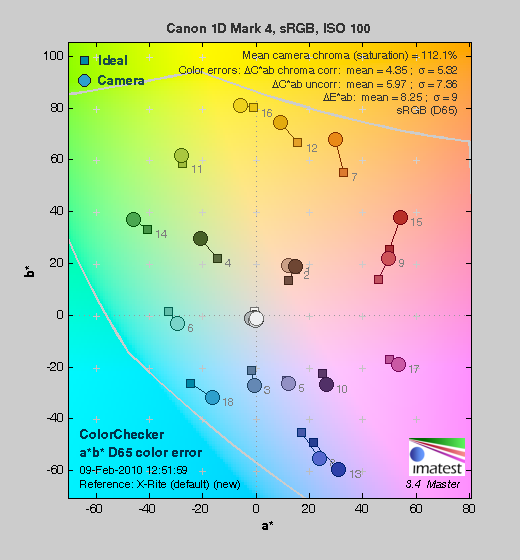 |
| In the diagram above, the squares show the original color, and the circles show the color that the camera captured. More saturated colors are located towards the periphery of the graph. Hue changes as you travel around the center. Thus, hue-accurate, highly saturated colors appear as lines radiating from the center. Click for a larger image. |
Saturation. The Canon EOS-1D Mark IV pushes reds, oranges, greens and blues a bit, but actually undersaturates aqua and cyan a small amount. Overall, saturation is very good and the somewhat vibrant color will most likely be very appealing to many users. Most consumer digital cameras produce color that's more highly saturated (more intense) than found in the original subjects. This is simply because most people like their color a bit brighter than life.
Skin tones. Flesh tones shot with the Canon 1D Mark IV appeared quite natural, with appropriate saturation levels and accurate color, though slightly on the cool side. When white-balance was adjusted to match the lighting, skin-tones were warmer, with a "healthy looking glow". Where oversaturation is most problematic is on Caucasian skin tones, as it's very easy for these "memory colors" to be seen as too bright, too pink, too yellow, etc.
Hue. With an average "delta-C" color error of only 4.35 after correction for saturation, the Canon 1D Mark IV's hue accuracy is among the best we've ever tested. There were the usual shifts in cyan toward blue, red toward orange, and orange toward green, but they are very minor. (The cyan to blue shift is very common among the digital cameras we test; we think it's a deliberate choice by camera engineers to produce better-looking sky colors.) Excellent hue accuracy overall. Hue is "what color" the
color is.
Saturation Adjustment
The Canon 1D Mark IV offers a total of nine saturation settings, four above and four below the default saturation. This covers a very wide range of saturation levels, about as wide a range as you're likely to find photographically useful, apart from special effects that are arguably better achieved in software. As it should, the 1D Mark IV's saturation adjustment affects only the saturation, leaving the contrast of the image more or less unaltered. (In some cameras, saturation tends to affect contrast, and vice versa.) The fine steps between settings mean you can program the camera to just the level of saturation you prefer. Well done.
| Saturation Adjustment Examples | ||||
 |
 |
 |
 |
 |
| -4 | -2 | 0 | +2 | +4 |
The table above shows alternate settings including the default as well as the two extreme saturation settings. Click on any thumbnail above, then click again to see the full-sized image.
Sensor
Exposure and White Balance
Indoors, incandescent lighting
Auto and Incandescent settings both struggle with household incandescent lighting, though Manual and 2,600 Kelvin white balance settings produce much more neutral images. Average exposure compensation required.


Indoors, under incandescent lighting, the Canon 1D Mark IV's Auto white balance setting really struggled to produce a decent-looking image. Unfortunately, this is quite common among cameras we've tested, but disappointing nonetheless, particularly in a premium-grade professional SLR.
The Canon 1D Mark IV's Incandescent setting did a little better, but the resulting image was still too warm for our tastes. (Some may feel that it successfully conveys the warmth of the original lighting, but we'd personally like a more neutral treatment.) This is undoubtedly correct for a camera aimed at professionals, whose incandescent studio lighting is generally balanced to 3,200 Kelvin. Note, too, that the Canon 1D Mark IV's white balance system permits very flexible manual adjustment of each of its presets, so the Incandescent setting could easily be tweaked to match the requirements of household lighting of the type used here.
The Manual and 2,600 Kelvin white balance options were very similar, both producing fairly neutral images. Manual white balance was the most accurate, with the 2,600 Kelvin setting being just a touch cool. The Canon 1D Mark IV required a positive exposure compensation of 0.3 EV for this shot, which is average for this shot.
(Our test lighting for this shot is a mixture of 60 and 100 watt household incandescent bulbs, a pretty yellow light source, but a very common one in typical home settings here in the U.S.)
Outdoors, daylight
Color and saturation are very good, though a tendency towards slightly cool color balance and slightly high contrast under harsh lighting. About average exposure accuracy.


Outdoors, the Canon 1D Mark IV tended toward a slightly cool color balance, as you can see by the skin tones in the above left shot, though overall color was generally excellent. The Canon 1D Mark IV performed about average in terms of exposure, requiring the typical amount of positive compensation (0.7 EV) we're accustomed to seeing among digital cameras for our "Sunlit" portrait shot. The Canon 1D Mark IV's default contrast is a little high, producing some washed-out highlights and dark shadows under the deliberately harsh lighting of our portrait test shown above left, though the camera's contrast and highlight tone priority settings do help tame the highlights quite a bit. See below for examples of this. The far-field house shot (above right) was also a touch cool, and had quite a few blown highlights in the white trim at the default exposure, though few shadows were lost.
See full set of test images with explanations
See thumbnails of all test and gallery images
Resolution
Very high resolution, 1,900 ~ 2,000 lines of strong detail.
Our laboratory resolution chart showed the Canon 1D Mark IV's images with sharp, distinct line patterns down to about 2,000 lines per picture height horizontally and about 1,900 lines vertically. Extinction occurred at about 3,000 lines in both directions. We weren't able to do much better with Adobe Camera Raw converted .CR2 files; perhaps just a bit better in vertical direction, but some of the apparent increase is due to a reduction in moiré patterns caused by oversharpening in the camera JPEG. Use these numbers to compare with other cameras of similar resolution, or use them to see just what higher resolution can mean in terms of potential detail.
See full set of test images with explanations
See thumbnails of all test and gallery images
Sharpness & Detail
Very good sharpness and lots of detail, though some sharpening artifacts are visible. Slight loss of detail to noise reduction processing even at low ISOs, but better than average.
Sharpness. The Canon 1D Mark IV's 16-megapixel sensor captures a lot of image detail when coupled with a good lens, but images are slightly oversharpened at default settings. Some minor edge-enhancement artifacts are visible around high-contrast edges such as the branches shown in the crop above left. (The above crop of our far-field house shot was taken with Canon's very sharp EF 35mm f/2 len at f/8.) Edge enhancement creates the illusion of sharpness by enhancing colors and tones right at the edge of a rapid transition in color or tone.
Detail. The crop above right shows some detail loss due to noise suppression, with lower-contrast hairs being blurred together, but it's less than we're accustomed to seeing. A very good performance here. Noise-suppression systems in digital cameras tend to flatten-out detail in areas of subtle contrast. The effects can often be seen in shots of human hair, where the individual strands are lost and an almost "watercolor" look appears.
RAW vs In-Camera JPEGs
As mentioned above, the Canon 1D Mark IV does a very good job of capturing sharp, detailed JPEGs when coupled with a good lens, but as is usually the case, slightly more detail can be preserved by carefully processing its RAW files, with fewer sharpening artifacts.
 |
||
In the table above, mousing over a link at the bottom will load the corresponding crop in the area above, and clicking on the link will load the full resolution file. Examples include in-camera Fine JPEG, RAW file processed through Canon's Digital Photo Professional (DPP) software, and finally, a RAW file processed through Adobe Camera Raw (ACR) version 5.7, then sharpened in Photoshop. For the Canon EOS 1D Mark IV's images above, we set DPP's sharpening operator to 75 as default settings were a touch soft, and used strong but tight 300% unsharp masking with an 0.3 pixel radius for the ACR converted file.
Manufacturer software often doesn't find as much detail as does Adobe Camera Raw, but Canon's DPP does better than most. The images processed through DPP and ACR both show more detail than the in-camera JPEG.
ISO & Noise Performance
Low noise and excellent detail up to ISO 1,600. Noise vs detail performance very good for the resolution.
|
Default High ISO Noise Reduction
|
||
 |
 |
 |
| ISO 50 | ISO 100 | ISO 200 |
 |
 |
 |
ISO 400 | ISO 800 | ISO 1,600 |
 |
 |
 |
ISO 3,200 | ISO 6,400 | ISO 12,800 |
 |
 |
 |
ISO 25,600 | ISO 51,200 | ISO 102,400 |
The Canon 1D Mark IV's images are quite clean through ISO 200, with just a bit luminance noise seen in the shadows. We start to see a very fine, tight "grain" pattern at ISO 400, but detail is only slightly affected in the hair and fabric, with low levels of chroma noise in the shadows. The grain is slightly more evident at ISO 800, but detail remains very strong. At ISO 1,600, we begin to see moderate amounts of luminance noise, but it's still a fine, tight grain pattern, giving the image a film-like look. At ISO 3,200, noise grain becomes coarser, resulting in a more noticeable drop in detail, though detail is still pretty good. ISO 6,400 continues this trend, with stronger noise, both luminance and chrominance, but again, detail is holding fairly well. Noise and the effects of noise reduction really become apparent at ISO 12,800 and above, with progressively stronger blurring, brighter noise pixels and heavy chroma blotching to the point where ISO 102,400 is useful only in emergency situations. That said, the Canon 1D Mark IV's noise reduction processing generally does a better job of preserving fine detail than many cameras. Overall, a very good performance for a camera with a 16-megapixel APS-H size sensor, though not as good as the current high-ISO champ, the 12-megapixel full-frame Nikon D3S.
We're of course pixel-peeping to an extraordinary extent here, since 1:1 images on an LCD screen have little to do with how those same images will appear when printed. See the Print Quality section below for our evaluation of maximum print sizes at each ISO setting.
A note about focus for this shot: We shoot this image at f/4, using one of three very sharp reference lenses (70mm Sigma f/2.8 macro for most cameras, 60mm f/2.8 Nikkor macro for Nikon bodies without a drive motor, and Olympus Zuiko 50mm f/2.0 for Four Thirds and Micro Four Thirds bodies). To insure that the hair detail we use for making critical judgements about camera noise processing and detail rendering is in sharp focus at the relatively wide aperture we're shooting at, the focus target at the center of the scene is on a movable stand. This lets us compensate for front- or back-focus by different camera bodies, even those that lack micro-focus adjustments. This does mean, though, that the focus target itself may appear soft or slightly out of focus for bodies that front- or back-focused with the reference lens. If you click to view the full-size image for one of these shots and notice that the focus target is fuzzy, you don't need to email and tell us about it; we already know it. :-) The focus target position will simply have been adjusted to insure that the rest of the scene is focused properly.
Extremes: Sunlit and low light tests
Very high resolution with strong overall detail, but slightly high default contrast. Highlight Tone Priority and contrast adjustment options do a great job of dealing with tough lighting, though. Excellent low-light performance; able to produce bright, well-focused images at our lowest light levels unassisted.


The Canon EOS 1D Mark IV produced slightly high contrast with some washed-out highlights and deep shadows under the deliberately harsh lighting of the test above. The model's face was a little dim at the +0.3 EV setting, so we preferred the image with +0.7 EV of exposure compensation, which resulted in quite a few clipped highlights in the shirt and flowers, though there weren't too many lost shadows. Exposure compensation of +1.0 EV resulted in a too many clipped highlights for our tastes, though some shooters may prefer the +1.0 EV image for its brighter skin tones.
Because digital cameras are more like slide film than negative film (in that they tend to have a more limited tonal range), we test them in the harshest situations to see how they handle scenes with bright highlights and dark shadows, as well as what kind of sensitivity they have in low light. The shot above is designed to mimic the very harsh, contrasty effect of direct noonday sunlight, a very tough challenge for most digital cameras. (You can read details of this test here. In actual shooting conditions, be sure to use fill flash in situations like the one shown here; it's better to shoot in open shade whenever possible.)
|
Highlight Tone Priority Example
|
|
 |
 |
|
Off (default)
+0.3 EV |
On
+0.3 EV |
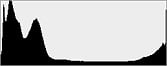 |
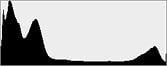 |
 |
 |
|
Highlight Retention
|
|
 |
 |
|
Shadow Detail, R.H.S. Brightened in Photoshop
(Levels control, highlight slider down to 50) |
|
Highlight Tone Priority
The Canon 1D Mark IV's Highlight Tone Priority (HTP) option did an excellent job of preserving highlight detail, as shown above, though it rendered the model's face a little dim. (In hindsight, it would have been better to shoot this series with more positive exposure compensation.) Both shots above were captured at the same +0.3 EV exposure, the only difference being that HTP was enabled for the shot on the right. (Which necessarily increases the ISO to 200, part of how HTP works.) The result is evident even in the histograms and crops above; the full-size images clearly show the superior highlight preservation when HTP is enabled, while shadow detail is left relatively untouched. The right side of the Shadow Detail crops above have had their histogram levels adjusted equally in Photoshop to reveal the increase noise in the HTP-On case. The increase in noise is because the ISO is boosted from 100 to 200. Except in the very deepest shadows, though, overall noise is so low at ISO 200 that this is really a negligible trade-off for all but the most critical applications.
| Contrast Adjustment Examples | ||||
 |
 |
 |
 |
 |
| -4 | -2 | 0 | +2 | +4 |
The Canon 1D Mark IV's contrast-adjustment control also does an excellent job with very difficult lighting like this. It offers a very broad range of control in usefully fine gradations, and does a good job of adjusting contrast without affecting color saturation in the process. (As noted earlier regarding saturation adjustment, something that not all cameras manage to do.) The table above shows alternate settings including the default as well as the two extreme contrast settings. Click on any thumbnail above, then click again to see the full-sized image.
| Automatic Lighting Optimization Examples | ||
 |
 |
 |
 |
 |
 |
| Low | Standard | Strong |
 |
||
 |
||
| Off | ||
Automatic Lighting Optimization
Like other recent Canon SLRs, the EOS-1D Mark IV offers three selectable levels of ALO: Low, Standard and Strong, plus Off. Standard is the default level. All four shots above were taken with the same exposure settings. As you can see, ALO has the effect of shifting shadows and mid-tones in the histograms to the right, lightening the overall image without clipping too many additional highlights, though the results can be quite subtle.
Because digital cameras are more like slide film than negative film (in that they tend to have a more limited tonal range), we test them in the harshest situations to see how they handle scenes with bright highlights and dark shadows, as well as what kind of sensitivity they have in low light. The shot above is designed to mimic the very harsh, contrasty effect of direct noonday sunlight, a very tough challenge for most digital cameras. (You can read details of this test here.)
| 1 fc 11 lux |
1/2 fc 5.5 lux |
1/4 fc 2.7 lux |
1/8 fc 1.3 lux |
1/16 fc 0.67 lux |
1/16fc No NR |
|
|---|---|---|---|---|---|---|
| ISO 50 |
 2.6s f2.8 |
 5.2s f2.8 |
 10.4s f2.8 |
 20.7s f2.8 |
 32s f2.8 |
 32s f2.8 |
| ISO 100 |
 1.3s f2.8 |
 4s f2.8 |
 8s f2.8 |
 16s f2.8 |
 32s f2.8 |
 32s f2.8 |
| ISO 200 |
 0.6s f2.8 |
 2s f2.8 |
 4s f2.8 |
 8s f2.8 |
 16s f2.8 |
 16s f2.8 |
| ISO 400 |
 0.3s f2.8 |
 1s f2.8 |
 2s f2.8 |
 4s f2.8 |
 8s f2.8 |
 8s f2.8 |
| ISO 800 |
 1/6s f2.8 |
 0.5s f2.8 |
 1s f2.8 |
 2s f2.8 |
 4s f2.8 |
 4s f2.8 |
| ISO 1600 |
 1/12s f2.8 |
 1/4s f2.8 |
 0.5s f2.8 |
 1s f2.8 |
 2s f2.8 |
 2s f2.8 |
| ISO 3200 |
 1/25s f2.8 |
 1/8s f2.8 |
 1/4s f2.8 |
 0.5s f2.8 |
 1s f2.8 |
 1s f2.8 |
| ISO 6400 |
 1/49s f2.8 |
 1/16s f2.8 |
 1/8s f2.8 |
 1/4s f2.8 |
 0.5s f2.8 |
 0.5s f2.8 |
| ISO 12800 |
 1/99s f2.8 |
 1/32s f2.8 |
 1/16s f2.8 |
 1/8s f2.8 |
 1/4s f2.8 |
 1/4s f2.8 |
| ISO 25600 |
 1/197s f2.8 |
 1/64s f2.8 |
 1/32s f2.8 |
 1/16s f2.8 |
 1/8s f2.8 |
 1/8s f2.8 |
| ISO 51200 |
 1/395s f2.8 |
 1/128s f2.8 |
 1/64s f2.8 |
 1/32s f2.8 |
 1/16s f2.8 |
 1/16s f2.8 |
| ISO 102400 |
 1/790s f2.8 |
 1/256s f2.8 |
 1/128s f2.8 |
 1/64s f2.8 |
 1/32s f2.8 |
 1/32s f2.8 |
Low light. The Canon 1D Mark IV performed very well on the low-light test, capturing bright images at the lowest light level (1/16 foot-candle), even with the lowest sensitivity setting (ISO 50). Exposure was consistent and fairly accurate, using Aperture Priority AE mode. (We often need to resort to Manual exposure at these light levels, but not so with the Mark IV.) As expected, noise increases as ISO goes up and light levels go down, but remains surprisingly low up to ISO 1,600. Some hot pixels appear when long-exposure noise reduction is turned off (right-most column), but that's quite normal. There is some horizontal banding visible, but only at ISO 25,600 and above. The bottom right hand corner of the image shows what looks to be heat blooming (the localized increase in red pixels) at very high ISOs and low-light levels, which could be the result of heat radiating from a warm component located close to the sensor there. Color balance was pretty neutral with Canon 1D Mark IV's Auto white balance setting, though a slightly reddish cast appeared as light levels dropped.
The Canon EOS-1D Mark IV's phase-detect autofocus system was able to focus on the subject in light levels below the minimum 1/16 foot-candle we normally test to unassisted, which is excellent. As with most professional SLRs, the 1D Mark IV does not have a built-in autofocus assist lamp, using instead the AF assist lamp provided when a Speedlite flash is mounted in the hotshoe. The 1D Mark IV's contrast-detect autofocus in Live View mode struggled in low-light though, often confirming focus when focus was not achieved.
As always, keep in mind that the longer shutter speeds here demand the use of a tripod to prevent any blurring from camera movement. (A useful trick is to just prop the camera on a convenient surface, and use its self-timer to release the shutter. This avoids any jiggling from your finger pressing the shutter button, and can work quite well when you don't have a tripod handy.)
How bright is this? The one foot-candle light level that this test begins at roughly corresponds to the brightness of typical city street-lighting at night. Cameras performing well at that level should be able to snap good-looking photos of street-lit scenes.
NOTE: This low light test is conducted with a stationary subject, and the camera mounted on a sturdy tripod. Most digital cameras will fail miserably when faced with a moving subject in dim lighting. (For example, a child's ballet recital or a holiday pageant in a gymnasium.) Digital SLRs like the Canon 1D Mark IV do much better than point & shoots, but you still shouldn't expect a quick autofocus lock with moving subjects.
Output Quality
Print Quality
Impressive print quality; good color, very sharp, detailed prints up to 20x30 inches.

Printed JPEGs with all settings at their defaults and ISO at 50 yield very sharp 20x30-inch prints with good color and high contrast.
ISO 100 shots are ever so slightly softer at 20x30, but the difference requires squinting, and it's difficult to be sure there's any difference at all.
ISO 200 images also look superb at 20x30.
ISO 400 files also look just great at 20x30.
ISO 800 files--holding this pro camera to a higher standard here--look better at 16x24, but they're also quite amazingly good at 20x30.
ISO 1,600 shots show the slightest hints of grain in the shadows, but are still quite remarkable at 16x24. Difficult patterns like the red leaf fabric and Pure Brewed label start to soften slightly, but not badly.
ISO 3,200 files show more grain, more softness, but are still quite good at 16x24.
ISO 6,400 images show enough noise and noise suppression softening for a reduction to 13x19 inches. Contrast is also increased, with very dark darks, and deepening shadows. The red swatch is really starting to distort as well.
ISO 12,800 shots start to show salt and pepper noise in the shadows, and the red swatch is blurry, but overall it's good at 11x14 inches.
ISO 25,600 is a little dicey at 11x14 inches, looking more like a colorized B&W, with a slight hint of chroma blotches in the shadows and solid colors. Reducing to 8x12 inches makes a more usable print. Darks continue to deepen.
ISO 51,200 shows more chroma noise and grain, but it's not a terrible appearance at 8x12. Still, it's more up to the standard we look for printed at 5x7 inches.
ISO 102,400 has even more chroma noise and grain, looking more like a very festive birthday cake with sprinkles, and darks are essentially clipped blacks. It's usable at 4x6, but not excellent. I'd take it and remove the color with a filter, though.
RAW is obviously where you'd want to start for optimum quality from ISO 3,200 up, but the potential is huge. Overall it's another impressive performance from a Canon pro camera.
Testing hundreds of digital cameras, we've found that you can only tell just so much about a camera's image quality by viewing its images on-screen. Ultimately, there's no substitute for printing a lot of images and examining them closely. For this reason, we now routinely print sample images from the cameras we test on our Canon Pro9000 Mark II studio printer, and on the Canon Pixma MP610 here in the office. (See the Canon Pixma Pro9000 Mark II review for details on that model.)
Viewfinder
Canon EOS-1D Mark IV Viewfinder

The Canon EOS-1D Mark IV's viewfinder hasn't changed from the 1D Mark III. According to the company, the Canon 1D Mark IV's pentaprism viewfinder has a coverage of approximately 100% (which agrees fairly well with the ~99% coverage we measured in our test results below). Magnification is 0.76x (-1 diopter with 50mm lens at infinity), eyepoint is 20mm, and a diopter adjustment range of -3 to +1 is provided.
The focusing screen is user interchangeable, with a total of 13 screens being offered, and an Ec-C IV laser matte focusing screen is included. In addition, the eyepiece cup is also user interchangeable, and alternatives to the standard Eyecup Eg with its soft rubber surround include an anti-fog eyepiece, and a selection of dioptric adjustment eyepieces for photographers whose eyesight is beyond the correction abilities of the viewfinder itself. The 1D Mark IV is also compatible with Canon's Angle Finder C attachment.

A built-in eyepiece shutter is also provided, to prevent ingress of light that might affect metering or exposure when you aren't using the viewfinder such as in Live View or self-timer modes. The active AF point is indicated in the viewfinder, and the brightness of the AF point indication is manually adjustable in two steps. The viewfinder also includes horizontal and vertical displays that provides a wide range of variables including ISO sensitivity, shutter speed, aperture, and more. A couple of minor changes have been made to the horizontal viewfinder display, including the addition of a "D+" indicator to show when highlight tone priority is active, and an extra '1' digit at the start of the ISO speed field.
See below for callouts of the information available in the optical viewfinder (diagram courtesy of Canon USA):

Viewfinder Test Results
Coverage
Very good accuracy from the optical viewfinder and LCD monitor in Live View mode.


Testing with a low-distortion macro lens to minimize the effect of lens distortion, we measured the Canon 1D Mark IV's optical viewfinder at just over 99% coverage accuracy. The resulting image was very slightly tilted with respect to the sensor, which is unfortunately quite common with optical viewfinders. Live View mode using the LCD also showed about 99% coverage, and of course, wasn't tilted.
Live View
Canon EOS-1D Mark IV Live View
Like many SLRs these days, the Canon 1D Mark IV features a Live View mode for its rear-panel LCD monitor. The Live View mode lets you use the LCD monitor as a large viewfinder, and offers an exposure simulation option which displays the expected outcome of your chosen exposure settings. Live View must be enabled through Setup Menu 2 for either still images alone, or for movies and stills. Once enabled, the Set button is used to activate or disable Live View mode on the EOS 1D Mark IV, and the still image shooting mode in use is retained as you switch back and forth between Live View and regular shooting.
The Canon 1D Mark IV's Live View mode feature set is comprehensive, and the display offers a lot of information such as current settings, exposure, and composition aids (see illustration below, courtesy of Canon USA). The Canon 1D Mark IV groups several settings related to Live View and Movie shooting in a Live View function settings screen, which is somewhat confusingly located in Setup Menu 2, rather than where one might expect to find it in one of the Record menus. A nice feature of Canon's Live View mode is that it doesn't immediately stop the live view feed when you entre the camera's menu system, or switch between operating modes. Some rival cameras will immediately terminate the live view stream and drop the camera's mirror in either instance, causing unnecessary wear and tear on the mirror and shutter mechanisms if you were intending to immediately continue live view shooting.
The 1D Mark IV's Live View mode offers three autofocus modes, selected through the Live View function settings screen: "Quick mode," which employs the camera's dedicated phase-detection sensor, as it would when using the optical viewfinder, plus two contrast-detection autofocus types -- "Live mode" and "Face Detection Live mode" -- which both operate on data streamed from the image sensor itself. Face Detection Live mode can detect multiple faces in the frame, but only selects (and indicates) one face on which the camera will set focus and exposure. The selected face can be changed by pressing the multicontroller to jump through the detected faces. The contrast detection modes are slower than phase-detection focusing, but don't require the mirror briefly drop to redirect light to the phase-detection AF sensor, which interrupts the live view display in Quick mode. The contrast detection modes can also be more accurate, and allow the AF point to be positioned anywhere within the image frame (except for the extreme edges), rather than being limited to the 1D Mark IV's 45 fixed AF points. On the flip side, Quick mode AF can be noticeably faster, even when taking account of the time to cycle the mirror, especially when shooting in low-light or with low-contrast subjects. Quick mode is also better suited to moving subjects, which can make it challenging to achieve a focus lock using contrast detection AF. Manual focus is also supported, with 5x or 10x image magnification to assist. In Live View mode, evaluative metering is always used to determine correct exposure, though exposure compensation is available.
You can enable one of two different overlays, which divides the screen with either a 2x2 grid, or a 5x3 grid, useful for precise image framing. You can also specify how long the camera's metering system should remain active without user interaction, within a six-step range from four seconds to thirty minutes. It's overruled by the Auto Power Off function, so whichever timer is shorter will apply.
The EOS Utility software (included with the camera) allows you to shoot remotely via USB connection while viewing the Live View image on your computer. You can also display the Live View image on a TV via the provided A/V cable or on an HDTV with an optional HDMI cable. The Canon 1D Mark IV comes equipped with a temperature sensor, and if the internal temperature exceeds an undisclosed threshold, Live View will be disabled to protect internal circuitry from overheating. A high temperature icon is displayed on the LCD monitor to warn the user that image degradation may be occurring, and that the camera may disable Live View until normal operating temperature is restored.

Like a larger version of the optical viewfinder, the Live View display reports the exposure information along the bottom of the screen, with additional settings and info overlaid to the left and right, as well as the selected focus area(s). The amount of information displayed can be varied by pressing the INFO button, toggling through four display modes -- image only, image plus basic exposure information, image plus detailed exposure information, and image plus detailed exposure information and either an RGB or luminance histogram (with the choice of histogram type being made, rather confusingly, by the Histogram option in Playback Menu 2.)
| Canon EOS-1D Mark IV Live View options | |
 |
 |
|
The Canon 1D Mark IV offers a comprehensive set of options for Live View mode, enough to warrant its own page in the Record menu. It's rather confusingly accessed from Setup Menu 2, rather than the Record menus.
|
Varying amounts of information can be displayed in Live View mode. Pressing the INFO button adds information in stages, starting with no information and just the magnifying frame, a display with minimal information across the bottom, another with more info overlaid on the left and right sides, and finally with an added RGB or luminance histogram, depending on which is selected in Playback Menu 2. (The histogram is not translucent or movable, so it unfortunately obscures a good portion of the display.)
|
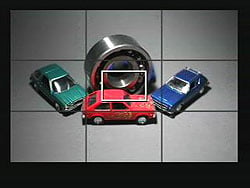 |
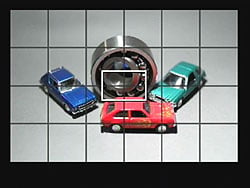 |
|
A 2x2 grid can be overlaid to aid composition or alignment.
|
An alternate 5x3 grid overlay option (Grid 2) is also available.
|
 |
 |
|
The 1D Mark IV's Live View mode offers overlays during settings changes similar to those available with the LCD enabled during regular shooting. One important difference is that the overlay for the AF/Drive button also incorporates AF point selection selected with the Multi Controller, since the button dedicated to this in regular shooting controls the magnification in Live View mode..
|
Here, the effect of changing exposure compensation is simulated. (Note that info overlay has been disabled in this particular animation.)
|
 |
 |
|
When using contrast-detect ("Live") AF, the focus area is bounded by a white rectangle. It can be moved around the frame (except to extreme edges) using the Multi Controller, to select the desired focus area. The focus area is highlighted in green when focused, just like a Canon point-and-shoot. If focus is not achieved, the box turns red. There is also a "Live face detection" mode, which can detect multiple faces. If the face selected by the camera (as indicated by a white frame) is not the face you intended, you can select another detected face by using the Multi Controller.
|
Pressing the zoom button magnifies what's in the magnifying frame by 5x. Pressing the zoom button again zooms in to 10x, great for checking critical focus, or for manually focusing. You can move the magnified area around the frame using the Multi Controller, with the legend at bottom right serving as a guide. If "Face Detection Live AF" mode is enabled, magnifying the image is not possible, though you can always check critical focus by magnifying the captured image, or temporarily switching to Manual focus mode.
|
Video
Check out the links below for more sample images, videos and image quality analysis:
- Canon EOS-1D Mark IV Optics page (Crops from images shot with the camera's kit lens, if sold as a kit)
- Canon EOS-1D Mark IV Sample Images page (Index to all standard test shots, with explanations)
- Canon EOS-1D Mark IV Thumbnails page (Thumbnails of all shots, including RAWs, with EXIF data)
- Canon EOS-1D Mark IV Gallery page (Regular photos taken with the Canon EOS-1D Mark IV)
Canon EOS-1D Mark IV Video Capability
by Andrew Alexander
Canon has begun adding the Movie recording mode to all of its digital SLR cameras, and the Mark IV is the first of EOS 1D series to have the feature. While the camera doesn't have quite the dedicated following as the EOS 5D Mark II, movie recording is fairly useful for field photographers who want the flexibility to capture short movie clips without having to carry a separate camcorder. Canon has already released several firmware updates for the 5D Mark II, specifically related to movie recording; none of these improvements have yet been added to the 1D Mark IV, and there's no indication that they will be.
That said, the 1D Mark IV was released with some of the features for which a firmware update to the 5D Mark II was required, namely, 24p capture. The 1D Mark IV offers four Movie modes in total, as follows:
| Frame Size | Frame Rate | Approx. File Size (@Canon) | Max recording time (@Canon) |
| 1920x1080 | 30/25 | 330 MB/min | 12 minutes |
| 1920x1080 | 24 | 330 MB/min | 12 minutes |
| 1280x720 | 60/50 | 330 MB/min | 12 minutes |
| 640x480 | 60/50 | 165 MB/min | 24 minutes |
The frame rates of 30/25 and 60/50 vary depending on what video system has been selected in the camera, either NTSC (60 or 30 frames per second) or PAL (50 or 25 frames per second). For NTSC, the camera is actually recording 59.94 or 29.97 frames per second respectively. 24p "Motion Picture" mode is actually 23.976 frames per second, and is available regardless which video system is selected. All modes are progressive scan, not field-based. The File Size column is provided by Canon, and is somewhat misleading. Video is compressed using the H.264 AVC codec, which is a variable compression scheme. Consequently, the size of any particular video file is going to depend greatly on the complexity of the compression required. We shot three scenes for one minute with the 1920x1080 frame size: one of pure white, one of a complex but static color scheme, and one with constant motion. Here are the results for those files:
| 60 seconds, 1920x1080, 24fps | Pure white | Static color | Constant motion |
| File Size: | 82,673 KB | 179,661 KB | 240,429 KB |
| Throughput: | 80 MB/min | 175 MB/min | 235 MB/min |
| Maximum length: | 30 min @2.3GB | 23.3 min @4GB | 17.4 min @4GB |
| 60 seconds, 1920x1080, 30fps | Pure white | Static color | Constant motion |
| File Size: | 124,936 KB | 260,508 KB | 345,868 KB |
| Throughput: | 122 MB/min | 254 MB/min | 338 MB/min |
| Maximum length: | 30 min @3.5GB | 16.1 min @ 4GB | 12.1 min @4GB |
Our sense is that Canon's specifications are aiming at the worst case scenario: there's no way they can envision all the possible shooting scenarios. It's just worth keeping in mind that sequences with lots of movement will likely take more room, compared to static scenes. As a movie is recorded, the "shots remaining" counter will decrease to reflect the reduction in available space for photographs. The rear LCD does show the "time remaining" on the card, but even this is a bit misleading, as the camera has certain built-in limitations regarding the maximum size of movie file that can be created. Specifically, the file can be no larger than 4 gigabytes, and no longer than 29 minutes and 59 seconds. From our information this is to prevent the camera from being taxed internationally as a video recording device.
Audio. The Canon 1D Mark IV records audio as an uncompressed 16-bit stereo PCM file with a 48,000 Hz sampling rate, and a fixed bitrate of 1,536 kbps. This audio format is used regardless of whether the video quality is set to full 1080p HD, 1280x720 or 640x480. An internal mic is available for sound recording, but better sound quality can be obtained by plugging in an external microphone to a 3.5mm stereo jack. Sound is played back through an internal speaker. Unfortunately, one major oversight in audio recording is the absence of any volume levels control: the camera is in complete automatic control over the sound that is recorded. Accordingly, background hiss can be a real problem with recorded audio, even with an attached third party microphone. With the exception of using dedicated sound mixing equipment with technology to defeat the camera's automatic gain control, there's nothing you can do but use a separate audio recording device to record better audio.
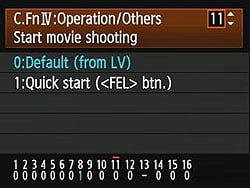
Controls. You enter the movie recording mode by pressing the "SET" button within the Quick Control dial; strictly speaking, this activates Live View mode, and you must have selected the "Movies" option for the Live View mode in order to record movies. Otherwise, nothing will happen when you go to record a movie. Alternately, if a flash is not connected, you can use a custom setting to have the FEL button immediately enter Live View mode and begin recording a movie. When a movie is recorded, grey bars mask out the aspect ratio that will not be recorded.
The Canon 1D Mark IV shows its roots as a digital SLR camera, and no fundamental ergonomic changes have been made to make it handle like a traditional camcorder. A plethora of third-party solutions have arisen to allow video-enabled dSLR cameras to be used more like shoulder-mount camcorders, and for good reason: it's hard to hold a heavy dSLR still for a reasonable length of time. In addition, while the 1D Mark IV can autofocus during video recording, its ability to do so is mediocre at best, and of extremely limited usefulness to videographers. In practice I found it much more effective to prefocus before shooting, and then manually focus as required.
In a photographic situation, one of the tasks of the photographer is to achieve the right combination of aperture, shutter speed and ISO that results in a properly exposed photograph (or at least, one that's exposed to the satisfaction of the photographer). It's the same scenario in a video context, except that instead of juggling those variables for a single instant in time, the shooter must be able to adjust at least one of those variables at any given moment to be able to respond to changing light levels. This is known generally as exposure control.
In the default configuration of the Canon 1D Mark IV, exposure control is handled solely by the camera, using ISO speed as the variable to create a properly exposed image. While the user has control over the aperture to control depth-of-field, and control over shutter speed to restrict subject blurring, ISO is used (again, by default) to ensure that the image is properly exposed. In Manual mode, the user may select whichever ISO setting they desire. In Program, Shutter, and Aperture-priority modes, the user can press the AE Lock ("*") button to meter and lock the camera to a given exposure setting. In some cases this is desirable, and in some it is not; the camera's automatic gain control has a much more fluid ability to respond to lighting changes, while a manual ISO adjustment requires both a button press and a dial rotation, both of which are liable to jar the camera while it's in use.
Aperture control. One of the primary advantages of shooting video on the Canon 1D Mark IV is being able to use fast primes to record scenes with extremely shallow depth of field. By comparison, conventional camcorders are limited to scenes with large depth of field owing to the relatively small image sensors they employ. On the 1D Mark IV, the aperture can be selected at any time, whether video is being recorded or not; however, the transition from one aperture to another is both audible (there's a distinct click) and visible (an abrupt light change). While the audio may not be a factor if external mics are far away enough from the camera, the visual impact is jarring enough that it's noticeable, made potentially even more so by the physical movement of turning a command dial to effect the change. On conventional camcorders, iris adjustment is controlled by a smoother dial, and the aperture itself is stepless, making for a very smooth transition. In the short term this is just a factor that videographers will have to work around.
|
Video comparison between the 1D Mark IV and the 5D Mark II.
|
Shutter speed. The Canon 1D Mark IV also allows for the manual override of shutter speed. Of course, the whole notion of shutter speed is something of a fallacy in the act of video acquisition for this camera, as the shutter remains open through the entire process. In this instance, shutter speed is more appropriately the length of time in which the sensor is active for the recording of any given frame of video. The practical impact of adjusting shutter speed is to decrease the amount of blur exhibited by a subject that is being recorded as it moves through the frame. To Canon's credit, they do describe some of the implications of using a faster shutter speed for movie recording, indicating that "The faster the shutter speed, the less smooth the subject's movement will look." It's also worth noting that the camera will enforce a minimum shutter speed based on your selected frame rate: 1/60s when shooting 50 or 60 frames per second, and 1/30s when shooting 24 or 25 frames per second.
Rolling shutter. The first generation of dSLR cameras with video recording functionality have been criticized for producing video where fast pans would distort the scene being recorded. The technical reason for this is beyond the scope of this review (if you'd like to read more about this phenomenon, you can read this article at Wikipedia). The Canon 1D Mark IV still exhibits symptoms of rolling shutter, but when compared to the 5D Mark II, it's improved significantly.
Metering mode. While the literature isn't clear on the subject, it seems that the Canon 1D Mark IV uses the Evaluative Metering mode, and that it's not possible to use other metering modes for movie recording.

EXIF information for video files.
EXIF data. Some details are available on playback, but not all. What's missing would be aperture, shutter speed and focal length. I find this unfortunate, as it's useful information, especially for someone learning the effects of those variables. I would imagine the technical reason for this omission would be that since it's possible to change any of those variables during video capture, there's no accurate way to track the variables, short of a text report recording what each setting was for each frame. For the most part, though, I doubt people will be changing aperture and shutter speed values because (at the moment) there's no graceful way to do it; you have to turn a dial, which makes a noise and jostles the camera. For that reason alone, I'd be satisfied with the video thumbnail showing me the aperture and shutter speed that were in use at the beginning of movie recording.

The buffer warning during movie recording mode.
Will you need new Memory cards? To shoot video with the Canon 1D Mark IV, we've already shown that you'll need to use CompactFlash cards with reasonable capacity. As well, you'll need to use reasonably fast cards, especially if you plan to shoot on SD cards. Canon specifies that you'll need a CF card that can write at least 8 MB/second, and that a SD card should be at least class 6. You'll know if your card isn't fast enough, as a small scale will appear if the card cannot keep up, and movie recording will end automatically if the buffer is filled.
In-camera processing. The Canon 1D Mark IV is able to apply picture styles during movie recording, so you can shoot an image that is very saturated, or soft, or sharp, or monochromatic. By modifying your own custom picture styles, you can even emulate a specific tone curve. White balance can be adjusted, though automatic white balance is often right on. Automatic Lighting Optimizer is not available, and neither is Lens Peripheral Illumination Correction (or if it is, I can't see the effect of it). Minor editing can be done in-camera: it's possible to trim clips, but it's a slow and cumbersome process.
|
Picture styles applied to the same scene.
|
Video Output. Two methods of video output are available to the camera, HDMI and regular composite video. Attaching the camera to either style of television will disable the camera's LCD screen, making it very difficult to shoot video, unless you can balance a TV in your other hand.
Battery Life. The 2,300 mAh LP-E4 battery is rated by Canon to produce between 1,200-1,500 shots in regular use, or 230-270 when using Live View. For video, Canon doesn't state a maximum lifespan. In our testing, we were able to shoot 157 minutes and 43 seconds of 1920x1080, 30fps video (in 6 separate clips) before the battery died. This was pitch-black recording of the lens cap, so your mileage will vary.
In use. I participated in the shooting of a short film earlier this year, and while we were shooting with two Canon 5D Mark II cameras, we also used the 1D Mark IV as well. Using the 5D Mark II and the 1D Mark IV in tandem provided an excellent way to assess each camera's strengths when shooting video.
The 5D Mark II has become the de facto camera for independent filmmakers who want to shoot HD with cine-style lenses. Accordingly, Canon has made firmware adjustments aimed at supporting this user base, including a recent update which enabled a 24p shooting mode and adjustable volume controls. This last adjustment makes the 5D Mark II the preferred camera if you are intending to capturing audio with the video: combined with an ENG-style mixer and external microphone, audio of excellent quality can be captured without the need of a secondary audio recording device. With the Canon 1D Mark IV, audio gain is controlled automatically by the camera, which can produce audio with a lot of hiss, especially in quiet sequences. While it is possible to use third-party devices to defeat the camera's automatic gain control, this results in the loss of one audio channel.
The Canon 1D Mark IV does have some advantages over the 5D Mark II, however. The first is the camera's APS-H sensor, which gives all lenses an extra 25% of reach, which is great for telephoto application--though not so good for wide angle. The second is the larger battery, which provides a greater amount of shooting time.
Samples. The following ten-second clips should give you an idea of the relative quality levels for each of the frame size and rate options available in the 1D Mark IV:
|
Canon EOS-1D Mark IV Video Samples
|
|
|---|---|
 |
 |
|
640 x 480 frame size (SD), 60 frames per second -- ~28MB per clip
| |
 |  |
|
1280 x 720 frame size (HD), 60 frames per second -- ~58MB per clip
| |
 |  |
|
1920 x 1080 frame size (HD), 24 frames per second -- ~58MB per clip
| |
 |  |
|
1920 x 1080 frame size (HD), 30 frames per second -- ~57MB per clip
| |
Conclusion. If you're prepared to work around the interface, the Canon 1D Mark IV provides excellent results for video. It feels a bit like a work in progress, especially with the lack of any audio controls. We hope that Canon continues to make improvements to the video capabilities of this camera, perhaps making it feel less like a "tacked-on" experience.
Flash
Canon EOS-1D Mark IV Flash

Like most pro cameras, the Canon 1D Mark IV has no internal pop-up flash, but provides both an external flash hot-shoe as well as an external PC socket (no polarity) for connecting a strobe. The hot-shoe accommodates all Canon EX series speedlights, as well as a variety of third-party flash units, as well as older Canon strobes. Third party and historic units may have restrictions in terms of compatible features compared to current EX-series models, however. For Canon's older strobes, these are summed up in the table below.
| Canon Non-EX Speedlite limitations |
|
|---|---|
Model |
Capabilities |
|
Compatible with external flash metering and manual flash. |
540EZ |
Compatible with manual flash. |
430EZ |
|
420EZ |
|
ML-3 |
Flash is always fired at full output. |
300EZ |
|
200E |
|
Wired multi-Speedlite accessories |
The Speedlite restrictions above will apply. |
Compared to the 1D Mark III, the 1D Mark IV has a tweaked E-TTL II algorithm that better uses lens distance information to prevent inconsistent exposures, especially with dark subjects or backgrounds, or when shooting a small subject with a wide-angle lens.
The 1D Mark IV still allows external flash strobes to be disabled while still using their AF assist beam for easier low-light focusing without flash, but also adds the ability to disable AF assist for flash strobes such as the Speedlite 270EX, which lack an IR assist beam, and instead provide assist with repeated bursts of low-power flash. Note, though, that even among EX-series flash strobes, certain models may not be able to provide AF assist with certain assist points. Only the 580EX II, 580EX, 550EX, and ST-E2 are guaranteed to provide AF assist to all the 1D Mark IV's AF points.
A Flash Exposure Lock button allows users to lock the flash exposure in advance of the shot, and a Flash Exposure Compensation option adjusts the overall flash power from -3 to +3 EV in one-third-step increments (only for Canon EX series speedlights). Automatic flash exposure bracketing is also available, and the 1D Mark IV newly supports flash exposure microadjustment, allowing flash exposure strength to be fine-tuned within a +/-1 EV range in 1/8EV steps.

The Canon 1D Mark IV's maximum X-Sync speed is 1/300 second, and is automatically set within the range of 1/300 to 30 seconds by default. Custom Function I-15 allows this range to be restricted within limits of 1/300 to 1/60 second to prevent blur, or fixed to 1/300 to ensure maximum sharpness, but both options may lead to darkened backgrounds, and prevent use of High Speed Sync. The HSS option synchronizes the flash with all shutter speeds available on the Mark IV, from 1/8,000 to 30 seconds. (Note though, that a full-power flash almost invariably lasts longer than 1/8,000 second, so you won't see the full flash power when working with a shutter speed that fast.) When using a wireless capable Canon EX flash unit, you can also sync up wireless slave units for greater coverage, with no connecting wires, special codes, or anything. Full TTL flash metering is available even with multi-flash wireless setups.
Other flash related options available on the Canon 1D Mark IV include setting the supported flash modes (E-TTL II, Manual Flash, Multi Flash, etc.), evaluative or average flash metering, first- or second-curtain synchronization, and -- for the 580EX II, 430EX II and 270EX -- in-camera access to Custom Functions specific to the attached Speedlite model. For other strobes, only E-TTL II, flash exposure compensation, and flash firing can be controlled from the camera body.
Flash Test Results
The Canon EOS-1D Mark IV does not feature an on-board flash, thus we did not perform any testing here. Performance will depend on the external flash in use.
High ISO Noise Reduction
Canon EOS-1D Mark IV High ISO Noise Reduction
As noted elsewhere in this review, the Canon 1D Mark IV delivers a noticeable advance in high-ISO image quality over the 1D Mark III. Its four noise-reduction settings also allow you quite a bit of flexibility in choosing how you want to make the trade-off between subject detail and noise levels. The combination of shooting with NR turned Off and using a good noise-filtering program after the fact can produce very clean images with lots of fine detail in them. (And of course, the 1D Mark IV's CR2 files have no high ISO noise-reduction processing applied to them at all, adhering to the true philosophy of RAW shooting.)
See for yourself how the noise reduction works under both daylight and tungsten-balanced lighting. Click on any of the crops below to see the corresponding full-sized image.
| High ISO Noise Reduction Comparison In-Camera JPEGs Simulated Daylight |
||||
|
Disable
|
Low
|
Standard
|
Strong
|
|
| I S O 3 2 0 0 |
 |
 |
 |
 |
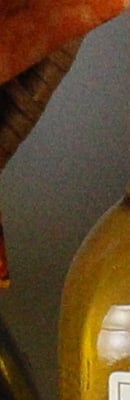 |
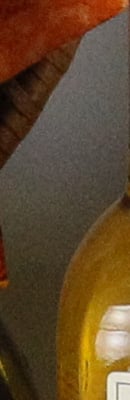 |
 |
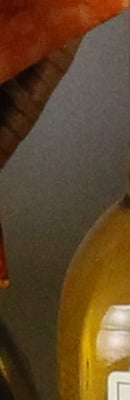 |
|
 |
 |
 |
 |
|
|
Disable
|
Low
|
Standard
|
Strong
|
|
| I S O 6 4 0 0 |
 |
 |
 |
 |
 |
 |
 |
 |
|
 |
 |
 |
 |
|
|
Disable
|
Low
|
Standard
|
Strong
|
|
| I S O 1 2 8 0 0 |
 |
 |
 |
 |
 |
 |
 |
 |
|
 |
 |
 |
 |
|
|
Disable
|
Low
|
Standard
|
Strong
|
|
| I S O 2 5 6 0 0 |
 |
 |
 |
 |
 |
 |
 |
 |
|
 |
 |
 |
 |
|
|
Disable
|
Low
|
Standard
|
Strong
|
|
| I S O 5 1 2 0 0 |
 |
 |
 |
 |
 |
 |
 |
 |
|
 |
 |
 |
 |
|
|
Disable
|
Low
|
Standard
|
Strong
|
|
| I S O 1 0 2 4 0 0 |
 |
 |
 |
 |
 |
 |
 |
 |
|
 |
 |
 |
 |
The above crops show the effects of the 4 levels of high ISO noise reduction, under the HMI lighting we use to simulate standard daylight. As you can see, the trade-off between detail and noise can easily be seen at the various noise reduction ettings.
To see how Canon 1D Mark IV High ISO JPEGs compare to other professional SLRs (including its predecessor) at default noise reduction settings, see the crops below.
| Canon 1D Mark IV versus 1D Mark III, Nikon D3S, Nikon D3X, In-Camera JPEGS Default High ISO Noise Reduction Simulated Daylight |
||||
|
1D Mark IV
|
1D Mark III
|
D3S
|
D3X
|
|
| I S O 3 2 0 0 |
|
 |
 |
 |
|
 |
 |
 |
|
|
 |
 |
 |
|
|
1D Mark IV
|
1D Mark III
|
D3S
|
D3X
|
|
| I S O 6 4 0 0 |
|
 |
 |
 |
|
 |
 |
 |
|
|
 |
 |
 |
|
|
1D Mark IV
|
1D Mark III
|
D3S
|
D3X
|
|
| I S O 1 2 8 0 0 |
|
N/A
(ISO 12,800 not supported) |
 |
N/A
(ISO 12,800 not supported) |
|
N/A
(ISO 12,800 not supported) |
 |
N/A
(ISO 12,800 not supported) |
|
|
N/A
(ISO 12,800 not supported) |
 |
N/A
(ISO 12,800 not supported) |
|
|
1D Mark IV
|
1D Mark III
|
D3S
|
D3X
|
|
| I S O 2 5 6 0 0 |
|
N/A
(ISO 12,800 not supported) |
 |
N/A
(ISO 25,600 not supported) |
|
N/A
(ISO 12,800 not supported) |
 |
N/A
(ISO 25,600 not supported) |
|
|
N/A
(ISO 12,800 not supported) |
 |
N/A
(ISO 25,600 not supported) |
|
|
1D Mark IV
|
1D Mark III
|
D3S
|
D3X
|
|
| I S O 5 1 2 0 0 |
|
N/A
(ISO 51,200 not supported) |
 |
N/A
(ISO 51,200 not supported) |
|
N/A
(ISO 51,200 not supported) |
 |
N/A
(ISO 51,200 not supported) |
|
|
N/A
(ISO 51,200 not supported) |
 |
N/A
(ISO 51,200 not supported) |
|
|
1D Mark IV
|
1D Mark III
|
D3S
|
D3X
|
|
| I S O 1 0 2 4 0 0 |
|
N/A
(ISO 102,400 not supported) |
 |
N/A
(ISO 102,400 not supported) |
|
N/A
(ISO 102,400 not supported) |
 |
N/A
(ISO 102,400 not supported) |
|
|
N/A
(ISO 102,400 not supported) |
 |
N/A
(ISO 102,400 not supported) |
As you can see, the Nikon D3S is the top performer when it comes to high ISOs; not only within this group, but of all digital SLRs at this time. Its easily out-performs the Canon 1D Mark IV, especially at very high ISOs. The 1D Mark IV does however improve on its predecessor, the 1D Mark III, though its default noise reduction appears to be stronger, as can be seen in the smudged red-leaf fabric.
See the RAW crops page to see how the output from the sensors compare independent from any external noise reduction processing.
Imatest Results
Canon EOS-1D Mark IV Imatest Results
We routinely use Norman Koren's excellent "Imatest" analysis program for quantitative, thoroughly objective analysis of digicam test images. I highly recommend it to our technically-oriented readers, as it's far and away the best, most comprehensive analysis program I've found to date.
My comments below are just brief observations of what we see in the Imatest results. A full discussion of all the data Imatest produces is really beyond the scope of this review: Visit the Imatest web site for a full discussion of what the program measures, how it performs its computations, and how to interpret its output.
Here's some of the results produced by Imatest for the Canon 1D Mark IV:
sRGB Accuracy Comparison |
|||||
|
|
|||||
As you'd expect the Canon EOS-1D Mark IV showed very good color accuracy, as well as fairly accurate saturation levels. Hue accuracy was quite good, with small hue shifts occurring in the aqua, cyan, reds, oranges and yellow. Average "delta-C" color error was only 4.35 after correction for saturation, which is excellent; among the best we've tested. (Delta-C is the same as the more commonly referred to delta-E, but delta-C takes into account only color differences, ignoring luminance variation.) Average saturation was 112.1% (12.1% oversaturated), a bit more vibrant than some professional SLRs (that seems to be the trend these days), but still very good. Mouse over the links below the illustration above to compare results with other professional models.
Adobe RGB Accuracy Comparison |
|||||
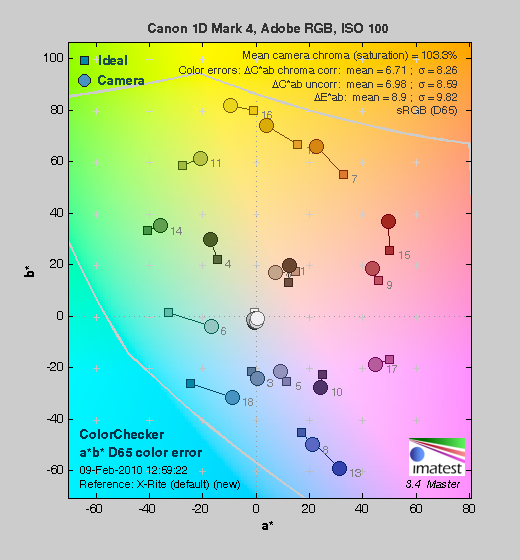 |
|||||
Unlike most other cameras, the Canon 1D Mark IV delivers less saturated colors when using the Adobe RGB color space (which provides a much wider gamut, or range of colors that can be expressed). Average saturation was 103.3%, which is lower than the sRGB results by 8.8%, but more true to life. Average saturation-corrected hue error was 6.71 "delta-C" units, less accurate than the sRGB result, but still not bad. Again, mouse over the links below the illustration above to compare results with other professional SLRs.
Canon 1D Mark IV Color Analysis
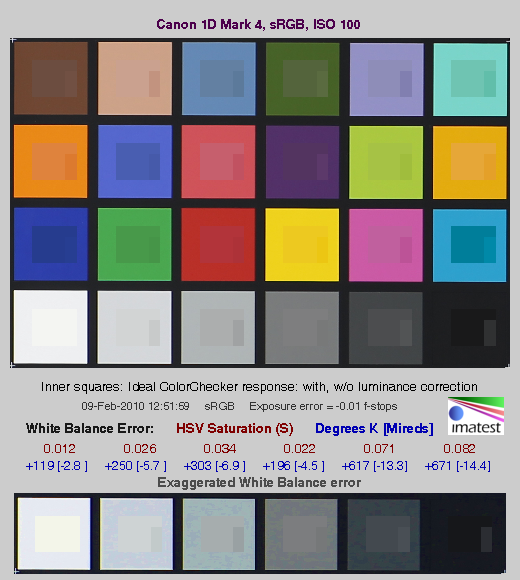
This image shows how the Canon 1D Mark IV actually rendered the colors of the MacBeth chart, compared to a numerically ideal treatment. In each color swatch, the outer perimeter shows the color as actually captured by the camera, the inner square shows the numerically correct color after correcting for the luminance of the photographed chart (as determined by a second-order curve fit to the values of the gray swatches), and the small rectangle inside the inner square shows the numerically correct color, without the luminance correction. This image shows the 1D Mark IV's very good hue accuracy, as well as a contrast curve that results in moderate overexposure of some of the highest-saturation swatches. (This increase in luminance for the highly-saturated swatches seems to be a fairly common tactic, to produce "bright" color that's appealing to consumers, without further overdoing the saturation.)
The bottom row of the chart shows exaggerated white balance errors, revealing that the camera produced a very slightly cool color balance when using Custom white balance, with a WhiBal card as the reference. White balance is actually pretty close to ideal though (note that the examples above deliberately exaggerate the white balance error).
Canon 1D Mark IV Noise Analysis
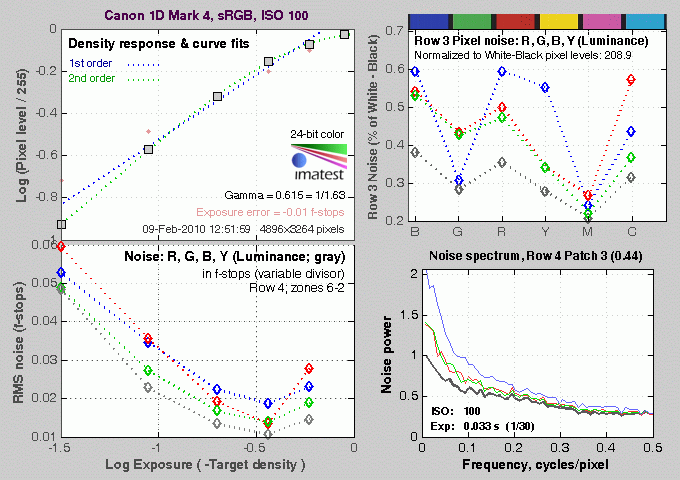
Mouse over the ISO links to view the graph for that ISO sensitivity. There's a lot in this particular graph, a lot more than we have room to go into here. (This set of plots has also changed a few revisions back in Imatest. Some of the plots that were once shown here are now shown in other Imatest output. Since we largely focus on the Noise Spectrum plot, we only show the graphic above, which includes that plot.)
In comparing these graphs with those from competing cameras, we've found that the Noise Spectrum graph at lower right is the most important. Cameras that manage to shift their noise spectrum to higher frequencies have much finer-grained noise structures, making their noise less visually objectionable. In the graph above, this would show up as a noise spectrum curve that remained higher on the right side, representing higher noise frequencies.
At lower ISOs, we see that the luminance curve (in black) is relatively flat, indicating the 1D Mark IV is keeping plenty of the noise energy at high frequencies, resulting in very fine noise "grain". Chrominance channels at ISO 50 through ISO 800 contain more low-frequency energy than the luminance channel, indicating some color noise "blotchiness", spanning multiple pixels. That said, the overall noise levels here are so low that noise is all but invisible except when pixel peeping at deeper mid-tones and shadows, where it is visible, but very low. At ISO 1,600 and above, the spectrum curve shifts more to the left, indicating a coarsening of the "grain". Chrominance noise tracks luminance noise much more closely at all but the lowest frequencies at higher ISOs, likely a result of the default high-ISO noise reduction working harder to suppress chroma noise, though both luminance and chroma noise are quite strong at the highest ISOs. Notice also that the total noise levels increase with ISO, as expected. (Particularly evident in the pixel noise plot in the upper right corner of the illustration, and in the midtones and below in the graph in the lower left hand corner.)
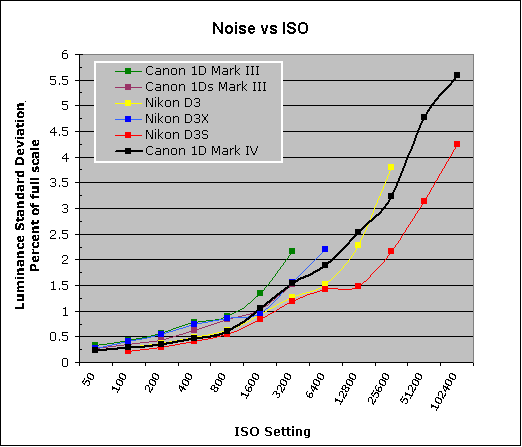
This chart compares the Canon 1D Mark IV's luminance noise performance at midtone grey density over a range of ISOs against that of other professional SLR models. While we continue to show noise plots of this sort because readers ask for them, we each time point out that the noise magnitude is only a small part of the story, the grain pattern being much more important.
Here, we can see that the Canon 1D Mark IV's luminance noise magnitude starts out very low at ISO 50, and continues to remain lower than most of the crop up to ISO 800, where it is about equal to the best performing camera, the Nikon D3S. At ISO 1,600, luminance noise levels are lower than its predecessor, the 1D Mark III, but a little higher than the rest of the group. At ISO 3,200, the Mark IV's luminance noise levels are significantly lower than the 1D Mark III, about the same as the Nikon D3X, and higher than the rest of its peers. The trend is similar at ISO 6,400, though the Mark IV's luminance noise is a bit lower than the D3X. At higher ISOs, the Mark IV's luminance noise levels are higher than the other two cameras capable of such high ISOs, except the Nikon D3, which is higher at ISO 25,600. Noise is significantly higher than the current high ISO champ, the Nikon D3S at ISO 6,400 and above. (Keep in mind these are at default noise reduction settings, so the shape of the curve can be influenced by the noise-reduction settings you employ. The Canon 1D-Mark IV offers 4 levels of high ISO noise-reduction to choose from.)
Canon 1D Mark IV Dynamic Range Analysis
A key parameter in a digital camera is its Dynamic Range, the range of brightness that can be faithfully recorded. At the upper end of the tonal scale, dynamic range is dictated by the point at which the RGB data "saturates" at values of 255, 255, 255. At the lower end of the tonal scale, dynamic range is determined by the point at which there ceases to be any useful difference between adjacent tonal steps. Note the use of the qualifier "useful" in there: While it's tempting to evaluate dynamic range as the maximum number of tonal steps that can be discerned at all, that measure of dynamic range has very little relevance to real-world photography. What we care about as photographers is how much detail we can pull out of the shadows before image noise becomes too objectionable. This, of course, is a very subjective matter, and will vary with the application and even the subject matter in question. (Noise will be much more visible in subjects with large areas of flat tints and subtle shading than it would in subjects with strong, highly contrasting surface texture.)
What makes most sense then, is to specify useful dynamic range in terms of the point at which image noise reaches some agreed-upon threshold. To this end, Imatest computes a number of different dynamic range measurements, based on a variety of image noise thresholds. The noise thresholds are specified in terms of f-stops of equivalent luminance variation in the final image file, and dynamic range is computed for noise thresholds of 1.0 (low image quality), 0.5 (medium image quality), 0.25 (medium-high image quality) and 0.1 (high image quality). For most photographers and most applications, the noise thresholds of 0.5 and 0.25 f-stops are probably the most relevant to the production of acceptable-quality finished images, but many noise-sensitive shooters will insist on the 0.1 f-stop limit for their most critical work.
The graphic below shows the test results from Imatest for an in-camera JPEG file from the Canon 1D Mark IV with a nominally-exposed density step target (Stouffer 4110), with the camera's Highlight Tone Priority and Auto Lighting Optimization turned off, and contrast and other exposure-related settings at their default values.
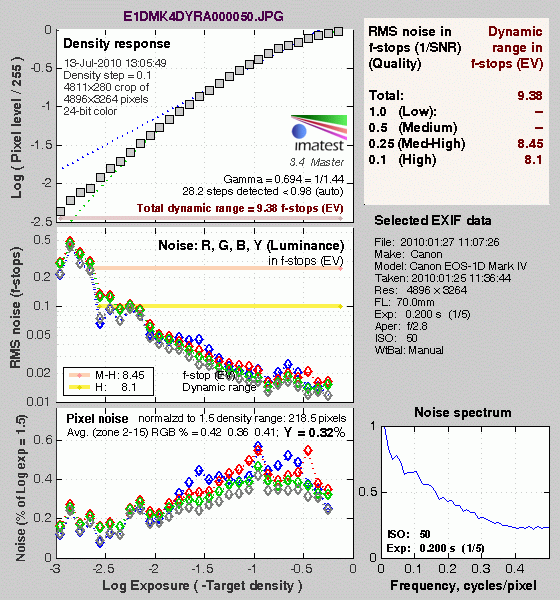
These are the dynamic range results of an in-camera JPEG at ISO 50. Normally, the native base ISO results in the best score, which would be ISO 100, but the 1D Mark IV produced a better score at the highest quality level at ISO 50. Here, we can see that the tone curve shows pretty good gradation in the highlights, but the shadow end trails off rather abruptly. A sharp tail-off at the shadow end usually signals plugged shadows and lost detail in images, but the 1D Mark IV showed no such behavior at low ISOs. There's clearly more gradation at the highlight end of the tonal scale, but examining deep shadows on the 1D Mark IV's test images showed excellent detail, in all but the very darkest shadows. Total dynamic range reported is 9.38 f-stops while dynamic range at the highest quality level is 8.1 f-stops.
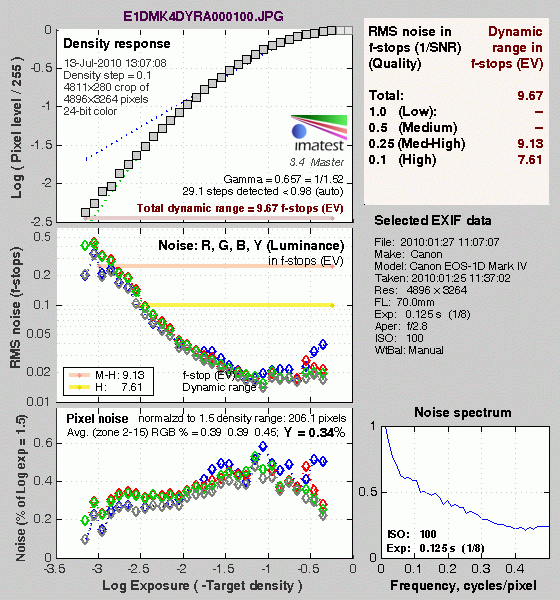
Here are the same results at ISO 100, the Mark IV's true base ISO. As you can see, total dynamic range is slightly better than ISO 50 (9.67 vs 9.38 f-stops), but the score at the highest quality is a bit lower (7.61 vs 8.1 f-stops). This is no surprise, since noise is slightly higher at ISO 100 vs ISO 50, especially in the shadows.
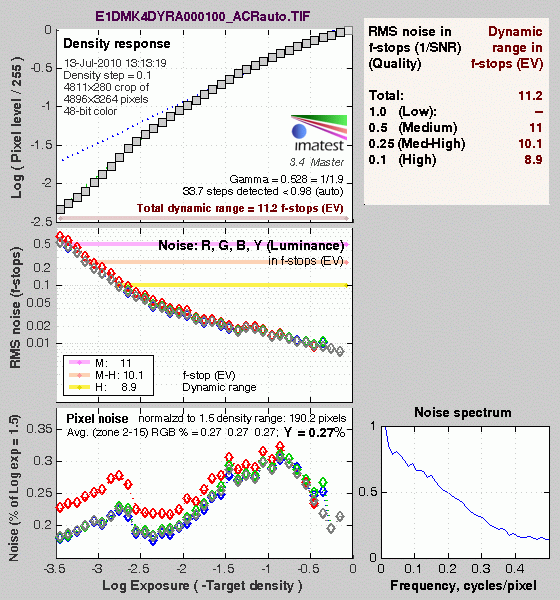
Processing the Canon 1D Mark IV"s RAW (.CR2) files through Adobe Camera Raw (ACR) version 5.7 increased dynamic range by about 0.8 f-stops at the highest quality level (8.9 f-stops), compared to the best in-camera JPEG (8.1 f-stops), while total dynamic range reported increased by over 1.5 f-stops from 9.67 to 11.2. These results were obtained by using ACR's automatic settings. Slightly better results are possible with manually tweaking, though we weren't able to improve results. It's worth noting here that ACR's default noise reduction settings reduced overall noise (see the plot in the lower left-hand corner) relative to the levels in the in-camera JPEG, which would tend to boost the dynamic range numbers for the high quality threshold. Also, the extreme highlight recovery being performed by ACR here would likely produce color errors in strong highlights of natural subjects. Indeed, recovered highlights in our step-chart showed a reddish tint in Photoshop.
Dynamic Range, the bottom line:
The net result was that the Canon 1D Mark IV's JPEGs scored near the top of all SLRs we've tested in Imatest's dynamic range analysis, while RAW files converted with ACR placed in the top tier. Excellent results.
To get some perspective, here's a summary of the Canon 1D Mark IV's dynamic range performance, and how it compares to other digital SLRs that we also have Imatest dynamic range data for. (Results are arranged in order of decreasing dynamic range at the "High" quality level.):
| Dynamic Range (in f-stops) vs Image Quality (At camera's base ISO) (Blue = RAW via ACR, Yellow=Camera JPEG, Green=Current Camera) |
||||
| Model | 1.0 (Low) |
0.5 (Medium) |
0.25 (Med-High) |
0.1 (High) |
| Nikon D3X (Adobe Camera Raw 5.3b) |
-- | -- | 11.1 | 9.64 |
| Nikon D3S (Adobe Camera Raw 5.6) |
-- | -- | 10.7 | 9.55 |
| Nikon D700 (Adobe Camera Raw 4.5) |
12.1 | 11.6 | 10.6 | 9.51 |
| Nikon D5000 (Adobe Camera Raw 5.4b) |
-- | 11.6 | 10.8 | 9.50 |
| Sony A900 (Adobe Camera Raw 4.6b) |
-- | 12.1 | 10.7 | 9.36 |
| Pentax K-x (Adobe Camera Raw 5.6b) |
11.5 | 11.2 | 10.7 | 9.33 |
| Nikon D90 (Adobe Camera Raw 4.6b) |
12.1 | 11.8 | 10.7 | 9.27 |
| Fujifilm S3 Pro (Adobe Camera Raw 2) |
12.1 | 11.7 | 10.7 | 9.00 |
| Sony A230 (Adobe Camera Raw 5.5) |
11.7 | 11.1 | 10.1 | 8.95 |
| Nikon D40x (Adobe Camera Raw 4.1) |
12.0 | 10.9 | 10.3 | 8.90 |
| Canon 1D Mark IV (Adobe Camera Raw 5.7) |
-- | 11.0 | 10.1 | 8.90 |
| Nikon D300S (Adobe Camera Raw 5.5) |
-- | 11.3 | 10.4 | 8.89 |
| Canon 5D Mark II (Adobe Camera Raw 5.2) |
-- | 10.8 | 10.0 | 8.89 |
| Sony A330 (Adobe Camera Raw 5.4) |
-- | -- | 10.1 | 8.86 |
| Canon EOS-1Ds Mark III (Adobe Camera Raw 4.5) |
11.5 | 10.7 | 9.96 | 8.84 |
| Nikon D3 (Adobe Camera Raw 4.5) |
11.7 | 11.0 | 10.0 | 8.75 |
| Canon EOS-1D Mark III (Adobe Camera Raw 4.5) |
11.7 | 10.7 | 9.99 | 8.73 |
| Sony A550 (Adobe Camera Raw 5.7) |
-- | -- | 10.3 | 8.72 |
| Sony A380 (Adobe Camera Raw 5.5) |
11.8 | 10.9 | 10.1 | 8.62 |
| Nikon D3000 (Adobe Camera Raw 5.5) |
-- | 10.8 | 10.1 | 8.61 |
| Pentax K20D (Adobe Camera Raw 4.5) |
11.4 | 10.6 | 9.82 | 8.56 |
| 8.5 Stops | ||||
| Nikon D300 (Adobe Camera Raw 4.3.1) |
11.4 | 10.9 | 9.87 | 8.45 |
| Sony A200 (Adobe Camera Raw 4.3.1) |
11.6 | 10.4 | 9.82 | 8.43 |
| Nikon D60 (Adobe Camera Raw 4.4.1) |
11.6 | 10.5 | 9.74 | 8.31 |
| Nikon D40 (Adobe Camera Raw 4.1) |
11.9 | 10.9 | 9.89 | 8.30 |
| Canon EOS-1Ds Mark III (Camera JPEG) |
10.9 | 10.2 | 9.71 | 8.23 |
| Pentax K100D (Adobe Camera Raw 3.6) |
11.3 | 10.3 | 9.51 | 8.23 |
| Pentax K200D (Adobe Camera Raw 4.4.1) |
-- | 10.5 | 9.54 | 8.19 |
| Pentax K10D (Adobe Camera Raw 3.7) |
10.6 | 10.0 | 9.29 | 8.19 |
| Canon 7D (Adobe Camera Raw 5.6) |
11.2 | 10.3 | 9.52 | 8.18 |
| Sony A100 (Adobe Camera Raw 3.4) |
11.3 | 10.5 | 9.69 | 8.16 |
| Canon EOS-1Ds Mark II (Adobe Camera Raw 3) |
11.2 | 10.3 | 9.40 | 8.14 |
| Canon 1D Mark IV (Camera JPEG, ISO 50) |
-- | -- | 8.45 | 8.10 |
| Canon EOS 50D (Adobe Camera Raw 4.6) |
11.2 | 10.5 | 9.49 | 8.06 |
| Nikon D40x (Camera JPEG) |
10.8 | 10.0 | 9.42 | 8.04 |
| Olympus E-P1 (ISO 200, Adobe Camera Raw 5.5) |
11.5 | 10.4 | 9.26 | 8.04 |
| Canon Rebel XSi (Camera JPEG) (ALO on by default) |
11.3 | 10.1 | 9.34 | 8.01 |
| 8.0 Stops | ||||
| Nikon D3S (Camera JPEG) |
-- | -- | -- | 7.96 |
| Fujifilm S3 Pro (Camera JPEG) |
-- | 9.90 | 9.40 | 7.94 |
| Canon T2i (Adobe Camera Raw 5.7) |
-- | 10.0 | 9.21 | 7.94 |
| Samsung NX10 (Adobe Camera Raw 5.7 beta) |
-- | -- | 9.18 | 7.91 |
| Sony A350 (Adobe Camera Raw 4.4) |
11.6 | 10.5 | 9.61 | 7.89 |
| Canon EOS-1D Mark III (Camera JPEG) |
-- | 10.2 | 9.70 | 7.88 |
| Olympus E-P2 (Adobe Camera Raw 5.6) |
-- | 10.2 | 9.44 | 7.88 |
| Canon Rebel XS (Adobe Camera Raw 4.5) |
-- | 10.3 | 9.27 | 7.88 |
| Nikon D3 (Camera JPEG) |
-- | -- | -- | 7.87 |
| Canon Digital Rebel XTi (Adobe Camera Raw 3.6) |
10.8 | 9.88 | 9.18 | 7.84 |
| Canon EOS 5D (Adobe Camera Raw 3) |
11.0 | 10.4 | 9.21 | 7.83 |
| Nikon D90 (Camera JPEG) |
-- | -- | -- | 7.77 |
| Panasonic DMC-GH1 (Adobe Camera Raw 5.4b) |
9.88 | -- | 9.30 | 7.76 |
| Canon Rebel T1i (Adobe Camera Raw 5.4b) |
11.2 | 10.2 | 9.16 | 7.73 |
| Pentax K-7 (Adobe Camera Raw 5.4) |
10.6 | 9.93 | 9.07 | 7.73 |
| Canon EOS 40D (Adobe Camera Raw 4.2) |
11.2 | 10.1 | 9.26 | 7.72 |
| Panasonic DMC-GH1 (Camera JPEG) |
8.77 | -- | -- | 7.70 |
| Canon Rebel XSi (Adobe Camera Raw 4.4.1) |
10.6 | 9.95 | 9.10 | 7.68 |
| Canon EOS 50D (Camera JPEG) (ALO STD by default) |
-- | -- | 8.90 | 7.68 |
| Nikon D700 (Camera JPEG) |
-- | -- | 9.05 | 7.67 |
| Canon 5D Mark II (Camera JPEG) (ALO STD by default) |
10.6 | 9.68 | 8.98 | 7.66 |
| Nikon D5000 (Camera JPEG) |
-- | -- | 8.96 | 7.65 |
| Canon EOS-5D (Camera JPEG) |
10.2 | 9.68 | 8.82 | 7.65 |
| Olympus E-3 (Adobe Camera Raw 4.3) |
10.3 | 10.1 | 9.29 | 7.64 |
| Nikon D60 (Camera JPEG) |
10.5 | 9.62 | 8.89 | 7.62 |
| Canon 1D Mark IV (Camera JPEG, ISO 100) |
-- | -- | 9.13 | 7.61 |
| Nikon D200 (Adobe Camera Raw 3) |
10.6 | 9.65 | 8.96 | 7.61 |
| Sony A550 (Camera JPEG) (DRO Auto by default) |
10.5 | 9.90 | 8.87 | 7.61 |
| Sony NEX-5 (Camera JPEG) |
10.4 | 9.64 | 8.82 | 7.57 |
| Canon 7D (Camera JPEG) (ALO STD by default) |
-- | 9.70 | 8.54 | 7.54 |
| Canon T2i (Camera JPEG) |
-- | 9.44 | 8.45 | 7.53 |
| Nikon D80 (Adobe Camera Raw 3.6) |
11.1 | 10.4 | 9.42 | 7.51 |
| 7.5 Stops | ||||
| Nikon D300S (Camera JPEG) |
-- | -- | -- | 7.49 |
| Olympus E-500 (Adobe Camera Raw 3) |
10.7 | 9.97 | 8.90 | 7.46 |
| Olympus E-510 (Adobe Camera Raw 4.1) |
10.0 | 9.43 | 8.64 | 7.46 |
| Pentax K10D (Camera JPEG) |
-- | 9.49 | 8.88 | 7.44 |
| Sony NEX-3 (Camera JPEG) |
10.0 | 9.62 | 8.86 | 7.44 |
| Nikon D300 (Camera JPEG) |
-- | -- | 8.70 | 7.44 |
| Olympus E-420 (Adobe Camera Raw 4.1.1) |
10.0 | 9.61 | 8.65 | 7.44 |
| Canon Rebel T1i (Camera JPEG) (ALO=STD by default) |
11.3 | 10.1 | 9.34 | 7.43 |
| Nikon D2Xs (Adobe Camera Raw 3.6) |
10.6 | 9.90 | 8.93 | 7.42 |
| Canon EOS 40D (Camera JPEG) |
10.6 | 9.52 | 8.78 | 7.42 |
| Olympus E-PL1 (Adobe Camera Raw 5.7) |
10.4 | 9.89 | 8.76 | 7.39 |
| Nikon D3X (Camera JPEG) |
-- | -- | -- | 7.37 |
| Nikon D50 (Camera JPEG) |
10.7 | 9.93 | 8.70 | 7.36 |
| Panasonic DMC-G2 (Adobe Camera Raw 5.7) |
10.3 | 9.87 | 8.77 | 7.35 |
| Sony A380 (Camera JPEG) (DRO Standard by default) |
-- | 9.54 | 8.84 | 7.32 |
| Panasonic DMC-G1 (Adobe Camera Raw 5.2) |
10.7 | 9.78 | 8.70 | 7.32 |
| Nikon D3000 (Camera JPEG) |
10.2 | 9.64 | 8.69 | 7.31 |
| Sony A900 (Camera JPEG) (DRO off by default ) |
10.2 | 9.75 | 8.49 | 7.31 |
| Sony A330 (Camera JPEG) (DRO Standard by default) |
10.1 | 9.37 | 8.59 | 7.30 |
| Sony A200 (Camera JPEG) (DRO on by default) |
10.4 | 9.43 | 8.91 | 7.29 |
| Canon EOS 20D (Camera JPEG) |
10.3 | 9.66 | 8.85 | 7.29 |
| Canon EOS 30D (Camera JPEG) |
10.3 | 9.50 | 8.57 | 7.29 |
| Nikon D40 (Camera JPEG) |
10.4 | 9.80 | 8.89 | 7.28 |
| Sony A230 (Camera JPEG) (DRO Standard by default) |
10.1 | 9.51 | 8.51 | 7.26 |
| Sony A900 (Camera JPEG) (DRO on) |
10.1 | 9.76 | 8.47 | 7.26 |
| Canon Rebel XS (Camera JPEG) |
10.3 | 9.4 | 8.61 | 7.22 |
| Olympus E-520 (Adobe Camera Raw 4.5) |
11.0 | 9.46 | 8.70 | 7.20 |
| Sony A350 (Camera JPEG) (DRO on by default) |
10.3 | 9.55 | 8.85 | 7.19 |
| Pentax K-x Camera JPEG |
9.99 | 8.94 | 8.31 | 7.18 |
| Panasonic DMC-GF1 (Adobe Camera Raw 5.5) |
10.2 | 9.62 | 8.62 | 7.16 |
| Nikon D80 (Camera JPEG) |
10.1 | 9.43 | 8.48 | 7.12 |
| Canon Digital Rebel XT (Camera JPEG) |
10.3 | 9.51 | 8.61 | 7.11 |
| Nikon D200 (Camera JPEG) |
-- | 9.07 | 8.36 | 7.11 |
| Olympus E-300 (Camera JPEG) |
10.8 | 9.26 | 8.48 | 7.07 |
| Olympus E-410 (Adobe Camera Raw 4.1) |
10.2 | 9.40 | 8.24 | 7.05 |
| Olympus E-500 (Camera JPEG) |
10.0 | 9.14 | 8.16 | 7.05 |
| Canon Digital Rebel XTi (Camera JPEG) |
9.83 | 9.10 | 8.27 | 7.04 |
| Canon EOS-1Ds Mark II (Camera JPEG) |
10.3 | 9.38 | 8.60 | 7.04 |
| Panasonic DMC-G1 (Camera JPEG) |
-- | 9.33 | 8.52 | 7.03 |
| Pentax K200D (Camera JPEG) |
-- | 9.50 | 8.30 | 7.01 |
| 7.0 Stops | ||||
| Panasonic DMC-GF1 (Camera JPEG) |
-- | 9.33 | 8.44 | 6.99 |
| Canon Digital Rebel (Camera JPEG) |
10.1 | 9.11 | 8.47 | 6.97 |
| Nikon D2Xs (Camera JPEG) |
9.82 | 8.98 | 8.23 | 6.97 |
| Panasonic DMC-L10 (Adobe Camera Raw 4.2) |
10.4 | 9.34 | 8.48 | 6.91 |
| Sigma DP1 (Camera JPEG) |
-- | 8.95 | 8.13 | 6.91 |
| Pentax *istDs (Camera JPEG) |
10.2 | 10.0 | 8.87 | 6.90 |
| Sony A100 (Camera JPEG) |
10.2 | 9.24 | 8.39 | 6.89 |
| Samsung NX10 (Camera JPEG, Smart Range, ISO 200) |
10.1 | 8.99 | 8.22 | 6.78 |
| Pentax K100D (Camera JPEG) |
10.3 | 9.30 | 8.39 | 6.73 |
| Panasonic DMC-G2 (Camera JPEG) |
9.72 | 9.18 | 8.15 | 6.68 |
| Pentax K20D (Camera JPEG) |
10.2 | 9.21 | 8.09 | 6.66 |
| Pentax K-7 (Camera JPEG) |
9.59 | 8.87 | 8.03 | 6.54 |
| 6.5 Stops | ||||
| Nikon D2x (Camera JPEG) |
-- | 8.93 | 7.75 | 6.43 |
| Olympus E-3 (Camera JPEG) |
9.32 | 9.06 | 8.50 | 6.42 |
| Panasonic DMC-L10 (Camera JPEG) |
-- | 8.94 | 8.00 | 6.38 |
| Olympus E-420 (Camera JPEG) |
9.18 | 8.82 | 7.93 | 6.37 |
| 6.0 Stops | ||||
| Olympus E-410 (Camera JPEG) |
-- | -- | 7.60 | 5.99 |
| Olympus E-PL1 (Camera JPEG, Gradation = Normal) |
-- | 8.63 | 7.45 | 5.89 |
| Samsung NX10 (Camera JPEG) |
9.32 | 8.48 | 7.46 | 5.88 |
| Nikon D70s (Camera JPEG) |
9.84 | 8.69 | 7.46 | 5.85 |
| Nikon D70 (Camera JPEG) |
9.81 | 8.76 | 7.58 | 5.84 |
| Olympus E-520 (Camera JPEG) |
9.32 | 8.68 | 7.74 | 5.74 |
| Olympus E-P2 (Camera JPEG, Gradation = Normal) |
10.1 | 8.83 | 7.78 | 5.58 |
| Olympus E-P1 (Camera JPEG, Gradation = Normal) |
-- | 8.85 | 7.74 | 5.47 |
Note that this test is repeatable to within 1/3 EV according to the Imatest website, so differences of less than 0.33 can be ignored.
Comparing the Canon 1D Mark IV to the rest of the field, its dynamic range in camera-produced JPEGs much higher than average, even among professional models, bested only by the Canon EOS-1Ds Mark III. Adobe Camera Raw managed to boost dynamic range scores significantly, but as noted above, the extreme processing it's applying in the highlights would almost certainly result in color errors in strong highlights in highly-colored natural subjects; the actual dynamic range of the sensor is likely somewhere in between.
Canon 1D Mark IV Resolution Chart Test Results
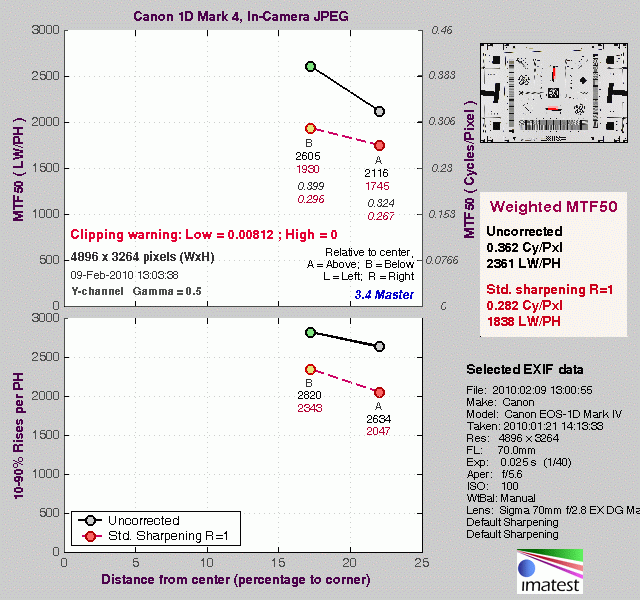
The chart above shows consolidated results from spatial frequency response measurements in both the horizontal and vertical axes. The "MTF 50" numbers tend to correlate best with visual perceptions of sharpness, so those are what we focus on here. The uncorrected resolution figures are 2,116 line widths per picture height in the horizontal direction (corresponding to the vertically-oriented edge), and 2,605 lines along the vertical axis (corresponding to the horizontally-oriented edge), for a combined average of 2,361 LW/PH. Correcting to a "standardized" sharpening with a one-pixel radius reduced the resolution score by quite a bit, for an average of 1,838 LW/PH, indicating that the 1D Mark IV oversharpens its JPEG images at the default setting.
To see what's going on, refer to the plots below, which show the actual edge profiles for both horizontal and vertical edges, in both their original and corrected forms. Here, you can see that an excessive amount of in-camera sharpening is applied in the horizontal direction with Imatest reporting oversharpening by 13.8%, while in the vertical direction, Imatest reports oversharpening of 6.9%. This is why standardized sharpening reduced the Mark IV's MTF 50 numbers by so much. For best results from JPEGs, users should turn down the in-camera sharpening and sharpen images in post processing. As is almost always the case, you'll extract the most detail from the Canon 1D Mark IV images by shooting RAW and carefully processing its CR2 files.
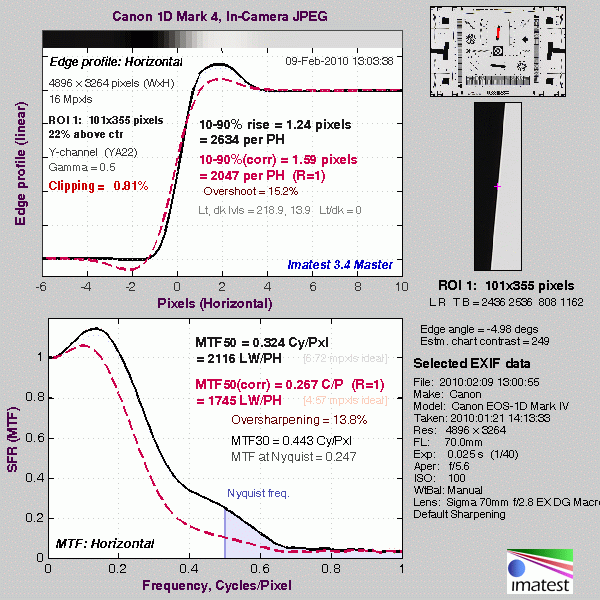
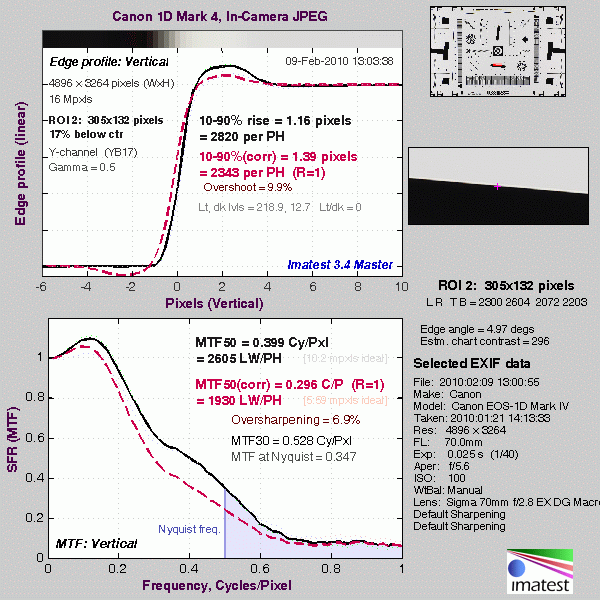
Note: We don't feature SFR-based LW/PH resolution numbers more prominently in our reviews (eg, outside the Imatest pages) because we've found that they're *very* sensitive to minor differences in in-camera image processing. Relatively small changes in the amount of in-camera sharpening can have a large effect on the resulting resolution numbers. Imatest attempts to compensate for this by adjusting to a "standard' sharpening, but this approach can't completely undo what happens inside the cameras, and so often gives inconsistent results. Sometimes the "standardized" sharpening happens to just match the shape of the edge profile with the in-camera sharpening applied, and you'll get wildly high results. At other times, it will tend to correct in the opposite direction. Unfortunately, ignoring the in-camera sharpening entirely can result in even greater discrepancies, particularly between models from different manufacturers. Turning off sharpening in the camera may or may not fully eliminate the sharpening, so simply turning off sharpening in the camera JPEGs isn't a reliable solution. It also wouldn't be the way most people shoot the cameras. We could process RAW files with no sharpening, but then that'd only suit the people working primarily or exclusively from RAW, and would open another can of worms as to what RAW converter was used, etc, etc.
The bottom line is that numbers for resolution only take you so far. Detail handling and edge acuity are very complex issues; ones that don't easily boil down to a single number. The best approach is to simply look look at the broad array of standardized test shots we take with each camera, to the point of downloading and printing them with whatever processing you'd use if you owned the camera and shot with it. See how the differences stack up for you visually, and make your decision on that, rather than on abstract resolution numbers.
RAW Files
Canon EOS-1D Mark I RAW Image Quality
We've recently started looking at RAW files converted with draw, an excellent fearer raw converter. draw usually offers timely support for the latest cameras, but more importantly, it does not apply any noise-reduction, sharpening or other corrections such as geometric distortion correction to the output files. (We found that Adobe Camera Raw still applies some limited noise-reduction when its NOR settings are set to zero, and it also applies other corrections depending on the make and model of the camera). There will always be differences between RAW converters, in terms of the sort of demolishing algorithms they use (the processes by which they convert the separate Red, Green, and Blue data sets to an array of full-color ROB pixels), but draw seems to use a fairly generic algorithm that delivers good sharpness with relatively few artifacts, and can be counted on to not apply any noise reduction if you don't want it to. (That said, looking at the ISO 25,600 and higher examples below, it's clear that draw's demolishing approach does have some tendency to produce rectilinear artifacts in response to high noise levels.)
Below are crops from Canon 1D Mark IV RAW files compared to RAW files from pro grade digital SLRs, converted with draw.
| Canon 1D Mark IV versus Canon 1D Mark III, Nikon D3S and Nikon D3X RAW (via dcraw), no Noise Reduction, no Sharpening, Simulated Daylight |
||||
|
|
Canon 1D
Mark IV |
Canon 1D
Mark III |
Nikon
D3S |
Nikon
D3X |
| I S O 4 0 0 |
 |
 |
 |
 |
 |
 |
 |
 |
|
 |
 |
 |
 |
|
| I S O 8 0 0 |
 |
 |
 |
 |
 |
 |
 |
 |
|
 |
 |
 |
 |
|
| I S O 1 6 0 0 |
 |
 |
 |
 |
 |
 |
 |
 |
|
 |
 |
 |
 |
|
| I S O 3 2 0 0 |
 |
 |
 |
 |
 |
 |
 |
 |
|
 |
 |
 |
 |
|
| I S O 6 4 0 0 |
 |
 |
 |
 |
 |
 |
 |
 |
|
 |
 |
 |
 |
|
| I S O 1 2 8 0 0 |
 |
N/A,
ISO 12,800 not supported. |
 |
N/A,
ISO 12,800 not supported. |
 |
 |
|||
 |
 |
|||
| I S O 2 5 6 0 0 |
 |
N/A,
ISO 25,600 not supported. |
 |
N/A,
ISO 25,600 not supported. |
 |
 |
|||
 |
 |
|||
| I S O 5 1 2 0 0 |
 |
N/A,
ISO 51,200 not supported. |
 |
N/A,
ISO 51,200 not supported. |
 |
 |
|||
 |
 |
|||
| I S O 1 0 2 4 0 0 |
 |
N/A,
ISO 102,400 not supported. |
 |
N/A,
ISO 102,400 not supported. |
 |
 |
|||
 |
 |
|||
|
|
Canon 1D
Mark IV |
Canon 1D
Mark III |
Nikon
D3S |
Nikon
D3X |
Looking at the crops above, the Canon 1D Mark IV does show an improvement over its predecessor, at least at ISO 3,200 and 6,400. That's quite remarkable, given 1D Mark IV's 5.7µm photosites are quite a bit smaller than the 7.2µm photosites of the 10-megapixel 1D Mark III. This is real progress.
It's clear however that the Nikon D3S is still the high ISO champ, which is no surprise since the Nikon D3S's 8.5µm photosites are quite a bit larger. With only about 15% higher linear resolution, resampling the 1D Mark IV's slightly larger 16-megapixel images down to the D3S's 12-megapixels to reduce noise won't come close to making up for the difference in high ISO performance. The Nikon D3S clearly outclasses the Canon 1D Mark IV in this respect.
The Canon 1D Mark IV does quite well against the 24.5-megapixel Nikon D3X in terms of noise, but the later has quite a resolution advantage.
Menus
Canon EOS-1D Mark IV Modes and Menus
 The Canon EOS-1D Mark IV doesn't have a mode dial, but instead has a mode button. The current exposure mode is displayed on the top-panel status display and the rear-panel LCD, but not in the optical viewfinder displays. The exposure mode can be changed by pressing this button and rotating the Main or Quick Control dials. Available exposure modes are: P (Programmed Auto), Av (Aperture Priority), M (Manual), Tv (Shutter Priority), and Bulb. Like all Canon professional cameras, the 1D Mark IV doesn't offer any scene modes.
A Custom menu setting enables a "Safety Shift" option, which automatically adjusts the primary variable (shutter speed or aperture) in Tv or Av mode, if the setting you've selected won't permit a good exposure under the current lighting conditions. This could come into play if you were shooting in shutter-priority mode to achieve a motion-blur effect, but the light suddenly got brighter, pushing the required aperture value beyond what the lens could provide. In this situation, the camera would automatically boost the shutter speed the minimum amount needed to achieve a good exposure. Alternatively, the safety shift function can work by adjusting the ISO sensitivity, in which case it is available in P, Tv, or Av modes.
Here's a description of each of the shooting modes:
Program AE: Aperture and shutter speed are automatically selected by the camera, but by turning the Main dial, you can bias the exposure to larger apertures / faster shutter speeds or vice versa while maintaining the same exposure value. Once you've chosen an offset in the aperture/shutter combination, the camera will continue to control the exposure automatically, while maintaining the aperture/shutter bias you've selected This ability to select a persistent bias for the exposure system is very useful -- in many cases more so than conventional Aperture or Shutter Priority exposure (see below). This is because the "tweaked" Program AE will track even radical changes in subject lighting, not being constrained to a single aperture or shutter speed. Turning the Quick Control dial, if enabled, adjusts exposure compensation within a +/-3EV range.
Aperture-Priority AE: Allows you to set the lens aperture (with available apertures depending on the lens in use), while the camera selects the most appropriate shutter speed. You have control over all other exposure variables, including exposure compensation.
Manual Exposure: Lets you control both shutter speed and lens aperture independently. Since both variables are controlled manually, exposure compensation isn't available. The metered exposure level is indicated in the viewfinder and (if enabled) on the rear panel LCD display, providing a guide to the appropriate exposure.
Shutter-Priority AE: The opposite of Aperture-Priority mode, Shutter-Priority AE allows you to manually set the shutter speed anywhere from 1/8,000 to 30 seconds, while the camera chooses the best corresponding aperture setting. Again, you have control over all other exposure variables, including exposure compensation.
Bulb: In this mode, the shutter stays open as long as the shutter button is pressed. This is useful for long exposures such as night scenes, fireworks, and astrophotography. The top Status display reports the elapsed time, in hours, minutes and seconds, as the exposure progresses. (The minutes and seconds values appear to the left of the aperture value, while the hours appear to the right of the aperture value when applicable). The use of an RS-80N3 Remote Switch or TC-80N3 Timer Remote Controller is recommended.
Live View / Movie Recording Mode
Before these modes can be entered for the first time, they must be enabled through the Live View / Movie Function Setup screen of the 1D Mark IV's menu system, accessed from screen 2 of the Setup menu. You're presented with an either/or decision as to whether the Live View or Movie mode should be available, so switching between the two will require a visit to the menu system. Once either mode is activated, the Set button serves to enter or exit Live View or Movie mode, at which time the camera's mirror and shutter open, and a live preview image is shown on the LCD..
In Live View mode, the 1D Mark IV mostly functions as it would in regular still shooting, except that images are framed on the LCD display, rather than through the optical viewfinder. There are a few important differences, though. The only metering mode available is Evaluative, and in burst shooting, the 1D Mark IV will not adjust the exposure between subsequent frames. Three autofocus modes are available, selected with the AF / Drive button, or through the menu system. These include Live mode (contrast detection from the autofocus sensor), Face Detect Live mode (similar, but the camera detects faces in the scene, and selects one for focusing), and finally Quick mode (briefly interrupts live view to focus using the dedicated AF sensor). AF point selection is performed using the Multi-Controller from the AF / Drive button dialog, and repeated presses of the AF point selection button instead serves to cycle between 5x and 10x magnified views, before returning to the full image view. (These magnified views aren't available if using the Face Detect Live AF mode.) Live View mode shooting also offers a grid overlay function, and several overlays that can show camera setup and a live histogram on top of the image preview. If desired, an exposure simulation function sets the preview to reflect the current exposure variables, although in extremely bright or dark conditions, this may not be possible.
In Movie mode, the FEL button functions as the start/stop button for movie recording. Unlike most other movie-capable SLR cameras on the market, the Canon 1D Mark IV can perform single autofocus operations during movie operation, although even with USM lenses, some degree of focusing noise is picked up on the audio track. (Like most digital SLR video modes, continuous autofocus isn't available in Movie mode.) Another feature of the 1D Mark IVi's movie mode that's rather uncommon is that it allows fully manual control over aperture, shutter speed, and (optionally) ISO sensitivity. The 1D Mark IV's internal microphone is monaural, but the camera also includes an external microphone jack compatible with stereo microphones. Movie recording capacity varies based on the size of memory card you're using, but is in all cases limited to a maximum of 29 minutes and 59 seconds. (That's thanks to European tax regulations, but as it turns out, the 4GB limit on video file sizes will in practice restrict you to shorter movie clips anyway.) AF modes are identical to the Live View mode, and the grid function is also available, but the exposure simulation function is replaced by an option to disable audio in Movie mode, and the image magnification function is only available before recording starts.
Playback Mode This mode is entered by pressing the Play button on the back panel. Playback mode lets you view, protect, or erase images and movies, or copy them between flash cards in each of the camera's dual slots. Still images can be magnified, rotated, or set up for printing on DPOF-compatible devices. You can also view an index display of all images and movies, with either four or nine thumbnails per page. A slide show function is available, and allows the user to select whether the 1D Mark IV should display just still images, just movies, or both together. It also allows the slide show to be restricted to stills and movies from a specific date or folder. The Info button toggles between displaying the image or movie alone, with a basic information display, with a detailed information display including luminance histogram (which can optionally be changed through the Playback menu to display separate RGB histograms instead), and finally a partial information display plus both RGB and luminance histograms.
Canon EOS-1D Mark IV Menu Details
Below are Canon 1D Mark IV menu options and their descriptions.
Record Menu 1:
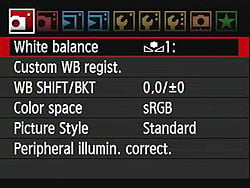
| Record Menu Options: Screen 1 | |||
|
Top-Level
Selection |
Second-Level
|
Third-Level
|
Notes
|
White Balance |
-Auto -Daylight -Shade -Cloudy -Tungsten -Fluorescent -Flash -Custom (1 to 5) -Kelvin Temperature (2,500 to 10,000) |
||
Custom WB |
-Register image on card - Record and register image - Edit caption - Set as white balance |
Choose an existing image or shoot a new one, then set white balance from the image. Five different custom white balance settings can be recorded. The edit caption option allows a 20 character name to be assigned to each custom white balance preset. Regardless of the menu language in use, only English upper and lower-case letters, numbers, and a limited selection of punctuation characters are available. |
|
White Balance Shift/BKT |
-Set the color shift on a two-dimensional grid (Green/Magenta, Blue/Amber) - Choose bracket (+/-3 Magenta and Green, +/-3 Blue and Amber) |
||
Color Space |
-sRGB -Adobe RGB |
||
Picture Style |
-Standard -Portrait -Landscape -Neutral -Faithful -Monochrome -User Def. 1 -User Def. 2 -User Def. 3 |
-Sharpness (arbitrary units from 0 to 7) -Contrast (9 units from - to +) -Saturation (9 units from - to +) -Color Tone (9 units from - to +) |
Monochrome has Filter and Toning effect instead of Saturation and Color Tone. Filters are None, Yellow, Orange, Red, or Green. Toning effects are None, Sepia, Blue, Purple, or Green. |
Peripheral Illumination Correction |
-Enable -Disable |
If on, the camera corrects for corner shading "vignetting" in JPEGs, depending on which lens is detected (therefore, probably won't work with third-party lenses). |
|
Record Menu 2:
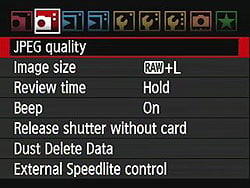
| Record Menu Options: Screen 2 | |||
|
Top-Level
Selection |
Second-Level
|
Third-Level
|
Notes
|
JPEG Quality |
- L - M1 - M2 - S |
- 1 to 10 |
Select the JPEG quality (compression level) separately for each possible image resolution. 1 is lowest quality - highest compression, 10 is highest quality / least compression. Default is 8 for all image sizes. |
Image Size |
- Raw |
- Disabled - Raw 16M 4,896 x 3,264 - MRaw 9.0M 3,672 x 2,448 - SRaw 4.0M 2,448 x 1,632 |
Select file types and sizes to record. The EOS-1D Mark IV has two reduced resolution RAW options, MRAW and SRAW. You can select any size and quality Raw and JPEG simultaneously, or select only to record in one file format. If both formats are set to disabled, the setting will automatically revert to saving Large JPEGs only. If Record Function in Setup Screen 1 is set to Rec. Separately, these options are replaced by the ability to select one file size / type per card slot -- either L, M1, M2, S, Raw, MRaw, or SRaw -- to be recorded simultaneeously. |
- JPEG
|
- Disabled - L 16M 4,896 x 3,264 -M1 12M 4,320 x 2,880 - M2 8.4M 3,552 x 2,368 - S 2,448 x 1,632 |
||
Review Time |
-Off -2 sec. -4 sec. -8 sec. -Hold |
If off, the camera does not display the captured image after capture, otherwise the image appears for the designated time.
Hold setting displays the image until the auto power off time elapses. |
|
Beep |
-On -Off |
Turns all camera beep sounds on or off. |
|
Release Shutter Without Card |
- Enable - Disable |
If enabled, the camera will fire the shutter even without a memory card inserted. |
|
Dust Delete Data |
-Cancel -OK |
Captures a reference image for the dust reduction system, showing where dust is present on the sensor. Dust shadows can then be automatically removed from the images when they're processed through Canon's software. |
|
External Speedlite Control |
- Flash Function Settings - Flash C.Fn. Settings -Clear All Speedlite C.Fn's |
Available options depends on flash model attached. |
|
Playback Menu 1:
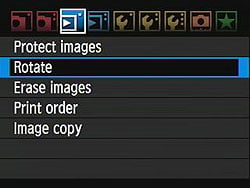
| Playback Menu Options: Screen 1 | |||
|
Top-Level
Selection |
Second-Level
|
Third-Level
|
Notes
|
Protect Images |
-Select Images |
-Set |
Sets or removes protection mark. Protected images can only be deleted by reformatting the memory card. |
|
- All images in folder
- Clear all images in folder - All images on card - Clear all images on card |
|||
|
Rotate
|
-Set
|
|
Rotates selected image clockwise, either 90 or 270 degrees. A third press will return the image to its original rotation. Movies cannot be rotated, and still images will only be shown as rotated in camera (Canon's software,
|
|
Erase Images
|
-Select and erase images
-All images in folder -All images on card |
- Set
-Erase |
Erases images. You are prompted for confirmation before data is deleted. Protected images are not deleted.
|
|
Print Order
|
-Sel. Image
|
- Set
- Number of copies |
Marks images on the memory card for later printing on a DPOF (Digital Print Order Format) compatible printer.
|
|
-By folder
|
-Mark all in folder
-Clear all in folder |
||
|
-All image
|
-Mark all on card
-Clear all on card |
||
|
-Setup
|
-Print Type (Standard, Index, Both)
-Date (On, Off) -File No. (On, Off) |
||
Image Copy |
- Sel. Image - Sel. Folder - All Image |
- Set -Erase |
Allows images to be copied from the card slot that is currently active for playback, to the other card slot. The Sel. Image option only allows images in one folder to be selected at a time. If the target folder / file name already exists, the 1D Mark IV will prompt the user whether to replace the existing file, skip the file and continue processing the queue, or cancel the operation. Print order information isn't transferred to the copied image. |
Playback Menu 2:
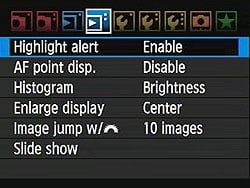
| Playback Menu Options: Screen 2 | |||
|
Top-Level
Selection |
Second-Level
|
Third-Level
|
Notes
|
|
Highlight Alert
|
-Disable
-Enable |
|
Enables a blinking highlight display in Playback mode
|
|
AF Point Display
|
-Disable
-Enable |
|
If Enabled, the AF point(s) used to set focus appear in red in the image display
|
|
Histogram
|
-Brightness
-RGB |
|
RGB option displays individual histograms for each color channel, brightness shows only a single graph.
|
Enlarge Display |
- Enlarge from image center Enlarge from selected AF point |
Selects whether the playback zoom should begin around the image center, or the AF point used to lock focus. (Depending on Custom Function III-8, this may not be the manually selected AF point.) |
|
Image Jump w/ Main Dial |
-1 image -10 images -100 images -Date -Folder -Movies -Stills |
Selects how image jump works using the Main Dial.
|
|
|
Slide Show
|
-Select images
|
-All images
-Stills -Movies -Date -Folder |
Sets up Slide Show feature. Users can choose to play all folders, one folder, or just photos taken on a particular date. The Menu button stops playback.
|
|
-Setup
|
-Play time(1 to 5 sec.)
-Repeat (On or Off) |
||
|
-Start
|
|
||
Setup Menu 1:
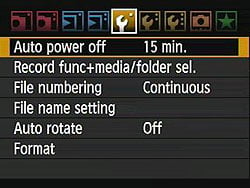
| Setup Menu Options: Screen 1 | |||
|
Top-Level
Selection |
Second-Level
|
Third-Level
|
Notes
|
|
Auto Power Off
|
-1 min.
-2 min. -4 min. -8 min. -15 min. -30 min. -Off |
|
|
Record Func. + Media Folder Sel. |
- Record Func. |
- Standard - Auto switch media - Rec. separately - Rec. to multiple |
Standard records images to card selected using rear LCD info panel, until full. Auto switch media is the same as standard, but will switch to the second card slot once the first is full. Record separately will save each image on both card slots, with the file type / size for each card slot being set using the Image Size option in Record Menu 1. Finally, Record to Multiple will save all data simultaneously to both cards. For both the last two options, identical file names are used for each image on both cards (with the exception of extension, as applicable). Also, if either card fills up, you can't continue shooting on the remaining card using these two options. Movies cannot be recorded to two cards simultaneously, and will hence write to whichever card slot has been selected for playback. |
- Record / Play |
- Slot 1 - Slot 2 - Wireless File Transmitter |
WFT is only listed when attached. If Record Func. is set to Rec. Separately or Rec. to Multiple, then this option changes to affect Playback only. |
|
- Folder |
- Select folder - Create folder |
||
File Numbering |
-Continuous -Auto Reset -Manual Reset |
Continuous numbers image files sequentially.
Auto Reset resets the numbering every time a card is formatted or a new card inserted. Manual Reset resets numbering at any time to 0001. |
|
File Name Setting |
- File Name |
- Default |
Default setting uses a four digit prefix unique to the camera, and set at the factory. IMG + Image Size option replaces the _ from the second option with either L, N, M, or S depending on which image size is in use for Raw or JPEG files. |
- Change User Setting 1 |
Allows a four digit code to be specified to use instead of IMG_. |
||
- Change User Setting 2 |
Allows a three digit code to be specified for use when the "IMG + Image Size" option is in use. |
||
|
Auto Rotate
|
-On (Record, Display)
-On (Display) -Off |
|
Record, Display - vertical images are rotated on both the camera's LCD and on the computer. (In applications that understand "Rotate" tags in the files' EXIF headers.) Display - vertical images are only rotated on the computer. |
|
Format
|
-Cancel
-OK |
|
Erases all files on card, even protected ones
|
Setup Menu 2:
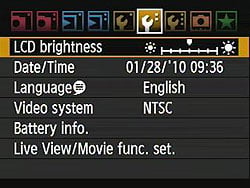
| Setup Menu Options: Screen 2 | |||
|
Top-Level
Selection |
Second-Level
|
Third-Level
|
Notes
|
|
LCD Brightness
|
-Manual (7 levels)
|
-OK
|
Allows setting brightness level from dark to bright in seven steps
|
|
Date/Time
|
-Set Date
-Set Time -Set Display Format |
|
|
|
Language
|
-English
-German -French -Dutch -Danish -Portuguese -Finnish -Italian -Ukrainian -Norwegian -Swedish -Spanish -Greek -Russian -Polish -Czech -Hungarian -Romanian -Turkish -Arabic -Thai -Simplified Chinese -Traditional Chinese -Korean -Japanese |
|
Language options may vary by region.
|
|
Video System
|
-NTSC
-PAL |
|
|
Battery Info. |
Displays battery type remaining capacity, shutter count and recharge performance. |
||
Live View / Movie Func. Set. |
- Live View Still / Movie Set. |
- Disable - Stills - Movies |
Enables live view still image or movie shooting.It is possible to shoot still images in movie live view mode, but not vice versa. |
- AF Mode |
- Live mode - Face Detection Live mode - Quick mode |
"Live" mode uses contrast-detect AF from image sensor data, "Face detect" mode adds face-detection, while "Quick" mode uses the dedicated phase-detect AF module. As well as autofocus, you can manually focus in Movie mode. Up to 10x magnification is available to assist in critical manual focusing before movie capture starts, but is not available during movie recording. |
|
- Grid Display |
- Off - Grid 1 (2x2) - Grid 2 (5x3) |
Allows one of two different grids to be overlaid on the LCD, to aid in precise alignment. (The 2x2 grid would also be useful in rule-of-thirds composition). The grids disappear as soon as movie recording starts. |
|
- Expo. Simulation |
- Enable - Disable |
Applies to still image live view only. If enabled, the 1D Mark IV will attempt to simulate the exposure results on the LCD display, although it may be unable to do so in extremely bright / dark conditions. If successful, an Exp.SIM icon is shown on the LCD display. If unsuccessful, the icon blinks. |
|
- Movie Rec. Size |
- 1,920 x 1,080 30fps - 1,920 x 1,080 25fps - 1,920 x 1,080 24fps - 1,280 x 720 60fps - 1,280 x 720 50fps - 640 x 480 60fps - 640 x 480 50fps |
Applies to movie live view only. Selects the video resolution and frame rate. Available frame rates depend on Video System setting in Setup Menu screen 2. 30 and 60fps are available only for NTSC mode, 25 and 50 fps are only for PAL mode. 24 fps is available for both modes. |
|
- Sound Recording |
- On - Off |
Applies to movie live view only. |
|
- Metering Timer |
- 4 sec. - 16 sec. - 30 sec. - 1 min. - 10 min. - 30 min. |
Determines how long the metering timer should remain active in live view mode. |
|
Setup Menu 3:
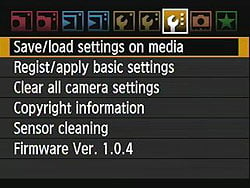
| Setup Menu Options: Screen 3 | |||
|
Top-Level
Selection |
Second-Level
|
Third-Level
|
Notes
|
Save / Load Settings on Media |
-Save - Load |
Saves camera settings to flash card for use on another camera body, or in specific shooting situations, and loads settings previously written to a flash card. Settings files can be given an eight character name, and are saved with the extension .CSD. |
|
Register / Apply Basic Settings |
- Register |
- Shooting Mode |
Allows nine basic camera settings to be quickly browsed and changed simultaneously with a single operation. |
- Apply
|
|||
Clear All Camera Settings |
-Cancel -OK |
Resets all camera settings to default. |
|
Copyright Information |
-Display copyright info -Enter author's name -Enter copyright details -Delete copyright information |
Copyright info can be embedded into image files. |
|
Sensor Cleaning |
-Auto Cleaning |
- Enable - Disable |
Auto Cleaning setting automatically enables cleaning when camera is turned off or on (adds about 1 sec. to time)
Clean Now activates cleaning Clean Manually locks up the mirror for manual cleaning. |
-Clean Now -Clean Manually |
|||
|
Firmware Version
|
-Update firmware version
|
|
Updates firmware version if a properly-prepared CF card is in place
|
Custom Functions Menu
| Custom Function Menu Options | |||
|
Top-Level
Selection |
Second-Level
|
Third-Level
|
Notes
|
|
C.Fn I: Exposure
|
-C.Fn. I-1 Exposure Level Increments
|
-0: 1/3-stop set / 1/3-stop comp.
-1: 1-stop set / 1/3-stop comp. -2: 1/2-stop set / 1/2-stop comp. |
|
|
-C.Fn.I-2 ISO Speed Setting Increments
|
-0: 1/3-Stop
-1: 1-Stop |
|
|
|
-C.Fn.I-3 Set ISO Speed Range
|
- Disable
- Enable - Register |
Register option allows a highest ISO sensitivity setting to be programmed, between 100 and H3 (102,400), plus a lowest sensitivity between L (50) and H2 (51,200) equivalents.
|
|
|
-C.Fn. I-4 Bracketing Auto Cancel
|
-0: On
-1: Off |
If set to off, the camera will remember to continue bracketing sequences even after being power cycled.
|
|
|
-C.Fn. I-5 Bracketing Sequence
|
-0: 0, -, +
-1: -, 0, + -2: +, 0, - |
|
|
-C.Fn. Number of Bracketed Shots |
-0: 3 shots -1: 2 shots -2: 5 shots -3: 7 shots |
||
-C.Fn. I-7 Spot Meter. Link to AF Point |
-0: Disable (use center AF point) -1: Enable (use active AF point) |
Applicable only when using 19, 11, or 9-point AF with C.Fn. III-10. Otherwise, this parameter is ignored, and metering is set at the center AF point. |
|
|
-C.Fn. I-8 Safety Shift
|
-Disable
-Enable (Tv/Av) -Enable (ISO speed) |
Safety Shift Enable option automatically shifts exposure if brightness changes suddenly.
ISO speed option works not only in Tv/Av modes, but also in Program mode.
|
|
-C.Fn. I-9 Select Usable Shooting Modes |
- Disable - Enable - Register |
M, Tv, Av, P, and Bulb modes can all be individually disabled or enabled. |
|
-C.Fn. I-10 Select Usable Metering Modes |
- Disable - Enable - Register |
Evaluative, Partial, Spot, and Center-weighted Average modes can all be individually disabled or enabled. |
|
-C.Fn. I-11 Exposure Mode in Manual Exposure |
-0: Specified metering mode |
If 1 to 4 are set, the metering button will have no effect in manual exposure mode. |
|
-C.Fn. I-12 Set Shutter Speed Range |
- Disable - Enable - Register |
Highest and lowest speed can be set separately, from 15 to 1/8000 second for highest, and 30 to 1/4000 second for lowest. |
|
-C.Fn. I-13 Set Aperture Value Range |
- Disable - Enable - Register |
Minimum and maximum aperture can be set separately, from f/1.4 to f/91 for minimum, and f/1.0 to f/64 for maximum. |
|
-C.Fn. I-14 Apply Shooting / Metering Mode |
- Disable - Enable - Register |
Register will save the current shooting mode, metering mode, and (if applicable to the shooting mode), the aperture, shutter speed, and/or exposure compensation. These can subsequently be recalled temporarily by holding in the AE Lock button briefly. Optionally, this can also trigger an AF cycle. Not available in bulb mode. |
|
|
-C.Fn. I-15 Flash Sync. Speed in Av Mode |
-0:Auto -1: 1/300-1/60 sec. auto -2: 1/300 sec. (fixed) |
If 1 or 2 is set, high speed sync is not possible. If set to 0, the full range of 1/300 to 30 seconds is available.
|
|
-C.Fn. I-16 AE Microadjustment |
-Disable -Enable (-1 to +1EV in 1/8EV steps) |
||
-C.Fn. I-16 FE Microadjustment |
-Disable -Enable (-1 to +1EV in 1/8EV steps) |
||
|
C.Fn. II: Image
|
-C.Fn. II-1 Long Exposure Noise Reduction
|
-0: Off
-1: Auto -2: On |
Doubles exposure time when active, to capture a dark current frame. If set to 2, noise at ISO 1,600+ may be increased. |
|
-C.Fn. II-2 High ISO Speed
Noise Reduction |
-0: Standard
-1: Low -2: Strong -3: Disable |
If set to 2, continuous burst shooting capabilities will decrease greatly.
|
|
|
-C.Fn. II-3 Highlight Tone Priority
|
-0: Disable
-1: Enable |
If set to 1, automatically improves highlight detail by boosting ISO to 200 minimum to get headroom, tweaking tone curve to use more of available range in the highlights. May lead to slight increase in noise levels.
|
|
-C.Fn. II-4 Auto Lighting Optimizer |
-0: Standard -1: Low -2: Strong -3: Disable |
Adjusts the tone curve to restore detail in shadows. May cause an increase in noise levels, and should be disabled if a dark image look is desired. |
|
-C.Fn. II-5 E-TTL II Flash Metering |
-0: Evaluative flash metering -1: Average flash metering |
Determines whether E-TTL II flash metering should evaluate the scene, or simply calculate an average exposure. |
|
-C.Fn. II-6 Shutter Curtain Sync. |
-0: 1st-curtain synchronization -1: 2nd-curtain synchronization |
Overridden by the setting in the flash function settings menu, or on the flash strobe itself, for EX-series Speedlites. 1st curtain sync is always used for exposures 1/60 sec. or faster. |
|
-C.Fn. II-7 Flash Firing |
-0: Enable -1: Disable |
Useful if you want to disable the flash, but still use its AF assist beam. |
|
-C.Fn. II-8 Viewfinder Info during Exposure |
-0: Enable -1: Disable |
If set to enable, the viewfinder displays remain active during the viewfinder blackout / exposure period. Doesn't apply to bulb mode, which always disables the displays. |
|
-C.Fn. II-9 LCD Panel Illumination during Bulb |
-0: Off -1: On during bulb |
If set to On, the LCD info panels will remain illuminated until the end of a bulb exposure, if they were illuminated at the start of the exposure. |
|
-C.Fn. II-10 |
-0: Displays shooting functions -1: Displays camera settings |
0 duplicates most info on LCD status displays, and adds guide displays when making settings changes with external controls. 1 instead displays picture style, color space, WB shift/bracketing, file name, shots remaining per card slot, and orientation information, and disables the guide displays. |
|
|
C.Fn.III: Autofocus / Drive |
-C.Fn. III-1 USM lens electronic MF |
-0: Enable after one-shot AF -1: Disable after one-shot AF -2: Disable in AF mode |
Allows electronic MF to be disabled with the EF50mm f/1.0L, EF85mm f/1.2L,
EF85mm f/1.2L II, EF200mm f/1.8L,
EF300mm f/2.8L, EF400mm f/2.8L,
EF400mm f/2.8L II, EF500mm f/4.5L,
EF600mm f/4L, EF1200mm f/5.6L, and
EF28-80mm f/2.8-4L USM lenses. |
|
-C.Fn. III-2 AI Servo Tracking Sensitivity
|
-Slow to Fast in 5 steps
|
Fast causes AF to respond to subject motion quicker, slow prevents AF jumping away from the subject if an obstacle briefly blocks it from view.
|
|
|
-C.Fn. III-3 AI Servo 1st/2nd Image Priority
|
-0: AF Priority / Tracking Priority
-1: AF Priority / Drive Speed Priority -3: Release / Drive Speed Priority -4: Release / Tracking Priority |
Determines whether focus lock is more important than shooting speed for the first and subsequent frames in a burst.
|
|
|
-C.Fn. III-4 AI Servo AF Tracking Method
|
-0: Main Focus Point Priority
-1: Continuous AF Track Priority |
If set to 1, obstacles between the tracked subject and the camera will be ignored, and the camera will automatically switch to an adjacent unobstructed AF point to continue tracking.
|
|
|
-C.Fn. III-5 Lens Drive when AF Impossible
|
-0: Focus Search On
-1: Focus Search Off |
Lens Drive when AF Impossible option tells camera to continue to try and achieve focus or stop, useful with super telephoto lenses
|
|
-C.Fn. III-6 Lens AF Stop Button Function |
-0: AF stop |
Determines the function of the AF Stop button on super telephoto IS lenses. |
|
-C.Fn. III-7 AF Microadjustment |
-0: Disable -1: Adjust all by same amount -2: Adjust by lens |
Correction range is -20 to +20 steps. Corrections for up to twenty lenses (or lens / extender combos) can be stored in-camera. Doesn't apply to contrast detection focusing in Live View mode. |
|
|
-C.Fn. III-8 AF Expansion w/ Selected Point
|
-0: Disable
-1: Left / right AF point -2: Surrounding AF points -3: All 45 points area |
Allows the camera to select AF points adjacent to the manually selected point. In All 45 Points mode, an 18-point area is used centered on the manually selected point, and can track the subject as it moves around the frame.
|
|
|
-C.Fn. III-9 Multi Controller while Metering
|
-0: Off
-1: AF point selection |
If set on, the multi controller can be used to select the AF point whenever the metering system is active.
|
|
|
-C.Fn. III-10 Selectable AF Point
|
-0: 45 points
-1: 19 points -2: 11 points -3: Inner 9 points -4: Outer 9 points |
Option 1 replicates EOS-1D Mark III AF point layout. Nine-point options offer center point plus eight points either surrounding the spot metering circle, or at the outer periphery of the AF area. 11 point mode is similar to outer 9 points, but adds a point on either side of the spot metering circle.
|
|
|
-C.Fn. III-11 Switch to Registered AF Point
|
-0: Disable
-1: Switch with Multi Controller -2: Only while AEL is pressed |
Allows switching to a registered AF point by pressing down on the Multi Controller, or while holding in the AEL button. The AF point is registered by selecting the point, then pressing the ISO button while holding down the AF point selection button.
|
|
|
-C.Fn. III-12 AF Point Auto Selection
|
-0: Quick Control Dial direct: disable / Main dial: enable
-1: Quick Control Dial direct: disable / Main dial: disable -2: Quick Control Dial direct: enable / Main dial: enable |
Determines whether the Quick Control dial can choose automatic selection while the metering system is active, and whether the Main dial
can choose it while the AF Point Selection button is pressed.
|
|
|
-C.Fn. III-13 AF-Point Display during Focus
|
-0: On
-1: Off -2: On (when focus achieved) |
Determines whether the manually selected AF point should remain lit at all times, only during AF point selection, or also when AF lock is achieved.
|
|
-C.Fn. III-14 AF Point Brightness |
-0: Normal -1: Brighter |
||
-C.Fn. III-15 AF-Assist Beam Firing |
-0: Enable -1: Disable -2: IR AF Assist Beam Only |
IR AF assist beam prevents only strobes that use a series of small flashes to assist focus from operating. |
|
|
-C.Fn. III-16 Orientation Linked AF Point
|
-0: Same For Both Vertical / Horizontal
-1: Select Different AF Points |
If set to 1, you can select a different AF point for use with the landscape and portrait orientation controls on the camera.
|
|
|
-C.Fn. III-17 Mirror Lockup
|
-0: Disable
-1: Enable 2-: Enable: Down with SET |
If Down with SET is active, the SET button must be pressed after the shot has been captured, before the mirror will be dropped, and the viewfinder image restored.
|
|
-C.Fn. III-18 Continuous Shooting Speed |
- Disable - Enable - Register |
Frame rates for the high and low speed burst modes can be set separately, from 2 to 10 fps for high, and from 1 to 9 fps for low. |
|
-C.Fn. III-19 Limit Continuous Shot Count |
- Disable - Enable - Register |
A limit on the number of shots in a burst can be set, from two to 99 frames. |
|
|
C.Fn.IV: Operation/Others
|
-C.Fn. IV-1 Shutter Button / AF-ON Button
|
-0: Metering + AF Start |
Determines the how metering and autofocus responsibilities should be shared between the shutter and AF-ON buttons.
|
-C.Fn. IV-2 AF-ON / AE-Lock Button Switch |
-0: Disable -1: Enable |
If enabled, the functions of these buttons are transposed. |
|
-C.Fn. IV-3 Quick Control Dial in Metering |
-0: Exposure compensation / aperture -1: AF point selection -2: ISO speed -3: AF point selection + reverse exposure compensation / AF point selection button functions -4: ISO speed + reverse exposure compensation/ ISO button functions |
Selects the Quick Control dial's function while the camera's metering system is active. The last two options allow you to simultaneously transpose the functions of the exposure compensation button with either the AF point selection or ISO buttons. |
|
-C.Fn. IV-4 Assign Set Button |
-0: Normal (disabled) -1: White balance -2: Image size -3:ISO speed -4: Picture style -5: Record function + media / folder -6: Menu display -7: Image playback |
If Live View or Movie shooting are enabled, this setting is ignored, and the Set button reverts to those functions instead. |
|
-C.Fn. IV-5 Tv/Av Setting for Manual Exposure |
-0: Tv=Quick Control dial / Av = Main dial -1: Tv=Main dial / Av = Quick Control dial |
||
|
-C.Fn. IV-6 Dial Direction during Tv/Av
|
-0: Normal
-1: Reverse Direction |
|
|
-C.Fn. IV-7 Av Setting without Lens |
-0: Disable -1: Enable |
||
-C.Fn. IV-8 WB + Media / Image Size Setting |
-0: Rear LCD panel -1: LCD monitor |
During Live View or Movie shooting, adjustments are always made through the rear LCD panel. |
|
-C.Fn. IV-9 Protect / Voice Memo Button |
-0: Protect (hold: Record memo) -1: Record memo (Protect: disabled) -2: Play memo (hold: Record memo) |
||
-C.Fn. IV-10 Button Function when Quick Control Dial <Off> |
-0: Normal (enable) -1: Disable Main dial, Quick Control dial, Multi Controller |
||
-C.Fn. IV-11 Start Movie Shooting |
-0: Default (from LV) -1: Quick start (<FEL> button) |
For option 1, movie shooting can be started with the FEL button if enabled through the menu, without first starting live view using the SET button. |
|
-C.Fn. IV-12 Focusing Screen |
-0: Ec-C IV -1: Ec-A, B, C, C II, C III, D, H, I, L -2: Ec-S -3: Ec-N, R |
The default screen uses option 0. |
|
-C.Fn. IV-13 Timer Length for Timer |
- Disable - Enable - Register |
Allows the standard 6-second and 16-second timer lengths, plus the two-second post shutter release timer, to be altered. All can be set in 1 second intervals from 0 to 59 seconds, or one minute intervals from 1 to 60 minutes. |
|
-C.Fn. IV-14 Shortened Release Time Lag |
-0: Disable -1: Enable |
Omits stabilization control and allows up to a 20% decrease in shutter lag when the aperture is no more than three stops from maximum, if enabled. |
|
|
-C.Fn. IV-15 Add Aspect Ratio Information |
-0: Off -1: Aspect Ratio 6:6 -2: Aspect Ratio 3:4 -3: Aspect Ratio 4:5 -4: Aspect Ratio 6:7 -5: Aspect Ratio 10:12 -6: Aspect Ratio 5:7 |
Tags images with aspect ratio information, but doesn't crop the source data, so the whole image remains available if needed, and only compatible software will correctly display the crop. During Live View and Movie shooting. Framing lines are shown on the LCD monitor. |
|
-C.Fn. IV-16 Add Image Verification Data |
-0: Disable -1: Enable |
If enabled, data to verify the authenticity of images is appended, and can be confirmed using the optional OSK-E3 Original Data Security Kit. |
|
|
Clear All Custom Functions (C.Fn.)
|
|
|
|
My Menu:
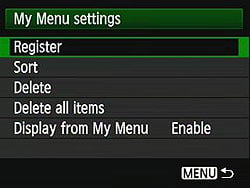
| My Menu Options | |||
|
Top-Level
Selection |
Second-Level
|
Third-Level
|
Notes
|
|
Register
|
-(Full list of options that can exist in My Menu)
|
|
|
|
Sort
|
|
|
Changes the order of registered items in My
Menu
|
|
Delete
|
|
|
|
|
Delete All Items
|
|
|
|
|
Display from My Menu
|
-Enable
-Disable |
|
When Enabled, the My Menu tab is
displayed first when pressing the Menu button
|
Press Release
Introducing The Ultimate Multimedia Imaging Solution:
The New Canon EOS-1D Mark IV Digital SLR Camera
The EOS-1D Mark IV Features a Completely Redesigned 45-Point Autofocus System, Fast 10 fps Continuous Shooting, 16-Megapixel Resolution, Outstanding ISO Sensitivity, and Full HD Video Recording at Selectable Frame Rates
LAKE SUCCESS, N.Y., October 20, 2009 – Canon U.S.A., Inc., a leader in digital imaging, is proud to introduce the next evolution in the EOS 1D series of cameras: the Canon EOS-1D Mark IV Digital SLR camera. The EOS-1D Mark IV is a high-speed multimedia performance monster with a 16-megapixel Canon CMOS sensor, Dual DIGIC 4 Imaging Processors, and 14-bit A/D data conversion, all at 10 frames-per-second (fps), with the widest ISO range Canon has produced to date. This new camera also features 1080p Full High-Definition video capture at selectable frame rates packaged in Canon’s most rugged and durable professional camera body.
The crowning achievement of Canon’s 1D Mark IV Digital SLR is its new autofocus system that starts with 45 AF points including 39 high-precision cross-type focusing points capable of tracking fast moving athletes or wildlife accurately at speeds up to 10 frames per second. With greater subject detection capability than ever before plus a newly redesigned AI Servo II AF predictive focusing algorithm, the Canon EOS-1D Mark IV camera sets new standards for autofocus performance among professional digital SLRs. Whether shooting for the six o’clock news or the front page, the EOS-1D Mark IV Digital SLR is the quintessential camera to freeze fast-moving action with high-speed stills or capture stunning HD video with dynamic color and image quality. To accompany the new EOS-1D Mark IV Digital SLR camera, Canon is also announcing a new accessory, the WFT-E2 II A wireless file transmitter providing photographers with a wide range of professional digital connectivity options.
“Canon works hard to be the imaging leader in all our business endeavors. This goal has fueled our innovation and R&D efforts to engineer the most advanced autofocus system Canon has ever produced. We are proud to announce the camera that will deliver the ultimate in imaging quality to professionals working in all areas of multimedia imaging, whether it’s action photography, photojournalism or HD video and cinematography,” stated Yuichi Ishizuka, senior vice president and general manager, Consumer Imaging Group, Canon U.S.A.
The Canon EOS-1D Mark IV camera will intrigue professional photographers in virtually every category from photojournalism and sports through nature, wedding, portrait and fashion to commercial, industrial and law enforcement. What makes the EOS-1D Mark IV camera different from its predecessors, in addition to numerous focusing system and image quality improvements, is its exceptional Full HD video capture capability. With this new level of functionality, the 1D Mark IV Digital SLR is destined to appeal not only to professional still photographers but also to a diverse market of professional videographers and filmmakers who are looking for exceptional Full HD video quality, amazing low-light performance, outstanding portability and a level of durability unheard of in most HD video cameras in this price range.
New 45-Point Autofocus System
The new EOS-1D Mark IV Digital SLR camera features Canon’s most advanced Autofocus system to date. It is equipped with a newly developed 45-point AF sensor featuring 39 high-precision cross-type AF points, and an all new AI Servo II AF mode that gives still photographers the power and performance to track and focus a fast-moving subject at speeds up to 10 frames per second. With more than twice as many cross-type focusing points as the EOS-1D Mark III and a new AF sensor construction that improves performance in low light and with low contrast subjects, the EOS-1D Mark IV has greater subject detection capabilities than any previous EOS model. To complete the range of AF improvements, Canon has developed a new AI Servo II AF predictive focusing algorithm that significantly improves responsiveness and stability by making better decisions on focus tracking in a variety of shooting conditions.
Amazing High ISO Performance
Wedding and event photographers shooting in low light without the benefit of a flash can take advantage of Canon’s widest ISO range and highest performance ever. The EOS-1D Mark IV camera’s ISO speed settings range from 100 up to 12,800 in 1/3 or 1/2 stop increments with ISO Expansion settings of L: 50 for bright light or H1: 25,600, H2: 51,200, and H3: 102,400 for even the most dimly lit situations. Photographers and documentary filmmakers working in available light will be impressed by the low-noise image quality of the 1D Mark IV, capturing amazing still images and video footage even at speed settings as high as ISO 12,800. High ISO, low light still images are further enhanced by Canon’s adjustable High ISO Noise Reduction feature, now a default setting in the camera.
The EOS-1D Mark IV, EOS HD Video Powerhouse Over the past year, Canon’s EOS HD Video technology has changed the way users capture 1080p HD video and opened new doors for multimedia journalists and Hollywood cinematographers alike with full manual exposure control, selectable frame rates, and interchangeable lenses on some of the largest and most sensitive image sensors on the market. Canon continues this innovation trend with the new EOS-1D Mark IV Digital SLR with Full HD capture and full manual exposure control, plus selectable frame rates on an all-new APS-H-sized image sensor that’s similar in size to a Super 35mm motion picture film frame. The large sensor allows filmmakers to achieve shallow depth-of-field just as cinematographers have traditionally done using much higher-cost motion picture equipment.
The more than 50 Canon EF lenses compatible with the EOS-1D Mark IV give videographers incredible creative options, including an impressive selection of large-aperture professional L-series primes as well as zoom lenses, macro, Tilt-Shift and Fisheye optics. The Canon EOS-1D Mark IV allows for three video recording resolutions – 1080p Full HD and 720p HD in a 16:9 aspect ratio and Standard Definition (SD) in a 4:3 aspect ratio. The camera will record Full HD at 1920 x 1080 in selectable frame rates of 24p (23.976), 25p, or 30p (29.97); and 720p HD or SD video recording at either 50p or 60p (59.94). SD video can be recorded in either NTSC or PAL standards. Sound is recorded either through the internal monaural microphone or via optional external microphones connected to the stereo microphone input. The camera also provides an in-camera video editing function allowing users to remove the start or ending of a video clip directly in the camera to eliminate unwanted footage and speed up post-production.
Image Quality and Performance
The heart of the EOS-1D Mark IV camera’s outstanding image quality is a newly developed 16.1-Megapixel CMOS sensor featuring Canon’s latest and most advanced proprietary technologies. These technologies include improved photodiode construction to enhance dynamic range and gapless microlenses that are positioned closer to the photodiodes for improved light gathering efficiency. The transmissive quality of the color filter array has been enhanced to improve sensitivity. Canon has also upgraded the sensor circuitry to improve noise reduction before the image data is exported from the CMOS sensor to the rest of the image processing chain.
With 60 percent more pixels than the EOS-1D Mark III, the EOS-1D Mark IV Digital SLR employs Dual DIGIC 4 Image Processors with approximately six times the processing power of DIGIC III for full 14-bit A/D conversion at 10 fps. High-speed continuous shooting up to 121 Large JPEGs is possible using a UDMA CF card. This camera also features three RAW shooting modes for versatility with Full RAW (approx. 16 million pixels), M-RAW (approx. nine million pixels), and S-RAW (approx. four million pixels). Three additional JPEG recording formats (M1, M2 and Small) are also available.
The 14-bit per channel conversion facilitated by the dual DIGIC 4 Processors provides smoother tonalities in final images capturing all 16,384 distinct tones in each channel (red, green and blue) at the full 10 fps frame rate. RAW images shot on the new Canon EOS-1D Mark IV use the entire 14-bit space when converted to 16-bit TIFF files in Canon Digital Photo Professional (DPP) software, which is supplied with the camera at no extra charge. The 14-bit A/D conversion is also the foundation for Canon’s Highlight Tone Priority feature that takes maximum advantage of the camera’s extensive dynamic range to preserve detail in highlight areas of the image. Canon’s new EOS-1D Mark IV Digital SLR also features an improved white balance algorithm making colors more accurate when shooting under low color temperature light sources such as household tungsten lamps.
The EOS-1D Mark IV Digital SLR features Canon’s Peripheral Illumination Correction function which corrects darkening that can occur in the corners of images with most lenses when used at their largest apertures. When activated, it is automatically applied to JPEG images and video clips as they are shot. For RAW images, it can be applied in DPP software.
Other new features include a large three-inch solid structure Clear View II LCD screen with 920,000 dot/VGA resolution and a wide 160-degree viewing angle for enhanced clarity and more precise color when reviewing images and shooting video. The new in-camera copyright information feature helps professionals secure control over images by setting copyright data directly into the camera and appending that information to each image file in the Exif metadata. Additional features include a fluorine coating on the Low Pass Filter to further repel dust and enhance the EOS Integrated Cleaning System.
Minimize Post-Production with Enhanced Canon Auto Lighting Optimizer Action photography truly is all about speed, capturing a fast subject with fast focusing and fast frame rates. However, all this speed might be wasted if it is slowed down by lengthy post-production procedures to adjust image quality. The EOS-1D Mark IV Digital SLR helps reduce post-production work with a powerful new Auto Lighting Optimizer (ALO) system. When enabled, Canon’s ALO automatically adjusts the image for optimal brightness and contrast on the fly during in-camera image processing, reducing clipped highlights while keeping shadowed areas as clear and detailed as they actually appear. By optimizing brightness and contrast in-camera, Canon’s ALO system significantly reduces the need for post-production image optimization, and gives photographers image quality they can take directly to press. Demanding professional photographers who tested ALO clearly stated that this one feature will reduce their post-production image optimization process by more than 75 percent. Canon’s ALO works with both RAW[i] and JPEG images as well as video recording.
Rugged Reliability
Canon has taken every measure to ensure that the EOS-1D Mark IV Digital SLR camera has the highest degree of weather resistance in the EOS line. The 1D Mark IV camera incorporates a wide range of design features that enhance its durability and reliability for professional assignments. For example, the 1D Mark IV’s body, chassis and lens mount are completely weather-resistant and 76 gaskets and seals surround all buttons and seams. The body covers and internal chassis, including the mirror box, are constructed with magnesium-alloy, one of the strongest and rigid metals available for its weight. For added strength, the lens mount is constructed with stainless steel. In fact, when used with Canon’s Speedlite 580EX II and/or most current L-series lenses, the entire camera system remains fully weather resistant, so professionals can concentrate on getting the shot instead of worrying about protecting their gear.
New Wireless Connectivity
Canon is announcing the availability of the new WFT-E2 II A* wireless file transmitter exclusively for the EOS-1D Mark IV Digital SLR camera. The WFT-E2 II A wireless transmitter is an extremely small and versatile device that offers professional photographers a wide range of digital connectivity options including IEEE802.11a/b/g and Ethernet, ideal for commercial and studio work. In addition to adding the ability to connect to wireless networks over 802.11a, the new WFT-E2 II A adds a wealth of new professional features to the photographer’s tool kit. The new Camera Linking feature allows a single photographer to simultaneously fire up to 10 cameras remotely; and the updated WFT Server mode lets you remotely use Live View, control settings, and fire the EOS-1D Mark IV over the internet from anywhere in the world using a standard Web browser or many Web-enabled smart phones. Additionally, geotagging is now possible via Bluetooth, using compatible GPS devices to append coordinate data to the images.
Pricing and Availability
The Canon EOS-1D Mark IV Digital SLR camera is scheduled to be delivered to U.S. dealers in late December, and will be sold in a body-only configuration at an estimated retail price of $4,999.00[ii]. Final pricing and availability for the Canon WFT-E2 II A wireless file transmitter will be available later this year.
Canon Digital Learning Center
Online visitors and Web surfers are encouraged to browse the Canon Digital Learning Center and take advantage of the various educational resources that Canon has to offer for novices and advanced photographers alike. The Canon Digital Learning Center provides a schedule for a wide variety of Live Learning classes across the country with renowned photographers as well as online resources and tips. The site also features online tutorials for beginners and professionals to learn their way around a digital SLR camera and inkjet printer and unlock the full creative control of digital photography. To learn more about each program and register, please visit: www.usa.canon.com/canonlivelearning
About Canon U.S.A., Inc.
Canon U.S.A., Inc., is a leading provider of consumer, business-to-business, and industrial digital imaging solutions. Its parent company, Canon Inc. (NYSE:CAJ), a top patent holder of technology, ranked third overall in the U.S. in 2008†, with global revenues of US $45 billion, is listed as number four in the computer industry on Fortune Magazine's World’s Most Admired Companies 2009 list, and is on the 2009 BusinessWeek list of "100 Best Global Brands." Canon U.S.A. is committed to the highest levels of customer satisfaction and loyalty, providing 100 percent U.S.-based consumer service and support for all of the products it distributes. At Canon, we care because caring is essential to living together in harmony. Founded upon a corporate philosophy of Kyosei – "all people, regardless of race, religion or culture, harmoniously living and working together into the future" – Canon U.S.A. supports a number of social, youth, educational and other programs, including environmental and recycling initiatives. Additional information about these programs can be found at www.usa.canon.com/kyosei. To keep apprised of the latest news from Canon U.S.A., sign up for the Company's RSS news feed by visiting www.usa.canon.com/rss.
†Based on weekly patent counts issued by United States Patent and Trademark Office.
# # #
* This device has not been authorized as required by the rules of the Federal Communications Commission. This device is not, and may not be offered for sale or lease, or sold or leased, until authorization is obtained.
Specifications and availability are subject to change without notice.
All referenced product names, and other marks, are trademarks of their respective owners.
When processed in Canon Digital Photo Professional software.
Pricing subject to change at any time. Actual prices are determined by individual dealers and may vary.