

Overview
Does weather-sealing matter? Watch our test and decide for yourself.
Read more of our "Water Torture Test" by clicking here. |
Canon 5D Mark IV Review - Product Overview
For years now, Canon's 5D-series DSLRs have been incredibly popular with photographers and videographers alike. The 5D, 5D II and 5D III each hit a sweet spot in terms of price and performance for a full-frame camera, but after debuting in March 2012, the Mark III was getting a bit long in the tooth.
Now, the 5D Mark IV is here to take the 5D lineup into the future, and it sports a wide range of significant updates throughout, many of them borrowed from the flagship 1D-series or even marking firsts for Canon or the industry as a whole. No doubt about it, this is one extremely exciting and important camera!
Canon 5D Mark IV Product Tour |
A brand new, higher-res image sensor and faster processor
Perhaps the most important change of the bunch is a brand-new full-frame image sensor. In place of the earlier 22.3-megapixel chip used in the 5D III, the Canon 5D IV's sensor now has an effective resolution of 30.4 megapixels. It also adds support for the company's Dual Pixel CMOS AF system, which we'll come back to in a moment.
Accompanying the new image sensor is an upgraded image processor, something that has allowed Canon to make a step forward in performance despite the significant increase in pixel count. The new DIGIC 6+ image processor replaces the earlier DIGIC 5+ chip, and was previously seen in the Canon 1DX II. (That model included twin DIGIC 6+ processors, however, where the 5D IV makes do with just the one.)

Swifter performance and a wider default sensitivity range
Canon rates its new camera as capable of up to seven frames per second in burst shooting, up from the six fps provided in the earlier 5D III. As well as the higher resolution and swifter performance, the new image sensor and processor together allow an improvement in sensitivity. Or at least, in that portion of the sensitivity range which Canon feels is good enough to merit availability by default. The overall expanded sensitivity range of ISO 50 to 102,400-equivalents is unchanged from the 5D III, but the Canon 5D IV allows everything from ISO 100 to 32,000-equivalents by default. The earlier 5D III, by contrast, topped out at ISO 25,600-equivalent unless you enabled ISO sensitivity expansion.

The Canon 5D IV has updated metering and autofocus systems, too
To better take advantage of its new sensor and processor, the 5D Mark IV also sports updated metering and autofocus sensors.
In place of the earlier 63-zone dual-layer iFCL metering sensor borrowed from the 7D, the Canon 5D IV now uses a 153,600-pixel, 252-zone RGB+IR metering sensor. This new design was borrowed from the 7D II, and thanks to its much greater resolution, it should allow for better, more accurate face recognition and tracking in particular. It should also deal with hard-to-meter subjects better thanks to its improved granularity.
The new autofocus sensor, meanwhile, retains the same 61-point count (complete with 41 cross-type points) as in the earlier 5D III. The change in the new High Density Reticular AF II chip -- the earlier variant lacked the 'II' designation -- is that the AF sensor in the Canon 5D IV now has wider coverage, better low-light sensitivity and improved performance.
To put a number on the improvement in low-light AF, where the 5D III had a lower limit of EV -2 to 18, the 5D IV will be able to focus down to EV -3 with its center point and an f/2.8 maximum aperture. And in live view mode, it will focus in even dimmer conditions, all the way down to -4 EV.
And as for the coverage improvement, the Canon 5D IV's AF points now cover 24% more of the image frame horizontally, and 8% more vertically.

Dual Pixel CMOS AF with a touch-screen (and its not just for movies!)
Like the Canon 1DX II before it, the EOS 5D Mark IV now sports Canon's clever Dual Pixel CMOS AF technology. In a nutshell, what this does is to allow for phase-detection autofocus across much of the image frame, either in live view shooting or during movie capture. And just like its flagship sibling, the Canon 5D IV includes a touch-screen to help you get the most from this new feature.
But where the 1DX II limited use of that touch-screen to use during movie capture and in playback mode, there are no such limitations on the 5D IV. Instead, you'll be able to use the touch-screen to specify your subject for autofocus either in movie mode or in live view shooting.
And now, Dual Pixel RAW arrives to let you subtly fine-tune focus post-capture, too
And not just that, but the Dual Pixel CMOS AF tech is also being used in an entirely new (and we have to say, very clever) way in the 5D IV, courtesy of what Canon is calling Dual Pixel RAW.
It's such an interesting and exciting new feature that we've devoted an entire section of this review to it, which you can read here. In a nutshell, though, what it allows is for minor post-capture adjustments to autofocus, bokeh and ghosting. You can also combine adjustments to all three, if you like.
Much more on this brand-new tech can be found in our Dual Pixel RAW Insights section below.

Ever more capable movie capture including in-camera 4K and high frame-rate video
The 5D III was already a favorite of videographers, and for good reason. Recognizing that, Canon has really worked to make the 5D Mark IV an even more capable video shooter. We've already mentioned the availability of full-time phase-detection autofocus during video capture, but what else is new?
Perhaps the most significant change in this area is in-camera 4K video capture, just as in the flagship Canon 1DX II. And just as in that camera, there's one important thing to note: The sole compression type for 4K video is Motion JPEG.

That's both good and bad news. Since there's no interframe compression, image quality in 4K mode is good. However, file sizes will also be spectacular. (Although not quite as much so as is possible with the 1DX II, because where that camera tops out at 60 frames per second in 4K capture, the 5D IV is limited to 30 fps capture.)
Just as in the 1DX II, the Canon 5D IV allows you to extract single high-quality 4K frames at their native 8.8-megapixel resolution in-camera, as well.
And even if you're not shooting 4K yet, the Canon 5D IV brings other video improvements for you. For one thing, you can now shoot Full HD (1080p) at up to 60 frames per second, instead of the earlier 30p limit. And if you're willing to drop the resolution to HD (720p), you'll get 120 fps capture for either silky-smooth motion, or up to a 4x slow-motion effect without dropping your output below 30p.
There's also a new HDR movie function, which allows true high dynamic range shooting. This shoots frames at 60 fps, then combines them to create a Full HD output video at 30 frames per second. And if you want to record video externally, there's also a clean video output via HDMI, although this is at a maximum of Full HD resolution, not 4K, sadly.
Wireless networking and geolocation no longer need clumsy external accessories
If you had the need, the Canon 5D III could be connected to wireless networks to share photos and videos, and could automatically tag your photos with their capture location. Both functions needed external accessories that were expensive and radically changed the camera's handling.
The Canon 5D IV fixes all this, sporting Wi-Fi wireless networking and GPS without the need for external accessories. Instead, these features are built into the camera itself. For Android users, the Wi-Fi connectivity comes complete with NFC for quick-and-easy pairing.
Incidentally, it's worth noting that even if you don't want GPS for its geolocation capabilities, it's also handy for keeping your camera's clock updated. This could be particularly useful if you're shooting multiple cameras, and need their internal clocks to be synced extremely accurately.

A redesigned, better-sealed body, but you'll need to buy a new battery grip
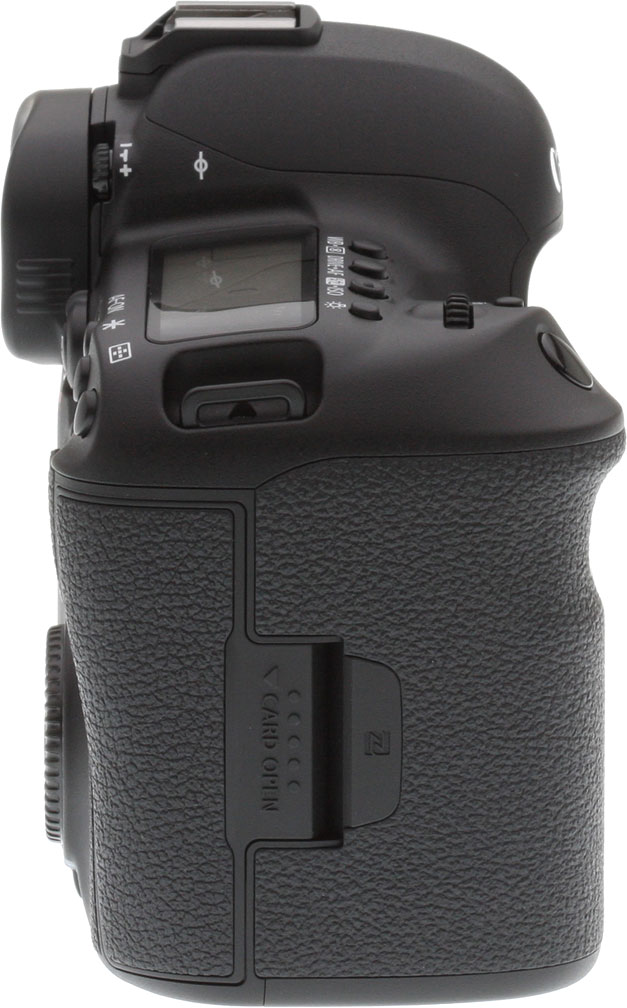
Although it has almost the exact same layout as its predecessor in terms of the controls and features, the Canon 5D IV has a newly-designed body. That means you'll also need a new battery grip accessory, if you're upgrading from the earlier 5D III. In place of that camera's BG-E11 battery grip, the Canon 5D IV requires a new BG-E20 grip.
On the plus side, Canon says that it has taken the opportunity to improve the 5D Mark IV's weather-sealing. It's now said to be similar to the 7D Mark II in this area, with the controls better-sealed than they were in the 5D III.
One change of note to the controls is the addition of a new AF Area Select control on the back of the camera. It's customizable, so if you don't want to use it for this function, you can repurpose it for something else. Oh, and if you're looking for the remote control terminal, it's now been moved to the front of the camera.

Canon 5D Mark IV pricing and availability
The Canon EOS 5D Mark IV went on sale in the US market in early September 2016 in a body-only configuration or in a kit with the EF 24-70mm f/4 L lens. A second kit, opting instead for the EF 24-105mm f/4L IS II USM lens, is also available and went on sale in late October 2016. Pricing is set at around US$3,500 body-only, the exact same point at which the 5D III launched back in 2012. The 24-70mm kit retails for around US$4,400, and the 24-105mm kit for US$4,600.
In the Box
The Canon EOS 5D Mark IV body-only retail package (as reviewed) contains the following items:
- Canon EOS 5D Mark IV DSLR Camera (Body Only)
- LP-E6N Lithium-Ion Battery Pack (7.2V, 1865mAh)
- LC-E6 Charger for LP-E6 Battery Pack
- Eyecup Eg
- RF-3 Body Cap for Canon EOS Cameras
- IFC-150U II USB 3.0 Interface Cable for DSLRs
- Cable Protector
- Wide Neck Strap
- Canon Digital Solution Disk
- Warranty Card
Recommended Accessories
- Large capacity SD and/or CompactFlash memory cards
- USB 3.0 or Thunderbolt Card Reader
- Given the high resolution and large file sizes of the 5D Mark IV, 32GB is a good tradeoff between cost and capacity. If you plan to capture high-definition or 4K movie clips, shoot image bursts, or shoot in RAW format, opt for the fastest cards you can afford. Canon specifies that 4K requires the following write speed requirements: CF UDMA7 (100MB/sec. or faster); SD UHS-I (90MB/sec. or higher).
- Extra LP-E6N lithium-ion rechargeable battery pack for extended outings
- External shoe mount flash (e.g. Canon Speedlite 600EX II-RT)
- BG-E20 Battery Grip
- Canon Remote Switch RS-80N3
- Medium to large camera bag
Optics
Viewfinder Test Results
Accuracy
Excellent accuracy from the optical viewfinder and LCD in Live View mode.


The Canon EOS 5D Mark IV's optical viewfinder accuracy is excellent, showing essentially 100% coverage with practically no offset or tilt. Live View mode accuracy using the LCD monitor is also excellent, with about 100% coverage in our test.
The images above were taken from our standardized test shots. For a collection of more pictorial photos, see our Canon EOS 5D Mark IV Photo Gallery .
Exposure
Color
Saturation & Hue Accuracy
Realistic saturation levels with excellent hue accuracy.
 |
|||
|
ISO Sensitivity
|
|||
|
|
|
|
|
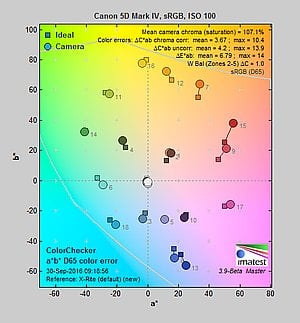
| In the diagram above, the squares show the original color, and the circles show the color that the camera captured. More saturated colors are located toward the periphery of the graph. Hue changes as you travel around the center. Thus, hue-accurate, highly saturated colors appear as lines radiating from the center. Mouse over the links above to compare ISOs, and click to load a larger version. | |||
Saturation. The Canon 5D Mark IV produces images with saturation levels that are slightly less pumped (ie., more accurate) than most cameras at default settings, though still very pleasing. Dark reds are boosted the most, with orange, dark greens, dark browns and dark blues pushed a little, while cyans, yellow and light green are slightly muted. Mean saturation is 107.1% (7.1% oversaturated) at base ISO, a little lower than average these days. Mean saturation is quite stable across the ISO range, though, varying from a minimum of 106.8% at ISO 12,800 to a maximum of 109.6% at ISO 102,400. which is a pretty tight range. Most consumer digital cameras produce color that's more highly saturated (more intense) than found in the original subjects. This is simply because most people like their color a bit brighter than life.
Skin tones. The Canon 5D Mark IV produces pleasing, natural-looking Caucasian skin tones in our tests when using auto white balance in simulated daylight. Darker skin tones show a small nudge toward orange, but lighter tones are more pinkish and healthy-looking. Very good results. Where oversaturation is most problematic is on Caucasian skin tones, as it's very easy for these "memory colors" to be seen as too bright, too pink, too yellow, etc.
Hue. As we've come to expect from Canon, the 5D Mark IV's hue accuracy is excellent when manual white balance is used (as it always is for these results). There are the usual shifts in cyan toward blue (though actually quite small), red toward orange, orange toward yellow and yellow to green, but all are quite minor. Average "delta-C" color error at base ISO is 3.67 which is much better than average. Delta-C color error increases with sensitivity, but remains better than average even at the highest ISOs. Hue is "what color" the
color is.


Sensor
Exposure and White Balance
Indoors, incandescent lighting
Default Auto and Incandescent settings both struggled with household incandescent lighting, though Manual white balance worked well. Slightly higher than average exposure compensation required.


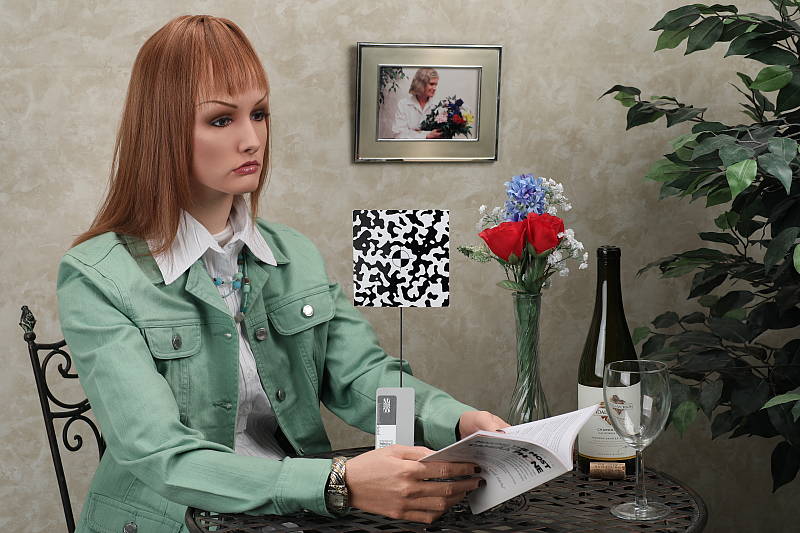
Indoors, under incandescent lighting, the Canon 5D Mark IV's default Auto as well as Incandescent white balance settings struggled, producing very warm orange/yellow color casts. The Canon 5D Mark IV's White Priority option for Auto white balance resulted in a much more neutral color balance, however it was still a bit warm and reddish in our test. The Manual (custom) white balance setting produced accurate results. The Canon 5D Mark IV required +0.7 EV exposure compensation for this shot, which is slightly higher than the +0.3 EV average among the cameras we've tested. (Our test lighting for this shot is a mixture of 60 and 100 watt household incandescent bulbs, a pretty yellow light source, but a very common one in typical home settings here in the U.S.)
Outdoors, daylight
Very good color and dynamic range with good exposure accuracy.
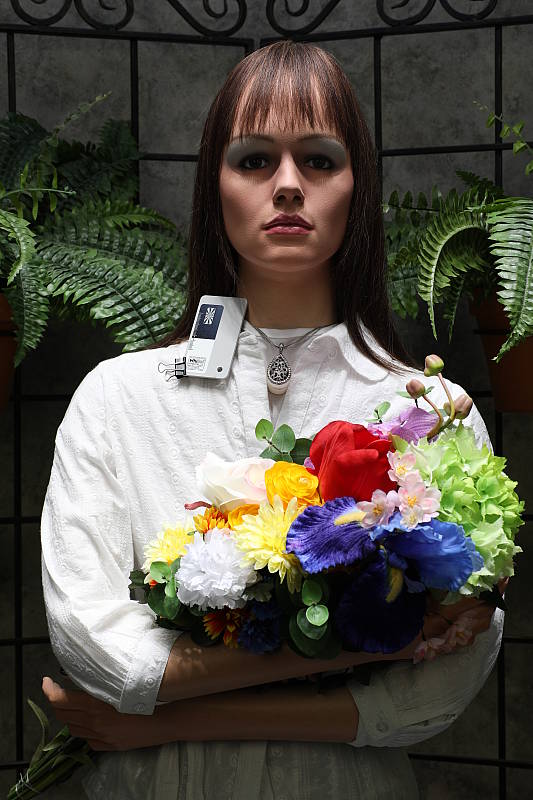
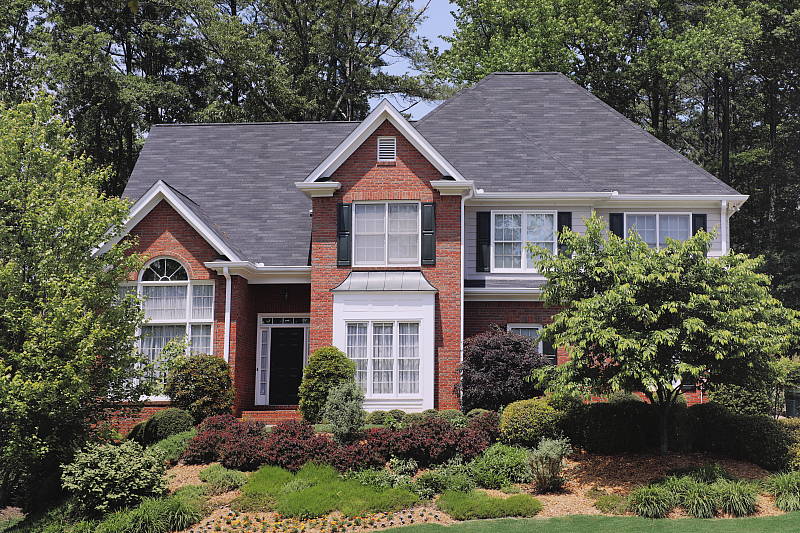
The Canon 5D Mark IV required +1.0 EV exposure compensation to keep the mannequin's face reasonably bright, while the average needed for our"Sunlit" portrait shot is about +0.7 EV. We preferred skin tones with Auto white balance slightly better than Manual, as they were a little pinker, but both settings were quite good. Despite the deliberately bright, harsh lighting, very few highlights were blown in the mannequin's white shirt and shadows are quite detailed with low noise, indicating very good dynamic range, much better than we're used to seeing from previous generation Canons. The Far-field shot (above right) is a bit cool, but exposure is excellent with the camera clipping few highlights and retaining good detail in the shadows.
See full set of test images with explanations
See thumbnails of all test and gallery images
Resolution
~3,200 lines of strong detail from a JPEG, about the same from RAW.

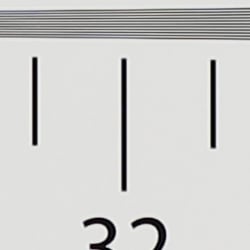


Our laboratory resolution chart showed sharp, distinct line patterns up to just over 3,200 lines per picture height horizontally and to about 3,200 lines vertically. Some may argue for higher numbers, but lines begin to merge at this resolution, and some aliasing artifacts in the form of moiré patterns can be seen as low as about 2,600 lines. Complete extinction of the pattern did not occur before the 4,000 line limit of our chart. An Adobe Camera Raw converted .CR2 file shows similar resolution as the in-camera JPEG, but it also produced more moiré and false colors. Use these numbers to compare with other cameras of similar resolution, or use them to see just what higher resolution can mean in terms of potential detail.
See full set of test images with explanations
See thumbnails of all test and gallery images
Sharpness & Detail
Slightly soft images with default sharpening, but with noticeable sharpening artifacts around high-contrast elements. Minor to moderate detail loss due to noise reduction processing even at low ISOs.


Sharpness. The Canon 5D Mark IV's 30-megapixel full-frame sensor captures very good image detail when coupled with a sharp lens, though default JPEG images are a bit soft. (Keep in mind Canon has decided to keep an optical low-pass filter in the 5D Mark IV to reduce aliasing artifacts at the cost of slightly reduced sharpness, unlike most competing models which have gone the other way.) Despite the slightly soft images, the 5D Mark IV's default sharpening setting generates visible edge-enhancement artifacts in the form of obvious sharpening halos around high-contrast edges, as shown in the crop above left. Edge enhancement creates the illusion of sharpness by enhancing colors and tones right at the edge of a rapid transition in color or tone.
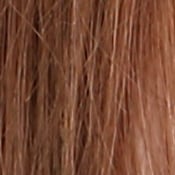
Detail. The crop above right shows some detail loss due to noise suppression in darker areas and in areas with low contrast, perhaps just a little more than we're accustomed to seeing from a full-frame digital SLR at base ISO. Still, a good performance for a 30-megapixel model, with very low chroma noise. Noise-suppression systems in digital cameras tend to flatten-out detail in areas of subtle contrast. The effects can often be seen in shots of human hair, where the individual strands are lost and an almost "watercolor" look appears.
Aliasing Artifacts. The Canon 5D Mark IV is equipped with an optical low-pass filter, however it must be pretty weak as some aliasing artifacts such as moiré patterns can be seen in some of our test shots. This is quite common these days, though, as a lot of ILCs no longer include optical low-pass filters to maximize per-pixel sharpness and resolution.
In-Camera JPEGs: Standard vs Fine Detail Picture Style setting
The 5D Mark IV offer Canon's Fine Detail Picture Style first seen on the Canon 5DS R and 5DS. Below is a comparison with the default Standard Picture Style.
|
Base ISO (100)
|
|
 |
 |
 |
 |
 |
 |
|
Camera JPEG, defaults
|
Camera JPEG, Fine Detail
|
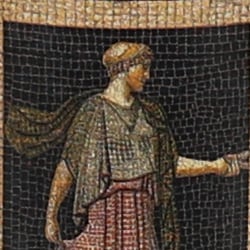
In the table above, we compare the Canon 5D Mark IV's default Standard Picture Style setting (left) to its Fine Detail preset at base ISO. Like the 5DS/R, the Canon 5D Mark IV offers users much more flexibility in sharpening than other EOS models, allowing you to adjust not only the "Strength" (from 0 to 7) but also the "Fineness" (1 to 5) and "Threshold" (1 to 5) operators. We believe these parameters correlate to unsharp mask options for strength, radius and threshold available in photo editing software such as Photoshop, although we don't know what the equivalent units might be.
The Fine Detail Picture Style preset boosts the Sharpness Strength operator one notch (to 4 out of 7) while dialing down the Fineness (1/5) and Threshold (1/5) operators to their minimum compared to Standard which defaults to Sharpness: 3/7, Fineness: 4/5 and Threshold: 4/5. The result is improved, more natural-looking rendering of fine detail along with less obvious sharpening halos than the default Standard setting. Interestingly, moiré is also less visible in our red-leaf swatch. However, noise is more visible in flatter areas, and contrast is lower, making the Fine Detail image appear to have less "pop" than the default Picture Style. There also appear to be minor differences in color, even though Color Tone, Saturation and Contrast settings are identical between these two Picture Styles presets. Given the flexibility in settings, though, you may be able to find a better combination than the defaults compared above.
RAW vs In-Camera JPEGs
As noted above the Canon 5D Mark IV produces JPEG images with very good detail, but that are somewhat soft with visible sharpening halos. With a good RAW converter, additional detail can often be extracted with fewer sharpening artifacts. See below:
|
Base ISO (100)
|
|
|
 |
|
 |
|
 |
|
Camera JPEG, defaults
|
RAW via Adobe Camera Raw
|
In the table above, we compare a best quality in-camera JPEG taken at base ISO using default noise reduction and sharpening (on the left) to the matching RAW file converted with Adobe Camera Raw 9.1 via DNG Converter 9.6 using default noise reduction with some strong but tight unsharp masking applied in Photoshop (300%, radius of 0.3 pixels, and a threshold of 0).
Looking closely at the images, we can see ACR extracts additional detail that isn't present in the default JPEG from the camera, particularly in the red-leaf and pink swatches where the fine thread pattern is likely treated as noise by the JPEG engine and thus blurred away. Fine detail in the mosaic crop is also improved, but as is often the case, the conversion isn't as clean and smooth looking, with more noise that can be seen for instance in the flatter areas of the bottle crop. You can of course apply stronger noise reduction (default ACR NR used here) to arrive at your ideal noise versus detail tradeoff. Also notice sharpening halos aren't nearly as strong as the default camera output. Still, not bad in-camera default JPEG processing, but as usual you can do noticeably better by shooting in RAW mode and using a good RAW converter.
ISO & Noise Performance
Excellent high ISO performance for a full-frame sensor.
|
Default High ISO Noise Reduction
|
||
 |
 |
 |
| ISO 50 | ISO 100 | ISO 200 |
 |
 |
 |
ISO 400 | ISO 800 | ISO 1600 |
 |
 |
 |
| ISO 3200 | ISO 6400 | ISO 12,800 |
 |
 |
 |
| ISO 25,600 | ISO 32,000 | ISO 51,200 |
 |
||
| ISO 102,400 | ||
Images are very clean and detailed up to ISO 800, with a only a minor loss in image quality as ISO rises within this range, though signs of noise reduction are visible even at base ISO. At ISO 1600 luminance noise and blurring become noticeable resulting in a more evident drop in image quality, though fine detail is still excellent and chroma noise is well-controlled. ISO 3200 is a bit grainier but chroma noise remains low and fine detail is still quite good. ISO 6400 is of course noisier with stronger blurring due to noise reduction, but a lot of fine detail remains intact and chroma noise is still low. ISO 12,800 is still pretty detailed with reasonable luma noise and fairly low chroma noise, but ISO 25,600 and higher show a more rapid decline in image quality with progressively stronger luma noise and blurring, although chroma noise remains well-controlled up to the native ISO of 32,000. Extended ISO of 51,200 is pretty noisy but the noise grain is still fairly tight and chroma noise is only an issue in darker areas and shadows. The top ISO of 102,400 is very grainy and contains a lot of ugly chroma noise blotches though overall color and saturation remain surprisingly good for the sensitivity.
See the Print Quality section below for our evaluation of maximum print sizes at each ISO setting.
A note about focus for this shot: We used to shoot this image at f/4, however depth of field became so shallow with larger, high-resolution sensors that it was difficult to keep important areas of this shot in focus, so we have since started shooting at f/8, the best compromise between depth of field and sharpness.
Extremes: Sunlit, dynamic range and low light tests
Somewhat high default contrast yet very good dynamic range in JPEGs. Very good low-light performance, though conventional autofocus didn't work as well in low light as we'd hoped.


The Canon 5D Mark IV produces images with moderately high contrast. The mannequin's face was far too dim at the default exposure and a few too many highlights were blown with +1.3 EV, so we preferred the image with +1.0 EV exposure compensation overall, even though the face is still a touch dim. But despite the bright appearance, +1.0 EV resulted in only a few clipped highlights in the shirt and flowers, a lot less than we're used to seeing from previous-generation Canon sensors, indicating much better dynamic range than its predecessor. Shadow detail is excellent as well, with noticeably lower noise levels compared to its predecessor. Bottom line: While the Canon 5D Mark IV's default tone curve still results in a darker face than we'd like to see in this shot, its improved sensor delivers noticeably better usable dynamic range.
Because digital cameras are more like slide film than negative film (in that they tend to have a more limited tonal range), we test them in the harshest situations to see how they handle scenes with bright highlights and dark shadows, as well as what kind of sensitivity they have in low light. The shot above is designed to mimic the very harsh, contrasty effect of direct noonday sunlight, a very tough challenge for most digital cameras. (You can read details of this test here. In actual shooting conditions, be sure to use fill flash in situations like the one shown here; it's better to shoot in open shade whenever possible.)
Highlight Tone Priority
The Canon 5D Mark IV's Highlight Tone Priority (HTP) option did an excellent job of preserving highlight detail, as shown below. (Mouse over the Off and On links to load the corresponding thumbnail, histogram and crops.)
|
Highlight Tone Priority (+1.3 EV)
|
|
 |
|
| Highlights |  |
| Shadows (Levels boosted to reveal noise.) |
 |
| Histogram |  |
Both shots above were captured at the same exposure with +1.3 EV exposure compensation to intentionally blow some highlights, the only difference being that HTP was enabled for the second shot which necessarily increases the ISO to 200; part of how HTP works. As you can see, the thumbnails, histograms and crops above clearly show superior highlight preservation when HTP is enabled, with very little impact to the brightness of shadows and midtones. If you look closely at shadows (the levels in shadow crops above are heavily boosted to reveal noise that would be difficult to see otherwise), you'll notice an increase in noise is the price you pay when ISO is boosted from 100 to 200, though as mentioned previously, noise in the shadows is pretty low and has improved over the Mark III.

Above you can see Highlight Tone Priority at work in our Far-field shot. As expected, highlights are toned-down preserving the few that were lost without HTP enabled, with little impact to midtones and shadows.
Automatic Lighting Optimization
Like previous Canon EOS models, the 5D Mark IV offers three selectable levels of Automatic Lighting Optimization (ALO), plus Off. In fully automatic (Scene Intelligent Auto) ALO is automatically enabled and it's available in P, Tv and Av exposure modes. Mouse over the links below to load the associated thumbnail and histogram, and click on the links to load full resolution images.
|
Automatic Lighting Optimization (0 EV)
|
|
 |
|
 |
|
As you can see above, ALO has the effect of shifting shadows and mid-tones in the histograms to the right, brightening them while leaving highlights pretty much as is, though even the High setting still produced an underexposed image. ISO is not boosted for ALO so increased noise is not an issue, though it may be slightly more visible in shadows that have been boosted significantly.


Above is the effect of ALO on our Far-field shot. As you can see, it operated mainly on the shadows and midtones, leaving highlights pretty much intact.
HDR Mode
The Canon 5D Mark IV's HDR feature takes three continuous shots at different exposures and merges them together to create an image with wider tonal range than would be possible with a single exposure. There are three strength settings available (+/-1EV, +/-2EV,+/-3EV), plus Auto, and there are also 5 effects possible (Natural, Art Standard, Art Vivid, Art Bold and Art Embossed). The source images captured are not saved, and RAW mode is not supported.
Above are in-camera HDR Natural results of our Far-field scene (mouse over the links above to load the corresponding thumbnail). As you can see Auto produced very similar to +/-1 EV, and all settings produce a slightly cropped image which is resampled to full resolution, so details are a little softer than the non-HDR image, but quality is otherwise quite good with no noticeable haloing even at the highest setting. Be aware that ghosting can occur when elements of the scene move during the sequence capture, though, as can be seen with the moving flag, leaves and people in some of these shots.
Dynamic Range Analysis (RAW mode)
While we once performed our own dynamic range measurements based on in-camera JPEGs as well as converted RAW images (when the camera was supported by Adobe Camera Raw), we've switched to using DxO Labs' results from their DxOMark website. As technology advanced, the dynamic range of modern high-end cameras in some cases exceeded the range of the Stouffer T4110 density scale that we used for our own measurements. DxO's approach based on RAW data before demosaicing is also more revealing, because it measures the fundamental dynamic range of the sensor, irrespective of whatever processing is applied to JPEGs, or to RAW data by off-the-shelf conversion software.
In the following, we use DxO's "Print" dynamic range results, which are scaled based on camera resolution. As the name suggests, this scaling corresponds to the situation in which you print at a given size, regardless of how many megapixels the camera might have. (In other words, if you've decided to make a 13x19 inch print, that's the size you're printing, whether the camera's resolution is 16 or 300 megapixels.) For the technically-minded, you can find a discussion of the reasoning behind this here on the DxOMark website. Also note that DxO Labs uses a signal-to-noise (SNR) threshold of 1 when defining the lower boundary of acceptable luminance noise in their dynamic range measurements, which corresponds to the "Low Quality" threshold of the Imatest software we used to use for this measurement.

Here, we decided to compare the Canon 5D Mark IV's dynamic range to its predecessor, the 5D Mark III, and also to its closest Nikon competitor, the D810. You can always compare other models on DxOMark.com.
As you can see from the above graph (click for a larger version), the Canon 5D Mark IV's dynamic range is markedly improved over the 5D Mark III's, with a peak of about 13.6 EV versus only 11.7 EV, giving the new model an almost two stop improvement at base ISO. The improvement diminishes as sensitivity is increased, however the Mark IV still out-performs the Mark III at the highest ISO, with a dynamic range of 6.2 EV vs 5.4.
The Canon 5D Mark IV's dynamic range still lags behind the class-leading Nikon D810 at low ISOs with the D810 managing almost 14.8 EV at its lower base ISO setting of 64, however the 5D Mark IV catches up quite quickly already at ISO 200, and surpasses the Nikon at higher ISOs with up to about a 3/4 EV advantage at some ISOs.
Bottom line: Very good dynamic range for a full-frame camera and in fact the best performing Canon DSLR to date, with a massive improvement over its predecessor at lower ISOs and better performance than the class-leading Nikon D810 above ISO 200. Click here to visit the DxOMark page for the Canon 5D Mark IV for more of their test results and additional comparisons.
| 1 fc 11 lux |
1/16 fc 0.67 lux |
1/16 fc No NR |
|
|---|---|---|---|
| ISO 100 |
 2s, f2.8 |
 30s, f2.8 |
 30s, f2.8 |
| ISO 3200 |
 1/15s, f2.8 |
 1s, f2.8 |
 1s, f2.8 |
| ISO 32000 |
 1/160s, f2.8 |
 1/10s, f2.8 |
 1/10s, f2.8 |
Low Light
The Canon 5D Mark IV performed very well in our low-light tests, capturing bright images at the lowest light level (1/16 foot-candle), even at base ISO (100). As expected, noise increases as ISO goes up and light levels go down, but luminance noise remains quite low and fine-grained at ISO 3200, and chroma noise is well-controlled. Even at the maximum native ISO of 32,000, luma noise is fairly fine-grained and chroma noise is well-controlled, making it very usable sensitivity setting.
We didn't notice any hot pixels except when long-exposure noise reduction was disabled, where you'd expect to see them. We didn't see any signs of heat blooming or banding (fixed pattern noise) either.
Color balance was fairly neutral with Canon 5D Mark IV's Auto white balance setting, just a touch cool at the higher light level, but warming up at the lower light level.
AF low-light limit: In-spec but disappointing
When using the optical viewfinder with dedicated phase-detect AF (center point), the Canon 5D Mark IV's autofocus system was able to focus on our low-contrast AF target down to -1.1 EV unassisted with an f/2.8 lens, which is a little disappointing given Canon's -3.0 EV AF spec. With our high-contrast AF target, though, the 5D Mark IV was able to focus down to -5.6 EV, which is quite good.
In Live View mode, the Canon 5D IV's autofocus could focus in lower light, down to -4.1 EV with or low-contrast target, and down to -6.4 EV with our high-contrast AF target, which is excellent.
The Canon 5D IV does not have a built-in AF assist lamp, however it can utilize an external flash's AF assist lamp to focus in complete darkness when the subject is within range and has sufficient contrast.
How bright is this? The one foot-candle light level that this test begins at roughly corresponds to the brightness of typical city street-lighting at night. Cameras performing well at that level should be able to snap good-looking photos of street-lit scenes.
NOTE: This low light test is conducted with a stationary subject, and the camera mounted on a sturdy tripod. Most digital cameras will fail miserably when faced with a moving subject in dim lighting. (For example, a child's ballet recital or a holiday pageant in a gymnasium.) Digital SLRs like the Canon 5D Mark IV do much better than point & shoots, but you still shouldn't expect a quick autofocus lock with moving subjects.
Output Quality
Print Quality
Excellent, high-resolution prints at 30 x 40 inches up to ISO 800; Solid print quality with sizable 11 x 14 inch prints at ISO 12,800; Usable 4 x 6 print up to ISO 51,200.
 ISO 50/100/200 images all look fantastic and make excellent prints up to 30 x 40 inches and larger. The images in this range are all nearly identical, with sharp detail and vibrant color. 30 x 40 is the largest size we print for our testing, but the 30-megapixel full-frame sensor in the 5D IV could certainly work for larger prints; it just depends on how much you're willing to push its resolving power.
ISO 400 prints also do very nicely up to 30 x 40 inches. There's an ever-so-slight decrease in very fine detail compared to base ISO prints, but not nearly enough to negatively impact print sizes.
ISO 800 images show extremely minimal, if any, visible noise, but there's a subtle drop in detail in lower contrast areas, such as some of the fabrics in our test shot scene. However, the overall level of detail and minimal noise still lets us call the print size up to 30 x 40 inches, though 24 x 36 inch prints look fantastic.
ISO 1600 prints top out at an impressive 24 x 36 inches. Detail is great up to that size, and noise is extremely minimal with little to no visible graininess.
ISO 3200 images begin to show some visible background/shadow noise, but it's quite well controlled, making prints up to 20 x 30 inches more than acceptable.
ISO 6400 prints look great up to 13 x 19 inches. Shadow noise is more apparent now, and fine detail loss is more noticeable at larger print sizes.
ISO 12,800 images make for excellent prints up to 11 x 14, which is certainly an impressive feat at this ISO, as not many cameras can offer a usable print at such a size at this sensitivity. Any larger, however, and the loss in detail and stronger noise do become an issue.
ISO 25,600 prints begin to suffer from stronger noise and noticeable detail loss, making a 5 x 7 inch print the highest we're willing to accept. However, with careful post-processing, or for less critical applications, an 8 x 10 inch print could be acceptable at this sensitivity.
ISO 32,000 images look practically identical to ISO 25,600 images, and therefore print up 5 x 7 inches, as well.
ISO 51,200 prints are quite noisy and show a significant drop in detail, forcing us to call the maximum print size at 4 x 6 inches, though a 5 x 7 might be usable for less critical applications.
ISO 102,400 images are too noisy, with heavy luminance and chrominance noise, and an overall lack of fine detail for us to call any acceptable print size at this ISO.
With its higher-resolution sensor and updated image processor, the fourth-generation of Canon's popular 5D series of DSLRs makes a very solid showing in our print quality testing. From extended low ISO all the way to ISO 800, the Canon 5D Mark IV is capable of excellent, sharp prints up to 30 x 40 inches. As ISO sensitivity increases, the camera displayed very well-controlled noise characteristics, allowing for some impressively large prints, such as 13 x 19 inch prints at ISO 6400 and 11 x 14 at ISO 12,800. While the native ISO range of the 5D Mark IV stops at ISO 32,000, the camera still managed a usable 4 x 6 inch print at its first expanded ISO of 51,200; however, prints should be avoided at the maximum expanded setting of ISO 102,400.
The images above were taken from our standardized test shots. For a collection of more pictorial photos, see our Canon EOS 5D Mark IV Photo Gallery .
Not sure which camera to buy? Let your eyes be the ultimate judge! Visit our Comparometer(tm) to compare images from the Canon EOS 5D Mark IV with those from other cameras you may be considering. The proof is in the pictures, so let your own eyes decide which you like best!
Performance
Timing and Performance
Very good performance for its class.
| Startup/Play to Record | ||
|---|---|---|
| Power on |
~0.5 second
|
Time it takes to turn on and capture a shot. |
|
Play to Record, |
~0.2 second
|
Time until first shot is captured. |
Powering on and taking a shot was fairly quick for a DSLR, at about 0.5 second. Switching from Play to Record mode and taking a shot was faster, at about 0.2 second.
| Shutter Response (Lag Time) | ||
|---|---|---|
| Optical Viewfinder | ||
|
Full Autofocus |
0.165 second
|
Time from fully pressing shutter button to image capture. All AF timing measured with a Canon 50mm f/1.8 STM lens. |
|
Full Autofocus |
N/A
|
Time to capture while forcing flash to fire. Preflash metering pulses from flash often slow shutter response. |
|
Manual Focus |
0.077 second
|
For most cameras, shutter lag is less in manual focus than autofocus, but usually not as fast as when the camera is "prefocused". |
|
Prefocused |
0.057 second
|
Time to capture, after half-pressing and holding shutter button. |
| Live View | ||
|
Prefocused |
0.057 second
|
Time to capture, after half-pressing and holding shutter button. |
In terms of the Canon 5D IV's ability to determine that it's properly focused when shooting the same target multiple times (with no change of focus setting between iteration, to remove the impact of lens AF speed), its full autofocus shutter response was good for a pro DSLR. Using the optical viewfinder with a Canon 50mm f/1.8 STM lens (a lens that may not be fast at actually changing focus, but is very fast at focus determination), we measured 0.165 second for full AF lag using single point (center) AF, which is quite fast.
Shutter lag using manual focus was quite good at 77 milliseconds. When "prefocusing" the camera by half-pressing and holding down the shutter button before the final exposure, the 5D IV's shutter lag was very low for a DSLR, at only 57 milliseconds.
The Canon 5D IV's prefocused shutter lag time in Live View mode was also only 57 milliseconds, which is incredibly fast for a DSLR. Note that we no longer test full AF lag in Live View mode for DSLRs, because the lens used usually makes such a huge difference that comparing is pointless. We'll try to comment on real-world Live View AF performance in our shooter's report.
To minimize the effect of different lens' focusing speed, we test AF-active shutter lag with the lens already set to the correct focal distance.
| Cycle Time (shot to shot) | ||
|---|---|---|
|
Single Shot mode |
0.37 second
|
Time per shot, averaged over a few frames. |
|
Single Shot mode |
0.37 second
|
Time per shot, averaged over a few frames. |
|
Early shutter |
No
|
Some cameras don't snap another shot if you release and press the shutter too quickly in Single Shot mode, making "No" the preferred answer. |
|
Continuous High |
0.14 second (7.0
frames per second); unlimited frames; 2 seconds to clear* |
Time per shot, averaged over 174 shots with no signs of slowing (we'll call that unlimited). |
| Continuous High |
0.14 second (7.0
frames per second); 19 frames total; 5 seconds to clear* |
Time per shot, averaged over 19 shot buffer capacity, then slowed to an average of 0.36s or 2.8 fps when buffer was full. |
|
Continuous High |
0.14 second (7.0
frames per second); 12 frames total; 8 seconds to clear* |
Time per shot, averaged over 12 shot buffer capacity, then slowed to an average of 0.71s or 1.4 fps when buffer was full. |
|
Continuous High |
0.20 second (5.0
frames per second); 7 frames total; 4 seconds to clear* |
Time per shot, averaged over 7 shot buffer capacity, then slowed to an average of 0.69s or 1.5 fps when buffer was full. |
|
Continuous High |
0.24 second (4.2
frames per second); 6 frames total; 5 seconds to clear* |
Time per shot, averaged over 6 shot buffer capacity, then slowed to an average of 0.84s or 1.2 fps when buffer was full. |
| Flash recycling |
N/A
|
Flash at maximum output. |
|
*Note: Buffer clearing times measured with a 64GB Lexar Professional 1066x UDMA 7 CompactFlash card. Slower cards may produce correspondingly slower clearing times. Slow cards may also limit length of bursts in continuous mode. ISO sensitivity and noise reduction settings can also affect cycle times and burst mode performance.
|
||
Single-shot cycle times were quite fast at under 0.4 second for both best quality JPEGs and RAW+JPEG files. (Note that we no longer test single-shot mode with just RAW files, as the results are usually somewhere in between JPEG and RAW+JPEG modes.)
Full-resolution continuous high mode speeds were very good for a high-res full-frame DSLR. We measured 7.0 frames-per-second no matter the file type, matching Canon's specifications. The 5D IV also has low-speed and silent continuous shooting modes which are both rated by Canon at 3.0 fps, however we did not test those modes in the lab.
Buffer depth for best quality JPEGs appeared limitless with our fast Lexar 1066x UDMA 7 CompactFlash card. When shooting standard RAW files, buffer depth was 19 frames and for RAW+JPEG it was 12 frames before the camera slowed. (Note: The Canon 5D IV also accepts SD cards but doesn't support faster UHS-II types, and the CompactFlash card we used for our tests is faster than the fastest UHS-I card available.)
Buffer clearing times were quite good considering the resolution, ranging from only 2 seconds after 174 best quality JPEGs to 8 seconds after a burst of 12 RAW+JPEG frames, and the camera lets you adjust settings or shoot additional shots while clearing, however you can't view just-shot photos during buffer clearing.
Unsurprisingly given the much larger file sizes, the Canon 5D IV slows down with reduced buffer depths when shooting in Dual Pixel RAW mode. The camera managed just over 5.0 fps for Dual Pixel RAW frames in continuous high mode, and 4.2 fps for Dual Pixel RAW+JPEG frames, while buffer depths fell to 7 and 6 frames respectively.
Bottom line, the Canon 5D IV offers very good performance for its class, with quick powerup, very low prefocused shutter lag, swift autofocus, and fast burst speeds for a high-resolution full-frame DSLR.
Battery
Battery Life
Good battery life for compact pro DSLR.
| Operating Mode | Number of Shots |
|---|---|
|
Lithium-ion Rechargeable Battery,
(CIPA standard, Optical Viewfinder) |
900
|
|
Lithium-ion Rechargeable Battery,
(CIPA standard, Live View LCD) |
300
|
The Canon 5D IV uses a custom LP-E6N rechargeable lithium-ion battery for power, and ships with a dedicated battery charger. Battery life good for a compact professional DSLR using the optical viewfinder, CIPA-rated at 900 shots per charge (but keep in mind the 5D IV has no built-in flash, which is normally enabled for 50% of shots during CIPA battery life testing). Of course Live View mode draws a lot more power reducing battery life considerably, to 300 shots. We recommend you pick up a spare battery and keep it freshly charged and on-hand, or consider purchasing the BG-E20 battery grip which doubles battery life with a second battery installed.
The table above shows the number of shots the Canon 5D IV is capable of (on a fully-charged rechargeable battery), based on CIPA battery-life and/or manufacturer standard test conditions.
(Interested readers can find an English translation of the CIPA DC-002 standards document here. (180K PDF document))
Image Quality
The high-end enthusiast and professional camera market continues to see advances in image quality as successive models arrive year after year, and we thought it would be interesting to go ahead and post some side-by-sides for you from our Still Life test target of the 5D Mark IV as compared to its popular predecessor, the 5D Mark III, as well as to some current high-end competing full-frame models from Nikon, Pentax and Sony in the D810, K-1 and A7R II.
It's interesting to note that four of five of these heavyweight models sport dramatically different sensor resolutions, and as a result it's sometimes difficult to gauge noise levels when viewing at different apparent 1:1 sizes. For this reason in the ISO 6400 comparisons we've shown them first "as-is" at 100%, and then also with the higher resolution model down-sampled in order to show them at a similar apparent size to make them easier to compare. First let's take a quick look at the competitors.
Full Frame DSLR Competition |
||||
Model |
Resolution |
Native ISO Range |
Released |
Current Price (US$) |
Canon 5D III |
22.3MP |
100-25,600 |
Mar 2012 |
$2600 |
Canon 5D IV |
30.4MP |
100-32,000 |
Sep 2016 |
$3500 |
Nikon D810 |
36.3MP |
64-12,800 |
July 2014 |
$2800 |
Pentax K-1 |
36.4MP |
100-204,800 |
Apr 2016 |
$1800 |
Sony A7R II |
42.4MP |
100-25,600 |
Aug 2015 |
$3200 |
[Editor's note: all crops are from in-camera JPEGs with default settings and displayed 1:1 unless otherwise noted. Clicking any image will take you to the full lab test image at full resolution. You may also access the RAW file for most of these from that camera's lab samples page.]
 |
 |
Canon 5D Mark IV at base ISO |
Canon 5D Mark III at base ISO |
The 5D Mark III image here at base ISO looks quite good, and yet the 8MP boost in resolution of the 5D Mark IV is clearly an advantage for overall image quality at least at the native base ISO of 100. The 5D Mark IV resolves more fine detail while applying similar if not slightly lower default sharpening. While noise is very low from both cameras here at base ISO, luminance noise appears a little higher from the 5D IV in flatter areas. Overall color from both cameras is very good as we've come to expect from Canon, however the 5D IV renders orange with less of a shift to yellow than the 5D III. |
|
|
 |
Canon 5D Mark IV at base ISO |
Nikon D810 at base ISO |
The jump in resolution to 36MP is a big benefit to base ISO image quality for the Nikon D810, as there's simply far more detail and clarity apparent in the D810 crop as compared to the 5D IV. Keep in mind the D810 does not have an AA filter while the 5D Mark IV does (although it looks to be a weak one), which accounts for at least some of the D810's extra sharpness (Nikon's default sharpening is also more effective). Noise levels appear to be slightly higher from the D810, though, despite its lower base ISO of 64, while colors in general are more accurate from the Canon. |
|
|
 |
Canon 5D Mark IV at base ISO |
Pentax K-1 at base ISO |
With the same resolution as the D810, the Pentax K-1 is also able to wrest more detail from our test target here at base ISO and with default in-camera JPEG settings. The difference is not quite as pronounced as with the D810 comparison, though, due to less aggressive default sharpening and contrast than both the 5D IV and D810. And like the D810, the K-1 exhibits slightly higher noise levels than the 5D IV at default settings. Again, it's the Canon that produces more accurate colors. |
|
|
 |
Canon 5D Mark IV at base ISO |
Sony A7R II at base ISO |
And for the megapixel beast of the bunch, the Sony A7R II certainly extracts noticeably more detail with its 42MP sensor. The image is also more crisp than the 5D IV's, though not as crisp as the D810's overall. However Sony's default sharpening is much more refined with hardly any sharpening halos compared to both the 5D IV and D810. Again, the 5D IV shows lower noise levels than its higher resolution rival here, and produces more accurate colors. |
|
Fortunately for the 5D Mark IV, its base ISO performance excels that of the eminently popular 5D Mark III, but at least with default in-camera processing it's not able to match stride for fine detail with the rest of the current full-frame high-end competition here, even though it's priced higher than all of them. It is better with overall color accuracy.
Canon 5D Mark IV - Image Quality as ISO rises
ISO 6400 is a useful setting at which to gauge IQ differences among these competing high-end, full frame cameras. It's high enough that each model in the group begins to show some strain from noise and anti-noise processing, but isn't into the ridiculously high settings that frankly most photographers seldom use for critical shooting applications. We're displaying the 1:1 images side-by-side, with the apparent size difference due to the difference in resolution, and then also displaying them with the higher resolution models down-sampled in order to give a gauge of normalized image quality using Photoshop Bicubic Automatic. No additional sharpening was applied after downsampling. Initial analysis is written below the resized comparisons.


 |
|
Canon 5D Mark IV at ISO 6400 (resized) |
Canon 5D Mark III at ISO 6400 |
Overall sharpness and clarity are roughly the same between these two models, but with higher contrast from the new model. However, the 5D Mark IV is able to render this detail while offering up less noise, especially as seen in the shadows behind the bottles. |
|

|
 |
Canon 5D Mark IV at ISO 6400 |
Nikon D810 at ISO 6400 (resized) |
The D810 clearly shows more noise in this crop (both luminance and chrominance) even after downsampling, as seen in the bottle and shadows. However it continues to render far more detail in virtually all areas of the crop than the 5D IV, which looks quite soft in comparison and smudges out some of the detail found in the bottle and the scene on the label. |
|

|
 |
Canon 5D Mark IV at ISO 6400 |
Pentax K-1 at ISO 6400 |
The K-1 is also still able to extract more fine detail from this image than the 5D IV here at ISO 6400, but luminance noise is much higher even when downsampled, giving the Pentax image a very grainy look in comparison. |
|

|
 |
Canon 5D Mark IV at ISO 6400 |
Sony A7R II at ISO 6400 |
Similar to the K-1 above, the Sony A7R II also pulls more fine detail and clarity from the above crop at ISO 6400, but the noise in the shadow areas is a bit splotchy and unnatural. There's also a noticeable loss of definition along the edge of the bottle's neck, more so than from the 5D IV. |
|
As with the comparisons at base ISO, the Canon 5D Mark IV excels its predecessor 5D Mark III for overall image quality at ISO 6400, and bests the competition for overall noise levels. However, it is unable to render as much in the way of detail, clarity or image sharpness, with aggressive default anti-noise processing robbing the image of a great deal of the fine detail in our test target. But keep in mind these are default in-camera JPEGs and your own personal experience with processing from RAW files or using different in-camera settings should help in this regard.
Below is our standard comparison against the Canon 5D Mark III, Canon 5DS R, Nikon D810, Pentax K-1 and Sony A7R II, as well as our print quality analysis.
NOTE: These images are from best quality JPEGs straight out of the camera, at default settings including noise reduction and using the camera's actual base ISO (not extended ISO settings). All cameras in this comparison were shot with our very sharp reference lenses. Clicking any crop will take you to a carrier page where you can click once again to access the full resolution image as delivered straight from the camera. For those interested in working with the RAW files involved, click these links to visit each camera's respective sample image thumbnail page: Canon 5D Mark IV, Canon 5D Mark III, Canon 5DS R, Nikon D810, Pentax K-1, and Sony A7R II -- links to the RAW files appear beneath those for the JPEG images, wherever we have them. And remember, you can always go to our world-renowned Comparometer to compare the Canon 5D IV to any camera we've ever tested!
Canon 5D Mark IV vs Canon 5D Mark III at Base ISO
 |  |
 |  |
 |  |
Canon 5D Mark IV at ISO 100 | Canon 5D Mark III at ISO 100 |
As mentioned above, the 8-megapixel increase in resolution of the 5D Mark IV over its predecessor is quite evident at least here at the native base ISO of 100. The 5D Mark IV resolves more fine detail while applying similar if not slightly lower default sharpening. While noise is very low from both cameras here at base ISO, luminance noise appears a little higher from the 5D IV in flatter areas. Contrast is a bit lower from the 5D IV in our red-leaf fabric, but some of that is because the camera resolves more of the fine thread pattern than the Mark III, breaking the leaf pattern up. Furthermore there are also moiré patterns interfering with the leaf pattern from the Mark IV which the Mark III does not display. Overall color from both cameras is very good as we've come to expect from Canon, however the 5D IV renders orange with less of a shift to yellow than the 5D III, and overall saturation is a bit lower (more accurate) from the Mark IV. | |
Canon 5D Mark IV vs Canon 5DS R at Base ISO
|  |
|  |
|  |
Canon 5D Mark IV at ISO 100 | Canon 5DS R at ISO 100 |
Since the street price for the 5DS R is within a couple hundred dollars of the 5D Mark IV, we decided to include crops from it as well, though keep in mind performance and features aren't really comparable. As you can see, the 50.6-megapixel 5DS R easily outresolves the 30.4-megapixel 5D Mark IV here at base ISO as you'd expect, however noise levels are slightly higher as well. It'll be interesting to see how they compare at higher ISOs. | |
Canon 5D Mark IV vs Nikon D810 at Base ISO
|  |
|  |
|  |
Canon 5D Mark IV at ISO 100 | Nikon D810 at ISO 64 |
|
The jump in resolution to 36 megapixels is a big benefit to base ISO image quality for the Nikon D810, as there's simply far more detail and clarity apparent in the D810 crop as compared to the 5D IV. Keep in mind the D810 does not have an AA filter while the 5D Mark IV does (although it looks to be a fairly weak one), which accounts for at least some of the D810's extra sharpness (Nikon's default sharpening is also more effective). Noise levels appear to be slightly higher from the D810, though, despite its lower base ISO of 64, while colors in general are more accurate from the Canon. | |
Canon 5D Mark IV vs Pentax K-1 at Base ISO
|  |
|  |
|  |
Canon 5D Mark IV at ISO 100 | Pentax K-1 at ISO 100 |
With the same resolution as the D810, the Pentax K-1 is also able to capture more detail from our test target here at base ISO and with default in-camera JPEG settings. The difference is not quite as pronounced as with the D810 comparison, though, due to less aggressive default sharpening and contrast than both the 5D IV and D810. And like the D810, the K-1 exhibits slightly higher noise levels than the 5D IV at default settings. Again, it's the Canon that produces more accurate colors. | |
Canon 5D Mark IV vs Sony A7R II at Base ISO
|  |
|  |
|  |
Canon 5D Mark IV at ISO 100 | Sony A7R II at ISO 100 |
The 42-megapixel AA-filterless Sony A7R II certainly extracts noticeably more detail than the 5D Mark IV. The image is also more crisp than the 5D IV's, though not as crisp as the D810's overall. However Sony's default sharpening is much more refined -- at least at low ISOs -- with hardly any sharpening halos compared to both the 5D IV and D810. Again, the Canon 5D IV shows lower noise levels than its higher resolution rival here, and produces more accurate colors. | |
Canon 5D Mark IV vs Canon 5D Mark III at ISO 1600
 |  |
 |  |
 |  |
Canon 5D Mark IV at ISO 1600 | Canon 5D Mark III at ISO 1600 |
The Canon 5D Mark IV continues to resolve a bit more detail than its predecessor in most areas here at ISO 1600, but its stronger chroma noise reduction blurs away a lot of fine detail and contrast in our tricky red-leaf swatch. This is however a common trend with newer cameras often struggling more in this regard than older models because of more effective chroma noise suppression. | |
Canon 5D Mark IV vs Canon 5DS R at ISO 1600
|  |
|  |
|  |
Canon 5D Mark IV at ISO 1600 | Canon 5DS R at ISO 1600 |
The 5DS R continues to resolve a lot more detail than the 5D IV at ISO 1600 in all areas, however luminance noise levels are much higher. | |
Canon 5D Mark IV vs Nikon D810 at ISO 1600
|  |
|  |
|  |
Canon 5D Mark IV at ISO 1600 | Nikon D810 at ISO 1600 |
The Nikon D810 also continues to resolve more detail than the 5D Mark IV at ISO 1600, but again, noise levels are noticeably higher. The D810 does a bit better in our tricky red-leaf swatch but is also blurring some of the detail way, in addition to strong moiré interfering with the red-leaf pattern. | |
Canon 5D Mark IV vs Pentax K-1 at ISO 1600
|  |
|  |
|  |
Canon 5D Mark IV at ISO 1600 | Pentax K-1 at ISO 1600 |
The Pentax K-1 manages to resolve a bit more high-contrast detail than the 5D Mark IV here at ISO 1600, however it really struggles to reproduce most of the fine detail in the red-leaf swatch and also shows much higher noise levels. | |
Canon 5D Mark IV vs Sony A7R II at ISO 1600
|  |
|  |
|  |
Canon 5D Mark IV at ISO 1600 | Sony A7R II at ISO 1600 |
Here at ISO 1600, the Sony A7R II continues to easily out-resolve the Canon 5D Mark IV, however noise levels are definitely higher. | |
Canon 5D Mark IV vs Canon 5D Mark III at ISO 3200
 |  |
 |  |
 |  |
Canon 5D Mark IV at ISO 3200 | Canon 5D Mark III at ISO 3200 |
Similar to what we saw at ISO 1600, the 5D Mark IV resolves a touch more detail in areas with high contrast, but the Mark III does better in our troublesome red-leaf swatch. Noise levels are similar, however the Mark IV continues to produce slightly more accurate colors. | |
Canon 5D Mark IV vs Canon 5DS R at ISO 3200
|  |
|  |
|  |
Canon 5D Mark IV at ISO 3200 | Canon 5DS R at ISO 3200 |
Much stronger noise from the 5DS R starts to reduce its resolution advantage over the 5D Mark IV here at ISO 3200, though it still resolves more detail in areas with higher contrast. The 5DS R however really struggles with our red-leaf swatch, though it does noticeably better with fine detail in the pink swatch. | |
Canon 5D Mark IV vs Nikon D810 at ISO 3200
|  |
|  |
|  |
Canon 5D Mark IV at ISO 3200 | Nikon D810 at ISO 3200 |
The Nikon D810 continues to capture more detail than the 5D Mark IV here at ISO 3200, however luminance noise remains higher as well. | |
Canon 5D Mark IV vs Pentax K-1 at ISO 3200
|  |
|  |
|  |
Canon 5D Mark IV at ISO 3200 | Pentax K-1 at ISO 3200 |
It's a similar story here against the K-1 with the Pentax resolving a bit more high-contrast detail, but luminance noise is much higher in flatter areas, and pretty much all detail has been flatten out in the red-leaf fabric. | |
Canon 5D Mark IV vs Sony A7R II at ISO 3200
|  |
|  |
|  |
Canon 5D Mark IV at ISO 3200 | Sony A7R II at ISO 3200 |
The Sony image is much crisper and continues to contain more detail, however stronger noise and noise reduction artifacts give the Sony images a more processed looked in flatter areas. | |
Canon 5D Mark IV vs. Canon 5D Mark III, Canon 5DS R, Nikon D810, Pentax K-1, Sony A7R II
 |  |  |  |  |  |
 |  |  |  |  |  |
 |  |  |  |  |  |
| Canon 5D Mark IV ISO 100 ISO 3200 ISO 6400 | Canon 5D Mark III ISO 100 ISO 3200 ISO 6400 | Canon 5DS R ISO 100 ISO 3200 ISO 6400 | Nikon D810 ISO 64 ISO 3200 ISO 6400 | Pentax K-1 ISO 100 ISO 3200 ISO 6400 | Sony A7R II ISO 100 ISO 3200 ISO 6400 |
| Detail comparison. High-contrast detail is also important, pushing the camera in different ways, so we like to look at it separately here. As you can see, the Canon 5D Mark IV does well against its peers in this regard, While some cameras like the Nikon D810 and Sony A7R II produce slightly higher contrast, the Canon 5D Mark IV holds up well as ISO sensitivity climbs, and captures finer details than it predecessor. Of course it's no surprise the 5DS R leads the pack in sheer resolution even though contrast isn't as high. Interestingly, the Pentax K-1 starts off behind the pack with lower contrast and the most false colors, and its image quality drops off more quickly than others as ISO rises. | |||||
Excellent, high-resolution prints at 30 x 40 inches up to ISO 800; Solid print quality with sizable 11 x 14 inch prints at ISO 12,800; Usable 4 x 6 print up to ISO 51,200.
ISO 50/100/200 images all look fantastic and make excellent prints up to 30 x 40 inches and larger. The images in this range are all nearly identical, with sharp detail and vibrant color. 30 x 40 is the largest size we print for our testing, but the 30-megapixel full-frame sensor in the 5D IV could certainly work for larger prints; it just depends on how much you're willing to push its resolving power.
ISO 400 prints also do very nicely up to 30 x 40 inches. There's an ever-so-slight decrease in very fine detail compared to base ISO prints, but not nearly enough to negatively impact print sizes.
ISO 800 images show extremely minimal, if any, visible noise, but there's a subtle drop in detail in lower contrast areas, such as some of the fabrics in our test shot scene. However, the overall level of detail and minimal noise still lets us call the print size up to 30 x 40 inches, though 24 x 36 inch prints look fantastic.
ISO 1600 prints top out at an impressive 24 x 36 inches. Detail is great up to that size, and noise is extremely minimal with little to no visible graininess.
ISO 3200 images begin to show some visible background/shadow noise, but it's quite well controlled, making prints up to 20 x 30 inches more than acceptable.
ISO 6400 prints look great up to 13 x 19 inches. Shadow noise is more apparent now, and fine detail loss is more noticeable at larger print sizes.
ISO 12,800 images make for excellent prints up to 11 x 14, which is certainly an impressive feat at this ISO, as not many cameras can offer a usable print at such a size at this sensitivity. Any larger, however, and the loss in detail and stronger noise do become an issue.
ISO 25,600 prints begin to suffer from stronger noise and noticeable detail loss, making a 5 x 7 inch print the highest we're willing to accept. However, with careful post-processing, or for less critical applications, an 8 x 10 inch print could be acceptable at this sensitivity.
ISO 32,000 images look practically identical to ISO 25,600 images, and therefore print up 5 x 7 inches, as well.
ISO 51,200 prints are quite noisy and show a significant drop in detail, forcing us to call the maximum print size at 4 x 6 inches, though a 5 x 7 might be usable for less critical applications.
ISO 102,400 images are too noisy, with heavy luminance and chrominance noise, and an overall lack of fine detail for us to call any acceptable print size at this ISO.
With its higher-resolution sensor and updated image processor, the fourth-generation of Canon's popular 5D series of DSLRs makes a very solid showing in our print quality testing. From extended low ISO all the way to ISO 800, the Canon 5D Mark IV is capable of excellent, sharp prints up to 30 x 40 inches. As ISO sensitivity increases, the camera displayed very well-controlled noise characteristics, allowing for some impressively large prints, such as 13 x 19 inch prints at ISO 6400 and 11 x 14 at ISO 12,800. While the native ISO range of the 5D Mark IV stops at ISO 32,000, the camera still managed a usable 4 x 6 inch print at its first expanded ISO of 51,200; however, prints should be avoided at the maximum expanded setting of ISO 102,400.
Field Test Part I
Field Test Part II
A wealth of useful upgrades in a familiar shell

The Canon 5D Mark IV: An evolution of the 5D series
I've been a Canon fan for a while now, having purchased my first one, a Canon 7D -- that's still working perfectly by the way -- back in 2010. I've shot with various Canon DSLRs along the way since then, including the 5D Mark II extensively as well as their latest beast, the 1D X Mark II. However, between then and now, I've gravitated towards the mirrorless world, as the size and weight advantages have become rather important qualities if I am to haul some photo gear around with me. Hiking, traveling, or social gatherings all lend themselves to having smaller, lighter camera gear.
So, when the Canon 5D Mark IV made its debut, I was a little hesitant to get excited about the camera, at least from a size and ergonomics standpoint. For one thing, I wasn't too excited about its typical DSLR bulk and weight. Under the hood, on the other hand, the 5D IV sports a lot of great new features, including some nice amenities, such as built-in Wi-Fi and a touchscreen; two features that have quickly become must-have features on my own personal cameras.
So, without further ado, let's dive in and see how Canon's latest 5D-series camera performs out in the field.

The 5D Mark IV design is all about familiarity
For those acquainted with the Canon 5D Mark III or 7D Mark II, the 5D IV should feel instantly recognizable and familiar in your hands. The 5D IV is a professional tool -- key word being tool -- and the professionals who move around between different Canon camera bodies or eventually upgrade their arsenal to a new model want things to work and work well, without a steep learning curve. The 5D Mark IV fits that bill perfectly, and based on my experience with other Canon DSLRs, the new 5D Mark IV works and feels like all the others. It's familiar and reliable, which is entirely fine with me; as they say, "if it ain't broke, don't fix it."

Comfortable grip with familiar, responsive controls
In the hand, despite being Canon's largest non-gripped DSLR (aka a 1D-series), the 5D Mark IV fits very securely and comfortably in what I could consider my average-sized hands. As with other Canon DSLRs, your most-used shooting controls are easily within reach of your thumb and forefinger, allowing for quick, responsive settings adjustments and exposure changes without taking the camera down from your eye.
Speaking of responsiveness, the 5D Mark IV seems quick and nimble to react to button presses and dial movements. Changing the aperture with the front control dial, for example, feels pleasingly precise and accurate, with each detent or dial increment directly corresponding to an aperture adjustment. I can scroll the dial quickly or slowly, and I have an awareness of how my aperture changes will respond and how much or how quickly I need to rotate the dial to make the adjustments I need.
Typical DSLR size & bulk but surprisingly nimble to carry around
As for the size and weight, I was actually quite surprised by how indifferent I was to the bulk. Now, I love how compact my Olympus E-M1 and its lenses are compared to similar DSLR gear, but walking around with the 5D Mark IV, the 24-70mm f/2.8L II, 16-35mm f/4L IS and even a 400mm f/5.6L in a small backpack was surprisingly enjoyable. Either with the camera out in hand or slung over my shoulder, the camera felt surprisingly light and inoffensive.

A few helpful tweaks to the controls
As I mentioned earlier, the 5D Mark IV looks and feel very much like its predecessor, with nearly identical controls. The one new addition to the rear controls layout is a small, rectangular-ish button right below the multi-directional joystick control, which Canon has dubbed the "AF Area Selection Button." Similar in function to the circular thumb-lever control that surrounds the joystick control on the 7D Mark II, this small easy-to-press button is customizable to a number of different functions, the primary one being a quick-access way to toggle through the camera's various AF point arrangements. In the 5D Mark III, the default way to change AF point areas involved first pressing the AF Point Selection Button up on the far right corner and then using the multi-function button on the top of the camera to toggle through the various AF point configurations.

This new single-button solution is very convenient, though not significantly faster to use, I found, perhaps given the muscle memory I developed after using the older method so often on earlier Canon DSLRs. Interestingly, and perhaps a bit disappointingly, you cannot re-assign the dedicated AF Point Selection Button in the top corner to another function, despite the addition of the new button. It's also worth noting that this button is completely disabled by default, which doesn't really make much sense given its official name of "AF area selection button."
Another helpful button customization, which I immediately turn on since it too is also oddly disabled straight out of the box, is setting the joystick control button to directly move the AF point(s). Again, instead of a multi-button approach that involves first pressing the AF Point Selection Button then moving the joystick, you can just enable the joystick control to move the AF point or group around instantly. Just like with the new AF Area Selection Button, this useful tweak helps make quick-fire adjustments that much quicker, which can be very helpful while out in the field to avoid missing that crucial moment.

Finally, a fully-functional touchscreen comes to a full-frame Canon DSLR
The other major new physical feature on the 5D Mark IV is the addition of a fully operational touchscreen. While Canon has had touchscreens for some time now on a number of PowerShot models and in their EOS M lineup, we first saw touch capacities on EOS DSLRs with the 1D X Mark II, albeit with very limited functionality. The 5D Mark IV, on the other hand, offers full touchscreen functionality. You can, of course, use tap-to-focus for live view shooting, but you can now also navigate every menu screen, the Quick Menu and swipe through images and videos in Playback mode. You can even use pinch gestures to zoom in or out while reviewing images, which is pretty cool. I find it much faster to check focus with the touchscreen -- if only you could double-tap to automatically go to 100%, but alas, you can't. You can, however, double-tap to go to 100% within the live view screen of the Camera Connect remote control smartphone app.

The 5D IV's menu system, which looks similar to other recent EOS cameras, does not seem to be designed for touch navigation, with fairly small icons, particularly the various sub-section page numbers under each main menu category. However, the touch targets are rather forgiving, I found, and I rarely mis-tapped on a page or menu item accidentally. You can even tap and drag your finger over to the item you want for a bit more precise navigation. The Quick Menu, on the other hand, seems perfectly designed for a touchscreen, with larger icons that are easy to tap on accurately with your finger. It works like a charm on the 5D IV.
While out shooting, I typically used the camera as a traditional DSLR, in that I used the optical viewfinder to compose my shots, and so the touchscreen didn't come into play much in those instances. However, when I wanted to shoot from, say, a low angle or needed to hold the camera out to get closer to something, it was quite nice to be able to flick over to live view and tap where I wanted to focus -- much like on my E-M1. The inclusion of Dual Pixel CMOS AF technology makes live view shooting fantastically easy, quick and reliable. Live View AF is lightning-quick, which mirrors my experience with other Dual Pixel-capable cameras like the 7D Mark II and 1D X Mark II. I've also quickly become used to using pinch-to-zoom gestures to review focus rather than using the magnify button and scrolling with the front control dial.
 |
 |
Canon 35mm f/1.4L II: 35mm, f/1.4, 1/400s, ISO 100 Interestingly, this image was easier to get using Live View than with traditional viewfinder shooting. The AF would always focus "past" the tiny spider. However, I was able to easily flip over into Live View mode, tap the focus box onto the spider -- which focused right away -- and extend the camera out away from me to get it closer to this small subject. Worked like a charm. On a side note, the 35mm f/1.4L II is most assuredly not the best choice for macro-style photography! |
A nice touchscreen that's crammed onto a fixed rear display
In my opinion, what's really holding the 5D IV back in this area is the fixed rear LCD screen. The 5D-series -- and many other Canon DSLRs, as well as similar models from other brands -- have all had fixed LCDs for years, making it a bit awkward to shoot from low or high angles. With the addition of full touch capabilities now on the Mark IV's LCD, it would work very nicely with at least a tilting LCD, I think. If it's a matter of ruggedness and durability, then I guess that's a compromise that 5D designers took into account. However, Olympus, Panasonic and Pentax are all capable of making highly weather-sealed cameras with articulated rear displays.

Silent Shooting Mode: Not new, nor "silent" but a useful noise reducer
The last thing of note regarding operability from my shooting experience so far is the "Silent" shooting mode. It's certainly not a new feature on the 5D Mark IV, as previous EOS models have had it as well, but rather, it's a mode I've generally forgotten about. When I'm shooting on the streets -- which is rare for me -- or at social gatherings and events, I like my camera to be as unobtrusive and as quiet as possible. A number of mirrorless cameras can shoot in completely silent modes thanks to electronic shutters.
The physical size of the 5D Mark IV already puts me at a disadvantage when it comes to stealthiness, so shooting as quietly as possible would be nice. Sadly, the 5D IV lacks a completely silent electronic shutter shooting mode. However, the "Silent" shooting mode does make a noticeable improvement to shooting noises. Personally, I don't find the normal shutter and mirror slap sounds of the 5D IV to be all that particularly loud compared to other DSLRs, but in a quiet location, it is certainly noticeable. Although it's far from truly silent, switching to Silent mode softens the shutter noise quite a bit as well as reduces vibrations. For sound-sensitive shooting opportunities, such as weddings, photojournalistic settings like press conferences or certain live performances, having the abilities to make your camera less noticeable is definitely a useful feature.

Canon 5D IV offers very good image quality at a range of ISOs
With its new 30MP full-frame sensor, the 5D Mark IV offers a nice increase in image resolution over the 22MP predecessor, though it still falls short compared to some of its big competitors like the 36MP Nikon D810 or 42MP Sony A7R II. Personally, I think 30MP images offer more than enough resolution for my needs unless my end goal is to make an absolutely massive print. The 5D Mark III only saw a very small resolution increase going from the Mark II, from 21.1MP to 22.3MP, so it is nice to see a larger megapixel count to help the Mark IV compete against the other competition out there.
30MP sensor is lower-res than competitors, but it provides manageable files with lots of detail
I found that the 30MP images produced by the 5D Mark IV offered a nice balance between lots and lots of image detail, great high ISO performance and image file sizes that are decently manageable. Although storage media is becoming more and more affordable every day, I was easily able to grab one of my older 32GB CF cards and happily shoot all day without filling up the card, even with RAW+JPEG enabled.


Great image quality, accurate colors and nice dynamic range
As for the image quality itself, I am certainly pleased with the photos I've seen from the 5D Mark IV so far at low ISOs as well as at higher sensitivities, especially with RAW. Photos display lots of fine detail, even when pixel-peeping. I can zoom-in and see lots of intricate, crisp detail even in distant objects. The dynamic range was also very good, allowing me to pull lots of detail back out of the shadows without introducing too much noise. The camera's metering was quite good, and I never found myself with dramatically overexposed images while using any auto-exposure modes. That said, the RAW files also felt sufficiently flexible enough to pull back some highlight hotspots and regain some detail in some bright areas.


One of the benefits of the less-than-astronomical amount of megapixels on the 5D Mark IV is that the camera is easier to shoot handheld while still capturing crisp images. Having shot the 50MP 5DS R and 100MP Phase One XF, the ultra-high resolution makes it much more critical to shoot with faster shutter speeds and judiciously nail the focus. The resolving power of these higher-res cameras puts you at a higher risk for per-pixel blurring, making it more important to shoot with higher shutter speeds to eliminate camera shake and get things tack-sharp. Also, focus is increasingly important when you're viewing high-res images at 100 percent on-screen, as the perceived depth of field is much more apparent. As I said earlier, the 30MP 5D Mark IV strikes a good balance, I feel, with enough resolving power plus a bit more flexibility in how you shoot compared to these ultra-high-resolution cameras.

Overall, the 5D Mark IV's color reproduction appears accurate and pleasing, particularly when shooting outdoors in natural light as I often did. When shooting indoors under artificial light, I did find that Auto White Balance, by default, would create very warm tones under tungsten lighting. The 5D Mark IV does, however, introduce a way to combat this in-camera (without resorting to a manual color temperature white balance setting). Carried over from the 1D X Mark II, the new AWBW (Auto White Balance "White Priority") offers a way to bias the auto white balance under tungsten colored lighting to make a whiter, less warm, image.
As someone who shoots in RAW practically all the time, I often, for better or worse, leave my cameras in auto white balance mode. With RAW, it's very easy to correct or adjust the white balance later in post-production. However, if you need to shoot JPEGs -- and there are numerous scenarios where even professionals need accurate JPEG files -- then this AWBW is a handy feature to have if you find yourself needing cleaner, whiter whites in your images while shooting under warm lighting.
Great higher ISO performance, especially from RAW files
The Canon 5D Mark IV is designed to be a versatile camera, one that's not only great for landscapes and portraits at lower ISOs, but also for trickier subjects like photojournalism and weddings where high ISO quality is very important. The 30MP full-frame sensor offers adequate surface area and large enough pixels for very good image quality if you need to crank the ISO up as the light fades.


While out shooting one early morning with my Canon 400mm f/5.6L lens, I let Auto ISO float as high as it needed to in order to get proper exposures as well as shutter speeds fast enough to handhold such a long lens. In the dim morning light, with ducks, dogs and geese often still in the shade, the 5D Mark IV was often pushing the ISO up well past 1600-3200. When I was able to nail focus, which was rather tricky with a moving subject using a non-stabilized 400mm lens on a 30MP full-frame DSLR, the resulting in-focus subject displays lots of fine detail, especially in the RAW files. Sure, on an ISO 12,800 RAW file, noise is very visible when looking closely, but even at default Adobe Lightroom NR settings, the noise is very finely-grained, and the image itself has lots of intricate detail.
I explicitly mention high ISO detail from RAW files, as I did notice a big improvement in the amount of detail when using the RAW file compared to the corresponding JPEG. Using this ISO 12,800 photo above as an example, which was shot using the Standard Picture Style and the default "Standard" level of in-camera noise reduction applied, you can see a significant amount of fine detail loss in the JPEG due to the noise reduction processing compared to the RAW.
Canon 5D Mark IV: JPEG Noise Reduction Comparison All Images: ISO 12,800, EF 24-70mm f/2.8L II @ 70mm, f/5.6, 1/3200s |
 |
 |
No Noise Reduction |
 |
"Low" NR |
 |
"Standard" NR |
 |
"High" NR |
 |
"Multi Shot" NR |
Doing a comparison of all the in-camera noise reduction levels as well as the JPEG-only Multi Shot Noise Reduction mode -- which combines multiple images together and subtracts the noise variation for a cleaner image -- you can see how the amount of fine detail decreases as the strength of noise reduction increases.
If you need to shoot JPEGs and want some noise reduction, personally, I find the "Low" setting to be preferable to the "Standard" mid-range level. There appears to be a noticeable drop in details going from Low to Standard, and there's quite a bit of artificial-looking smoothing going on to out of focus areas that look a bit too unnatural for my taste. That being said, the Standard NR does a decent job of balancing fine detail while removing distracting graininess; however, I personally would opt for a bit more detail in exchange for some grain. I wasn't a big fan of the "High" level of noise reduction, as it really softened out a lot of detail, and images overall take on a stronger artificial appearance.
The Multi-Shot NR, on the other hand, offers just a hint more fine detail compared to the "High" setting but does quite a nice job at removing and smoothing out lots of background noise and grain from the image. You'll need to disable RAW, in-camera Digital Lens Optimizer and AF Servo mode in Live View in order to enable Multi Shot Noise Reduction. The Multi-Shot NR setting automatically captures four separate images in a quick burst and processes that sequence immediately afterwards. I found that it worked quite well on a tripod as well as handheld, without any noticeable stitching or processing artifacts from camera movements. However, just as with normal single-shot photo modes, if you're shutter speed is too slow, then you can end up with a blurry image due to camera shake. Overall, if you want reasonably noise-free JPEGs at high ISOs and don't mind the slightly longer multi-shot capture and processing time and that it's JPEG-only, then Multi Shot NR mode can be a great option.

Robust, full-featured Wi-Fi comes to Canon's 5D series at last
Last but not least, to wrap up my first Field Test installment, I'll mention one of my highly sought-after features in a new camera: Wi-Fi and remote shooting capabilities.

What I thought was just a gimmick back when a few models started including this feature has become one of my favorite things about modern cameras. I admit, I love being able to browse and quickly send images over to my iPhone to edit and share on Instagram. Plus, having remote control capabilities is a major plus, allowing me to get more creative with my shooting, especially with wildlife and bird photography.
After 2012's EOS 6D, this is only Canon's second full-frame DSLR with built-in Wi-Fi and NFC connectivity. And in fact, I'm a little surprised to see it in the Mark IV, especially given Canon's apparent reluctance to include Wi-Fi features in their more professional, highly weather-sealed DSLRs. Back when the 7D Mark II arrived, I asked Canon why it did not have built-in Wi-Fi (yet had GPS?), I was told the rugged metal body and the high degree of weather-sealing made it difficult to include, as it apparently affected the wireless signal. Therefore, I was pleased to see Canon overcome this seemingly technical limitation and include wireless features in a 5D-series camera that's said to sport weather-sealing to a similar level as the 7D Mark II. (Note: Canon has since released an Eye-Fi-esque SD card adapter that adds wireless sharing functionality to the 7D Mark II and 5DS/R models.)
Functionality-wise, the Canon 5D Mark IV has a very robust and full-featured wireless system, with practically all critical shooting features available via the remote app. Major shooting functions, such as drive mode, AF mode, manual focus adjustments, as well as full exposure controls are all available remotely via Canon's Camera Connect smartphone app. More fine-grained settings, such as white balance, image quality mode and noise reduction, cannot be changed using the app, however. You can shoot still images as well as start and stop movie recording, though you can't send video files wirelessly back to your smart device (they will be saved only to the memory card).

In my experience, the remote shooting system worked very well. I love the full-featured setup, which allows me to place the camera where I need it and then fully control the camera from a distance. The app was very responsive, with little to no apparent lag or delay when firing off a shot. There was only a slight lag when tapping on the live view screen within the app to move the AF/AE box around the frame, but nothing egregious. Also, the working distance was rather impressive -- I was still able to control the camera from at least 30 feet away without issue.
My main gripe, if you can call it that, is that when you tap on the live view screen to move the focus box, the camera automatically adjusts for exposure (if the camera is set in an auto-exposure mode like Aperture Priority), but the camera will not re-focus. It's only after you tap the dedicated AF button in the app that the camera will adjust focus. I have no idea why it's set up this way, and other Canon DSLRs with Wi-Fi function the same way. It's far from a deal-breaker, but it's an odd little "gotcha" to remember, especially since you can, for some reason, hide the on-screen AF button within the app, at which point there's no way to autofocus remotely.
Wireless setup with my non-NFC-capable iPhone 6S was straightforward and quick. I connected my iPhone directly to the 5D IV's ad-hoc wireless network, and then once connected, I switched over to the Camera Connect app. After only a moment of pause while the app recognized the camera connection, I was off shooting.
Of course, you can also transfer photos over to a smart device either one-by-one or by batch. The app can resize JPEG images to 1920 x 1280 to make transfers quicker, but if you want the full-size photo you can set the app to not resize images. If you have the camera set to RAW-only, the camera will process a JPEG file to transfer to your smartphone.
Overall, the Canon 5D Mark IV offers an excellent wireless experience for those who want to share quickly and shoot remotely.

Canon 5D Mark IV Field Test Part I: Summary
A versatile camera that offers improvements but remains familiar to long-time EOS users
So far, I'm pretty pleased with the Canon 5D Mark IV, despite my initial hesitations about the size and bulk of the camera. It's still full-size DSLR, but I didn't feel over encumbered. Although it looks and feels like just another Canon camera, that's a 'plus' in my book. The controls and operability are familiar and robust, which makes it a great professional and enthusiast tool for those who just want to grab the camera and get out shooting without a lot of fiddling around with unfamiliar menus and buttons. The camera feels and operates reliably and responsively. Image quality is fantastic at both low and higher ISOs, which I've come to expect from a Canon camera, and especially one of this caliber.
Although I'd like to make a couple of changes, particular by adding an articulated rear display and perhaps a truly silent shooting mode, there's not a lot of downsides to the 5D Mark IV that I've come across so far. Of course, having a smaller and lighter design would also be amazing, but I don't see that happening to the 5D-series.
Up next...
In our next Field Test, we'll take a deeper look at the camera's performance, both with burst shooting and with autofocus. We'll also delve into the camera's cool new Dual Pixel RAW technology and its video recording features, which, at long last, offers 4K video. Stick around!
Field Test Part III
Testing performance capabilities, 4K Video and Dual Pixel Raw
 |
|
70-200mm f/4L IS: 78mm, f/4.5, 1/500s, ISO 5000
This dunk came off a backcourt steal, which required instant reaction to unexpected action. The camera reacted faster than me, focusing perfectly while I wasn't quite able to get the framing right. (Note: This image has been adjusted. Click image for original.) |
If there's one thing you can count on from an enthusiast or pro-level Canon SLR, it's superb responsiveness, and the 5D Mark IV does not disappoint. It just does everything fast. For example, I know that it can't actually shoot at the exact moment that it's turned on, but the lag is so short I can't detect it — power-on to first shot seems instantaneous. Every other camera operation and control are similarly quick. When I'm shooting, I often take 3-shot bracketed sequences, and the 5D Mark IV rips through these in a 1/3 of a second. During my time with the 5D Mark IV, I never found myself waiting for the camera, which is, of course, exactly as it should be for a pro-level tool.
The Canon 5D Mark IV's autofocus as advanced as it gets
As we noted in our overview, the 5D Mark IV comes equipped with an extremely advanced autofocus system, very similar in many ways to the EOS 1DX Mark II. In my tests, it's pretty amazing in low light, able to focus reliably and relatively quickly in situations so dark that I can't really see the subject with my naked eye. The good low light sensitivity holds for both normal viewfinder operation and in live view mode thanks to Dual Pixel CMOS AF.
Over the course of half a dozen shoots with the camera, I took hundreds of pictures of stationary subjects using the 5D Mark IV's One-shot AF mode, indoors and out, and it's predictably excellent — very fast and decisive on almost any subject. Using S-AF in live view mode, the focus point options are somewhat different, and the 5D Mark IV isn't quite as fast and decisive as it is when using the viewfinder. Still, it was reasonably responsive in my tests — even able to focus quickly and accurately on a scatter-brained dog who wouldn't sit still for more than a second at a time.

Truthfully, I haven't used a camera in many years that wasn't capable of excellent autofocus in single-shot mode on stationary subjects. I was much more interested in how the 5D Mark IV does with moving subjects in what Canon calls AI Servo AF mode. It's here where the truly cutting-edge AF systems really stand out. Canon's is as sophisticated as it gets, with multiple focus point settings, the ability to intelligently track the subject from focus point to focus point as it moves within the frame, and various settings that control things like how long the system will delay before switching from one subject to another, how sensitive it is to acceleration and deceleration, and other parameters. In recent years, high-end Canon DSLR cameras have been providing an AF Configuration Tool menu setting with AF "case" options that set many of these parameters automatically based on the kind of action you're shooting.

For my first test of AI Servo, I took the 5D Mark IV and a Canon EF 70-200mm F/4L USM lens to the Bryant Park ice skating rink. I started out using "Case 5", which Canon says is for "erratic subjects moving quickly in any direction," such as figure skaters. I then tried "Case 1", which is Canon's "versatile, multi-purpose" C-AF setting. When using either Case setting, I mostly utilized the "AF point expansion" mode (sometimes with four surrounding points, sometimes with eight). I ended up getting a somewhat higher hit rate using Case 1, which worked exceptionally well for tracking skaters of all speeds. The rink was crowded the day I went, and obstacles between me and the particular skater I was aiming at were actually a bigger challenge than tracking the skaters. I noticed two things in particular at the skating rink: the 5D Mark IV is extremely fast at acquiring focus when set properly, so you can swing it to your subject and start shooting right away. And it's also very good at accurately tracking erratic motion, so I got a good hit rate on many sequences, even at eight frames per second.
After shooting the skating and using it as a learning experience, I got permission from the nice folks at New York University's Department of Athletics to shoot the NYU Holiday Classic basketball tournament. I chose high-level basketball because it really puts an AF system (and photographer) to the test. The games are played indoors in significantly lower light than outdoor sports; players move fast and erratically in three dimensions; the action switches instantly and unpredictably from spot to spot as the ball travels around the court; and there are constantly obstacles (players and referees) crossing between you and your subjects. This is a far, far harder test than shooting a single athlete moving in a predictable direction and speed, as with running or bicycling.
 |
70-200mm f/4L IS: 70mm, f/4.5, 1/640s, ISO 6400 The 5D Mark IV's decently high frame rate and extremely high percentage of sharp images improves your chances of capturing peak moments. (Note: This image has been cropped and adjusted. Click image for original.) |
For basketball, I used the "AF point expansion" mode and both Case 1 and Case 4 (for subjects that accelerate and decelerate quickly) in the AF Configuration Tool menu setting, and again I noticed no real difference in my success rate between Case 1 and Case 4. Over the course of about four hours of shooting, the 5D Mark IV and EF 70-200mm F/4L combination performed extremely well, giving me hundreds of sharp pictures of very fast, unpredictable action. The camera's ability to acquire focus quickly, get the first or second shot sharp, reacquire focus almost instantly, follow erratic movement, and ignore momentary obstacles was really impressive. All while maintaining an 8fps burst rate.
 |
This sequence shows how the sophisticated AF system of the EOS 5D Mark IV can ignore obstacles (in this case a referee) that momentarily pass between the photographer and the subject when you're following action and shooting a burst sequence. The third image isn't quite tack sharp, but the camera has regained perfect focus only one shot later. |
Performance in these kinds of situations is essentially impossible to quantify, but I got about the best results I've ever achieved shooting basketball. Although I can't say if the 5D Mark IV is as good at autofocusing sports as, say, an 1D X Mark II or a Nikon D5, I would feel totally confident shooting any sports assignment with it. I can't say that about most of the cameras I test.
I got two other lenses along with the 5D Mark IV: an EF 24-70mm f/2.8L II USM and an EF 35mm f/1.4L II USM. The 24-70mm has been around for a while, and we've reviewed it very favorably, so I won't spend too much time talking about it. Suffice to say, it's as good as a mid-range zoom can get.

We've also given a very positive review to the EF 35mm Mark II lens, but this was my first chance to use it, so I went out two or three times with it alone. It's a handful, but it's beautifully built, with a rock-solid feel. Aside from the weight, it was a joy to use. It focuses quite quickly on the 5D Mark IV and produces beautiful images. The f/1.4 maximum aperture gives this lens the ability to isolate subjects with shallow depth-of-field even with its wide-angle point of view and even when the subjects aren't at super close distances. This worked very well for a shot I made on a dark and funky subway stairwell in Grand Central Station. To me, this is a valuable quality — I often like wide-angle pictures with shallow depth-of-field, and there aren't too many wide-angle lenses that can do it credibly for non-macro shots. Of course, the very wide maximum aperture means the lens has to be big, and that's the tradeoff. For me, the EF 35mm is just too big to be a casual carry-around lens. You win some; you lose some.
I also shot several video clips with the EF 35mm, and it made very crisp footage. Great performance is what you expect from a lens like this, so I guess what I'm saying boils down to, yes, it's as great as it should be!
5D IV's 4K video crams your computer, but the quality is great
I shot a bit more 4K video with the 5D Mark IV than I typically do for a camera review, and this camera marks the first time that I've run into some computing power obstacles. My MacBook Pro is not new (it's a 2013 model), but it has a quad-core 2.7 GHz Intel Core i7 processor, a separate NVIDIA graphics processor, a 512GB SSD drive, and 16GB of RAM. It has never choked on 4K video before, but it can't quite handle the 500Mbps MJPEG footage from the 5D Mark IV. Playback stutters slightly, and I haven't found a way to cure that. I haven't even tried to edit or grade the clips, but I'm sure it wouldn't be fun on my computer. This isn't a criticism of the camera, per se, but be warned that its 4K footage may put a strain on your computing resources.
The EF 35mm F/1.4L USM makes very crisp 4K video on the EOS 5D Mark IV. |
Canon 5D Mark IV 4K Sample Video #1 4K (4096 x 2160), 30p, Motion JPEG (Note: This clip was trimmed in-camera from a longer sequence.) Download Original (2.54GB MOV) |
Aside from the stuttered playback, my video clips from the 5D Mark IV look fantastic — very sharp and rich. Even clips shot at ISO 6400 have good color, with only a little bit of noticeable noise.
When you're playing back a video clip on the 5D Mark IV itself, it's easy to save 4K still images (4096 x 2160 pixels) from the clip. The stills are quite good, perhaps partly because of the bit rate and codec that the 5D Mark IV uses. Compared to a still image shot at full resolution, with the same framing and settings, then downsampled to the 4K pixel dimensions, the 4K stills from video aren't quite as sharp, and colors aren't quite as well-differentiated or saturated. But the difference is smaller than I've seen with any previous 4K still image function that I've tested.
This clip was shot at ISO 6400, but the color is still vibrant and noise is relatively mild. |
Canon 5D Mark IV 4K Sample Video #2 - ISO 6400 4K (4096 x 2160), 30p, Motion JPEG Download Original (1.48GB MOV) |
A snowstorm was no problem for the weather-resistant EOS 5D Mark IV, but it was a challenge for my video skills, and I wish I had exposed this clip a half stop darker. |
Testing out the 5D Mark IV's Dual-Pixel Raw features
We've already described the Dual-Pixel Raw feature of the 5D Mark IV in depth, so I won't go into the technical aspects of how it works. To test it, I shot a still life subject in the garden behind my apartment building. Using the same image, we're showing all three Dual-Pixel Raw adjustments at their maximum setting here.


Honestly, I don't see myself ever using Dual-Pixel Raw much in real life. I can't see any practical benefit to either the Image Microadjustment (i.e. focus), as shown above, which has a very small effect, or Bokeh Shift tools, but maybe that's a failure of imagination on my part. I also can't personally think of any time that I would use the Ghosting Reduction, but it occurred to me that for some rare technical or forensic purposes, it might help in the identification of out-of-focus details. Whatever the case, using Dual-Pixel Raw requires you to set the camera beforehand to capture the raw images in dual pixel mode, and the resulting files are almost twice as large as a standard raw image, so the feature is not cost-free.


So what's my main impression after shooting for a few weeks with this 5D Mark IV? More than anything else, it's the sheer versatility of this camera, with its high resolution and image quality, extensive feature set, and top-notch autofocus and overall performance. It's hard to think of anything I couldn't shoot with it -- the 5D Mark IV just does the job, no fuss, no muss.
Video
Canon 5D Mark IV Video Review |
The Canon 5D Mark IV was harangued at launch by the video community because it didn't seem capable of upholding the legacy of the 5D series for filmmakers. It lacked 4K in 60p, it introduced an incredible crop factor in 4K video, and the dynamic range of clips was extremely disappointing. Add to that sub-par ISO performance, and you had yourself a camera that was barely fine, and most certainly not what the community expected nor wanted.
If you go back in time and read articles, comments and editorials about the camera from around the net, you'll find that there are a great many disappointed, even angry, reactions to the camera's introduction. And while it is a more than serviceable stills camera, it was immediately dumped on as a bad video camera.
Back then, I agreed. But a couple months later Canon seemed to "get it" too, and introduced a C-Log upgrade for the 5D Mark IV. This would be the first, and as of now, still the only time that Canon has put their Log profile on a non Cinema EOS-series camera, and only the second DSLR they've made to feature it (the first being the 1DC). But, by then it was too late. Every shooter I knew who was waiting for Canon to release a great 5D video camera had moved on. Several of them went Panasonic, some decided to just bite the bullet and buy the 1DX II, and others transitioned to Sony. I decided to try and use the 5D IV for video, especially after I got the C-Log upgrade. I wanted to see if it was a viable camera, and to really ascertain if it got a bad shake a launch, or if it really was just a big let down.
The answer is... both.
For those who aren't sure what advantages this would bring or what Log is, Log is a powerful video format that is as close as you can get to shooting in RAW without actually shooting in RAW (some video cameras, like those released from Blackmagic, for example, can shoot 24 frames per second in RAW). Log creates an image low in saturation but with the highlights and shadows as close to equally exposed as possible. Log footage doesn't look very good straight out of camera, but provides video shooters a great deal more to work with in post than shooting in the camera's Standard picture profile. Generally speaking, Log dramatically increases video dynamic range, upgrades ISO performance, and can even affect sharpness.
Video Formats
Below is a comprehensive list of all the video formats and frame rates available on the 5D Mark IV:
- 4K (Cinema 4K)
- 4096 x 2160p at 23.98/24/29.97 fps (500 Mb/s M-JPEG)
- Full HD
- 1920 x 1080p at 59.94 fps (180 Mb/s MOV)
- 1920 x 1080p at 23.98/24/29.97 fps (90 Mb/s MOV)
- 1920 x 1080p at 59.94 fps (60 Mb/s MOV)
- 1920 x 1080p at 23.98/24/29.97 fps (30 Mb/s MOV)
- 1920 x 1080p at 59.94 fps (60 Mb/s MP4)
- 1920 x 1080p at 23.98/24/29.97 fps (30 Mb/s MP4)
- 1920 x 1080p at 29.97 fps (12 Mb/s MP4)
- 720p HD
- 1280 x 720p at 120 fps (160 Mb/s MOV)
This is a pretty healthy list, and not one that is generally that disappointing. In fact, it looks very similar to the Sony A7R III and A7 III, minus the super slow motion in 1080p. Since the 1080p video looks pretty bad on any modern Canon DSLR (there are a couple examples in the video review above from the 5D Mark IV, and I urge you to take a look at the video quality from the 6D Mark II in our video review here). You'll notice compression that crushes shadows, removes the distinct layers of leaves and textures, and colors are less vibrant by a considerable degree), the focus in this review was the 4K capabilities and, more accurately, 4K with C-Log.
Video Quality
Because a lot changes depending on whether or not you're using C-Log, this review at times might read like two totally different cameras depending on what paragraph you are on. That sounds like an exaggeration, but in many cases what the Canon 5D IV can do in video is starkly different depending on the use of C-Log. It really does feel like two different cameras.
First off, the dynamic range of the camera is very, very different with and without Log. In C-Log you can see it almost immediately, and it's most noticeable with highlights. With Canon's Standard picture profile or even Neutral, the 5D Mark IV just doesn't have any nuance with how it captures brightly lit scenes.
In short, the 5D Mark IV is just too "punchy" with its contrast and colors. The blacks are crushed, the highlights are too bright, and there doesn't seem to be a lot of midtone attention. Colors are also not quite right and tend to air on the side of too saturated. When you look at graded C-Log footage compared to what is captured in Standard, the latter can seem almost blindingly bright and contrasty.
NOTE: In the video at the top, you might see some banding in the sky on the C-log clip. This isn't in the original video clip, and it appears to be an artifact from export. I was not able to isolate what caused it, but it's not the camera.
In contrast, the C-Log clip is not only sharper, but fine gradations of colors (how one blends into the next) and the differences between shadows and highlights are more nuanced. There are not distinct "lines" of anything, and this is indicative of much better dynamic range. C-Log is allowing the sensor to display a much wider range of shades and colors and how they blend together, and that results in an image that is much more pleasing to look at.
And that's all before grading! Thanks to C-Log, you can give your scenes different looks depending on how you want your viewer to see your shots. There is not much room at all for color adjustments and tonal changes in post production when you shoot in Standard, but the opposite is true in C-Log.
One thing I did notice is that while C-Log does tend to give you more range, I actually like shadow scenes, when exposed properly, a bit better in Standard than I do in C-Log. When the light is really bright, Standard produces far too much contrast that can look really bad. But in softer light, the Standard picture profile is much better.
The thing is, with the C-Log upgrade, you can now choose what you want, and that freedom of choice is a really wonderful addition to what was once a very restricting camera.
ISO Performance
I think what is the most impressive thing about the addition of C-Log in the 5D Mark IV is the ISO performance. In video, the 5D IV can shoot from ISO 100 to ISO 12800. It's a rather limited range compared to what you get in other modern cameras, but it's the only camera I have shot that looks extremely clean anywhere in that entire shootable ISO range (in C-Log).
At ISO 6400, there is noticeable noise in the Standard profile, which you can see in the video above. But, in contrast, the footage is extremely clean in the graded C-Log footage. Up another stop to ISO 12800, the noise is even worse in Standard, but again not noticeable in C-Log.
The 5D Mark IV, before C-Log, had bad dynamic range, over-emphasized the worse parts of a bright image when using the Standard picture profile, had disappointing ISO performance and had almost no wiggle room to correct any of this in post.
But with C-Log, the 5D Mark IV actively addresses and eliminates every single one of these problems.
That crop factor though...
The only problem C-Log can't address is that absolutely horrific crop factor, which isn't obvious until you look at a 1080p clip side by side with a 4K clip. I didn't really visualize what a 1.74 crop would look like until It was laid out for me.
For a while, there were rumors that a firmware update would address this huge crop factor by reducing it significantly, but no such feature was ever introduced (even in the April 2018 firmware update).
That crop is really, really intense. So while the 5D Mark IV does create some really beautiful-looking footage now, it can be a challenge to shoot with it because of that crop. You don't get a "full frame" look to video footage, and it doesn't square up well with what is out there from Sony.
Shooting Experience
I've always made note of the excellent shooting experience you get when shooting with a Canon: it's marvelous. The menus, buttons and options are just so well laid-out that you rarely get mad at the camera because you can't change something. The ease of use means that you can focus on capturing the image, and not so much on fiddling with the camera itself.
That experience does not change on the 5D Mark IV, and that is to be expected. I really do enjoy shooting with the 5D IV because it just works. In the end, that's all I'm really looking for out of a video camera.
Autofocus
The 5D Mark IV uses Dual Pixel CMOS AF when shooting video, and like with all modern Canon cameras with this technology, it works really well in nearly any circumstance. It almost never hunts, focuses smoothly, and it's fast, accurate and reliable.
Summary
Pros:
- C-Log unlocks massive potential with the 5D Mark IV, including:
- Better sharpness
- Dramatically improved dynamic range
- Better color rendition
- Excellent ISO performance
- The "Canon experience" while shooting is maintained
- Autofocus is reliable and, for the most part, excellent
- Camera body is light and familiar
Cons:
- The crop factor in 4K is extreme
- 1080p video footage is lackluster, and doesn't look good compared to what scaled-down 4K footage would produce
- Lacks slow motion features in both 1080p and 4K; no 120p in 1080, and no 60p in 4K
Honestly, the biggest fault with the 5D Mark IV when it comes to video is that it didn't ship with C-Log installed from the beginning. I think shooters would have been much more forgiving of that huge 4K crop factor if they didn't have all the other video problems when the camera launched. Once you remedy the problems with the image quality, the other complaints with the camera seem considerably smaller.
Does the 5D Mark IV now compete in what is becoming a tougher and tougher video market year over year? Absolutely. It's a totally serviceable video camera in 2018, it's just not a market leader. It works well as a great b-camera for any Canon shooter using a Cinema-series camcorder or the 1DX II, and the fact that it's quite good in the stills department makes it an excellent multitasker.
The 5D Mark IV took it hard to the chin at launch, but nearly two years later it's still a viable camera thanks to Canon giving it what it needed: C-Log.
High ISO Noise Reduction
Canon 5D Mark IV High ISO Noise Reduction
The Canon 5D Mark IV's four High ISO Noise Reduction settings ("High, "Standard", "Low" and "Off") provide good flexibility in choosing how you want to make the trade-off between subject detail and noise levels. The camera also offers a Multi Shot Noise Reduction option which takes 4 shots, and then aligns and merges them into one JPEG image to average out noise.
See for yourself how the Canon 5D IV's "Standard" and "Off" High ISO NR settings compare to RAW without noise reduction under daylight-balanced lighting. (Note that these RAW images also have no sharpening applied, so they are softer than camera JPEGs at low ISOs.) Click on any of the crops below to see the corresponding full-sized image. Since the Canon 5D IV user manual states noise reduction is applied at all ISOs, we've included crops from the base ISO on up.
| High ISO Noise Reduction Comparison Daylight-balanced illumination |
|||
|
Standard
|
Off
|
RAW (no NR)
|
|
| I S O 5 0 |
 |
 |
 |
 |
 |
 |
|
 |
 |
 |
|
|
Standard
|
Off
|
RAW (no NR)
|
|
| I S O 1 0 0 |
 |
 |
 |
 |
 |
 |
|
 |
 |
 |
|
|
Standard
|
Off
|
RAW (no NR)
|
|
| I S O 2 0 0 |
 |
 |
 |
 |
 |
 |
|
 |
 |
 |
|
|
Standard
|
Off
|
RAW (no NR)
|
|
| I S O 4 0 0 |
 |
 |
 |
 |
 |
 |
|
 |
 |
 |
|
|
Standard
|
Off
|
RAW (no NR)
|
|
| I S O 8 0 0 |
 |
 |
 |
 |
 |
 |
|
 |
 |
 |
|
|
Standard
|
Off
|
RAW (no NR)
|
|
| I S O 1 6 0 0 |
 |
 |
 |
 |
 |
 |
|
 |
 |
 |
|
|
Standard
|
Off
|
RAW (no NR)
|
|
| I S O 3 2 0 0 |
 |
 |
 |
 |
 |
 |
|
 |
 |
 |
|
|
Standard
|
Off
|
RAW (no NR)
|
|
| I S O 6 4 0 0 |
 |
 |
 |
 |
 |
 |
|
 |
 |
 |
|
|
Standard
|
Off
|
RAW (no NR)
|
|
| I S O 1 2 8 0 0 |
 |
 |
 |
 |
 |
 |
|
 |
 |
 |
|
|
Standard
|
Off
|
RAW (no NR)
|
|
| I S O 2 5 6 0 0 |
 |
 |
 |
 |
 |
 |
|
 |
 |
 |
|
|
Standard
|
Off
|
RAW (no NR)
|
|
| I S O 3 2 0 0 0 |
 |
 |
 |
 |
 |
 |
|
 |
 |
 |
|
|
Standard
|
Off
|
RAW (no NR)
|
|
| I S O 5 1 2 0 0 |
 |
 |
 |
 |
 |
 |
|
 |
 |
 |
|
|
Standard
|
Off
|
RAW (no NR)
|
|
| I S O 1 0 2 4 0 0 |
 |
 |
 |
 |
 |
 |
|
 |
 |
 |
|
The Canon 5D Mark IV's default "Standard" High ISO NR setting provides a decent tradeoff between noise and detail, but it is a little heavy-handed, and struggles to maintain low contrast detail in our red-leaf fabric even at moderate ISOs (as many cameras do). We'd probably shoot with lower settings at higher ISOs and reduce noise ourselves with post-processing (or just shoot RAW). Also note how the "Off" setting doesn't disable noise reduction entirely even at low ISOs as is usually the case, though it appears to do a good job at suppressing chroma noise.
Technical Info
by Mike Tomkins | Posted: 08/25/2016
Body and weather sealing
Although it looks much like the 5D III before it and features almost exactly the same control layout, the Canon 5D Mark IV actually has a newly-designed body. Compared to that of the 5D III, the 5D IV's chassis and external panels are designed both for greater rigidity, and to better-radiate heat during operation. (Most likely, heat output during 4K video capture was a primary concern during development.)
Inside, the 5D IV's chassis consists of aluminum and engineering plastic, while the mirror box is also plastic. On the outside, magnesium alloy is used for front, rear and bottom panels, and Canon says that a new coating on these has better wear resistance.
The company also tells us that the EOS 5D Mark IV is weather-sealed to the same degree as the 7D Mark II, and to a greater level than was the 5D III before it. In particular, sealing around the lens mount, shutter button, video switch, battery and card compartment doors, and the windows for the remote control, self-timer lamp and card access lamp are said to have been improved.
Sensor
At the heart of the Canon EOS 5D IV is a brand-new 30.4-effective megapixel, full-frame image sensor. Compared to the 22.3-megapixel chip in the 5D III, the new one has about 17% higher linear resolution, on paper at least. It's not the highest-resolution sensor in Canon's lineup -- the 51-megapixel chip shared by the EOS 5DS and 5DS R takes that honor -- but it's higher-res than any other Canon DSLR bar those two.
Total resolution of the Canon 5D IV's sensor is 31.7 megapixels, and it has dimensions of 36.0 x 24.0mm. A low-pass filter is included to help combat moiré and false-colors artifacts. And unlike the earlier design, the Canon 5D IV's sensor has on-chip phase detection autofocus pixels, or Dual Pixel CMOS AF in Canon parlance.
Processor
Output from the new image sensor is handled by a DIGIC 6+ image processor. That's the same specification as is used in the EOS-1DX II, but where that camera has twin processors, the EOS 5D IV has just one. By way of comparison, the 5D III used an earlier-generation DIGIC 5+ processor.
ISO
Despite the significant increase in sensor resolution, the Canon 5D IV still shares the same overall sensitivity range as its predecessor. And impressively, a greater proportion of that range is available by default, without the need to enable ISO sensitivity expansion.
By default, a range of ISO 100 to 32,000-equivalents is available, which means you can roam a little higher than the ISO 25,600 default limit for the 5D III. Enable ISO expansions, and the full sensitivity range of ISO 50 to 102,400-equivalents will be available.
Burst performance
Even more impressively, despite a one-third increase in the amount of data included in each photo, the Canon EOS 5D IV is manufacturer-rated to shoot a full one frame per second faster than its predecessor. Where the 5D III topped out at six frames per second to manufacturer ratings, the Canon 5D IV will manage a full seven frames per second, according to its maker. Use of Dual Pixel RAW, Digital Lens Optimizer or Anti-flicker functions will slow this rate somewhat.
According to Canon, at the maximum seven fps capture rate you can expect to capture as many as 19-21 raw frames or 14-16 raw + large/fine JPEG frames in a burst, so long as you're using a sufficiently fast card. (That is to say, either UDMA CompactFlash or UHS-I Secure Digital cards.) If you're shooting solely JPEGs, you should be able to continue for as long as card space and battery power remain. Enabling Dual Pixel RAW shooting will reduce the buffer to just seven frames.
If you don't need quite this much performance, a low-speed continuous shooting mode is also provided, offering a maximum of three fps shooting. There's also a silent continuous shooting mode, which has the same three fps capture rate.
Optics
As a full-frame DSLR, the Canon 5D Mark IV accepts EF-mount lenses, but not the company's sub-frame EF-S or mirrorless-oriented EF-M lenses. Kit lens choices include either the EF 24-70mm f/4 L or EF 24-105mm f/4L IS II USM zoom lenses, or you can opt to buy the camera body-only if you prefer.
Like the 5D III before it, the Canon 5D IV includes the ability to correct for common lens defects with first-party lenses automatically. These include vignetting, chromatic aberration, distortion and diffraction.
Viewfinder
As you'd expect in a DSLR at this pricepoint, the Canon 5D IV includes a thru-the-lens pentaprism optical viewfinder. Coverage is manufacturer-rated at 100% both horizontally and vertically, and the finder has a 21mm eyepoint from the eyepiece lens. Magnification is 0.71x, and a diopter adjustment ranging from -3 to +1 diopters is also included.
Compared to the 5D III, the viewfinder overlay in the 5D IV has been upgraded. It's basically the same Intelligent Viewfinder II system, which uses a monochrome LCD overlay but can also illuminate focus points in red for better visibility against dark backgrounds.
Touch-screen LCD
On the rear panel of the Canon 5D IV is a 3.2-inch, 3:2-aspect LCD monitor with a total resolution of around 1,620,000 dots. It's still an air-gapless Clear View II design with a resin layer that fills the space between the LCD panel and the cover glass, providing better contrast and lower glare. However, the resolution is significantly higher, as the 5D III had only a 1,040,000-dot screen.
Perhaps even more importantly, the LCD is now overlaid with a touch-screen panel. This allows it to be used to indicate your subject for autofocus in live view or movie modes, and to interact with images more intuitively in playback mode.
You can also now adjust the color balance of the LCD, selecting from warm, standard, cool 1 or cool 2 presets.
Metering
The Canon 5D Mark IV also sports an updated metering sensor. In place of the earlier 63-zone dual-layer iFCL metering sensor borrowed from the 7D, the Canon 5D IV now uses a 153,600-pixel, 252-zone RGB+IR metering sensor.
This new design was borrowed from the 7D II, and thanks to its much greater resolution, it should allow for better, more accurate face recognition and tracking in particular. It should also deal with hard-to-meter subjects better thanks to its improved granularity.
Metering modes include AF-linked evaluative, center-weighted average, 6.1% partial and 1.3% spot. The system has a working range of EV 0-20.
Focus
Although the autofocus sensor still includes a total of 61 focus points, of which 41 are cross-type points and the five centermost points are dual cross-types, it's not the same chip as in the earlier 5D III. There are three changes in the new High Density Reticular AF II chip: The Canon 5D IV now has wider coverage, better low-light sensitivity and improved performance.
Where the 5D III had a lower limit of EV -2 to 18, the 5D IV will be able to focus down to EV -3 with its center point and an f/2.8 maximum aperture, while still being able to function all the way up to EV 18. And in live view mode, it will focus in even dimmer conditions, all the way down to -4 EV.
All 61 autofocus points now work down to f/8, allowing use with lens extenders. The dual cross-type points work to f/2.8 on the diagonals, and the 21 points in the center of the array work to f/5.6 horizontally and vertically. The remaining cross types work to f/5.6 horizontally and vertically, and the remaining linear points also work to f/5.6 vertically.
And at the same time, the Canon 5D IV's AF points now cover 24% more of the image frame horizontally, and 8% more vertically.
Canon's Intelligent Tracking and Recognition system is included, and after analyzing information from the metering sensor recognizes both faces and colors, which allows it to assist the AI Servo AF III system with tracking.
In live view or moving shooting, of course, you can't use the dedicated autofocus sensor, and here Canon's Dual Pixel CMOS AF comes into its own. With 80% of the frame covered, this uses autofocus pixels on the image sensor itself, letting you use swift, accurate phase-detection across most of the image frame without needing to lower the mirror first.
And then there's the new Dual Pixel RAW function, which we've covered in depth in its own section of this review.
Mirror and shutter
To handle the uprated performance of the Canon 5D IV, the company has designed a new mirror mechanism to better control vibration.
Shutter life is rated at 150,000 cycles, just as it was for the 5D III. The Canon 5D IV's shutter allows for speeds from 1/8,000 to 30 seconds plus bulb.

Dust removal
Of course, dust is always a concern, especially for interchangeable-lens cameras. Here, the Canon 5D IV retains its predecessor's approach to dust removal: An ultrasonic system that shakes dust free from the low-pass filter which sits atop the sensor. The filter itself has a fluorine coating to try and prevent dust sticking in the first place. And if you get stubborn dust particles stuck above your sensor, Dust Delete data can be recorded to assist in removing signs of dust post-capture, or you can manually clean the sensor.
Exposure and creative
As you'd expect, the Canon 5D III offers a wide range of creative and exposure options.
Available exposure modes include Auto, Program, Shutter- and Aperture-priority and Manual, plus a Bulb mode. There are also three Custom modes, each of which has its own separate position on the mode dial. You can also shoot interval timer, high dynamic range and multiple exposure imagery with the Canon 5D IV, with dedicated functions provided for each.
In interval timer mode, images can be captured automatically for as long as storage space and a power source remain, with an interval anywhere from one second to 99 hours, 59 minutes and 59 seconds. You can specify a number of frames to record to a maximum of 99 frames, or just have the camera shoot indefinitely until you manually end the exposure series.
In the newly-added HDR mode, the camera will create a single image from three separate frames, one with the metered exposure level, one at a brighter level, and one darker. You can choose a step size between exposures of 1, 2 or 3EV, and you can also opt for one of five different image effects for your HDR creation. Handheld shooting should also be possible, as the Canon 5D IV will microalign the frames for you before creating your HDR merge.

In multiple exposure mode, up to nine frames can be layered with either additive, average, bright or dark stacking, and if you need to stack more than nine exposures, you can do so by starting from an existing raw file, then saving the result of your exposure as another raw file, ready to continue where you left off. It's clumsy, but it works.
Canon's EOS Scene Analysis System is still included in the 5D IV, incidentally, but now has a new trick up its sleeve: It can now detect and correct for flickering light sources when shooting your images. Other features carried over from the 5D III include a selection of seven Picture Styles, Highlight Tone Priority and Auto Lighting Optimizer functions.
Movie
The Canon 5D III was already a very capable video shooter, and the 5D IV includes quite a few upgrades in this area. We've already mentioned the availability of full-time phase-detection autofocus during video capture, but what else is new?
Perhaps the most significant change in this area is in-camera DCI 4K (4096 x 2160) video capture, just as in the flagship Canon 1DX II. And just as in that camera, there's one important thing to note: The sole compression type for 4K video is Motion JPEG.
That's both good and bad news. Since there's no interframe compression, image quality in 4K mode is good. However, file sizes are also be spectacular. (Although not quite as much so as is possible with the 1DX II, because where that camera tops out at 60 frames per second in 4K capture, the 5D IV is limited to 30 fps capture.)
Just as in the 1DX II, the Canon 5D IV will allow you to extract single high-quality 4K frames at their native 8.8-megapixel resolution in-camera, as well.

The Canon 5D IV captures a straight crop of the sensor in 4K video mode, using a 4096 x 2160 pixel region in the center. This works out to a 1.64x crop compared to the full width of the sensor or 1.74x relative to the full 3:2 area of the sensor. Full HD and HD modes capture data from the entire width of the sensor, so there is no additional crop factor other than the 16:9 aspect ratio.
Even if you're not shooting 4K yet, the Canon 5D IV brings other video improvements for you. For one thing, you can now shoot Full HD (1080p) at up to 60 frames per second, instead of the earlier 30p limit. And if you're willing to drop the resolution to HD (720p), you'll get 120 fps capture for either silky-smooth motion, or up to a 4x slow-motion effect without dropping your output below 30p.
There's also a new HDR movie function, which allows true high dynamic range shooting. This shoots frames at 60 fps, then combines them to create a Full HD output video at 30 frames per second. And if you want to record video externally, there's also a clean video output via HDMI, although this is at a maximum of Full HD resolution, not 4K, sadly.
Wi-Fi, NFC and GPS built-in
The Canon 5D III could be connected to wireless networks to share photos and videos, and could automatically tag your photos with their capture location. However, both functions needed clumsy external accessories that were expensive and radically changed the camera's handling.

The Canon 5D IV fixes all this, sporting Wi-Fi wireless networking and GPS without the need for external accessories. Instead, these features are built into the camera itself. For Android users, the Wi-Fi connectivity comes complete with NFC for quick-and-easy pairing.
The GPS system, meanwhile, is compatible with not only the American GPS system, but also Russia's GLONASS and the Japanese QZSS system. As well as tagging images with their capture location and orientation, the 5D IV can also record GPS track logs. And even if you don't want GPS for its geolocation capabilities, it's also handy for keeping your camera's clock updated. This could be particularly useful if you're shooting multiple cameras, and need their internal clocks to be synced extremely accurately.
Storage
The Canon 5D IV stores images on either Compact Flash or Secure Digital cards, including support for both the higher-speed UDMA CF cards and UHS-I SD cards, as well as the higher-capacity SDHC / SDXC cards. Images can be saved in either compressed JPEG or 14-bit raw formats, or both simultaneously.

Connectivity
Wired connectivity in the 5D IV includes USB 3.0 Super Speed data, a Type-C Mini HDMI high-definition video output, 3.5mm microphone and headphone jacks, an N3-type wired remote socket, a flash sync terminal and a hot shoe. The infrared RC-6 remote release is also supported.
Power
Power comes courtesy of a proprietary LP-E6N lithium-ion battery pack, while the earlier LP-E6 type used in the 5D III is also compatible. Battery life is rated at 900 shots on a charge when shooting through the viewfinder to CIPA testing standards. In live view mode, this plunges to just 300 shots. With the BG-E20 battery grip accessory attached and a second battery installed, you'll get 1,800 shots through the viewfinder or 600 in live view mode.
Dual Pixel Raw
Is it a post-capture focus adjustment or not?
by Dave Etchells | Posted: 08/25/2016
The Canon 5D Mark IV introduces a new technology called Dual Pixel Raw for the first time. What it amounts to is the ability to shift the apparent focus very slightly after a picture has been taken. Alternately -- or in combination with the focus tweak, if you prefer -- you can make small changes in the bokeh or out of focus areas of the image, or you can reduce ghosting to a degree.
Canon was very careful not to use the word "focus" when describing Dual Pixel Raw to us, saying that they don't want people to get the idea that they can make significant post-focus adjustments in software. Instead, they refer to it as a "micro adjustment". That obviously begs the question of what's being adjusted, and as long as you promise not to tell anyone, we'll go ahead and say that it's focus. (Or bokeh, or ghosting reduction, as noted above.) But do see the full discussion below, to understand why Canon is being careful not to use the "f-word" ;-)
A very small adjustment is possible after tripping the shutter
The amount of the post-capture (sort-of-focus) adjustment is indeed very small, though; think in terms of fractions of an inch at a shooting distance of several feet. The application that most immediately came to mind would be a portrait shot captured with a very wide-aperture lens, where the plane of focus was just barely off. Think in terms of a photo where the model's eyelashes were in sharp focus, but the catchlight in her eye was soft; that's what we're talking about. (The trick to having a portrait look sharp when the DOF is well under an inch is to make sure the catchlights in your subject's eyes are sharp. If the catchlights are crisp, people looking at the picture will feel that it's a "sharp photo".)
Canon 5D Mark IV Dual Pixel RAW Demonstration 1,920 x 1,080, H.264, Progressive, 30 fps |
The little video clip above gives you some idea of the magnitude of the effect. (Macro shots like this one are another area where the small amount of adjustment might prove useful.) The clip is a screenshot of a beta version of Canon's DPP software, showing the extent of the +/- adjustment available.
The trade-off: Hefty file sizes
Dual Pixel Raw does come at a price, though; the raw files saved in this mode are twice the size of normal, weighing in at a hefty ~72 MB each, and as far as we know can only be processed by an updated version of Digital Photo Professional. (It's possible that third-party raw converters may be able to read out the data for each frame separately, but we doubt they'll be able to execute the effect unless Canon licenses the technology to them. Adobe Camera Raw and Lightroom? We'll see, but we'd say don't hold your breath.
How does the 5D Mark IV's Dual Pixel Raw feature work?
The new Raw mode builds upon Canon's excellent Dual-Pixel CMOS AF technology. This advanced on-sensor phase-detection autofocus system has been a mainstay of its higher-end DSLRs ever since the EOS 70D was introduced in July of 2013. The split-pixel design means that every pixel on the image sensor has two halves, one looking left and the other looking right. This in turn means that every pixel can serve as a phase-detection pixel, potentially usable for autofocus.
We don't need to go into the workings of phase-detection AF (or PDAF for short) very deeply for this article; Wikipedia has a good overview, and this article has a clever Flash animation which helps you see what goes on in a DSLR as you change the focus.
The basic idea of PDAF is pretty straightforward. When an image is in perfect focus, light rays coming from the right and left sides of the lens meet perfectly at the surface of the image sensor. If the lens is out of focus in one direction, the rays meet and then cross each other in front of the sensor, and if it's out of focus the other way, the rays end up meeting behind the sensor (or would, if the sensor wasn't there.)
 |
Illustration of autofocus using phase detection. In each figure, the purple circle represents the object to be focused on, the red and green lines represent light rays passing through apertures at the opposite sides of the lens, the yellow rectangle represents sensor arrays (one for each aperture), and the graph represents the intensity profile as seen by each sensor array. Figures 1 to 4 represent conditions where the lens is focused (1) too near, (2) correctly, (3) too far and (4) way too far. It can be seen from the graphs that the phase difference between the two profiles can be used to determine not just in which direction, but how much to move the lens to achieve optimal focus. Note: The figures are not to scale, and colors are used purely for clarity and do not represent any particular wavelength. Image and caption courtesy of Cmglee / Wikipedia. Used under a Creative Commons CC-BY-SA 3.0 license. Image has been modified from the original. |
Phase-detection autofocus works by looking at the light arriving from each side of the lens separately, comparing the light pattern falling on groups of phase-detect pixels on either side of a centerline. The AF system basically slides the separate sets of pixel data coming from each side of the lens past each other, and looks for how much of a shift is required for the light patterns to match exactly. That shift tells the camera how much the lens needs to be adjusted to achieve focus, and in what direction.
All this is by way of background, to explain what Dual Pixel Raw is all about, and what we think it's doing. The Canon reps we've spoken to as of this writing didn't have deep technical details, but we can speculate a bit about what's going on.
How Dual Pixel Raw works: A speculative answer
Given how phase-detection AF works, and that essentially every pixel on the 5D IV's sensor has two halves, looking in opposite directions from each other, it makes sense that the point of focus could be shifted slightly, with some fancy image processing.
As noted above, if some part of the subject is out of focus, the light patterns falling on the sensor from the left and right sides of the lens will be offset a bit from each other. Normally that's the end of the story, but what if we went back and tried to undo that offset in the image data after the fact? Normal AF processing can determine the amount of offset between the left-looking and right-looking views, so why not actually shift the image data by that amount, to bring the two sides into alignment as they should be? Wouldn't that result in a sharper image?
The answer is yes, at least up to a point. Likewise, we could throw something further out of focus by increasing the offset between the two sets of data.
We're pretty sure that this is what the Canon 5D Mark IV is doing in its Dual Pixel Raw exposure mode. Rather than combining data from the two halves of each pixel before saving the image to the memory card, it saves two separate images, one using just the right-looking half-pixels, the other using just the left-looking ones.
Later, the two sets of data can be analyzed in the same way the AF system would, to find how much offset there is between the two overlaid half-images for each point in the subject. The point of apparent best focus can be changed slightly by shifting the two sets of pixel data relative to each other before recombining them into single, full pixels. Shift the right and left-looking images in one direction before combining them and you'll have changed the apparent plane of focus to be closer to the camera. Shift the half-images in the other direction, and the apparent plane of focus will be further away.
Obviously, there are limits to this. When part of a subject is out of focus, more happens than just the two sets of pixel data shifting relative to each other. The image is blurring radially, not just left to right and up and down, so simple X-Y shifts can't fully compensate for the loss of focus. The whole point spread function is changing, and it's a complex two-dimensional relationship that varies non-linearly depending on the amount and direction of the focus error.
For small adjustments, though, simply shifting the right- and left-looking images relative to each other before combining them can make a noticeable difference. It's only enough to make very small shifts in the apparent focal distance, but as noted above, it can be enough to sharpen the catchlights in a model's eyes or crispen-up important detail in a macro shot.
(Considering the above, it's clear why Canon is being so careful not to use the word "focus" or "focus adjustment" in describing Dual Pixel Raw. It's not remotely a true focus shift, but can do a convincing job of looking like one for small adjustments.)
We'll experiment more with this feature once we get a production sample of the 5D Mark IV and a matching copy of Canon's Digital Photo Professional raw converter to do the processing with. It seems like it could be useful in some situations, but do note that the maximum amount of apparent focus shift you can obtain is quite small, and it comes at the expense of raw files twice the normal size. (They're around ~72 MB at base ISO, vs the already-large 36 MB normal ones). Given how small the maximum adjustment is, it may not be worth the size penalty, except in specific situations. But of course when you need it for critical purposes, it really seems a great tool.
Stay tuned, we'll have more once we've had a chance to experiment with production hardware and software. Meanwhile, kudos to Canon for a clever secondary use of its Dual-Pixel CMOS AF technology!
Wait, there's more: Dual Pixel RAW can provide more headroom in highlights!
Our good friend Iliah Borg -- he and Alex Tutubalin are the developers of the superb FastRawViewer and RawDigger apps and the related LibRaw library -- has pointed out what strikes us as an even more exciting aspect of the technology: Properly processing a Dual Pixel RAW exposure can provide you with additional highlight detail, potentially allowing you to salvage a shot that was accidentally overexposed.
See Iliah's article for how he came to the realization that Dual Pixel RAW could be repurposed to work in this manner!
Parish Studio
by Dave Etchells and William Brawley with Canon Explorer of Light Parish Kohanim

About a week before the EOS 5D Mark IV's release, we had an unusual opportunity to spend a day with it and Canon Explorer of Light Parish Kohanim in his studio here in Atlanta.
Parish is an incredible photographer; it's well worth the time to visit his site and check out his work. A lifelong Canon user, he was one of the first Explorers of Light, when the program first began almost 30 years ago.
Besides a chance to see the 5D IV at work in a studio environment, it was fascinating for us to see such an exceptional pro at work. All of us here love photography and taking pictures, and I myself -- this is Dave E. writing this section -- have been in quite a few commercial photo studios. Those studio environments were always pretty cut and dried, though; the task at hand simply being to capture product photos or very standard catalog-style fashion shots in a pleasing manner.
We've all seen amazing creative photography, but had never seen how it was produced. We somehow had the sense that creative ideas just sprang into great pros' minds fully-formed, and the studio process was just about recording that vision with the camera.

That may sometimes be the case, and pros surely have a general idea or vision in mind when they begin a shoot, but what was surprising to us was the extent to which creativity is a process of discovery for a pro like Parish. I'm thinking particularly of one of the setups in the video below, where Parish was posing Adair (our beautiful and talented model for the day) draped over a huge, illuminated ball. After a number of shots with Adair by herself, Parish decided to add a bouquet of flowers to the scene. The first shot he took with them was pretty ho-hum. I remember thinking to myself "well, it looks like that won't work."
He kept trying different arrangements and positions, though, and Adair's skill as a model was evident, as she worked through a range of looks and slight adjustments on her own, in between Parish's directions. They'd frequently break, and Parish would swipe through the latest set of shots (the 5D IV has a nice touch-screen interface), commenting back and forth on what worked and what didn't, and what they should try next.
The end result was an absolutely stunning shot of Adair with the flowers, looking out and away from the camera.
The huge takeaway for us here was the extent to which great photos are discovered, through a process of creative exploration of a broad range of variations. Parish underscores this point a number of times in the video; we found it fascinating to watch him work, and hope you will as well.

Of course, it takes creativity and a thorough understanding of your medium to even come up with the variations to try; that's where Parish's 30 years of experience and underlying creative genius come into play. We found it encouraging and liberating, though, to realize that even a world-renowned pro like Parish works each image, and that an initial lesser result isn't a reason to give up on a particular shot.
We deeply appreciate how generous Parish was with his time and studio space. (And thanks to his wife Rosanne as well, for her part in their gracious hosting.) Parish is a really remarkable guy, and our day with him was a genuine pleasure and lifetime memory. We asked Parish about interviewing him, to share his history and some behind-the-scenes on how he created some of his artwork, and he agreed, so stay tuned for that.
Canon 5D Mark IV: On Location with Parish Kohanim, Part I |
by Dave Etchells and William Brawley with Canon Explorer of Light Parish Kohanim
Besides recording crisp 4K video, the EOS 5D IV makes it easy to grab individual frames as 8-megapixel still files. The ease with which you can do this is pretty exciting to a photographer like Parish, as it not only gives him a much broader range of "moments" to work with, but also serves as an excellent tool for communicating with the model.
One thing that we heard from Parish that day was how capturing models (or just regular people) in motion leads to more natural-looking images. Even if they're acting in a prescribed way, when a person is moving, they're not posing, so photos are more free and natural-looking.
Shooting 4K video and then grabbing still frames is a natural for this kind of work. Even seven or 10 frames per second is a whole lot fewer "looks" at your subject, and a lot fewer moments in time than 30fps 4K gives you.
Eight megapixel stills sound like pretty small beer, compared to the 5D Mark IV's 30 megapixel sensor resolution, but we easily forget just how much you can do with that many pixels. Parish himself told us that a significant chunk of his needs could be satisfied with a good, sharp eight megapixels.
One important note about shooting 4K for stills, though: You need to set the camera to use high shutter speeds to avoid motion blur in the individual frames. This is exactly the opposite of what you want to do for smooth video; high shutter speeds in movies can result in very choppy-looking footage. Normally, the rule of thumb for video is that the shutter speed should be no less than half the frame time. (That is, for 30fps video, you shouldn't use a shutter speed faster than 1/60, and for 60fps, you should stay at 1/120 or slower.)
In the video above, all the footage is actually downsampled from the 5D Mark IV's original 4K, so you have at least a Full HD example of what the camera can do. (Because this was an early beta sample, we couldn't show you the full 4K resolution. Stay tuned for an update, though, as soon as we can get our hands on a production model!)
Conclusion
Classic, familiar 5D-series styling with modern refinements
Canon's classic 5D-series undergoes its fourth revision, bringing a host of important new features and upgrades, but without totally reinventing the wheel. It's still the familiar 5D camera that professionals and enthusiasts alike know and love, and we think that's great. Aimed at professional and advanced enthusiast photographers and videographers, the familiarity of the 5D-style camera is a welcomed aspect, as it lets them just pick up the camera and go without any steep learning curve.
Design-wise, there are few notable changes, the primary one being the inclusion of a touchscreen -- a first for a 5D series camera. Like other touch-enabled Canon cameras we've tried, the 5D IV's works really well; it's fast and responsive and works great for tapping to adjust the focus point if you're framing shots with live view or shooting video. The menu system and Quick Menu are also now fully touch-enabled, and while the menu GUI hasn't changed to accommodate finger-sized navigation, it wasn't frustrating to use, in our experience.
And while the body design is similar, it's different enough to necessitate a new battery grip. You can't just use your old 5D Mark III grip, so keep that in mind when budgeting for the new Mark IV.
Higher-res photos, better dynamic range, and great high ISOs
With an upgraded 30-megapixel full-frame sensor, the 5D Mark IV gains a noticeable, but not extreme, bump up in resolving power. For the ultimate in resolution from a Canon DSLR, you'll still need to jump to the 5DS or 5DS R models. With the 5D IV, a camera aimed at variety of use-cases, from wedding and photojournalism to portraiture and landscapes, 30MP is a great balance between resolution, manageable file sizes and a camera that can still fire off shots at a decent burst rate.
In our testing, the Canon 5D Mark IV performed as expected in the image quality department, with an overall superb showing, especially with RAW files. The 30MP images displayed lots of fine detail, but straight-from-camera JPEGs tended to be a little on the soft side, whereas RAW files could easily be developed to show greater detail. As we've seen with other Canon cameras, the 5D IV's hue and overall color accuracy are top-notch, and its high ISO performance is also excellent, as we'd expect from a pro-class, full-frame DSLR. Compared to the earlier 5D Mark III, the Mark IV displays much better dynamic range, which is great to see -- a welcome improvement for the landscape photographers out there.
One of the major new features touted by Canon with the new 5D IV is Dual Pixel Raw, a new image capture mode that basically records two images simultaneously using the sensor's Dual Pixel design. After capture, users can then subtly tweak focus ever-so-slightly, as well as make other micro-adjustments to bokeh and reduce ghosting. These micro-adjustments, however, are so micro that it's not really worth the hassle for all but the most critical of applications, especially given the costs, such as the increased file size and the drop in buffer capacity.
Quick, responsive performance makes the 5D IV a versatile DSLR
Although the 5D Mark IV is not necessarily designed as an action-sports camera with super-quick sequential shooting rates like on the 1D X Mark II or 7D Mark II, the 5D IV is still a very responsive camera with little apparent lag. Canon spec-ed the Mark IV for up to 7fps continuous shooting, and in our testing, the camera matched that rate perfectly. While 7fps isn't the fastest burst rate out there, it's quite fast for a high-res full-frame camera. Buffer performance was also very impressive, with practically unlimited JPEG shooting using our ultra-fast CF card. When shooting RAW or RAW+JPEG, you'll run into a buffer limit, however, at around 19 frames for RAW or 12 frames for RAW+JPEG. Opting for Dual Pixel Raw mode, however, which nearly doubles the size of the image file, will knock the buffer capacity down even further, so we don't recommend that mode for any sort of action shooting scenarios.
Autofocus performance is also very good and up-to-snuff for a professional-class DSLR. Offering an updated 61-point AF system with wider AF point coverage, both single-shot AF and continuous focus is great. Even with difficult subjects, such as with indoor college-level basketball, the 5D Mark IV was able to keep up without issue. The 5D IV also offers Dual Pixel CMOS AF for live-view focusing, which as we've seen with other Dual Pixel Canon models, works very well. Live View AF is nearly instantaneous for stationary subjects and also works great for video recording.
4K video finally comes to the 5D-series, but its tricky to use
The 5D Mark II was perhaps the biggest contributor to the rise of DSLR video, and with the Mark IV, we see a major upgrade in video capabilities, including Cinema 4K video at up to 30fps. Full HD video is there too of course, up to 60p, while 720p video can crank up to 120fps. Overall, the 5D Mark IV offers a range of video features, appropriate for casual videographers as well as more advanced cinematography workflows.
There is a noticeable downside, however, regarding 4K video, and that's the codec used: Motion JPEG. While this allows for very high-quality footage (which does, in fact, look great), the file sizes are huge, and the inherently high bitrate of around 500Mbps can really bog down even quite powerful computers. We had trouble with smooth video playback of 4K footage even on fairly modern, quad-core, nearly maxed-out computers. Also be aware there is a 1.64x crop factor for 4K video capture relative to the full width of the sensor (1.74x relative to 3:2 stills), while Full HD and HD modes use the entire width of the sensor.
As mentioned, 4K video looks great, with tons of fine detail and great colors, even up to higher ISOs around 6400, but it's definitely worth a thought as to whether or not you need 4K before you hit 'record.'
Summary: The familiar yet refreshed Canon 5D Mark IV is a top-notch, all-around professional DSLR
Performance-wise, the 5D IV earns the high marks in all the areas we expect from a pro-level DSLR. The increase in image resolution is a nice upgrade, bringing the 5D Mark IV more in-line with a number of competing full-frame cameras. Image quality, at both low and higher ISOs, is great, and the camera is nimble and responsive with fantastic autofocus. For still photography, the 5D Mark IV is undoubtedly a highly versatile camera that's capable of shooting a variety of subject matter in all sorts of lighting conditions.
On the video side, the 5D Mark IV comes as one of the most fully-featured Canon DSLRs for videographers. Video quality is excellent, and the Dual Pixel CMOS AF makes focusing easy and smooth for both still and moving subjects. 4K video is a fantastic, much-requested feature, and while it looks fantastic, the codec does make it tricky to work with after the fact.
Overall, while it looks like a 5D Mark III, the design of this new model is refined, well thought-out, and most of all familiar, which to a seasoned professional is exactly what he or she wants and needs. They need a tool, and the 5D Mark IV is an excellent one, for photography as well as for video. The Canon 5D Mark IV doesn't throw any surprises, other than perhaps being surprisingly satisfying. It's a reliable, durable and capable workhorse camera -- exactly what a professional needs.
Given that the Canon 5D Mark IV earned a top-spot as our pick for Best Professional DSLR of 2016 in our Camera of the Year Awards, it's obviously a shoe-in for a Dave's Pick!
Pros
- Very good image quality, excellent from RAW files
- Excellent high ISO performance
- Very good dynamic range, much improved over its predecessor
- Excellent color accuracy
- Quick startup and mode switching
- Low shutter lag
- Swift autofocus
- Fast 7fps burst speed for a full-frame camera
- Unlimited JPEG buffer
- Decent RAW buffer considering speed and resolution
- Dual Pixel CMOS AF offers much better Live View and movie autofocus than most DSLRs
- Dual Pixel RAW lets you make minor adjustments to focus, bokeh and ghosting in post
- DCI 4K (4096 x 2160) video at up to 30fps
- 4K video is excellent with very bitrate quality (but see Con)
- Can save still frames form 4K videos
- Dual card slots (but see Con)
- Built-in Wi-Fi with NFC
- Built-in GPS
- USB 3.0 port
- Microphone and headphone jacks
- Good battery life
- Bright, accurate viewfinder
- Comfortable, familiar design
- Rugged, weather-sealed build
Cons
- Default JPEGs are a bit soft compared to competitors
- Dual memory card slots use different formats
- Top flash speed of 1/200s
- Low-light AF a bit disappointing with low-contrast subjects
- 4K video is cropped by 1.64x relative to the full width of the sensor
- 4K videos can be difficult to playback smoothly due to high bitrate and Motion JPEG codec
- 29:59 continuous video recording limit
Follow Imaging-Resource.com on Twitter!