


Overview
- - -
Review Update:
Sporting a new design as well as a better sensor and faster AF, the EOS M3 is a significant upgrade over the original Canon EOS M, especially for more advanced photographers. Yet, the new EOS M5 aims to more directly address the needs of enthusiast-level photographers who want Canon quality in a mirrorless package. Check out our Canon EOS M5 review here.
- - -

Canon is sticking to their guns in the mirrorless camera game with the introduction of the new Canon EOS M3 compact system camera. Sporting a new exterior design, higher-resolution sensor, beefier processor, better autofocus and a number of other new features, the Canon M3 shifts the focus more towards an enthusiast-level mirrorless camera and away from the more point-and-shoot-styled look and functionality of the previous models. Announced by Canon's overseas headquarters back in February 2015 for the European and Asian markets, Canon U.S.A. has announced it will also make it to North American shores, unlike last year's EOS M2 revision.
The original EOS M struggled to make a serious dent in the mirrorless camera market, due in part to the massive success of the options from other brands such as Olympus, Panasonic and Sony to name a few. The EOS M's acceptance was also hampered by limited native lens support as well as lackluster autofocus performance. Even with additional firmware updates, the EOS M still fell short in AF performance compared to its competitors.
With the release of the Canon 70D and its Dual Pixel CMOS AF technology, many Canon fans were hoping that this tech would find its way into a Canon mirrorless camera and provide it with serious AF horsepower. However, the minor update to the EOS M2 did not see this occur, and now with the new EOS M3, Canon's Dual Pixel technology is still noticeably absent. Though it's not all bad...

The Canon EOS M3 does in fact get new autofocus technology, in the form of their new Hybrid CMOS AF III system also used by the newly-announced Rebel T6s and T6i DSLRs for Live View mode. Making use of 49 AF points -- up from 31 points on the original M -- that span 80% of the frame vertically and 70% horizontally, the new hybrid system of on-chip phase detect and contrast-detect AF is said to be 6.1 times faster than the original M. Combined with the much faster DIGIC 6 image processor (the original used DIGIC 5), the phase detect AF pixels work for quick focus measurements, followed by fine-tuning using CDAF. While this isn't the same as Dual Pixel CMOS AF, the updated AF performance of the EOS M3 is vastly improved and a much-welcomed feature.
In addition to the new AF system, the EOS M3 provides a jump in sensor resolution over the older 18-megapixel sensor housed inside the M. The M3, presumably, uses the same sensor as the new T6s and T6i and offers a sizable boost to 24.2 megapixels. The new APS-C-sized chip is the highest resolution image sensor of this size that Canon has ever offered. The EOS M3 also shares the same ISO range of 100-12,800 (with an extended high of 25,600). For video recording, the ISO is curbed at a maximum of 6400. Canon says burst performance remains roughly the same at about 4.2 frames-per-second despite the increase in resolution, with a JPEG buffer size of up to 1000 frames, but only 5 frames in RAW mode. (We only managed 4 RAW frames in the lab.)

Of course, aside from the under-the-hood improvements, one of the biggest changes is the redesigned body. Featuring a slightly thicker body, the M3 also includes a protruding, contoured handgrip that's much more akin to a DSLR than the slim, point-and-shoot aesthetic of the original M.
The original M lacked any command dials for the index finger or thumb, apart from the 4-way directional dial on the back. The new EOS M3 does away with the three-way mode dial that surrounded shutter release button and instead uses this space for a true command dial like a DSLR for quick and comfortable settings adjustments. The M3 also provides a handy customizable Multi-Function button up top as well.

Instead of the cumbersome process of using the three-way mode dial (Auto, Photo, or Movie) and then leaving any subsequent mode changes to the touchscreen or menus, the M3 intros a standard PASM mode dial on the top panel, complete with full auto modes, scene modes, movie mode and a single customizable preset mode. There's now an exposure compensation dial near the far right edge of the top deck, as well. The rear control and button cluster is similar, but the M3 features a couple of additional buttons as well as a few button rearrangements. There are now buttons for AF area, manual focus, flash and ISO, the latter doubling as a Wi-Fi button.

The EOS M3 now features for the first time a tilting LCD touchscreen display. The 3.0-inch screen tilts upwards a full 180 degrees and down to 45 degrees, making the M3 easy to use for casual selfies and other angled shots. And for the first time, the EOS M3 includes a small, built-in pop-up flash (GN=5m/ISO 100). Using the standard hot shoe, the M3 is also compatible with Canon's line of Speedlite flashes.

Further tweaks includes video recording improvements, and although it still doesn't offer 1080/60p, Canon now provides manual focus peaking for the first time on an EOS camera, making manual focusing much easier and faster. The M3 also offers Dynamic IS for video image stabilization that makes use of a combination of optical I.S. and the DIGIC 6 processor for digital stabilization to provide stabilization during handheld or on-the-go operation. The EOS M3 also includes a 3.5mm external microphone jack.

Despite the more enthusiast-level orientation of the M3, easy-to-use operation and built-in creative effects are still featured in this camera. The M3 in fact introduces a new Creative Assist mode that's controlled via a touchscreen interface. Users can preview image effects, such as brightness, background blur, contrast and color, as well as special filter effects in real-time, as well as save custom combination presets for later use.

The M3 also features built-in Wi-Fi and active NFC connectivity -- a first for the EOS mirrorless line. Using Canon's Camera Connect smartphone app, users can both transfer and share images as well as remotely control the camera to further expand creative shooting opportunities. And NFC not only allows for quicker, easier pairing with compatible devices, it also allows the EOS M3 to be compatible with Canon's new Connect Station CS100. Connected to a wireless network, the EOS M3 also allows for auto-sync backup of your images to their cloud-based Irista service, which is only available to European and Australian customers at the time of this writing.

The Canon M3 derives its power from a 7.2V 1040mAh LP-E17 rechargeable lithium-ion battery, and ships with a dedicated LC-E17 battery charger. (In-camera charging is not supported.) Battery life is rather limited even for a mirrorless camera, rated at only 250 shots per charge with 50% using flash. An optional ACK-E17 AC adapter kit is available.
The Canon EOS M3 stores images and videos on an SD, SDHC or SDXC card, and faster UHS-I types are supported.

As with the previous model, the M3 uses EF-M lenses, but is also compatible with EF and EF-S DSLR lenses by using the EF-EOS M lens mount adapter. Additionally, the M3 lacks an electronic or optical viewfinder, but owners have the option of using the hot-shoe-mounted EVF-DC1 electronic viewfinder.

The Canon EOS M3 began shipping in the US in early October 2015 in three configurations: Body-only for a suggested retail price of US$679.99, kitted with the EF-M 18-55mm IS STM for US$799.99, or a dual lens kit including the EF-M 18-55mm IS STM lens and the EF-M 55-200mm IS STM lenses for US$1,049.00. The body in the 18-55mm kit is available in a choice of black or white, while other configurations are black only.
The following Canon E-FM lenses are also available separately in the US:- EF-M 11-22mm f/4-5.6 IS STM wide-angle zoom lens for an estimated retail price of US$399.99
- EF-M 22mm f/2 STM compact prime lens in silver for an estimated retail price of US$249.99
- EF-M 55-200mm f/4.5-6.3 IS STM telephoto zoom lens for an estimated retail price of US$349.99
In the Box
The Canon EOS M3 18-55mm kit retail box (as tested) ships with the following items:
- Canon EOS M3 body (in black or white)
- EF-M 18-55mm f/3.5-5.6 IS STM lens
- Front and rear lens caps
- LP-E17 battery pack
- LC-E17/LC-E17E battery charger
- Hot shoe cover
- Body cap
- IFC-400PCU USB interface cable
- EM-200DB neck strap
- Camera Instruction Manual booklet
Recommended Accessories
- Large capacity SDHC/SDXC memory card. Look for at least a Class 4 speed grade card if you plan on shooting video, and consider a fast UHS-I card to minimize buffer clearing times.
- Extra LP-E17 battery pack
- Additional lenses
- External Speedlite flash
- EVF-DC1 electronic viewfinder
- External monaural or stereo microphone
- HTC-100 or other Mini-HDMI cable
- Medium size camera bag
Optics
Our Canon EOS M3 came bundled with the EF-M 18-55mm f/3.5-5.6 IS STM lens. To see how this lens performs, see our Canon EOS M Optics page or our full review of this lens on SLRgear.com.
Below are our Canon EOS M3 viewfinder accuracy test results.
Viewfinder Test Results
Accuracy
Excellent accuracy from the LCD in record mode.

The Canon EOS M3's LCD in record mode was very accurate, resulting in just over 100% coverage. Excellent results here.
The images above were taken from our standardized test shots. For a collection of more pictorial photos, see our Canon EOS M3 Photo Gallery .
Exposure
Color
Saturation & Hue Accuracy
Typical saturation levels with excellent hue accuracy.
 |
||
|
ISO Sensitivity
|
||
| In the diagram above, the squares show the original color, and the circles show the color that the camera captured. More saturated colors are located toward the periphery of the graph. Hue changes as you travel around the center. Thus, hue-accurate, highly saturated colors appear as lines radiating from the center. Mouse over the links above to compare ISOs, and click to load a larger version. | ||


Saturation. The Canon EOS M3 produces images with saturation levels that are quite typical. Dark reds are boosted the most, with orange, dark greens and dark blues pushed a little, while cyan and yellow are slightly muted. The mean saturation of 110% (10% oversaturated) at base ISO is about average these days, and it's fairly stable across the ISO range, gradually falling off to a minimum of about 106% at ISO 25,600. Most consumer digital cameras produce color that's more highly saturated (more intense) than found in the original subjects. This is simply because most people like their color a bit brighter than life.
Skin tones. The Canon EOS M3 produces pleasing, natural-looking Caucasian skin tones in our tests when using manual white balance (Auto WB was similar, just slightly more yellow). Darker skin tones show a small nudge toward orange, but lighter tones are more pinkish. Very good results. Where oversaturation is most problematic is on Caucasian skin tones, as it's very easy for these "memory colors" to be seen as too bright, too pink, too yellow, etc.
Hue. As we've come to expect from Canon, the EOS M3's hue accuracy is excellent when manual white balance is used (as it always is for these results), and is much better than average. There are the usual shifts in cyan toward blue (though actually quite small), red toward orange, orange toward yellow, and yellow toward green, but all are fairly minor. Average "delta-C" color error at base ISO is only 3.66 which is excellent, among the better scores we've recorded to date. Delta-C color error varies slightly with sensitivity, but remains better than average even at the highest ISOs. Hue is "what color" the
color is.


Sensor
Exposure and White Balance
Indoors, incandescent lighting
Auto and Incandescent settings both struggled with household incandescent lighting, though Manual white balance worked well. Average exposure compensation required.


Indoors, under incandescent lighting, the Canon EOS M3's Auto and Incandescent white balance settings struggled, producing very reddish or orange/yellow color casts. Unfortunately, this is not uncommon among cameras we've tested, but disappointing nonetheless. The Manual setting produced the most accurate results, though just slightly cool with a small nudge towards green. The Canon EOS M3 required +0.3 EV exposure compensation for this shot, which is about average among the cameras we've tested. (Our test lighting for this shot is a mixture of 60 and 100 watt household incandescent bulbs, a pretty yellow light source, but a very common one in typical home settings here in the U.S.)
Outdoors, daylight
Very good color, though a tendency towards slightly cool color balance with somewhat high contrast under harsh lighting. Slightly below average exposure accuracy.
Outdoors, the Canon EOS M3 produced slightly yellow skin tones with Auto white balance so we preferred manual WB, though overall color was generally very good. The Canon EOS M3 required +1.0 EV exposure compensation to keep the mannequin's face bright, a little higher than average for our"Sunlit" portrait shot. The Canon EOS M3's default contrast is a little high, producing some washed-out highlights and dark shadows under the deliberately harsh lighting of the shot above left, though the camera's Auto Lighting Optimizer and Highlight Tone Priority settings help with high contrast scenes like these. See below for examples of this. The Far-field shot (above right) is a bit cool, and exposure is a bit dim at default exposure, but with the camera avoided blowing any highlights, though there are some deep shadows which are noisy and discolored.
See full set of test images with explanations
See thumbnails of all test and gallery images
Resolution
~2,700 to ~2,800 lines of strong detail from JPEGs, about 2,800 from RAW.
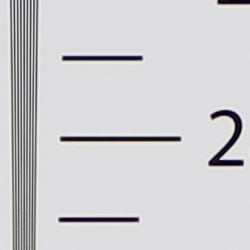



Our resolution chart showed sharp, distinct line patterns up to just under 2,800 lines per picture height horizontally and to just over 2,700 lines vertically. Some may argue for higher numbers, but lines begin to merge at this resolution, and some aliasing artifacts in the form of moiré patterns can be seen at lower resolutions. Extinction of the pattern occurred between 3,400 and 3,600 lines. An Adobe Camera Raw converted .CR2 file produces about the same resolution as the in-camera JPEG, though complete extinction of the pattern was extended to between 3,600 and 4,000 lines, close to the limit of our chart. While ACR was able to extract more detail, it also produced more moiré and false colors. Use these numbers to compare with other cameras of similar resolution, or use them to see just what higher resolution can mean in terms of potential detail.

Both in-camera JPEG and ACR converted resolution target images contain purple "stripes" centered along the main horizontal line patterns, which are likely a side effect of pixel substitution required for the on-chip phased-detect autofocus photosites. (Please note that saturation was increased for the above crop to make the stripe more visible.) We doubt this type of artifact would ever be an issue in real-world images, though.
See full set of test images with explanations
See thumbnails of all test and gallery images
Sharpness & Detail
Somewhat soft images at default sharpening, but with noticeable sharpening artifacts. Minor to moderate detail loss due to noise reduction processing even at low ISOs.

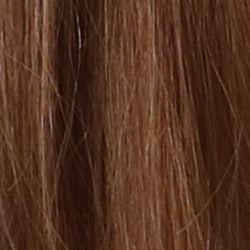
Sharpness. The Canon EOS M3's 24-megapixel sensor captures very good image detail when coupled with a good lens, though JPEG images are a bit soft at default settings. (Keep in mind Canon has decided to keep an optical low-pass filter in the EOS M3 to reduce aliasing artifacts at the cost of slightly reduced sharpness, unlike some competing models which have gone the other way.) Yet the EOS M3's default sharpening setting generates visible edge-enhancement artifacts in the form of obvious sharpening halos around high-contrast edges, as shown in the crop above left. Edge enhancement creates the illusion of sharpness by enhancing colors and tones right at the edge of a rapid transition in color or tone.
Detail. The crop above right shows some detail loss due to noise suppression in darker areas and in areas with low contrast, perhaps just a little more than we're accustomed to seeing from an APS-C sensor at base ISO. Still, a good performance for a 24-megapixel model. Noise-suppression systems in digital cameras tend to flatten-out detail in areas of subtle contrast. The effects can often be seen in shots of human hair, where the individual strands are lost and an almost "watercolor" look appears.
RAW vs In-Camera JPEGs
As noted above the Canon EOS M3 produces JPEG images with very good detail, but that are somewhat soft with visible sharpening halos. With a good RAW converter, additional detail can often be extracted with fewer sharpening artifacts. See below:
|
Base ISO (100)
|
|
 |
 |
 |
 |
 |
 |
|
Camera JPEG, defaults
|
RAW via Adobe Camera Raw
|
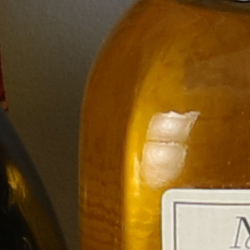
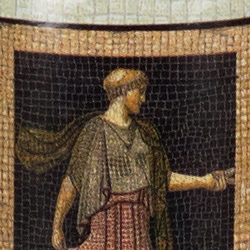
In the table above, we compare a best quality in-camera JPEG taken at base ISO using default noise reduction and sharpening (on the left) to the matching RAW file converted with Adobe Camera Raw 9.1 using default noise reduction with some strong but tight unsharp masking applied in Photoshop (300%, radius of 0.3 pixels, and a threshold of 0).
Looking closely at the images, we can see ACR extracts additional detail that isn't present in the JPEG from the camera, particularly in the red-leaf and pink swatches where the fine thread pattern is likely treated as noise by the JPEG engine. Fine detail in the mosaic crop is also improved, but as is often the case, the conversion isn't as clean and smooth looking, with more noise that can be seen in the flatter areas of the bottle crop. You can of course apply stronger noise reduction (default ACR NR used here) to arrive at your ideal noise versus detail tradeoff. And, as expected, sharpening halos aren't nearly as strong as the default camera output. Still, not bad in-camera default JPEG processing, but as usual you can do noticeably better by shooting in RAW mode and using a good RAW converter.
ISO & Noise Performance
Good high ISO performance for a 24-megapixel APS-C sensor.
|
Default High ISO Noise Reduction
|
||
 |
 |
 |
| ISO 100 | ISO 200 | ISO 400 |
 |
 |
 |
ISO 800 | ISO 1600 | ISO 3200 |
 |
 |
 |
ISO 6400 | ISO 12,800 | ISO 25,600 |
Images are quite clean at ISOs 100 and 200, with just a tiny amount of luminance noise seen in the darker areas, and very little chroma noise. Some blurring of fine low-contrast detail is already visible at base ISO, though, as mentioned previously. Noise "grain" is slightly more evident at ISO 400, but detail remains very strong despite some minor blurring due to noise reduction. ISO 800 is of course a little noisier, but fine detail is still very good with a noise grain that's quite fine and chroma noise well under control. At ISO 1600 blurring becomes noticeably stronger resulting in a more evident drop in image quality, though a fair amount of fine detail is still left. ISO 3200 is quite a bit grainier with minor chroma noise, but there is still some fine detail left. ISO 6400 is quite grainy, but the grain is still fairly tight and not too obtrusive. Noise and the effects of noise reduction working hard to keep it under control really become apparent at ISOs 12,800 and 25,600 with heavier luminance noise, stronger blurring and more obvious chroma blotching.
See the Print Quality section below (when available) for our evaluation of maximum print sizes at each ISO setting.
A note about focus for this shot: We used to shoot this image at f/4, however depth of field became so shallow with larger, high-resolution sensors that it was difficult to keep important areas of this shot in focus, so we have since started shooting at f/8, the best compromise between depth of field and sharpness.
Extremes: Sunlit, dynamic range and low light tests
Strong overall detail, but somewhat high default contrast and unremarkable dynamic range. HTP and ALO options do a great job of dealing with tough lighting. Good low-light performance.


The Canon EOS M3 produces images with moderately high contrast with some washed-out highlights and deep shadows under the deliberately harsh lighting of the test above. The mannequin's face was too dim at the +0.3 and +0.7 EV settings so we preferred the image with +1.0 EV exposure compensation. This resulted in some clipped highlights in the shirt and flowers, a bit more than we're used to seeing from an APS-C sensor lately, indicating mediocre dynamic range compared to the best of recent competitors. Shadow detail was however pretty good, though very deep shadows are a bit noisy and discolored. Bottom line: while dynamic range isn't bad, the Canon EOS M3 didn't do as well with this difficult shot compared to some recent state-of-the-art peers.
Because digital cameras are more like slide film than negative film (in that they tend to have a more limited tonal range), we test them in the harshest situations to see how they handle scenes with bright highlights and dark shadows, as well as what kind of sensitivity they have in low light. The shot above is designed to mimic the very harsh, contrasty effect of direct noonday sunlight, a very tough challenge for most digital cameras. (You can read details of this test here. In actual shooting conditions, be sure to use fill flash in situations like the one shown here; it's better to shoot in open shade whenever possible.)
Face Detection
Just like most point & shoot cameras these days, the Canon EOS M3 has the ability to detect faces, and adjust exposure and focus accordingly.
| Face Detection | ||
 |
 |
 |
| Aperture Priority Face Detect: Off 0 EV |
Aperture Priority Face Detect: On 0 EV |
Auto Mode 0 EV |
As you can see from the examples above, it works well, as the center image with face detection enabled is much better exposed for the face than the left image where face detection was not employed. Full Auto mode (right) was a further improvement, selecting a larger aperture than we normally use for this shot (f/2.8 vs f/8), a slightly higher ISO (160 vs 100) as well as using the standard Auto Lighting Optimizer setting for a lower contrast image.
Highlight Tone Priority
The Canon EOS M3's Highlight Tone Priority (HTP) option did a good job of preserving highlight detail, though shadows were also affected, as shown below. (Mouse over the Off and On links to load the corresponding thumbnail, histogram and crops.)
|
Highlight Tone Priority (+0.3EV)
|
|
|
|
|
| Highlights |  |
| Shadows (Levels boosted to reveal noise.) |
 |
| Histogram |  |
Both shots above were captured at the same exposure, the only difference being that HTP was enabled for the second shot which necessarily increases the ISO to 200; part of how HTP works. Although very few highlights were blown at default exposure to begin with, the histograms and thumbnails above clearly show a reduction in highlights when HTP is enabled, however shadow brightness was also affected somewhat. If you look closely at shadows (the levels in shadow crops above are heavily boosted to reveal noise that would be difficult to see otherwise), you'll notice an increase in noise is the price you pay when ISO is boosted from 100 to 200.
Automatic Lighting Optimization
Like previous Canon EOS models, the EOS M3 offers three selectable levels of Automatic Lighting Optimization (ALO), plus Off. In fully automatic (Scene Intelligent Auto) ALO is automatically enabled and it's available in P, Tv and Av exposure modes. Mouse over the links below to load the associated thumbnail and histogram, and click on the links to load full resolution images.
|
Automatic Lighting Optimization (+0.3 EV)
|
|
 |
|
 |
|
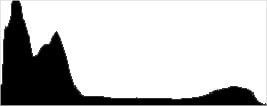
As you can see above, ALO has the effect of shifting shadows and mid-tones in the histograms to the right, brightening shadows and indeed most of the image while preserving highlights. ISO is not boosted for ALO so increased noise is not an issue, though it may be slightly more visible in shadows that have been boosted significantly.
HDR
The Canon EOS M3 includes a High Dynamic Range mode, which takes three continuous shots at different exposures and merges them together to create an image with wider tonal range than would be possible with a single exposure. It also offers four Artistic effects: Art Standard, Art Vivid, Art Bold and Art Embossed, as well as a Natural setting. We did not test this feature in the lab, however there are examples in our Gallery shots (look for filenames containing "HDR").
Dynamic Range Analysis (RAW mode)
While we once performed our own dynamic range measurements based on in-camera JPEGs as well as converted RAW images (when the camera was supported by Adobe Camera Raw), we've switched to using DxO Labs' results from their DxOMark website. As technology advanced, the dynamic range of modern high-end cameras in some cases exceeded the range of the Stouffer T4110 density scale that we used for our own measurements. DxO's approach based on RAW data before demosaicing is also more revealing, because it measures the fundamental dynamic range of the sensor, irrespective of whatever processing is applied to JPEGs, or to RAW data by off-the-shelf conversion software.
In the following, we use DxO's "Print" dynamic range results, which are scaled based on camera resolution. As the name suggests, this scaling corresponds to the situation in which you print at a given size, regardless of how many megapixels the camera might have. (In other words, if you've decided to make a 13x19 inch print, that's the size you're printing, whether the camera's resolution is 16 or 300 megapixels.) For the technically-minded, you can find a discussion of the reasoning behind this here on the DxOMark website. Also note that DxO Labs uses a signal-to-noise (SNR) threshold of 1 when defining the lower boundary of acceptable luminance noise in their dynamic range measurements, which corresponds to the "Low Quality" threshold of the Imatest software we used to use for this measurement.

Here, we decided to compare the Canon EOS M3's dynamic range (orange) to the EOS M (the model previously available in the US and practically identical to the M2 in terms of sensor performance, shown in red), and the Sony A6000 (yellow), one of the most popular mirrorless cameras out there. You can always compare other models on DxOMark.com.
As you can see from the above graph (click for a larger version), the Canon EOS M3's dynamic range is improved over the original EOS M across the board, with a peak of about 11.8 versus 11.2 EV at base ISO, and a minimum of about 6.6 vs 6.0 EV at the ISO 25,600 setting. Some of the improvement is due to the M3's higher resolution, though, which produces lower noise when normalized.
The Sony A6000 does significantly better at low to moderate ISOs, though, with a peak of about 13.1 EV at base ISO which is almost a 1.4 EV advantage. But as ISO rises, the gap shrinks and the two cameras perform very similarly at ISO 800 and above, with the Canon even besting the Sony slightly at some ISOs.
Bottom line, dynamic range has improved over its predecessor mainly due to the increased resolution, but the M3 still lags behind the best APS-C rivals, at least at low ISOs. Click here to visit the DxOMark page for the Canon EOS M3 for more of their test results and additional comparisons.
| 1 fc 11 lux |
1/16 fc 0.67 lux |
1/16 fc No NR |
|
|---|---|---|---|
| ISO 100 |
 2s, f2.8 |
 30s, f2.8 |
 30s, f2.8 |
| ISO 3200 |
 1/15s, f2.8 |
 1s, f2.8 |
 1s, f2.8 |
| ISO 25600 |
 1/125s, f2.8 |
 1/8s, f2.8 |
 1/8s, f2.8 |
Low Light. The Canon EOS M3 performed well in our low-light tests, capturing bright images at the lowest light level (1/16 foot-candle), even with the lowest sensitivity setting (ISO 100). As expected, noise increases as ISO goes up and light levels go down, but luminance noise remains fairly low and fine-grained at ISO 3200. Some chroma noise in the form of subtle color blotching in the shadows and dark areas is visible at lower light levels, though it's effectively suppressed by default noise reduction. As you'd expect, noise is quite high at the maximum ISO of 25,600, particularly when noise reduction is minimized (extreme right column in the table above).
We noticed a few hot pixels here and there, but nothing out of the ordinary. We didn't see any signs of heat blooming and banding (fixed pattern noise) appears to be very low, though random noise in very deep shadows is a bit high.
Color balance was fairly neutral with Canon EOS M3's Auto white balance setting, just a touch cool at higher light levels, but warming up at lower.
The Canon EOS M3's autofocus system was able to focus on the subject down to just below the 1/8 foot-candle light level unassisted with an f/2.8 lens. That's pretty good for a mirrorless camera and the M3 was able to focus in complete darkness with AF assist enabled.
As always, keep in mind that the longer shutter speeds here demand the use of a tripod to prevent any blurring from camera movement. (A useful trick is to just prop the camera on a convenient surface, and use its self-timer to release the shutter. This avoids any jiggling from your finger pressing the shutter button, and can work quite well when you don't have a tripod handy.)
How bright is this? The one foot-candle light level that this test begins at roughly corresponds to the brightness of typical city street-lighting at night. Cameras performing well at that level should be able to snap good-looking photos of street-lit scenes.
NOTE: This low light test is conducted with a stationary subject, and the camera mounted on a sturdy tripod. Most digital cameras will fail miserably when faced with a moving subject in dim lighting. (For example, a child's ballet recital or a holiday pageant in a gymnasium.) Large sensored cameras like the Canon EOS M3 do much better than point & shoots, but you still shouldn't expect a quick autofocus lock with moving subjects.
Output Quality
Print Quality
High-quality prints up to 30 x 40 inches at ISO 100-400; Nice 11 x 14 inch prints at ISO 3200; and 4 x 6 inch prints squeak by at ISO 25,600.
 ISO 100/200/400 images all look nearly identical, and with lots of fine detail and pleasing, vibrant colors, these images make excellent prints up to massive 30 x 40 inches. At close inspection, there is some slight softness, as we're really pushing the resolving power of the 24-megapixel sensor, but at typical viewing distances for prints of this size, the resolution looks great. 30 x 40 prints are quite large, and the largest we test-print at IR. You're really only limited to how much you want to push the 24MP sensor's resolution should you wish to print larger sizes.
ISO 800 images still look very good, however, we can see that subtle shadow noise has become apparent, making a 20 x 30 inch print the largest size we're comfortable with. With that said, the colors and detail are still very good, so a 24 x 36 print could do well for less critical applications.
ISO 1600 prints look great up to 16 x 20 inches. Noise in the shadows is more visible now, though finely grained, but overall, prints at this size still show a lot of detail and pleasing colors.
ISO 3200 images might work up to 13 x 19 inches for less critical applications, but the increasing appearance of noise has us playing it safe with 11 x 14 inches. Fine detail is still quite good at this print size, but we noticed colors begin to appear slightly drab with a subtle greenish tinge now.
ISO 6400 prints look great up to 8 x 10 inches. Naturally, noise is stronger and more apparent at this sensitivity now, but there's still a good amount of detail.
ISO 12,800 images top-out at 5 x 7 inches. Details become too soft due to noise to really consider any larger print sizes acceptable.
ISO 25,600 prints just manage to squeak by with a usable 4 x 6 inch print. At this size, the increased noise and drab colors are workable, though we're very hesitant to print anything larger at this ISO sensitivity.
Sporting a big upgrade in the sensor and processor department compared to the original EOS M, the new Canon EOS M3 has an impressive showing in the print quality department, particularly at lower ISOs. Surprisingly, prints from ISO 100 up to 400 look virtually identical with lots of detail and great colors allowing for very large prints up to 30 x 40 inches. At the middle ISO ranges, the M3 does well to control noise and balance NR processing with a good amount of fine detail. At ISO 3200, the M3 manages a pleasant 11 x 14 inch print, though colors have begun to appear slightly "off" at this point. Even at the tip-top of the ISO scale, the new Canon EOS M3 achieves a usable 4 x 6 at ISO 25,600.
The images above were taken from our standardized test shots. For a collection of more pictorial photos, see our Canon EOS M3 Photo Gallery .
Not sure which camera to buy? Let your eyes be the ultimate judge! Visit our Comparometer(tm) to compare images from the Canon EOS M3 with those from other cameras you may be considering. The proof is in the pictures, so let your own eyes decide which you like best!
Performance
Timing and Performance
Mixed performance for a mirrorless camera.
| Startup/Play to Record | ||
|---|---|---|
| Power on |
~2.4 seconds
|
Time it takes to turn on and capture a shot. |
|
Play to Record, |
~1.6 seconds
|
Time until first shot is captured. |
Powering on and taking a shot was on the slow side, taking about 2.4 seconds. Switching from Play to Record mode and taking a shot was a bit faster at 1.6 seconds, though that's still a bit sluggish.
| Shutter Response (Lag Time) | ||
|---|---|---|
|
Full Autofocus |
0.126 second
|
Time from fully pressing shutter button to image capture. |
|
Full Autofocus |
0.587 second
|
Time to capture while forcing flash to fire. Preflash metering pulses from flash often slow shutter response. |
|
Manual Focus |
0.112 second
|
For most cameras, shutter lag is less in manual focus than autofocus, but usually not as fast as when the camera is "prefocused". |
|
Prefocused |
0.056 second
|
Time to capture, after half-pressing and holding shutter button. |
In terms of the Canon M3's ability to determine that it's properly focused when shooting the same target multiple times using the EF-M 18-55mm f/3.5-5.6 IS STM kit lens, its full autofocus shutter response was quite fast a mirrorless camera. We measured only 0.126 second for full AF shutter lag using single point (center) AF. That's faster than some pro DSLRs and a huge improvement over the original EOS M, which tested at almost a full second with the same lens. Enabling the built-in flash added considerable delay for the pre-flash metering, though, resulting in a capture lag of about 0.59 second.
Shutter lag with manual focus was good at 0.112 second. "Prefocusing" the camera by half-pressing and holding down the shutter button before the final exposure resulted in a lag time of only 0.056 second, also quite good for a mirrorless camera.
To minimize the effect of different lens' focusing speed, we test AF-active shutter lag with the lens already set to the correct focal distance.
| Cycle Time (shot to shot) | ||
|---|---|---|
|
Single Shot mode |
1.11 seconds
|
Time per shot, averaged over a few frames. |
|
Single Shot mode |
1.38 seconds
|
Time per shot, averaged over a few frames. |
|
Early shutter |
No
|
Some cameras don't snap another shot if you release and press the shutter too quickly in Single Shot mode, making "No" the preferred answer. |
|
Continuous mode |
0.24 second (4.22 frames per second);
50+ frames total; 2 seconds to clear* |
Time per shot, averaged over 50 shots with no signs of slowing. |
| Continuous mode |
0.25 second (3.95 frames per second);
4 frames total; 4 seconds to clear* |
Time per shot, averaged over 4 shot buffer capacity, then slowed to an average of 0.96s or 1.04fps when buffer was full. |
|
Continuous mode |
0.25 second (4.00 frames per second);
4 frames total; 4 seconds to clear* |
Time per shot, averaged over 4 shot buffer capacity, then slowed to an average of 092s or 1.09fps when buffer was full. |
| Flash recycling |
3.5 seconds
|
Flash at maximum output. |
|
*Note: Buffer clearing times measured with a SanDisk Extreme Pro 95MB/s UHS-I SDHC card. Slower cards will produce correspondingly slower clearing times. Slow cards may also limit length of bursts in continuous mode. ISO sensitivity and noise reduction settings can also affect cycle times and burst mode performance.
|
||
Single-shot cycle times were on the slow side, taking about 1.1 seconds for best quality JPEGs, and about 1.4 seconds for RAW+ L/F JPEG files, however that's an improvement over the EOS M's 1.9 and 2.3 seconds respectively. (Note that we no longer test single-shot mode with just RAW files, as the results are usually somewhere in between JPEG and RAW+JPEG modes.)
Full-resolution continuous mode speeds were also slow by today's standards, at about 4.2 frames-per-second for best quality JPEGs, and just a bit slower at about 4 frames per second for RAW and RAW+L/F JPEG files. That's about the same burst speed as the EOS M, but keep in mind the M3's slightly larger 24-megapixel files.
Buffer depth for best quality JPEGs was excellent at over 50 frames with no signs of slowing, while the EOS M slowed after 13 frames. When shooting RAW files, however, buffer depths were quite shallow at only 4 frames with or without JPEGs. The original EOS M managed 6 RAW and 3 RAW+L/F JPEG files.
Buffer clearing times were quite good considering the resolution, ranging from 2 seconds after 50 best quality JPEGs, to 4 seconds after a burst of RAW or RAW+L/F JPEG frames. You can take additional photos while the buffer is clearing, but you can't view just-shot images or change settings until the buffer is cleared.
The Canon M3's built-in flash took an average of 3.5 seconds to recharge after a full-power discharge, which is not bad.
Bottom line, the Canon M3 offers mixed performance, ranging from sluggish startup and slow burst speeds with very shallow RAW buffers to excellent single-point AF speed and low prefocused shutter lag. The vast improvement in AF speed is great news, as very slow autofocus was one of the biggest drawbacks to the original EOS M.
Battery
Battery Life
Below average battery life for mirrorless ILC.
| Operating Mode | Number of Shots |
|---|---|
|
Still Capture,
(CIPA standard, LCD) |
250
|
The Canon M3 uses a custom LP-E17 rechargeable lithium-ion battery for power, and ships with a dedicated battery charger. Battery life is below average for a mirrorless camera, rated at only 250 shots per charge with 50% using flash. We recommend you pick up a spare battery and keep it freshly charged and on-hand.
The table above shows the number of shots the Canon M3 is capable of (on a fully-charged rechargeable battery), based on CIPA battery-life and/or manufacturer standard test conditions.
(Interested readers can find an English translation of the CIPA DC-002 standards document here. (180K PDF document))
Image Quality
Below are crops from our laboratory Still Life target comparing Canon EOS M3 image quality to the original, the EOS M (sorry, the M2 never made it into our lab), as well as against several mirrorless models at similar price points or in similar categories: the Fuji X-A2, Olympus E-PL7, Samsung NX500 and Sony A6000.
NOTE: These images are from best quality JPEGs straight out of the camera, at default settings including noise reduction and using the camera's actual base ISO (not extended ISO settings). All cameras in this comparison were shot with our very sharp reference lenses. Clicking any crop will take you to a carrier page where you can click once again to access the full resolution image as delivered straight from the camera. For those interested in working with the RAW files involved, click these links to visit each camera's respective sample image thumbnail page: Canon EOS M3, Canon EOS M, Fuji X-A2, Olympus E-PL7, Samsung NX500 and Sony A6000 -- links to the RAW files appear beneath those for the JPEG images, wherever we have them. And remember, you can always go to our world-renowned Comparometer to compare the Canon EOS M3 to any camera we've ever tested!
Canon EOS M3 vs Canon EOS M at Base ISO
 |  |
 |  |
 |  |
Canon EOS M3 at ISO 100 | Canon EOS M at ISO 100 |
The 24-megpaixel EOS M3 is able to resolve a bit more detail than the 18-megapixel EOS M, and it produces an image that appears a touch crisper as well, though both leave obvious sharpening halos around high-contrast edges. Noise levels are comparable despite the M3's smaller pixels, however the newer model does a bit better at controlling chroma noise. As a result, though, the original M does a better job overall with our tricky red-leaf swatch (the M3 also begins to resolve some of the fabric strands which interferes with the pattern's detail). | |
Canon EOS M3 vs Fujifilm X-A2 at Base ISO
|  |
|  |
|  |
Canon EOS M3 at ISO 100 | Fujifilm X-A2 at ISO 200 |
The Canon M3 clearly resolves more detail than the 16-megapixel Fuji X-A2, but the X-A2's image is smoother and cleaner-looking with hardly any signs of noise. The Canon offers higher contrast in our red-leaf fabric, but the Fuji actually resolves finer detail. The Canon does noticeably better with in the pink fabric, though. | |
Canon EOS M3 vs Olympus E-PL7 at Base ISO
|  |
|  |
|  |
Canon EOS M3 at ISO 100 | Olympus E-PL7 at ISO 200 |
Again, the M3's resolution advantage is apparent against the 16-megapixel Olympus E-PL7. Noise levels are also lower from the M3, with the PL7 already producing some minor noise reduction artifacts than can be seen the darker areas and shadows, though keep in mind the higher base ISO of the Olympus. The E-PL7's image is however crisper and has more clearly defined detail in the red-leaf fabric. | |
Canon EOS M3 vs Samsung NX500 at Base ISO
|  |
|  |
|  |
Canon EOS M3 at ISO 100 | Samsung NX500 at ISO 100 |
At base ISO, the 28-megapixel Samsung NX500 is able to resolve slightly more detail, and its default processing yields a crisper image, yet with less obvious sharpening halos. The NX500 also shows more detail in our red-leaf swatch, but moiré patterns are also more visible (the M3's image only shows hints of them). The NX500 does much better with the thread pattern in the pink fabric, though we prefer the color and saturation from the Canon. | |
Canon EOS M3 vs Sony A6000 at Base ISO
|  |
|  |
|  |
Canon EOS M3 at ISO 100 | Sony A6000 at ISO 100 |
The 24-megapixel Sony A6000 resolves a very similar amount of detail, though its image is crisper while displaying almost no sharpening halos. Luminance noise levels are similar in the shadows, though the Canon's image contains less chrominance noise. The Sony does a better job with the fabrics. | |
Canon EOS M3 vs Canon EOS M at ISO 1600
 |  |
 |  |
 |  |
Canon EOS M3 at ISO 1600 | Canon EOS M at ISO 1600 |
The EOS M3 continues to offer better detail in most areas of our studio Still Life target at ISO 1600. Luminance noise is higher, but looks a little more natural with a fine, tight grain pattern. Both smear our tricky red-leaf pattern, but the EOS M does produce a better rendering of the pattern. | |
Canon EOS M3 vs Fujifilm X-A2 at ISO 1600
|  |
|  |
|  |
Canon EOS M3 at ISO 1600 | Fujifilm X-A2 at ISO 1600 |
The Canon M3 continues to out-resolve the Fuji X-A2 at ISO 1600 in most areas but only slightly, while the X-A2 produces an image which much lower noise levels. Amazing high ISO performance from the Fuji. | |
Canon EOS M3 vs Olympus E-PL7 at ISO 1600
|  |
|  |
|  |
Canon EOS M3 at ISO 1600 | Olympus E-PL7 at ISO 1600 |
|
Here at ISO 1600, the Olympus produces a cleaner image but it contains stronger noise reduction artifacts. The Canon continues to capture more detail, but it's also noisier. Overall, the M3's rendering is more natural-looking, but the E-PL7's is more vibrant, and the Olympus does better in the red-leaf fabric. | |
Canon EOS M3 vs Samsung NX500 at ISO 1600
|  |
|  |
|  |
Canon EOS M3 at ISO 1600 | Samsung NX500 at ISO 1600 |
The Samsung NX500 continues to produce better, crisper detail as well as lower noise levels than the Canon M3 at ISO 1600, though saturation is a little lower. | |
Canon EOS M3 vs Sony A6000 at ISO 1600
|  |
|  |
|  |
Canon EOS M3 at ISO 1600 | Sony A6000 at ISO 1600 |
Here, the Sony A6000 produces a cleaner, crisper image, though it does look a bit more heavily "processed" than the Canon's. The Sony does much better in our difficult red-leaf pattern, though some of the detail is distorted and not real. | |
Canon EOS M3 vs Canon EOS M at ISO 3200
 |  |
 |  |
 |  |
Canon EOS M3 at ISO 3200 | Canon EOS M at ISO 3200 |
Again, the Canon M3 manages to capture more detail than the M in most areas at ISO 3200, while producing a more film-like noise grain, though noise levels do appear a bit higher when viewed at 100% like this. Almost all detail is now lost in our troublesome red-leaf swatch from the M3, while older M at least reproduces some semblance of the pattern. | |
Canon EOS M3 vs Fujifilm X-A2 at ISO 3200
|  |
|  |
|  |
Canon EOS M3 at ISO 3200 | Fujifilm X-A2 at ISO 3200 |
The Fuji X-A2 continues to perform extremely well at ISO 3200, producing not only a much cleaner image than the Canon M3, but one with better detail and nicer colors as well. | |
Canon EOS M3 vs Olympus E-PL7 at ISO 3200
|  |
|  |
|  |
Canon EOS M3 at ISO 3200 | Olympus E-PL7 at ISO 3200 |
Here at ISO 3200, we can see the Olympus E-PL7 is really working hard to produce a cleaner, crisper image than the M3, but one that contains more processing artifacts. The Olympus does do quite a bit better in the red-leaf swatch. | |
Canon EOS M3 vs Samsung NX500 at ISO 3200
|  |
|  |
|  |
Canon EOS M3 at ISO 3200 | Samsung NX500 at ISO 3200 |
Once again, the Samsung NX500 comes out ahead with a crisper, slightly cleaner image containing better detail, though some minor noise reduction artifacts are visible in flatter areas. The Samsung also continues to do better in our tricky red-leaf swatch. | |
Canon EOS M3 vs Sony A6000 at ISO 3200
|  |
|  |
|  |
Canon EOS M3 at ISO 3200 | Sony A6000 at ISO 3200 |
This comparison is a tough call. The Sony image is a little cleaner and brighter but it's starting to look a bit muddled, while the Canon image is grainier but a bit more natural looking. The A6000 appears to show more detail in the red-leaf swatch, but much of it is false, being heavily distorted. | |
Canon EOS M3 vs. Canon EOS M, Fujifilm X-A2, Olympus E-PL7, Samsung NX500, Sony A6000
 |  |  |  |  |  |
 |  |  |  |  |  |
 |  |  |  |  |  |
| Canon EOS M3 ISO 100 ISO 3200 ISO 6400 | Canon EOS M ISO 100 ISO 3200 ISO 6400 | Fujifilm X-A2 ISO 200 ISO 3200 ISO 6400 | Olympus E-PL7 ISO 200 ISO 3200 ISO 6400 | Samsung NX500 ISO 100 ISO 3200 ISO 6400 | Sony A6000 ISO 100 ISO 3200 ISO 6400 |
| Detail comparison. High-contrast detail is also important, pushing the camera in different ways, so we like to look at it, too. Here, the Canon EOS M3 does well at base ISO, but contrast and detail drop off a little at ISO 3200 and again at ISO 6400. Still, it performs much better than the EOS M, as well as the X-A2 at higher ISOs. The rest in the group shows less of a drop in contrast and fine detail as ISO rises. | |||||
High-quality prints up to 30 x 40 inches at ISO 100-400; Nice 11 x 14 inch prints at ISO 3200; and 4 x 6 inch prints squeak by at ISO 25,600.
ISO 100/200/400 images all look nearly identical, and with lots of fine detail and pleasing, vibrant colors, these images make excellent prints up to massive 30 x 40 inches. At close inspection, there is some slight softness, as we're really pushing the resolving power of the 24-megapixel sensor, but at typical viewing distances for prints of this size, the resolution looks great. 30 x 40 prints are quite large, and the largest we test-print at IR. You're really only limited to how much you want to push the 24MP sensor's resolution should you wish to print larger sizes.
ISO 800 images still look very good, however, we can see that subtle shadow noise has become apparent, making a 20 x 30 inch print the largest size we're comfortable with. With that said, the colors and detail are still very good, so a 24 x 36 print could do well for less critical applications.
ISO 1600 prints look great up to 16 x 20 inches. Noise in the shadows is more visible now, though finely grained, but overall, prints at this size still show a lot of detail and pleasing colors.
ISO 3200 images might work up to 13 x 19 inches for less critical applications, but the increasing appearance of noise has us playing it safe with 11 x 14 inches. Fine detail is still quite good at this print size, but we noticed colors begin to appear slightly drab with a subtle greenish tinge now.
ISO 6400 prints look great up to 8 x 10 inches. Naturally, noise is stronger and more apparent at this sensitivity now, but there's still a good amount of detail.
ISO 12,800 images top-out at 5 x 7 inches. Details become too soft due to noise to really consider any larger print sizes acceptable.
ISO 25,600 prints just manage to squeak by with a usable 4 x 6 inch print. At this size, the increased noise and drab colors are workable, though we're very hesitant to print anything larger at this ISO sensitivity.
Sporting a big upgrade in the sensor and processor department compared to the original EOS M, the new Canon EOS M3 has an impressive showing in the print quality department, particularly at lower ISOs. Surprisingly, prints from ISO 100 up to 400 look virtually identical with lots of detail and great colors allowing for very large prints up to 30 x 40 inches. At the middle ISO ranges, the M3 does well to control noise and balance NR processing with a good amount of fine detail. At ISO 3200, the M3 manages a pleasant 11 x 14 inch print, though colors have begun to appear slightly "off" at this point. Even at the tip-top of the ISO scale, the new Canon EOS M3 achieves a usable 4 x 6 at ISO 25,600.
Field Test
Numerous improvements take the M-series to the next level
by Jeremy Gray | Posted 10/16/15

The M3 finally makes its way to North America
After being released in European and Asian markets earlier in the year, the M3 is the first M-series camera since the original to be released in the US. Including the new 24.2-megapixel APS-C CMOS sensor and Hybrid CMOS AF III autofocus from the Rebel T6s and T6i cameras, the M3 is a big improvement over the original M in a few critical ways. The impressive features come in a small package, with the M3 weighing only 12.9oz (366g) with a battery and SD card. For those looking to upgrade from an original M or for those looking to purchase their first Canon mirrorless camera, the M3 brings a lot to the table and merits consideration.
Key Features
- 24.2-megapixel APS-C CMOS sensor
- 3" tilting touchscreen
- Weighs 12.9 oz. (366g) with battery and SD card
- Has a traditional mode dial, front dial, and control dial
- Hybrid CMOS AF III autofocus system that provides 6.1x faster autofocus than the original EOS M
- Wi-Fi and NFC capabilities
- DIGIC 6 processor

A compact camera body with plentiful controls
The M3 is small, but it does not suffer from many of the compromises that small cameras often make, such as foregoing a front grip and not having command dials. Unlike the original Canon EOS M, the M3 has a fairly deep front grip. While the command dials on the M3 are not exactly like those found on a Rebel, they allow for a similar level of control. Surrounding the shutter release is the "front dial," which operates like a traditional command dial in many shooting modes although it does not have the same high quality feel as you would find on a Canon DSLR command dial. There is also a "control dial" on the back of the camera surrounding the directional pad. This works like the control dial on other Canon cameras and works well enough for changing the aperture in manual mode, although it doesn't offer quite the level of precision that I would like.
On the top of the camera body is a built-in pop-up flash, hot shoe, exposure compensation dial, shutter release (with front dial), M-Fn button next to the shutter, and the exposure mode dial. The hot shoe can be used to attach the optional electronic viewfinder (Canon EVF-DC1). The electronic viewfinder works well, but does add a lot of bulk to the top of the camera. The EVF has a sensor that can tell when you're looking through it and shuts off the camera's display. The sensor works well most of the time, although it can struggle in certain lighting conditions and when the display on the back of the camera is tilted upward.
The M3's 3" tilting touchscreen display has 1.04 million dots and is quite sharp. The touchscreen capabilities of the display work well and the menu system is generally conducive to using touch for navigating the menus and changing settings.
Higher-res sensor delivers quality results
Using the same 24.2-megapixel APS-C CMOS sensor that Canon used in the recent Rebel T6s and T6i cameras, the M3 captures high-quality images. Images are sharp and have good colors. JPEG files look great straight from the camera, but RAW files can appear slightly dull and soft without processing. JPEG files with default settings are a bit more balanced than RAW files, with more detail in shadow areas and better control of highlights. RAW files, however, offer a lot more freedom to make adjustments to overall exposure and to shadow and highlight areas.

With Canon's Auto Lighting Optimizer, the M3 is able to automatically adjust brightness and contrast to better deal with shadow and highlight areas. I found that the Auto Lighting Optimizer, when set to Standard, did a good job of bringing detail back in shadow areas compared to RAW files without going overboard, but Off, Low, and High settings are also available. Using the Auto Lighting Optimizer can lead to increased levels of noise in the shadow areas, however.
Compact 2-lens kit offer a wide range of versatility
The Canon EOS M3 is available in a body-only configuration for less than $600 USD, but it is also available in two kits. The M3 with the EF-M 18-55mm f/3.5-5.6 IS STM lens is currently selling for $700 USD. The M3 is also available with a second lens for around $930 USD, an EF-M 55-200mm f/4.5-6.3 IS STM lens. I used the M3 with both of these kit lenses, and they both offer impressive performance.

The EF-M 18-55mm f/3.5-5.6 IS STM lens is small and light at only 2.4 x 2.4 inches (60.9 x 61mm) and weighing 7.4 oz (210 g). The zoom ring, like with all of the zoom EF-M lenses I used, has a nice ridged grip. Unfortunately, the grip on the focus ring is much narrower. Despite the low weight, there are actually 13 elements in 11 groups in the lens. The lens performs well optically, with only minimal chromatic aberration issues and not a lot of vignetting when shooting wide open.
The EF-M 55-200mm f/4.5-6.3 IS STM lens is also quite small and light, with dimensions of 2.4 x 3.4 inches (60.9 x 86.5 mm) and a weight of 9.2 oz. (60g). The 55-200mm lens has 17 elements in 11 groups, including an aspheric lens and UD lens elements. The lens performs well, even when shooting wide open at 200mm. The maximum aperture being f/6.3 at 200mm can be somewhat limiting in moderately dim light. The lens is sharp and autofocused quickly most of the time, but there were occasions, particularly when shooting at or near 200mm when the lens hunted for focus despite there being more than enough light. One area of performance that really impressed me was the optical image stabilization on the 55-200mm lens. The 3.5-stop image stabilization did an excellent job and helped to counter the difficulties of shooting at f/6.3 in low light.

Shoot excellent landscapes with the ultra-wide EF-M 11-22mm
Offering an 18-35mm equivalent focal length, the Canon EF-M 11-22mm f/4-5.6 IS STM lens is an excellent lens for landscape work. It is pretty small at 2.3 inches (58.2mm) long and it weighs 7.8 oz. (220g). The lens has 12 elements in 9 groups. I found the optical performance to be good, but there is light falloff when shooting wide open, especially when shooting at or near 11mm. The M3 has good in-camera lens correction that mostly addressed this issue, however. The 11-22mm does cost $400 USD, but it also provides the widest focal length of any available EF-M lens.

Pocketable, pancake prime is super small, but not without fault
Canon's EF-M 22mm f/2 STM lens offers a 35mm equivalent focal length and an impressive maximum aperture (the largest maximum aperture of any current EF-M lens) for an MSRP of $250 USD. The lens is less than an inch long (0.9 inches, 23.7mm) and weighs a very light 3.7 oz. (105g). The focus ring is narrow, but it does rotate smoothly. The 22mm f/2 lens has 7 elements in 6 groups, and produces sharp images. The lens produces very good results overall but struggles with fringing issues around high-contrast fine details.

Expand your lens arsenal with the EOS M Mount Adapter
With Canon's EOS M Mount Adapter, you can attach Canon EF and EF-S lenses to the M3. The adapter itself is fairly small and has a detachable tripod mount. Canon's newest EF 50mm f/1.8 STM, for example, works well on the M3 using the adapter. Autofocus performance remains fast, and the lens performs really well. The adapter adds some length to EF and EF-S lenses, but the 50mm f/1.8 by itself is 2.7 x 1.6 inches (69.2 x 39.3mm). The lens has impressive optics and does an excellent job of separating the subject from the background when shooting at f/1.8. The out of focus area itself also has a pleasing appearance. At only $125 USD, the 50mm f/1.8 STM provides excellent value. The EOS M Mount Adapter itself can be found for around $50 USD, so it is an affordable way to greatly expand the amount of lenses you can attach to the M3 and in my opinion is a must-buy accessory if you already own any EF or EF-S lenses.

An enjoyable and easy-to-use camera
When using the M3 out in the field, the changes that Canon has made to the body and the controls layout pay large dividends. The M3, while certainly small, feels like a DSLR in many important ways. The front grip and exposure compensation dial in particular gave me a sense of control over the camera. The front grip is not very deep, but it's deep enough to make the camera comfortable to use with EF-M lenses and the Canon EF-S 50mm f/1.8 STM lens that I had with me as well. The Quick Setting menu, accessed via either the button in the center of the navigation wheel or on the touchscreen, allows quick adjustments to various important shooting functions in lieu of individual buttons.

Simple auto shooting modes with customization when you want it
The M3 performs well in Scene Intelligent Auto Mode due to impressive metering performance. Using a 384 zone metering system, the M3's evaluative metering setting does a consistently good job choosing the correct exposure for many scenes and conditions. There is also partial, spot, and center-weighted average metering modes, although the spot metering mode is stationary in the center of the frame rather than tied to an AF point. In particularly bright or varied scenes, there is also a Highlight Tone Priority option available within the camera's menu system that aims to reduce highlight clipping, but ISO speeds below 160 cannot be used when this is turned on. White balance metering is good as well, providing predictable results in many conditions. In addition to good metering performance, Scene Intelligent Auto mode works well because the face + tracking autofocus mode is quick and accurate and the camera does a good job at intelligently applying different settings in different conditions. ISO, shutter speeds, and aperture values are all automatically chosen to ensure that the given subject will be sharply captured. Additionally, RAW images can be recorded in Scene Intelligent Auto mode.
The M3 has an interesting Creative Assist shooting mode, which is designed to simplify various picture settings, and lets you adjust and influence the image through the use of simple on-screen controls and sliders. You can change the background sharpness, brightness, contrast, saturation, color tone (coolness and warmth), and monochrome settings. While this mode doesn't allow you to capture RAW images, it is still a nice inclusion that does an excellent job of simplifying picture settings and options.

Unlike Scene Intelligent Auto, Scene mode allows you to manually select the scene you are photographing. You can choose from Portrait, Landscape, Close-up, Sports, Handheld Night Scene, and Food. Depending on the chosen scene, the camera will apply different image setting parameters. In Scene mode, the M3 will record RAW files only in Portrait and Sports scene modes. There is also a Creative Filters option available on the mode dial that allows for various artistic effects, such as capturing HDR images. Within the HDR option, there are Natural, Art Standard, Art Vivid, Art Bold, and Art Embossed HDR options. I found that the HDR mode worked well, although Natural and Art Standard are more to my taste. There are a variety of other creative filter options, such as Fish-eye, Water Painting, Miniature, Toy Camera, Soft Focus, and Grainy B/W. Like Scene mode, all of these Creative Filters options are recorded only in JPEG images. Surprisingly, there isn't a panorama shooting option available.

External controls are a great idea but fall short of a DSLR's
While I lauded the dual command dial controls of the M3 above, their designs do lead to some minor issues when shooting in Tv, Av, and M exposure modes. In Tv and M modes, the front dial is used to adjust the shutter speed. Whereas in Av mode, the front dial is used for changing the aperture. While this front dial is similar to the dial you'd find on a Canon DSLR camera, its location surrounding the shutter release and its general feel make it a little more challenging to use in the field for quick and accurate adjustments. I found that the front dial was a bit stiff and not every click felt like the same distance. The rear control dial, on the other hand, rotates more easily than those on a DSLR and doesn't have distinct detents between each adjustment increment, making it difficult to do small, one-click-at-a-time adjustments. Nonetheless, the dual command dial arrangement is good, and it's valuable to have that level of control on the camera body itself.
The 3" tilting touchscreen works well in the field. It is quite reflective, but the ability to tilt the display makes it easier to avoid glare. It would be nice if the display were fully-articulating though. The display works really well when using the M3's new focus peaking feature while manually focusing. I also liked to use the M3 with an electronic level and live histogram on the display. While the camera's display works well for taking photos in many situations, the optional EVF really shows its value in bright conditions and when trying to keep the camera steady when using longer focal lengths.
Fun to use in the field with great battery life to boot
Overall, I found the M3 to be an enjoyable camera to use in the field. It provides a good amount of physical controls in addition to its Quick Setting menu to ensure that you will always have easy access to the most important settings. You'll also be able to use the M3 for a decent amount of time in the field, as the M3's battery life is acceptable on paper, providing approximately 250 shots (360 shots in Eco Mode). In practice, the battery life actually felt a bit better than that.
Hybrid CMOS AF III provides quick autofocus performance
The Canon EOS M3 uses a Hybrid CMOS AF III autofocus system that utilizes both phase and contrast detect AF points. There are 49 AF points that cover 80% of the frame vertically and 70% of the frame horizontally. This relatively large number of AF points and good coverage of the frame help to give the M3 impressive autofocus performance.

Autofocus is quick when shooting still images. In fact, Canon claims that the new autofocus system is up to 6.1 times faster than the autofocus performance in the original Canon EOS M camera. I can't verify that claim, but I certainly found the autofocus performance to be quick and accurate. In good light, the M3 snaps onto stationary subjects very quickly. In dim light, speed naturally decreases, but the M3 remains impressive in its ability to find and focus on a subject in difficult lighting conditions.
Single point AF works well on the M3, especially when using the touchscreen to move the AF point around the frame. Moving the AF point using the directional buttons, which requires first pressing the AF frame button, is pretty slow due to the high number of AF points in the frame. In low contrast and low light situations, single point AF does an effective job of achieving focus on the subject. With 49 AF points to choose from, the M3 also does a good job with focusing on a small subject.

For moving subjects, the Canon EOS M3 offers a Face + Tracking AF mode. In addition to being able to tap on the subject on the display, the M3 does a good job at automatically selecting the subject. The tracking performance is good, but it can struggle to keep up with a quick subject or maintain focus on the subject in difficult conditions such as low light or low contrast. The M3's Servo AF mode works well with single point AF, although the Servo AF limits the camera's top shooting speed to only 2.4 fps. When using Servo AF, the M3 continuously focuses while half-pressing the shutter -- just like a Canon DSLR -- and does a good job of keeping the subject in focus. Provided that the lighting conditions are decent, maintaining focus on your subject won't be an issue. There is also a continuous autofocus option available whereby the camera is constantly autofocusing even without pressing the shutter down.
Overall, the M3 has impressive autofocus performance across the board. The autofocus system felt snappy in most situations and never frustrated me. Beyond performing well in expected situations, the autofocus also surprised me in conditions that are typically difficult.
Impressive high ISO performance for an APS-C camera

RAW images look really nice up through ISO 1600. There is some visible noise at ISO 800 and 1600 when viewing the images at full-size, but it's easily manageable with minor noise reduction applied during post-processing. At ISO 3200, noise increases quite a bit such that it's visible when viewing the image at only 25% magnification. Like with RAW images captured at ISO 800 and 1600, noise reduction can take care of this without robbing the image of its sharpness and detail. At ISO 6400, visible noise is really high and the image would need a lot of processing to reduce the noise. The image loses some contrast and the image lacks fine detail. ISO 12,800 is an option I would not use as the visible noise levels are very high, and the image is soft even before any sort of noise reduction is applied.
Canon M3 Noise Comparison 100% Center Crops from RAW images (Click images for full-size files) Note: RAW files here converted using default Adobe Camera Raw noise reduction and no sharpening |
|
 |
|
ISO 100 Full Scene |
|
 |
 |
ISO 100 |
ISO 200 |
 |
 |
ISO 400 |
ISO 800 |
 |
 |
ISO 1600 |
ISO 3200 |
 |
 |
ISO 6400 |
ISO 12800 |
With standard noise reduction on, visible noise isn't really an issue until ISO 6400 when viewing images at full size. However, the trade-off to the impressively low levels of noise is a heavy reduction in sharpness throughout the image. At ISO 3200, sharpness decreases a lot and I would not want to print JPEG images taken at ISO 3200 with standard noise reduction applied at any large sizes. Images at ISO 1600 and below look great, although there is a very slight noticeable softness to images at ISO 1600. I wouldn't hesitate to print full-size JPEG files taken at ISO 1600 though.
Canon M3 Noise Reduction Comparison (Click images for full-res) |
||
 |
 |
 |
ISO 6400 NR Off |
ISO 6400 NR Low |
ISO 6400 NR Standard |
 |
 |
 |
ISO 6400 NR High |
ISO 6400 Multi-Shot NR |
ISO 12800 Multi-Shot NR |
At ISO 6400, with noise reduction set to 'off,' image files look acceptable. The visible noise is not very high, and the image retains a fair amount of fine details. With noise reduction set to 'low,' visible noise is reduced slightly without much of a decrease in sharpness. Standard noise reduction reduces visible noise to barely noticeable levels, but it reduces sharpness dramatically. For me, high noise reduction is overkill because the noise is not reduced nearly as much as the sharpness, and personally, I would opt for the 'low' noise reduction setting in most instances. If the subject is stationary and you have access to a tripod, there is also a multi-frame noise reduction option available that does a good job of dramatically reducing noise without overly reducing the sharpness and fine details in the image. I found that the multi-frame noise reduction option (which is only available when shooting JPEG files), delivers the best aspects of both low and high noise reduction options.
Built-in flash packs a lot of punch despite its small size
The flash is rated for 5m at ISO 100, has +/- 2 stops of flash compensation, and has a flash sync of 1/200s. The flash can be tilted with your finger to provide bounce flash when shooting close-up interior portraits as well. When more power is needed, however, Canon offers the 270EX II Speedlite flash. This flash is small and weighs only 5.5 oz. (155g), but it has an 89' (29m) guide number. The flash doesn't offer manual controls, but it does offer some remote flash capabilities and is a nice upgrade over the built-in flash. The flash head can be extended and then tilted for easy bouncing capabilities as well. The M3 is also compatible with the rest of Canon's EX Speedlite models.

Newer, faster processor yet disappointing burst rate & buffer
The M3 uses a DIGIC 6 processor, compared to the DIGIC 5 processor found in the original M camera. The new processor doesn't lead to particularly impressive results, however, as the M3 can continuously shoot at only 4.2fps when using One-shot AF. Shooting with Servo AF decreases the continuous shooting speed to only 2.4fps. Furthermore, when recording RAW images, the buffer depth is shallow at around 4 frames (with or without JPEG images). With that said, when recording only JPEG images, the buffer depth is an impressive 1,000 shots, according to Canon. IR lab tests managed over 50 JPEG images, and the camera showed no signed of slowing down.
Navigating the menus and making settings changes feels quick on the M3, but some processing functions are slow, such as when the M3 is processing HDR images. The M3 doesn't offer an electronic shutter for high shutter speeds, but its mechanical shutter can shoot at speeds up to 1/4000s.
While the M3 impressed me in many ways, its lack of speed is limiting. Despite utilizing a relatively new DIGIC 6 processor, the M3 feels sluggish in continuous shooting situations. Being able to shoot at only 2.4fps when using Servo AF is disappointing. The lack of power and speed is also felt when recording video with the M3, where 4K and 1080/60p video recording options are both notably absent.
Capable but bare-bones video capabilities
The M3 doesn't have an extensive video features list, nor does it offer 4K resolution or even 60fps recording at 1080p, but it does deliver decent 1080/30p performance. There is a Movie Mode on the mode dial, but video can also be recorded in other exposure modes, such as M and Av by simply pressing the Movie button on the back of the camera. The button is in a convenient location, but I found it difficult to press the button to end a movie recording without shaking the camera a little bit.
The M3 takes a simple and bare-bones approach to video recording, not offering interesting movie modes such as time lapse. You do have the ability to take control of your video recording, however, with manual shutter speed selection and manual focus. There is also a mic input on the camera if the built-in stereo mic is insufficient.
The M3's accurate autofocus carries over to video recording. The M3 offers both continuous and tracking AF when recording video, although the M3 can be slow to acquire focus. A neat feature is the ability to tap the touchscreen during video recording to move the AF point. The lack of 60fps recording at 1080p is disappointing, though, and is a surprising omission in the current camera market. Overall, I found the M3 to be generally capable, but not exceptional, for video recording.
Also, note in the video above the presence of moiré along the surface of the water behind the moose, which is rather unfortunate and something to be mindful of when shooting video with the M3.
Straightforward wireless connectivity
Unlike the original EOS M, the M3 has both built-in Wi-Fi and NFC capabilities, which can be used with the Canon Camera Connect application on smartphones. On my iOS device, the connection process was pretty straightforward. I had to turn the Wi-Fi on through the camera's playback menu, select to connect to a smartphone, open the Wi-Fi settings on my iOS device, choose the M3, enter the password shown on the camera's display, and then open up the Canon Camera Connect application. The process is much simpler using NFC, bypassing most of the steps required on an iOS device.
Canon Camera Connect Application Screenshots |
|
 |
 |
Once connected, the application provides a fair amount of control and options. You can view images on the camera, download JPEG images from the M3 to your mobile device, and also remotely capture images. Remote control works well, although the refresh rate of the remote view isn't very high and sometimes the live view stutters for a few seconds. When the camera is set to Manual exposure mode, you can adjust shutter speed, aperture, ISO, exposure compensation, and focus mode through the application. You can also separate the shutter and autofocus buttons through in-app settings. If you want to change the exposure mode of the camera, you will have to disconnect and reconnect the mobile device, which is a bit frustrating.
Canon M3 Field Test Summary
The M3 improves upon the M in important ways and delivers great value

What I like:
- Small camera body that includes a good front grip and numerous manual controls
- Impressive image quality from the 24.2-megapixel APS-C CMOS sensor
- Fast and accurate autofocus performance
- Camera performs well in low light situations
What I dislike:
- The front and control dials are nice to have, but don't feel as solid/precise as on a DSLR
- Slow continuous shooting performance
- No 4K or 1080/60p video recording

The Canon EOS M3 is a notable improvement over the original EOS M in many ways. The body itself, the image sensor, and the autofocus performance are all great. Most importantly, the M3 just makes capturing good images an easy and enjoyable task. In its various body-only and kit lens configurations, the M3 represents an excellent value. Those looking for an upgrade to their original M camera or those looking to buy their first Canon mirrorless camera should be thankful that Canon decided to bring the M3 to North America.
Flash
Canon EOS M3 Flash

Built-in Flash Test Results
Coverage and Range
A weak flash with narrow coverage. Above average positive exposure compensation required.
|
Coverage
|
 |
| 18mm @ f/3.5 |
Coverage. Canon rates the EOS EOS M3's internal flash coverage at approximately 18mm, though as you can see in the above shot taken at 18mm, we've found manufacturers' coverage ratings are usually quite optimistic. Peripheral Illumination Correction was on (by default) for this shots, so the fall-off seen here in the corners and vertical edges is mostly from the flash itself. We no longer test this at telephoto, as coverage is invariable better.


Exposure. Indoors, under incandescent background lighting, the Canon EOS M3's flash underexposed our standard flash test scene, even with +1.0 EV flash exposure compensation applied (and brightness didn't change from +0.7 EV). The camera's slow-sync flash mode required +1.0 EV exposure compensation for a good exposure, though the longer exposure (1/20s vs 1/60s) resulted in a strong reddish cast from the ambient background lighting.
|
Manufacturer-Specified Flash Range
|
 4.7 feet ISO 100, f3.5 |
Manufacturer Specified Flash Test. The Canon EOS M3's built in flash has a rated Guide Number of only 5 meters or 16.4 feet at ISO 100. That works out to a distance of about 4.7 feet at f/3.5, the maximum aperture of the kit lens at wide angle. In the shot above at those settings, we can see that the Canon EOS M3's built-in flash performed to specification, producing a well-exposed flash target at the rated distance.
Conclusion
Big upgrades to Canon's key mirrorless model
Sadly for Canon, the debut of the first-generation Canon EOS M was met with a rather ho-hum response, at least here in the US. Limited lens selection and less-than-stellar AF performance were major factors, as was the more established success of competing manufacturers in the mirrorless space. Canon, nevertheless, soldiered-on and introduced this noticeably beefed-up EOS M3 model with a new external design, improved ergonomics, a built-in flash, as well as all-new internals, including a higher-res sensor, a faster DIGIC 6 image processor and, indeed, better autofocusing.
Higher-res sensor captures great images
After using an 18MP APS-C sensor in the original M (and the M2 refreshed model), the EOS M3 makes the jump to a 24-megapixel sensor. Similar to the chip in the recent Rebel T6s and T6i cameras, this newer sensor allows the EOS M3 to capture excellent images. In both our lab tests and real-world Field Test, the M3 earns relatively high marks from us in terms of image detail. The 24MP sensor captures lots of detail, though we found the in-camera JPEGs were a bit on the soft side with the default level of image sharpening resulting in noticeable halos around higher contrast edges. We found much better results using RAW files and controlling sharpening ourselves in post.
High marks for high ISO & dynamic range, but trails some competitors
Despite the higher-resolution sensor, which necessitates smaller individual pixels, the EOS M3's high-ISO performance is quite good for a 24MP APS-C camera and is in fact better than mirrorless cameras based on smaller Four Thirds sensors, though it's not quite as good as the best APS-C competitors. On a similar note, dynamic range from this new sensor is noticeably improved over the original 18MP EOS M, but, again, we see competing cameras showing better performance in this area.
Big improvements to autofocus!
One of the major complaints levied against the original Canon EOS M was its lackluster AF performance. While it did have a hybrid autofocus system with a combination of contrast-detect and phase-detect AF, the autofocus speed was still rather sluggish and simply did not perform as well as many other competing mirrorless cameras. When Canon debuted the 70D with Dual Pixel CMOS AF for live-view focusing, which was quite snappy and performed well, many hoped this technology would make its way to a Canon mirrorless camera. Sadly, this has yet to happen.
However, the EOS M3 does get an AF upgrade by way of Canon's Hybrid CMOS AF III system, which it shares with the T6s and T6i. There are more AF points on the M3 than the original M, and it's supposedly around six times faster than the original. In our lab testing, the M3 did indeed produce very fast AF speeds, and not only compared to the original M, but also mirrorless cameras in general. In real-world testing, the AF performance was also very good, with quick and accurate focus acquisition in most scenarios, and even in dimmer lighting conditions. Our Field Tester did notice some slight hunting issues when using a longer telephoto lens, but AF performed well overall.
In other metrics, the EOS M3 offers mixed performance. By today's standards, the M3's approximately 4fps continuous burst rate is disappointing. The buffer capacity with JPEGs was excellent however, at 50+ frames without any indication of slowing down. On the other hand, the buffer becomes rather paltry when using RAW or RAW+JPEGs at a meager 4 frames, though buffer clearing is quite fast with any file type.
Video recording also felt rather bare-bones, as the M3 shoots only up to 1080/30p video despite numerous competitors offering 1080/60p, slow-motion modes, and even 4K Ultra HD capabilities.
Updated design makes for a more enthusiast-friendly camera
While the original EOS M looked more or less like a PowerShot camera in terms of the amount of physical controls and its simplified bar-like design, the updated EOS M3 feels more like an advanced camera with a regular PASM control dial, a dedicated exposure compensation dial and a customizable multi-function button on the top deck of the camera. The fuller handgrip is also a big improvement that provides a more secure hold and an overall more comfortable experience.
Lack of a built-in EVF will surely frustrate some
The addition of a tilting LCD display is a very nice touch, though we, like many others, find the lack of an EVF rather frustrating. With longer telephoto lenses, not to mention using heavier adapted EF-mount glass on the M3, an EVF would be nice to have straight out-of-the-box. The M3 is, thankfully, compatible with an add-on EVF, but you have to purchase it separately, and it's a rather pricey accessory at around $220 or so.
Native lens selection holding back Canon's mirrorless cameras
Though Canon is slowly growing the native EF-M lens family, it's still a very limited offering with just four zoom lenses and a single pancake prime at the time of this review -- a far cry from the healthy lens lineup of competing cameras. This was a major downside for the original M, and sadly it's still the case here with the M3. The current list of EF-M zooms cover a wide range of focal lengths for general shooting, but for advanced and enthusiast photographers, there's not much on the market for specialty lenses or fast f/2.8 zooms, for example.
Better than the original, but doesn't fit the bill for everyone
All said and done, the Canon EOS M3 is a significant improvement over the original EOS M. There's a better sensor, better AF performance and better ergonomics, which should please more advanced photographers. Image quality overall is very good with lots of detail, as is high-ISO performance despite the higher-res APS-C sensor. While it's probably not the mirrorless camera many Canon fans were hoping for -- no EVF, a limited selection of lenses, and no Dual Pixel CMOS AF -- it's certainly a much improved and more advanced mirrorless camera than the original M, and thus gets the nod as a Dave's Pick.
Pros
- Canon Rebel DSLR image quality and resolution in a mirrorless body
- Improved dynamic range over its predecessor, but still not as good as competing models
- Good high ISO performance for a 24-megapixel APS-C model, though not quite as good as some leading rivals
- OLPF means potentially fewer aliasing artifacts, but at the expense of slightly reduced sharpness (could be a Pro or Con depending on perspective)
- Excellent color and hue accuracy
- HTP and ALO useful in high-contrast scenes
- In-camera HDR mode
- Very fast single-shot autofocus
- Low prefocused shutter lag
- Focuses fairly well in low light for a mirrorless model
- Built-in flash
- Much improved ergonomics with larger, more pronounced handgrip
- Full PASM & Exposure Compensation dials
- Tilting, touchscreen LCD screen is very handy
- Responsive touchscreen with handy tap-to-focus
- Despite CIPA ratings, battery life felt longer-lasting than expected
- First EOS mirrorless with Wi-Fi & NFC
Cons
- Below average battery life according to CIPA ratings
- Sluggish power up, play to record and single-shot cycle times
- Slow burst mode at only ~4fps
- Shallow buffers (4 frames) when shooting RAW (not uncommon for its class, though)
- Auto and Incandescent white balance settings too warm in tungsten lighting
- Slightly soft JPEGs at default settings (yet with noticeable sharpening halos)
- Below average dynamic range at low ISOs
- No built-in EVF, but supports external add-on
- Limited native lens selection
- LCD is tilting only; no vari-angle articulation
- No 4K and/or 1080/60p video options
- No headphone jack
Follow Imaging-Resource.com on Twitter!