The Canon T5i might not be significantly different to the T4i, but that's not necessarily a bad thing. It retains everything we loved about its predecessor, comes with a better lens, and yet costs even less.
The incredible image quality and performance of Canon's new flagship EOS Rebel T5i starts with an 18 megapixel CMOS sensor and Canon's superb DIGIC 5 Image Processor. The sensor employs many of the same technologies that Canon uses in its class-leading professional cameras. Gapless microlenses funnel more light onto the sensor surface, letting the sensor gather light more efficiently. The highly optimized layout of the pixel circuitry also increases sensitivity, reducing noise and improving low-light performance.
This content provided and sponsored by Canon
Capturing light with the sensor is only the beginning of the process, though. From there, the EOS Rebel T5i 14-bit A/D conversion captures and records remarkable gradations and detail in subtle tones and colors, resulting in more realistic and detailed images. By recording up to 16,384 colors per channel, the EOS Rebel T5i ensures that the fine detail found in subjects like foliage, sky and water are preserved and recorded with a tremendous level of accuracy, ensuring gorgeous results.
This content provided and sponsored by Canon
Few people realize how important image processing is for producing excellent images. The enormous processing power of Canon's fifth-generation DIGIC 5 Image Processor performs much more sophisticated computation than is possible with lesser chips. One result is an expanded ISO range of ISO 100-12,800 (expandable to 25600 in H mode) that makes shooting possible in situations previously unthinkable without flash.
The advanced DIGIC 5 processor also enables up to 5.0 fps continuous shooting, and can even perform advanced functions like HDR Backlight Control, art filters, lens correction and much more. Bottom line, the DIGIC 5 processor supercharges every facet of still and moving image capture.
The EOS Rebel T5i is designed for speed. An enhanced shutter mechanism, fast mirror drive, the high-speed readout capabilities of the image sensor itself, and the incredible throughput of the DIGIC 5 Image Processor all work together to deliver up to 5.0 frames per second of blazing performance. And high-speed continuous shooting isn't just about sports; anyone with a squirmy toddler knows that the difference between capturing the perfect moment or missing the mark is a matter of tenths of a second. Whether a fleeting expression, the game's winning goal, or the bride walking down the aisle, the EOS Rebel T5i delivers the speed and performance to capture your special moments.
Of course, you need a world-class auto-focus system to take full advantage of a class-leading 18.0 megapixel sensor, and the EOS Rebel T5i excels here as well. When shooting through the viewfinder, the EOS Rebel T5i advanced auto-focus with a 9-point, all cross-type AF system (including a high-precision dual-cross f/2.8 center point) delivers accurate focus whether the camera is oriented in portrait or landscape position. An AI Servo AF system achieves and maintains consistent focus for moving subjects, with an exceptional degree of reliability.
This content provided and sponsored by Canon
The EOS Rebel T5i also features Canon's amazing Hybrid CMOS AF System, perfect for shooting photos and video in Live View. By integrating phase-detect AF elements directly on the CMOS image sensor, this system combines the best of both phase and contrast detection systems, for faster and more accurate focus.
With Hybrid CMOS AF, specially-configured pixels on the CMOS image sensor itself help track and predict subject motion across the frame. Thousands of pixels spread across the sensor's surface provide unprecedented resolution and accuracy for predicting subject position and distance. The result is quick and accurate continuous focus tracking in video recording, and improved focusing speed.
The EOS Rebel T5i makes it easy to capture true professional-quality video. Choose from full 1920 x 1080 HD video at 30 fps, or record at 24 fps for a more cinematic look. Or, switch to standard 1,280 x 720 HD at 60 fps for super-smooth action. You can even shoot PAL video at rates of 50 and 25 fps for use outside the US.
This content provided and sponsored by Canon
The EOS Rebel T5i gives you video exposure options ranging from fully automatic to fully manual, including ISO adjustment from 100 all the way to 6,400 (12,800 if ISO expansion is enabled) - your creative vision no longer has to end at sunset. Have as much control as you want, when you want it; professional-level features at an affordable price.
This content provided and sponsored by Canon
Continuous Focusing with Movie Servo AF
Canon's Hybrid CMOS auto-focus system enables Movie Servo AF, a breakthrough in AF and subject tracking for movie recording. Phase-detect and contrast-detect AF work together to continuously and precisely track subjects as they move through the frame. With the camera handling focus, you can concentrate on getting the shots you want. The stepper motors in Canon's new STM lenses make continuous AF tracking smooth and quiet. The EOS Rebel T5i with an STM lens attached is the standard for SLR movie-making performance!
The EOS Rebel T5i has audio abilities to match its stellar video skills. For quick and easy recording, just use the built-in stereo microphone (with wind filter) and let the camera set audio levels automatically. Or, you can take full control, with 64 levels of manual adjustment, and a 3.5mm jack for an external microphone.
The EOS Rebel T5i comes with a Vari-angle Touch Screen 3.0-inch Clear View LCD monitor II. Displaying fine detail (at approximately 1.04 million dots), this screen is perfect for composing and reviewing images. Thanks to a new, solid construction between the monitor's resin-coated cover and the liquid crystal display, reflections are minimized, and the display can be viewed, without glare, from any number of angles. The LCD's surface is treated with a smudge-resistant coating to minimize fingerprints and maintain a bright, clear image display.
The EOS Rebel T5i comes with a Vari-angle Touch Screen 3.0-inch Clear View LCD monitor II. Using capacitive technology similar to today's popular mobile devices, this screen is touch-sensitive and intuitive to use, with familiar two-finger touch gestures for zooming or changing images. Menu and quick control settings can be accessed, and both focus point and shutter release can be activated with the touch of a fingertip using Touch AF. The LCD's surface is treated with a smudge-resistant coating to minimize fingerprints and maintain a bright, clear image display.
Great night-time photography, without a tripod: Accessible right on the EOS Rebel T5i Mode Dial, Handheld Night Scene mode captures nightscapes with bright highlights and detailed dark areas, delivering results previously impossible without the use of a tripod. By shooting, micro-aligning and combining four consecutive shots at a shutter speed fast enough to avoid camera shake, the EOS Rebel T5i Handheld Night Scene mode makes dramatic nighttime photography simple.
This content provided and sponsored by Canon
Also accessible right on the EOS Rebel T5i mode dial, HDR Backlight Control mode ensures that backlit subjects are not recorded too darkly. By shooting three consecutive shots at different exposures (underexposed, correctly exposed and overexposed) and then combining the images, the final result maintains detail in both the shadow and highlight areas, ensuring the backlit subject is properly exposed. All this happens automatically, producing a nicely balanced image straight from the camera.
This content provided and sponsored by Canon
To add to the fun and creative possibilities available with the EOS Rebel T5i, the camera has seven different creative filters that can dramatically alter the mood and visual effect of any scene. Creative Filters include Grainy Black and White, Soft Focus, Fisheye Effect, Toy Camera Effect, Miniature Effect, Art Bold Effect and Water Painting Effect. Each effect can be applied in three different levels (low, standard and strong), and easily previewed on the LCD panel in Live View. Since the filters can also be applied to an image after shooting, it's easy to try several effects on the same shot during post-processing.
by Mike Tomkins, Dan Havlik and Roger Slavens
Preview posted: 03/21/2013
Review posted: 09/03/2013
Last updated: 01/25/2017
- - -
Review update:
Canon's T5i was one of three winners in our Best DSLR for $1,000 article, so it's certainly a solid entry-level DSLR. However, Canon's since updated this model line with a pair of higher-resolution 24-megapixel models: the stylistically similar Canon T6i and a more advanced Canon T6s that offers a top-deck LCD and controls that are similar to Canon's higher-end DSLRs. Read our Canon T6i and Canon T6s reviews for more information!
- - -
The 18-megapixel Canon Rebel T5i is essentially almost the same DSLR camera as its predecessor -- the Rebel
T4i that was launched early last summer -- but with a few key changes.
There's a new kit lens, real-time viewing of creative filter effects, an
improved Mode dial and a revamped rubber grip. All of which might not sound like
enough to warrant a brand new model name -- especially the rubber grip part
-- but it's evident that Canon wanted to deal with an issue that plagued the
T4i and effectively replace it with a new flagship Rebel model.
Canon's T5i was one of three winners in our Best DSLR for $1,000 article. Check out our Best DSLR for $1,000 article to see what other DSLR cameras got our nod!
Evidently, zinc deposits left by an overuse of a rubber accelerator during production of the DSLR caused its grips to turn white. Canon issued a repair recall for T4i cameras that experienced the problem. Canon assures us that the new grip of the T5i does not have the same issue.
Design and build. Seen from any angle, the Canon T5i is a dead ringer for the T4i. From in front, the only noticeable difference is the new model name badge. The new T5i grip looks and feels just the same as that on the previous model: ergonomic, reasonably comfy, and surprisingly robust for a consumer camera.
In addition to the slightly-tuned grip material, Canon has also upgraded the overall texture of the T5i's camera body with a coarser, almost gritty feel that makes it a little easier to grip. It's somewhat reminiscent of the finish on Canon's professional DSLRs.
The most apparent change in the design is to be found on the top deck. The new,
improved Mode dial rotates 360 degrees and adds a new Scene mode option in place of the T4i's Night Portrait, Handheld Night Scene, and HDR Backlight Control modes. Switch to the Scene mode and you find just three options: the same three modes that have been demoted from the dial.
With fewer positions and no gaps between them, the dial looks nicer, and the icons larger and easier to read. They're also embossed, standing proud of the dial's surface just slightly, and the Program, Priority, and Manual modes are surrounded by a thin border line that helps call attention to them.
From the rear and sides, there is really nothing to tell you that you're not looking at the T4i. You'd be hard-put to tell them apart in-hand, either. Both cameras have precisely the same dimensions: 5.2 x 3.9 x 3.1 inches (133 x 100 x 79mm).
Canon lists the T5i as a scant 0.2 ounces (5g; 1%) heavier body-only than that of the T4i, and we wouldn't be surprised if much of the difference is simply down to rounding off the numbers.
Add the new EF-S 18-55mm f/3.5-5.6 IS STM kit lens, and the difference is still barely noticeable. The T5i with its STM lens tips the scales at 27.9 ounces (791g), up 0.6 ounces (17g; 2%) from that of the T4i with its EF-S 18-55mm f/3.5-5.6 IS II kit lens.
Sensor and performance. The new camera functions almost precisely the same as the older model, boasting an 18-megapixel, APS-C CMOS sensor with a DIGIC 5 image processor and the ability to fire off a lab-measured 4.9 frames per second in continuous shooting mode.
The Canon T5i's sensitivity ranges from ISO 100 to 12,800 (and even higher, to 25,600 in H mode). Its fast-focusing dedicated phase-detect AF system uses nine all-cross-type points.
Movies. In addition to still images, the T5i offers Full HD (1920 x 1080 pixel) video
recording at up to 30 frames per second. A faster 60 fps
rate is possible at a reduced 1280 x 720 resolution.
Display. The 3-inch, LCD touchscreen monitor is the same as the one on the T4i,
offering 720 x 480 pixel resolution (1,040,000 dots) and the ability to flip
out, side swivel, and tilt into different positions to help compose shots from
difficult angles.
Real-time viewing of creative filter effects. A nice, new touch on the Canon T5i is the ability to preview in real time what your image will look like if you chose to apply one of Canon's seven creative filters in live view mode. The ability to do this before you take the shot makes it much easier to get the look you're after. Most of the filters do reduce the live view frame rate noticeably, but none does so enough to make framing difficult.
The Canon T5i's creative filters include Grainy B/W, Soft Focus, Fish-Eye Effect, Art Bold Effect, Water Painting Effect, Toy Camera Effect, and Miniature Effect. All are available only for JPEG shooting. Enable raw or raw+JPEG capture, and the creative filters are locked out in the menu system.
The Scene position. Other advanced shooting modes introduced in the T4i include Handheld Night Scene, HDR Backlight Control and Multi-Shot Noise Reduction. Curiously, all three are grouped under the Scene position on the Mode dial, although they're not the typical scene modes found on most cameras: These take multiple images and merge them in-camera to help create shots with the correct exposure or dynamic range. Understandably, these modes cannot be previewed.
New kit lens. The new EF-S 18-55mm f/3.5-5.6 IS
STM kit lens is compact and lightweight, although slightly heavier than the non-STM version.
The 18-55mm STM lens
offers four stops of image stabilization. It
focuses extremely quietly and smoothly, thanks to its silent Stepping Motor.
The stealthy AF is great for shooting 1080p HD video with the T5i without the
distracting background noise of a focusing motor.
If you just want the lens, but not to upgrade your EOS camera body, it's also available
separately for an estimated retail price of US$250.
In the Box
The Canon T5i retail box ships with the following items:
Canon T5i body
Body cap
Eyecup
18-55mm or 18-135mm IS STM lens (depending on bundle and market)
Front and rear lens caps
LP-E8 battery pack
LC-E8 or LC-E8E battery charger (depending on market)
USB connection cable
EW-100DB IV Shoulder strap
EOS Digital Solution Disk CD-ROM
Software Instruction Manual CD-ROM
Camera Instruction Manual booklet
Recommended Accessories
Large capacity SDHC/SDXC memory card. These days, 16GB is a good tradeoff between cost and capacity for a consumer DSLR, but if you plan to capture HD movie clips or shoot in RAW format, look for larger cards with Class 6 or faster ratings.
Extra LP-E8 battery pack for extended outings
BG-E8 battery grip (and optionally, six long-life AA lithium disposable batteries if you want a backup when you're away from your charger, although it will also accept a second LP-E8 battery pack)
ACK-E8 AC adapter kit or DR-E8 DC coupler if you already have a suitable AC adapter (for studio shooting)
Additional lenses
External Speedlite flash, or other shoe-mount accessory flash
Dioptric lenses for viewfinder (if built-in diopter adjustment is insufficient for your prescription)
EP-EX15 II eyepiece extender (if you want to shoot while wearing your glasses)
External monaural or stereo microphone
HTC-100 or other Mini-HDMI cable
EH-19L or EH-24L semi-hard case
Medium size camera bag
Optics
The Canon Rebel T5i is available bundled with the Canon EF-S 18-55mm f/3.5-5.6 IS STM lens. Note that most other shots in these test results were taken with our very sharp reference lenses, so this page is used to explore kit lens quality.
Kit Lens Test Results
Zoom The Canon EF-S 18-55mm IS STM lens offers a typical zoom range, with good performance for its class.
18mm @ f/855mm @ f/8
The Canon EF-S 18-55mm f/3.5-5.6 IS STM kit lens offers a typical optical zoom range of about 3.1x, with a 35mm-equivalent range of about 29-88mm because of the T5i's ~1.6x crop factor.
Sharpness and contrast look to be pretty good for a kit lens across much of the frame at 18mm and f/8, however moderate chromatic aberration is noticeable in the periphery of the image. Sharpness and contrast at full telephoto are also quite good at f/8, with lower levels of chromatic aberration.
This is above average far-field performance for an inexpensive kit lens, and the built-in image stabilization will come in handy for low-light shots. (Note that these shots are meant mainly to illustrate zoom ratio and are not ideal for judging optical performance; see below for how the lens performed in the lab.)
Macro A small macro area (for an SLR kit lens), with good detail. Flash overexposed slightly.
Macro with 18-55mm STM Lens 55mm @ f/8Macro with Flash 55mm @ f/8
Just like zoom ratio, the Canon EOS Rebel T5i's macro performance will of course depend entirely on the lens in use. With the 18-55mm STM lens set to 55mm, the Canon Rebel T5i captured a smaller-than-average size minimum area for an SLR kit lens, measuring 2.21 x 1.48 inches (56 x 38 millimeters). Details are quite good in the center of the frame, though corners are quite soft. (Most lenses have some softening in the corners at macro distances, though.) The Canon T5i's flash throttled down fairly well, producing a good, though just slightly overexposed image with no detectable shadow from the lens barrel.
Geometric Distortion Higher than average barrel distortion at wide angle but low pincushion distortion at telephoto with the 18-55mm STM kit lens.
Barrel distortion at 18mm is about 0.9 percent
Pincushion distortion at 55mm is less than 0.1 percent
The Canon EF-S 18-55mm STM lens produced images with about 0.9 percent barrel distortion at wide angle, which is higher than average and noticeable in some shots. At the telephoto end, there was negligible distortion at less than 0.1% pincushion. The Canon T5i does not correct for geometric distortion in its JPEGs, as uncorrected RAW files have identical amounts. Geometric Distortion is the tendency for the lens to bend straight lines outward (like a barrel -- usually at wide-angle) or inward (like a pincushion -- usually at telephoto).
Chromatic Aberration and Corner Sharpness Moderate to high chromatic aberration in the corners with the 18-55mm STM lens. Pretty good corner sharpness.
Aperture: Maximum
Wide, f/3.5: Upper left
C.A.: High
Softness: Slightly soft
Wide, f/3.5: Center C.A.: Very little Softness: Sharp
Tele, f/5.6: Upper left C.A.: Moderately low
Softness: Slightly soft
Tele, f/5.6: Center
C.A.: Very low Softness: Sharp
Chromatic Aberration. Chromatic aberration in the corners with the Canon 18-55mm STM lens is high and bright at wide angle (18mm) but moderately low at full telephoto (55mm). The amount and intensity of the color fringing reduces as you move toward the center of the image, to the point where it is very low at the center. See below for how well the Canon T5i's optional chromatic aberration correction works.
Corner Softness. The 18-55mm STM lens produced some slightly soft corners when wide-open at maximum aperture, but performance here was better than average. At full wide angle, the top left and bottom right corners are a bit softer than the remaining corners, though what little blurring there is does extend pretty far into the frame from the top corners. The other corners are pretty sharp, though, and the center is quite sharp. At full telephoto, the top corners are slightly soft while the bottom corners are pretty sharp, and the lens is sharp in the center.
Vignetting. Vignetting or corner shading is not an issue in the above crops, but that's because the Canon T5i's Peripheral Illumination Correction is enabled by default. (In fact, corner shading is slightly over-corrected.) See below for comparisons with it off.
Aperture: f/8
Wide, f/8: Upper left C.A.: High
Softness: Fairly sharp
Wide, f/8: Center C.A.: Very little Softness: Sharp
Tele, f/8: Upper left C.A.: Moderate
Softness: Fairly sharp
Tele, f/8: Center
C.A.: Very low Softness: Sharp
f/8: Chromatic aberration in the corners is still moderate to high, while sharpness in the corners improves slightly when stopped down to f/8, though the same corners are still a touch softer than the center. As you can see, the Canon T5i's Peripheral Illumination Correction over-corrected again, producing noticeably brighter corner crops than the center.
Overall, a better-than-average performance for an inexpensive kit lens.
Chromatic Aberration Correction The Rebel T5i offers optional Chromatic Aberration Correction to reduce lateral C.A. with Canon lenses.
C.A. Correction Off
C.A. Correction On
Wide, f/3.5: Upper left C.A.: High
Wide, f/3.5: Upper left C.A.: Low
Tele, f/5.6: Upper left C.A.: Moderately low
Tele, f/5.6: Upper left C.A.: Very low
As you can see, the Canon T5i's Chromatic Aberration Correction feature was very effective at removing almost all the lateral chromatic aberration in our 18-55mm STM lens test shots above, though as a consequence, edges can look a little less distinct.
Peripheral Illumination Correction The Canon T5i features Peripheral Illumination Correction feature to reduce vignetting or lens shading with Canon lenses.
Like most Canon DSLRs, the T5i provides what the company calls "Lens Peripheral Illumination Correction," which corrects for lens shading (commonly called "vignetting"), attempting to produce a more uniform exposure across the frame by compensating for the light fall-off seen with some lenses in the corners of the frame. Mouse over the Off and On links above to see the effect on the 18-55mm kit lens at wide-angle and telephoto at maximum aperture. PIC is enabled by default.
Peripheral Illumination Correction and Chromatic Aberration Correction are supported for over 85 different Canon lens models, in both RAW and JPEG workflows. For JPEG shooting, the correction is made at capture time, while raw shooters can access the function in Canon's Digital Photo Professional software. From the factory, the T5i body ships with correction data for about 25 lens models. Canon's EOS Utility software allows correction data for lenses (including models as-yet unreleased) to be uploaded to the Canon T5i.
Canon T5i Viewfinder Accuracy
Viewfinder Test Results
Accuracy Average accuracy from the optical viewfinder, excellent accuracy from the LCD in Live View mode.
70mm, Optical Viewfinder70mm, LCD Live View
Testing with a low-distortion mid-focal length macro lens to minimize the effects of lens distortion, we measured the Canon T5i's optical viewfinder's coverage at just over 95%. This matches Canon's 95% specification, but the image is offset both vertically and horizontally with respect to the sensor, which is unfortunately quite common with optical viewfinders in consumer-oriented models (and many prosumer models). Live View mode with the LCD is much more accurate with about 100% coverage, and of course the image isn't offset.
In the diagram above, the squares show the original color, and the circles show the color that the camera captured. More saturated colors are located toward the periphery of the graph. Hue changes as you travel around the center. Thus, hue-accurate, highly saturated colors appear as lines radiating from the center. Mouse over the links above to compare ISOs, and click to load a larger version.
Saturation. The Canon EOS Rebel T5i produces images with fairly typical saturation levels. Strong reds, oranges, dark greens, dark brown and dark blues are pushed a little, while yellow and cyan are slightly muted. A mean saturation of 109.2% (9.2% oversaturated) at base ISO is typical. Average saturation remains fairly consistent at lower ISOs, but varies a bit more at higher ISOs, from a low of 106.7% at ISO 12800 to a peak of 113.9% at ISO 6400. Still, very good results here. Most consumer digital cameras
produce color that's more highly saturated (more intense) than found in
the original subjects. This is simply because most people like their color
a bit brighter than life.
Skin tones. The Canon T5i produced pleasing, natural-looking Caucasian skin tones in our tests when using both manual and auto white balance settings. Darker skin tones show a small nudge toward orange, but good results overall. Where oversaturation is most
problematic is on Caucasian skin tones, as it's very easy for these "memory
colors" to be seen as too bright, too pink, too yellow, etc.
Hue. The Canon Rebel T5i's hue accuracy is excellent, much better than average. There are the usual shifts in cyan toward blue (actually quite small), red toward orange, and orange toward yellow, but all are fairly minor. (The cyan to blue shift is very common among the digital cameras we test; we think it's a deliberate choice by camera engineers to produce better-looking sky colors.) Average "delta-C" color error at base ISO is only 3.29, which is outstanding, one of the best scores we've recorded to date. Delta-C color error increases with ISO, but remains better than average across the ISO range. Hue is "what color" the
color is.
Saturation Adjustment The Canon EOS Rebel T5i offers a total of nine saturation settings, four above and four below the default saturation. This covers a very wide range of saturation levels, and as it should, the Canon T5i's saturation adjustment affects only saturation, leaving the contrast of images more or less unaltered. (In some cameras, saturation tends to affect contrast, and vice versa.) The fine steps between settings mean you can program the camera to just the level of saturation you prefer. As usual for Canon, well done.
Saturation Adjustment Examples
-4
-2
0
+2
+4
The table above shows alternate settings including the default as well as the two extreme saturation settings. Click on any thumbnail above, then click again to see the full-sized image.
See full set of test images
with explanations See thumbnails of all test and gallery images
Sensor
Exposure and White Balance
Indoors, incandescent lighting Auto and Incandescent settings both struggled with household incandescent lighting, though Manual white balance worked well. Slightly higher than average exposure compensation required.
Auto White Balance +0.7 EVIncandescent White Balance +0.7 EVManual White Balance +0.7 EV
Indoors, under incandescent lighting, the Canon EOS Rebel T5i's Auto and Incandescent white balance settings struggled, both producing very warm red/orange color casts. Unfortunately, this is still common among cameras we've tested, but disappointing nonetheless. The Manual setting however produced very good white balance here. Note that the Rebel T5i doesn't offer a Kelvin temperature setting like its more expensive siblings, but like all recent Canon DSLRs, you can shift color balance toward more or less green vs magenta or blue vs amber, using a +/-9 step grid format display. The Canon Rebel T5i required +0.7 EV exposure compensation for this shot, which is slightly higher than the +0.3 EV average among the cameras we've tested. (Our test lighting for this shot is a mixture of 60 and 100 watt household incandescent bulbs, a pretty yellow light source, but a very common one in typical home settings here in the U.S.)
Outdoors, daylight Color and saturation are very good, though a tendency towards slightly cool color balance and slightly high contrast under harsh lighting. Slightly below average exposure accuracy.
Auto White Balance, +1.0 EVAuto White Balance, 0 EV
Outdoors, the Canon EOS Rebel T5i tended toward a slightly cool color balance, though overall color was generally very good. The Canon Rebel T5i required +1.0 EV exposure compensation to keep our mannequin's face bright, a little more than the typical +0.7 EV we're accustomed to using for our "Sunlit" portrait shot. The Canon T5i's default contrast is a little high, producing some washed-out highlights and dark shadows under the deliberately harsh lighting of our portrait test shown above left, though the camera's contrast, Auto Lighting Optimizer and Highlight Tone Priority settings do help with high contrast scenes like these. See below for examples of this. The Far-field shot (above right) was also a touch cool, and exposure a bit dim, though the camera did a good job of avoiding blown highlights at default exposure. Deep shadows however are quite dark and somewhat noisy.
Resolution Very high resolution, ~2,100 to 2,200 lines of strong detail from JPEGs, about 2,300 to 2,400 from RAW.
Strong detail to 2,200 lines horizontal In-Camera JPEGStrong detail to 2,100 lines vertical In-Camera JPEGStrong detail to 2,400 lines horizontal ACR Converted RAWStrong detail to 2,300 lines vertical ACR Converted RAW
Our laboratory resolution chart showed the Canon Rebel T5i's images with sharp, distinct line patterns down to about 2,200 lines per picture height horizontally and about 2,100 lines vertically. Some may argue for higher numbers, but aliasing and sharpening artifacts start to interfere at this resolution. Extinction of the pattern occurred just past 3,200 lines horizontally and at about 3,000 lines vertically. Adobe Camera Raw converted .CR2 files show higher resolution than the in-camera JPEG, perhaps another 200 lines, and complete extinction of the pattern was extended to the limit of our chart (4,000 lines) in the horizontal direction, and to about 3,200 lines in the vertical direction. While ACR was able to extract more detail, it also produced more moiré and false colors, especially in vertical lines. Use these numbers to compare with other cameras of similar resolution, or use them to see just what higher resolution can mean in terms of potential detail.
Sharpness & Detail Very good sharpness and detail with a sharp lens, though with moderate sharpening artifacts. Some minor detail loss to noise reduction processing even at low ISOs.
With default sharpening settings, the Canon Rebel T5i's JPEG files show good sharpness but with some moderate sharpening artifacts.Subtle detail: Hair Noise suppression blurs detail in areas of subtle contrast, as in the darker parts of the model's hair here.
Sharpness. The Canon EOS Rebel T5i's 18-megapixel sensor captures sharp images with loads of detail when coupled with a sharp lens, though some edge-enhancement artifacts are visible around high-contrast edges such the halos around pine cones and thicker branches in the crop above left. (The above left crop shot was taken with Canon's very sharp 16-35mm f/2.8L II USM lens at f/8.) This is pretty typical, though, especially for consumer-oriented models. Edge enhancement creates the illusion of sharpness by enhancing colors and tones right at the edge of a rapid transition in color or tone.
Detail. The crop above right shows some detail loss due to noise suppression in darker areas and in areas with low contrast, but no more than we're accustomed to seeing at these resolutions. Good performance for an 18-megapixel APS-C sensor. (The image above right of the hair was taken with our very sharp Sigma 70mm f/2.8 reference lens.) Noise-suppression systems in
digital cameras tend to flatten-out detail in areas of subtle contrast.
The effects can often be seen in shots of human hair, where the individual
strands are lost and an almost "watercolor" look appears.
Raw vs In-Camera JPEGs As mentioned above, the Canon T5i does a good job of capturing sharp, detailed JPEGs when coupled with a sharp lens, but as is usually the case, additional detail can be extracted by carefully processing its RAW files.
In the table above, mousing over a link at the bottom will load the corresponding crop in the area above, and clicking on the link will load the full resolution file. Examples include in-camera Fine JPEG, the matching RAW file processed through Canon's Digital Photo Professional (DPP) software using default settings, and finally, the same RAW file processed through Adobe Camera Raw 8.1, then sharpened in Photoshop using 300% unsharp masking with an 0.3 pixel radius.
Canon's DPP software produced images very similar to in-camera JPEGs, perhaps with just slightly better detail. Images processed through ACR however show a noticeable improvement in fine detail compared to the camera JPEG and DPP conversion. As usual, though, the ACR conversion also reveals a bit more noise at default settings. You may want to experiment with ACR's noise reduction settings to find the detail versus noise trade-off you're looking for.
ISO & Noise Performance Very good detail versus noise up to ISO 1,600, though detail suffers at higher ISOs.
Default High ISO Noise Reduction
ISO 100
ISO 200
ISO 400
ISO 800
ISO 1,600
ISO 3,200
ISO 6,400
ISO 12,800
ISO 25,600
The Canon T5i's high ISO performance is pretty good, very similar to the Canon T4i's. Images are quite clean at ISOs 100 through 400, with just a tiny amount of luminance noise seen in the shadows, as well as what looks to be chroma noise in the darker strands of hair. Noise "grain" is slightly more evident at ISO 800, but detail remains very strong despite stronger blurring due to noise reduction. ISO 1,600 is of course noisier, but fine detail is still quite good. At ISO 3,200 noise grain becomes coarser, blurring stronger, and chroma noise more apparent, resulting in a more noticeable drop in image quality. ISO 6,400 is quite grainy with obvious chroma noise, but there is still some fine detail left. Noise and the effects of noise reduction working hard to keep it under control really become apparent at ISO 12,800 and especially 25,600, with strong blurring and obvious chroma blotching.
There are also what look to be demosaicing errors in areas of fine vertical detail and high local contrast, such as the horizontal bands in the strands of hair on the mannequins's forehead at lower ISOs (see ISO 100 crop at right). We've seen these artifacts in our indoor portrait JPEG images from other Canon DSLRs, as well as hints of them in JPEGs from other manufacturers, so they're not that unusual. The aberrations are very subtle to be sure, but they're something to be aware of if you plan to make very large prints of similar subject matter from JPEGs. They don't appear in RAW files processed with a good converter such as Adobe Camera Raw.
Overall though, a very good performance for a consumer model, similar to the Canon T4i's. See the Print Quality section below for our evaluation of maximum print sizes at each ISO setting.
A note about focus for this shot: We shoot this image at f/4, using one of three very sharp reference lenses (70mm Sigma f/2.8 macro for most cameras, 60mm f/2.8 Nikkor macro for Nikon bodies without a drive motor, and Olympus Zuiko 50mm f/2.0 for Four Thirds and Micro Four Thirds bodies). To insure that the hair detail we use for making critical judgements about camera noise processing and detail rendering is in sharp focus at the relatively wide aperture we're shooting at, the focus target at the center of the scene is on a movable stand. This lets us compensate for front- or back-focus by different camera bodies, even those that lack micro-focus adjustments. This does mean, though, that the focus target itself may appear soft or slightly out of focus for bodies that front- or back-focused with the reference lens. If you click to view the full-size image for one of these shots and notice that the focus target is fuzzy, you don't need to email and tell us about it; we already know it. :-) The focus target position will simply have been adjusted to insure that the rest of the scene is focused properly.
Extremes: Sunlit, dynamic range and low light tests Very high resolution with strong overall detail, but somewhat high default contrast and unremarkable dynamic range. Highlight Tone Priority and contrast adjustment options do a great job of dealing with tough lighting. Good low-light performance, but autofocus can struggle.
+0.3 EV+0.7 EV+1.0 EV
The Canon Rebel T5i struggled a bit here, producing moderately high contrast with some washed-out highlights and deep shadows under the deliberately harsh lighting of the test above. Our mannequin's face was too dim at the +0.3 EV and +0.7 EV settings, so we preferred the image with +1.0 EV exposure compensation here. This resulted in more clipped highlights in the shirt and flowers than we're used to seeing from an APS-C sensor lately, indicating mediocre dynamic range compared to the best of recent competitors. Shadow detail was however pretty good, though somewhat noisy. Bottom line: While dynamic range isn't bad, it isn't as good as some competing models, at least not without features such as HTP and ALO enabled (see below).
Because digital cameras are more like slide film than negative film (in that they tend to have a more limited tonal range), we test them in the harshest situations to see how they handle scenes with bright highlights and dark shadows, as well as what kind of sensitivity they have in low light. The shot above is designed to mimic the very harsh, contrasty effect of direct noonday sunlight, a very tough challenge for most digital cameras. (You can read details of this test here. In actual shooting conditions, be sure to use fill flash in situations like the one shown here; it's better to shoot in open shade whenever possible.)
Contrast Adjustment We really like it when a camera gives us the ability to adjust contrast and saturation to our liking. It's even better when those adjustments cover a useful range, in steps small enough to allow for precise tweaks. As was the case with its saturation adjustment, the Canon T5i's contrast setting meets both challenges very well.
Minimum Contrast
Contrast set to lowest, +1.0 EV
Contrast set to lowest,
0 EV
At its lowest contrast setting, the Canon T5i did a very good job of preserving highlight detail, maintaining fairly natural-looking skin tones, and holding nice detail in the shadows. Overall, very good results here when the contrast setting is adjusted.
Contrast Adjustment Examples
-4
-2
0
+2
+4
The Canon Rebel T5i's contrast-adjustment control offers a very broad range of control in usefully fine gradations, and does a good job of adjusting contrast without affecting color saturation in the process. (As noted earlier regarding saturation adjustment, something that not all cameras manage to do.)
Face Detection
Just like most point & shoot cameras these days, the Canon EOS Rebel T5i has the ability to detect faces in Live View mode, and adjust exposure and focus accordingly.
Face Detection
Aperture Priority
Face Detect: Off 0 EV
Aperture Priority
Face Detect: On
0 EV
Auto Mode 0 EV
As you can see from the examples above, face detection works well, as the center image with it enabled is better exposed for the face than the left image where face detection was not employed. Full Auto mode (right) was also an improvement over Aperture Priority without face detection, selecting a larger aperture than we normally use for this shot (f/4 vs f/8), though the mannequin's face is still somewhat dim.
Highlight Tone Priority The Canon T5i's Highlight Tone Priority (HTP) option does an excellent job of preserving highlight detail while boosting shadows and midtones. (Mouse over the Off and On links to load the corresponding thumbnail.)
Both shots above were captured at the same exposure, the only difference being that HTP was enabled for the second shot which necessarily increases the ISO to 200; part of how HTP works. If you look closely at shadows however, you'll notice an increase in noise is the price you pay when ISO is boosted from 100 to 200. Except in the very deepest shadows, though, overall noise is low enough at ISO 200 that this is really a negligible trade-off for all but the most critical applications.
Automatic Lighting Optimization Like all recent Canon DSLRs, the Canon T5i offers three selectable levels of Automatic Lighting Optimization (ALO), plus Off. In fully automatic and Creative Auto exposure modes, ALO is automatically enabled. All four shots below were taken with the same default exposure settings. Mouse over the links below to load the associated thumbnail, and click on the links to load full resolution images.
As you can see above, ALO has the effect of brightening shadows and indeed most of the image without clipping too many additional highlights. ISO is not boosted for ALO so increased noise is not an issue, though it may be slightly more visible in shadows that have been boosted significantly.
HDR Backlight Control The Canon T5i's HDR Backlight Control feature takes three continuous shots at different exposures and merges them together to create an image with wider tonal range than would be possible with a single exposure. (Mouse over the Off and On links below to load the corresponding thumbnail.)
As you can see, the HDR Backlight Control shot has preserved highlights while shadows have been opened up, with great detail, though lighter colors have taken on a slightly cool bias, at least in this shot. Do however note that part of the image has been cropped away in the alignment process, and be aware that ghosting can occur when elements of the scene move during the sequence capture.
Dynamic Range A key parameter in a digital camera is its Dynamic Range, the range of brightness that can be faithfully recorded. At the upper end of the tonal scale, dynamic range is dictated by the point at which the RGB data "saturates" at values of 255, 255, 255. At the lower end of the tonal scale, dynamic range is determined by the point at which there ceases to be any useful difference between adjacent tonal steps. Note the use of the qualifier "useful" in there: While it's tempting to evaluate dynamic range as the maximum number of tonal steps that can be discerned at all, that measure of dynamic range has very little relevance to real-world photography. What we care about as photographers is how much detail we can pull out of the shadows before image noise becomes too objectionable. This, of course, is a very subjective matter, and will vary with the application and even the subject matter in question. (Noise will be much more visible in subjects with large areas of flat tints and subtle shading than it would in subjects with strong, highly contrasting surface texture.)
What makes most sense then, is to specify useful dynamic range in terms of the point at which image noise reaches some agreed-upon threshold. To this end, Imatest computes a number of different dynamic range measurements, based on a variety of image noise thresholds. The noise thresholds are specified in terms of f-stops of equivalent luminance variation in the final image file, and dynamic range is computed for noise thresholds of 1.0 (low image quality), 0.5 (medium image quality), 0.25 (medium-high image quality) and 0.1 (high image quality). For most photographers and most applications, the noise thresholds of 0.5 and 0.25 f-stops are probably the most relevant to the production of acceptable-quality finished images, but many noise-sensitive shooters will insist on the 0.1 f-stop limit for their most critical work.
JPEG. The graph at right (click for a larger version) was generated using Imatest's dynamic range analysis for an in-camera Canon Rebel T5i JPEG file with a nominally-exposed density step target (Stouffer 4110). At default camera settings and base ISO, the graph shows 12.3 f-stops of total dynamic range, with 7.41 f-stops at the "High" Quality level. These are decent numbers for a JPEG, though somewhat lower than some recent competitors. Compared to the Canon T4i which uses a similar sensor, the T5i scored exactly the same at the High Quality level (7.41 f-stops), but better at lower quality levels. It also scored significantly higher in total dynamic range (12.3 vs 11.1 f-stops), though as mentioned above, the total dynamic range number is not terribly useful. Note though that this measurement has a margin of error of about 1/3 f-stop, so differences of less than 0.33 can be ignored.
RAW. The graph at right is from the same Stouffer 4110 stepchart image captured as a RAW (.CR2) file, processed with Adobe Camera Raw using the Auto setting, then tweaking from there. The Canon T5i's RAW file scored 0.5 f-stop more in total dynamic range (12.8 vs 12.3 f-stops) but the score at the highest quality level increased only 0.08 f-stops from 7.41 to 7.47, which is an insignificant improvement and below average these days. Results are very similar to those of the Canon T4i at the High Quality level (7.47 vs 7.56 f-stops), though the total dynamic range score was higher like the JPEG, at 12.8 vs 11.9 f-stops. The score at the "Low" setting which is what most sites that report dynamic range seem to measure is the same as the T4i's, at 11.1 f-stops. Like all recent Canon DSLRs, these scores are somewhat below average for a modern APS-C sensor. As always, it's worth noting here is that ACR's default noise reduction settings reduced overall noise somewhat (see the plot in the lower left-hand corner) relative to the levels in the in-camera JPEG, which would tend to boost the dynamic range numbers for the High Quality threshold, but notice that pixel noise in darker midtones and shadows is actually higher than the JPEG. Also, the extreme highlight recovery being performed by ACR here would likely produce color errors in strong highlights of natural subjects.
1 fc 11 lux
1/2 fc 5.5 lux
1/4 fc 2.7 lux
1/8 fc 1.3 lux
1/16 fc 0.67 lux
1/16 fc No NR
ISO 100
2 s
f2.8
4 s
f2.8
8 s
f2.8
16 s
f2.8
32 s
f2.8
32 s
f2.8
ISO 200
1 s
f2.8
2 s
f2.8
4 s
f2.8
8 s
f2.8
16 s
f2.8
16 s
f2.8
ISO 400
0.5 s
f2.8
1 s
f2.8
2 s
f2.8
4 s
f2.8
8 s
f2.8
8 s
f2.8
ISO 800
1/4 s
f2.8
0.5 s
f2.8
1 s
f2.8
2 s
f2.8
4 s
f2.8
4 s
f2.8
ISO 1600
1/8 s
f2.8
1/4 s
f2.8
0.5 s
f2.8
1 s
f2.8
2 s
f2.8
2 s
f2.8
ISO 3200
1/16 s
f2.8
1/8 s
f2.8
1/4 s
f2.8
0.5 s
f2.8
1 s
f2.8
1 s
f2.8
ISO 6400
1/32 s
f2.8
1/16 s
f2.8
1/8 s
f2.8
1/4 s
f2.8
0.5 s
f2.8
0.5 s
f2.8
ISO 12800
1/64 s
f2.8
1/32 s
f2.8
1/16 s
f2.8
1/8 s
f2.8
1/4 s
f2.8
1/4 s
f2.8
ISO 25600
1/128 s
f2.8
1/64 s
f2.8
1/32 s
f2.8
1/16 s
f2.8
1/8 s
f2.8
1/8 s
f2.8
Low Light. The Canon T5i performed well in our low-light test, capturing bright images at the lowest light level we test (1/16 foot-candle), even with the lowest sensitivity setting (ISO 100). As expected, noise increases as ISO goes up and light levels go down, but noise remains fairly low up to ISO 1,600, and performance is still quite good up to ISO 6,400. Noise is high at ISOs 12,800 and 25,600, particularly when noise reduction is minimized (extreme right column in the table above), though that's to be expected.
We noticed a few hot pixels here and there particularly when long exposure noise reduction was turned off (where they can be expected), but that's not unusual. And we didn't see any significant banding (pattern noise) or heat bloom.
Color balance was pretty neutral with Canon Rebel T5i's Auto white balance setting (just a touch cool), even at high ISOs, though white balance took on a slightly reddish or magenta tint at lower light levels.
When using the optical viewfinder and dedicated phase-detect AF system, the Canon Rebel T5i's autofocus system was able to focus on the subject down to just below the 1/8 foot-candle light level unassisted with our Sigma f/2.8 lens, and in complete darkness with AF assist enabled. In Live View mode using Hybrid AF, the Canon T5i was able to focus down to just above the 1/4 foot-candle light level, which is fair for a DSLR in Live View mode with an f/2.8 lens.
As always, keep in mind that the longer shutter speeds here demand the use of a tripod to prevent any blurring from camera movement. (A useful trick is to just prop the camera on a convenient surface, and use its self-timer to release the shutter. This avoids any jiggling from your finger pressing the shutter button, and can work quite well when you don't have a tripod handy.)
How bright is this? The one foot-candle light level that this test begins at roughly corresponds to the brightness of typical city street-lighting at night. Cameras performing well at that level should be able to snap good-looking photos of street-lit scenes.
NOTE: This low light test is conducted with a stationary subject, and the camera mounted on a sturdy tripod. Most digital cameras will fail miserably when faced with a moving subject in dim lighting. (For example, a child's ballet recital or a holiday pageant in a gymnasium.) Digital SLRs like the Canon T5i do much better than point & shoots, but you still shouldn't expect a quick autofocus lock with moving subjects.
Output Quality
Print Quality Good 24 x 36 inch prints at ISO 100 and 200; makes a good 16 x 20 inch print at ISO 800 and a usable 4 x 6 at ISO 12,800.
ISO 100 and 200 produce great 24 x 36-inch prints if you look at them from a typical viewing distance, while a 20 x 30-inch print looks wonderful. At 30 x 40 inches, prints start to show a hint of pixelation, but the viewer would have to be extremely close, thus making this size suitable for wall display. At 36 x 48 inches, pixelation is more apparent up close, as this size is pushing the resolution of the 18MP APS-C sensor, but you could probably get away with wall-mounted prints. However, we're more comfortable calling it acceptable at 30 x 40 inches.
ISO 400 allows for great prints up to 20 x 30 inches, while 24 x 36-inch prints are suitable for wall display.
ISO 800 images look good at 16 x 20 inches. There is some noise, but you only really see it in the shadow areas. 20 x 30-inch prints would be suitable for wall display.
ISO 1600 makes a good 13 x 19-inch print with a nice level of fine detail. Colors also look accurate and pleasing. At 16 x 20 inches, the image is a bit too soft in finely detailed areas for us to make the call at that size. Noise starts to appear in the shadows if you look closely, but noise in the highlights and midrange areas are very low.
ISO 3200 prints start to show a bit more noise in the shadows, and the T5i starts to have noticeable issues with red colors, particularly in our red fabric area of our test scene. Still, it produces a nice 8 x 10-inch print, and 5 x 7-inch prints look even better. As before, shadow noise is apparent, but otherwise the image looks great and fine details are still visible.
ISO 6400 makes a decent 5 x 7-inch print, but colors start to look less vibrant and fine detail is reduced due to higher noise, preventing us from calling anything larger acceptable.
ISO 12,800 images are fairly heavy on noise and lack fine detail at larger sizes, but still produce a decent 4 x 6-inch print. Colors still look okay, if a little on the dull side. Fine detail, such as in the red fabric or mosaic area, is drastically reduced.
ISO 25,600 images were too mushy on fine detail and high ISO noise was very apparent, and therefore we would recommend avoiding this sensitivity if you want to make prints.
The Canon Rebel T5i produces excellent results for large prints at low sensitivity levels, all the way up to wall-mountable 30 x 40-inch prints at ISO 100 and 200. Additionally, the T5i does surprisingly well at controlling noise at higher ISO levels. It wasn't until we got to ISO 6400 and looked very closely at the shadow areas that we began to see noise, as well as noticeable degradation in fine detail. At extreme sensitivities like ISO 12,800 and 25,600, colors and fine detail took a big hit, but the camera still managed to produce an acceptable 4 x 6-inch print at ISO 12,800. Overall, this consumer-level DSLR does very nicely with printed images, much like its predecessor, the Canon Rebel T4i. It produces great low-ISO prints at large sizes, while still doing a nice job with prints at high ISO levels.
Not sure which camera to buy? Let your eyes be the ultimate judge!
Visit our Comparometer(tm)
to compare images from the Canon EOS Rebel T5i (EOS 700D) with those from other
cameras you may be considering. The proof is in the pictures, so let
your own eyes decide which you like best!
Performance
Timing and Performance
Mixed performance from the Canon T5i.
Startup/Shutdown
Power on
to first shot
~0.7 second
Time it takes to turn on and capture a shot.
Shutdown
3 seconds
How long it takes camera to turn off.
The Canon Rebel T5i turned in a reasonably fast startup time of well under a second. Shutdown time will depend on whether you have auto sensor cleaning enabled or not. (With it disabled, shutdown took about 0.4 second.)
Mode Switching
Play to Record,
first shot
~0.3 second
Time until first shot is captured.
Record to Play
~1.4 seconds
Time to display a large/fine file immediately after capture.
Display
recorded image
~0.4 second
Time to display a large/fine file already on the memory card.
Switching from Play to Record and taking a shot was quite fast, however switching from Record to Play to review a photo just captured was sluggish. Viewing previously captured images was fast.
Shutter Response (Lag Time), Optical Viewfinder, 18-55mm IS STM
Full Autofocus
Single-point AF
0.264 second
Time from fully pressing shutter button to image capture.
Full Autofocus
Auto Selection AF
0.106 second
Time from fully pressing shutter button to image capture.
Full Autofocus
Single-point AF
TTL flash enabled
0.167 second
Time to capture while forcing flash to fire. Metering pulses from flash often slow shutter response.
Continuous AF
0.118 second
This mode usually shows no speed increase with our static subject; we have no way to measure performance with moving subjects.
Manual Focus
0.091 second
For most cameras, shutter lag is less in manual focus than autofocus, but usually not as fast as when the camera is "prefocused".
Prefocused
0.074 second
Time to capture, after half-pressing and holding shutter button.
Shutter Response (Lag Time), Live View, 18-55mm IS STM
Full Autofocus
Live View
"Quick Mode"
(Phase Detect)
Single-point
0.973 second
Time from fully pressing shutter button to image capture. This is phase-detect autofocus, the camera drops the mirror to focus, then raises it to grab the shot.
Full Autofocus
Live View
FlexiZone AF
Single-point
1.082 seconds
Time from fully pressing shutter button to image capture. This is using the Hybrid CMOS AF system.
Prefocused
Live View
0.060 second
Time to capture, after half-pressing and holding shutter button.
The Canon Rebel T5i's full autofocus shutter response was a touch slower than average these days when using our standard single-point AF test, at 0.264 second. Interestingly, switching to Auto Selection AF and allowing the camera to choose the focus point reduced AF shutter lag to only 0.106 second, which is very fast for a consumer DSLR. Enabling the built-in flash resulted in full AF lag of only 0.167 second on average, but it varied quite a bit, from 0.09 to 0.35 second, which is odd. In Continuous AF mode, shutter lag was a fast 0.118 second, though the subject may be out of focus in this mode. Shutter lag with Manual focus was very good, at 0.091 second. "Prefocusing" the camera by half-pressing and holding down the shutter button before the final exposure resulted in a lag time of only 0.074 second, which is good for a consumer DSLR.
As expected, the Canon Rebel T5i's AF lag time in Live View mode was quite a bit longer than using the optical viewfinder, and not as fast as the SL1's newer hybrid AF system. We measured 0.973 seconds using "Quick Mode" (phase-detect AF). The T5i's FlexiZone AF mode was noticeably slower than "Quick Mode" at 1.082 second, though still reasonable. Prefocused shutter lag in Live View mode was surprisingly quick at only 0.060 second, faster than with the optical viewfinder.
To minimize the effect of different lens' focusing speed, we test AF-active shutter lag with the lens already set to the correct focal distance.
Cycle Time (shot to shot)
Single Shot mode
Large/Fine JPEG
0.36 second
Time per shot, averaged over 20 shots with no signs of slowing, 2 seconds to clear.
Single Shot mode
RAW
0.33 second
Time per shot, averaged over 9 shots, 5 seconds to clear.
Single Shot mode
RAW + Large/Fine JPEG
0.33 second
Time per shot, averaged over 4 shots, 5 seconds to clear.
Early shutter
penalty?
No
Some cameras don't snap another shot if you release and press the shutter too quickly in Single Shot mode, making "No" the preferred answer.
Continuous mode Large/Fine JPEG
0.21 second (4.83 frames per second); 15 frames total; 3 seconds to clear*
Time per shot, averaged over 15 shots, then slowed to an average of 0.35s or 2.87fps when buffer was full.
Continuous mode RAW
0.21 second (4.85 frames per second);
6 frames total;
5 seconds to clear*
Time per shot, averaged over 6 shots, then slowed to an average of 0.74s or 1.35fps when buffer was full.
Continuous mode RAW + Large/Fine
JPEG
0.21 second (4.88 frames per second);
3 frames total;
5 seconds to clear*
Time per shot, averaged over 3 shots, then slowed to an average of 1.01s or 0.99fps when buffer was full.
Flash recycling
3.1 seconds
Flash at maximum output.
*Note: Buffer clearing times measured with a SanDisk Extreme Pro 95MB/s UHS-I SDHC card. Slower cards will produce correspondingly slower clearing times. Slow cards may also limit length of bursts in continuous mode. ISO sensitivity and noise reduction settings can also affect cycle times and burst mode performance.
Shot-to-shot cycle times in the Canon T5i's single-shot mode were quite good for a consumer DSLR, at 0.36 second for large/fine JPEGs, 0.33 second for RAW mode and 0.33 second for RAW + large/fine JPEGs.
Continuous mode speeds were about average for a consumer model these days, ranging from 4.83 to 4.88 frames-per-second depending on the file type.
Measured buffer depths in continuous mode were fair for large/fine JPEG frames at 15 frames, but quite shallow when RAW files were included. We were only able to capture 6 RAW frames or 3 RAW + large/fine JPEGs before the frame rate slowed. (Note that in our cycle time testing we shoot a target consisting of a fine-grained digital noise pattern, designed to be very hard to compress. This gives us worst-case buffer capacity numbers for compressed files: You're likely to see greater buffer capacity when shooting more normal subjects.) Buffer clearing was fast, though.
The Canon T5i's flash took an average of 3.1 seconds to recharge after a full-power discharge, which is good.
Download Speed
Windows Computer, USB 2.0
8,734 KBytes/sec*
Typical Values: Less than 600=USB 1.1;
600-769=USB 2.0 Low;
Above 770=USB 2.0 High
Connected to a computer or printer with USB 2.0, the Canon Rebel T5i's download speeds were good with our 95MB/s UHS-I card.
Bottom line, the Canon Rebel T5i offers mixed performance. Continuous modes were faster than the entry-level SL1 model, but otherwise the T5i 's performance was similar or even slower (Live View AF), with shallow buffers when shooting RAW.
Battery
Battery Life Below average battery life for a lithium-ion DSLR design.
Operating Mode
Number of Shots
Still Capture,
(CIPA standard, Optical Viewfinder)
440
Still Capture,
(CIPA standard, Live View LCD)
180
The Canon T5i uses a custom rechargeable lithium-ion battery for power, and ships with a charger. Battery life is below average when using the optical viewfinder even for a consumer DSLR, and of course Live View mode draws more power reducing battery life to less than half. We recommend you pick up a spare battery (or two) and keep it freshly charged and on-hand for extended outings.
The table above shows the number of shots the Canon T5i is capable of (on a fully-charged rechargeable battery), based on CIPA battery-life and/or manufacturer standard test conditions.
(Interested readers can find an English translation of the CIPA DC-002 standards document here. (180K PDF document))
Image Quality
The crops below compare the Canon T5i to the Canon T4i, Canon SL1, Nikon D3200, Pentax K-50 and Sony A58.
Note that these images are best quality JPEGs straight out of the camera, at default settings including noise reduction. Each camera was shot with one of our very sharp reference prime lenses.
Canon T5i versus Canon T4i at ISO 100
Canon T5i at ISO 100
Canon T4i at ISO 100
Not much changed from the T4i to the T5i in terms of image quality, as the crops here attest. Other than very minor differences due to simply being shot on different days, output from the two cameras looks virtually identical at base ISO.
Canon T5i versus Canon SL1 at ISO 100
Canon T5i at ISO 100
Canon SL1 at ISO 100
As with the above comparison with its predecessor, these two first cousins with similar (though not identical) sensors produce virtually identical image quality.
Canon T5i versus Nikon D3200 at ISO 100
Canon T5i at ISO 100
Nikon D3200 at ISO 100
The D3200 does an incredible job with our tricky red fabric swatch here, but the T5i produces a crisper overall image in most other areas, including fine detail in the mosaic and the pink fabric swatch.
Canon T5i versus Pentax K-50 at ISO 100
Canon T5i at ISO 100
Pentax K-50 at ISO 100
The K-50 produces a nice, crisp mosaic image, but as we have mentioned in other reviews, Pentax cameras have an unfortunate tendency to artificially pump the yellow of the tile border and to render the pink fabric swatch magenta.
Canon T5i versus Sony A58 at ISO 100
Canon T5i at ISO 100
Sony A58 at ISO 100
The A58 has roughly two more megapixels of resolution than the T5i, and the crisp detail can easily be seen here in the mosaic crop, the pink fabric swatch, etc. The A58 simply yields superior image quality than the T5i does at base ISO, across the board.
Moving onto ISO 1600 now, where noise processing starts to show its character.
Canon T5i versus Canon T4i at ISO 1,600
Canon T5i at ISO 1,600
Canon T4i at ISO 1,600
As we would expect, the above crops are virtually identical in terms of image quality. There's no noticeable difference between the T5i and its predecessor, the T4i.
Canon T5i versus Canon SL1 at ISO 1,600
Canon T5i at ISO 1,600
Canon SL1 at ISO 1,600
As with the above comparison, once again very similar results, much as we'd expect.
Canon T5i versus Nikon D3200 at ISO 1,600
Canon T5i at ISO 1,600
Nikon D3200 at ISO 1,600
The T5i is noticeably superior to the D3200 here at ISO 1600, yielding crisper detail in all but the red fabric swatch.
Canon T5i versus Pentax K-50 at ISO 1,600
Canon T5i at ISO 1,600
Pentax K-50 at ISO 1,600
Again, the K50 looks quite sharp in the mosaic image for this ISO, but shows more noise in the bottle crops, has artificially pumped colors in some areas, and loses all detail in the red fabric swatch. The T5i remains nice and consistent throughout.
Canon T5i versus Sony A58 at ISO 1,600
Canon T5i at ISO 1,600
Sony A58 at ISO 1,600
The A58 really shows off its amazing image quality for the price here, producing superior image quality across almost all areas of the crops.
And below at ISO 3200, the stakes really start to show in today's cameras.
Canon T5i versus Canon T4i at ISO 3,200
Canon T5i at ISO 3,200
Canon T4i at ISO 3,200
As with ISO 100 and 1600, there is virtually no difference between these two almost identical cameras.
Canon T5i versus Canon SL1 at ISO 3,200
Canon T5i at ISO 3,200
Canon SL1 at ISO 3,200
And once again, no noticeable difference between these two cousins either.
Canon T5i versus Nikon D3200 at ISO 3,200
Canon T5i at ISO 3,200
Nikon D3200 at ISO 3,200
Luminance noise becomes noticeable in the first D3200 crop above, and softness in the mosaic crop. There is more definition still remaining in the red fabric swatch, but the overall image quality nod here goes to the T5i.
Canon T5i versus Pentax K-50 at ISO 3,200
Canon T5i at ISO 3,200
Pentax K-50 at ISO 3,200
Wow, does that artificial magenta ever start to show itself here in the 3rd K-50 crop. Also notice the total loss of contrast in the red fabric swatch. And the K-50 shows more noticeable noise in the bottle crop, as compared to the T5i.
Canon T5i versus Sony A58 at ISO 3,200
Canon T5i at ISO 3,200
Sony A58 at ISO 3,200
Not quite as staggering a difference here as before, but the A58 clearly still outshines the T5i in image quality terms, producing more crisp detail even at this ISO.
Detail: Canon T5i vs. Canon T4i, Canon SL1, Nikon D3200, Pentax K-50 and Sony A58.
Canon T5i
ISO 100
ISO 3,200
ISO 6,400
Canon T4i
ISO 100
ISO 3,200
ISO 6,400
Canon SL1
ISO 100
ISO 3,200
ISO 6,400
Nikon D3200
ISO 100
ISO 3,200
ISO 6,400
Pentax K-50
ISO 100
ISO 3,200
ISO 6,400
Sony A58
ISO 100
ISO 3,200
ISO 6,400
Detail comparison. All three Canon cameras, the Pentax, and the Sony produce good images at base ISO above, while the D3200 comes in a bit soft even though it has higher resolution than all the others. The A58 is the clear winner in fine detail as sensitivity rises, doing a very good job at ISO 6400 -- even though it is the least expensive camera in the group. The three Canon models turn in similar performances, while the D3200 doesn't really stand up well in these comparisons.
Canon T5i Print Quality Analysis
Good 24 x 36 inch prints at ISO 100/200; makes a good 16 x 20 inch print at ISO 800 and a usable 4 x 6 at ISO 12,800.
ISO 100 and 200 produce great 24 x 36-inch prints if you look at them from a typical viewing distance, while a 20 x 30-inch print looks wonderful. At 30 x 40 inches, prints start to show a hint of pixelation, but the viewer would have to be extremely close, thus making this size suitable for wall display. At 36 x 48 inches, pixelation is more apparent up close, as this size is pushing the resolution of the 18MP APS-C sensor, but you could probably get away with wall-mounted prints. However, we're more comfortable calling it acceptable at 30 x 40 inches.
ISO 400 allows for great prints up to 20 x 30 inches, while 24 x 36-inch prints are suitable for wall display.
ISO 800 images look good at 16 x 20 inches. There is some noise, but you only really see it in the shadow areas. 20 x 30-inch prints would be suitable for wall display.
ISO 1600 makes a good 13 x 19-inch print with a nice level of fine detail. Colors also look accurate and pleasing. At 16 x 20 inches, the image is a bit too soft in finely detailed areas for us to make the call at that size. Noise starts to appear in the shadows if you look closely, but noise in the highlights and midrange areas are very low.
ISO 3200 prints start to show a bit more noise in the shadows, and the T5i starts to have noticeable issues with red colors, particularly in our red fabric area of our test scene. Still, it produces a nice 8 x 10-inch print, and 5 x 7-inch prints look even better. As before, shadow noise is apparent, but otherwise the image looks great and fine details are still noticeable.
ISO 6400 makes a decent 5 x 7-inch print, but colors start to look less vibrant and fine detail is reduced due to higher noise, preventing us from calling anything larger acceptable.
ISO 12,800 images are fairly heavy on noise and lack fine detail at larger sizes, but still produce a decent 4 x 6-inch print. Colors still look okay, if a little on the dull side. Fine detail, such as in the red fabric or mosaic area, is drastically reduced.
ISO 25,600 images were too mushy on fine detail and high ISO noise was very apparent, and therefore we would recommend avoiding this sensitivity if you want to make prints.
The Canon Rebel T5i produces excellent results for large prints at low sensitivity levels, all the way up to wall-mountable 30 x 40-inch prints at ISO 100 and 200. Additionally, the T5i does surprisingly well at controlling noise at higher ISO levels. It wasn't until we got to ISO 6400 and looked very closely at the shadow areas that we began to see noise, as well as noticeable degradation in fine detail. At extreme levels like ISO 12,800 and 25,600, colors and fine detail took a big hit, but the camera still managed to produce an acceptable 4 x 6-inch print at ISO 12,800. Overall, this consumer-level DSLR does very nicely with printed images, much like its predecessor, the Canon Rebel T4i. It produces great low-ISO prints at large sizes, while still doing a nice job with prints at high ISO levels.
Some reviewers have slammed the Canon T5i simply for not being different enough from the T4i, but that does a camera with pretty good handling and image quality a grave injustice, in my opinion.
Dissecting the controversy. As should be clear by now, the Canon T5i is very similar to its predecessor, the T4i. I didn't get to spend much time with that camera, though, so in that respect the T5i is actually new to me. (Our reviewer at the time liked the T4i though, and that gelled with my own limited experience with the model.)
Since the T5i was announced, I've heard more than a few complaints about the fact that it's a very minimal upgrade over its predecessor. I've also seen it slammed in reviews elsewhere around the web, for much the same reason. While I can understand the frustration from those who hoped for a big step forward, I think it's a bit of a storm in a teacup, and it does the T5i -- and readers -- a disservice to say it's not good simply because it's not a major update.
Yes, very little has changed in the new camera, but there's a reason for that: the T5i seems to have been created largely as a way to dissociate the model from the well-documented handgrip problems faced by the T4i. It's understandable that Canon would wish to distance itself from the problem, and important to note that the company moved quickly to fix the problem for T4i owners, for which it deserves kudos. At the same time the company had an opportunity to bundle a lens more appropriate to its target market, which it happily took.
New doesn't have to mean different. Seen in that light, the T5i makes more sense. It is, in essence, more of a new name for an existing model, rather than a new camera. To me, the angst over the minimal upgrade isn't well-founded: T4i owners lost little of significance in the process, and the T5i is no better or worse for potential Canon customers than would the T4i have been, had it remained in the lineup for longer. What it's called is of little importance, and I see no reason to slate the camera just because it's not radically changed.
I had quite a bit of fun shooting with the Canon T5i, and its articulated LCD made interesting framing -- such as this low-to-the-ground car shot -- very easy indeed.
Canon typically retains SLR cameras in its lineup for longer than a year anyway, simply moving them down towards entry-level pricing as they get older. The company has effectively done that with the T5i, shipping it at US$100 below pricing for the T4i at launch. (And here, I'd note that it's not really fair to compare the T5i's street price against the closeout pricing for the T4i. The earlier camera's price was simply dropped by retailers looking to clear their shelves for the newer model.)
Images from the T5i showed lots of fine detail, and pretty realistic color that rendered scenes much as I'd remembered them.
What changes there are between the T4i and the newer T5i exist either in firmware, or in the product bundle, and they're very minor. I would like to see Canon provide the firmware changes -- which simply provide the ability to preview the effect of filters on the live view stream -- to T4i owners as well, though, as a small gesture that would make up for the early retirement of their model.
T5i impressions. But enough of my thoughts on the reasoning behind the T5i's existence, how did it handle?
The answer, not surprisingly, is very much like our T4i. The ergonomics are much as I've come to expect from Canon's Rebel series. The camera body is fairly comfortable in-hand, although the grip is a little shallower than I'd like. It's clearly of plastic construction, but doesn't feel flimsy. There's not even a hint of panel flex or creak to be found, and the result is that it feels like a high-quality device, plastic or not.
Controls. Of course, I'd prefer a twin-dial control system, but a single-dial system is more typical at this price point. (Only Pentax bucks the trend with twin dials in a similarly-priced SLR.) Controls are well-placed, and have a firm-enough detent to prevent accidental changes. The Movie mode being accessed from the Power lever is a nice touch that makes it very painless to quickly shoot a movie.
Articulated LCD. Perhaps my favorite feature of the design is the side-swiveling LCD monitor. It's great for shooting from difficult angles, such as overhead to clear a crowd, from the waist so as not to tip off your subject, or low to the ground for an interesting macro shot. These tricky angles are a much more satisfying experience than with a fixed-screen SLR, and it's a lot easier to get accurate framing. (With my own camera, shooting overhead especially is a matter of point-and-pray.)
A shot like this backstage image, with the camera held as high above my head as I could reach, would've been near-impossible without the articulated LCD. By turning it to face downwards though, I could easily get my horizon level, and place my subjects exactly where I wanted them.
And honestly, the articulation mechanism feels just as solid as the T5i body. It doesn't feel like a weak point, which would be my main concern, and the only reason I'd favor a fixed panel.
If anything, the T5i feels more rugged than does a fixed LCD, because you can rotate it to face inwards, preventing the screen from being scratched or smudged when not in use.
Touch interface. I'm a big fan of the touch-screen interface on the Canon T5i. For one thing, it makes it very quick and easy to select a specific subject for focus when in live view mode. It's also great for menu control -- and not just in the Quick menu. I often found it quicker to make settings adjustments in the main menu system by touch than with the camera controls, as well. (It's surprisingly accurate -- I seldom hit the wrong menu item.)
The menus are fairly well thought-out, and intelligent hints are shown that explain the main Quick menu functions, or tell you why certain features are greyed-out (and what must be done to access the feature.) It makes for a very approachable camera, and one that's well-suited to beginners.
Screen visibility. The screen is fairly visible outdoors with the brightness set to its maximum, although color and contrast suffer somewhat. (But better that, than a monitor you can't see.) It's fairly glossy, though, and that meant I sometimes had to shield it with my hand to be able to make out what was on the screen. On the plus side, it is amazingly resistant to fingerprints. In fact, it's one of the best I've seen in this respect. Even when intentionally trying to smudge it, there was reasonably little ill effect. It matches up to the best smartphones I own, in this respect. (And any smudges I did make were removed very easily with a wipe of a lens cloth.)
Even with the sun at my back, the monitor remained visible with the brightness turned up. (And impressively smudge-free, in spite of the touch screen, too.) That was good news for this shot, because with a tall wall in front of me, I had no choice but to hold the camera high above my head.
Preview your filters. As I mentioned, the main firmware change in the Canon T5i is the ability to preview Creative Filters in live view mode. I must admit, I'm not typically the kind of photographer who uses in-camera filter effects very much. I prefer to shoot the scene as-is, then fiddle around in Lightroom, Photoshop, or some other app to tune the effects to my heart's content, safe in the knowledge that I can always roll back to the original.
With that said, I certainly understand the attraction of being able to tweak your image immediately that it's captured, if you're planning on printing or sharing straight away. Hence, I did give the pre-capture Creative Filters a spin, and I definitely appreciated the ability to preview their effect. Frankly, without that ability, I'd see little point in using pre-capture filters; I could always apply them later, after all. But if you can see it at capture time, you can take the filter into account when adjusting your composition. That's valuable, and it's a very positive change if you are the type to use in-camera filtering.
Underused live-view. However, much as I liked the ability to adjust the monitor for viewing from any angle, and the opportunity to play with filters in live view mode, honestly I found myself using live view rather less than I expected. I'm a bit of a traditionalist who still loves his optical viewfinder, but with many mirrorless cameras crossing my desk -- all of which use live view, be it through a viewfinder or on the LCD -- I've rather grown accustomed to shooting at arm's length, in spite of myself.
But that's in part because many recent mirrorless cameras have leveled the playing field in terms of autofocus speed versus affordable SLRs. That's not true of the Canon T5i, sadly. Live View autofocus -- despite Canon's Hybrid CMOS AF system -- is still much slower than is focusing using the dedicated phase detection sensor. How much slower? Well, our lab testing says it all, really: It's actually faster for the Canon T5i to drop its mirror (interrupting the live view feed in the process), focus with the dedicated sensor, then raise the mirror again and resume the live view feed before capturing your shot than it is to use Hybrid CMOS AF.
For static subjects like this, live view autofocus was just fine, and its more accurate framing versus the optical viewfinder better let me get the shot I wanted. Throw in a moving subject, though, and it just wasn't fast enough. Even with static subjects, it occasionally indicated a focus lock when far from it.
Hybrid isn't always better. In the field, I found that Hybrid CMOS AF simply wasn't useful unless my subject was relatively static. It invariably drove the lens well past the point of focus, then racked it back again, passed focus for a second time, and then finally did a quick "bobble" before settling -- and that's even for subjects at the center of the frame. More than a few times, it repeatedly locked focus in completely the wrong position, with my subject visibly and heavily blurred on the LCD monitor, even without any zoom.
And it's not that it locked on the wrong subject -- although it sometimes did this too -- more than once it indicated a focus lock when nothing in the entire frame was anywhere near to being focused. And this wasn't limited to terribly dark conditions, either: I noticed it happening in the daytime, too. Near sunset, sure, but still with a reasonable amount of light.
The issues with contrast detection autofocus speed -- and the fact that dropping the mirror to use phase-detect autofocus makes it tricky to retain framing -- meant that I used live view when I had to, rather than when I wanted to. If there wasn't another option, I'd use live view. If I could work around it for a given shot, I'd stand on tippy-tow or contort myself, and shoot through the viewfinder instead.
I probably wouldn't have had so much concern about it, were it not branded as Hybrid CMOS AF, and listed as a selling point. My concern is more that I didn't see a significant improvement in speed or accuracy over the older contrast-detect system of the T3i. Were it a contrast-detect only system, I wouldn't be surprised by the performance and accuracy issues I found. It surprises me, though, that a camera with on-sensor phase-detect pixels will routinely run well past the point of focus before returning.
Shoot through the viewfinder. It's only really an issue for live view shooting, though. Restrain yourself to standard shooting, let the camera choose the focus point, and phase-detect autofocus is very fast for a consumer-level camera. I also found it reliable.
Pleasing performance. And likewise, burst shooting performance isn't bad for a consumer camera. Certainly enough for the typical casual photographer or enthusiastic amateur. If you're shooting sports, you'll probably want to look elsewhere due to the limited burst depth, but for typical family-and-pets shooting it'll be plenty, especially if you routinely shoot JPEG-only.
I don't; I've become a raw-only shooter, and when reviewing a camera will always shoot raw+JPEG. With that combination, the burst depth is very shallow indeed, unfortunately. Further increasing the challenge for the camera, I also shoot with bracketed exposures for our galleries. On the plus side, buffer clearing times were good, and so although I did hit the buffer depth limit occasionally -- a single set of bracketed exposures in raw+JPEG being enough to fill the buffer -- the camera was always ready for another burst of shots within a few seconds. I didn't feel like I was having to wait an unreasonable length of time, by any means, even if I'd liked to have seen a larger buffer.
Bye bye, bracketing. One minor frustration to be aware of, although for a consumer-oriented camera it does somewhat make sense: Every time the Canon T5i is powered off, it will disable exposure bracketing. If you routinely bracket shots as I do, that means you'll need to reenable the function every time you power the camera on, and you'll likely find yourself just leaving the camera powered on at all times. Of course, the behavior might be desirable from a consumer point of view, avoiding accidentally over- or under-exposed shots. My problem is that there's no way to override it, if you know what you're doing.
Not the full picture. Another thing that I found slightly unusual is that the in-camera HDR and Handheld Night Scene modes both induce a focal-length crop, as you can see with the HDR sample in the gallery. I can only presume that this is to give some leeway for correcting camera motion caused by shooting handheld. If so, though, I'd rather Canon handle this in the manner taken by some competitors, simply retaining the original image size, and allowing a lesser dynamic range or higher noise levels in areas not covered by all shots in the burst.
The HDR and Handheld Night Scene modes both crop your images, making wide-angle photography more challenging. This HDR shot was captured immediately after the Creative Filter shots in the table above, from the same position, and with the same focal length, but the framing is quite a bit tighter.
The reason I prefer this approach is that I find my HDR shots in particularly are typically taken at wide angle, and so I dislike the function encroaching on my wide angle possibilities. Of course, there's nothing to stop me manually shooting and merging my own HDR shot, so it's only a minor quibble.
The new kit lens is above average for its ilk, although it does show some barrel distortion -- as you can see here -- along with moderately high chromatic aberration if left uncorrected.
Attractive images. And it's pretty easy to overlook, given the Canon T5i's solid build, affordable price tag, and most of all its image quality. Images were attractive, with good color and great sharpness. While noise levels and dynamic range weren't the best I've seen, they were certainly reasonable for a consumer camera. And I found exposure metering to be fairly accurate, for the most part. The shots where I needed to use exposure compensation were typically those where I'd expect to do so with almost any camera.
Good kit lens. The new 18-55mm STM kit lens is also pretty good, by kit lens standards. It's very quiet, focuses smoothly, and yields pretty good image quality. And the lens-based image stabilization does a good job of helping get the shot in low-light conditions. It does show some barrel distortion at wide angle, but it's pretty easily fixed in apps like Lightroom, Photoshop, or DxO Optics Pro once you're back in the digital darkroom.
Good video, but focus manually. Video quality, too, was pretty good in my opinion, and the feature set is pretty generous for a camera aimed at consumer use, with options like a selection of frame rates, manual exposure control, external microphone connectivity, and fine-grained audio levels control. Just as for live view mode, though, autofocus is a bit of a mixed bag. On the one hand, it's good that it's available, and the new kit lens makes it essentially silent. On the other, it's rather slow and has a tendency to hunt, and in that respect doesn't match up to what's available from many other compact system cameras and SLRs these days. And at the highest resolution, you don't have access to the highest 50/60p frame rates available for 720p video. (You do have a film-like 24p option, however.)
The Canon T5i has a fairly rich video feature set, including support for manual exposure, an external microphone, audio levels control, and full-time or on-demand autofocus. It also offers a choice of three frame rates at full resolution, or two at lower resolutions. Video quality is pretty good, with lots of fine detail recorded. Autofocus performance is quite modest, however, and there's a tendency to hunt despite the Hybrid CMOS AF system, which includes phase detection.
YouTube clips have been recompressed by Google; for original video quality, click to download originals of either the static video or panning video.
Better than you've been led to believe. All things considered, though, I don't believe the Canon T5i deserves the bad rap it's gotten due to its minimal upgrade. Are there some quibbles? Yes, predominantly to do with its live view autofocus performance. At the end of the day, though, it's a pretty decent consumer-grade SLR at an attractive price, and one I rather enjoyed shooting with.
Video
Check out the links below for more sample images, videos and image quality analysis:
The Canon T5i's video system is pretty capable for its price point, and includes most of the standard set of video features seen on other Canon video-capable DSLRs, such as 1080p recording at 30 and 24 fps as well as 720p at 60 fps, auto or manual audio level adjustment, as well as an external mic input.
Barring a few things such as aperture- or shutter-priority exposure control and the generous selection of higher-end video formats found on some pricier Canon cameras, the T5i packs a fairly healthy feature set into its lightweight body. Despite the T5i's position in the consumer end of the spectrum, it's quite a capable camera when it comes to video recording. Here's a quick rundown of its video capabilities, along with our usual selection of sample videos at the bottom.
Canon T5i Basic Video Specs
1,920 x 1,080 (Full HD / 1080p) at 30 & 24 frames per second, 1,280 x 720 (720p) at 60 frames per second, and 640 x 480 (VGA) at 30 frames per second
TTL (through the lens) matrix metering using the main image sensor
MOV file format, with H.264/MPEG-4 AVC encoding with variable bitrates
Autofocus can be triggered during movie recording by pressing the shutter button, or continuous AF can be enabled
Manual focus also available
Aperture, shutter speed, and ISO sensitivity can be controlled in Manual exposure modes, both before and during recording
ISO sensitivity can also be controlled automatically in Manual exposure mode
All three exposure variables are controlled automatically in other exposure modes
Video recording can be started and stopped with dedicated movie button or optional RC-6 remote control
Seven-step LCD brightness adjustment available
LCD brightness must be adjusted before capture starts
16-bit, 48KHz, Linear PCM audio from internal stereo microphone or an optional external 3.5mm stereo jack
Automatic or fine-grained 64-step audio sensitivity adjustment available, including level display with peak hold indication (the level meter is only displayed when in manual level setting menu screen)
Still images can be captured while in video recording mode, but doing so pauses recording for a second or so
Movies can be "trimmed" in-camera, selecting just the portion you want and optionally saving it as a new file
Video Snapshot feature lets you record quick video clips in 2, 4 or 8 second durations, which can be joined together in Video Snapshot Albums and be set to music
If an attached Canon flash unit has an LED light, it can automatically enable it in low-light shooting in all except Manual mode
Video duration limited to 29 minutes, 59 seconds maximum
File size restricted to 4 GB maximum; automatically and seamlessly spans movie capture across a second file if needed
If sensor temperature threshold is exceeded, shooting may stop before either limit is reached; camera warns before threshold is reached
Single SD memory card slot. Uses SD, SDHC, SDXC cards, Speed Class 6 or faster recommended.
Histogram is available in manual mode, but only before capture starts
Two grid displays (3x3, 6x) are available, but only before capture starts
"Clean" HDMI output not supported. Live view feed is only about 50% of screen, surrounded by black area containing readouts.
Canon T5i Video: Image Size, Frame Rate, and Encoding
The Canon Rebel T5i offers three different video resolutions and frame rates, although only certain frame rates are available for a given resolution. When set to NTSC mode, the combinations shown below are available:
Canon T5i Video Options
MOV files, H.264/MPEG-4 encoding
Resolution
Aspect Ratio
NTSC Mode Frame Rate
1,920 x 1,080
16:9
30p
(29.97 frames per second, progressive scan)
1,920 x 1,080
16:9
24p
(23.976 frames per second, progressive scan)
1,280 x 720
16:9
60p
(59.94 frames per second, progressive scan)
640 x 480
4:3
30p
(29.97 frames per second, progressive scan)
Full HD movie. The T5i's touch screen makes it easy to quickly select the appropriate video resolution.
The T5i features the standard set of video recording formats like many other Canon DSLRs, all of which are progressive scan formats. It offers full 1,920 x 1,080 HD video at both 30 and 24 frames per second. The 60 frames/second frame rate available in 1,280 x 720 mode is great for capturing smooth-looking action, but won't be as good in low-light situations, because the camera can't use a shutter speed longer than 1/60 second. In PAL video mode, frame rates are 50/25 fps instead of 60/30 fps.
The 24p mode is a popular mode for many filmmakers and cinematographers because 24 fps is the frame rate for cinema, and it gives videos more of a "film look." The lower frame rate can look choppy, though, particularly when shooting in bright light with fast shutter speeds.
The Canon Rebel T5i saves its video files in the MOV format, using H.264/MPEG-4 encoding. Unlike the more advanced, newer Canon DSLRs, the T5i doesn't feature the higher bitrate video formats like ALL-I mode. The T5i is very similar to cameras like the 60D or T4i in terms of recording formats.
The Canon T5i also features Canon's Video Snapshot feature, which lets users take quick 2-, 4- or 8-second video clips, then stitch them together and set them to music in Video Snapshot Albums all in-camera. It's almost like quick-and-dirty video editing meets photo slideshows.
Canon T5i Video: Image Quality
The T5i produces very high image quality in video, similar to what we've seen with other Canon DSLRs. Video has great, crisp detail and accurate color rendition. Scenes shot in bright daylight look a bit too contrasty to our eyes, though, with shadow areas being pretty dark when using the Standard Picture Profile. Users wanting to get more dynamic range out of their clips should use a custom picture style with decreased contrast. In low-light scenes, the T5i did a great job, with nice detail overall and decent shadow detail. While there was visible high ISO noise (most particularly chroma noise) in our nighttime test videos, it wasn't severe enough to significantly degrade the image quality.
We saw a fair amount of moiré artifacts in the standard problem areas like window screens, roof shingles, and fine patterned fabrics. Moiré and aliasing were even more pronounced in 720p video, which has been the case with other Canon DSLRs we've seen in the past. Overall, moiré artifacts look very similar to those seen on the other Canon DSLRs (with the exception of the 5D Mark III). This isn't a deal breaker by any means, and while it could be a deciding factor for professionals or high-end video shooters, most users should just be careful where they shoot and be on the lookout for problems with the patterns in people's clothing, etc.
Below you can see our standard array of sample videos for the T5i:
Canon T5i: Video Samples
1,920 x 1,080 MOV, Progressive, 30 frames per second Download Original
1,920 x 1,080 MOV, Progressive, 24 frames per second Download Original
1,280 x 720 MOV, Progressive, 60 frames per second Download Original
1,920 x 1,080 MOV, Progressive, 30 frames per second, Night Download Original
1,920 x 1,080 MOV, Progressive, 24 frames per second, Night Download Original
1,280 x 720 MOV, Progressive, 60 frames per second, Night Download Original
Canon T5i Video: Focusing
By default, the T5i uses movie-servo AF utilizing Canon's Hybrid CMOS AF system
Continuous AF can be disabled in favor of manual or single-servo autofocus instead
Single-servo autofocus focuses when the shutter button is half-pressed; movie-servo AF focuses as the camera deems necessary during recording
STM lenses provide near-silent autofocusing
AF area mode options:
Face-priority + Tracking
FlexiZone - Multi
FlexiZone - Single
The focus point can be selected by gently tapping on the touch screen, letting you subtly change focus between different subjects without moving the camera
Autofocus via the shutter button can be disabled, useful if you want to capture still images during movie shooting without causing the camera to refocus as well
Manual focus is also available during movie recording
Note: with STM lenses, you have to half-press the shutter button and hold it down for manual focusing to work
Canon T5i Video: Exposure Control
Exposure. Although you can shoot video in Av, Tv or P modes, exposure for video will default to Program Exposure in all three modes.
Defaults to fully automatic exposure, but exposure compensation adjustment is available
Auto-ISO limit set in still capture mode doesn't affect video recording
Camera defaults to Program Exposure mode in P, Av and Tv modes. M mode is used for full manual exposure control.
Adjustments to exposure compensation are somewhat delayed, and are applied gradually, making them more subtle than with many cameras
Aperture, shutter speed, and ISO sensitivity can be adjusted before and during exposure in Manual exposure mode
All three exposure variables can be adjusted through touch screen, using the four-way controller, or the control dial
The physical controls produce some noise on the audio track. The touch screen is silent, but it's difficult to keep the camera still, as you have to tap repeatedly to make adjustments. (Sadly, the touch-and-drag slider you get prior to recording isn't available during recording; this would make it easier to adjust settings without shaking the camera.)
Adjustments in shutter speed, aperture, or ISO sensitivity are instant and make noticeable changes in exposure level, even with auto ISO. (Here, the exposure level dims or brightens slightly, then returns to the original level.)
Available shutter speeds range from 1/4,000s down to 1/60s for 60p, and down to 1/30s for 30p and 24p
Sensitivity can be set from ISO 100 to 6,400 (or 12,800 with ISO Expansion enabled), or to Auto. The latter lets you dial in your chosen shutter speed and aperture, while letting the camera handle the exposure level by changing the ISO
Full range of Picture Style settings apply to movie recording. (Auto, Standard, Portrait, Landscape, Neutral, Faithful, Monochrome, and User Defined 1 - 3), and each can be adjusted. Picture Style adjustments include sharpness and contrast, plus saturation and color tone for color styles, and filter / toning effects for monochrome.)
AE (auto-exposure) lock is supported in video mode, both before and during recording
Evaluative metering is always used for video recording, regardless of metering mode selected
If an attached Canon flash unit has an LED light, the T5i can automatically enable it in low-light shooting in all except Manual mode
Canon T5i Video: Audio Recording
Internal stereo microphone
Defaults to automatic level control
Manual level control available via Movie Settings menu, with 64 levels available
Audio level meter is true VU-type, calibrated in dB, and with peak-hold function
VU (audio level) meter available only when adjusting recording level (no option for it on-screen before or during recording)
External stereo mic input -- use external mics for better sound quality, control over stereo effect / directionality, and to eliminate camera / lens noise
Thankfully, the T5i features a touch-screen allowing for silent adjustment of camera functions during recording (exposure compensation, aperture, shutter speed, etc.)
Audio can be disabled entirely
Canon T5i Video: Rolling Shutter Artifacts ("Jello effect")
Pretty much every DSLR on the market distorts moving objects, or the entire scene, if the camera is being panned. The technical term for this is "rolling shutter artifacts," but many users simply call it the "Jello effect," because the image can jiggle and sway like Jello as the camera is moved. This occurs because the image is captured and read out line by line, so the bottom of an object may no longer be underneath the top of it by the time the camera gets around to capturing that part of the frame.
The T5i did a decent job of controlling rolling shutter distortion. At the 1080p resolution, rolling shutter distortion was noticeable but minimal, and even less so at 720p. Overall, the T5i seems very evenly matched with other Canon DSLRs in this regard, putting it well within the upper range of all DSLRs when it comes to rolling shutter. As long as you are mindful of this effect, and avoid quick pans or back-and-forth motions, particularly around objects with vertical lines like trees and buildings, you probably won't notice the rolling shutter distortion at all.
Canon T5i: Rolling Shutter Artifacts
1,920 x 1,080 MOV, Progressive, 30 frames per second Download Original
1,920 x 1,080 MOV, Progressive, 24 frames per second Download Original
1,280 x 720 MOV, Progressive, 60 frames per second Download Original
Flash
Canon T5i Flash
Built-in Flash Test Results
Coverage and Range Inconsistent flash exposures with somewhat uneven coverage at wide angle. Average positive exposure compensation required.
Coverage. At wide angle, the Canon T5i's built-in flash produced some dark corners, though that's not unusual. Coverage was a bit uneven vertically as well, with slightly dimmer band in the middle. Coverage is more even at full telephoto, though, as expected.
Exposure. Indoors, under incandescent background lighting, the Canon Rebel T5i's flash performed well, requiring an average amount of positive exposure compensation of +0.7 EV for a bright image, and the camera chose a fairly typical 1/60s shutter speed. The camera's slow-sync flash mode only required +0.3 EV exposure compensation for bright results, though the longer shutter time (1/15s) results in a warmer orange/yellow cast from the ambient background lighting.
Flash Range: Wide Angle
6 ft
7 ft
8 ft
9 ft
10 ft
11 ft
1/64 sec
f3.5
ISO 200
1/64 sec
f3.5
ISO 200
1/64 sec
f3.5
ISO 200
1/64 sec
f3.5
ISO 200
1/64 sec
f3.5
ISO 200
1/64 sec
f3.5
ISO 200
12 ft
13 ft
14 ft
15 ft
16 ft
1/64 sec
f3.5
ISO 200
1/64 sec
f3.5
ISO 200
1/64 sec
f3.5
ISO 200
1/64 sec
f3.5
ISO 200
1/64 sec
f3.5
ISO 200
Flash Range: Telephoto
6 ft
7 ft
8 ft
9 ft
10 ft
11 ft
1/64 sec
f5.6
ISO 200
1/64 sec
f5.6
ISO 200
1/64 sec
f5.6
ISO 200
1/64 sec
f5.6
ISO 200
1/64 sec
f5.6
ISO 200
1/64 sec
f5.6
ISO 200
12 ft
13 ft
14 ft
15 ft
16 ft
1/64 sec
f5.6
ISO 200
1/64 sec
f5.6
ISO 200
1/64 sec
f5.6
ISO 200
1/64 sec
f5.6
ISO 200
1/64 sec
f5.6
ISO 200
ISO 200 Range. At the 18-55mm lens' maximum wide-angle setting, our flash range test shots at ISO 200 started out dim at 6 feet, but increased slightly from there up to about 11 feet, where exposure dropped-off with distance. The peak exposure is still a bit dim, but we'd say the range is 11 feet. At full telephoto (55mm), behavior was similar with somewhat dim results at 6 feet, exposure peaking at 8 feet, then falling off from there.
Manufacturer-Specified Flash Range
Wide Angle
Telephoto
12.3 feet
ISO 100
7.7 feet
ISO 100
Manufacturer Specified Flash Test. The Canon Rebel T5i's built in flash has a rated Guide Number of 13 meters or 43 feet at ISO 100. That works out to about 12.3 feet at f/3.5 and 7.7 feet at f/5.6, the maximum apertures of the 18-55mm lens at full wide angle and telephoto respectively. In the shots above, we can see that the Canon Rebel T5i's built-in flash did not quite perform to specification at both wide angle and telephoto, producing underexposed targets at the rated distances. The wide-angle shot is underexposed by about 2/3 EV and the telephoto shot by about 1/3 EV.
Note: Our standard test method for flash range uses a fixed setting of ISO 200, to provide a fair basis of comparison between cameras. We've now also begun shooting two shots using the manufacturer-specified camera settings, at the range the company claims for the camera, to assess the validity of the specific claims.
At the heart of the Canon T5i is an APS-C CMOS image sensor, identical to that in the T4i.
Resolution is 18 megapixels, with a native 3:2 aspect ratio. Maximum image dimensions are 5,184 x 3,456 pixels.
As in the T4i, the sensor includes on-chip phase detection autofocus, or Hybrid CMOS AF in Canon parlance.
The system, available during both live view and movie capture, uses a combination of phase detection and contrast detection when the subject is in the center of the frame, and contrast detection alone when the subject strays nearer the edge of the frame. (That's the blue area, in the image above.)
The use of on-sensor phase-detect enables smoother autofocus, with less hunting.
The on-chip PDAF capability isn't used for still imaging when shooting through the viewfinder, though.
In this case, the T5i uses the same dedicated sensor seen previously in the EOS 60D.
Although there are still nine points as in the T1i, T2i, and T3i, like the T4i they're now all f/5.6 cross-types, with the center point being an f/2.8 high precision dual cross.
Autofocus working range is EV -0.5 to 18 at 23°C, ISO 100 equivalent.
Output from the image sensor is handled by a Canon DIGIC 5 image processor. That's now a generation behind the DIGIC 5+ used in some of Canon's more expensive SLRs.
As in the T4i, DIGIC 5 allows burst shooting performance to a manufacturer-rated five frames per second.
Like the T4i before it, the Canon Rebel T5i boasts an expanded sensitivity range compared to earlier Rebel models.
From a base of ISO 100 equivalent, the T5i offers up to ISO 12,800 equivalent ordinarily, and can be expanded to a maximum of ISO 25,600 equivalent. Movie capture is limited to ISO 6,400 or below.
As you'd expect in a Rebel-series camera, there's a Canon EF lens mount that's also compatible with EF-S lenses.
35mm lenses have a 1.6x focal length crop when mounted on the T5i. Two kit lens choices are available; either the new 18-55mm IS STM lens, or an equivalent of the T4i's 18-135mm IS STM lens kit.
The T5i's viewfinder is the same type used since the T3i. It's a pentamirror design with fixed focusing screen, rather than the brighter pentaprism type with interchangeable screen that's found in more expensive cameras. Coverage is 95% with a 0.85x magnification, and a somewhat tight 19mm eyepoint. Diopter correction is -3 to +1m-1.
On the rear panel is a three-inch, 3:2 aspect LCD panel with 720 x 480 pixel resolution (~1,040,000 dots), the same size and resolution used since the T2i.
The T5i shares the same Clear View II panel introduced in the T4i, which removes the air gap between LCD and cover glass, reducing glare compared to the earlier Clear View design found on the T3i.
Like the T3i and T4i before it, the T5i's display is articulated on a side-mounted tilt/swivel mechanism. This allows viewing from a wide variety of angles, including in front of the camera.
It also allows a degree of protection for the display when not in use, since it can be closed facing inwards towards the camera body.
Like that of the T4i, the Canon T5i's monitor is overlaid with a touch panel.
It uses a multitouch glass capacitive design like most smartphones, rather than the less accurate plastic resistive type used in older or less-expensive cameras.
Canon's GUI--shown here in live view mode--is designed to make it easy to control using the touch screen. You can select a focus point, swipe between photos use pinch zoom in playback, and optionally control the shutter, but the touch screen can't be disabled or locked.
The T5i's built-in, popup flash strobe has a guide number of 13 meters (~43 feet) at ISO 100. Coverage is approximately 28mm (35mm-equivalent), and the recycle time is about three seconds. X-sync is at 1/200 second.
As well as the built-in flash, there's an intelligent hot shoe compatible with EX-series Speedlites and Canon's E-TTL II metering system. Both Canon's IR and radio-controlled wireless flash systems are supported, with the appropriate hardware.
The Canon T5i's healthy selection of exposure modes includes Scene Intelligent Auto (aka 'Green' mode), Program AE , Shutter priority AE, Aperture priority AE, Manual, No Flash, Creative Auto, Portrait, Landscape, Close-up, Sports, and Scene. The latter position replaces the earlier dedicated Night Portrait, Handheld Night Scene, and HDR Backlight Control positions from the T4i, and all three functions are now accessed through the single Scene position.
Scene Intelligent Auto mode was introduced on the T3i, and differs from the typical Auto mode in that it uses scene recognition technology to determine an appropriate scene type, and then not only controls exposure, white balance, and focus automatically, but also tweaks the picture style and tone curve appropriately for your subject.
Metering modes in the Canon T5i include 63-zone AF-linked evaluative, 9% partial, 4% center spot, and center-weighted average. The metering system has a working range of EV 1-20 (23°C with 50mm f/1.4 lens, at ISO100). Shutter speeds range from 1/4,000 to 30 seconds, plus bulb. White balance modes include Auto, six presets, and custom, along with a +/- nine step white balance adjustment on blue/amber and magenta/green axes.
The Handheld Night Scene mode automatically captures four high sensitivity shots, which are then microaligned and merged in-camera. The result: a single image with reduced noise levels, but with reduced likelihood of blurring from a slow shutter speed.The HDR Backlight Control mode, again, captures three shots and microaligns them. However, this time the exposure is varied between frames so as to hold onto more dynamic range than is possible with a single exposure.Another multi-shot function dubbed Multi Shot Noise Reduction is found via the High ISO Speed NR mode. This is similar to Handheld Night Scene mode, in that it is used to reduce noise by averaging across exposures, but doesn't require the high initial ISO sensitivity.The T5i includes a variety of post-capture Creative Filter functions, as seen on the T3i and T4i. In Live View mode, you can also apply various creative filters, and you can now preview their effect before capture.As you can tell from the Hybrid CMOS AF function discussed previously, Canon is courting consumer videographers with the T5i. This is reinforced by the fact that the Movie mode sits not on the Mode dial, but on the Power switch instead, making for much quicker access.Video can be captured at up to Full HD (1,920 x 1,080 pixel) resolution at 30 frames per second, using H.264 compression. By default, audio is captured with a built-in stereo microphone. Both an external mic jack and manual audio levels control capability are also provided.As well as the mic jack and hot shoe we've already mentioned, other connectivity options include a wired remote port, an infrared remote receiver in the hand grip, and both a combined USB data / standard-def video output. There's also a high-def Mini HDMI video port.The Canon T5i can accept Secure Digital flash memory cards. It's also compatible with the higher-capacity SDHC and SDXC cards, as well as the higher-speed UHS-I cards. Wireless transfer is possible using Eye-Fi's Wi-Fi capable SD cards.Shooting with the T2i or T3i and considering an upgrade? You'll be pleased to note that the T5i still uses the same LP-E8 battery pack, and is still CIPA rated for 440 shots on a charge.It also still accepts the same BG-E8 battery grip which holds up to two LP-E8 battery packs to double battery life, or six AA batteries.
Conclusion
Pro:
Con:
Less expensive than the camera it replaces
18-55mm STM lens is very quiet, and above average image quality for a kit lens
Solid body with no panel flex or creak
Good ergonomics, as we've come to expect from the Rebel line
Touch screen is great for settings changes and selecting a focus subject
LCD monitor is bright and resistant to fingerprint smudges
Tilt/swivel for monitor is great for shooting from unusual angles
Image quality very similar to T4i, as expected -- which is to say excellent
Very good color with excellent hue accuracy
Good cycle times
Decent burst speeds (~4.8fps), but see Con about shallow buffers
Now lets you preview pre-capture Creative Filter effects
Built-in chromatic aberration and vignetting correction
Handheld Night Scene, Multi-shot NR and HDR multi-shot modes work well
Only one control dial
LCD monitor is a bit glossy for our liking
Dynamic range not as good as competing models, though HTP helps
Auto and Incandescent white balance very warm in tungsten lighting
Higher than average distortion from the 18-55mm STM lens
Moderately high to high levels of chromatic aberration from 18-55mm lens at wide angle, though camera can correct for it
Shallow buffers with raw files
Hybrid CMOS AF is slower than rivals, hunts like regular contrast detect AF, and sometimes indicates lock when nowhere near focused
Below average battery life
Flash did not perform to spec
No dedicated AF illuminator (must use flash)
Handheld Night Scene and HDR modes induce a crop
Forgets exposure bracketing setting every time you power the camera off
The Canon Rebel T5i was always going to be a controversial camera. With so little changed, you can understand why photographers would react with some confusion. Seen in light of the handgrip issues Canon faced with its earlier T4i -- which the company was quick to fix, we might add -- the followup makes sense as a relatively straightforward rebranding, however. That Canon also took the opportunity to swap the 18-55mm kit lens for a newer STM variant is good news.
Being in essence a rebadged Canon T4i, released at a slightly lower list price less than a year after the model it replaces, it's not surprising that our thoughts on the Canon T5i are quite similar to its predecessor. We found much to like, and a few things to quibble with.
For the latter, perhaps our main concern was with its Hybrid CMOS AF, which simply doesn't live up to its billing. It's not much better than the contrast-detection system it replaced, but it's no worse either. The shame, though, is that rivals have been able to do significantly better with their live view / movie autofocusing, whether they're hybrid or based only on contrast detection.
But that's of little importance unless you're the kind of photographer who does most of your shooting at arm's length, or for whom video is key. (And if so, then this clearly isn't the camera for you -- you'd do better to look at a mirrorless model.) For the rest of us, the live view / movie autofocus really isn't a huge concern.
Image quality and how it shoots through the viewfinder is much more important, and here the Canon T5i turns in a pretty decent result. Sure, it doesn't match up with the best in terms of dynamic range, noise levels, or burst shooting depth, but for a consumer camera it's not bad. In other respects it's very much on its game, with pleasing color, lots of detail, and fairly swift performance. The new 18-55mm STM lens is above average, for a kit lens. (And if you want extra range, the 18-135mm kit lens is a good choice, too.)
And all this comes to you for around US$100 less than the list price of its predecessor at launch, moving the Canon T5i just a little closer to the entry level in the process. Is it essentially just a Canon T4i by another name? Yes, but that's no bad thing. The T4i took home a Dave's Pick on merit, and the Canon T5i is just as deserving. Ignore the naysayers: There's a lot to like about the Canon T5i, and if you're in the market for an affordable SLR, it's definitely worthy of a place on your shortlist.
---
Canon's T5i was one of three winners in our Best DSLR for $1,000 article. Check out our Best DSLR for $1,000 article to see what other DSLR cameras got our nod!

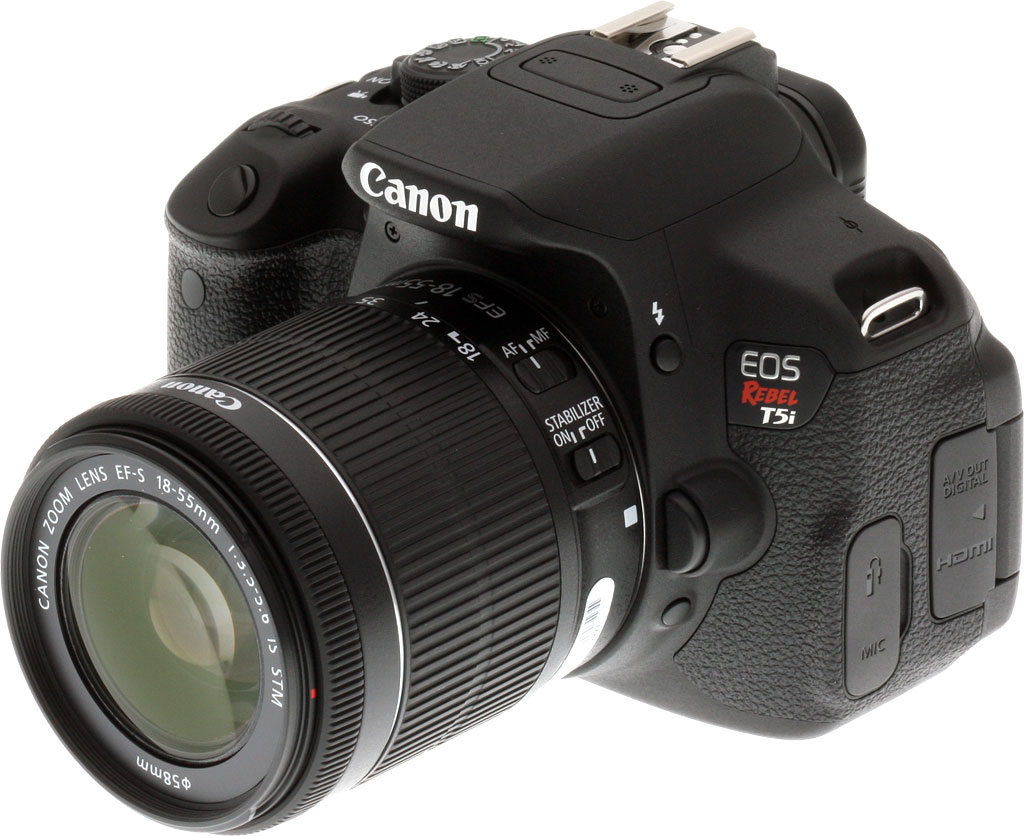
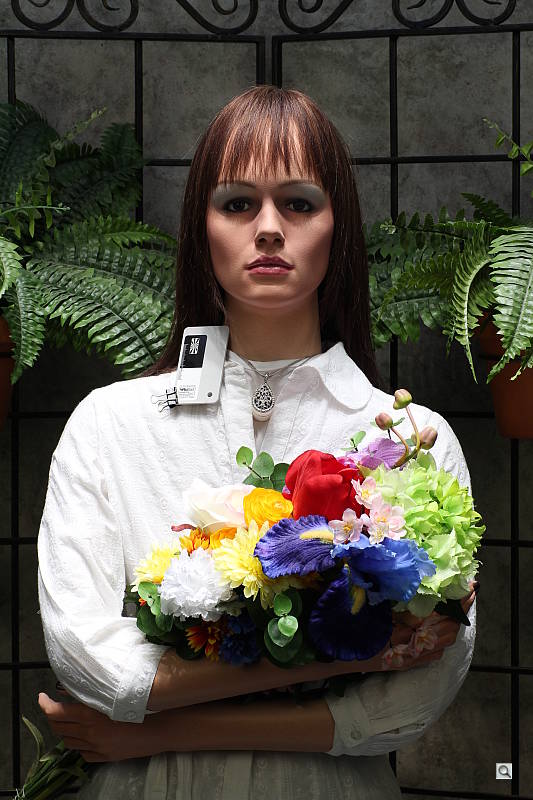

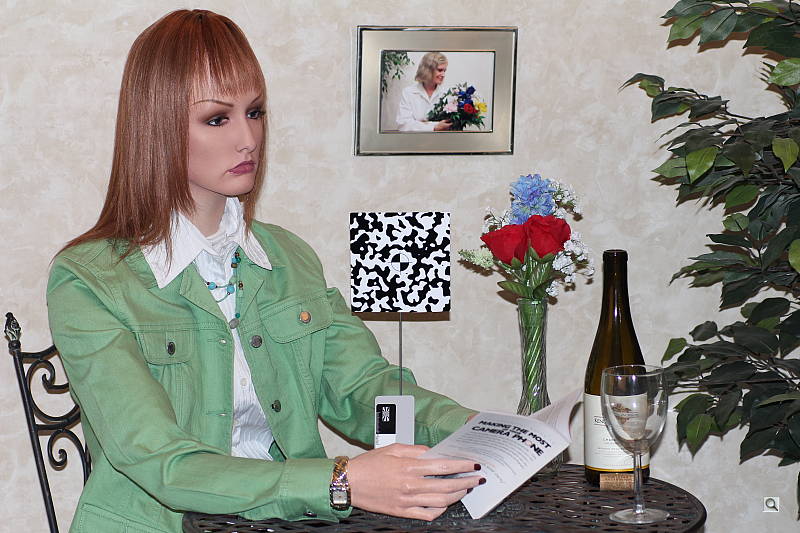
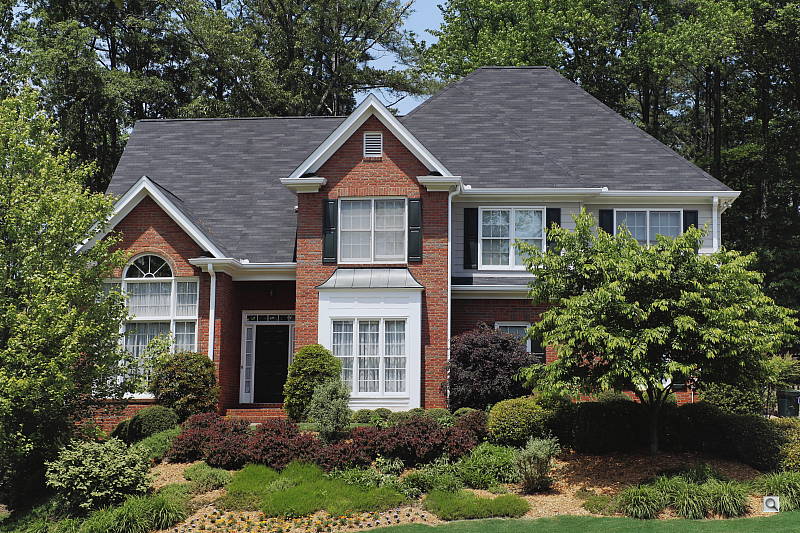
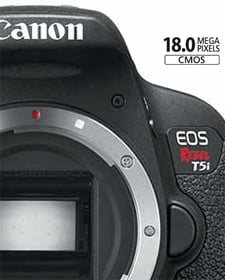
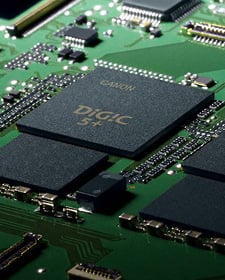
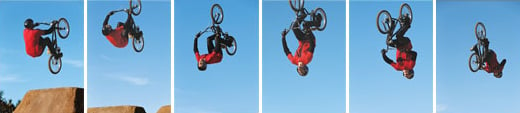
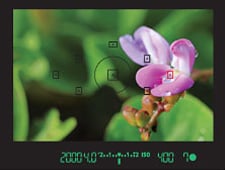
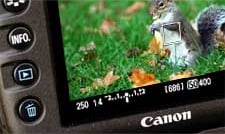
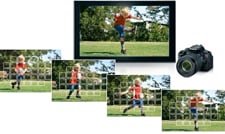
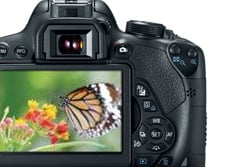

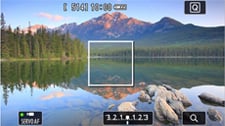
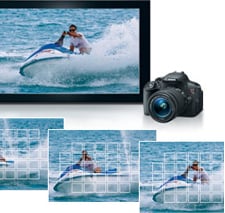

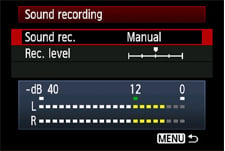
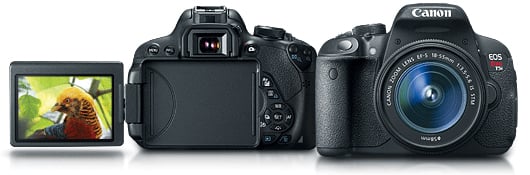








 The graph at right (click for a larger version) was generated using Imatest's dynamic range analysis for an in-camera Canon Rebel T5i JPEG file with a nominally-exposed density step target (Stouffer 4110). At default camera settings and base ISO, the graph shows 12.3 f-stops of total dynamic range, with 7.41 f-stops at the "High" Quality level. These are decent numbers for a JPEG, though somewhat lower than some recent competitors. Compared to the Canon T4i which uses a similar sensor, the T5i scored exactly the same at the High Quality level (7.41 f-stops), but better at lower quality levels. It also scored significantly higher in total dynamic range (12.3 vs 11.1 f-stops), though as mentioned above, the total dynamic range number is not terribly useful. Note though that this measurement has a margin of error of about 1/3 f-stop, so differences of less than 0.33 can be ignored.
 RAW. The graph at right is from the same Stouffer 4110 stepchart image captured as a RAW (.CR2) file, processed with Adobe Camera Raw using the Auto setting, then tweaking from there. The Canon T5i's RAW file scored 0.5 f-stop more in total dynamic range (12.8 vs 12.3 f-stops) but the score at the highest quality level increased only 0.08 f-stops from 7.41 to 7.47, which is an insignificant improvement and below average these days. Results are very similar to those of the Canon T4i at the High Quality level (7.47 vs 7.56 f-stops), though the total dynamic range score was higher like the JPEG, at 12.8 vs 11.9 f-stops. The score at the "Low" setting which is what most sites that report dynamic range seem to measure is the same as the T4i's, at 11.1 f-stops. Like all recent Canon DSLRs, these scores are somewhat below average for a modern APS-C sensor. As always, it's worth noting here is that ACR's default noise reduction settings reduced overall noise somewhat (see the plot in the lower left-hand corner) relative to the levels in the in-camera JPEG, which would tend to boost the dynamic range numbers for the High Quality threshold, but notice that pixel noise in darker midtones and shadows is actually higher than the JPEG. Also, the extreme highlight recovery being performed by ACR here would likely produce color errors in strong highlights of natural subjects.


 ISO 100 and 200 produce great 24 x 36-inch prints if you look at them from a typical viewing distance, while a 20 x 30-inch print looks wonderful. At 30 x 40 inches, prints start to show a hint of pixelation, but the viewer would have to be extremely close, thus making this size suitable for wall display. At 36 x 48 inches, pixelation is more apparent up close, as this size is pushing the resolution of the 18MP APS-C sensor, but you could probably get away with wall-mounted prints. However, we're more comfortable calling it acceptable at 30 x 40 inches.


