



Overview
Overview by Mike Tomkins
Posted: 01/06/2014
Field Test by Rob Taylor Case and Cullen Welch
Updates:
04/30/2014: Field Test Part I: A welcome reunion
04/30/2014: Part II: Wowed by the kit lens and AF, less so the limited controls
12/02/2014: Part III: Another take, by Cullen Welch
05/19/2015: Review finalized with Conclusion
Last edited: 02/07/2017
Special updates: See the Nikon D3300 in action shooting indoor sports! And if you're looking for the latest entry-level Nikon DSLR, make sure and read all about the Nikon D3400 which won a Camera of the Year accolade in our 2016 awards.

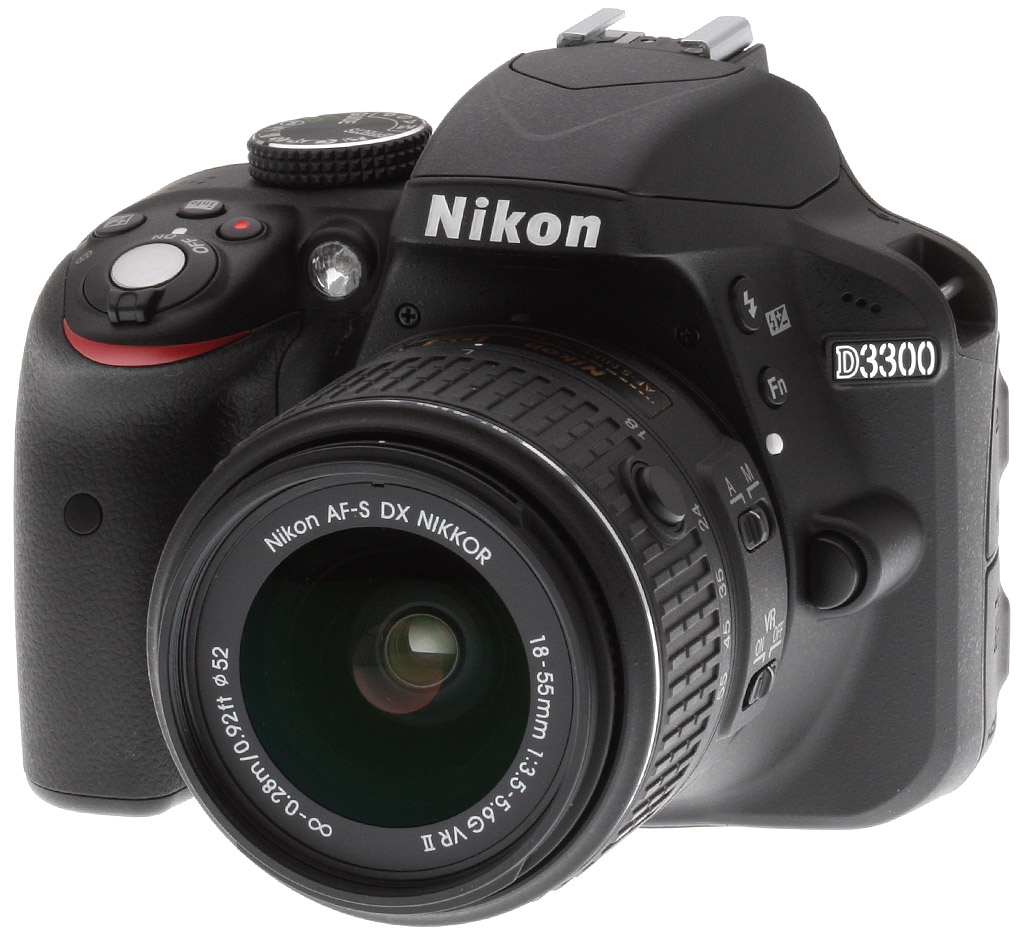
When we announced our Camera of the Year award winners back in 2012, our pick of the crop among entry-level interchangeable-lens cameras was the Nikon D3200, a great little camera with lots to recommend it to beginners and amateur photographers alike. Great as it may be, though, the camera market has come a long way in the almost two years since the D3200 shipped, and so it was clearly time for an upgrade. And in the form of the Nikon D3300 that upgrade has arrived.
From the outset, it's clear that the Nikon D3300 is a new camera. Sure, the basic control layout is almost unchanged, but the D3300 sports a brand-new body incorporating carbon fiber, which is at once just slightly smaller, and designed to offer better ergonomics. The reduction in size comes in at 0.1 inch (3mm) in width, and 0.2 inches (5mm) in depth.

On the inside, Nikon's dropped the resolution-sapping optical low-pass filter. That's an interesting decision in a camera aimed at consumers. We've seen plenty of mid-range and high-end cameras shunning the OLPF in favor of a slight boost in resolution, but it comes at a potential price -- increased risk of moiré and false color artifacts. That may be a worthwhile tradeoff for enthusiasts and pros, but we find ourselves doubtful that the average consumer will even notice the subtle resolution improvement. They're far more likely to notice hard-to-remove moiré patterns, though. (Although in fairness, we don't see these in real-world subjects quite as often as we'd once feared -- fine repeating patterns such as fabrics, fences, window blinds, and water ripples seem to be the most frequent offenders.)
The Nikon D3300's sensor is coupled with an EXPEED 4 image processor, a development first seen in the pricier D5300. When compared to the EXPEED 3 chip of the D3200, the D3300 can now shoot still images at five frames per second, up from 4fps in the earlier model. It also allows for Full HD (1080p; 1,920 x 1,080 pixel) video capture at a 60fps rate, where its predecessor was limited to 24 or 30fps. That allows for smoother motion, or for a 0.5x slow motion effect without reducing the frame rate beyond that of the older model.

We're especially keen to see how the newly-expanded ISO range stacks up in our ISO testing, as Nikon dramatically raised the camera's maximum expanded sensitivity to encompass everything from ISO 100 to 25,600 equivalents. In fact, the D3200's expanded ISO 12,800 limit is now part of the standard ISO range in the D3300!

Tweaks have been made in the Nikon D3300's firmware, as well. For example, the Effects mode sees some welcome additions. The most noteworthy of these is the 'Easy Panorama' mode, which is making its first appearance in a Nikon HD-DSLR of any kind. And all effects except panorama (for obvious reasons) are available not just for stills, but also for movie capture. Nikon has also updated its user-friendly Guide function, which now provides information on night landscape shooting.

And the Nikon D3300's bundle has also been updated, with a brand-new AF-S DX NIKKOR 18-55mm f/3.5-5.6G VR II lens included in the box. Even though the new optic includes four-stop vibration reduction capability and a silent wave autofocus motor, the collapsing design allows it to shrink its size to be much smaller than its predecessor. Whereas the lens of the D3200 was something of a weak point we found this new optic a pleasant surprise. Check out our Field Tests below for more info.

The Nikon D3300 uses a proprietary rechargeable EN-EL14a lithium-ion battery, and ships with a dedicated charger. Battery life is CIPA-rated for 700 shots/charge when using the optical viewfinder is above average for a consumer DSLR, though Nikon does not specify battery life for Live View mode, which will certainly be a lot lower.

For storage media, the D3300 uses Secure Digital memory cards (SD, SDHC and SDXC) cards and supports UHS-I. There is no wireless connectivity on the D3300, but for wired connections, the camera supports high-speed USB 2.0. It also has a Type-C Mini-HDMI port, an Accessory Terminal (for use with the MC-DC2 remote cord or GP-1 GPS unit), and a standard 3.5mm stereo mic jack.
In the Box
The Nikon D3300 retail kit w/18-55mm package (as reviewed) contains the following items:
- Nikon D3300 DSLR Camera Body
- AF-S DX NIKKOR 18-55mm f/3.5-5.6G VR II Lens
- EN-EL14a Rechargeable Li-Ion Battery for Select Nikon Cameras
- MH-24 Quick Charger for EN-EL14 Battery
- UC-E17 USB Cable
- EG-CP14 A/V Cable
- BF-1B Body Cap
- DK-25 Rubber Eyecup
- AN-DC3 Strap
- ViewNX 2 Software CD-ROM
Recommended Accessories
- Large capacity SDHC/SDXC memory card. 16GB Class 10 should be a minimum.
- Extra EN-EL14a Rechargeable Li-Ion Battery (~US$40)
- Nikon Speedlight external flash (~US$150-550)
- Small or medium-sized DSLR bag
Optics
Kit Lens Test Results
Zoom
A typical zoom range for a DSLR kit lens, with mixed performance.


The Nikon D3300 comes bundled with the new, retractable Nikkor AF-S DX 18-55mm f/3.5-5.6G VR II kit lens. This 3.1x zoom lens has a 35mm equivalent focal length of about 27-83mm because of the D3300's 1.5x "crop factor."
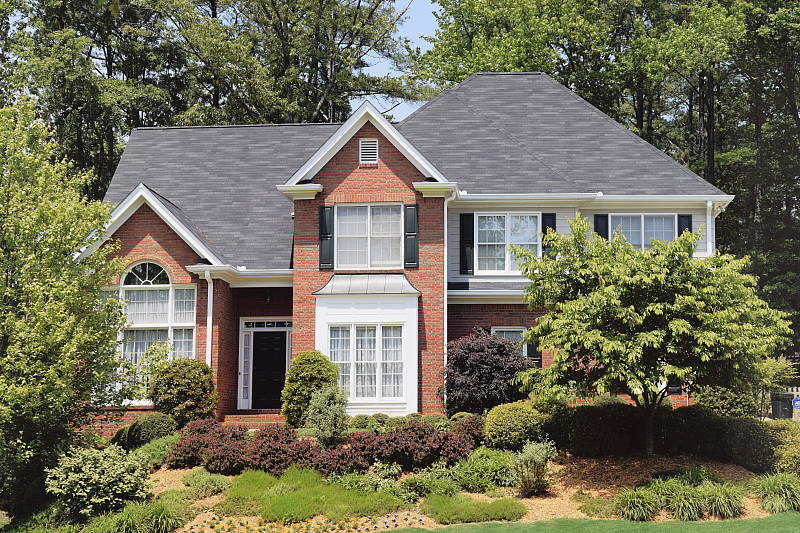
Sharpness and contrast are excellent across most of the frame at full wide angle and f/8. There's minor coma distortion in the leaves at the corners and some flare is noticeable in white areas of the building, but chromatic aberration isn't an issue because it is suppressed by the D3300's image processor (see below). Performance at a medium focal length of 38mm (57mm eq.) isn't as good, with a drop in sharpness in the center, and noticeably soft corners and edges. Results at full telephoto are however quite good at f/8, with very good sharpness and contrast across most of the frame.
Macro
A slightly smaller-than-average macro area with the kit lens, with soft detail overall. Flash throttles down well.


The Nikon D3300 captured a slightly smaller-than-average macro area with the 18-55mm II kit lens, measuring 2.27 x 1.51 inches (58 x 39 millimeters). Detail is a touch soft in the center, and there is additional softening in the corners despite being stopped down to f/8. (Most lenses have some softening in the corners at macro distances.) The Nikon D3300's flash throttled down well at minimum distance, resulting in a well exposed image with fairly even flash coverage.
Geometric Distortion
Higher-than-average barrel distortion at wide angle with the 18-55mm II kit lens.
| Barrel distortion is ~1.3% at 18mm |
 |
| Pincushion distortion is ~0.1% at 55mm |
 |
The Nikon D3300's 18-55mm II kit lens produced about 1.3 percent barrel distortion at wide angle, which is higher-than-average and quite noticeable in its images. At the telephoto end pincushion distortion is only 0.1 percent, hardly noticeable. This is the tendency for the lens to bend straight lines outward (like a barrel -- usually at wide-angle) or inward (like a pincushion -- usually at telephoto).
Auto Distortion Control
Low geometric distortion when Auto Distortion Control is enabled.
| Barrel distortion at 18mm is ~0.3% |
 |
| Barrel distortion at 55mm ~0.1% |
 |
The Nikon D3300 offers an Auto Distortion Control feature to reduce geometric distortion automatically with most modern Nikkor lenses. As you can see it worked quite well with the 18-55mm II lens, reducing barrel distortion at wide angle significantly to only about 0.3% and overcorrecting pincushion at telephoto to about 0.1% barrel distortion. Note that some of the image is cropped away in the process, especially at wide angle. Since this option is database driven, it's only available for Nikkor D, E and G-type lenses with certain optics such as Fisheye and Perspective Control lenses excepted. Auto Distortion Control is Off by default.
You can also apply Auto or Manual Distortion Control to JPEGs after the fact, in the Retouch menu. Manual mode works with images from any lens.
Chromatic Aberration and Corner Sharpness
Low C.A. in JPEGs, much higher in uncorrected RAW files at wide angle. Corners are soft at wide-angle when wide open, but improve dramatically stopped down.
| Maximum Aperture | |
 |
 |
| Wide, f/3.5: Upper right C.A.: Moderately low Softness: Soft |
Wide, f/3.5: Center C.A.: Very low Softness: Sharp |
 |
 |
| Tele, f/5.6: Lower left C.A.: Low Softness: Fairly sharp |
Tele, f/5.6: Center C.A.: Very low Softness: Sharp |
Chromatic Aberration. Chromatic aberration is moderately low at the full wide-angle setting of the 18-55mm II VR kit lens, suppressed by the D3300's image processor. (See below for crops from uncorrected RAW files.) At full telephoto, chromatic aberration is even lower and hardly detectable. (This distortion is visible as a slight colored fringe around the objects at the edges of the field of view on the resolution target.)
Corner Sharpness. The Nikon D3300's 18-55mm II VR kit lens produced soft corners at full wide angle when wide-open at maximum aperture. The top-right corner was the softest, while the bottom-left was fairly sharp, indicating some decentering. Softness didn't extend very deep into the frame from the left, though it extended moderately deep from the right. The center was however quite sharp. At full telephoto, the bottom left corner showed some minor softness, but the other corners were sharp, as was the center. We did however notice the lens was quite soft across the frame at some medium focal lengths when wide-open, however it sharpened up nicely stopped down.
Vignetting. There's some moderate vignetting (corner shading) at the wide end, and some mild vignetting at the telephoto end of the zoom, as indicated by the darker corner crops.
| f/8 Aperture | |
 |
 |
| Wide, f/8: Upper right C.A.: Moderately low Softness: Very sharp |
Wide, f/8: Center C.A.: Very low Softness: Very sharp |
 |
 |
| Tele, f/8: Lower left C.A.: Low Softness: Fairly sharp |
Tele, f/8: Center C.A.: Very low Softness: Very sharp |
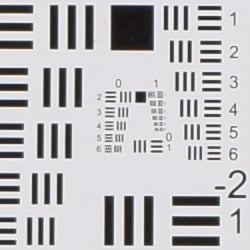
F8. Stopped-down to an aperture of f/8, corner performance improved dramatically at wide angle (and most medium focal lengths) with excellent sharpness across the frame. At full telephoto, sharpness also improved across the frame, though the lower left corner was still not tack sharp. Vignetting was negligible. Overall, excellent results for a kit lens when stopped down.
Uncorrected Raw
Higher levels of C.A. at wide-angle from uncorrected RAW files.
| In-camera JPEG | Uncorrected Raw |
 |
 |
| Wide: Upper left C.A.: Very low |
Wide: Upper left C.A.: Moderately high |
 |
 |
| Tele: Upper left C.A.: Very low |
Tele: Upper left C.A.: Low |
As you can see from the crops above comparing camera JPEGs (on the left) to uncorrected RAW files (right), levels of lateral chromatic aberration are higher in uncorrected RAW files, particularly at wide angle. Thus, the D3300's JPEG processing does a good job at suppressing lateral chromatic aberration.
See our in-depth Nikon 18-55mm VR II review at SLRgear.com for more detailed test results.
Viewfinder Test Results
Coverage
About average coverage accuracy from the optical viewfinder. Very good accuracy from the LCD in Live View mode.


The Nikon D3300's optical viewfinder showed about 95 percent coverage with our reference Nikkor 60mm f/2.8 macro lens. This is average for an entry-level digital SLR and meets Nikon's specification of 95% for the D3300, however the viewfinder image is shifted horizontally compared to the imaging sensor, which unfortunately is not that uncommon in consumer models. In Live View mode, the Nikon D3300's LCD showed just over 99% coverage, which is very good though we often see 100% coverage here.
The images above were taken from our standardized test shots. For a collection of more pictorial photos, see our Nikon D3300 Photo Gallery .
Exposure
Color
Saturation & Hue Accuracy
Slightly higher than average mean saturation with slightly below average hue accuracy.
 |
||
|
ISO Sensitivity
|
||
| In the diagram above, the squares show the original color, and the circles show the color that the camera captured. More saturated colors are located toward the periphery of the graph. Hue changes as you travel around the center. Thus, hue-accurate, highly saturated colors appear as lines radiating from the center. Mouse over the links to compare ISOs, and click on them for larger images. | ||
Saturation. The Nikon D3300 pumps dark blues quite a bit and most other colors by a small amount, but slightly undersaturates bright yellow, light green, and cyans. Mean saturation levels are a little higher than average, but remain fairly stable as ISO climbs except at the highest ISOs where saturation drops a bit. Mean saturation at base ISO is 113.4% or 13.4% oversaturated, a little higher than average, but as mentioned, much of that is because blues are pushed so much. Overall, we found the D3300's default saturation levels pleasing to the eye. Most consumer digital cameras produce color that's more highly saturated (more intense) than found in the original subjects. This is simply because most people like their color a bit brighter than life.
Skin tones. The Nikon D3300's Caucasian skin tones looked just about right when using manual white balance in simulated daylight. A very good job here. Where oversaturation is most problematic is on Caucasian skin tones, as it's very easy for these "memory colors" to be seen as too bright, too pink, too yellow, etc.
Hue. The Nikon D3300 did shift cyan toward blue by quite a bit at base ISO, with smaller shifts in reds and orange. (The cyan to blue shift is very common among the digital cameras we test; we think it's a deliberate choice by camera engineers to produce better-looking sky colors.) With an average "delta-C" color error of 6.42 after correction for saturation at base ISO, overall hue accuracy was a little lower than average (lower numbers are better), but still what we'd consider "good," and hue accuracy remained fairly stable across ISOs. Hue is "what color" the
color is.
Saturation Adjustment
The Nikon D3300 has a total of seven saturation levels available, three above and three below the default saturation, plus an Auto setting. This covers a pretty wide range of saturation levels, about as wide a range as you're likely to find photographically relevant, apart from special effects that are arguably better achieved in software. The fine steps between settings mean it's easy to program the camera to just the level of saturation you prefer. Saturation also doesn't impact contrast, which is very good.
| Saturation Adjustment Examples | ||||
 |
 |
 |
 |
 |
| -3 | -1 | 0 | +1 | +3 |
The table above shows results with several saturation settings, see the Thumbnails index page for more (look for the files named D3300OUTBSATx.JPG). Click on any thumbnail above to see the full-sized image.


Sensor
Exposure and White Balance
Indoors, incandescent lighting
Good color with the Manual white balance setting, but overly-warm results with Auto and Incandescent. Above average positive exposure compensation required.


Indoors, under normal incandescent lighting, color balance was very warm and reddish with the Auto white balance setting. (We'd say unacceptably so, though unfortunately this is common.) The Incandescent setting was also too warm, with a strong yellow cast. The Manual setting by far produced the most accurate results, if just a touch cool. The Nikon D3300 required an above average amount of positive exposure compensation here, at +0.7 EV (most cameras required +0.3 EV for this shot). Our test lighting for this shot is a mixture of 60 and 100 watt household incandescent bulbs, a pretty yellow light source, but a very common one in typical home settings here in the U.S.
Outdoors, daylight
Good results under harsh lighting, with very good handling of contrast, detail, and color.
Outdoors, the Nikon D3300 performed well, requiring +1.0 EV exposure compensation for our "Sunlit" Portrait shot to keep the face reasonably bright. (The average for this shot is +0.7 EV, so the D3300 required a bit more than average.) We preferred skintones from the Manual white balance setting as they were a little pinker than Auto, but both were pretty good. Contrast is a little high as you might expect under such harsh lighting, but the camera did a very good job of holding onto detail in the highlights and shadows, however very deep shadows are a touch noisy and posterized. The Nikon D3300 produced vibrant colors and a good exposure without any exposure compensation in our Far-field scene (above right). Very few highlights were blown and shadow detail is quite good, though very deep shadows are polluted with color casts and noise. (We're talking very deep shadows here, so this won't be in issue for vast majority of properly exposed images.) Overall, very good performance for its class here.
See full set of test images with explanations
See thumbnails of all test and gallery images
Resolution
Very high resolution, ~2,850 to ~2,950 lines of strong detail from JPEGs, a bit higher from ACR processed RAW files.



Our laboratory resolution chart revealed sharp, distinct line patterns down to about 2,900 lines per picture height in the horizontal direction, and to about 2,850 lines in the vertical direction. Some may argue for higher numbers, but aliasing artifacts start to interfere with detail at this resolution. Extinction of the pattern didn't occur until around 3,600 to 3,800 lines. We weren't able to do significantly better with NEF files processed through Adobe Camera Raw, only about 50 more lines in both directions. Color moire is more evident in the ACR converted RAW files, however it's not as high as we'd expect for a camera without an optical low-pass filter. Use these numbers to compare with other cameras of similar resolution, or use them to see just what higher resolution can mean in terms of potential detail.
See full set of test images with explanations
See thumbnails of all test and gallery images
Sharpness & Detail
Sharp images with great detail. Minor edge-enhancement artifacts visible on high-contrast subjects. Moderate noise suppression visible at base ISO.


Sharpness. The Nikon D3300 produces images that are crisp and sharp when coupled with a sharp lens as used in the above left crop. Some minor edge enhancement artifacts are visible on high-contrast subjects such as the halos around the border and text, but default sharpening looks to be a very good compromise between crispness and sharpening artifacts. Edge enhancement creates the illusion of sharpness by enhancing colors and tones right at the edge of a rapid transition in color or tone.
Detail. The crop above right shows some mild to moderate noise suppression, as the darker and lower-contrast areas of the model's hair show some smudging where individual strands of hair merge. Still, a very good performance here considering the resolution and target market. Noise-suppression systems in digital cameras tend to flatten-out detail in areas of subtle contrast. The effects can often be seen in shots of human hair, where the individual strands are lost and an almost "watercolor" look appears.
Aliasing. You can see hints of aliasing artifacts in a number of our test shots, such as the slight moiré pattern in the red-leaf swatch of our Still Life target, however the D3300 does a pretty good job at suppressing moiré for a camera that doesn't have an optical low-pass filter.
RAW vs In-Camera JPEGs
As noted above, the Nikon D3300 does a great job at capturing lots of fine detail in its JPEGs, but more detail can often be obtained from carefully processing RAW files, while at the same time reducing sharpening artifacts. Let's have a look at base ISO:
| Base ISO (100) | |
 |
 |
 |
 |
 |
 |
|
Camera JPEG, defaults
|
RAW via Adobe Camera Raw
|
In the table above, we compare an in-camera JPEG taken at base ISO using default noise reduction and sharpening (on the left) to the matching RAW file converted with Adobe Camera Raw 8.7 (right) using default noise reduction with some strong but tight unsharp masking applied in Photoshop (200%, radius of 0.3 pixels, and a threshold of 0).
As is frequently the case, the demosaicing in Adobe Camera Raw and sharpening in Photoshop deliver finer detail than the camera, with fewer sharpening artifacts. Looking closely at the images, ACR extracts some detail that wasn't present in the camera JPEG, especially in the red-leaf swatch where the conversion was able to resolve some of the fine thread pattern, while the camera's JPEG engine tended to blur it away as if noise. The ACR conversion does however show more noise at default noise reduction settings than the camera at its default settings. All-in-all, though, the D3300 did a very good job at reducing noise while maintaining excellent detail in most areas of our target. Still, for maximum detail (and flexibility), using a good RAW converter does yield slightly better results than in-camera JPEGs, as is usually the case.
ISO & Noise Performance
Very good high ISO performance for a 24-megaxpixel APS-C model.
| Noise Reduction = On (Default) | ||
 |
 |
 |
| ISO 100 | ISO 200 | ISO 400 |
 |
 |
 |
| ISO 800 | ISO 1,600 | ISO 3,200 |
 |
 |
 |
| ISO 6,400 | ISO 12,800 | ISO 25,600 |
Noise levels are fairly low at ISOs 100 through 400, though some detail is lost to noise reduction even at base ISO. ISO 800 shows a very fine noise "grain" but detail is quite good, and chroma noise well-controlled. At ISO 1,600 noise levels increase with a touch more blurring in the fine details and more visible grain, but detail is still pretty good and chroma noise remains low. This trend continues as ISO rises, with progressively stronger luminance noise that remains fairly fine-grained but blurs out fine detail, along with very low levels of chroma noise. Only at ISO 25,600 does chroma noise become a major issue with obvious purple and yellow blotchiness in darker areas.
Overall, very good noise performance for an APS-C model, especially considering the 24-megapixel resolution. See our Print Quality analysis section below for recommended print sizes at each ISO.
A note about focus for this shot: We shoot this image at f/4, usually using one of three very sharp reference lenses (70mm Sigma f/2.8 macro for most cameras, 60mm f/2.8 Nikkor macro for Nikon bodies without a drive motor, and Olympus Zuiko 50mm f/2.0 for Four Thirds and Micro Four Thirds bodies). To insure that the hair detail we use for making critical judgements about camera noise processing and detail rendering is in sharp focus at the relatively wide aperture we're shooting at, the focus target at the center of the scene is on a movable stand. This lets us compensate for front- or back-focus by different camera bodies, even those that lack micro-focus adjustments. This does mean, though, that the focus target itself may appear soft or slightly out of focus for bodies that front- or back-focused with the reference lens. We know this; if you click to view the full-size image for one of these shots and notice that the focus target is fuzzy, you don't need to email and tell us. :-) The focus target position will have been adjusted to insure that the rest of the scene is focused properly.
Extremes: Sunlit, dynamic range, and low light tests
Very good detail in both highlights and shadows, with good dynamic range. Good low-light performance, capable of capturing bright images in near darkness though autofocus can struggle in low light.


Sunlight:
The Nikon D3300 handled the deliberately harsh lighting in the test above well. Though contrast is a little high, shadow and highlight detail are both very good. The +1.0 EV exposure did the best job here, producing a fairly bright face without blowing out too many highlights in the white areas. Despite the bright appearance, there are relatively few clipped highlights in the mannequins's shirt and the flowers. Some shadows were pretty dark, but remained fairly detailed if a little noisy. The camera's contrast adjustment also did a good job of decreasing overall contrast without also affecting color saturation. (See below.) Still, be sure to use fill flash in situations like the one shown above; it's better to shoot in the shade when possible.
Because digital cameras are more like slide film than negative film (in that they tend to have a more limited tonal range), we test them in the harshest situations to see how they handle scenes with bright highlights and dark shadows, as well as what kind of sensitivity they have in low light. The shot above is designed to mimic the very harsh, contrasty effect of direct noonday sunlight, a very tough challenge for most digital cameras. (You can read details of this test here.)
Contrast Adjustment
We really like it when a camera gives us the ability to adjust contrast and saturation to our liking. It's even better when those adjustments cover a useful range, in steps small enough to allow for precise tweaks. Just as with its saturation adjustment, the Nikon D3300's contrast setting offers seven levels, plus an Auto setting.
| Contrast Adjustment Examples | ||||
 |
 |
 |
 |
 |
| -3 | -1 | 0 | +1 | +3 |
The series of shots above shows results with several different contrast adjustment settings, showing the minimum step size around the default, as well as both extremes. While you can see the extremes, it's hard to really evaluate contrast on small thumbnails like these, click on any thumbnail to go to the full-size image.
Nikon's contrast adjustment is that it has very little effect on saturation. Contrast and saturation are actually fairly closely coupled, it's a good trick to be able to vary one with out the other changing as well. As usual, Nikon did a very good job here.


Nikon's Active D-Lighting
The shots above show the results with Active D-Lighting Off and On. (Like other entry-level Nikon models, the D3300 only has these two settings, while Nikon's more advanced models let you choose from a range of strengths of the effect). This is different than the touch-up menu's D-Lighting, as it is performed during image capture instead of after. (It does affect only JPEG images though, Nikon very properly leaves raw file data strictly as it comes from the sensor.) Mouse-over the links to see the difference, and click on the links to load the corresponding full-resolution image.
As you can see from the images and histograms above, enabling Active D-Lighting resulted in a brighter more balanced image with boosted shadows and midtones, however highlights remained roughly the same and intact. The effect of Active D-Lighting will vary quite a bit with the subject and lighting: The camera decides what needs adjusting, and by how much, so the effect can be quite a bit greater or lesser depending on what the camera "sees".


Above is another example of Nikon's Active D-Lighting at work, this time with our Far-field shot in bright daylight. In this case, both highlights and shadows were boosted. Again, mouse-over the links to see the difference, and click on the links to load the full resolution images.
| Face Detection | ||
 |
 |
 |
| Off Aperture-priority 0 EV |
Auto mode (Portrait) 0 EV |
Live View with Face-priority AF 0 EV |
Here, we can see the effect of the Nikon D3300's full Auto mode as well as face detection enabled in Live View mode. As you can see from the shots above, full Auto enabled the flash and selected Portrait Scene mode, producing a well-exposed subject and background. In Live View mode using Aperture-priority, Face-priority AF mode also improved the exposure versus Aperture-priority with the optical viewfinder, selecting a slower shutter speed of 1/40s versus 1/100s to brighten the image (since the other two exposure variables of aperture and ISO were fixed).
Dynamic Range Analysis (RAW mode)
While we once performed our own dynamic range measurements based on in-camera JPEGs as well as converted RAW images (when the camera was supported by Adobe Camera Raw), we've switched to using DxO Labs' results from their DxOMark website. As technology advanced, the dynamic range of modern high-end cameras in some cases exceeded the range of the Stouffer T4110 density scale that we used for our own measurements. DxO's approach based on RAW data before demosaicing is also more revealing, because it measures the fundamental dynamic range of the sensor, irrespective of whatever processing is applied to JPEGs, or to RAW data by off-the-shelf conversion software.
In the following, we use DxO's "Print" dynamic range results, which are scaled based on camera resolution. As the name suggests, this scaling corresponds to the situation in which you print at a given size, regardless of how many megapixels the camera might have. (In other words, if you've decided to make a 13x19 inch print, that's the size you're printing, whether the camera's resolution is 16 or 300 megapixels.) For the technically-minded, you can find a discussion of the reasoning behind this here on the DxOMark website. Also note that DxO Labs uses a signal-to-noise (SNR) threshold of 1 when defining the lower boundary of acceptable luminance noise in their dynamic range measurements, which corresponds to the "Low Quality" threshold of the Imatest software we used to use for this measurement.

Here, we're comparing the Nikon D3300's dynamic range to the Canon T3i (600D) because our reviewer is so fond of that camera and Canon's current entry-level DSLR (Canon T5 or 1200D) is very similar, as well as to the entry-level Sony A3000. As you can see from the above graph (click for a larger image), the D3300's dynamic range is about the same as the Sony A3000 at ISO 100 (12.76 vs 12.82), but 1.3 stops higher than the T3i at its ISO 100 setting (12.76 vs 11.46). The D3300's dynamic range is a little higher than the A3000's at ISO 200 and 400, but roughly the same at higher ISOs. The Canon T3i's remains significantly lower up to ISO 400, after which it catches up and is roughly the same. In summary, good dynamic range performance from the Nikon D3300, though not quite as good as the best APS-C models. (The Nikon D5300 and D7100 for instance manage about a full stop more dynamic range at base ISO.) Click here to visit the DxOMark page for the Nikon D3300 for more of their test results and additional comparisons.

| 1 fc 11 lux |
1/2 fc 5.5 lux |
1/4 fc 2.7 lux |
1/8 fc 1.3 lux |
1/16 fc 0.67 lux |
1/16fc No NR |
|
|---|---|---|---|---|---|---|
| ISO 100 |
 2 s f2.8 |
 4 s f2.8 |
 8 s f2.8 |
 15 s f2.8 |
 30 s f2.8 |
 30 s f2.8 |
| ISO 200 |
 1 s f2.8 |
 2 s f2.8 |
 4 s f2.8 |
 8 s f2.8 |
 15 s f2.8 |
 15 s f2.8 |
| ISO 400 |
 0.5 s f2.8 |
 1 s f2.8 |
 2 s f2.8 |
 4 s f2.8 |
 8 s f2.8 |
 8 s f2.8 |
| ISO 800 |
 1/4 s f2.8 |
 0.5 s f2.8 |
 1 s f2.8 |
 2 s f2.8 |
 4 s f2.8 |
 4 s f2.8 |
| ISO 1600 |
 1/8 s f2.8 |
 1/4 s f2.8 |
 0.5 s f2.8 |
 1 s f2.8 |
 2 s f2.8 |
 2 s f2.8 |
| ISO 3200 |
 1/15 s f2.8 |
 1/8 s f2.8 |
 1/4 s f2.8 |
 0.5 s f2.8 |
 1 s f2.8 |
 1 s f2.8 |
| ISO 6400 |
 1/30 s f2.8 |
 1/15 s f2.8 |
 1/8 s f2.8 |
 1/4 s f2.8 |
 0.5 s f2.8 |
 0.5 s f2.8 |
| ISO 12800 |
 1/60 s f2.8 |
 1/30 s f2.8 |
 1/15 s f2.8 |
 1/8 s f2.8 |
 1/4 s f2.8 |
 1/4 s f2.8 |
| ISO 25600 |
 1/125 s f2.8 |
 1/60 s f2.8 |
 1/30 s f2.8 |
 1/15 s f2.8 |
 1/8 s f2.8 |
 1/8 s f2.8 |
Low Light. The Nikon D3300 performed well on the low-light test, capturing usable images at the lowest light level (1/16 foot-candle) with the lowest sensitivity setting (ISO 100). As you'd expect, noise increases as ISO goes up and light levels go down, but remains well-controlled and fine-grained to ISOs as high as 6,400. We didn't notice any significant issues with hot pixels, banding or heat blooming.
Color balance was good with the Auto white balance setting, just slightly cool, though there's the strong shift towards magenta at lower light levels we often see from Nikons.
The camera's phase-detection autofocus system was only able to focus on our test subject down to just below the 1/4 foot-candle light level unassisted with an f/2.8 lens. That's not as good as most DSLRs and a bit of a disappointment. The Nikon D3300 was however able to autofocus in complete darkness with the AF assist enabled. In Live View mode, the camera's contrast-detect autofocus actually did a bit better as it was able to focus down to just below 1/8 foot-candle which is pretty good and very useful, since AF assist is not supported in Live View mode.
Keep in mind that the longer shutter speeds here demand the use of a tripod to prevent any blurring from camera movement. (A useful trick is to just prop the camera on a convenient surface, and use its self-timer to release the shutter. This avoids any jiggling from your finger pressing the shutter button, and can work quite well when you don't have a tripod handy.)
How bright is this? The one foot-candle light level that this test begins at roughly corresponds to the brightness of typical city street-lighting at night. Cameras performing well at that level should be able to snap good-looking photos of street-lit scenes.
NOTE: This low light test is conducted with a stationary subject, and the camera mounted on a sturdy tripod. Most digital cameras will fail miserably when faced with a moving subject in dim lighting. (For example, a child's ballet recital or a holiday pageant in a gymnasium.) Digital SLRs like the Nikon D3300 do much better than point & shoots, but you still shouldn't expect a quick autofocus lock with moving subjects.
Output Quality
Print Quality
Very good 30 x 40 inch prints at ISO 100; a nice 13 x 19 at ISO 1600; a good 5 x 7 at ISO 12,800.
 ISO 100 prints are very nice at 30 x 40 inches and even higher, with fantastic color reproduction and excellent detail for such large prints.
ISO 200 prints are great at 24 x 36 inches, also with fantastic color and detail.
ISO 400 images look very good at 20 x 30 inches with lots of fine detail. ISO 400 images also allow for 30 x 40 inch wall-mounted prints. At 24 x 36 inches, prints look very similar to ISO 200 but with only a minor trace of noise in the shadow areas (but you have look very closely).
ISO 800 prints are good at a very large 16 x 20 inches, and the D3300 does a good job of controlling noise levels for such a large print at this ISO. Like we saw with the D5300, low contrast detail is still very good in our challenging red swatch, something Nikon DSLRs tend to shine at.
ISO 1600 images produce a great 13 x 19 inch print. Even at this ISO, there's still only minor noise visible in the shadows areas with the rest of the print looking crisp and vibrant.
ISO 3200 prints look good up to 11 x 14 inches, and, as expected, show a little more noise in the shadows. Some edge detail is beginning to show a little softness, as well, but overall still impressive print quality at this size.
ISO 6400 images are starting to show slightly bland-looking colors, and noise is becoming more noticeable for an acceptable 8 x 10 inch print.
ISO 12,800 prints look similar to ISO 6400 ones but are just slightly softer and noisier, and 5 x 7 inch prints are the largest we can call acceptable.
ISO 25,600 does not yield a good print and is best avoided except for less critical applications.
The Nikon D3300 is a very impressive performer when it comes to print quality -- super-high resolution prints that stand shoulder-to-shoulder with higher-end, even professional-level cameras. And all this from a base, entry-level camera! The D3300 follows along with the D5300, producing exceptionally large prints for its price range and doing a great job with fine detail and color thanks to its AA-filterless 24-megapixel sensor and adept processing. At ISO 100, prints up to 30 x 40 inches and even larger look excellent. The D3300 does a great job of controlling noise, and when it does appear it tends to look more like film grain than many other cameras' default processing which can often look more like splotches than grain in flatter areas -- a quality we're seeing more and more in Nikon's DSLRs. At ISO 800, prints are still great looking at 16 x 20 inches, and even ISO 6400 images can go as large as an 8 x 10. Excellent job again, Nikon, for a super affordable DSLR that prints this nicely straight out of the camera.
The images above were taken from our standardized test shots. For a collection of more pictorial photos, see our Nikon D3300 Photo Gallery .
Not sure which camera to buy? Let your eyes be the ultimate judge! Visit our Comparometer(tm) to compare images from the Nikon D3300 with those from other cameras you may be considering. The proof is in the pictures, so let your own eyes decide which you like best!
Performance
Timing and Performance
Good overall performance for an entry-level model.
| Startup/Play to Record | ||
|---|---|---|
|
Power on |
~0.4 second
|
Time it takes for camera to turn on and take a shot. |
|
Play to Record, |
~0.3 second
|
Time until first shot is captured. |
The Nikon D3300's startup time was good for a consumer DSLR, and switching from Play to Record and taking a shot was also fast.
| Shutter Response (Lag Time), Optical Viewfinder | ||
|---|---|---|
|
Full Autofocus |
0.262 second
|
Time from fully pressing shutter button to image capture. (All AF timing measured with Nikkor AF-S 18-55mm II kit lens). |
|
Full Autofocus |
0.287 second
|
Time from fully pressing shutter button to image capture, Auto Flash enabled. |
|
Full Autofocus |
0.344 second
|
Time from fully pressing shutter button to image capture. |
|
Manual focus |
0.268 second
|
For most cameras, shutter lag is less in manual focus than autofocus, but usually not as fast as when the camera is "pre-focused." |
|
Pre-focused |
0.081 second
|
Time to capture, after half-pressing and holding shutter button. |
| Shutter Response (Lag Time), Live View mode | ||
|
Full Autofocus |
1.847 seconds
|
Time from fully pressing shutter button to image capture. |
|
Pre-focused |
0.472 second
|
Time to capture, after half-pressing and holding shutter button. |
The Nikon D3300's full autofocus shutter lag when shooting the same target multiple times was a touch slower than average for a consumer DSLR, but not bad for entry-level model. The D3300 required about 0.26 second for full AF using the center focus point. Enabling the flash raised shutter lag only slightly to 0.29 second, reflecting the added delay caused by the metering preflash. Shutter lag increased to about 0.34 second in Auto-area AF mode. Manual focus shutter lag was oddly a little slower than full autofocus (center) at about 0.27 second, and that's somewhat sluggish for a DSLR. When prefocused, shutter lag dropped to 0.081 second which is about average for a consumer DSLR.
As expected, autofocus and shutter lag were much slower in Live View mode. The Nikon D3300 only offers contrast-detect AF in Live View, which took about 1.8 seconds to focus in our tests, which is a bit slow even for Live View. (How fast the lens can adjust focus makes a big difference here.) Prefocused shutter lag was also slower but still reasonable in Live View mode, at about 0.47 second.
To minimize the effect of different lens' focusing speed, we test AF-active shutter lag with the lens already set to the correct focal distance.
| Cycle Time (shot-to-shot) | ||
|---|---|---|
|
Single Shot mode |
0.57 second
|
Time per shot, averaged over 20 shots, 2 seconds to clear. |
|
Single Shot mode |
0.60 second
|
Time per shot, averaged over 20 shots, 2 seconds to clear. |
|
Single Shot mode |
0.66 second
|
Time per shot, averaged over 20 shots, 4 seconds to clear. |
|
Early shutter |
No
(Yes with Flash) |
Some cameras refuse to snap another shot if you release and press the shutter too quickly in Single Shot mode, making "No" the preferred answer. |
| Continuous mode |
0.20 second (4.95 frames per second);
50+ frames total; 2 seconds to clear |
Time per shot, averaged over 50 shots with no signs of slowing down. |
|
Continuous mode |
0.20 second (4.96 frames per second);
7 frames total; 9 seconds to clear |
Time per shot, averaged over 7 frame buffer. Slows to an average of 0.29 second or 3.5 fps when buffer is full. |
|
Continuous mode |
0.20 second (4.94 frames per second);
5 frames total; 9 seconds to clear |
Time per shot, averaged over 5 frame buffer. Slows to an average of 0.66 second or 1.52 fps when buffer is full. |
| Flash recycling |
3.2 seconds
|
Flash at maximum output. |
| *Note: Buffer clearing times measured with a SanDisk Extreme Pro 95MB/s UHS-I SDHC memory card. Slower cards will produce correspondingly slower clearing times. Slow cards may also limit length of bursts in continuous mode. ISO sensitivity and other settings such as Advanced D-Lighting or NR can also affect cycle times and burst mode performance. |
||
Shot-to-shot cycle times were about average for a consumer DSLR, at 0.57 second for Large/Fine JPEGs, 0.60 second for RAW files, and 0.66 second for RAW + L/F JPEG frames.
Continuous mode speed when shooting best quality JPEGs or RAW files (only 12-bit compressed NEF files are supported) was slightly above average considering the class and resolution, at almost 5 frames per second.
Buffer depth in continuous mode was excellent with JPEGs at over 50 L/F JPEG frames with no signs of slowing (Nikon says up to 100 frames), though with RAW files buffer depths were quite shallow at only 7 RAW frames or 5 RAW+L/F JPEG frames, which is typical for an entry-level DSLR. Buffer clearing times were good with a fast card, especially considering the 24-megapixel files, though buffer depths with RAW files were shallow.
The built-in flash took 3.2 seconds to recharge after a full-power shot, which is fair.
| Download speed | ||
|---|---|---|
|
Windows Computer, USB 2.0 |
10,519 KBytes/sec
|
Typical Values: |
Connected to a computer via USB 2.0, download speeds were reasonably fast.
Bottom line, the Nikon D3300's performance was generally good for its class in our tests. Startup was good, as were single shot cycle-times, as well as JPEG and RAW continuous mode performance. Autofocus speeds however were slightly slower than average and buffer depths with RAW files were shallow, but that's not unusual for its class.
Battery
Battery Life
Very good battery life for a compact DSLR.
| Operating Mode | Number of Shots |
|---|---|
|
Optical Viewfinder,
(CIPA standard) |
700
|
The Nikon D3300 uses a custom rechargeable lithium-ion battery for power, and ships with a dedicated charger. Battery life when using the optical viewfinder is above average for a consumer DSLR, though Nikon does not specify battery life for Live View mode, which will certainly be a lot lower. We recommend you pick up a spare battery and keep it freshly charged and on-hand for extended outings, or when using Live View a lot.
The table above shows the number of shots the camera is capable of (on either a fresh set of disposable batteries or a fully-charged rechargeable battery as appropriate), based on CIPA battery-life and/or manufacturer standard test conditions.
(Interested readers can find an English translation of the CIPA DC-002 standards document here. (180K PDF document))
Image Quality
Forbidden
You don't have permission to access /_fragment on this server.
Field Test
Field Test Part II
A welcome reunion

When I was about 12, I got a mid-range Nikon compact for my birthday. It had zoom and autofocus, it could print the date on the film and even had a little LCD screen with information I didn't understand on it! It was far better than my first compact camera that I'd been using for many years at the time, and the best camera I could imagine... Until it died, three days later. I replaced it with a cheap, non-zoom Olympus compact, and I never used Nikon again.
Until now. Twelve years later, I think it's time this dyed in the wool Canon guy gave Nikon a second chance. And so I find myself sitting here with a brand new D3300 entry-level DSLR next to my EOS 40D and T3i, tentatively prodding the back and waiting for it to explode.

I jest! It's actually quite a delightful camera. I'm coming at it as someone not only unfamiliar with Nikon controls and ergonomics, but actively accustomed to the opposite. Conversely, I'm also one of those people who can pick something up and use it immediately without instruction, just based on the practical foundations of UI/UX (user interface/user experience) design and technology itself.

Now that we have an understanding of my background, biases, and perspective, let's get started. First I'll share a list of observations and impressions about the camera, and then in part two of this shooter's report, I'll start to put it through its paces.
Adorable. Marginally more so than its predecessor the D3200, the Nikon D3300 is quite adorably tiny and weighs almost nothing, with or without a lens. It'll happily hand-carry all day around Disney World, Prague or a Burmese temple, whatever's more your thing. It's certainly subtler at school events than a D4S -- unless, of course, you get the metallic red version.
The diminutive body is bundled this time around with an equally diminutive lens, the Nikkor DX 18-55mm f/3.5-5.6G VR II. Like Nikon's mirrorless lens offerings, this new kit optic collapses in order to save on size in purses and daypacks. For this purpose it seems thoroughly useful, since space is almost always at a premium. It does increase the ready-to-shoot time a little, but if it's stashed in a bag anyway, I'm not sure this is a grave concern. Just don't expect it to be fitting in a point-and-shoot case any time soon.

Instead of the usual polycarbonate body over metal chassis construction typically found in a camera at the bottom of the ladder, the D3300 features a monocoque body made of carbon fiber-reinforced polymer. That means the D3300 derives its structural integrity not from an internal chassis, but rather the carbon fiber-reinforced shell. This allows for a more compact design that is both very strong and lightweight. I was really impressed that Nikon brought this technology from the more expensive D5300 to its entry-level DSLR.

The high-tech body design and swishes that form Nikon's signature style combined to give the camera a bearing well beyond its price bracket. Nikon struck a homerun in this department.

The Grip. The first thing I noticed about this camera in use was that the on-off switch is surprisingly low profile and slippery. Unlike the big slab of a power switch on my T3i, the Nikon D3300's is a fraction of the height and not especially grippy. While this is good for not-accidentally-turning-off, it wasn't quite as effortless to turn on as my T3i.
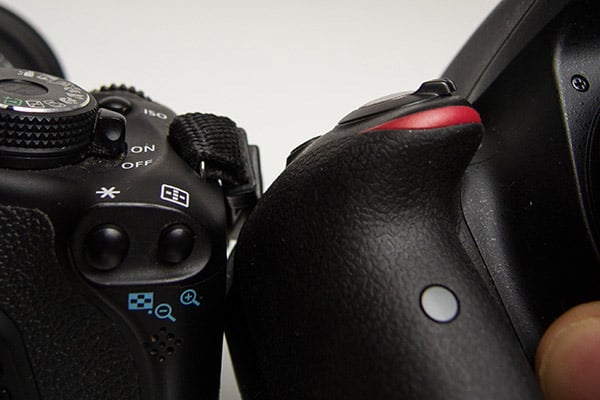
The grip itself is super-ergonomic and fits my hand pretty well, and while its slim, pointy design caused my fingertips to mash back against the body a bit, it would probably fit a slightly smaller hand perfectly. I found that the textured "leather" plastic of the grip and thumb rest was a little less grippy than on my T3i, though it's also a lighter camera, so it probably balances out.
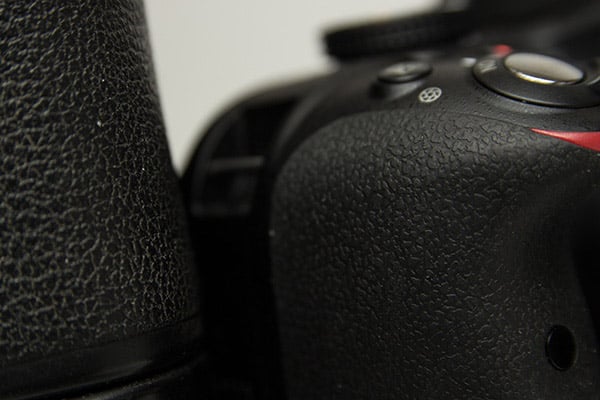
Control Wheel. This might only be of interest to brand-switchers, but since Nikon's shown their willingness to move controls around between generations, I'm looking at the ergonomics carefully. I'm not really a fan of the positioning of this wheel, honestly.

I shoot with my left brow bone glued to the top of the viewfinder eyecup, and my right eye blacked out by the body of the camera, so the view through the camera becomes my entire world. The problem with the control wheel is that it's exactly eye-width apart from the viewfinder, and thus my thumb knuckle sticking out from the wheel position hits me square in my right eye. Considering how many people shoot Nikon every day without a problem, I tend to think this is just me. [Editors note: Rob's left-eye-dominant, while most of us at IR tend to bring the camera up to our right eye. While the issues Rob had with the control wheel positioning don't affect us, they're certainly salient for the left-eye dominant.]
As for the wheel itself: in manual mode, it's the standard setup of wheel for shutter speed, exposure compensation button + wheel for aperture, which seems fairly intuitive to me on single-dial cameras. So that's good news.
Display and Quick Menu. The LCD screen is very nice, adhering to what seems to be the modern standard of three inch, 921k-dot. It's bright and contrasty -- about all that can be asked for.

The default information panel is a little glitzy for my tastes, though the skeuomorphism is probably helpful for complete beginners to understand exactly what it is they're looking at and changing in software. I found the monochromatic menu 'theme' to be more to my liking, and there's also a 'Classic' option for a more textual display.

As a geeky aside, the aperture animation actually uses a photographically accurate logarithmic scale, rather than showing a simplistic linear scaling as might be easier. A small detail for sure, but a welcome one.

The quick menu is fairly solid, if a little on the small side. It gives quick access to all the usual controls that are otherwise typically under thumb or index finger buttons. Strangely, perhaps, there's no "Q" button, which might logically denote a quick menu. Instead, it's hidden in the "i" button. I assumed the cursive "i" is shorthand for "information," but in fact the information button is labeled "?" as a second function of the zoom-out playback button. As if that weren't enough, there's another button labeled "info." A small quibble from this brand switcher, but a change easy enough to get accustomed to.
Buttons and Layout. It may just be me being used to Canon, but much of the control scheme was unexpected. It's not only limited to the "i"-"?"-"info" strangeness above: the info button is, in practice, mostly just a "display on/off" switch which could be relegated to a shooting menu entry (for dark places) or even just a proximity sensor (to reduce distraction), though it does cycle through different display options in Live View mode.Nikon hasn't traditionally offered a depth-of-field preview button on its entry-level models and the D3300 is no exception. Notably though, Canon does offer this on their diminutive SL1.
Like most recent DSLRs, there's no dedicated video mode on the dial. There's a record button next to the shutter release, which starts and stops video recording, but you need to be in Live View mode first. Otherwise, the record button does nothing. To snap a quick video, you'll need to turn the camera on using the switch in the front, then press the Live View button on the back of the camera, then press the record button to the left of the shutter. You can also abbreviate the process slightly by switching the camera on while holding the Live View button, but I found I preferred Canon's solution on the SL1: you get a wholly dedicated video slider as part of the on/off switch. Turn the camera on and to video mode, then press record.
As can be expected from the above, the video shooting menu is fairly lightweight, though it does offer 1080p60 video recording, which is quite exciting. I'll be testing that in a coming segment.

The built-in flash release button also serves for internal flash exposure compensation, but only if you think to try holding it in conjunction with the regular EV-comp button, which started feeling like Photoshop keyboard shortcuts to me. This is also only available in TTL-flash mode, which is a shame, since a method to adjust manual flash power on the fly without going into the main menu would be quite nice. Of course, this is just the internal flash, so it's largely irrelevant: anyone using it is most likely shooting in automatic, TTL snapshot mode anyway.

In playback, it might be logical to assume that the info button would provide information about the image you're reviewing. Sadly, it doesn't. You just get dumped back into shooting mode. Image info is actually, as I discovered accidentally, accessed with the up and down arrows on the directional pad.

The focus/exposure lock button next to the control wheel can be customized to act as focus lock, exposure lock, both simultaneously, or used for back-button-focusing. Nikon's label on this button is certainly more explanatory than the arbitrary-feeling asterisk on Canon cameras.

The "function" button below the flash pop-up button is very useful and well placed. Rather than having to pull my eye away and my hand off the lens to get into the quick menu (accessed from the left rather than the right), I could adjust ISO on the fly by assigning it to this button.
One welcome advantage of the D3300 sensor relative to that in my aging T3i: restricting the ISO level isn't so strictly necessary, so I could shoot using auto-ISO without remorse. Given the great high ISO performance and the fact that the target demographic isn't scrutinizing noise levels at 100% crop, this could be used for any number of other things instead.
Wireless Services... are only available via an extra module. I found a "Wireless Mobile Adaptor" setting in the setup menu, and got thoroughly excited, busted out my iPhone and went online to find out how to hook them up. Not possible. I would need the sixty dollar WU-1a module sticking out the side of the camera in order to send my images to my phone. (Or use an Eye-Fi SD card.)

As you may have gathered, I wasn't particularly impressed by this lack of built-in Wi-Fi on a consumer camera. In today's instant-sharing online world, this seems like a serious oversight. While no low-end DSLRs offer built-in Wi-Fi, it would seem a no-brainer to include a $3 chip in order to give camera phone-upgraders the connectivity they're used to. For the school-and-vacations target audience of an entry-level DSLR, omitting a $3 Wi-Fi chip makes no sense to me.
If you want built-in Wi-Fi, you'll need to upgrade to the Nikon D5300 and Nikon actually does a better job here than its biggest competitor! If you want Wi-Fi in Canon-land, you'll have to jump way up to the 70D. Of course, Canon and Nikon's intention is to upsell people and improve their margins, which is understandable. But the decision to defend margins in the DSLR world hampers competitiveness against mirrorless competition and disruptive technologies (cellphone cameras).
If built-in Wi-Fi, interchangeable lens capability and low price are your priorities, you might look towards the mirrorless world, where the excellent Sony A5000 can be had for $150 less than the Nikon.

Sensor. Twenty-four megapixels on an APS-C chip. That's a serious upgrade over a smartphone! Not only that, but the sensor found in Nikon's low-end D3300 is superior in many respects to even some of Canon's higher-end APS-C cameras. That's because Canon hasn't meaningfully upgraded the image quality from sensors in budget cameras like the SL1 and T5i since the T3i, released in early 2011. That's a long time in the world of digital cameras and it shows in the image quality achieved by the D3300 in comparison to the SL1 and T5i. While the UI and control quirks of the D3300 sometimes threw this Canon shooter for a loop, the image quality of this pint-sized competitor was largely unassailable.
What's most exciting in the D3300, however, is that Nikon has removed the optical low-pass filter in order to maximize real resolution. That makes the D3300 perhaps the most affordable and beginner-oriented camera to do away with the low-pass filter. This is both very exciting and potentially problematic.
 |
That sensor is probably the biggest reason to consider the D3300 over the T5 or SL1: great photos that are tack-sharp. It's also the biggest reason to think twice before recommending this camera to a rank amateur: moiré might rear its ugly head. |
Obviously, upgrading real resolution is a good thing, and filterless cameras have proven quite popular recently. But is it a good thing at the risk of moiré, something much more difficult to remove than the slight blur of an anti-aliasing filter? And, particularly, is this a practical idea on a camera targeted at consumers who may have never heard the term before? Moiré is big and ugly, and measures must be taken to prevent or reduce it. Full-time photographers are aware of this and can adapt accordingly, but those upgrading from compacts and smartphones may have a harder time figuring out why bricks and fabrics look terrible.

On the other hand, for organic subjects like children and family photos, nature, landscape or macro work, sticking even a moderately sharp lens on the front of this body is going to be quite a coup. The extreme sharpness without the anti-aliasing filter and the ~13 EV dynamic range of the D3300 sensor at ISO 100-200 can produce some really stellar results. While the camera itself may lack features, the sensor certainly doesn't!
I'll see what can be wrung out of it (and if/when/how it artifacts) in a coming segment.

Flappy Flap Hinges. A minor thing, but worth mentioning: rather than the simple rubber indentation that may be expected on a camera in this price bracket, the I/O dust flap hinges on the D3300 are elongated and slide. This means less fatigue on the hinge, and more room at the side of the camera to access the sockets. A nice touch, especially since the D3300 supports clean HDMI-out.

Order the Nikon D3300 kit or just the new collapsible 18-55mm lens from one of Imaging Resource's trusted affiliates:
Field Test Part III
Wowed by the kit lens and AF, less so the limited controls
As would be expected from a camera in this price range and size, the control layout can be a little limiting. Since the target demographic isn't generally expected to use quite a number of features, they've been omitted; those needing them can upgrade to the D5300 or the D7100.
IS-NO. Let's get the first omission out of the way: There is no dedicated ISO control. I know I mentioned this previously, but it really did feel to me like a standout missing feature while shooting. I still don't trust a camera to auto-ISO, which may be a hangover from the bad old days of sensor noise appearing the second you crested the ISO 200 hill. You can access it via the quick menu, but that's far too slow for my liking, so I set the Function button to adjust ISO.
For an actual real ISO button, to the D7100 you must go. If you're not loyal to Nikon, and in a budget DSLR you're probably not, you can seek greener pastures in Canon land: both the T5 and SL1 offer dedicated ISO control. Pentax's excellent K-50 not only gives you your ISO button, but also weather sealing and a host of other great features. If you intend to use the D3300 as a 'set-it-and-forget-it' camera though, the lack of a dedicated ISO button is really a non-issue.

On the other hand, the menu allows you to set not only maximum acceptable ISO for noise reasons, but also adds the handy minimum acceptable shutter speed option too, with an Auto option that takes the lens' current focal length into account to help avoid the effects of camera shake. Nice. So in theory you can dial in your working parameters ahead of time, and then not have to think about it while shooting. Since high ISO performance is actually pretty good, especially for an APS-C camera, this made the lack of dedicated ISO button an easier pill to swallow.

Bracketing for some, but not for all. There is no auto-bracketing. I don't really care about white balance bracketing since I shoot in RAW, but the lack of exposure bracketing is slightly disappointing. I usually use it for HDR, and combined with a 24MP sensor that lacks the detail-robbing low-pass filter it could be a glorious camera for landscapes and composite backgrounds. On the other hand, the impressive dynamic range of this sensor (as I'll show later) may make this use case a little less vital. (Note: The D3300 has a two-shot "HDR Painting" scene mode, however as you may expect from the name, the results are rather impressionistic.)
Sometimes, even in these digital days, exposure bracketing is still useful for really nailing exposure in a tricky lighting scenario. Alas, it's not to be. For bracketing, you'll need the D5300, or an entry-level ILC from Canon, Pentax, Sony, Panasonic or Olympus.

Release mode. Check! What the D3300 does have, however, is a dedicated release mode button. With the continuous shooting speed boosted to a respectable 5fps, this button earns its spot on the back. There's now a distinct possibility of someone needing to switch on the fly between single shot (to save card space), continuous (to capture the moment) and even one of the lesser-used options like self-timer (customizable via the shooting menu), remote release (for use with an optional IR remote), or quiet-shutter (which isn't all that much quieter, but is a little more subtle). These are significant advantages in the low-end DSLR arena.

Focusing. As can be expected on Nikons, autofocusing is fairly rapid. It's actually quite impressive on a cheap body with only one cross-type AF point and ten linear AF points. The camera focuses quickly and accurately in a variety of lighting scenarios, and the AF-assist light is quite bright and helpful. That dedicated AF-assist light also differentiates it from the Canon SL1, which relies on flickering the flash to provide the AF system sufficient illumination.
I've tried it in both Auto-area AF (the default) and Single-point AF (my preferred) and each seem to be robust. Obviously single point AF set to the central (cross-type) point is going to provide the combined fastest and most accurate focus lock with lower room for error in most situations, but I was fairly impressed with how reliably the camera knew what I wanted with the area-AF. If you're shooting a single-plane subject, Auto-area AF may be more rapid and precise as it takes in data across more focus points.
AF is crazy fast in full sun, and still surprisingly rapid in a dim indoor room. I was able to keep up with a one-year-old's expression changes indoors at ISO 25,600 and a four-year-old running outside at ISO 200.
This would have been the time to test the 3D tracking AF to see if it does what it says on the tin, but the thought was lost in the heat of the moment and I don't have a convenient dog to go back in and test with! However, it doesn't seem like I really needed it, even as I moved the camera to track the erratic motion of the subject.

Even contrast-detect AF in Live View is pretty solid, though that's becoming more expected since mid-2013 with the increase of DSLR video and competition from mirrorless cameras driving improvements in Live View development. I wouldn't use it to track a Little Leaguer, but for precise framing in Live View (only 95% optical viewfinder coverage, as is standard at this level) or setting up a video shot quickly, the roughly one-second focusing I experienced with the kit lens is acceptable and precise, though still not nearly as fast as most mirrorless cameras.
Even in manual focus, the camera still has the ability to give you a hand; in the shooting menu you can enable "Rangefinder," which provides an in-viewfinder display showing degree and direction of defocusing. It's not quite as satisfying as lining up the images in the little box, but it's a little similar, works well, and makes it easier to use older screw-drive AF lenses in manual focus mode. (Like all entry-level Nikon DSLRs, the D3300 only autofocuses with lenses that have a built-in AF motor.)
Kit Lens. The lens included in the D3300 kit is the all-new Nikkor DX AF-S 18-55mm f/3.5-5.6G VR II, a retractable lens similar to those for the mirrorless Nikon 1 series and its competition. In my informal tests I found this to be a really solid all-round performer.
Wide open, the bokeh (that is, degree and subjective "quality" of out-of-focus areas) is really quite nice at both ends of the zoom range. This matches my experience with other low-end Nikkors, which manage pleasing bokeh.

In contrast, I find that lower-end Canons, Sigmas and Tamrons have a tendency to get a defined line around the edges of bokeh balls and crunch up graduations between hues.

For the full review of the kit lens, we'll have to wait for the folks at SLRgear.com to put it through its paces, but in my informal tests I found it did very well for a kit lens. At wide angle, it's soft in the corners when wide open at maximum aperture, but the lens sharpens up very nicely when stopped down. At the tele end, the lens is pretty sharp across the frame wide open, and very sharp stopped down. Macro performance was pretty good, too.
I did find quite significant distortion and vignetting at wide angle, with better results in the middle and long-end of the focal length range. And chromatic aberration was pronounced in uncorrected RAWs at wide angle, however the camera and the bundled ViewNX 2 software automatically suppress CA. The D3300 and included software also have the ability to correct for distortion.

So the lens is sharp, has manageable vignetting and distortion at telephoto, and creates nice smooth bokeh. How does it actually operate, though? What's it like to use? How does it feel in the hand?
In my experience the collapsing feature, while handy for fitting in bags, certainly slows down the process of getting ready to shoot. If you think there's any chance of needing a quick snap, keep it out and ready or it'll blow those "one chance" opportunities that come up. The collapsing feature is certainly an asset in competing with mirrorless and compact models (not to mention the cellphone set), but didn't really do it for me as a lifelong DSLR shooter. Fortunately you can't accidentally shoot with it collapsed; the camera gives an error message until it's expanded, which is handy.

Shooting. Once you're shooting, the lens actually feels rather nice. The zoom ring is a deep, chunky swathe of rubber that's hard to miss, easy to turn and has no play anywhere in its motion.
The focus ring has no full-time manual override, which is fine for me since I frequently find myself applying focus ring pressure when trying to lock AF. It's a small, plasticky ring, a stark contrast with the zoom ring, but it moves very easily and smoothly with again, no slop in the mechanism. Focus with it is sure and direct.
There's no wobble in the focus or VR switches either. In fact, the only part of the lens that doesn't feel extremely solid and well made is the plastic mount. Of course, for the most likely buyer, this likely isn't much of a problem. The camera shouldn't be taking much of a beating, and the lens probably won't be getting changed all that frequently.
Vibration reduction. The lens' built-in vibration reduction works well and is certainly a welcome feature on any kit, especially one oriented towards beginners. Images are obviously sharper at faster shutter speeds, but I managed to get a sharp image at around 1/4 sec, handheld, at 55mm, which I found thoroughly impressive. Usually I avoid going under about 1/20s - 1/30s when I'm shooting handheld at 50mm.
So, the verdict on Nikon's fancy new kit lens? It's easy to use, feels great, is remarkably well constructed, has an excellent minimum focusing distance, features more than acceptable optics for a kit lens and includes solid vibration reduction. For the majority of people buying this camera, it'll never need to be replaced. Very impressive work.

Wrapping Up. The D3300 is an interesting proposition. Nikon eschews features like a dedicated ISO button, exposure bracketing and depth-of-field preview, suggesting it intends the camera for "set-it-and-forget-it" amateurs. However, Nikon also omitted beginner-friendly features like a touchscreen and built-in Wi-Fi, likely to hit a pricepoint. That suggests the camera is intended for novice photographers looking for a "real" camera on the cheap.
But Nikon certainly hasn't skimped on the quality of its sensor, significantly outdoing Canon in this department. And they've even upped the ante by omitting an optical low-pass filter. That leads to the interesting combination of a low-end camera with a great sensor that many novice photographers won't really appreciate, but with the potential for moiré that could be a rude surprise for the uninitiated.
My verdict thus far? If you're new to DSLRs and are expecting a plethora of special features you've heard about that are missing on compacts and smartphones, you may be disappointed. On the other hand, if you're just looking for sharpness and image quality on a budget (or are recommending the same to a newbie), this little thing's got you covered. In spades.
Stay tuned for more to come as I investigate how well the camera handles moiré, give its video mode a try and render a final verdict!

Order the Nikon D3300 kit or just the new collapsible 18-55mm lens from one of Imaging Resource's trusted affiliates:
Field Test Part IV
Another take
By Cullen Welch | Posted: 12/02/2014

Introduction
Wow! What a brilliant couple of days I've had with the Nikon D3300. As a mid-range consumer photographer on the verge of a semi-professional hardware and skillset upgrade, the D3300 provided a well-rounded and robust shooting experience for me. The camera fired on all cylinders and continued to surprise me positively throughout our time together.

My first DSLR foray was with a Nikon D40 back in 2009, purchased with little foresight and even less understanding of the craft at the time. I have since graduated to a Nikon D7000 that has exceeded all expectations and provided a superb photographic experience for almost three years now. It alone has accounted for over 30,000 of my personal images along the way, and I am keen on it continuing to serve me into the foreseeable future! That said, the D3300 presents a particularly interesting blend of commendable elements from both the nimble and compact entry-level DSLR class in terms of size, weight and cost, and the intensive and more lumbering mid- to high-end consumer DSLR range in terms of sensor performance and image processing, finding an excellent combination of portability and image quality that is friendly on the pocketbook.

Ergonomics
The D3300 body was a bit small for my moderate-to-large finger spread. The shooting grip comfortably accommodates three curled fingers along its length with an index ready at the shutter release, but this leaves me wanting for space when trying to wield the camera single-handedly. Shooting without a strap for a brief stint required heightened awareness in terms of finger purchase, whereas, larger DSLR bodies with more generous grips may make the strapless single hand experience more comfortable and secure.

As with other reviewers, I struggled with the loss of several external buttons, dials, and levers that I personally find integral to my shooting. However, most of the manual functionality that I want and am accustomed to in an entry-level camera was indeed accessible by way of on-screen menus, though I did miss not having auto exposure bracketing support. The process of actually making the adjustments via menus was simply a notch in an otherwise pretty seamless experience.

Nikon has done a good job keeping things understandable for entry-level users, even going so far as to add a "?" function across most menus, to provide quick explanations for novice photographers. There's also a dedicated Guide mode which offers very easy to understand instructions for setting up the camera to produce the desired result for those with little to no previous photographic experience.

Autofocus
The visual representation of the single-point and dynamic-area AF points within the viewfinder began and ended in struggle for me (although I should add here that the AF 3D-tracking worked brilliantly and negated any concerns about the AF point visualization). I found the points themselves to be undersized and difficult to discern in the viewfinder against outdoor scenes with intricate detail and bright highlights, especially as their red-illumination upon adjustment lasts only briefly (as opposed to other displays where the active focus point(s) remain visible). Nevertheless, despite my preference for a chunkier viewfinder graphic AF display, the D3300 did perform with precision within the bounds of its 11-point system and had no shortcomings in terms of performance. Its 3D AF-tracking worked brilliantly and pretty much negated any concerns I had about the AF point visualization.
Shooting modes
In experimenting with the playful "Effects" modes, I had a bit of a learning curve in terms of practical application. Proceeding logically to the "Quick" menu to make an adjustment, it took me a moment to realize that the different settings within the "Effects" mode are accessed initially by turning the command dial on the rear of the camera, as opposed to selecting a readily visible menu icon on-screen, as with the majority of other D3300 settings. (Though in all fairness, the display does show a helpful hint in the form of a graphic of a rotating command dial.) User-impairment aside, the effects were a lot of fun to toy with!

The new "Easy Panorama" feature proved highly intuitive, produced spectacular results most of the time, and may be the D3300 feature that I miss the most in my own personal equipment. To use it, you need to enable Live View mode, where you are presented with a framing grid over the preview image to help with alignment. You then focus by half-pressing the shutter button, and when you fully press the shutter, the display shows 4 arrows prompting you to start panning across your scene horizontally or vertically. Recording of frames automatically starts once the D3300 detects the start of the pan, and it automatically stops, at which point the camera stitches the frames together to form the panoramic JPEG image. (Note that RAW format is not supported.) Two sizes are available: Normal and Wide. Normal results in a 4800 x 1080 pixel image when panned horizontally, or a 1632 x 4800 image when panned vertically. Wide results in a 9600 x 1080 horizontal image, or a 1632 x 9600 vertical image.

My only struggle with Easy Panorama was shooting a particular high contrast scene in which the camera blew out portions of the frame as a result of starting in a darker area of the scene. Given the lack of manual aperture and shutter speed controls in this mode, I found myself trying to trick the camera into properly metering on a point within the panoramic scene somewhere other than my desired starting point, or using the up to +/-3 EV of exposure compensation available in this mode. Regardless, this is a fantastic feature. I was rewarded with superb results in well-lit areas, and I would certainly take a slightly blown panorama vs not having the feature at all, if it came down to a choice!
Display
At first glance, several of my images looked pretty dramatic in terms of color saturation and contrast on the LCD monitor. When I later viewed these JPEG images on my high-resolution computer screen, though, I discovered that while the same stunning level of sharpness was there, the color and contrast weren't quite as eye-popping as I’d been led to believe at the time of shooting. (The only adjustment available for the D3300's LCD is brightness.)

Additionally, in attempting to crop my images tightly through the optical viewfinder, I found more than once that my final image included a stray bit of unintended subject matter... I could compensate for this well enough by remembering that my frame extended slightly beyond the viewfinder edges. This is actually quite common in lower-end DSLRs; the viewfinder shows about 95% of the final image area. It caught me by surprise though, because I'd become so familiar with my D7000, which has 100% coverage.

Battery
After several hours of continuous shooting, I also found myself wishing for a battery charge percentage indicator, as opposed to the simple three-bar measure. Not a huge deal here, but it did prove relatively imprecise for me in a situation where I didn't have charge access and wanted to conserve battery power for that last shot of the day. That said, the Nikon D3300's battery life when using the optical viewfinder is very good for a compact DSLR, CIPA-rated at 700 shots per charge.
Importing RAW files
I updated my personal image processing software (Adobe Lightroom) just several months ago, but discovered -- after failing to import a batch of fresh D3300 .NEF files -- that I needed another software upgrade. A trivial point which applies to any camera that uses a proprietary RAW format, but relevant to any users looking to upgrade their hardware alongside potentially outdated RAW file converters. However, Nikon's free ViewNX 2 software was of course able to open the D3300's NEF files.
Video
As an amateur videographer, I was absolutely amazed by the quality of video recorded by the D3300. Nikon has included support for 1080p footage at frame rates of up to 60fps, so the D3300 can deliver very smooth-looking motion. (Many competitors can only go as high as 30fps in full 1080p mode.) And while the actual process of recording a video was a bit clunky for me (I missed the small "Record" button with my trigger finger twice after activating Live View mode), I quickly got the hang of things and found it bothered me less over time.
In addition to recording 1920 x 1080 at 60p, the D3300 offers 1920 x 1080 at 30p or 24p (50p and 25p in PAL mode). It also shoots 1280 x 720 HD at 60p or 50p, and 640 x 424 at 30p or 25p. All resolutions offer High and Normal quality settings.

Videos are recorded using H.264/MPEG-4 compression with linear PCM audio, saved in a MOV container. Recording times are relatively limited, unfortunately, with only a 10 minute maximum recording time for High movie quality at 1080p60 (this increases to 20 minutes at Normal quality setting). The rest of the 1080p and the 720p framerates have 20m/29m:59s (High/Normal) recording limits, and standard definition video has a 29:59 limit in both quality settings. Note that internal temperature may reduce maximum recording times, as is true for many cameras.
The built-in microphone is monaural, however the D3300 includes a 3.5mm jack for an external stereo microphone. Audio levels can be auto or manual, or audio recording can be disabled altogether. There's also an optional wind noise reduction feature.
Single-shot or Full-time (continuous) autofocus are available while recording movies, as is manual focus. You can magnify the preview up to 8.3x to check focus before recording starts, but not during recording, and focus peaking is not supported. When using autofocus, Face-priority, Wide-area, Normal-area and Subject-tracking AF options are available.

By default, the D3300 automatically sets the exposure for video using matrix metering derived from the sensor (although exposure compensation is available, and exposure can be locked), but videographers can also manually adjust exposure settings by enabling "Manual Movie Settings" in the menu, which gives you control over shutter speed and ISO sensitivity. Like other non-pro Nikon DSLRs, you cannot adjust the aperture while Live View is enabled. You'll need to leave Live View mode, adjust the aperture, and re-enable Live View. You can change shutter speed either before or during recording, but doing so during recording can produce very loud clicks in the audio track, as you rotate the command dial. Available shutter speeds range from 1/4000s down to 1/60s for 60p, and down to 1/30s for 30p and 24p. ISO sensitivity can be set from ISO 100 to 25,600, however ISO can only be changed before recording begins.
The Nikon D3300 includes an HDMI output that can not only be used for image and movie playback, but can stream clean, uncompressed video at up to 1080p30 while recording for use with an external monitor or recorder. HDMI output is pretty common these days, but this was the first time I'd personally been able see clean video output during recording; it's a nice feature, especially on an entry-level model.
The only additional shortcomings I experienced when recording movies were delays in focus acquisition with changing subject distance as well as considerable noise on the audio track when attempting to change focal length and consequently refocus. I also did find some mild moiré upon footage review on my computer that I had missed while filming. The effects are fairly subtle here.
Nevertheless, above and beyond these fairly standard DSLR video-capture concerns, I was really impressed by the high quality of the D3300's lowlight filming.
Wrapping it up
As a long-ago D40 vet, this entry-level camera is a significant step up in terms of functionality, performance and image quality. But as a D7000 enthusiast, it pains me to lose access to several of the buttons, dials, and levers integral to my shooting experience. My sole complaint here is a matter of ergonomic design, partially compensated with by preference realignment and interface adaptability. That said, when considering its target audience, the D3300 is a home run, all-around. The images produced, even with only a fairly rudimentary user interface, leave little room for complaint.
Image quality was excellent, even at higher ISOs. And I didn't really find aliasing artifacts to be a significant issue in still images despite the D3300's lack of an optical low-pass filter. Performance was pretty good too, especially considering its high resolution and entry-level status, though autofocus in Live View mode was sluggish. (See the Nikon D3300 Performance page for all the details.)

The lack of built-in Wi-Fi is unfortunate. It's easily remedied by the optional WU-1a Mobile Adapter, but Wi-Fi is such a basic function in this connected age that I'd really like to see it built in, even on an entry-level camera. (Note that the D3300 does support Eye-Fi SD cards, but if built-in Wi-Fi is important to you, consider stepping up to the D5300, or look into one of the many affordable mirrorless cameras that include Wi-Fi.) Apart from that, though, I didn't see any glaring omissions by way of technical performance or usability other than the aforementioned lack of auto exposure bracketing support. Given its stunning resolution and great video recording at this price point, the D3300 seems like a no-brainer for any photography enthusiast on a budget looking to hit the ground running, with quality shots out of the box.
Stay tuned for our conclusions with pros & cons and our final verdict on the Nikon D3300!
Flash
Nikon D3300 Flash
Built-in Flash Test Results
Coverage and Range
Weak flash with narrow coverage. Our standard portrait shots required an average amount of compensation.


Coverage and Exposure. Flash coverage was very uneven at wide angle (18mm), with very dark corners. Coverage at telephoto (55mm) was much better, but still somewhat uneven. (Some of the corner shading is due to the lens itself, though.) For our Indoor Portrait scene test, the Nikon D3300's flash required +0.7 EV exposure compensation adjustment to get reasonably bright results in normal Auto flash mode with a 1/60 second shutter speed, which is about average for the DSLRs we've tested. The camera's Slow-Sync flash mode at 1/20 second produced bright results without any compensation, though with a stronger pinkish-orange cast from the room lighting.
| Flash Range: Wide Angle | |||||
|---|---|---|---|---|---|
| 6 ft | 7 ft | 8 ft | 9 ft | 10 ft | 11 ft |
 1/60 sec f3.5 ISO 200 |
 1/60 sec f3.5 ISO 200 |
 1/60 sec f3.5 ISO 200 |
 1/60 sec f3.5 ISO 200 |
 1/60 sec f3.5 ISO 200 |
 1/60 sec f3.5 ISO 200 |
| 12 ft | 13 ft | 14 ft | 15 ft | 16 ft | |
 1/60 sec f3.5 ISO 200 |
 1/60 sec f3.5 ISO 200 |
 1/60 sec f3.5 ISO 200 |
 1/60 sec f3.5 ISO 200 |
 1/60 sec f3.5 ISO 200 |
|
| Flash Range: Telephoto | |||||
|---|---|---|---|---|---|
| 6 ft | 7 ft | 8 ft | 9 ft | 10 ft | 11 ft |
 1/60 sec f5.6 ISO 200 |
 1/60 sec f5.6 ISO 200 |
 1/60 sec f5.6 ISO 200 |
 1/60 sec f5.6 ISO 200 |
 1/60 sec f5.6 ISO 200 |
 1/60 sec f5.6 ISO 200 |
| 12 ft | 13 ft | 14 ft | 15 ft | 16 ft | |
 1/60 sec f5.6 ISO 200 |
 1/60 sec f5.6 ISO 200 |
 1/60 sec f5.6 ISO 200 |
 1/60 sec f5.6 ISO 200 |
 1/60 sec f5.6 ISO 200 |
|
ISO 200 Range. With the kit lens at wide angle, the Nikon D3300's flash exposures started out dim at 6 feet, and brightness decreased from there. At the telephoto end, flash intensity started out dim at 6 feet but got a little brighter at 7 feet, but then brightness fell from there. Very poor and inconsistent flash performance for a DSLR.
| Manufacturer-Specified Flash Range | |
|---|---|
| Wide Angle | Telephoto |
 11.1 feet ISO 100 |
 7.0 feet ISO 100 |
Manufacturer Specified Flash Test. The Nikon D3300's built-in flash has a guide number of 12 meters at ISO 100. That works out to about 11.1 feet at f/3.5, and 7 feet at f/5.6, the maximum apertures of the kit lens at wide angle and telephoto respectively. In the shots above, the D3300 appears to underperform relative to Nikon's specification, producing dim exposures at the rated distances. At wide angle, the target was underexposed by almost a full f-stop, but that could be do to metering being fooled by the white ceiling, door and wall. At full telephoto, the target was only slightly underexposed, by about 1/4 f-stop. Our standard test method for flash range uses a fixed setting of ISO 200, to provide a fair basis of comparison between cameras. We've now also begun shooting two shots using the manufacturer-specified camera settings, at the range the company claims for the camera, to assess the validity of the specific claims.
Conclusion
| Pro: | Cons: |
|---|---|
|
|
The lightweight and compact entry-level DSLR from Nikon brings a lot to the table for the budding DSLR photographer. A significant upgrade over the previous D3200, the new Nikon D3300 offers improvements in both body construction and under-the-hood features, including the sensor, the image processor and ISO range.
Introduced earlier on the D5300, the D3300 shares a similar carbon-fiber-reinforced plastic monocoque construction, which results in a very lightweight, yet sturdy, solid-feeling camera. The new model is slightly lighter and smaller than the older D3200, which is great for portability's sake, but those with larger hands might find the camera slightly cramped or have to leave a finger hanging from the grip. That said, the contoured, ergonomic handgrip is still comfortable, and controls are easily accessible. The amount of external controls is limited, however, so be ready to dive into the menus often.
The updated sensor in the D3300 maintains the same 24.2-megapixel resolution as its predecessor. However, like the higher-end D5300 and D5500 models, the D3300 lacks an optical low-pass filter (OLPF). The resulting benefit of this is increased fine detail resolution. However, there's a bigger risk to having moiré and other aliasing artifacts appear in your photographs -- primarily on objects such as fine meshes, certain fabrics, roofing shingles, etc., which can be difficult to fix in photo-editing software.
We're not sure if beginner photographers, the target users of the D3300, would notice a substantial improvement in image sharpness and detail due to the lack of an OLPF. However, it's an interesting direction for a consumer-level camera. Beginner photographers might be unaware of what moiré and false color artifacts are and the need to be mindful of how to avoid them while out shooting. However, that being said, in real-world testing, we actually didn't find moiré and aliasing to be much of an issue, if at all. We did notice it subtly in some videos on certain objects and patterns, however, but that's not all that uncommon for DSLRs, filter or not.
All in all, though, the image quality achievable out of this "entry-level" camera is top-notch for this class of camera. Image sharpness and detail resolution are both very good, as is high ISO performance and dynamic range, which matches our experience with Nikon's other recent 24MP APS-C cameras as well. Not only do digital images look excellent, but print quality is also impressive with large prints sizes at a wide range of ISOs.
Performance is good overall for an entry-level class of camera, though autofocus speed was a bit slower than your average consumer-level DSLR, and it suffered the most in low-light situations. Buffer depth with RAW files was also rather shallow, though that isn't unusual for this class of camera (JPEG buffer performance is much better).
For videographers, the Nikon D3300 feels decidedly "non-entry-level." This small DSLR features Full HD video recording up to 60fps, a 3.5mm external microphone jack, plus the ability to output clean, uncompressed Full HD (30p) video via HDMI -- a feature formerly reserved for higher-end, if not pro-level cameras. Live View AF, including during video recording, leaves a lot to desired as it's quite sluggish, and the aperture cannot be adjusted while in Live View, which can be awkward and frustrating at times.
Overall, though, the Nikon D3300 is a solid camera, in more ways than one with both solid build quality and solid image quality. While autofocus performance is a touch below average, and the limited external controls and smaller size may be a turn off for some, the D3300 excels in most areas. If you're ready to make the jump to a DSLR camera, the Nikon D3300 provides a nice starting point with a great combination of image quality, ease of use and price.
Nikon squeezes so much good stuff into the trim and affordable D3300, it's an easy Dave's Pick.
Follow Imaging-Resource.com on Twitter!
Pros
- Excellent image quality with lots of fine detail
- Very good high ISO performance
- Good dynamic range
- Good print quality
- Deep buffers with JPEGs
- 1080/60p video
- Uncompressed HDMI output.
Cons
- AF struggles in low-light
- Contrast-detect AF in live view is slow
- Buffer depth is shallow with RAW files
- No AE bracketing
- No built-in Wi-Fi.