


Overview
---
Review Update:
The Nkon D5500 earned our Best Intermediate DSLR award in 2015 and was a Camera of Distinction for Overall Achievement as well. Its successor, the D5600, offers similar image quality and performance but is available with a newer kit lens that features a focus motor that is smoother, faster and quieter than the D5500's kit lens. The D5600 also adds Bluetooth LE and NFC for Nikon SnapBridge compatibility, however it loses a few features as well. See our Nikon D5600 review to see if the updates are worth the ~US$100 premium for the newer model.
---

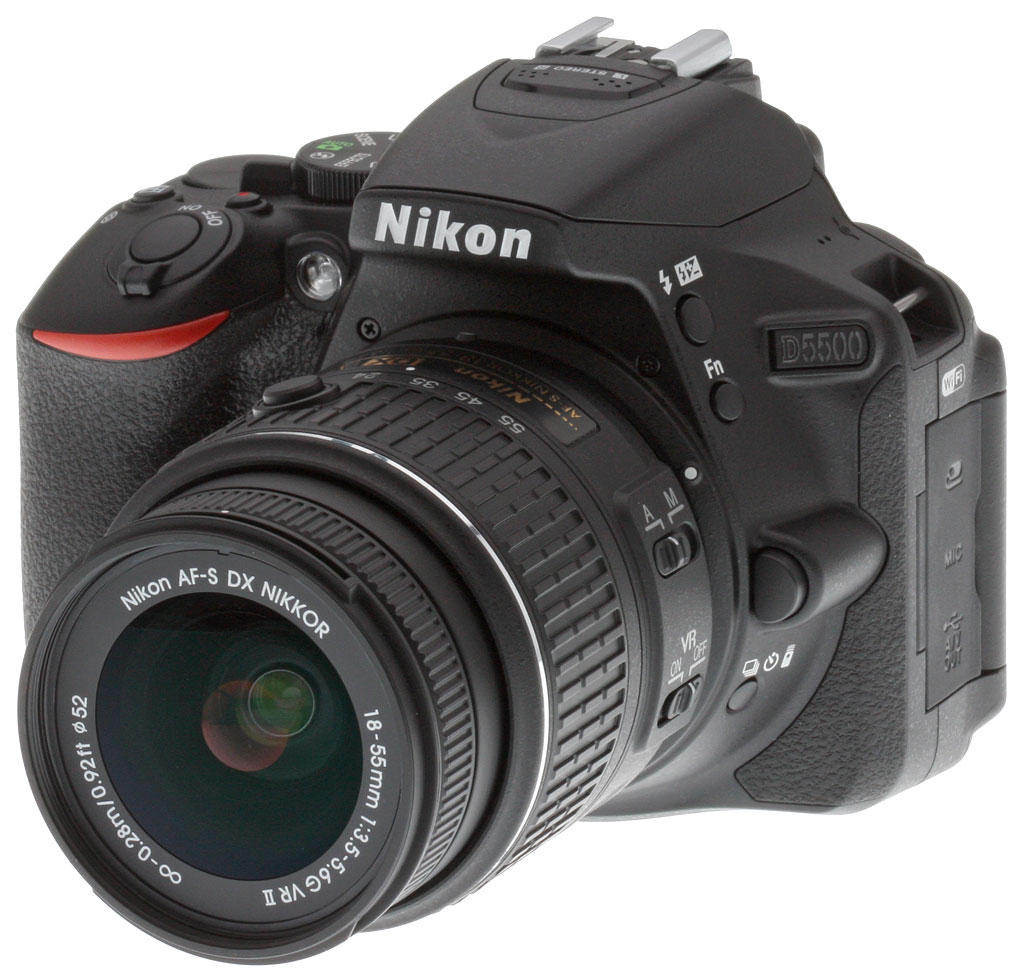
With the D5500 DSLR, Nikon aims to repeat the success of the earlier D5300, which launched back in October 2013. We greatly enjoyed shooting with the earlier camera, which received a Dave's Pick thanks to great image quality, solid performance, good handling and the convenience of built-in Wi-Fi. Now, the Nikon D5500 builds on this with significant upgrades in several key areas.
Key among these changes is a brand-new body that's smaller (4.9" x 3.8" x 2.8") and lighter (14.9 oz, body-only) than ever before -- in fact, even the entry-level D3300 isn't as compact. The 24.2-megapixel Nikon D5500's body features similar construction -- the company refers to it as a carbon-fiber monocoque structure -- as was used previously in the D5300, but with a slimmer, deeper grip. The D5500's new body brings with it control improvements including a relocated Info button, and a simplified Mode dial that does away with the numerous fixed scene mode positions of the earlier camera.
Nikon has also added a touch-screen overlay to the D5500's 3.2-inch LCD monitor, allowing it to serve as an input device, and providing consumer-friendly features like a touch shutter and pinch zoom. Just as with Wi-Fi on the earlier model, this is a first for a Nikon DSLR. And courtesy of electronic improvements including a new proximity sensor that disables the LCD monitor when you raise the camera to your eye, battery life has been extended by almost 37%.
Although resolution of the Nikon D5500's APS-C sized, DX-format image sensor is unchanged at 24.2 megapixels, Nikon tells us that it is actually a new design, and this, it seems, has allowed the entire sensitivity range of ISO 100 to 25,600 equivalents to be made available by default. (In the earlier camera, sensitivities beyond ISO 12,800 were available only if ISO expansion was enabled, indicating that image quality might be lessened at these highest sensitivities.)

Also retained from the D5300 are Nikon's 39-point phase detection autofocus system, which features nine cross-type points, and its 2,016 pixel metering system which is paired with Nikon's proprietary Scene Recognition System algorithms. The company has also retained the same versatile side-mounted, tilt/swivel LCD articulation mechanism, and the in-camera Wi-Fi support of the D5300 also carries over, as noted previously. So, too, does a burst capture rate of up to five frames per second, achieved thanks to an EXPEED 4 image processor.
Other changes in the Nikon D5500 are to be found in firmware. The new model now sports a Flat picture control for both movie and still capture, which is more conducive to color grading post-capture, and the D5500's picture controls allow finer-grained 1/4-step adjustments. There are also several new effects modes and a clarity control, as well as the ability to lock the cable release for continuous long-exposure shooting with shutter speeds of four seconds or greater.
There is, sadly, one feature subtraction. Unlike its predecessor, the D5500 no longer sports a built-in GPS receiver, so if you want to geotag your images, you'll need to do so manually or rely on an external device to record a location track that can be imported later.
Available since February 2015 in black or red body colors, the Nikon D5500 is priced at US$900 or thereabouts, body-only. Two kits with bundled lens are also available, with the AF-S DX NIKKOR 18-55mm f/3.5-5.6G VR II kit priced at around US$1,000, and the AF-S DX NIKKOR 18-140mm f/3.5-5.6G ED VR kit at US$1,200.
In the Box
The Nikon D5500 retail kit with 18-55mm lens (as reviewed) contains the following items:
- Nikon D5500 Body
- NIKKOR AF-S DX 18-55mm f/3.5-5.6G VR II lens
- EN-EL14a Rechargeable Lithium-ion Battery
- MH-24 Quick Charger
- EG-CP16 Nikon Audio/Video Cable
- UC-E17 USB Cable
- DK-25 Rubber Eyecup
- AN-DC3 Camera Strap
- DK-5 Eyepiece Shield
- BF-1B Body Cap
- BS-1 Hot-Shoe Cover
- Nikon View NX2 Software CD-ROM
- 52mm Snap-On Lens Cap
- LF-4 Rear Lens Cap
- Warranty Cards
Recommended Accessories
- Large capacity SDHC/SDXC memory card. 16GB Class 10 should be a minimum.
- Extra EN-EL14A Rechargeable Lithium-ion Battery (~US$47)
- Additional lenses
- Nikon Speedlight flash
- Small to Medium DSLR bag
Design
By Mike Tomkins
Seen from the front, the Nikon D5500's new body is quite reminiscent to that of the D5300, with all of the controls and features in approximately the same locations. There are some differences, certainly, but they're subtle. Remove the lens, and the body itself is impressively lightweight, yet still feels very solid and gives an impression of quality.

Although body width is the same, the Nikon D5500 provides a little less room left of the lens mount (as seen from the rear) for your fingers, but then with a two-handed grip you'd typically use your left hand to hold the lens anyway, so that's no big problem. The handgrip, meanwhile, is a little more slender than in the past, and tapers back a little less beneath the shutter button.
For my larger-than-average hands, the reprofiled handgrip is very comfortable indeed, and feels quite nicely-balanced with the kit lens mounted. Body height has been reduced just ever so slightly, and my little finger naturally curled beneath the bottom of the grip. The top of the Mode dial now sits horizontally, where in the earlier camera it cut a slightly rakish angle.

Moving to the top of the camera, again the controls are in much the same positions as before. Body depth has decreased just a little, and the most immediately-noticeable difference is that the rear control dial now sits flush in the Nikon D5500's top deck, a design feature we're more used to seeing on mirrorless cameras. The D5500's Mode dial is also a bit cleaner and less cluttered, with the D5300's five dedicated scene mode positions (Portrait, Landscape, Kids, Sports and Macro) having been consolidated into the existing Scene position.
In other respects, top deck changes are subtle indeed -- a few less holes in the microphone and speaker grilles, for example, and the Shutter button sitting a little further forwards.

It's on the rear deck that we find the most obvious changes. For one thing, there's a newly rehomed Info button, sitting where the 'i' button was located on the earlier camera. For its part, the Nikon D5500's 'i' button has been relocated just right of the LCD monitor, between the Playback button and four-way controller.
Also obvious is the fact that the rear control dial now sits higher up in the body, and that there's a small sensor located directly above the thru-the-lens optical viewfinder. This hints at a rare feature indeed for a DSLR camera: It's a proximity sensor that's used to automatically disable the LCD monitor when you bring the camera to your eye.
In other respects, the control layout is much as it was. A few buttons have changed shape from circular to oval, the playback zoom controls now sit together on either side of a slight ridge, and there have been slight adjustments to button, infra-red receiver and access lamp placement and shape, but these changes will have little impact on photographers used to the earlier camera.

The last change of note becomes obvious when you take a look at the Nikon D5500's left side. The connector compartment now hosts only three connectors, instead of four as in the D5300. (We're guessing this change is one due to space constraints of the smaller body.)
So what's missing? The cabled remote control, microphone, and combined USB and audio/video outputs are all present and accounted for, leaving only the high-definition HDMI video output absent.

The reason for this is clear when you switch sides of the camera. In this day and age, it wouldn't make much sense to forgo a high-def output and retain only standard-def connectivity, but it turns out that the HDMI connector is still present as well. It's just been moved beneath a new access flap on the right side of the Nikon D5500 body. The one downside to this move is that you can no longer comfortably hold the handgrip with an HDMI cable connected, as you might do if using a hot-shoe mounted HDMI display to get a larger live view when shooting, and especially for video use. But then, as a consumer camera it's not likely many D5500 owners would have been doing so in the first place.

And finally, we move to the bottom of the D5500. Although there's not a huge amount to see here, the shallower body depth and deeper, slimmer handgrip versus its predecessor are readily apparent.
And that about wraps up our tour of the Nikon D5500 body!
Optics
The Nikon D5500 is available body-only, or bundled with either the Nikkor AF-S DX 18-55mm f/3.5-5.6G VR II lens, or the AF-S DX 18-140mm f/3.5-5.6G ED VR lens. See our in-depth SLRgear reviews of these two lenses by clicking here: Nikon 18-55mm VR II review and here: Nikon 18-140mm VR review.
Below are our viewfinder accuracy test results for the Nikon D5500.
Viewfinder Test Results
Coverage
About average coverage accuracy from the optical viewfinder. Excellent accuracy from the LCD in Live View mode.


The Nikon D5500's optical viewfinder yielded about 95 percent coverage with our reference Nikkor 60mm f/2.8 macro lens. This is average for an entry-level digital SLR and meets Nikon's specification, however the viewfinder image is slightly tilted and shifted compared to the imaging sensor, which unfortunately is not that uncommon in consumer DSLRs. In Live View mode, the Nikon D5500's LCD showed very close to 100%, which is excellent.
The images above were taken from our standardized test shots. For a collection of more pictorial photos, see our Nikon D5500 Photo Gallery .
Exposure
Color
Saturation & Hue Accuracy
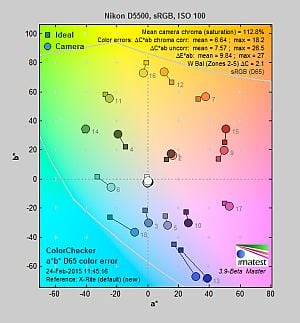
Slightly higher than average mean saturation with slightly below average hue accuracy.
 |
||
|
ISO Sensitivity
|
||
| In the diagram above, the squares show the original color, and the circles show the color that the camera captured. More saturated colors are located toward the periphery of the graph. Hue changes as you travel around the center. Thus, hue-accurate, highly saturated colors appear as lines radiating from the center. Mouse over the links to compare ISOs, and click on them for larger images. | ||


Saturation. The Nikon D5500 pumps dark blues quite a bit and most other colors by a small amount, but slightly undersaturates bright yellow, light green, and cyans. Mean saturation levels are a little higher than average, but remain fairly stable as ISO climbs except at the highest ISOs where saturation drops a bit. Mean saturation at base ISO is 112.8% or 12.8% oversaturated, a little higher than the 110% average, but as mentioned, much of that is because blues are pushed so much. Overall, we found the D5500's default saturation levels quite pleasing. Most consumer digital cameras produce color that's more highly saturated (more intense) than found in the original subjects. This is simply because most people like their color a bit brighter than life.
Skin tones. The Nikon D5500's Caucasian skin tones looked just about right when using manual white balance in simulated daylight. A very good job here. Auto white balance produced slightly warmer results. Where oversaturation is most problematic is on Caucasian skin tones, as it's very easy for these "memory colors" to be seen as too bright, too pink, too yellow, etc.
Hue. The Nikon D5500 did shift cyan toward blue by quite a bit at base ISO, with smaller shifts in reds and orange. (The cyan to blue shift is very common among the digital cameras we test; we think it's a deliberate choice by camera engineers to produce better-looking sky colors.) With an average "delta-C" color error of 6.64 after correction for saturation at base ISO, overall hue accuracy was a little lower than average (lower numbers are better), but still what we'd consider "good," and hue accuracy remained fairly stable across the ISO range. Hue is "what color" the
color is.


Sensor
Exposure and White Balance
Indoors, incandescent lighting
Good color with the Manual white balance setting, but overly-warm results with Auto and Incandescent. Average positive exposure compensation required.


Indoors, under normal incandescent lighting, color balance was very warm and reddish with the Auto white balance setting. (We'd say unacceptably so, though unfortunately this is common.) The Incandescent setting was also too warm, with a strong yellow cast. The Manual setting by far produced the most accurate results, if just a touch cool. The Nikon D5500 required an average amount of positive exposure compensation here, at +0.3 EV (most cameras we've tested require +0.3 EV for this shot). Our test lighting for this shot is a mixture of 60 and 100 watt household incandescent bulbs, a pretty yellow light source, but a very common one in typical home settings here in the U.S.
Outdoors, daylight
Good color outdoors, but may tend to overexpose slightly.
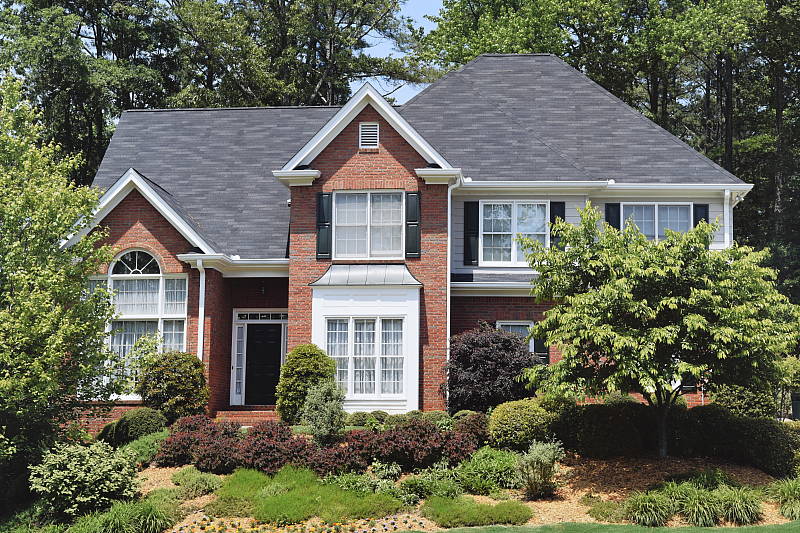
Outdoors, the Nikon D5500 performed well, requiring +0.7 EV exposure compensation for our "Sunlit" Portrait shot to keep the face reasonably bright. (The average for this shot among cameras we've tested is about +0.7 EV.) We preferred skin tones from the Manual white balance setting as they were a little pinker than Auto, but both were pretty good. Contrast is a little high as you might expect under such harsh lighting, but the camera did a very good job of holding onto detail in the highlights and shadows, however very deep shadows have a yellow tint and are posterized. The Nikon D5500 produced pleasing colors in our Far-field shot, but it overexposed the scene a bit (above right), blowing a few more highlights than we're used to seeing. However shadow detail is quite good, though very deep shadows are somewhat noisy with color casts. (We're talking very deep shadows here, so this won't be in issue for vast majority of properly exposed images.) Overall, very good performance for its class here.
See full set of test images with explanations
See thumbnails of all test and gallery images
Resolution
Very high resolution, ~2,850 to ~2,950 lines of strong detail from JPEGs, a bit higher from ACR processed RAW files.


Our laboratory resolution chart revealed sharp, distinct line patterns up to about 2,900 lines per picture height in the horizontal direction, and to about 2,850 lines in the vertical direction. Some may argue for higher numbers, but lines start to merge and aliasing artifacts interfere with detail at these resolutions. Extinction of the pattern didn't occur until around 3,400 to 3,600 lines. We weren't able to do significantly better with NEF files processed through Adobe Camera Raw, only about 50 more lines in both directions. Color moiré is a little more evident in the ACR converted RAW files, however it's not as high as we'd expect for a camera without an optical low-pass filter. Use these numbers to compare with other cameras of similar resolution, or use them to see just what higher resolution can mean in terms of potential detail.
See full set of test images with explanations
See thumbnails of all test and gallery images
Sharpness & Detail
Sharp images but with visible edge-enhancement artifacts visible on high-contrast subjects. Mild to moderate noise suppression visible at base ISO.


Sharpness. The Nikon D5500 produces images that are crisp and sharp when coupled with a sharp lens as used for our lab images and in the above left crop. Some edge enhancement artifacts are visible on high-contrast subjects such as the halos around the border and text, but default sharpening looks to be a good compromise between crispness and sharpening artifacts, especially when printed. Edge enhancement creates the illusion of sharpness by enhancing colors and tones right at the edge of a rapid transition in color or tone.
Detail. The crop above right shows some mild to moderate noise suppression at ISO 100, as the darker and lower-contrast areas of the model's hair show some smudging where individual strands of hair are merged together. Chroma noise is more effectively controlled than prior models, however subtle details in the red channel can be reduced as a result, as can be seen in the red flowers of our Indoor Portrait shots (click on the hair crop above right) or in the red-leaf fabric of our Still Life shots (click on the bottle label crop above left). Still, a very good performance here considering it's a 24-megapixel APS-C sensor in low indoor lighting. Noise-suppression systems in digital cameras tend to flatten-out detail in areas of subtle contrast. The effects can often be seen in shots of human hair, where the individual strands are lost and an almost "watercolor" look appears.
Aliasing. You can see aliasing artifacts or hints of them in a number of our D5500 test shots, however the Nikon D5500 does a pretty good job at suppressing color moiré in JPEGs for a camera that doesn't have an optical low-pass filter.

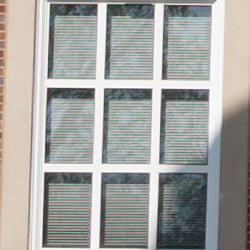
Notice above how the in-camera JPEG on the left has virtually no color moiré compared to an Adobe Camera Raw conversion of the same shot, though you can still see luminance moiré patterns (they're a little difficult to spot because of the reflections in the glass). As mentioned, the Nikon D550's color moiré suppression seems to work quite well, but it can lead to other artifacts, such as small dots and lines that break up fine patterns, as well as more noticeable luminance moiré in some cases.
RAW vs In-Camera JPEGs
As noted above, the Nikon D5500 does a great job at capturing lots of sharp, fine detail in its JPEGs, but more detail can often be obtained from carefully processing RAW files, while at the same time reducing sharpening artifacts. Let's have a look at base ISO:
| Base ISO (100) | |
 |
 |
 |
 |
 |
 |
|
Camera JPEG, defaults
|
RAW via Adobe Camera Raw
|
In the table above, we compare an in-camera JPEG taken at base ISO using default noise reduction and sharpening (on the left) to the matching RAW file converted with Adobe Camera Raw 8.8 (right) using default noise reduction with some moderate but tight unsharp masking applied in Photoshop (200%, radius of 0.3 pixels, and a threshold of 0).
As is frequently the case, the demosaicing in Adobe Camera Raw and sharpening in Photoshop deliver finer detail than the camera, with fewer sharpening artifacts. Looking closely at the images, ACR extracts some detail that wasn't present in the camera JPEG, especially in the red-leaf swatch where the conversion was able to resolve some of the fine thread pattern, while the camera's JPEG engine tended to blur it away as if noise (anti-moiré processing may also be a play here). The ACR conversion does however show more noise at default noise reduction settings than the camera at its default settings, and it doesn't have as much "pop" as the camera JPEG.
All-in-all, the D5500 did a very good job at reducing noise while maintaining excellent detail in most areas of our target. Still, for maximum detail (and flexibility), using a good RAW converter does yield slightly better fine detail than in-camera JPEGs, as is usually the case.
ISO & Noise Performance
Very good high ISO performance for a 24-megaxpixel APS-C model.
| Noise Reduction = Normal (Default) | ||
 |
 |
 |
| ISO 100 | ISO 200 | ISO 400 |
 |
 |
 |
| ISO 800 | ISO 1600 | ISO 3200 |
 |
 |
 |
| ISO 6400 | ISO 12,800 | ISO 25,600 |
Noise levels are low at ISOs 100 through 400, though some detail is lost to noise reduction even at base ISO. ISOs 800 through 3200 show a nice, progressive increase in very fine noise "grain" but detail remains quite good, and chroma noise well-controlled. ISO 6400 shows a more dramatic drop in image quality with softer detail and more obvious noise, though some fine detail is left, but image quality drops off quickly from there. ISO 12,800 produces significant softness and chroma blotching, while ISO 25,600 shows much stronger noise "grain" that obliterates fine detail, stronger chroma noise and an overall color shift towards yellow/green, particularly in the shadows.
Overall, very good noise performance for a 24-megapixel APS-C model. See our Print Quality analysis section below for recommended print sizes at each ISO.
A note about focus for this shot: We shoot this image at f/4, usually using one of three very sharp reference lenses (70mm Sigma f/2.8 macro for most cameras, 60mm f/2.8 Nikkor macro for Nikon bodies without a drive motor, and Olympus Zuiko 50mm f/2.0 for Four Thirds and Micro Four Thirds bodies). To insure that the hair detail we use for making critical judgements about camera noise processing and detail rendering is in sharp focus at the relatively wide aperture we're shooting at, the focus target at the center of the scene is on a movable stand. This lets us compensate for front- or back-focus by different camera bodies, even those that lack micro-focus adjustments. This does mean, though, that the focus target itself may appear soft or slightly out of focus for bodies that front- or back-focused with the reference lens. We know this; if you click to view the full-size image for one of these shots and notice that the focus target is fuzzy, you don't need to email and tell us. :-) The focus target position will have been adjusted to insure that the rest of the scene is focused properly.
Extremes: Sunlit, dynamic range, and low light tests
Very good detail in both highlights and shadows, with good dynamic range. Very good low-light performance, capable of capturing bright images in near darkness.


Sunlight
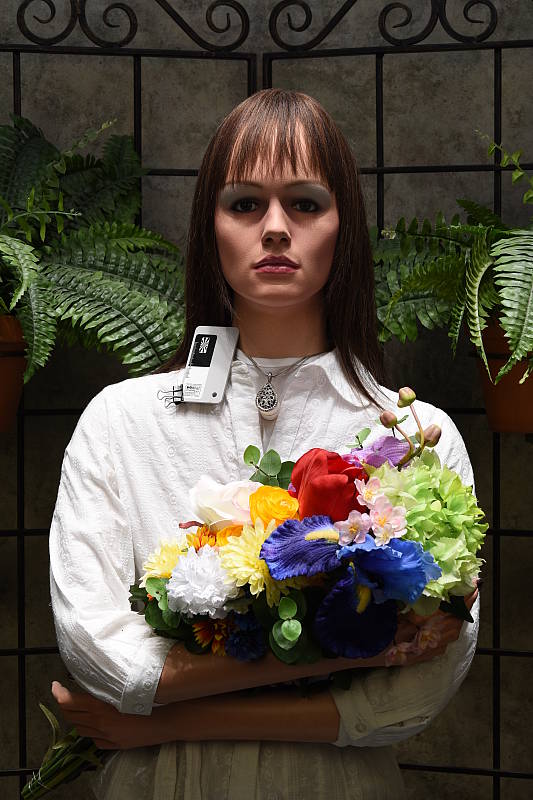
The Nikon D5500 handled the deliberately harsh lighting in the test above well. Though contrast is a little high, shadow and highlight detail are both very good. The +0.7 EV exposure did the best job here, producing a fairly bright face without blowing out too many highlights, though folks printing directly from the camera may prefer the brighter +1.0 EV exposure even though it had a few too many blown highlights for our tastes. Despite the bright appearance in white areas, there are relatively few clipped highlights in the mannequins's shirt and the flowers at +0.7 EV. Some shadows were pretty dark, but remained detailed if a little noisy with color casts. Be sure to use fill flash in situations like the one shown above; it's better to shoot in the shade when possible.
Because digital cameras are more like slide film than negative film (in that they tend to have a more limited tonal range), we test them in the harshest situations to see how they handle scenes with bright highlights and dark shadows, as well as what kind of sensitivity they have in low light. The shot above is designed to mimic the very harsh, contrasty effect of direct noonday sunlight, a very tough challenge for most digital cameras. (You can read details of this test here.)
| Face Detection | ||
 |
 |
 |
| Off Aperture-priority 0 EV |
Auto mode (Portrait) 0 EV |
Live View with Face-priority AF 0 EV |
Face Detection. Here, we can see the effect of the Nikon D5500's full Auto mode as well as face detection enabled in Live View mode. As you can see from the shots above, full Auto enabled the flash and selected Portrait Scene mode, producing a well-exposed subject and background. In Live View mode using Aperture-priority, Face-priority AF mode also improved the exposure versus Aperture-priority with the optical viewfinder, selecting a slower shutter speed of 1/30s versus 1/60s to brighten the image (since the other two exposure variables of aperture and ISO were fixed).
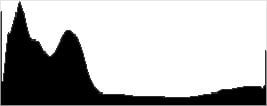
Active D-Lighting. Active D-Lighting attempts to preserve detail in both highlights and shadows in high-contrast situations, while maintaining moderate levels of contrast. The series of shots below show the effect of the various Active D-Lighting settings available on the Nikon D5500 on our high-contrast "Sunlit" Portrait scene. Note that Active D-Lighting is different from the touch-up menu's D-Lighting, as it is performed during image capture instead of after. (It does affect only JPEG images though, Nikon very properly doesn't apply tonal adjustments like this to RAW file data. NEF files, however, are tagged so that Nikon software can automatically apply the effect when converted.)
|
"Sunlit" Portrait Active D-Lighting (0 EV)
|
|
 |
ADL Settings: Auto (Default) Off Low Normal High Extra High |
 |
|
Mouse over the links to see how the various levels of Active D-Lighting affects our "Sunlit" Portrait shot at default exposure. Click on a link to get to the full-res image. (Active D-Lighting's effect can be a little subtle in shots like those above, so we decided to use a mouse-over to better show how each setting compares to Off.)
As you can see from the images and histograms above, enabling and adjusting Active D-Lighting resulted in brighter more balanced images with boosted shadows and midtones, however highlights remained roughly the same and intact, or slightly reduced. The effect of Active D-Lighting will vary quite a bit with the subject and lighting: The camera decides what needs adjusting, and by how much, so the effect can be quite a bit greater or lesser depending on what the camera "sees".
See below for how Active D-Lighting worked on our Far-field shot.
| Far-field Active D-Lighting (0 EV) | ||
|
|
||
Here are the results with our Far-field shot. As you can see, Active D-Lighting brought up shadow detail while holding on to more of the highlights, though the difference between different strengths can be subtle.
HDR Mode. The D5500 offers an in-camera high-dynamic-range imaging function, something we've seen in several prior models as well as from most competitors. When enabled, the D5500 captures two images with one push of the shutter button -- one underexposed and one overexposed -- and combines them in-camera to produce a high-dynamic-range JPEG. (RAW format is not supported.) The Nikon D5500 seems to perform micro-alignment of the two images so the user manual warns of possible cropping but Nikon recommends the use of a tripod, so it can likely only correct for very small amounts of camera movement between shots. Obviously moving subjects should also be avoided.
|
"Sunlit" Portrait HDR (0 EV)
|
|
|
|
HDR Settings: Off (Default) Low Normal High Extra High Auto |
 |
|
Unlike some Nikons which allow you to set the exposure differential between the two images from 1, 2 or 3 EV, and also adjust the amount of "smoothing" that is applied to the boundaries between the two images with selections of Low, Medium and High, the D5500 takes a simpler approach offering just four strengths in addition to Auto. Mouse over the links above to see how various levels of HDR affects our "Sunlit" Portrait shot and click on a link to get to the full-res image.
Although portraits aren't good subjects for HDR images, you can still see higher levels make quite a difference to the overall exposure by opening up shadow detail but they can lead to artificial looking shadows around bright objects or halos and glowing around dark ones.
| Far-field HDR (0 EV) | ||
|
|
||
Here are the same HDR settings with our Far-field shot. Again, some settings do a good job of taming hot highlights while bringing up some of the shadows and deeper midtones, while stronger settings cause a lot of glowing and halos. You can also see ghosting in the flag, leaves and even in a car from movement between the exposures. Still, it's a useful feature for capturing static scenes with dynamic range that exceeds the sensor for those not willing to use manual HDR techniques (bracketing exposure and then combining images in post-processing), though we do wish there was an option to capture more than two images.
Dynamic Range Analysis (RAW mode)
While we once performed our own dynamic range measurements based on in-camera JPEGs as well as converted RAW images (when the camera was supported by Adobe Camera Raw), we've switched to using DxO Labs' results from their DxOMark website. As technology advanced, the dynamic range of modern high-end cameras in some cases exceeded the range of the Stouffer T4110 density scale that we used for our own measurements. DxO's approach based on RAW data before demosaicing is also more revealing, because it measures the fundamental dynamic range of the sensor, irrespective of whatever processing is applied to JPEGs, or to RAW data by off-the-shelf conversion software.
In the following, we use DxO's "Print" dynamic range results, which are scaled based on camera resolution. As the name suggests, this scaling corresponds to the situation in which you print at a given size, regardless of how many megapixels the camera might have. (In other words, if you've decided to make a 13x19 inch print, that's the size you're printing, whether the camera's resolution is 16 or 300 megapixels.) For the technically-minded, you can find a discussion of the reasoning behind this here on the DxOMark website. Also note that DxO Labs uses a signal-to-noise (SNR) threshold of 1 when defining the lower boundary of acceptable luminance noise in their dynamic range measurements, which corresponds to the "Low Quality" threshold of the Imatest software we used to use for this measurement.

Here, we're comparing the Nikon D5500's dynamic range to its predecessor, the D5300, and also to the Canon T5i (EOS 700D), probably its closest competitor (the T6i wasn't tested at time of writing).
As you can see from the above graph (click for a larger image), the D5500's dynamic range is about the same as the D5300's with just minor variances that are likely within normal test and sample variation. The D5500's dynamic range is however significantly higher than the T5i's across the board, especially at low ISOs where the Nikon enjoys more than a 2-3/4 EV advantage (14.01 vs 11.17 EV) at base ISO. Even at moderate to high ISOs, the Nikon D5500 offers a noticeable advantage over the Canon T5i in terms of dynamic range.
Bottom line, excellent dynamic range performance from the D5500. Click here to visit the DxOMark page for the Nikon D5500 for more of their test results and additional comparisons.
| 1 fc 11 lux |
1/16 fc 0.67 lux |
1/16 fc No NR |
|
|---|---|---|---|
| ISO 100 |
 2s, f2.8 |
 30s, f2.8 |
 30s, f2.8 |
| ISO 3200 |
 1/15s, f2.8 |
 1s, f2.8 |
 1s, f2.8 |
| ISO 25600 |
 1/125s, f2.8 |
 1/8s, f2.8 |
 1/8s, f2.8 |
Low Light
The Nikon D5500 performed well on the low-light test, capturing bright images at the lowest light level (1/16 foot-candle) even with the lowest sensitivity setting (ISO 100). Of course, noise is higher at ISO 3200 but remains well-controlled and very fine-grained. As expected, the maximum ISO of 25,600 is however quite noisy with noticeably less detail, and is best avoided except for small prints and in emergencies. We didn't notice any issues with hot pixels, banding (pattern noise) or heat blooming.
Color balance was good with the Auto white balance setting at one foot-candle, just slightly cool, though there's the strong shift towards magenta at lower light levels that we often see from Nikons.
The camera's phase-detection autofocus system was able to focus on our test subject down to below the 1/8 foot-candle light level unassisted with an f/2.8 lens, which is fairly good for a consumer DSLR. And the Nikon D5500 was able to focus in complete darkness with the AF assist enabled. In Live View mode, the camera's contrast-detect autofocus didn't do as well, only able to focus down to just above 1/4 foot-candle, and AF assist is not supported in Live View mode.
Keep in mind that the longer shutter speeds here demand the use of a tripod to prevent any blurring from camera movement. (A useful trick is to just prop the camera on a convenient surface, and use its self-timer to release the shutter. This avoids any jiggling from your finger pressing the shutter button, and can work quite well when you don't have a tripod handy.)
How bright is this? The one foot-candle light level that this test begins at roughly corresponds to the brightness of typical city street-lighting at night. Cameras performing well at that level should be able to snap good-looking photos of street-lit scenes.
NOTE: This low light test is conducted with a stationary subject, and the camera mounted on a sturdy tripod. Most digital cameras will fail miserably when faced with a moving subject in dim lighting. (For example, a child's ballet recital or a holiday pageant in a gymnasium.) Digital SLRs like the Nikon D5500 do much better than point & shoots, but you still shouldn't expect a quick autofocus lock with moving subjects.
Output Quality
Print Quality
Very good 30 x 40 inch prints at ISO 100/200; a nice 11 x 14 at ISO 1600; a good 4 x 6 at ISO 25,600.
 ISOs 100 and 200 deliver very good prints of 30 x 40 inches and higher, as large as you need until resolution constrains the size, with superb color reproduction and crisp detail.
ISO 400 prints are quite good at 24 x 36 inches. 30 x 40 inch prints show only a minor loss in detail, but are usable for wall display purposes and less critical applications.
ISO 800 yields a good print at 16 x 20 inches with only minor noise apparent in flatter areas of our test target, and a typical loss in contrast detail in our red-leaf fabric swatch. Otherwise, it's a very solid print with nice detail and colors for this ISO.
ISO 1600 images are superb at 13 x 19 inches, which is a nice size at this sensitivity for an APS-C sensor to deliver. The 16 x 20 inch print here is actually quite good, and can certainly be used for any but the most critical applications, with only a touch more noise in a few areas than we generally allow in our "good" rating.
ISO 3200 prints are very good at 11 x 14 inches, with no apparent noise visible, and still maintaining some contrast detail in our red-leaf fabric swatch. Full color representation remains excellent here, as well as nice contrast. Pushing the envelope higher is possible, but some noise is apparent in flatter areas of our target.
ISO 6400 is traditionally a difficult setting for all but the best APS-C cameras, and the D5500 handles it as well as most any we've seen, delivering an unblemished 8 x 10 inch print with virtually no apparent noise while maintaining strong color and detail.
ISO 12,800 yields a 5 x 7 inch print similar to the 8 x 10 at ISO 6400 above, with full color and nice detail.
ISO 25,600 allows for a good 4 x 6 inch print, which is not only better than the D5300 was able to achieve, but puts this camera into a rare class for the APS-C world.
Where the Nikon D5300 upped the ante in print quality and sizes compared to the heralded and award-winning D5200, the D5500 takes image quality to a new level for this line in the print world. Surpassing the D5300's usable print sizes at ISO 200, 400, 800 and 25,600, and yielding generally crisper prints overall, the D5500 makes a strong showing in the price-to-quality as well as the size-to-quality categories, and certainly excels in the print quality department.
The images above were taken from our standardized test shots. For a collection of more pictorial photos, see our Nikon D5500 Photo Gallery .
Not sure which camera to buy? Let your eyes be the ultimate judge! Visit our Comparometer(tm) to compare images from the Nikon D5500 with those from other cameras you may be considering. The proof is in the pictures, so let your own eyes decide which you like best!
Performance
Timing and Performance
Good overall performance for its class.
| Startup/Play to Record | ||
|---|---|---|
|
Power on |
~0.4 second
|
Time it takes for camera to turn on and take a shot. |
|
Play to Record, |
~0.2 second
|
Time until first shot is captured. |
The Nikon D5500's startup time was good for a consumer DSLR, and switching from Play to Record and taking a shot was very fast.
| Shutter Response (Lag Time), Optical Viewfinder | ||
|---|---|---|
|
Full Autofocus |
0.201 second
|
Time from fully pressing shutter button to image capture. (All AF timing measured with Nikkor AF-S 60mm f/2.8 Macro lens). |
|
Full Autofocus |
0.234 second
|
Time from fully pressing shutter button to image capture, Auto Flash enabled. |
|
Manual focus |
0.100 second
|
For most cameras, shutter lag is less in manual focus than autofocus, but usually not as fast as when the camera is "pre-focused." |
|
Pre-focused |
0.079 second
|
Time to capture, after half-pressing and holding shutter button. |
| Shutter Response (Lag Time), Live View mode | ||
|
Full Autofocus |
0.861 second
|
Time from fully pressing shutter button to image capture. |
|
Pre-focused |
0.280 second
|
Time to capture, after half-pressing and holding shutter button. |
The Nikon D5500's full autofocus shutter lag when shooting the same target multiple times was a touch faster than average for a consumer DSLR. The D5500 required about 0.201 second for full AF using the center focus point. Enabling the flash raised full AF shutter lag only slightly to 0.234 second, reflecting the added delay caused by the metering preflash. Manual focus shutter lag was faster than AF as expected, at 0.1 second. When prefocused, shutter lag dropped to 0.079 second which is about average for a consumer DSLR.
As expected, autofocus was slower in Live View mode. The Nikon D5500 only offers contrast-detect AF in Live View, which took about 0.86 second to focus in our tests. That's noticeably slower than using the optical viewfinder, but not too bad for a DSLR. (How fast the lens can adjust focus makes a big difference here.) When prefocused, the shutter lag fell to a more reasonable 0.280 second in Live View mode.
To minimize the effect of different lens' focusing speed, we test AF-active shutter lag with the lens already set to the correct focal distance.
| Cycle Time (shot-to-shot) | ||
|---|---|---|
|
Single Shot mode |
0.42 second
|
Average time per shot. |
|
Single Shot mode |
0.41 second
|
Average time per shot. |
|
Early shutter |
No
(Yes with Flash) |
Some cameras refuse to snap another shot if you release and press the shutter too quickly in Single Shot mode, making "No" the preferred answer. |
| Continuous H mode |
0.20 second (4.93 frames per second);
100 frames total; 1 second to clear |
Time per shot, averaged over 100 shot set limit. |
|
Continuous H mode |
0.25 second (3.95 frames per second);
7 frames total; 3 seconds to clear |
Time per shot, averaged over 7 frame buffer. Slows to an average of 0.44 second or 2.26 fps when buffer is full. |
|
Continuous H mode |
0.26 second (3.92 frames per second);
5 frames total; 3 seconds to clear |
Time per shot, averaged over 5 frame buffer. Slows to an average of 0.65 second or 1.53 fps when buffer is full. |
| Flash recycling |
1.8 seconds
|
Flash at maximum output. |
| *Note: Buffer clearing times measured with a SanDisk Extreme Pro 95MB/s UHS-I SDHC memory card. Slower cards will produce correspondingly slower clearing times. Slow cards may also limit length of bursts in continuous mode. ISO sensitivity and other settings such as Advanced D-Lighting or NR can also affect cycle times and burst mode performance. |
||
Shot-to-shot cycle times were good for a consumer DSLR, at 0.42 second for Large/Fine JPEGs and 0.41 second for 14-bit RAW + L/F JPEG frames. (Note that fast single-shot times like these depend a lot on the tester's rhythm, so your results may vary.) We no longer test just RAW file cycle time in single-shot mode, as it's usually somewhere in between JPEG and RAW+JPEG.
Continuous H mode speed when shooting best quality JPEGs was decent, at about 4.9 frames per second, very close to Nikon's 5 fps claim. When shooting 14-bit NEF files (the default RAW bit depth), the frame rate dropped to just under 4 frames per second. According to Nikon, if you switch to 12-bit RAW files the camera will continue to shoot at 5 fps, however we did not test with 12-bit NEFs. There is also a Continuous L mode rated at 3 frames per second, however we did not test that mode either.
Buffer depth in continuous mode was excellent when shooting just JPEGs at 100 L/F JPEG frames, though with 14-bit RAW files buffer depths were shallow at only 7 RAW frames or 5 RAW+L/F JPEG frames. According to Nikon, shooting 12-bit RAW files should increase buffer depth by about 40% over 14-bit files. Also note that our test target was designed to be difficult to compress, so shooting typical subjects will likely yield deeper buffers.
Buffer clearing was very quick with our fast UHS-I SDHC card, ranging from only 1 second after 100 JPEGs to 3 seconds after a max-length burst of RAW or RAW+JPEG files.
The D5500's built-in flash took an average of 1.8 seconds to recharge after full-power shots, which is very fast.
Bottom line, the Nikon D5500's performance was generally good for its class in our tests. Startup was good, as was AF speed, shutter lag and single-shot cycle times, and JPEG burst performance was decent. The D5500's burst mode does slow down to 4 frames per second with 14-bit RAW files, however you can select 12-bit to maintain the same speed as JPEGs according to Nikon. Buffer depths with RAW files were however shallow, but that's not unusual for its class.
Battery
Battery Life
Very good battery life for a compact DSLR.
| Operating Mode | Number of Shots |
|---|---|
|
Optical Viewfinder,
(CIPA standard) |
820
|
The Nikon D5500 uses a custom rechargeable EN-EL14a lithium-ion battery for power, and ships with a dedicated charger. Battery life when using the optical viewfinder is well above average for a consumer DSLR, though Nikon does not specify battery life for Live View mode, which will certainly be a lot lower. We recommend you pick up a spare battery and keep it freshly charged and on-hand for extended outings, or when using Live View a lot.
The table above shows the number of shots the camera is capable of (on either a fresh set of disposable batteries or a fully-charged rechargeable battery as appropriate), based on CIPA battery-life and/or manufacturer standard test conditions.
(Interested readers can find an English translation of the CIPA DC-002 standards document here. (180K PDF document))
Image Quality
Below are crops from our laboratory Still Life target comparing Nikon D5500 image quality to its predecessor, the D5300, as well as against several competing models at similar price points or in similar categories: Canon T6i, Olympus E-M10, Samsung NX500 and Sony A6000.
NOTE: These images are from best quality JPEGs straight out of the camera, at default settings including noise reduction and using the camera's actual base ISO (not extended ISO settings). All cameras in this comparison were shot with our very sharp reference lenses. Clicking any crop will take you to a carrier page where you can click once again to access the full resolution image as delivered straight from the camera. For those interested in working with the RAW files involved: click these links to visit each camera's respective sample image thumbnail page: Nikon D5500, Nikon D5300, Canon T6i, Olympus E-M10, Samsung NX500 and Sony A6000 -- links to the RAW files appear beneath those for the JPEG images, wherever we have them. And remember, you can always go to our world-renowned Comparometer to compare the Nikon D5500 to any camera we've ever tested!
Nikon D5500 vs Nikon D5300 at Base ISO
 |  |
 |  |
 |  |
Nikon D5500 at ISO 100 | Nikon D5300 at ISO 100 |
Here at base ISO, image quality is similar between the D5500 and its predecessor, but there are subtle differences despite both models being equipped with an EXPEED 4-branded image processor. The D5500's image is slightly crisper with stronger default sharpening and higher contrast. The D5300 however shows better detail in the red-leaf fabric, but also some noticeable moiré, which may be an indication Nikon has revised its anti-aliasing processing (both models do not have optical low-pass filters). | |
Nikon D5500 vs Canon T6i at Base ISO
|  |
|  |
|  |
Nikon D5500 at ISO 100 | Canon T6i at ISO 100 |
The Nikon D5500 and Canon T6i are both 24-megapixel APS-C models, but as mentioned the D5500 does not have an OLPF while the T6i does, which contributes to the T6i's slightly softer images, although differences in processing are also at play. Both cameras produce excellent images with low noise at base ISO, though. | |
Nikon D5500 vs Olympus E-M10 at Base ISO
|  |
|  |
|  |
Nikon D5500 at ISO 100 | Olympus E-M10 at ISO 200 |
Here we compare a 24-megapixel APS-C camera to a 16-megapixel Micro Four Thirds models which may seem a little unfair. The resolution difference is discernible but at base ISO, the Olympus E-M10 compares quite well otherwise, though it is a touch noisier (but keep in mind base ISO for the E-M10 is higher at ISO 200 versus 100 for the D5500). | |
Nikon D5500 vs Samsung NX500 at Base ISO
|  |
|  |
|  |
Nikon D5500 at ISO 100 | Samsung NX500 at ISO 100 |
The 28-megapixel Samsung NX500 does out-resolve the Nikon with slightly better fine detail but the Nikon's image has more "pop", with stronger default sharpening and higher overall saturation and contrast. Both soften our red-leaf swatch, but the Samsung shows quite a bit of moiré (it too does not have an optical low-pass filter). | |
Nikon D5500 vs Sony A6000 at Base ISO
|  |
|  |
|  |
Nikon D5500 at ISO 100 | Sony A6000 at ISO 100 |
These two 24-megapixel APS-C models offer very similar amounts of detail, but with some obvious differences in processing. Where the Nikon looks somewhat oversharpened, the Sony shows hardly any sharpening artifacts. The A6000 also offers better contrast in the red-leaf swatch (and elsewhere) while rendering it smoother than the D5500. The Sony does however leave behind a little more chroma noise in the shadows than the Nikon. Still, both cameras offer excellent detail at base ISO. | |
Nikon D5500 vs Nikon D5300 at ISO 1600
 |  |
 |  |
 |  |
Nikon D5500 at ISO 1600 | Nikon D5300 at ISO 1600 |
Here at ISO 1600, we can clearly see Nikon has revised its noise reduction and sharpening algorithms. The D5500's image is cleaner and crisper, while the D5300's shows fewer sharpening artifacts and better detail in the red-leaf fabric. | |
Nikon D5500 vs Canon T6i at ISO 1600
|  |
|  |
|  |
Nikon D5500 at ISO 1600 | Canon T6i at ISO 1600 |
Both cameras show similar levels of detail in the mosaic crop, however the Nikon has fewer artifacts and better color. The noise grain from the Nikon in the shadows is also a little tighter. Interestingly, it is the Canon that does a better job with our difficult red-leaf pattern (Nikon has traditionally performed better in the past). | |
Nikon D5500 vs Olympus E-M10 at ISO 1600
|  |
|  |
|  |
Nikon D5500 at ISO 1600 | Olympus E-M10 at ISO 1600 |
It's clear from the shadow area in the bottle shoulder crop that the E-M10 is applying stronger noise reduction, yet it leaves behind more chroma noise than the D5500. As expected, the D5500 continues to out-resolve the E-M10 as shown by better detail in the mosaic crop. The Olympus does however do a slightly better job in the red-leaf fabric, while the Nikon does better with the pink. | |
Nikon D5500 vs Samsung NX500 at ISO 1600
|  |
|  |
|  |
Nikon D5500 at ISO 1600 | Samsung NX500 at ISO 1600 |
At ISO 1600, the NX500's resolution advantage is still apparent with better detail in the mosaic crop, although colors are a little drab. The Samsung's noise reduction is also more aggressive, generating a slightly hammered effect in the shadows. Both cameras struggle about equally with the red-leaf fabric, though the NX500 still shows a touch more moiré. The NX500 does however do a bit better with detail in the pink fabric. | |
Nikon D5500 vs Sony A6000 at ISO 1600
|  |
|  |
|  |
Nikon D5500 at ISO 1600 | Sony A6000 at ISO 1600 |
Here again both cameras delver similar detail, despite different approaches to noise reduction and sharpening. Like we saw with the Samsung NX500, the Sony A6000's noise reduction tends to cause a hammered effect in flat areas, while the D5500 shows a more natural-looking and tight grain. In areas with fine, higher-contrast detail, the Nikon also looks more natural with fewer artifacts, but it also doesn't look as crisp. The A6000 comes out ahead in the red-leaf and pink fabrics, though, with better detail and contrast. | |
Nikon D5500 vs Nikon D5300 at ISO 3200
 |  |
 |  |
 |  |
Nikon D5500 at ISO 3200 | Nikon D5300 at ISO 3200 |
At ISO 3200, we can see the D5500 applies more effective noise reduction while continuing to apply stronger sharpening with higher contrast and saturation. That produces images that are crisper and more vibrant, but on the flip-side there are more visible sharpening and noise reduction artifacts, and the D5300 continues to do a little better in the red-leaf fabric. | |
Nikon D5500 vs Canon T6i at ISO 3200
|  |
|  |
|  |
Nikon D5500 at ISO 3200 | Canon T6i at ISO 3200 |
The D5500's image has a little lower noise and crisper definition along with better color. This time the T6i blurs our red-leaf fabric more than the D5500, but offers slightly more contrast. Overall, it's a pretty close race but we give the edge to the Nikon. | |
Nikon D5500 vs Olympus E-M10 at ISO 3200
|  |
|  |
|  |
Nikon D5500 at ISO 3200 | Olympus E-M10 at ISO 3200 |
As we saw at ISO 1600, the E-M10 works harder at reducing noise and it shows, with slightly smoother images but higher chroma noise and more noise reduction artifacts. Fine detail suffers more from the E-M10, on top of its resolution handicap compared to the D5500, resulting in a somewhat painted look in our mosaic crop. Both cameras offer similar detail in the red-leaf fabric, but the E-M10's rendering is cleaner and smoother-looking. | |
Nikon D5500 vs Samsung NX500 at ISO 3200
|  |
|  |
|  |
Nikon D5500 at ISO 3200 | Samsung NX500 at ISO 3200 |
The Samsung NX500 continues to out-resolve the D5500 producing better detail in the mosaic crop but there are more noticeable noise reduction artifacts and saturation continues to diminish. | |
Nikon D5500 vs Sony A6000 at ISO 3200
|  |
|  |
|  |
Nikon D5500 at ISO 3200 | Sony A6000 at ISO 3200 |
Again, the A6000's image is somewhat cleaner-looking than the D5500's, but has a more "processed" look, with more noticeable noise reduction artifacts. | |
Nikon D5500 vs. Nikon D5300, Canon T6i, Olympus E-M10, Samsung NX500, Sony A6000
 |  |  |  |  |  |
 |  |  |  |  |  |
 |  |  |  |  |  |
| Nikon D5500 ISO 100 ISO 3200 ISO 6400 | Nikon D5300 ISO 100 ISO 3200 ISO 6400 | Canon T6i ISO 100 ISO 3200 ISO 6400 | Olympus E-M10 ISO 200 ISO 3200 ISO 6400 | Samsung NX500 ISO 100 ISO 3200 ISO 6400 | Sony A6000 ISO 100 ISO 3200 ISO 6400 |
| High-contrast detail comparison. As expected, all cameras in this group do well with high-contrast detail at base ISO, though we do see that the D5500 has slightly higher contrast with more obvious sharpening halos. As ISO climbs to 3200, the D5500 pulls away from its predecessor as well as the T6i, though the others continue to keep pace. At ISO 6400, we start to see a drop in contrast and detail from all cameras, though the D5500, E-M10 and A6000 continue to offer very good contrast, while D5300, T6i and NX500 drop off more, and the lower-res E-M10 starts to struggle to resolve the fine lines within the lettering. | |||||
Very good 30 x 40 inch prints at ISO 100/200; a nice 11 x 14 at ISO 1600; a good 4 x 6 at ISO 25,600.
ISOs 100 and 200 deliver very good prints of 30 x 40 inches and higher, as large as you need until resolution constrains the size, with superb color reproduction and crisp detail.
ISO 400 prints are quite good at 24 x 36 inches. 30 x 40 inch prints show only a minor loss in detail, but are usable for wall display purposes and less critical applications.
ISO 800 yields a good print at 16 x 20 inches with only minor noise apparent in flatter areas of our test target, and a typical loss in contrast detail in our red-leaf fabric swatch. Otherwise, it's a very solid print with nice detail and colors for this ISO.
ISO 1600 images are superb at 13 x 19 inches, which is a nice size at this sensitivity for an APS-C sensor to deliver. The 16 x 20 inch print here is actually quite good, and can certainly be used for any but the most critical applications, with only a touch more noise in a few areas than we generally allow in our "good" rating.
ISO 3200 prints are very good at 11 x 14 inches, with no apparent noise visible, and still maintaining some contrast detail in our red-leaf fabric swatch. Full color representation remains excellent here, as well as nice contrast. Pushing the envelope higher is possible, but some noise is apparent in flatter areas of our target.
ISO 6400 is traditionally a difficult setting for all but the best APS-C cameras, and the D5500 handles it as well as most any we've seen, delivering an unblemished 8 x 10 inch print with virtually no apparent noise while maintaining strong color and detail.
ISO 12,800 yields a 5 x 7 inch print similar to the 8 x 10 at ISO 6400 above, with full color and nice detail.
ISO 25,600 allows for a good 4 x 6 inch print, which is not only better than the D5300 was able to achieve, but puts this camera into a rare class for the APS-C world.
Where the Nikon D5300 upped the ante in print quality and sizes compared to the heralded and award-winning D5200, the D5500 takes image quality to a new level for this line in the print world. Surpassing the D5300's usable print sizes at ISO 200, 400, 800 and 25,600, and yielding generally crisper prints overall, the D5500 makes a strong showing in the price-to-quality as well as the size-to-quality categories, and certainly excels in the print quality department.
Field Test
Field Test Part II
More to love from a storied line of cameras
Having shot with film for about 25 years up until 2006, I finally took the digital plunge and cut my teeth on the now legendary Nikon D40, a real ground-breaker of a camera for its time and price point, which brought enthusiast-grade performance and image quality to the masses, and myself. (Our D40 is still going strong almost a decade later, though has long since been "acquired" by my wife.) Since joining IR three years ago though, I've primarily worked in the mirrorless world, including reviews in the PEN line from Olympus and the NEX-gone-Alpha line from Sony among others, and have not had much recent DSLR experience other than a brief period with the D3300 for an indoor sports on a budget article. But that experience, coupled with the first time I picked up the D5500, led me to want to come full circle and dig back into the mid-level DSLR world.

The D5500 is so lightweight for a DSLR that I thought I'd lost it in a local gym. I'd taken it in to grab a few low light shots, and when I picked up my camera bag I was sure it was missing! Our senior lab technician, Luke Smith, after first picking it up said: "It feels cheap to me." A few hours later, after completing his round of initial lab test First Shots, he came back to me and said: "It's not cheap at all...just lightweight. I really like it." Well, he's a very discerning customer, so that was encouraging to hear. Seeing his first lab samples was even more encouraging, and if you've yet to see the news piece for that with comparisons to the predecessor and a few others please click here, or click the samples tab at the top of this page to see only the images.
As a quick reference for weight as measured body-only (with battery and card) the D5500 as measured in our lab weighs 16.86 ounces. This is about two ounces lighter than the D5300, which we measured at 18.55 ounces, but is a full two ounces heavier than the Canon SL1, which remains the de-facto standard for trimness in the DSLR world weighing in at a comfortably light 14.89 ounces. The SL1 isn't equipped with a vari-angle LCD, however, which likely accounts for some of the weight disparity.
 |
Mid-level DX vs mid-level FX: To give one more perspective of its size compared to its full frame uncle, the D750, I had Luke shoot them side by side. These both sport Nikon's fairly new monocoque structure, which replaces the metal chassis with a carbon fiber structure, though this was also employed on the D5300. The primary result is the ability to construct a thinner body, bringing them more in line with mirrorless forms. |
Much ado about the grip

The D5500 grip is fairly austere and has already been debated in forums. Instead of being rounded on both sides, as has been customary for years with Nikons (though not the D750) this grip takes a rather radical sharp turn as you move towards the front/center of the camera, and going quickly flat along the inner edge. I was at first a bit concerned that I wouldn't like it, but I actually grew to appreciate it for the way it allows me to carry the camera when out and about shooting. By letting it rest against three of my fingers I'm able to carry it very securely, which wouldn't be nearly as secure with the more traditional rounded grips. And for most shooting I tend to use my left hand for stability with my right hand staying loose for adjustments, so I never found the grip to be a bother when shooting. That being said, it may be wise to actually hold one if you can to make sure it fits your style, as it may be a bit different than what you're used to.
Upgrading
While the D5500 shares the same sensor resolution as the D5300, as well as many other technical aspects like the same processor and burst rate, there are some key differences as well. One of my personal favorites is the top deck control dial, because I use this more than any other aspect of the camera save for the shutter button. I find this one to be far superior to the inset control wheel found on the back of the D5300, as I highly prefer the tactile nature of an actual dial to an inset wheel which feels more clumsy to me. OK, so maybe that's a small thing to some shooters, but to me it's a big deal given how often I use that dial.
| D5500 vs D5300 - more changes than you might think on first glance | |
 |
|
| Nikon D5500 | Nikon D5300 |
Form factor modification: The thinner body is the first thing apparent between the D5500 and its predecessor, but it's the simplified mode dial and new control dial that makes it so much better to me. Of course, the steep grip is also apparent here, as is the lack of the info button on the D5500 (it's now on the back, also a nice move). |
|
The mode dial of the D5500 also does away with a number of scene modes from the D5300, which is yet another welcome change and one that makes this camera feel closer to the higher end than the entry-level end. I would have loved to see at least one custom setting on the dial, perhaps instead of the "effects" setting, but this is still the middle-tier after all, so they still have to play the balancing game between users stepping up to this camera from smartphones or point-and-shoots, and enthusiast shooters looking for a capable back-up to their flagship APS-C or full frame camera.

The versatile "vari-angle" LCD is ported over from the D5300, but now supports touchscreen capabilities. I've never been a touchscreen guy, preferring the tactility of buttons and knobs and dials, and I doubt I'll ever be able to get used to it. That being said, I know there are obviously plenty of potential users interested in this new feature, so for the next shooter's report I'll have one of my colleagues give it a once-over and report back on his findings. I've found the vari-angle screen in general to be quite useful, especially for some sports shooting situations when needing to have a large degree of control over the screen angle or position.
Moving from the D5300's maximum native sensitivity of ISO 12,800 to ISO 25,600 is also another big change, not simply because it's there for the using, but also because the overall quality has been increased through either sensor tweaking or processing or both, as seen in viewing higher ISO images side-by-side (in-camera JPEGs) vs. the predecessor. I like avoiding flash when at all possible, preferring the natural ambience of a scene, and good ISO performance is obviously critical to being able to achieve this in a variety of settings. What matters most to me is not how high a camera claims to go with ISO settings, but how high I can crank the ISO and still achieve a clean 8 x 10" print. Hey, everyone has their own personal threshold, and that just happens to be mine. If I can't achieve a good 8 x 10 inch print then there's no reason to waste the shot or the disk space, unless I know I only need the image for a low-res computer post, which is not what I'm generally shooting for.
| Nikon D5500 - High ISO performance |
 |
| 1/1000s / f/2.8 / ISO 2200 / 90mm eq. / Nikkor 60mm f/2.8 lens |
Southeastern snow: Last year notwithstanding, we actually rarely get any snow here in Atlanta, Georgia. So when we do I like to maximize the chance to take family photos. I'd just read a Nick Kelsh tutorial on our site about capturing snow the day before, and used his advice to crank the shutter faster than I normally would think to for snow. With the high ISO performance of the D5500 taking ISO 2200 in stride, I was able to get away with a 1/1000s shutter speed even in fairly low and overcast morning light. (Coat is faux fur, FYI) |
Interested in taking a closer look at the image quality?
Our D5500 Exposure page is just the place to get all the details!
 |
| 1/80s / f/3.5 / ISO 6400 / 30mm eq. / Nikkor 20mm f/1.8 lens |
Reaching higher: In order to stop down to f/3.5 to achieve a little more depth of field for the skyline, and to remain at 1/80s to avoid motion blur, I had to let the D5500 climb to ISO 6400 for this shot, which I had previously set as a hard maximum ISO limit. There are not many sub frame cameras yet made that look this good at ISO 6400, from what I've seen in my review work. A few models can pull it off, but not many. |
| [Editor's note: Images have been resized to fit this page and slightly modified in post-production. Clicking on any image will take you to a carrier page for the image, and containing links to EXIF data as well as the full resolution image as delivered straight from the camera. The Gallery tab at the top of this page will take you to a thumbnails page containing all gallery images shot with this camera.] |
 |
| 1/2500s / f/7.1 / ISO 25.600 / 36mm eq. / Nikkor 14-24mm f/2.8 G lens |
Pushing the limit: ISO 25,600 yields a great deal of flexibility, both for faster shutter speeds in low light, but also for deeper depths of field allowable in mid-light. I shot this image at the 5 highest ISO settings (1/3rd stops) -- clicking on the links below will give you access to both the full resolution image and EXIF data. To access and download the associated RAW files (NEF's) please see our gallery - these images are towards the bottom. (Suggestion courtesy of our reader Jay.) |
| ISO 10,000 | ISO 12,800 | ISO 16,000 | ISO 20,000 | ISO 25,600 |
The Particulars

I switch SD cards often in this line of work, and want to make special mention of the SD card door on the D5500. While it appears the same as found on the predecessor (and similar to many Nikon models) I find it to be the most accessible and least frustrating SD card housing of any camera I've shot or tested in the past few years. To me, it's overly frustrating to have to access the battery compartment to get to the SD card, as those are often cumbersome to open. And at least one (very popular) camera I've shot with in the past year has the SD slot located in the most awkward position I've yet seen. No reason to name names, but felt it was important to mention just how big a deal such a small thing can be. On the D5500, flipping the door could hardly be easier, and the card pushes in and out with a reassuring resistance, also something I've not seen on every camera.

I also love the position of the drive button, which is just behind the lens near where your left thumb is naturally positioned. When shooting sports I like access to the drive button, and I grew accustomed to this one quickly, using it often. What I don't like is the position of the Fn button, which is just below the flash release and not in a location suitable for easy access. You could make the claim that it's also near where your left thumb is, and I would likely eventually get used to it if this were my camera. That's one of the positives of owning a particular model over time that we reviewers don't get as much. That's only a very small gripe, but I'm just used to having access to a function button or two in the "usual" locales near my right forefinger or along the back of the camera.
When shooting in manual mode, the exposure compensation button on the top deck turns into an 'alt' button which, when depressed, allows the control dial to change the aperture setting (otherwise the control dial adjusts shutter speed). This was easy to get accustomed to using, but I was frustrated to learn that this exposure compensation button can't be re-assigned to provide quick access to something else. You become somewhat tied to the "i" button in order to gain access to most common functions, but again I got used to this very quickly, and was already somewhat accustomed to these controls from my D40 days. And of course this isn't their enthusiast or pro category, but more of their mid-level casual line, and therefore likely not as much demand for such deep customizability. As far as I can tell you also can't re-assign the AEL/AFL button to anything outside of that realm.
 |
Ergonomically correct: The D5500 sports good all-around ergonomic controls for my tastes. The play button is logically located, and the "i" button moved to the rear which is much more intuitive than being on the top deck as with the D5300. I'd prefer the menu button to be on the right as well, but that's just a small gripe that I got used to dealing with. When you factor in the previously discussed control dial, and add touch-screen capability, it's a very user-friendly little camera. |
The play button is in an ideal location, right where your thumb tends to be. Some recent models I've reviewed have the play button to the left of the viewfinder, which is counter-intuitive to me. That's where the D5500 menu button is located, which I also don't like, but again just had to get used to it. I would highly prefer that the menu button was where the trash button currently is, as I use that far less often. Again, these are just personal wishes and may not reflect yours. Oh, and speaking of thumbs, the rubberized thumb rest is just right -- stiff but comfortable -- and comes in handy as you move up in weight with larger lenses.
I kept the camera in auto white balance for the duration of shooting and was pleased with the results, never feeling like I needed to make custom adjustments. Of course, there are ample opportunities for custom adjustments by using one of 6 options provided, using kelvin temperatures, setting with a gray card or making your own fine-tuning adjustments. Again, auto seems to get it right most of the time, but there's plenty of control and depth if you need it.
Now about that Portrait mode...

When I posted an initial gallery piece for the D5500, I included a wealth of shots in portrait mode and not just people shots (this is portrait mode in the picture controls when shooting in PASM modes, and not the one found in Scene mode). The primary reason is that I like the way many cameras compensate in this mode (for the JPEG files) in terms of rendering more pleasing contrast curves and usually a slight desaturation of some colors. What I didn't know at the time is that Nikon intentionally dials back the sharpening for their Portrait mode to almost the lowest level possible, in order to render "soft, natural looking skin tones." I was already a bit concerned with the overall JPEG sharpness when an astute reader pointed this out in the comments section. I then took a closer look with our senior technician Luke Smith, and he quickly uncovered the settings showing the portrait mode dialing sharpness almost all the way down (to 2 out of 9). For my tastes, they come out just a bit too soft, as softness is easy to add in post-production anyway, but fortunately these settings are all tweakable within the camera. So for all you JPEG users out there wanting to explore this setting, you might want to bump the sharpness back up a notch or two before using, unless you like somewhat soft images for your portraits.
 |
| 1/250s / f/2.0 / ISO 500 / 52mm eq. / Nikkor 35mm f/1.8 lens (Portrait picture control) |
Portrait mode: If you like your portraits to have a softer, more dreamy glow, then using the picture control "portrait" mode on the D5500 will help you out. But if you prefer more lifelike crispness, you'll need to use the "Standard" picture mode or dial up the sharpness while in the portrait mode control panel. |
The D5500 comes adorned with a variety of additional specialty modes as well of course. There are far too many to explore in a shooter's report, but below is another example using both Vivid and Landscape Picture Control to compare to Standard Picture control mode. As mentioned above, these are available while shooting in PASM modes, while a much larger variety of options are available in Scene mode. Portrait and Landscape exists in both Picture Control and Scene settings, though are tweaked slightly differently. I mention this just to avoid confusion if you're trying to access the settings used below. I tend to appreciate the slight tweaks available in Picture Control settings while in PASM modes to those in Scene mode, but there are some interesting ones that I'll try out in the next shooter's report, especially Night Vision. (Note: The images below are the first examples in this report using the 18-55mm kit lens, and there's ample bokeh (background blur) on display for evaluation. We've yet to receive the alternative 18-140mm kit lens for testing.)
| Nikon D5500 - Additional PASM Picture Control settings with the 18-55mm kit lens |
 |
| 1/250s / f/6.3 / ISO 1100 / 72mm eq. / Nikkor 18-55mm kit lens (Standard Picture Control) |
 |
| 1/250s / f/6.3 / ISO 1100 / 72mm eq. / Nikkor 18-55mm kit lens (Vivid Picture Control) |
 |
| 1/250s / f/6.3 / ISO 1100 / 72mm eq. / Nikkor 18-55mm kit lens (Landscape Picture Control) |
Picture Control: These modes are available when shooting in the standard PASM modes on your dial. I find Vivid and Landscape to be particularly useful, though they also offer Neutral, Monochrome and Flat settings. For the above image, Landscape is my favorite option for rendering the scene as it naturally appeared on the day of this cold winter shoot. There are ample opportunities to modify these controls to your tastes as well, including adjusting saturation, clarity, contrast, etc. You can even save your own custom controls to a memory card, and store up to 99 for future use, or to transfer to another D5500 body. |
Active D-lighting and HDR
Most manufacturers these days have a setting to allow for shooting high contrast imagery and preserving details in both highlights and shadows, thereby rendering a more natural image in most cases. In order to achieve this while only firing one image, they tend to have a mode for this, and Nikon's is called Active D-lighting. It can be set to a number of different strengths depending on just how far you want to go in balancing your shadows and highlights, because eventually too much balancing begins to look unnatural. I've thus far left my sample set to "auto" and let the camera do the thinking regarding ADL and have been pleased with the results.
Not so pleasing to me, however, has been the D5500's attempt at HDR imagery. With HDR, the camera fires two successive shots at differing exposure settings and then blends them into one image in the camera, intended to have higher dynamic range. Most other cameras use the more classic three images combo, so I'm not sure why Nikon was content to keep it at two. And while they recommend a tripod, it's meant to still be usable handheld. I have fairly steady hands but was unable to shoot many HDR images that didn't come out with issues in realigning the image. And, just in general, I didn't like the overall rendering of the image in most cases, either. Below is one of the better examples I was able to achieve (off and then on), though it still has issues, especially along the left treeline where there are obvious artifacts visible from the two images not aligning properly.
| Nikon D5500 - HDR performance |
 |
| 1/100s / f/7.1 / ISO 1400 / 30mm eq. / Nikkor 20mm f/1.8 lens (HDR off) |
 |
| 1/100s / f/7.1 / ISO 1100 / 30mm eq. / Nikkor 20mm f/1.8 lens (HDR on - entire image) |
 |
| (Same image cropped in to show the odd aligning) |
HDR mode: The moon is almost always blown out when exposing for a scene that's not well-lit, so I wanted to see if HDR mode could bring some detail from the moon while not darkening the shoreline too much to show some detail there. It achieved a small boost in detail for the moon, though not as much as I'd hoped for, but all at the expense of losing alignment on the trees of the shoreline. I've used 3-shot HDR mode in other models in this price range, even handheld, to a greater degree of success than I was able to get here. Of course, a tripod would alleviate this, but I don't want to have to be relegated to a tripod to be able to use HDR mode. If you're going to use it handheld, make sure to remain quite still! |
Lens Love
Working for IR comes with several nice perks, and my favorite one of all is the lens selection. Raiding the lens closet for weekend excursions is addictive, and for anyone reading this who's primarily used to shooting with standard kit zoom lenses, I advise caution should you ever decide to switch to prime lenses. The much brighter apertures on them allows for better low light performance and shallower depth of field, and once you get used to those two luxuries, you'll have a very hard time going back. All of the top camera manufacturers have at least a few terrific lenses, but for the overall package I find Fuji, Nikon and Olympus to stand above the rest for lens quality and selection across the board. Again, that's just my personal take and not necessarily reflective of the IR collective. But it is a bonus to be reviewing a camera who's lens selection I'm partial to, and below is a collection of shots across some of the better ones, as well as the 18-55mm VR II kit lens.
 |
| 1/250s / f/6.3 / ISO 2500 / 82mm eq. / Nikkor 18-55mm kit lens |
18-55mm VR II kit lens: Kit lenses are virtually never as bright as prime lenses for maximum apertures, and are also rarely as sharp, which are the most common trade-offs to getting zoom capability on a budget. The Nikkor 18-55mm lens though can certainly get the job done in a variety of shooting situations, and when zooming out it's actually a fairly sharp lens, and keeping the aperture as open as possible can still yield plenty of usable bokeh (background blur). In our testing though, the middle zoom ranges weren't quite as sharp as either wide open or zoomed out. |
 |
| 1/80s / f/1.8 / ISO 3200 / 52mm eq. / Nikkor 35mm f/1.8 lens |
Nikkor 35mm f/1.8: This is one instance where the kit lens wouldn't do you much good, at least not without a flash, as there was very little ambient light in this room. Cranking the aperture wide open to f/1.8 and the ISO up to 3200 (don't try this at home with your average point-and-shoot) allowed a 1/80s shutter speed which was just enough to freeze enough motion here. It's shot in portrait control, which as discussed above lowers the sharpening quite a bit, but if you want a dreamy glow this is a good combination. This lens isn't super-sharp wide open, but stopping down to 2.8 does the trick if you need tack-sharp images. |
 |
| 1/100s / f/6.3 / ISO 200 / 30mm eq. / Nikkor 20mm f/1.8 lens |
Nikkor 20mm f/1.8: At f/6.3 and the 30mm eq. focal length you could certainly get this same shot with the 18-55mm kit lens. The 20mm f/1.8 does have something special about it though, and if you take a look at how it performs in the middle apertures for overall sharpness in our review over on SLRGear.com, you'll see what I mean. Just a superbly sharp lens when stopping down a few clicks, terrific for landscapes if you don't need a wider focal length, and bright enough for a variety of low light needs. |
 |
| 1/1000s / f/2.2 / ISO 640 / 127mm eq. / Nikkor 85mm f/1.8 lens |
Nikkor 85mm f/1.8: There's not much to dislike about this lens. Similar to the 20mm f/1.8, stopping down a click or so has the potential to yield impressively sharp images based on our review at SLRGear.com. And even though I wasn't very close to this subject, the long focal length and wide aperture allow for good subject-to-background isolation. I keep hoping this lens will land in my holiday stocking one year. |
Part I summary
What I like so far:
- The D5500 feels great - lightweight, yet sturdy and comfortable
- Best high ISO image quality in its class in my opinion
- Simple, intuitive controls - upgraded control dial much better than predecessor
- Active D-lighting comes in handy for most shooting situations
- Excellent available lens selection adds to the value of the line
What I don't like so far:
- It's a little shy on customizability, especially with some of the buttons
- HDR mode not up to par compared to some competing models
- The limitations of Live View compared to mirrorless cameras
Want more? Head over to our D5500 Field Test Part II to see whether this little guy can stand up to indoor sports shooting! And for anyone interested in seeing more images from the Nikon D5500 or accessing the RAW files for some of these images please visit our Nikon D5500 gallery page.
quick links: Nikon D5500 • Field Test Part II • Gallery
Field Test Part III
The best indoor sports camera for under $1000
In my first Field Test for the D5500, I took a look at the positive ergonomic changes to this popular line, and began exploring the extensive ISO range that this rather affordable camera yields. For this second report, I'll be examining how the ISO range pairs with the continuous autofocus and burst performance by attempting to conquer the toughest photographic terrain: capturing fast motion in low light.

As I mentioned at the onset of our Indoor Sports on a Budget tutorial, capturing fast motion is fairly easy if you have a lot of outdoor ambient light, and capturing images in low light is fairly easy if your subjects aren't in motion. But attempting to capture the combination on a budget can be daunting! Most pros and even seasoned enthusiasts often pair high-end, full frame DSLRs, which have excellent continuous autofocus performance and solid high ISO performance, with lenses that have bright, fast apertures to accomplish this rather difficult feat. Those gear assets coupled with a lot of practice and real world experience all merge to create the ability to capture crisp and tight images of athletic motion in challenging low light environments.
Your APS-C-sensored DSLR paired with a kit lens can't pull this off, at least not in average indoor gym lighting with reasonably fast player motion. The reason is that with that fairly dim kit lens aperture, you'll either not be able to achieve a fast enough shutter speed to adequately freeze the motion, or your ISO will likely climb beyond the reasonable noise threshold for your camera. I mention this because, having shot with and reviewed many cameras in this general price bracket (street prices ranging from ~$650-$950), I've found the D5500 to be the top of the line for high ISO performance. Therefore, if the continuous AF and burst performance can match wits with the higher ISO performance, then we'll be off to the proverbial races for capturing fast motion in low light.
 |
| 1/800s / f/2.0 / ISO 1200 / 52mm eq. / Nikkor 35mm f/1.8 lens |
The balancing act: A bright aperture of f/2 allows for a shutter speed here of 1/800s while still keeping the gain reasonably low at ISO 1200, which yields a nice combination of frozen action and low noise levels. |
We were fortunate enough to have a terrific indoor sports shooting environment this winter thanks to the basketball program at Georgia State, and this meant more than just the chance to capture the fast-paced competition. Most NCAA events like these offer a variety of motion to capture, so I trained the D5500 on as many subjects as I could to try and squeeze the positives from any potential drawbacks, and fired away. I tended to find that for this gym I preferred a slight boost in exposure, so I left it on +0.3 EV for much of the game.

You can choose both low and high burst modes on the D5500. High allows for up to 5 frames per second, while low generally yields 2-3fps. In the custom menu there's an option for AF-C that allows you to instruct the camera to fire only if it detects focus to be locked (focus priority, as opposed to release priority), and I chose to enable this for most of my shooting, and kept it on low burst more than high. Both high and low worked well, but I found my keeper rate in low to be much better, especially with focus priority enabled. Others may feel differently, and perhaps might prefer to fire on high in release priority, whereby you're sure to get many more frames actually recorded, although your keeper ratio will undoubtedly be a lot lower on average.
Having shot extensively with several popular mirrorless cameras in similar low light sports environments, including with the Sony A6000 and the Olympus E-PL7 among others, I found the D5500 edged them both out for my overall keeper ratio, even when in high burst mode. Those two models in particular fared quite well, and both tended to yield between 25% and 40% keepers depending on certain factors, which is fairly high for this setting, but I found the D5500 to deliver a solid 10-15% better ratio. This in itself isn't such a big difference, but when considering that optical viewfinders are still superior to EVFs in this type environment (that's my opinion, anyway), I was also able to come away with better-framed subject matter in general.
When medium-rare will do
Most pros and enthusiasts prefer shooting in and processing from RAW files rather than relying on the camera's JPEG engine, but for sports shooting I turn RAW off entirely, as I don't like to wait for the buffer to clear after a big burst and chance missing a key moment. Also, for a typical basketball game or hockey match I tend to shoot upwards of 750 shots through the duration, and therefore also like to minimize the file size impact. Again, to each his own, but I find the JPEG engine on mid-level and upper-level Nikons more than adequate for this type shooting. Critical portraits and similar subject matter are a different story, but for sports, I like the trimmed down aspect of in-camera JPEGs. (Not to worry for those of you who want to analyze the D5500's RAW files before purchasing, as more than half of our D5500 gallery images have accompanying RAW files available for downloading.)
 |
|
| 1/1000s / f/2.2 / ISO 3200 / +.3 EV / 127mm eq. / Nikkor 85mm f/1.8 lens | |
Catching fire, part II: The best part about the Georgia State basketball games is when they roll the band drummer, Casey Cooper, to the middle of the court and he lights his sticks and starts to wail away. You have to see if to believe it. I call this part II, as he's also featured in the Sony A5100 Field Test part II, but since that time they've gone to turning out the lights for his performance. This certainly lowers the available ambient light, but makes for a much more dramatic effect for the shot. The shutter speed of 1/1000s captures the action nicely, though the fire might likely be frozen even more with a faster shutter. But at ISO 3200 I find this to be a good balance, and the D5500 handles ISO 3200 with ease, and better than any other APS-C model that we've reviewed that I've seen. If you're at all skeptical of that statement, you can use our Comparometer to view lab images at any ISO side-by-side against any camera we've ever tested. |
|
 |
 |
Interested in taking a deeper dive into the autofocus performance and buffer depth?
Our D5500 Performance page is just the place to get all the details!
 |
|
| 1/250s / f/1.8 / ISO 800 / +.3 EV / 127mm eq. / Nikkor 85mm f/1.8 lens | |
Halftime: There's obviously more than just sports for catching motion at a sporting event. If you're wanting to capture the halftime festivities, you face most of the same issues that you do with capturing the sports action, and a qualified camera at the right settings is your best friend at that point. You'll rarely be close enough to use flash, and even if you are you may not want to use it and distract the performers. Freezing the motion requires fast shutter speeds, and your bright lens and good high ISO performance are the keys to achieving it in the ambient light offered in most typical gymnasiums. I chose 1/250s for these shots, as opposed to the typical 1/800 - 1/1000s speeds for the basketball shots, as I wanted to keep a tighter lid on the ISO. The result is very clean images in terms of noise, with just a touch of motion blur, especially notable in the arms and feet of the top shot. But I actually like it for effect in this case, since her face is still nice and clear. This shutter speed may have also worked better for the fire images, allowing for more of a fire trail. |
|
 |
 |
Back to the game
I mentioned this in the first Field Test, but it definitely bears another mention here that I really love the top deck control dial on the D5500. It's a nice, solid metal dial that adjusts with a firm and reassuring resistance, and I used it extensively throughout my time with the camera. Because you can set ISO to auto while in manual mode, this became my preferred shooting method for indoor sports. The dial adjusts shutter speed, which I used quite often depending on the direction of the shot or the proximity to the players, and the dial also adjusts aperture while holding down the dedicated exposure compensation button conveniently located just in front of the dial. So by simply pulling your forefinger from the shutter button to the EV button, you're now adjusting aperture with the same dial. It's true that dual dials are perhaps slightly easier, but this became a no-brainer quickly to me, and the floating ISO filled in the missing third of the exposure puzzle automatically.
I generally kept ISO at a hard limit of 6400, which is higher than I like to go on any other APS-C camera, but the D5500 can certainly handle it. Fortunately, I actually never had to even worry with it, as ISO 3200 is the highest gain I needed in this gym, and only rarely, as I was using lenses that allowed me to stay at or near f/2.0. The example below became a customary setting of dialing in 1/1000s at around f/2.2 and then letting the ISO fall somewhere between 1250 and 2000. A kit lens would have forced the ISO substantially higher, even when shooting at the wide open end of the focal range, although there would have been some instances where it may have still worked at ISO 3200. Still, it's better not to chance it and make sure you can tackle all of the shots you need. Kit lenses can be great outdoor companions if they're made well, but I don't like venturing indoors with them unless flash is appropriate.
 |
| 1/1000s / f/2.2 / ISO 1800 / +.3 EV / 30mm eq. / Nikkor 20mm f/1.8 lens |
The right moment: 5 frames per second burst performance is not in the same class as the burst rates you can achieve for higher-end APS-C and full frame cameras, but it's more than sufficient for most shooting purposes. Three players touching the ball at the same time is an intriguing moment, though I wish the guy on the right of the frame wasn't obscuring one of those faces. Ah well, certainly not the camera's fault, as it captured the moment I was hoping to get. |
What 24mp buys you in terms of post-production versatility
For cameras sporting smaller sensors, like the all-in-one long zooms, we at IR have been heavily in favor of those manufacturers wisely cutting back on the resolution in favor of making the pixels themselves larger in order to maximize low light performance. But for APS-C and full frame sensors, having the extra resolution can be a great advantage, especially given that we already know the D5500 excels in low light environments with good high ISO performance. So what can the extra resolution buy you? Post-production digital zooming power!
 |
| 1/1000s / f/1.8 / ISO 2500 / +.3 EV / 127mm eq. / Nikkor 85mm f/1.8 lens |
Zooming in with 24mp: There's a lot going on in this shot, both on the court and in the stands, but I didn't have a zoom lens capable of getting this close and therefore called on the extra resolution to allow for this zoomed in image, created after the fact by cropping in during post-production. Digital zooming isn't a perfect world, because you lose some of the shallow depth of field benefits offered in many normal shots, and thus lose some of the subject to background isolation. But in this shot it works to the image's advantage in some ways, putting the players and fans at close apparent proximity for effect. Of course, the more you crop in post-production the less resolution you'll have for printing at larger sizes, but this is all the more reason why a higher resolution sensor is effective for allowing some cropping-in without too much compromise. |
Best sports camera for under $1000?
So about that grand sweeping statement regarding the D5500 being what I personally consider to be the best indoor sports camera for under $1000. First off, I don't write titles like that very often... in fact, other than in a shootout where we're gunning various models directly against each other, I believe this is the first time I've ever done it. But it is what I believe to be the best after having shot with and explored so many models in this price range, both mirrorless and DSLR varieties. Let's look at the argument bullet-point style:
- DSLRs as a general rule still do continuous AF better than mirrorless. Yes, mirrorless models are catching up, and for single focus they are often blazing, but for catching ball-players running about the court in low light, the better DSLRs still hold the edge in C-AF performance. That's both my opinion as well as the IR collective opinion as well, and as of this writing not a single of my colleagues disagrees.
- Optical viewfinders still far outweigh EVFs for fast motion in the field. Again, EVFs are catching up as well, but we have missed many shots using EVFs in this price range that simply lagged behind the action. Optical is still the best bet for nailing action shots!
- The D5500 is a joy ergonomically: It feels solid yet lightweight, and the controls are perfectly positioned. Some people will think the grip is too austere, but I grew to love it.
- Nikon lens selection: For the DSLR world, it's my choice among the crowd for having the best overall lens arsenal to choose from.
- The Canon T6i (as of today) runs for the same body-only street price, and has roughly the same burst spec of a maximum 5fps, and also has the same basic sensor resolution. So why does it not tie with the D5500? Because it simply can't match stride for higher ISO performance. Taking a look below, which is taken directly from our Comparometer, you'll see both cameras at ISO 3200, which is a real world setting that I do sometimes use. The D5500 image is crisp and clear, with virtually no noise issues nor smudging noise reduction artifacts, while the T6i has a number of issues with both, and has a lack of clarity in many areas of the image. For this important reason, it simply doesn't stack up for what I need in the low light field, regardless of burst or C-AF performance.
 |
|
| Nikon D5500 (ISO 3200) [link] |
Canon T6i (ISO 3200) [link] |
Higher ISO comparison: There's not much to compare between these competitors at ISO 3200. The D5500 is crisp and clear, showing good fine detail with virtually no signs of smudging due to aggressive noise reduction. You can even read the zip code near the bottom of the image! This is an indication of why I mentioned in the first report the ability to trust even ISO 6400 on this camera. Unfortunately, the T6i simply doesn't match stride here for detail, clarity nor lack of smudging due likely to an attempt at noise reduction. |
|
So there's my reasoning for the title of this report. I'll make a special nod to the Pentax K3 from 2013 currently selling for under $1000. Our reviewer Mike Tomkins raved about it, and it's certainly won its share of accolades from us not once but twice in our 2013 Camera of the Year awards, so it would definitely fall into the comparison discussions now that the price has dropped. The Sony A77 II is also now below $1000 for a body-only version, and certainly also belongs in the discussion.
Video
As with the predecessor D5300, the D5500 comes packed with a wide array of video resolutions to choose from, as seen in the list below (also found on our D5500 specifications page). Compression is via the H.264/MPEG-4 AVC codec and the files are MOV format. Clip link is 10 minutes for the "high quality" setting at 60p/50p and 20 minutes when at 30p/25p/24p for Full HD and HD resolution. Longer clips are available when using the "normal quality" setting, of up to 29.57s.


I found the video quality to be good for this camera class when using manual focus, but the limitations of focusing via live view make autofocus during video difficult to achieve with reliability. There's a great deal of "hunting" that goes on as the camera attempts to find focus, and confusion over just what the subject is. Face-tracking can help this to some degree, but only when a person is the general subject. Vibration Reduction on the kit lens is good but not stellar, and in the 24p video below I'm trying to hold the camera as steady as I can while walking and following ducks, but you can still see a good bit of jerkiness.
Audio is recorded in stereo with a built-in mic or via a 3.5mm mic input jack as linear PCM files, and the input sensitivity can be adjusted from the menu. I found the audio sound quality more than adequate for general-purpose needs, but the autofocus mechanism imparts a mechanical noise to the built-in mic that makes the track generally unusable for any critical capture of ambient sounds, making foley and ADR a requirement if using autofocus without an external mic.
For good quality audio and video with the D5500, I therefore advise using manual focus, an external mic when possible and some form of stabilization - whether a tripod or an external stabilization system.
Catching the special moments
Having a capable camera in hand to catch the fast action of a game is certainly reassuring, but it's also nice for capturing the intimate moments between the team, the coaches and the crowd. Once again, the D5500 proved up to the challenge and delivered the images I was hoping to get, as it was the last game in a memorable season for the team I had the privilege of photographing. I'll end this shooter's report with some of my favorite images captured that night.


Part II summary
If you're looking to capture high-quality images of fast-moving athletes in low light, and similar subject matter like dimly-lit rock drummers, the Nikon D5500 is a camera that, when paired with bright lenses, can absolutely get the job done. Moreover, if you only have $1000 or so to spend on a camera body, it is in my opinion the top of the class in this price range. I found that the excellent high ISO performance married to the good continuous AF and the "good enough for me" burst speeds allowed me to walk away from the game with images I was very happy to have captured, both on the court and throughout the crowd. If I only had $2000 or even $2500 to spend on a complete rig and was starting from scratch, I'd go with the D5500 and use the rest for bright prime lenses, or perhaps a bright all-around zoom.
Video quality is quite good for this class of camera, but autofocus in live view is generally a dissappointment so manual focus is advised, as is some form of external stabiliztion. For anyone interested in seeing more images from the Nikon D5500 or accessing the RAW files for some of these images please visit our Nikon D5500 gallery page, and if you're ready for our overall Nikon D5500 review conclusion it's now available.
quick links: Nikon D5500 • Field Test Part I • Gallery • Conclusion
Flash
Nikon D5500 Flash

Built-in Flash Test Results
Coverage, Exposure and Range
A fairly powerful pop-up flash with narrow coverage. Less than average exposure compensation required.

Coverage. Flash coverage was very narrow at wide angle (18mm), with very dark corners and edges. We no longer test coverage at telephoto, as it's invariably much better.


Exposure. When it came to exposure, the D5500's built-in flash underexposed our Indoor Portrait subject slightly at its default setting, requiring +0.3 EV flash exposure compensation (which is actually less than the average of +0.7 EV required for this shot). The camera's Slow-Sync flash mode produced a bright exposure without flash exposure compensation (0 EV), though with a strong orange cast from the background incandescent lighting as a result of the slower shutter speed.
| Manufacturer-Specified Flash Range |
|---|
 9.9 feet ISO 200 |
Manufacturer Specified Flash Range. The Nikon D5500's flash is rated with a Guide Number of 12/39 (m/ft) at ISO 100. That works out to about 9.9 feet at f/5.6 and ISO 200. As you can see in the flash range test shot above taken with those parameters, the Nikon D5500 produced an excellent flash exposure, indicating the flash output rating is credible.
Note: Here we shoot with manufacturer-specified camera settings, at the range the company claims for the camera, to assess the validity of the specific claims. The specified range has been calculated for the sensitivity, lens and aperture used in the test shot above.
High ISO Noise Reduction
Nikon D5500 High ISO Noise Reduction
The Nikon D5500's four noise-reduction settings ("High, "Normal", "Low" and "Off") provide good flexibility in choosing how you want to make the trade-off between subject detail and noise levels. The Nikon D5500 user manual doesn't say when High ISO NR kicks in, so we've included crops from the base ISO on up in the tables below. The manual does however say that the "Off" still applies noise reduction "as required", though at a lower strength than the "Low" setting.
See for yourself how the Nikon D5500's "Normal" and "Off" High ISO NR settings compare to RAW without noise reduction under daylight-balanced lighting. (Note that these RAW images have no sharpening applied, so they look softer than camera JPEGs at low ISOs.) Click on any of the crops below to see the corresponding full-sized image.
| High ISO Noise Reduction Comparison Daylight-balanced illumination |
|||
|
"Normal"
|
"Off"
|
RAW (no NR)
|
|
|
I
S O 1 0 0 |
 |
 |
 |
 |
 |
 |
|
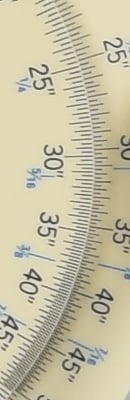 |
 |
 |
|
|
"Normal"
|
"Off"
|
RAW (no NR)
|
|
|
I
S O 2 0 0 |
 |
 |
 |
 |
 |
 |
|
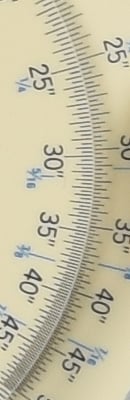 |
 |
 |
|
|
"Normal"
|
"Off"
|
RAW (no NR)
|
|
|
I
S O 4 0 0 |
 |
 |
 |
 |
 |
 |
|
 |
 |
 |
|
|
"Normal"
|
"Off"
|
RAW (no NR)
|
|
|
I
S O 8 0 0 |
 |
 |
 |
 |
 |
 |
|
 |
 |
 |
|
|
"Normal"
|
"Off"
|
RAW (no NR)
|
|
|
I
S O 1 6 0 0 |
 |
 |
 |
 |
 |
 |
|
 |
 |
 |
|
|
"Normal"
|
"Off"
|
RAW (no NR)
|
|
|
I
S O 3 2 0 0 |
 |
 |
 |
 |
 |
 |
|
 |
 |
 |
|
|
"Normal"
|
"Off"
|
RAW (no NR)
|
|
|
I
S O 6 4 0 0 |
 |
 |
 |
 |
 |
 |
|
 |
 |
 |
|
|
"Normal"
|
"Off"
|
RAW (no NR)
|
|
|
I
S O 1 2 8 0 0 |
 |
 |
 |
 |
 |
 |
|
 |
 |
 |
|
|
"Normal"
|
"Off"
|
RAW (no NR)
|
|
|
I
S O 2 5 6 0 0 |
 |
 |
 |
 |
 |
 |
|
 |
 |
 |
|
The Nikon D5500's "Normal" High ISO Noise Reduction setting provides a good overall tradeoff between noise and detail to our eye, though as you can see the new EXPEED 4 processor struggles to maintain definition in our difficult red-lead swatch already at low ISOs. Turning High ISO NR down helps (as you can see in the crops from the "Off" setting), however noise is more visible as expected.
Nikons usually perform very well with that challenging subject matter but like other recent Nikons, the D5500's EXPEED 4 image processor applies more effective chroma noise reduction which causes stronger blurring in the red-leaf swatch than what we're used to seeing from older Nikon image processors. Still, we're sure most target users will appreciate the overall reduction of chroma noise and other improvements in their high ISO JPEGs, and users can always shoot in RAW or RAW+JPEG mode if they'd rather have better control over noise reduction processing.
Technical Info
Sensor
At the heart of the Nikon D5500 is a new 24.2-megapixel, APS-C sized image sensor. (That's DX-format in Nikon parlance.) As in the D5300, which had the same sensor size and resolution, there is no optical low-pass filter over the sensor, ensuring maximum possible resolution, but perhaps at the risk of moiré or false color artifacts with certain subjects.
Processor
The D5500's sensor hands off data to Nikon's proprietary EXPEED 4 image processor, the same type as used previously in the D5300.
Sensitivity
Sensitivities on offer in the Nikon D5500 range from ISO 100 to 25,600 equivalents. That's the same range as was available from the D5300, but unlike that model, the entire range is now available by default. In the earlier camera, sensitivities above ISO 12,800 were available only with ISO expansion enabled. The change suggests that Nikon feels image quality at the highest sensitivities is greater than from the D5300.
Performance
Also unchanged from the D5300 is the Nikon D5500's top burst capture rate, a manufacturer-claimed five frames per second for JPEGs or 12-bit RAW files. When shooting 14-bit NEFs, the top burst rate drops to 4 frames per second. Buffer capacity for JPEGs remains the same at a very generous 100 large/fine frames, however buffer depths have been improved when shooting RAW files. Nikon's spec of six 14-bit or thirteen 12-bit compressed NEFs for the D5300 has been improved to ten 14-bit or fourteen 12-bit NEFs for the D5500. However in our testing, we found the D5500's buffer size for 14-bit RAW files was seven frames. See our Performance test results page for details.

Viewfinder
There are several noteworthy differences between the thru-the-lens optical viewfinder of the Nikon D5500, and that of its predecessor. While it's still based around a pentamirror design as used in most consumer DSLRs, and retains the same manufacturer-rated 95% coverage horizontally and vertically, and still offers 0.82x magnification, the eyepoint has fallen to 17mm from the eyepiece lens. The dioptric correction range is also rather narrower, now spanning -1.7 to +0.5 diopters.
Perhaps an even more important change -- and a rather unusual one for a camera with an optical viewfinder -- is the inclusion of an eye proximity sensor. This is used to automatically disable the LCD monitor when you bring the finder to your eye, helping to save power. It's a common feature on cameras with an electronic viewfinder, where you need to switch between the main display and the finder, but not so in a DSLR camera.

Display
The Nikon D5500's rear-panel LCD monitor is, at first glance, much the same as that on the D5300. It's still mounted on a tilt / swivel mechanism that allows it to be viewed from most angles, including from in front of the camera for selfies. And as in the D5300, it can still be closed facing inwards, as well, providing a modicum of protection against minor knocks and bumps.
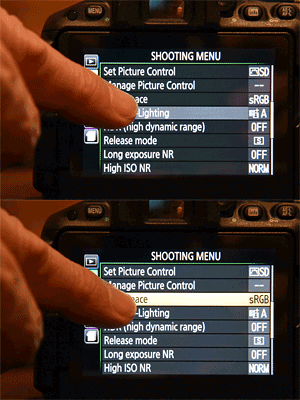
Also unchanged is the LCD panel size and resolution, which are 3.2 inches and 1,037,000 dots, respectively. However, there's one very important difference between the Nikon D5500's display and that of its predecessor, and it will completely redefine your experience of the newer camera.
Touch screen
That difference is the fact that the Nikon D5500's LCD is now overlaid with a touch-sensitive panel, allowing it to be used as an input device. It's a first for a Nikon DSLR at any level, and its presence means that the ways in which you can interact with the D5500 are rather more diverse. Smartphone users will feel right at home with the feature, and with the number of smartphone users around these days, it's a smart move to court them.

For one thing, you can trip the shutter by touching the screen, rather than with the dedicated Shutter button, should you want. You can also "pinch" with your finger and thumb to zoom in or out of images during playback, and can navigate and control all menus using swipes and taps, just as you do on your phone.
There's also a brand-new Function menu accessed from the touch screen itself, which provides quick access to features like autofocus point selection and area mode, aperture, ISO sensitivity and more.

Autofocus
As in the D5300, the Nikon D5500 uses a 39-point Multi-Cam 4800 DX phase-detection autofocus module with nine cross-type points to determine focus. The system has a working range of -1 to 19EV, operates in single, continuous or auto servo modes, and includes a predictive 3D autofocus tracking function. In live view mode, face priority autofocus using contrast detection is possible.
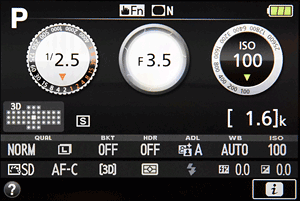
Exposure
Exposures are metered using a 2,016 pixel RGB image sensor, just as in the D5300. Exposure compensation is possible within a range of +/-5 EV in either 1/3 or 1/2 EV steps, and an exposure lock function is provided.
A 3-shot Auto Exposure Bracketing mode is available with steps ranging from 0.3 to 2 EV in 1/3 EV increments. The D5500 also supports White Balance and Active D-Lighting bracketing.
Exposure modes include Auto, flexible Program, Aperture-priority, Shutter-priority, Manual, Flash Off, and Scene, and Nikon's Scene Recognition System algorithms are included to detect from a variety of scene types automatically as appropriate.
User-selectable scene modes include Autumn Colors, Beach / Snow, Blossom, Candlelight, Child, Close-up, Dusk / Dawn, Food, Landscape, Night Landscape, Night Portrait, Party / Indoor, Pet Portrait, Portrait, Sports and Sunset.

Flash
As you'd expect of a camera aimed at consumer and enthusiast use, the Nikon D5500 includes both a hot shoe and built-in, popup flash strobe. The built-in flash is rated with a Guide Number of 12 meters or 39 feet at ISO 100 (the same as the D5300's), and flash sync is possible at up to 1/200 second. (Unfortunately, like the D5300, the D5500 does not support Auto FP Flash high-speed sync, even with external flash units that do.) The D5500 uses Nikon's 2,016-pixel i-TTL flash metering with the built-in strobe, and with the SB-910, SB-900, SB-800, SB-700, SB-600, SB-400 or SB-300 Speedlight strobes. Flash exposure compensation is possible within a range of -3 to +1EV in 1/3 or 1/2 EV increments.
Nikon's Creative Lighting System is supported with the SB-910, SB-900, SB-800, SB-700 or SB-500 Speedlights as a master flash, or if using the SU-800 Wireless Speedlight Commander. The built-in flash cannot be used to control off-camera strobes.

Creative
Among the selection of Picture Control functions in the Nikon D5500 is one new entry not present in the D5300 -- the Flat picture control seen on some recent Nikon DSLRs, which is particularly conducive to color grading post-capture. Landscape, Monochrome, Neutral, Portrait, Standard, Vivid and user-customizable picture controls are also available, and each allows tweaking in finer-grained quarter-steps, for more precise control over the look of your images. You can also now adjust clarity, or mid-tone contrast of your images, and an expanded brightness range of +/- 1.5 steps is also provided.
There are also three new Special Effects modes not present in the D5300: Super Vivid, Pop and Photo Illustration. Modes retained from the earlier model include Night Vision, Color Sketch, Toy Camera, Miniature Effect, Selective Color, Silhouette, High Key, Low Key, and HDR Painting.
The Nikon D5500 can also correct for vignetting, and newly-provides the ability to shoot unlimited long-exposure JPEG frames in a burst with optional cable release, so long as the exposure time is at least four seconds and the cable release is locked down.
Video
As well as still images, the Nikon D5500 can capture HD (1,280 x 720 pixel) or Full HD (1,920 x 1,080 pixel) movies using H.264/MPEG-4 AVC compression in a .MOV container, complete with Linear PCM audio. HD movies have a frame rate of 60 or 50 frames per second, while for Full HD capture, rates of 60, 50, 30, 25 or 24 frames per second are available. VGA (640 x 424 pixel) capture is also possible, with rates of 30 or 25 frames per second.
Two quality settings are available for movies: High and Normal. When shooting Full HD 1,920 x 1,080 video at 60p or 50p, clip lengths are limited to 10 minutes at the High quality setting, and 20 minutes at the Normal setting. When recording 1,920 x 1,080 at 30p, 25p or 24p, or when recording 1,280 x 720 video, clip limits are 20 minutes at High, and 29m:59s at Normal quality. 640 x 424 clips are limited to 29m:59s with both quality settings.

Audio is recorded courtesy of an onboard stereo microphone, or an optional external stereo mic with 3.5mm jack, and a sensitivity adjustment is provided.
Wi-Fi
To help get your images off the camera and onto social networks, the Nikon D5500 includes built-in IEEE 802.11b/g Wi-Fi connectivity that can pair with your smartphone's Wi-Fi hotspot. The feature, introduced in the Nikon D5300, is now being branded as SnapBridge, but it's essentially the same as before, and functions using a Nikon-provided Wireless Mobile Utility app for Android or iOS devices. While the D5500 does not feature NFC, it does support pushbutton WPS as well as PIN entry WPS, in addition to manual Wi-Fi setup. The D5500's Wi-Fi functionality can also be used to remotely control the camera from a mobile device.

Connectivity
Although there is no built-in GPS receiver, Nikon's optional GP-1A GPS unit can be used to geotag images, and this connects via the accessory terminal. Ports on the D5500 include a shared USB 2.0 High Speed data / standard-definition composite video output connector, Type-C HDMI high-definition video output, 3.5mm stereo microphone jack, and the accessory terminal, which also works with the MC-DC2 remote cord. The Nikon D5500 is also compatible with the ML-L3 infra-red remote control.
And like the D5300, the Nikon D5500's HMDI port is capable of outputting clean, 4:2:2 8-bit uncompressed video for external recording, though the camera's LCD is disabled when streaming to HDMI, and simultaneous internal recording is not supported.

Power
Compared to the earlier camera, the Nikon D5500 brings with it a pretty significant improvement in battery life. To CIPA testing standards, the company claims some 820 shots on a charge from the same EN-EL14a battery used in the predecessor, an increase of 220 shots or 37%. The Nikon D5500 ships with a dedicated MH-24 battery charger and an optional EH-5b AC adapter requiring an EP-5A dummy battery power coupler are available.

Storage
As in the D5300, the Nikon D5500 stores images on Secure Digital cards and has a single card slot. Both the higher-capacity SDHC and SDXC types are supported, as are the faster UHS-I types.
Still images can be recorded and stored as JPEG, 12 or 14-bit RAW (.NEF) and RAW+JPEG files. Videos are recorded and stored as H.264/MPEG-4 AVC MOV files with stereo sound.
Conclusion
The Nikon D5500 raises the bar in Nikon's mid-level DSLR line-up, blending a smaller form factor with improved image quality, excellent dynamic range and improved performance in many areas. It ranks among the elite cameras for low light and high ISO performance in this class and price range, making it an intriguing option for shooters wanting to take their game to the next level, and also for a higher-end Nikon shooter wanting a capable back-up in their bag that they can depend on.
The D5500 sports a few notable improvements in the ergonomics department, including a more professional grade rear control dial, a simplified, sleeker mode dial than its predecessor, and the addition of touchscreen functionality to its vari-angle LCD. The maximum native ISO has also been raised to 25,600, and we found in our print quality analysis that you could, indeed, manage a good 4 x 6 inch print even at that lofty setting, which again the D5300 was unable to achieve.

We found a lot more to love about the D5500, including the tried-and-true Active D-lighting setting, but didn't have as much luck with HDR on this camera, as it tended to have difficulty stitching the images together with accuracy. There are also the traditional contrast-detect autofocus limitations when using Live view, both for focusing on stills and particularly for videos with noticieable hunting and AF "wobble." (Videos have now been added to our Field Test Part II.)
Burst mode works well on the D5500 in both high (5fps) and low (2-3fps), as we found when shooting NCAA basketball in our second shooter's report, and our lab results reflect an excellent JPEG buffer depth, though not so good when shooting RAW files. The relatively high 24.3mp resolution is a welcome advantage, in terms of being able to easily crop in post-production, and the ability to shoot at ISO 6400 without much cause for noise concern makes the D5500 easily one of the best low-light performers for under $1000.
To wrap up the Nikon D5500 conclusion, we'll quote our field tester from his own shooting experience:
"If I only had $2000 or even $2500 to spend on a complete rig and was starting from scratch, I'd go with the Nikon D5500 and use the rest for bright prime lenses, or perhaps a bright all-around zoom."
Indeed, the results from our test lab, our technical analysis and our field testing all point to the same conclusion: a bona-fide Dave's Pick to be awarded to the Nikon D5500.
Nikon D5500: Field Test I • Field Test II • Image Quality Comparison
| Pros: | Cons: |
|---|---|
|
|
Follow Imaging-Resource.com on Twitter!
Pros
- Amazingly small for a DSLR
- Great image quality for its class, including superb low light and high ISO performance
- Generous JPEG buffer depth
- High resolution.
Cons
- Buffer depths are shallow when shooting RAW
- Lacks GPS from the predecessor
- No AA filter means it's susceptible to aliasing artifacts.