

Overview
Capturing wildlife with the Olympus OM-D Camera System |
| Note: Please be aware that while Olympus sponsored this project, we conceived of the piece in its entirety, wrote the script, and were given complete editorial freedom throughout the process. |
An in-depth tour of Olympus' super-rugged, high-performance OM-D camera |
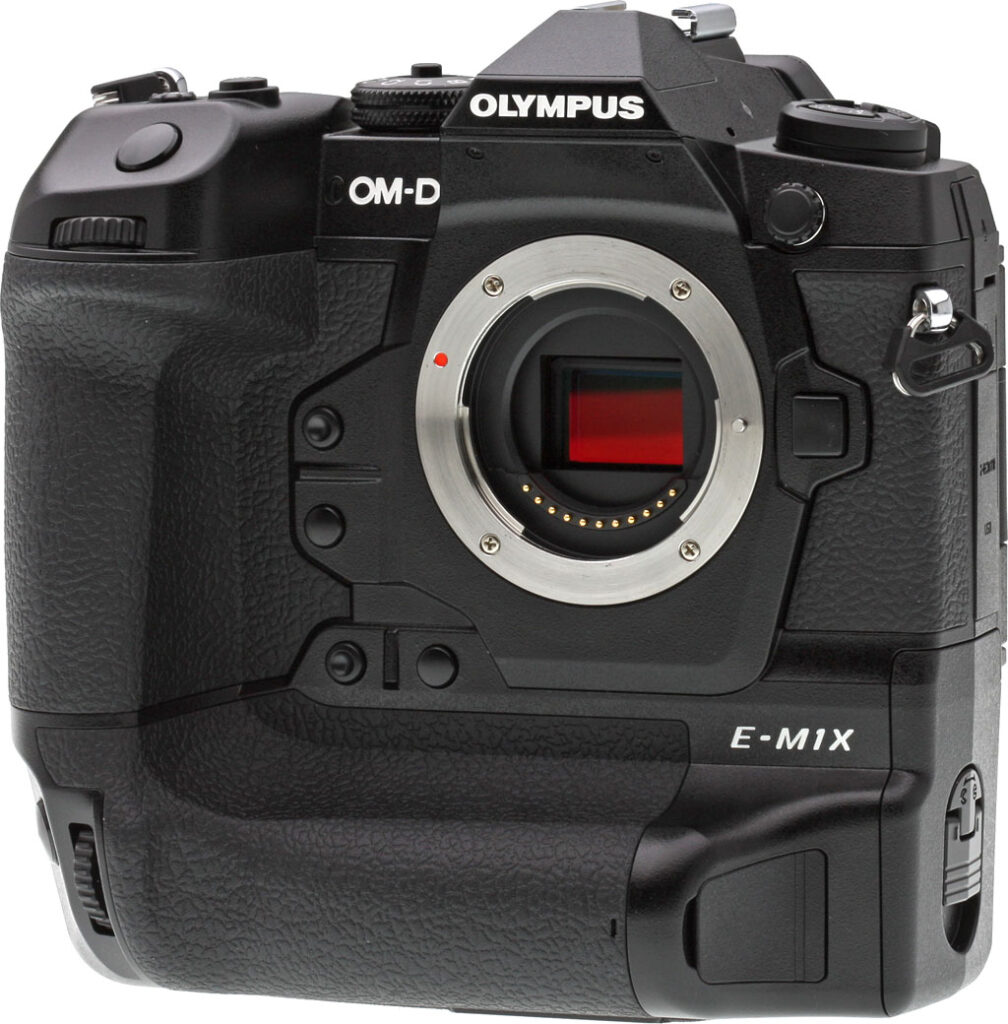
From the outset, the Olympus E-M1 series was designed around the concept of a camera for the professional photographer, particularly a pro on the go -- someone who needed a rugged, reliable camera that was also extremely portable. The original E-M1 was a great camera, offering comfortable ergonomics, lots of physical controls, rugged construction as well as great image quality and good AF performance. All that inside a camera body that could pretty much be carried anywhere.

Yet, it was the E-M1 Mark II that really took things to the next level. Featuring a newer 20-megapixel Four Thirds sensor, a pair of dual quad-core image processors, souped-up sensor-shift image stabilization, vastly-improved continuous autofocus performance and speedy burst shooting, the E-M1 Mark II ticked pretty much all the boxes for an extremely capable, versatile, professional-level field camera. Also boasting a beefier design and better controls, dual card slots and a bigger, longer-lasting battery, it was a major improvement over the original E-M1 on pretty much all fronts, save for the price tag.
Now, over two years later, Olympus has decided it isn't necessarily time for a third-get E-M1 (although, that sure would be nice), but rather for a companion flagship model. A high-performance, professional camera that instead of prioritizing compactness and portability, focuses on handling, operability and overall extreme durability.
Put another way, the Olympus E-M1 Mark II is to a Canon 5D-series camera as the Olympus E-M1X is to a Canon 1D-series camera. It's an OM-D camera that's especially well-suited for professional sports and wildlife photographers who shoot with longer, heavier telephoto lenses -- yet for those who prefer a camera system that's much more portable than that in the full-frame DSLR camp.
The E-M1X is Olympus' crown, a final "rounding out" of the OM-D family, and their super-pro camera. The E-M1X does not technically supercede the E-M1 Mark II, however. Both cameras target professionals, and indeed they both share a number of similarities. However, the E-M1X goes beyond the Mark II in a number of areas, particular when it comes to performance and autofocus capabilities as well as image stabilization and video shooting capabilities.
The new Olympus E-M1X packs a lot of cool new features, performance and lots of impressive technology into a very rugged, superbly weather-sealed body. Let's dive in to see what the camera has to offer...
Elevate your bird photography with these 8 tips and techniques |
| Note: Please be aware that while Olympus sponsored this project, we conceived of the piece in its entirety, wrote the script, and were given complete editorial freedom throughout the process. |
A brand-new body with duplicate controls for portrait shooting
Olympus has, once again, crafted an entirely brand-new metal body for the OM-D E-M1X. Body-only, it's about 1.7 times the weight of the E-M1 II, due in large part to the fact that it includes a built-in portrait grip and an array of duplicate controls for shooting in that orientation, which makes it a much taller camera. Loaded and ready to shoot -- but without a lens -- the weight difference between the Mk II and M1X is even more noticeable, because the newer, larger flagship supports two batteries in-camera instead of one for its more compact flagship sibling.
But that's not necessarily a bad thing. The E-M1X is a camera you're going to choose when you don't mind a bit of extra heft, but want the best possible ergonomics and shooting experience. And by allowing itself some freedom in placing controls on the much larger body of the M1X, Olympus has certainly provided a better shooting experience than had it tried to retain the exact same control layout as on the smaller camera.

Better accessibility beats more customizability for pros
So you get more controls -- and more direct access to features, rather than programmable buttons which make you choose which few functions to prioritize -- with buttons intentionally designed to be easy to differentiate by touch, and a shooting experience that eventually becomes second nature. And there's no risk of unintentionally bumping portrait controls, either: You can use the C-Lock switch to either lock all portrait controls, or to lock specific controls you have chosen while leaving others in use.
The only real downside of the new layout is that the control layouts now differ significantly between the Mk II and M1X, which will make it harder to switch back and forth between both pro-grade bodies, should you want to do so.

A splashproof, tanklike body that fears neither hot nor cold
And as you'd expect of an Olympus camera, this thing is a tank. Crafted from magnesium alloy, it's easily capable of passing IPX1 water ingress testing -- Olympus tests in-house to its own, higher standard that's closer to IPX3 than it is to IPX1 -- and that's true even with the remote, microphone and headphone jacks in use! And as well as being splashproof, is also dustproof and freezeproof to 14°C (-10°C), the body now sports an internal heat pipe designed to channel heat from the image sensor and out of the camera, using its own metal body as a radiator.

The same image sensor we loved in the E-M1 II
At the heart of the Olympus E-M1X is the exact same image sensor seen previously in the E-M1 II. Compared to the original E-M1, it's higher resolution, faster, and yet has low power consumption, greater dynamic range and better noise performance. Effective sensor resolution is rated at 20.4 megapixels, for a maximum image size of 5,184 x 3,888 pixels. (The total pixel count is 21.8 megapixels.) Sensor size is 17.4 x 13mm, and the E-M1X has a 4:3 aspect ratio.
The Olympus E-M1X's image sensor is not overlaid with an optical low-pass filter, so per-pixel resolution should be maximized, although this will be at the expense of an increased risk of moiré and false color artifacts. An anti-reflective coating has been applied to both surfaces of the sensor's cover glass.

Uprated dust removal compared to earlier cameras
The E-M1X features an upgraded variant of Olympus' Super Sonic Wave Filter dust reduction system, which operates via a piezoelectric element that vibrates the cover glass overlying the sensor to shake dust particles free. They're then captured on an adhesive membrane beneath the imager. We've subjectively found piezoelectric systems like these to be significantly more effective than those using lower-frequency motion from a sensor-shift assembly.
So what's new in the E-M1X's Super Sonic Wave Filter function? Olympus says that it has improved the cover glass coatings and increased the system's frequency to 30,000 Hz, and that dust removal is now 10% more effective than in past Olympus cameras.

High-Res Shot mode goes handheld!
If you need more detail than the 20.4-megapixel native resolution of the E-M1X can muster, you'll be glad to hear that it retains Olympus' clever High-Res Shot mode. You'll still need a tripod and a relatively static subject for best results, just as does Pentax's competing Pixel Shift Resolution mode, although like that technology the E-M1X can detect moving subjects within a largely static scene and correct for them.
And also like the Pentax tech, Olympus' current iteration can now operate not only on a tripod, but also handheld. Instead of taking eight exposures while moving the sensor with perfect subpixel shifts, the E-M1X will instead allow the image to move on the focal plane between exposures, and will then microalign them. One important difference from Pentax's function, though, is that the E-M1X's handheld high-res shot mode captures not just four exposures, but sixteen of them, giving it a lot more data to work with in the first place.
High-Res Shot mode in the Olympus E-M1X will yield a 25 or 50-megapixel JPEG, and/or an 80-megapixel raw file for processing on the desktop. Handheld, the function has the same resolutions with the exception of the raw files, which are capped at 50 megapixels too.

Not one, but two TruePic VIII image processors
The earlier E-M1 II debuted a new TruePic VIII image processor, but the larger E-M1X goes it one better with a pair of TruePic VIII processors for double the power. Not only that, it also allows for dual UHS-II compliant SD card slots. (Each TruePic VIII processor can only sustain a single UHS-II slot by itself.) TruePic VIII sports a dual quad-core design, giving the E-M1X a total of four quad-core processors to play with. (That added power doubtless comes in handy for functions like the handheld high-res shot mode we just discussed, as well as some other new features we'll be coming to shortly.)
With two processors instead of one, you might expect an increase in performance from the (admittedly, already very swift) E-M1 II. However, while its buffer depths have changed, the E-M1X sports exactly the same selection of burst capture rates as does its elder flagship sibling.
With focus and exposure locked from the first frame, burst speed tops out at 15 frames per second, and even if they vary between frames, the E-M1X can still manage 10 frames per second. And all of these are with a mechanical shutter; switch to an electronic one and you'll manage 60 full-res raw files per second with focus and exposure locked from the first frame, or 18 with AF and AE between frames.
But while none of that differs from the earlier camera, the manufacturer-rated buffer depths do. At the maximum mechanical shutter burst capture rate of 15 fps, the E-M1X can capture 103 raw files or 132 large/normal JPEGs in a burst, up from 84 and 117, respectively, in the E-M1 II. (That's about a 22% improvement for raw capture, and a more modest 13% for JPEGs.) However at the maximum electronic shutter burst rate of 60 fps, the buffer depths are rated at 49 raw or 49 large/normal JPEGs, only one frame more than the E-M1 II was rated at. (Interestingly, in our lab tests, the E-M1X generally produced slightly lower buffer depths than our E-M1 II.)

Pro Capture buffer gives your reflexes a shot in the arm
One clever way in which Olympus took advantage of the E-M1 II's spectacular level of performance was with a new shooting mode it referred to as Pro Capture. When you half-pressed the shutter button, the E-M1 II would capture frames as fast as it could and buffer them, continuously discarding the oldest frame as needed to fit the next frame in the buffer.
This function allowed the E-M1 II shooter to reach back in time as many as 14 frames (up to 35 frames with firmware v2.0) before the shutter button was fully depressed, perhaps saving them if their reflexes missed the crucial moment in time by just a little bit. The E-M1X also offers a 35-frame pre-roll buffer in Pro Capture mode.
Sensitivity is unchanged from the E-M1 II
By default, the Olympus E-M1X has a sensitivity range of 200 to 25,600 equivalents, identical to that of the original E-M1 and E-M1 II. The lower end of this range can be extended to ISO 64-equivalent, while there is no expansion function at the upper end of the range.
If you're wondering why sensitivities below ISO 200-equivalent are not available by default, that would be because images at lower sensitivities are being intentionally overexposed at capture. Once finalized, the exposure is then corrected, allowing a longer exposure time but with reduced dynamic range in the highlights. You can do much the same thing yourself in post-processing, and many other cameras (including the original E-M1) also use the same trick to achieve their expanded low sensitivity settings.

The E-M1X also offers an Auto ISO function, which chooses the sensitivity for you when metering the exposure. This has a default range of ISO 64 to 6400-equivalents, and only the upper end of the range can be manually adjusted. Just as in the earlier E-M1 II, you can't boost that limit beyond ISO 6400-equivalent. (The earlier E-M1 could allow its Auto ISO function to roam all the way to ISO 25,600-equivalent.)
A Micro Four Thirds lens mount with adapter support for Four Thirds, too
The Olympus E-M1X features a Micro Four Thirds lens mount, and will accept Four Thirds and many other lens types via optional adapters. Just as did the E-M1 and E-M1 II before it, the E-M1X supports Four Thirds lenses much better than earlier OM-D and PEN models, thanks to the presence of on-chip phase detection autofocus. (Lenses that weren't designed for contrast-detection autofocus tend to be quite slow to focus with that system, so the presence of phase-detection AF is a definite boon.)
Same point-rich hybrid autofocus system as before
The Olympus E-M1X includes a Dual FAST AF-branded autofocus system, just as in the E-M1 II. It offers up a generous 121 contrast-detection AF points and 121 phase-detection AF points, and every single one of the latter are cross-types, sensitive to detail on both the horizontal and vertical axes. AF point coverage is 75% vertically and 80% horizontally.
Like the E-M1 and E-M1 II before it, the Olympus E-M1X can actually provide even more contrast-detect AF points across the image frame when the extra granularity is needed. In Magnified Frame AF mode, a total of 800+ focus points are available across the entire image frame, the same number as in the earlier cameras. The system works down to light levels as low as -6EV with an F1.2 lens.

The autofocus system now boasts artificial intelligence smarts
Although the layout and design of its phase-detection autofocus pixels is unchanged, the Olympus E-M1X nevertheless brings with it a major improvement in the autofocus department. Achieved courtesy of its more powerful pairing of twin TruePic VIII processors, the E-M1X now sports an Intelligent Subject Detection AF function which can recognize formula racing and rally cars, motorcycles, aircraft, helicopters, bullet and standard trains or steam locomotives among your scenes, and then take account of them in setting focus. (For example, focusing on the helmet of a motorcycle rider.)
This new capability is, in a way, a natural outgrowth of another we're more familiar with (and which the E-M1X also boasts): Face and eye-detection autofocus. Here, you have a choice of whether eye detection should prioritize the left or right eye of subjects, or simply that which is nearer to the camera.
The Olympus E-M1X provides a choice of automatic AF point selection (complete with the aforementioned intelligent subject detection), 5, 9 or 25-area grouped point selection -- that last being a new addition since the E-M1 II -- and single-point selection. You can also select any odd number of points from 1 to 11 on horizontal and vertical axes to specify your own area of the image frame which you want the camera to be able to track across.
And you can also customize AF tracking sensitivity and to limit your lens' focus range in-camera. And if you prefer manual control, you'll find a Preset Manual Focus mode in the E-M1X, as well as a choice of 3x, 5x, 7x, 10x or 14x zoom display modes which help lend you a closer view of your subject while manually focusing. The E-M1X also retains an AF assist lamp and focus peaking function, and offers in-camera focus stacking and bracketing functions.

A big improvement when it comes to point selection
The camera will decide by itself whether to use the phase-detection or contrast-detection AF points, depending upon the lens in use, scene being photographed and camera setup. To choose which points to use, the touch-screen display can serve double-duty as an AF targeting pad, a function which is called up or dismissed by double-tapping on the screen.
If you prefer an interaction with a little more tactile feedback, you will also find a pair of new AF area multi-selector joysticks, which fall nicely under your thumb in either the landscape or portrait orientations. These are unusual in allowing selection not just horizontally or vertically, but also on the diagonal axes, and let you shift the focus point even during burst capture or video shooting.
Mind-blowingly powerful image stabilization
When Olympus launched the E-M1 II, we were told that its updated five-axis image stabilization system -- which was capably of a 5.5-stop corrective strength -- had reached the limits of then-current gyro sensor technology, which was now being limited by earth's own rotation.

Well, it seems that gyro sensor technology has since improved sufficiently -- with some cooperation between Olympus and Epson -- to enable correction far in excess of that which the E-M1 II could provide, as the E-M1X can now yield a truly staggering 7.0 stops corrective strength using the same 12-40mm f/2.8 PRO lens as tested with the E-M1 II.
If combined with lens-based IS -- a pairing which Olympus refers to as Synchronous Image Stabilization, or Sync IS for short -- this can be boosted still further to a staggering 7.5-stop correction (tested with the 12-100mm f/4.0 IS PRO lens) for yaw, pitch, roll, and both vertical and horizontal translational motion.
The E-M1X's IS system has four operating modes. It can stabilize on both axes, horizontally only, vertically only, or choose between the three as the camera deems appropriate. If using a manual lens or a lens adapter, you can dial in an appropriate focal length manually, or choose from one of ten predefined lens types.
Mechanical image stabilization can also be used for movie capture, unlike some cameras which limit you to digital image stabilization for movies.

An uprated, even swifter and roomier viewfinder
The Olympus E-M1X's sports a new four-element optical system for its LCD electronic viewfinder, which still has a high resolution of 2.36-million dots. It has a refresh rate of 120 non-interlaced frames per second and now has a magnification of 0.83x if you enable info overlays (Finder Style 3) instead of displaying shooting info below the image to maximize the viewfinder real-estate consumed by the live view feed. (If not, you'll get the same 0.74x magnification as the E-M1 II did in its maximum magnification mode.)
With the earlier camera, Olympus already slashed viewfinder latency -- that is, the delay between something happening in the real world, and being shown on the viewfinder -- from 29 to just six milliseconds. With the E-M1X, it pares off another millisecond, allowing a display time lag of just five milliseconds.
As you'd expect in a camera aimed at enthusiasts and pros, field of view is manufacturer-rated at 100%. There's a diopter correction function, too, which spans a range from -4 to +2 diopters. Eyepoint is 21mm from the viewfinder lens.

Same monitor and great tilt/swivel articulation as before
The E-M1X's LCD monitor has the same three-inch diagonal, 1,037,000-dot resolution and capacitive touch-screen overlay as found in both the original E-M1 and E-M1 II. And as in the latter, it also has a side-mounted tilt/swivel articulation mechanism, rather than a tilt-only type as is more typical in interchangeable-lens cameras.
We greatly prefer it over a tilt-only design because it's useful not only when shooting in landscape orientation over your head or low to the ground, but also in portrait orientation. Tilt-only screens are of no help in this scenario, especially if shooting over your head, leaving you struggling to see an off-angle LCD that's obscured by reflections of the sky above. For added bonus points, the tilt/swivel screen can be closed facing inwards, protecting the LCD from minor knocks, scrapes and smudges.
As in the E-M1 and E-M1 II, there's a +/- 7-step control over both brightness and color available, and two color-tone selections -- vivid or natural -- so you can tune the display to your tastes, as well.

No on-camera or bundled flash; pros doubtless have their own
Like the E-M1 and E-M1 II before it, the Olympus E-M1X forgoes a built-in flash strobe altogether. But unlike those models, nor is a flash included in the product bundle, either. Instead, Olympus promises compatibility with its optionally-available FL-50R, FL-36R, FL-20, FL-14, FL-300R, FL-600R, FL-900R, STF-8 and FL-700WR flash strobes.
Strobes used on the E-M1X will be limited to a sync speed of 1/250 second. Super FP-capable strobes can sync at 1/125 to 1/8000 second. Flash is still supported with the electronic shutter; you can sync at 1/50 second if you stay below ISO 6400-equivalent, but will be limited to 1/20 second if you raise the sensitivity any higher or enable ISO bracketing.
Flash exposure compensation is available within a range of +/-3EV, in steps of 0.3, 0.5, or 1EV. The E-M1X also supports four-channel wireless flash with one external strobe acting as a master, and a multitude of off-camera flash strobes configured in up to 4 groups.
A new long-life shutter mechanism that's twice as durable as before
The shutter mechanism has a rated lifetime of around 400,000 cycles, which is about twice as long as the mechanism used in the E-M1 II. (No rating was provided for the shutter in the original E-M1.)
The Olympus E-M1X offers shutter speeds ranging from 1/8,000 to 60 seconds, set in 1/3, 1/2, or 1EV steps. When using electronic shutter, you can access a much wider range of 60 to 1/32,000 second. A Live Bulb mode is available (bulb mode also now having its own location on the mode dial), and so is a Live Time mode which defaults to an eight minute exposure, but which allows anywhere from one to 30 minutes. A Live Composite mode has a three-hour maximum shooting time.

A new Live ND mode does away with the need for neutral-density filters
There's also a new Live ND mode. This allows for slow-shutter effects without using a neutral-density filter, and its effect is also simulated in the viewfinder. You have a choice of five strength levels for the function: ND2 (1EV), ND4 (2EV), ND8 (3EV), ND16 (4EV) or ND32 (5EV).
The function works by compositing multiple exposures in sequence and then combining them to yield a single image equivalent to a long-exposure shot of the scene. This could prove particularly nice with lenses where it's challenging or impossible to attach a neutral-density filter.
Exposure modes on the dial include Program (with Program Shift), Aperture-priority, Shutter-priority, and Manual, plus Bulb, Movie and four Custom modes. Quite sensibly reasoning that this is a camera for pros, Olympus has dropped the Intelligent Auto and Art Filter modes from the E-M1 II, though Art Filters are still available via the Super Control Panel.
Exposures are metered using the image sensor, and are considered as 324 distinct multi-pattern areas. The Digital ESP metering system also provides Center-weighted Average, Spot, Highlight Spot, and Shadow Spot metering modes. It has a working range of -2 to 20 EV at ISO 100 with a 17mm f/2.8 lens.
Exposure compensation is available within a generous +/-5EV range, set in 1/3, 1/2, or 1EV steps. You can bracket exposures, too, with a choice of 2, 3, 5, or 7-frame bracketing in 0.3, 0.7, or 1EV steps. (The largest step size is only available for five frames or less, though.) And bracketing isn't just limited to exposure: you can also bracket ISO sensitivity, white balance, flash, art filters and focus distance.

Creative options aplenty as you'd expect
The Olympus E-M1X also offers a generous selection of creative effects. These include 16 Art Filters, each of which can be coupled with a selection from nine different Art Effects. There are also two in-camera HDR modes, a Time Lapse Movie function and a Multiple Exposure function. All of this is much the same as an E-M1 running on current firmware. However, there's at least one new feature: an anti-flicker function which times exposures to peaks in ambient light levels, preventing your exposure varying from shot to shot under some lighting types.
A dual-axis level gauge helps avoid unsightly tilt
The Olympus E-M1X retains its predecessors' dual-axis level gauge, which helps ensure both level horizons and parallel verticals -- at least, if that's what you want. Camera tilt can be indicated either in the electronic viewfinder, or the rear-panel LCD.
Ultra-high def video capture with new log color space, AF point selection during videos
Like its sibling, the Olympus E-M1X can shoot ultra high-def video. Most video features are unchanged from the E-M1 II, although new capabilities include an OM-Log400 color space for those who want to preserve shadows and highlights, then color grade in post. There's also a new ability to change autofocus points during video capture using a dedicated joystick control, and a new maximum frame rate of 120 fps for Full HD or HD capture. You can shoot 4K video (3,840 x 2,160 pixels) at 24, 25 or 30 frames per second, and Full HD or HD (1,280 x 720 pixels) at 24, 25, 30, 50, 60 or 120 frames per second.

4K video has a 102 Mbps bitrate, and Full HD video offers 18, 30, 52 or 202Mbps bit rates, with the highest rate also using ALL-I intraframe instead of IPB interframe compression schemes. (Intraframe video compresses every frame separately; interframe compresses multiple frames based on difference from key frames which are inserted every so often in between.) Finally, HD video has a selection of 10, 14, 26 or 102 Mbps, again with ALL-I compression at the highest rate, and IPB at the lower rates.
There's also a C4K video mode, which opts for the DCI 4K standard instead of the UHD standard. If you're not familiar with DCI 4K, it's used in the movie industry, and has a slightly wider-aspect 4,096 x 2,160 pixel resolution with a fixed 24 fps framerate and a fixed, very high bitrate of 237Mbps to ensure good quality in-camera.
The E-M1X allows automatic, aperture priority, shutter priority, and manual exposure, autofocus both before and during video, and records audio from either an internal stereo or external stereo microphone, complete with optional wind noise reduction. It also sports a 3.5mm headphone jack so you can monitor your audio. Movies are restricted to 29 minutes in length.
There's also a Slow / Quick Movie function in the E-M1X, which allows you to vary the capture frame rate of video for slow-motion and speed-up effects; audio is not recorded. Full details weren't available at press time.
A built-in Field Sensor System makes the E-M1X location and environment-aware
Fans of geolocation and data mining nuts alike will love the E-M1X's new Field Sensor System, which makes the camera both location and environment-aware. Alongside your photos, the camera can note the current location, elevation, direction and temperature at the time of image capture in the EXIF headers of each image. This data is provided courtesy of a built-in GPS, temperature sensor, manometer and electronic compass.
Updated support for Wi-Fi 5 (aka 802.11ac)
Like its smaller flagship sibling, the Olympus E-M1X supports Wi-Fi wireless networking connectivity. This makes it quick and easy to get your photos and videos off the camera, and onto your smartphone or tablet for sharing on social networks. But where the E-M1 II supports only 802.11b/g/n networks (aka Wi-Fi 1, 3 and 4), the E-M1X adds 802.11ac (Wi-Fi 5) to the list, for even faster tether-free connections.
Like the E-M1 and E-M1 II, the E-M1X forgoes an NFC antenna for simple pairing with Android devices, instead opting for either Bluetooth pairing or a Quick Response code -- a type of two-dimensional barcode -- which is shown on-screen when the camera is ready to pair via Wi-Fi. After installing the free app for Android or iOS devices, you scan this QR code using your smart device's camera. The connection is then configured between both devices for you, automatically. If you don't have a camera on your smart device, of course, you'll need to pair manually.
Once connected, you can not only download movies or images, but also control the camera remotely (via Wi-Fi only, not Bluetooth). As in the E-M1, this includes a live view feed, remote shutter release capability and support for adjusting basic exposure variables, drive modes and focus remotely.

Wired connectivity is all as in the E-M1 II
The Olympus E-M1X can establish a fast USB 3.0 SuperSpeed data connection with your computer via a standard USB Type-C port. Third-party adapters and cables are available if your computer doesn't already support this new standard, which removes the need to determine cable orientation before plugging in. The USB connection, incidentally, also supports tethered shooting, in-camera charging and powering the camera itself via the USB connection, but not both power supply tasks at the same time.
The E-M1X also provides a Micro Type-D HDMI port which supports clean, uncompressed 4:2:2 video output at up to C4K resolution. Both 3.5mm microphone and headphone jacks are supplied, along you to record sound externally and to monitor audio levels during video capture. Other wired connectivity includes both flash hot shoe and flash sync terminals, and a 2.5mm remote jack compatible with an optional RM-CB2 remote control.

Two UHS-II slots means some serious storage performance
Like the E-M1 Mark II, the E-M1X stores images and movies on Secure Digital cards in dual slots. But in a nice upgrade from its predecessor, both card slots are now compatible with high-speed UHS-II cards, while only one of the E-M1 II's slots supports UHS-II. They're also both still compatible with the higher-capacity SDHC and SDXC cards, as well as with UHS-I types (which have less performance than UHS-II, but more than vanilla cards would.)
The dual card slots can be used in several distinct ways, if both are filled with SD cards. You can either choose which card slot to record to, have the camera automatically switch to the second card when the first becomes full, independently record to both cards simultaneously with images sequestered by file type, or record identical files to both cards simultaneously, essentially using one slot as a backup of the other.

Two batteries/chargers for double the life, and USB charging for convenience
The Olympus E-M1X draws power from the same proprietary BLH-1 lithium-ion battery packs as did the E-M1 II, but where the smaller camera could fit just one, the battery sled for the E-M1X will accept two packs at a time, for almost double the battery life. Olympus predicts some 870 shots on a charge, without flash usage and to CIPA testing standards. Power saving mode can extend this to as many as 2,580 frames.
The really big news on the power front is charging, though. You'll not only be able to charge batteries in-camera using USB Power Delivery, but also to power the camera externally using a USB-C compliant battery pack. You just can't do both at the same time, and you do need a battery pack with a smidgen of charge left in it to be able to power the camera on with power drawn from the USB cable.
The E-M1X ships with a generous pair of BLH-1 batteries and a pair of dedicated BCH-1 battery chargers.

Olympus E-M1X price and availability
Available in the US market from late February 2019, the Olympus OM-D E-M1X is priced at US$3,000 or thereabouts, body-only.
In the Box
The Olympus E-M1X U.S. retail package contains the following items:
- Olympus OM-D E-M1X body
- 2 x BLH-1 lithium-ion battery
- 2 x BCH-1 battery charger
- Battery cartridge
- Body cap
- Hot shoe cover
- EP-17 eyecup
- CB-USB11 USB cable
- CC-1 cable clip
- CP-1 cable protector
- Shoulder strap
- Basic instruction manual
- Warranty card
Optics
The Olympus E-M1X is sold body-only, so we have no kit lens test results here. We do however have viewfinder coverage test results below.
Viewfinder Test Results
Accuracy
Excellent accuracy from the EVF and LCD monitor.


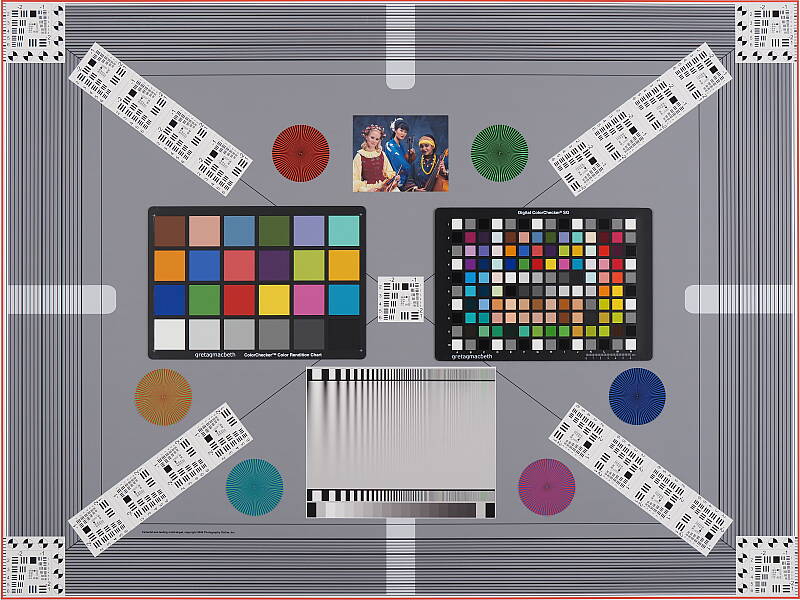
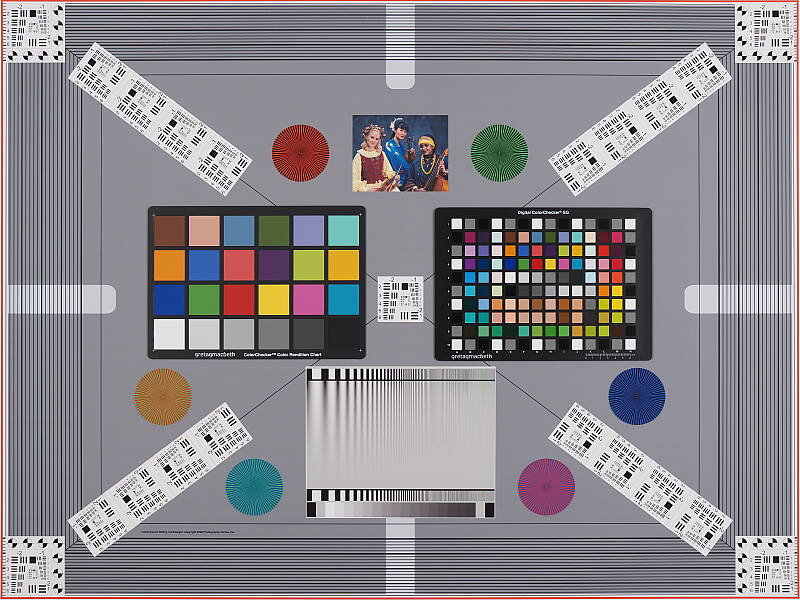
The E-M1X's electronic viewfinder and LCD monitor proved very accurate in record mode in terms of coverage, with both showing essentially 100% coverage. Excellent results here.
The images above were taken from our standardized test shots. For a collection of more pictorial photos, see our Olympus OM-D E-M1X Photo Gallery .
Exposure
Color
Saturation & Hue Accuracy
Realistic saturation levels with good hue accuracy.
 |
||
|
ISO Sensitivity
|
||
| In the diagram above, the squares show the original "ideal" color, and the circles show the color that the camera rendered. More saturated colors are located toward the periphery of the graph. Hue changes as you travel around the center. Thus, hue-accurate, highly saturated colors appear as lines radiating from the center. Mouse over the links to compare ISOs and click for a larger version. | ||


Saturation. The Olympus E-M1X pushes darker reds by a fair amount, but most colors are pretty close to accurate in terms of saturation or even slightly muted such as yellows and light greens. Default mean saturation at base ISO of 200 is 100.2% (only 0.2% oversaturated), which is very realistic overall, but much lower than average these days making some images look a bit dull in comparison to most other cameras. Mean saturation remains quite stable across the ISO range, except at very high ISOs where it falls to a low of 94.9% at ISO 25,600 (likely in an attempt to help control chroma noise). Most consumer digital cameras produce color that's more highly saturated (more intense) than what's found in the original subjects. This is simply because most people like their color a bit brighter than life.
Skin tones. The Olympus E-M1X did very well with skin tones, producing pleasant, realistic-looking Caucasian skin tones using Auto or Manual white balance that are just slightly on the warm side. Where oversaturation is most problematic is on Caucasian skin tones, as it's very easy for these "memory colors" to be seen as too bright, too pink, too yellow, etc.
Hue. The Olympus E-M1X exhibits good overall hue accuracy, with a Delta-C color error after correction for saturation of 4.94 at base ISO (the average is about five among cameras we've tested, and lower scores are better). And hue accuracy is good across the ISO sensitivity range. The only significant hue shifts are orange towards yellow, light green towards yellow, and cyan towards blue, that latter of which is quite common and deliberate to improve the look of blue skies. Hue is "what color" the color is.



Sensor
Exposure and White Balance
Indoors, incandescent lighting
Default Auto white balance was quite warm, but good color balance with Incandescent and Manual white balance settings. Slightly higher than average exposure compensation required.


Indoors, under normal incandescent lighting, color balance was much too warm and orange with the default Auto white balance setting. The E-M1X has a "Keep Warm Color" option for Auto white balance which is On by default. When turned Off, the results were too cool with a cyan tint. Results with the Incandescent setting were not bad, though, just slightly warm and yellow. The Manual setting was very accurate and neutral. The E-M1X required +0.7 EV exposure compensation here, a little higher than the an average amount of +0.3 EV needed for this scene. (Our test lighting for this shot is a mixture of 60 and 100 watt household incandescent bulbs, a pretty yellow light source, but a very common one in typical home settings here in the U.S.)
Outdoors, daylight
Realistic color, with good dynamic range and exposure.

Outdoors, the Olympus E-M1X performed well, with accurate if somewhat muted colors and good exposure. Skin tones were very good if slightly warm with both Auto and Manual white balance settings in our "Sunlit" Portrait shot. The Olympus E-M1X required +1.0 EV exposure compensation to keep the mannequin's face bright, which is good but a little higher than average. Default contrast is a bit high as it is on most cameras, but despite the bright appearance there are relatively few blown highlights in the mannequin's shirt and flowers, which is much better than average. And noise in all but the deepest shadows is quite low for a 4/3" sensor. (Note that these shots were taken at ISO 200 as lower ISOs are extended settings with inferior dynamic range.)
Native Resolution
~2,700+ lines of strong detail in native resolution JPEG and RAW files.


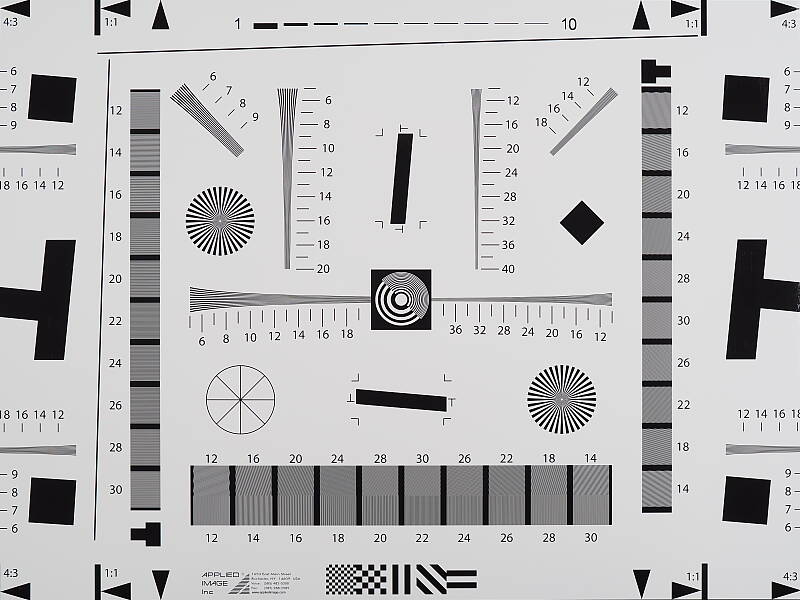
In-camera JPEGs of our laboratory resolution chart reveals sharp, distinct line patterns up to just over 2,700 lines per picture height in the horizontal direction, and to just over 2,700 lines in the vertical direction, although some fairly strong aliasing is visible well before those limits. Complete extinction of the pattern doesn't occur until about 3,600 - 3,700 lines. Adobe Camera Raw wasn't really able to extract more resolution here but generated far less luminance aliasing, though false colors and color moiré are much more apparent past the limits of resolution. Use these numbers to compare with other cameras of similar resolution, or use them to see just what higher resolution can mean in terms of potential detail.
High-Res Mode Resolution
Over 4,000 lines in High-Res JPEG and RAW files.


An in-camera 50MP Tripod mode High-Res JPEG of our laboratory resolution chart reveals sharp, distinct lines past the 4,000 line limit of our chart, and of course an ACR converted 80MP files also shows resolution past 4,000 lines, however the ACR conversion does show checkerboard patterns and stepped edges which implies alignment isn't always as good as in-camera processing or Olympus' Workspace software. And because each color is sampled separately in high-resolution mode there are far fewer false colors, although some moiré is still present.
Sharpness & Detail
Sharp images though edge-enhancement artifacts on high-contrast subjects are visible. Mild noise suppression visible in the shadows.


Sharpness. The Olympus E-M1X captures sharp, crisp images, though as is often the case, edge enhancement artifacts are visible on high-contrast subjects such as sharpening halos around the lines and lettering in the crop above left when default settings are used. The amount of default sharpening is a bit aggressive and the halos are a little bright, but at least they are not very thick or too objectionable. Edge enhancement creates the illusion of sharpness by enhancing colors and tones right at the edge of a rapid transition in color or tone.
Detail. The crop above right shows fairly mild noise suppression artifacts in areas of the mannequins's hair as base ISO, smudging individual strands together when contrast between them is low, though quite a few individual strands remain visible. Overall detail is very good for a 20-megapixel Micro Four Thirds model, and chroma noise is very low. Noise-suppression systems in digital cameras tend to flatten-out detail in areas of subtle contrast. The effects can often be seen in shots of human hair, where the individual strands are lost and an almost "watercolor" look appears.
New Detail and Drive Priority Mode Settings
The E-M1X has a new Detail Priority mode which holds onto more fine detail at low ISOs than the default Drive Priority mode, but at the cost of more visible noise and shallower buffer depths in burst mode.
|
Base ISO (200)
|
|
 |
 |
 |
 |
 |
 |
|
Drive Priority
|
Detail Priority
|
As you can see above at base ISO, Detail Priority on the right does a better job at retaining fine detail than the default Drive Priority mode, though it's a pretty subtle improvement.
Native Res RAW vs In-Camera JPEGs
As noted above, the Olympus E-M1X does a great job at capturing lots of fine, crisp detail in its JPEGs, but more detail can often be obtained by carefully processing RAW files, while at the same time mitigating sharpening artifacts. Take a look below, to see what we mean:
|
Base ISO (200)
|
|
 |
 |
 |
 |
 |
 |
|
Camera JPEG, defaults
|
RAW via Adobe Camera Raw
|
In the table above, we compare an in-camera JPEG taken at base ISO using default noise reduction and sharpening (on the left) to the matching RAW file converted with Adobe Camera Raw 9.1 via DNG Converter 11.2 using default noise reduction with some strong but tight unsharp mask applied in Photoshop (300%, radius of 0.3 pixels, and a threshold of 0).
As is often the case, the Adobe Camera Raw conversion contains fine detail superior to the camera's Super Fine JPEG at default settings as can be seen in the mosaic crop and especially in the red-leaf swatch where much more of the fine thread pattern is resolved, though it does leave behind a lot more luminance noise at default noise reduction settings. In-camera JPEGs also have more "pop" as well, with higher default contrast and sharpening and saturation. Overall, though, the E-M1X's JPEG engine does a very good job balancing the detail offered by its 20-megapixel sensor with keeping noise in check, at least at low ISOs. (And its expanded low ISO 64 and ISO 100 settings do even better especially in the red-leaf fabric, but at the cost of lower dynamic range.) However as is usually the case, additional detail can be extracted when working with RAW files.
Tripod High Res mode RAW vs In-Camera JPEGs
The Olympus E-M1X's Tripod High Res mode produces in-camera 49.9-megpixel JPEGs, but High-Res .ORF files are converted to 80.1-megapixel images. Below, we compare the two at base ISO:
|
High Res Mode, Base ISO (200)
|
|
 |
 |
 |
 |
 |
 |
|
Camera JPEG, defaults
|
ACR RAW Conversion
|
As you can see, the Tripod High Res mode in-camera JPEG and RAW files both offer a lot more detail than the native resolution files in the previous comparison with far fewer aliasing artifacts, but the converted High Res RAW file only offers a modest increase in detail over the in-camera High Res JPEG, and also shows slightly higher noise. The converted High Res RAW file was also a quite soft so we cranked up the sharpening in Photoshop after the conversion to 500% with a radius of 0.5 pixels, and a threshold of 0 but it still appears to be a bit soft. Note that Tripod High Res mode is supported at ISOs up to 1600, and flash is supported (with a max sync speed of only 1/50s.)
The E-M1X now also features a Handheld High Res mode that can, as the name implies, be used when the camera is handheld. It captures 16 images instead of 8, however performance in the lab on a tripod wasn't quite as detailed as tripod mode was, and the RAW files it produces are limited to 50.3 megapixels. Note that maximum ISO when shooting Handheld High Res mode is increased to ISO 6400, but flash is not supported.
See our Field Test Part I for real-world Handheld High Res Shot mode examples and comparisons, and see our PEN-F review for more on the original Tripod High Res Shot mode.
ISO & Noise Performance
Excellent high ISO performance for its class.
|
Default High ISO Noise Reduction
|
 |
 |
 |
| ISO 64 | ISO 100 | ISO 200 |
 |
 |
 |
| ISO 400 | ISO 800 | ISO 1600 |
 |
 |
 |
| ISO 3200 | ISO 6400 | ISO 12,800 |
 |
||
| ISO 25,600 | ||
The Olympus E-M1X's images are quite clean and detailed at ISOs 64 though 400, though there's a minor increase in noise in the shadows as ISO sensitivity rises within this range and some very minor blurring of fine detail visible at ISO 400. ISO 800 shows more luminance noise, but fine detail is remains strong. At ISO 1600, we see some moderate detail loss due to stronger noise and noise reduction efforts, but sharpness and fine detail are still quite good. ISO 3200 shows a more noticeable drop in image quality, with much higher luminance noise and more noticeable noise reduction artifacts, though the noise grain pattern is quite tight and chroma noise is well-controlled. Fine detail takes a bigger hit at ISO 6400 with more stronger smudging and more noticeable noise. Image quality drops off rapidly from there, with much higher noise, visible noise reduction and sharpening artifacts, as well as a slight drop in saturation. Chroma noise which remains well-controlled up to ISO 12,800 is quite strong at 25,600.
Overall, though, high ISO noise performance is excellent for a Micro Four Thirds camera and high ISO JPEGs display improved detail retention and contrast over the E-M1 II running v1.0 firmware (the E-M1 II's recently released v3.0 firmware update brings its default JPEG processing on par with the E-M1X's). As always, see the Print Quality section below for maximum recommended print sizes at each ISO.
Extremes: Sunlit, dynamic range and low light tests
Very good dynamic range in JPEGs, and very good low-light performance as well.


Sunlight
The Olympus E-M1X did very well with this difficult shot, requiring slightly more than average exposure compensation of +1.0 EV to keep the mannequin's face bright in this harsh lighting. As mentioned previously, despite the bright appearance of the mannequin's shirt, dynamic range is surprisingly good, with only a few highlights blown and good detail in the shadows as well, though very deep shadows do exhibit fairly strong noise reduction. Still, performance here is well above average, particularly for a Micro Four Thirds model.
Because digital cameras are more like slide film than negative film (in that they tend to have a more limited tonal range), we test them in the harshest situations to see how they handle scenes with bright highlights and dark shadows, as well as what kind of sensitivity they have in low light. The shot above is designed to mimic the very harsh, contrasty effect of direct noonday sunlight, a very tough challenge for most digital cameras. (You can read details of this test here. In actual shooting conditions, be sure to use fill flash in situations like the one shown here; it's better to shoot in open shade whenever possible.)
| Face Detection | |
 |
 |
| Off at 0 EV Aperture priority, f/8 |
On at 0 EV Aperture priority, f/8 |
Face Detection. Like most cameras these days, the Olympus E-M1X has the ability to detect faces, and adjust exposure and focus accordingly. As you can see from the examples above, face detection worked well, as the image on the right with it enabled is much better exposed for the face without having to use any exposure compensation. An excellent performance under very difficult lighting such as this. Note that the E-M1X does not have a full Auto mode.
|
Outdoor Portrait Gradation Comparison
+0.3 EV |
|||
 |
|||
Gradation. Similar to dynamic range optimization systems from other manufacturers, the Olympus E-M1X's Gradation setting applies local contrast adjustments in an attempt to preserve shadow detail and prevent highlight clipping with the Auto setting. Above are examples of the Normal (default), Auto, Low Key and High Key settings applied to our "Sunlit" Portrait shot with no exposure compensation. Mouse over the links to load the associated thumbnail and click on the links to visit the full resolution image.
As you can see, the Low Key setting applies Gradation for making subjects darker, while the High Key setting does the opposite for brighter images. The Auto setting did a good job here, boosting shadows and midtones without blowing additional highlights, for a much better overall exposure than the Normal setting.
|
Highlight/Shadow Control Comparison
|
|||||||
 |
|||||||
|
Highlight:
|
|||||||
|
Shadow:
|
|||||||
Highlight/Shadow Control. Above, we can see the E-M1X's Highlight and Shadow Control options at work on our "Sunlit" Portrait test shots. This feature lets you adjust both ends of the tone curve independently in 15 steps from -7 to 7, giving you more control of highlights versus shadows than the regular contrast adjustment; a very nice feature. Mouse over the links to load the associated thumbnail, and click on the links to visit the full resolution image.
|
High Dynamic Range Comparison
|
|||
|
|
|||
HDR Setting: |
|||
High Dynamic Range. The E-M1X's in-camera HDR feature works by combining four shots at different exposures. Two strength settings are available: HDR1 and HDR2, with the later providing a more extreme or painterly result. ISO is fixed to 200.
Above, you can see the E-M1X's in-camera HDR mode at work with our "Sunlit" Portrait shots with no exposure compensation. HDR1 did a decent job brightening shadows and toning down highlights, though the resulting image was still too dim and some colors look off. You can definitely do better by using bracketing mode and combining the images yourself in software. HDR2 mode looks overprocessed and too flat for this subject, with soft details.
Notice that the HDR images are not cropped compared to the non-HDR image, which can imply the camera does not microalign the source images, or at least can't compensate for much camera motion. This is pretty much confirmed by the user manual which says to use a tripod for HDR shots, potentially making this mode less useful than those offered by some other manufacturers.
Dynamic Range Analysis (RAW mode)
A key parameter in a digital camera is its Dynamic Range, the range of brightness that can be faithfully recorded. At the upper end of the tonal scale, dynamic range is dictated by the point at which the RGB data "saturates" at values of 255, 255, 255. At the lower end of the tonal scale, dynamic range is determined by the point at which there ceases to be any useful difference between adjacent tonal steps. Note the use of the qualifier "useful" in there: While it's tempting to evaluate dynamic range as the maximum number of tonal steps that can be discerned at all, that measure of dynamic range has very little relevance to real-world photography. What we care about as photographers is how much detail we can pull out of the shadows before image noise becomes too objectionable. This, of course, is a very subjective matter, and will vary with the application and even the subject matter in question. (Noise will be much more visible in subjects with large areas of flat tints and subtle shading than it would in subjects with strong, highly contrasting surface texture.)
While we once performed our own dynamic range measurements based on in-camera JPEGs as well as converted RAW images (when the camera was supported by Adobe Camera Raw), we've switched to using DxO Labs' results from their DxOMark website. As technology advanced, the dynamic range of modern high-end cameras in some cases exceeded the range of the Stouffer T4110 density scale that we used for our own measurements. DxO's approach based on RAW data before demosaicing is also more revealing, because it measures the fundamental dynamic range of the sensor, irrespective of whatever processing is applied to JPEGs, or to RAW data by off-the-shelf conversion software.
In the following, we use DxO's "Print" dynamic range results, which are scaled based on camera resolution. As the name suggests, this scaling corresponds to the situation in which you print at a given size, regardless of how many megapixels the camera might have. (In other words, if you've decided to make a 13x19 inch print, that's the size you're printing, whether the camera's resolution is 16 or 300 megapixels.) Also note that DxO Labs uses a signal-to-noise (SNR) threshold of 1 when defining the lower boundary of acceptable luminance noise in their dynamic range measurements, which corresponds to the "Low Quality" threshold of the Imatest software we used to use for this measurement.
Unfortunately, DxOMark has not yet tested the E-M1X as of this writing, but we'll come back and update this section if and when they do. However, the site Photons to Photos has tested it, and interestingly, they found the E-M1X produced somewhat lower dynamic range at the same ISO settings than the E-M1 II, although peak dynamic range is practically the same at base ISO. Click here to compare their results.
LL AF: The Olympus E-M1X's autofocus system was able to focus on our legacy low-contrast AF target down to -4.3 EV unassisted with an f/2.8 lens, which is quite good. And with our new high-contrast AF target, it could focus down to -6.0 EV which is excellent. The E-M1X is also equipped with a built-in focus-assist lamp which lets it focus in total darkness, as long as the target is in range and has sufficient contrast.
NOTE: This low light test is conducted with a stationary subject, and the camera mounted on a sturdy tripod. Most digital cameras will fail miserably when faced with a moving subject in dim lighting. (For example, a child's ballet recital or a holiday pageant in a gymnasium.) Thanks to their larger pixels and in the case of the E-M1X, its Hybrid AF system, compact system cameras like the Olympus E-M1X tend to do much better than point & shoots in dim light, but you still shouldn't expect a quick autofocus lock with moving subjects.
Output Quality
Print Quality
An excellent 30 x 40 inch print at ISO 64/100/200, a good 16 x 20 inch print at ISO 1600, and a nice 5 x 7 at ISO 12,800.
 ISO 64/100/200 yield superb images at 30 x 40 inches, and even a bit larger depending on your intended viewing distance where resolution is concerned. The images have a wonderful three-dimensional pop, realistic colors and presence, as well as very nice fine detail. Wonderful printed images all around!
ISO 400 prints are quite good at 24 x 36 inches, with nice colors and fine detail. There's virtually no sign at this size that the ISO sensitivity has risen, and you can also certainly use the 30 x 40 inch prints here for wall display purposes.
ISO 800 produces quite a nice print at 16 x 20 inches, with only a trace of noise present in flatter areas of our test target. There is of course a noticeable lessening of contrast detail in our tricky red-leaf fabric swatch, which is typical for most enthusiast cameras by this gain setting, though certainly not all. You can push the size to 20 x 30 inches here for less critical applications and wall display purposes as well, but for important prints remaining at 16 x 20 inches and below is recommended.
ISO 1600 delivers a 16 x 20 inch print that somewhat surprisingly passes our good seal. We say surprising because this is quite a large print at ISO 1600 for a Four Thirds sensor to achieve. There is certainly a bit more noise present in some flatter areas of our test target upon close inspection, but not quite as much as we saw with the E-M1 Mark II (with v1.0 firmware). This is a worthwhile achievement indeed.
ISO 3200 is generally the gain setting where most Four Thirds sensors begin to show their limits, and while the E-M1X is nearly as good as any in its class, it is still no exception. We can wholeheartedly recommend 11 x 14 inch prints here, and it most assuredly merits our "good" seal, but anything higher is not recommended save for less critical printing applications.
ISO 6400 prints also continue to show the strain of ISO gain, and are best restricted to 8 x 10 inches in size. There is nearly full color representation and fairly good fine detail for this ISO at that size, although all contrast detail is now lost in our tricky target red-leaf swatch. There is only minimal noise apparent in a few flatter areas, so not a bad print overall for this much gain increase.
ISO 12,800 yields a nice 5 x 7 inch print considering the lofty gain setting. We've pretty much now moved out of "professional grade" printing territory since you can no longer achieve a quality 8 x 10, but it's still nice to see that you can achieve a worthwhile print for general and family-type purposes.
ISO 25,600 prints are not awful at 4 x 6 inches, and will likely work for less critical applications, but for anything of a serious nature there's simply too much noise apparent to make the grade. We therefore recommend avoiding this gain setting for most all printing purposes.
The Olympus E-M1X delivers one of the best performances in the Print Quality department that we've yet seen from a Four Thirds sensor. Base ISO and extended low settings yield superb 30 x 40 inch prints, while even ISO 1600 can deliver a quality 16 x 20 inch print. After that and in somewhat typical fashion the quality level and usability for printing purposes does fade rather quickly, but you'll be in good hands at ISO 1600 and below, and can even get by at ISO 3200 if you're not printing super-large. A fine job once again from Olympus in providing superior quality for enthusiasts and professionals from a relatively small sensor.
The images above were taken from our standardized test shots. For a collection of more pictorial photos, see our Olympus OM-D E-M1X Photo Gallery .
Not sure which camera to buy? Let your eyes be the ultimate judge! Visit our Comparometer(tm) to compare images from the Olympus OM-D E-M1X with those from other cameras you may be considering. The proof is in the pictures, so let your own eyes decide which you like best!
Performance
Timing and Performance
Outstanding performance.
| Startup/Play to Record | ||
|---|---|---|
| Power on |
~0.8 second
|
Time it takes to turn on and capture a shot. |
|
Play to Record, |
~0.6 second
|
Time until first shot is captured. |
Powering on and taking a shot was fast for a mirrorless camera, at about 0.8 second. Switching from Play to Record mode and taking a shot was a bit faster, at about 0.6 second. Very good performance here (the same as the E-M1 Mark II), though some DSLRs are faster.
| Shutter Response (Lag Time) (Mechanical (default) / Anti-shock / Electronic Shutter) |
||
|---|---|---|
|
Full Autofocus, |
0.087/0.099/0.084
second |
Time from fully pressing shutter button to image capture, with the lens already at the proper focal distance setting. (All AF timing tested with Olympus 45mm f/1.2 Pro M.Zuiko prime lens.) |
|
Manual Focus |
0.060/0.072/0.065
second |
For most cameras, shutter lag is less in manual focus than autofocus, but usually not as fast as when the camera is "prefocused". |
|
Prefocused |
0.038/0.065/0.044
second |
Time to capture, after half-pressing and holding shutter button. |
Testing the Olympus E-M1X's ability to determine that it's properly focused when shooting the same target multiple times in AF-S (single-shot AF) mode using the center AF point (our standard Full AF lag test), we found its full autofocus shutter lag was incredibly fast at only 0.087 second in the default mechanical shutter mode. That's over 20% faster than the E-M1 II in our static test, and we expect an even greater improvement in AF tracking performance, however that's not something we can currently test in our lab.
Shutter lag in manual focus mode was very low at only 0.060 second, and prefocused shutter lag was even lower at 0.038 second. Excellent performance here, but the E-M1 II tested a little faster at 0.052 and 0.032 second respectively.
We also tested the E-M1X's anti-shock (EFCS) and electronic shutter modes. Anti-shock mode added a slight delay, but full AF lag was still very fast while manual focus and prefocused lag times were still very good. Interestingly, electronic shutter (Silent) mode was actually slightly faster than the default mechanical mode for full AF lag, and only slightly slower than the mechanical shutter for manual focused and prefocused lags.
To minimize the effect of different lens' focusing speed, we test AF-active shutter lag with the lens already set to the correct focal distance.
| Single-Shot Cycle Time and Burst Modes | ||
|---|---|---|
|
Single Shot mode |
0.46 second
|
Time per shot, averaged over a few frames (we no longer test for buffer depth in single-shot mode). |
|
Single Shot mode |
0.53 second
|
Time per shot, averaged over a few frames (we no longer test for buffer depth in single-shot mode). |
|
Early shutter |
No
|
Some cameras don't snap another shot if you release and press the shutter too quickly in Single Shot mode, making "No" the preferred answer. |
|
Continuous H mode |
0.07 second
(15.0 fps); 119 frames total; 5.9 seconds to clear* |
Time per shot, averaged over ~20 frames. Slows to an average of 9.9 fps when buffer is full, which is still fast! |
|
Continuous H mode |
0.06 second
(15.6 fps); 97 frames total; 7.2 seconds to clear* |
Time per shot, averaged over ~20 frames. Slows to an average of 7.7 fps when buffer is full, which is still quite fast. |
|
Continuous H mode |
0.07 second
(15.0 fps); 66 frames total; 11.3 seconds to clear* |
Time per shot, averaged over ~20 frames. Slows to an average of 4.9 fps when buffer is full. |
|
Silent H mode |
0.02 second
(60.7 fps); 49 frames total; 5.8 seconds to clear* |
Time per shot, averaged over ~20 frames. Slows to an average of 9.4 fps when buffer is full, with a lot of cycle variation. |
|
Silent H mode |
0.02 second
(60.7 fps); 49 frames total; 6.1 seconds to clear* |
Time per shot, averaged over ~20 frames. Slows to an average of 5.9 fps when buffer is full, with a lot of cycle variation |
|
Silent H mode |
0.02 second
(60.7 fps); 48 frames total; 11.3 seconds to clear* |
Time per shot, averaged over ~20 frames. Slows to an average of 3.9 fps when buffer is full, with a lot of cycle variation. |
|
*Note: Buffer clearing times measured with a 64GB Lexar Pro 2000x UHS-II SDXC card. Slower cards or using slot 2 can produce correspondingly slower clearing times and may also limit length of bursts in continuous mode. ISO sensitivity and noise reduction settings can also affect cycle times and burst mode performance.
|
||
Single-shot cycle times were quite fast at about half a second for JPEGs and RAW+JPEGs. (Note that we no longer test single-shot mode with just RAW files, as the results are usually somewhere in between.)
In Continuous H mode using the mechanical shutter, the E-M1X captured Large/Super Fine JPEG frames at 15 frames-per-second, 12-bit RAW frames at about 15.6 fps, and RAW+JPEG frames at 15 fps. Outstanding performance here, meeting or exceeding Olympus' 15 fps spec and very similar to the E-M1 II. Note that AF and AE are locked at the first frame of a burst in this mode. The E-M1X is spec'd to shoot at 10 fps with AF and AE updated between frames just like the E-M1 II, however we did not test that mode in the lab.
In Silent Continuous H mode which uses the electronic shutter (as does Pro Capture mode), the E-M1X was able to shoot full-resolution images at an astonishing 60.7 frames-per-second no matter the file type, about the same speed as the E-M1 II. Again, this is with AF and AE locked at the first frame. Olympus rates Silent and Pro Capture modes with continuous AF/AE at 18 fps, again the same as the E-M1 II.
Buffer depths were also outstanding, ranging from 119 frames when shooting best quality JPEGs to 66 frames when shooting RAW+JPEG frames before the camera slowed down in Continuous H mode, when tested with our fast 64GB Lexar Professional 2000x UHS-II SDXC card (rated for 260MB/s writes and 300MB/s reads). These are similar buffer depths as the E-M1 II.
In Silent Continuous H mode at 60.7 fps, the buffer depth was still a very generous 48 to 49 frames before the camera slowed, again very similar to the E-M1 II. Buffer-full rates weren't too bad either, with the camera able to shoot JPEG or RAW files at between 5.9 and 9.9 frames per second depending on the mode, however there was a lot cycle-to-cycle variation.
Buffer clearing was quick considering the buffer sizes, taking only about 6 or 7 seconds after a max length burst of JPEGs or RAW files, or about 11 seconds for RAW+JPEG. Buffer clearing times for JPEG or RAW files were similar to the E-M1 II, but it's interesting that buffer clearing for RAW+JPEG files was almost twice as fast as the E-M1 Mark II with the same card, target and settings. It's also worth noting that both of the E-M1X's card slots support UHS-II cards, while only one slot on the E-M1 II did.
Bottom line, the E-M1X's performance was outstanding with reasonably fast startup, very fast autofocus, very low shutter lag, fast cycle times, amazing burst performance, and excellent buffer depths. Performance was similar to the E-M1 II, but with faster autofocus and quicker buffer clearing when shooting RAW+JPEG files.
Battery
Battery Life
Excellent battery life for a mirrorless camera.
| Operating Mode | Battery Life |
|---|---|
|
Still Capture,
(CIPA standard) |
870 shots
|
|
Still Capture,
(Quick Sleep Mode enabled) |
2580 shots
|
The Olympus E-M1X uses dual BLH-1 rechargeable lithium-ion battery packs for power (though it can run on one), and comes with two batteries and two battery chargers. In-camera charging is also supported.
Battery life is CIPA-rated for 870 shots per charge (Olympus did not specify if that is with the EVF or LCD), which is excellent for a mirrorless camera, and you can expect to shoot many more shots in typical real-world usage. The E-M1X also has a Quick Sleep Mode which when enabled, increases battery life to a whopping 2580 shots per charge according to Olympus.
The table above shows the number of shots the camera is capable of (on a fully-charged rechargeable battery), based on CIPA battery-life and/or manufacturer standard test conditions.
(Interested readers can find an English translation of the CIPA DC-002 standards document here. (180K PDF document))
Image Quality
Below are crops from our laboratory Still Life target comparing the Olympus E-M1X 's image quality to its closest sibling's, the E-M1 II, as well as against several high-performance interchangeable lens cameras at similar resolutions: the Fuji X-T3, Nikon D500, Panasonic G9 and Sony A9.
NOTE: These images are from best quality JPEGs straight out of the camera, at default settings including noise reduction ("noise filter" in Olympus parlance) and using the camera's actual base ISO (not extended ISO settings). All cameras in this comparison were shot with our very sharp reference lenses. Clicking any crop will take you to a carrier page where you can click once again to access the full resolution image as delivered straight from the camera. For those interested in working with the RAW files involved, click these links to visit each camera's respective sample image thumbnail page: Olympus E-M1X, Olympus E-M1 II, Fuji X-T3, Nikon D500, Panasonic G9, and Sony A9, -- links to the RAW files appear beneath those for the JPEG images, wherever we have them. And remember, you can always go to our world-renowned Comparometer to compare the Olympus E-M1X to any camera we've ever tested!
Olympus E-M1X: ISO Low (approx. ISO 64) vs Base ISO
 |
 |
 |
 |
 |
 |
Olympus E-M1X at ISO 64 |
Olympus E-M1X at ISO 200
|
|
First, let's compare the Olympus E-M1X to itself at the lowest and base ISOs. We usually avoid expanded low ISO settings for our image quality comparisons as we don't normally see much improvement in image quality, and they almost always come at the cost of reduced dynamic range. However, like prior Olympus Micro Four Thirds models, the E-M1X displays noticeably better detail in its extended low ISO JPEGs compared to the lowest standard or base ISO of 200, especially in our red-leaf fabric crop. Dynamic range is definitely lower with the extended-low ISO settings, but if your subject and lighting suits, you may want to use the E-M1X's extended low ISO setting for even better detail in JPEGs.
| |
Olympus E-M1X vs Olympus E-M1 II at Base ISO
|  |
|  |
|  |
Olympus E-M1X at ISO 200 | Olympus E-M1 II at ISO 200 |
Above we compare base ISO (200) image quality from the E-M1X to the smaller, more affordable E-M1 II which we are told uses the exact same sensor. As you can see, the E-M1X's crops are a bit sharper with slightly better detail and contrast, however be aware that we have since upgraded our MFT lab lens from an Olympus Zuiko 50mm f/2.0 to a Panasonic Leica DG Nocticron 42.5mm f/1.2, and we have also changed the aperture for this series from f/8 to f/5.6 to reduce diffraction. (The Leica lens has less field curvature than the Olympus, allowing us to use a wider aperture while still keeping most of our Still Life test target in focus.) Despite the changes in lens and aperture, we do see some processing differences as well, including slightly stronger default sharpening and higher contrast, but we also see lower overall saturation levels. Note that the E-M1 II was shot with firmware v1.0 though, and Olympus has since tweaked that camera's image processing in the v2.0 and v3.0 firmware releases to the point where it now pretty much matches the E-M1X's JPEG output. | |
Olympus E-M1X vs Fujifilm X-T3 at Base ISO
|  |
|  |
|  |
Olympus E-M1X at ISO 200 | Fujifilm X-T3 at ISO 160 |
Above we compare the MFT E-M1X to the APS-C X-T3. You would think the 26-megapixel X-T3 would have a noticeable resolution advantage over the 20-megapixel E-M1X here, but both cameras have fairly similar resolutions on the vertical axis (4160 vs 3888 pixels) which is how this scene is framed, so the resolution difference is pretty minor and mostly boils down to different demosaicing algorithms and processing. Luminance noise appears a little higher from the Fuji, but chrominance noise is higher from the Olympus. The Olympus produces a crisper image with higher contrast, though default sharpening also appears to be stronger with more obvious sharpening halos. The X-T3 resolves more of the printed pattern in our red-leaf swatch with fewer aliasing artifacts, while the E-M1X renders it softer with areas containing what look to be thread patterns, however the Olympus does much better with thread pattern in the pink fabric. Both cameras produce good color, though the Fuji's are more saturated. | |
Olympus E-M1X vs Nikon D500 at Base ISO
|  |
|  |
|  |
Olympus E-M1X at ISO 200 | Nikon D500 at ISO 100 |
The 4:3 aspect Olympus E-M1X image appears larger in scale than the 3:2 APS-C Nikon D500 image despite the Nikon's slightly higher pixel count of about 20.7 megapixels because of the way this shot is framed (vertically). Both cameras however resolve very similar levels of detail here in most areas, as both don't include an optical low-pass filter. And both apply generous amounts of sharpening yielding crisp images with visible sharpening halos around high-contrast elements, though the E-M1X's default sharpening is a little more aggressive. The Nikon however does noticeably better with our red-leaf swatch, but overall colors are a little more accurate from the Olympus. Noise levels appear similar, but the E-M1X is smoothing out the background texture more than the D500. | |
Olympus E-M1X vs Panasonic G9 at Base ISO
|  |
|  |
|  |
Olympus E-M1X at ISO 200 | Panasonic G9 at ISO 200 |
Above we compare the E-M1X to another 20-megapixel MFT camera without an OLPF, the Panasonic G9. At base ISO, the G9 does a slightly better job at rendering fine detail, however noise levels are a bit higher. The E-M1X image is crisper and more contrasty, but shows more obvious sharpening halos as well. Both produced moiré patterns in our tricky red-leaf swatch, but contrast is a bit better from the G9 there. Color is warmer and overall more pleasing from the E-M1X. | |
Olympus E-M1X vs Sony A9 at Base ISO
|  |
|  |
|  |
Olympus E-M1X at ISO 200 | Sony A9 at ISO 100 |
In this comparison we pit the 24-megapixel full-frame Sony A9 against the 20-megapixel MFT Olympus E-M1X. Hardly a fair comparison if you just consider the relative sensor sizes alone, however the E-M1X easily competes with the Sony in terms of performance. Here, the Sony captures a bit more detail with excellent sharpness as its sharpening algorithm does not generate obvious halos along high-contrast edges like the Olympus does. Noise is a bit higher from the Sony in flatter areas, but it does a much better job with our challenging red-leaf swatch. Color is however more pleasing and accurate from the Olympus, though not as vibrant overall. | |
Olympus E-M1X vs Olympus E-M1 II at ISO 1600
 |  |
 |  |
 |  |
Olympus E-M1X at ISO 1600 | Olympus E-M1 II at ISO 1600 |
Here at ISO 1600 we can see significant improvements to sharpness, contrast, detail and even color from the E-M1X, but as mentioned, be aware that: a) different lenses and apertures were used, and b) installing the E-M1 II's latest firmware (v3.0 as of this writing) brings its processing up to par with the E-M1X's. Still, the E-M1X shows the improvements Olympus has made to JPEG processing of late, which are now possible with the older E-M1 II via free firmware updates. | |
Olympus E-M1X vs Fujifilm X-T3 at ISO 1600
|  |
|  |
|  |
Olympus E-M1X at ISO 1600 | Fujifilm X-T3 at ISO 1600 |
The E-M1X actually holds its own fairly well here against the X-T3 at ISO 1600, with lower noise levels and almost as good detail retention, though is does show more noise reduction and sharpening artifacts. While crispness and contrast are better from the Olympus, the E-M1X's noise reduction starts to distort detail in the mosaic crop and it smears away much of the subtle detail in our tricky red-leaf fabric. | |
Olympus E-M1X vs Nikon D500 at ISO 1600
|  |
|  |
|  |
Olympus E-M1X at ISO 1600 | Nikon D500 at ISO 1600 |
The Nikon D500 shows slightly lower levels of luminance noise in flatter areas and fewer noise reduction artifacts, however the E-M1X image is crisper and more contrasty. The Nikon continues to do quite a bit better at retaining detail in our tricky red-leaf swatch, though. | |
Olympus E-M1X vs Panasonic G9 at ISO 1600
|  |
|  |
|  |
Olympus E-M1X at ISO 1600 | Panasonic G9 at ISO 1600 |
At ISO 1600, the G9 holds onto slightly more fine detail with fewer noise reduction artifacts than the E-M1X in our mosaic crops, but the Olympus continues to produce a crisper, more contrasty image with better color. Luminance noise appears a little stronger from the G9 in flatter areas, with a coarser "grain" pattern, but chroma noise in the shadows is higher from the E-M1X. The G9 does a little better in our troublesome red-leaf swatch, but both cameras have blurred away a lot of subtle detail. | |
Olympus E-M1X vs Sony A9 at ISO 1600
|  |
|  |
|  |
Olympus E-M1X at ISO 1600 | Sony A9 at ISO 1600 |
Unsurprisingly, the full-frame Sony A9 bests the Olympus E-M1X here at ISO 1600, with more detail, lower noise and fewer processing artifacts. As the E-M1X works hard to keep noise under control it distorts, blurs and smudges fine detail much more than the A9, especially in our red-leaf swatch. | |
Olympus E-M1X vs Olympus E-M1 II at ISO 3200
 |  |
 |  |
 |  |
Olympus E-M1X at ISO 3200 | Olympus E-M1 II at ISO 3200 |
Similar to the improvements we saw at ISO 1600, we continue to see better sharpness, contrast, detail and color from the E-M1X here at ISO 3200. But once again, be aware of the differences in lens, aperture and firmware. When using the same lens & aperture and after installing v3.0 firmware on an E-M1 II, we found virtually no difference in image quality from these two siblings. | |
Olympus E-M1X vs Fujifilm X-T3 at ISO 3200
|  |
|  |
|  |
Olympus E-M1X at ISO 3200 | Fujifilm X-T3 at ISO 3200 |
The E-M1X continues to produce a crisper, contrastier image with lower luminance noise, however it shows more chroma noise and noise reduction artifacts than X-T3 making the Fuji's rendering look perhaps a little more natural. The Fuji's advantage in our tricky red-leaf fabric has almost vanished now, and the Olympus still does better in the pink fabric. | |
Olympus E-M1X vs Nikon D500 at ISO 3200
|  |
|  |
|  |
Olympus E-M1X at ISO 3200 | Nikon D500 at ISO 3200 |
Luminance noise is a bit higher from the E-M1X here at ISO 3200, but the D500 produces a slightly coarser noise "grain" pattern, as well as slightly less detail in some areas (partially due to its aspect-ratio disadvantage in how we frame this shot). But Nikon's default noise reduction does a better job at reducing noise in detailed areas without generating quite as many artifacts as the Olympus, as can be seen in the mosaic crop. Still, the Olympus image looks crisper, though with more obvious sharpening halos. The Nikon continues to do better with the red-leaf fabric. | |
Olympus E-M1X vs Panasonic G9 at ISO 3200
|  |
|  |
|  |
Olympus E-M1X at ISO 3200 | Panasonic G9 at ISO 3200 |
This is a pretty close race here at ISO 3200, with the G9 cranking up its default noise reduction more than the E-M1X's compared to ISO 1600. The E-M1X image has slightly higher contrast and is a bit sharper with more visible sharpening halos, but both cameras hold onto similar amounts of detail. Luma noise is a little higher from the Olympus, but it's more fine-grained in appearance. Colors are still brighter and more pleasing from the E-M1X. | |
Olympus E-M1X vs Sony A9 at ISO 3200
|  |
|  |
|  |
Olympus E-M1X at ISO 3200 | Sony A9 at ISO 3200 |
The Olympus E-M1X does very well for a Micro Four Thirds camera, but it simply can't compete with a good full-frame sensor in terms of noise, which means its noise reduction processing has to work a lot harder to keep noise in check with fine detail suffering more as a consequence. Despite the stronger noise reduction, the Olympus also shows slightly higher luminance and chrominance noise than the Sony, and subtle detail in our red-leaf swatch is all but gone now, replaced by noise and other artifacts. | |
Olympus E-M1X vs. Olympus E-M1 II, Fujifilm X-T3, Nikon D500, Panasonic G9, Sony A9
 |  |  |  |  |  |
 |  |  |  |  |  |
 |  |  |  |  |  |
| Olympus E-M1X ISO 200 ISO 3200 ISO 6400 | Olympus E-M1 II ISO 200 ISO 3200 ISO 6400 | Fujifilm X-T3 ISO 160 ISO 3200 ISO 6400 | Nikon D500 ISO 100 ISO 3200 ISO 6400 | Panasonic G9 ISO 200 ISO 3200 ISO 6400 | Sony A9 ISO 100 ISO 3200 ISO 6400 |
| Detail comparison. High-contrast detail is also important, pushing the camera in different ways, so we like to look at it, too. Here we can again see the improvements made over the E-M1 II especially as ISO climbs, but again be aware that using the same optics and installing the latest firmware for the E-M1 II brings it in-line with the E-M1X. Unsurprisingly, the full-frame Sony A9 comes out ahead in this comparison, with very little degradation in image quality as sensitivity rises to ISO 6400. The Fuji X-T3 does quite well for an APS-C sensor, though contrast lags somewhat as sensitivity climbs The APS-C Nikon D500 also does quite well with only minor degradation as sensitivity is increased. The Panasonic G9 does pretty well, but trails all but the E-M1 II in terms of contrast and color as ISO is increased. | |||||
An excellent 30 x 40 inch print at ISO 64/100/200, a good 16 x 20 inch print at ISO 1600, and a nice 5 x 7 at ISO 12,800.
ISO 64/100/200 yield superb images at 30 x 40 inches, and even a bit larger depending on your intended viewing distance where resolution is concerned. The images have a wonderful three-dimensional pop, realistic colors and presence, as well as very nice fine detail. Wonderful printed images all around!
ISO 400 prints are quite good at 24 x 36 inches, with nice colors and fine detail. There's virtually no sign at this size that the ISO sensitivity has risen, and you can also certainly use the 30 x 40 inch prints here for wall display purposes.
ISO 800 produces quite a nice print at 16 x 20 inches, with only a trace of noise present in flatter areas of our test target. There is of course a noticeable lessening of contrast detail in our tricky red-leaf fabric swatch, which is typical for most enthusiast cameras by this gain setting, though certainly not all. You can push the size to 20 x 30 inches here for less critical applications and wall display purposes as well, but for important prints remaining at 16 x 20 inches and below is recommended.
ISO 1600 delivers a 16 x 20 inch print that somewhat surprisingly passes our good seal. We say surprising because this is quite a large print at ISO 1600 for a Four Thirds sensor to achieve. There is certainly a bit more noise present in some flatter areas of our test target upon close inspection, but not quite as much as we saw with the E-M1 Mark II (with v1.0 firmware). This is a worthwhile achievement indeed.
ISO 3200 is generally the gain setting where most Four Thirds sensors begin to show their limits, and while the E-M1X is nearly as good as any in its class, it is still no exception. We can wholeheartedly recommend 11 x 14 inch prints here, and it most assuredly merits our "good" seal, but anything higher is not recommended save for less critical printing applications.
ISO 6400 prints also continue to show the strain of ISO gain, and are best restricted to 8 x 10 inches in size. There is nearly full color representation and fairly good fine detail for this ISO at that size, although all contrast detail is now lost in our tricky target red-leaf swatch. There is only minimal noise apparent in a few flatter areas, so not a bad print overall for this much gain increase.
ISO 12,800 yields a nice 5 x 7 inch print considering the lofty gain setting. We've pretty much now moved out of "professional grade" printing territory since you can no longer achieve a quality 8 x 10, but it's still nice to see that you can achieve a worthwhile print for general and family-type purposes.
ISO 25,600 prints are not awful at 4 x 6 inches, and will likely work for less critical applications, but for anything of a serious nature there's simply too much noise apparent to make the grade. We therefore recommend avoiding this gain setting for most all printing purposes.
The Olympus E-M1X delivers one of the best performances in the Print Quality department that we've yet seen from a Four Thirds sensor. Base ISO and extended low settings yield superb 30 x 40 inch prints, while even ISO 1600 can deliver a quality 16 x 20 inch print. After that and in somewhat typical fashion the quality level and usability for printing purposes does fade rather quickly, but you'll be in good hands at ISO 1600 and below, and can even get by at ISO 3200 if you're not printing super-large. A fine job once again from Olympus in providing superior quality for enthusiasts and professionals from a relatively small sensor.
Field Test Part I
Field Test Part II
Olympus' new flagship camera delivers an excellent user experience

The Olympus E-M1X takes much of what has made high-end Olympus Micro Four Thirds cameras popular and turns the dial up to 11. While there are a lot of similarities between the E-M1X and the E-M1 Mark II, many aspects of the camera have been adjusted, improved or are altogether new to the E-M1X.
One of the unchanged components is the image sensor, which is the same 20-megapixel Four Thirds sensor as in the E-M1 II. With nearly every major brand offering full-frame cameras (or medium-format cameras in the case of Fujifilm), the E-M1X's sensor seems smaller than ever nowadays. There are advantages and disadvantages of a smaller image sensor, which I'll discuss in this Field Test, but the point remains that some people will always scoff at the idea of a $3,000 Micro Four Thirds camera. I understand the sentiment, but there is, of course, much more to consider with a camera than just its sensor.

In this first Field Test, I will be focusing on the camera's design, overall shooting experience and discuss how the E-M1X performs within the context of both wildlife and landscape photography. Part II will focus on image quality and video performance and tie up some loose ends.
Key Features
- Rugged, weather-sealed camera body
- 20.4-megapixel Micro Four Thirds image sensor
- 2.36-million dot electronic viewfinder
- Tilt-swivel touchscreen display
- Hybrid autofocus system
- Five-axis in-body image stabilization offering up to 7 stops of shake correction
- 15 fps with mechanical shutter (No C-AF); 10 fps with C-AF
- 60 fps with electronic shutter (No C-AF); 18 fps with C-AF
- High-Res shooting mode
- 4K UHD video recording
- $3,000 USD for the body
Camera Body and User Experience
In our first hands-on with the E-M1X, my colleague William Brawley wrote a detailed hands-on overview of the camera body, including his thoughts about the camera's design. At the risk of treading over the same ground, I am going to limit myself to simply addressing the aspects of the camera's design I like and dislike, rather than cover all of the E-M1X's various features and specs.

For a Micro Four Thirds camera, the E-M1X is large. This simple fact alone may be enough to turn off some potential buyers. For me, it's one of the best aspects of the E-M1X. I generally don't like small cameras, especially not when using big lenses. The combination of a small camera and big lens often feels imbalanced and in the case of most small cameras, you sacrifice a variety of physical controls. The E-M1X, on the other hand, feels really comfortable to use, even with the somewhat heavy -- for a Micro Four Thirds lens, at least -- 300mm f/4 IS PRO lens. There are direct physical controls for exposure compensation and ISO right near the shutter release, and there are three dedicated function buttons within reach while shooting.
This great control layout doesn't apply only to shooting in landscape orientation. Thanks to the built-in vertical grip, you can access these same aforementioned buttons with your right hand while shooting in portrait orientation, save for one function button on the rear of the camera. There's even a dedicated focus point joystick for shooting vertically as well, which is a fantastic inclusion. For times when you aren't shooting vertically and want to ensure you don't accidentally press any of the "vertical" buttons, there's a switch to lock the controls.
In typical Olympus fashion, there is considerable weather-sealing throughout the camera body, which I like a lot as someone who primarily shoots outdoors and is not averse to shooting in snow and rain. Speaking of controls, they're also easy to use while wearing thin gloves. I also like that you can rotate the mode dial with the thumb on your right hand. If I am shooting a nature scene in aperture priority mode, for example, and see wildlife nearby, I can easily switch to shutter priority mode without wasting time fiddling with a mode dial locking mechanism or using my other hand to change the shooting mode. You can lock the mode dial, if you'd like, but I'm glad it's an option rather than a mandate.
The dedicated focus joystick feels really nice and is a first for an Olympus camera. It is easy to move the focus point (or group) not only horizontally and vertically, but also diagonally. The directional pad also feels good when navigating menus. Surprisingly, good directional pads are not a given on modern cameras, so I'm glad that the E-M1X has a nice one. Similarly, the front and rear command dials have a ridged rubber grip and rotate with distinct steps, which makes precisely settings changes very easy.
However, there are some aspects of the camera I don't like quite as much. The electronic viewfinder is good overall and delivers a smooth shooting experience, but when compared against some of the recent EVFs I have used, including the excellent ones in the Nikon Z cameras and the new Panasonic S1-series cameras, the LCD EVF on the E-M1X feels a bit dated. Further, the rear display is not particularly sharp. With that said, the touchscreen aspects of the rear display and its tilt-swivel mechanism are both excellent, so my overall impression of the display certainly leans toward the positive.
Excellent controls are only part of the story with the E-M1X, as the camera offers extensive customization for how its controls are used. As I have mentioned, there are two unlabeled function buttons on the front of the camera (technically four, but there are two for each shooting orientation), as well as an Fn button on the rear. In addition to these dedicated function buttons, you can also reassign functionality to almost every other button or dial on the camera, such as the exposure compensation and ISO buttons.

To customize these, you can go into a dedicated menu (set-up --> B1) and select from many options, including, white balance, AF area select, center autofocus point, image quality, exposure compensation, magnify, ISO, AF limiter, and many, many more. While it's nice that there are so many options, it's also good that there's a model of the camera showing you where each button is located as you reassign function settings.
Overall, there is a lot that I like about the E-M1X's camera body. While it is fairly large and nearly twice as heavy as the E-M1 II, this heft comes with ruggedness and an excellent control layout. It's not a perfect camera, but it is my favorite Olympus Micro Four Thirds camera to date in terms of comfort and controls.
Shooting Experience
Autofocus
If you've read William Brawley's hands-on report of the E-M1X, you'll have learned about the E-M1X's new deep learning-powered AF system. The camera can automatically recognize and focus on motorsports, airplanes and trains. Aside from this inclusion, the autofocus system is more or less the same in the E-M1X as it was in the E-M1 Mark II.

That is a good thing as there's a lot to like about the E-M1X's autofocus capabilities and performance. The E-M1X offers 121 contrast-detect autofocus points and 121 phase-detect autofocus points which cover about 75 percent of the vertical area of the image sensor and 80 percent of the horizontal area. There are more points when you use magnify AF area, which can be useful when working on a tripod and photographing still life. In my experience, the sensor offers plenty of points and plenty of coverage for every shooting scenario. The camera offers a new autofocus area selection, 25-area grouped, in addition to the 5 and 9 AF-point groups that were offered with the E-M1 II.
In the real-world, I was very impressed by the E-M1X's autofocus speeds and overall performance. Low-light autofocus performance proved very good as well. The E-M1X is rated down to -6 EV with an f/1.2 lens. Even with an f/4 lens, such as the 12-100mm zoom or the 300m f/4 prime, the camera did well in dawn and dusk situations. Continuous autofocus is very good as well, with the camera proving capable of maintaining focus on moving subjects and tracking them throughout the scene.

One of the best aspects of the overall autofocus system may not be the camera's performance itself, but rather the new dedicated autofocus point joysticks. These work very well in landscape and portrait orientations and, at least for me, change the way I shoot with the camera compared to the E-M1 II, which could be set up to offer AF point control via its directional pad. The joystick is far superior and allows you to maintain use of the directional pad for other functionality.

Overall, the autofocus system, unless you are photographing one of the trio of subjects the new AI can handle, is basically the same as it was the E-M1 II. The end result, while not featuring many differences, is very good. The E-M1X focuses quickly and accurately in a wide array of situations.
Performance
As a $3,000 Micro Four Thirds camera, performance is going to be at the top of the list of concerns for many prospective buyers. Accordingly, the E-M1X includes a pair of dual quad-core processors, which prove to pack quite a performance punch. As you can see in our lab tests, the E-M1X performed very well.
The extra processor results in a few interesting improvements when compared to the E-M1 II. For example, the dual SD card slots in the E-M1X are now both UHS-II, with each TruePic VIII processor handling a slot a piece. Further, when shooting at 15 frames per second, which is the maximum speed of the E-M1X with the exposure locked and when using the mechanical shutter, the buffer depths for both JPEG and raw images been improved by over 20 percent.

When shooting bursts of images, the camera quickly processed them, and I never had to slow down or wait for the camera. For photographing wildlife, 10 frames per second with full autofocus and exposure is plenty. If you truly need extra speed, you can switch to the electronic shutter and shoot at up 18 fps with AF/AE.
With its new design, the E-M1X can hold a pair of batteries, which results in very good battery life for a mirrorless camera. "Very good" is a term that applies to the E-M1X's overall performance in general. The camera is fast, it's capable, and it'll last you through considerable shooting without needing a change of batteries.

Image Stabilization
The Olympus E-M1X has improved image stabilization, and this is saying a lot because the E-M1 II's stabilization was already impressive, offering up to 5.5 stops of shake correction. The E-M1X, on the other (steadier) hand, promises up to 7 stops of image stabilization via its five-axis system, although it can deliver up to 7.5 stops with an IS-enabled lens. When shooting with the 300mm f/4 IS PRO lens, I was able to get sharp shots with shutter speeds as slow as 1/15s! Everyone's mileage will vary depending upon technique, but I think that's mighty impressive for a telephoto lens.

E-M1X in the Field
Landscapes
Landscape photography is my favorite genre, and the E-M1X is something of a mixed bag with respect to this area of photography. The Micro Four Thirds sensor is a limiting factor when it comes to image quality and overall resolution, but on the other hand, the E-M1X does offer a High-Res shooting mode, which can now be used handheld in addition to when using a tripod.


| 100 percent crop : High Res (Tripod) |
 |
| Olympus 12-100mm f/4 IS Pro M.Zuiko lens at 31mm (62mm equiv.), f/6.3, 1/1250s, ISO 200. 100 percent crop from High Res (Tripod) raw file converted with Adobe Camera Raw default settings. The full image is 10,368 x 7,776, compared to the 5,184 x 3,888 size of the standard mode image file above. Click for the full-size image. Click here for the RAW file. |
| 100 percent crop : High Res (Handheld) |
 |
| Olympus 12-100mm f/4 IS Pro M.Zuiko lens at 31mm (62mm equiv.), f/6.3, 1/1250s, ISO 200. 100 percent crop from High Res (Handheld) raw file converted with Adobe Camera Raw default settings. The full image is 8,160 x 6,120, compared to the 5,184 x 3,888 size of the standard mode image file above. Click for the full-size image. Click here for the RAW file. |
I thought it was also worth seeing how a High Res (Tripod) image looked compared to a standard image when the High Res shot was downsampled to 20 megapixels. You can see a 100 percent crop of that experiment below. I think that if the subject matter allows and you have a tripod, this is worth doing because the resulting file is cleaner. You can see a lot less visual noise in the crop below than the standard image, particularly in the sky. Very fine details are also a little bit cleaner if you downsample an image captured using the High Res mode compared to a regular 20-megapixel file.
| 100 percent crop : downsampled High Res (Tripod) |
 |
| Olympus 12-100mm f/4 IS Pro M.Zuiko lens at 31mm (62mm equiv.), f/6.3, 1/1250s, ISO 200. 100 percent crop from downsampled High Res (Tripod) raw file converted with Adobe Camera Raw default settings. The full image is 10,368 x 7,776, compared to the 5,184 x 3,888 size of the standard mode image file above. Click for the full-size image. Click here for the RAW file. |


 |
| Olympus 12-100mm f/4 IS Pro M.Zuiko lens at 24mm (48mm equiv.), f/6.3, 1/800s, ISO 200. 100 percent crop from downsampled High Res (Tripod) raw file converted with Adobe Camera Raw default settings. The full image is 10,368 x 7,776, compared to the 5,184 x 3,888 size of the standard mode image file above. Click for the full-size image. Click here for the RAW file. As you can see with the branches, movement in a scene causes some issues with the High Res compositing. There is not a lot you can do to avoid this, but it does limit the usability of the mode for landscape photography because there is often something moving in the scene, such as plants swaying in the wind or moving water. |
The system overall is quite lightweight, even though the E-M1X is itself large for a Micro Four Thirds camera. The E-M1X with the very good 12-100mm f/4 IS PRO lens is definitely lighter than a full-frame DSLR with a 24-105mm lens (which of course won't offer the same zooming capabilities). Further, the E-M1X is built very well and is heavily weather-sealed. The tilt/swivel display is also excellent when working on a tripod, even when shooting in a portrait orientation. For photographers who regularly change their lenses in the field, you'll also be pleased to know that the E-M1X has an upgraded dust reduction system, which uses a piezoelectric element that Olympus says is 10 percent more effective than the system used in the E-M1 II.


The E-M1X has a new Live ND mode, which is appealing to landscape photographers. This mode works by combining multiple exposures in a sequence and combines them in-camera to produce a final image which looks as though it were shot using a neutral density filter. For example, if you are photographing moving water and want it to look smooth, you can use this mode rather than having to add an ND filter to the front your lens to slow-down the shutter speed. There are five available levels of strength which range from 1 EV to 5 EV (ND2 to ND32). The mode works fairly well, although I would still recommend using a stronger physical filter for best results in bright light as the 5 EV limit to Live ND isn't always "dark" enough for very bright conditions and/or with longer exposure times. I do like that the camera will show you a general preview of the final image while composing, which is neat.


For outdoor photographers who like to keep track of environmental data, the E-M1X includes a built-in Field Sensor System, which makes it location- and environment-aware. The E-M1X can note current location, elevation, direction and temperature at time of image capture in the EXIF data for individual image files. This is possible because the camera has built-in GPS, temperature sensor, manometer and an electronic compass.

While not a knock on the E-M1X, I do think that the E-M1 II is a more compelling option for photographers who are primarily shooting landscapes. You get a weather-sealed camera with the same image quality in a lighter package, making hikes and treks more manageable.
Wildlife
The E-M1X is a really good wildlife camera. Much like photographing landscapes, the rugged build quality and weather-sealing of the E-M1X is also a boon for wildlife photography. However, unlike shooting landscapes, photographing wildlife is demanding to a camera's autofocus and overall performance. The E-M1X's excellent focusing capabilities and overall speed are really nice when shooting bursts of wildlife shots or tracking a moving animal.

 |
| Olympus 300mm f/4.0 IS Pro ED M.Zuiko lens (600mm equiv.), f/4.5, 1/400s, ISO 200. 100 percent crop from the above image. This image has been converted and processed to taste in Adobe Camera Raw. Click for the full-size image. Click here for the RAW file. |
The continuous autofocus is good when tracking subjects throughout the frame, and the electronic viewfinder does a good job of keeping up with the motion thanks to its 120 frames per second refresh rate and 0.005s of latency. With that said, you don't get a live view when shooting at the camera's maximum speeds, but instead get a slideshow of images as you shoot, so I think that's a downside.

On the other hand, there is a Pro Capture mode, which was first seen in the E-M1 II. This mode allows you to capture up to 35 frames while half-pressing the shutter as a sort of rolling buffer. Suppose you are aimed at a bird, waiting for it take flight, you can enter Pro Capture mode and then half-press the shutter. The camera will record up to 35 images, meaning that you get some leeway in capturing the correct moment. This is a really neat feature for wildlife photography. There are some limitations, however. When this mode is active, there is no live viewfinder image and the camera becomes quite sluggish, which means it isn't great for trying to capture back-to-back interesting moments.
The E-M1X also offers a silent shooting mode, which works as advertised. When photographing timid or skittish wildlife, being able to shoot silently is excellent.

The small sensor of the E-M1X leads to a few issues for wildlife photography. Firstly, the camera is simply not as capable of producing high-quality images in low light as similarly-priced cameras with larger image sensors. The E-M1X does really well for a Micro Four Thirds camera, but it is up against physical limitations. Further, the small sensor results in images that don't have the same "depth," for lack of a better word, as images with similar lenses on cameras with larger sensors. For example, if you are shooting with the 300mm f/4 on the E-M1X, which has the same field of view as a 600mm lens on full-frame cameras, the bokeh and separation between the subject and its background is not nearly as impressive on the E-M1X as it would be on, for example, a Nikon D5 and 600mm f/4 lens.

There's a tradeoff though, because the 300mm f/4 IS PRO lens I shot a lot with on the E-M1X is very small and light compared to a 600mm f/4 telephoto lens in a Canon or Nikon system. In fact, it really isn't even close. The Micro Four Thirds system, even with a fairly large camera like the E-M1X, is considerably lighter than an equivalent APS-C or full-frame system. With all that said, overall, the E-M1X is a very good wildlife camera.
Olympus E-M1X Field Test Part I Summary
A strong first impression from an interesting and versatile pro camera
What I like so far:
- Excellent build quality and ergonomics
- Very useful tilt/swivel touchscreen
- Impressive autofocus and performance
- Four Thirds sensor results in lightweight long lenses

What I don't like so far:
- EVF feels a bit outdated
- While the sensor size is good for keeping lenses smaller, there are some consequent image quality concerns
The Olympus E-M1X has thus far impressed me a lot. The camera's build quality, ergonomics and overall user experience are all excellent. Further, with its new processing power, the autofocus and performance is better than ever.

When using the E-M1X for landscape and wildlife photography, its strengths and weaknesses are both apparent. The build quality and usability are excellent for both photographic genres. Further, autofocus and performance works very well for wildlife photography. Its weaknesses, which primarily center around image quality, are evident when photographing detailed landscapes and when photographing wildlife in low light.
Overall, the E-M1X is the best Olympus camera I have used, even with some minor shortcomings. In my next Field Test, I will look closer at image quality and cover the E-M1X's video features and performance. I will also be tying up loose ends before sharing my thoughts on how I think the E-M1X best fits into a photographer's kit.

Field Test Part III
A closer look at the E-M1X's image quality and video performance

Recap of Field Test Part I
In my first Field Test of the Olympus E-M1X, I focused on the camera's design, usability, autofocus, performance and discussed using the E-M1X in the field within the context of landscape and wildlife photography. So far, my impressions of the E-M1X have been very positive, and it has become my favorite Olympus Micro Four Thirds camera. With that said, it being a Micro Four Thirds camera results in some concerns with respect to image quality. I will be further discussing image quality in this second Field Test. Also, I will be looking at the camera's video features and performance. Finally, I will offer my concluding thoughts on the E-M1X in general and how it fits into the current pro camera landscape.
Image Quality
Given that the E-M1X has the same 20-megapixel image sensor as the E-M1 II, there are not many surprises here in terms of image quality. The E-M1X has a native ISO range of 200 to 25,600, which can be expanded down to ISO 64, although the top limit of 25,600 is set.
Like the E-M1 Mark II, the E-M1X delivers solid image quality across much of its ISO range. From ISO 200 through ISO 1600, image quality is really good and certainly up to the task of making high-quality prints. At ISO 3200 and 6400, the camera begins to show a bit more noise, although you can still work raw files into usable form.

At base ISO (200), the E-M1X captures images with a good amount of fine detail. As you can see in the image below and the accompanying 100 percent crop, we can even see some detail in a snowflake on the chickadee's face, which is pretty impressive. With that said, we can also see a bit of visible noise, particularly in the background, even though the image was captured at base ISO. Further, there are a few artifacts in the feathers and a few unnatural-looking edges. All in all, though, the image quality at ISO 200 in particular is very good.
|
| Olympus 300mm f/4.0 IS Pro ED M.Zuiko lens (600mm equiv.), f/4.5, 1/400s, ISO 200. 100 percent crop of the above image. This image has been converted and processed to taste in Adobe Camera Raw. Click for the full-size image. Click here for the RAW file. |
When working with raw files, there is a pretty good amount of flexibility for adjustments. For example, in the image below, which was captured at ISO 1000 in back-lit conditions, I was able to recover quite a bit of highlight detail, which is totally absent in the JPEG image.


Another situation which warrants attention is how the E-M1X handles large overall exposure adjustments. In the image below, which is a pretty extreme example, the image is severely underexposed despite being shot at ISO 6400. This is because it was a low light situation at f/4 but I wanted to maintain a high shutter speed to ensure that the bird remained sharp. Despite having to make a rather significant series of adjustments in Adobe Camera Raw, the final image, while noisy, still looks pretty good. The colors retained their integrity and even after noise reduction, there's some fine detail present in the shot.


Ultimately, the E-M1X delivers good quality images across a fairly wide range of ISO speeds. The raw files are quite flexible, particularly for a Micro Four Thirds sensor, and the camera does well in many different situations, including shooting in low light.
Video
Video is not the primary focus of the E-M1X camera, but that hasn't stopped Olympus from including a wide variety of video features in their new flagship camera. The E-M1X can record 4K UHD video at up to 30 frames per second and DCI 4K, which has a 4,096 x 2,160 resolution, at a fixed 24 fps framerate. The 4K UHD video has a 102 Mbps bitrate, and the DCI 4K video has a 237 Mbps bitrate, so it is more than just resolution and framerate that varies between these two modes. In addition to 4K recording, the E-M1X can also record at a new 120 fps framerate for Full HD and HD resolutions.
Olympus E-M1X DCI 4K Video 4096 x 2160 video at 24fps. Shot with Olympus 45mm f/1.2 PRO lens. Download Original (142 MB .MOV File) |
The E-M1X has a dedicated video recording button on the top of the camera, near the shutter release, and also has a movie mode slot on the mode dial. You can record within aperture priority, shutter speed priority, automatic and manual modes either by recording while in a specific shooting mode or by adjusting the movie recording mode within the dedicated movie settings sections of the camera's menu. Further, while recording, you can move the autofocus point around the frame using the new joystick.
For users who wish to color grade video, there's a new OM-Log400 color space, which significantly flattens the video to allow for additional flexibility during the editing processing. The camera includes mic and headphone jacks and can record externally via HDMI.
Olympus E-M1X 4K Video #1 3840 x 2160 video at 30fps. Shot with Olympus 300mm f/4 IS PRO lens. Download Original (496 MB .MOV File) |
Olympus E-M1X 4K Video #2 3840 x 2160 video at 30fps. Shot with Olympus 300mm f/4 IS PRO lens. Download Original (238 MB .MOV File) |
Regarding video quality itself, the 4K video quality is quite nice across different lighting conditions. At low ISO, there is quite a bit to like about the E-M1X's video; it's sharp, the colors are nice and the camera does a good job with exposure.
Autofocus performance is a bit hit-or-miss. Generally, the camera is able to acquire focus, even in low light. However, there are occasional instances of hunting and some jarring transitions. Of course, you can also manually focus with the E-M1X, which works well overall. The camera offers focus peaking when shooting 4K video, which is a nice inclusion.
Olympus E-M1X 4K Video #3 3840 x 2160 video at 30fps. Shot with Olympus 12-100mm f/4 IS PRO lens. Download Original (343 MB .MOV File) |
As mentioned earlier, the E-M1X has high-speed video recording at Full HD resolution. It works quite well, although the downgrade from 4K to Full HD video quality is pretty stark.
Olympus E-M1X High Speed Video 1920 x 1080 video recorded at 120fps and played back at 24 fps (5x slow motion). Shot with Olympus 12-100mm f/4 IS PRO lens. Download Original (65 MB .MOV File) |
Overall, the E-M1X is a stills-centric camera, but it offers a lot of nice video features and performance.
Olympus E-M1X Field Test Overall Summary
An excellent addition to Olympus' Micro Four Thirds lineup
The E-M1X is a very good camera, there's no doubt about that. However, it is not an obvious choice for upgrading for existing Olympus camera owners. It does a lot very well and has very few weaknesses. However, there are cases to be made either for or against the camera.
The case for the E-M1X
There is a lot to like with the E-M1X. As I have discussed throughout my two Field Tests, the camera is designed very well and ruggedly built. It is enjoyable to use thanks to its very good control layout and ergonomics. Save for a somewhat lackluster electronic viewfinder, at least compared to similarly-priced cameras, there is almost nothing lacking with the E-M1X's user experience.
Turning to autofocus and performance, the story remains positive. The E-M1X has a pro-level price, and its performance lives up the billing. Autofocus is swift and decisive, and the camera can record images quickly in a wide array of continuous shooting modes.
When considering the Micro Four Thirds system as a whole, the E-M1X joins a suite of other cameras and Olympus accessories and has immediate access to many excellent lenses covering a wide range of focal lengths and lens categories. Due to its smaller sensor, the lenses are generally smaller as well, and this is particularly evident with the two lenses I most frequently used during my time with the E-M1X: the 12-100mm f/4 IS PRO and 300mm f/4 IS PRO. These lenses offer 24-200mm and 600mm focal lengths, respectively, in 35mm terms while maintaining relatively small form factors and lightweight designs. Much like the E-M1X body itself, the Zuiko PRO lenses are also well-built and include substantial weather sealing.

The case against the E-M1X
While there's a strong case to be made for the E-M1X due to its design and high performance, there are also shortcomings and many of them are directly related to the Micro Four Thirds system in which the E-M1X exists.
With a price of $3,000, the E-M1X is in the same company as cameras such as the Nikon D850, Nikon Z7, Sony A7R Mark III and Panasonic S1R. The E-M1X costs more than the E-M1 II by $1,000 and eclipses many very high-quality APS-C and full-frame cameras. As I discussed above, there are some pros to using a smaller sensor, such as the relatively small lenses, but there are also downsides. The 20.1-megapixel sensor in the E-M1X simply doesn't produce images as detailed or as clean as what you will get from (lower-cost) 20-something megapixel APS-C and full-frame cameras, and the E-M1X cannot match something like a 45MP Nikon Z7 or 42MP Sony A7R III.

 |
| Olympus 300mm f/4.0 IS Pro ED M.Zuiko lens (600mm equiv.), f/4, 1/3200s, ISO 3200. 100 percent crop. This image has been converted and processed to taste in Adobe Camera Raw. Click for the full-size image. Click here for the RAW file. |

If you are someone who shoots at high ISOs frequently or simply enjoys having a high-resolution image file, the E-M1X probably isn't for you. Some of the upsides of the E-M1X can be found on more affordable Micro Four Thirds cameras, and it's not immediately evident that the E-M1X is necessarily a better choice than the E-M1 II for many photographers.
Summing up
Who is the Olympus E-M1X for? Someone who needs a robust weather-sealed camera that uses excellent and flexible lenses which are considerably smaller than their full-frame counterparts. The E-M1X is far from the most compact Micro Four Thirds camera, but it is also one of the most enjoyable to use thanks to its design and physical controls.
The camera is also well-suited to photographers who frequently photograph action and require accurate autofocus. If someone were very much into motor sports photography, in particular, the new artificial intelligence-based AF system may be enough to convince them to purchase the E-M1X.

Personally, I am in a strange limbo with the E-M1X. I simultaneously love the camera and thoroughly enjoy working with it but would likely not buy one. I think that it is simply too much money for not enough image quality.
I understand that it is perhaps unfair to compare the E-M1X against APS-C and full-frame cameras, but that is the situation Olympus has created by pricing the E-M1X at $3,000. It's a pro camera, so it will be judged against other pro cameras, including ones with inherent physical advantages when it comes to the image sensor.
What I like:
- Great image quality for a Micro Four Thirds camera
- Video features and overall performance are pretty good
- Video autofocus is competent in most situations
What I don't like:
- Not as good in low light as similarly-priced competition
- Also not as good at resolving fine details as APS-C and full-frame competition
- Video quality is a little underwhelming, particularly in low light
- The E-M1X is expensive
In some ways, this Field Test has been one of the easiest I've done because the E-M1X is a great camera and using it is a satisfying and rewarding experience. In other ways, it is very difficult because the E-M1X is challenging to evaluate. As a Micro Four Thirds camera, it's one of the best and definitely my favorite Olympus camera. As a professional camera, it has some relative strengths, but it also comes up short in some very important areas, including image quality.

For photographers fully invested in the Micro Four Thirds system, the E-M1X immediately becomes one of the best options on the market. For photographers who are not in the system, it is a tough sell. Whereas something like the E-M5 series delivers a great blend of build quality, compactness and value, the E-M1X delivers only on the first two of those three areas.
Perhaps the best way I can sum up the Olympus E-M1X and my experience with it is that I will be sad to see it go. I have shot with dozens of cameras and don't feel this way often. I believe that says a lot about the E-M1X.
Field Test Part IV
In its element in the elements: This camera was made for NASCAR at a stormy Daytona Speedway
Mike Tomkins | Posted 08/20/2019
Every now and again, a shooting opportunity comes along that seems to have your name written on it. As a long-time motorsports fan, one such opportunity came together for me recently in Daytona Beach, Florida. The motorsport press was in town for two back-to-back events at the world-famous Daytona International Speedway, and camera maker Olympus Corp. was there both to offer assistance to pros shooting with its gear, and to give those shooting other brands a chance for a side-by-side comparison with its Micro Four Thirds system.

Note: My photos throughout this article, as well as those from motorsports pro Jason Reasin, have all been edited to the photographer's tastes using Adobe Photoshop Lightroom. For my images, you can click the links beneath each photo to see a 1:1 Lightroom-edited version, or JPEG / raw files straight out of the camera.
Why Daytona? The Olympus E-M1X is a motorsports specialist
Last January, just days before the launch of its latest flagship, the OM-D E-M1X mirrorless camera, Olympus announced its sponsorship of the Photographers' Room in Daytona's Infield Media Center. The subsequent E-M1X launch a few days later made sense of the news, as Olympus' new offering not only offered top-notch burst-shooting performance, but specifically targeted motorsports shooters (amongst others) with its deep learning-based Intelligent Subject Detection autofocus mode.

Switch the E-M1X to its motorsports subject tracking mode, and it will search for cars within the image frame, then take them into account when making autofocus decisions. Most cameras -- if they're even fast enough to autofocus on a race car at high speed in the first place -- will aim simply to focus on the nearest part of the car which happens to fall under an autofocus point. The Olympus E-M1X instead uses its greater smarts to focus more intelligently on AI-detected subjects, for example by focusing on the driver's helmet if detected in motorsports mode, or the cockpit of a plane when in airplanes mode.
A chance to shoot the E-M1X alongside the pros
Although this trip represented my own first chance to shoot with the E-M1X, the folks at IR headquarters have actually been shooting with it for a good few months now, and we completed our review early last month. If you want more detail on the E-M1X's AI autofocus, incidentally, I highly recommend also reading Senior Editor William Brawley's hands-on report, while you'll find the camera's excellent high-res mode and some really nice nature shots in Managing Editor Dave Pardue's second hands-on report.

And there's lots more info in Part I and Part II of Reviews Editor Jeremy Gray's field tests, and the results of our comprehensive lab testing can be found on our Exposure, Performance, Optics and Image Quality pages. Plus, of course, our review conclusion for our final thoughts. I'd suggest opening any or all of these in the background, then coming back to them when you're done with this article.
Spoiler alert: We named it a Dave's Pick camera, finding it to be very worthy of consideration if you're planning on shooting outdoors in adverse weather conditions, or with more distant subjects using longer telephoto lenses. (In other words, the exact conditions in which I'd be shooting in Daytona Beach.)

And I wouldn't be shooting the E-M1X alone. Among the photographers who'd gathered in Daytona Beach for NASCAR's Circle K Firecracker 250 and Coke Zero Sugar 400 races was Jason Reasin of Jason Reasin Photography (you'll find him on both Facebook and Instagram), a pro who has recently switched to shooting with Olympus himself, and we spent much of the weekend shooting alongside each other.
It made for a nice chance for me not only to absorb some knowledge with which to improve my own photos -- I've shot several races from the pit lane before now, but I'm by no means a professional motorsports photographer -- but also to learn the backstory behind his move to Micro Four Thirds.
Racer to race photographer: Jason's been on both sides of the lens
Jason took a rather interesting route into motorsports photography, albeit not one most photographers will be able to emulate. He was himself a professional racer, but eventually had to hang up his helmet when the racing got to be too expensive. (It's a story most racing fans will find familiar, as it's a notoriously expensive sport.) After turning his hand to teaching other would-be racers at racing schools like the Rusty Wallace Racing Experience and Kenny Wallace Dirt Racing Experience, and having decided that he couldn't settle for just watching races from the stands, he got into motorsports photography instead.
Since he started selling his photos six years ago, Jason's clients have ranged from the likes of the Associated Press, Slipstream Network, Speedway Illustrated Magazine, and Area Auto Racing News to the race teams themselves. I spent the race weekend shooting alongside Jason, and talking shop about photography and motorsports alike. With both of us holding desirable hot passes -- mine arranged courtesy of the good folks at Olympus -- we had access to most of the inside perimeter of the circuit, not to mention pit road.

Built like a tank, and handles like a dream
I've shot at five Formula One races, the Indy 500 and a NASCAR practice session in the past, but the Firecracker 250 and Coke Zero Sugar 400 were to be my first ever NASCAR / tri-oval races. And as it turned out, the Firecracker 250 would also be my first ever dusk / night race!
Weather played a huge role in the weekend's proceedings, causing the first, shorter race to start many hours behind schedule, and the main event to be postponed by an entire day. I've long had a soft spot for Olympus' OM-D series cameras, and as it happens, have shot their gear with motorsports more than any other brand.

And I have to say that I felt very happy indeed to be shooting both races with an Olympus body, because I could see the frequent pop-up thunderstorms forming around the circuit, and was constantly aware that I might be just minutes from a drenching. Olympus' reputation for top-notch weather-sealing is well deserved, and doubly so with the E-M1X.
I never did get drenched while shooting with it, although I did get rained on more than once -- but I wouldn't have been concerned if I did.

When rain killed his old camera, Jason jumped ship to Olympus
I wasn't alone in this assessment of the situation, I learned. Jason's previous camera was a DSLR from a rival brand, and it died whilst he was shooting at the rain-shortened and utterly-sodden Rolex 24 at Daytona, literally days after the E-M1X's debut and despite his having been using a rain cover. And on returning it for an inspection post-race, he learned it couldn't even be repaired.
I'm intentionally not mentioning the specific brand or model here, incidentally, as it'd be unfair to damn any manufacturer based on the results of a single sample used in what were clearly harsh conditions. That bitter experience understandably persuaded Jason that he needed a replacement with first-rate weather-sealing, though, and when Olympus offered him a trial of the E-M1X, he jumped at the opportunity.

Small for a pro camera, yet incredibly solid and comfortable, even for large hands
Weather sealing is clearly important for shooting outdoor events like motorsports, but the build and handling are just as important. And boy, is the E-M1X's body ever solid and comfortable, while still remaining relatively compact as compared to most pro cameras! I'm 6'1" tall and have larger-than-average hands; the E-M1X's grips were still just deep enough for my fingertips to only gently touch the front of the camera.
The built-in portrait grip is great, because I tend to purchase and use portrait grips for my bodies anyway, and building it into the camera in the first place both allows for optimal weather-sealing and a roomier rear-deck control layout. Which yes, there are a lot of controls on this camera, but even just during the race weekend I found them becoming familiar. (And they're really easy to locate by feel, with Olympus using varied button heights and textures plus varied bevels around each button to help differentiate each control.)

There isn't the faintest hint of flex or creak in this camera anywhere. It genuinely feels as if you're holding a solid block of metal in your hands, and even the LCD monitor doesn't move in the slightest when closed and pressed inwards. The side-mounted tilt/swivel mechanism also feels noticeably better-quality than that on the consumer-grade Canon SL3 DSLR I've been reviewing lately. Which, obviously, you'd expect; consumer gear is on a different level to a pro camera like this. But still, you don't tend to think of tilt/swivel mechanisms as places where one camera could be better than another, but the Canon's screen hangs at a mildly-drunken angle when fully extended, whereas Olympus' mechanism is perfectly centered and has very little wiggle in it even when the screen is pressed.
Less hefty than typical pro gear, and that's a huge deal for a race shooter
Yet despite its extremely solid build and reasonable dimensions, the E-M1X isn't really that heavy compared to typical pro gear. Loaded and ready to go (but without a lens), it's ever so slightly lighter than the Pentax K-1 II I reviewed recently. That doesn't sound that impressive until you consider that the K-1 II is already reasonably compact for a pro-oriented DSLR, and that adding a portrait grip and second battery to the Pentax will bring its weight up by another 354 grams or so. In a fairer comparison, with the battery grip and second battery mounted, the K-1 II's overall weight of 1,364g is well above the svelte 997g of the E-M1X. Sure, it's got a much larger full-frame sensor, but is the image quality of full-frame really that crucial? We'll come back to that in a moment.

Let me tell you, shooting light is important when you're on your feet all race long, and there can be a spectacular amount of walking during these events.
Or in fact, don't listen to me: I just spent a couple of afternoons and one evening on my feet for these races. Listen to Jason, who racked up a truly staggering 28 miles of walking just during the aforementioned Rolex 24-hour race. (He told me that he doesn't like to stop work even during 24-hour races, and stays on his feet basically from start to finish rather than risk a quick nap and missed action.)

Traveling light is important when you're on your feet and moving around the track regularly in search of new perspectives on the action. Doubly so in locations like Daytona Beach that basically guarantee high heat and humidity, and quite probably the occasional soaking, too.
Just two lenses and two bodies cover all of the bases for Jason
With that in mind, as well as weather-sealing being a big deal for Jason, the size and weight of his gear is also very important. He described himself to me as predominantly a one-body shooter, mostly opting for the M.Zuiko ED 40-150mm f/2.8 Pro zoom lens mounted on the E-M1X. Although he sticks with this pairing almost exclusively in his shooting, he does carry a secondary E-M1 II body that he can switch to quickly when he needs something wider. On this body, he opts instead for the M.Zuiko ED 12-40mm f/2.8 Pro lens.

Between these two cameras and lenses, he can cover all his bases from around 24-300mm equivalents, and yet not break his back carrying more than he needs to. All in, but leaving behind the 40-150mm lens' tripod foot behind, that's just a hair under six pounds of gear including both bodies, batteries, flash cards and lenses. And there's no need to fiddle with switching lenses at all during race events, he just has to switch back and forth between the two preconfigured bodies as necessary.
Canon and Nikon can't give you as much camera for as little heft (even if it's mirrorless)
By way of comparison, neither Canon or Nikon has any mirrorless cameras with built-in portrait grips. Canon's EOS R mirrorless does have a separately-available portrait/battery grip, but even if you opted for this accessory, the company doesn't yet offer enough RF-mount lenses to cover the same equivalent focal range. And the situation is no better for Nikon shooters: The company is currently working on a grip for its Z-series mirrorless cameras, but likewise lacks the currently-available, native-mount glass to match the coverage of Jason's two lenses. And even including what's on the 2019 roadmap from both companies, you'd need at least three separate lenses to get the same or better coverage with an f/2.8 aperture.

Looking instead at their DSLR lineup, Canon and Nikon each offer only a single pro DSLR model with built-in grip, although for roughly double the cost of an E-M1X body. And just selecting the three Canon lenses required to cover the same effective focal range with an f/2.8 aperture already puts you over the weight of Jason's kit at 6.1 pounds, without even a single camera body included to mount them on. Nor is the situation any better with Nikon; you could get the same coverage and aperture from three DSLR lenses, and just those three lenses alone will weigh 7.3 pounds, without even carrying a single camera body. Nor do the three Canon lenses we selected have image stabilization (which would add even more weight), while Nikon's optics would only be stabilized from around the 105mm point.
From the mouth of a pro, image quality isn't an issue (and it's about more than just detail and noise levels, anyway)
"But of course!", we hear you saying, "The smaller sensor size lets Olympus create smaller bodies and lenses, but with lesser image quality." And yes, Micro Four Thirds' aim is to make the gear smaller and lighter by tweaking the tradeoff against image quality. Sure, with all else being equal, you could potentially get even better image quality elsewhere from a larger-sensored camera, but does that really matter if the E-M1X provides sufficient image quality? I don't really think so, and from my own shooting and some time spent perusing Jason's shots -- not to mention seeing him sell them to teams and media outlets alike -- I have to say that I think the E-M1X definitely provides sufficient quality for professional use.
Nor does image quality in a lab or for static shots make a lick of difference if, like Jason, your primary subject is high-speed action. What matters is the combination of image quality and the camera's ability to get the shot, in focus and correctly exposed, dependably. Quoting Jason himself, he told me that "I believe the image quality is far superior, especially with the quality of the image stabilization and subject tracking features built into the E-M1X." And if you're wondering, by the way, I also asked Jason whether he prefers shooting in raw, JPEG or both, and he told me that 99% of his shots are raw only, edited in Lightroom before being passed to his clients.
Subject tracking will be more useful for some subject than others, but helps even at ovals
Speaking of subject tracking, I should probably return to that for just a moment here, before we wrap things up. As one of the most significant features of the E-M1X, it's a feature which I really wanted to make the most of, in my time with the camera. I made myself use autofocus most of the time, rather than prefocusing on the point in my pans where I most wanted to catch the action, and then leaving focus alone during bursts.

That's absolutely not how I shoot normally, and with every other camera that I've used to shoot motorsports over the years, I'd have expected to get very little in terms of usable shots in this manner. And sure, the E-M1X wasn't perfect, occasionally struggling to keep up with AF itself, especially during the night race (and quite likely in part because of the harsh, artificial lighting at the circuit.) But I was amazed by how many usable burst sequences there were overall, and from my time with the E-M1X I think its autofocus tracking capabilities could be a real game-changer on road courses.
For oval (or technically at Daytona Beach, tri-oval) shooting, it seems less important to have because you pretty-much know where the action will be, and can easily prepare for it with fixed focus. Doubly so because we could only shoot from inside the oval, making it harder to get shots down the straights with the action coming towards you. (And with window nets in NASCAR vehicles, I couldn't confirm the E-M1X's helmet-finding capabilities, because the drivers are barely visible inside their cars.) But nevertheless, it still strikes me as useful even for oval shooting.

And in talking to Jason, he confirmed that even at ovals, he still uses subject tracking for at least some of his shots. I asked where he'd found it most useful, though, and the answer was that in his own usage, subject tracking has the most to offer for Formula Drift shooting, where cars are regularly switching positions back and forth in the viewfinder.
A couple of pro tips, before I wrap things up
As for my own first experience shooting at a NASCAR race, I had a really great time at Daytona Beach and came away with quite a few shots I'm very happy with. My panning skills were clearly way out of date and I had to rely on burst shooting far more than the pros do.

Not surprisingly, Jason told me he avoids spray-and-pray shooting of the kind I had to resort to, as it results in reams of less-than-perfect shots to sort through in search of the great ones. And believe me, sorting through the many thousands of shots I captured throughout the weekend took me quite a while.) By the end of the weekend, once I became more familiar with the camera and got myself back in the panning zone, my hit rate improved considerably and I was able to be a bit more selective in my shooting, thankfully.
It also helped that I was learning more about the racing as I went along. Although I've been a race fan for many decades, I'd never previously gotten into NASCAR-style oval racing. I didn't really 'get it' until I attended a race in person, and because it was so unlike the kinds of racing I'd traditionally followed, I really wasn't sure how best to predict when incidents were going to happen. (And not surprisingly, crash photos tend to be the most dramatic and visually-interesting, so it was something I really wanted to learn to predict.)

Tip 1: On oval tracks, watch for three-abreast and weaving
Here, Jason had two main pointers: Watch for groups of cars that are running three-abreast, and for individual cars weaving from side to side as they attempt to line up a passing opportunity. And sure enough, once I knew what to watch for I found myself able to predict a couple of big crashes a lap or so before they happened, although sadly neither actually took place in sight of me, so I wasn't able to capitalize on that knowledge. Prior to my having figured it out, Jason got a truly spectacular shot of a crash that did happen in sight of me, although sadly I only caught the aftermath of it myself as I'd been tracking a different group of cars further ahead.
Tip 2: Angle your feet towards the end of your pan, not the middle
There was also one other tip that I found particularly helpful during the weekend, although I can't remember now if it came from Jason or perhaps from Olympus' own tech reps Yannick and Francois, who were on-hand to assist pros throughout the weekend. It turns out that although I've managed some pretty cool panning shots myself in the past, my technique was less than ideal.

I'd always assumed that the best way to stand when panning to follow cars passing in front of you would be to stand with your feet pointing towards the middle of the arc through which you're planning to shoot. It turns out, though, that it's better to stand closer to the direction in which you'll be ending the pan, then turn just your body back to locate and start tracking the subject. This technique helps you to speed up as the cars pass across in front of you, then slow back down again as you reach the end of the pan.
Final thoughts on the E-M1X and NASCAR at Daytona
All things considered, this was quite a weekend for me: My first chance to shoot NASCAR, my first visit to a tri-oval and my first night race all in one, with top-notch access to the circuit and to the pros who do this stuff day in and day out. I learned quite a bit about shooting motorsports, and got a really great chance to try the E-M1X in precisely the conditions it was designed to capture.

The races themselves were spectacular, and although they were greatly delayed by the weather, I still managed to catch the entirity of both events. I didn't actually know that as I was leaving the track, though. The Coke Zero Sugar 400 was stopped for an accident followed by yet more thunderstorms, and I had to leave for the airport at that point. I learned shortly after checking in for my flight that the race result had been called at that point, so the only thing I missed was the post-race ceremonies -- which were doubtless curtailed by the weather anyway.
NASCAR might not have the glitz and budgets of F1, but in person it absolutely captured my heart regardless, and I have a feeling this won't be the last race I attend in person.

I'd like to thank the good folks at Olympus for the chance they provided me with, and Jason Reasin for not only letting me accompany him and absorb a little of his experience, but also for his time and patience answering all of my questions.
And my best wishes to Olympus for the partnership with Daytona International Speedway: I think it's a great idea to help Olympus strengthen its relationship with pros, and from what I saw, it's giving a lot of them a chance to get hands-on with the very best of Olympus' camera gear and lenses in exactly the conditions (and shooting the subjects) for which they were designed. I have a feeling more than a few motorsports pros are going to be making the switch to the Olympus E-M1X, just as Jason did.

Technical Info
A not-so-micro Micro Four Thirds flagship sports & wildlife camera

Back in December, I had a chance to spend time shooting with the new Olympus E-M1X (albeit with a beta version of the firmware) during an Olympus-organized press trip. Despite the early firmware, I nevertheless had an opportunity to not only become familiar with the camera's design, ergonomics and general usability but also with its performance, particularly the updated AF system and the new AI-powered subject recognition and tracking technology. So let's get to it!
Design, Handling & Usability
For starters, let's talk about the elephant in the room: the E-M1X's size. Yes, it is a big camera. The biggest Micro Four Thirds camera that Olympus, or perhaps any MFT manufacturer, has made to date. In a way, it feels slightly odd and almost humorous to know that it's a Micro Four Thirds camera, as there's nothing really "micro" about this camera body! However, with the larger-sized design comes not only increased durability but also better balance and handling characteristics when using larger, longer lenses, such as the 40-150mm f/2.8 Pro and especially the 300mm f/4 IS Pro. In hand, it certainly feels like the Olympus equivalent to a Canon 1D-series camera body, for example, which is to say a good thing.

However, don't get too caught up in the large size of the E-M1X body on its own. You need to consider the system as a whole. One of the major benefits to the Micro Four Thirds system -- and one of my personal reasons as to why I enjoy Micro Four Thirds so much -- is that the lenses are significantly smaller and lighter than full-frame counterparts, especially those for full-frame DSLRs. A bag with an E-M1X and a handful of lenses is typically going to be much more portable and easier to carry than a similar setup for a full-frame DSLR. This is especially so when you look at telephoto lenses, which is arguably more of the target use-case with a camera like the E-M1X. Hauling a 70-200mm, a 400mm or a 600mm around with a DSLR body (or two) definitely takes some muscle, but with the E-M1X and its smaller Four Thirds sensor, the equivalent focal length lenses make for a highly portable system. For instance, the Olympus 300mm f/4 Pro lens is laughably more portable (not to mention vastly less expensive) than a Canon or Nikon 600mm f/4 super telephoto prime. So, while the body design of the E-M1X is larger and indeed heavier than previous OM-D cameras, the benefits of the Micro Four Thirds platform still provides a smaller, lighter and more compact system overall.

In use, the large, contoured handgrip of the E-M1X really fills the hand and provides an excellent, secure hold on the camera. Compared to the E-M1 Mark II, the grip of the E-M1X feels noticeably larger and more substantial. It's thicker and wider than the Mark II's grip, but not significantly deeper. I wouldn't consider my hands to be all that big, and I can easily wrap my hand around the E-M1X's grip. As we said in our in-depth hands-on video tour of the E-M1X, the overall size of the camera isn't dramatically bigger than the E-M1 Mark II with its battery grip attached, but the E-M1X is bigger and holding them side-by-side, you can tell a difference. In the hand, the E-M1X feels bigger, beefier and more robust yet still very comfortable to hold both in landscape and portrait orientations -- it's an excellent grip design in both directions.

With the slightly larger body design, not only is there more room for your hand and thumb to grip the camera, but also the buttons and controls feel a bit more spread out. The buttons and dials on the E-M1X aren't really any larger than their counterparts on the E-M1 Mark II, but the larger body size provides a nice, sizable "clear area" for your hand to grip the camera without much risk of accidentally pressing buttons. Personally, I never had an issue with the E-M1 Mark II's controls feeling anywhere near cramped nor having the controls feel small or flimsy. If that's your experience as well, then you'll certainly have no issues operating the E-M1X.
 |
|
|
Front
|
Rear
|
There have also been some subtle tweaks and changes to control placement, as well. One of the more noticeable changes is a redesign to the front and rear command dials. Whereas these two dials sat squarely on top of the body of the E-M1 Mark II, with the front dial also surrounding the shutter release, the E-M1X has these dials embedded into the camera body. The rear dials are placed within the rear of the camera nearer to your thumb, and the front dial is now separated from the shutter release and placed within the front face of the handgrip. This control layout is very similar to larger DSLR cameras, such as the Nikon D850, for example. As an E-M1 Mark II owner, I didn't experience much of a learning curve -- the design change here isn't all that drastic -- but since I was really accustomed to having the front dial right there at the shutter release, that took a brief adjustment period due to my muscle memory.
I've mentioned this next feature many times in previous Field Tests, but one of my favorite camera controls is a joystick, and at last, the Olympus E-M1X has one of these, a first for an Olympus camera. While shooting, I'm constantly adjusting the position of my AF point, and I've come to really love the speed and ease-of-use of a joystick control for AF adjustments. On the E-M1 Mark II, you have to use the 4-way command buttons to move the AF points, and admittedly that worked quite well.

However, with the E-M1X, you now have the ability to immediately move in the diagonal direction with the joystick, and I found it much faster to move the AF point, or AF point cluster, where I needed it. Plus, I found the physical location of the joystick control more convenient to reach than the 4-way control buttons, which are now placed lower down on the body compared to those on the E-M1 II. It should also be noted, and as you can see on the rear of the camera above, there are two joystick controls, one for both grip orientations.
There are a few other tweaks and changes to the buttons on the camera that improve out-of-the-box usability, including dedicated/pre-programmed ISO, Exposure Compensation and White Balance buttons. The E-M1 Mark II was highly customizable; you could re-assign most of the buttons and dials to any number of different functions to suit your shooting style. Now the same easy customization is, of course, available on the E-M1X (and it's even easier now, with a new menu design that graphically displays the location of the button you're modifying), but the initial button setup, with critical shooting functions assigned to labeled, dedicated buttons is a nice improvement.
For example, there isn't an "ISO" button on the E-M1 Mark II, so I immediately re-assigned the "Shadow/Highlight multi-function" button on the top-deck to adjust ISO. With the E-M1X, Olympus has, more or less, defaulted to doing this right out of the box; there's no "shadow/highlight" button now, but rather an ISO button instead. Of course, if you want to assign the shadow/highlight curve adjustment to an external button on the E-M1X, you're more than welcome to do that.
Lastly, I want to mention the new electronic viewfinder, which I found to be downright excellent. Not only is the viewfinder magnification significantly larger than that of the E-M1 Mark II (0.74x), it's also one of the largest electronic viewfinders currently available at 0.83x magnification (35mm eq.). In addition, the E-M1X's EVF uses progressive scan rather than an interlaced display that is found in many other EVFs. This combined with a 120fps refresh rate and only 0.005s of latency makes it fantastic to use for tracking and shooting fast action and sports. In my time with the camera so far, I have nothing but praise for the EVF. It's extremely large and feels very close up to the eye, giving you a bright, sharp, full view of your scene. The viewfinder, with its high refresh rate and progressive scan display, is fast and practically lag-free. Tracking fast-moving subjects is easy, and I've yet to see any artifacts, tearing or any other issues that would affect subject tracking accuracy. Overall, it's just a beautiful electronic viewfinder!

Performance: Initial Impressions
Next, I want to briefly touch on the E-M1X's performance and autofocus. So far, I've only had an opportunity to really use the camera in-depth while it ran beta-level firmware, so I can't make concrete conclusions nor comparisons to other cameras at this point in time regarding its performance capabilities. However, that being said, I've yet to run into any issues in terms of burst shooting, AF performance, and general speed and responsiveness of the camera.
I had the chance to shoot motorsports (albeit briefly due to weather issues) as well as motocross and collegiate football with the E-M1X, and the camera performed very well, with fast continuous burst shooting, deep buffer performance and accurate C-AF tracking. In general shooting, I was never left waiting for the camera either -- quick continuous bursts one after the other, and the camera kept up with the action without a hitch. The dual UHS-II card support also let me shoot long burst sequences and then begin reviewing images right away without much if any noticeable delay.
We recently received production-level firmware for our E-M1X review unit and have completed our in-depth performance testing. Please head over to our Performance page for our E-M1X results.
One of the significant new features of the E-M1X, as we discussed in our video, is the new AI-based, deep machine learning-trained subject recognition and tracking technology. Again, I was using a beta version of the firmware at the time, so I can't yet make any definitive conclusions, but so far, the technology is very impressive. You first have to set the AF mode to "C-AF + Tracking" (not regular "C-AF" mode), and then head into the menus to select one of three subjects: Motorsports, Airplanes or Trains. I tested this out with motorsports, and it was really fast and really cool to see the camera quickly recognize the approaching car automatically. You then can half-press the shutter release to activate focus tracking, and if the camera can fully recognize the subject, in this case, an automobile, it will attempt to fine-tune the focus point onto the driver. (For airplanes, the camera will attempt to focus on the pilot/airplane window, or on the conductor for trains.)

We will, of course, be doing further testing on the E-M1X's scene recognition and AF tracking performance now that we have production firmware, but so far, I'm quite impressed with this intriguing new technology.
Finally, I wanted to mention battery life. Thanks to the gripped design, the E-M1X uses two battery packs -- the same BLH-1 Lithium-ion batteries as the E-M1 Mark II, which is handy if you're already an E-M1 II owner. During my initial three-day shooting time with the camera I never had to charge the batteries. The two included batteries (the camera ships with two batteries and two chargers) lasted all throughout the different shooting experiences.

The on-screen battery life indicator was a little confusing at first, though, as it only displays the battery life of one battery at a time. I had assumed that the battery percentage shown was for the camera system as a whole, not that single battery pack. I ended up panicking while out shooting that I was running out of battery and kicking myself for not charging the batteries the night before. Luckily, it was for a single battery, and the E-M1X seamlessly switched over to the second, fully-charged battery automatically once the first was drained.

Summary
So far the Olympus E-M1X is proving to be a very impressive camera. The build quality is outstanding, as I've come to expect with the Olympus E-M1-series. (I've dropped, banged and dunked my E-M1 and E-M1 Mark II numerous times and they've both kept on ticking.) The rugged construction and extreme weather-resistance of these cameras is something I really admire; I love not having to worry about weather, water, dust or dirt!
With the same 20MP Four Thirds sensor as in the E-M1 Mark II, the image quality should be very similar, which is to say very impressive for a Micro Four Thirds camera. Also, the real-world performance I've witnessed so far with pre-production firmware makes me excited to continue testing this camera with more difficult, fast-paced action subjects. The camera feels like an absolute beast in the field, so I'm looking forward to more shooting!
Admittedly, the higher price tag and the larger size of the E-M1X was cause for a little concern for me personally. The E-M1 Mark II was already pretty pricey at $2,000, and I'm kind of a stickler when it comes to having a small and lightweight camera. However, the E-M1X handles very well and feels very comfortable to use, despite its increased size and weight. And when you compare it to the flagship, gripped professional cameras from other manufacturers like Canon and Nikon, the $3000 E-M1X is both less expensive and more compact. If you are aiming for a high-performance, rugged-as-heck camera that's also designed around a highly-portable camera system, the Olympus E-M1X should be at the top of your list.

Up Next
Now that we have production firmware for our E-M1X, stay tuned for a lot more in-depth testing as we put this new Olympus flagship camera through its paces. We'll be diving deeper into continuous AF performance and its new subject-tracking system, as well as the new Live ND feature and the Handheld High-Res Shot mode (so far initial shots have been very impressive). Of course, we also plan to hand the camera off to our resident video expert Jaron Schneider for a detailed review of the upgraded OM-D Movie features. Sound off in the comments section below if there's anything in particular to you want us to investigate for you!
Tech2
Handheld High Res mode, pushing the limits of I.S. and more
by Dave Pardue | Posted: 02/01/2019
Having named the Olympus E-M1 Mark II our Best Overall Camera in 2016, and a very deserved one at that, we were excited to see an even higher-tiered OM-D model come onto the scene here in 2019. In addition, the 300mm f/4 Zuiko Pro has become quite literally one of our favorite lenses of all time (also for good reason), and a camera with such a relatively stout build and a built-in battery grip like the E-M1X fits the bill quite nicely as a natural partner to that 600mm-equivalent powerhouse.
Our Senior Editor William Brawley has already given you one initial look at the camera's image quality and performance from the field with initial beta firmware, and I wanted to add to his report with a Part II with full production-grade firmware in order to start delving into some of the additional features prior to full field testing. These include an initial exploration of the reported (and whopping!) 7.5 stops of Sync I.S., and also a quick look at some of the new modes available exclusively on this new camera such as Live ND and Handheld High Resolution.
So... let's dive in!

(Images have been resized to fit this page, cropped and/or altered in post-production, primarily to balance shadows and highlights as needed. All images for this piece were shot handheld except the "regular" (non-high-res) example in the high-resolution section, and the shots for Live ND. Clicking any image will take you to a carrier page with access to the original, full-resolution image as delivered by the E-M1X. For additional images and EXIF data please see our Olympus E-M1X Gallery page.)
Image Stabilization
I'll kick off this initial report with I.S. because it's one of my favorite topics. Simply put, I like to shoot handheld, even with long lenses, and this is one system that allows me to do that in spades! Having shot extensively with the 300mm f/4 on the E-M1 Mark II, including achieving a workable handheld shot of the moon, I was already thoroughly impressed with the capabilities of this line regarding overall stabilization performance.
But that reported 7.5 stops of I.S.... wow, that is record territory for this shooter with only medium-steady hands, so I thought I'd see if I could push the envelope just a bit. For instance, I've seldom had good luck shooting handheld for a full half-second, as my hands just aren't generally that steady, so that's one example I wanted to try out. The other is shooting the moon repeatedly with the 1.4x teleconverter attached, to see if I could simply do away with the tripod for my future lunar excursions.
 |
.5s / f/5 / ISO 200 / 24mm eq. / 12-100mm f/4 Pro lens |
Holding steady: This is a handheld exposure of a full half-second. I'm crouched over holding the camera just off the sand, hoping to exaggerate the natural effect of the moving water, so it's not the easiest holding position for this type shooting. I realize people have experienced success with even longer exposure times, but this is a nice feat for me. I shot many images of this scene using relatively slow shutter speeds and attained a keeper ratio of roughly 80%. |
 |
1/400s / f/7.1 / ISO 200 / 600mm eq. / 300mm f/4 Zuiko Pro lens |
Capture: Olympus really upped the handheld ante when they unveiled the 300mm f/4 Pro, and now with the E-M1X they've taken it a step further. This shot is using a 1/400s shutter speed to capture a 600mm-eq. scene. That's not what I'd consider a stern test like the previous photo, but still a comforting thing to rely on when shooting telephoto in knowing the I.S. has you covered. |
 |
1/800s / f/9 / ISO 200 / 840mm eq. / 300mm f/4 Zuiko Pro lens + 1.4x TC [1:1 crop] |
Tranquil seas: Even though the shutter speed is a relatively fast 1/800s, the equivalent focal length is 840mm, so the I.S. still needed to kick in and do its job on this handheld telephoto image. When you view the moon through the EVF at this long length it tends to jump around quite a bit, and swirl, but as soon as you half-press the shutter and the I.S. kicks in you see the moon lock tightly into place, ready for capture. It's really a lot of fun on a crisp and clear night. (See below for a handheld high-res capture of the moon from the same evening.) |
We'll have more controlled I.S. tests forthcoming, and we'll try some longer exposures and see where we end up, but there's a quick look from the field thus far.
Handheld High Resolution Mode
When we post articles with "High-Res" in the titles they virtually always draw readers in, and for good reason. It's beneficial for most of us to have manageable image sizes for day-to-day shooting, but still every now and then we may need super-high resolution for a variety of reasons. Olympus was one of the first to provide this popular mode and has now expanded the use to include shooting handheld! Let's get right to it.
High Resolution mode fires sequential images and then combines them into a larger, higher resolution file. Both the in-camera RAW file and the resulting JPEG are larger and more detailed. Previously this feat was only achievable when shooting on a tripod, but the E-M1X's improved I.S. technology adds a handheld mode to the mix. In this mode you're able to dial in a custom delay after the shutter press, before the camera starts its sequential image fire, so that you can steady yourself after initially depressing the shutter. I tried this with no delay, and with a one-half second delay, and generally found the delay preferable overall.
In my limited shooting time thus far, the mode has performed admirably, and will be of interest to photographers on-the-go needing to capture more detail when a tripod or steady surface is unavailable.
 |
High Resolution Mode (off) 1/30s / f/4 / 50mm eq. / 25mm f/1.2 Pro lens |
 |
High Resolution Mode (off) [1:1 crop of above image] |
 |
Handheld High Resolution Mode (on) [1:1] 1/30s / f/4 / 50mm eq. / 25mm f/1.2 Pro lens / .5s delay |
Details: Using a 5-billion dollar note from Zimbabwe, we see plenty of detail available from the E-M1X when paired with the excellent 25mm f/1.2 Zuiko Pro lens. And yet when we turn on Handheld High Res mode, we start to see amazingly small details of the threads within the note itself. Your own mileage may vary, but if your hands are fairly steady you should have no issues when using this mode. (I employed the one-half second post-shutter delay for this image.) |
And now for a few outdoor "real world" uses of this mode:
 |
Handheld High Resolution Mode (on) 1/80ss / f/5 / ISO 200 / 150mm eq. / 12-100mm f/4 Pro lens / 0sec delay |
 |
Handheld High Resolution Mode (on) [1:1 crop of above image] |
Grains of sand: If you're wondering why parts of the above image appear slightly blurry, especially to the right side of this 1:1 crop, that is simply the shallow depth of field given the fairly close distance for this shot. As opposed to the currency above, which was a reasonably flat target, this image has fairly shallow focus depth at this closeness. I wanted to see how the processors would handle the blur (since they must be doing some aligning to make the mode "handheld") and from what I can tell the image looks fairly natural given the extreme closeness. I mean, these are actual grains of sand you are looking at here! (To further explore any of these images, simply click on them.) |
 |
Handheld High Resolution Mode (on) 1/800s / f/8 / ISO 200 / 840mm eq. / 300mm f/4 Zuiko Pro lens + 1.4x TC |
 |
Handheld High Resolution Mode (on) [1:1 crop of above image] |
Approaching terminator: With the moon not quite full we're afforded some shadows near the terminator, which help to showcase relative crispness. I had the camera set to a 0-second delay on this shot to see how it would perform, and it is not quite as crisp as some of the other images from this mode. I tried several shots, and this is as sharp as I could attain. Perhaps using a post-shutter delay, and/or shooting the moon a bit higher in the sky, will help on future attempts. |
So there's a brief look at Handheld High Resolution mode. It certainly seems like a rather handy tool in early testing, especially when you employ the half-second delay feature. My mileage varied depending on the subject matter, but the thread patterns in the currency are astounding. We'll bring you more as we try out different subjects in the field.
Pro Capture and initial C-AF performance
Pro Capture was debuted along with the E-M1 Mark II several years ago, and we've found it to be a highly useful tool for capturing fast-moving subjects while simultaneously avoiding having a ton of wasted shots filling your card. This is because with Pro Capture, once you half-press the shutter you are filling the camera's buffer but not actually writing the images to the card. And yet as soon as you see a moment you'd like to capture go by in real time, you simply press "fire" one time and you've just "captured" the entire two second buffer. Awesome!
 |
1/2500s / f/4 / ISO 200 / 600mm eq. / 300mm f/4 Zuiko Pro lens |
Skimming: This Black Skimmer, hunting for breakfast one morning, was the fastest creature I've ever attempted to capture. Perhaps it's an illusion given his proximity to the water, but he sure seemed a lot faster to me than other standard birds I've shot through the years. Pro Capture helped with this, as I had to really time my bursts according to his severe darting behavior. (Being in the water also helped, and this is where a weather-sealed body and lens are a must. Not that I'm not careful, since sea water is not the best for a camera, but to know that a splash won't kill the rig allows me to get fairly deep for shots like this. (They should include complimentary waders with this camera!) |
This feature isn't just for high-end cameras either, as I found it quite useful with the awesome little TG-5 during a Field Test. Obviously not new to the E-M1X, but since this is being marketed as a professional camera, it seemed only fitting to try Pro Capture and make sure it behaves as advertised. And, for me thus far, it is behaving quite admirably.
 |
1/2500s / f/4 / ISO 200 / 600mm eq. / 300mm f/4 Zuiko Pro lens |
Staying low: You're only afforded C-AF while in Pro Capture's low-speed setting, but that can still deliver up to 18fps, and for me that is all the images I ever want. |
 |
1/250s / f/2.8 / ISO 200 / 24mm eq. / 40-150mm f/2.8 Pro lens |
Just curious: This little guy paused for only a brief second to check me out. When he did, I pressed the shutter and recorded the entire buffer. I had to brighten the edited version a bit, but that's not the camera's fault, as I had it dialed in for a brighter shot when I happened by this cute little guy. |
 |
1/800s / f/2.8 / ISO 250 / 300mm eq. / 40-150mm f/2.8 Pro lens |
C-AF: I don't believe I had Pro Capture enabled for this shot, but I've included it as an example of the C-AF performance from the E-M1X. We'll take this camera to our new standardized C-AF course soon and pit it against some rival cameras for you, so stay tuned. |
Live ND Mode
Let's say you're in bright light near a water feature and you want to capture the surreal effect of a long exposure, but you have yet to acquire or forgot to bring along a heavy-duty ND filter. Depending on your aperture you may be able to get close by stopping all the way down, but Olympus has now developed a tool to help you out even more thanks to a nifty new feature unveiled on the E-M1X called Live ND.
Once engaged, the effect works by subtly blurring the areas of the scene that are already in motion, such as water. The still objects in the scene, or visual "anchors," won't be affected. For this reason it's generally best of course to use a tripod, as you will still be capturing a relatively long exposure. The affect can be set from a 1-5EV threshold, where 5EV yields the most pronounced effect.
 |
Live ND Mode (off) 1/30s shutter speed at f/22 1/30s / f/22 / ISO 200 / 172mm eq. / 12-100mm f/4 Pro lens |
 |
Live ND Mode (on) 1/2s shutter speed at f/22 - 5EV .5s / f/22 / ISO 200 / 172mm eq. / 12-100mm f/4 Pro lens |
Flow: With the same aperture in similar lighting conditions, the Live ND Mode is able to render the water to appear to flow with a 1/2 second shutter speed, where a normal exposure required a 1/30s shutter speed. |
With only the ability to simulate an ND filter down to -5EV, this of course means that for super long exposure effects in bright conditions you'll still need to tote along your 10-stop ND filter. But at least you know that in partially bright light or for shorter exposure times, you can achieve similar effects now without the need of an ND filter attached. I'll certainly be toting along this rig next time I am heading to a beach with a pier!
Image Quality
While most of the advancements to be found in the E-M1X are processing-related or I.S.-related, anyone new to the OM-D line will still be curious as to the overall image quality available. We've not yet had the chance to delve deeply into higher ISOs for real world shooting, but you now have ample access to the entire ISO spectrum on our E-M1X Samples tab, and also for comparing with other cameras in our handy Comparometer.
For IQ with real world images at or near base ISO, I have a start for you here using production-grade firmware. The sensor housed in the E-M1X is only about 1/4th the size of a Full Frame sensor, and so as ISO rises your image quality will not compare to those bodies. And yet at and near base ISO the quality is quite good, and certainly far superior to anything you can achieve from 1-inch-sensored cameras or smartphones. That certainly goes for shallow depth of field potential as well.


 |
1/2500s / f/4 / ISO 200 / 600mm eq. / 300mm f/4 Zuiko Pro lens |
Fishing: This juvenile Tri-Colored Heron (or Louisiana Heron) allowed me to get close enough for just one shot. As I'd never before captured one (or even seen one) I am glad the AF got it right the first time. |
 |
1/1000s / f/10 / ISO 200 / 840mm eq. / 300mm f/4 Zuiko Pro lens + 1.4x TC |
Illusion: I love the "moon illusion" effect, and rarely get the chance to try it. The long focal length afforded by the 300mm f/4 with 1.4x TC allowed for a reasonable showing of the illusion here. |

 |
1/5000s / f/4 / ISO 200 / 600mm eq. / 300mm f/4 Zuiko Pro lens |
Never smile: I had to submerge my feet in a lagoon to get this shot. The whole time I'm wondering where his brother or sister might be lurking. I didn't stay long. |
 |
1/800s / f/4 / ISO 200 / 600mm eq. / 300mm f/4 Zuiko Pro lens |
Sunbathing: This Anhinga was kind enough to pose for me here while he dried his wings. |


Summary
So there's a brief additional look at some of the the capabilities of the intriguing new Olympus E-M1X. We'll be bringing you much more from this flagship camera in the weeks and months ahead, so check back in with us often!

• Olympus E-M1X Sample Gallery •
Conclusion
When you first look at the Olympus E-M1X, you might scratch your head wondering who this camera is for? Who would buy such a thing? It's a big camera body with a relatively small, Four Thirds sensor. When you look at other gripped, flagship-positioned cameras, such as the Nikon D5 or Canon 1DX Mark II, these are big, full-frame cameras. Though the E-M1X is indeed smaller and lighter than a D5 or 1DX II, it's still the largest Micro Four Thirds camera released to date, with its large, dual-gripped design just like a full-frame flagship DSLR. And while having a pretty large body combined with a seemingly small sensor might feel like an odd combination, the E-M1X, much like its big DSLR competitors, is very much a specialized tool designed for professional photographers. The gripped design and overall larger body is beneficial in lots of ways, such as more room for heat dissipation, better ergonomics with heavier lenses and improved operability in portrait shooting, to name just a few.
And the E-M1X has a number of tricks up its sleeve, too, despite its seeming disadvantage of a smaller sensor size. For one, the entire system is still inherently smaller thanks to the Micro Four Thirds system as a whole, as MFT lenses are much smaller than full-frame DSLR counterparts. Plus, the E-M1X packs a lot of horsepower and technological features under the hood that simply aren't offered over in the flagship DSLR camp.
Yes, the smaller Four Thirds system has some drawbacks in some areas, but the E-M1X has many unique advantages to offer for certain types of photographers that can't really be found elsewhere in the market.
So, is the E-M1X the professional camera for you? Read on to find out!
Design & Ergonomics
As mentioned, the E-M1X is a large camera by Micro Four Thirds standards, with a dual-gripped shape and deep, full handgrips. While big, the large grips are nicely contoured, making the camera very comfortable to hold, especially when using longer, heavier lenses such as the 300mm f/4 Pro. Yet, despite the larger body size, the Micro Four Thirds system allows for an altogether smaller system, with lighter, more compact lenses. So while the E-M1X is quite large in and of itself, this OM-D system remains compact and quite portable while also offering improved comfort, balance and operability when using longer lenses.
Much like the E-M1 Mark II, the E-M1X also offers a plethora of customizable physical controls. There are some pleasing tweaks and improvements to the E-M1X's controls, compared to the smaller E-M1 Mark II flagship, such as dedicated, pre-programmed ISO and exposure compensation buttons. The E-M1X also features larger, easier to operate front and rear control dials as well as a joystick control for quicker AF point adjustments, among other things. Overall, the controls and layout are mostly similar to those of the E-M1 II, with some tweaks of course, but current E-M1 II owners thinking of adding an E-M1X to their bag will have no issues operating this camera.
One major aspect of the E-M1X's burly build quality is its weather sealing, which is top-notch. The E-M1 II already earned high marks for impressive weather sealing and durability, but the E-M1X takes it up a level. Olympus literally blasts the E-M1X with jets of water from all angles in their tests, and the camera keeps on ticking. Indeed, the E-M1X has an IPX1 waterproof rating. And though we haven't yet subjected ourselves and the camera to that level of pounding rain out in the real world, the camera easily withstood inclement weather and other dirty outdoor pursuits. One of the big strengths of the E-M1X is outdoor photography, particularly wildlife photography, so knowing that your camera can keep functioning in extremely harsh conditions is a critical feature.
Overall, the design, build quality and operability of the E-M1X is overwhelmingly positive. The camera feels nice, works wells, and can take a beating. However, we're a bit less enthused about the camera's EVF and rear LCD screen, both of which feel somewhat lackluster and outdated compared to similarly-priced cameras. While the EVF on the E-M1X does get upgrades over the E-M1 II's, such as better optics, significantly higher max magnification (0.83x) and slightly reduced latency, it keeps the same screen resolution as the E-M1 II and doesn't appear as sharp and crisp as other similarly-priced cameras. However, the 120fps progressive-scan EVF display is smooth and fast, making it easy to track fast-moving action. Similarly, the rear LCD is basically the same as that of the E-M1 II and even the aging E-M5 II. The touchscreen functionality works great and, overall, the screen does its job, but the display itself isn't as sharp or as high-resolution as competing, albeit more expensive, flagship cameras.
Image Quality
Image quality is a bit interesting for this 2019 flagship camera. Despite the E-M1X being an all-new camera, its imaging pipeline is more or less the same as the earlier E-M1 Mark II. It uses the same 20-megapixel sensor and the same image processor (albeit with two of them this time). So, while the image quality is impressive for a Micro Four Thirds camera, there aren't many changes or improvements to overall image quality from the E-M1X compared to the E-M1 Mark II. Olympus has tweaked image processing to some degree, with enhancements to high ISO image quality, but we didn't observe significant differences compared to the E-M1 II after upgrading the latter to v3.0 firmware.
In general, the image quality form the E-M1X is impressive, especially at lower ISOs. It offers nice, fine detail resolution thanks to the lack of a low-pass filter, and accurate if slightly muted color rendition. Like other Micro Four Thirds cameras, the high ISO image quality lags behind that of some APS-C cameras and especially full-frame cameras. Given the higher price of this flagship camera, the high ISO disadvantage is perhaps more critical, seeing as there are a number of full-frame cameras available at similar price points.
However, as mentioned earlier, the E-M1X has image capture features found in no other camera, such as the 20fps Pro Capture mode as well as a handy new Live ND mode that simulates using a neutral density filter. One of the big new features is Handheld High Res Shot mode. In addition to the standard 8-shot tripod-based High Res Shot mode (shared with the E-M1 II and some others), the E-M1X features a more powerful, more sensitive image stabilization system, allowing for a new 16-shot Handheld High Res mode that captures 50-megapixel images (RAW and/or JPEGs). The image quality from these high res shots can be excellent, and the ability to use it handheld is a nice boost to the mode's versatility. However, the overall usefulness of High Res mode is still fairly limited, as any kind of subject movement can cause image compositing artifacts. And with the handheld mode, too much camera movement will cause the high res compositing to fail.
Furthermore, while the E-M1X is marketed primarily as a stills camera, it offers quite a wide range of high end video features, such as a Log profile, 4Kp30 and Cinema 4K at 24p (with image stabilization now), as well as 4:2:2 HDMI output and phase-detect AF in video mode. It's not quite as feature-rich as the Panasonic GH5, for example, but OM-D owners who shoot both photos and video will appreciate the improved quality options and advanced features.
Performance
With image quality remaining very similar to the (updated) E-M1 II, the name of the game with the Olympus E-M1X is performance, with the biggest area of improvements and new features centering around autofocus and, particularly, AF tracking. The second TruePic VIII processor is primarily there for additional AF processing horsepower and performance improvements. For starters, the AF system as a whole receives an overhaul with updated AF algorithms. In our testing, AF speeds were incredibly fast, both in the field and in the lab.
One of the headlining features of the E-M1X is its new Deep Learning-based subject recognition and tracking system called Intelligent Subject Detection AF, which lets you tell the camera to automatically recognize and continuously track airplanes, trains and automobiles (motorsports). Technologically, this is a really cool feature and one that works very well. However, if you're a sports photographer, a wildlife photographer, or anyone who doesn't shoot those three particular subject types, this feature becomes of little use to you. At this time, the three subject-recognition modes are hard-coded into the firmware, but we'd love to see future software updates that allow for additional subject types like people or animals.
Outside of its fancy new A.I.-based AF mode, the E-M1X's standard continuous AF performance is also top-notch, offering extremely accurate and responsive tracking performance. The experience overall is very similar to that of the E-M1 Mark II. The camera does offer additional, customizable AF point configurations for more subject tracking versatility, and a new Eye Priority option for its Face & Eye Detection system that lets you pick which eye to focus on.
Much like the imaging pipeline, the continuous shooting rates of the E-M1X are identical to those on the E-M1 Mark II: up to 15fps with mechanical shutter (No C-AF) and 10fps with C-AF; or 60fps with electronic shutter (No C-AF) and 18fps with C-AF. It's interesting that despite the increased processing potential of the E-M1X, complete with a second quad-core image processor, the E-M1X doesn't offer faster burst rates. However, does anyone really need faster burst rates? For most subjects, 10fps or 18fps with C-AF is plenty fast, so we don't really see much to complain about in that regard. With 18fps, the E-M1X is right up there amongst the top-tier sports and wildlife cameras of the modern world. To go along with its fast burst speeds, the E-M1X has impressive buffer performance, testing similar to the E-M1 II. And thanks to the dual TruePic VIII processors, the E-M1X now has dual UHS-II SD card slots (the E-M1 II only had a single UHS-II slot), and buffer clearing times are also much faster when shooting RAW+JPEG files even with a single card.
Summary
So, how to summarize the Olympus E-M1X? In a sense, it's a bigger, burlier, slightly more specialized version of the E-M1 Mark II. It's a secondary flagship OM-D body designed for the sports, action and wildlife photographers who use longer lenses and want/need the improved ergonomics of a gripped camera, as well as the more substantial weather sealing. For other subjects, the E-M1X performs, more or less, just like the E-M1 Mark II, given its very similar image quality performance and continuous shooting speeds. Granted, with the more powerful image stabilization, the addition of handheld High Res Mode and the new Live ND feature, the E-M1X does offer a few more tricks for the non-action photographer compared to the smaller E-M1 II.
Overall, the E-M1X a very impressive camera that works extremely well, in pretty much any environment. For many, however, it's hard to look past the $3,000 price tag combined with its rather small Four Thirds sensor, especially given that there are competing cameras at similar prices with much larger sensors (and thus arguably better image quality). But, much like other flagship cameras, many of these top-tier cameras are more specialized for certain use-cases and subject matter, and the E-M1X is no exception. For some professionals, the primary focus is on sheer image quality, in which case a full-frame camera is perhaps the better choice. For others, it might be low-light performance. The Olympus E-M1X, rather, fits into a unique niche that really isn't prioritized by other camera platforms thanks to the inherent design feature of the Micro Four Thirds system: portability. If you're an adventure photographer, travel photographer or even a sports shooter who carries multiple bodies, the compact and lightweight system offered by the Micro Four Thirds platform can be a very enticing quality. Combined with the performance, durability and handling benefits of the Olympus E-M1X, you have a system that's extremely portable and capable in pretty much any environment or situation. All told, the Olympus E-M1X definitely gets the nod as a Dave's Pick in our book.
Pros
- Terrific overall image quality for a 20-megapixel 4/3" sensor
- Great high ISO performance for a Micro Four Thirds camera
- Very good dynamic range
- Phenomenal 5-axis IBIS system
- Increased shutter durability
- Tripod High Res Shot mode offers 50-megapixel JPEGs, 80-megapixel RAWs
- High Res Shot can now be used handheld
- High Res Shot mode also reduces noise & color artifacts, and handles motion better than previous models (though motion artifacts can still arise)
- Focus stacking and bracketing
- 121 cross-type on-chip phase detection focus points
- Very fast single-shot autofocus
- Autofocuses in very low light
- New Intelligent Subject Detection AF feature works very well (but see related Con)
- Fantastic C-AF performance
- Incredible 15fps full-res burst mode with mechanical shutter, 60fps with electronic shutter
- 10fps burst mode with Continuous AF (18fps with electronic shutter)
- Generous buffer depths
- Faster RAW+JPEG buffer clearing with UHS-II cards
- Fast startup & mode switching
- Accurate coverage from EVF & LCD monitor
- Fully-articulating touchscreen LCD
- A bevy of customization options
- Flash supported with electronic shutter (up to 1/50s), including Tripod High Res mode
- Pleasing 4K UHD & Cinema 4K (DCI) video with high bitrates (DCI 4K 24p @ 237 Mbps)
- 4K video modes now work with image stabilization
- Clean HDMI out with uncompressed 4:2:2 output
- Dual SD card slots, both with UHS-II support
- Extremely rugged body with IPX1-rated weather-sealing; Dustproof, splashproof & freezeproof
- Larger handgrips adds more comfort & improved balance with longer lenses
- Excellent external controls with responsive buttons & dials
- New joystick control
- Excellent battery life thanks to two batteries
- Built-in Wi-Fi with Bluetooth
- Field Sensor system (GPS, barometer, compass and temperature)
- External mic & headphone jacks
- USB 3.0 Type-C port
- USB PD and charging supported
- Two battery chargers included
Cons
- Large & heavy compared to other Micro Four Thirds cameras
- Expensive
- 20MP 4/3" sensor can't match high ISO performance or dynamic range of most full-frame competitors
- New Intelligent Subject Detection AF feature limited to just three subject types
- Moiré & aliasing artifacts can be an issue due to lack of optical low-pass filter
- Tripod High Res Shot mode limited to ISO 64-1600 (but Handheld mode goes up to ISO 6400)
- Menus can still feel overwhelming & confusing
- EVF is very good but resolution feels outdated compared to competition
- No top panel status LCD