

Overview
Overview and Technical Info by Dave Etchells and Mike Tomkins
Posted 04/06/2014

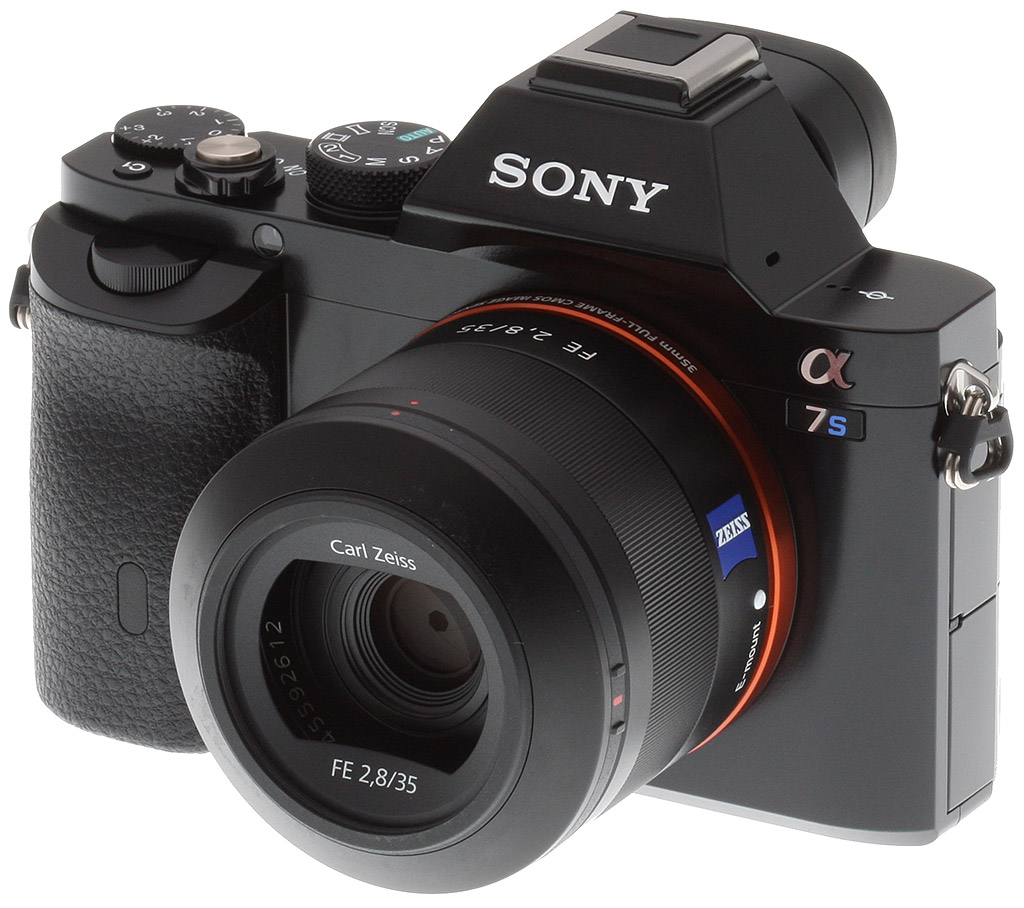
Sony really redefined what full-frame photography could be in the fall of 2013, with the introduction of the A7 and A7R, by far the smallest full-frame, fully-featured interchangeable lens cameras we'd seen to date. Now, the Sony A7S is poised to similarly redefine the world of 4K video and low-light still shooting.
Rather than chasing ever more pixels, the Sony A7S takes a conscious step back, featuring an all-new 12.2-megapixel sensor with huge pixels -- by current standards, at least -- as well as some unique tweaks aimed at increasing dynamic range. The combination equates to unprecedented low-light performance. By default, the Sony A7S has a sensitivity range of ISO 100 to 102,400 equivalents for still imaging or video. This range can be expanded for still shooting to encompass everything from ISO 50 to 409,600 equivalents in still shooting, and ISO 100 to 409,600 equivalents for video.

While we saw a similar ISO range from the Nikon D4s, the Sony A7S's bigger pixels and special sensor architecture offers lower noise levels and better detail -- albeit at a lower resolution.
There's some new sensor technology at play in the Sony A7S, beyond just its bigger pixels. We were told that the A7S sensor can, with some paraphrasing, "adjust its gain corresponding to its environment. It essentially adjusts its dynamic range accordingly, so that it is able to optimize the dynamic range for each ambient environment, whether dark, bright, harsh lighting, etc."
That's intriguing, but doesn't really tell us much about how it actually works. However Sony did say that it expects a dynamic range of up to 15.3 stops from the A7S in raw format.

The Sony A7S' sensor size (including the area used for video capture), compared to the corresponding areas of APS-C and Super 35mm.
Another important feature for the A7S is the ability to use a Silent Shooting mode. This allows fully-silent shooting with both electronic first and second-curtain functions, not simply a reduced noise level with electronic first-curtain and mechanical second-curtain, as in some competing cameras.This is a huge feature for nature shooting, or any other environment in which silence is key.
No less important is the fact that the chip can output extremely high-quality, 16:9-aspect, 4K video without line-skipping, pixel binning or downsampling. It's not quite a native sensor readout, as there's still an approximate 1.1x focal length crop, but it's the closest to full-sensor width video we've yet seen from a full-frame imager. By contrast, Canon's EOS-1D C has a 1.3x focal length crop for 4K video, using only an APS-H sized area of the sensor.
 |
The Sony A7S can't record 4K video directly, but can output an uncompressed 4:2:2 4K video feed via HDMI. You can use the same approach for Full HD video, or alternatively, opt for a choice of XAVC S or AVCHD codecs. Vanilla MP4 is also possible at 1,440 x 1,080 or below. |
The A7S' near-full width 4K mode means you maintain most of the wide-angle capability of your lenses, have more of the shallower depth of field of full-frame area, and still avoid the sort of artifacts caused by the line-skipping approach used in almost all other DSLRs.

It's also important to note that the Sony A7S can't record 4K video directly to the internal memory card, but rather passes a clean, uncompressed (8-bit, 4:2:2) 4K 30p/24p stream over its HDMI connection, where it can be recorded on an external device. The reason for this is that the processing required to encode and record the 4K signal internally would have generated far too much heat within the camera body.
 Learn how professional photographer Scott Robert Lim got this shot with his Sony a7S
How Scott got the shot.
Expand your browser window to see this image full-screen
Wedding photographer and Sony Artisan Scott Robert Lim created this captivating image by posing his subject inside a tunnel near the Sky Temple in Beijing, China.
By using available light, shallow depth of field, careful composition and posing, and his rapport with the subject, he was able to craft an intimate portrait with a sense of place in the midst of a crowded tourist destination.
Read what he had to say about creating this photo, and why "Posing is a process".
The Sony a7S and Zeiss® Sonnar T* FE 55mm f/1.8 ZA lens really shine here. The exceptional dynamic range and low image noise of the Sony a7s preserved detail from the darkest shadows to the brightest highlights, and produced beautiful gradations in between, while the lens delivered great detail wide open, and gorgeous, creamy bokeh.
This content was made possible by support from Sony's Artisans of Imagery program.
The A7S can record full HD video internally, though, and even offers a choice of AVC codecs. Beyond the standard AVCHD format, the Sony A7S also supports the XAVC S codec, previously found only in Sony's high-end Handycam professional camcorders. The XAVC S codec was designed to be able to accommodate 4K video, but in the case of the A7S provides high-bitrate full HD, at 50 Megabits/second.

At Full HD resolution (1,920 x 1,080), the Sony A7S can record at frame rates of 60p, 60i, 30p, and 24p directly to the card. The camera can also record in APS-C mode -- what Sony calls "Super 35mm-equivalent" -- if desired, and in that crop mode can support a high 120 frames per second rate while shooting at 720p (1,280 x 720 pixel) resolution, creating a 5x slow-motion effect.
The Sony A7S also supports what's known as S-Log2 gamma, a tone curve borrowed from Sony's pro video recorder line that greatly expands the practical dynamic range of its videos. This special gamma function applies a strong logarithmic tone curve to the sensor's output, rolling off the highlight end of the curve to preserve highlight detail. Viewed without a corresponding tonal expansion, the resulting video will look very flat, but the dynamic range is expanded over linear encoding by 1,300%, providing enormous dynamic range that can be exploited in post-production.

Other pro-level video functions include the ability to save "picture profiles", that include settings like gamma, black level and color adjustments. These settings can be shared across multiple A7S bodies, to ensure consistency in multi-camera shoots. The Sony A7S also provides time-code (free-run and rec-run), the ability to synchronize with external devices, marker and zebra displays on both the LCD screen and viewfinder, and can record dual XAVC S as well as MP4 simultaneously (MP4 at 1,280 x 720/30p).

As with other cameras in Sony's line, the A7S has what the company terms the Multi-Interface Shoe, a proprietary hot-shoe that can provide XLR audio input via the XLR-K1M adapter kit. As part of the A7S announcement, Sony also said that it was developing another mic adapter kit "allowing use of professional microphone systems", but gave no further details. (Perhaps a system that would provide 48-volt phantom power over the XLR connection? We don't think the current K1M adapter provides that.)
Like the A7R, the Sony A7S lacks on-chip phase-detection autofocus elemen`ts, so it uses the same "Fast Intelligent AF" as the A7R, a system based solely on contrast detection. Sony promises better autofocus performance on the A7S, though, thanks to the larger pixels on its new sensor. In fact, for low-light autofocus it's one of the best on the market, able to focus right down to light levels of -4EV, with an f/2.0 lens. (This is one of the lowest-light AF capability we've ever heard of, by a full EV step.)
| Differences between the Sony A7S, A7R and A7 | |||
| Camera | Sony A7R | Sony A7S | Sony A7 |
| Body-only List Price | US$2,300 | US$2,500 | US$1,700 |
| Available in Kit with Lens | No | No | Yes |
| Body Materials | Magnesium alloy | Magnesium alloy | Magnesium alloy and polycarbonate |
| Sensor Size | 35.9 x 24.0mm | 35.8 x 23.9mm | 35.8 x 23.9mm |
| Sensor Resolution (Total) | 36.8 mpix | 12.4 mpix | 24.7 mpix |
| Sensor Resolution (Effective) | 36.4 mpix | 12.2 mpix | 24.3 mpix |
| Maximum Image Size | 7,360 x 4,912 pixels | 4,240 x 2,832 pixels | 6,000 x 4,000 pixels |
| Standard ISO sensitivity (Still) | 100 - 25,600 | 100 - 102,400 | 100 - 25,600 |
| Expanded ISO sensitivity (Still) | 50 - 25,600 | 50 - 409,600 | 50 - 25,600 |
| Standard ISO sensitivity (Video) | 200 - 25,600 | 200 - 102,400 | 200 - 25,600 |
| Expanded ISO sensitivity (Video) | N/A | 200 - 409,600 | N/A |
| Electronic First Curtain Shutter | No | Yes, optional | Yes, optional |
| On-chip Phase Detect Pixels? | No | No | Yes |
| Continuous Shooting Rate (with continuous autofocus) |
1.5 fps max. | 2.5 fps max. | 2.5 fps max. |
| Speed Priority Continuous Shooting Rate | 4.0 fps max. (No Continuous AF) |
5.0 fps max. (No continuous AF) |
5.0 fps max. (Continuous AF supported) |
| Autofocus Type | Contrast Detection 25-points |
Contrast Detection 25-points |
Fast Hybrid AF 117-point (phase detect) 25-point (contrast detect) |
| Predictive Autofocus Tracking | No | No | Yes |
| Flash Sync Speed | 1/160 second | 1/250 second | 1/250 second |
| Maximum resolution for HDMI live view | 1,920 x 1,080 pixels | 3,840 x 2,160 pixels | 1,920 x 1,080 pixels |
| Video codecs | AVCHD / MP4 | XAVC S / AVCHD / MP4 | AVCHD / MP4 |
| Maximum clip length | 29 min. (AVCHD); 20 min. / 2GB (MP4) | 29 min. (XAVC S); 29 min. (AVCHD); 20 min. / 2GB (MP4) | 29 min. (AVCHD); 20 min. / 2GB (MP4) |
| 120fps at 720p? | No | Yes | No |
| S-Log 2 gamma option | No | Yes | No |
| Picture profile function | No | Yes | No |
| Time code | No | Yes | No |
| Maximum Magnification (Playback) | 23.0x | 13.3x | 18.8x |
| Battery life (Still) | 340 shots (LCD) 270 shots (EVF) |
380 shots (LCD) 320 shots (EVF) |
340 shots (LCD) 270 shots (EVF) |
| Battery life (Video, clips with power-cycling and zoom) | 60 min. (LCD); 65 min. (EVF) | 60 min. (LCD); 55 min. (EVF) | 65 min. (LCD); 60 min. (EVF) |
| Battery life (Video without power-cycling or zoom) | 90 min. (EVF / LCD) | 90 min. (EVF / LCD) | 100 min. (EVF / LCD) |
| Weight (Body Only) | 14.4 ounces (407g) | 15.7 ounces (446g) | 14.7 ounces (416g) |
| Weight (with battery and
Memory Stick PRO Duo flash card) |
16.4 ounces (465g) | 17.2 ounces (489g) | 16.7 ounces (474g) |
In continuous shooting mode, the Sony A7S offers the same performance as the A7 before it: 5 frames per second in speed priority mode, which locks focus from the first shot in the series, or 2.5 fps with autofocus adjustment between frames.

CIPA-standard battery life for still shooting is rated at 380 shots per charge when using the rear-panel LCD, or 320 shots with the electronic viewfinder.
From all the above, it's clear that Sony had video recording -- and particularly 4K video recording -- firmly in mind when it developed the A7S. It'd be a mistake, though, to focus solely on that and assume that it's not a camera meant for still photographers as well.
The sensor's big pixels and special dynamic-range management capabilities mean it should provide unprecedented low-light capability for still shooters, too, and have very well-controlled noise levels when using high ISOs to freeze action under more moderate lighting as well.
Sony started shipping the A7S in the US market from July 2014. And good news: Body-only list pricing is set at an impressively aggressive US$2,500!
Place your order with a trusted Imaging Resource affiliate now:

In the Box
The Sony A7S is sold body-only and the retail box contains the following items:
- Sony A7S body
- NP-FW50 Lithium-Ion Rechargeable Battery (1020mAh)
- AC-UB10 AC Adapter
- Shoulder Strap
- Body Cap
- Hot Shoe Cover
- Eyepiece Cup
- Micro USB Cable
- PlayMemories Home App
- Image Data Converter Version 4 Software
- Limited 1-year Warranty
Recommended Accessories
- Large capacity SDHC/SDXC memory card. 16GB Class 10 should be a minimum (SDXC memory card required for XAVC S video format.)
- Sony FE-mount lens: FE 24-70mm f/4 Zeiss or FE 35mm f/2.8 Zeiss
- Extra NP-FW50 Lithium-Ion Rechargeable Battery (1020mAh) (~US$50)
- Sony Vertical Battery Grip for Alpha a7/a7R/a7S Digital Camera (~US$298)
- Sony HVL-F20M External Flash (~US$148)
- External Shotgun Microphone
- External 4K Recorder necessary for 4K video capture
- Small/Medium Carrying Bag
Optics
The Sony A7S doesn't ship with an official kit lens, so we have no kit lens test results for you here. However, we do have viewfinder coverage results.
Viewfinder Test Results
Coverage
Excellent accuracy from the EVF and LCD monitor.


The Sony A7S's OLED electronic viewfinder and LCD monitor both show approximately 100% coverage. Excellent performance.
The images above were taken from our standardized test shots. For a collection of more pictorial photos, see our Sony Alpha ILCE-A7S Photo Gallery .
Exposure
Color
Saturation & Hue Accuracy
Saturation generally increases with ISO, with typical hue accuracy.
 |
||||
|
ISO Sensitivity
|
||||
| In the diagram above, the squares show the original color, and the circles show the color that the camera captured. More saturated colors are located toward the periphery of the graph. Hue changes as you travel around the center. Thus, hue-accurate, highly saturated colors appear as lines radiating from the center. Mouse over the links to compare ISOs and click on the links for larger images. | ||||
Saturation. The Sony A7S's mean default color saturation is 113.2% at base ISO or in other words, oversaturated by 13.2%. That's just a bit above average these day, but unusually, mean saturation actually increases with sensitivity, reaching a peak of 119.5% at ISO 204,800. Cameras often reduce saturation at higher ISOs to reduce the appearance of chroma noise, but the A7S bucks that trend. As usual, reds and dark blues are boosted the most, but not as much as we often see. Most other colors are pushed just a bit, though yellow, light green and aqua are slightly undersaturated which is quite common. Overall, saturation levels are quite pleasing to our eyes, and you can of course tweak saturation to your liking. Most consumer digital cameras produce color that's more highly saturated (more intense) than found in the original subjects. This is simply because most people like their color a bit brighter than life.
Skin tones. The Sony A7S does fairly well with Caucasian skin tones when white balance is adjusted to match the lighting. Brighter flesh tones have a healthy-looking pinkish tint, though darker areas are nudged slightly toward orange. Still, pretty good results here. Where oversaturation is most problematic is on Caucasian skin tones, as it's very easy for these "memory colors" to be seen as too bright, too pink, too yellow, etc.
Hue. Like many cameras, the Sony A7S pushes cyan toward blue, red toward orange, orange toward yellow and yellow toward green, but shifts are relatively minor. (The cyan to blue shift is actually fairly minor and very common among the digital cameras we test; we think it's a deliberate choice by camera engineers to produce better-looking sky colors.) With an average "delta-C" color error of 5.1 after correction for saturation at base ISO, overall hue accuracy is about average, with accuracy only moderately lower at higher ISOs. Hue is "what color" the color is.


Sensor
Exposure and White Balance
Indoors, incandescent lighting
Warm color with Auto white balance; Incandescent is pretty good, and Manual is very good. Slightly above average exposure compensation required.


Indoors, under normal incandescent lighting, color balance is too warm and orange with the Auto white balance setting. Results with the Incandescent setting are quite good, though, and only slightly warm, while the Manual setting is the most accurate. The Sony A7S required +0.7 EV positive exposure compensation here, which is slightly above the average of +0.3 EV required for this shot. (Our test lighting for this shot is a mixture of 60 and 100 watt household incandescent bulbs, a pretty yellow light source, but a very common one in typical home settings here in the U.S.)
Outdoors, daylight
Excellent results under harsh lighting, with very good handling of contrast, color, and exposure.
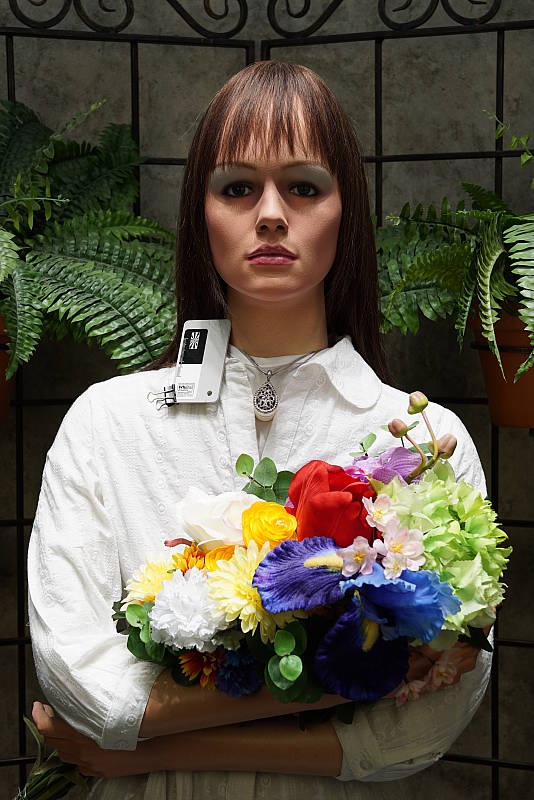
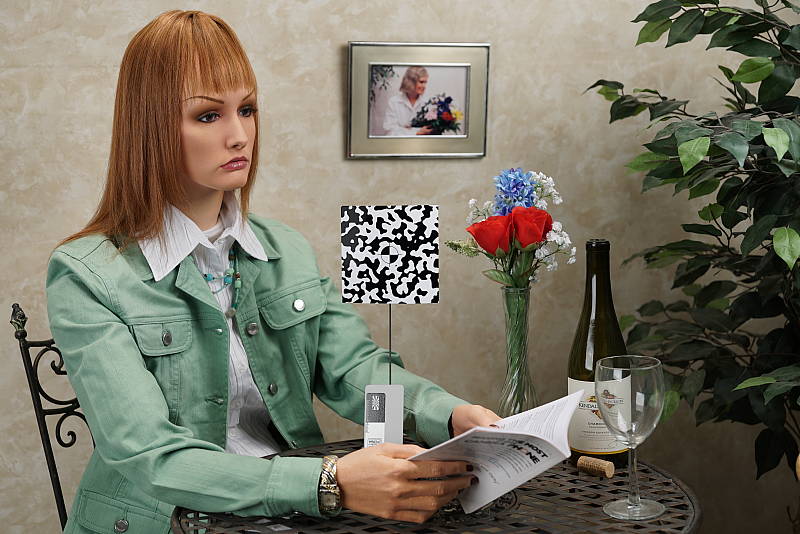
Outdoors, the Sony A7S performed very well. +0.7 EV exposure compensation was required to keep the mannequin's face reasonably bright in our "Sunlit" Portrait shot, which is average among the cameras we've tested. Contrast is a little high as you might expect under such harsh lighting, but the camera did a great job of holding onto bright highlights and detail in the shadows, even without the help of Sony's Dynamic Range Optimization (DRO) feature. We preferred Manual color balance for the "Portrait" shot though, as Auto white balance produced skin tones that were a touch warm and yellow. Default exposure is just slightly underexposed in our Far-field shot (above right), but with very few highlights blown or shadows lost, again with DRO disabled. The Far-field shot with Auto white balance has very good color, perhaps just a touch warm. Overall, great performance in harsh lighting, especially considering DRO was off for these shots.
See full set of test images with explanations
See thumbnails of all test and gallery images
Resolution
Moderate resolution (by today's standards); ~2,100 lines of strong detail from JPEGs, about the same from RAW files.


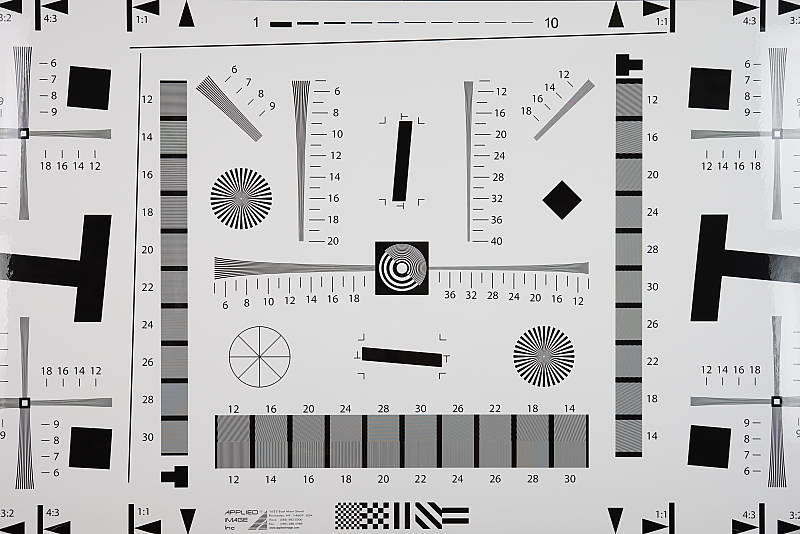
In-camera best quality JPEGs of our laboratory resolution chart reveal sharp, distinct line patterns down to about 2,100 lines per picture height in the horizontal direction and to about 2,100 lines per picture height in the vertical direction. Some may argue for higher numbers, but aliasing artifacts and false colors start to interfere at this resolution, making it a difficult call. Complete extinction of the pattern didn't occur until about 2,700 lines in both directions. Adobe Camera Raw wasn't really able to extract more resolution here from a RAW file, but it produced more color moiré as it often does. Use these numbers to compare with other cameras of similar resolution, or use them to see just what higher resolution can mean in terms of potential detail.
See full set of test images with explanations
See thumbnails of all test and gallery images
Sharpness & Detail
Excellent sharpness, with few sharpening artifacts. Mild noise suppression visible in the shadows and areas of low contrast.


Sharpness. The Sony A7S captures very sharp, crisp images overall, and it doesn't leave behind heavy sharpening halos around edges with high contrast that we often see, such as around the lines and letters of our olive oil bottle label crop (above left). Excellent results here. Edge enhancement creates the illusion of sharpness by enhancing colors and tones right at the edge of a rapid transition in color or tone.
Detail. The crop above right shows relatively mild noise suppression in the darker areas of the mannequins's hair. Only a small number of low-contrast strands are smudged together, while higher contrast strands remain distinct. Excellent results here as well. Noise-suppression systems in digital cameras tend to flatten-out detail in areas of subtle contrast. The effects can often be seen in shots of human hair, where the individual strands are lost and an almost "watercolor" look appears.
RAW vs In-Camera JPEGs
As noted above, the Sony A7S produces in-camera JPEGs with sharp, crisp detail. Additional detail can often be obtained from carefully processing RAW files with a good converter, so let's have a look:
| Base ISO (100) | |
 |
 |
 |
 |
 |
 |
|
Camera JPEG, defaults
|
RAW via Adobe Camera Raw
|
In the table above, we compare a best quality in-camera JPEG taken at base ISO using default noise reduction and sharpening (on the left) to the matching RAW file converted with Adobe Camera Raw 8.6 with some strong but tight unsharp masking applied in Photoshop (250%, radius of 0.3 pixels, and a threshold of 0).
As you can see, the Adobe Camera Raw conversion does contain more fine detail, especially in the red-leaf swatch which so many cameras struggle with. And because the Sony A7S produces very low noise levels, there's almost no additional noise to be seen when using ACR's default noise reduction, which is often not the case. Although the A7S does a very good job at rendering most of the available detail without many sharpening artifacts (at least at base ISO), discerning users will likely still want to shoot in RAW mode to get the most out of the A7S's sensor (as well as a lot more latitude for post-processing).
ISO & Noise Performance
Outstanding high ISO performance.
|
Default High ISO Noise Reduction
|
 |
 |
 |
| ISO 50 | ISO 100 | ISO 200 |  |
 |
 |
| ISO 400 | ISO 800 | ISO 1600 |
 |
 |
 |
| ISO 3200 | ISO 6400 | ISO 12,800 |
 |
 |
 |
| ISO 25,600 | ISO 51,200 | ISO 102,400 |  |
 |
| ISO 204,800 | ISO 204,800 | |
The Sony A7S's in-camera JPEG images are very clean and detailed at ISOs 50 through 800, with almost no degradation in image quality as ISOs increase within this range. ISOs 1600 through 12,800 show a nice, progressive decline in image quality, with pretty good detail left at 12,800 for such a high ISO. At ISO 51,200, luma noise starts to become prominent, chroma noise more noticeable, and image quality drops off rapidly from there, with the top two ISOs looking more like Monet paintings than photographs. Still, outstanding high ISO performance.
As always, see the Print Quality section below for maximum recommended print sizes at each ISO.
A note about focus for this shot: We shoot this image at f/4 since the scene isn't brightly lit as it's in typical indoor lighting. To insure that the hair detail we use for making critical judgements about camera noise processing and detail rendering is in sharp focus at the relatively wide aperture we're shooting at, the focus target at the center of the scene is on a movable stand. This lets us compensate for front- or back-focus by different camera bodies, even those that lack micro-focus adjustments. This does mean, though, that the focus target itself may appear soft or slightly out of focus for bodies that front- or back-focused with the reference lens. We know this; if you click to view the full-size image for one of these shots and notice that the focus target is fuzzy, you don't need to email and tell us. :-) The focus target position will have been adjusted to insure that the crop area of the scene is focused properly.
Extremes: Sunlit, dynamic range and low light tests
Excellent highlight and shadow detail in harsh lighting. Very good low-light performance, capable of capturing bright images in near darkness.


Sunlight. The Sony A7S handled the deliberately harsh lighting in the test above very well. We preferred the +0.7 EV exposure here, as the +0.3 EV exposure is a touch dim in the face while the +1.0 EV exposure was oddly the same brightness (with manual white balance; Auto white balance was brighter, yet used the same exposure variables). Contrast is a little high, but shadow and highlight detail are both excellent. Despite the bright appearance, few highlights are blown in the mannequin's shirt and face at +0.7 EV, though the red channel is clipped in some of the flowers as is often the case, as well as in specular highlights where you'd expect clipping. There are some dark shadows however they're very clean, though very deep shadows are posterized as expected. Overall, excellent performance here.
See below for results with Dynamic Range Optimization and High Dynamic Range features enabled.
Because digital cameras are more like slide film than negative film (in that they tend to have a more limited tonal range), we test them in the harshest situations to see how they handle scenes with bright highlights and dark shadows, as well as what kind of sensitivity they have in low light. The shot above is designed to mimic the very harsh, contrasty effect of direct noonday sunlight, a very tough challenge for most digital cameras. (You can read details of this test here. In actual shooting conditions, be sure to use fill flash in situations like the one shown here; it's better to shoot in open shade whenever possible.)


Dynamic Range Optimization is Sony's name for their dynamic range enhancement technology. DRO divides the image into small areas, analyzes the range of brightness of each area, and adjusts the camera's image processing parameters accordingly to make the best use of the available dynamic range. Auto DRO is enabled by default on the Sony A7S. You can also set the level manually, from 1 ("weak") to 5 ("strong"), or turn it off. As one would expect, DRO is only available for JPEG files.
The above thumbnails and histograms show the effects of the various levels of DRO on our "Sunlit" Portrait shot with no exposure compensation. Mouse over the links on the right to load the associated thumbnail and histogram, and click on the link to visit the full resolution image. As you can see from the thumbnails and histograms, increasing DRO progressively boosts shadows and midtones while leaving highlights essentially intact. The Auto setting did a pretty good job overall especially when compared to the default exposure without it, and the five manual levels give quite a bit of control over the effect.

Above, you can see the effect of DRO settings on our Far-field shot. The default Auto setting produced a nicely balanced exposure, despite the harsh lighting. A useful feature.


High Dynamic Range. The Sony A7S's HDR mode takes three images in rapid succession, one nominally exposed, one underexposed, and one overexposed, then combines them into one high dynamic range JPEG automatically. Lighter areas from the underexposed image are combined in-camera with darker areas from the overexposed image to produce an image with compressed tonal range. The camera then saves a single composite image, as well as the nominally exposed image. The overlaid images are micro-aligned by the camera, but it can only correct for so much movement. If the camera can't micro-align successfully, an icon indicating HDR capture failed will appear. For best results, the subject should not move or even blink, so it's not really intended for portraits. There is also a manual mode where you can select 1 EV ("weak") to 6 EV ("strong") difference in exposures.
Mouse over the links to load the associated thumbnail and histogram, and click on the link to visit the full resolution image. As you can see, the Auto setting did a pretty good job, with an effect somewhere between the 2 and 3 EV manual settings. The higher the manual setting, the more highlights were toned-down and shadows opened up, but as you can see higher settings can produce flat and unnatural results with this subject.
Above, you can see the effect of HDR settings on our Far-field shot. Watch out for ghost images from subject movement during the capture sequence, though, as can be seen in some of the shots above. Still, Sony has one of the better in-camera HDR implementations we've seen.
Dynamic Range Analysis (RAW mode). While we once performed our own dynamic range measurements based on in-camera JPEGs as well as converted RAW images (when the camera was supported by Adobe Camera Raw), we've switched to using DxO Labs' results from their DxOMark website. As technology advanced, the dynamic range of modern high-end cameras in some cases exceeded the range of the Stouffer T4110 density scale that we used for our own measurements. DxO's approach based on RAW data before demosaicing is also more revealing, because it measures the fundamental dynamic range of the sensor, irrespective of whatever processing is applied to JPEGs, or to RAW data by off-the-shelf conversion software.
In the following, we use DxO's "Print" dynamic range results, which are scaled based on camera resolution. As the name suggests, this scaling corresponds to the situation in which you print at a given size, regardless of how many megapixels the camera might have. (In other words, if you've decided to make a 13x19 inch print, that's the size you're printing, whether the camera's resolution is 16 or 300 megapixels.) For the technically-minded, you can find a discussion of the reasoning behind this here on the DxOMark website. Also note that DxO Labs uses a signal-to-noise (SNR) threshold of 1 when defining the lower boundary of acceptable luminance noise in their dynamic range measurements, which corresponds to the "Low Quality" threshold of the Imatest software we used to use for this measurement.

Here, we compare the 12-megapixel Sony A7S to its sibling the 24-megapixel A7, as well as to the 16-megapixel Nikon Df which is considered one of the best full-frame DSLRs for low light photography. The graph above is interesting, as it shows the Sony A7 provides significantly better dynamic range at base ISO, with the A7 managing 14.01 EV versus the A7S's 13.16 EV and the Df's 13.09 EV. But keep in mind this is Printed dynamic range, so the A7's significantly higher resolution puts it at an advantage when printed at the same size, since the higher resolution camera will have more of its noise averaged out when downsampled during the normalizing process. (And indeed, if we compare the "Screen" results, we'll see the A7's dynamic range drop down to values much closer to the A7S at base ISO.)

As expected, where the Sony A7S really shines is at high ISOs, where it offers an advantage of up to about 1.8 f-stops (9.05 EV vs 7.25 EV @ ISO 25,600 ) over the A7, and just over a one stop advantage over the Df at the same ISO. Remarkable. Click here to visit the DxOMark page for the Sony A7S for more of their test results and additional comparisons.
| 1 fc 11 lux |
1/16 fc 0.67 lux |
1/16 fc No NR |
|
|---|---|---|---|
| ISO 100 |
 2s, f2.8 |
 30s, f2.8 |
 30s, f2.8 |
| ISO 3200 |
 1/15s, f2.8 |
 1s, f2.8 |
 1s, f2.8 |
| ISO 409600 |
 1/2000s, f2.8 |
 1/125s, f2.8 |
 1/125s, f2.8 |
Low Light. The Sony A7S performed extremely well in our low light tests, producing bright images down to the lowest light level we test at (1/16 fc). Noise is practically nonexistent at ISO 100, and very low at ISO 3200. Some very fine luma and chroma noise can be seen at ISO 3200 with noise reduction minimized (right-most column), however it has a tight "grain" which isn't objectionable. As expected, noise is very high at the highest ISO of 409,600. We didn't notice any significant issues with hot pixels or heat blooming, and perhaps just some faint banding (pattern noise) at the highest ISOs.
Auto white balance did a very good job here, producing a fairly neutral, just slightly cool color balance.
The Sony A7S's autofocus system was able to focus on our target down to below the 1/16 foot-candle light level unassisted with an f/2.8 lens. That's excellent for a mirrorless camera, and we can probably attribute that to the A7S's larger-than-average photosites. And with the AF-assist lamp enabled the Sony A7S also focused below the 1/16 foot-candle level. Assisted low-light autofocus performance will of course vary with subject type and distance, but the Sony A7S was able to focus in very dim conditions without assistance, albeit much more slowly than in bright conditions.
How bright is this? The one foot-candle light level that this test begins at roughly corresponds to the brightness of typical city street-lighting at night. Cameras performing well at that level should be able to snap good-looking photos of street-lit scenes. (A useful trick is to just prop the camera on a convenient surface, and use its self-timer to release the shutter. This avoids any jiggling from your finger pressing the shutter button, and can work quite well when you don't have a tripod handy.)
NOTE: This low light test is conducted with a stationary subject, and the camera mounted on a sturdy tripod. Most digital cameras will fail miserably when faced with a moving subject in dim lighting. (For example, a child's ballet recital or a holiday pageant in a gymnasium.) Thanks to its larger sensor, compact system cameras like the Sony A7S tend to do better than point & shoots, but you still shouldn't expect a quick autofocus lock with moving subjects.
Output Quality
Print Quality
Excellent prints as large as 24 x 36 inches from base up to ISO 400; an impressive 20 x 30 at ISO 800; and an acceptable 4 x 6 all the way up to ISO 51,200.
 ISO 100 through 400 images look practically the same with excellent detail, color and, as expected, zero to extremely low noise, and therefore all print up to a maximum size of 24 x 36 inches. At this resolution, we are pushing the limits of the 12MP sensor, and at close inspection, you can see some pixelation. However at normal viewing distances of an arm's length or farther, images look nice and crisp.
ISO 800 prints are very similar to the lower ISO prints, however there is a very slight increase in shadow noise, and as such, the safe bet is a maximum 20 x 30 print size. That being said, you could probably get away with the next size larger in certain situations.
ISO 1600 images look practically identical to ISO 800 shots -- with the same level of fine detail and color rendition -- and therefore also print to 20 x 30 inches.
ISO 3200 prints as large as 16 x 20 inches as they start to show a bit more noise than the previous two ISO levels, though the increase in noise is primary restricted to shadow areas. Fine detail is still very good, even in notoriously difficult areas such as our red fabric.
ISO 6400 images are again slightly noisier than the previous ISO, but noise is overall very well-controlled for this ISO level and therefore can make prints up to 13 x 19 inches quite easily.
ISO 12,800 prints can go as large as 8 x 10 inches with no sweat. While noise is stronger now, it’s still confined primarily to the shadows and overall looks pretty fine-grained at this print size. Colors are still pleasant at this ISO as well.
ISO 25,600 images are getting into tricky territory now with stronger noise, making a 5 x 7 inch print the largest we feel comfortable giving our stamp of approval to.
ISO 51,200 prints max out at 4 x 6 inches. The noise is rather strong at this level and colors are looking less appealing with a slight greenish tint.
ISO 102,400 - 409,600 images, while impressive to exist in the first place, are nonetheless too noisy and lacking in fine detail to call any print size acceptable.
Despite having a rather meager 12-megapixel resolution by today's standards, the full-frame Sony A7S manages some impressive print sizes at lower ISOs. Pushing the resolution of the sensor, ISO 100-400 files can all print up to a maximum size of 24 x 36 inches. While you see some pixelation at very close inspection, from a normal viewing distance for such a size, the prints are crisp, detailed and display nice, pleasing colors. At the higher ISOs of 3200 and 6400, the A7S manages solid 16 x 20 and 13 x 19 inch prints, respectively. Noise is well-controlled at these ISOs, mainly confined to shadow areas, and colors still look great. While the Sony A7S is touted for its insanely high maximum ISO of 409,600, usable prints nevertheless top out around ISO 51,200 with a 4 x 6 inch print.
The images above were taken from our standardized test shots. For a collection of more pictorial photos, see our Sony Alpha ILCE-A7S Photo Gallery .
Not sure which camera to buy? Let your eyes be the ultimate judge! Visit our Comparometer(tm) to compare images from the Sony Alpha ILCE-A7S with those from other cameras you may be considering. The proof is in the pictures, so let your own eyes decide which you like best!
Performance
Timing and Performance
Generally good performance overall, but powerup is sluggish.
| Startup and Play to Record | ||
|---|---|---|
| Power on |
~2.0 seconds
|
Time it takes to turn on and capture a shot. |
|
Play to Record, |
~0.5 second
|
Time until first shot is captured. |
Powerup to first shot was sluggish at about 2 seconds. Switching from Play to Record mode and taking a shot was pretty fast, though, at about half a second.
| Shutter Response (Lag Time) | |||
|---|---|---|---|
|
Shutter Mode |
EFC Shutter Enabled (Default) |
EFC Shutter Disabled |
Comments
|
|
Full Autofocus, |
0.178 second
|
0.320 second
|
Time from fully pressing shutter button to image capture, with the lens already at the proper focal distance setting. (AF timing performed with the Sony FE 35mm f/2.8 lens.) |
|
Full Autofocus, |
0.183 second
|
0.325 second
|
Time from fully pressing shutter button to image capture, with the lens already at the proper focal distance setting. |
| Manual Focus |
0.129 second
|
0.271 second
|
For most cameras, shutter lag is less in manual focus than autofocus, but usually not as fast as when the camera is "prefocused". |
|
Prefocused |
0.024 second
|
0.168 second
|
Time to capture, after half-pressing and holding shutter button. |
Using Electronic First Curtain shutter which is enabled by default, the Sony A7S's autofocus speeds were very good for a CSC, and competitive with prosumer DSLRs in our static tests. The Sony A7S's full-autofocus shutter lag (with the subject at a fixed distance) was 0.178 second in Single-area AF mode. This increased slightly to 0.183 second in Multi-area AF mode. When manually focused, the Sony A7S's lag time dropped to 0.129 second, which is also very good. The Sony A7S's prefocused shutter lag time was only 24 milliseconds,which is faster than most CSCs and much faster than DSLRs.
When using the all-mechanical shutter mode by disabling Electronic First Curtain, full autofocus shutter lag was significantly slower (3rd column from the left in the table above), manual focus shutter lag was over twice as slow, and prefocused shutter lag was about 7x slower.
To minimize the effect of different lens' focusing speed, we test AF-active shutter lag with the lens already set to the correct focal distance.
| Cycle Time (shot to shot) | ||
|---|---|---|
| Single Shot mode |
0.53 second
|
Time per shot, averaged over 40 shots with no signs of slowing, 2 seconds to clear*. |
|
Single Shot mode |
0.57 second
|
Time per shot, averaged over 40 shots with no signs of slowing, 2 seconds to clear*. |
|
Single Shot mode |
0.52 second
|
Time per shot, averaged over 40 shots with no signs of slowing, 6 seconds to clear*. |
| Early shutter |
No
|
Some cameras don't snap another shot if you release and press the shutter too quickly in Single Shot mode, making "No" the preferred answer. |
|
Continuous mode |
0.44 second (2.25 frames per second);
100+ frames total; 8 seconds to clear* |
Time per shot, averaged over 100 shots, with no signs of slowing. |
|
Continuous mode |
0.44 second (2.25 frames per second);
100+ frames total; 2 seconds to clear* |
Time per shot, averaged over 100 shots, with no signs of slowing. |
|
Continuous mode |
0.45 second (2.24 frames per second);
70 frames total; 13 seconds to clear* |
Time per shot, averaged over buffer length of 70 frames, then slows to an average of 0.61s or 1.65fps when buffer is full. |
|
Continuous mode |
0.31 second (3.25 frames per second);
20+ frames total; 2 seconds to clear* |
Time per shot, averaged over 20 shots, with no signs of slowing. |
|
Continuous mode |
0.31 second (3.25 frames per second);
20+ frames total; 3 seconds to clear* |
Time per shot, averaged over 20 shots, with no signs of slowing. |
|
Continuous mode |
0.31 second (3.22 frames per second);
39 frames total; 13 seconds to clear* |
Time per shot, averaged over buffer length of 39 frames, then slows to an average of 0.61s or 1.65fps when buffer is full. |
|
Speed Priority |
0.20 second (4.99 frames per second);
62 frames total; 22 seconds to clear* |
Time per shot, averaged over buffer length of 62 frames, then slows to an average of 0.49s or 2.05fps when buffer is full. |
|
Speed Priority |
0.20 second (4.99 frames per second);
39 frames total; 8 seconds to clear* |
Time per shot, averaged over buffer length of 39 frames, then slows to an average of 0.39s or 2.59fps when buffer is full. |
|
Speed Priority |
0.20 second (4.99 frames per second);
28 frames total; 13 seconds to clear* |
Time per shot, averaged over buffer length of 28 frames, then slows to an average of 0.60s or 1.68fps when buffer is full. |
| Flash Recycling |
N/A
|
Flash at maximum output. |
|
*Note: Buffer clearing times measured with a SanDisk Extreme Pro 95MB/sec UHS-I SDHC card. Slower cards will produce correspondingly slower clearing times. Slow cards may also limit length of bursts in continuous mode. ISO sensitivity and noise reduction settings can also affect cycle times and burst mode performance.
|
||
Single-shot cycle time was about 0.5 second when shooting Large/Extra Fine JPEGs (using default Electronic First Curtain shutter). This increased slightly to about 0.6 second when shooting RAW, but RAW+ Large/Fine JPEG cycle time returned to about 0.5 second. This is very good for a CSC, but about average compared to most DSLRs. (Note that disabling EFC does add about 0.1 second lag time to these numbers.)
Standard continuous mode performance was quite slow at about 2.3 frames per second when using the all mechanical shutter mode. When leaving Electronic First Curtain enabled, continuous mode increased to about 3.2 frames per second (and we got similar speeds in Silent Shooting mode, which uses an all-electronic shutter).
Speed Priority Continuous mode managed about 5 frames per second, though autofocus is fixed at the first frame of a burst in this mode. (Unlike the Sony A7, the A7S does not have on-chip phase-detect AF pixels, so continuous autofocus is not supported in Speed Priority mode.)
Buffer depths were excellent, ranging from no limit in standard continuous mode when shooting Extra Fine JPEGs, to 62 Extra Fine JPEGs in Speed Priority mode, to a worst case of 28 RAW+JPEG frames in Speed Priority mode. Note, though, that our target for this test was designed to be difficult to compress, so maximum burst lengths should be even longer with typical subjects.
Buffer clearing times were pretty good, but can get a bit lengthy when shooting in Speed Priority mode, especially when shooting Extra Fine JPEGs (note that the A7S cannot shoot Extra Fine JPEGs together with RAW files, falling back to Fine quality when shooting in RAW+JPEG mode).
Bottom line, apart from sluggish power-on to first shot, the Sony A7S's performance is quite good compared to most mirrorless cameras, especially when considering the large full-frame sensor. Some may have expected that perhaps the A7S's lower resolution would allow for a faster burst mode than the A7, but that didn't turn out to be the case. Somewhat surprisingly though, autofocus tested noticeably faster than its higher-resolution sibling, the Sony A7, even though the latter has on-chip phase-detect pixels. (The Sony A7 is however able to continuously autofocus at the highest frame rate while the A7S cannot.)
Battery Life
Decent battery life for a Compact System Camera.
| Operating Mode | Battery Life |
|---|---|
|
Still Capture,
(CIPA standard, LCD Monitor) |
380 shots
|
|
Still Capture,
(CIPA standard, EVF) |
320 shots
|
The Sony A7S uses a custom NP-FW50 rechargeable lithium-ion battery pack for power, and comes with two batteries, a dedicated charger and an AC adapter for in-camera charging via USB. The battery is rated for 380 shots per charge when using the LCD monitor and 320 shots when using the electronic viewfinder, according to the CIPA standard. Battery life is pretty good for a full-frame mirrorless camera, but poor compared to most DSLRs. An optional VG-C1EM vertical grip is available which doubles battery life with two batteries.
The table above shows the number of shots the camera is capable of (on a fully-charged rechargeable battery), based on CIPA battery-life and/or manufacturer standard test conditions.
(Interested readers can find an English translation of the CIPA DC-002 standards document here. (180K PDF document))
Image Quality
Below are crops from our laboratory Still Life target comparing the Sony A7S with the Sony A7, Canon 5D Mark III, Fujifilm X-T1, Nikon D750 and Panasonic GH4. All of these models sit at relatively similar price points and/or categories in their respective product lineups as advanced enthusiast or professional-level cameras.
These comparisons were somewhat tricky to write, as the cameras vary a great deal in resolution, so bear that in mind as you're reading and drawing your own conclusions. (We generally try to match cameras in these comparisons based on price, given that most of us work to a budget, rather than setting out to buy a given number of megapixels.)
NOTE: These images are best quality JPEGs straight out of the camera, at default settings including noise reduction and using the camera's actual base ISO (not extended ISO settings). All cameras in this comparison were shot with our very sharp reference lenses. Clicking any crop will take you to a carrier page where you can click once again to access the full resolution image as delivered straight from the camera. For those interested in working with the RAW files involved: click these links to visit each camera's respective sample image thumbnail page: Sony A7S, Sony A7, Canon 5D Mark III, Fujifilm X-T1, Nikon D750 and Panasonic GH4 -- links to the RAW files appear beneath those for the JPEG images, wherever we have them. And remember, you can always go to our world-renowned Comparometer to compare the Sony A7S to any camera we've ever tested.
Sony A7S versus Sony A7 at base ISO
 |
 |
 |
 |
 |
 |
Sony A7S at ISO 100 |
Sony A7 at ISO 100 |
While there's quite a bit of resolution disparity here, the A7S nevertheless displays impressive image quality performance at base ISO. Naturally, fine detail is more apparent from the 24.3MP A7, though. The A7S does very well with the fabric swatches, and doesn't display any of the minor moiré "striping" that's seen on the A7 image. |
|
Sony A7S versus Canon 5D Mark III at base ISO
|
 |
|
 |
|
 |
Sony A7S at ISO 100 |
Canon 5D Mark III at ISO 100 |
The Sony A7S, despite the resolution difference, displays excellent image quality against the Canon 5D Mark III, especially in the fabric swatches -- where the A7S displays a crisper, sharper leaf pattern on the red fabric and shows more detail in the pink fabric as well. |
|
Sony A7S versus Fuji X-T1 at base ISO
|
 |
|
 |
|
 |
Sony A7S at ISO 100 |
Fuji X-T1 at ISO 200 |
Ah, here we compare two cameras that are more closely related in terms of sensor resolution, and yet again, the comparison is a tough one. Both cameras display a lot of fine detail, though the A7S shows a slightly crisper mosaic tile pattern and more contrast in the red fabric. The biggest difference, however, is the pink fabric, with which the Fuji X-T1 struggles quite a bit in comparison. |
|
Sony A7S versus Nikon D750 at base ISO
|
 |
|
 |
|
 |
Sony A7S at ISO 100 |
Nikon D750 at ISO 100 |
Here we see another 20+ megapixel camera up against the 12MP Sony A7S. Both cameras are neck-and-neck in terms of detail for their respective image resolutions. On the tricky fabric swatches, the A7S simply doesn't have the resolution to produce the fine moiré stripe pattern that shows up on the D750 image. |
|
Sony A7S versus Panasonic GH4 at base ISO
|
 |
|
 |
|
 |
Sony A7S at ISO 100 |
Panasonic GH4 at ISO 200 |
The A7S and GH4 are another pairing more close related in resolution. While the GH4 is a stellar performer for a Four Thirds sensor camera, at base ISO, the full-frame A7S nonetheless displays more fine detail than the GH4 in all three crop comparisons. |
|
Most digital SLRs and CSCs will produce an excellent ISO 100 shot, so we like to push them and see what they can do compared to other cameras at ISO 1,600, 3,200, and 6,400. Recent advances in sensor technology have made ISO 1,600 look a lot more like ISO 100, but there are still cameras whose quality starts to fall apart at this setting. We also choose 1,600 because we like to be able to shoot at least at this level when indoors and at night.
Sony A7S versus Sony A7 at ISO 1,600
 |
 |
 |
 |
 |
 |
Sony A7S at ISO 1,600 |
Sony A7 at ISO 1,600 |
The Sony A7S was designed for high ISO shooting, so it's no surprise that it takes the edge in this comparison at ISO 1600. Although you can see some slight NR processing at its default strength on the A7S image (bottle crop), it's much more apparent on the A7 image, in all three crops. The bottle detail looks crisper from the A7S and the mosaic tile looks more natural. On the fabric crops, we can see the biggest difference in image quality, with the NR processing really taking its toll on the A7 image, while the A7S displays a lot of clean, fine detail. |
|
Sony A7S versus Canon 5D Mark III at ISO 1,600
|
 |
|
 |
|
 |
Sony A7S at ISO 1,600 |
Canon 5D Mark III at ISO 1,600 |
Like the previous comparison, the A7S is the winner here as well with cleaner, sharper fine detail and less image quality degradation from default noise reduction. The 5D Mark III still looks great, but the edge goes the to A7S -- as the mosaic looks more natural and the fabric swatches display more fine detail from the Sony. |
|
Sony A7S versus Fuji X-T1 at ISO 1,600
|
 |
|
 |
|
 |
Sony A7S at ISO 1,600 |
Fuji X-T1 at ISO 1,600 |
At ISO 1600, the X-T1 shows a bit more noise in the shadows and fine detail is reduced in the mosaic crop compared to the A7S. While the Fuji handles the red fabric rather well, it's no match for the A7S at this ISO, which also handles the pink swatch better. |
|
Sony A7S versus Nikon D750 at ISO 1,600
|
 |
|
 |
|
 |
Sony A7S at ISO 1,600 |
Nikon D750 at ISO 1,600 |
The D750 does very well at controlling noise at ISO 1600, but the A7S has the edge with crisp, fine detail, especially with the mosaic tile pattern and the red fabric swatch. The Nikon does, however, handle the pink fabric a bit better. |
|
Sony A7S versus Panasonic GH4 at ISO 1,600
|
 |
|
 |
|
 |
Sony A7S at ISO 1,600 |
Panasonic GH4 at ISO 1,600 |
Again, the smaller Four Thirds sensor of the GH4 is showing its disadvantage against the full-frame sensor in the A7S. At ISO 1600, noise reduction is already taking its toll and reducing sharp, fine detail in the GH4 image, while the A7S shot remains relatively clean and crisp, particularly on the red fabric and black mosaic tile. |
|
Today's ISO 3,200 is yesterday's ISO 1,600, so below are the same crops at ISO 3,200.
Sony A7S versus Sony A7 at ISO 3,200
 |
 |
 |
 |
 |
 |
Sony A7S at ISO 3,200 |
Sony A7 at ISO 3,200 |
Upon close inspection, you can see the A7S's noise reduction processing at work at ISO 3200. However, it works rather well in reducing noise while leaving a lot of fine detail intact. The A7 image on the other hand displays much stronger NR processing with visible smearing and "mottling," thus reducing fine detail. |
|
Sony A7S versus Canon 5D Mark III at ISO 3,200
|
 |
|
 |
|
 |
Sony A7S at ISO 3,200 |
Canon 5D Mark III at ISO 3,200 |
The Canon 5D Mark III does very well at ISO 3200 with level-headed noise reduction processing when applied at its default level -- fine detail is softened up a bit in places like the black mosaic tile pattern and the fabrics, whereas the A7S crops remain relatively crisp. However, the shear resolution difference here makes it difficult to call one camera or the other the clear winner. |
|
Sony A7S versus Fuji X-T1 at ISO 3,200
|
 |
|
 |
|
 |
Sony A7S at ISO 3,200 |
Fuji X-T1 at ISO 3,200 |
Both cameras in this comparison display very well controlled noise and lots of detail for an ISO 3200 shot. The Fuji displays a bit more noise, but it looks rather finely grained and not too detrimental to the overall image quality. The A7S handles the mosaic and fabrics better than the X-T1 with sharper fine detail. |
|
Sony A7S versus Nikon D750 at ISO 3,200
|
 |
|
 |
|
 |
Sony A7S at ISO 3,200 |
Nikon D750 at ISO 3,200 |
Again, another huge disparity in resolution makes it difficult to call this comparison one way or the other. Noise is very low from both cameras, and fine detail is all-around very good. The A7S displays a more recognizable leaf pattern in the red fabric, whereas the detail in D750 image is almost entirely smoothed away. |
|
Sony A7S versus Panasonic GH4 at ISO 3,200
|
 |
|
 |
|
 |
Sony A7S at ISO 3,200 |
Panasonic GH4 at ISO 3,200 |
Try as it might, the Panasonic GH4 is no match for the high ISO performance of the A7S here at ISO 3200. Noise and NR processing reduces a lot of the fine detail from the GH4 images, especially on the mosaic and fabric swatches, while the A7S crops looks much cleaner and crisper. |
|
Detail: Sony A7S versus Sony A7, Canon 5D Mark III, Fuji X-T1, Nikon D750 and Panasonic GH4.
 |
 |
 |
 |
 |
 |
 |
 |
 |
 |
 |
 |
 |
 |
 |
 |
 |
 |
| Sony A7S ISO 100 ISO 3,200 ISO 6,400 |
Sony A7 ISO 100 ISO 3,200 ISO 6,400 |
Canon
5D Mark III ISO 100 ISO 3,200 ISO 6,400 |
Fuji X-T1 ISO 200 ISO 3,200 ISO 6,400 |
Nikon D750 ISO 100 ISO 3,200 ISO 6,400 |
Panasonic GH4 ISO 200 ISO 3,200 ISO 6,400 |
| Detail comparison. High-contrast detail is also important, pushing the camera in different ways, so we like to look at it, too. Surprisingly, very fine, high-contrast detail is something the Sony A7S doesn't handle very well, even at base ISO. Looking at the thin lines within the lettering, we see visible moiré and false color artifacts, at base ISO as well as at the higher levels. The other cameras with their higher resolutions do not display this characteristic. The thicker, darker edges of the lettering, however, remain crisp and sharp on the A7S as the ISO rises. | |||||
Sony A7S Print Quality
Excellent prints as large as 24 x 36 inches from base until ISO 400; an impressive 20 x 30 at ISO 800; and an acceptable 4 x 6 all the way up to ISO 51,200.
ISO 100/200/400 images look practically the same with excellent detail, colors and, as expected, extremely little to zero noise, and therefore all print up to a maximum size of 24 x 36 inches. At this resolution, we are pushing the limits of the 12MP full-frame sensor, and at close inspection, you can see some pixelation. However at normal viewing distances of an arm-length or further, images look nice and crisp.
ISO 800 prints are very similar to the lower ISO prints, however there is a very slight increase in shadow noise, and as such, the safe bet is a maximum 20 x 30 print size. That being said, you could probably get away with the next size larger in certain situations.
ISO 1600 images look practically identical to ISO 800 shots — with the same level of fine detail and color rendition — and therefore also print to 20 x 30 inches.
ISO 3200 prints go as large as 16 x 20 inches as they start to show a bit more noise than the last two ISO levels, though the increase in noise is primary restricted to the shadow areas. Fine detail is still very good, even in notoriously difficult areas such as the red fabric.
ISO 6400 images are again slightly noisier than the previous ISO, but overall very well controlled for this ISO level and therefore can make prints up to 13 x 19 inches quite easily.
ISO 12,800 prints can go as large as 8 x 10 inches with no sweat. While the noise is a stronger now, it’s still confined primarily in the shadows and overall looks pretty fine-grained at this print size. Colors are still pleasant at this ISO as well.
ISO 25,600 images are getting into tricky territory now with stronger noise, making a 5 x 7 inch print the largest to which we feel comfortable giving our stamp of approval.
ISO 51,200 prints max out at 4 x 6 inches. The noise is rather strong at this level and colors are looking less appealing with a slight greenish tint.
ISO 102,400 - 409,600 images, while impressive to exist in the first place, are nonetheless too noisy and lacking in fine detail to call any print size acceptable.
Despite having a rather meager 12-megapixel resolution, the full-frame Sony A7S manages some impressive print sizes at his lower ISOs. Pushing the resolution of the sensor, ISO 100-400 files can all print up to a maximum size of 24 x 36 inches. While you see some pixelation at very close inspection, from a normal viewing distance for such a size, the prints are crisp, detailed and display nice, pleasing colors. At the typically higher ISOs of 3200 and 6400, the A7S manages solid 16 x 20 and 13 x 19 inch prints, respectively. Noise is well controlled at these ISOs, mainly confined to the shadow areas, and colors still look great. While the A7S is touted for it insanely high ISO of 409,600, usable prints nevertheless top out around ISO 51,200 with a 4 x 6 inch print.
Field Test Part I
Field Test Part II
First impressions, handling and oh my, high ISO!
By William Brawley | Posted: 08/26/2014

Initial impressions
The moment I heard about the Sony A7S and its significantly larger pixels and low-light capabilities, I was very intrigued. Eschewing the ever-increasing megapixel race of many modern digital cameras, the Sony A7S packs a "measly" 12-megapixel resolution. However, these 12 megapixels are spread over a large 35mm full-frame sensor area thanks to larger individual pixels. What this means is that while you probably won't want to print billboard-sized images from an A7S, you can shoot in vastly lower lighting with much higher ISOs, as the sensor has much more light-gathering capabilities thanks to its larger photo-sites.
With a background in photojournalism, I often found myself on assignments shooting in situations where using a flash was disruptive or downright forbidden, such as in courtrooms or on the sidelines of football or basketball games. As such, having to shoot at higher ISOs was very common, and I often wished I could bump up the ISO a little more to get a more usable exposure, but I was limited to my cameras' high ISO capabilities. Now, with the A7S, my first thought was could this camera be the perfect photojournalist camera?
For pretty much all shooting situations but sports -- where traditional phase detect AF systems still come out on top against mirrorless cameras for continuous AF performance -- the Sony A7S could be an ideal solution, for journalists, for street shooters, for travel photographers, and even landscape and astrophotographers: compact and lightweight for much better portability than a DSLR while still keeping a full-frame sensor and with practically a "shoot-in-any-lighting" ISO sensitivity range.


Aside from the large pixels and lower overall image resolution, an interesting and very beneficial side effect to having only a 12MP resolution is the smaller resulting files sizes. Super-high resolution images from cameras like the Sony A7R and Nikon D810, especially RAW files, can become very large, often necessitating the need for bigger storage, both in memory cards and in hard drives. While those two things are getting cheaper by the minute these days, larger files also require more computational horsepower and time, as you wait for images to transfer. As someone who uses a rather lightweight Apple MacBook Air for my primary computer, editing smaller files speeds up the workflow a lot. For example, an ARW RAW file from the A7S is about 12-13MB, whereas the A7R can produce RAW files that tip the scales at nearly 40MB! For someone like a documentary travel photographer, a photojournalist out in the field, or someone who simply doesn't need to make very large prints, the smaller image files from the Sony A7S can help immensely with file storage space as well as photo import and transmit times. (Of course, you can also choose smaller files sizes on the other mentioned cameras.)
Design and handling

I love the design of the Sony A7/A7R/A7S cameras… for the most part. The smooth, almost-chiseled lines and angles look modern yet somewhat retro in appearance. It's a very cool-looking camera. But looks will only get you so far. If a camera looks great, but is barely functional, then we have a problem.
Thankfully, the ergonomics of the camera aren't hampered by design very much. While the leatherette/rubber-coated handgrip is a bit shallow compared to a full-size DSLR, it feels great, and the contour fits nicely in my medium-to-large sized hand. Using the medium-sized Sony FE 24-70mm f/4 Zeiss lens, the combination feels very well balanced with the grip allowing for a very comfortable, secure hold. Even with larger, heavier lenses, such as the FE 70-200mm f/4 -- which can often be unbalanced and a little unwieldy on smaller, lighter mirrorless cameras -- they feel comfortable and balanced on the A7S (even without the accessory battery grip, which we unfortunately didn't receive for our review).
As for buttons and controls, the Sony A7S is fairly straightforward with dedicated PASM and exposure compensation dials that each have a nice, solid feel. And while neither are locking dials, they have a firm resistance and click to them, so accidental adjustments should be rare.
My main gripe regarding ergonomics on the A7S is regarding the front finger control dial. I like the rear dial just fine, as it sits right above my thumb and rotates how I expect it to do. The front, on the other hand, is strange -- it's on the wrong plane. With my finger over the shutter button, having the front dial sit lower down and rotate horizontally rather than vertically felt awkward to me.


I often found myself having the take the camera down from my eye to find the front control dial. I kept inadvertently trying to rotate the front dial vertically, after years of muscle memory thanks to Canon DSLRs, which have a front dial that not only rotates vertically, but also sits behind the shutter button on the same surface. When I hold the A7S, the natural position for my finger puts it over the shutter release, but in that position, the front control dial is a little too low down for my taste. I realize this a quite subjective "gripe," and your mileage may vary, but it's something I noticed right off the bat when I picked up the camera.
Apart from my issue with the dial, handling the Sony A7S is great. The built quality is excellent, with its solid magnesium body, just like A7R. While not specifically listed on the Sony A7S product page itself, Sony indicates that both the A7 and A7R cameras have dust and moisture resistance. Since the A7S shares the same full magnesium alloy build, one could assume the same level of build quality. However, when I asked about this, Sony confirmed "that there is no difference in the dust / moisture resistance capabilities of any of our A7 series cameras."
Nevertheless, the A7S feels like a very tough, well-built camera, though this is probably a "ding" against it being the "perfect photojournalist camera," as some shooting scenarios that many photojournalists experience such as strong adverse weather, heavy downpours, or rough and dusty locations such as deserts or even war zones could be an issue for the A7S. While we don't plan on visiting any deserts or drenched tropical rain forests any time soon, we hope to investigate the weather sealing in the future.
 |
Of course, high ISO isn't the only trick up the A7S's proverbial sleeve. Low ISO shots with the big full frame sensor look very nice with excellent colors, nice shallow depths of field when you want it, and still enough detail even with only 12MP. |
Shooting with the A7S
So far, I've been extremely pleased with the shooting experience with the Sony A7S, apart from my minor ergonomics quibbles. While the A7S doesn't have the on-chip phase-detect AF system as the A7 and, rather, uses the contrast-detect-only system like the A7R, I found focusing performance on the A7S to be quite decent, even in low-light situations. This is a big plus considering its low-light/high ISO performance is one of its hallmark features.
Having a contrast-detect AF system, focusing on low-contrast and very small subjects can be tricky, and I found this to be the case at times on the A7S. In very dark locations -- such as in near full darkness where Auto ISO shot all the way to 409,600 at f/4, for example -- and I turned off the AF assist lamp, I experienced a noticeable slow-down in focus acquisition speed. If you don't mind the very bright orange focus assist lamp, then focusing in very dark locations is actually not a problem; it's slightly slower but certainly usable. To deal with very small subjects, Sony has thankfully included variable-sized focus points -- small, medium and large Flexible Spot focus modes -- that let you adjust the size of the focusing target to help pin-point your focus.
I've ended up using Flexible Spot AF mode for the majority of the time, as it allows for quick and easy adjustment, not only of the AF point size, but also the location of the AF points around the frame. The A7S makes it very quick to adjust the focus point by assigning Focus Setting to the custom C1 button next to the shutter button.

As a long-time DSLR user, I like a good viewfinder, and the EVF on the A7S is very good. The EVF feels large and bright with crisp text and none of the RGB tearing artifacts that I've encountered with lower quality EVF screens. I also didn't find lag to be much of an issue, even as a long-time OVF fan. Despite being a mirrorless camera with the ability to compose using the rear LCD, I'm much more of a traditionalist in this regard -- give me a nice EVF, and my shooting experience is much nicer, more comfortable and more stable.
It's also great that the EVF on the A7S is good because the rear LCD can actually be quite difficult to see in bright sunlight. It's prone to glare and finger prints, and the default brightness level seems quite low in bright, sunny conditions. If you need to use the rear screen or prefer to, the brightness can be adjusted brighter by two increments (and -2 increments, if in a dark location). There's also a shortcut in the brightness menu setting for "Sunny Weather" that quickly boosts the screen brightness up to maximum. However, be careful, as keeping the brightness will burn through your battery quicker.
Another minor quibble is the lack of a touchscreen. One of my favorite features on my Olympus E-M1 is the ability to use the touchscreen to quickly adjust the focus point. It really makes it simple and fast when composing a shot, and you quickly tap on the screen to get the focus right where you want it without resorting to the focus-and-recompose method. While this clearly isn't a deal breaker for the A7S for me personally, it's a small detail that I wish Sony had included on the camera.
Last but not least, is one of the coolest features of the A7S, which was added recently in a firmware update: silent shooting mode. This update makes the camera completely silent with no shutter sounds whatsoever (though, interestingly, it will still beep when confirming focus in AF-S mode, so be sure to turn that off, too, which is oddly listed as "Audio signals" in the menus). Street photographers looking for a stealthy camera need look no further. Photojournalists can also particularly benefit from this feature, especially when photographing in sound-sensitive locations or events such as press conferences, courtrooms or live performances where loud shutter sounds can be distracting and disruptive.

Low-light image quality
In my first assessment as to the image quality performance of the Sony A7S, why not start with it's hallmark feature? High ISO. With the ability to crank the sensitivity up to a whopping 409,600, the A7S is capable of shooting in practically any location, be it outdoors, indoors, at night, in bright lighting or in practically no lighting.
Eager to see the high ISO performance, I put the Auto ISO range from 100 to the maximum of 409,600 and set off to shoot, well, anything really; I could pretty much take a photo of anything regardless of light level and get a decent exposure for the most part. In that regards, the camera is pretty nuts.
However, a little reality-check, first. Are shots in the ISO 100,000+ range even usable? Well, that depends on your definition of 'usable.' If you're a photojournalist, for instance, getting the shot is what matters most, and if in your situation, an ISO level of 256,000, 320,000 or even 409,600 for whatever reason is called for to get the shot, then this camera can deliver -- getting the shots are better than none at all. However, yes, shots taken at this ISO are extremely noisy, with lots of luminance and chroma noise even after in-camera JPEG noise reduction is applied. However, the level of detail in these extreme ISO shots was simply impressive!
 |
The Sony A7S is one of the best available light cameras out there. From shooting in a darkened living room to nighttime crowd shots during Fourth of July fireworks, the A7S was a blast to use and could capture images unlike any camera I've used before. Sure the photos were extremely noisy, I would never intend to print an ISO 160,000 photo at 16 x 20 inches, but for being able to "get the shot," the Sony A7S is fantastic. And this translates to really good performance once you get to the more common ISO ranges as well.
 |
Yes, ISO 409,600 is extremely noisy, however the detail that remains in the image is very impressive. This was taken in nearly-complete back in a window-less bathroom with only a bit of ambient light though the door.
Click image for the full-resolution JPEG (shot in Extra Fine-quality JPEG). Sony A7S + FE 24-70mm f/4 Zeiss : 70mm, f/4, 1/80, ISO 409,600 |
 |
Another extremely dark scene, this time on a unlit bookcase in a darkened living room. Sony A7S + FE 24-70mm f/4 Zeiss : 54mm, f/4, 1/60, ISO 160,000 |
Up next
I shot some additional photos in proper lighting and during the day, and unsurprisingly, the photos looked excellent with lots of fine detail and great color -- for those, please check out the Sony A7S Gallery! In my next installment, I'll dive further into the image quality of the A7S with its sensor's supposed excellent dynamic range capabilities. I'll also investigate its extensive video recording prowess, with both its higher quality XAVCS Full HD video as well as uncompressed 4K output features. Stay tuned!

Field Test Part III
Dynamic Range Performance & Video Recording
By William Brawley| Posted: 10/27/2014

Apart from the absolutely stunning high ISO performance of the new Sony A7S camera, another hallmark feature Sony is touting its dynamic range performance. At a stated 15.3-stops of dynamic range, the A7S should give photographers plenty of flexibility to reign in those highlights without clipping and lift up and reveal shadow details without a lot of noise. The primary reason why I personally shoot in RAW is the extra latitude it gives me to adjust images as I see fit, especially shadow and highlight details, as well as white balance, sharpness and noise reduction. In this installment of my A7S Field Test, I'll put the dynamic range capabilities of the camera to the test. I took the A7S along with me to Photokina in Germany, and I made sure to capture some challenging photos with strong highlights and deep shadows.
And last but not least, I'll go into detail with the other major feature of the A7S: video recording. With the specially-designed "4K-optimized" sensor with full-pixel readout, as well as a new higher quality XAVC-S video format, like the Panasonic GH4 I reviewed earlier this year, the Sony A7S is clearly designed to do double duty for both stills and video shooters. Let's see how it stacks up.

Let there be light. And shadow.
With only 12 megapixels, the Sony A7S is certainly not the camera for those needing to create humongous prints or advertising photographers that typically work with 40-50MP cameras, however, as I mentioned in my first Field Test section, the A7S does make for an excellent photojournalist, street, or travel photographer's camera -- it's lightweight, stealthy, and has amazing high ISO capabilities. Coupled with its astonishing high ISO performance, the dynamic range provided by Sony's large-pixeled, full-frame sensor is equally impressive.
Walking around in Germany with the A7S, I was able to snap a variety of scenes, many of which had strong contrast, with bright skies and deep, dark shadow areas. I was interested to see just how much massaging the A7S files could take in terms of boosting up deep shadows without introducing too much noise. I typically don't do much or any post-processing to the gallery images I shoot for my reviews, as I want to present simply what the camera is able to capture rather than tweaking the photos to my heart's content. However, in this case, adjusting and fine-tuning images were definitely called for, though I pushed some of them beyond what I would normally do to probe the limits.


As I've experienced with other cameras in RAW format, it's amazing just how flexible RAW images are to tweaks, adjustments and modifications compared to the straight-out-of-camera JPEGs. Importing a selection of RAW files from the Sony A7S into Adobe Lightroom 5, I had absolutely no problems pulling down bright highlights and revealing details in the sky, for example. However, as with any camera, if you overexpose too much, highlights are forever blown, and exposure or highlights sliders can only do so much.
For instance, I shot a test shot with a bright daylight sky at 0EV and then again +1EV. While the 0EV shots did show some minor highlight clipping in Lightroom, I was easily able to tone them down for a proper exposure without any clipped areas. However, with the +1EV shot, there was quite a large area with full 100% RGB levels, and even though I pulled the highlight level down to where it wasn't indicating red clipping warnings in Lightroom, the RGB values were still around 96% and looked overblown to my eye.
With shadow detail, the Sony A7S is very impressive, which is what I was expecting given the touted performance of this sensor. Shooting in daylight, most of these shots were at ISO 100, and therefore there was a lot of leeway when bringing up the shadow level and revealing detail without introducing noise. Many times on various sunny shots, I could view images at 100% without feeling the need to apply any additional noise reduction over Lightroom's default settings.


Of course, editing and adjusting photos solely from the Sony A7S is all fine and good, but while I was very impressed with the dynamic range of the images from the Sony, I wanted to see how they compared to those from other cameras. Back in the States, I took some test shots comparing the Sony A7S to a couple of its big competitors, the Canon 5D Mark III, the Panasonic GH4 as well as the compact Sony RX1.
As previously mentioned, Sony claims 15.3 f-stops of dynamic range for the A7S, however when you take a look at DxOMark's sensor ratings and in particular their dynamic range test score, things get a bit interesting. We're not sure exactly how Sony calculates dynamic range, but DxOMark's scores are a little surprising, indicating that the A7S has a maximum dynamic range of "only" 13.2 stops while the regular 24MP Sony A7 camera gets a DxO score of 14.2 stops -- a whole stop better at dynamic range! Similarly, the small, full-frame RX1 gets a 14.3 f-stop rating (the same score as the Nikon D800E).
This is partly because DxOMark's scores default to "Print" performance, where each camera's output is normalized to 8 megapixels, roughly corresponding to an 8x12 print at 300 DPI. This means higher-resolution cameras have an advantage over lower-resolution models because the normalization process averages out some of the noise proportional to the amount of downsampling required. This is confirmed by looking at DxOMark's "Screen" results (no normalization), which show the above three cameras are more closely matched at base ISO, with the A7S scoring 12.8, the A7 scoring 13.2 and the RX1 13.5 stops. Also note that the A7S does much better at higher ISOs than the other two Sonys, offering well over a two stop advantage by the time you reach ISO 25,600.
Still, the test results aren't nearly as high as Sony's claim, but perhaps the company does not take noise into consideration in its dynamic range measurements while DxO Labs uses a signal-to-noise (SNR) threshold of one when defining the lower boundary of acceptable luminance noise in their scores. Regardless of the apparent discrepancy, though, the Sony A7S's dynamic range is impressive particularly when it comes to shadow noise, as we'll see below.
In the images shown below, we have a bright, overcast sky as well as a very dark covered driveway. All were shot with these exposure settings: f/5.6, 1/100s, base ISO*. Converting each of these shots in Adobe Camera Raw all with the exact same levels of adjustments, all four cameras did very well in terms of bringing out shadow detail, as I was able to pull out impressive detail in the seemingly all-black area of the covered carport. However, when looking closely some discrepancies arise, and, to my eye, the Sony cameras come out on top.
*The Panasonic GH4's base ISO is 200.
| Sony A7S Dynamic Range Comparisons | |
 |
|
Sony A7S Original Shot. Exposure: f/5.6, 1/100s, ISO 100 |
|
With all four images, the RAW files were adjusted exactly the same in Adobe Camera Raw: +5EV, No RAW sharpening or noise reduction applied. (Click images below for original JPEGs.) |
|
 |
 |
Sony A7S Boosted (RAW) |
Canon 5D Mark III Boosted (RAW) |
 |
 |
Panasonic GH4 Boosted (3:2 ratio crop) (RAW) |
Sony RX1 Boosted (RAW) |
 |
|
| Sony A7S 100% Crop | |
 |
|
| Canon 5D Mark III 100% Crop | |
 |
|
| Panasonic GH4 100% Crop | |
 |
|
| Sony RX1 100% Crop | |
Compared to each other, brightened shadow detail from the Sony A7S looks the most "natural" to my eyes, with relatively low noise and more natural colors. While all four images were shot at base ISO (100 for the A7S, RX1 and 5D3, ISO 200 for the GH4), the crops clearly display a fair amount of noise when boosting shadows to such an extreme degree. The noise from the A7S image appears much less severe than the other cameras, especially the 5D Mark III, which displays much more grain and stronger chroma noise. The GH4 image has a finer grain to its chroma noise, and still manages to hold its own quite well with a lot of detail, even compared to the much larger, full-frame sensors from the other cameras. The RX1, the oldest camera in the bunch, nevertheless has the best DxOMark rating for dynamic range which is about more than just shadow noise. However it comes in at a close second place in my little comparison test here. The luminance and chroma noise is a not nearly as strong as the 5D3 or GH4, but stronger than the A7S. Boosting up the exposure as much as I did in these shots also accentuated some lens flare in some of the shots, most notably in the GH4 shots (using the 12-35mm f/2.8 lens).
All in all, I was very impressed by the dynamic range capabilities of the Sony A7S. I was able to shoot photos in high contrast lighting with bright highlights that were easily toned back to reveal detail, as well as boost up shadow areas quite a bit without introducing a lot of noise that would impact fine detail.

Silent Shooting
Now, despite me spouting the virtues of the Silent Shooting mode on the A7S, I have come across a couple of downsides, and one that has a noticeable impact on dynamic range and image quality, surprisingly enough. First of all, in the instruction manual, Sony indicates that by using the all electronic shutter -- Silent Shooting mode -- there is a strong risk of rolling shutter artifacts due to the fact that the camera reads the data off the sensor while being exposed (similar to movie mode). While I never experienced this in my time shooting with the camera, I also didn't shoot many subjects that would indicate this issue. However, if you plan to shoot fast-moving objects like motor sports, runners, or perhaps shooting out of a moving vehicle, it'd be best to switch back to mechanical shutter mode.
Now, the more interesting phenomenon (at least to me) with these two shutter modes is the effect of shutter type on dynamic range and noise. It turns out images shot in Silent Shooting mode display less dynamic range and more noise in the shadows. (Electronic shutter modes often capture at a lower bit-depth to facilitate faster readout which itself may contribute to higher noise, and EXIF metadata confirms the Sony produces 12-bit RAW files in Silent Shooting mode versus 14-bit files with the mechanical shutter.) Reading around the web about this issue from other photographers, I took a couple sample shots and ran them through Photoshop and Adobe Camera Raw, to see if I could find a discernible difference. While the in-camera JPEG shots of the scene below look practically identical, the RAW images on the other hand, are a different story. Processed the same as the dynamic range comparison shots above, the image captured with the mechanical shutter (aka Silent Shooting mode off) shows less noise in the strongly boosted shadows, though it does have a more purple-ish color cast. With the Silent Shooting mode shot, however, there's noticeably more chroma noise and a bit more contrast, though less, if any, of the purple coloring in the boosted shadow areas.
 |
 |
 |
 |
| Both images were shot in RAW+JPEG and the RAW files were processed with Adobe Camera Raw with a +5EV boost without any noise reduction or sharpening applied. |
HD and beyond: video recording with the A7S
4K Video Recording
While the Sony A7S may look like its higher-resolution A7/A7R siblings, the "S" version is purpose-built not only as a still cameras, but as a high-end 4K- and HD-shooting video camera. The special sensor is designed specifically with 4K and low-light video shooting in mind. 4K video is captured with almost the full width of the 12.2MP full-frame sensor without line skipping, pixel binning or resampling. Line skipping or pixel binning is typically utilized on other cameras since their higher resolution sensors have significantly more pixels, which would make reading the entire sensor and/or processing the full resolution too slow for video frame rates. The downsides to line skipping and pixel binning are a reduction in very fine detail and an increased risk of introducing moiré and aliasing artifacts into the video footage.
While the A7S is designed to shoot 4K video, one of the big frustrations to shooting in this format with the A7S is its inability to record 4K internally to the memory card. Instead, you must use an external 4K recorder, which not only increases the cost of ownership for a "Sony A7S 4K Shooting System," but also the simple logistics of going out to shoot. I can't just grab the camera and go shoot 4K video, like I did with the Panasonic GH4. Instead, I'd need to carry along an extra device, plus extra cables, batteries and ultimately a larger bag or backpack. It's clear, however, that the Sony A7S is geared very much more toward professional or serious filmmakers with planned productions rather than weekend warriors or casual photographers looking to grab a camera and go capture ultra-high resolution video.
Sony A7S 4K Daytime Sample Video 3840 x 2160, MOV, 30 fps, Apple ProRes 4:2:2 Download Original (4.77GB MOV) |
Logistics aside, 4K footage from the Sony A7S looks absolutely stunning. If you're used to viewing a lot of 1080p footage, as I am, the jump to 4K resolution is amazing. I had the brief opportunity to borrow a Blackmagic Hyperdeck Studio Pro recorder to capture some 4K footage with the A7S, which allowed me to record video at a much higher bitrate than the typical internally-recorded videos from other cameras, such as the Panasonic GH4 and Canon 5D Mark III. While the 5D Mark III tops out around 91Mbps and the GH4 at a notably higher 200Mbps for 1080p (and 100Mbps for 4K), the A7S outputs an uncompressed 8-bit 4:2:2 4K-resolution (Ultra HD 3840 x 2160) signal. Capturing and recording this signal with the Blackmagic recorder in Apple ProRes format ended up with an approximate bitrate of a whopping 589Mbps. (Needless to say, you'll be burning through SSDs quickly. For instance, a 42 second outdoor clip shot at 4K on the A7S was 4.77GB!)
Full HD Video Recording
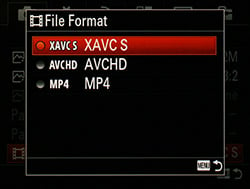
In addition to 4K video recording, the A7S also includes a newer, higher quality video format called XAVC S for recording 1080p and 720p high definition video. The "S" version of the Sony-developed XAVC recording format is technically designated as the "consumer" version, and can support only up to 3840 x 2160 resolution (though not on the A7S) and uses the more user-friendly MP4 file container as opposed to the pro-oriented MXF container. What you end up with on the Sony A7S is a higher-quality 50Mbps video format with up to a 60p frame rate in a much nicer, computer-friendly MP4 file than the AVCHD-format video with a maximum 28Mbps bitrate and MTS container files from older Sony cameras. (However, the AVCHD video format option still exists on the A7S.)

There's an interesting caveat, though, to recording in XAVC S on the A7S, and other newer Sony cameras: You'll need some of the latest and greatest memory cards, SDXC, in fact. Even using super-fast, 32GB SDHC cards in the A7S, which work fine for photographs or other video formats, the XAVC S option is off-limits (and displays a big warning telling you your memory card is not supported for XAVC S) unless you pop in a 64GB or bigger "eXtended Capacity" SD card. Using a non-supported card, if you ignore the warning, you won't be able to record any video at all until you change to one of the other two formats. This isn't such a big deal nowadays as memory cards become cheaper and cheaper, though. It is something to note, however, that you might need to upgrade your storage if you want to shoot XAVC S video.
Video Image Quality & Dynamic Range
The image quality of Full HD video out of the Sony A7S is excellent. Using the Sony FE Zeiss 24-70mm f/4 lens, I was able to capture sharp videos with lots of fine detail and great colors. Without using the special Picture Profile feature, the dynamic range in the video above was very good with the ability to pull out a good amount of shadow detail, though I noticed a stronger propensity to clip highlights in strong sunlight, especially with the Multi Metering Mode (and not shooting on full Manual exposure mode in video). Dialing down the exposure compensation helped a bit, though, without underexposing too much, but I still had a few hot spots.
Of course, a compressed video file will not provide you the same amount of information and flexibility to adjust exposure and shadow/highlight details as RAW image files. And even the 4K uncompressed video output, while a much higher quality video, is not the same as RAW video.

However, while the A7S may not offer RAW video recording or output, there's another trick up its proverbial sleeve, one that professional and advanced videographers looking to retain the most processing latitude possible with their footage will appreciate: Sony's S-Log2 gamma curve. A feature typically found on high-end cinema cameras, the A7S includes Sony's Picture Profile feature, including gamma curve adjustments, with the S-Log2 gamma curve offering very low contrast and very high dynamic range similar to the gamma curve adjustments from Technicolor CineStyle on Canon DSLRs and CineLikeD profile on the Panasonic GH4. And while the footage straight out of the camera looks extremely flat with S-Log2, it's designed to be post-processed and color graded to give the final video the desired look. Similar to how a RAW file for a still photo allows the photographer to tweak and massage the image with a lot of flexibility, Sony's S-Log2 gamma curve gives cinematographers and video editors similar creative freedom.
I'll start right now and say that I am not a professional colorist, and while I understand the concept of color grading, I have very little experience professional or otherwise with extensive image editing of video footage. However, I was curious as to how much different the default "No Picture Profile" look of A7S video was to S-Log2 footage.
As you can see below in a sunny day shot, the standard image has high contrast with the carport roof looking extremely underexposed and bright highlights in the clouds clipped. However, with the S-Log2 profile enabled, the unedited video looks completely different with extremely low contrast, fewer clipped highlights and significantly more detail in the shadow areas!


It's interesting to note that when you enable the S-Log2 Picture Profile, the lowest ISO setting available is 3200. While this "native ISO" is said to offer optimal dynamic range when used with the S-Log2 gamma curve, such a high base ISO can make it a bit more difficult to get a proper exposure, especially in bright areas, without resorting to very small apertures or ND filters. Some dedicated video cameras, such as the Canon Cinema EOS C300, which itself has a relatively high ISO of 850 for its "Canon Log" gamma settings, have built-in ND filters to help balance the exposure (the Canon, for instance, has three).
Note: For details on how S-Log2 gamma works and how best to use it on the Sony A7S, see this excellent article by Alister Chapman, a professional videographer and a Sony Independent Certified Expert.
Also interesting is that Picture Profiles apply to still images as well, but only if you haven't enabled Silent Shooting mode (electronic shutter), which I found a bit odd since movies use electronic shutter. I discovered this while investigating the earlier mechanical vs. electronic shutter noise issue, when I noticed the live image preview in the LCD was much flatter with far less contrast when I turned off Silent Shooting mode. I soon realized that despite having the camera in one of the PASM shooting modes, the A7S was applying the Picture Profile setting that I had left enabled in Movie mode, in this case, S-Log2. In fact, I could access the Picture Profile sub-menu as if were in Movie mode, but ONLY if I turned off Silent Shooting mode -- otherwise, this sub-menu was grayed out. Checking the Sony A7S instruction manual, it makes no mention of Picture Profiles being applicable at all for still photography, only that you can "change settings such as color and tone when recording movies." However, the A7S Help guide does mention Picture Profiles can affect still images as well as limit what still image features are available.
Furthermore, taking some test shots around the office, I noticed this not only affects JPEGs, but RAW images as well. The "S-Log2" JPEG looked basically like a still frame of ungraded video footage. However, the RAW files were different. With the Picture Profile disabled, the RAW file looked, more or less, like its JPEG counterpart, whereas the RAW file from the S-Log2 profile was very underexposed, despite the JPEG image looking much brighter. So be aware that you may have to turn off Picture Profiles you intended only for movies when taking stills.
High ISO Video Quality
Sony A7S Still Life ISO Series Video 3840 x 2160, MOV, 30 fps, Apple ProRes 4:2:2 -- converted to 1080p due to bandwidth & file size. Download Original (1080p) - (286.7MB MP4) |
Overall, I was very impressed with the video quality from the A7S, externally captured or internally recorded, especially at base ISO. Of course, I'd expect video from a high-end camera like the A7S to look excellent when shooting at lower ISOs, but one of the primary features for the A7S is its super-high ISO capability. To see just how well the A7S can handle high ISOs in video, I hooked up the 4K recorder and shot an ISO series of our standard Still Life target, as well as giving it a little "torture test " to see how it does in an extremely low light environment.
With a maximum ISO sensitivity of 409,600, the Sony A7S is difficult to shoot in our lab because even if you crank the shutter speed up to 1/8000s and the aperture down to f/22, with our standard lighting setup, eventually the video becomes over exposed. At IS0 204,800, I had to start adding ND filters to keep the exposure in-check.
Sony A7S 4K Low Light "Candle" Video 3840 x 2160, MOV, 30 fps, Apple ProRes 4:2:2 Download Availble Soon |
As I asked in Part I of the Field Test, while the A7S can climb the ISO scale like no other, are the shots, or video in this case, even usable? At maximum ISO levels, video from the camera is extremely noisy with both heavy luminance and chroma noise. The heavy noise is also constantly "shimmering" like the white noise pattern of analog TV. At ISOs 204,800 and 409,600, the visible noise pattern distorts the video quite a bit. However, shooting an exclusively candlelit scene at ISO 51,200 or even ISO 102,400, the noise is still very much under control and lots of fine details are still visible in the scene. Stunningly impressive!


Other image quality characteristics for video recording, such as rolling shutter and moiré artifacts, were rather standard fare or to be expected, I found. At 60p, videos had very little rolling shutter distortion (and even less on the 720/120p option), while 30p and 24p video did display some noticeable Jell-O-like effects. Moiré was very well controlled, and in typical day-to-day videos, I didn't experience much moiré or other aliasing artifacts. When trying to purposefully induce moiré, I shot some video of a fine metal mesh table and saw faint moiré patterns interfere when shooting at just the right angle and distance. It was visible in both 1080p video and 720p (though it was more noticeable at 720p).


As we only had access to a 4K recorder for a short time, I have not tried to see moiré or rolling shutter artifacts at 4K resolution. However, at least in terms of moiré, I expect the A7S to do very well at this resolution, considering the sensor is purposely designed not to line-skip, pixel bin or resample when capturing 4K video. [We have requested another 4K recorder and will update this review with our findings as soon as possible.]
Final Thoughts on Shooting with the A7S
The Sony A7S is one heck of a camera, and I had a blast shooting with it. It's solidly built, lightweight and relatively compact, though having a full-frame sensor necessitates larger lenses, thus negating some of the advantages of a mirrorless system. (See the Sony FE 70-200mm F4 lens below.) The design is a modern yet stylish nod to the older film cameras from years past -- just a cool-looking camera.

Functionally, I had very few issues or frustrations while shooting. My one main complaint was the design of the front sub-command dial, but after shooting with it more and more, I've grown used to it, which isn't all that surprising. Otherwise, it's a very comfortable camera with a nice, contoured grip that helps balance the camera effectively when using longer, heavier lenses.
And in terms of image quality, the uniquely low-resolution full-frame sensor captures excellent quality photos with sharp enough detail (unless you want to print billboard-sized photos), excellent colors and impressive dynamic range. Video quality is equally impressive, especially 4K video. However, I have to say that needing an external recorder to capture Ultra HD footage is a definite bummer, as it makes capturing such footage much more of a "production." While the Panasonic GH4, for example, can capture 4K internally, the larger sensor of the A7S and the processing needed to record and encode such footage likely generates too much heat for the A7S. I'll keep my fingers crossed that the second generation A7S has internal 4K recording!
Would I purchase one of these cameras myself? It's hard to say. On one hand, it's a very expensive camera that rings up at around $2,500, without a lens. Also, thanks to the full-frame sensor, despite being a mirrorless camera, FE lenses are inherently much larger than comparable Micro Four Thirds glass, for example. Lastly, the AF performance, while decent, was exactly that. Decent. Nowadays, many other mirrorless cameras include on-chip phase detect pixels, which should provide for quicker focusing. I found the low-light AF on the A7S to be a little on the slow side. However, to its credit, the A7S can autofocus in extremely dim conditions -- below 1/16 foot-candles, which is beyond what many DSLRs can do! As someone who also enjoys photographing wildlife, birds and other fast-moving and often-small subjects, faster AF speed is a quality I look for in my personal cameras, but if you want one of the best low-light focusing cameras, the A7S is a prime choice.
The dynamic range, for photos and video, is excellent, though based on DxOMark test results, the A7S is "out-ranged" by a number of other cameras, including the less expensive and higher-resolution Sony A7. For a more well-rounded experience, for landscapes as well as for some faster-moving action shots, the A7 might be a better choice.
On the other hand, I love the shoot-anywhere-in-any-lighting capabilities with the A7S' insane high ISO sensitivity, and the smaller 12MP images are a breeze to work with on most any computer and save a ton of space on hard drives and memory cards. Plus, the solid build and cool design make it easy and comfortable to use, and the completely silent shooting mode makes the Sony A7S great for candid street, travel and event photography.
High ISO Noise Reduction
Sony A7S High ISO Noise Reduction
The Sony A7S offers only three High ISO Noise Reduction settings: "Off", "Low" and "Normal" (default). The user manual doesn't say at what sensitivity High ISO Noise Reduction begins to be applied, so we've included crops from ISO 50 on up to find out.
See for yourself how the the default and lowest noise reduction settings compare to RAW files with no noise reduction or sharpening applied. Click on any of the crops below to see the corresponding full-sized image.
| High ISO Noise Reduction Comparison In-Camera JPEGs vs RAW Simulated Daylight |
|||
|
Normal
|
Off
|
RAW (No NR)
|
|
| I S O 5 0 |
 |
 |
 |
 |
 |
 |
|
 |
 |
 |
|
|
Normal
|
Off
|
RAW (No NR)
|
|
| I S O 1 0 0 |
 |
 |
 |
 |
 |
 |
|
 |
 |
 |
|
|
Normal
|
Off
|
RAW (No NR)
|
|
| I S O 2 0 0 |
 |
 |
 |
 |
 |
 |
|
 |
 |
 |
|
|
Normal
|
Off
|
RAW (No NR)
|
|
| I S O 4 0 0 |
 |
 |
 |
 |
 |
 |
|
 |
 |
 |
|
|
Normal
|
Off
|
RAW (No NR)
|
|
| I S O 8 0 0 |
 |
 |
 |
 |
 |
 |
|
 |
 |
 |
|
|
Normal
|
Off
|
RAW (No NR)
|
|
| I S O 1 6 0 0 |
 |
 |
 |
 |
 |
 |
|
 |
 |
 |
|
|
Normal
|
Off
|
RAW (No NR)
|
|
| I S O 3 2 0 0 |
 |
 |
 |
 |
 |
 |
|
 |
 |
 |
|
|
Normal
|
Off
|
RAW (No NR)
|
|
| I S O 6 4 0 0 |
 |
 |
 |
 |
 |
 |
|
 |
 |
 |
|
|
Normal
|
Off
|
RAW (No NR)
|
|
| I S O 1 2 8 0 0 |
 |
 |
 |
 |
 |
 |
|
 |
 |
 |
|
|
Normal
|
Off
|
RAW (No NR)
|
|
| I S O 2 5 6 0 0 |
 |
 |
 |
 |
 |
 |
|
 |
 |
 |
|
|
Normal
|
Off
|
RAW (No NR)
|
|
| I S O 5 1 2 0 0 |
 |
 |
 |
 |
 |
 |
|
 |
 |
 |
|
|
Normal
|
Off
|
RAW (No NR)
|
|
| I S O 1 0 2 4 0 0 |
 |
 |
 |
 |
 |
 |
|
 |
 |
 |
|
|
Normal
|
Off
|
RAW (No NR)
|
|
| I S O 2 0 4 8 0 0 |
 |
 |
 |
 |
 |
 |
|
 |
 |
 |
|
|
Normal
|
Off
|
RAW (No NR)
|
|
| I S O 4 0 9 6 0 0 |
 |
 |
 |
 |
 |
 |
|
 |
 |
 |
|
As you can see, the Sony A7S's default High ISO Noise Reduction already has a noticeable effect at sensitivities as low as ISO 50, and the "Off" setting really isn't off (which is almost always the case), as the A7S still applies fairly strong noise reduction with that setting at high ISOs.
Note that unlike the A7 and A7R, the Sony A7S's high ISO noise reduction does not suffer from the issue of blurring our red-leaf fabric more at the Off setting than the Normal setting at moderate to moderately high ISOs.
Conclusion
| Pro: | Cons: |
|---|---|
|
|
With the A7S, Sony steered away from the megapixel race and offered a rather unique option for their customers: a large, full-frame sensor with only 12 megapixels. To create such a sensor, the individual pixels are made significantly larger than the pixels on, say, Sony's 24.3MP A7 and 36.6MP A7R cameras. Thanks to these larger pixels, the sensor is able to gather much more light per pixel, giving the Sony A7S outstanding high ISO and low-light performance.
In our tests and real-world shooting, the A7S lives up to its claim as a low-light shooting behemoth! For both still images and video, the Sony A7S can take photos in practically any lighting condition, even in near-complete darkness. Of course, with a maximum sensitivity going up to ISO 409,600, the A7S definitely produces noisy images at these extremely high ISOs, but nevertheless they are still able to show fine detail. Impressive. And it's not just the low-light image quality that's great, but the low-light autofocus performance has been significantly improved. The A7S can focus down to -4EV with an f/2 lens, compared to just 0EV with an f/2.8 lens on the A7.
While it may resemble a still camera, the Sony A7S is packed with a suite of professional-level video recording features. Among its video amenities, the A7S includes ultra-high resolution 4K video, higher bitrate Full HD, and Picture Profile support (borrowed from Sony's professional camcorder line) with SLog2 gamma for very wide dynamic range and increased latitude for post-processing.
The big story with the video front on the A7S is, of course, 4K video. With very high detail, excellent color and dynamic range, 4K footage from the A7S looks outstanding. The sensor is tailor-made for 4K with direct pixel readout using the full width of the sensor with no line skipping or pixel binning. That being said, there's a major downside in terms of convenience to shooting 4K with the A7S: you can't record it internally. To keep the slim, svelte design of the A7-series cameras, Sony opted to have 4K video capture available via HDMI out to an external recorder, since capturing 4K video on such a huge sensor would generate too much heat to record internally. The A7S is capable of streaming an uncompressed 8-bit 4:2:2 4K-resolution (Ultra HD 3840 x 2160) signal via HDMI.
This makes the A7S rather inconvenient for shooting spontaneous, casual 4K videos, as you'd always need to bring along an external capture device, some of which aren't designed to be very portable all. At the time of publishing this review, external 4K recorders are not only expensive but also hard to come by, with only a few options from companies like Blackmagic Designs and Atomos available. The target customer for the Sony A7S lean more towards advanced and professional-level shooters, so in this scenario if you're planning to shoot 4K for a full-on video production, the logistics of having external recorders isn't a major downside. Yet for more casual videographers, 4K video on the A7S is difficult.
Aside from 4K, however, the A7S offers higher quality, higher bitrate XAVC S video format for 1080p and 720p HD video, in addition to standard AVCHD and MP4 formats (though you'll need a 64GB or larger SDXC memory card in order to use this format). Image quality from internally-recorded HD video looks excellent, with great detail and dynamic range, even without using Picture Profile gamma adjustments.
Dynamic range, in both photos and video, is impressive. RAW files are very flexible to adjustments, especially to pull out detail in shadows areas. With Picture Profile enabled with SLog2, images becomes extremely flat -- necessitating some form of post-processing -- but you have tons of latitude to massage and adjust the footage in post-production.
In terms of other features, as well as physical and ergonomic qualities, the Sony A7S is nearly identical to its A7 and A7R brethren, with both good and bad qualities. The ergonomics are okay, but not great in terms of the placement of some controls and buttons. The newly-announced A7 II seems to have addressed practically all of our concerns with ergonomics, so perhaps this updated design will make its way into a future "Mark II" version of the A7S?
Also, by default, the shutter is still very loud, which is something we experienced with the other A7-series cameras. Thankfully, you can enable an electronic front curtain, or, on the A7S, use the completely quiet Silent Shooting mode to make snapping pictures much less noisy (unfortunately Silent Shooting mode does slightly degrade image quality).
Lastly, the selection of native FE lenses is still rather limited, but the E-mount is very adaptable for third-party lenses, providing great flexibility, especially for video shooters. The lens mount itself on the A7S is a little beefier than the two earlier A7 models (see comparison below. A7 and A7R are identical), with more of the flange construction comprised of metal for added durability.

All in all, the Sony A7S is a fantastic camera plain and simple, though pricier than the two earlier models. The unique, low-resolution-large-pixel full-frame sensor is capable of capturing stunning images in pretty much any lighting, with outstanding high ISO performance. At 12-megapixels, images are small enough for speedy editing and packing tons onto a single memory card, yet are still sufficiently high-resolution for all but the most demanding, large-format printing applications. For video recording, the A7S is equally impressive. With a sensor designed specifically for 4K video, UHD and Full HD footage is excellent, with great dynamic range, both for stills and video. 4K video is kind of a hassle to deal with, though, for casual shooters, but as part of a professional workflow, it fits in just fine.
If you want one of the best available-light cameras around with stunning high ISO performance, excellent Full HD and 4K video, all in a very compact design, the A7S is a top choice and an obvious Dave's Pick.
Follow Imaging-Resource.com on Twitter!
Pros
- Outstanding high ISO performance
- excellent dynamic range
- 4K video recording (via uncompressed HDMI)
- XAVC S option for HD video
- Slightly improved battery life over A7/A7R
- Built-in Wi-Fi & NFC connectivity.
Cons
- 4K video requires expensive external recorder
- Sluggish startup time
- Loud shutter
- Silent Shooting mode hurts image quality
- Lacks a built-in, pop-up flash
- Limited selection of native Sony FE lenses.