



Overview
- - -
Review Update:
Winner of our 2012 Camera of the Year Award for Best Entry-Level Interchangeable Lens Camera, the Nikon D3200 has undergone a couple of revisions since then. Now replaced by the Nikon D3400, the new model offers a similar 24MP sensor, but with all around faster performance, more ISO range, wireless connectivity and much more. Read our Nikon D3400 review for more info!
- - -

A clear sign of things to come, the low-end Nikon D3200 sports a 24.2-megapixel sensor capable of ISO 12,800 in expanded mode. The Nikon D3200 also includes compatibility with Nikon's new wireless mobile adapter, WU-1a, which allows easy image sharing and even camera remote control via an Android device and a free downloadable app (an iOS app is expected in late Fall 2012).
Other major upgrades include a new 3-inch 921,000-dot LCD monitor, and the ability to capture Full HD video at up to 30 fps, with full-time AF while recording. The Nikon D3200 even includes a microphone input jack for stereo recording, and HDMI output with CEC support.
EXPEED 3 processing allows the Nikon D3200 to record up to four frames per second at the full 24.2-megapixel resolution, and its 11-point autofocus system works hand-in-hand with the Nikon Scene Recognition system to set exposure and focus more accurately.
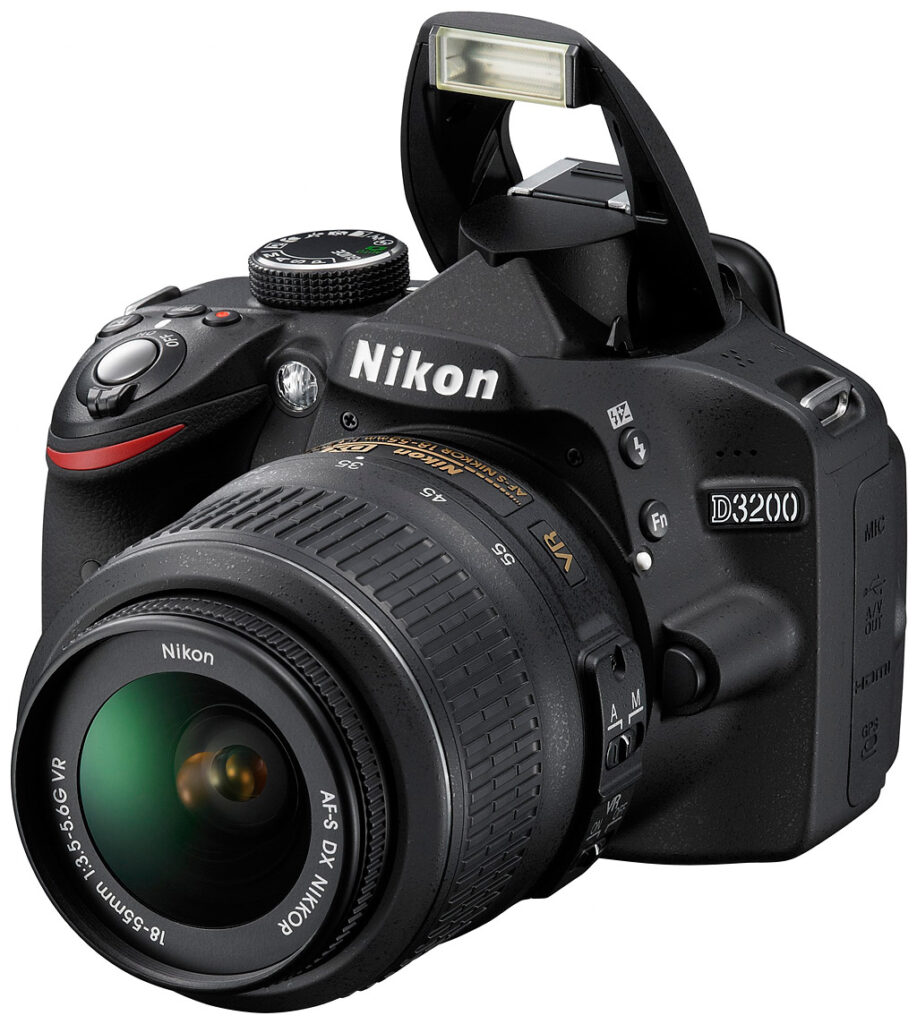
Walkaround. Though similar in appearance to the D3100, the Nikon D3200's contours and elements are restyled somewhat, but it still looks quite similar, with a very compact, comfortable design.
With the lens, a card, and the battery loaded, the Nikon D3200 weighs 27.3 ounces (1.71 pounds; 773g). The body is well balanced, but with a slight tilt toward the lens.

The grip shoulder slopes a little more steeply, giving the index finger a better angle on the shutter button, and a new infrared remote control port is nestled in the grip. We love that the Nikon D3200 continues providing an AF-assist lamp. Also included is the 18-55mm f/3.5-5.6 kit lens with vibration reduction.

The top deck finds the speaker moved from the back to the top left, and the drive mode switch that used to jut out from the bottom of the Mode dial is moved to a button on the back of the Nikon D3200. A new Movie Record button appears on the top deck as well, moved from its previous location on the back. It takes up the position previously occupied by the Info button, which slides behind the Shutter release.

The buttons on the left of the Nikon D3200's LCD are mostly unchanged, but the zoom in and out buttons have changed places to match the rest of the Nikon line. Upper left of the LCD, Nikon has positioned its rear infrared remote port, which complements the front port, and is compatible with the optional ML-L3 Remote Control. Nikon also changed the Live view lever/button arrangement, switching to a simple Live view button, with the Record button on the top deck. The new Drive mode button is also well-positioned for easy operation, though we do miss the switch that was on the top deck. Compared to past models at Nikon's lowest tier, the Nikon D3200 is a little more complicated, with more buttons and more icons than the original D40 we prized for its simplicity. Still, we think this is a fairly straightforward design for such a capable camera.
Nikon's Guide Mode is also built into the D3200, which endeavors to make accessing an SLRs unique capabilities easier.

Ports. From the top: 3.5mm stereo mic, USB/AV, mini HDMI, accessory port.
Ports. The Nikon D3200 includes a range of connectivity options. The Nikon D3200 has the aforementioned 3.5mm stereo microphone input jack, and Nikon offers an accessory microphone, the ME-1 Stereo Microphone, that attaches to the camera via the hot shoe.
For data transfer to a computer, there's a standard USB 2.0 High Speed port. Videos can be shown on standard or high-definition displays using either the NTSC / PAL switchable composite port, or Type-C Mini HDMI port, respectively. The HDMI port also supports the Consumer Electronics Control (HDMI-CEC) standard, allowing remote control of certain playback functionality through the HDMI cable, from an attached display's remote control unit.

Finally, there's an accessory terminal on the Nikon D3200 that's compatible with the MC-DC2 remote cable release, the GP-1 GPS unit, and the WU-1a wireless mobile adapter, all available as optional extras.
Storage and battery. The Nikon D3200 stores images on an SD/SDHC/SDXC memory card, and is compatible with Eye-Fi cards. Nikon recommends Class 6 or faster cards for recording Full HD video. Faster UHS-1 compliant cards are also supported.
The Nikon D3200 uses an EN-EL14 lithium-ion battery pack, which is rated for 540 shots on a charge with 50% of shots using the flash (CIPA rating). There's also a channel for an optional dummy battery adapter (Nikon part number EP-5A) to connect to an optional AC adapter (EH-5a).
Pricing. Available from late April 2012 for US$699.95 in black or red, the Nikon D3200 ships with the Nikkor 18-55mm f/3.5-5.6G VR kit lens.
Shooting with the Nikon D3200
by Dan Havlik

Nikon's entry-level digital SLRs, dating back to the D40, have been my go-to cameras when recommending models to those looking to move up from a point-and-shoot to a digital SLR. They're well-designed, easy-to-use DSLRs that offer great image quality and enough features and control to let beginner photographers express their creativity without getting overwhelmed. (There is also plenty of cruise-control functionality to put them on auto and just enjoy the photographic ride.)
The latest camera in the easy-peasy, entry-level DSLR category for Nikon is the D3200. And while it may look similar to its predecessors, its 24.2-megapixel sensor is miles ahead in terms of resolution. (For comparison, the D3100, which was introduced in 2010, was a 14.2-megapixel DSLR.)
From a pure usability standpoint, however, that big bump up in pixels should make no difference to beginning photographers. (Except, perhaps, in forcing them to rethink where they're going to store these extra-large image files!) Like its forbearers, the Nikon D3200 is designed with simplicity and efficiency in mind. It's a camera that just loves to take pictures, with its soft but responsive shutter begging you to go out and shoot. It's been a awhile since I've shot with the D3100 -- and even longer since doodling with the D3000 -- but the Nikon D3200 felt immediately familiar in my hand.
After receiving a test Nikon D3200 camera from the Imaging Resource mothership, I charged up the battery and hit the streets in search of pictures. Here's what I found out about this cute little DSLR designed for beginners.

Small but comfortable. One of my biggest gripes about Nikon's previous entry-level DSLRs was that they felt too small in my hands. And while the dimensions of the Nikon D3200 -- 4.9 x 3.8 x 3.0 inches (125 x 96 x 77mm) -- have barely changed, the camera has been subtly but noticeably redesigned to make it more ergonomic.
While the Nikon D3200 is still a very portable camera, not much bigger than compact system or mirrorless cameras, it's more comfortable to hold than most of those small, interchangeable lens models because of its larger grip. In fact, the Nikon D3200's grip is slightly higher than its predecessor, with its side shoulder sloping -- from the user's perspective -- to the right, rather than forward. This is a slight change, but the new design felt more ergonomic to me, with my index finger in just the right spot to fire the shutter. Cosmetically, the Nikon D3200's grip means the familiar red wedge on the grip has been squeezed slightly so it looks like more of a boomerang. (This is not a criticism, just a small style touch we noticed.)

Ergonomics 101. Lots of control in a comfortable package.
Along with the shutter button on top of the grip, Nikon has added a red movie record button to the left of it. The movie button used to be on the back, and while at first this seems like an intuitive place to relocate it -- touch the button and start shooting a movie, right? -- I quickly remembered that the camera first needs to be in Live View to record a video. To do that, you must press the separate Live View (Lv) button on the back of the D3200. (On the D3100, the movie record button was in the center of a switch on the back of the camera, which triggered the Live View. I prefer that setup, and so might movie-shooting newbies.)
Nikon has also squeezed in the Info button behind the shutter and the Exposure Compensation button, and the D3200's top deck provides room for the generously sized, knurled mode dial. While that dial is large and easy to turn, it should be noted that all the other buttons and controls on the camera are small and somewhat difficult to press if you have large hands and fingers. Thankfully, Nikon has not shrunk the shutter button on this small DSLR.

Pick your depth. The D3200 lets you dig deep or set to auto and cruise on.
In control. I found the compact Nikon D3200 to be an immensely portable camera that doesn't skimp much on creative control. Manual functionality is there if you want it, though you have to do a bit of digging to change some essentials. While there's no monochrome display on the top deck as with more advanced DSLRs, the Nikon D3200 lets you see and adjust most features via the 3-inch LCD screen on back. New photographers not familiar with Nikon's set-up will likely need to consult the manual to figure out basic adjustments. For instance, while the "info" button on the top deck turns on the information display on the rear LCD screen, to change settings such as ISO, White Balance, focusing, metering and others, you have to press the separate "i" (information edit) button on the lower left rear of the camera.
So while the Nikon D3200 is like a DSLR with training wheels, especially with features like the Guide Mode, if you want to get the most out of this camera it takes a bit of work. Again, that's not a complaint, just an observation. I'm sure there are as many photographers out there who will pick up the D3200, set it to green AUTO mode and be happy with it for all sorts of picture-taking activities, as there are others who will be interested in going for a deeper dive. And that's the beauty of the Nikon D3200: it doesn't talk down to photographers nor over their heads.

Prowling the streets. A quiet shutter helps me to stay incognito.
Speedy performer. One of the things I've appreciated about Nikon's entry-level DSLRs over the years is that they're such fast and quiet performers. While some competing models are as quick (Canon) and as versatile (Pentax) to use, Nikon's D40, D3000, 3100 and now, the D3200, have a whisper quiet shutter that makes photography a speedy and intuitive process.
One area where Nikon's entry-level DSLRs felt only average compared to the competition was the actual autofocus speed. Though, as far as we know, the D3200's 11-point Multi-CAM 1000 autofocus system remains unchanged from the previous model, it felt zippier overall. This could be due, in part, to the new EXPEED 3 image processor, or to an internal algorithm that gives a greater response between camera and lens. Though we're not particularly fond of the kit lens that comes with the Nikon D3200 -- the AF-S Nikkor 18-55mm f/3.5-5.6G VR -- it locked focus more quickly in good light than our past experience with the D3100.
The Nikon D3200 also offers an improved burst mode, with the ability to shoot four frames per second (up from 3 fps on the previous model). This probably won't help you shoot fast action sports unless you've got great timing, but it's more than adequate for most youth sports such as soccer, softball and football.


Landscape mode. The Nikon D3200 is a great vacation and travel companion.
Out and about. During an outdoor shoot on a crisp summer day in New York City just after a rainstorm, the Nikon D3200 was a picture-taking machine, focusing quickly and quietly (after I turned the annoying AF-confirmation beep off) for pictures of flora, fauna and other natural/urban settings. I also used the Nikon D3200 to shoot landscape shots of the Hudson River and George Washington Bridge in the distance -- using the camera's pre-set Landscape mode -- and it fired away without pause. While none of this was particularly challenging photographically, it's similar to the kind of thing a prospective Nikon D3200 buyer might want the camera to capture while traveling on vacation: beautiful shots of scenery, landscapes, landmarks and historical monuments.
In more challenging shooting conditions, such as in low-light or low-contrast shooting situations, the Nikon D3200's autofocus was not as sprightly, taking an extra split second to lock in. This is not unusual for an entry-level camera, but photographers looking for a more versatile DSLR might want to consider moving up a class or two.
Kit lens lacking. Though the Nikkor 18-55mm f/3.5-5.6G VR kit lens that the D3200 ships with seems to focus quicker than with the D3100, its image quality is still only so-so. While we appreciated the useful Vibration Reduction (VR) optical image stabilization in the lens, which genuinely helps correct camera shake when shooting at slower shutter speeds, the kit lens was not particularly sharp in the corners, especially when shooting at the widest aperture.
We also saw the same incidence of high geometric distortion with the kit lens when shooting at the widest (18mm) focal length. Again, most beginning photographers will likely find the Nikkor 18-55mm f/3.5-5.6G VR to be an adequate multi-purpose zoom lens for their needs. And it is that. But if you want to get more out of your photography, you might consider pairing the Nikon D3200 with a higher quality piece of glass, such as the new AF-S Nikkor 28mm f/1.8G prime lens. That $699 lens is the same price as the entire Nikon D3200 kit, but you'd be taking a major step up in image quality.
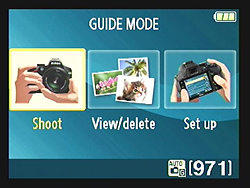
Shooting 101. Like having Yoda living in your camera... (well, sort of).
Guide me. I was disappointed with Nikon's original Guide Mode, which debuted on the D3000 back in 2009. I found it confusing, limited and not as helpful as it should have been. On the Nikon D3200, the mode has improved, though we'd be curious to know how many consumers and/or beginning photographers actually take advantage of the feature, which is accessed by switching the Mode dial to GUIDE.
Guide Mode is designed to walk novices through some of the basic steps to taking more creative pictures using the Nikon D3200's non-Auto controls. While most advanced photographers might know how to subtly blur the background of a portrait to bring attention to your subject's face, most beginners are probably only familiar with the canned Portrait mode, which does the work for you -- with varying results -- but doesn't tell you how.

Bold colors. A park after a summer rain was a great place to get the most out of the Nikon D3200's bold image color in Landscape mode.
Guide Mode walks you through the steps by leading you to the Aperture Priority setting in the mode's friendly, blue overlay graphic on the rear LCD. (A quick note about that 3-inch screen: It has substantial resolution -- 921,000-dots -- for reviewing photos, scrolling through menus or taking advantage of features like the Guide Mode. Our only gripe is we wish it had either a side-swiveling or back-folding articulating LCD. For that, as usual, you'll have to go with a step-up model like the D5100.) Guide Mode then shows you how to adjust the f/stop to a lower number to blur the background.
But here's one of my quibbles: while Guide Mode shows an example of a portrait image that blurs or sharpens the background as you adjust the aperture, the sample shot is so small on the screen it's hard to see the change.
There are also two paths to the tutorials: Easy operation or Advanced operation. If a budding photographer turns to Guide Mode for help, wouldn't you assume that all the tips offered would be of the easy variety rather than advanced? I know they're talking about the camera's functionality, not the level of the lesson, but it's a bit confusing.
As mentioned before, the Guide Mode tutorial setup is much better organized than in the first generation of the feature, but we're still wondering how helpful it is to novice photographers. Nonetheless, Nikon deserves kudos for at least attempting to educate consumers about photography with a tutorial built into the camera itself.

High ISO. At the Nikon D3200's maximum Hi-1 ISO setting I got some noise, but it helped me shoot this image of a reflection of fireworks on the 4th of July.
Image quality. Overall I was pleased with the image quality from the Nikon D3200 and pleasantly surprised with how well the camera did while shooting in low light at high ISOs. The ISO range goes up to 12,800, though I'd really only recommend shooting with it at ISO 3,200 or lower unless you don't mind extra noise in your photos. Considering the camera uses a 24.2-megapixel CMOS APS-C-sized sensor, those photosites are just 3.8 microns apiece. That's relatively tiny, but the Nikon D3200 and its EXPEED 3 processor did well in tamping down noise. At ISO 6,400, heavy luminance noise is visible in the shadow areas and at 12,800, the overall image is softened from excessive noise.
But if you keep it at 3,200 or 1,600 for those times you don't want to use a flash in low light, the D3200 does well, and that's saying something for an APS-C sized sensor with this much resolution. In good outdoor light at lower ISOs, my JPEG image files of the neighborhood park after a rainstorm were very clean, crisp, and filled with bright color. To my eye, the photos were high in clarity, but the colors seemed a little bit oversaturated in Landscape mode. That's no surprise, though, as the D3200 user manual states Landscape mode is supposed to produce "vibrant" scenery. The IR test lab, however, found that the Nikon D3200 produced fairly accurate color saturation when using default settings, with yellows, light greens and some cyans slightly undersaturated, and dark greens, blues and reds pushed a moderate amount. (Most experienced photographers prefer a toned-down image.) In its Picture Control feature, the camera defaults to the Standard setting, but you can switch to the more subtle Natural setting for shooting JPEGs if you feel Standard is still too pumped. Other Picture Control options include Vivid, Monochrome and Portrait, and you can also individually adjust saturation, contrast, brightness, sharpening and hue for even more control. If shooting raw unprocessed images with the Nikon D3200 is your thing, then you won't have to worry about tweaking these parameters until post-processing.


Saturated. I like the bright, saturated colors I got from the Nikon D3200's JPEGs, but the camera does have a tendency to slightly overexpose images.
Along with defaulting to a slightly bluish tint with pumped up greens, the Nikon D3200 tended to brighten my shots, particularly when shooting close-up Macros of flowers with the camera's kit lens. At times, some of the detail in my macro flower shots appeared blown out. Part of this was an illusion, however, because the D3200's LCD screen defaults to a rather bright setting to compensate for bright outdoor light. But that's precisely why most DSLRs including the Nikon D3200 can blink the blown out areas of a captured image in Playback mode, or allow you to check its histogram to verify exposure.

LCD. The Nikon D3200's 3-inch screen was a bit deceiving. On the display this image looked overexposed, but on the computer the sunset tones were just right.
When I loaded the images onto my computer, my photos were still brighter than I had hoped, but there was more detail. (This occurred while shooting with and without Active D-Lighting, which is a camera feature designed to adjust apparent dynamic range to preserve detail in highlights and shadows.)
The benefit to having such a high-resolution sensor in this consumer-centric DSLR is that, when you get a good shot with the D3200, you'll find tons of detail in your photos. This is great if you take a wide angle shot with the Nikon D3200 only to realize later that you want to crop in on a specific subject in your image. Images from the Nikon D3200 also have a rich tone that even novice photographers will appreciate right away.
Movies. With its full 1080p HD functionality (at 30p/24p), the Nikon D3200 is great for shooting short movies. The built-in monaural microphone, however, is bare bones, and if you're really serious about shooting video with this camera, we'd suggest you get a stereo microphone and plug it into the D3200's stereo mic jack (it's pretty cool that's included on an entry-level camera, by the way).

Movie settings. No focus mode here.
While the Nikon D3200, like more and more of Nikon's DSLRs, offers full-time autofocusing during movie recording -- a feature that's been touted in the D3200's marketing materials -- good luck trying to find the setting to turn it on. The feature, which allows the camera to automatically continually autofocus while you film a scene (such as when shooting video of a moving subject), is not mentioned at all in the basic paper User's Manual and is only alluded to in the full Reference Manual on the included CD-ROM.
Part of the problem is that the actual term Nikon uses for this feature is Full-time-servo AF, and it's only discussed in the manual's section on Live View, not movie recording. Like most things these days, it seems, I was able to find out how to turn it on by Googling the subject. According to a camera forum I came across, the D3200 needs to be in Live View and then you need to press the "i" (information edit) button on the back of the camera and scroll down to Focus mode on the display. Select "Full-time-servo AF" from the list and the feature will be enabled. It worked, but the sequence is pretty difficult to figure out on your own.

Full HD video. 1920 x 1080 at 30 fps. Click to download 38.2MB MOV file. (Note: Visit the Video page for more details and sample clips.)
Even more frustrating is that the full-time autofocus (aka Full-time-servo AF) feature is still not quite ready for prime time. It's too slow, too loud (the sound of the camera continuously refocusing is picked up on the D3200's internal mic), and drains the battery significantly. All of which is probably why Nikon choose to bury the feature in the camera. But then why advertise it so heavily if you can't deliver?
Still, while it might not be the best video solution at this point, the Nikon D3200 delivers the goods when it comes to stills, and when it comes to SLRs, that's our top priority. A scan of our image quality crops at various ISOs below tells a pretty clear tale.
Nikon D3200 Image Quality
Below are crops comparing the Nikon D3200, Nikon D3100, Canon T3i, Pentax K-01, Samsung NX20, and Sony NEX-7. Though we normally start with ISO 1,600 here, we thought we'd start with the base ISO to show the best each camera can do.
NOTE: These images are best quality JPEGs straight out of the camera, at default settings including noise reduction. All cameras in this comparison were shot with our very sharp reference lenses.
Nikon D3200 versus Nikon D3100 at ISO 100
 |
 |
 |
 |
 |
 |
|
Nikon D3200 at ISO 100
|
Nikon D3100 at ISO 100
|
|
The step up in resolution is immediately apparent in these crops, moving from 14.2 to 24.2 megapixels, revealed by the larger size of the elements in the Nikon D3200 crops. More detail is revealed in the pink swatch, which shows thread patterns that the D3100 couldn't capture. Noise suppression is at work even in the D3200's ISO 100 images, though, subtly reducing some detail, particularly in the Mosaic image. |
|
Nikon D3200 versus Canon T3i at ISO 100
|
 |
|
 |
|
 |
|
Nikon D3200 at ISO 100
|
Canon T3i at ISO 100
|
|
Noise suppression and lower-strength sharpening makes the D3200's image look a little softer than the Canon T3i's 18-megapixel image which pops a little more with greater contrast, which is due primarily to a different approach between the companies. Both images show thread patterns in the pink swatch, but Nikon keeps it a little pinker than Canon (the Nikon is more correct). |
|
Nikon D3200 versus Pentax K-01 at ISO 100
|
 |
|
 |
|
 |
|
Nikon D3200 at ISO 100
|
Pentax K-01 at ISO 100
|
|
The Pentax K-01 takes a very different approach to almost every element in these crops. More noise suppression, more sharpening. For all its pixels, the Nikon D3200's image looks hazy by comparison. The K-01 is way off on the pink swatch's color, and no threads are shown, but the other elements are tuned such that they'll print very well. |
|
Nikon D3200 versus Samsung NX20 at ISO 100
|
 |
|
 |
|
 |
|
Nikon D3200 at ISO 100
|
Samsung NX20 at ISO 100
|
|
More closely matching the Nikon D3200 in resolution, the Samsung NX20's 20.3-megapixel sensor really looks at this scene differently. It achieves greater sharpness in the mosaic image, though with evidence of noise suppression, but the red swatch is quite blurred when compared to the D3200's rendering. And that pink swatch, while revealing detail, is way off on color; you'd never guess it's supposed to be pink. |
|
Nikon D3200 versus Sony NEX-7 at ISO 100
|
 |
|
 |
|
 |
|
Nikon D3200 at ISO 100
|
Sony NEX-7 at ISO 100
|
|
Up against the 24-megapixel Sony NEX-7, it's interesting to see what the two companies have done with what could be the same sensor. Sony's rendering of the mosaic label is better overall, but while they also find threads in the pink swatch, it doesn't exactly look pink. |
|
Most digital SLRs and CSCs will produce an excellent ISO 100 shot, so we like to push them and see what they can do compared to other cameras at ISO 1,600, 3,200, and 6,400. Recent advances in sensor technology have made ISO 1,600 look a lot more like ISO 100, but there are still cameras whose quality starts to fall apart at this setting. We also choose 1,600 because we like to be able to shoot at least at this level when indoors and at night.
Nikon D3200 versus Nikon D3100 at ISO 1,600
 |
 |
 |
 |
 |
 |
|
Nikon D3200 at ISO 1,600
|
Nikon D3100 at ISO 1,600
|
|
One of the problems we always warn people about with higher resolution cameras is shown here, where the D3200's 24.2-megapixel sensor shows more noise at ISO 1,600 than its 14.2-megapixel predecessor. The result is lower contrast and less crispness than can be seen in the D3100's image. Interestingly, both cameras produce about the same size print: 20x30 inches, from ISO 100 to 400. |
|
Nikon D3200 versus Canon T3i at ISO 1,600
|
 |
|
 |
|
 |
|
Nikon D3200 at ISO 1,600
|
Canon T3i at ISO 1,600
|
|
Again, the Nikon D3200 is a little more challenged at ISO 1,600 than the T3i, except when it comes to the red leaf swatch, which looks a little more realistic from the D3200. |
|
Nikon D3200 versus Pentax K01 at ISO 1,600
|
 |
|
 |
|
 |
|
Nikon D3200 at ISO 1,600
|
Pentax K-01 at ISO 1,600
|
|
As we've grown accustomed to seeing, Nikon still takes a more balanced approach to noise suppression, making an image that looks similar regardless of the element, whereas Pentax does a lovely job with the higher-contrast mosaic label and even the Mas Portel label, but the background behind the bottle and the red leaf swatch look very strange. |
|
Nikon D3200 versus Samsung NX20 at ISO 1,600
|
 |
|
 |
|
 |
|
Nikon D3200 at ISO 1,600
|
Samsung NX20 at ISO 1,600
|
|
Samsung's approach with the NX20 looks pretty good, leaving behind some chroma noise, but also having less contrast. |
|
Nikon D3200 versus Sony NEX-7 at ISO 1,600
|
 |
|
 |
|
 |
|
Nikon D3200 at ISO 1,600
|
Sony NEX-7 at ISO 1,600
|
|
Sony continues the aggressive noise suppression and sharpening, but still looks pretty nice by comparison, while the Nikon leaves it soft. A little processing in Photoshop could result in a very similar looking image from the Nikon; it just depends on what you prefer. |
|
Today's ISO 3,200 is yesterday's ISO 1,600 (well, almost), so below are the same crops at ISO 3,200.
Nikon D3200 versus Nikon D3100 at ISO 3,200
 |
 |
 |
 |
 |
 |
|
Nikon D3200 at ISO 3,200
|
Nikon D3100 at ISO 3,200
|
|
Both cameras again output good 13 x 19-inch prints at this ISO setting, so they're pretty close despite the large difference in resolution. In terms of detail, the D3200 probably captures more, but it's quite a bit softer, making the outcome about the same. Both cameras pump the yellows and reds a bit too dramatically, which shows in the mosaic image, but it's pretty common. |
|
Nikon D3200 versus Canon T3i at ISO 3,200
|
 |
|
 |
|
 |
|
Nikon D3200 at ISO 3,200
|
Canon T3i at ISO 3,200
|
|
Canon's T3i renders the image a little more confidently, with the noticeable exception of the red leaf swatch, which is a nasty and unnatural looking blur. Nikon's more balanced approach, while still soft, is preferable. Note also, though, Canon's tighter control on reds, particularly in the mosaic image, while Nikon's rendering is fraught with exaggerated orange tones. |
|
Nikon D3200 versus Pentax K-01 at ISO 3,200
|
 |
|
 |
|
 |
|
Nikon D3200 at ISO 3,200
|
Pentax K-01 at ISO 3,200
|
|
Pentax's noise suppression continues to artificially blur too many elements in this shot, such that I'd suggest turning down noise suppression with the K-01. The Nikon D3200 retains more of the spirit of the original image by comparison. |
|
Nikon D3200 versus Samsung NX20 at ISO 3,200
|
 |
|
 |
|
 |
|
Nikon D3200 at ISO 3,200
|
Samsung NX20 at ISO 3,200
|
|
Samsung's noise suppression produces a strange almost image-doubled effect, but these two sets of images are very similar in being a little less than we'd like to see. The NX20 leaves behind more chroma noise, while the Nikon handles it better. |
|
Nikon D3200 versus Sony NEX-7 at ISO 3,200
|
 |
|
 |
|
 |
|
Nikon D3200 at ISO 3,200
|
Sony NEX-7 at ISO 3,200
|
|
Sony renders the mosaic image so differently from the D3200 it's hard to believe it's the same object. |
|
Detail: Nikon D3200 versus Nikon D3100, Canon T3i, Pentax K-01, Samsung NX20, and Sony NEX-7
 |
 |
 |
 |
 |
 |
 |
 |
 |
 |
 |
 |
 |
 |
 |
 |
 |
 |
| Nikon D3200 ISO 100 ISO 3,200 ISO 6,400 |
Nikon D3100 ISO 100 ISO 3,200 ISO 6,400 |
Canon T3i ISO 100 ISO 3,200 ISO 6,400 |
Pentax K-01 ISO 100 ISO 3,200 ISO 6,400 |
Samsung NX20 ISO 100 ISO 3,200 ISO 6,400 |
Sony NEX-7 ISO 100 ISO 3,200 ISO 6,400 |
| Detail comparison. High-contrast details are often sharper as ISO rises, so they're worth a look as well. When it comes to fine, high-contrast detail, the Nikon D3200 does very well, even better than the Sony NEX-7 at ISO 6,400. It's a little grainier, but has more detail thanks to the less aggressive noise suppression, and the red text retains its red color, while the NEX-7 turns black. In low-contrast performance, we'd say it's not that much better than the D3100, as its print quality attests, but the advantage to its higher resolution is obvious in high-contrast elements. | |||||
Nikon D3200 Print Quality
 ISO 100 shots look terrific printed as large as 24 x 36 inches, with good detail and color. Wall display prints are possible to 30 x 40 inches.
ISO 200 shots look great at 20 x 30 inches.
ISO 400 images also stand up to printing at 20 x 30 inches.
ISO 800 prints start to show a little more noise in the shadows and a little softer detail at 20 x 30, so while we'd call them usable, we prefer them printed at 16 x 20 inches.
ISO 1,600 prints are pretty good at 13 x 19 inches. A bit of noise is creeping into a few areas, but still good for the ISO.
ISO 3,200 shots are a bit rough printed at 13 x 19, but pass muster at 11 x 14 inches, with just a bit of noise in flatter areas.
ISO 6,400 images are much rougher, looking somewhat usable at 8 x 10 inches, but the noise in the shadows is objectionable, so we prefer the 5 x 7 inch prints.
ISO 12,800 images are certainly usable at 5 x 7, but look closer to a clean photograph at 4 x 6 inches.
Overall, the Nikon D3200 doesn't disappoint in the print size category. It's nice to be able to achieve great 24 x 36 inch prints at base ISO, and to still be able to make a nice 4 x 6 at ISO 12,800.
In the Box
The Nikon D3200 ships with the following items in the box:
- Nikon D3200 body
- 18-55mm VR lens (if purchased as a kit)
- Body cap
- Lithium-ion battery EN-EL14
- Battery charger MH-24
- Battery cap
- Rubber eyecup
- Eyepiece cap
- Hot Shoe cover
- Lens caps
- Shoulder strap
- USB cable UC-E6
- A/V cable EG-CP14
- ViewNX 2 CD-ROM
- Quick Guide
- Warranty card
Recommended Accessories
- Extra battery pack for extended outings
- Large capacity SDHC/SDXC memory card. These days, 8GB is a good tradeoff between cost and capacity, but if you plan to capture HD movie clips, look for larger cards with Class 6 or faster ratings.
- SB-900, SB-800, SB-700, SB-600, or SB-400 flash strobe, SU-800 wireless flash commander
- Wireless Remote ML-L3 if you like infrared remotes, or Remote Release MC-DC2 if you prefer a tethered remote
- EP-5A Power Supply Connector and EH-5a AC Adapter if do much studio shooting
- GPS unit GP-1 for geotagging
- Wireless Mobile Adapter WU-1a
- Stereo microphone ME-1 to reduce untoward noise pickup during video capture
- Camera case
Nikon D3200 Conclusion
| Pros: | Cons: |
|---|---|
|
|
We've been fans of most Nikon entry-level digital SLRs since the D40 debuted back in 2006. As the latest addition to this popular line, the Nikon D3200 increases the resolution significantly with a 24.2-megapixel CMOS sensor.
Do consumers and novice photographers really need that much resolution? Probably not, but it's there if they want it, allowing extreme crops without losing much detail. And while we had feared that increasing the D3200's resolution by 10 megapixels would also increase noise at high ISOs, we found that didn't dramatically affect print sizes. Sure, when you crank this compact but comfortable camera's ISO to 12,800 (or even 6,400), you're going to see some significant luminance noise. But if you keep it at 3,200 and below and just shoot in typical mixed lighting conditions, as most D3200 buyers will likely do, the Nikon D3200 performs well, producing attractive, vibrant images. You can even make decent 4 x 6-inch prints from ISO 12,800 images.
Our main gripe is the performance of the Nikkor 18-55mm VR kit lens: it was only average at best, producing soft images and distortion at default settings. We'd recommend using a faster, sharper lens to take advantage of the D3200's 24.2-megapixel sensor. Higher resolution simply puts greater demands on the optics, and the additional cost is worth it.
Some users with bigger hands -- or those used to shooting with larger DSLRs -- might find the Nikon D3200 too small. However, we didn't mind the small size as much as in past models because the camera has some noticeable ergonomic changes, including a more comfortable handgrip and a better-positioned shutter button. The petite size of the Nikon D3200 also makes it an ideal travel shooter for both still images and HD video (the latter provided you focus manually or between takes).
Meanwhile, the camera's fast overall speed makes it a pleasure to use and a great performer for street photography or youth sports. In short, we love this little camera and think it's another excellent addition to Nikon's already highly regarded entry-level DSLR line. The Nikon D3200 is an easy Dave's Pick!
Optics
Kit Lens Test Results
Zoom
Fair performance with the 18-55mm VR kit lens.
 |
 |
| 18mm, f/8 | 55mm, f/8 |
The Nikon D3200 comes bundled with the same Nikkor AF-S DX 18-55mm f/3.5-5.6G VR (Vibration Reduction) kit lens the D3100 did. This 3.1x zoom lens has a 35mm equivalent focal length of about 27-83mm because of the D3200’s 1.5x “crop factor.” Sharpness and contrast are fairly good across much of the frame at full wide-angle and f/8, though images are a touch soft overall. There’s minor coma distortion in the leaves at the corners and some flare is noticeable in white areas of the building, though chromatic aberration isn’t an issue because it is suppressed by the D3200’s image processor (see below). Results at full telephoto are fair at f/8, with good sharpness near the center of the frame. Corners are a little soft and you can see where the D3200’s processor has suppressed C.A. in the edges of some leaves, while some flare is still visible. Overall, not a bad performance for an inexpensive kit lens, but you’ll likely want to invest in premium glass to get the most out of the D3200’s 24-megapixel sensor.
Macro
An average-sized macro area with the kit lens, with soft detail overall. Flash throttles down well.
 |
 |
| Macro with 18-55mm Kit Lens 55mm, f/8 |
Macro with Flash 55mm, f/8 |
The Nikon D3200 captured an average-sized macro area with the standard 18-55mm kit lens, measuring 2.46 x 1.63 inches (62 x 42 millimeters). Detail is good but a touch soft, and there is some minor additional softening in the corners despite being stopped down to f/8. (Most lenses have some softening in the corners at macro distances.) The Nikon D3200’s flash throttled down well at minimum distance, resulting in a well exposed image with fairly even coverage, though color balance is somewhat cool.
Geometric Distortion
High barrel distortion at wide-angle with the 18-55mm kit lens, though hardly any distortion at telephoto.
| Barrel distortion is 1.2 percent at 18mm |
 |
| Almost no pincushion distortion at 55mm |
 |
The Nikon D3200’s 18-55mm kit lens produced about 1.2 percent barrel distortion at wide-angle, which is higher than average and noticeable in its images. At the telephoto end, there is only about two pixels worth of pincushion distortion which is negligible. This is the tendency for the lens to bend straight lines outward (like
a barrel — usually at wide-angle) or inward (like a pincushion — usually
at telephoto).
Auto Distortion Control
Low geometric distortion when Auto Distortion Control is enabled.
| Barrel distortion at 18mm is 0.2 percent |
 |
The Nikon D3200 offers an Auto Distortion Control feature to reduce geometric distortion automatically with most recent Nikkor lenses. As you can see it worked quite well with the 18-55mm lens, reducing barrel distortion at wide-angle significantly, though some of the image was cropped away in the process. (Since distortion at telephoto was so low without correction, we didn’t bother testing Distortion Correction at full telephoto.) Since this option is database driven, it’s only available for Nikkor D and G-type lenses with certain optics such as Fisheye and Perspective Control lenses excepted. Auto Distortion Control is Off by default.
You can also apply Auto or Manual Distortion Control to JPEGs after the fact, in the Retouch menu. Manual mode works with images from any lens.
Chromatic Aberration and Corner Sharpness
Low C.A. in JPEGs, much higher in uncorrected RAW files at wide-angle. Corners are soft at wide-angle and telephoto with the kit lens.
| Maximum Aperture | |
 |
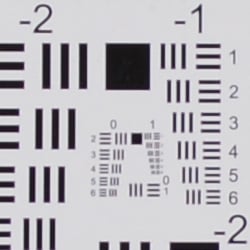 |
| Wide, f/3.5: Upper right C.A.: Moderately low Softness: Soft |
Wide, f/3.5: Center C.A.: Very low Softness: Fairly sharp |
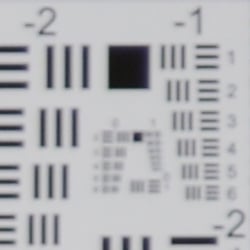 |
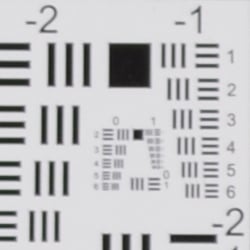 |
| Tele, f/5.6: Upper right C.A.: Low Softness: Quite soft |
Tele, f/5.6: Center C.A.: Very low Softness: Slightly soft |
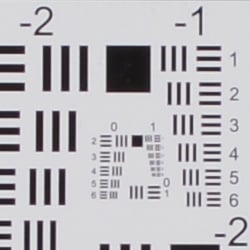
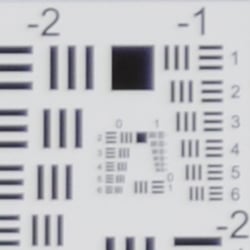
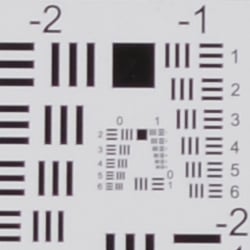
Chromatic Aberration. Chromatic aberration is moderately low at the full wide-angle setting of the Nikon D3200’s 18-55mm VR kit lens, suppressed by the D3200’s image processor. (See below for crops from uncorrected raw files.) At telephoto, chromatic aberration is even lower and hardly detectable. (This distortion is visible as a slight colored fringe around the objects at the edges of the field of view on the resolution target.)
Corner Sharpness. The Nikon D3200’s 18-55mm VR kit lens produced soft corners at full wide-angle. All four corners were moderately soft at wide-angle, with some of the softness likely stemming from C.A. suppression. Softness didn’t extend very far in the frames, though, and the center was fairly sharp. At full telephoto, all four corners were also soft, with the upper right being the softest, but the lens is softer overall at telephoto than at wide-angle. There’s also some vignetting (corner shading) at both ends of the zoom, as indicated by the darker corner crops.
| f/8 Aperture | |
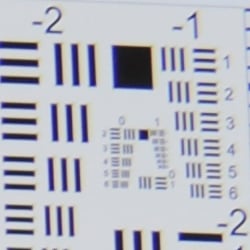 |
 |
| Wide, f/8: Upper right C.A.: Moderately low Softness: Minor blurring |
Wide, f/8: Center C.A.: Very low Softness: Fairly sharp |
 |
 |
| Tele, f/8: Upper right C.A.: Low Softness: Soft |
Tele, f/8: Center C.A.: Very low Softness: Slightly soft |
Stopped-down to an aperture of f/8, corner performance did improve particularly at wide-angle, but corners were still somewhat soft at telephoto, and the center was slightly soft at telephoto as well. Vignetting was negligible.
Uncorrected Raw
Higher levels of C.A. at wide-angle and telephoto from uncorrected raw files.
| In-camera JPEG | Uncorrected Raw |
 |
 |
| Wide: Upper left C.A.: Low |
Wide: Upper left C.A.: High |
 |
 |
| Tele: Upper left C.A.: Low |
Tele: Upper left C.A.: Fairly low |
As you can see from the crops above comparing camera JPEGs to uncorrected raw files, levels of chromatic aberration are higher in uncorrected raw files, particularly at wide-angle.
Nikon D3200 Viewfinder
Viewfinder Test Results
Coverage
About average coverage accuracy from the optical viewfinder. Excellent accuracy from the LCD in Live View mode.
 |
 |
|
60mm, Optical
|
60mm, Live View LCD
|
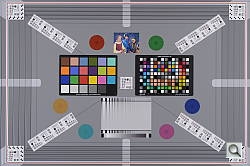
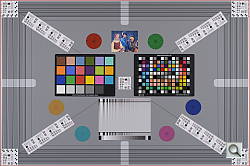
The Nikon D3200’s optical viewfinder showed about 96 percent coverage with our reference Nikkor 60mm f/2.8 macro lens. This is a bit better than average for an entry-level digital SLR and slightly exceeds Nikon’s specification of 95% for the D3200, however the viewfinder image is shifted horizontally somewhat and slightly tilted compared to the imaging sensor, which unfortunately is not that uncommon in consumer models. In Live View mode, the Nikon D3200’s LCD showed essentially 100% coverage, which is excellent.
The images above were taken from our standardized test shots. For a
collection of more pictorial photos, see our
Nikon D3200 Photo Gallery
.
Exposure
Color
Saturation & Hue Accuracy
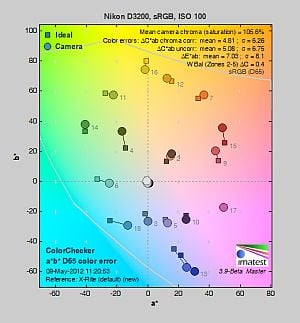
Realistic saturation levels and good hue accuracy.
 |
|||
|
ISOÃ Sensitivity |
|||
| In the diagram above, the squares show the original color, and the circles show the color that the camera captured. More saturated colors are located toward the periphery of the graph. Hue changes as you travel around the center. Thus, hue-accurate, highly saturated colors appear as lines radiating from the center. Mouse over the links above to compare ISOs, and click to load a larger version. | |||
Saturation. The Nikon D3200 pushes dark greens and blues by a moderate amount, but slightly undersaturates bright yellow, light green, and some cyans. Reds are also pushed a bit, but not as much as by most cameras. Overall saturation levels are quite accurate, and remain fairly stable as ISOÃ climbs.Ã Mean saturation is 105.6% or only 5.6% oversaturated. The average for consumer SLRs is closer to 10% oversaturated, so some may find the D3200’s colors a little flat, however the fine-grained saturation adjustment (see below) makes it easy to customize color to match your personal preference. Most consumer
digital cameras produce color that’s more highly saturated (more intense)
than found in the original subjects. This is simply because most people
like their color a bit brighter than life.
Skin tones. The Nikon D3200’s Caucasian skin tones looked just about right when using manual white balance in simulated daylight. A very good job here. Where
oversaturation is most problematic is on Caucasian skin tones, as it’s very
easy for these “memory colors” to be seen as too bright, too pink,
too yellow, etc.
Hue. The Nikon D3200 did shift cyan toward blue, red toward orange, and light green toward yellow, but shifts were relatively minor. (The cyan to blue shift is very common among the digital cameras we test; we think it’s a deliberate choice by camera engineers to produce better-looking sky colors.) With an average “delta-C” color error of 4.81 after correction for saturation, overall hue accuracy was better than average. Hue is “what color” the
color is.
Saturation Adjustment
The Nikon D3200 has a total of seven saturation levels available, three above and three below the default saturation, plus an Auto setting. This covers a pretty wide range of saturation levels, about as wide a range as you’re likely to find photographically relevant, apart from special effects that are arguably better achieved in software. The fine steps between settings mean it’s easy to program the camera to just the level of saturation you prefer. Saturation also doesn’t impact contrast, which is very good.
| Saturation Adjustment Examples | ||||
 |
 |
 |
 |
 |
| -3 | -1 | 0 | +1 | +3 |
The table above shows results with several saturation settings, see the Thumbnails index page for more (look for the files named D3200OUTBSATx.JPG). Click on any thumbnail above to see the full-sized image.
 |
 |
 |
| See full set of test images with explanations See thumbnails of all test and gallery images |
||
Sensor
Exposure and White Balance
Indoors, incandescent lighting
Good color with the Manual white balance setting, but overly-warm results with Auto and Incandescent. About average positive exposure compensation required.
 |
 |
| Auto White Balance +0.3 EV |
Incandescent White Balance +0.3 EV |
 |
|
| Manual White Balance +0.3 EV |
Indoors, under normal incandescent lighting, color balance was very warm and reddish with the Auto white balance setting. (We’d say unacceptably so, though unfortunately this is common.) The Incandescent setting was a bit better, but also too warm and yellowish for our tastes. (Some users may prefer this look, though, as being more representative of the original lighting.) The Manual setting by far produced the most accurate results, if just a touch cool. The Nikon D3200 required an average amount of positive exposure compensation here, at +0.3 EV. Our test lighting for this shot is a mixture of 60 and 100 watt household incandescent bulbs, a pretty yellow light source, but a very common one in typical home settings here in the U.S.
Ã
Outdoors, daylight
Excellent results under harsh lighting, with very good handling of contrast, detail, and color.
 |
 |
| Manual White Balance, Default |
Auto White Balance, Default |
Outdoors, the Nikon D3200 performed very well here, requiring no exposure compensation for our “Sunlit” Portrait shot to keep the face reasonably bright. (The average for this shot is +0.7 EV, so the D3200 does much better than average.)Ã Contrast is a little high as you might expect under such harsh lighting, but the camera did a very good job of holding onto detail in the highlights and deep shadows. We preferred skintones from the Manual white balance setting as they were a little pinker than Auto, but both were pretty good. The Nikon D3200 also produced good exposure and natural-looking color with our Far-field scene with very few blown highlights, though there are some very dark shadows in the trees. Overall, though, an excellent performance for its class here.
See full set of test images with explanations
See thumbnails of all test and gallery images
Resolution
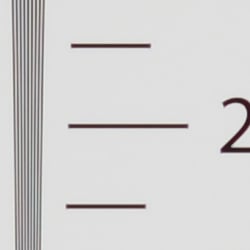
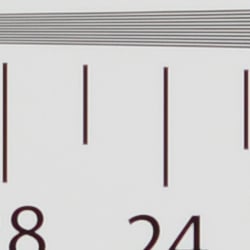
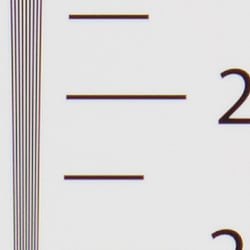
Very high resolution, ~2,500 to ~2,600 lines of strong detail from JPEGs, slightly more from raw files.
 |
 |
| Strong detail to ~2,500 lines horizontal Camera JPEG |
Strong detail to ~2,600 lines vertical Camera JPEG |
 |
 |
| Strong detail to ~2,600 lines horizontal ACR processed RAW |
Strong detail to ~2,600 lines vertical ACR processed RAW |
Our laboratory resolution chart revealed sharp, distinct line patterns down to about 2,500 lines per picture height in the horizontal direction, and to about 2,600 lines in the vertical direction. Extinction of the pattern didn’t occur until around 3,400 lines in both directions. We weren’t able to do much better in terms of absolute resolution with raw files processed through Adobe Camera Raw, perhaps just slightly more in the horizontal direction (about 2,600 lines), though color moire and chromatic aberration was more evident. Use these numbers to compare with other cameras of similar resolution, or use them to see just what higher resolution can mean in terms of potential detail.
See full set of test images with explanations
See thumbnails of all test and gallery images
Sharpness & Detail
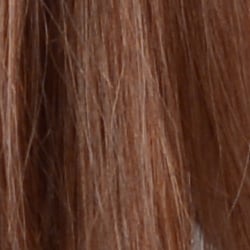
Slightly soft images but with very good detail. Minor edge-enhancement artifacts visible on high-contrast subjects. Moderate noise suppression visible at base ISO.
 |
 |
| Good definition of high-contrast elements, with only minor evidence of edge enhancement. |
Subtle detail: Hair Noise suppression tends to blur detail in areas of subtle contrast, though detail remains strong in the darker parts of the model’s hair here. |
Sharpness. The Nikon D3200 produced very good detail overall when coupled with a sharp lens such as the Nikon 35mm f/1.8G prime used in the above left crop, though images are still slightly soft overall. Some very minor edge enhancement artifacts are visible on high-contrast subjects such as the halos around the branches in the crop above left, but overall results are quite good. Edge enhancement creates the illusion of sharpness by enhancing colors and tones right at the edge of a rapid transition in color or tone.
Detail. The crop above right shows some mild to moderate noise suppression, as the darker and lower-contrast areas of the model’s hair show significant smudging where individual strands of hair merge. Still, a pretty good performance here considering the resolution and target market. Noise-suppression
systems in digital cameras tend to flatten-out detail in areas of subtle
contrast. The effects can often be seen in shots of human hair, where the
individual strands are lost and an almost “watercolor” look appears.
Raw vs In-Camera JPEGs
As noted above, the Nikon D3200 delivers very detailed JPEGs that are a little soft overall even with a prime lens. Better detail can often be obtained from carefully processing raw files, without additional sharpening artifacts. Take a look below, to see what we mean:
In the table above, mousing over a link at the bottom will load the corresponding crop in the area above. Examples include in-camera Fine JPEG, and a raw file processed through Nikon’s ViewNX 2 software using default settings, and the same raw file processed with Adobe Camera Raw 6.7, then sharpened in Photoshop. We found that sharpening with 300% unsharp mask and a radius of 0.3 pixels worked well for the Nikon D3200’s NEFÃ files.
As you can see, results from a rawà file converted with Nikon’s ViewNX 2 software are very similar to the in-camera JPEG, and the software wasn’t really able to extract more detail. Adobe Camera Raw was able to extract quite a bit more fine detail in the pine needles, but as expected, it also shows slightly higher noise levels as well as some chromatic aberration that the camera suppresses in its JPEGs. Bottom line: When coupled with a good raw converter, the Nikon D3200 rewards raw shooters with amazing detail, especially considering the price.
ISO & Noise Performance
Good detail versus noise handling up to ISOÃ 800.
| High ISOÃ Noise Reduction = On (Default) | ||
 |
 |
 |
| ISO 100 | ISO 200 | ISO 400 |
 |
 |
 |
| ISO 800 | ISO 1,600 | ISO 3,200 |
 |
 |
|
| ISO 6,400 | ISO 12,800 | |
Noise levels are fairly low at ISOs 100 through 400, though some detail is lost to noise reduction even at base ISO. ISOÃ 800 shows a very fine noise “grain” but detail is quite good, though some chroma noise is visible in the darker shadows. At ISO 1,600 noise levels increase with a touch more blurring in the fine details and more visible grain, but detail is still pretty good. This trend continues as ISOÃ rises, with progressively stronger luminance noise and increased chroma blotching, though we see less smearing than expected. ISOÃ 12,800 is quite grainy with poor detail and obvious purple and yellow blotchiness in darker areas.
Overall, pretty good noise performance considering the 24-megapixel resolution, but it’s no surprise that noise is higher at the pixel level than its 16-megapixel siblings. See our Print Quality analysis section below for recommended print sizes at each ISO.
A note about focus for this shot: We shoot this image at f/4, usually using one of three very sharp reference lenses (70mm Sigma f/2.8 macro for most cameras, 60mm f/2.8 Nikkor macro for Nikon bodies without a drive motor, and Olympus Zuiko 50mm f/2.0 for Four Thirds and Micro Four Thirds bodies). To insure that the hair detail we use for making critical judgements about camera noise processing and detail rendering is in sharp focus at the relatively wide aperture we’re shooting at, the focus target at the center of the scene is on a movable stand. This lets us compensate for front- or back-focus by different camera bodies, even those that lack micro-focus adjustments. This does mean, though, that the focus target itself may appear soft or slightly out of focus for bodies that front- or back-focused with the reference lens. We know this; if you click to view the full-size image for one of these shots and notice that the focus target is fuzzy, you don’t need to email and tell us. 🙂 The focus target position will have been adjusted to insure that the rest of the scene is focused properly.
Extremes: Sunlit, dynamic range, and low light tests
Very good detail in both highlights and shadows, very high resolution and good overall exposure. Good low-light performance, capable of capturing bright images in near darkness.
 |
 |
 |
| 0 EV | +0.3 EV | +0.7 EV |
Sunlight:
The Nikon D3200 handled the deliberately harsh lighting in the test above very well. Though contrast is a little high, shadow and highlight detail are both very good. The default exposure (0 EV) did the best job here, producing a bright face without blowing out too many highlights in the white shirts. Despite the bright appearance, there are relatively few clipped highlights in the mannequins’s shirt and the flowers. Some shadows were pretty dark, but remained fairly clean. The camera’s contrast adjustment also did a good job of decreasing overall contrast without also affecting color saturation. (See below.) Still, be sure to use fill flash in situations like the one shown above; it’s better to shoot in the shade when possible.
Because digital cameras are more like slide film than negative film (in that they tend to have a more limited tonal range), we test them in the harshest situations to see how they handle scenes with bright highlights and dark shadows, as well as what kind of sensitivity they have in low light. The shot above is designed to mimic the very harsh, contrasty effect of direct noonday sunlight, a very tough challenge for most digital cameras. (You can read details of this test here.)
Dynamic Range Analysis
A key parameter in a digital camera is its Dynamic Range, the range of brightness that can be faithfully recorded. At the upper end of the tonal scale, dynamic range is dictated by the point at which the RGB data “saturates” at values of 255, 255, 255. At the lower end of the tonal scale, dynamic range is determined by the point at which there ceases to be any useful difference between adjacent tonal steps. Note the use of the qualifier “useful” in there: While it’s tempting to evaluate dynamic range as the maximum number of tonal steps that can be discerned at all, that measure of dynamic range has very little relevance to real-world photography. What we care about as photographers is how much detail we can pull out of the shadows before image noise becomes too objectionable. This, of course, is a very subjective matter, and will vary with the application and even the subject matter in question. (Noise will be much more visible in subjects with large areas of flat tints and subtle shading than it would in subjects with strong, highly contrasting surface texture.)
What makes most sense then, is to specify useful dynamic range in terms of the point at which image noise reaches some agreed-upon threshold. To this end, Imatest computes a number of different dynamic range measurements, based on a variety of image noise thresholds. The noise thresholds are specified in terms of f-stops of equivalent luminance variation in the final image file, and dynamic range is computed for noise thresholds of 1.0 (low image quality), 0.5 (medium image quality), 0.25 (medium-high image quality) and 0.1 (high image quality). For most photographers and most applications, the noise thresholds of 0.5 and 0.25 f-stops are probably the most relevant to the production of acceptable-quality finished images, but many noise-sensitive shooters will insist on the 0.1 f-stop limit for their most critical work.
JPEG.
RAW.
Contrast Adjustment
We really like it when a camera gives us the ability to adjust contrast and saturation to our liking. It’s even better when those adjustments cover a useful range, in steps small enough to allow for precise tweaks. Just as with its saturation adjustment, the Nikon D3200’s contrast setting offers seven levels, plus an Auto setting.
| Minimum Contrast | |
 |
 |
| Contrast set to lowest, 0 EV |
Contrast set to lowest, 0 EV |
At its lowest contrast setting, the D3200 did a very good job of preserving highlight detail and bringing out shadow detail. Highlight retention was improved, but the contrast setting had a larger impact on opening up the shadows. The lower contrast setting opened-up shadows in our Far-field shot as well, without making the image too flat looking. Overall, very good results here.
| Contrast Adjustment Examples | ||||
 |
 |
 |
 |
 |
| -3 | -1 | 0 | +1 | +3 |
The series of shots above shows results with several different contrast adjustment settings, showing the minimum step size around the default, as well as both extremes. While you can see the extremes, it’s hard to really evaluate contrast on small thumbnails like these, click on any thumbnail to go to the full-size image.
Nikon’s contrast adjustment is that it has very little effect on saturation. Contrast and saturation are actually fairly closely coupled, it’s a good trick to be able to vary one with out the other changing as well. As usual, Nikon did a very good job here.
Nikon’s Active D-Lighting
The shots above show the results with Active D-Lighting Off and On. (Like the D3100, the Nikon D3200 only has these two settings, while Nikon’s more advanced models let you choose from a range of strengths of the effect). This is different than the touch-up menu’s D-Lighting, as it is performed during image capture instead of after. (It does affect only JPEG images though, Nikon very properly leaves raw file data strictly as it comes from the sensor.) Mouse-over the links to see the difference, and click on the links to load the corresponding full-resolution image.
As you can see from the images and histograms above, enabling Active D-Lighting resulted in reduced highlights, while the darkest shadows were boosted slightly. Midtones were reduced as well, though, making the image look a bit too dark, so we preferred the leaving it Off for this shot. The effect of Active D-Lighting will vary quite a bit with the subject and lighting: The camera decides what needs adjusting, and by how much, so the effect can be quite a bit greater or lesser depending on what the camera sees.
Above is another example of Nikon’s Active D-Lighting at work, this time with our Far-field shot in bright daylight. Again, mouse-over the links to see the difference, and click on the links to load the full resolution images. Highlights were subdued while shadows were boosted, this time without reducing overall exposure.
| Face Detection | ||
 |
 |
 |
| Off Aperture-priority 0 EV |
Portrait Auto mode 0 EV |
Live View with Face-priority AF 0 EV |
Here, we can see the effect of the Nikon D3200’s full Auto mode which selected Portrait Scene mode, as well as face detection enabled in Live View mode. As you can see from the shots above, the Portrait Scene mode made an improvement to exposure versus Aperture-priority at f/8, reducing overall contrast and lightening shadows, though noise is a bit higher as it boosted ISO sensitivityà to 400. Portrait mode also selected a wider aperture of f/4 for better subject isolation, and a faster shutter speed of 1/320s to avoid subject motion blur. In Live View using Aperture-priority, Face-priority AF mode made a huge difference, actually overexposing the subject by using a slower shutter speed of only 1/25s. (It would have likely done better if it had more control over exposureà in Program mode.)
| Ã | 1 fc 11 lux |
1/2 fc 5.5 lux |
1/4 fc 2.7 lux |
1/8 fc 1.3 lux |
1/16 fc 0.67 lux |
1/16fc No NR |
|---|---|---|---|---|---|---|
| ISO 100 |
 2 s f2.8 |
 4 s f2.8 |
 8 s f2.8 |
 15 s f2.8 |
 30 s f2.8 |
 30 s f2.8 |
| ISO 200 |
 1 s f2.8 |
 2 s f2.8 |
 4 s f2.8 |
 8 s f2.8 |
 15 s f2.8 |
 15 s f2.8 |
| ISO 400 |
 0.5 s f2.8 |
 1 s f2.8 |
 2 s f2.8 |
 4 s f2.8 |
 8 s f2.8 |
 8 s f2.8 |
| ISO 800 |
 1/4 s f2.8 |
 0.5 s f2.8 |
 1 s f2.8 |
 2 s f2.8 |
 4 s f2.8 |
 4 s f2.8 |
| ISO 1600 |
 1/8 s f2.8 |
 1/4 s f2.8 |
 0.5 s f2.8 |
 1 s f2.8 |
 2 s f2.8 |
 2 s f2.8 |
| ISO 3200 |
 1/15 s f2.8 |
 1/8 s f2.8 |
 1/4 s f2.8 |
 0.5 s f2.8 |
 1 s f2.8 |
 1 s f2.8 |
| ISO 6400 |
 1/30 s f2.8 |
 1/15 s f2.8 |
 1/8 s f2.8 |
 1/4 s f2.8 |
 0.5 s f2.8 |
 0.5 s f2.8 |
| ISO 12800 |
 1/60 s f2.8 |
 1/30 s f2.8 |
 1/15 s f2.8 |
 1/8 s f2.8 |
 1/4 s f2.8 |
 1/4 s f2.8 |
Low Light. The Nikon D3200 performed very well on the low-light test, capturing usable images at the lowest light level (1/16 foot-candle) with the lowest sensitivity setting (ISO 100). Auto exposure was a little off at the lowest light level (a fairly common occurrence in all but the best SLRs), so we used manual exposure for these shots.
As you’d expect, noise increases as ISO goes up and light levels go down, but remains well controlled and fine-grained to ISOs as high asà 3,200. There were a few hot pixels here and there especially with NRà turned down, but nothing unusual. Some minor banding could be seen at ISO 12,800, as well as some minor heat blooming in the bottom right, but that’s not unusual either.
Color balance was good with the Auto white balance setting, just slightly cool, though there’s a strong shift towards magenta at lower light levels.
The camera’s phase-detection autofocus system was able to focus on the subject down to just below the 1/8 foot-candle light level unassisted with an f/2.8 lens. That’s not bad, but not quite as good as some SLRs. The Nikon D3200 was however able to autofocus in complete darkness with the AF assist enabled. In Live View mode, the camera’s contrast-detect autofocus was able to focus below 1/16 foot-candle which is surprisingly good and very useful, since AF assist is not supported in Live View mode.
Keep in mind that the longer shutter speeds here demand the use of a tripod to prevent any blurring from camera movement. (A useful trick is to just prop the camera on a convenient surface, and use its self-timer to release the shutter. This avoids any jiggling from your finger pressing the shutter button, and can work quite well when you don’t have a tripod handy.)
How bright is this? The one foot-candle light level
that this test begins at roughly corresponds to the brightness of typical
city street-lighting at night. Cameras performing well at that level should
be able to snap good-looking photos of street-lit scenes.
NOTE: This low light test is conducted with a stationary subject, and the camera mounted on a sturdy tripod. Most digital cameras will fail miserably when faced with a moving subject in dim
lighting. (For example, a child’s ballet recital or a holiday pageant in a gymnasium.) Digital SLRs like the Nikon D3200 do much better than point & shoots, but you still shouldn’t expect a quick autofocus lock with moving subjects.
Output Quality
Print Quality
Great print quality, making a terrific 24 x 36-inch print at ISO 100; ISO 3,200 images look great at 11 x 14; and ISO 12,800 images make a good 4 x 6.
ISO 200 shots look great at 20 x 30 inches.
ISO 400 images also stand up to printing at 20 x 30 inches.
ISO 800 prints start to show a little more noise in the shadows and a little softer detail at 20 x 30, so while we’d call them usable, we prefer them printed at 16 x 20 inches.
ISO 1,600 prints are pretty good at 13 x 19 inches. A bit of noise is creeping into a few areas, but still good for the ISO.
ISO 3,200 shots are a bit rough printed at 13 x 19, but pass muster at 11 x 14 inches, with just a bit of noise in flatter areas.
ISO 6,400 images are much rougher, looking somewhat usable at 8 x 10 inches, but the noise in the shadows is objectionable, so we prefer the 5 x 7 inch prints.
ISO 12,800 images are certainly usable at 5 x 7, but look closer to a clean photograph at 4 x 6 inches.
Overall, the Nikon D3200 doesn’t disappoint in the print size category. It’s nice to be able to achieve great 24 x 36 inch prints at base ISO, and to still be able to make a nice 4 x 6 at ISO 12,800.
Testing hundreds of digital cameras, we’ve found that you can only tell just so much about a camera’s image quality by viewing its images on-screen. Ultimately, there’s no substitute for printing a lot of images and examining them closely. For this reason, we now routinely print sample images from the cameras we test on our Canon Pro9000 Mark II studio printer, and on the Canon Pixma MP610 here in the office. (See the Canon Pixma Pro9000 Mark II review for details on that model.)
The images above were taken from our standardized test shots. For a
collection of more pictorial photos, see our
Nikon D3200 Photo Gallery
.
Not sure which camera to buy? Let your eyes be the ultimate judge!
Visit our Comparometer(tm)
to compare images from the Nikon D3200 with those from other
cameras you may be considering. The proof is in the pictures, so let
your own eyes decide which you like best!
Performance
Timing and Performance
Good to slightly slower than average speed for an entry-level digital SLR.
| Startup/Shutdown | ||
|---|---|---|
|
Power on |
~0.4 second
|
Time it takes for camera to turn on and take a shot. |
|
Shutdown |
~0.1 second
|
How long it takes to turn off. |
The Nikon D3200’s startup time was about average for an SLR, but shutdown was quite fast and difficult to measure.
| Mode Switching | ||
|---|---|---|
|
Play to Record, |
~0.3 second
|
Time until first shot is captured. |
|
Record to Play |
~0.9 second
|
Time to display a large/fine file |
|
Display |
~0.2 second
|
Time to display a large/fine file |
Mode switching was pretty fast for a consumer SLR: Play to Record and displaying a captured large/fine JPEG image were so fast they were difficult to measure, though switching from Record to Play immediately after capturing an image was about average.
| Shutter Response (Lag Time) | ||
|---|---|---|
|
Full Autofocus |
0.276 second
|
Time from fully pressing shutter button to image capture. (All AF timing measured with Nikkor AF-S 60mm f/2.8G Macro lens.) |
|
Full Autofocus |
0.289 second
|
Time from fully pressing shutter button to image capture, Auto Flash enabled. |
|
Full Autofocus |
0.392 second
|
Time from fully pressing shutter button to image capture. |
|
Continuous AF |
0.163 second
|
This mode usually shows no speed increase with our static subject; we have no way to measure performance with moving subjects. |
|
Manual focus |
0.141 second
|
For most cameras, shutter lag is less in manual focus than autofocus, but usually not as fast as when the camera is “pre-focused.” |
|
Pre-focused |
0.114 second
|
Time to capture, after half-pressing and holding shutter button. |
|
Full Autofocus |
1.36 seconds
|
Time from fully pressing shutter button to image capture. |
|
Pre-focused |
0.513 second
|
Time to capture, after half-pressing and holding shutter button. |
The Nikon D3200’s full autofocus shutter lag when shooting the same target multiple times was on the slower side of average for a consumer SLR. The D3200 required about 0.28 second for full AF using the center focus point. Enabling the flash raised shutter lag to 0.29 second, which is actually pretty good, as very little delay was added for the metering preflash. Shutter lag increased to 0.39 second in Auto-area AF mode. Continuous autofocus shutter lag was 0.163 second and Manual focus shutter lag was 0.141 second. When prefocused, shutter lag dropped to 0.114 second, which is also a little slower than average these days, but still pretty fast.
Full autofocus was much slower in Live View mode, as expected. The Nikon D3200 only offers contrast-detect AF in Live View, which took about 1.4 seconds to focus in our tests. (How fast the lens can adjust focus makes a big difference here.) Prefocused shutter lag was also slower in Live View mode, at about 0.51 second.
To minimize the effect of different lens’ focusing speed, we test AF-active shutter lag with the lens already set to the correct focal distance. We also use the same Sigma 70mm f/2.8 macro with most interchangeable lens cameras (on all platforms except NX, Four Thirds/Micro Four Thirds and Nikon models lacking an in-body focus motor), to further reduce variation, and because our tests showed that focus-determination time with this lens was close to the fastest, across multiple camera bodies from different manufacturers. Being an older design with a non-ultrasonic motor, it wouldn’t be the fastest at slewing from one focus setting to another, but that’s exactly the reason we measure focus determination speed, which is primarily a function of the camera body, vs focus adjustment speed, which is primarily a function of the lens.
| Cycle Time (shot-to-shot) | ||
|---|---|---|
|
Single Shot mode |
0.47 second
|
Time per shot, averaged over 20 shots. |
|
Single Shot mode |
0.50 second
|
Time per shot, averaged over 20 shots. |
|
Single Shot mode |
0.49 second
|
Time per shot, averaged over 10 shots. |
|
Early shutter |
No
(Yes with Flash) |
Some cameras refuse to snap another shot if you release and press the shutter too quickly in Single Shot mode, making “No” the preferred answer. |
|
Continuous mode |
0.25 second (3.99 frames per second);
20+ frames total; 4 seconds to clear |
Time per shot, averaged over 20 shots with no signs of slowing down. |
|
Continuous mode |
0.25 second (3.99 frames per second);
12 frames total; 7 seconds to clear |
0.25 seconds for the first 12 frames, then slows to an average of 0.69 seconds (1.45 fps) when buffer is full. |
|
Continuous mode |
0.25 second (3.98 frames per second);
8 frames total; 13 seconds to clear |
0.25 seconds for the first 8 frames, then slows to an average of 1.34 seconds (0.74 fps) when buffer is full. |
|
Flash recycling |
4.0 seconds
|
Flash at maximum output. |
|
*Note: Buffer clearing times measured with a SanDisk Extreme Pro 45MB/s UHS-I SDHC memory card. Slower cards will produce correspondingly slower clearing times. Slow cards may also limit length of bursts in continuous mode. ISO sensitivity and other settings such as Advanced D-Lighting or NR can also affect cycle times and burst mode performance. |
||
Shot-to-shot cycle times were about average, at 0.47 second for large/fine JPEGs, 0.50 second for RAW files, and 0.49 second for RAW + Large/Fine JPEG frames. Continuous mode speeds were pretty good for an entry-level SLR, especially one capturing 24-megapixel images, at about 4 frames per second for any quality. Buffer depths were also pretty good for a budget model, at over 20 large/fine JPEG frames, 12 RAW frames and 8 RAW + Large/Fine JPEG frames. (We use a difficult to compress target for this test, so bursts containing JPEGs of typical scenes should be longer.) Buffer clearing times were good with a fast card, considering the 24-megapixel files and entry-level class. The flash took 4 seconds to recharge after a full-power shot, which is a touch slow for an SLR.
| Download speed | ||
|---|---|---|
|
Windows Computer, USB 2.0 |
10,769 KBytes/sec
|
Typical Values: |
Connected to a computer or printer with USB 2.0, download speeds were quite fast.
Bottom line, the Nikon D3200 is a little slower than average when it comes to autofocus and shutter lag these days. Single shot cycle-time and continuous mode performance are pretty good for an entry-level model, though, especially considering the resolution.
Battery
Battery Life
About average battery life for a lithium-ion powered consumer SLR.
| Operating Mode | Number of Shots |
|---|---|
|
Optical Viewfinder,
(CIPA standard) |
540
|
The Nikon D3200 uses a custom rechargeable lithium-ion battery for power, and ships with a charger. Battery life when using the optical viewfinder is about average for a compact consumer SLR. Nikon does not specify battery life for Live View mode, but it will certainly be a lot lower. We recommend you pick up a spare battery and keep it freshly charged and on-hand for extended outings, or when using Live View a lot.
The table above shows the number of shots the camera is capable of (on either a fresh set of disposable batteries or a fully-charged rechargeable battery as appropriate), based on CIPA battery-life and/or manufacturer standard test conditions.
(Interested readers can find an English translation of the CIPA DC-002 standards document here. (180K PDF document))
Video
Check out the links below for more sample images, videos and image quality analysis:
-
Nikon D3200 Optics page
(Crops from images shot with the camera’s kit lens, if sold as a kit) -
Nikon D3200 Sample Images page
(Index to all standard test shots, with explanations) -
Nikon D3200 Thumbnails page
(Thumbnails of all shots, including RAWs, with EXIF data) -
Nikon D3200 Gallery page
(Regular photos taken with the Nikon D3200)
Most DSLRs offer HD video recording these days, and the Nikon D3200 is no exception. The Nikon D3200’s video system is surprisingly capable for an entry-level camera; its exposure control and audio recording options in particular going far beyond those of most entry-level cameras. Here’s a quick rundown of its video capabilities, along with our usual selection of sample videos at the bottom.
Nikon D3200 Basic Video Specs
- 1,920 x 1,080 (Full HD / 1080p), 1,280 x 720 (720p), and 640 x 424 recording
- Choice of two compression levels; High or Normal quality
- TTL (through the lens) matrix metering using the main image sensor
- MOV file format, with H.264/MPEG-4 encoding
- Autofocus can be triggered during movie recording by pressing the shutter button, or continuous AF can be enabled
- Manual focus also available in movie mode
- Aperture can be controlled in Aperture-priority or Manual exposure modes, but only before recording begins
- Shutter speed and ISO can be controlled in Manual exposure mode
- EV adjustment (exposure compensation) can be selected prior to or during recording
- Built-in monaural or external stereo microphone, sensitivity adjustable (both unusual in entry-level DSLRs)
- Still image can be captured while in video recording mode, but doing so stops the recording
- Flicker-reduction mode for both 60Hz and 50Hz light sources
- Movies can be “trimmed” in-camera, selecting just the portion you want and saving it as a new file
- Single frames can be selected from movie files and saved as separate JPEG files
- No spec for it, but rolling shutter seems better than average (see rolling shutter section at the end of this page for examples)
- Video duration limited to 20 minutes maximum
- File size restricted to 4 GB maximum
- Class 6 or faster cards recommended
Nikon D3200 Video Speeds & Feeds: Image size, frame rate, and file format
The Nikon D3200 offers three different video resolutions, three frame rates, and two quality settings in combinations as shown below:
|
Nikon D3200 Video Options
|
|||
|---|---|---|---|
|
MOV files, H.264/MPEG-4 encoding
|
|||
|
Resolution
|
Aspect Ratio
|
NTSC Mode Frame Rate
|
Quality
|
|
1,920 x 1,080 |
16:9 |
30p |
High/Normal
24/12 Mbps |
|
1,920 x 1,080 |
16:9 |
24p |
|
|
1,280 x 720 |
16:9 |
60p |
|
|
640 x 424 |
3:2 |
30p |
High/Normal
5/3 Mbps |
All of the D3200’s video modes are progressive scan, meaning that every video line is scanned, one after the other, for every frame. Compared to interlaced scanning, progressive scan video is much better for viewing videos on a computer screen. (Interlaced works fine for HD TVs, but some computer video players that de-interlace poorly will produce bad tearing of moving objects.)
The 24 frames/second mode is popular with some people, as they feel it gives a more “movie like” look to their videos, because 24fps is the frame rate for cinema. The lower frame rate can look choppy, though, particularly when shooting in bright light with fast shutter speeds.
The 60 frames/second frame rate available in 1,280 x 720 mode is great for capturing smooth-looking action, but won’t be as good in low-light situations, because the camera can’t use a shutter speed longer than 1/60 second.
Note that the Nikon D3200 records video at 25p and 50p instead of 30p and 60p respectively when PAL video mode is selected.
The Nikon D3200 saves its video files in the MOV format, using MPEG-4 encoding. Pretty much any computer or editing program made within the last 5 years should be able to play its files with little problem, although the full 1,920 x 1,080 resolution files may strain older systems.
Nikon D3200 video quality
The Nikon D3200 produces pretty good-quality video, with good detail, modest motion artifacts, and pleasing color. It’s best for shooting in daylight, reasonably well-lit interiors, or shortly after the sun sets. Night scenes under typical city street-lighting are usable, but show quite a bit of image noise. Contrast and color are both to our liking, with its videos having plenty of zip, without appearing too contrasty or with oversaturated color. Videos are very natural-looking, under a variety of lighting conditions.
Compression artifacts are very well controlled in the Nikon D3200’s video, even when the camera is panning or the subject is moving rapidly: While you lose detail from the inter-frame compression, the resulting video is still very smooth-looking, with no blocky artifacts. At 1,920 x 1,080, we saw no evidence of moiré or other resolution-related artifacts in the video, but there were some very minor ones at 1,280 x 720: If you look closely at the grass fronds in the background of the daytime dog/Frisbee videos above, you’ll see very slight jaggies in some of them,and the texture of the asphalt produces just a little shimmering. We don’t see these as being significant defects. In our nighttime clips, image noise is quite visible as a flickering “snow” in darker portions of the image. Noise is pretty minor in brighter parts of the picture. We think most users will find the Nikon D3200’s low light video capability quite suitable for taking indoor shots at night in reasonably well-lit environments, but noise levels at night under typical city street-lighting are probably higher than most people would accept.
Nikon D3200 video focusing
- By default, the D3200 doesn’t AF during recording, but you can always trigger an AF cycle by half-pressing the shutter button
- Single-shot or full-time servo AF (AF-F) for continuous AF during recording
- Focus motor noise with kit lens is very audible in sound track, so probably best not to select continuous AF when using it. Other Nikon lenses with silent focus motors would likely be better.
- AF area mode options:
- Face-priority AF
- Wide-area AF
- Normal-area AF
- Subject-tracking AF (Half-press shutter button to AF before recording, then hit OK button with subject centered in little green square. Square will follow subject around the frame, maintaining focus on it.)
- Manual focus is also available during movie recording
Nikon D3200 video exposure control
- Defaults to fully automatic exposure, but exposure compensation adjustment is available
- Auto-ISO limit in still capture mode doesn’t appear to affect video recording
- Aperture can be set in Aperture-priority or Manual exposure mode
- Aperture setting is very confusing: You have to exit live view mode entirely to set video recording aperture, even though the rear LCD display shows the aperture changing. (The displayed aperture applies only to still captures from Live View mode.)
- Manual exposure can be enabled via Movie Settings menu (very unusual for an entry-level SLR)
- In manual mode, shutter speed and ISO can be set in addition to aperture
- You can change shutter speed either before or during recording, but changing it during will produce very loud clicks in the audio track, as you rotate the control dial
- Available shutter speeds range from 1/4,000s down to 1/60s for 60p, and down to 1/30s for 30p and 24p
- Sensitivity can be set from ISO 200 to 12,800, however ISO can only be changed before recording starts
- Full range of Picture Control settings apply to movie recording. (Standard, Neutral, Vivid, Monochrome, Portrait, and Landscape, and adjustments for contrast, brightness, saturation, and hue for each of the main settings.)
- AE (auto-exposure) lock is supported in video mode
- Matrix metering is always used for video recording, regardless of metering mode selected
Nikon D3200 audio recording
- Way more audio-recording capability than is common for entry-level SLRs
- Internal monaural microphone
- Defaults to automatic level control
- Manual level control available via Movie Settings menu, with 20 levels available
- VU (audio level) meter display also available via Movie Settings
- External stereo mic input – use external mics for better sound quality, and to eliminate camera and lens noise (very rare feature in entry-level SLRs)
- Audio can be turned off entirely
Here are some examples of video shot with the Nikon D3200:
Nikon D3200 video rolling shutter artifacts (“Jello effect”)
Pretty much every DSLR on the market distorts moving objects, or the entire scene, if the camera is being panned. The technical term for this is “rolling shutter artifacts,” but many users simply call it the “Jello effect,” because the image can jiggle and sway like Jello as the camera is moved. This occurs because the image is captured and read out line by line, so the bottom of an object may no longer be underneath the top of it by the time the camera gets around to capturing that part of the frame.
Rolling shutter artifacts can be very annoying if they’re severe, but as noted, all digital SLRs show them to one extent or another. In the case of the D3200, they’re clearly present, but nowhere near as bad as we’ve seen with some cameras. If you just pan slowly while filming, you’re not likely to notice them much at all.
Flash
Flash photography has been a particular strength of Nikon SLRs for some time now, and the D3200 follows suit, with its implementation of Nikon’s 3D Color Matrix II metering for flash exposures. This advanced exposure metering system takes advantage of subject-distance information relayed by the lens to compute more accurate flash exposures than more conventional systems based on reflected light alone.
Like the D3100 and D5100, flash capability is an area where the Nikon D3200 lacks some substantial capability relative to the company’s higher models, though, in that its built-in flash can’t serve as a Commander in Nikon’s Wireless Lighting System. You can still use the Nikon D3200 to control multiple remote flash units via an SB-910, SB-900, SB-800 or SB-700 flash strobe or Nikon’s SU-800 remote commander, but the built-in flash doesn’t have that ability on its own.
Flash exposure compensation can be set over a range of -3 to +1 EV by holding the Flash and Exposure Compensation buttons down simultaneously, while rotating the Command Dial. (Flash exposure can also be adjusted from the Information Display, using the Multi-Controller arrow keys, which some users may find more straightforward.)
The Nikon D3200 has a 1/200 second maximum X-Sync speed, and its built-in flash is not FP-capable. Basically, this means that the on-board flash can’t sync at shutter speeds greater than 1/200 second. There also doesn’t appear to be any support for external flash units that are FP-capable, so it seems that 1/200 second is the fastest shutter speed you’ll be able to use with the flash, regardless of mode or flash source.
Besides the main flash modes listed above, the Nikon D3200’s onboard speedlight can also be used in manual mode, in which you can set its power output to fixed levels of full, 1/2, 1/4, 1/8, 1/16, and 1/32 power. The Nikon D3200’s internal flash is fairly powerful, with a guide number of 12 meters or 39 feet at ISO 100 in auto mode, extending slightly to 13 meters (43 feet) in manual mode. The greater range in manual mode is because it doesn’t have to expend energy on the metering pre-flash. (Novices should note that 39 feet is the guide number, not the range. Divide the guide number by your lens’ aperture setting to produce the actual range in feet.)
Also included on the Nikon D3200 is an external flash hot shoe, just behind the pop-up flash compartment, but there’s no separate PC-style sync terminal as found on Nikon’s higher-end cameras. (An optional sync terminal adapter for the hot shoe is however available.) The hot shoe accommodates Nikon accessory flash units, as well as a wide range of third party flashes. The full range of flash sync modes remains available for compatible flash units, but third-party models may not support all modes. Different Nikon speedlights offer different features when used on the D3200 as well. Recent Nikon flashes such as the SB-910, SB-900, SB-800, SB-700, SB-600, and SB-400 will support i-TTL balanced fill flash and standard i-TTL flash. The SB-910, SB-900, SB-700, and SB-800 will also support distance priority manual flash, and auto-aperture flash with the SB-910, SB-900, and SB-800, when used with a CPU lens. Flashes only capable of non-TTL (non through-the-lens metering) auto or manual flash modes include older models such as the SB-80DX, SB-28DX, SB-28, SB-27, and SB-22S.
3D Color Matrix II Flash Metering
As noted above, the “3D” aspect of the Nikon metering system is that it uses subject distance information from the lens (only available with G or D-type lenses) to guide its exposure decisions. This is particularly key with flash exposures, because flash illumination falls off quite strongly as the subject gets further from the camera. The “Color Matrix” part of the name refers to the use of a 420-segment RGB sensor for exposure determination, which significantly improves the accuracy with which the camera can determine various scene types, for lookup in its 30,000-image exposure database. We at IR are huge fans of Nikon’s flash technology, it’s really a case of technology working perfectly in the service of creativity. The camera just quietly does its job, so you can focus on composition, color, interacting with your subjects, etc. It doesn’t remove the creative decisions of how you want to light your subject, it simply removes the technical aspect from the equation. It won’t by any means turn a duffer into a pro photographer, but it’ll certainly take an average shooter a long way in that direction.
The Nikon D3200 with Nikon’s Creative Lighting System
Nikon has long been a leader in flash technology, but in late 2003, they significantly upped the ante with their Creative Lighting System. This system of flashes and supporting camera bodies lets the photographer control up to three separate groups of remote flash units, with an essentially unlimited number of individual strobes in each group. The exposure and operating mode of each group of flashes can be controlled independently, and exposure is metered through the lens (TTL) for all units.
While the D3200 built-in flash can’t act as a controller for remote strobes, it’s perfectly compatible with the system if you slip an SB-910, SB-900, SB-800 or SB-700 flash unit, or SU-800 commander into its hot-shoe. The control and creative freedom Nikon’s Wireless Lighting system offers is truly amazing: See our Nikon Creative Lighting System review for more info.
Flash Test Results
Coverage and Range
Good flash performance, with good intensity but uneven coverage at wide-angle. Our standard shots required an average amount of compensation.
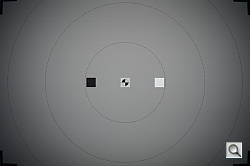 |
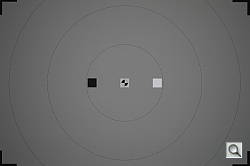 |
| 18mm | 55mm |
 |
 |
| Normal Flash +0.7 EV |
Slow-Sync Flash Default |
Coverage and Exposure. Flash coverage was rather uneven at wide-angle (18mm), with very dark corners. Coverage at telephoto (55mm) was much better, but still somewhat uneven. (Some of the corner shading is due to the lens itself, though.) For our Indoor Portrait scene test, the Nikon D3200’s flash required +0.7 EV exposure compensation adjustment to get bright results in normal Auto flash mode with a 1/60 second shutter speed, which is about average for the SLRs we’ve tested. The camera’s Slow-Sync flash mode at 1/8 second produced bright results without any compensation, though with a stronger pinkish-orange cast from the room lighting.
| Flash Range: Wide Angle | |||||
|---|---|---|---|---|---|
| 6 ft | 7 ft | 8 ft | 9 ft | 10 ft | 11 ft |
 1/60 sec f3.5 ISO 200 |
 1/60 sec f3.5 ISO 200 |
 1/60 sec f3.5 ISO 200 |
 1/60 sec f3.5 ISO 200 |
 1/60 sec f3.5 ISO 200 |
 1/60 sec f3.5 ISO 200 |
| 12 ft | 13 ft | 14 ft | 15 ft | 16 ft | |
 1/60 sec f3.5 ISO 200 |
 1/60 sec f3.5 ISO 200 |
 1/60 sec f3.5 ISO 200 |
 1/60 sec f3.5 ISO 200 |
 1/60 sec f3.5 ISO 200 |
|
| Flash Range: Telephoto | |||||
|---|---|---|---|---|---|
| 6 ft | 7 ft | 8 ft | 9 ft | 10 ft | 11 ft |
 1/60 sec f5.6 ISO 200 |
 1/60 sec f5.6 ISO 200 |
 1/60 sec f5.6 ISO 200 |
 1/60 sec f5.6 ISO 200 |
 1/60 sec f5.6 ISO 200 |
 1/60 sec f5.6 ISO 200 |
| 12 ft | 13 ft | 14 ft | 15 ft | 16 ft | |
 1/60 sec f5.6 ISO 200 |
 1/60 sec f5.6 ISO 200 |
 1/60 sec f5.6 ISO 200 |
 1/60 sec f5.6 ISO 200 |
 1/60 sec f5.6 ISO 200 |
|
ISO 200 Range. With the kit lens at wide-angle, the Nikon D3200’s flash exposures started out a little dim at 6 feet, though brightness increased before decreasing, peaking at 7 feet. Image brightness didn’t start dropping off noticeably until after 11 feet. At the telephoto end, flash intensity started out a bit dim at 6 feet, and exposures varied with some longer distances brighter than shorter ones. Flash exposures were still usable to about 14 feet, which is quite good.
| Manufacturer-Specified Flash Range | |
|---|---|
| Wide Angle | Telephoto |
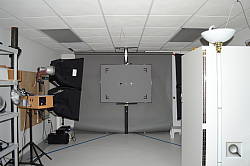 17.4 feet ISO 200 |
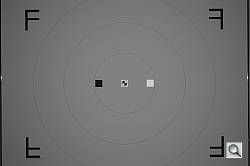 10.6 feet ISO 200 |
Manufacturer Specified Flash Test. The Nikon D3200’s flash guide number is 13 meters in manual mode at ISO 100. At ISOÂ 200, that translates to about 17.4 feet at f/3.5 and 10.6 feet at f/5.6, the maximum apertures of the kit lens at full wide-angle and telephoto respectively. In the shots above, the D3200 appears to underperform by a small amount relative to Nikon’s specification, producing slightly dim exposures at the rated distances. The flash target was underexposed by less than 1/4 f-stop compared to the ideal exposure in both cases. Our standard test method for flash range uses a fixed setting of ISO 200, to provide a fair basis of comparison between cameras. We’ve now also begun shooting two shots using the manufacturer-specified camera settings, at the range the company claims for the camera, to assess the validity of the specific claims.
Nr
Being an entry-level model, the Nikon D3200 only offers two noise reduction settings: “On” (default) and “Off”, so there’s not a lot of flexibility in choosing how you want to make the trade-off between subject detail and noise levels. The Nikon D3200 user manual says it’s effective at all ISOs, so we’ve included crops from the base ISO in the tables below. We’ve also included crops from raw files with no noise reduction (or sharpening) applied, so you can see that the “Off” setting still applies some noise reduction.
See for yourself how the two noise reduction settings compare across the ISO range under daylight-balanced lighting. Click on any of the crops below to see the corresponding full-sized image.
| Nikon D3200 Noise Reduction Comparison Daylight-balanced illumination |
|||
|
NR = “On”
|
NR = “Off”
|
Raw (no NR)
|
|
| I S O 1 |
 |
 |
 |
 |
 |
 |
|
 |
 |
 |
|
|
NR = “On”
|
NR = “Off”
|
Raw (no NR)
|
|
| I S O 2 |
 |
 |
 |
 |
 |
 |
|
 |
 |
 |
|
|
NR = “On”
|
NR = “Off”
|
Raw (no NR)
|
|
| I S O 4 |
 |
 |
 |
 |
 |
 |
|
 |
 |
 |
|
|
NR = “On”
|
NR = “Off”
|
Raw (no NR)
|
|
| I S O 8 |
 |
 |
 |
 |
 |
 |
|
 |
 |
 |
|
|
NR = “On”
|
NR = “Off”
|
Raw (no NR)
|
|
| I S O 1 |
 |
 |
 |
 |
 |
 |
|
 |
 |
 |
|
|
NR = “On”
|
NR = “Off”
|
Raw (no NR)
|
|
| I S O 3 |
 |
 |
 |
 |
 |
 |
|
 |
 |
 |
|
|
NR = “On”
|
NR = “Off”
|
Raw (no NR)
|
|
| I S O 6 |
 |
 |
 |
 |
 |
 |
|
 |
 |
 |
|
|
NR = “On”
|
NR = “Off”
|
Raw (no NR)
|
|
| I S O 1 |
 |
 |
 |
 |
 |
 |
|
 |
 |
 |
|
As you can see, the “On” noise reduction setting does produce images with less noise but at the cost of some detail, as expected. You can also see that the “Off” setting is still applying noise reduction, particularly on chroma (color) noise. As always, for best results we recommend shooting in raw mode and applying noise reduction using your favorite image editor or plugin as you see fit during post processing.
Pricing and availability
The Nikon D3200 started shipping April 2012 as a kit with the Nikkor 18-55mm f/3.5-5.6G VR lens for US$700.