



Overview
Last updated: 06/27/2018
Does weather-sealing matter? Watch our test and decide for yourself.
Read more of our "Water Torture Test" by clicking here. |
Update: The E-M1 Mark II earned multiple accolades in our 2016 Camera of the Year Awards, including our pick for the Overall Winner as 2016's Best Camera of the Year. It was also awarded Best Professional Mirrorless Camera and Best High-Speed Capture Camera. For more on how this camera pairs with the award-winning Olympus 300mm f/4 I. S. Pro, please click here!
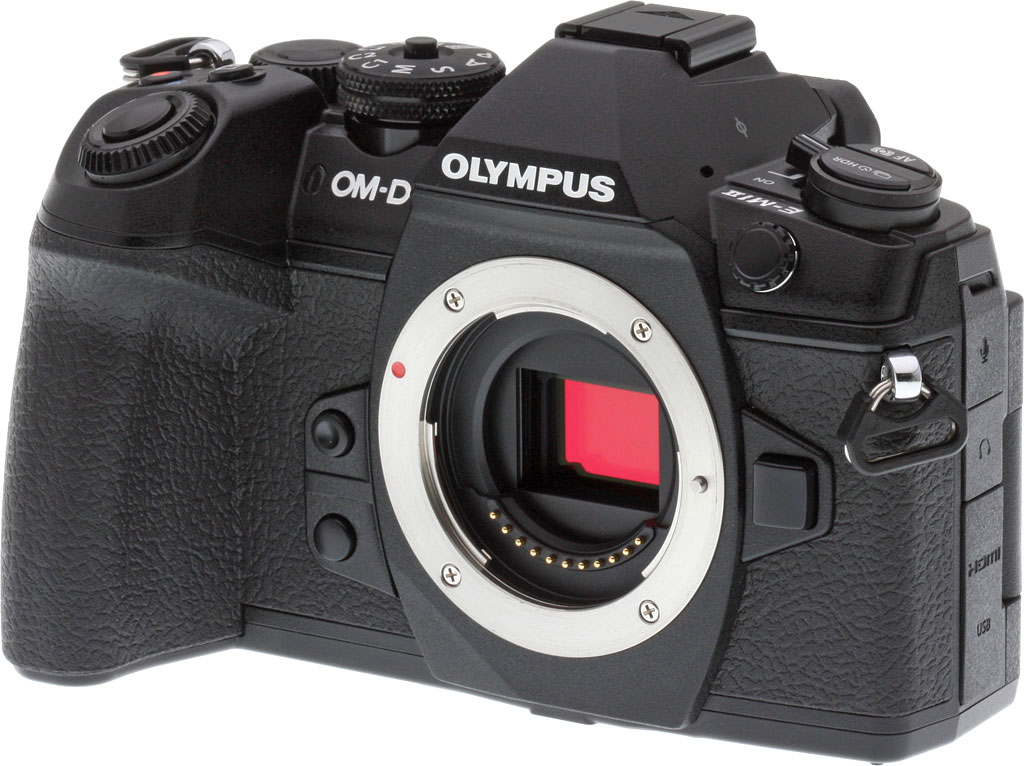
At the Photokina 2016 trade show, Olympus announced the development of its latest flagship Micro Four Thirds camera, the Olympus OM-D E-M1 Mark II. This high-end mirrorless camera features a lightweight yet durable, compact design and a wide array of impressive shooting features, with many upgrades over the earlier E-M1 model that launched back in late 2013.

At the heart of the OM-D E-M1 Mark II is a new 20.4-megapixel Live MOS 4/3" sensor which is equipped with 121 on-chip phase detection points, all of which are cross type. Working with the newly-developed TruePic VIII image processor -- which is stated to be 3.5 times faster than previous TruePic processors -- the E-M1 Mark II can record full-resolution images at up to a whopping 60 frames-per-second with both AF and AE locked and up to 18fps with continuous AF and AE when using the camera's all-electronic shutter mode.
The TruePic VIII image processor has a double quad-core design with one of the quad-cores dedicated to autofocus and the other to image processing. Continuous shooting specifications are particularly impressive with the OM-D E-M1 Mark II. When using the mechanical shutter, the camera can shoot at up to 15fps with locked focus and exposure. In the slower, mechanical shutter sequential shooting L mode, the camera can shoot at up to 10fps. There is also a new "Pro Capture" function which comes with maximum shooting speeds of 60 and 18fps in H and L modes respectively. In this mode, the camera captures up to 14 full-resolution frames as soon as the shutter button is half-pressed and then captures additional frames up to buffer capacity when the shutter is fully-pressed.
Regarding the Live MOS sensor itself, not only has resolution increased from 16.1 to 20.4 megapixels, but Olympus notes that it has been optimized for lower power consumption, faster data readout, better noise performance and better dynamic range. Noise performance is claimed to have been improved by a stop, although we believe Olympus included the effects of refined JPEG noise processing to arrive at that figure. The extended ISO range is 64-6400 when using Auto ISO and 64-25,600 when using a manually-selected ISO. The new ISO LOW (ISO 64 equivalent) setting should allow users to shoot with wider apertures in bright settings. And like the E-M1, the E-M1 Mark II's sensor has no optical low-pass filter for maximum per-pixel sharpness.

Of course the OM-D E-M1 Mark II gets Olympus' famous High Res Shot mode which utilizes the 5-axis image stabilization system's voice coil motor system to shift the sensor in precise half pixel increments. After capturing a total of eight shots, the images are composited into a single 50-megapixel JPEG frame and/or a 80-megapixel RAW file. In combination with the TruePic VIII processor, the High Res Shot mode can now suppress blur due to situations such as slightly moving grass or moving water. In addition, it is possible to select a smaller 25-megapixel JPEG file size.
Weighing in at approximately 20.2 ounces (574g) with the battery and memory card included, the OM-D E-M1 Mark II has dimensions (width x height x depth) of about 5.3 x 3.6 x 2.7 inches (or about 134 x 91 x 69 mm). That's a little heavier, wider and deeper than the E-M1, but slightly shorter. (The E-M1 weighs 17.5 ounces / 497g and its dimensions are 5.1 x 3.7 x 2.5 inches / 130 x 94 x 63 mm.) As you'd expect, the weather-sealed body is dust, splash and freeze-proof and can be operated in temperatures as low as 14°F or -10°C.
The durable shutter is rated for 200,000 actuations. As a side note regarding the shutter, it is actually isolated from the body which has allowed Olympus to put shock absorbers between the shutter and the body. Good thing too, given the camera's 15fps shooting using the mechanical shutter.

The Olympus OM-D E-M1 Mark II body now includes dual memory card slots allowing users to use two SD cards when shooting. There are four options for how to utilize the dual card slots: Record to the specified card, automatically switch to the second card when the first becomes full, independently record to both cards according to specific image quality assigned to each slot, and finally recording identical files to both cards simultaneously. The two card slots do not include the same card support, but rather slot 1 supports UHS-II and UHS-I cards while slot 2 supports only the latter.
The Mark II's electronic viewfinder features the same 2.36M-dot resolution, 1.48x (0.74x 35mm-equivalent) magnification and 100% coverage as its predecessor's, but is noticeably faster with a refresh rate of 120fps and a latency of only six milliseconds, which makes keeping track of fast-moving subjects much easier.
Taking a look at the rear of the camera, we find a 3-inch touchscreen monitor with the same resolution of approximately 1,037K dots, but it now has a more versatile, fully-articulating vari-angle design instead of the tilting-only LCD found on the E-M1. Touch control allows you to release the shutter, magnify a selected area, select AF area, change AF area size, utilize AF touch pad, move frames forward and backward, magnify playback, view Live Guide, access Super Control Panel, establish Wi-Fi connection, access movie controls, use movie teleconverter, and use selfie controls (release, e-portrait, custom self-timer).

Image stabilization is of course included in the E-M1 Mark II body, and the camera is equipped with the latest version of Olympus' in-body 5-axis image stabilization system. The correction algorithm has been optimized to provide a reported 5.5 stops of vibration reduction. If you combine the camera with Olympus' optical image stabilization-equipped lenses, you can achieve up to 6.5 stops of image stabilization compensation for both stills and video recording.
E-M1 Mark II has many more PDAF points than its predecessor
As previously touched upon, autofocus specs and features have been greatly improved with the OM-D E-M1 Mark II. The advanced Dual FAST AF system automatically selects between contrast and phase detection autofocus depending on the attached lens, camera settings and the current lighting conditions. Continuous autofocus performance is improved due to a new moving subject tracking algorithm as well. There's also a new in-camera autofocus limiter which allows you to limit the focus range of the lens, resulting in less focus hunting and faster overall autofocus speeds. Continuous AF tracking sensitivity can also be customized.
The 121 cross-type on-chip phase detection AF point spec is much improved compared to 2013's Olympus O-MD E-M1, which had 37 on-chip phase detection points and 81 contrast detection points. AF coverage is now 75% of the frame vertically and 80% horizontally, versus 66% and 60% for the E-M1 respectively. And unlike the E-M1, the Mark II's phase-detect AF works with Micro Four Thirds lenses in both single AF and continuous AF modes (as opposed to the E-M1 which used PDAF primarily for supporting Four Thirds lenses, only using it to assist during continuous AF with Micro Four Thirds lenses).

As expected, there are a number of autofocus functions in the E-M1 Mark II including AF target mode, face/eye priority AF and the AF targeting pad. The targeting pad feature allows you to use your finger on the touchscreen display to select the AF point while simultaneously looking through the viewfinder.
E-M1 Mark II offers numerous shooting modes
Special shooting modes include silent (which utilizes the electronic shutter; the electronic shutter has a shutter speed range of 60s to 1/32,000s when shooting in silent mode), focus stacking/focus bracketing and Live Composite/Live Bulb shooting modes. Focus stacking allows you to stack eight shots at different focus points and composite them into a single frame. Focus stacking is available with seven M.Zuiko Digital ED lenses: 60mm f/2.8 Macro, 12-40mm f/2.8 PRO, 40-150mm f/2.8 PRO, 30mm f/3.5 Macro, 7-14mm f/2.8 PRO, 8mm f/1.8 Fisheye Pro and 300mm f/4 IS PRO. Focus bracketing allows you to capture anywhere from 3 to 999 shots with adjustable focus steps using any Micro Four Thirds lens. Live Composite and Live Bulb keeps dark areas of frames constant while updating light areas as you shoot multiple frames, combining shots of subjects such as stars and fireworks into a single frame.
Creative features include multiple picture modes, gradation effects, filter effects, picture tones, art filters, art effects and a selective color-oriented color ring mode. There are 14 art filters including Pop Art, Pin Hole and Cross Process. There are nine art effects including Pin-hole, Star Light and Shade effects. While not so much a creative mode as much as it is a new form of correction, the E-M1 Mark II includes keystone compensation, ideal for photographing architecture. Trapezoidal compensation can be applied simultaneously in both horizontal and vertical directions.

In addition to these special shooting features and modes, the OM-D E-M1 Mark II has a standard assortment of shooting modes including P, A, S and M. In these shooting modes and others, the camera utilizes Digital ESP metering which has a 324-area multi pattern metering system. Metering modes also include center-weighted average and spot metering modes. Spot metering also has optional highlight control and shadow control variants. Spot metering can be used with AF target spot metering too. The metering range is -2 to 20 EV and exposure compensation up to +/-5 EV is available.
E-M1 Mark II Video: Shoot Cinema Standard 4K at 237 Mbps!
The Olympus O-MD E-M1 Mark II supports Digital Cinema Standard 4K (4096 x 2060 pixels) video capture at a frame rate up to 24 frames-per-second with a bit rate of 237 Mbps. The 20.4-megapixel Live MOS sensor has a read speed three times faster than its predecessor which helps the camera to produce sharper, clearer image quality with less distortion. The camera also includes a "flat" picture mode which is designed for color grading and post-production work on the resulting video files.
Uncompressed video, including 4K video, can be viewed or output live via the camera's HDMI port. When recording to an external device, video recording can be started and stopped via the camera. Output is 4:2:2, allowing a wider color correction range.
Video files are recorded in MOV and AVI file format and available video recording resolutions include 4096 x 2160, 3840 x 2160, 1920 x 1080 and 1290 x 720. While Cinema 4K is capped at 24fps, you can record 4K UHD video at up to 30fps. Full HD video recording is available at up to 60fps. It is also worth noting that you can utilize the OM-D E-M1 Mark II's in-body image stabilization system even when recording Cinema Standard 4K video.

E-M1 Mark II gets improved battery, ports and accessories
The E-M1 Mark II comes with a new, larger BLH-1 lithium-ion battery pack. The new battery is larger and has 37% greater capacity than the old one, with a CIPA rating of 440 shots per charge (versus 350 for the E-M1). The E-M1 Mark II also has a quick sleep mode which boosts battery life to 950 shots. Olympus also notes that charging is "much faster", although it doesn't say precisely how much. The camera has a USB 3.0 Type-C port, a 2.5mm remote jack, a Type-D Micro HDMI connector, hot shoe, PC sync terminal, 3.5mm mic and headphone jacks, as well as built-in Wi-Fi.
Optional accessories for the E-M1 Mark II include the HLD-9 Power Battery Holder which holds an additional BLH-1 battery and includes a directional pad, two control dials, two function buttons and a shutter release resulting in the camera handling the same way in the vertical orientation as it does in the standard horizontal orientation.
There's also a new FL-900R weatherproof high-intensity flash, STF-8 weatherproof macro flash, RM-CB2 release cable, PT-EP14 underwater case and CBG-12 large-capacity backpack.
Compared to predecessor, E-M1 Mark II is much faster in many ways
When comparing the E-M1 Mark II to the E-M1, the new flagship camera brings with it a lot of impressive improvements. The Mark II's sensor has a 25% higher pixel count and the new processor and memory brings with it roughly double the RAW buffer capacity and three times faster internal data writing speed. When considering both shooting and autofocus speeds, sequential S-AF shooting is six times faster and C-AF shooting is two times faster.
The new autofocus system includes 3.3 times more AF points. The improvements to the electronic viewfinder result in a 63% faster EVF response rate. And with the introduction of Digital Cinema Standard 4K video shooting, the OM-D E-M1 Mark II has four times the video resolution of its predecessor.
The E-M1 Mark II's mechanical shutter still tops out at 1/8,000s with a 1/250s flash x-sync, but as previously mentioned the electronic shutter's exposure range is now 60s to 1/32,000s, up from 1/8s to 1/16,000s on the E-M1.

There are a lot of significant improvements and features in the Olympus OM-D E-M1 Mark II. When compared to its predecessor, the new camera is a dramatic upgrade. Considering how well-received the original E-M1 was, Olympus shooters are sure to be pleased with the new E-M1 Mark II.
In the Box
The Olympus E-M1 Mark II U.S. retail package contains the following items:
- Olympus OM-D E-M1 Mark II body
- Rechargeable Li-ion battery BLH-1
- Battery charger BCH-1
- Flash FL-LM3
- USB cable
- Cable clip
- Shoulder strap
- Instruction manual
- Limited 1-Year Warranty
Recommended Accessories
- Large capacity SDHC/SDXC memory card. 32GB should be a minimum, and we highly recommend a fast UHS-II card.
- Spare battery BLH-1 for extended shooting sessions
- Power battery holder HLD-9
- M.Zuiko lenses, especially the M.Zuiko Pro 12-40mm f/2.8
- Remote cable release RM-CB2
- Medium camera bag
- Micro HDMI cable
Optics
The Olympus E-M1 II is sold body-only, so we have no kit lens test results here. We do however have viewfinder coverage test results below.
Viewfinder Test Results
Accuracy
Excellent accuracy from the EVF and LCD monitor.


The Olympus E-M1 II's electronic viewfinder and LCD monitor both proved very accurate in record mode in terms of coverage, with the EVF showing just over 100% coverage and the LCD showing exactly 100% coverage with our Olympus Zuiko Digital 50mm f/2.0 low distortion prime. Excellent results here.
The images above were taken from our standardized test shots. For a collection of more pictorial photos, see our Olympus OM-D E-M1 II Photo Gallery .
Exposure
Color
Saturation & Hue Accuracy
Typical saturation levels with very good hue accuracy.
 |
||
|
ISO Sensitivity
|
||
| In the diagram above, the squares show the original color, and the circles show the color that the camera captured. More saturated colors are located toward the periphery of the graph. Hue changes as you travel around the center. Thus, hue-accurate, highly saturated colors appear as lines radiating from the center. Mouse over the links to compare ISOs and click for a larger version. | ||


Saturation. The Olympus E-M1 II pushes darker reds and blues by a fair amount and a few other colors by relatively small amounts, but most colors are pretty close to accurate in terms of saturation. Default mean saturation at base ISO of 200 is 111.1% (11.1% oversaturated), which is about average these days. Mean saturation remains fairly stable across the ISO range, except at very high ISOs where it falls to a low of 105.6% at ISO 25,600 (likely in an attempt to help control chroma noise). Most consumer digital cameras produce color that's more highly saturated (more intense) than what's found in the original subjects. This is simply because most people like their color a bit brighter than life.
Skin tones. The Olympus E-M1 II did very well with skin tones, producing pleasant, realistic-looking Caucasian skin tones using Auto or Manual white balance that are just slightly on the warm side. Where oversaturation is most problematic is on Caucasian skin tones, as it's very easy for these "memory colors" to be seen as too bright, too pink, too yellow, etc.
Hue. The Olympus E-M1 II exhibits very good overall hue accuracy, with a better-than-average Delta-C color error after correction for saturation of only 3.73 at base ISO (the average is about five among cameras we've tested, and lower scores are better), and hue accuracy is quite good across the ISO sensitivity range. The only significant hue shift is cyan towards blue, which is quite common and deliberate to improve the look of blue skies. Hue is "what color" the color is.


Sensor
Exposure and White Balance
Indoors, incandescent lighting
Default Auto white balance was quite warm, but good color balance with Incandescent and Manual white balance settings. About average exposure compensation required.


Indoors, under normal incandescent lighting, color balance was much too warm and orange with the default Auto white balance setting. The E-M1 II has a "Keep Warm Color" option for Auto white balance which is On by default. When turned Off, the results were too cool with a cyan tint. Results with the Incandescent setting were not bad, though, just slightly warm and yellow. The Manual setting was very accurate and neutral. The Olympus E-M1 II required an average amount of positive exposure compensation here, at +0.3 EV. (Our test lighting for this shot is a mixture of 60 and 100 watt household incandescent bulbs, a pretty yellow light source, but a very common one in typical home settings here in the U.S.)
Outdoors, daylight
Very good color and dynamic range, with good exposure.
Outdoors, the Olympus E-M1 II performed well, with nice colors and good exposure. Skin tones were very good if slightly warm with both Auto and Manual white balance settings in our "Sunlit" Portrait shot. The Olympus E-M1 II required +1.0 EV exposure compensation to keep the mannequin's face bright, which is a little higher than average. Default contrast is a bit high as it is on most cameras, but despite the bright appearance there are very few blown highlights in the mannequin's shirt and flowers, which is much better than average. And noise in all but the deepest shadows is quite low for a 4/3" sensor. The Far-field shot has very good exposure at default settings and almost no blown highlights (just a few clipped specular highlights) or lost shadows. Noise in the shadows is low, though there are signs fairly aggressive noise reduction is applied in darker regions. (Note that these shots were taken at ISO 200 as ISO 64 is an extended setting with inferior dynamic range.)
See full set of test images with explanations
See thumbnails of all test and gallery images
Native Resolution
~2,700+ lines of strong detail in native resolution JPEG and RAW files.
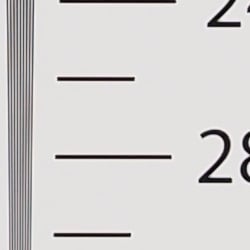


In-camera JPEGs of our laboratory resolution chart reveals sharp, distinct line patterns up to just over 2,700 lines per picture height in the horizontal direction, and to just over 2,700 lines in the vertical direction, although some fairly strong aliasing is visible well before those limits. Complete extinction of the pattern doesn't occur until about 3,600 lines. Adobe Camera Raw wasn't really able to extract more resolution here but generated far less luminance aliasing, though false colors and color moiré are much more apparent past the limits of resolution. Use these numbers to compare with other cameras of similar resolution, or use them to see just what higher resolution can mean in terms of potential detail.
High-Res Mode Resolution
Over 4,000 lines in High-Res JPEG and RAW files.




An in-camera 50MP High-Res JPEG of our laboratory resolution chart reveals sharp, distinct lines past the 4,000 line limit of our chart, and of course an Olympus Viewer 3 converted 80MP files also shows resolution past 4,000 lines. And because each color is sampled separately in high-resolution mode there are far fewer false colors, although some color moiré is still present. (Note that Adobe Camera Raw did not support E-M1 II High-Res RAW files as of this writing.)
See full set of test images with explanations
See thumbnails of all test and gallery images
Sharpness & Detail
Sharp images though moderate edge-enhancement artifacts on high-contrast subjects are visible. Mild noise suppression visible in the shadows.


Sharpness. The Olympus E-M1 II captures sharp, crisp images, though as is usually the case for most manufacturers, edge enhancement artifacts are visible on high-contrast subjects such as sharpening halos around the lines and lettering in the crop above left when default settings are used. The halos are a little bright, but at least they are not very thick. Edge enhancement creates the illusion of sharpness by enhancing colors and tones right at the edge of a rapid transition in color or tone.
Detail. The crop above right shows fairly mild noise suppression artifacts in areas of the mannequins's hair as base ISO, smudging individual strands together when contrast between them is low, though quite a few individual strands remain visible. Overall detail is very good for a 20-megapixel Micro Four Thirds model, and chroma noise is very low. Noise-suppression systems in digital cameras tend to flatten-out detail in areas of subtle contrast. The effects can often be seen in shots of human hair, where the individual strands are lost and an almost "watercolor" look appears.
Native Res RAW vs In-Camera JPEGs
As noted above, the Olympus E-M1 II does a great job at capturing lots of fine, crisp detail in its JPEGs, but more detail can often be obtained by carefully processing RAW files, while at the same time reducing sharpening artifacts. Take a look below, to see what we mean:
|
Base ISO (200)
|
|
 |
 |
 |
 |
 |
 |
|
Camera JPEG, defaults
|
RAW via Adobe Camera Raw
|
In the table above, we compare an in-camera JPEG taken at base ISO using default noise reduction and sharpening (on the left) to the matching RAW file converted with Adobe Camera Raw 9.1 via DNG Converter 9.8 (with preliminary support for the E-M1 II) using default noise reduction with some strong but tight unsharp mask applied in Photoshop (350%, radius of 0.3 pixels, and a threshold of 0).
As is often the case, the Adobe Camera Raw conversion contains fine detail superior to the camera's Super Fine JPEG at default settings as can be seen in the mosaic crop and especially in the red-leaf swatch where much of the fine thread pattern is resolved, though it does leave behind a lot more luminance noise at default noise reduction settings. In-camera JPEGs also have more "pop" as well, with higher default contrast, sharpening and saturation. Overall, though, the E-M1 II's JPEG engine does a very good job balancing the detail offered by its 20-megapixel sensor with keeping noise in check, at least at low ISOs. (And its expanded low ISO 64 setting does even better especially in the red-leaf fabric, but at the cost of lower dynamic range.) However as is usually true, additional detail can be extracted when working with RAW files.
High Res mode RAW vs In-Camera JPEGs
The Olympus E-M1 II's multi-shot High Res mode produces in-camera 49.9-megpixel JPEGs, but High-Res .ORF files are converted to 80.1-megapixel images. Below, we compare the two at base ISO:
|
High Res Mode, Base ISO (200)
|
|
 |
 |
 |
 |
 |
 |
|
Camera JPEG, defaults
|
RAW Olympus Viewer 3, defaults
|
As mentioned, Adobe does not yet support Olympus E-M1 II High Res files as of this writing, so above we compare in-camera JPEGs to the output of Olympus Viewer 3 at default settings.
As you can see, the High Res in-camera JPEG and RAW files both offer a lot more detail than the native resolution files in the previous comparison with far fewer aliasing artifacts, but the converted High Res RAW file only offers a modest increase in detail over the in-camera High Res JPEG, and also shows slightly higher noise. The converted High Res RAW file is also a little soft at default settings, so we suggest using a higher sharpening setting or using a lower sharpening setting in Olympus Viewer 3 and then sharpening to taste in Photoshop after the conversion.
ISO & Noise Performance
Excellent high ISO performance for its class.
|
Default High ISO Noise Reduction
|
 |
 |
 |
| ISO 64 | ISO 200 | ISO 400 |
 |
 |
 |
| ISO 800 | ISO 1600 | ISO 3200 |
 |
 |
 |
| ISO 6400 | ISO 12,800 | ISO 25,600 |
The Olympus E-M1 II's images are quite clean and detailed at ISOs 64 though 400, though there's a minor increase in noise in the shadows as ISO sensitivity rises within this range. ISO 800 shows a slight drop in overall image quality, but fine detail is still quite strong and noise is well-controlled. At ISO 1600, we see some moderate detail loss due to stronger noise and noise reduction efforts, as well as more visible chroma noise in the shadows, but fine detail is still pretty good. ISO 3200 shows a more noticeable drop in image quality, with much higher luminance noise, though the grain pattern is quite tight and chroma noise is well-controlled . ISO 6400 is grainier with more noticeable smudging and chroma noise. Image quality drops off rapidly from there, with much higher luma and chroma noise, visible noise reduction and sharpening artifacts, as well as a slight drop in saturation.
Overall, high ISO noise performance is excellent for a Micro Four Thirds camera, and a bit better than the PEN-F's despite the much faster sensor. Noise levels are similar to the E-M1 despite the smaller pixels, with some refinements in noise reduction as well, although default noise processing does appear slightly stronger. As always, see the Print Quality section below for maximum recommended print sizes at each ISO.
Note that we now shoot this series at f/8 instead of f/4, for increased depth of field (at f/4, it was very difficult to focus for maximum sharpness in the crop area while maintaining consistent focus between models).
Extremes: Sunlit, dynamic range and low light tests
Very good dynamic range in JPEGs, and very good low-light performance as well.


Sunlight
The Olympus E-M1 II did very well with this difficult shot, requiring slightly more than average exposure compensation of +1.0 EV to keep the mannequin's face bright in this harsh lighting. As mentioned previously, despite the bright appearance of the mannequin's shirt, dynamic range is surprisingly good, with very few highlights blown and good detail in the shadows as well, though very deep shadows do exhibit fairly strong noise reduction and blotchy coloration. Still, performance here is well above average, particularly for a Micro Four Thirds model.
Because digital cameras are more like slide film than negative film (in that they tend to have a more limited tonal range), we test them in the harshest situations to see how they handle scenes with bright highlights and dark shadows, as well as what kind of sensitivity they have in low light. The shot above is designed to mimic the very harsh, contrasty effect of direct noonday sunlight, a very tough challenge for most digital cameras. (You can read details of this test here. In actual shooting conditions, be sure to use fill flash in situations like the one shown here; it's better to shoot in open shade whenever possible.)
| Face Detection | ||
 |
 |
 |
| Off at 0 EV Aperture priority, f/8 |
On at 0 EV Aperture priority, f/8 |
Full Auto f/2 |
Face Detection. Like most cameras these days, the Olympus E-M1 II has the ability to detect faces, and adjust exposure and focus accordingly. As you can see from the examples above, face detection worked well, as the center image with it enabled is much better exposed for the face without having to use any exposure compensation. The Full Auto setting worked even better by choosing Portrait scene mode which selected a larger aperture (f/2) and selected i-Enhance Picture Mode to boost shadows and reduce contrast. An excellent performance under very difficult lighting such as this.
|
Outdoor Portrait Gradation Comparison
|
|
 |
Gradation Normal (Default) Auto Low Key High Key |
 |
|
Gradation. Similar to dynamic range optimization systems from other manufacturers, the Olympus E-M1 II's Gradation setting applies local contrast adjustments in an attempt to preserve shadow detail and prevent highlight clipping with the Auto setting. Above are examples of the Normal (default), Auto, Low Key and High Key settings applied to our "Sunlit" Portrait shot with no exposure compensation. Mouse over the links to load the associated thumbnail and histogram, and click on the links to visit the full resolution image.
As you can see, the Low Key setting applies Gradation to make subjects darker (in the thumbnail and histogram above, you can see that the camera shifted levels to the left, darkening the image dramatically), while the High Key setting does the opposite to produce brighter images (shifting levels to the right so that lighter tones are blown, but darker ones are opened up). The Auto setting did a good job here, boosting shadows and midtones without blowing highlights, for a much better overall exposure than the Normal setting which was much too dim.
|
Far-field Gradation Comparison
|
|||
 |
|||
Above, we can see the Gradation options at work in our Far-field test shot series with similar results. Mouse over the links to load the associated thumbnail, and click on the links to visit the full resolution image.
|
High Dynamic Range
|
|||
|
|
|||
HDR setting: |
|||
High Dynamic Range. The Olympus E-M1 II's in-camera HDR feature works by combining four shots at different exposures. Two strength settings are available: HDR1 and HDR2, with the later providing a more extreme result. ISO is fixed to 200, and slowest shutter speed supported is 4 seconds.
Above, you can see the E-M1 II's in-camera HDR mode at work with our Far-field shot. HDR1 did a pretty good job brightening shadows and toning down highlights, though it looks a bit dim and flat. You can do much better by using the bracketing mode and combining the images yourself in software. HDR2 mode looks overprocessed and too bright with soft, noisy details. In addition, notice the ghosting to the left of the pillars in the HDR2 shot, which seems to be some kind of a bug since the camera was on a tripod and the self-timer was used; we saw this same behavior in prior models. (Also notice that the HDR images are not cropped compared to the non-HDR image, which implies the camera can't compensate for much camera motion during a sequence. This is pretty much confirmed by the user manual which says to use a tripod for HDR shots, potentially making this mode less useful than those offered by some other manufacturers.)
Dynamic Range Analysis (RAW mode)
A key parameter in a digital camera is its Dynamic Range, the range of brightness that can be faithfully recorded. At the upper end of the tonal scale, dynamic range is dictated by the point at which the RGB data "saturates" at values of 255, 255, 255. At the lower end of the tonal scale, dynamic range is determined by the point at which there ceases to be any useful difference between adjacent tonal steps. Note the use of the qualifier "useful" in there: While it's tempting to evaluate dynamic range as the maximum number of tonal steps that can be discerned at all, that measure of dynamic range has very little relevance to real-world photography. What we care about as photographers is how much detail we can pull out of the shadows before image noise becomes too objectionable. This, of course, is a very subjective matter, and will vary with the application and even the subject matter in question. (Noise will be much more visible in subjects with large areas of flat tints and subtle shading than it would in subjects with strong, highly contrasting surface texture.)
While we once performed our own dynamic range measurements based on in-camera JPEGs as well as converted RAW images (when the camera was supported by Adobe Camera Raw), we've switched to using DxO Labs' results from their DxOMark website. As technology advanced, the dynamic range of modern high-end cameras in some cases exceeded the range of the Stouffer T4110 density scale that we used for our own measurements. DxO's approach based on RAW data before demosaicing is also more revealing, because it measures the fundamental dynamic range of the sensor, irrespective of whatever processing is applied to JPEGs, or to RAW data by off-the-shelf conversion software.
In the following, we use DxO's "Print" dynamic range results, which are scaled based on camera resolution. As the name suggests, this scaling corresponds to the situation in which you print at a given size, regardless of how many megapixels the camera might have. (In other words, if you've decided to make a 13x19 inch print, that's the size you're printing, whether the camera's resolution is 16 or 300 megapixels.) For the technically-minded, you can find a discussion of the reasoning behind this here on the DxOMark website. Also note that DxO Labs uses a signal-to-noise (SNR) threshold of 1 when defining the lower boundary of acceptable luminance noise in their dynamic range measurements, which corresponds to the "Low Quality" threshold of the Imatest software we used to use for this measurement.

Here, we compare Olympus E-M1 II dynamic range test results (in orange) to its predecessor, the E-M1 (yellow), as well as to the Nikon D500 (red), a high-performance APS-C DSLR with similar resolution. You can always compare to other models on DxOMark.com.
As you can see from the above graph (click it for a larger version), the Olympus E-M1 II's dynamic range is similar to the E-M1's at most sensitivities, though it is better at very high ISOs. Peak dynamic range is 12.84 EV at base ISO, versus 12.7 EV for its predecessor. They perform pretty much identically up to the ISO 1600 setting, however the E-M1 Mark II does pull ahead at very high ISOs where it manages 7.6 EV versus 6.82 EV at the top ISO, but be aware that the E-M1 II's measured ISO is lower than the E-M1's by over a third of a stop.
Unsurprisingly, the APS-C-sensored Nikon D500's dynamic range bests the Olympus E-M1 II across the board, with the Nikon offering just over a 1.1 EV advantage at base ISO (13.98 EV vs 12.84), as well as significantly better dynamic range at most ISOs.
Bottom line: The Olympus E-M1 II dynamic range is excellent for a Four Thirds sensor, equal to the best tested to date (the Panasonic GH4), though as expected, it's not as good as state-of-the-art APS-C rivals.
Click here to visit the DxOMark page for the Olympus E-M1 II for more of their test results and additional comparisons.
| 1 fc 11 lux |
1/16 fc 0.67 lux |
1/16 fc No NR |
|
|---|---|---|---|
| ISO 200 |
 1.3s, f2.8 |
 20s, f2.8 |
 20s, f2.8 |
| ISO 3200 |
 1/13s, f2.8 |
 1.3s, f2.8 |
 1.3s, f2.8 |
| ISO 25600 |
 1/100s, f2.8 |
 1/6s, f2.8 |
 1/6s, f2.8 |
Low Light
The Olympus E-M1 II performed quite well in our low light testing, capturing bright exposures at the lowest light level we test (1/16 foot-candle), even at base ISO. Noise is low at ISO 200 and well-controlled at ISO 3200, though the top ISO ISO of 25,600 is noisy and is probably best avoided except for very small prints or web images.
White balance was fairly neutral using the Auto setting, just slightly cool at 1 foot-candle but it warmed up slightly at the lower 1/16 foot-candle light level. We didn't notice any issues with fixed-pattern noise or heat blooming, and the only hot or bright pixels detected where when long-frame noise reduction was disabled at base ISO, or at the highest ISO, both of which are not unusual.
LL AF: The Olympus E-M1 II's autofocus system was able to focus on our challenging low-contrast AF target down to -4.3 EV unassisted with an f/2.8 lens, which is quite good. And with our new high-contrast AF target, it could focus down to -6.0 EV which is excellent. The E-M1 II is also equipped with a built-in focus-assist lamp which lets it focus in total darkness, as long as the target is in range and has sufficient contrast.
How bright is this? The one foot-candle light level that this test begins at roughly corresponds to the brightness of typical city street-lighting at night. Cameras performing well at that level should be able to snap good-looking photos of street-lit scenes.
NOTE: This low light test is conducted with a stationary subject, and the camera mounted on a sturdy tripod. Most digital cameras will fail miserably when faced with a moving subject in dim lighting. (For example, a child's ballet recital or a holiday pageant in a gymnasium.) Thanks to their larger pixels and in the case of the E-M1 II, its Hybrid AF system, compact system cameras like the Olympus E-M1 II tend to do much better than point & shoots in dim light, but you still shouldn't expect a quick autofocus lock with moving subjects.
Output Quality
Print Quality
A terrific 30 x 40 inch print at ISO 64/200, a good 16 x 20 inch print at ISO 800, and a nice 5 x 7 at ISO 12,800.
 ISO 64 prints look absolutely superb at 30 x 40 inches (except for reduced dynamic range), with super-sharp detail, excellent color renditioning and an amazing amount of three dimensional "pop" to them. These are simply superb prints in every regard.
ISO 200 images also look quite good at 30 x 40 inches. They're not quite as super-crisp as the prints at ISO 64, but still offer an amazing amount of fine detail for this size, with rich colors as well.
ISO 400 yields outstanding prints up to 20 x 30 inches, with terrific detail and only a mild softening in our tricky red-leaf swatch. The 24 x 36 inch prints here are certainly usable as well for wall display purposes and less critical applications, anything but the most critical of printing needs.
ISO 800 shots at 20 x 30 inches come oh-so-close to passing our "good" grade, as there is still a very good degree of fine detail available, but mild softening in the red channel and some apparent noise in flatter areas of our target prevent us from officially calling these "good". You'll be fine for less critical applications, but for your more critical prints we advise a reduction in size to 16 x 20 inches here, which is still a nice size and offers virtually no apparent noise nor artifacts from noise reduction processing.
ISO 1600 prints at 16 x 20 just pass our good seal of approval and offer plenty in the way of fine detail. There is a mild amount of noise in flatter areas and minor issues with softening in a few areas, but it still makes a good overall print. For absolute critical prints here we recommend the 13 x 19's.
ISO 3200 images printed to 11 x 14 inches do pass our good mark, but there is now just a bit more noise apparent in some flatter areas than before such as in the shadows behind the bottles of our Still Life target. These will work for general purpose printing, but for absolutely critical purposes the 8 x 10's are a better option here.
ISO 6400 begins to show signs of noise reduction strain, as is typical for most all cameras below full-frame sensor sizes. Remaining at 8 x 10 inches and below here is a wise call, as larger print sizes simply introduce too much noise and NR artifacts into the equation.
ISO 12,800 delivers a very respectable 5 x 7 inch print for this sensitivity. There is still plenty of fine detail and full color reproduction on hand, and it's a nice size for this ISO and sensor size.
ISO 25,600 prints are just a bit too muted to pass our good grade, but may be fine for less critical applications.
The Olympus E-M1 II delivers solid performance in the print quality department. Expanded ISO 64 and base ISO 200 offer superb results with an incredible amount of detail and pop at 30 x 40 inches. You can expect large print sizes up to a 16 x 20 at ISO 1600, after which the sizes trail off in typical fashion for this sensor size. And it's nice to know that you can even achieve a good 5 x 7 at ISO 12,800, which allows you some ISO freedom for when larger prints are not needed. We recommend avoiding ISO 25,600, as the prints just aren't quite good enough for most purposes, but otherwise the camera does a nice job overall for print quality.
The images above were taken from our standardized test shots. For a collection of more pictorial photos, see our Olympus OM-D E-M1 II Photo Gallery .
Not sure which camera to buy? Let your eyes be the ultimate judge! Visit our Comparometer(tm) to compare images from the Olympus OM-D E-M1 II with those from other cameras you may be considering. The proof is in the pictures, so let your own eyes decide which you like best!
Performance
Timing and Performance
Incredible performance in our tests.
| Startup/Play to Record | ||
|---|---|---|
| Power on |
~0.8 second
|
Time it takes to turn on and capture a shot. |
|
Play to Record, |
~0.6 second
|
Time until first shot is captured. |
Powering on and taking a shot was fast for a mirrorless camera, at about 0.8 second. Switching from Play to Record mode and taking a shot was a bit faster, at about 0.6 second. Very good performance here, though some DSLRs are faster.
| Shutter Response (Lag Time) | ||
|---|---|---|
|
Full Autofocus, |
0.108 second
|
Time from fully pressing shutter button to image capture, with the lens already at the proper focal distance setting. (All AF timing tested with Olympus 45mm f/1.8 ED M.Zuiko prime lens.) |
|
Full Autofocus, |
0.374 second
|
Time from fully pressing shutter button to image capture, with the lens already at the proper focal distance setting, Auto flash enabled. (With the FL-LM3 bundled flash.) |
| Manual Focus |
0.052 second
|
For most cameras, shutter lag is less in manual focus than autofocus, but usually not as fast as when the camera is "prefocused". |
|
Prefocused |
0.032 second
|
Time to capture, after half-pressing and holding shutter button. |
Testing the Olympus E-M1 II's ability to determine that it's properly focused when shooting the same target multiple times in AF-S (single-shot AF) mode using the center AF point (our standard Full AF lag test), we found full autofocus shutter lag was very fast at only 0.108 second with our Olympus 45mm f/1.8 ED M.Zuiko prime lens. That's faster than a lot of pro DSLRs.
With the FL-LM3 bundled flash attached and enabled in Auto TTL mode, full AF shutter lag increased to 0.374 second as a result of preflash metering.
Shutter lag in manual focus mode was very low at only 0.052 second, and prefocused shutter lag was even lower at 0.032 second. Excellent performance here.
To minimize the effect of different lens' focusing speed, we test AF-active shutter lag with the lens already set to the correct focal distance.
| Single-Shot Cycle Time, Burst Mode and Flash Recycling | ||
|---|---|---|
|
Single Shot mode |
< 0.3 second
|
Time per shot, averaged over a few frames (we no longer test for buffer depth in single-shot mode). |
|
Single Shot mode |
<0.3 second
|
Time per shot, averaged over a few frames (we no longer test for buffer depth in single-shot mode). |
|
Early shutter |
No
|
Some cameras don't snap another shot if you release and press the shutter too quickly in Single Shot mode, making "No" the preferred answer. |
|
Continuous H mode |
0.07 second
(15.2 fps); 118 frames total; 6 seconds to clear* |
Time per shot, averaged over buffer length of 118 frames, then slows to an average of 9.6 fps when buffer is full, which is still fast! |
|
Continuous H mode |
0.07 second
(15.4 fps); 102 frames total; 7 seconds to clear* |
Time per shot, averaged over buffer length of 102 frames, then slows to an average of 9.5 fps when buffer is full, which is still fast! |
|
Continuous H mode |
0.07 second
(15.4 fps); 59 frames total; 20 seconds to clear* |
Time per shot, averaged over buffer length of 59 frames, then slows to an average 2.8 fps when buffer is full. |
|
Pro Capture H mode |
0.02 second
(60.6 fps); 51 frames total; 6 seconds to clear* |
Time per shot, averaged over buffer length of 51 frames, then slows to an average of about 10.3 fps when buffer is full, but with a lot of cycle variation. |
|
Pro Capture H mode |
0.02 second
(60.6 fps); 51 frames total; 7 seconds to clear* |
Time per shot, averaged over buffer length of 51 frames, then slows to an average of 9.5 fps when buffer is full, but with a lot of cycle variation. |
|
Pro Capture H mode |
0.02 second
(60.6 fps); 50 frames total; 19 seconds to clear* |
Time per shot, averaged over buffer length of 50 frames, then slows to an average of 2.8 fps when buffer is full, but with moderate cycle variation. |
| Flash Recycling |
6.9 seconds
|
Flash at maximum output. |
|
*Note: Buffer clearing times measured with a 64GB Lexar Professional 2000x (260MB/s write) SDXC. Slower cards or using slot 2 can produce correspondingly slower clearing times and may also limit length of bursts in continuous mode. ISO sensitivity and noise reduction settings can also affect cycle times and burst mode performance.
|
||
Single-shot cycle times were so fast that they were difficult to accurately measure as they depend on the tester's nimbleness and ability to maintain an optimum rhythm, so your results may vary. (Note that we no longer test single-shot mode with just RAW files, as the results are usually somewhere in between.)
In Continuous H mode using the mechanical shutter, the E-M1 II captured Large/Super Fine JPEG frames at about 15.2 frames-per-second, 12-bit RAW frames at about 15.4 fps, and RAW+JPEG frames at 15.4 fps. Outstanding performance here, just over Olympus' 15 fps spec. Note that AF and AE are locked at the first frame of a burst in this mode. Olympus claims the E-M1 II can manage up to 10 fps with AF and AE updated between frames, however we did not test that mode in the lab.
In Pro Capture mode which uses electronic shutter, the E-M1 II was able to shoot full-resolution images at an astonishing 60.6 frames-per-second no matter the file type, which is truly staggering for the size and resolution of the sensor. And it doesn't appear to be dropping the bit-depth of RAW files as some cameras do in faster electronic shutter modes, as they are still 12 bits. Again, this is with AF and AE locked at the first frame. (Olympus rates Pro Capture mode with continuous AF/AE at 18 fps which is still amazing.)
Buffer depths were also outstanding, ranging from 118 frames when shooting best quality JPEGs to 59 frames when shooting RAW+JPEG frames before the camera slowed down in Continuous H mode when tested with our fast 64GB Lexar Professional 2000x UHS-II SDXC card (rated for 260MB/s writes and 300MB/s reads) installed in slot 1. (Slot 2 does not support UHS-II.) Note that our target was designed to be difficult to compress, so buffer depths with real-world images may even be greater, particularly when shooting JPEGs.
In Pro Capture mode at 60.6 fps, buffer depth was still a very generous 50 to 51 frames before the camera slowed. Buffer-full rates weren't bad either, with the camera able to shoot JPEG or RAW files at between 9.5 and 10.3 frames per second depending on the mode, however shooting RAW+JPEGs dropped buffer-full rates to about 2.8 fps, with a lot of cycle-to-cycle variation in Pro Capture mode.
Buffer clearing was quick considering the buffer sizes, taking only 6 seconds for a max length burst of JPEGs, 7 seconds for RAW frames, but 19-20 seconds for RAW+JPEG files. The camera lets you make setting changes and continue shooting while its buffer is clearing, however you can't review just-shot photos until the buffer is cleared.
The bundled Olympus FL-LM3 flash took 6.9 seconds on average to recycle after a full power discharge, which is quite slow. (It derives its power from the body and self-powered flashes will be much faster.)
Bottom line, the Olympus E-M1 II's performance incredible with reasonably fast startup, very fast autofocus, very low shutter lag, fast cycle times, amazing burst performance, and excellent buffer depths. Performance is significantly better than the E-M1 in everything we tested except power-up and mode switching, despite the higher resolution. Well done, Olympus!
Battery
Battery Life
Good battery life for its class.
| Operating Mode | Battery Life |
|---|---|
|
Still Capture,
(CIPA standard) |
440 shots
|
|
Still Capture,
(Quick Sleep Mode enabled) |
950 shots
|
The Olympus E-M1 II uses a custom BLH-1 rechargeable lithium-ion battery pack for power, and comes with a single battery and a dedicated battery charger. Battery life is CIPA-rated for 440 shots per charge (with no flash), which is good for a mirrorless camera but not nearly as good as most DSLRs. However the E-M1 II has a Quick Sleep Mode which when enabled, increases battery life to an excellent 950 shots per charge according to Olympus. And the optional HLD-9 power grip can double battery life with a second battery.
The table above shows the number of shots the camera is capable of (on a fully-charged rechargeable battery), based on CIPA battery-life and/or manufacturer standard test conditions.
(Interested readers can find an English translation of the CIPA DC-002 standards document here. (180K PDF document))
Image Quality
Below are crops from our laboratory Still Life target comparing Olympus E-M1 Mark II image quality to its predecessor, the E-M1, as well as against several high-performance interchangeable lens cameras at similar resolutions: the Canon 7D Mark II, Fuji X-T2, Nikon D500 and Panasonic GX8.
NOTE: These images are from best quality JPEGs straight out of the camera, at default settings including noise reduction ("noise filter" in Olympus parlance) and using the camera's actual base ISO (not extended ISO settings). All cameras in this comparison were shot with our very sharp reference lenses. Clicking any crop will take you to a carrier page where you can click once again to access the full resolution image as delivered straight from the camera. For those interested in working with the RAW files involved, click these links to visit each camera's respective sample image thumbnail page: Olympus E-M1 Mark II, Olympus E-M1, Canon 7D Mark II, Fuji X-T2, Nikon D500 and Panasonic GX8, -- links to the RAW files appear beneath those for the JPEG images, wherever we have them. And remember, you can always go to our world-renowned Comparometer to compare the Olympus E-M1 Mark II to any camera we've ever tested!
Olympus E-M1 II: ISO Low (approx. ISO 64) vs Base ISO
 |
 |
 |
 |
 |
 |
Olympus E-M1 II at ISO 64 |
Olympus E-M1 II at ISO 200
|
|
First, let's compare the Olympus E-M1 II to itself at the lowest two selectable ISOs. The E-M1 II offers an extended low ISO setting of approximately ISO 64 equivalent, lower than all previous OM-D models. We usually avoid expanded low ISO settings for our image quality comparisons as we don't normally see much improvement in image quality, and they almost always come at the cost of reduced dynamic range. However, like prior Olympus Micro Four Thirds models, the E-M1 II produces significantly better detail in its extended low ISO JPEGs compared to the lowest standard ISO of 200, especially in our red-leaf fabric crop as shown above. Dynamic range is definitely lower with the extended-low ISO setting, but if your subject and lighting suits, you may want to use the E-M1 II's extended low ISO setting for maximum detail in JPEGs.
| |
Olympus E-M1 II vs Olympus E-M1 at Base ISO
|
 |
|
 |
|
 |
|
Olympus E-M1 Mark II at ISO 200
|
Olympus E-M1 at ISO 200 |
|
The resolution advantage of the 20-megapixel E-M1 Mark II is apparent here compared to its 16-megapixel predecessor by virtue of the larger scale of the images on the left, but the E-M1 II also resolves more fine detail while showing similar if not slightly lower noise levels. Detail in our tricky red-leaf fabric pattern is less defined from the E-M1 II, though, due to what looks to be stronger noise reduction, however another reason is the increased resolution renders more of fine thread pattern which tends to break up the leaf pattern a bit more. The E-M1 II also appears to apply slightly stronger default sharpening, as well as slightly higher contrast and saturation than the E-M1, but in other respects, both cameras offer very similar image quality at base ISO.
| |
Olympus E-M1 II vs Canon 7D Mark II at Base ISO
|
 |
|
 |
|
 |
|
Olympus E-M1 Mark II at ISO 200
|
Canon 7D Mark II at ISO 100 |
|
The Olympus E-M1 II produces a brighter, crisper image than Canon's fastest APS-C DSLR, the 20-megapixel Canon 7D Mark II. Although the Olympus has a very slight effective pixel count advantage (20.2 megapixels vs 20.0 for the Canon), the 4/3" sensor's taller aspect ratio gives the Olympus more of an advantage here as we frame this shot vertically, making the scale of the E-M1 II's image larger. But the E-M1 II's lack of an optical low-pass filter also results in better per-pixel sharpness, which helps resolve more detail in most areas, though both cameras produce obvious sharpening halos. Noise levels are a little lower from the Canon but keep in mind its lower base ISO, and it does much better with our troublesome red-leaf swatch. Overall colors are a little more reserved and accurate from the 7D Mark II as well.
| |
Olympus E-M1 II vs Fujifilm X-T2 at Base ISO
|
 |
|
 |
|
 |
|
Olympus E-M1 Mark II at ISO 200
|
Fujifilm X-T2 at ISO 200 |
|
Here we compare the E-M1 II to Fuji's most recent and highest-performing mirrorless model, the 24-megapixel APS-C X-T2. Once again we're comparing different aspect ratio images with the higher-resolution 3:2 aspect Fuji X-T2 image appearing only slightly larger than the 4:3 aspect ratio E-M1 II image here. Both cameras resolve similar levels of high-contrast detail, however the Olympus image is a little crisper with higher levels of sharpening and contrast applied, producing more conspicuous sharpening halos. Luma noise levels are somewhat higher from the Fuji, however the noise "grain" appears more consistent and film-like while chroma noise is very low, as we've come to expect from Fuji. We also see much better low-contrast detail in our tricky red-leaf swatch as well as fewer aliasing artifacts elsewhere (such as in the proportional scale) from the X-T2. Colors are also a little more pleasing from the Fuji.
| |
Olympus E-M1 II vs Nikon D500 at Base ISO
|
 |
|
 |
|
 |
|
Olympus E-M1 Mark II at ISO 200
|
Nikon D500 at ISO 100 |
|
Once again the 4:3 Olympus E-M1 II image appears larger in scale than the 3:2 Nikon D500 image despite the Nikon's slightly higher pixel count of about 20.7 megapixels. Both cameras however resolve very similar levels of detail here in most areas, as both don't include an optical low-pass filter, and both apply generous amounts of sharpening yielding crisp images with visible sharpening halos around high-contrast elements. The Nikon however does noticeably better with our red-leaf swatch, and produces somewhat higher contrast, but overall colors are a little more accurate from the Olympus. Noise levels appear a little lower from the Nikon, though that's no surprise given its larger sensor and lower base ISO.
| |
Olympus E-M1 II vs Panasonic GX8 at Base ISO
|
 |
|
 |
|
 |
|
Olympus E-M1 Mark II at ISO 200
|
Panasonic GX8 at ISO 200 |
|
The Panasonic GX8 isn't as fast as the GH4, Panasonic's highest performing ILC to date, however the GH4 is getting a little long in the tooth now and uses a lower-resolution 16-megapixel sensor, so we decided to compare the E-M1 II to the GX8. The Panasonic GX8 also features a 20-megapixel Four Thirds sensor, though not the same one as the E-M1 II's. The Olympus image is crisper, cleaner, and brighter, and also has better color. The Panasonic on the other hand retains more detail in some areas, particularly in our tricky red-leaf swatch, and produces fewer sharpening halos around high-contrast edges. However, the GX8 is a bit noisier in flatter areas and its area-specific noise reduction does produce some minor artifacts along boundaries between areas of changing detail.
| |
Olympus E-M1 II vs Olympus E-M1 at ISO 1600
 |
 |
 |
 |
 |
 |
|
Olympus E-M1 Mark II at ISO 1600
|
Olympus E-M1 at ISO 1600 |
|
Here at ISO 1600, the E-M1 II continues to resolve a little more detail than the E-M1 in most areas, but it struggles a lot more with our problematic red-leaf swatch, blurring away much more of the subtle, low-contrast detail. Both begin to show noise reduction artifacts in the mosaic crop, but noise is lower, finer-grained and more consistent from the E-M1 II in flatter areas, with a more film-like character.
| |
Olympus E-M1 II vs Canon 7D Mark II at ISO 1600
|
 |
|
 |
|
 |
|
Olympus E-M1 Mark II at ISO 1600
|
Canon 7D Mark II at ISO 1600 |
|
The Olympus E-M1 II manages to resolve fine detail a little better than the Canon 7D Mark II in most areas here at ISO 1600, however the Canon does much better in the difficult red-leaf swatch. Noise is generally lower and finer-grained from the Olympus, however it has a larger chroma component to it than the Canon. The Olympus continues to produce a slightly brighter and punchier image overall, however its default noise reduction generates more unwanted artifacts and distortion than Canon's.
| |
Olympus E-M1 II vs Fujifilm X-T2 at ISO 1600
|
 |
|
 |
|
 |
|
Olympus E-M1 Mark II at ISO 1600
|
Fujifilm X-T2 at ISO 1600 |
|
The Fuji X-T2 shows noticeably higher luma noise levels than the E-M1 II at ISO 1600, however chroma noise which is often much more objectionable is almost nonexistent. That's not to say chroma noise isn't well-controlled from the E-M1 II, however it is visible in the shadow areas. The Fuji X-T2 manages to out-resolve the E-M1 II, delivering much better fine detail in our mosaic and red-leaf swatch crops, fewer noise reduction artifacts, and more pleasing colors overall.
| |
Olympus E-M1 II vs Nikon D500 at ISO 1600
|
 |
|
 |
|
 |
|
Olympus E-M1 Mark II at ISO 1600
|
Nikon D500 at ISO 1600 |
|
The Nikon D500 shows somewhat higher levels of luminance noise as you can see in flatter areas, however it's obvious the E-M1 II is working harder to reduce noise, as can be seen by the detail loss and stronger noise reduction artifacts in the mosaic crop. The Nikon also does quite a bit better at retaining detail in our tricky red-leaf swatch, and also does better at keeping chrominance noise in check.
| |
Olympus E-M1 II vs Panasonic GX8 at ISO 1600
|
 |
|
 |
|
 |
|
Olympus E-M1 Mark II at ISO 1600
|
Panasonic GX8 at ISO 1600 |
|
Similar to what we saw at base ISO, the Olympus image is cleaner and brighter with better color at ISO 1600, but fine detail is more distorted by stronger noise reduction. The Panasonic retains finer details, but is a little noisier with noticeable artifacts from its area-specific noise reduction. The noise "grain" from the Panasonic also has a more rectilinear character to it, making it appear less natural upon close inspection.
| |
Olympus E-M1 II vs Olympus E-M1 at ISO 3200
 |
 |
 |
 |
 |
 |
|
Olympus E-M1 Mark II at ISO 3200
|
Olympus E-M1 at ISO 3200 |
|
The EM II retains much better fine detail than the E-M1 here at ISO 3200 in most areas, however luma noise appears a little higher, though noise "grain" is a little tighter and more natural-looking from the Mark II. And once again, the E-M1 does a bit better in our difficult red-leaf swatch, though both cameras blur it pretty heavily at this sensitivity.
| |
Olympus E-M1 II vs Canon 7D Mark II at ISO 3200
|
 |
|
 |
|
 |
|
Olympus E-M1 Mark II at ISO 3200
|
Canon 7D Mark II at ISO 3200 |
|
Except for the red-leaf fabric, the Olympus E-M1 II bests the Canon 7D II in this comparison at ISO 3200, with lower noise, better detail, brighter colors and crisper results.
| |
Olympus E-M1 II vs Fujifilm X-T2 at ISO 3200
|
 |
|
 |
|
 |
|
Olympus E-M1 Mark II at ISO 3200
|
Fujifilm X-T2 at ISO 3200 |
|
This comparison is closer than expected, but overall we'd say the Fuji X-T2 has the edge here at ISO 3200. Luma noise is a bit higher and coarser from the Fuji, but it still has more of a film-like quality to it, and chroma noise remains practically absent. Fine detail is also much better from the Fuji in our mosaic crop, and while the red-leaf fabric has lost a lot of contrast from both cameras, the Fuji retains much more of the subtle detail. The Olympus does a bit better with detail in the pink fabric, though, and some high-contrast edges are smoother as can be seen in the top crop.
| |
Olympus E-M1 II vs Nikon D500 at ISO 3200
|
 |
|
 |
|
 |
|
Olympus E-M1 Mark II at ISO 3200
|
Nikon D500 at ISO 3200 |
|
The D500 produces a coarser noise "grain" pattern in flatter areas than the E-M1 II here at ISO 3200, as well as slightly less detail in some areas (mainly due to its aspect-ratio disadvantage in how we frame this shot). But Nikon's default noise reduction does a better job at reducing noise in detailed areas without generating quite as many artifacts as the Olympus, as can be seen in the mosaic crop. The Nikon also produces higher contrast and does better with the red-leaf fabric.
| |
Olympus E-M1 II vs Panasonic GX8 at ISO 3200
|
 |
|
 |
|
 |
|
Olympus E-M1 Mark II at ISO 3200
|
Panasonic GX8 at ISO 3200 |
|
Both cameras work hard to keep noise in check here at ISO 3200, with the Olympus doing a better overall job at controlling chroma noise while producing fewer noise reduction artifacts. The Panasonic's area-specific noise reduction leaves behind less noise in flatter areas (though with the rectilinear character mentioned previously), but areas with fine detail can appear noisier, and transitions between areas can look a little rough. The Olympus also produces better color and contrast, making the Panasonic image look a bit drab and flat in comparison. Interestingly, the Olympus does a bit better in our red-leaf fabric here, though both blur it heavily.
| |
Olympus E-M1 II vs. Olympus E-M1, Canon 7D Mark II, Fujifilm X-T2, Nikon D500, Panasonic GX8
 |
 |
 |  |  |  |
 |
 |
 |  |  |  |
 |
 |
 |  |  |  |
| Olympus E-M1 Mark II ISO 200 ISO 3200 ISO 6400 |
Olympus E-M1 ISO 200 ISO 3200 ISO 6400 |
Canon 7D Mark II ISO 100 ISO 3200 ISO 6400 | Fujifilm X-T2 ISO 200 ISO 3200 ISO 6400 | Nikon D500 ISO 100 ISO 3200 ISO 6400 | Panasonic GX8 ISO 200 ISO 3200 ISO 6400 |
| Detail comparison. High-contrast detail is also important, pushing the camera in different ways, so we like to look at it, too. Unsurprisingly, the APS-C Nikon D500 comes out ahead in this comparison, with the highest contrast, and with very little decline in image quality as sensitivity rises to ISO 6400, however sharpening halos are the most obvious. The E-M1 II performs quite well at base ISO, but contrasts falls off more quickly as ISO climbs than its lower-resolution predecessor. The E-M1 II definitely holds on to more detail as sensitivity rises, though. The Fuji X-T2 and especially Panasonic GX8 trail the pack in terms of contrast, but do a little better with fine detail as ISO rises. The Canon 7D Mark II does well at base ISO, but the Olympus E-M1 II actually does better as ISO rises, with better detail, similar contrast and fewer false colors. | |||||
Olympus E-M1 II High Res Shot Mode
The E-M1 Mark II also supports Olympus' High Res Shot mode which captures eight images in quick succession while making subtle adjustments to the positioning of its sensor-shift image stabilization system between frames to essentially oversample the image. The multiple frames are then processed together to generate a much higher resolution image with lower noise and fewer aliasing artifacts.
Like the 20-megapixel Olympus PEN-F, the E-M1 II's High Res Shot mode produces a 50-megapixel JPEG in camera, and an 80-megapixel image is possible when converting from raw data on a computer. Although a tripod is still required and a mostly static subject is recommended, the E-M1 II can now compensate for small amounts of motion within the frame, though we don't know yet how well that works. Another feature new to the E-M1 II is the ability to generate a smaller 25-megapixel High Res JPEG. We'll explore these new features in our next E-M1 II Field Test installment.
Below we compare the 50-megapixel JPEG output from the E-M1 II's High Res Shot mode to that from the PEN-F at the lowest noise reduction setting ("noise filter" in Olympus parlance):
 |
|
100% crop from the Olympus E-M1 II at ISO 200 using High Res Shot Mode (Lowest NR)
|
 |
|
100% crop from the Olympus PEN-F at ISO 200 using High Res Shot Mode (Lowest NR)
|
 |
|
100% crop from the Olympus E-M1 II at ISO 200 using High Res Shot Mode (Lowest NR)
|
 |
|
100% crop from the Olympus PEN-F at ISO 200 using High Res Shot Mode (Lowest NR)
|
|
As you can see, the E-M1 II's High Res Shot mode produces astonishing detail very similar to the PEN-F, which features the same resolution. The only other Olympus model with this feature as of this writing is the E-M5 II, but because of its lower-resolution 16MP sensor, its output is 40 megapixels.
For a more detailed look at Olympus' High Res Shot mode including comparisons to other cameras and at various ISOs, see the Astounding resolution from High Res Shot Mode page in our PEN-F review. |
Olympus E-M1 II Print Quality Analysis (native resolution)
A terrific 30 x 40 inch print at ISO 64/200, a good 16 x 20 inch print at ISO 800, and a nice 5 x 7 at ISO 12,800.
ISO 64 prints look absolutely superb at 30 x 40 inches (except for reduced dynamic range), with super-sharp detail, excellent color renditioning and an amazing amount of three dimensional "pop" to them. These are simply superb prints in every regard.
ISO 200 images also look quite good at 30 x 40 inches. They're not quite as super-crisp as the prints at ISO 64, but still offer an amazing amount of fine detail for this size, with rich colors as well.
ISO 400 yields outstanding prints up to 20 x 30 inches, with terrific detail and only a mild softening in our tricky red-leaf swatch. The 24 x 36 inch prints here are certainly usable as well for wall display purposes and less critical applications, anything but the most critical of printing needs.
ISO 800 shots at 20 x 30 inches come oh-so-close to passing our "good" grade, as there is still a very good degree of fine detail available, but mild softening in the red channel and some apparent noise in flatter areas of our target prevent us from officially calling these "good". You'll be fine for less critical applications, but for your more critical prints we advise a reduction in size to 16 x 20 inches here, which is still a nice size and offers virtually no apparent noise nor artifacts from noise reduction processing.
ISO 1600 prints at 16 x 20 just pass our good seal of approval and offer plenty in the way of fine detail. There is a mild amount of noise in flatter areas and minor issues with softening in a few areas, but it still makes a good overall print. For absolute critical prints here we recommend the 13 x 19's.
ISO 3200 images printed to 11 x 14 inches do pass our good mark, but there is now just a bit more noise apparent in some flatter areas than before such as in the shadows behind the bottles of our Still Life target. These will work for general purpose printing, but for absolutely critical purposes the 8 x 10's are a better option here.
ISO 6400 begins to show signs of noise reduction strain, as is typical for most all cameras below full-frame sensor sizes. Remaining at 8 x 10 inches and below here is a wise call, as larger print sizes simply introduce too much noise and NR artifacts into the equation.
ISO 12,800 delivers a very respectable 5 x 7 inch print for this sensitivity. There is still plenty of fine detail and full color reproduction on hand, and it's a nice size for this ISO and sensor size.
ISO 25,600 prints are just a bit too muted to pass our good grade, but may be fine for less critical applications.
The Olympus E-M1 II delivers solid performance in the print quality department. Expanded ISO 64 and base ISO 200 offer superb results with an incredible amount of detail and pop at 30 x 40 inches. You can expect large print sizes up to a 16 x 20 at ISO 1600, after which the sizes trail off in typical fashion for this sensor size. And it's nice to know that you can even achieve a good 5 x 7 at ISO 12,800, which allows you some ISO freedom for when larger prints are not needed. We recommend avoiding ISO 25,600, as the prints just aren't quite good enough for most purposes, but otherwise the camera does a nice job overall for print quality.
Field Test Part I
Field Test Part II
Rain, snow & hail: The Olympus E-M1 Mark II takes on Iceland

The bigger, better E-M1 Mark II sets sail for a week in Iceland
Back at Photokina I was able to get some brief hands-on time with an early model of the Olympus E-M1 Mark II. From a physical standpoint, the overall design is not drastically different than the original model. Instead, the Olympus team made small, yet important tweaks to improve handling comfort and customization of the camera controls. The grip is slightly larger, and, for example, you can now re-map the power switch over to the lever switch beside the EVF, letting you power the camera on and off one-handed. The camera also better addresses the needs of multimedia creators with the addition of a vari-angle LCD, 4K video, and a headphone jack. If you haven't yet read our initial impressions on the E-M1 Mark II's design and ergonomics, please click here.

Now that the camera is approaching its launch date, some working models are rolling off the production line. This past week, I was fortunate enough to be invited on an Olympus-organized press trip to one of the craziest locations in the world to put this new camera to the test: Iceland. Known for ever-changing and often harsh weather conditions as well as some of the most spectacular scenery on the planet, Iceland served as an ideal location to test the camera's build quality, weather sealing, and gauge its real-world image quality performance as well as get an initial taste of its high-speed capabilities.

Thank you, weather-sealing!
One of the key features I look for in any camera I'm thinking of purchasing is weather sealing. Although I don't find myself in inclement weather all that often, I find it's certainly nice to have when you need it. The level of ruggedness, as well as the compact size and weight of the original Olympus E-M1, is what really drew me to that camera. Now, with the all-new Olympus E-M1 Mark II, I can certainly say that while the amount or toughness of the weather-sealing has not changed according to Olympus' explanation, the camera can definitely withstand some fierce conditions after shooting with it this past week.

Arriving in Iceland early Tuesday morning, I was immediately introduced to the weather conditions for the week to come: cold temperatures, strong gusty wind, nearly-sideways rain with a hint of sleet. Loading up our packs with various Olympus Zuiko Pro lenses, including the new 12-100mm f/4 IS and 25mm f/1.2, we were all set to photograph some of the key landmarks of this amazing country. The weather changes rapidly in Iceland, with sun one moment then snow flurries about 15 minutes later, so having cameras and lenses that are weather-sealed, I find, are ideal.
 |
| Seljalandsfoss waterfall Olympus 7-14mm f/2.8 Pro: 7mm, f/3.5, 1/60s, ISO 400, +0.3EV |
 |
| Behind & below the Seljalandsfoss waterfall. While this shot is not exactly usable as a gallery photo for review purposes, it does give you an idea of the heavy water conditions I was subjected to while in Iceland. It was nearly impossible to shoot usable photos this close to the waterfall due to the heavy winds and the water spray that accumulated instantly on the front of the lens, but the camera never broke! |
During our tours around the Golden Circle and the Southern Coast of Iceland, I subjected the camera to heavy rain and high winds, as well as strong, continuing blasts of spray coming off various waterfalls. The E-M1 Mark II took it like a champ and kept shooting without issue. Well, the only real issue here being lots of water droplets accumulating on the front element of all my lenses, which, at times, made it quite difficult to get usable photographs. Nevertheless, I did not experience any faults, error messages or any other water-related problems with the Mark II. On occasion, I did get some large water droplets on the EVF's proximity sensor, which can accidentally trip the eye sensor function. When this first happened, I thought the camera had actually suffered some kind of malfunction since the LCD wasn't turning on. But once I spotted the water droplets on the EVF, it was problem solved after a quick wipe down.

Colder conditions still couldn't stop the E-M1 Mark II. Piercing hail and snow flurries pelted the camera from time to time, and the E-M1 II didn't bat an eye. Taking a nighttime ride up into the snow-covered mountains and away from Reykjavik to "hunt" for the Northern Lights, weather conditions were downright brutal. Despite very, very cold temps and strong, frosty winds, the "freezeproof" Olympus E-M1 Mark II kept on ticking.
E-M1 Mark II's bigger battery helps you last you through the day
Powering this beast takes a new beefed-up battery pack that's 37% higher capacity than the original E-M1's battery. So far, the battery life has been very good, even in these colder conditions. I did experience inaccuracies with the battery capacity percentage reported by the camera (a new, handy feature, by the way) in which the battery seemed to drain faster than I expected, but I believe this was due to the colder temperatures, which can negatively impact battery performance.

Using the Olympus battery grip for the E-M1 II provided me with two full batteries to use throughout the day, and by the end of a full day of shooting, I only depleted the battery pack in the grip -- leaving me with a full charge in the body's battery pack. The new charger is also quite nice, quickly recharging a battery completely in about two hours. Arriving back to the hotel, I could pop the grip's battery on the charger, continue shooting into the evening with the main battery, and have a fresh battery when I returned.


Sharper, more detailed photos from E-M1 II's new 20MP sensor
With its all-new 20-megapixel sensor, the E-M1 Mark II offers a step-up in resolving power compared to all other OM-D models, and the results so far are pretty impressive, at both low ISOs and higher ones. Although I've yet to dive into the RAW files, as Adobe Camera Raw support isn't yet available nor is Olympus' own software, but the straight-from-camera JPEGs look quite nice. There's a lot of fine detail with the SuperFine-quality files I shot. I was rather impressed with the level of minute detail the sensor was able to resolve, even in far-off objects. Using the super-sharp Zuiko Pro lenses, such as the 25mm f/1.2 and 300mm f/4 IS, certainly help capture tons of intricate detail. When looking close-up at details, JPEG images do seem to be slightly over-sharpened for my personal taste, however, but nothing overly objectionable. Also, like the predecessor, the Mark II does not have an optical low-pass filter, so moiré and aliasing artifacts can and do show up from time to time if you're not careful.


High ISO performance feels improved over its predecessor
Based on my initial impressions, higher ISO image quality looks improved over the original E-M1, much to my relief, as this was a sticking point for me with the original model. I often find myself needing to crank that ISO dial with my E-M1, and I'm always a bit wary to raise the ISO past 1600 or 3200. JPEGs from the Mark II with the default standard strength of in-camera noise reduction still show a good amount of fine detail yet well-controlled noise and grain. As expected, there is a bit of a "processed" look to these higher ISO images when you look closely, and you can definitely see noise reduction at work. To my taste, the "standard" level of noise reduction might be a bit too strong, but if you shoot RAW, as you know, you can control the degree of noise removal yourself in post processing. All in all, though, I certainly don't mind now cranking the ISO up to 6400 if need be.

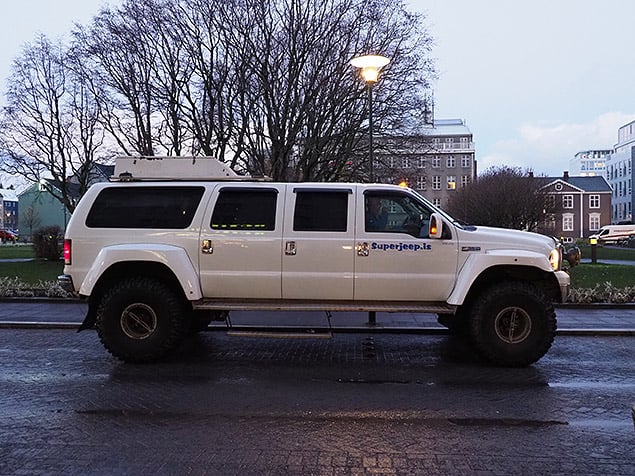

Capturing the Aurora Borealis with the E-M1 Mark II
Trying to capture photos of the Northern Lights proved to be quite tricky, and not just because of the weather conditions. Having never seen let alone photographed the Aurora Borealis before, I went by the suggestions of the Olympus technical staffs' recommendation to use Live Time mode. Similar to Bulb mode for custom long exposure shots, Live Time actually lets you see the exposure "building" on the rear LCD in real time. Instead of calculating or guessing at what your exposure time needs to be, simply press the shutter button (with an anti-shock delay enable to help avoid camera vibrations if needed) and then watch the exposure happen, and finally, press the shutter button against to finish the capture when you're satisfied with the image.
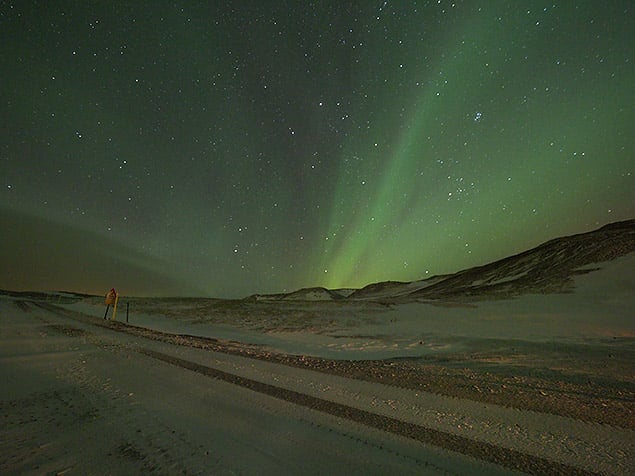
At first, it was recommended to start at around ISO 640 with Live Time set to take a shot once every second, but I was still ending up with dark or underwhelming shots of the Lights after about 30-40 seconds. And I didn't want to have exposures longer than that for fear of capturing star trails. In the end, I opted to bump the ISO to 1600, the maximum ISO you can use for Live Time capture mode, and ended with much brighter, more vibrant images, albeit with more visible noise. Live Time also automatically includes dark frame noise reduction processing after capture.


On the camera's LCD, the results looked quite impressive, but they were quite noisy upon a closer inspection on the computer. Again, I've yet to try editing a RAW file, but these JPEGs definitely show a lot of noise reduction processing artifacts and some overall softness. Keep in mind that it was very windy and focus was set manually to the infinity mark, so critical sharpness might be slightly off. However, for smaller prints or online social sharing, I'd certainly be pleased with the results -- my iPhone definitely failed at capturing any sort of Northern Lights photo!

It also interesting to note that what I saw with my naked eye is not what the camera "saw." The forecast for the Aurora weakened as the day went on, so that night, the light show wasn't as spectacular as many folks had hoped. While I certainly saw the Aurora, it appeared as more silvery, gray streaks and swaths of light across the sky, without any sort of colorful hues. The E-M1 Mark II, however, was easily able to capture bright shades of greens and purples. Peaking to many of my colleagues, they also shared a similar experience, although a few people said they saw some colors with their eyes.
E-M1 II feels very fast, very responsive with amazing burst rates

Although we've just begun putting the camera through the wringer in our lab, the E-M1 Mark II feels very nimble and responsive -- a very high-performance camera overall, as I expected. Single-shot autofocus feels amazingly fast, just like the predecessor did, and in my so far limited testing of continuous AF, I'm also quite impressed. The camera feels responsive and can keep a moving subject in focus very well, though I certainly intend to test this out more thoroughly.


The burst shooting capabilities are verging into the realm of the ridiculous, especially with the new Pro Capture mode that can capture images at up to 60fps! The camera can just chew through the frames. In Pro Capture mode, which has a high-speed and low-speed setting (60fps in 'High,' and 18fps in 'Low'), the camera can shoot photos so quickly thanks to the electronic shutter and high-speed data read-out from the sensor that you can easily fill up your memory card if you're not careful. A minor sticking point: It's also easy to forget that you're still in Pro Capture mode, as electronic shutter modes are completely silent and there's little to no blackout or visual indication that you're taking multiple photos.
Using Pro Capture mode to photograph geyser eruptions
In the field we toured a geyser field and with the somewhat unpredictable nature of their eruptions, the Pro Capture mode came in very handy. Here, the camera continuously captures up to 14 full-resolution frames, including in RAW+JPEG mode, the moment the shutter button is half-pressed and then captures more images, up to the buffer capacity, when you press the shutter button down completely. At the geyser, it's hard to know when "the moment" is going happen, so you can have the camera at the ready, shutter button half-pressed, and the E-M1 II will continuously buffer through the last 14 frames, making it much easier to get a shot at precisely the right moment.

Perfect travel combo: The 12-100mm f/4 IS + E-M1 Mark II
In addition to the E-M1 Mark II, we also had an opportunity to test out Olympus' two newest Zuiko Pro lenses, the 25mm f/1.2 and 12-100mm f/4 IS. When out on the move, I find swapping back and forth between lenses can be a hassle, but when harsh weather conditions are involved, it's even more challenging. This is a perfect scenario for the new 12-100mm.


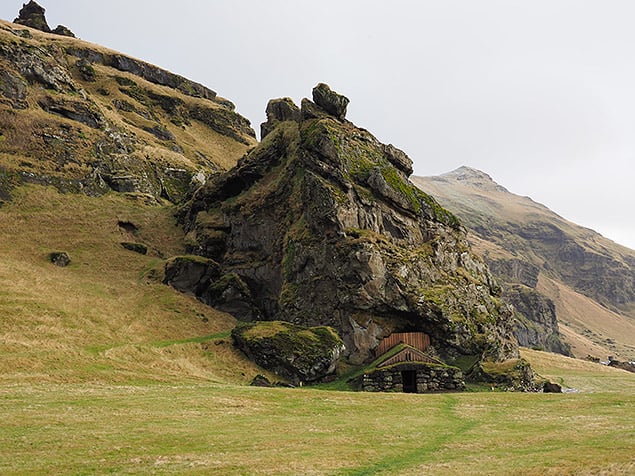
Weather-sealed (of course) and with a 24-200mm-equivalent range, this lens is amazingly versatile, so much so that you pretty much can leave it attached to your camera all day long. Given the stop and go, on-the-move nature of our Iceland trip, I found the 12-200mm to be my most-used lens, allowing me to capture a wide range of subjects, from vast landscapes to distant objects at full telephoto. Its close-focusing capabilities at wide angle are also shockingly impressive, adding more creative capabilities.
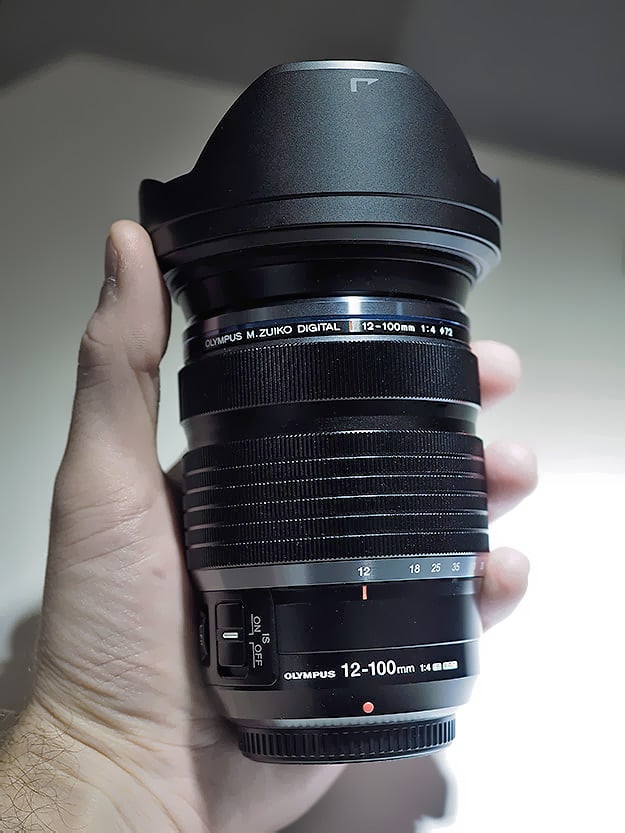
Quality-wise, the lens is super-sharp based on the real-world images I've taken with it, and autofocus is very fast, just like I've experienced with other Zuiko Pro lenses. Along with the 300mm f/4 Pro lens, the new 12-200mm is the second Zuiko Pro lens with built-in optical image stabilization. With Sync I.S., the new 12-100mm offers a claimed 6.5 stops of stabilization, which lets me capture sharp shots at very slow shutter speeds.
With the abundance of waterfalls that we came across on our journey, the I.S. system with the 12-100mm let me slow down the shutter speed enough to get some of that classic waterfall motion blur -- and without worrying about my tripod. I'm kicking myself for not bringing along my ND filters, but given the nature of the trip and the short amount of time we had at each stop, it would have been difficult to haul along a heavier tripod and a bunch of filters. The slower shutter speeds that the 12-100's I.S. system afforded me was a decent compromise, even if I had to stop down to around f/22, which is not ideal on a Micro Four Thirds camera due to diffraction-related softening.
 |
No tripod needed. The Sync I.S. on the new 12-100mm allowed me to shoot handheld while slowing the shutter speed down enough to get some motion blur in the water and keep the rest of the landscape relatively sharp. Sadly, my ND filters were left at home, so I had to stop down quite a bit to f/13, which softened the overall image somewhat due to diffraction. Olympus 12-100mm f/4 IS Pro: 21mm, f/13, 1/40s, ISO 64 |
The fantastic image stabilization also works very well for handheld video recording. Although I mainly focused on still photos for this initial round of shooting, I managed to record a few 4K video clips with the E-M1 Mark II. Not only is the stabilization smooth and very steady when using a lens like the 12-100mm, but also the 4K image quality is excellent, with lots of crisp, fine detail.
Olympus E-M1 Mark II 4K Video Sample #1 3840 x 2160, 30 fps, Handheld: 12-100mm f/4 IS Pro Download Original (130.3MB MOV) |
Olympus E-M1 Mark II 4K Video Sample #2 3840 x 2160, 30 fps, Handheld: 12-100mm f/4 IS Pro Download Original (123.1MB MOV) |
Olympus E-M1 Mark II 4K Video Sample #3 3840 x 2160, 30 fps, Handheld: 12-100mm f/4 IS Pro Download Original (186.1MB MOV) |
Olympus E-M1 Mark II Field Test Part I Summary
All in all, the Olympus E-M1 Mark II is stacking up to be a thoroughly impressive camera. The camera is rugged as can be, though not truly waterproof (i.e. submersible), it can definitely take a beating in some harsh conditions. The camera is packed to the gills with features, settings, and customizations to fit nearly any shooting style or subject matter -- to the point where it can be a bit overwhelming to an uninitiated new OM-D user. And while the camera feels bigger than the predecessor, especially with the battery grip attached (but feels great), the entire system is still much more compact than an equivalent DSLR setup given the compactness of the Micro Four Thirds lenses.

The sheer amount of horsepower packed into this camera is stunning, and Olympus seems to be utilizing all this technology in some very useful and creative ways, such as with their crazy Pro Capture mode! More testing on this camera is underway here at IR and in the field, but so far from my experience -- especially since I'm an original E-M1 owner -- the image quality is certainly improved and the burst and buffer performance is vastly upgraded.

Furthermore, some unique touches like dual card slots, Cinema 4K video, a smoother, quieter shutter mechanism, and more configurable controls show that Olympus is listening to customers' needs and feedback. As a camera aimed at professional photographers, the Olympus E-M1 Mark II feels, in my experience so far, like a true professional-grade camera, much more so than its predecessor.
I'm excited to continue shooting with the E-M1 Mark II, so be on the lookout for more Field Tests, where I'll take a deeper look at continuous autofocus performance, burst shooting capabilities, High-Res Shot mode, and its video capabilities.
Field Test Part III
Putting it all in focus: Testing C-AF, High-Res Shot & I.S.

Get a move on: Testing performance with the E-M1 Mark II
In my first Field Test on the Olympus E-M1 Mark II, I definitely felt like I put the camera's build quality and weather sealing to the test. I didn't drop it on the ground or anything to "thoroughly" test the durability, but the camera clearly withstood some very harsh and wet weather conditions. I was also able to assess the camera's image quality at a variety of ISOs, with which I am quite pleased.
One of the E-M1 Mark II's hallmark new features is its upgraded performance and autofocus technology, which is something that didn't receive much attention during my whirlwind trip to landscape-heavy Iceland. I did flip over to C-AF for a few shots, such as the bird-in-flight photo shown above, but for the most part, I stayed in S-AF mode for my first Field Test. In this second Field Test, therefore, I focused primarily -- no pun intended -- on continuous AF performance and burst shooting. I'll also discuss High-Res Shot mode and the camera's improved (and shockingly good) image stabilization.

E-M1 II C-AF: Can a mirrorless camera finally dethrone a DSLR?
The Olympus E-M1 Mark II offers a number of highly adjustable continuous burst shooting rates among its bevy of customizable features. Out of the box, the default burst rates are divided into Sequential High and Low categories and then further sub-divided depending on the shutter mode, mechanical or electronic. For Sequential High, the burst rates default to a jaw-dropping 60fps for electronic shutter mode and 15fps for mechanical shutter settings, either "Normal" or Anti-Shock modes. In Sequential High modes, regardless of shutter mode, the E-M1 Mark II does not continuously focus between frames. For Sequential Low, which will continuously autofocus between each shot, the E-M1 II offers up to 18fps for electronic shutter mode and a very respectable 10fps for mechanical shutter.
As I touched on in my first Field Test, the E-M1 II's 60fps burst rate is stunningly impressive, even if it doesn't offer continuous focusing. It's capable of 60 frames every second in RAW... that's crazy! For typical shooting, even sports, that's probably WAY more frames than most folks need. However, I can definitely see its use for certain critical sporting events such as diving, perhaps overhead shots of swimming, and golf. Basically, if changes in focus are not important or necessary, and you need to capture that critical moment, then 60fps is very welcomed.

For my needs, even the "slowest" 10fps mechanical shutter burst rate is more than enough. It feels sufficiently fast to capture tons of frames of a brief action scene, while still having a manageable amount of files to sort through afterwards. The 60fps mode will certainly result in tons and tons of images, so be sure to use a large-capacity memory card(s) and have lots of patience as you import all the shots into your editing software of choice!
As I mentioned earlier, I only tried C-AF shooting very briefly while in Iceland, but the few sporadically-moving birds-in-flight I was able to capture successfully with the 300mm f/4 IS Pro came back sharp. I do believe a lot of luck was involved in those shots, however, as I definitely had difficulty keeping the AF point on the moving subject at times, which would obviously cause focus issues for any camera.
Now with the camera in-hand back in the States, I was able to take it with me on a trip down to the Okefenokee Swamp in southeast Georgia and photograph a variety of wildlife. I did the majority of shooting from a canoe, so I had an interesting experience shooting moving subjects like birds in flight, as well as stationary subjects from a moving "platform." During my shooting, I switched back and forth between S-AF and C-AF modes while out on the water. The E-M1 Mark II's S-AF focusing speed is so quick that I often felt satisfied, even from a moving canoe, capturing stationary subjects such as posing birds or alligators, by just waiting for the right moment and firing off a shot in one fell swoop. However, even slowly moving in the canoe, I ran the risk of having a slightly out of focus shot.

Yes, the Olympus E-M1 Mark II is great at continuous AF!
Using C-AF, I'm happy to report that the E-M1 Mark II's continuous focusing performance is excellent. Based on both in-the-field experience and after some in-house testing here at IR, I am definitely impressed by the speed, accuracy and overall keeper rate from C-AF. In my swamp adventure, many of my fast-moving subjects were flying birds. Armed with the relatively short 40-150mm f/2.8 Pro lens for this type of subject matter, I was impressed with how well the camera did on focusing these small objects. Not every frame in a short birds-in-flight sequence was in crisp focus, as I undoubtedly had a few shots where the subject moved out from under my AF point. Overall, though, I walked away pleased, without any sense of frustration or any notion that the camera's AF system couldn't keep up. I feel like any missed shots were more user-error than a camera-related fault.


Back at IRHQ, I wanted some more controlled C-AF testing to really determine whether or not my experience in the field was more than just good luck or if the E-M1 II's continuous focusing was indeed top-notch. Our set-up for these tests involved our intrepid lab-tech-slash-cyclist Rob Murray donning our high-contrast football jersey and ride directly towards a tripod-mounted E-M1 II at a steady 12mph (19.3kph) -- which is around the average speed in a game for a college-level running back. The reason for the tripod was to ideally remove any bias from the photographer's ability to adjust the camera position to follow the subject. With the 10fps mechanical shutter burst mode, the E-M1 Mark II pretty much nailed focus on every shot of a 60+ frame burst sequence!
Click here to view this gif with frame-by-frame controls.
Towards the beginning of the burst sequence, where the subject was smaller in the frame, we occasionally saw a frame or two that were slightly soft. Sometimes it seemed like the camera's focusing algorithm over-predicted where the subject was likely to be, resulting in a slightly front-focused photo. Other times, the reverse was true -- the camera focused a bit behind the subject -- but after a frame or so, the camera "caught back up" to capture a truly sharp image. Despite these minor imperfections, the camera never vastly missed focus or lost focus altogether.
 |
|
 |
 |
Frame 1 |
|
 |
 |
Frame 2 |
|
 |
 |
Frame 3 |
|
In this sequential three-frame example, you can see an instance of where the autofocus lagged behind the subject ever-so-slightly going from Frame 1 to Frame 2, making the intended focus target slightly soft. However, in the subsequent frame (Frame 3), the focus has reacquired the subject to produce a sharp photo once again. This was the extent of the "severity" of mis-focused images that we observed during our C-AF testing, and even then, we only found a few images that were slightly soft out of an entire burst sequence. (All frames: Olympus 40-150mm f/2.8 Pro: 97mm, f/2.8, 1/3200s, ISO 200) |
|
It's worth noting that in these controlled tests, while we ideally tried to keep the focus on the jersey, Rob is moving and the AF point is stationary while the camera is on the tripod. As such, there were a few shots here and there where focus was not as critically sharp on the jersey, but rather on other portions of the moving subject, such as the handlebar. We accepted these images as keepers since the camera did maintain focus on the overall moving subject.
We did repeat this test multiple times with similar results, and I also did a handheld run where I purposely and steadily kept the focus point positioned on the jersey's numbers. Again, the E-M1 Mark II performed excellently with a more or less perfect keeper rate.
Regarding the E-M1 Mark II's AF algorithm, an interesting tidbit of information I learned from an Olympus technical rep during the Iceland press trip is that in addition to other parameters, the E-M1 II's autofocus system takes the previous frames from a burst into account as it tries to calculate and predict where and how to adjust focus with a moving subject. In other words, as the burst sequence continues, the E-M1 Mark II's AF tracking reportedly gets more accurate.

During my trip to the Okefenokee Swamp, most of the continuous sequences I shot were only short bursts of maybe 4-5 frames maximum, either since subjects weren't moving that fast or they were flying by so quickly that 4-5 shots is all I could muster. However, during our C-AF testing with the bike, the E-M1 Mark II definitely did really well at capturing sharp images the closer the subject got to the camera, and thus further into the burst sequence. We didn't notice any obvious focusing inaccuracies towards the beginning of any burst sequences, but it's interesting to say the least and something to keep in mind when shooting bursts with the E-M1 II. Perhaps it's better to fire off longer bursts with more frames to help insure sharper, more accurate focusing? Time to stock up on larger capacity SD cards!

We also tested the 18fps electronic/silent shutter mode and came away with some interesting yet somewhat inconsistent results. In the first attempt at our straight-on bike test, the keeper rate, while still good, was noticeably less successful than the 10fps mechanical option. "Perhaps the burst rate is a little too fast for the camera to keep up," was our initial thought.
We then re-tried the silent shutter mode the following day with the burst rate tuned down to 10fps, which you can adjust in the menus. The keeper rate was much better and seemed nearly identical to the mechanical shutter mode tests. Out of curiosity, however, I re-shot the test again back up at 18fps, and the keeper rate was impressive; much better than our first 18fps run and more or less with a similar keeper rate to our 10fps mechanical test runs.
We're not exactly sure as to the cause of the discrepancy in the keeper rate from the first 18fps test to the next one. The weather was similar -- clear and sunny, though Day Two was closer to mid-day sun -- and the camera settings were the same. However, on the second test run, the tripod was set up slightly lower and perhaps the AF point was more precisely centered on Rob as he cycled towards the camera.
All in all, I definitely feel confident using both mechanical and electronic shutter Sequential Low burst modes. As I said earlier, at 10fps, the mechanical shutter burst mode is more than plenty for my needs, but I can definitely see the advantage of the silent shooting option as well. For wildlife photographers snapping pictures of skittish animals or event photographers photographing a stage performance, for example, if your subjects are moving around, you can reliably capture sharp photos with quick and accurate AF, all without disturbing them.

Introduced first on the E-M5 II, the Mark II version of the flagship OM-D now offers a High-Res Shot mode as well, which lets you captures some amazing photo photos with a stunning level of detail... if you have some time and patience, both on the capture side and post-processing side. We've gone in-depth with this sensor-shifting technology before with E-M5 Mark II and PEN-F, so if you're not yet up to speed with the ins and outs of this interesting feature, please dive into those for information.

Like the PEN-F, the 20-megapixel E-M1 Mark II's High-Res Shot mode captures images in a variety of formats and resolutions. You can record either a standalone 50-megapixel JPEG or a smaller 25MP version, as well as RAW+JPEG with either the big or small JPEG options. When dealing with RAW+JPEG High-Res modes, it can get a little confusing with regards to the resulting files, as you end up with three separate files: a 50MP (or 25MP) JPEG, an 80MP .ORF RAW file as well as a .ORI file, which is a native 20MP RAW file. In order to process these 80MP RAW files, you'll then need to convert them in Olympus' own Viewer 3 software or install their free plug-in for Adobe Photoshop. Adobe Camera Raw as well as Lightroom CC eventually added support for the earlier Olympus "High-Res" cameras' RAW files, so I expect this at some point for the E-M1 II as well. At this time, you can attempt to open the E-M1 II .ORF high-res files in Photoshop using the plug-in, but I found that it eventually crashes both Photoshop CC 2017 and CS6 that I have installed, so I was forced to use Olympus Viewer 3 to export TIFFs.
 |
A 100% crop from the above 80MP High-Res Shot converted JPEG. Despite the hazy, smoky conditions from the recent wildfires in the Great Smoky Mountains, the E-M1 II was able to resolve an impressive amount of fine detail with High-Res Shot mode. Even in this low-contrast area, you can still make out leaves and small tree branches. Click image for full-resolution file, or these links for the original RAW or in-camera JPEG. |
Image quality from these high-resolution images can be amazing, displaying lots of fine detail, but as I said earlier, it takes a bit of patience. For one, a tripod or some other manner to lock the camera down to a steady platform is definitely required. Despite the fantastic image stabilization system (which I'll discuss a bit later), the E-M1 Mark II doesn't offer "handheld" high-res shooting. With the camera capturing eight frames in rapid succession, the camera really needs to be stationary in order to stitch the frames together accurately. Hauling around a tripod, for me at least, isn't always feasible or the most convenient, but you really need one to take full advantage of High-Res Shot.
One of the other major caveats to the usefulness of High-Res Shot mode is that you definitely need your subject matter to be absolutely still. Any kind of movement, be it leaves blowing in the wind, a person walking or a car passing by, will wind up either with an odd blurriness or appear as a sort of multi-shot, staggered object due to the 8-frame sequence. Thus, High-Rest Shot mode is perhaps most ideally suited for architectural or product photography where things are usually static, yet higher resolution detail is desired.


On a more subtle note, in the earlier High-Res-compatible Olympus cameras, smaller moving objects, such as ripples on the water and distance tree leaves, could result in noticeable jagged edges or repeated linear artifacts. According to Olympus, the E-M1 Mark II is supposedly better able to compensate for these types of object movements during the multi-shot process thanks to the camera's improved image processing system. However, in my experience, I am still able to see these unwanted artifacts in E-M1 II High-Res photos upon close inspection.


On the other hand, in certain cases, High-Res Shot mode can, in fact, play nicely with moving objects, such as with waterfalls and streams. As it turns out, the 8-frame multi-shot nature of High-Res Shot mode makes it rather handy at shooting longer exposure shots of moving water without the need for a neutral density filter.
While out visiting some waterfalls near the Blue Ridge Parkway recently, I had the 7-14mm f/2.8 Pro lens on the E-M1 Mark II, which, given its design, doesn't now allow for screw-on filters. My 77mm B+W 10-stop ND filter, therefore, remained in my bag. However, if the light levels allow it, you can keep your shutter speed slow enough during a High-Res Shot sequence that not only do you get artifact-free images (or extremely minimal artifacts) but also that smooth flowing water effect. Nice! (Thanks to Michael Palmer from Steve's Digicams for alerting me to this trick.)



The Olympus E-M1 Mark II's image stabilization is insane!
One of the notable features about Olympus OM-D cameras, as well as many other PEN models, is the body-based image stabilization system. With the introduction of the 300mm f/4 Pro and now the 12-100mm f/4 Pro lenses, however, which both have optical image stabilization built-in, certain Olympus cameras can now take advantage of the combined 5-axis Sync I.S. system that combines the sensor-shift I.S. and these lenses' optical I.S. systems for some really impressive results. Now, with the Olympus E-M1 Mark II, though, they've taken it a step further. Not only does the camera itself provide a claimed 5.5-stops of I.S., but together with the 12-100mm, the pair is said to offer up to a whopping 6.5 stops of vibration compensation, allowing for handheld shooting at some shockingly long exposure times.
I initially got hands-on with the 12-100mm f/4 Pro lens during my Iceland trip, although most of my shooting occurred during the daytime. This led to most of my attempts at handheld slow shutter speed testing requiring a heavily shopped-down aperture in order to prevent overexposure, but this negatively affected image sharpness. During the majority of my shooting time for this field test installment, our 12-100mm review unit was shipped up to Maine for a hands-on test with Jeremy Gray, so I stuck mostly to the 12-40mm f/2.8 Pro lens for my hand-held testing. However, even with a non-Sync I.S.-compatible lens, the E-M1 Mark II allowed me to capture images, all handheld, at shutter speeds I didn't think were possible.

As you can see from the example photo above, I was able to handhold the camera and capture a sharp nighttime photo lit only by moonlight and a porch light with a shutter speed of four seconds long at ISO 200! More impressive still is that I was able to carefully -- after a few attempts -- capture a photo handheld at 42mm eq. at an exposure time of six seconds. The one downside I've experienced, however, is that the image stabilization is now so good that shutter speeds can therefore get slow enough that you run into issues with motion blur of your subjects!

Overall, with or without Sync I.S.-compatible lenses, the image stabilization system in the E-M1 Mark II is fantastic. It does take a bit of focus and technique to get really sharp images at these excessively slow shutter speeds. You can't just snap away like you're taking a normal shot, especially if you want to get shots with seconds-long exposure times! I've found enabling Silent (electronic) shutter mode; having a firm, stable, two-handed grasp of the camera and lens; and slowly, calmly exhaling while you depress the shutter all help to reduce vibrations and movement and increases your chances of a crisp photo.
Lastly, I wanted to mention some extra notes on the E-M1 Mark II's battery life before I wrapped up this Field Test. As I mentioned in the first Field Test, the E-M1 II sports a beefier battery, and during my Iceland trip, I was able to last for a full day on a single battery pack. Given that I had access to a secondary battery in the grip as well as the comfort in knowing that I'd be able to recharge them overnight in the hotel, I was a little more liberal in my power consumption and playing with different modes and features, like 4K video recording, for example.

However, during my recent swamp trip, I only had a single battery from my E-M1 II review unit. I was camping in an area where I had access to electricity, but I was curious to see if I could manage to shoot over an entire weekend on a single charge. I arrived in the Okefenokee late Friday afternoon, shot some that evening, but then early in the morning on Saturday I topped-up the battery to 100% and started my little test. Throughout the weekend, I was a bit more conscious of battery consuming features, so during periods of inactivity, I'd physically turn off the camera rather than let it power-off automatically. I also disabled the built-in Wi-Fi radio as well as flipped the LCD around every now and then and used just the EVF.
The result? Turns out, the battery performance of the E-M1 II is surprisingly good, and I did indeed make it back home to Atlanta on Sunday evening with battery power remaining (approximately 17% or so), after shooting around 900 or so RAW+JPEG images over the course of the weekend trip. I even had more than enough juice to re-enable Wi-Fi, setup the O.I. Share app on my iPad and transfer some 20MP JPEGs over for quick editing and sharing. In the end, I didn't even deplete the battery pack. Suffice it to say, I'm rather impressed with the battery life of the E-M1 II, and in my experience, the battery like of the Mark II definitely feels superior to the original E-M1.

After shooting with the Olympus E-M1 Mark II now in a variety of situations and environments, I've upheld my high praise for this new flagship Micro Four Thirds camera. It is capable of capturing excellent images, in harsh conditions if need be, at both low and higher ISOs -- though, as a Micro Four Thirds camera, it is still at a disadvantage at higher ISOs compared to larger-sensored cameras. And now, I feel confident that the claimed performance improvements to sequential shooting and continuous autofocus pass muster, further pushing the OM-D system closer to matching, if not meeting the long-standing advantages of DSLRs with regards to sports and wildlife photography.
As a whole, the Olympus E-M1 Mark II is a significant upgrade over the already-great original E-M1. Ergonomically, its improvements are subtle but welcomed; the performance is vastly improved, especially when it comes to photographing fast-paced subjects; and the image quality is noticeably better. If size and weight are important factors for how you pick your camera gear and you're willing to accept some compromise on high ISO performance, then the Olympus E-M1 Mark II is absolutely worth considering given all that it offers in such a compact, well-built package. Olympus aimed high going after the professional and advanced photographers with the original E-M1, but the camera just didn't quite get there for all use-cases. But now I think the E-M1 Mark II adds the necessary performance improvements that really warrant the professionals and other high-end users who held out initially to take a second look at the Olympus OM-D system.
Flash
Olympus E-M1 II Flash
 |
The E-M1 Mark II comes bundled with the Olympus FL-LM3 compact flash unit which is splash and dustproof, and capable of bounce/swivel. It features a Guide Number (GN) of approximately 9 meters at ISO 100 and derives its power from the camera body. See below for our test results with this flash. |
Bundled Flash Test Results
Coverage, Exposure and Range
A somewhat weak flash with narrow and uneven coverage. Above average exposure compensation required.
| Coverage |
|---|
 |
|
12mm
|
Coverage. Flash coverage with the Olympus FL-LM3 bundled flash is narrow and uneven at wide angle (12mm), leaving very dark corners in our flash coverage test image, though keep in mind 24mm-equivalent is wider than most kit lenses. (This shot taken with the E-M5 II, since the E-M1 II is currently not available with a "kit" lens.) We no longer test at full telephoto is coverage is invariably better, making wide angle the worst case.
| Exposure |
|---|
 |
|
Normal Flash, ISO 200, f/4.0
+1.7 EV |
Exposure. Indoors under incandescent background lighting, the Olympus E-M1 II strongly underexposed our standard flash shot with its bundled flash without exposure compensation, requiring +1.7 EV of flash compensation to produce a bright image at ISO 200 and f/4. (An average of +0.7 EV is normally needed for this shot.) The camera selected a 1/60s shutter speed which is typical, and color balance is quite cool with Auto white balance.
| Manufacturer-Specified Flash Range |
|---|
 7.5 feet, f/5.6, ISO 200 |
Manufacturer Specified Flash Test. The Olympus FL-LM3 bundled flash has a Guide Number (GN) of approximately 9 meters at ISO 100. That works out to about 7.5 feet at f/5.6 and ISO 200. In the shot above using manual flash mode at full power (full Auto isn't supported on the E-M1 II with the FL-LM3, only Fill-in and Manual modes), the FL-LM3 produced a bright exposure at the calculated distance, aperture and ISO, indicating the flash GN rating is credible.
High ISO Noise Reduction
Olympus E-M1 II High ISO Noise Reduction
The Olympus E-M1 II offers four settings for noise reduction, or "Noise Filter" as the company calls it: "Off", "Low", "Standard" and "High". The user manual doesn't state at which ISO noise reduction kicks in, so we've started with ISO 64 (extended) to find out.
See for yourself how the Olympus E-M1 II's "Standard" and "Off" High ISO NR settings compare to RAW without noise reduction under daylight-balanced lighting. (Note that these RAW images also have no sharpening applied, so they are softer than camera JPEGs at low ISOs.) Click on any of the crops below to see the corresponding full-sized image.
| High ISO Noise Reduction Comparison Daylight-balanced illumination |
|||
|
"Standard"
|
"Off"
|
RAW (no NR)
|
|
|
I
S O 6 4 |
 |
 |
 |
 |
 |
 |
|
 |
 |
 |
|
|
"Standard"
|
"Off"
|
RAW (no NR)
|
|
|
I
S O 2 0 0 |
 |
 |
 |
 |
 |
 |
|
 |
 |
 |
|
|
"Standard"
|
"Off"
|
RAW (no NR)
|
|
|
I
S O 4 0 0 |
 |
 |
 |
 |
 |
 |
|
 |
 |
 |
|
|
"Standard"
|
"Off"
|
RAW (no NR)
|
|
|
I
S O 8 0 0 |
 |
 |
 |
 |
 |
 |
|
 |
 |
 |
|
|
"Standard"
|
"Off"
|
RAW (no NR)
|
|
|
I
S O 1 6 0 0 |
 |
 |
 |
 |
 |
 |
|
 |
 |
 |
|
|
"Standard"
|
"Off"
|
RAW (no NR)
|
|
|
I
S O 3 2 0 0 |
 |
 |
 |
 |
 |
 |
|
 |
 |
 |
|
|
"Standard"
|
"Off"
|
RAW (no NR)
|
|
|
I
S O 6 4 0 0 |
 |
 |
 |
 |
 |
 |
|
 |
 |
 |
|
|
"Standard"
|
"Off"
|
RAW (no NR)
|
|
|
I
S O 1 2 8 0 0 |
 |
 |
 |
 |
 |
 |
|
 |
 |
 |
|
|
"Standard"
|
"Off"
|
RAW (no NR)
|
|
|
I
S O 2 5 6 0 0 |
 |
 |
 |
 |
 |
 |
|
 |
 |
 |
|
As you can see, E-M1 II noise reduction settings apply noise suppression at all ISOs, even the "Off" setting. The "Off" setting does apply less luminance noise suppression than the default, but as you can see, chroma noise is still fairly aggressively suppressed at all settings.
It's interesting to see that JPEGs at the low extended ISO 64 setting show much better detail in the red-leaf fabric than at ISO 200, a much bigger difference than the ISO 64 and 200 RAW files show. This is not new, though, as we've seen this in all prior Olympus MFT models that support extended low ISOs. It seems Olympus continues to be concerned with showing slightly higher chroma noise at ISO 200 versus 64 in its JPEGs.
Technical Info
by Mike Tomkins | Posted: 09/21/2016
Body
Olympus has crafted a brand-new metal body for the OM-D E-M1 Mark II. Loaded and ready to shoot -- but without a lens -- it's just slightly (2.7 ounces; 15%) heavier than the original E-M1. Width and depth have also increased by 0.1 and 0.2 inches (3% and 9%, respectively), but height has simultaneously been reduced by 0.1 inches (3%). One reason for the increase in depth, incidentally, is that the E-M1 II has a reprofiled handgrip aimed at improving handling.
Like its predecessor, Olympus says that the E-M1 II is dustproof, splashproof and freezeproof to 14°F / -10°C. But unlike the earlier camera, the company's press materials no longer refer to the E-M1 II as being shockproof.
Sensor
The heart and soul of the Olympus E-M1 II is a brand-new image sensor that's both higher resolution and faster than that in its predecessor, and yet is described by its maker as also having low power consumption, greater dynamic range and better noise performance. Noise in particular is said to have been improved by around one stop.
On paper, at least, linear resolution has been increased by around 12.5%, with effective sensor resolution climbing from 16.3 to 20.4 megapixels, for a maximum image size of 5,184 x 3,888 pixels. Total pixel count has simultaneously been increased from 16.8 to 21.8 megapixels. Sensor size has also been increased just ever so fractionally, with Olympus citing a 17.4 x 13mm sensor size, up from 17.3 x 13mm in the earlier camera. Like its predecessor, the E-M1 II has a 4:3 aspect ratio.
The Olympus E-M1 II's image sensor is not overlaid with an optical low-pass filter, so per-pixel resolution should be maximized, although this will be at the expense of an increased risk of moiré and false color artifacts. An anti-reflective coating has been applied to the sensor's cover glass.
High-Res Shot mode
If you need even more resolution, you'll be glad to hear that the E-M1 II retains Olympus' clever High-Res Shot mode. It's still going to require a tripod and a relatively static subject, just as does Pentax's competing Pixel Shift Resolution mode.
However, it also shares something else with the latest variant of Pentax's function: Olympus, too, has updated its High-Res Shot algorithms to attempt to detect and correct for moving subjects. These, of course, won't gain the benefit of increased resolution, but then given that they were moving across the image frame, chances are that their sharpness was less critical in the first place.
High-Res Shot mode in the Olympus E-M1 II will yield a 25 or 50-megapixel JPEG, and/or an 80-megapixel raw file for processing on the desktop. (The 25-megapixel JPEG option still generates same 80-megapixel raw file when shooting raw+JPEG).

Processor
Paired to the new image sensor is an also-new image processor. In place of the E-M1's TruePic VII chip, the E-M1 Mark II now features a next-generation TruePic VIII processor. Said to be around 3.5 times faster, it sports a dual quad-core design, with one CPU dedicated to autofocus, and the other to image processing.
Performance
The added speed of the E-M1 Mark II's new processor really shows itself in the camera's performance. With focus and exposure locked from the first frame, burst speed tops out at an impressively-swift 15 frames per second. Even with autofocus and autoexposure active between frames, the E-M1 II will still manage a full ten frames per second. And both of those figures are applicable when shooting in raw format at full resolution, using a mechanical shutter.
Switch to an electronic shutter, and you'll be able to manage a truly staggering 60 full-res raw files per second with focus and exposure locked from the first frame. Even with AF and AE active, the electronic shutter will allow as many as 18 frames per second to be captured.
And that's not all: The size of the buffer has been roughly doubled and internal data writing performance has been tripled.
Pro Capture, Anti-Shock Sequential and Silent Sequential modes
One clever way in which Olympus takes advantage of this spectacular level of performance is with a new shooting mode it refers to as Pro Capture. It might not actually make you a pro, but it could certainly help to give you the reflexes of one!
The way in which this is achieved is really quite cool: When you half-press the shutter button, the Olympus E-M1 II will start capturing frames as fast as it can and buffering them. Once 14 frames are in the buffer, each newly-captured frame will be matched by the oldest frame being dropped from the buffer. Once you fully depress the shutter button, the most recent 14 frames will be saved, along with that from the moment the shutter button was pressed. (And if you held it down, those which filled the buffer immediately afterwards.)
Pro Capture mode can operate at 15, 20, 30 or 60 frames per second with an electronic shutter, or 1-10, 15 or 18 frames per second with a mechanical shutter. Even at its maximum rate, you'll be able to reach back in time to almost a quarter-second before you tripped the shutter.
The result is that even if your reflexes missed that crucial moment by a fraction, one of the pre-captured frames should hopefully have preserved it for posterity. (And you'll be able to save your stories of the one that got away for fishing, where they belong.)
Also new are Anti-Shock Sequential and Silent Sequential modes. Anti-Shock Sequential mode aims to reduce vibration from shutter shock, and can capture around 8.5 frames per second. Silent Sequential, meanwhile, allows all available burst capture rates, and avoids noise by using the electronic shutter function rather than the mechanical shutter.
Sensitivity
By default, the Olympus E-M1 has a sensitivity range of 200 to 25,600 equivalents, identical to that of the original E-M1. The lower end of this range can be extended to ISO 64-equivalent, while there is no expansion function at the upper end of the range.
If you're wondering why sensitivities below ISO 200-equivalent are not available by default, that would be because images at lower sensitivities are being intentionally overexposed at capture. Once finalized, the exposure is then corrected, allowing a longer exposure time but with reduced dynamic range in the highlights. You can do much the same thing yourself in post-processing, and many other cameras (including the original E-M1) also use the same trick to achieve their expanded low sensitivity settings.
The E-M1 II also offers an Auto ISO function, which chooses the sensitivity for you when metering the exposure. This has a default range of ISO 64 to 6400-equivalents, and only the upper end of the range can be manually adjusted. Interestingly, you can't boost that limit beyond ISO 6400-equivalent, although the earlier E-M1 could allow its Auto ISO function to roam all the way to ISO 25,600-equivalent.
Lens mount
Just like the Olympus E-M5 before it, the Olympus E-M1 II features a Micro Four Thirds mount, and will accept Four Thirds and many other lens types via optional adapters. Like the E-M1 before it, the E-M1 II supports Four Thirds lenses much better than earlier OM-D and PEN models, thanks to the presence of on-chip phase detection autofocus. (Lenses that weren't designed for contrast-detection autofocus tend to be quite slow to focus with that system, so the presence of phase-detection AF is a definite boon.)
Focusing
Like the E-M1 before it, the Olympus E-M1 Mark II includes a Dual FAST AF-branded autofocus system. Beyond the name, though, the two differ quite radically.
Where the original E-M1 had just 37 linear phase-detection autofocus points and 81 contrast-detection AF points in normal operation, the E-M1 II has a whopping 121 phase-detect AF points and 121 contrast-detect AF points. And even more impressively, every single one of those 121 PDAF points are cross-types, sensitive to detail on both the horizontal and vertical axes.
Clearly, the fact that one of the camera's two quad-core CPUs is entirely dedicated to autofocus has played a big role in allowing this major increase in focus point density. And it's not just the hardware that's faster, either. For example, Olympus notes that it has created a new subject tracking algorithm that has helped boost continuous autofocus performance, too.
Not only are there many more AF points, but they also cover a significantly greater area of the image frame, and so will allow focusing on subjects further from the center of the frame without the need to recompose your image. In the E-M1, the available AF points covered 60% of the frame height and 55% of the frame width; in the E-M1 II this has been expanded by 81%, with the newer model's AF point coverage now 75% vertically, and 80% horizontally.
Like the E-M1 before it, the Olympus E-M1 II can actually provide even more contrast-detect AF points across the image frame when the extra granularity is needed. In Magnified Frame AF mode, a total of 800+ focus points are available across the entire image frame, the same number as in the earlier camera.
The camera will decide by itself whether to use the phase-detection or contrast-detection AF points, depending upon the lens in use, scene being photographed and camera setup. And to choose which points to use, the touch-screen display can serve double-duty as an AF targeting pad, a function which is called up by double-tapping on the screen.

As in the E-M1, the Olympus E-M1 Mark II provides a choice of automatic AF point selection, 9-area grouped point selection, and single-point selection. In addition, it also offers up a new five-area cross point selection mode. There's also a Face Detection function with Eye-Detection capability, letting you select whether the camera should focus on the left eye, the right eye, or the eye which is nearer to the camera.
Nor does Olympus stop there. The company also allows you to customize AF tracking sensitivity and to limit your lens' focus range in-camera. And if you prefer manual control, you'll find a new Preset Manual Focus mode in the E-M1 II, as well as one extra magnification level option (3x, in addition the existing 5x, 7x, 10x or 14x zoom) which will give you a closer look at your subject while manually focusing. And like its predecessor, the E-M1 II also retains an AF assist lamp and focus peaking function.
There is one feature subtraction, though. Where the E-M1 could be set to autofocus continuously -- even before the shutter button was half-pressed -- this Full-Time AF mode is no longer available in the E-M1 II.
Stabilization
Olympus has updated the five-axis image stabilization system used in the E-M1 II, which we're told has now reached the limits of current gyro sensor technology. In fact, we understand that the gyro sensors used are so accurate that earth's rotation is now the limiting factor.
Where the previous-generation IS system in the E-M1 had a four-stop corrective ability, the E-M1 II's IS system is said to be good for a 5.5-stop correction. If combined with lens-based IS -- a pairing which Olympus refers to as Synchronous Image Stabilization, or Sync IS for short -- this can be boosted still further to a staggering 6.5-stop correction for yaw, pitch, roll, and both vertical and horizontal translational motion.
It's important to note, though, that the lens type used for CIPA testing has been changed, so we can't necessarily assume that the entirety of that improvement is down to the IS system itself. For the E-M1, Olympus specified its CIPA-compliant IS testing with the 12-50mm f/3.5-6.3 lens, but for the E-M1 II the figures were instead determined with the 12-40mm f/2.8 PRO lens.
The E-M1 II's IS system has four operating modes. It can stabilize on both axes, horizontally only, vertically only, or choose between the three as the camera deems appropriate. If using a manual lens or a lens adapter, you can dial in an appropriate focal length manually, or choose from one of ten predefined lens types.
Mechanical image stabilization can also be used for movie capture, unlike some cameras which limit you to digital image stabilization for movies.
Dust
The E-M1 II retains Olympus' Super Sonic Wave Filter dust reduction system, which operates via a piezoelectric element that vibrates the cover glass overlying the sensor to shake dust particles free. They're then captured on an adhesive membrane beneath the imager. We've subjectively found piezoelectric systems like these to be significantly more effective than those using lower-frequency motion from a sensor-shift assembly.

Viewfinder
Take a glance at the Olympus E-M1 II's electronic viewfinder, and you could be forgiven for thinking that it was unchanged. After all, it still has a high resolution of 2.36-million dots, and a default refresh rate of 120 frames per second which can be boosted to 240 fps if needed.
However, there's one important change in the new finder, and according to Olympus, it makes enough of a difference that some of the Olympus Visionaries who handled pre-production cameras prior to launch queried if it was actually an optical viewfinder.
So what's the change? Well, Olympus has managed to slash the viewfinder latency -- that is, the delay between something happening in the real world, and being shown on the viewfinder -- from 29 to just six milliseconds.
Thanks to a generous 35mm-equivalent magnification of 0.74x, it yields a viewfinder image larger than that of most full-frame DSLRs. And as you'd expect in a camera aimed at enthusiasts and pros, field of view is manufacturer-rated at 100%. There's a diopter correction function, too, which spans a range from -4 to +2 diopters. Eyepoint is 21mm from the viewfinder lens.
One additional viewfinder grid overlay has been added in the E-M1 II for a total of six. It's called "trichotomy", a Rule of Thirds grid.
Monitor
The E-M1 II's LCD monitor could also look unchanged if you merely glanced at the specs, as it has the same three-inch diagonal, as well as the 1,037,000-dot resolution and capacitive touch-screen overlay found in the original E-M1. There's one very important difference, though, and it's one we're thrilled to see.
In place of the tilt-only display articulation used in the E-M1, the Olympus E-M1 II now has a side-mounted tilt/swivel articulation mechanism. That's a much more versatile choice -- and not because of the potential for selfie shooting, which we rather doubt is a big use-case for this camera. (Although it does now sport a touch control selfie shutter release, as well as touch controls for e-Portrait mode, the custom self-timer, movie controls, movie effects and the E-M1 II's movie teleconverter function.)
The real reason we prefer a tilt/swivel screen over a tilt-only design is that it is useful not only when shooting in landscape orientation over your head or low to the ground, but also in portrait orientation. Tilt-only screens are of no help in this scenario, especially if shooting over your head, leaving you struggling to see an off-angle LCD that's obscured by reflections of the sky above.
And for added bonus points, the tilt/swivel screen can be closed facing inwards, protecting the LCD from minor knocks, scrapes and smudges.
As in the E-M1, there's a +/- 7-step control over both brightness and color available, and two color-tone selections -- vivid or natural -- so you can tune the display to your tastes, as well.
Flash
Like the E-M1 before it, the Olympus E-M1 Mark II forgoes a built-in flash strobe altogether. Instead, Olympus includes an external strobe in the product bundle, and for the E-M1 II it's a different model than was bundled with the earlier camera. In most respects, it represents a better option than the one it replaces, but there is one area in which it isn't as highly-specified.
The new FL-LM3 strobe replaces the FL-LM2 that shipped with the E-M1. It's a fair bit (0.71 ounces; 65%) heavier, but overall nearly identical in size (0.6 inches taller but 0.6 inches less wide) than the earlier model. Like that strobe it derives its power from the body, and is both dustproof and splashproof, but it now has a more powerful guide number of about nine meters at ISO 100, up from seven meters for the LM2. It also has a tilt/swivel head for bounce flash.
Where the new LM3 strobe trails the earlier LM2 model, though, is in sync speed. Where the FL-LM2 strobe paired with the E-M1 body could sync at 1/320 second, the FL-LM3 and other strobes used on the E-M1 II will be limited to a sync speed of 1/250 second. Super FP-capable strobes can sync at 1/125 to 1/8000 second. Unusually, flash is still supported with the electronic shutter; you can sync at 1/50 second if you stay below ISO 6400-equivalent, but will be limited to 1/20 second if you raise the sensitivity any higher or enable ISO bracketing.
Flash exposure compensation is available within a range of +/-3EV, in steps of 0.3, 0.5, or 1EV. The E-M1 Mark II also supports four-channel wireless flash with the bundled strobe acting as a master, and off-camera flash strobes configured in up to 4 groups.
Exposure
The Olympus EM-1 II offers shutter speeds ranging from 1/8000 to 60 seconds, set in 1/3, 1/2, or 1EV steps. When using electronic shutter, you can now access a much wider range of 60 to 1/32,000 second, vastly expanded from the 1/8th to 1/16,000-second of the original E-M1.
A Bulb mode is available, and so is a Time mode which defaults to an eight minute exposure, but which allows anywhere up to 30 minutes. The shutter mechanism has a rated lifetime of around 200,000 cycles, but since no rating was provided for the shutter in the original E-M1, we can't say if this is an improvement or not.
Exposure modes include Intelligent Auto, Program (with Program Shift), Aperture-priority, Shutter-priority, Manual, Art Filter, Movie and three Custom modes. Interestingly, Olympus has dropped the scene modes from the E-M1 II, presumably reasoning that the camera will mostly be used by experienced shooters.

Exposures are metered using the image sensor, and are considered as 324 distinct multi-pattern areas. The Digital ESP metering system also provides Center-weighted Average, Spot, Highlight Spot, and Shadow Spot metering modes. It has a working range of -2 to 20 EV at ISO 100 with a 17mm f/2.8 lens.
Exposure compensation is available within a generous +/-5EV range, set in 1/3, 1/2, or 1EV steps. You can bracket exposures, too, with a choice of 2, 3, 5, or 7-frame bracketing in 0.3, 0.7, or 1EV steps. (The largest step size is only available for five frames or less, though.) And bracketing isn't just limited to exposure: you can also bracket ISO sensitivity, white balance, flash, art filters and focus distance.
One change of note on the exposure front is that the E-M1 II can now store four separate custom white balance readings, twice as many as in the E-M1.
Creative
The Olympus E-M1 II also offers a generous selection of creative effects. These include 14 Art Filters, each of which can be coupled with a selection from nine different Art Effects. There are also two in-camera HDR modes, a Time Lapse Movie function and a Multiple Exposure function. All of this is much the same as an E-M1 running on current firmware.
Level gauge
The Olympus E-M1 Mark II retains its predecessor's dual-axis level gauge, which helps ensure both level horizons and parallel verticals -- at least, if that's what you want. Camera tilt can be indicated either in the electronic viewfinder, or the rear-panel LCD.

Video
Like its predecessor, the Olympus E-M1 II can shoot high-def video. There are some important upgrades in this area, though.
Perhaps most importantly, you're no longer limited to a fixed 30 fps frame rate, something that likely put many videographers off the earlier camera. Nor does resolution top out at Full HD (1,920 x 1,080 pixels). Instead, you can now shoot 4K video (3,840 x 2,160 pixels) at 24, 25 or 30 frames per second, and Full HD or HD (1,280 x 720 pixels) at 24, 25, 30, 50 or 60 frames per second. VGA capture is no longer offered.
4K video has a 102 Mbps bitrate, and Full HD video offers 18, 30, 52 or 202Mbps bit rates, with the highest rate also using ALL-I intraframe instead of IPB interframe compression schemes. (Intraframe video compresses every frame separately; interframe compresses multiple frames based on difference from key frames which are inserted every so often in between.) Finally, HD video has a selection of 10, 14, 26 or 102 Mbps, again with ALL-I compression at the highest rate, and IPB at the lower rates.
There's also a new C4K video mode, which opts for the DCI 4K standard instead of the UHD standard. If you're not familiar with DCI 4K, it's used in the movie industry, and has a slightly wider-aspect 4,096 x 2,160 pixel resolution with a fixed 24 fps framerate. You can now shoot in this format with the E-M1 II, and if you do, you'll find it has a fixed, very high bitrate of 237Mbps to ensure good quality in-camera.
Like its predecessor, the E-M1 II allows automatic, aperture priority, shutter priority, and manual exposure, autofocus both before and during video, and records audio from either an internal stereo or external stereo microphone, complete with optional wind noise reduction. It also adds a 3.5mm headphone jack, though, so unlike the earlier camera you can now monitor your audio.
Movies recorded in MOV format are restricted to 29 minutes in length, and those in AVI format to seven minutes.
There's a new Slow / Quick Movie function in the E-M1 II, which allows you to vary the capture frame rate of video for slow-motion and speed-up effects (audio is not recorded). Available capture multiplication factors vary depending on the current resolution and frame rate selected, ranging from x10 (10x slower capture) to x0.4 (2.5x faster capture), however the fastest capture rate is still capped at 60p for Full HD and HD, 30p for UHD and 24p for C4K. So for example, UHD at 30p with x10 selected will capture frames at 2.997 fps for a speed-up effect when played back, and Full HD at 24p with x0.4 selected will capture at 59.94 fps for a slow-motion effect when played back.

Wireless communications
Like its predecessor, the Olympus E-M1 Mark II supports Wi-Fi wireless networking connectivity. This makes it quick and easy to get your photos and videos off the camera, and onto your smartphone or tablet for sharing on social networks.
Also like the earlier camera, the E-M1 II forgoes an NFC antenna for simple pairing with Android devices, instead opting for a Quick Response code -- a type of two-dimensional barcode -- which is shown on-screen when the camera is ready to pair via Wi-Fi. After installing the free app for Android or iOS devices, you scan this QR code using your smart device's camera. The connection is then configured between both devices for you, automatically. If you don't have a camera on your smart device, of course, you'll need to pair manually.
Once connected, you can not only download movies or images, but also control the camera remotely. As in the E-M1, this includes a live view feed, remote shutter release capability and support for adjusting basic exposure variables, drive modes and focus remotely. Perhaps coolest of all, you can control Time / Bulb exposure remotely, and see the image being built up over time as it's exposed, on the smart device screen.

Wired connectivity
There are several changes on the wired connectivity front. For one thing, Olympus has dropped the Accessory Port 2 connection formerly found beneath the flash hot shoe, a change which likely contributed to the reduction in the camera's height. And as we've already mentioned, the company has supplemented its existing 3.5mm microphone jack with a 3.5mm headphone jack on which to monitor audio levels during video capture.
But in addition to this, Olympus has also added a new flash sync terminal that presents an alternative to the hot shoe when shooting in the studio. The company has also switched to a faster USB 3.0 SuperSpeed connection in place of the earlier USB 2.0 High Speed, and replaced the earlier camera's multi-function USB/AV/Remote port with a new USB Type-C port. Third-party adapters and cables are available if your computer doesn't already support this new standard, which removes the need to determine cable orientation before plugging in.
This of course means composite AV output has been dropped, however the E-M1 II continues to provide a Micro Type-D HDMI port which now supports clean, uncompressed 4:2:2 video output at up to C4K resolution.
And since the earlier RM-UC1 remote control isn't compatible with a USB Type-C port, Olympus has also added a 2.5mm remote jack compatible with a new, optional RM-CB2 remote control.

Storage
The Olympus E-M1 Mark II stores images and movies on Secure Digital cards, and in a nice upgrade from its predecessor, now has dual SD card slots. Both are compatible with the higher-capacity SDHC and SDXC cards, as well as the higher-speed UHS-I types. One of the two slots is also compatible with UHS-II cards, but the secondary slot still supports only UHS-I.
The dual card slots can be used in several distinct ways, if both are filled with SD cards. You can either choose which card slot to record to, have the camera automatically switch to the second card when the first becomes full, independently record to both cards simultaneously with images sequestered by file type, or record identical files to both cards simultaneously, essentially using one slot as a backup of the other.
The E-M1 II also works with Eye-Fi cards, although obviously the camera has its own wireless connectivity, so there's little reason to use in-card Wi-Fi unless you already own the card. (And if you do, note that Eye-Fi's Endless Mode is not supported.)

The E-M1 Mark II's new BLH-1 battery pack (left) compared to the E-M1's BLN-1 battery pack.
Power
The Olympus E-M1 II draws power from a new, proprietary BLH-1 lithium-ion battery pack. The new battery is larger and has 37% greater capacity than the old one, with a CIPA rating of 440 shots per charge (versus 350 for the E-M1), however Olympus doesn't state if that's with the LCD monitor or EVF active. The E-M1 II also has a quick sleep mode which boosts battery life to 950 shots. Olympus also notes that charging is "much faster", although it doesn't say precisely how much.
The E-M1 II ships with a single BLH-1 battery and a dedicated BCH-1 battery charger; in-camera charging is not supported.
A variety of accessory products are offered alongside the E-M1 Mark II and the most popular of these will likely be the HLD-9 Power Battery Holder. (Yes, E-M1 owners will need to upgrade from their existing HLD-7 grips.) This add-on grip mounts on the camera's base, and when attached with batteries installed, yields roughly double the battery life. It also offers a second set of controls for portrait-orientation shooting. The HLD-9 includes a jack for use with the optional AC-5 AC adapter.

Additional Accessories
Other accessory options that are or will be available alongside the Olympus E-M1 include the FL-900R weatherproof high-intensity flash, STF-8 weatherproof macro flash, RM-CB2 release cable, PT-EP14 underwater case and CBG-12 large-capacity backpack.
Conclusion
After receiving rather high marks, including our pick for Best Professional Camera of 2013, the original Olympus E-M1 left large shoes to fill for its successor. That camera sparked a revolution in the mirrorless camera world, being built and designed for professional photographers yet still with the characteristic compactness of the Micro Four Thirds system. The E-M1 was a big hit for a lot of folks, but some performance issues made it less than ideal for certain subjects, namely sports, wildlife and other fast-paced events that required fast and accurate C-AF. The Olympus E-M1 Mark II therefore aimed to address the drawbacks of the original model, and it certainly does just that, and then some.
Olympus has clearly pulled it off with the E-M1 Mark II, creating a stunning, high-performance workhorse camera that certainly gives even the most stalwart DSLR die-hards a reason to give Micro Four Thirds -- and the mirrorless world as a whole -- another look.
The E-M1 II offers excellent image quality with new 20MP sensor
After using 16MP sensors in numerous OM-D and PEN models over the years, Olympus finally upped the resolution to 20MP starting with the PEN-F and now once more with the new E-M1 Mark II. The Olympus E-M1 Mark II's 20MP sensor differs in that it has on-chip phase detection AF. The increase in resolving power is noticeable and a much-welcomed improvement, especially for detail-oriented subjects like landscapes and portraiture.
Overall, image quality on the new Olympus E-M1 Mark II is excellent, with in-camera JPEGs showing a lot of sharp, fine detail, good saturation and hue accuracy, as well as very good dynamic range and high ISO performance for its class. We did find in-camera JPEGs to be a little over-sharpened but not significantly. By using RAW, you can extract cleaner, higher levels of fine detail from your images.
High ISO performance, somewhat of a compromise compared to cameras with larger sensors, was nevertheless very good for this sensor category. The E-M1 II showed slightly better ISO performance than Olympus' other 20MP camera, the PEN-F, and noticeably better performance than its predecessor.
The new Olympus E-M1 II also includes High Res Shot (HRS) mode, which, like the PEN-F, offers the ability to capture massive 80MP RAW files and 50MP (or 25MP) JPEGs using a stitched multi-shot sequence. Though Olympus claims the image processing algorithms for High-Res Shot mode has been improved in the Mark II compared to previous cameras, thus making it better able to handle moving objects like leaves and water, we still found evidence of these artifacts. And with the HRS still tied to a tripod, the mode, while certainly impressive, is still rather limited in real-world use.
E-M1 II's excellent C-AF makes it a hit for sports and wildlife
The big story with the Olympus E-M1 Mark II, however, is its speed and performance capabilities. The Mark II is powered by an updated, dual quad-core TruePic VIII image processor; the camera even uses one of these quad-core processors solely for autofocusing. That should tell you right there that Olympus put a major focus (no pun intended) on ramping-up the AF performance for their new flagship camera, and based on our testing, their plan worked very well.
Both S-AF and C-AF modes now utilize the on-sensor phase-detect system, making AF quick and accurate. Autofocusing even in low light is very good, even with our low-contrast lab testing, and was able to focus down past -4EVs, unassisted, with an f/2.8 lens.
Focusing performance, especially with regards to continuous autofocus, worked fantastically. The Olympus E-M1 II offers two maximum continuous burst rates with C-AF functionality, up to 10fps with the mechanical shutter and up to 18fps with the electronic. In our testing, C-AF at both 10fps and 18fps continuous shooting rates displayed excellent keeper rates; nearly all shots were sharp. Not only is the Mark II better at C-AF than its predecessor, but it's also one of the best cameras currently on the market regarding continuous AF performance.
Speed, speed & more speed: The E-M1 Mark II is a beast
In addition to stellar AF system, the OM-D E-M1 Mark II's impressive burst shooting capabilities reach into the realm of mind-boggling. As mentioned earlier, the E-M1 II offers reasonable, yet still impressive, 10fps and 18fps continuous burst rates with C-AF. However, if you don't mind having focus locked at the first frame, the E-M1 II offers up to 15fps with the mechanical shutter. In our lab tests, the camera managed to surpass this spec slightly, regardless of file type, be it RAW+JPEG or just SuperFine JPEGs.
Where things get extreme is the S-AF continuous burst rate with the electronic shutter, which shoots up to an amazing 60fps no matter the file type! That's some serious horsepower considering the size and resolution of the sensor. In our lab testing, the E-M1 II managed 60.6fps in this mode, again, slightly besting the manufacturer's spec.
Buffer depth was equally impressive, showing the camera can cope with the massive amount of images it can capture. In Continuous H burst modes, the Olympus E-M1 II was able to shoot for well over 100 frames for JPEGs and just shy of 60 frames for RAW+JPEG. Thanks to UHS-II support in the top SD card slot (but not both slots, unfortunately), buffer clearing is swift, at around six seconds for JPEGs, seven for RAWs, yet around 20 seconds or so for RAW+JPEG pairs.
The Olympus E-M1 II gains an updated 5-axis sensor-shift image stabilization system, which now offers a claimed 5.5 stops of compensation. Combined with the few Olympus lenses with optical image stabilization, this combined "Sync IS" offers up a whopping 6.5-stops of stabilization! And while we don't scientifically test the I.S. claims, we can tell you that image stabilization with the E-M1 II, especially with the Sync IS-capable lenses like the 300mm f/4 IS Pro and 12-100mm f/4 IS Pro, is excellent. These combinations, in particular, give you the ability to handhold the camera for some shockingly long exposure time, such as multiple seconds long! At these slower shutter speeds, it can still be tricky to get a crisp shot even with IS, but with a steady hand, you can create some excellent longer exposure images all without the bulk of a tripod.
All in all, the Olympus E-M1 Mark II shows significant performance improvements compared to the original E-M1. C-AF capabilities are vastly upgraded, as are its options of continuous burst rates, deep buffers and stunning image stabilization.
Like its predecessor, the Olympus E-M1 Mark II is fully weather-sealed against dust, moisture and freezing temperatures. While the Mark II isn't any more weather-sealed than the earlier model, it was definitely able to withstand some harsh, cold, weather conditions, as shown in our Field Test Part I in Iceland.
Overall, the camera looks and feels similar, with a nearly identical button and control layout that's still highly configurable to your shooting preferences. The learning curve should be minimal to those familiar with the E-M1, or even other OM-D cameras. The hand grip on the E-M1 II is slightly larger (to accommodate the larger battery) and fills the hand more, which makes it more comfortable to hold, especially for those with larger hands.
Perhaps the most notable design change is the switch from a tilting rear touch display to a more video-friendly and arguably more versatile, side-mounted tilt/swivel touchscreen like that of the E-M5 Mark II. Personal preference will dictate which screen design you prefer, but on its own, the display on the Mark II is quite good. The display panel itself is the same resolution as on the predecessor, and its touch capability is just as responsive. The articulated design also provides the benefit of entirely flipping around, providing more protection against bumps, smudges or scratches.
Lastly, the menu system gets a UI overhaul in the Olympus E-M1 Mark II. Known for rather confusing and detailed menu systems, the Mark II's new GUI doesn't however meaningfully change the menu layout or navigation process. The three main tiers of menus are a bit easier to follow, but the camera can still take some time to get familiar with the in-depth menus.
Olympus E-M1 Mark II Review Summary
The Olympus E-M1 Mark II is an absolutely fantastic camera. Done. Period. It takes the OM-D system to a new level, especially when it comes to speed and performance. The updated sensor and processor give a nice increase in image quality and resolving power as well as better high ISO performance compared to the earlier model. Nevertheless, with its Four Thirds sensor, you are still at a disadvantage when it comes to noise and low light performance compared to APS-C and full-frame alternatives, but we think the other benefits to this camera outweigh this for most situations.
Overall, not only is it a major upgrade over its predecessor, but the Olympus E-M1 Mark II also offers excellent speed, C-AF capabilities, burst shooting and image quality performance, such that DSLR users should really give the OM-D platform another look. The original E-M1 was a significant leap in capabilities for the Micro Four Thirds system, and the E-M1 II is even more so. For someone looking to downsize from a large, bulky DSLR to a more compact, lighter system, the Olympus E-M1 Mark II is the way to go without sacrificing speed and performance.
Given all these outstanding qualities, it's no surprise that the Olympus E-M1 Mark II earned the top spot as our #1 pick for Camera of the Year in 2016, as well as the Best Professional Mirrorless Camera and Best High-Speed Capture Camera. The E-M1 II undoubtedly earns a spot as a Dave's Pick.
Pros
- Terrific overall image quality for a 20-megapixel 4/3" sensor
- Competitive high ISO performance for a Micro Four Thirds camera
- Very good dynamic range
- Very good hue accuracy when using manual white balance
- High Res Shot mode offers 50-megapixel JPEGs, 80-megapixel RAWs
- High Res Shot mode also reduces noise & color artifacts, and handles motion better than previous models (though motion artifacts can still arise)
- Very effective 5-axis IS system
- 121 cross-type on-chip phase detection focus points
- Very fast single-shot autofocus
- Autofocuses in very low light
- Fantastic C-AF performance
- Incredible 15fps full-res burst mode with mechanical shutter, 60fps with electronic shutter
- 10fps burst mode with Continuous AF (18fps with electronic shutter)
- Generous buffer depths
- Quick buffer clearing with fast UHS-II card
- Fast startup & mode switching
- Very low shutter lag
- Built-in high-res EVF
- Accurate coverage from EVF & LCD monitor
- Fully-articulating touchscreen LCD
- A bevy of customization options
- Flash supported with electronic shutter (up to 1/50s)
- Pleasing 4K UHD & Cinema 4K (DCI) video with high bitrates (DCI 4K 24p @ 237 Mbps)
- Clean HDMI out with uncompressed 4:2:2 output
- Dual SD card slots
- UHS-II support (but see Con)
- Good battery life for its class
- Dustproof, splashproof & freezeproof
- Larger handgrip adds more comfort
- Excellent external controls with responsive buttons & dials
- Built-in Wi-Fi
- External mic & headphone jacks
- USB 3.0 Type-C port
Cons
- No built-in flash (but is bundled with small body-powered external flash)
- Only one SD slot supports UHS-II
- Moiré & aliasing artifacts can be an issue due to lack of optical low-pass filter
- High Res Shot mode limited to ISO 64-1600
- High Res Shot mode still requires tripod
- Default anti-noise processing is more refined than E-M1, but a little heavy-handed at higher ISOs
- Redesigned menus can still feel overwhelming & confusing
- Pricey
Follow Imaging-Resource.com on Twitter!