




Overview
Overview by William Brawley, Walkaround by Dave Etchells
Posted: 01/29/2014
Review finalized: 05/02/2014
Field Test by William Brawley
01/29/2014: Part I: Initial Thoughts
03/26/2014: Part II: Sports, Wildlife and Long Exposures
05/02/2014: Part III: Video Recording, Wi-Fi and Wrap-up

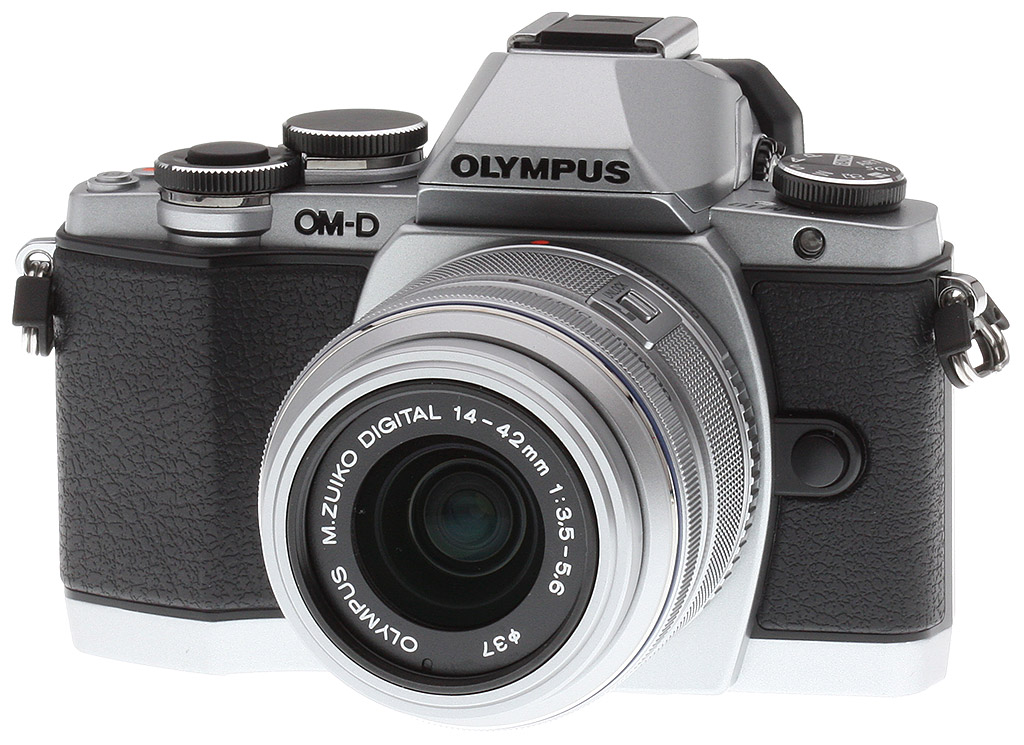
Are you looking for a cutting-edge Olympus compact system camera, don't need the weather sealing of the Olympus E-M5 or the higher price tag and bigger size of the Olympus E-M1, yet still want a built-in electronic viewfinder (scratch the E-P5, in that case)? Olympus has you covered with the Olympus E-M10.
The Olympus E-M10 is the latest OM-D model of Micro Four Thirds cameras from the "Big O" and is aimed at the entry-level enthusiast photographer, looking for an affordable yet powerful system camera for every day shooting -- the "OM-D for all," as Olympus themselves put it. However, don't let that "entry-level" descriptor concern you -- this is far from a basic, entry-level camera. In fact, the E-M10 shares a lot the guts and processing prowess from the flagship E-M1 as well as the earlier E-M5.

Specifically, the Olympus E-M10 shares the same TruePic VII image processor from the E-M1, as well as the same in-camera RAW processing and adaptive brightness technology in the EVF. However, the E-M10 one-ups both the E-M5 and E-M1 with a faster display lag time in the EVF. The E-M10 uses a similar (though not identical) 16-megapixel Live MOS sensor without an anti-aliasing filter, providing a maximum ISO of 25,600. Borrowing from the E-M1, the new E-M10 also has an ISO LOW mode, delivering an ISO 100 equivalent sensitivity.

The E-M10 is not without its compromises, however. As mentioned, the E-M10 lacks the weather-sealing shared by the other OM-D cameras. In addition, while it shares the same processor as the E-M1, the E-M10 is capable of continuous shooting at up to eight frames per second (as opposed to 9fps and 10fps on the E-M5 and E-M1, respectively). Additionally, The E-M10 lacks the more robust 5-axis in-body image stabilization system, opting instead for a new, more basic 3-axis IS system, which corrects only for yaw, pitch and roll. For video recording, Olympus has also included a hybrid IS system utilizing both sensor-shift and digital image stabilization (expect a bit of cropping along the edges of the frame in this case).

However, the Olympus E-M10 does have a few unique tricks up its sleeves. For example, it's the first OM-D camera with a built-in flash. The E-M10 also has the fully-featured built-in Wi-Fi capabilities of the E-M1, including the fast QR code smartphone pairing system and remote control shooting ability.
One of the unique features introduced on the E-M10 is a new Live Composite Mode, which allows you to see previews of long-exposure shots as they're being captured. A prime example of usage is for star trail photos -- you can see the star trails forming in the photo live on-screen, as the exposure progresses.
The Olympus OM-D E-M10, the company's most affordable OM-D camera went on sale in March 2014 in both a body-only configuration and in a kit with the M.ZUIKO DIGITAL 14-42mm f/3.5-5.6 II R lens, with street prices of about US$700 and US$800, respectively. Like E-M5 before it, the E-M10 comes in two body colors, black or two-toned black/silver with corresponding black or silver 14-42mm II lens for the kit configurations.
The new 14-42mm f/3.5-5.6 EZ pancake-style zoom lens mentioned below is available separately, for about US$350.

Walkaround. (By Dave Etchells) The new Olympus E-M10 is clearly cut from the same mold as the wildly popular E-M5 and the relatively new, pro-grade E-M1, something fans of the line's generally retro-look will surely appreciate. I've personally been a longtime fan of all-black cameras, but am finding myself liking even more the retro look of combined silver/black tones, and so find myself very attracted to the silver & black version of the E-M10.
For readers familiar with the original E-M5, the Olympus E-M10's control layout is nearly identical. The few minor tweaks are just that - tweaks to improve accessibility and ergonomics, and most of what we found were welcome. It's also very similar in size to the E-M5, with width and thickness nearly identical, but slightly shorter, a matter of millimeters for the body itself, but more noticeably around the viewfinder and hot shoe area, as the viewfinder bulge on the Olympus E-M10 doesn't stick up quite as high. With the battery loaded, the E-M10 weighs in at 396 grams, about 8% lighter than the E-M5, and about 21% lighter than the pro-grade E-M1. Despite its slightly lighter weight, the E-M10 doesn't feel the least bit less solid than either of its predecessors.

Apart from minor cosmetic changes, the view from the front is very similar to that of the E-M5. As noted, the viewfinder housing and hot shoe don't stick up as much, and the hot shoe is tucked down behind the housing (which now contains a flash), so it barely protrudes above the top. We applauded the deeper grip of the E-M1, but the Olympus E-M10 unfortunately goes a bit in the other direction, with a slightly more rounded profile on the front of the grip, and a slightly less frictive surface. The grip on the original E-M5 gave us a more secure feel in the hand, so we wish that Olympus hadn't made this particular change.
Other than the grip and the slightly shorter profile, the only other visible difference on the front of the E-M10 is a more prominent boss beneath the front control dial, accommodating the slightly larger dial itself. The only button on the front of the Olympus E-M10 is the one for the lens release.

Moving on to the Olympus E-M10's top deck, the huge difference is that there's now a popup flash head, in addition to the hot shoe, surely a welcome addition for many users. While on-camera flash is far from optimal from the standpoint of picture quality during night shooting, it's often arguably better than no flash at all, and having an internal flash always available for fill illumination in backlit daytime shots is a huge plus. The E-M10's built-in flash also supports Olympus' wireless RC flash system, capable of controlling multiple remote flash units (FL-50R, FL-36R, FL-300R or FL-600R) in 4 groups (3 external groups plus the built-in flash), using 4 channels.
Apart from the flash, the main differences in the top panel are that the shutter button is larger, the front control dial that surrounds it is now larger as well, and the Fn1 and Playback buttons have not only swapped positions, but also, more importantly, are now larger and reside on an angled surface, making them much easier to access than on the earlier model. Another change is that the twin microphone ports for the internal stereo mic have migrated to either side of the viewfinder/flash housing, since that housing now pops up when the flash is deployed. (On the E-M5, the microphone ports were located on either side of the viewfinder housing; we wonder if this translates into any difference in stereo separation between the two cameras.)
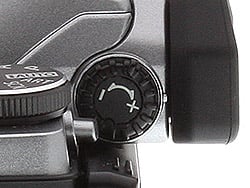
Barely visible on the left and right sides of the viewfinder housing are the dioptric adjustment and LCD/EVF selection button. These occupy the same relative positions as on the E-M5, but the dioptric adjustment now sits flush with the side of the housing, as opposed to the edge-on orientation on the E-M5. (Personally, I prefer the kind dioptric control dial that presents itself edge-on, on the side of the VF housing; I find them much easier to operate than the design on the E-M10.)
As on the E-M5, the dedicated movie-record button and programmable Fn2 button are on the far right-hand side of the top deck, easy to access, with little chance of confusing the two, thanks not only to their position, but also their significantly different heights above the top panel.
Finally, the top view also shows the more sculpted viewfinder bezel of the Olympus E-M10. Overall dimensions are the same as on the E-M5, but the E-M10's curves more, to wrap around your eye and cut out more glare under bright conditions. I'd expected the more sculpted bezel to cause more interference with my eyeglasses, but was surprised to find that I could see the EVF on both the E-M10 and E-M5 about equally well.


The rear-panel controls are very similar to those on the E-M5, the only real differences being the previously mentioned (very welcome) repositioning of the Fn1 and Playback buttons, and the presence of a flash-up button on the left side, to pop up the internal flash. Operation of the tilting rear-panel LCD screen seems identical to the one on the earlier model.
The electronic viewfinder on the E-M10 sports the same resolution as the E-M5's: 1.44 million dots. The EVF provides a 100% field of view and a maximum 1.15x magnification -- again, like the E-M5. As expected, the E-M10 also features a proximity eye sensor to quickly toggle between the rear LCD and EVF on the fly when the camera is brought up to your eye. Although we weren't given specific numbers, Olympus tells us that the lag time on the E-M10's EVF is less than that on both the E-M5 and E-M1, which should provide for a more real-time view through the EVF. Eyepoint has also improved over the E-M5, from 18 to 20mm.
One feature missing from the E-M10 is the Accessory Port 2 found just under the hot shoe on the E-M5 and E-M1 (shown above on the E-M5 with cover installed). Since the E-M10 has a built-in flash, one could argue the loss of the accessory port isn't a big deal (the E-M5 and E-M1's bundled flash used that port as well as the hot shoe), but that does mean that other accessories such as the MAL-1 Macro Arm Light and the PP-1 PENpal Bluetooth Communication Device are not supported.


The sides of the Olympus OM-D E-M10 actually reveal larger changes from the E-M5 than most of the rest of the camera. The Micro (Type D) HDMI out and USB/AV-out ports have moved from the left side of the camera to the right, and the memory card slot formerly located on the right hand side has moved inside the battery compartment. To our mind, this is a positive change; the HDMI/USB port cover on the original E-M5 was rather awkward to open; we always had to tilt the LCD away from the back of the camera a little in order to get a fingernail under the lip of the cover. With the ports and cover moved to the right side of the camera, there isn't anything obstructing access like that.

The bottom of the two cameras reveals one significant difference between the two, namely that the original E-M5 has a set of contacts on it to support its accessory battery grip. (In the shot above, these contacts are hidden beneath a rubber flap, just to the left of the tripod socket.) The Olympus E-M10 has no such option, so there aren't contacts on the bottom panel. Not visible in the shot above is the memory card slot, now located inside the battery compartment. We really liked the move of the HDMI/USB port panel from the left to right side of the camera, but having the memory card inside the battery compartment means you'll need a fairly skinny tripod plate if you want to be able to access the card while the camera is mounted on a tripod.
Place your order with a trusted Imaging Resource affiliate now:
- Olympus E-M10 body-only (black): ADORAMA | AMAZON | B&H
- Olympus E-M10 body-only (silver): ADORAMA | AMAZON | B&H
- Olympus E-M10 with 14-42mm II R lens (black): ADORAMA | AMAZON | B&H
- Olympus E-M10 with 14-42mm II R lens (silver): ADORAMA | AMAZON | B&H
[The Olympus E-M10 was featured in a recent tutorial we posted about capturing indoor sports on a budget - Click here to read more!]
Optics
In the US, the Olympus E-M10 is available body-only, or bundled with the M.Zuiko 14-42mm f/3.5-5.6 II R kit lens. Below are our test results with the kit lens. Test images on other pages of these test results were shot with our reference prime lenses unless otherwise noted.
Kit Lens Test Results
Zoom
Typical zoom range for a kit lens, with good performance.


The Olympus E-M10 is available bundled with an Olympus M.ZUIKO 14-42mm f/3.5-5.6 II R Micro Four-Thirds lens. This kit lens possesses a typical optical zoom range of about 3x, and its 35mm equivalent focal range is about 28-84mm, because of the E-M10's 2x "crop factor."
Far-field performance at 14mm (maximum wide angle), 28mm (medium) and 42mm (full telephoto) is very good with strong detail and good contrast across most of the frame at f/8. Only minor chromatic aberration can be seen in the corners and edges, as the E-M10 does a good job suppressing it (see below). The camera's 2x digital zoom performs well, though with the expected loss of fine detail and more visible noise that comes with digital enlargement.
Above average performance here for an inexpensive kit lens. See below for comments on macro performance, geometric distortion, corner softness, etc.
Macro
An average sized minimum area, with good detail. Built-in flash throttles down well.


As with zoom performance, the Olympus E-M10's macro performance will depend entirely on the lens in use. However, with the 14-42mm lens set to 42mm, the Olympus E-M10 captures a fairly average minimum area for a kit lens, measuring 2.85 x 2.14 inches (73 x 54 millimeters). Sharpness is very good over much of the frame, though some corners are a bit soft. (Most lenses have some softening in the corners at macro distances.) The flash throttles down well at closest distance, perhaps a bit too much producing a slightly dim image.
Geometric Distortion
Low geometric distortion with the 14-42mm lens in JPEGs, much higher distortion in uncorrected RAW files.
| In-Camera JPEG: Barrel distortion at 14mm is 0.5 percent |
 |
| In-Camera JPEG: Distortion at 42mm is practically nonexistent |
 |
When shooting JPEGs, the 14-42mm lens produces about 0.5 percent barrel distortion at wide angle, which is lower than average and only slightly noticeable in some of its images. At the telephoto end, there is almost no visible distortion, only about one pixel of barrel distortion. This is the tendency for the lens to bend straight lines outward (like a barrel -- usually at wide-angle) or inward (like a pincushion -- usually at telephoto).
Chromatic Aberration and Corner Sharpness
Very low chromatic aberration in JPEGs as the E-M10 suppresses it. Mild to moderate corner softening wide open.
Aperture: maximum |
|
 |
 |
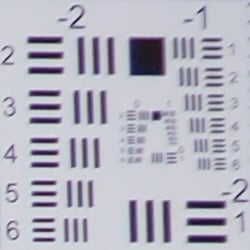
| 14mm @ f/3.5: Upper right C.A.: Low Softness: Soft |
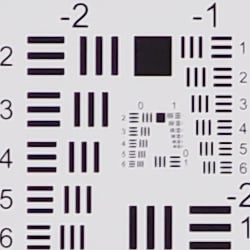
14mm @ f/3.5: Center C.A.: Very low Softness: Very sharp |
 |
 |
| 42mm @ f/5.6: Upper right C.A.: Very low Softness: Somewhat soft |
42mm @ f/5.6: Center C.A.: Very low Softness: Fairly sharp |
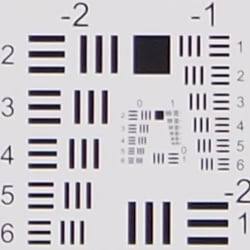
Chromatic Aberration. Chromatic aberration is low to very low, as the E-M10 suppresses lateral chromatic aberration in JPEGs. See below for uncorrected results.
Corner Softness. Corners on the right-hand side are somewhat soft on our sample, though corners on the left are quite sharp (indicating a slightly decentered lens). Sharpness is very good in the center and across much of the frame. At full telephoto, all four corners are actually reasonably sharp, but suffer from a slight loss of contrast. The center exhibits good sharpness, though it's not quite as sharp as wide angle.
Vignetting. There's some mild vignetting (corner shading) at wide angle, as indicated by the darker corner crops compared to the center. There's hardly any at full telephoto.
Aperture: f/8 |
|
 |
 |
| 14mm @ f/8: Upper right C.A.: Low Softness: Fairly sharp |
14mm @ f/8: Center C.A.: Very low Softness: Very sharp |
 |
 |
| 42mm @ f/8: Upper right C.A.: Very low Softness: Fairly sharp |
42mm @ f/8: Center C.A.: Very low Softness: Fairly sharp |
Chromatic Aberration. With the aperture stopped down to f/8, chromatic aberration in the corners is still low to very low.
Corner Softness. Corner sharpness improved at both wide angle and telephoto when stopped-down to f/8, though telephoto is still not quite as sharp as wide angle across the frame.
Vignetting. Vignetting also improves to the point of being negligible at f/8.
Overall, pretty good performance for an inexpensive zoom kit lens.
In-camera Lens Corrections
Geometric Distortion Correction
Like all Micro Four Thirds cameras, the E-M10 automatically applies geometric correction to JPEGs that can't be disabled.
| Uncorrected RAW: Barrel distortion at 14mm is ~2.3 percent |
 |
| Uncorrected RAW: Pincushion distortion at 42mm is almost nil |
 |
To see how much correction is taking place in the camera, we convert RAW files with dcraw or RawDigger, which do not correct for distortion. As you can see at wide angle, barrel distortion is quite strong at about 2.3%, though pincushion distortion at telephoto remains practically non-existent. We expect to see high distortion at wide angle from smaller interchangeable lenses though, so it's nothing to be too concerned about unless you are using a RAW converter which does not understand the embedded "opcodes" to perform distortion corrections automatically. Most RAW converters these days are capable of applying distortion correction automatically, as specified by the manufacturer. There is however going to be some loss of resolution in the corners as a result of such correction, because pixels in the corners of the frame are being "stretched" to correct for the distortion. Obviously, a lens that doesn't require such correction that is also sharp in the corners to begin with would be preferable, but relaxing constraints on barrel and pincushion distortion likely brings other benefits in the lens design, such as cost, size and weight.
Chromatic Aberration Suppression
The Olympus E-M10 suppresses lateral chromatic aberration automatically in JPEGs
|
In-camera JPEG
|
Uncorrected RAW
|
 |
 |
| Wide @ f/3.5: Upper left C.A.: Low |
Wide @ f/3.5: Upper left C.A.: Moderately high |
 |
 |
| Tele @ f/5.6: Upper left C.A.: Very low |
Tele @ f/5.6: Upper left C.A.: Moderate |
As mentioned above, the E-M10 suppresses lateral chromatic aberration in JPEGs. As you can see from comparing the in-camera JPEGs (left) to uncorrected RAW crops above, the E-M10's C.A. suppression is very effective at suppressing the lateral chromatic aberration in our 14-42mm test shots.
Shading Compensation
The Olympus E-M10 features optional Shading Compensation to reduce vignetting in JPEG images.
 |
||
| Shading Compensation: (14mm @ f/3.5) |
Off (default) | On |
Mouse over the links above to compare thumbnails, and click on the links to load the full resolution images.
Here, we've just shown the wide-angle case, as at the telephoto end the lens has little corner shading to begin with. As you can see, the Olympus E-M10's Shading Compensation effectively reduces corner shading with the 14-42mm lens, so it can be a useful feature particularly with fast and/or wide lenses. Note that Shading Compensation is off by default, and is not available with all lenses. It may also produce more visible noise in the periphery at higher ISOs.
Olympus E-M10 Viewfinder
Viewfinder Test Results
Accuracy
Excellent accuracy from the EVF and LCD monitor.


The Olympus E-M10's electronic viewfinder and LCD monitor both proved quite accurate in record mode, showing just over 100% coverage with our Olympus Zuiko Digital 50mm f/2.0 prime. Excellent results here, though not a surprise given previews are derived directly from the image sensor.
The images above were taken from our standardized test shots. For a collection of more pictorial photos, see our Olympus OM-D E-M10 Photo Gallery .
Exposure
Color
Saturation & Hue Accuracy
Realistic colors with excellent hue accuracy.
 |
||
|
ISO Sensitivity
|
||
| In the diagram above, the squares show the original color, and the circles show the color that the camera captured. More saturated colors are located toward the periphery of the graph. Hue changes as you travel around the center. Thus, hue-accurate, highly saturated colors appear as lines radiating from the center. Mouse over the links to compare ISOs, and click on the links for a larger version. | ||


Saturation. The Olympus E-M10 pushes reds by a fair amount and a few other colors by a small amount, but most colors are pretty close to accurate in terms of saturation. Default mean saturation at base ISO is 106% (6% oversaturated), which is a bit lower than average but still higher than actual. Saturation remains fairly stable across the ISO range, except at ISOs 12,800 and 25,600 where it falls off noticeably (likely in an attempt to help control chroma noise). Most consumer digital cameras produce color that's more highly saturated (more intense) than what's found in the original subjects. This is simply because most people like their color a bit brighter than life.
Skin tones. The Olympus E-M10 does fairly well here, producing natural-looking Caucasian skin tones, just slightly on the warm side. Where oversaturation is most problematic is on Caucasian skin tones, as it's very easy for these "memory colors" to be seen as too bright, too pink, too yellow, etc.
Hue. The Olympus OM-D E-M10 does shift cyan toward blue, light green toward yellow, and oranges toward yellow, but shifts are fairly minor. (The shift from cyan to blue is much less pronounced than most cameras, leaving sunny sky colors a little warmer than most.) Overall hue accuracy is excellent with a Delta-C color error after correction for saturation of 3.7 at base ISO, which is much better than average, and hue accuracy remains better than average across the ISO sensitivity range. Hue is "what color" the color is.
Saturation Adjustment
The Olympus E-M10 lets you adjust the image saturation, contrast, and sharpness in five steps each. As can be seen below, the saturation adjustment is fairly effective, covers a decent range, and does a good job of not impacting contrast, though it boosts red and orange a little more than other colors.
| Saturation Adjustment Examples | ||
 |
 |
 |
| -2 | 0 | +2 |
The table above shows results with the default as well as the two extreme saturation settings. Click on any thumbnail above, then click again to see the full-sized image.


Sensor
Exposure and White Balance
Indoors, incandescent lighting
Warm color cast with Auto and cool with 2,600K white balance settings, but good color with Incandescent and Manual settings. Average exposure compensation required.


Indoors, under normal incandescent lighting, color balance is very warm with the Auto white balance setting, with a strong orange/yellow cast. Results with the Incandescent setting are however actually pretty good, just a little warm, while the 2,600 Kelvin setting is quite cool with an obvious blue-green tint. The Manual setting is the most accurate, providing nearly neutral color balance that is just slightly on the cool side. The Olympus E-M10 required an average amount of positive exposure compensation here, at +0.3 EV. (Our test lighting for this shot is a mixture of 60 and 100 watt household incandescent bulbs, a pretty yellow light source, but a very common one in typical home settings here in the U.S.)
Outdoors, daylight
Natural looking colors overall, with good exposure.
Outdoors, the Olympus E-M10 performed very well, with natural colors and good exposure. Skintones are good but slightly warm with the Auto white balance setting in our "Sunlit" Portrait shot, so we preferred Manual white balance, though it too is still a touch warm. The Olympus E-M10 required an average amount of positive exposure compensation (+0.7 EV) to keep the eyes relatively bright. Default contrast is a bit high, but despite the bright appearance in some areas there are very few blown highlights in the mannequin's shirt and flowers, which is much better than average. And there are few lost shadows as well. The Far-field shot has very good exposure at default settings and almost no blown highlights or lost shadows. Noise in the shadows is also quite clean, though there are signs of more aggressive noise reduction in darker regions. (Note that these shots were taken at ISO 200 as ISO 100 is an extended setting with inferior dynamic range.)
See full set of test images with explanations
See thumbnails of all test and gallery images
Resolution
Very high resolution, ~2,400 lines of strong detail in JPEGs, about ~2,500 lines from processed RAW files.


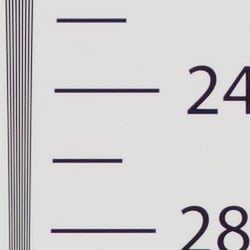

In-camera JPEGs of our laboratory resolution chart reveals sharp, distinct line patterns down to about 2,450 lines per picture height in the horizontal direction, and a little less at 2,350 lines in the vertical direction. Complete extinction of the pattern doesn't occur until about 3,200 to 3,400 lines, though. Adobe Camera Raw was able to extract just a touch more high-contrast detail here, though color moiré is more apparent near the limits of resolution. Use these numbers to compare with other cameras of similar resolution, or use them to see just what higher resolution can mean in terms of potential detail.
See full set of test images with explanations
See thumbnails of all test and gallery images
Sharpness & Detail
Very good sharpness and detail overall, though edge-enhancement artifacts on high-contrast subjects are visible. Mild noise suppression visible in the shadows.


Sharpness. The Olympus OM-D E-M10 captures very sharp images overall, though as is usually the case for most manufacturers, edge enhancement artifacts are visible on high-contrast subjects such as sharpening halos around the lines and lettering in the crop above left. The E-M10 does however seem to apply slightly less aggressive default sharpening than the E-M5, but it also features adaptive sharpening which takes into account the lens and aperture used, so sharpening behavior will vary. The E-M10 also doesn't have an optical low-pass filter, so the images don't need quite as much sharpening to begin with. Edge enhancement creates the illusion of sharpness by enhancing colors and tones right at the edge of a rapid transition in color or tone.
Detail. The crop above right shows fairly mild noise suppression artifacts in the darkest areas of the model's hair as base ISO, smudging individual strands together when contrast between them is low, though quite a few individual strands remain visible. Overall detail is very good for a 16-megapixel Micro Four Thirds model, though there are some minor demosaicing errors and aliasing artifacts visible in the hair as well as in some of our other test shots, the result of the E-M10's lack of an optical low-pass filter. However the E-M10 seems to do a good job at minimizing them in JPEGs. Noise-suppression systems in digital cameras tend to flatten-out detail in areas of subtle contrast. The effects can often be seen in shots of human hair, where the individual strands are lost and an almost "watercolor" look appears.
RAW vs In-Camera JPEGs
As noted above, the Olympus E-M10 does a great job at capturing lots of fine detail in its JPEGs, but more detail can often be obtained from carefully processing RAW files, while at the same time reducing sharpening artifacts. Take a look below, to see what we mean:
|
Base ISO (200)
|
|
 |
 |
 |
 |
 |
 |
|
Camera JPEG, defaults
|
RAW via Adobe Camera Raw
|
In the table above, we compare an in-camera JPEG taken at base ISO using default noise reduction and sharpening (on the left) to the matching RAW file converted with Adobe Camera Raw 8.4 RC using default noise reduction with some strong but tight unsharp masking applied in Photoshop (300%, radius of 0.3 pixels, and a threshold of 0).
As you can see, the Adobe Camera Raw conversion contains fine detail superior to the camera's Super Fine JPEG at default settings, especially in the red-leaf swatch where where much of the thread pattern is resolved, though it does leave behind more noise at default noise reduction settings. Out of camera images also have a bit more "pop," with higher contrast. Still, the E-M10's JPEG engine does a very good job capturing most of the detail offered by its 16-megapixel sensor, at least at low ISOs. (And its expanded ISO 100 setting does even better, but at the cost of limited dynamic range.)
ISO & Noise Performance
Very good high ISO performance for its class.
|
Default High ISO Noise Reduction
|
 |
 |
 |
| ISO 100 | ISO 200 | ISO 400 |
 |
 |
 |
| ISO 800 | ISO 1,600 | ISO 3,200 |
 |
 |
 |
| ISO 6,400 | ISO 12,800 | ISO 25,600 |
The Olympus E-M10's high ISO performance is nearly identical to the well-regarded E-M5's. Images are quite clean and detailed at ISOs 100 though 400, though some minor chroma noise is visible in the shadows. ISO 800 shows a bit more noise, both luminance and chrominance, but detail is still quite strong. At ISO 1,600, we see some moderate detail loss due to stronger noise and noise reduction efforts, as well as more visible chroma noise in the shadows, but fine detail is still good. At ISO 3,200, additional blurring occurs reducing fine detail, though chroma noise is slightly better controlled. ISO 6,400 is fairly soft and mottled, though some fine detail is left and chroma noise is still fairly well controlled. ISO 12,800 is very noisy, with strong yellow blotching in the shadows. At ISO 25,600, noise and noise reduction is intense, smudging out almost all fine detail, and a lot of yellow and purple chroma blotching is present as well.
Overall, though, high ISO noise performance nearly matches the best we've seen from a Micro Four Thirds model thus far, and competes well with many APS-C rivals. As always, see the Print Quality section below for maximum recommended print sizes at each ISO.
A note about focus for this shot: We shoot this image at f/4, using one of three very sharp reference lenses (70mm Sigma f/2.8 macro for most cameras, 60mm f/2.8 Nikkor macro for Nikon bodies without a drive motor, and Olympus Zuiko 50mm f/2.0 for Four Thirds and Micro Four Thirds bodies). To insure that the hair detail we use for making critical judgements about camera noise processing and detail rendering is in sharp focus at the relatively wide aperture we're shooting at, the focus target at the center of the scene is on a movable stand. This lets us compensate for front- or back-focus by different camera bodies, even those that lack micro-focus adjustments. This does mean, though, that the focus target itself may appear soft or slightly out of focus for bodies that front- or back-focused with the reference lens. If you click to view the full-size image for one of these shots and notice that the focus target is fuzzy, you don't need to email and tell us about it; we already know it. :-) The focus target position will simply have been adjusted to insure that the rest of the scene is focused properly.
Extremes: Sunlit, dynamic range and low light tests
High resolution with very good dynamic range. Very good low-light performance as well.


Sunlight. The Olympus E-M10 did very well with this difficult shot, requiring the average amount of exposure compensation (+0.7 EV) to keep the mannequin's face bright in this harsh lighting. As mentioned previously, despite the bright appearance of the mannequin's shirt, dynamic range is surprisingly good, with very few highlights blown and very good detail in the shadows as well. Performance here is well above average, particularly for a Micro Four Thirds model.
Because digital cameras are more like slide film than negative film (in that they tend to have a more limited tonal range), we test them in the harshest situations to see how they handle scenes with bright highlights and dark shadows, as well as what kind of sensitivity they have in low light. The shot above is designed to mimic the very harsh, contrasty effect of direct noonday sunlight, a very tough challenge for most digital cameras. (You can read details of this test here. In actual shooting conditions, be sure to use fill flash in situations like the one shown here; it's better to shoot in open shade whenever possible.)
Contrast Adjustment
The camera's contrast adjustment was some help in handling the harsh lighting in our "Sunlit" Portrait and Far-field shots.
|
Minimum Contrast
|
|
 |
 |
| Contrast set to lowest, +0.7 EV |
Contrast set to lowest, Auto Exposure |
At its lowest contrast setting, the Olympus E-M10 did a good job of revealing shadows as well as some highlight detail, while maintaining fairly natural-looking skintones in our "Sunlit" Portrait shot.
| "Sunlit" Portrait Contrast Adjustment Examples | ||
|
 |
 |
| -2 | 0 | +2 |
The shots above show the results of the minimum, default and maximum contrast settings. While you can see the extremes, it's pretty hard to evaluate small differences in contrast on small thumbnails like these, click on any thumbnail to go to the full-size image. As you can see, the E-M10's contrast setting is effective on both highlights and shadows, and didn't impact saturation much, which is a good thing.
| Face Detection | ||
 |
 |
 |
| Off at 0 EV Aperture priority, f/8 |
On at 0 EV Aperture priority, f/8 |
Full Auto f/2 |
Face Detection
Like most cameras these days, the Olympus E-M10 has the ability to detect faces, and adjust exposure and focus accordingly. As you can see from the examples above, it works well, as the center image with face detection enabled is much better exposed for the face without having to use exposure compensation. The Full Auto setting worked even better by choosing Portrait scene mode which used a larger aperture (f/2) and applied Auto Gradation to reduce strong shadows and highlights. An excellent performance under very difficult lighting such as this.
|
Outdoor Portrait Gradation Comparison
|
|
 |
Gradation Normal (Default) Auto Low Key High Key |
 |
|
Gradation
Similar to dynamic range optimization systems from other manufacturers, the Olympus E-M10's Gradation setting applies local contrast adjustments in an attempt to preserve shadow detail and prevent highlight clipping with the Auto setting. Above are examples of the Normal (default), Auto, Low Key and High Key settings applied to our "Sunlit" Portrait shot with no exposure compensation. Mouse over the links to load the associated thumbnail and histogram, and click on the links to visit the full resolution image.
As you can see, the Low Key setting applies Gradation for making subjects darker (in the thumbnail and histogram above, you can see that the camera shifted levels to the left, darkening the image dramatically), while the High Key setting does the opposite for brighter subjects (shifting levels to the right so that lighter tones are blown, but darker ones are opened up). The Auto setting did a good job here, boosting shadows and midtones without blowing highlights.
|
Far-field Gradation Comparison
|
|||
 |
|||
Above, we can see the Gradation options at work in our Far-field test shot series. Mouse over the links to load the associated thumbnail, and click on the links to visit the full resolution image.
|
High Dynamic Range
|
|||
|
|
|||
HDR setting: |
|||
High Dynamic Range
The E-M10's in-camera HDR feature works by combining four shots at different exposures. Two strength settings are available: HDR1 and HDR2, with the later providing a more extreme result. ISO is fixed to 200, and slowest shutter speed is 1 second (4 seconds total).
Above, you can see the E-M10's in-camera HDR mode at work with our Far-field shot. HDR1 did a pretty good job brightening shadows and toning down highlights, though you can probably do better by using the bracketing mode and combining the images yourself in software. HDR2 mode looked overprocessed and was too bright with blown-out highlights as well as fuzzy details and more visible noise.
Notice that the HDR images are not cropped compared to the non-HDR image, which can imply the camera does not microalign the source images, or at least can't compensate for much camera motion. This is pretty much confirmed by the user manual which says to use a tripod for HDR shots, potentially making this mode less useful than those offered by some other manufacturers, however we found we were able to capture HDR images hand-held with no alignment issues. It's also interesting that the camera seems to detect subject motion between frames and attempts to prevent ghosting, as some moving objects (such as the flag or the airliner in HDR1) are not ghosted as one would normally see in a composite image.
Dynamic Range Analysis (RAW mode)
A key parameter in a digital camera is its Dynamic Range, the range of brightness that can be faithfully recorded. At the upper end of the tonal scale, dynamic range is dictated by the point at which the RGB data "saturates" at values of 255, 255, 255. At the lower end of the tonal scale, dynamic range is determined by the point at which there ceases to be any useful difference between adjacent tonal steps. Note the use of the qualifier "useful" in there: While it's tempting to evaluate dynamic range as the maximum number of tonal steps that can be discerned at all, that measure of dynamic range has very little relevance to real-world photography. What we care about as photographers is how much detail we can pull out of the shadows before image noise becomes too objectionable. This, of course, is a very subjective matter, and will vary with the application and even the subject matter in question. (Noise will be much more visible in subjects with large areas of flat tints and subtle shading than it would in subjects with strong, highly contrasting surface texture.)
While we once performed our own dynamic range measurements based on in-camera JPEGs as well as converted RAW images (when the camera was supported by Adobe Camera Raw), we've switched to using DxO Labs' results from their DxOMark website. As technology advanced, the dynamic range of modern high-end cameras in some cases exceeded the range of the Stouffer T4110 density scale that we used for our own measurements. DxO's approach based on RAW data before demosaicing is also more revealing, because it measures the fundamental dynamic range of the sensor, irrespective of whatever processing is applied to JPEGs, or to RAW data by off-the-shelf conversion software.
In the following, we use DxO's "Print" dynamic range results, which are scaled based on camera resolution. As the name suggests, this scaling corresponds to the situation in which you print at a given size, regardless of how many megapixels the camera might have. (In other words, if you've decided to make a 13x19 inch print, that's the size you're printing, whether the camera's resolution is 16 or 300 megapixels.) For the technically-minded, you can find a discussion of the reasoning behind this here on the DxOMark website. Also note that DxO Labs uses a signal-to-noise (SNR) threshold of 1 when defining the lower boundary of acceptable luminance noise in their dynamic range measurements, which corresponds to the "Low Quality" threshold of the Imatest software we used to use for this measurement.

Here, we compare the Olympus E-M10's dynamic range to similarly priced cameras, the Canon T5i/700D DSLR and the Sony A5000 CSC. (Ideally we should be comparing to the Sony A6000 since it's closer in price, but that camera hasn't been tested as of this writing.) As you can see from the above graph (click for a larger image), the E-M10's dynamic range compares nicely with the Sony A5000 except at base ISO, where the Sony has about a 3/4 stop advantage (13.01 vs 12.29 EV). Compared to the Canon T5i, the Olympus E-M10 enjoys almost a 2 stop advantage (1.87) at base ISO, and continues to outperform the T5i up to about ISO 1,600, above which all three cameras perform essentially the same. Click here to visit the DxOMark page for the Olympus E-M10 for more of their test results and additional comparisons.
| 1 fc 11 lux |
1/2 fc 5.5 lux |
1/4 fc 2.7 lux |
1/8 fc 1.3 lux |
1/16 fc 0.67 lux |
1/16 fc No NR |
|
|---|---|---|---|---|---|---|
| ISO 100 |
 2 s f2.8 |
 4 s f2.8 |
 8 s f2.8 |
 15 s f2.8 |
 30 s f2.8 |
 30 s f2.8 |
| ISO 200 |
 1 s f2.8 |
 2 s f2.8 |
 4 s f2.8 |
 8 s f2.8 |
 15 s f2.8 |
 15 s f2.8 |
| ISO 400 |
 0.5 s f2.8 |
 1 s f2.8 |
 2 s f2.8 |
 4 s f2.8 |
 8 s f2.8 |
 8 s f2.8 |
| ISO 800 |
 1/4 s f2.8 |
 0.5 s f2.8 |
 1 s f2.8 |
 2 s f2.8 |
 4 s f2.8 |
 4 s f2.8 |
| ISO 1600 |
 1/8 s f2.8 |
 1/4 s f2.8 |
 0.5 s f2.8 |
 1 s f2.8 |
 2 s f2.8 |
 2 s f2.8 |
| ISO 3200 |
 1/15 s f2.8 |
 1/8 s f2.8 |
 1/4 s f2.8 |
 0.5 s f2.8 |
 1 s f2.8 |
 1 s f2.8 |
| ISO 6400 |
 1/30 s f2.8 |
 1/15 s f2.8 |
 1/8 s f2.8 |
 1/4 s f2.8 |
 0.5 s f2.8 |
 0.5 s f2.8 |
| ISO 12800 |
 1/60 s f2.8 |
 1/30 s f2.8 |
 1/15 s f2.8 |
 1/8 s f2.8 |
 1/4 s f2.8 |
 1/4 s f2.8 |
| ISO 25600 |
 1/125 s f2.8 |
 1/60 s f2.8 |
 1/30 s f2.8 |
 1/15 s f2.8 |
 1/8 s f2.8 |
 1/8 s f2.8 |
Low Light
The Olympus E-M10 performed well in low lighting, capturing bright exposures at our lowest light level at all ISOs. Noise was well-controlled up to ISO 3,200 and even ISO 6,400 looks good, though there's some chroma noise noticeable in darker shadows at lower light levels. We didn't notice any significant issues with hot pixels, banding or heat blooming.
White balance was fairly neutral using the Auto setting, just slightly cool at most ISOs, though blacks and dark greys took on a slightly reddish tint at lower light levels.
The camera's autofocus system was able to focus on our subject down to below the 1/16 foot-candle light level unassisted with an f/2.8 lens, which is excellent, and in total darkness with the aid of its focus assist lamp.
How bright is this? The one foot-candle light level that this test begins at roughly corresponds to the brightness of typical city street-lighting at night. Cameras performing well at that level should be able to snap good-looking photos of street-lit scenes.
NOTE: This low light test is conducted with a stationary subject, and the camera mounted on a sturdy tripod. Most digital cameras will fail miserably when faced with a moving subject in dim lighting. (For example, a child's ballet recital or a holiday pageant in a gymnasium.) Thanks to their phase-detect AF systems, digital SLRs tend to do much better than point & shoots, but you still shouldn't expect a quick autofocus lock with moving subjects. The E-M10 uses contrast-detect autofocus as is found in most point & shoot cameras, so its low-light focusing ability is less than that of most SLRs with phase-detect systems. That said, though, the larger, more sensitive pixels of the E-M10's sensor do better under dim lighting than do the tiny pixels of most point & shoots, (A useful trick is to just prop the camera on a convenient surface, and use its self-timer to release the shutter. This avoids any jiggling from your finger pressing the shutter button, and can work quite well when you don't have a tripod handy.)
Output Quality
Print Quality
Good 24 x 36 inch prints at ISO 100 and 200; makes a nice 20 x 30 inch print at ISO 800 while ISO 25,600 should be avoided or used only with less critical applications.
 ISO 100/200 produces a great 24 x 36 inch print with impressive fine detail and excellent color rendition. Although a little taxing on the 16MP sensor as you can see some pixelation if you look closely, you can easily wall-mount 30 x 40 inch prints or even get away with 36 x 48.
ISO 400 images look very close to ISO 200, but there's a hint of noise reduction showing up in the shadow areas. All in all it makes for good 20 x 30 inch prints, while 16 x 20 inch prints look even better with excellent fine detail and pleasing colors.
ISO 800 prints also look good up to 20 x 30 inches. You can start to see a little more noise reduction softness around the edges of low-contrast areas and in the shadows.
ISO 1600 images still show an impressive amount of fine detail, especially in high contrast areas, and colors still look great, which all makes for pleasing 16 x 20 inch prints.
ISO 3200 prints look good up to 13 x 19 inches as noise reduction is beginning to look a little heavy in the shadow areas. However, prints still show great high contrast detail and nice color rendition.
ISO 6400 images look acceptable for up to 8 x 10 inch prints with noise reduction taking its toll on low contrast detail and in the shadows.
ISO 12,800 prints are a bit on the noisy side, plus heavy-handed high ISO noise reduction is hurting fine detail, but the E-M10 still manages to produce an acceptable 4 x 6 inch print.
ISO 25,600 images are too lacking in fine detail with a lot of noise, and therefore it's difficult for us to consider any print sizes acceptable at this ISO.
The Olympus E-M10 brings a lot of image quality performance to the table for a very affordable price point. Similar to the E-M5 before it, the E-M10 produces very similar print quality results with excellent fine detail and great colors at lower ISO levels. Even as the ISO rises, high-contrast fine details remain crisp and sharp, and colors remain accurate. We did see a little less performance from the E-M10 compared to the E-M5 at the very high ISO levels. At ISO 25,600, prints are best avoided as they show a little too much noise and not enough fine detail for us to consider them acceptable at our smallest standard print size (4 x 6).
The images above were taken from our standardized test shots. For a collection of more pictorial photos, see our Olympus OM-D E-M10 Photo Gallery .
Not sure which camera to buy? Let your eyes be the ultimate judge! Visit our Comparometer(tm) to compare images from the Olympus OM-D E-M10 with those from other cameras you may be considering. The proof is in the pictures, so let your own eyes decide which you like best!
Performance
Timing and Performance
Very good performance overall for its class.
| Startup/Play to Record/Buffer Clearing | ||
|---|---|---|
| Power on |
~1.3 seconds
|
Time it takes to turn on and capture a shot. |
| Play to Record, |
~0.6 second
|
Time until first shot is captured. |
|
Buffer clearing time |
6 seconds after 19 large/super fine JPEGs*
|
Worst case buffer clearing time. -- This is the delay after a set of shots before you can remove the card. |
|
6 seconds after 15 RAW files*
|
||
|
9 seconds after 10 RAW + LSF JPEG files*
|
||
|
*Note: Buffer clearing times measured with a SanDisk Extreme Pro 95MB/sec UHS-I SDHC card. Slower cards will produce correspondingly slower clearing times. Slow cards may also limit length of bursts in continuous mode. ISO sensitivity and noise reduction settings can also affect cycle times and burst mode performance.
|
||
Startup time including taking a shot was fair for a CSC, but switching from Play to Record and taking a shot was quite fast. With a fast 95MB/s UHS-I SDHC card, the E-M10's buffer clearing times were quite good.
| Shutter Response (Lag Time) | ||
|---|---|---|
|
Full Autofocus, |
0.234 second
|
Time from fully pressing shutter button to image capture, with the lens already at the proper focal distance setting. (All AF timing performed with the new 14-42mm II R kit lens at about 30mm unless otherwise noted.) |
Full Autofocus, |
0.207 second
|
Time from fully pressing shutter button to image capture, with the lens already at the proper focal distance setting. (With Olympus 14-42mm EZ lens.) |
|
Full Autofocus, |
0.245 second
|
Time from fully pressing shutter button to image capture, with the lens already at the proper focal distance setting. |
|
Full Autofocus, |
0.397 second
|
Time from fully pressing shutter button to image capture, with the lens already at the proper focal distance setting, TTL Auto flash enabled. |
|
Manual Focus |
0.096 second
|
For most cameras, shutter lag is less in manual focus than autofocus, but usually not as fast as when the camera is "prefocused". |
|
Prefocused |
0.066 second
|
Time to capture, after half-pressing and holding shutter button. |
The Olympus E-M10's full-autofocus shutter lag in single-area AF mode (center AF position) was 0.234 second when tested with the 14-42mm II R kit lens. That's slightly faster than average for a CSC, and competitive with consumer DSLRs. We also tested autofocus lag with the new 14-42mm EZ lens, and found it was about 27ms faster (0.207s) than the kit lens.
In 81-point "All Targets" AF mode, shutter lag was a touch slower than center AF mode, at 0.245 second. Full autofocus shutter lag increased to 0.397 second with the flash enabled, to account for the additional delay for the preflash metering, however that's still quite fast.
When manually focused, the E-M10's shutter lag time was 0.096 second, also fast. The E-M10's prefocused shutter lag time of 0.066 second was quite quick.
These times are comparable to the E-M5, but not as fast as the flagship E-M1 model as one would expect.
To minimize the effect of different lens' focusing speed, we test AF-active shutter lag with the lens already set to the correct focal distance.
| Cycle Time (shot to shot) | ||
|---|---|---|
| Single Shot mode |
0.56 second
|
Time per shot, averaged over 20 shots, 2 seconds to clear*. |
|
Single Shot mode |
0.58 second
|
Time per shot, averaged over 20 shots, 2 seconds to clear*. |
|
Single Shot mode |
0.63 second
|
Time per shot, averaged over 16 shots, 7 seconds to clear*. |
| Early shutter |
No
|
Some cameras don't snap another shot if you release and press the shutter too quickly in Single Shot mode, making "No" the preferred answer. |
|
Continuous H Mode |
0.12 second (8.07 frames per second);
19 frames total; 6 seconds to clear* |
Time per shot, averaged over 19 shot buffer capacity, then slows to an average of 1.09s or 0.92fps when buffer is full. |
| Continuous H Mode |
0.12 second (8.05 frames per second);
15 frames total; 6 seconds to clear* |
Time per shot, averaged over 15 shot buffer capacity, then slows to an average of 1.31s or 0.76fps when buffer is full. |
|
Continuous H Mode |
0.12 second (8.11 frames per second);
10 frames total; 9 seconds to clear* |
Time per shot, averaged over 10 shot buffer capacity, then slows to an average of 2.37s or 0.42fps when buffer is full. |
| Flash Recycling |
3.5 seconds
|
Flash at maximum output. |
|
*Note: Buffer clearing times measured with a SanDisk Extreme Pro 95MB/sec UHS-I SDHC card. Slower cards will produce correspondingly slower clearing times. Slow cards may also limit length of bursts in continuous mode. ISO sensitivity and noise reduction settings can also affect cycle times and burst mode performance.
|
||
Single-shot cycle times were quite good for a CSC, ranging from 0.56 to 0.63 second per frame, depending on the file type.
Continuous H mode performance was good, at around 8.1 frames per second with any file type. Note that focus and exposure are fixed at the first frame of a burst in this mode. There is also a "low speed" mode rated at up to 3.5 fps which supports continuous AF and exposure, however we didn't test that mode.
Buffer depths are decent though not exceptional, at 19 frames for Large/Super Fine JPEGs, 15 frames for RAW files, and 10 frames for RAW+JPEGs. Note that our test target for this was designed to be difficult to compress, so JPEG burst lengths should be longer with typical subjects. (An you'll be able to take longer JPEG bursts by switching to Fine quality; we managed 36 frames in that mode.) Buffer clearing was also good, ranging from 6 seconds after a burst of 19 LSF JPEGs to 9 seconds after a burst of 10 RAW+JPEG frames with a fast UHS-I card.
Built-in flash recycle time was fair at an average of 3.5 seconds after full power discharge.
Performance here isn't quite as fast as the E-M5, but very good for the price.
| Download Speed | ||
|---|---|---|
| Windows Computer, USB 2.0 |
9,086 KBytes/sec
|
Typical Values: |
Download speeds were good, quick enough that you probably won't feel the need for a separate card reader. (Note that this test was performed with a SanDisk Extreme Pro 95MB/sec UHS-I SDHC card: Slower cards would likely show slower transfer times.)
Bottom line, the Olympus E-M10's performance is generally very good for its class, with good autofocus speeds, cycle times and burst performance.
Battery
Battery Life
Slightly below average battery life for a CSC.
| Operating Mode | Number of Shots |
|---|---|
|
Still Capture,
(CIPA standard) |
320
|
The Olympus E-M10 uses a custom rechargeable lithium-ion battery pack for power, and comes with both a single battery and charger. The rated 320 shots per charge (Olympus makes no distinction between using the EVF or LCD monitor) is a bit below average for a compact system camera, but well below the capacity of most DSLRs with their optical viewfinders. We recommend getting a second battery for your E-M10 if you plan any extended outings.
The table above shows the number of shots the camera is capable of (on a fully-charged rechargeable battery), based on CIPA battery-life and/or manufacturer standard test conditions.
(Interested readers can find an English translation of the CIPA DC-002 standards document here. (180K PDF document))
Image Quality
Below are crops comparing the Olympus E-M10 with itself at base and extended low ISO, and then with the Olympus E-M5, Canon 70D, Fuji X-Pro1, Nikon D7100, and Panasonic GH3. Readers familiar with our review of the Olympus E-M1 will find many of the comments below quite familiar, as the E-M10 behaves very similarly, especially at low ISOs. This is doubtless because the two models share the same advanced processor, so noise-reduction algorithms are likely very similar.
NOTE: These images are best quality JPEGs straight out of the camera, at default settings including noise reduction. All cameras in this comparison were shot with our very sharp reference lenses.
Olympus E-M10: ISO Low (approx. ISO 100) vs ISO 200
 |
 |
 |
 |
 |
 |
Olympus E-M10 at ISO 100 |
Olympus E-M10 at ISO 200 |
We usually avoid expanded low ISO settings for our image quality comparisons as we don't normally see much improvement in image quality, and they often come at the cost of reduced dynamic range. However, like the E-M1 before it, the Olympus E-M10 is a different story. The E-M10 offers an expanded LOW ISO, which is stated as "approximately ISO 100." As you can see above, it shows significantly more detail compared to the lowest standard ISO of 200, especially in our fabric crop. (This was also the case with the E-M1's LOW ISO setting.) Dynamic range is usually more limited in extended-low ISO settings, but if you have a well-lit and modest-contrast subject, you may want to use the E-M10's extended low-ISO setting, for maximum detail. |
|
Olympus E-M10 versus Olympus E-M5 at base ISO
|
 |
|
 |
|
 |
Olympus E-M10 at ISO 200 |
Olympus E-M5 at ISO 200 |
The Olympus E-M10 and E-M5 seem pretty evenly matched at ISO 200, with sharp, crisp details, though the E-M5 appears to use just slightly lower default noise reduction and somewhat higher default sharpening. |
|
Olympus E-M10 versus Canon 70D at base ISO
|
 |
|
 |
|
 |
Olympus E-M10 at ISO 200 |
Canon 70D at ISO 100 |
|
Despite having a smaller, lower-resolution sensor than the 70D with its 20-megapixel APS-C imager, the E-M10's JPEG looks better in almost every aspect in these three comparisons. The Olympus produces sharper details, most noticeably in the mosaic and the fabrics, although the 70D does a bit better with the red fabric swatch.
|
|
Olympus E-M10 versus Fuji X-Pro1 at base ISO
|
 |
|
 |
|
 |
Olympus E-M10 at ISO 200 |
Fuji X-Pro1 at ISO 200 |
Both the Olympus and Fuji do very well at base ISO, as you'd expect. The E-M10 produces slightly crisper detail while the X-Pro1 yields more refined-looking images with lower noise and fewer sharpening artifacts, though the Fuji does suffer from some minor demosaicing errors in other areas of the image. The fabric crop is interesting, as the Olympus does better with the pink fabric, while the Fuji pulls more detail from the red leaf swatch. |
|
Olympus E-M10 versus Nikon D7100 at base ISO
|
 |
|
 |
|
 |
Olympus E-M10 at ISO 200 |
Nikon D7100 at ISO 100 |
The bottle crops looks similar in terms of the detail and sharpness, though the Nikon leaves a little more of the wall texture intact, which the Olympus E-M10 smooths out. In the mosaic crops, the D7100 offers a bit better detail but its more conservative approach to sharpening results in an image that isn't quite as crisp. As usual, the Nikon does much better with the red leaf fabric, a particular strong point of Nikon cameras. |
|
Olympus E-M10 versus Panasonic GH3 at base ISO
|
 |
|
 |
|
 |
Olympus E-M10 at ISO 200 |
Panasonic GH3 at ISO 200 |
|
These two 16-megapixel Micro Four Thirds cameras perform similarly at ISO 200 as you may expect, though the E-M10's images are a touch crisper with a slightly more processed look. The GH3 leaves behind a little more chroma noise, but does much better in the red leaf pattern.
|
|
Most digital SLRs and CSCs will produce an excellent base ISO shot, so we like to push them and see what they can do compared to other cameras at ISO 1600, 3200, and 6400. Recent advances in sensor technology have made ISO 1600 look a lot more like ISO 100, but there are still cameras whose quality starts to fall apart at this setting. We also choose 1600 because we like to be able to shoot at least at this level when indoors and at night.
Olympus E-M10 versus Olympus E-M5 at ISO 1600
 |
 |
 |
 |
 |
 |
Olympus E-M10 at ISO 1600 |
Olympus E-M5 at ISO 1600 |
At ISO 1600, the E-M10 and E-M5 are again very closely matched, although the E-M5 appears to have a slight edge. Both have fairly low noise while still producing a lot of fine detail in the mosaic, and both cameras have issues rendering subtle detail in the red fabrics, although the E-M5 does slightly better. |
|
Olympus E-M10 versus Canon 70D at ISO 1600
|
 |
|
 |
|
 |
Olympus E-M10 at ISO 1600 |
Canon 70D at ISO 1600 |
We can see in the shadows of the bottle crop that default noise reduction is a little stronger in the E-M10. Both cameras do well with the mosaic at ISO 1600, with the E-M10 perhaps holding a slight edge, while in the fabric swatch, the Canon 70D does just a bit better in the red leaf pattern and the Olympus does better with the pink. |
|
Olympus E-M10 versus Fuji X-Pro1 at ISO 1600
|
 |
|
 |
|
 |
Olympus E-M10 at ISO 1600 |
Fuji X-Pro1 at ISO 1600 |
Here, the Fuji does better than the E-M10 in all three comparisons. Noise is lower in the first crop, the fine detail in the mosaic is more even and less mottled-looking due to noise reduction, and the Fuji produces a better leaf pattern in the red fabric. |
|
Olympus E-M10 versus Nikon D7100 at ISO 1600
|
 |
|
 |
|
 |
Olympus E-M10 at ISO 1600 |
Nikon D7100 at ISO 1600 |
The default noise reduction of the Nikon is weaker than the E-M10 here, as can be see by the strong luminance noise in the bottle crop. In the mosaic crop, we can see the Olympus works hard to produce a crisper, cleaner-looking image while Nikon's rendering is more detailed and natural-looking, but it's a bit soft in comparison. The D7100 does better with the red-leaf swatch, as Nikons usually do. |
|
Olympus E-M10 versus Panasonic GH3 at ISO 1600
|
 |
|
 |
|
 |
Olympus E-M10 at ISO 1600 |
Panasonic GH3 at ISO 1600 |
Both cameras here show the effects of noise reduction, but the E-M10 produces a slightly better result in the shadows and crisper detail the bottle. The mosaic pattern looks a bit more even but less well-defined from the GH3, and the Panasonic also handles the fabric swatch a little better. |
|
These days, ISO 3200 is a very viable shooting option for most good cameras, so let's take a look at some comparisons there.
Olympus E-M10 versus Olympus E-M5 at ISO 3200
 |
 |
 |
 |
 |
 |
Olympus E-M10 at ISO 3200 |
Olympus E-M5 at ISO 3200 |
The results between the two Olympus cameras here are very similar to the comparison between them at ISO 200. Noise is well-controlled for this ISO, and detail is still pretty good in the mosaic. Both cameras have difficulty with the fabrics at this ISO level. The earlier (and considerably more expensive) E-M5 again maintains a slight edge over the E-M10 pretty much across the board. |
|
Olympus E-M10 versus Canon 70D at ISO 3200
|
 |
|
 |
|
 |
Olympus E-M10 at ISO 3200 |
Canon 70D at ISO 3200 |
|
Compared to the 70D, the E-M10 shows less noise in the bottle crop comparison, and somewhat greater detail in the mosaic. The 70D does better with the red fabrics in this comparison, though.
|
|
Olympus E-M10 versus Fuji X-Pro1 at ISO 3200
|
 |
|
 |
|
 |
Olympus E-M10 at ISO 3200 |
Fuji X-Pro1 at ISO 3200 |
At ISO 3200, the E-M10 is sharper than the X-Pro1 in the bottle crop, but the Fuji maintains much better fine detail in the mosaic and the red fabric swatch. |
|
Olympus E-M10 versus Nikon D7100 at ISO 3200
|
 |
|
 |
|
 |
Olympus E-M10 at ISO 3200 |
Nikon D7100 at ISO 3200 |
Here, the E-M10 has a lot less noise in the bottle crop image, and its mosaic generally looks crisper, thanks to higher default sharpening, but the D7100 preserves more subtle detail in the background of the mosaic. As usual, there's a good bit more detail to be found in the Nikon's red fabric swatch, albeit with much more obtrusive luminance noise. |
|
Olympus E-M10 versus Panasonic GH3 at ISO 3200
|
 |
|
 |
|
 |
Olympus E-M10 at ISO 3200 |
Panasonic GH3 at ISO 3200 |
|
The GH3's favorable mix of noise reduction and sharpening makes a clear difference here, both on the bottle's surface and on the pink fabric. The mosaic pattern is a bit of a toss-up, with the E-M10 looking more crisp, but the GH3 retaining a good bit more subtle detail. Both cameras have a hard time holding onto any detail in the red fabric swatch.
|
|
Detail: Olympus E-M10 versus Olympus E-M5, Canon 70D, Fuji X-Pro1, Nikon D7100, and Panasonic GH3.
 |
 |
 |
 |
 |
 |
 |
 |
 |
 |
 |
 |
 |
 |
 |
 |
 |
 |
| Olympus E-M10 ISO 200 ISO 3200 ISO 6400 |
Olympus E-M5 ISO 200 ISO 3200 ISO 6400 |
Canon 70D ISO 100 ISO 3200 ISO 6400 |
Fuji X-Pro1 ISO 200 ISO 3200 ISO 6400 |
Nikon D7100 ISO 100 ISO 3200 ISO 6400 |
Panasonic GH3 ISO 200 ISO 3200 ISO 6400 |
| Detail comparison. The Olympus E-M5 remains the king in these high-contrast detail crop comparisons, but the E-M10 comes very close indeed, and also has that extended-low ISO mode for even better detail. The other four cameras look just a little softer than the two Olys at base ISO, but not by much. As ISO rises to 3200, the three Micro Four Thirds cameras hold up surprisingly well, to the point that they surpass some of the APS-C models. At ISO 6400, the E-M5 still manages to beat the E-M10, albeit by just a little bit, resolving most of the horizontal lines within the letters, while the E-M10 blurs some of them. The GH3 also does well, though it struggles a bit with chroma blotching and sharpening artifacts. The APS-C models look a bit softer at ISO 6400, but they still perform very well, with the Nikon's resolution advantage becoming more apparent. | |||||
Olympus E-M10 Review -- Print Quality
Good 24 x 36 inch prints at ISO 100 and 200; makes a nice 20 x 30 inch print at ISO 800 while ISO 25,600 should be avoided or used only with less critical applications.
ISO 100/200 produces a great 24 x 36 inch print with impressive fine detail and excellent color rendition. Although a little taxing on the 16MP sensor as you can see some pixelation if you look closely, you can easily wall-mount 30 x 40 inch prints or even get away with 36 x 48.
ISO 400 images look very close to ISO 200, but there's a hint of noise reduction showing up in the shadow areas. All in all it makes for good 20 x 30 inch prints, while 16 x 20 inch prints look even better with excellent fine detail and pleasing colors.
ISO 800 prints also look good up to 20 x 30 inches. You can start to see a little more noise reduction softness around the edges of low-contrast areas and in the shadows.
ISO 1600 images still show an impressive amount of fine detail, especially in high contrast areas, and colors still look great, which all makes for pleasing 16 x 20 inch prints.
ISO 3200 prints look good up to 13 x 19 inches as noise reduction is beginning to look a little heavy in the shadow areas. However, prints still show great high contrast detail and nice color rendition.
ISO 6400 images look acceptable for up to 8 x 10 inch prints with noise reduction taking its toll on low contrast detail and in the shadows.
ISO 12,800 prints are a bit on the noisy side, plus heavy-handed high ISO noise reduction is hurting fine detail, but the E-M10 still manages to produce an acceptable 4 x 6 inch print.
ISO 25,600 images are too lacking in fine detail with a lot of noise, and therefore it's difficult for us to consider any print sizes acceptable at this ISO.
The Olympus E-M10 brings a lot of image quality performance to the table for a very affordable price point. Similar to the E-M5 before it, the E-M10 produces very similar print quality results with excellent fine detail and great colors at lower ISO levels. Even as the ISO rises, high-contrast fine details remain crisp and sharp, and colors remain accurate. We did see a little less performance from the E-M10 compared to the E-M5 at the very high ISO levels. At ISO 25,600, prints are best avoided as they show a little too much noise and not enough fine detail for us to consider them acceptable at our smallest standard print size (4 x 6).
Field Test Part I
Field Test Part II
Initial Thoughts
By William Brawley | Posted: 1/29/2014

I've mentioned this in some of my earlier reviews, but I began my journey into photography as a DSLR person. I've stuck with that style of camera even after mirrorless cameras came on the market. I still put a priority on good autofocus speed, the viewfinder and the fuller handgrip over sheer portability -- not to mention the extensive lens selection that the big DSLR brands offer. However, I've recently found myself leaning toward using smaller and smaller cameras (my cameras du jour are a Canon EOS M and a Sony RX100). Slowly but surely, I've realized that bigger does not always mean better. I like having a camera with me almost all the time, and, especially if I'm out doing something active like hiking, I've found I don't want -- or need -- to haul a bunch of DSLR gear around.
So, when I heard about the Olympus E-M10, I was really excited to review it, especially after the rave reviews and excellent images I've seen coming from its two sibling OM-D cameras. Furthermore, the E-M10 looks to combine lots of features I personally want in a camera: excellent AF performance, a nice viewfinder, a comfortable grip (there's also an awesome grip accessory for an extra-secure hold) all in a small, lightweight and well-priced package.

I shot with the higher-end Olympus E-M1 briefly, and think it's an excellent camera. The performance all around is amazing, especially the super-fast AF and the grip, making it a standout among mirrorless cameras -- it really is like a full-size DSLR put under a shrink ray! However, its DSLR resemblance is not far off. It's quite a bit larger and heavier than the E-M10, for example, and therefore much less portable, and thus something I'd be less apt to carry it around with me all the time. It's also quite expensive: around $1,400 for the body alone. As Olympus themselves said, the E-M1 is aimed at advanced enthusiasts and professional photographers (though $1,400 is an outstanding price for a pro-level camera)!
In contrast, the Olympus E-M10 provides a stellar combination of features and performance, at a budget-friendly price point. In this first installment of my Field Test, I'll report on my initial impressions of the camera after having shot with it for a few days, and highlight some of its excellent features, as well as some not-so-excellent details I've come across.

Design & Build: The good and the bad. The exterior design of the E-M10 is practically a carbon copy of the E-M5, with minor button rearrangements here and there, of course. The E-M5 is a gorgeous camera with superb build quality, and the new E-M10 follows right along with the same retro styling and solid construction. In fact, placed side-by-side, you be hard-pressed to tell them apart.
I my opinion, though, the E-M10 has both improvements on the E-M5's design, as well as some downsides. Like I mentioned earlier, the build quality of the E-M10 seems excellent. It's super-solid with a nice heft that feels nearly identical to the E-M5. The E-M10 is not weather-sealed like the E-M5, though, and while that may be a disappointment to some (I would have liked it, just for a bit of insurance in adverse weather), but the lack of sealing has made for a notable operational improvement, in that the buttons are much easier to press, and provide better tactile feedback. According to Olympus, the weather sealing on the E-M5 made the buttons, especially those on the rear of the camera, soft and mushy to press.

The E-M10 isn't just stripped-down E-M5, though, in fact it adds a new feature that's a first for an OM-D camera: a built-in flash. Both the E-M5 and E-M1 required an external flash, and given that the kit lens with the E-M10 is an f/3.5-5.6 variable aperture lens, it's nice to have an included flash when you need it. The control for the built-in popup flash (which is pretty solidly-built, by the way, and doesn't feel flimsy, the way some with multiple hinges or collapsible bits do) is very thorough, with automatic and fill flash settings as well as full manual brightness adjustment (full strength to 1/64th power). Although I generally try to avoid using flash, as it tends to look quite harsh and can be distracting, it's nice to have it there and ready to go, if and when you need it.


When I took the E-M10 out shooting, one thing that kept annoying me was the front-most control dial: it's very easy to bump and quickly adjust something unexpectedly. In Aperture-Priority, for instance, this dial defaults to controlling Exposure Compensation. Numerous times, I'd put the camera up to my face to take a shot and notice I was +/- a third of a stop or so. When I got back to the office, I quickly grabbed our E-M5 to see if it had the same issue, and found that its dial -- even after undergoing heavy usage here in the lab and with a reviewer -- still takes a bit more effort to rotate.

Customize. An example of the extensive customization options offered on the E-M10.
There's perhaps a silver lining to this, though, that brings me to one of my favorite features of not only the E-M10, but other OM-D cameras as well: customization. As any respectable enthusiast camera should allow, the E-M10 lets you customize all sorts of buttons and dials to suit your shooting style. Thanks to this, I was the able to swap the top dials around, with the front one controlling aperture and the back one for exposure compensation. Not only did this help prevent accidental E.C. adjustments, it was also more ergonomic for me as well. Shooting in aperture priority, I'm always monitoring and adjusting my aperture, and using my index finger to adjust aperture was more intuitive and more comfortable.

Symbols. Instead of using "Image Quality," Olympus chooses to denote this with a confusing diamond icon.
I'll admit that this vast customization aspect of the E-M10 can be a little daunting, particularly given Olympus' odd menu conventions, with a mixture of both text and symbols. I've always found this system to have a bit of learning curve, but once you understand its quirks and nuances, it's fairly straightforward.
Along the same lines, it seems Olympus has a habit of leaving important and useful settings disabled by default. Such is the case with the higher quality "Super Fine" JPEG compression, and also my favorite user interface improvement -- Super Control Panel.
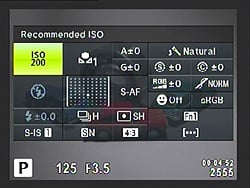
I love shooting with both the LCD monitor and the EVF, making use of the proximity sensor next to the EVF. With the Super Control Panel enabled (shown on the left), a quick press of the "OK" button brings up a big on-screen grid of all the major camera settings, giving you a quick lay of the land, as well as letting you easily adjusting all sorts of settings. Why this isn't enabled by default, I'll never know.
The last little design quirk I'd like to mention are the shoulder strap lugs. Not long after I began carrying the E-M10 around shooting, I started getting irritated at those little triangular shoulder strap rings -- particularly the one on the right side of the camera. The ring would either scrape up against my finger when gripping the camera, or I needed to make a conscious effort to move the ring out of the way. Using a strap or not, I find those lugs to be in the way, especially on my right hand. Upon mentioning this to a fellow IR employee, he retorted, "I know what you mean…I always take those things off!"

Image Quality & Performance. Since the E-M10 uses a similar (though not identical) 16MP sensor as the E-M5 and also the image processor of the E-M1, it unsurprisingly manages to produce excellent photos. I took the E-M10 around the North Atlanta area and to a local park, and the images it produced were crisp and sharp with vivid colors and great dynamic range. A lot of building shots I took were backlit by bright sun, with the faces of buildings in shadow. The E-M10 did a great job of showing shadow detail, while at the same time keeping highlights in-check. Overall, considering the E-M5 and E-M1 produce stellar results, it's no shocker that the E-M10 follows suit.

Trying some low-light indoor shots, the E-M10's higher ISO images were very nice, and I saw performance similar to that of the E-M5. Things do start to get a little soft in very fine detail areas once you hit ISO 1600 and 3200, but if you don't pixel peep, images look great, as do RAW images.

One really handy feature is the ability to set a maximum ISO sensitivity for Auto ISO. I love using Auto ISO; especially in situations where I'm in and out of varying lighting conditions, or if I'm shooting subjects that call for a certain aperture and shutter speed. You'll have to enable it manually, but you can use Auto ISO in Manual exposure mode, which is a nice touch.
As I mentioned over in my Panasonic GM1 Field Test, I'm a Canon EOS M owner. And while it's a great little camera for a number of things, what it's not great at is autofocus, even after the firmware update. It was such a refreshing experience to use a small, lightweight camera like the Olympus E-M10 with excellent, lightning-fast AF. Shooting fast-moving subjects or just swinging the camera up to get the shot, the E-M10 was quick, accurate and fun to use. I've had no issues with AF whatsoever with the camera. Although since it uses the same contrast-detect system as the E-M5, it can struggle to focus on dark, low-contrast subjects, especially if you turn off the shockingly bright orange AF assist light.

The E-M10 has also borrowed the more precisely-segmented AF point grid from the E-M1, giving you 81 total "AF points" in a 9x9 grid for really precise control over composition. Compared to the comparatively coarse 35 AF points (5x7 grid) of the E-M5, this is a definite upgrade.

I found the E-M10's expanded AF grid very useful, especially when using fast primes, as the focus-and-recompose method can often lead to out-of-focus shots at large apertures, when the plane of focus shifts after recomposing.
Like other OM-D cameras, the Olympus E-M10 also makes it super simple to adjust the AF point -- simply press a directional button on the rear of the camera. No need to hold down a function button or activate some mode, instead you just use to the directional pad to move to the AF point of your choice -- all 81 of them. I love this about the E-M10. I use single-point AF most of the time, and this behavior lets me quickly and easily adjust the focus point to fit my composition and get focus right where I want it. Plus, thanks to the EVF, I can see all this happening in the viewfinder -- just like with a DSLR -- avoiding the need to take the camera down from my eye.

Speaking of EVF, the E-M10 shares the same EVF magnification as the E-M5, and looking through it is a very similar experience. The "DSLR guy" in me appreciates having the electronic viewfinder (versus just the rear-panel LCD screen), especially when shooting with longer, heavier lenses, or when shooting at slower shutter speeds. It's not the biggest or brightest EVF out there, but I found it to be just fine -- easy to read text and no strange rainbow tearing artifacts like I've seen with other cameras. In fact, Olympus has given the EVF a little performance boost compared both the E-M5 and E-M1 with a much shorter lag time, thus making the view of the EVF more like a traditional optical viewfinder. (Lag time in this context is the delay between when something happens in the scene you're shooting, and when you see it on the EVF screen.)

The new 14-42 lens: smaller, flatter...worse? Introduced alongside the Olympus E-M10 is a new 14-42mm lens with their "EZ" electronic zooming system. One of the biggest features is that when the camera is powered off, the lens automatically retracts to a very compact, almost pancake-style size, which makes this body and lens combo even more portable.
The pictures I've taken so far with the E-M10 have primarily been with this new 14-42mm EZ lens, and over all the images look nice, with great color and sharp detail. However, I did notice an issue with flare when shooting with the sun just outside the frame. I noticed this with the standard 14-42mm II kit lens as well, though, so it's not an issue unique to the new EZ lens.


On the physical side of things, I'm personally not a fan of the EZ lens' electronic zoom, and while it's smooth and very quiet, it's still much slower than your typical "manual" zoom lens. Thankfully, Olympus does let you speed up (or slow down) the zoom speed via a menu option, but I still found the fastest setting too slow for my liking. It feels almost like a point-and-shoot, and takes away a bit of the experience of a true interchangeable lens camera.

Field Test Part III
Sports, Wildlife and Long Exposures
By William Brawley | Posted: 3/26/2014
I was fortunate to have all the stars fall into alignment and was able to test the E-M10 on a variety of subjects, that happen to be some of my favorites -- sports, wildlife and long exposures.
 |
The Olympus 12mm F2 lens gave me a fairly generous depth of field making precise focusing less critical. Also the tilting screen of the E-M10 let me easily get the shot from a cool, ground-level angle. (M.Zuiko 12mm F2: f/2, 1/1250s, ISO 1600) |
Let the games begin. I had the fantastic opportunity to photograph a local college basketball game and thought it would be the perfect chance to see how a camera like the OM-D E-M10 would handle high-speed sports photography. Traditionally, sports photography is all about the DSLR -- fast phase-detect AF, rapid-fire FPS and bright wide-aperture lenses. With the ever-improving performance of contrast-detect AF systems, plus the E-M10's 8fps burst speed and a decidedly more compact setup, I was curious to see how the new Olympus E-M10 would handle a serious sporting event.

Well, as they say, all that glitters is not gold, and with the E-M10, that's surely the case. There are good things and bad things about using the E-M10 to shoot sports, or many other fast action subjects for that matter. First, the size is great. The small E-M10 and compact Micro Four Thirds lenses are much more portable, as you already know. If you're shooting for hours on end, like at a basketball game, a smaller camera like the E-M10 is much more comfortable than a large, gripped DSLR and an f/2.8 telephoto zoom. I shot the basketball game with the E-M10 plus three Olympus fast prime lenses, and all I needed to carry was a small waist pack. No heavy, back-breaking backpack for me!

Fast FPS. The E-M10's 8fps burst mode does a nice job of capturing a sequence of action. Head over to the gallery page to view the full-res images (YP2200508.JPG - YP2200514.JPG).
Secondly, I found the 8fps Continuous High Speed burst mode plenty fast to catch an excellent frame or two, or even an entire sequence of a player going up for a shot. Of course top of the line DSLRs like the Canon 1D X and Nikon D4S can shoot at a massive 12 and 11fps, respectively, but as someone who has used a Canon 7D for sports with its 8fps continuous burst rate, the E-M10 felt plenty speedy.
However, here's where we get to the first caveat. The Olympus E-M10 can shoot at 8fps, but only without continuous AF. So, if your subject moves closer or farther away and therefore out of the plane of focus, chances are you're going to end up with a not-so-great shot (or one in-focus shot followed by a bunch of out of focus ones). If you want AF working between each shot during continuous shooting, you're left with a mere 3.5fps, which is certainly not fast enough to capture a full sequence of a basketball player rushing past.
However, a caveat to a caveat: I found the buffer to clear at a more steady pace in the 3.5fps low-speed continuous mode, and I could therefore keep on shooting more or less at a constant pace if needed. The 8fps mode shot a fast burst of 11 frames, and then continued on with a much slower frames-per-second rate as the camera tried to clear through the buffer. (I was shooting RAW+Large SuperFine JPEGs at ISOs 1600 to 2500 with a Sony 94MB/s 32GB SDHC card. Your mileage may vary.)

However I was a little confused at first between "Sequential High Speed" and "Sequential Low Speed" modes and how they related to Continuous AF. Going into this, I assumed that the 8fps and 3.5fps were simply high- and low-speed burst modes -- similar to what you get on, say, a Nikon D7100. I assumed that by simply having Continuous AF (C-AF) enabled, the camera would automatically slow the burst rate if it had to when the camera attempted to refocus between frames.
So, when I selected "Sequential High Speed" mode and C-AF, I was surprised to find the 8fp speed working like a charm. I then thought perhaps it was the dedicated "AF Tracking" focus mode that slowed the burst rate -- nope. Still 8fps. I later found out that it's not the focus mode that determines the burst speed, but the burst speed mode itself that determines if the camera focuses between each frame. In "Sequential High Speed" mode, focus is locked at the first frame (even if C-AF is selected), while in "Sequential Low Speed" mode, the camera attempts to focus between frames if C-AF is selected. Chalk this whole thing up to user error, but I can see it being a little confusing to others unfamiliar with Olympus cameras as well.
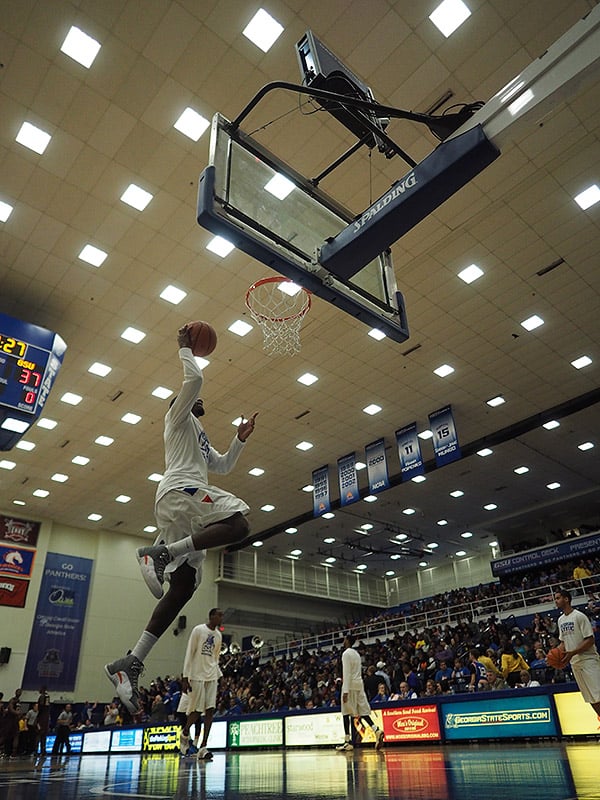
I also noticed a strange behavior with Continuous AF mode, not only when shooting sports, but also with birds and other wildlife. When shooting moving subjects or other objects that were small in the frame, such as birds, I could really see the inherent "wobble" of the E-M10's contrast-detect AF system as it continuously tried to keep the subject in focus. It was a little disconcerting at times, since I had a hard time telling if my subject was, in fact, in focus when I pressed the shutter button.
Of course, the E-M10 gives you the option of having Release Priority (RP) or Focus Priority (FP). With RP enabled, the camera will still take a shot when you press the shutter button even if the subject is not in focus, while FP mode does the opposite -- it delays taking the shot until the subject is in focus. As you might expect, with fast sports or quick-moving animals, the delay in FP mode would not be ideal and could lead to missing a shot at that perfect moment. Thankfully, the E-M10's AF speed is, in general, quick enough for most subjects I encountered, especially higher contrast subjects.
 |
|
The E-M10 paired with a long 75-300mm lens was very comfortable to use thanks to the built-in EVF. The f/6.7 aperture of the lens, however, forced me to use a high ISO in this shot, which took a toll on fine detail. (M.Zuiko 75-300mm F4.8-6.7 II: 300mm, f/6.7, 1/320s, ISO 2500)
|
Compact wildlife camera? If you've read my other reviews, you'll know that I like to shoot wildlife, and particularly in my recent Panasonic GM1 review, I attempted to use long telephoto lenses with that small camera. The experience in that case was far from ideal. The lack of an EVF was troublesome as it forces you to hold the camera out in front of you rather than up against your eye, which enhances stability and comfortable, especially with these larger, heavier lenses.
Thankfully, the Olympus E-M10 has a nice built-in EVF in a traditional DSLR-like, on-axis design. Using a long telephoto zoom lens such as the Olympus M.Zuiko 75-300mm f/4.8-6.7 II was easy and comfortable, and gave me the very familiar, DSLR-like shooting experience that I enjoy. Plus, the addition of in-body image stabilization was extremely helpful, if only to steady the shot when framing at the full 600mm-equivalent focal length. I found the body-based IS works quite well, making it much easier to get shots on small subjects like perched songbirds or other scenes off in the distance where framing with long telephoto lenses can get tricky -- minute movements of the camera can equal large changes in composition.
Despite a long 600mm-equivalent zoom lens, subjects like birds are oftentimes still quite small in the frame. As such, I found the AF system, especially when using C-AF, to be a little disconcerting, as the camera had trouble focusing on small subjects. Like I mentioned earlier in the sports section, especially when using Continuous AF, I really noticed the hunting or wobbling effect of the contrast-detect AF system as it tried to achieve and maintain focus on the subject. I found it difficult at times to tell if the subject was in crisp focus when I snapped the shot.
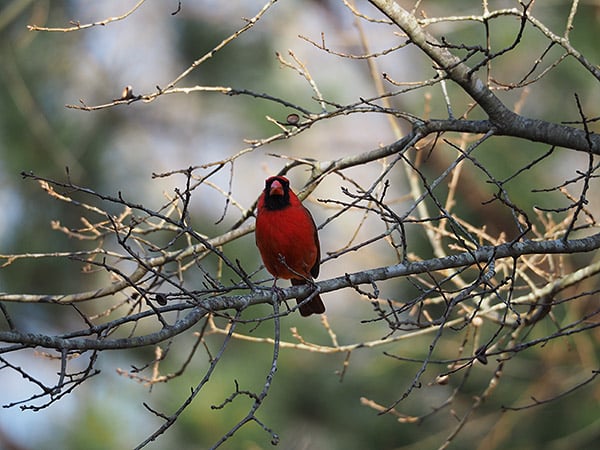

This is perhaps, not an issue with the E-M10 itself, but rather an inherent limitation of contrast-detect autofocus systems. The autofocus "points" of the E-M10 are not really points at all, but rather focus target areas, and you simply don't get the fine-grained focus point with CDAF systems that you do on straight phase-detect AF systems like in DSLRs. As such, photographing subjects like birds and other small objects can be tricky for CDAF cameras.
 |
|
Worst-case scenario? Not only was this female Cardinal pretty small in the frame, the small twigs and low-contrast coloring made it even more difficult for the contrast-detect AF system to get a crisp shot of the bird itself, yet the E-M10 still managed to focus correctly this time. (M.Zuiko 75-300mm F4.8-6.7 II: 300mm, f/6.7, 1/320s, ISO 400)
|
As I mentioned up in Part I, the E-M10 does bring the more precise grid of 81 AF areas from the E-M1, which is a solid upgrade over the E-M5. These smaller AF areas allow you to more precisely place an AF "point" over your subject.

The E-M10 takes it a step further by bringing over the "Small Target AF" option from the E-M1 (shown on the right). With this mode, the comparatively coarse 81 AF area grid is shrunken down to a much finer-grained grid, which are more akin to typical DSLR AF points. This mode makes is easier to autofocus on smaller subjects, such as birds perched in a tree, although you can still see the distinct "wobble" when using Continuous AF.
You can also magnify the display by up to 14x for an even smaller AF area, and of course there's always manual focus which supports magnification and focus peaking.

I'm seeing stars! I've realized I like shooting extremes -- fast-moving, hard-to-capture subjects, such as sports, as well as very slow-motion subjects with a more involved setup, such as long exposure shots. The Olympus E-M10 did reasonably well at capturing the fast stuff, but it makes easy work of the slow stuff, which in this case are long-exposure multi-shot star trail composite photos.
Typically, with star trail photos, you need lots of time, an intervalometer to make the camera continuously take photos periodically for a long span of time, and then lots of post-processing time stacking and combining hundreds of photos -- not to mention additional time if you want to mask in a foreground shot, perhaps done with some light-painting, for a really interesting nightscape.
I've always wanted to try my hand at creating star trail photos, and the Olympus E-M10 makes it a much simpler endeavor -- all you need is time and a tripod. And clear skies, of course. Introduced as a new feature on the E-M10, the Live Composite mode lets you build multi-shot long exposure photographs right in the camera! And you see it all happening live on-screen in real time!

The E-M10 lets you adjust the exposure time for Live Composite shots from 1/2s to 60s.
Accessed in manual exposure mode by scrolling down past Bulb Mode, Live Composite Mode takes an initial shot of the scene for noise reduction, and then a second press of the shutter button begins the live sequence of continuous shooting. Prior to shooting, you adjust the exposure time per shot, from a half-second to a long 60s shutter speed. After capturing the scene for your desired length of time, simply press the shutter button again and have the E-M10 combine all the shots into one final image. The cherry on top? It can also produce a composited RAW image, allowing for all the increased flexibility with post-processing that RAW images give you.
While I never had a great star trail scene to experiment with, I was able to test this cool new feature, and I have to say, I am impressed. It worked exactly as described. I set the camera up on a sturdy tripod, adjusted the timing, and let it capture away. Sure enough, periodically checking back on the camera, I could see star trails slowly building up on the screen. If you don't know how or don't want to spend lots of time photoshopping hundreds, possibly thousands of individual images together, the E-M10 makes it super simple to get great star trails or other long exposure shots (fireworks photos also come to mind as a possible use for this mode).
 |
With the E-M10's new Live Composite mode, you can see star trails build up on screen in real time. I used a 10s exposure time and kept the camera running for about 30 minutes. As you can see, be aware of objects like aircraft that enter the frame. (M.Zuiko 12mm F2: f/2, 10s, ISO 200) |
There are a few issues or notes worth pointing out, however. You can use Live Composite mode with either the EVF or rear LCD screen; however, one of the screens will remain powered (even if it's mostly black -- no battery-friendly OLED rear screen here like in the E-M5). So be sure to charge those batteries before setting off to shoot for very long periods of time. (There's still no word on an AC Adapter for the E-M10 like we saw with the E-M5 to let you keep the camera up and running via mains power.) Also, shooting is limited to a maximum of three hours (or however long your battery lasts), so no super-long all-night photos with the E-M10.
Also, as with other long exposure shots, be aware of vibrations and other camera shakes. It's recommended to use a remote shutter release to avoid bumping the camera. Thankfully, the built-in Wi-Fi on the E-M10 works for Live Composite mode, and I was able to use my smartphone to start and trigger the shutter. Also, be aware that if you're shooting into the open sky, you might have an unwelcome visitor or two appear in your final photo. In this case, airplanes. Clouds are another possibility.
Overall, the Olympus E-M10 did well in these little experiments, and while it won't replace a DSLR for me when shooting sports or wildlife, it's generally very speedy with excellent burst performance if you don't need continuous AF. The contrast-detect AF is excellent on all but very small and low-contrast subjects, as well. The built-in EVF is large and easy to view and makes it comfortable to use larger, longer and heavier telephoto lenses even though the E-M10 itself is quite small. Lastly, the Live Composite mode works exactly as described, giving photographers an easy way to explore the world of astrophotography and other long exposure, multi-shot compositions.
Field Test Part IV
Video Recording, Wi-Fi and Wrap-up
By William Brawley | Posted: 05/02/2014
It's time to wrap up the shooting of the Olympus E-M10, and to finish off this popular camera. I'll go over a few features not yet covered: video and Wi-Fi capabilities, as well as address some reader questions.
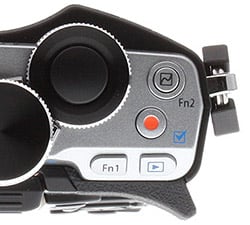
Video Recording. Unlike its Micro Four Thirds consortium "frenemy" Panasonic, Olympus really hasn't put video capabilities at the forefront of their cameras' features. Instead, they've chosen to focus primarily on still image quality and performance, and this same focus applies the E-M10 as well. However, while the E-M10's video capabilities may not pique the interest of video enthusiasts or professional videographers, the camera provides a nice, basic array of Full HD video features for the beginning videographer, or those who simply want quick, high-quality video at the press of a button.
Video recording is quite straightforward on the E-M10, with a dedicated Movie Mode for access to the complete set of movie features, and a separate movie record start/stop button offering quick access to recording in most exposure modes. Like more advanced cameras, the E-M10 has full PASM exposure controls that are changed via the slide out Live Control menu. (Note: there's no option for a Super Control Panel view in the Movie Mode, which I found a little disappointing, as I like the quick overview as well as fast access to important settings.)
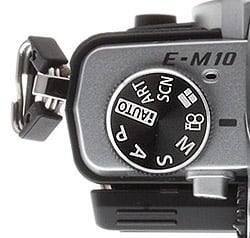
There are a couple of caveats for exposure adjustments, depending on what exposure mode you're in. For everything but full Manual exposure mode, the E-M10 defaults to Auto ISO. No exceptions. The same is true in reverse: There's no Auto ISO in Manual mode (and the base ISO is pegged at ISO 200).
Yes, you have full manual and adjustable exposure settings for video recording, but you aren't allowed to adjust any exposure settings, including ISO, while video is being recording. At first, I found this disappointing because, for instance, if you're moving from a bright to dark location or otherwise moving the camera to subjects with different exposures, you'd better be using some form of auto-exposure mode and not full manual for fear of getting blown highlights or crushed shadows. However, the lack of adjustment isn't necessarily a bad thing, as you usually don't want visually jarring exposure changes or often-noisy button or dial sounds picked up by the recording. If you're shooting in a more controlled setting, simply lock the exposure down before recording and you're good to go. Otherwise, simply pop over to a different exposure mode with Auto ISO if you know you'll be shooting in varied lighting conditions.
 |
|
In even, overcast lighting, the E-M10 shows an impressive amount of crisp detail and great colors, as seen in this frame-grab. Click for a full-res image, and watch the corresponding video below.
|
Okay, but how's the quality? The video quality was surprisingly good based on the handful of Full HD movies I shot. Compared to the very disappointing video quality of some Olympus cameras like the E-PL5 or E-PM2, Full HD .MOV files from the E-M10 are crisp and sharp, with a decent amount of fine detail for a compressed, down-sampled video. Dynamic range and colors are also very pleasing in good lighting, but high contrast scenes like those shot under very bright, direct sunlight can easily show blown highlights and very dark shadow areas.
The E-M10 also offers a couple of Motion JPEG video formats, and, frankly, I'm not sure why this option is even available in this current era. Not only are the .AVI filesizes larger than the higher resolution, Full HD .MOV files, -- the same 5-second clip in 720p MJPEG is larger than its H.264 1080p counterpart -- but the Motion JPEG videos show pretty heavy compression artifacts.

Like many modern cameras nowadays, the Olympus E-M10 offers both full-time continuous autofocus in video recording, as well as single-shot AF and, of course, manual focusing. Full-time AF worked pretty well, and seemed average to better than average for a contrast-detect AF system -- not super-fast to re-focus, but very smooth, without any wobble or hunting. While the E-M10 can be a bit slow to re-focus when zooming, especially zooming to telephoto, adequate lighting and high contrast subjects are important factors. I experienced both relatively quick, smooth re-focusing when zooming, and a noticeable delay as the camera attempted to re-calculate the focus. When zooming, the AF area is being concentrated on a smaller subject area, which might have less contrast than the previously wider-angle scene did. Overall, however, nothing jumped out at me to indicate the E-M10 struggled with continuous AF while recording video.
Video & Still Image Capture. One of our reader questions concerned the behavior of taking still photos while recording video, and the quality of the resulting images. Like many cameras these days, the E-M10 lets you do just that, and it gives you two ways to accomplish the task. By default, "mode1" in the Movie+Photo Mode setting gives priority to video recording.

If you're okay with a much lower resolution (3200x1800 @ medium quality) image in a 16:9 aspect ratio and JPEG only, this method works very well. Video recording is not interrupted and the photo capture is completely silent, so as not to interfere with the video.
With "mode2" however, photo-taking is given priority, and a full-resolution image -- or whatever image size and quality setting you have selected (even RAW, if chosen) -- is captured, at the expense of interrupted video recording. The camera also re-focuses the image prior to taking the shot (mode1 does not refocus upon half-pressing the shutter button). There's also a fairly significant delay of a few seconds while the E-M10 writes the photo(s) to the memory card and then resumes recording video. It's definitely enough time to miss a moment. (I'd say to pick "mode1", if this were a concern to you.)
Olympus E-M10: Movie+Photo Mode Comparison |
Photo Priority (aka "mode1") |
 |
16:9, 3200 x 1800 pixels |
Video Priority (aka "mode2") |
 |
4:3, 3200 x 2400, Medium (Normal) Quality JPEG |
Normal Still Photo |
 |
4:3, 3200 x 2400, Medium (Normal) Quality JPEG |
|
Despite the Olympus manual stating that "Mode1" stills are considered medium resolution/normal quality images, you can see in the 100% crops above that the photos captured in Mode1 are still lower resolution than a typical Medium-quality JPEG image shot in "Mode2" or a regular photo.
|
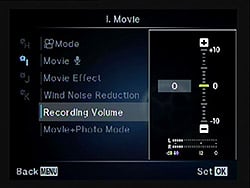
Other Video Details. Beside the disappointing lack of a microphone jack (which is typically a deal-breaker for the more advanced videographers out there) and headphone jack, the audio recording half of the video equation is pretty standard and not bad at all. You have audio adjustments with +/-10 levels and a stereo VU meter (not available on-screen while recording though), as well as an adjustable wind filter.

There are some other quirks or omissions with video recording, such as a lack of focus peaking in Movie Mode, which is available in still shooting modes when manual focus is turned on, along with a 5x-10x magnification. In Movie Mode, you get neither. Like in the stills modes, you're also given the option to display a live histogram, and the same goes for Movie Mode, but it's turned off when recording, unfortunately.
The E-M10 also includes Olympus' standard batch of "Movie Effects" that include an array of picture settings and Art filters like Sepia, Watercolor and Toy Camera, plus a couple of goofy after-image and "art-fade" gimmicks. There's also a Movie Teleconverter that provides a kind of digital zoom. There are some limitations to these various effects, such as not being able to take stills in "mode1" while the effects are enabled, or use the Movie Teleconverter setting when using one of the Art filters. There's also a risk of the video frame rate dropping with heavy effects, even more so if you use a slow memory card (Class 6 or higher is recommended, according to Olympus).

Wi-Fi. Wireless connectivity with your smart device using the OI Share app (iOS or Android) is fairly straightforward and the QR Code setup makes it even simpler in that you don't have to manually enter the camera's Wi-Fi password. For iOS, at least, scanning the codes lets you install a custom settings profile that makes this initial connection and any subsequent one a password-less affair -- simply tap on the camera's Wi-Fi network on your smart device and you're done. Once connected, simply return to the app and it's ready to go.

Using the QR code and built-in reader with the OI Share app, you can quick connect to the camera's Wi-Fi access point without manually entering the password.
With the app, you can trigger the shutter remotely, transfer images, geotag images, and edit photos from your camera roll or gallery for some reason -- I guess they want you to transfer photos first, save them to your camera's storage, then re-access them via the app. Pretty clunky. Snapping photos, though, is practically instantaneous and worked great, however I wish there was video recording control with the app. You can, however, transfer over videos from the camera to your smart device for viewing or sharing.
By default, the OI Share app is in "Remote Shutter" mode, which provides a simple remote shutter release. At first, I was not aware that live view control and other advanced functions like changing exposure settings and tapping the screen to adjust focus were available. In order to enable these features, you'll need to visit the Remote Control settings and change to "Live View" mode. [Editor's Note: Thanks to reader "t-funk" for pointing out my omission of the Live View functions of the Wi-Fi app.]

Geo-tagging takes a few steps, but since it uses your smart device's GPS, it's more reliable than some built-in GPS systems that need direct line-of-sight with clear open skies to get a proper signal. The app does the heavy-lifting with logging your location, and then you either snap photos with the camera or using the remote, then send the GPS data over to the camera for embedding into a batch of photos' metadata.
AF speed: E-M10 vs. E-M5. One of our readers, Alejandro, asked about the autofocus performance of the E-M10 compared to the E-M5. Given that both of these cameras share similar contrast-detect AF systems, I expected the performance to be quite evenly matched. Taking both cameras out for a quick side-by-side test, sure enough, both cameras were able to focus very quickly -- both indoor and out -- in single-area AF mode with a 12mm f/2 Olympus lens (which we here at IR HQ happen to have two copies of). Our lab tests confirm that these two cameras focus atmore or less the same speed, with the Single-area AF mode taking 0.234 seconds on the E-M10 and 0.277 seconds on the E-M5 (although different kit lenses were used for these tests). Overall, the other AF tests we ran were all very comparable to the E-M5, but not as fast as the hybrid, phase-detect-including E-M1.
Flash
Olympus E-M10 Flash
Flash Test Results
Coverage and Range
A weak built-in flash with narrow coverage.


Coverage. Flash coverage was quite narrow and uneven with the kit lens at wide angle (14mm), though some of the corner shading is from the lens itself. Coverage is more uniform (albeit dimmer in the above test) at full telephoto (42mm).
Exposure. In our Indoor Portrait flash test, the Olympus E-M10 underexposed our subject, even with +1.0 EV flash compensation. The camera's Slow-Sync flash mode produced much better results at +0.7 EV aided by the slower 1/6 second shutter speed, though with a stronger orange cast from the ambient room lighting.
| Flash Range: Wide Angle | |||||
|---|---|---|---|---|---|
| 6 ft | 7 ft | 8 ft | 9 ft | 10 ft | 11 ft |
 1/60 sec f3.5 ISO 200 |
 1/60 sec f3.5 ISO 200 |
 1/60 sec f3.5 ISO 200 |
 1/60 sec f3.5 ISO 200 |
 1/60 sec f3.5 ISO 200 |
 1/60 sec f3.5 ISO 200 |
| 12 ft | 13 ft | 14 ft | 15 ft | 16 ft | |
 1/60 sec f3.5 ISO 200 |
 1/60 sec f3.5 ISO 200 |
 1/60 sec f3.5 ISO 200 |
 1/60 sec f3.5 ISO 200 |
 1/60 sec f3.5 ISO 200 |
|
| Flash Range: Telephoto | |||||
|---|---|---|---|---|---|
| 6 ft | 7 ft | 8 ft | 9 ft | 10 ft | 11 ft |
 1/80 sec f5.6 ISO 200 |
 1/80 sec f5.6 ISO 200 |
 1/80 sec f5.6 ISO 200 |
 1/80 sec f5.6 ISO 200 |
 1/80 sec f5.6 ISO 200 |
 1/80 sec f5.6 ISO 200 |
| 12 ft | 13 ft | 14 ft | 15 ft | 16 ft | |
 1/80 sec f5.6 ISO 200 |
 1/80 sec f5.6 ISO 200 |
 1/80 sec f5.6 ISO 200 |
 1/80 sec f5.6 ISO 200 |
 1/80 sec f5.6 ISO 200 |
|
ISO 200 Range. Flash exposure started out a bit dim at 6 feet at wide angle, but exposure actually got a bit brighter at 7 feet, then began to fall at 8 feet and got dimmer from there on. At full telephoto, flash exposures started out quite dim and became dimmer as distance increased, so range is less than 6 feet.
| Manufacturer-Specified Flash Range | |
|---|---|
| Wide Angle | Telephoto |
 7.7 feet ISO 200 |
 4.8 feet ISO 200 |
Manufacturer Specified Flash Test. The Olympus E-M10's built-in flash has a Guide Number (GN) of 8.2 meters at ISO 200. That works out to about 7.7 feet at f/3.5 and 4.8 feet at f/5.6, the maximum aperture of the 14-42mm lens at wide angle and telephoto respectively. In the shots above (apologies for the out of focus telephoto shot), the E-M10 did not quite perform as Olympus says it will, producing slightly dim exposures at the rated distances (just under 1/4 EV underexposed at wide angle, and just over 1/3 EV underexposed at telephoto).
Our standard test method for flash range uses a fixed setting of ISO 200 (when supported), to provide a fair basis of comparison between cameras. We've now also begun shooting two shots using the manufacturer-specified camera settings, at the range the company claims for the camera, to assess the validity of the specific claims.
High ISO Noise Reduction
Olympus E-M10 High ISO Noise Reduction
The Olympus E-M10 offers four settings for noise reduction, or "Noise Filter" as the company calls it: "Off", "Low", "Standard" and "High". The user manual doesn't state at which ISO noise reduction kicks in, so we've started with ISO 100 (extended) to find out.
See for yourself how the Olympus E-M10's "Standard" and "Off" High ISO NR settings compare to RAW without noise reduction under daylight-balanced lighting. (Note that these RAW images also have no sharpening applied, so they are softer than camera JPEGs at low ISOs.) Click on any of the crops below to see the corresponding full-sized image.
| High ISO Noise Reduction Comparison Daylight-balanced illumination |
|||
|
"Standard"
|
"Off"
|
RAW (no NR)
|
|
|
I
S O 1 0 0 |
 |
 |
 |
 |
 |
 |
|
 |
 |
 |
|
|
"Standard"
|
"Off"
|
RAW (no NR)
|
|
|
I
S O 2 0 0 |
 |
 |
 |
 |
 |
 |
|
 |
 |
 |
|
|
"Standard"
|
"Off"
|
RAW (no NR)
|
|
|
I
S O 4 0 0 |
 |
 |
 |
 |
 |
 |
|
 |
 |
 |
|
|
"Standard"
|
"Off"
|
RAW (no NR)
|
|
|
I
S O 8 0 0 |
 |
 |
 |
 |
 |
 |
|
 |
 |
 |
|
|
"Standard"
|
"Off"
|
RAW (no NR)
|
|
|
I
S O 1 6 0 0 |
 |
 |
 |
 |
 |
 |
|
 |
 |
 |
|
|
"Standard"
|
"Off"
|
RAW (no NR)
|
|
|
I
S O 3 2 0 0 |
 |
 |
 |
 |
 |
 |
|
 |
 |
 |
|
|
"Standard"
|
"Off"
|
RAW (no NR)
|
|
|
I
S O 6 4 0 0 |
 |
 |
 |
 |
 |
 |
|
 |
 |
 |
|
|
"Standard"
|
"Off"
|
RAW (no NR)
|
|
|
I
S O 1 2 8 0 0 |
 |
 |
 |
 |
 |
 |
|
 |
 |
 |
|
|
"Standard"
|
"Off"
|
RAW (no NR)
|
|
|
I
S O 2 5 6 0 0 |
 |
 |
 |
 |
 |
 |
|
 |
 |
 |
|
As you can see, all E-M10 noise reduction settings apply noise suppression at all ISOs, even the "Off" setting. The "Off" setting does apply progressively less luminance noise suppression than the default, but as you can see, chroma noise is still fairly aggressively suppressed at all settings.
It's interesting to see that JPEGs at the low extended ISO 100 setting show much better detail in the red-leaf fabric than at ISO 200, a much bigger difference than the ISO 100 and 200 RAW files show. It seems Olympus is concerned with showing slightly higher chroma noise at ISO 200 versus 100 in its JPEGs.
Note that the RAW conversions were made with a release candidate of Adobe Camera Raw 8.4 with preliminary support for the E-M0, so we may replace them if final support is significantly different.
Technical Info
by Mike Tomkins
Sensor / low-pass filtering. At the heart of the Olympus E-M10 sits a 16.1 megapixel, Live MOS image sensor in the standard Four Thirds format, with around 40% less surface area than the APS-C chips used in most DSLRs and mirrorless cameras. Output images have a resolution of 4,608 x 3,456 pixels. Total resolution is 17.2 megapixels, and the sensor has a 4:3 aspect ratio.
Like quite a few interchangeable-lens cameras these days, there's no optical low-pass filter overlaid on the E-M10's sensor. That decision allows slightly higher resolution, but increases the risk of moiré and false color artifacts.
Processor. Output from the sensor is processed by a TruePic VII image processor, the same variant used in the flagship E-M1. One generation removed from the processor in the E-M5, it includes a newer-generation Fine Detail Technology II processing function which works to further reduce moiré and false color.
In its announcement of the E-M1, Olympus noted that Fine Detail Technology II's advances had allowed it to remove the optical low-pass filter altogether, and that's doubtless why the E-M10 likewise forgoes the filter. The new processor also includes adaptive routines for suppressing lateral chromatic aberration and optimizing sharpening in JPEGs, and these take account of both the lens type and aperture value in use.
Sensitivity. Together, sensor and processor yield a sensitivity range of ISO 100 - 25,600 equivalents. The ISO 100 position, however, is an extended option; the native sensitivity of the sensor is ISO 200 equivalent. There's also an auto ISO function which is normally capped at ISO 1600, but can be expanded to range as high as ISO 25,600.
Performance. The Olympus E-M10 is capable of burst shooting at a rapid eight frames per second, with the proviso that focus and exposure are locked from the first frame. Enable autofocus and autoexposure adjustment between each frame, and Olympus rates the E-M10 for a more sedate 3.5 fps when shooting with the M.ZUIKO DIGITAL ED 12-50mm F3.5-6.3 EZ lens. Burst depth is 16 raw frames at the higher rate, or 20 raw frames at the lower rate. In either case, unlimited JPEG burst depth should be possible with a sufficiently fast Secure Digital card.
Build. Although it isn't weatherproof, the E-M10 does have a solid body inheriting some tech from the flagship E-M1. The body is crafted from metal, and both front and rear control dials are likewise metal.
Lens mount / optics. As you'd expect of an Olympus mirrorless camera, the E-M10 features a Micro Four Thirds mount, and will also accept Four Thirds and many other lens types via optional adapters. Support for Four Thirds lenses isn't as good as that of the E-M1, however, because this camera lacks on-chip phase detection autofocus.
The Olympus E-M10 ships either body-only, or in a bundle with the M.Zuiko 14-42mm F3.5-5.6 II R lens. Note that this is the earlier 14-42mm design, not the newer pancake collapsing zoom.
Shake reduction. One area in which the E-M10 saves on cost -- and therefore lags higher-end Micro Four Thirds models -- is its stabilization system. Where the E-M5 and E-M1 use a five-axis stabilization system, the E-M10 is based around a three-axis system.
Although it still stabilizes all three rotational axes, it doesn't stabilize X/Y translational shift like those cameras. It also doesn't locate the motion sensor in the viewfinder housing like the earlier cameras, since that location is occupied by the flash. Instead, it's located elsewhere in the camera body.
According to Olympus, the system has a 3.5EV corrective range when shooting with the M.ZUIKO DIGITAL 14-42mm F3.5-5.6 II R kit lens.
When shooting video, the E-M10 can also use digital stabilization, providing a hybrid system with a greater corrective range.
Dust removal. The E-M10 features Olympus' patented Supersonic Wave Filter dust reduction system, seen on all of the company's interchangeable-lens cameras. It operates via a piezoelectric element which vibrates the cover glass overlying the sensor, and shakes dust particles free. They're then captured on an adhesive membrane beneath the imager. We've subjectively found piezoelectric systems like these to be significantly more effective than those using lower-frequency motion from a sensor-shift assembly.
Focusing. One of the most significant differences between the affordable Olympus E-M10 and the flagship E-M1 is to be found in the autofocus department. Where the E-M1 includes on-chip phase detection pixels, the E-M10 relies solely on contrast-detection autofocus. An AF assist illuminator is also provided.
Olympus' CDAF system, branded by the company as FAST AF, has definitely lived up to its name in past models, though, so the absence of phase-detection or a hybrid system may not be a big deal. That is, unless you're planning on mounting older Four Thirds lenses, some of which don't play terribly nicely with contrast-detection since they were never designed for the manner in which it operates.
The contrast-detection system in the Olympus E-M10 offers up an array of 81 autofocus points by default, although with small and super spot autofocus targets, a much finer-grained 800+ AF points are available. Magnification options are 5, 7, 10, or 14x.
As you'd expect, the E-M10 also offers autofocus tracking, and has a face detection function. It goes a step beyond that, however, as you can also prioritize eyes for autofocus, selecting to focus specifically on the left or right eye, or whichever is nearer to the camera.
If you prefer to focus manually, you'll be pleased to note the presence of focus peaking in the E-M10. Two peaking colors are available: white or black.
Viewfinder. The Olympus E-M10's viewfinder is very closely related to that in the E-M5. Resolution is 1,440,000 dots, equating to approximately 480,000 pixels. That's an SVGA array of 800 x 600 pixels, with each pixel comprised of separate red, green, and blue dots.
The E-M10's viewfinder has a 100% field of view, and 1.01 to 1.15x magnification, depending on the viewfinder mode. The refresh rate is 120Hz. There's a diopter adjustment dial to the left of the eyepiece with a range of -4 to +2m-1. An infrared eye sensor is provided for automatic switching between the electronic viewfinder and LCD monitor.
So what differs from the E-M5 viewfinder? The eyepoint is 20mm -- some 2mm higher than that of the E-M5 -- and the viewfinder's lag time is said to be lower than that of the E-M5 or even the E-M1, although no precise figures are yet available. The adaptive brightness technology seen in the EVF of the E-M1 is also featured here, along with a seven-level manual adjustment.
LCD. As well as the electronic viewfinder, there is of course an LCD monitor as well. With a 3.0-inch diagonal, it has a high resolution of 1,037 kdots, or 720 x 480 pixels in a 3:2-aspect array, with each pixel comprised of separate red, green, and blue dots.
Again, a +/-7 level brightness adjustment is available.
Touch. The screen also serves as an input device, courtesy of an electrostatic capacitance touch panel. Available functions for touch control include both shutter release and autofocus area selection.
Articulation. Like shooting from the hip or over your head? If so, you'll appreciate the fact that the LCD monitor is articulated. It can tilt upwards some 80 degrees, or downwards around 50 degrees. It won't be of any help for selfies, but this isn't really a camera aimed at the selfie crowd. We still prefer tilt/swivel screens, though, as they provide added versatility not just for landscape-orientation shots, but also for portrait orientation. Still, any level of articulation is a big improvement over none at all!
Metering. The Olympus E-M10 determines exposures using a 324-area Digital ESP metering system. Available metering modes also include center-weighted, spot, highlight spot, and shadow spot. The metering system has a working range of EV -2 to 20 with a 17mm f/2.8 lens at ISO 100, although the lower end is abbreviated somewhat to EV 0 if the frame rate is set to high speed.
An autoexposure lock function is available, helpful when you want to reframe after metering from a particular subject. A generous +/-5 EV of exposure compensation is available in 1/3, 1/2, or 1EV steps, but note that the E-M10's monitor and EVF only show the effects of a +/-3EV compensation at most.
Exposure modes. A generous selection of exposure modes in the Olympus E-M10 include Intelligent Auto, Program (with program shift), Aperture-priority, Shutter-priority, Manual, Bulb, Time, Scene, Art Filter, Underwater Wide / Macro, and My Set. The last option allows you to store your own custom setups.
Scene modes on offer include Portrait, e-Portrait, Landscape, Landscape + Portrait, Sport, Hand-held Starlight (composites eight images), Night scene, Night + Portrait, Children, High Key, Low Key, DIS mode, Macro, Nature Macro, Candle, Sunset, Documents, Panorama (assist only), Fireworks, Beach & Snow, Fisheye Conv., Wide Conv., Macro Conv., and 3D (requires optional Panasonic 3D lens).
Shutter. The E-M10 uses a computerized, focal-plane shutter that offers a range of shutter speeds from 60 to 1/4,000 second in either 1/3, 1/2, or 1EV steps. A Bulb mode is also available, as is a Time mode which can be set to 1, 2, 4, 8, 15, 20, 25 or 30 minutes.
No shutter life figure has been provided for the E-M10.
Flash. The Olympus E-M10 is notable as the first OM-D camera to feature a built-in flash strobe, and it's a very solid strobe indeed. It has a guide number of 19 feet (5.8m) at ISO 100, and has a 1/250 second X-sync speed.
There is, of course, also a hot shoe. External strobes are capable of sync at 1/200 second, with the exception of the FL-50R which syncs at 1/180 second. With Super FP flash, sync is possible with reduced flash output at up to 1/4,000 second.
The internal flash can also act as a wireless commander for four external strobe models: the FL-50R, FL-36R, FL-300R and FL600R. Four wireless channels and four groups are available, with the internal flash itself counting as one of those groups.
Flash exposure compensation is available within a +/-3EV range in 1/3, 1/2, or 1EV steps.
Creative. The Olympus E-M10 allows two, three, five or seven frame exposure bracketing in 0.3, 0.7, or 1.0 EV steps (except for the seven-frame mode, which allows only 0.3 or 0.7 EV steps). You can also bracket ISO sensitivity, white balance, flash, and art filter functions.
A pretty unusual feature of the E-M10 is its Live Composite function, which builds up the final exposure by capturing and combining multiple exposures, and which takes the brightest pixel from all the shots at any given pixel location. This technique retains dark shadows, unlike a purely additive technique.
The E-M10 also inherits the additive Live Bulb mode from the E-M1, in which you simply hold down the shutter button. In the viewfinder, you can see the image building up gradually throughout the exposure.
Either Live Composite or Live Bulb allow exposures from 0.5 to 60 seconds. Interestingly, Live Composite will allow you to save your final result as a raw file. If you want more control and the possibility of post-capture stacking, there's also an Interval shooting function, which can shoot frames once every one second to 24 hours, with a 999 frame limit. There's also a two-frame Multi-exposure function with auto gain control, and you can reuse an existing raw file as one of the two frames.
The E-M10 includes 12 Art Filter effects, three HDR capture modes, and the in-camera raw file processing capabilities seen in the E-M1.
Level gauge. Want to ensure you have level horizons and parallel verticals? If so, you'll find the included dual-axis electronic level handy. You can, of course, see the level gauge on either the electronic viewfinder or the LCD monitor.
Movie capture. Like the overwhelming majority of interchangeable-lens cameras these days, the Olympus E-M10 can also shoot videos. You have a choice of Full HD (1,920 x 1,080 pixels; 1080p) or HD (1,280 x 720 pixels; 720p) video using MPEG-4 AVC / H.264 compression in a .MOV container, or HD / VGA (640 x 480 pixels; 480p) video with Motion JPEG compression in a .AVI container. All are recorded at approximately 30 frames per second.
In addition, the E-M10 can record timelapse movies. These play at HD resolution, with a rate of 10 frames per second.
Full Program, Priority and Manual exposure control is possible for video capture, and you can also apply the E-M10's filter effects to your movies. And more unusually, the E-M10 lets users shoot high-quality 3,200 x 1,800 pixel still images without interrupting the video recording.
Audio capture. The Olympus E-M10 has a built-in stereo microphone, and includes a wind noise reduction function. Audio is recorded as 16-bit linear PCM with a 48kHz sampling frequency.
Wi-Fi. Like the Olympus E-M1 before it, the E-M10 sports 802.11 b/g/n Wi-Fi wireless networking connectivity.
In-camera Wi-Fi makes it easier to get your photos and videos off the camera, and onto your smartphone or tablet for sharing on social networks. Setup is a slight bugbear, though, and quite a few manufacturers have resolved this using Near Field Communications, which adds an extra radio (in some cases, a passive one) to the camera. This is great for ease of use, but it's not universally supported by smartphones and tablets (and not supported at all by Apple). It also adds to the camera's cost.
As in the E-M1, Olympus has gone its own route, taking advantage of the near-ubiquitous cameras on smart devices these days. The E-M10 shows a Quick Response code -- a type of two-dimensional barcode -- on its screen when ready to pair via Wi-Fi, and you scan this using your smart device's camera. The connection is then configured between both devices for you, automatically. If you don't have a camera on your smart device, of course, you'll need to pair manually.
Once connected, you can not only download movies or images, but also control the camera remotely. As in the E-M1, this includes a live view feed and remote shutter release.
GPS. There's no built-in GPS in the Olympus E-M10, but it does allow you to piggyback on your phone or tablet's GPS receiver for geotagging of images, a function also offered by some competitors. To be honest, though, it's one we've never found terribly useful since you have to leave power-hungry GPS running on the mobile device to capture a track log, rather than it running on the camera only as needed.
Connectivity / remote. The Olympus E-M10 offers several wired inputs and outputs. These include a multi connector that supports USB 2.0 High Speed data, NTSC / PAL standard-definition A/V output or an RM-UC1 wired remote, as well as a high-definition Micro (Type-D) HDMI video output, and a flash hot shoe. What it lacks are Olympus' proprietary Accessory Port 2, and any form of external audio input connectivity.
Storage. The E-M10 stores images and movies on Secure Digital cards. It's compatible with higher-capacity SDHC and SDXC cards, as well as higher-speed UHS-I types. At least a Class 6 card is recommended for video capture.
It also works with Eye-Fi cards, although obviously the camera has its own wireless connectivity, so there's little reason to use in-card Wi-Fi unless you already own the card. (And if you do, note that Eye-Fi's Endless Mode is not supported.)
Power. The E-M10 draws power from a proprietary BLS-5 lithium-ion battery pack. Battery life is rated at 320 shots on a charge to CIPA testing standards. That's about 30 shots less than the E-M1, which is a surprisingly modest difference given that the E-M10 includes a built-in strobe which must be used for 50% of shots to comply with the CIPA standard.
Accessories. Among the accessories available for the Olympus E-M10, one in particular stands out: the optional ECG-1 external camera grip. While it doesn't include any duplicate controls for portrait-orientation shooting, and also lacks a built-in battery, what makes it interesting is the ease with which it can be removed from the camera. Simply press a single lever and it pops right off, exposing both battery compartment and tripod socket. When you're done, it pops back on just as easily. And it adds a fair-sized handgrip that makes the E-M10 more stable in hand. With an affordable pricetag of around US$60, it's a no-brainer for E-M10 buyers.
In the Box
The Olympus E-M10 retail kit with 14-42mm lens package (as reviewed) contains the following items:
- Olympus OM-D E-M10 Camera Body (in black or two-toned black/silver)
- M.Zuiko Digital ED 14-42mm f/3.5-5.6 II R Lens (black or silver depending on camera color)
- BLS-5 Li-Ion Battery
- BCS-5 Lithium-Ion Battery Charger
- USB Cable
- Shoulder Strap
- Software CD-ROM
- Warranty Card
Recommended Accessories
- Large capacity SDHC/SDXC memory card. 16GB Class 6 should be a minimum.
- Extra BLS-5 Li-Ion Battery (~US$69)
- Olympus ECG-1 Black Camera Grip for E-M10 (~US$59)
- Small CSC/Mirrorless camera bag
Field Test Part V
Field Test Part VI
Conclusion
| Pro: | Cons: |
|---|---|
|
|
The Olympus E-M10 is a solid camera at an outstanding budget-friendly price point. For someone looking to upgrade to an interchangeable lens camera system and aren't sure if they want or need the big bulk of a DSLR, the E-M10 and the Micro Four Thirds system is an excellent choice. The E-M10 provides a low barrier of entry and opens up the expansive world of interchangeable lenses for the Micro Four Thirds ecosystem.
Performance-wise, the E-M10 is a unique camera that blends features from Olympus' flagship E-M1 camera and their first OM-D camera, the E-M5. It's got the faster image processor and higher-precision AF area grid, as well as a similar AA-filterless sensor. The E-M10 borrows the more compact size of the E-M5 -- although the E-M10 is slightly smaller -- making it an excellent go-anywhere, carry-all-the-time kind of camera.
And although it uses the slower contrast-detect AF system, the E-M10 is perfectly enjoyable and super snappy for all but the trickiest subjects like fast-paced sports or wildlife where a DSLR's phase-detect AF system would be preferable. If you're a street, travel or landscape photographer, the E-M10 is a perfectly capable camera with great performance and fantastic image quality with the ability to capture sharp, crisply detailed photos with excellent dynamic range for its class of camera.
Of course, there are a few trade-offs. Some are necessary to presumably lower the price or differentiate the E-M10 from the other OM-D cameras, but some are typical Olympus quirks like odd and confusing menu system conventions and leaving more advanced features disabled by default, like the highest quality JPEG format and the Super Control Panel. While the E-M10 borrows the higher-precision AF area grid from the E-M1, it doesn't share its hybrid phase-detect AF system, so the E-M10 can struggle to focus on low-contrast, fast-moving, or very small subjects like birds. Also, the E-M10 lacks the weather sealing of its higher-priced siblings. The E-M10 also lacks more advanced video-specific features like an external microphone jack, though, to be fair the E-M5 lacks this as well. And while the E-M10 offers a choice of H.264 or Motion JPEG video formats, the MJPEG quality leaves a lot to be desired and is not available in Full HD.
The E-M10 is packed with other niceties such as vastly improved HD video quality compared to Olympus' other entry-level interchangeable lens cameras, built-in Wi-Fi and a raft of customizable functions, dials and buttons. All in all, the positives vastly outweigh the negatives for this compact system camera. The Olympus E-M10 is not only well-suited for entry-level photographers just stepping into the world of interchangeable lenses, but also more advanced shooters who want vast customization and the ability to tweak a camera to suit their shooting style. When Olympus stated that the E-M10 is the "OM-D camera for all," they were right. So, unsurprisingly, this bad boy is an easy Dave's Pick.
Like what you see? Support Imaging Resource and place your order with one of our trusted affiliates now::
- Olympus E-M10 body-only (black): ADORAMA | AMAZON | B&H
- Olympus E-M10 body-only (silver): ADORAMA | AMAZON | B&H
- Olympus E-M10 with 14-42mm II R lens (black): ADORAMA | AMAZON | B&H
- Olympus E-M10 with 14-42mm II R lens (silver): ADORAMA | AMAZON | B&H
Follow Imaging-Resource.com on Twitter!
Pros
- Great image quality especially from RAW files
- Excellent dynamic range for a Four Thirds sensor
- Very good high ISO performance
- Realistic colors and excellent hue accuracy
- Built-in Wi-Fi with remote control and sharing features
- Improved HD video
- Lightweight and very portable
- Built-in pop-up flash
- Minimal EVF lag time.
Cons
- Contrast-Detect AF struggles with small and low-contrast subjects
- Mediocre battery life
- No external microphone or headphone jack
- Mediocre burst speed with continuous AF
- No weather sealing
- Heavy-handed high ISO noise reduction.