

Overview

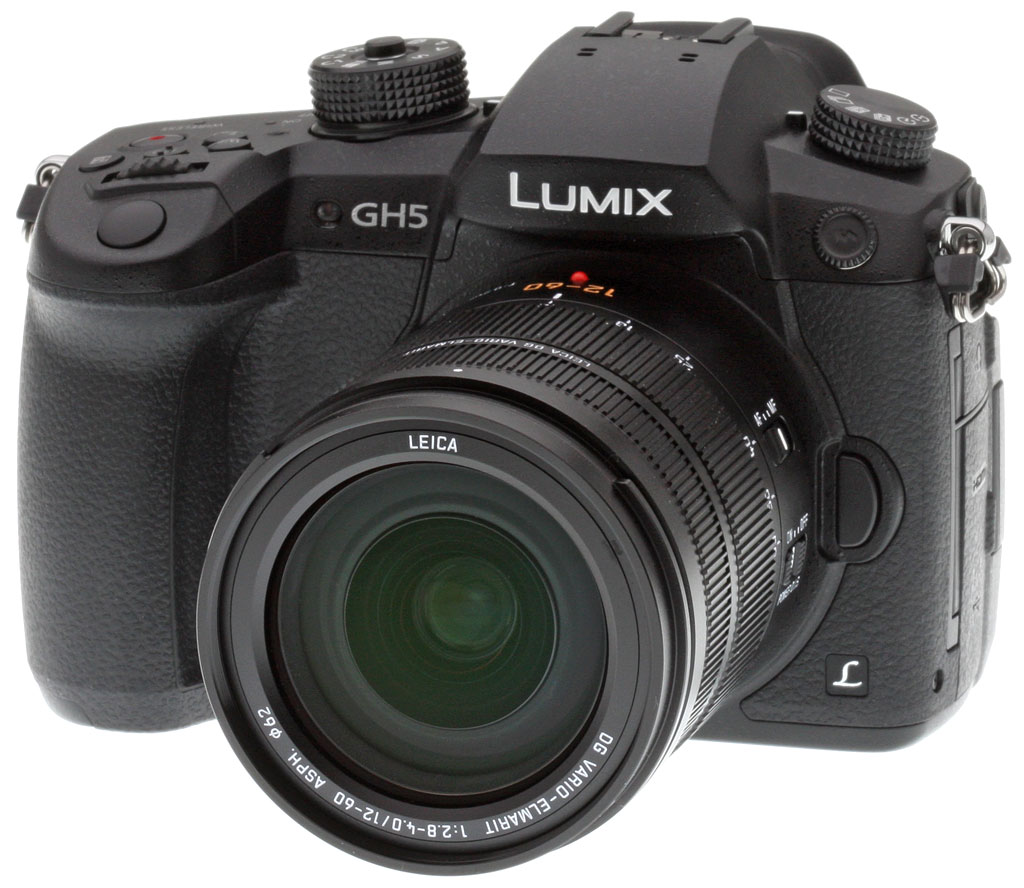
Take a quick glance at the exterior of the GH5, and you'll find a camera which looks a whole lot like its predecessor. Crafted from magnesium alloy, the GH5's body is sealed against both dust and moisture, just as was the GH4. However, it's now even more capable of dealing with the elements thanks to the addition of freezeproofing to the roster, allowing use in temperatures as low as 14°F (-10°C).
The GH5 forgoes a consumer-friendly built-in flash
Almost all of the GH5's main controls and features are to be found in roughly the same places as on the GH4, although there are a couple of tweaks here and there, as well as a couple of new additions. Most notably, there's no longer a built-in flash strobe, a feature often looked down on by enthusiasts and pros who favor the more natural look possible with external strobes, preferably mounted off-camera.
That change also means that there's now no need for the dedicated flash button which sat on the side of the viewfinder in the earlier GH4. At the same time, Panasonic has also moved the dedicated movie shutter button from the rear of the camera to the top deck, a much more intuitive location in our opinion, and has relocated the stereo microphone ports to the top of the viewfinder hump.

The space freed up by the relocated movie button has been used to add a new joystick control, a change which hints at improvements in the autofocus system which we'll come to in a moment. Other changes of note in the body design include a chunkier, easier-to-feel four-way control dial, and a relocation of the speaker grille.
There's no secret that Micro Four Thirds cameras have lagged behind their APS-C and full-frame brethren when it comes to sensor resolution. Courtesy of the overhauled imaging pipeline in the GH5, Panasonic looks to address the perception that the smaller sensor size of Micro Four Thirds comes accompanied by lesser image quality than larger-sensored rivals. Thanks to a brand-new image sensor and processor, the company is promising image quality which it says is "unprecedented ... in the history of Lumix cameras", and indeed, the GH5 produces some of the best JPEG images we've seen from Panasonic.
In place of the GH4's 16-megapixel image sensor, the GH5 now sports a brand-new 20.3-megapixel Live MOS chip, and to help make the most of its detail-gathering capabilities, it no longer sits behind a resolution-sapping optical low-pass filter. Without that filter in the way, per-pixel sharpness has been improved, though at the expense of a greater risk of moiré, jaggies and false color artifacts.

The GH5's new processor is more powerful and brings with it refined algorithms
The new sensor comes accompanied by a new Venus Engine image processor which has two-thirds greater power than that in the GH4, and which also brings with it a huge raft of tweaks to processing algorithms for better image quality. Among the algorithm's used by the GH5 are Multipixel Luminance Generation, Intelligent Detail Processing, Three-Dimensional Color Control and High-Precision Multi Process NR.
So what do all of these algorithms do, exactly? Well, Multipixel Luminance Generation is a refined demosaicing algorithm which now looks at a larger six-by-six pixel array when demosaicing information from the Bayer-filtered image sensor, where the GH4's equivalent algorithm only used information from a two-by-two pixel array. The result, says Panasonic, is better high-frequency characteristics and an improved high-frequency detail gathering capability.
Intelligent Detail Processing, meanwhile, separates the overall image into areas which are mostly flat, areas which are packed with fine detail, and areas which mark the boundaries between the two. Each is processed separately, and the result is that images should show less prominent haloes along edges.

And then there is High-Precision Multi Process NR which is a noise reduction algorithm that is better able to detect fine details, and thus can better avoid disturbing them during noise reduction processing. The result, says Panasonic, is a 4x improvement in resolution after noise processing, when compared to conventional multi-process noise reduction.
Finally, there's Three-Dimensional Color Control, which now considers not only hue and saturation, but also brightness. Essentially, the camera uses different color mappings for the brightest and darkest colors, and then interpolates between them to provide more authentic color and finer gradation as brightness varies across the image.

The GH5 boasts smarter, faster, much more fine-grained autofocus
The added performance of the GH5's new Venus Engine image processor doubtless lends a hand in the autofocus performance department, as well. Here, Panasonic has made a huge upgrade in the granularity of autofocus points, with the GH5 now sporting a whopping 225 autofocus points where the GH4 had just 49 of them.
Yet despite the fact that it now has around 4.6 times as many focus points to deal with as did its predecessor, the GH5 is said to be able to focus even faster than before. Where the GH4 could determine a focus lock in 0.07 seconds, the company says that the GH5 will now be able to do so in just 0.05 seconds, thanks in part to a faster 480fps AF drive system.
Autofocus tracking performance is also much improved by combining motion detection, motion vector analysis as well as a new and much improved DFD (Depth From Defocus) algorithm to more accurately predict the distance of a moving subject at time of capture.

And that added performance shows itself in another way, as well. While the GH5 offers up the same 12 frames per second burst capture performance as did the GH4 when focus is locked from the first frame, the newer camera is significantly quicker than its predecessor once continuous autofocus is enabled. Panasonic rated the GH4 as capable of around seven frames per second when continuous AF was active, whereas it says the new GH5 should be able to manage a full nine frames per second. That's an improvement of almost one-third despite the 4.6x increase in point density.

And while the burst performance hasn't been increased if you're using single autofocus, there's still another related improvement that will be handy to both single and continuous AF bursts: Much greater buffer depths. In our lab testing, both the GH4 and GH5 had an essentially limitless buffer when shooting just best-quality JPEGs, however the RAW buffer increased more than threefold, from 21 to 65 frames, and from 21 to 63 frames for RAW+JPEG frames. See our Performance page for details.
If that's not enough performance for you, the GH5 has a couple of clever tricks up its sleeve. We've covered the company's 4K Photo mode in past reviews, and it makes another appearance here -- but with an important upgrade. If you're not familiar with 4K Photo mode, in a nutshell what it does is to record a movie rather than individual stills, and then let you extract individual frames from the movie to get fairly high-res 8.3-megapixel stills. And as you'd expect, the GH5 can also use a series of frames captured at high speed to perform functions such as in-camera post focus, and in-camera focus stacking.

In past models, 4K Photo mode was limited to 30 frames-per-second capture, because that was the maximum 4K framerate available. Now, the GH5 is able to offer 4K capture at up to 60 frames per second, and that means 4K Photo mode can now also offer up to 60 frames-per-second capture at 8.3 megapixel resolution. And as if that wasn't enough, the GH5 has another feather in its cap: A new 6K Photo mode. This offers a much higher 18-megapixel resolution for each individual frame, and yet still allows for 30 frames per second capture.
In past models, one drawback of 4K Photo mode was that it relied on an electronic shutter, and hence was prone to rolling shutter effect. That manifested itself as distortion in the very same fast-moving subjects that 4K Photo was otherwise ideally suited to capture. According to Panasonic, though, it has reduced the severity of rolling shutter in the GH5 both for stills captured with electronic shutter, and for movies as well.
In addition, the Lumix GH5 can perform effective multi-frame noise reduction even when there is subject motion, and by analyzing surrounding frames, it can even perform rolling shutter distortion correction when panning without changing the angle of view.

These improvements make 4K and 6K Photo modes on the Panasonic GH5 more useful than ever.
The GH5 boasts even better stabilization, too
Image stabilization is yet another area in which the GH5 has been significantly improved, when compared to its predecessor. The earlier GH4 relied solely on lens-based image stabilization, even though the earlier and more compact GX7 model included in-body stabilization.
The reason for this, according to Panasonic, was the large heat sink necessary to cool the GH4 during high-speed burst shooting and 4K video capture. It would seem that the company has now managed to reduce thermal output and/or come up with a more lightweight cooling system that's conducive to in-body stabilization, though, because the GH5 now sports the company's latest-generation Dual I.S. 2 image stabilization system.

Dual I.S. 2 was seen previously in the Panasonic G85, and compared to the earlier Dual I.S. system adds support for rotational correction. The system pairs both five-axis in-body stabilization with dual-axis in-lens stabilization, and is said to have a five-stop corrective strength courtesy of a new high-precision gyro sensor and updated algorithms.
The advantage of the hybrid body / lens stabilization system over a solely lens-based system is that it can stabilize on more axes and works with any lens which can be attached to the camera. At the same time, it bests solely body-based systems thanks to the greater corrective strength of lens-based stabilization at longer focal lengths. Seven lenses already support the system, with a couple of them needing firmware updates to achieve it. (The recently announced LEICA DG VARIO-ELMARIT 12-60mm F2.8-4.0 POWER OIS and the 4 refreshed mark II lenses mentioned here will support Dual I.S. 2 out of the gate. The older LUMIX G VARIO 12-60mm F3.5-5.6 POWER OIS and the LUMIX G VARIO 14-140mm F3.5-5.6 POWER OIS need firmware updates.) Five more lens models will get updates to provide Dual I.S. 2 support during 2017. (Those are the: LUMIX G VARIO 12-32mm F3.5-5.6 MEGA OIS, LUMIX G VARIO 35-100mm F4.0-5.6 MEGA OIS, LEICA DG VARIO-ELMAR 100-400mm F4.0-6.3 POWER OIS, LUMIX G MACRO 30mm F2.8 MEGA OIS, and LEICA DG NOCTICRON 42.5mm F1.2 POWER OIS.)

Returning to its exterior, the GH5 brings with it a couple more very worthwhile upgrades in the viewfinder and display departments. Firstly, it offers up a much larger and higher-resolution electronic viewfinder image. While retaining the same 21mm eyepoint as in the GH4, Panasonic has upped the viewfinder magnification from 0.67x to 0.76x. It has also increased the dot count of the organic LED panel around which the viewfinder is based from 2,359k dots to 3,680k dots.
At the same time, Panasonic has also switched to a larger display on the rear of the GH5. In place of the GH4's 3.0-inch, 1,036k dot display, the GH5 now offers up a 3.2-inch, 1,620k dot display. The increase in dot count isn't entirely down to a resolution boost, however. Panasonic has also taken the opportunity to switch to a four dots per pixel display with red, green, blue and white pixels, in place of the earlier three dot per pixel (red, green and blue) display type. The new RGBW display allows for a brighter image and better visibility outdoors under direct sunlight, and reduced power consumption when shooting indoors or in lower-light conditions.

With a little more space now available on its larger 3.2-inch monitor and in its roomier electronic viewfinder, Panasonic has simultaneously revisited its user interface. The basic design is still pretty similar to before, with tabs down the left side of the screen to take you to different sections of the menu, and then a paged display of the items in the current menu taking up the remainder of the screen.
So what's changed? Well, for one thing the menu system now has a cleaner, more modern feel that does away with the colored bars between menu items and the gradients on the tab icons, and which tightens up the spacing of elements to reduce wasted screen real-estate. Coupled with the larger screen size which allows for slightly smaller fonts while remaining readable, this has allowed Panasonic to increase the number of menu items visible on-screen from five to eight, significantly reducing the number of pages required for each menu.
At the same time, the company has also added a more intuitive scroll bar display at screen right which gives a quick indication of where you're located in any given menu, without the need to parse the page number display of earlier models. (That page number still remains at top right of the screen if you need it, though.) And there's also now both a new entry point to the custom settings menu which offers a categorized listing of top-level options, plus a new 23-item My Menu.

As if that wasn't already enough, there's also a new popup display which appears when you attempt to access items in the menu which are grayed out. This popup will explain why you can't access the given item, and thus should hopefully reduce the frustration of learning an unfamiliar user interface if you're switching from another camera brand or a less complex camera model.
The 2016 holiday season might be behind us now, but that hasn't stopped Panasonic from showering videographers in a deluge of goodies. The GH4 was already very popular with videographers, and we're guessing that the GH5 will be even more so. In fact, there are so many changes in this area that it's kind of hard to decide where to start discussing it all!
Beginning from the basics, the GH5 is capable of recording 10-bit 4:2:2 DCI 4K (4,096 x 2,160 pixels) and consumer 4K (3,840 x 2,160 pixels) footage with a 150Mbps bitrate, right out of the box. Frame rates are 24, 25 or 30 frames per second for consumer 4K, and are fixed at 24 fps for Cinema 4K. It can also record at a higher 50 or 60 fps rate if you opt instead for 8-bit 4:2:0 consumer 4K footage. And of course, Full HD (1,920 x 1,080 pixel) high-def capture is also possible.
Best of all, there is no focal length crop or time limit associated with video capture in any mode. Regardless of your resolution, frame rate and compression choices, you'll be able to shoot video for as long as you have remaining card space, and your video will only be cropped to match the aspect ratio of the final output video, using the full image sensor width.

But that's only the beginning. With the GH5, Panasonic is taking the rather unusual step of announcing even before the camera reaches the market that it is preparing some feature upgrades via firmware that's slated to arrive by the summer.
Among the changes on offer in this new firmware will be support for 4K capture with All-I intraframe compression instead of the default IPB interframe compression. 4K All-I capture will be possible at 24, 25 or 30 fps with a 400Mbps bitrate, and should offer higher image quality at the expense of significantly larger file sizes.
Videographers shooting at Full HD resolution will also gain access to All-I compression, but with a 200Mbps bitrate and frame rate options of 60, 50, 30, 25 or 24 fps. They'll also get access to 10-bit 4:2:2 IPB-compressed video with a 100Mbps bitrate at these same frame rates.
The new firmware will also add support for hybrid log gamma for 4K HDR video capture, as well as anamorphic 6K 24p 4:3-aspect video capture. Multiple updates will be involved, with the first adding 10-bit 4:2:2 Full HD footage and anamorphic 4K already released on April 24, and the second including the All-I, hybrid log and other features to follow in July 2017.
And that's not even the half of it. There are plenty of other new features on the video front, as well. For one thing, where the GH4 didn't allow in-camera recording at all if you were outputting a 10-bit feed to an external recorder, the GH5 is capable of outputting a 10-bit 4:2:2 signal via HDMI and recording it internally at the same time.

The GH5 also offers a broader range of Variable Frame Rate options than its predecessor for slow-motion and quick-motion capture. Where the GH4 was limited to a maximum of 96 frames per second capture and a maximum resolution of Full HD in VFR mode, the GH5 will now capture Full HD video at up to 180 frames per second maximum in VFR mode. And even in 4K mode, it can record at up to 60 fps maximum, as noted previously. As in the earlier camera, the other end of the range has a limit of 2 fps capture.
Nor is that all, either. For one thing, there's a clever new Focus Transition tool which allows you to set up to three predefined focus points to rack towards, then have the camera automatically and smoothly shift the focus between those points at a constant speed. You can select the speed at which focus is racked in five steps, and can decide whether the camera should start the focus transition immediately that recording begins, or with a five or ten second delay.
There's also a new waveform monitor display function which can either show a wave or vector display of video luminance over time, something which should prove handy when setting up multiple cameras to achieve a consistent look. And Panasonic has added a new Rec. 709-like gamma curve complete with automatic or manual knee control. (Under manual control, the knee point can be set to 80 - 107%, and the slope curve between 0 and 99.)
You can also select the luminance level for 10-bit capture (0-1023, 64-940 or 64-1023 options), and with the optional DMW-SFU1 software key, you can enable V-LogL recording to mimic a Cineon gamma curve, complete with a V-LogL View Assist function to display up to four sets of LUT data from the installed SD card. Plus of course features like rec control, time code, zebra patterns, black level adjustment and the like are also supported.
And as mentioned previously, a high-res anamorphic mode and hybrid log gamma for HDR video are also on the way. Like we said, there's a whole lot on offer here for videographers!

Another feature which some videographers are certainly going to appreciate is the GH5's new built-in microphone. Rehomed from the top of the viewfinder bezel to the top of the viewfinder hump, the updated microphone is said to offer a 10dB improvement in its wind noise reduction capability. It also has a new noise reference microphone which is used to simply subtract noise from lens zoom operation rather than simply trying to detect and filter it in software.

Of course, just as in its predecessor the GH5 also supports 3.5mm external stereo microphones and headphones right out of the box. And should you prefer higher-quality gear, you can also attach mics using an XLR interface with Panasonic's optional hot-shoe powered DMW-XLR1 microphone adapter.
This has two XLR terminals plus a shoe mount on its top surface on which a mic holder, LED light or similar accessory can be mounted. XLR audio is recorded at 48 or 96KHz with a 16 or 24-bit depth, and a clear cover over the controls guards against accidental changes while allowing for quick visual confirmation of setup.
Unfortunately for those who bought the DMW-YAGH interface kit for their Panasonic GH4, this can't be mounted on the GH5's newly-designed body, so if you need XLR inputs you'll need to buy the newer accessory.
Also new to the GH5 are its storage and connectivity options, both wired and wireless. We'll get to the latter in a moment; let's check out what's new in storage first of all.

The great news here is that Panasonic now includes two SD card slots in the GH5, up from one in the earlier GH4. The even better news is that both slots are UHS-II U3 compliant. In plain English, what this means is that both slots support the extra pins required for high-speed UHS-II cards, and that they're also capable of a minimum sustained write speed of 30MB/second. Of course, like most any camera these days, the higher-capacity SDHC and SDXC card types are also supported.
The two slots can be used in several ways, all but one of which we've seen before. You can either use the secondary slot as an overflow for when the card in the primary slot runs out of room, or you can have all files written to both cards simultaneously as a backup in case of card failure, or finally you can choose which file types are saved on which flash slot.
Where things get really interesting, though, is that Panasonic says the GH5 allows hot-swapping of flash cards. What does that mean? Well, firstly we need to remember that the GH5 is unusual in allowing recording of videos without a predefined time limit. Most cameras limit video capture to 30 minutes or less to avoid a European tax, even if the individual camera itself is not being sold in Europe. And when the first flash card fills up, the GH5 can also seamlessly switch to recording the video anew on the overflow slot.
But what happens when the second card fills? Ordinarily, the answer would be that your video capture session has reached its end -- but not with the GH5! Instead, once you've run out of room on the first card and the camera switches to the secondary one, you can then eject the first card and replace it with a different one (or if you prefer, copy the data off and format it ready for reuse). Then pop the card back in, and it now becomes the overflow card once the other one runs out of room.
With this setup, you can effectively record video internally without any time or storage limits, for as long as the camera itself has power remaining. Plug it into mains power and you can keep going for as long as someone's awake to keep swapping cards in and out of the camera!

Speaking of power, default battery life is one area where the GH4 bests it successor despite having a built-in flash, though this is not a surprise given the GH5's higher performance and IBIS. Using the same DMW-BLF19 7.2V 1860mAh lithium-ion battery pack as the GH4, the GH5's battery life is CIPA-rated at between 380 and 400 shots with the EVF depending on which lens is used, while battery life with the LCD monitor is rated at 400 to 410 shots per charge. The GH4's battery life was CIPA-rated at 500 shots using the EVF and 530 shots using the LCD monitor, and that's with 50% of shots taken with its built-in flash enabled.
But there is some very good news in this regard: the Lumix GH5 has a new "Power Save LVF" mode which can increase battery life up to 1,000 shots per charge by automatically putting the camera into sleep mode after detecting the eye has moved away from EVF's eye sensor.
And of course the new, optional DMW-BGGH5 battery grip which is also splash/dust/freeze-proof can double battery life with a second battery, theoretically providing up to a whopping 2,000 shots per charge when combined with the new power save mode.
The camera ships with a single DMW-BLF19 battery pack and a DMW-BTC10 dedicated battery charger, and in-camera charging is not supported. The GH5 is also compatible with the same DC coupler the GH4 used.

So what of wired connectivity? Here, too, the GH5 has been the recipient of a significant redesign. In place of the USB 2.0 High Speed data connection of its predecessor, the GH5 now sports a much faster USB 3.1 SuperSpeed data connection using a reversible USB-C cable.
There's also an HDMI port, and interestingly it forgoes the tiny HDMI Type-D micro connector which is found on most devices these days in favor of the original HDMI Type-A connector which is still commonplace in professional video editing. And as mentioned previously, it can now be used to record 10-bit 4:2:2 video to an external device (with the exception of high framerate 4K video) while also simultaneously recording to the flash card in the camera. Another nice touch is that an HDMI cable lock is included in the product bundle.
Other wired connectivity includes the aforementioned 3.5mm microphone and headphone jacks, a 2.5mm wired remote input, a flash sync terminal and a hot shoe on the camera's top deck.

Wireless connectivity, meanwhile, has also received a complete overhaul for the GH5. In place of its predecessor's 2.4GHz 802.11n Wi-Fi connectivity, the GH5 now sports 2.4GHz and 5GHz Wi-Fi radios compatible with the newer, higher-speed 802.11ac standard. (Panasonic does note, however, that support for the 5GHz band may not be available in all countries.)
At the same time, the company has also dropped the built-in NFC radio featured in the earlier GH4, which was used for quick-and-easy pairing with Android devices. iOS devices couldn't use this feature anyway since Apple doesn't allow third-party use of the NFC radio in its newer devices, so iPhone users won't miss this feature in the least. It's a bit of a shame for Android users, however -- but the addition of low-power Bluetooth LE connectivity in its place will likely more than make up for it.
The new Bluetooth 4.2 LE radio allows for a full-time connection, functioning something like Nikon's rival SnapBridge technology. Both camera and smart device can communicate with each other at all times via this connection, albeit with relatively limited speed and range. But when more speed or range are needed, the Bluetooth connection can then be used to silently and seamlessly establish a faster, further-ranging Wi-Fi connection, all without the user needing to lift a finger.

And the Bluetooth connection can also be used to piggyback off your phone's GPS receiver to geotag images, remotely wake the camera if it goes to sleep, or to copy settings between multiple camera bodies via your smartphone.
For the most part, the GH5 is otherwise quite similar to the camera in whose footsteps it follows. Its sensitivity range of ISO 200 to 25,600-equivalents with the ability to extend the lower end to ISO 100-equivalent, for example, is identical to the earlier camera. So, too, are its mechanical shutter speed range of 1/8,000 to 60 seconds plus bulb, and its rated shutter life of 200,000 cycles. The electronic shutter however now has a top speed of 1/16,000 seconds and there is a new electronic front curtain feature with a top speed of 1/2,000 seconds.
The bulb mode, though, is now limited to 30 minutes in the GH5, where the GH4 could shoot an exposure as long as 60 minutes. It's not unusual to see feature subtractions in a new model, but there are relatively few of these in the GH5, the remainder of which we've already mentioned. As noted previously, there's no longer a built-in flash strobe, and nor is there a near-field communications radio for use with Android devices. Finally, you won't be able to use your portrait grip or XLR accessories from the Panasonic GH4, with new variants of both optionally needed due to the GH5's redesigned body.

Panasonic GH5 price and availability
The Panasonic Lumix DC-GH5 began shipping in late March 2017. The GH5 is officially sold body-only in the US priced at US$2,000 or thereabouts, however various kits and bundles are on offer depending on the retailer and region.
- - -
B&H hosted a special GH5 livestream featuring filmmakers and photographers including Jacki Huntington, Griffin Hammond, David Flores, Lok Cheung and Panasonic LUMIX team member Sean Robinson. Watch a replay of the stream below:
- - -
In the Box
The Panasonic GH5 retail package (as reviewed) contains the following items:
- Panasonic Lumix DC-GH5 body
- 7.2V 1860mAh Lithium-ion battery pack
- Battery charger with AC cable
- Body cap
- Eye cup
- Hot shoe cover
- Sync socket cap
- Battery grip connector cover
- USB cable
- Cable holder
- Shoulder strap
Recommended Accessories
- Large capacity SDHC/SDXC memory card. (The GH5 is compatible with UHS-I and UHS-II UHS Speed Class 3 SDHC/SDXC cards.)
- Extra battery pack DMW-BLF19 (~US$60)
- Battery Grip DMW-BGGH5 (~US$350)
- XLR Microphone Adapter DMW-XLR1 (~US$400)
- AC Adapter DMW-AC10 (~US$100)
- DC Coupler DMW-DCC12 (~US$30)
- Video LED Light VW-LED1 (~US$140)
- External Flash DMW-FL580L (~US$500)
- Small to medium DSLR/mirrorless bag
Optics
The Panasonic GH5 does not normally ship with a standard kit lens, so we do not have any kit lens test results to share.
See below for our viewfinder accuracy test results.
Viewfinder Test Results
Accuracy
Excellent accuracy from the electronic viewfinder and LCD monitor.


The Panasonic GH5's electronic viewfinder and LCD monitor both proved quite accurate in record mode, showing essentially 100% coverage with our low-distortion Olympus 50mm f/2 reference lens. Excellent results here.
The images above were taken from our standardized test shots. For a collection of more pictorial photos, see our Panasonic Lumix DC-GH5 Photo Gallery .
Exposure
Color
Saturation & Hue Accuracy
Slightly higher than average mean saturation levels, with slightly better than average mean hue accuracy.
 |
||
|
ISO Sensitivity
|
||
|
In the diagram above, the squares show the original color, and the circles show the color that the camera captured. More saturated colors are located toward the periphery of the graph. Hue changes as you travel around the center. Thus, hue-accurate, highly saturated colors appear as lines radiating from the center. Mouse over the links to compare results at different ISOs, and click on the links for larger images.
|
||
Saturation. The Panasonic GH5 produces images with slightly higher mean saturation compared to most cameras at default settings. Mean saturation is 113.1% (13.1% oversaturated) at the base ISO of 200 and 113.6% at extended low ISO 100, which gradually falls to a minimum of 110.2% at ISO 12,800. The Lumix GH5 pushes dark red, dark orange, dark green and dark blues moderately, and most other colors a little, but undersaturates yellow, aqua and cyan slightly. Colors are nice and vibrant even at high ISOs, a noticeable improvement over its predecessor. Most consumer digital cameras produce color that's more highly saturated (more intense) than found in the original subjects. This is simply because most people like their color a bit brighter than life.
Skin tones. Here, the Panasonic GH5 does well, producing natural-looking Caucasian skin tones with just a slight push towards pink when Auto or Manual white balance is used in simulated daylight, giving a healthy appearance that's not overdone. Where oversaturation is most problematic is on Caucasian skin tones, as it's very easy for these "memory colors" to be seen as too bright, too pink, too yellow, etc.
Hue. The Panasonic GH5 shifts orange toward yellow, yellow toward green, and cyan toward blue, but not as much as some prior modes, and the yellow to green shift along with the desaturation is quite minor; a noticeable and welcome improvement over the GH4. The GH5's mean "delta-C" color error after correction for saturation is 4.51 for JPEGs at base ISO. That's a bit better than average these days, and color error remains fairly stable throughout the ISO range. Overall, the GH5's color rendering is a nice improvement over the GH4's. Hue is "what color" the color is.


Sensor
Exposure and White Balance
Indoors, incandescent lighting
Warm colors with default Auto white balance and very warm colors with the Incandescent white balance setting. Good color balance with the new AWBc setting and very good with Manual white balance. Average positive exposure compensation required.


Indoors, under typical incandescent lighting, color balance is a little warm and reddish with the default Auto white balance setting (AWB), but the GH5 actually does better than most cameras. The GH5 also offers a new AWBc setting said to suppress reddish tones in incandescent lighting. It was a bit cool and magenta in our test, but better than the default Auto setting. Results with the Incandescent setting were very warm, with a strong orange-yellow cast. The Manual setting produced the most accurate results, though slightly cool. The Panasonic GH5 required +0.3 EV exposure compensation here, about average for this shot. (Our test lighting for this shot is a mixture of 60 and 100 watt household incandescent bulbs, a pretty yellow light source, but a very common one in typical home settings here in the U.S.)
Outdoors, daylight
Sorry, the weather has not cooperated for our usual "Far-field" outdoor shots, so we will fill this section in once we've had a chance to shoot them.
See full set of test images with explanations
See thumbnails of all test and gallery images
Resolution
~2,700 to ~2,750 lines of strong detail.



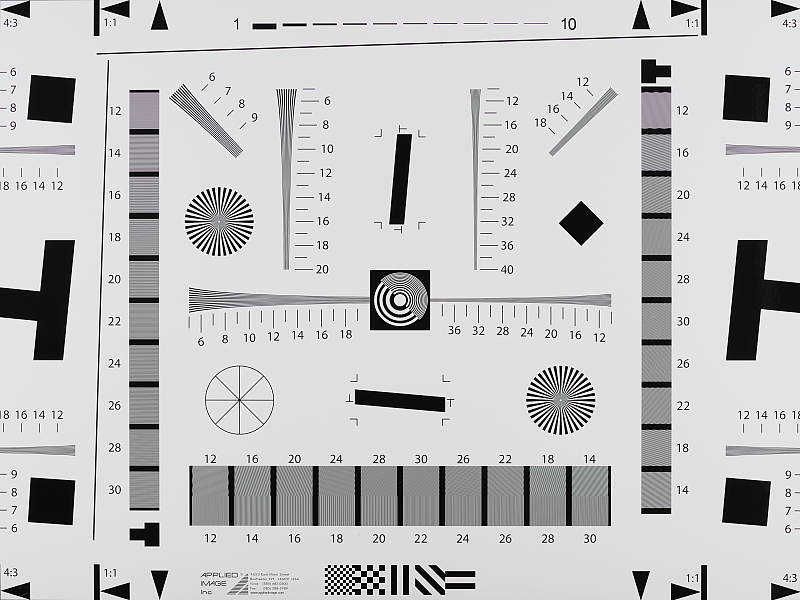
An in-camera best quality JPEG of our laboratory resolution chart reveals sharp, distinct line patterns up to about 2,750 lines per picture height horizontally, and to about 2,700 lines in the vertical direction. (Some might argue for higher, but aliasing artifacts start to interfere and lines begin to merge at these limits.) Complete extinction of the pattern occurs between 3,700 lines and 3,800 lines. We weren't able to extract significantly more high-contrast resolution by processing the Panasonic GH5's RW2 file using Adobe Camera Raw, perhaps just 50 lines more in the vertical direction, and the ACR conversion also shows much more color moiré which is practically nonexistent in the camera JPEG.
Use these numbers to compare with other cameras of similar resolution, or use them to see just what higher resolution can mean in terms of potential detail.
See full set of test images with explanations
See thumbnails of all test and gallery images
Sharpness & Detail
Very good sharpness overall, with minor edge-enhancement artifacts on high-contrast subjects. Mild to moderate noise suppression visible in the shadows even at base ISO.


Sharpness. The Panasonic GH5 captures sharp, detailed images, thanks in part to the lack of an optical low-pass filter. Some minor edge enhancement artifacts are visible around high-contrast elements such as the sharpening "halos" along the lines and text in the crop above left, but default sharpening is not too overdone, and you can always adjust in-camera sharpening or i-Resolution settings to better suite your tastes. Please be aware that because there is no optical low-pass filter the GH5 will be more susceptible to aliasing artifacts such as moiré patterns and false colors than models with an OLPF, however per-pixel sharpness is improved. Edge enhancement creates the illusion of sharpness by enhancing colors and tones right at the edge of a rapid transition in color or tone.
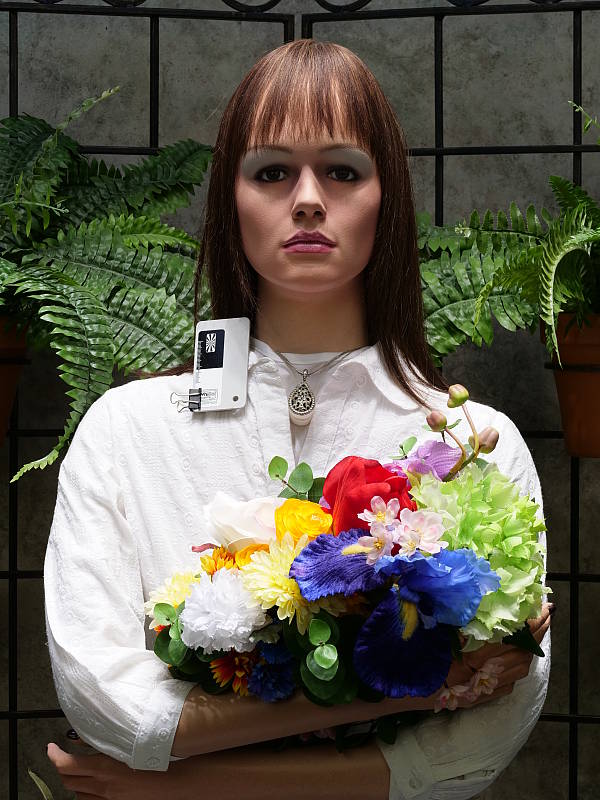
Detail. The crop above right shows the effect of noise suppression in the form of smudging of individual strands together in the darker areas of the mannequin's hair, as well as in areas with low local contrast, although chroma noise is virtually nonexistent. This is good noise versus detail processing performance for a 20-megapixel Micro Four Thirds model, leaving lots of fine detail intact instead of blurring much of it away in an attempt to hide noise. Noise-suppression systems in digital cameras tend to flatten-out detail in areas of subtle contrast. The effects can often be seen in shots of human hair, where the individual strands are lost and an almost "watercolor" look appears.
RAW vs In-Camera JPEGs
As noted above, the Panasonic GH5 produces sharp in-camera JPEGs with very good detail. As is almost always the case, better detail can be obtained from carefully processing RAW files than can be seen in the in-camera JPEGs, with fewer sharpening artifacts to boot. Take a look below, to see what we mean:
|
Base ISO (200)
|
|
 |
 |
 |
 |
 |
 |
|
Camera JPEG, defaults
|
RAW via Adobe Camera Raw
|
In the table above, we compare an in-camera JPEG taken at base ISO using default noise reduction and sharpening (on the left) to a matching RAW file converted with Adobe Camera Raw 9.1 via DNG Converter 9.10 using default noise reduction with some strong but tight unsharp masking applied in Photoshop (300%, radius of 0.3 pixels, and a threshold of 0).
As you can see, the in-camera JPEG contains very good detail, however ACR extracted additional detail, particularly in the red-leaf fabric where it resolved a lot more of the fine thread pattern, and it also generated less noticeable sharpening halos for a similarly crisp image. The ACR conversion however shows much more luminance noise after sharpening, especially in flatter areas with little detail. You can always turn up the luminance noise reduction (default of zero was used here), use more selective sharpening, or process the files in your favorite noise reduction program or plugin if you find the noise objectionable. Bottom line, as is usually the case shooting in RAW mode can produce better detail while offering more control over the final output when using a good converter.
ISO & Noise Performance
Very good detail versus noise tradeoff for a Micro Four Thirds model.
|
Default Noise Reduction
|
||
 |
 |
 |
| ISO 100 | ISO 200 | ISO 400 |
 |
 |
 |
| ISO 800 | ISO 1600 | ISO 3200 |
 |
 |
 |
| ISO 6400 | ISO 12,800 | ISO 25,600 |
The Panasonic GH5's images are very detailed and clean at ISOs 100 (extended) and 200, with only minor luma noise detectable in the shadows, and virtually no chroma noise. ISO 400 is also quite detailed, though a touch more noise and blurring from noise reduction can be seen. ISO 800 shows stronger noise with noise reduction blurring some very fine detail in the process, though overall detail remains very good and chroma noise remains very low. ISO 1600 shows a larger drop in image quality than prior ISO increments, but fine detail is still pretty good and chroma noise is still well-controlled. ISO 3200 is of course noisier with a larger drop in image quality, softer detail and more noise reduction artifacts, though overall the image is still fairly good, especially for a Micro Four Thirds camera. At ISO 6400, noise starts to take on a rectilinear crystalline effect as a result of noise reduction and sharpening, a lot of fine detail is blurred away, though chroma noise is still well-controlled. Image quality drops off rapidly at ISO 12,800 and 25,600, though, with stronger noise and noise reduction artifacts giving the images a stippled and peppered look, with noticeable chroma blotching in darker areas.
Overall, though, very good high ISO performance from a Micro Four Thirds camera. Both luminance noise and especially chrominance noise levels appear lower than in GH4 JPEGs despite the smaller pixels, thanks to improved anti-noise processing.
We did however notice the GH5 tended to select slightly longer shutter speeds for the same JPEG brightness of a scene as the GH4 (usually about a 1/4 stop slower), which resulted in lower noise levels in RAW files. When the two cameras were equally exposed using the same aperture, shutter speed and ISO settings resulting in slightly dimmer GH5 JPEGs, noise levels in RAW files were similar if not a bit higher from the GH5.
We're of course pixel-peeping to an extraordinary extent here, since 1:1 images on an LCD screen have little to do with how those same images will appear when printed. See the Print Quality section below for our evaluation of maximum print sizes at each ISO setting.
Note that we now shoot this series at f/8 instead of f/4, for increased depth of field (at f/4, it was very difficult to focus for maximum sharpness in the crop area while maintaining consistent focus between models).
Extremes: Sunlit, dynamic range and low light tests
Somewhat high default contrast but with good dynamic range for its class. Excellent low-light performance, able to capture images and autofocus in very low light.


Sunlight. The Panasonic GH5 did well with the deliberately harsh lighting of this test. Contrast is a little high at its default setting, but dynamic range is pretty good in JPEGs. We felt the +0.7 EV exposure is the best compromise here. Although skin tones around the eyes are still a bit dark, we prefer it to the +1.0 EV exposure overall, because there are fewer clipped highlights At +0.7 EV, relatively few highlights were clipped in the white shirt and flowers. There are however some deep shadows which are a little noisy and discolored with a green tint, but they have good detail. The bottom line though, is that the Panasonic GH5 performed well with the wide dynamic range of this shot for a Micro Four Thirds camera, though as expected, competitors with larger sensors will often offer better performance. See below for how the Panasonic GH5's sensor performs (RAW mode) in terms of dynamic range.
Because digital cameras are more like slide film than negative film (in that they tend to have a more limited tonal range), we test them in the harshest situations to see how they handle scenes with bright highlights and dark shadows, as well as what kind of sensitivity they have in low light. The shot above is designed to mimic the very harsh, contrasty effect of direct noonday sunlight, a very tough challenge for most digital cameras. (You can read details of this test here.)
| Face Detection | ||
 |
 |
 |
| Aperture Priority, 0 EV, f/8 Face Detection Off |
Aperture Priority, 0 EV, f/8 Face Detection On |
iAuto, 0 EV, f/2.0 |
Face Detection
Like most cameras these days, the Panasonic GH5 has the ability to detect faces (up to 15 in a scene), and adjust exposure and focus accordingly. As you can see from the examples above, face detection improved exposure in both Aperture Priority at f/8, and in iAuto mode where the camera chose portrait mode and used a much wider aperture of f/2 to help isolate the subject from the background. Both look slightly overexposed, however overall exposure is much better than the dim default exposure with no face detection (far left).
|
Highlight Shadow (0 EV)
|
|
 |
|
 |
|
Tone Curve Settings
In addition to a standard Contrast setting, the Panasonic GH5 has a curves setting which allows you to adjust the shape of the tone curve to tweak shadows and highlights independently. There are 4 presets (Standard, Lower Contrast, Higher Contrast, and Brighten Shadows), as well as 3 custom settings that allow you to adjust the highlight and shadow ends of the curves by +/-5 units. Above are examples using the default and 3 standard presets. Roll-over the links on the left to compare thumbnails and histograms, and click on the links to access the full-resolution images. As you can see, the 3 presets worked as expected, lowering contrast, increasing contrast, and brightening shadows compared to the default tone curve.


Panasonic's Intelligent Dynamic Range
The above shots are examples of Panasonic's Intelligent Dynamic Range Control (or i.Dynamic) at work, with no exposure compensation. Note that the camera does not take multiple shots and merge them as HDR mode does (see below). It's a system that adjusts local contrast and exposure more akin to Nikon's Active D-lighting, Canon's Automatic Lighting Optimization or Sony's Dynamic Range Optimization.
There are three levels of iD-Range available on the Panasonic GH5: Low, Standard and High, plus Auto and Off. It's manually selectable in P, A, S, M exposure modes, as well as in Creative video mode. Here, you can see darker midtones and shadows were progressively boosted as the strength was increased, without blowing highlights in the process, and Auto selected an amount similar to High.


HDR mode
Here, you can see the Panasonic GH5's High Dynamic Range mode at work, though our "Outdoor Portrait" scene isn't a great subject (we'll replace these with our "Far-field" shots once they are available). HDR mode takes three images at different exposures and combines them to increase dynamic range. Mouse over the links, and click on them the view the full resolution files.
Auto did a good job, producing results similar to +/-1 EV which was arguably the best for this scene. The +/2 EV setting was similar, while +/-3 dimmed the entire image. Be aware that ghosting and double images are possible if there is movement between frames. Also notice the angle of view is narrower in the HDR images, likely because the images have been cropped and upsized during the optional auto alignment process.
Dynamic Range Analysis (RAW mode)
While we once performed our own dynamic range measurements based on in-camera JPEGs as well as converted RAW images (when the camera was supported by Adobe Camera Raw), we've switched to using DxO Labs' results from their DxOMark website. As technology advanced, the dynamic range of modern high-end cameras in some cases exceeded the range of the Stouffer T4110 density scale that we used for our own measurements. DxO's approach based on RAW data before demosaicing is also more revealing, because it measures the fundamental dynamic range of the sensor, irrespective of whatever processing is applied to JPEGs, or to RAW data by off-the-shelf conversion software.
In the following, we use DxO's "Print" dynamic range results, which are scaled based on camera resolution. As the name suggests, this scaling corresponds to the situation in which you print at a given size, regardless of how many megapixels the camera might have. (In other words, if you've decided to make a 13x19 inch print, that's the size you're printing, whether the camera's resolution is 16 or 300 megapixels.) For the technically-minded, you can find a discussion of the reasoning behind this here on the DxOMark website. Also note that DxO Labs uses a signal-to-noise (SNR) threshold of 1 when defining the lower boundary of acceptable luminance noise in their dynamic range measurements, which corresponds to the "Low Quality" threshold of the Imatest software we used to use for this measurement.

Here, we compare the Panasonic GH5's dynamic range (in orange) to its predecessor's, the GH4's (yellow), and also to the Olympus E-M1 Mark II (red), a competing state-of-the-art Micro Four Thirds camera.
As you can see from the above graph, the GH5's dynamic range is a bit higher than the GH4's across the board, ranging from 13.0 EV at base ISO to 7.85 EV at ISO 12,800, compared to 12.76 EV and 6.87 EV respectively. Except at maximum ISO, the difference is less than 0.5 EV which is probably just discernible in real-world shots.
The Panasonic GH5 offers slightly higher dynamic range than the Olympus E-M1 Mark II at base ISO, but at higher ISOs, the Olympus does a bit better with about a 0.5 to 0.75 EV advantage.
Overall, very good dynamic range from the Panasonic GH5's 4/3" sensor, though of course larger state-of-the-art APS-C and full-frame sensors will perform significantly better.
Click here to visit the DxOMark page for the Panasonic GH5 for more of their test results and additional comparisons.
| 1 fc 11 lux |
1/16 fc 0.67 lux |
1/16 fc No NR |
|
|---|---|---|---|
| ISO 200 |
 1s, f2.8 |
 15s, f2.8 |
 15s, f2.8 |
| ISO 3200 |
 1/15s, f2.8 |
 1s, f2.8 |
 1s, f2.8 |
| ISO 25600 |
 1/125s, f2.8 |
 1/8s, 1 f2.8 |
 1/8s, f2.8 |
Low Light. The Panasonic Lumix GH5 performed well in our low light tests, able to capture bright images down to the lowest light level we test at. The darkest level equates to about 1/16 the brightness of average city street lighting at night, so the Panasonic GH5 should be able to take well-exposed photos in almost any environment in which you can see well enough to walk around in.
Using the default noise reduction setting, noise is low at ISO 200 and well-controlled at ISO 3200 with a very fine, tight noise "grain" and a very low chroma component, though as you'd expect, noise is high in images at the maximum ISO of 25,600. Images are a bit dimmer than the GH4 for the same lighting and exposure variables, though, so the GH5 may not be quite as sensitive as the GH4 was at each ISO setting.
Automatic color balance was pretty good in low light, just slightly on the cool side.
We didn't notice any significant issues with hot pixels, though with long exposure noise reduction turned off (rightmost column) there were a lot of slightly brighter pixels in the very deep and green-tinted shadows at ISO 200, as well as a few hot pixels, though that's not unusual. We didn't detect any significant fixed-pattern noise although a change in color balance from the top to bottom visible at ISO 25,600 may be an indication of some minor heat blooming.
Low-light AF: The camera's autofocus system was able to focus our low-contrast AF target down to -4.6 EV, and on our newer high-contrast target down to around -6.4 EV unassisted with an f/2.8 lens, which is very dark. Excellent performance, especially for a camera with contrast-detect autofocus. The Panasonic GH5 also has a focus-assist light which allows it to autofocus in total darkness, as long as the subject is within range and has sufficient contrast.
How bright is this? The one foot-candle light level that this test begins at roughly corresponds to the brightness of typical city street-lighting at night. Cameras performing well at that level should be able to snap good-looking photos of street-lit scenes.
NOTE: This low light test is conducted with a stationary subject, and the camera mounted on a sturdy tripod. Most digital cameras will fail miserably when faced with a moving subject in dim lighting. (For example, a child's ballet recital or a holiday pageant in a gymnasium.) Thanks to their phase-detect AF systems, digital SLRs tend to do much better than point & shoots, but you still shouldn't expect a quick autofocus lock with moving subjects. The GH5 uses contrast-detect autofocus, as is found in most point & shoot cameras, so its low-light focusing ability may be less than that of some SLRs with phase-detect systems. That said, though, the larger, more sensitive pixels of the GH5's sensor do better under dim lighting than do the tiny pixels of most point & shoots.
Output Quality
Print Quality
Very good 30 x 40 inch prints at ISO 100/200; a nice 16 x 20 at ISO 1600; a good 5 x 7 at ISO 12,800.
 ISO 100/200 prints are quite good at 30 x 40 inches, with pleasing colors and excellent fine detail. The higher resolution 20-megapixel sensor certainly proves its worth here as compared to 16-megapixel predecessors and rivals not capable of such a large print at the lower sensitivities.
ISO 400 images look good at 24 x 36 inches, with nice color, fine detail and no noticeable clues that the gain has risen. Larger prints are certainly possible for wall display purposes here as well.
ISO 800 delivers a 20 x 30 inch print that's really not bad for this ISO, and it's a usable print for mid-level applications. For our official "good" grade we'll award the 16 x 20 inch max print size here, which shows only very mild traces of noise in flatter areas and a typical softening in the red channel, especially evident in our tricky red-leaf fabric swatch.
ISO 1600 also turns in a solid print at 16 x 20 inches (!) which is quite a rare feat for this sensor size. Most contrast detail is now lost in our tricky red-leaf swatch but otherwise the print is quite good with very little in the form of noise, and plenty of fine detail is still present throughout the print.
ISO 3200 tends to be the turning point for most Micro Four Thirds cameras, and the GH5 is no exception as its prints show a noticeable downturn in quality at this ISO. The camera can deliver a worthwhile 11 x 14 inch print here, with only minor traces of noise in a few areas and the typical red channel softening as mentioned above, but the prints begin to lose some vibrancy from this ISO and higher.
ISO 6400 delivers a good 8 x 10 inch print, and is similar to the 11 x 14 at ISO 3200. The noise levels and softening issues are well-controlled here, but there is still a noticeable decrease in "pop" as compared to prints at ISO 1600 and lower.
ISO 12,800 yields a 5 x 7 inch print similar to the 8 x 10 at ISO 6400, and is really not bad considering how high of an ISO this is for a MFT camera.
ISO 25,600 turns in a 4 x 6 inch print that may pass muster for casual snapshots, but for anything else we recommend avoiding this ISO altogether.
The Panasonic GH5 turns in a very respectable performance in the print quality department. The increased sensor resolution over the GH4 along with improved processing allows larger prints at most ISOs, and the camera matches stride with the best Micro Four Thirds cameras as ISO rises. Everything up to ISO 1600 shines in print and looks really good, and the 16 x 20 inch print at that ISO matches the best of the best MFT cameras. After that the images begin to fade a bit, which is very typical with this sensor size, so for more critical printing purposes we recommend remaining at ISO 1600 and below.
The images above were taken from our standardized test shots. For a collection of more pictorial photos, see our Panasonic Lumix DC-GH5 Photo Gallery .
Not sure which camera to buy? Let your eyes be the ultimate judge! Visit our Comparometer(tm) to compare images from the Panasonic Lumix DC-GH5 with those from other cameras you may be considering. The proof is in the pictures, so let your own eyes decide which you like best!
Performance
Note: Retested with firmware v2.1, which eliminated the lens-dependant burst speed issues we ran into with v1.0 firmware.
Timing and Performance
Good to excellent performance for a mirrorless ILC.
| Startup/Play to Record | ||
|---|---|---|
|
Power on |
~1.0 second
|
Time it takes to turn on and capture a shot. |
|
Play to Record, |
~0.7 second
|
Time until first shot is captured. |
Startup time was a little faster-than-average for a mirrorless camera, and switching from Play to Record and taking a shot was fairly quick.
| Shutter Response (Lag Time) | ||
|---|---|---|
|
Full Autofocus, |
0.129 second
|
Time from fully pressing shutter button to image capture, with Panasonic Leica DG 12-60mm f/2.8-4 zoom lens at medium focal length (~50mm eq.). |
|
Full Autofocus |
N/A
|
Time from fully pressing shutter button to image capture. Auto Flash enabled. (No built-in or bundled flash.) |
|
Manual Focus |
0.066 second
|
For most cameras, shutter lag is less in manual focus than autofocus, but usually not as fast as when the camera is "prefocused". |
|
Prefocused |
0.056 second
|
Time to capture, after half-pressing and holding shutter button. |
The Panasonic GH5's autofocus speed was excellent in our tests, especially for a camera that uses contrast detection only. In the lab, the GH5 produced a full-autofocus shutter lag (with the subject at a fixed distance) of 0.129 second using 1-area (center) AF-S mode with the Panasonic Leica DG 12-60mm f/2.8-4 lens at about 25mm (50mm equivalent).
When manually focused, the GH5's lag time dropped to 0.066 second, which is very good. The GH5's prefocused shutter lag time was 0.056 second, also quite fast.
To minimize the effect of different lens' focusing speed, we test AF-active shutter lag with the lens already set to the correct focal distance.
| Cycle Time (shot to shot) | ||
|---|---|---|
|
Single Shot mode |
0.33 second
|
Time per shot, averaged over a few frames (we no longer test for buffer depths in single-shot mode). |
|
Single Shot mode |
0.42 second
|
Time per shot, averaged over a few frames (we no longer test for buffer depths in single-shot mode). |
|
Early shutter |
YES
|
Some cameras refuse to snap another shot if you release and press the shutter too quickly in Single Shot mode, making "No" the preferred answer. |
|
Continuous H |
0.08 second
(11.89 fps); 600+ frames; 20 seconds to clear* |
Time per shot, averaged over 600+ frames (essentially limited only by card capacity). |
|
Continuous H |
0.08 second
(11.90 fps); 65 frames total; 15 seconds to clear* |
Time per shot, averaged over buffer length of 65 frames, then slows to an average of 0.37s or 2.71 fps with a lot of variation. |
|
Continuous H |
0.08 second
(11.90 fps); 63 frames total; 28 seconds to clear* |
Time per shot, averaged over buffer length of 63 frames, then slows to an average of about 0.42s or 2.37 fps with a lot of variation. |
|
Flash Recycling |
N/A
|
No built-in or bundled flash. |
|
*Note: Buffer clearing times measured with a 64GB Lexar Pro 2000x UHS-II SDXC card. Slower cards will produce correspondingly slower clearing times. Slow cards may also limit length of bursts in continuous mode. ISO sensitivity and noise reduction settings can also affect cycle times and burst mode performance.
|
||
Single-shot cycle times were quite fast at 0.33 second for best quality JPEGs and 0.42 second for RAW+JPEG. (Note that we no longer test single-shot mode with just RAW files, as the results are usually somewhere in between JPEG and RAW+JPEG.)
The Continuous High Speed "H" mode burst rate was excellent at 11.9 frames per second no matter the file type, just shy of Panasonic's 12 fps spec.
Full-resolution buffer depth was essentially limited only by card capacity when shooting Large/Fine JPEGs (Panasonic claims over 600 frames and we've confirmed that). When shooting RAW files, buffer depth was a very generous 65 frames, falling only slightly to 63 frames when shooting RAW+JPEG files.
Buffer clearing was a little slow with a very fast 2000x UHS-II card, ranging from 20 seconds after a long burst of JPEGs to 28 seconds after a 63-frame burst of RAW+JPEG files. You can however take additional photos and adjust settings while the buffer is clearing.
Bottom line, the Panasonic GH5's performance is generally quite good to excellent for its class. Startup and mode switching are reasonably fast, while autofocus speeds and shutter lag are quite fast. Burst performance is excellent, as are buffer depths, however buffer clearing can be sluggish despite UHS-II card support.
Battery Life
Good battery life for a mirrorless ILC.
| Operating Mode | Battery Life |
|---|---|
|
Still Capture, CIPA standard
(LCD monitor with H-FS12060 lens) |
410 shots
|
|
Still Capture, CIPA standard
(EVF with H-FS12060 lens) |
400 shots
|
The Panasonic GH5 uses a custom rechargeable lithium-ion battery pack for power, and comes with both a single battery and dedicated battery charger. The CIPA-rated 410 shots per charge when using the LCD monitor and 400 shots with the EVF are above average for a mirrorless ILC (but keep in mind there no built-in flash with is normally fired for 50% of shots for CIPA testing), however battery life is much lower than a typical DSLR when using an optical viewfinder. The GH5 does however have a Power Save LVF mode which can increase battery life to a whopping 1,000 shots. Still, we recommend getting a second battery for your GH5 if you plan any extended outings, and consider purchasing the optional DMW-BGGH5 battery grip which can double battery life with a second battery.
The table above shows the number of shots the camera is capable of (on a fully-charged rechargeable battery), based on CIPA battery-life and/or manufacturer standard test conditions.
(Interested readers can find an English translation of the CIPA DC-002 standards document here. (180K PDF document))
Image Quality
Below are crops from our laboratory Still Life target comparing the Panasonic GH5's JPEG image quality to its predecessor's, the GH4, as well as against several recent pro or enthusiast mirrorless cameras: the Canon M5, Fuji X-T2, Olympus E-M1 Mark II and Sony A6500.
NOTE: These images are from best quality JPEGs straight out of the camera, at default settings including noise reduction and using the camera's actual base ISO (not extended ISO settings). All cameras in this comparison were shot with our very sharp reference lenses. Clicking any crop will take you to a carrier page where you can click once again to access the full resolution image as delivered straight from the camera. For those interested in working with the RAW files involved, click these links to visit each camera's respective sample image thumbnail page: Panasonic GH5, Panasonic GH4, Fuji X-T2, Canon M5, Olympus E-M1 II, and Sony A6500 -- links to the RAW files appear beneath those for the JPEG images, wherever we have them. And remember, you can always go to our world-renowned Comparometer to compare the Panasonic GH5 to any camera we've ever tested!
Panasonic GH5 vs Panasonic GH4 at Base ISO
 |  |
 |  |
 |  |
Panasonic GH5 at ISO 200 | Panasonic GH4 at ISO 200 |
Here we compare the 20-megapixel GH5 to its 16-megapixel predecessor, the GH4. As you can see, the GH5 does resolve more detail than the GH4 thanks to its higher resolution as well as the lack of an anti-aliasing filter. While our tricky red-leaf fabric looks better from the GH4, that's partially because the GH5 actually resolves more of the individual threads which interacts with context-specific noise reduction, breaking up the leaf pattern a bit. Luminance noise levels are similar from the GH5, though chrominance noise is lower. Contrast and color have also improved over the GH4 with higher saturation, warmer colors and less of a yellow-to-green shift. Overall, a nice improvement here at base ISO. | |
Panasonic GH5 vs Canon EOS M5 at Base ISO
|  |
|  |
|  |
Panasonic GH5 at ISO 200 | Canon EOS M5 at ISO 100 |
While not in same league as the GH5 in terms of price, features, performance and especially video prowess, we decided to include the EOS M5 here as it's currently Canon's top-of-the-line mirrorless and certainly competes in terms of still image quality. Here we can see the 24-megapixel APS-C M5 doesn't really resolve any more detail, but that's mainly because of the different native aspect ratios (3:2 vs 4:3) as this shot is framed vertically which only gives the Canon a resolution advantage of 112 pixels in the vertical axis. Canon's default sharpening is however a bit crude in comparison to GH5's, delivering an image that is softer yet contains more noticeable sharpening halos (the M5's Fine Detail Picture Style would have performed better). The Canon M5's default noise reduction also blurs our red-leaf swatch more than the GH5's, however overall noise levels are lower from the M5 (but keep in mind the lower base ISO). Colors are more accurate from the Canon as well, though not quite as saturated. | |
Panasonic GH5 vs Fujifilm X-T2 at Base ISO
|  |
|  |
|  |
Panasonic GH5 at ISO 200 | Fujifilm X-T2 at ISO 200 |
Again, not much difference here against the 24-megapixel Fuji X-T2 in terms of captured resolution due to the different aspect ratios. The GH5 image is however a little crisper with some areas such as the fabrics showing better detail, while the X-T2 image is a bit smoother and refined looking overall. The red-leaf pattern is more faithfully reproduced by the Fuji, however again that's partially because the Panasonic is resolving more of the fine thread pattern. Colors are also just a little more accurate from the Fuji. | |
Panasonic GH5 vs Olympus E-M1 II at Base ISO
|  |
|  |
|  |
Panasonic GH5 at ISO 200 | Olympus E-M1 II at ISO 200 |
These two Micro Four Thirds rivals offer the same 20-megapixel resolution, however we do see some significant differences here at base ISO due to different approaches in default processing. The Olympus image is sharper with slightly higher contrast, however more obvious sharpening artifacts are present. Luma noise levels are comparable, however even here at base ISO, more chroma noise is left behind by the Olympus, yet it blurs the red-leaf swatch much more than the Panasonic. Colors on the whole are also a little more accurate from the Olympus. | |
Panasonic GH5 vs Sony A6500 at Base ISO
|  |
|  |
|  |
Panasonic GH5 at ISO 200 | Sony A6500 at ISO 100 |
Above we compare the 20-megapixel Micro 4/3 GH5 to the 24-megapixel APS-C Sony A6500. Here at base ISO, the A6500 produces a sharper, crisper image with more "pop," yet generates almost no sharpening halos. Noise levels are a little lower from the Sony, but keep in mind the lower base ISO of 100. Both cameras retain some of the fine thread pattern in our tricky red-leaf swatch, but the Sony does a much better job a rendering the leaf pattern, though moiré patterns are more visible. This time it's the Panasonic that produces more accurate colors. | |
Panasonic GH5 vs Panasonic GH4 at ISO 1600
 |  |
 |  |
 |  |
Panasonic GH5 at ISO 1600 | Panasonic GH4 at ISO 1600 |
Here at ISO 1600, the GH5 produces an image with better detail, higher contrast (in most areas), lower luma noise, much lower chroma noise, and better color. The GH4 does a little better in our problematic red-leaf swatch though, with higher contrast, slightly better detail and a smoother rendering. The GH5 still retains more of the thread pattern, however it just looks like higher noise here. Again a nice improvement over the GH4, except in our troublesome red-leaf swatch. | |
Panasonic GH5 vs Canon EOS M5 at ISO 1600
|  |
|  |
|  |
Panasonic GH5 at ISO 1600 | Canon EOS M5 at ISO 1600 |
The GH5 produces an image with much lower noise than the Canon M5 here at ISO 1600. Fine detail is also rendered better by the Panasonic, however the Canon does better with our tricky red-leaf swatch with higher contrast, more detail and less interference from the thread pattern. The Panasonic does a bit better in the pink fabric, though. | |
Panasonic GH5 vs Fujifilm X-T2 at ISO 1600
|  |
|  |
|  |
Panasonic GH5 at ISO 1600 | Fujifilm X-T2 at ISO 1600 |
The GH5 compares surprisingly well with the X-T2 here at ISO 1600, producing an image with lower noise while holding onto almost as much detail, except in our troublesome red-leaf swatch where the Fuji does much better. Contrast and color are a little better from the X-T2, however the GH5 performed better than expected here. | |
Panasonic GH5 vs Olympus E-M1 II at ISO 1600
|  |
|  |
|  |
Panasonic GH5 at ISO 1600 | Olympus E-M1 II at ISO 1600 |
The GH5 produces lower levels of luma and chroma noise here at ISO 1600 than the E-M1 II in flatter areas, yet it holds onto noticeably more detail in our mosaic crop and pink fabrics with fewer noise reduction artifacts. Both cameras blur our the tricky red-leaf swatch pretty badly, however the GH5 manages to retain a touch more detail. | |
Panasonic GH5 vs Sony A6500 at ISO 1600
|  |
|  |
|  |
Panasonic GH5 at ISO 1600 | Sony A6500 at ISO 1600 |
The A6500 still produces a somewhat crisper image here at ISO 1600 with slightly better detail in the mosaic crop, however the GH5 manages to hold onto almost as much detail while at the same time reducing noise more effectively. The A6500 does however hold onto significantly more detail in our tricky red-leaf swatch as well as in the pink fabric, however colors are still better from the Panasonic. | |
Panasonic GH5 vs Panasonic GH4 at ISO 3200
 |  |
 |  |
 |  |
Panasonic GH5 at ISO 3200 | Panasonic GH4 at ISO 3200 |
Similar to what we saw at ISO 1600, the GH5 does a better job at retaining fine detail, reducing noise and reproducing accurate color than the GH4, producing a better overall image than the GH4 here at ISO 3200 except in the red-leaf swatch, though both cameras begin to struggle to produce sharp images at this sensitivity. | |
Panasonic GH5 vs Canon EOS M5 at ISO 3200
|  |
|  |
|  |
Panasonic GH5 at ISO 3200 | Canon EOS M5 at ISO 3200 |
At ISO 3200, it's the GH5 which comes out ahead of the M5 with significantly lower noise in flatter areas yet better detail and sharpness in most other areas. Both blur our red-leaf swatch quite heavily, though the GH5 leaves behind a little more noise in the fabric. | |
Panasonic GH5 vs Fujifilm X-T2 at ISO 3200
|  |
|  |
|  |
Panasonic GH5 at ISO 3200 | Fujifilm X-T2 at ISO 3200 |
The Fuji X-T2 comes out ahead in this comparison, but not by much. The Fuji image looks a bit more refined and natural in areas of fine detail while the Panasonic's area-specific noise reduction tends to distort or blur fine elements a bit more than the Fuji. Noise in flatter areas is lower from the Panasonic, but noise reduction artifacts are more visible compared to the Fuji's more film-like noise grain structure. The Fuji does significantly better with subtle detail in our red-leaf swatch, even though contrast is a little lower. | |
Panasonic GH5 vs Olympus E-M1 II at ISO 3200
|  |
|  |
|  |
Panasonic GH5 at ISO 3200 | Olympus E-M1 II at ISO 3200 |
Both of these cameras retain similar levels of detail here at ISO 3200 with just a slight edge going to the Olympus for better contrast. Noise levels are lower from the GH5, however the E-M1 II's noise grain is more consistent and film-like. Overall, we'd say this comparison results in a draw with one camera doing just slightly better than the other or vice versa depending on what the subject matter is. | |
Panasonic GH5 vs Sony A6500 at ISO 3200
|  |
|  |
|  |
Panasonic GH5 at ISO 3200 | Sony A6500 at ISO 3200 |
At ISO 3200, the Sony A6500 pulls ahead of the GH5 with better detail, contrast and sharpness, however noise in flatter areas is definitely stronger and more noticeable. The Sony appears to do much better in our red-leaf swatch, however much of the apparent detail is heavily distorted. | |
Panasonic GH5 vs. Panasonic GH4, Canon EOS M5, Fujifilm X-T2, Olympus E-M1 II, Sony A6500
 |  |  |  |  |  |
 |  |  |  |  |  |
 |  |  |  |  |  |
| Panasonic GH5 ISO 200 ISO 3200 ISO 6400 | Panasonic GH4 ISO 200 ISO 3200 ISO 6400 | Canon EOS M5 ISO 100 ISO 3200 ISO 6400 | Fujifilm X-T2 ISO 200 ISO 3200 ISO 6400 | Olympus E-M1 II ISO 200 ISO 3200 ISO 6400 | Sony A6500 ISO 100 ISO 3200 ISO 6400 |
| Detail comparison. High-contrast detail is also important, pushing the camera in different ways, so we like to look at it separately. As you can see, the Panasonic GH5 offers a considerable improvement over the GH4 here in detail, contrast and even color across ISOs. The GH5 also compares well to Canon M5, Fuji X-T2 and Olympus E-M1 II. The Sony A6500 however comes out ahead in this group for both detail and contrast, especially as ISO climbs. | |||||
Very good 30 x 40 inch prints at ISO 100/200; a nice 16 x 20 at ISO 1600; a good 5 x 7 at ISO 12,800.
ISO 100/200 prints are quite good at 30 x 40 inches, with pleasing colors and excellent fine detail. The higher resolution 20-megapixel sensor certainly proves its worth here as compared to 16-megapixel predecessors and rivals not capable of such a large print at the lower sensitivities.
ISO 400 images look good at 24 x 36 inches, with nice color, fine detail and no noticeable clues that the gain has risen. Larger prints are certainly possible for wall display purposes here as well.
ISO 800 delivers a 20 x 30 inch print that's really not bad for this ISO, and it's a usable print for mid-level applications. For our official "good" grade we'll award the 16 x 20 inch max print size here, which shows only very mild traces of noise in flatter areas and a typical softening in the red channel, especially evident in our tricky red-leaf fabric swatch.
ISO 1600 also turns in a solid print at 16 x 20 inches (!) which is quite a rare feat for this sensor size. Most contrast detail is now lost in our tricky red-leaf swatch but otherwise the print is quite good with very little in the form of noise, and plenty of fine detail is still present throughout the print.
ISO 3200 tends to be the turning point for most Micro Four Thirds cameras, and the GH5 is no exception as its prints show a noticeable downturn in quality at this ISO. The camera can deliver a worthwhile 11 x 14 inch print here, with only minor traces of noise in a few areas and the typical red channel softening as mentioned above, but the prints begin to lose some vibrancy from this ISO and higher.
ISO 6400 delivers a good 8 x 10 inch print, and is similar to the 11 x 14 at ISO 3200. The noise levels and softening issues are well-controlled here, but there is still a noticeable decrease in "pop" as compared to prints at ISO 1600 and lower.
ISO 12,800 yields a 5 x 7 inch print similar to the 8 x 10 at ISO 6400, and is really not bad considering how high of an ISO this is for a MFT camera.
ISO 25,600 turns in a 4 x 6 inch print that may pass muster for casual snapshots, but for anything else we recommend avoiding this ISO altogether.
The Panasonic GH5 turns in a very respectable performance in the print quality department. The increased sensor resolution over the GH4 along with improved processing allows larger prints at most ISOs, and the camera matches stride with the best Micro Four Thirds cameras as ISO rises. Everything up to ISO 1600 shines in print and looks really good, and the 16 x 20 inch print at that ISO matches the best of the best MFT cameras. After that the images begin to fade a bit, which is very typical with this sensor size, so for more critical printing purposes we recommend remaining at ISO 1600 and below.
Field Test Part I
Field Test Part II
The new Lumix flagship addresses almost every consumer quibble in the GH4
By Jaron Schneider | Posted: 03/08/2017
Panasonic was clearly listening to its user base when it was developing the GH5, as the camera's body design and features answer just about every single issue -- both large and small -- that anyone seems to have ever brought up against the already-outstanding GH4. The Panasonic GH5 is one of the most shining examples of “we heard you” in any product I’ve ever encountered, and it’s so rare to see this that the overwhelming sense of joy I have when I look at this camera is truly refreshing. When competitors are holding back features in flagship products, Panasonic took the road far less traveled and gave us everything we could possibly want, plus more.
A tour of the Panasonic GH5's updated body
Looking specifically at camera build, design and functionality, let’s dive into how the GH5 evolved the GH4 into a camera that gets so very much right.

Comparing the body designs of the GH5 to the GH4, the latest camera from Panasonic is bulkier, heavier and more robust than its predecessor due to some added buttons and a beefier frame. (It's also thanks to requirements set in place to allow for the upgraded recording specifications of the camera). That weight is not extreme however, and the camera still feels light compared to other competitor options capable of offering the same or similar features. The added bulk to the grip actually feels good, giving those with larger hands more to hold onto than with the GH4. The actual depth of the grip did not change, but the thickness of the body it is connected to makes just a slight difference in how the camera feels in hand.
Looking specifically at the grip on the right side of the camera first, Panasonic kept the buttons on the top largely the same, save for moving them around a bit to make room for one which has transitioned from the back of the camera and doubled in size: the dedicated recording button. With the GH4, you could use the small record button found on the back of the camera or activate recording by clicking the shutter button. Because of the location and size of the dedicated record button, I found myself using the shutter to initiate recording 99% of the time. I can’t have been the only one, as Panasonic has made the dedicated control much larger and moved it into position near the shutter release. I like this change, as it keeps the record button near where I am used to reaching it, but separates the “video record” aspect of the camera from the “take a picture” one.

The settings dial, Wi-Fi/Wireless connectivity LED indicator, and the on/off switch are basically unchanged from the GH4 layout. The shutter button and aperture dial are pretty much exactly where they were before as well.
On the back of the Panasonic GH5, the biggest difference is the aforementioned relocation of the record button, which left Panasonic the space to add a multi-directional toggle joystick. This is one of three different ways you now have to navigate menus and on-screen options:
-
The scroll wheel/dial, which was the primary way I navigated menus on the GH4.
-
The touch screen.
-
The multi-directional toggle joystick.
It’s rare to have so many ways to do the same thing, but that’s one of the reasons Photoshop is so versatile, and I love the addition of a new toggle. I will probably use it primarily for menu navigation once I break the habit of using the less-precise scroll wheel. Next to that toggle is the AF/AE lock and switch, which is in basically the same position as it was on the GH4, but has been rotated slightly to make room for the new joystick.

The GH5 also lacks a pop-up flash like the one found on the GH4. I will personally not miss it one bit. Because of this change, they were able to move the audio microphone forward, away from the diopter adjustment where it was on the GH4, and up onto the top of the camera where the pop-up flash used to be. This will allow for more forward-facing audio capture, with less interference from anything coming from behind the camera (a direction from which you will rarely ever want to record audio). Though most experienced videographers will be using dedicated microphones, moving the receivers up was a nice gesture on Panasonic’s part.

Beyond those changes, every other button on the Panasonic GH5 is identically placed to those found on the GH4. That makes the newer camera feel immediately familiar, which is a very good thing. It takes no time to get up and start shooting with the GH5 because it operates so similarly to its predecessor. Panasonic perfectly balanced the need to upgrade its camera with the desire to overhaul buttons, settings and features. It only made changes where it had to in order to accommodate more options, resisting the urge to move other things around willy-nilly.
The Panasonic GH5 sports impressive image stabilization
One of the most exciting new features to hit the Panasonic Lumix GH5 is its in-body image stabilization, which brings five-axis sensor shift image stabilization to the camera. One complaint I often had with my GH4 was that the body would notice every little jump and jitter in motion, and that would lead to visible “shocks” in footage. It also meant that the body was pretty unforgiving if dragging the shutter when taking photos unless your lens offered great optical stabilization.
From testing thus far, the effect of the five-axis stabilization is very noticeable, and even allows for pretty steady shots without using a gimbal or tripod. I will delve deeper into this feature in my upcoming video section, but it’s worth mentioning that this addition to the body is helpful, and a very welcome upgrade.
I mentioned that the body of the camera has been “beefed up,” and though we gain a bit in weight, we also gain the ability to expand on ports, which Panasonic did with gusto. Instead of the heinously fragile and universally-hated mini HDMI port found on the GH4, Panasonic has given Lumix GH5 shooters access to a full-sized HDMI port, which means we can ditch adapters and use the far more secure HDMI cable when hitching monitors to our cameras.
The port doors on the left side of the camera have also been improved, now featuring actual hinges instead of bending rubber joints. There is now no longer an AV OUT/Digital port, since the full-sized HDMI is so much larger, but I don’t imagine this will be missed by many, especially when you consider what Panasonic has done on the audio interface front.
With the GH4, Panasonic sold an audio interface unit that doubled as a battery grip, but it was cumbersome, and wasn’t a great choice if all you wanted was a battery grip, thanks to its large size, poor ergonomics and the high cost caused by its expanded audio functionality. It confused many fans of the GH4, because it overly complicated a camera they wanted mainly due to its simplicity, and appealed to only a small number of audiophiles who enjoyed the expanded features the interface unit provided. Though, yes, you could acquire the GH3 battery grip and use it with the GH4, it wasn’t a highly-touted launch item like the interface unit.
Panasonic has learned from its mistake, and now offers a new, true battery grip and a much more compact audio interface unit which instead of being under-mounted, now utilizes the hot shoe mount.

Let’s take a look at the Panasonic GH5's optional battery grip. Adding a sizeable yet modestly-weighted chunk to the bottom of the camera, the grip features one toggle stick like that found on the body of the camera. It also provides a shutter button, aperture/shutter dials, and white balance, sensitivity, exposure and AF/AE lock controls, plus a function button.
Unlike battery grips you find for larger DSLRs from other companies, the grip can be screwed on and off at will without interfering with the battery and compartment on the body of the camera. Instead of using the contact points inside the camera body, the battery grip uses a 22-pin square that docks directly with connectors found on the bottom of the GH5. I find this to be a vastly superior way to use a camera grip over what is typical on the market because it doesn’t force me to decide to either always use a battery grip, or never. The process for connecting many grips requires removing the battery door, and I rarely carry that door around for fear of losing it. With this setup, you can strap a new battery to the GH5 quickly and on a whim, expanding its usability.

Though it does effectively double battery life, the grip will cater mostly to those using the GH5 as a photo camera thanks to its profusion of duplicate controls. Unfortunately, it offers little for the video shooter. Videographers will probably use it to get extended shooting time, but it’s clearly an accessory made with the photographer in mind.
It is worth noting that the GH5 battery grip will not work with the GH4 or GH3, as the pin system it employs is a different arrangement than that found on earlier cameras.

For those who loved the audio interface unit for the GH4, you can still get all those features, but now in a more compact and redesigned XLR microphone adapter. The hot-shoe-mounted adapter features a full sized pair of XLR inputs as well as full audio controls on the left side of the device. Every part of the adapter feels well made, and the controls are nice, stiff and hard to accidently knock in any way. If you enjoy these features on a full-sized camcorder, they are well-adapted to the GH5 with this accessory. Note that the XLR microphone adapter uses phantom power and does not have a battery of its own.

As an added bonus, there is a cold shoe on the top of the adapter which you can use to hold other accessories, such as a wireless lav receiver or microphone (if you don’t mind the totem pole effect).
Dividing its audio interface unit into these two separate accessories was a smart decision from Panasonic. Given the wide range of users that will pick up a GH5, either the battery grip, the XLR adapter or both will appeal to that full range, which is a vast improvement over its last solution that appealed to very few users.

Evaluating the Panasonic GH5’s still-shooting capabilities
The GH4 was heralded as a fantastic video camera, but its photography capabilities left something to be desired. I felt that the images weren’t super crisp, perhaps in part due to a lower sensor resolution than most APS-C rivals, or the fact that it had an optical low-pass filter while much of the competition has dropped OLPFs. The color rendition also lacked “oomph”, and high-sensitivity noise levels left a lot to be desired. Unfortunately, raw files from the Panasonic GH5 are not yet supported in most software as it this writing, so I'll have hold my verdict on dynamic range until I can properly test this and other aspects of post production at a later date.

The Panasonic GH5 has definitely made big strides here, though, with photos that look clean, while they also gained a nice punch to the color. Taking images in either movie mode (which captures a lower-resolution file, but with a more visually-appealing cinema crop) or in normal photo mode results in photos where colors pop and images look satisfyingly good. All photos shown here were taken in Panasonic’s “Standard” photo mode.

Despite the small sensor, the Panasonic GH5 is able to throw backgrounds out of focus relatively easily, allowing you to bring attention to foreground elements and draw the eye as you see fit.


In my opinion, greens look the best out of all the colors you can capture with the GH5, with the varying tones and levels coming together to create a lush, perfectly saturated look straight out of camera.
That isn’t to say other colors don’t shine, as the GH5 does a very good job with matching what your eyes see to what it captures. This is an area where the GH4 also did well, and both Panasonic cameras are a good choice for those who want to preserve the realism of environments (which works especially well in documentary filmmaking).
The high-sensitivity performance is probably the biggest area that needed improvement from the GH4, but this was mostly a complaint in video capture. For still photos, images were usable on the GH4 through ISO 6400. When Panasonic did not change the sensitivity options or range on the GH5, I was hopeful that noise levels (and the effects of noise reduction) would at least improve.
Unfortunately, I personally don't think that this was the case. In side-by-side comparisons, the GH5 and GH4 appeared to have little noticeable change in image quality at the same sensitivities through the range, at least to my eye. Though colors are better on the GH5, any high ISO improvement is negligible, at least in still photos viewed at 100%.
Editor's Note: Do keep in mind the boost in resolution from 16 to 20 megapixels, so it's actually nice that noise did not increase as a result of the smaller photosites. And in addition to capturing more detail, the larger images should result in lower visible noise than the GH4 when printed at the same size. The GH5 has also dropped the optical low-pass filter, so per-pixel sharpness from the sensor has improved over the GH4 as well, though at the risk of increased moiré and false colors artifacts. See our Image Quality Comparison and Print Quality Analysis for another take on the GH5's image quality in the lab.


When looking at the high-sensitivity performance at each additional ISO stop offered by the camera, you only notice a strong degradation in quality at ISO 12,800 and of course at the highest sensitivity offered, ISO 25,600. This is the same immediate dropoff in performance we saw in the GH4. For comparison purposes, you can see here how the GH4 performed in the same lighting situation:


When you look at these images side by side, it’s really challenging to see any difference at all, save for slightly more contrast in the shadows, and a more robust green in the foliage as captured by the GH5. Panasonic did something to differentiate the two cameras, as the photos don’t look totally identical, but anything they did had little to no effect on the high-sensitivity performance in photos.
That is not to say that the photos that are produced with this camera aren’t pretty, it’s just that for stills you can’t take the GH5 into darker environments than you did with the GH4 and expect to get noticeably superior images in my opinion.

The new five-axis stabilization system means you’ll be able to drag the shutter more when shooting without a tripod in lower-light conditions, but the actual performance out of the sensor is about par for the course.
The GH5 is in no way a major low-light performer for still photography, but it does a good job given the size of the sensor and the resolution options available, especially when you consider what the camera can do in video capture. That said, there are other Micro Four Thirds cameras that are better at being a still shooter’s camera.
The GH5 is, first and foremost, a camera aimed predominantly at video shooters. Now that we’ve discussed its performance with still photos, in my next Field Test we’ll be taking a deep dive into the camera’s video capabilities which are, on paper, considerable. We will also take a look at the 4K and 6K photo modes, an area in which Panasonic has put much emphasis in the past few years!
Field Test Part III
A close look at the video capabilities of this mirrorless monster
This is probably the more difficult and generally most challenging part of any hybrid camera review: the video performance section. Though the GH5 is going to be primarily used as a video camera, it is no doubt a hybrid, and that brings with it different expectations from just about anyone who purchases it. Documentary filmmakers are going to be looking for different performance than a scripted filmmaker, and so on and so forth. There is a huge list of things to like about the GH5, and I'll do my best to highlight and enumerate those in a succinct fashion. That said, there are still those who will prefer other cameras on the market because of where the GH5 still struggles. Essentially, I plan to write this from a perspective of what I as a filmmaker look for, and I'll then do my best to answer/update the article with any other questions posed by the community if anything comes up that I didn't test myself.
The GH5 is exceptional in a few areas, namely: battery life, camera operation, size and weight, video quality, and video recording options. The GH5 has troubles when it comes to mainly two places: low light performance and the 10-bit codec.
The Panasonic GH5's video battery life is "astonishing"
Let's start with what the GH5 gets right. Firstly, the most impressive thing I've seen so far is the GH5's battery life, which still astonishes me. On a fully charged Panasonic battery, I set the camera to the following settings: UHD 4Kp30 10-bit. Then, I left it recording and logged the time that it remained powered on. The verdict: two hours, four minutes and fifty-four seconds. That, to me, is absolutely ludicrous. To record that kind of high-resolution data for that long is pretty unprecedented.
But I wasn't ready to stop there, as the GH5 has a dual memory card slot that allows you to record what you're shooting redundantly. So I was curious to see if having the camera double its recording workload would have an effect on recording time. With the same camera settings, I put two memory cards in and had the camera dual record. The verdict: one hour, fifty-nine minutes and twenty seconds. As far as I am concerned, this shows there is no difference in recording time between single and dual recording.
That is, pardon my language, bonkers. It flies in the face of what I've experienced as the "norm" in the past, and puts any other compact video camera to shame. In this reviewer's experience, the GH5 easily outpaces the recording time of any other competitor camera, with a lot of room to spare. That, and the fact that it can dual record with essentially no downsides, is amazing.
During this battery test, I was curious if the camera would generate much heat, since it was doing a lot of data recording. Though the camera did get warmer, at no point would I say it was "hot." From what I could tell, the GH5 did an excellent job sinking heat to maintain its own operation uninterrupted.
The GH5 takes what Panasonic did right in the GH4 and does not muss with it, giving the camera a familiar and customizable interface with which you can work. Just like on the GH4, you can access many of the camera's more detailed settings via the "Quick Menu" or "Fn2" button on the back of the camera. You can change the camera's video recording settings and picture profile here, which saves you a considerable amount of time from having to go into the menu (think if you need to swap quickly between 60p and 24p for productions, letting you get your slow motion shots in and immediately go back to real-time). This menu also gives you screen access to metering, shutter speed, ISO sensitivity and white balance which, though redundant, is helpful to have in some cases where you might not be able to reach the top of the camera or want to show that data to someone on an external monitor.
The newly-located record button is now in a place that makes more sense in comparison to the GH4, sitting right next to the ISO and white balance buttons, but if you became accustomed to using the shutter button to start recording (which was common for GH4 users), you can still do that.

Much, if not everything, that can be done with manual dials can also be done via the touch screen, giving redundant options in case of camera damage or varying shooting situations where one way to adjust settings is suddenly less comfortable than another. Making adjustments via the touchscreen is also quiet, meaning there's less risk of button and dial noises getting picked up in your audio.
The GH5's multiple ways to do the same operation reminds me a lot of Photoshop. There are so many ways to achieve the same result in Photoshop, and that's one of the reasons it's so great. Everyone can develop their own workflows that suit them best, instead of having to do what the manufacturer deems is the "right" way to do it. Options are good.
The placement of the mic jack is unchanged from the GH4, and for the most part this is not a problem. However, it can become a bit tight if you use a cage of any sort to mount the GH5. Likewise, the proximity to the strap mount is close enough that if you do use a strap, you may find that it can knock around your microphone input. This is no different than the GH4, and though it's a bit of a nuisance sometimes, it's by no means a deal-breaker.
The Panasonic GH5's built-in image stabilization is a godsend
The GH5 added on-sensor stabilization (OSS), and it is probably the feature I was most excited about and the one that I have already seen immediate returns on.
Panasonic GH5 On-Sensor-Stabilization Test We test the GH5's new on-sensor-stabilizer both hand-held and on a gimbal. |
Basically, my biggest problem with using the GH4 on a gimbal is that the lenses I currently use do not have any stabilization in them. Even though the gimbal does even out my shots, it doesn't do a great job of fixing my visible "stepping" or walking movements in my footage. Though this is relatively easy to fix in post, it also means I always had to shoot in 4K, and always had to expect to trim the edges of my shot in post using Warp Stabilizer. I ended up retiring my GH4 from gimbal use because of this, instead relying on a camera with lens stabilization for any gimbal shots.
With the GH5, gimbal use has been restored.
One of the major concerns I had coming into this testing was how the OSS would respond to being placed on a gimbal. A complaint from, for example, Sony users is that the Sony OSS will try and counteract the movement from the gimbal, in turn making footage worse rather than making it better. Corners would "jello," and the resulting footage would look like bad warp stabilizing effect rather than smooth footage.
In contrast, the GH5 appears to have the opposite happen. When handheld, you'll notice in the video above that the corners appear to "jello" and "mush" around a bit, which is a result of the OSS trying to make up for my human movement. But on the gimbal with the OSS on, the footage is completely and beautifully smooth.
What this means for video shooters is that the GH5 OSS is smart enough to not fight a gimbal, and any vibration you experience while shooting will be nullified by the OSS. Instead of having to turn off OSS most of the time while shooting, it can pretty much always remain on.
For those curious, the gimbal I used for this test was the Feiyu MG V2.
The GH5 is bigger than its predecessor but still conveniently compact
Jumping from that conversation about stabilization, the size and weight of the GH5, unsurprisingly, makes it ideal for small rigs and gimbal use. Though it carries more weight than its predecessor (likely thanks to the bulk added to accommodate the OSS), the GH5 is anything but "heavy." It is a small, compact camera that is perfect for cramped shooting scenarios or small rigs. Personally, I have two different gimbals (a DJI Ronin-M and an even smaller Feiyu-Tech), and the GH5 works well on both, even allowing me to use the one-handed monopod-style (think cell phone gimbal) orientation on the Feiyu-Tech.
The GH5 is larger than both the a7R II and the a7S II, but not by much. It's still smaller than any full frame DSLR, and is about the same as what you might see in a Canon Rebel. Where you really save on space is in the Micro Four Thirds lens department, as these optics tend to be much smaller than APS-C or full frame options. I found that I could easily tote the GH5, GH4 and two lenses in a typically sized backpack, leaving me enough room to also stow a sweatshirt and coat while out and about.
This news on size and weight is not a new story for anyone who has ever shot with a Micro Four Thirds or other mirrorless camera, but is always worth mentioning to those who lament the size and weight of their gear. I, for example, have been shooting mainly with a Canon 1DX II over the past six months, and the difference between that and the GH5 is monumental, especially considering that they are capable of the same type of footage now (arguably, the GH5 is capable of much more, thanks to a greater number of built-in video-centric features).
GH5 autofocus performance is solid but can slow down in low light
I am happy to report that in both photo and video mode, the autofocus was incredibly reliable. In most lighting conditions, the GH5 will snap to focus very fast and accurately, and you can be specific on what you exactly want in focus by tapping on the touch screen if you are not satisfied with what the camera decided to focus on initially. For darker environments, you will have to use the AF assist beam (on by default), which is a bit of a downside, but it does allow the camera to work in dark and/or low contrast situations.
The takeaway here: The darker the lighting situation you find yourself in, the slower the autofocus will work (no-brainer, right?). In most lighting conditions, it's rather instantaneous. In the dark, it takes about a half second longer since it has to use the AF assist beam to figure out what to focus on.
The focus peaking on the GH5 is just as good as it was on the GH4, and remains my favorite among competitor cameras. There are multiple color options (I'm partial to the default blue), and it's very sensitive, expertly outlining that which is in focus. It is my personal opinion that Panasonic has the best-looking focus peaking available.
Panasonic GH5 video quality deep-dive: new features, improvements & issues
Alright, now we are to what most of you probably care about: video quality. How does it look? How are the colors? How does it handle low light? Is there a difference between 10-bit and 8-bit? I've done my best to answer those questions for you. Below is a video that goes through all those topics with examples:
Panasonic GH5 Test: Video Quality and ISO A look at the various quality comparisons with the Panasonic GH5. Includes ISO tests compared to the GH4 as well as VLOG 10-bit vs 8-bit. |
So let's dissect this. The 60p in 4K is a wonderful addition, and puts the GH5 as the most affordable compact video camera capable of this. In the shots where I slowed the footage (the first shot and later in another example), they look exactly like I would expect them to. Filmmakers looking for a spot of slow motion to add to their videos will find the GH5 ready and willing to help in this regard.
Colors on the GH5 lean towards the greener side, much like Sony sensors and opposite of what Canon shooters are used to (which does a better job with oranges and reds). Saturation levels in the "Standard" picture profile (which all the clips outside of the ones specifically labeled VLOG were captured in) are deep and clean, and personally I think the color quality and overall picture quality is a step above the GH4. If you are taking any kind of landscape or nature-focused videography, the GH5 is going to shine.
In a video I have done featuring people (an on-the-job video, which I unfortunately cannot share because the client has not released the footage), that tendency towards green is still apparent. It's not as though the GH5 will not pick up skin tone colors, it's just that it has a tendency to put emphasis elsewhere. You can also see for yourself the quality of skin tones in two of the videos in this review.
Personal opinion incoming: The "green over orange" situation is probably only something Canon shooters will complain about, since most sensors on the market perform as the GH5 does. It doesn't bother me particularly, and I find that it makes the environments that I place my subjects in "pop" more. That said, if you're shooting in a studio situation with nothing but the subject and a white or black wall, you might want to specifically tune your white balance to be a bit warmer so that nabbing the perfect skin tone is easier after the fact. You can also shoot in VLOG, which gives you even more control of all this in post.
For those wondering how easy it is to mix footage from the GH5/GH4 and a Canon camera, I can say that I have done this will what I consider "success." It involves dropping the green saturation from the GH5 while pumping the green saturation on the Canon footage. After some tweaking, you can them to look pretty similar. For example:
| Filmed and edited by Jaron Schneider for Redwood Credit Union |
ISO performance on the GH5 has been markedly improved, essentially doubling what I characterize as the "usable" range, from 800 on the GH4 to 1600 on the GH5. On the GH5, though I would probably hesitate shooting above ISO 1600, the footage from ISO 3200 doesn't look "bad," and could be leaned on in a pinch. Even at the max of ISO 12800, I would qualify the resulting footage as "passable." When you compare the GH5 to the GH4 at ISO 1600, you will notice some pretty heavy visible noise on the GH4 footage, with pretty much none appearing on the GH5 footage. Even on the ISO 3200 comparison, though the darkest part of the image (the subject's face) is noisy on both, the background are where more light is available looks much better. I would even classify that area of the frame as "clean" on the GH5, when the same cannot be said for the GH4.
What I pulled away from this is that even at the highest ISOs available on the GH5 (12800), the footage still looks better than it did at ISO 1600 on the GH4. Unfortunately, though this kind of improvement is impressive, it does not even come close to market-leading. The GH5 is still not what I would call a "low light" camera, and will do best in more "ideal" lighting situations. What I can say is that wedding shooters will find the GH5 capable in just about any of the lighting situations you'll run into during a typical wedding shoot. I managed to get by with the GH4 at a few weddings, but seeing how much better the GH5 is, I am positive it can handle it.
An area that many shooters often question is the difference between 10-bit and 8-bit. There are some hardcore gearheads who will always advocate for more color bit depth, which has always confused me. Yes, more color depth is theoretically better, but it's not always the best decision for every shoot. The increased bit depth means even heftier files, and if you're not shooting in a log profile, I can't see why you would do it. Basically, the visible difference with non-log profile, ungraded footage (especially through online services like YouTube and Vimeo) is so marginal, there may as well be no difference. If you look carefully at some of the footage above, the 10-bit footage may appear slightly more saturated, but this is an effect that you could easily achieve in post with 8-bit clips.
That is not to say that 10-bit isn't useful. As I mentioned, the only place I suggest using 10-bit is if you're grading footage, and most especially if you're shooting in VLOG. The amount of color data difference between 10-bit and 8-bit is extremely noticeable when you're grading footage. In the video above, I put the camera in the most extreme situation, a dark area requiring high ISO, because I wanted to see how much noise would come out in grading. What I also received was a demonstration on how much of a difference 10-bit made. The color grading on the 8-bit footage seems to just sit on top of the video clip, while the grading in the 10-bit looks like it's actually part of the video footage (this is the best way I can put to words what I'm seeing).
Panasonic Gh5 10-bit video compatibility issues
But shooting in 10-bit has been… problematic for me and other reviewers I've spoken to. For some reason, whatever codec Panasonic is using for the 10-bit footage is repeatedly crashing both the latest version of Adobe Premiere and the latest Final Cut Pro X. This problem persists on the latest hardware from Apple (both a top-of-the-line iMac and a fully loaded brand new MacBook Pro) and even on PC. If you're on a Mac, you also cannot preview the file (Quicktime doesn't appear to understand the file, but the latest versions of VLC and IINA media player apps will work). Once in Premiere, the Adobe program appears to recognize the file and attempts to play it, but if you do try and play it in either preview or in a sequence, Premiere will crash.
After further testing, we found the crash in Premiere to be linked directly to the preview/playback resolution we were set to, which makes sense as to why it also crashes Final Cut. For example, I rarely edit anything at full resolution in preview windows because I want to save memory for the more complicated sequences. In the case of my testing, I was at 1/2 resolution, which is where the files caused freezing and crashing. However, if I returned to full resolution, the files played fine. This is a really strange occurrence, and something that we are still investigating with both Adobe and Panasonic. Adobe has told us that they are now aware of the issue and a fix will be forthcoming.
If you don't want to worry about this at all, you can pre-render the footage using Adobe Media Encoder. The problem isn't with rendering/exporting, but in generating a compressed preview, which is why this method works.
The takeaway here is that if you plan to purchase a GH5, just know that this is currently a problem, and that it will hopefully be resolved soon.
Moving on, another improvement to note on the GH5 is that there is now no longer a crop difference between 1080p and 4K. The GH4 would crop in slightly on 4K footage, and not even use the full Micro Four Thirds sensor. This change is welcome, and means there is basically no downside to shooting in 4K on the GH5.
Panasonic also improved how 1080p footage looks on the GH5. The GH4 1080p footage was, weirdly, a bit lesser in quality than the 4K footage. Slow motion footage (from 60p on up) appeared especially poor in comparison. Looking at footage taken in 1080p and 4K footage that has been scaled down to 1080p on the GH5, there is no visible difference. This is good news for videographers who prefer to shoot in 1080p rather than working with the beefier 4K files.
Panasonic GH5 High Frame Rate & 1080p/4K Scaled Comparisons Take a look at the Panasonic GH5's high frame rate (HFR) capture and improved 1080p video capture. |
There is a High Frame Rate (HFR) setting on the GH5, as there was on the GH4, and the quality of the video clips is staggeringly improved over what we saw on the GH4. The highest the HFR would go on the GH4 was 96FPS, and the quality of that footage was less than great. The already sub-par 1080p quality decreases even further and I found that shooting at 96FPS was reserved for when looking crisp and super clean was not as important to the client as "dramatic" footage. On the GH5, I don't appear to have to make that sacrifice. Looking side by side through the new range of HFR (which goes up to 180FPS in 60p), there is only a slight dip in quality starting at 150FPS, and it's hardly noticeable. Overall, the improvements to the video recording quality on the GH5 -- from 4K, to 1080 and through HFR -- are a giant leap forward over the GH4.
Before I go into this, I think it's important to state how little rolling shutter means to me. In nearly all real-world shooting situations, rolling shutter is absolutely the least important thing to a shot. Honestly, how often are you whipping a camera back and forth? On top of that, how often during those rare times you do so does your audience care that the lines "jello" slightly? The answer to the first is rarely, and the second is none. Rolling shutter is a technical problem that is challenging and expensive to overcome and is regularly overstated in importance.
Ok, rant over. Let's talk about the rolling shutter on the GH5 for those rare circumstances I outlined above.
Panasonic GH5 Rolling Shutter Test. |
On the camera's screen, I didn't notice any rolling shutter while shooting. However, it's pretty clear that there is rolling shutter on all three frame rate clips: 24p, 30p and 60p. It's pretty identical on across all three, too. This is not nearly the worst case of rolling shutter I've seen on a camera, and for most cases it would not be noticed by the average viewer. It is, however, there.
Panasonic GH5 Wireless Connectivity & Control
The wireless control of the GH5 remains just as strong as it was on the GH4. Through a Wi-Fi connection, the GH5 can connect to your smartphone via the Image App. I use an iPhone 7 Plus, and the control and interface is just as I remember on the GH4. This is an excellent app for vlogging (since you'll be able to set focus and exposure while seated in the frame) and is a great "poor man's" external monitor. I say "poor man's" not because the quality isn't great (though the latency control is outstanding; it has basically no latency), but because years after the launch of this app, Panasonic still has not enabled a "full screen" mode. This means that no matter how large your smartphone or tablet is, about half of it will not be able to be utilized for the video monitor, instead being taken up by controls you don't necessarily always need. Please Panasonic, add the ability for us to see the video feed in full screen.
Though not unexpected, if you grab a new GH5 on release day, don't expect your Metabones Speedboosters or adapters to work properly. At present, the Micro Four Thirds Metabones Speedboosters for Canon EF (the one specifically designed for the GH4) does not work on the GH5. Though you can do a physical connection (the connection points have not changed), the GH5 does not function properly with the adapter on. The camera will either show totally black for the video feed, or it will simply freeze on whatever is in frame and not unfreeze until you remove the adapter. I expect this is a Metabones firmware issue but cannot be sure. So that said, if you always adapt lenses, the GH5 probably isn't going to be the best bet at first.
The menu system is a bit challenging to figure out, even for a seasoned Panasonic user like myself (I can only imagine how hard it will be for first-timers). Though it's built just like any other camera, the organization seems a bit strange. I'll often find things in subcategories I don't expect, and that don't seem to make sense to me. Also, Panasonic added a new submenu to a submenu, hiding even more options that you might not notice. You can get used to it, but it's not the best. Someone, someday, is going to come up with a better way to organize camera menus, but that did not happen here.
Though you can dual record onto two SD cards, you can't set one to only record proxies, which would be the most ideal situation for video editors. Your choices are for the second slot to just redundantly record, for one slot to hold video and the other to hold photo, and finally for one card to just pick up where the first one left off once it is filled. Though these are great options, for professionals who will buy this camera, it could have been better.
I feel like the USB-C port was a missed opportunity. Though you can connect it to a printer or a computer, those are your only options with that port. The GH5 does not support charging via that port, which would have made for a great auxiliary power option for videographers. Though the battery life is outstanding, at least having the option would have been appreciated.
There is not a lot to dislike when it comes to the GH5. I'm pretty blown away by what the camera is capable of, especially at its sub-$2000 price point. The battery life, the recording options and the quality of the footage captured are all well beyond expected, and outpace most competitor products two or three times the price of the GH5. Overall, it's just an outstanding video camera.
In the final field test, we'll take a look at the dynamic range, 6K photo mode and time lapse mode. The GH5 packs so many features into one body, but we're getting close to having seen just about everything this camera can do.
Field Test Part IV
Dynamic range, 6K Photo and Field Test Wrap-up
The last few things I want to go over with the GH5 have to do with the special photo modes as well as looking at dynamic range, since now the raw files are available to edit in Adobe Camera Raw.
The GH5 has good dynamic range performance, but not a big leap over GH4
When I look at dynamic range, I do so more from the perspective of what you can expect to get out of the files, and less from a scientific lab test point of view. That is to say, I'm not going to provide an exact number of stops of dynamic range that the sensor offers, but more how the sensor handles different lighting conditions and what you can expect to draw out of your photos.
To do this, let's first take a look at two images with rather deep shadows, and then see how much detail can be extracted from those shadows. First, there is this image, which you might recognize from the first Field Test:

In this image, I'll be looking primarily at the lower half of the image, and seeing how much detail can drawn out of the shadows in a photo taken at a low ISO (in this case, ISO 200). So after taking it into ACR…

...I can move the exposure slider up until I have as much shadow detail as I'm going to get:

In this case, I didn't even need to max the slider to 5 stops, getting as much detail as I am going to get just moving up 3.5 stops. In this particular photo, it's not just the fact that I drew out the detail that's encouraging, but the fact that the detail looks really good. There is a little bit of noise in those shadows, but it's nothing extreme and it kind of adds a nice touch to the image. I understand this is subjective and might only apply to this particular shot, but I'm still happy with how the sensor performed here.
Let's take a look at a second example of shadow recovery, taken at a slightly higher ISO of 800:

So after taking it into ACR…

...and moving the slider up, I get:

As you can see, at a higher ISO and with a pretty similar image, the dynamic range really suffers. Not only is the image dotted with bad noise, I didn't really get any detail out of the shadows. Though you can tell that there is some kind of hill there, it isn't what I would call "properly exposed."
Granted, the shadows in the second image are a lot deeper than those in the first so this isn't necessarily all due to the higher ISO. What is due to it, however, are those pretty bad magenta noise pixels. Those were not visible at all in the ISO 200 image, so it's still fair to say that higher ISOs means poorer shadow recovery on the GH5.
Next, let's take a look at highlight recovery. For this, let's take a look at a couple overexposed images and see how much detail I can get out of them. Let's start with this terrible photo I took that is horrifically blown out:

In ACR…

...I can pull the exposure down as far as possible, and see that some detail does come out:

Unfortunately, the blown out areas never really get their detail back. If you look at the grass, you'll notice that much of it still looks as though it were dodged too heavily, with bad contrast and poor color rendition. When comparing the before and after side by side, none if any of the highlighted areas that were not visible in the original come through after dropping exposure. What this is telling me is that in order to get any detail out of the highlights, there must be something there that is visible already. If you take a photo and part of it is so blown out that it is white, you won't likely be getting any detail back.
Let's now take a look at an overexposed image that is slightly less bad, but still contains a lot of blown highlights.

In ACR…

...I can then take the exposure slider all the way down and see what details come back:

In this particular case, detail in the entire bay comes back as well as color in a lot of the sky, but the most blown area of the photo, the sunrise itself, is not recoverable. This reinforces the previous results, showing that any truly blown out area isn't going to have any detail left in it.
In one final test of the dynamic range, let's take an image with a gradual highlight-to-shadow gradation and examine how the sensor translates the transition of light. This is my favorite way to look at a sensor's dynamic range, as the smoother the transition (the greater the number of "colors" between a shadow and a highlight area), the "cleaner" the image appears to us at 100% and therefore the better the image looks to a viewer. A sensor's dynamic range directly impacts this shadow to highlight gradation. In addition to looking at the GH5 here, I want to compare this to how the GH4 performs in the same situation. Here are the images, the GH5 first followed by the GH4:


In these images, you can see that the highlight to shadow transition is gradual, which is what we are looking for. Let's zoom in to 800% on both and see how the pixels are handling that transition.

This is an 800% zoom on the GH5 shot, where we can see a wholly shadow spot on the right, and a fully exposed shot in the middle (the monkey's cheek). I counted how many distinct lines of different colors I could see going from that darkest spot to the properly exposed area, and saw five.
Next is an 800% zoom on the GH4 shot taken in the exact same fashion:

On this image, I also count five color lines during the transition from the darkest area to the lightest.
Overall, these results are not surprising, given my previous tests regarding ISO and image quality from Field Test Part I. From what I could tell in the images produced from the GH5, there was little to no changes made on the photo side from the GH4 apart from the higher-res sensor, of course. Panasonic may have added 4 MP in resolution, but I don't see any big changes to overall image quality performance. So while the dynamic range is good, it's not the best I have ever seen and doesn't really make any marked improvement. Especially concerning is the high level of noise introduced at just ISO 800, which will make a lot of images taken at what is considered these days to be a relatively low ISO rather problematic if you don't nail exposure in camera.

6K Photo is great for casual users, but not the target audience for the GH5
6K Photo, previously capped at 4K, is a mode into which I know Panasonic puts a lot of effort/marketing. What is 6K Photo? On the GH5, you can select the 6K Photo Mode from the left dial and burst shoot in what is essentially enough frames per second to create a video, and then select individual frames for export to JPEG.
The GH5 can record 8MP (4K) stills at a 60 or 30 frames per second or 18MP (6K) stills at a 30 frames per second in three different shooting modes:
Burst: This mode will allow you to continuously record, making it ideal for instances where you need a fast frame rate in order to capture the best moment.
Pre-Burst: This mode is ideal for times when you're unsure of the critical moment to press the shutter button and will record images one second prior to and one second after pressing the shutter button.
Burst (S/S): This mode most closely follows the video recording process, and allows you to playback your video, pause at the chosen moment, and use the shutter button to mark a chosen frame from the video and save it as a single 8 or 18 MP frame.
6K Photo mode will not export to RAW, and the more ideal 18 megapixel finished image (as opposed to the 8 megapixel option) is slightly smaller (4992 x 3744) than if you were to just use photo mode (20MP; 5184 x 3888). 4K Photo is the same concept, only with a smaller end photo size.

You must do the extraction of the frame on the GH5 itself before pulling files onto your computer, since whatever way Panasonic coded the MP4 that is used to generate the stills doesn't conform into anything usable on the computer (when I pulled that file into Premiere, I received a video file that was just a green frame, and looking at it on my Mac in the Finder showed an unplayable video file). So in short, if you plan to use 6K Photo, you must plan to extract the images you want on the GH5 itself. Below is a video showing how to do it:
Panasonic GH5: How to Export 6K Photos The Panasonic GH5 offers the 6K/4K photo mode, which allows you to take pictures at the speed of video and then export your favorite frames. Here is how you do it! |
6K Photo would be incredibly handy for photographing a child's soccer game or other sport where you don't want to miss the moment, and care less about making a perfect image. That means it's probably ideal for casual shooters and families more interested in documentation than art. That is why I'm a bit unsure of it being a major selling point of this particular camera, which is not aimed at that demographic at all.

The GH5, like its predecessor, offers a built-in intervalometer, or timelapse mode. It has the right amount of customization, including how many images to take over what interval and for how long (basically, all you need). Once the images are taken, the GH5 can internally turn them into an a single video clip in either 1080p or 4K resolution. The upside with this is that it can save you time if you're not familiar or comfortable with making timelapses on a computer. The downside is that it forces you to a maximum 4K resolution that features two black bars on the edges of the frame, since the photos the GH5 takes are not the same aspect ratio as a 4K video. It's not a clean solution, and if you want to avoid the black bars, you'll have to always export in 4K and intend your final video edit to be a maximum of 2K. I'm not really sure how useful the 1080p timelapse export is, since avoiding those black bars would be pretty much impossible at any HD resolution.
Update (04/27/2017): You CAN avoid the black box lines if you set the camera to record in 16:9 before starting a timelapse.

As far as viability for timelapse on the GH5 goes, I'm not really sold. Because the GH5 photos are empirically not that great compared to other cameras, you aren't going to get the highest quality out of your timelapse if you decide to use it. It is nice that it has a built-in intervalometer, and outside of better options the GH5 will absolutely work, it's just not my first choice.
Panasonic GH5 Field Test Summary
What I like:
- The GH5 has a slightly larger body, which means it's easier to hold without increasing the size so much that it becomes unwieldy or bulky.
- The new full-sized HDMI port is a welcome change.
- Added and relocated buttons all work great, and I'm happy with how the camera body is laid out. I don't know that it can be better.
- The optional peripherals, the audio interface unit and the battery grip, both work great and make much more sense than the peripheral launched with the GH4.
- The two SD card slots are awesome, and allow for redundant video capture.
- The battery life on the GH5 is bananas, lasting more than two hours while continuously recording in the highest data rate possible.
- Autofocus in both photo and video is outstanding.
- ISO performance is much improved in video, allowing nearly the entire range to be used in some way.
- The addition of the on-sensor stabilization is a huge boon, and works really well. If you move slowly and deliberately, hand holding footage looks almost as good as gimbal-stabilized footage.
- On-sensor stabilization doesn't interfere with how the camera functions on a gimbal.
- 10-bit internal capture means shooting in VLOG and getting the most out of footage just got a lot easier.
- 60p 4K footage and expanded high frame rate (HFR) functionality adds excellent options for slow motion capture. All speeds of HFR look really good.
- Overall, the color rendition of the GH5 sensor is improved, giving colors more "pop" when shooting in the "Standard" image profile.
- Video clips, on the whole, look exceptionally good.
What I dislike:
- The two SD card slots are underutilized; let us capture proxy clips!
- The menu can be a bit challenging to figure out.
- There was basically no improvement made to the photographing capabilities of this camera.
- Though better, the ISO performance still lags far behind the market leaders.
- 10-bit footage inexplicably crashes video editing programs.
What I'm neutral on:
- 6K Photo is cool, though not super useful for the target market of this camera.
- Internal timelapse is nice, but the way the camera crops/builds clips together in-camera is not ideal. It should at least try and make the clip the same aspect ratio as the exported footage, rather than leaving black bars on the sides (which makes the footage pretty much useless for the resolution it exports to).
High ISO Noise Reduction
Panasonic GH5 Noise Reduction
The Panasonic GH5 offers no fewer than 11(!) noise reduction levels, offering very fine granularity on noise reduction strength, however there doesn't appear to be a way to assign different NR levels to specific ISO ranges as we've seen on some cameras. The Panasonic GH5 user manual doesn't say when noise reduction kicks in, so we've included crops from the entire range of ISOs in the tables below.
See for yourself how the Panasonic GH5's default and -5 (lowest) noise reduction settings compare to RAW without noise reduction under daylight-balanced lighting. (Note that these RAW images also have no sharpening applied, so they're a little softer than camera JPEGs at low ISOs.) Click on any of the crops below to see the corresponding full-sized image.
| High ISO Noise Reduction Comparison Daylight-balanced illumination |
|||
|
Default
|
-5
|
RAW (no NR)
|
|
|
I
S O 1 0 0 |
 |
 |
 |
 |
 |
 |
|
 |
 |
 |
|
|
Default
|
-5
|
RAW (no NR)
|
|
|
I
S O 2 0 0 |
 |
 |
 |
 |
 |
 |
|
 |
 |
 |
|
|
Default
|
-5
|
RAW (no NR)
|
|
|
I
S O 4 0 0 |
 |
 |
 |
 |
 |
 |
|
 |
 |
 |
|
|
Default
|
-5
|
RAW (no NR)
|
|
|
I
S O 8 0 0 |
 |
 |
 |
 |
 |
 |
|
 |
 |
 |
|
|
Default
|
-5
|
RAW (no NR)
|
|
|
I
S O 1 6 0 0 |
 |
 |
 |
 |
 |
 |
|
 |
 |
 |
|
|
Default
|
-5
|
RAW (no NR)
|
|
|
I
S O 3 2 0 0 |
 |
 |
 |
 |
 |
 |
|
 |
 |
 |
|
|
Default
|
-5
|
RAW (no NR)
|
|
|
I
S O 6 4 0 0 |
 |
 |
 |
 |
 |
 |
|
 |
 |
 |
|
|
Default
|
-5
|
RAW (no NR)
|
|
|
I
S O 1 2 8 0 0 |
 |
 |
 |
 |
 |
 |
|
 |
 |
 |
|
|
Default
|
-5
|
RAW (no NR)
|
|
|
I
S O 2 5 6 0 0 |
 |
 |
 |
 |
 |
 |
|
 |
 |
 |
|
The Panasonic GH5's default high ISO noise reduction setting provides a pretty good tradeoff between noise and detail at lower ISOs to our eye, but we'd probably shoot with a lower setting at higher ISOs and reduce noise ourselves in post-processing (or just shoot RAW). As you can see, the GH5 already applies noise reduction at its lowest (extended) ISO of 100. At the other end of the ISO range, you can see that the GH5 is quite effective at reducing noise -- especially the chroma component -- even at the lowest NR setting.
Conclusion
The latest-generation flagship Lumix camera, the Panasonic GH5, continues the tradition of packing in tons of horsepower, technical innovation as well as unique shooting features into a rugged, weather-sealed DSLR-esque body. Shaped and designed as a still photography camera first and foremost, the GH-series has nonetheless found a well-earned home among video creators and filmmakers thanks to its very high quality video, advanced features, and very competitive price compared to pro-video cameras. This is definitely still the case with the Panasonic GH5, as this latest iteration offers of tons (yes, tons) of professional-level features for the video creator of all sorts. For still photographers, though, they certainly aren't left out in the cold, as the GH5 offers some new features and improvements for these folks as well.
Going from a 16MP Four Thirds sensor to a new 20MP chip is definitely a welcomed improvement in resolution for the GH5, and plus, the fact that this new sensor lacks an optical low-pass filter means you'll get slightly sharper images -- though watch out for moiré or other aliasing artifacts.
Despite the smaller photosites from its higher resolution sensor, the Panasonic GH5 produced somewhat better noise performance in RAW files at higher ISOs. We did however notice the GH5 tended to use slightly longer shutter speeds for the same middle gray brightness in JPEGs than the GH4 (usually about a 1/4 stop slower), which resulted in lower noise levels in RAW files. When the two cameras were equally exposed using the same aperture, shutter speed and ISO settings resulting in slightly dimmer GH5 JPEGs compared to the GH4's, noise levels in RAW files were similar if not a touch higher from the GH5. Still, most users will expose according to the GH5's metering and will therefore see improved noise performance. Dynamic range, though no where near as impressive as larger-sensor cameras, is very good for a Four Thirds sensor, and shows a slight improvement compared to the predecessor.
In addition to sheer resolution and sharpness, the GH5 offers a number of incremental yet appreciated improvements to still image quality compared to the GH4. The GH5, thanks to its improved JPEG processing engine, does a better job with saturation, contrast, hue accuracy and high ISO noise reduction, resulting in some of the best JPEGs we've seen yet from a Panasonic.

The Panasonic GH5's advancements in video are worth smiling about
In short: The GH5 is a video camera that happens to take still photos. The ISO performance for video has been dramatically improved, with noticeable and marked advancement in low light performance. Even at the highest ISO the GH5 can attain in video mode, ISO 12,800, footage looks "passable," whereas the GH4's maximum ISO of 6400 was best avoided with video. Apples to apples at ISO 6400, the GH5 blows its predecessor out of the water. There is also no longer an additional crop factor even when shooting 4K video, with the entire width of the sensor being utilized. This is a boon to wide-angle shooters.
The addition of 60p at 4K is one of the GH5's most appealing features, and the quality of that footage does not disappoint. The ability to go slow motion in 4K puts the GH5 as easily the most affordable video camera capable of it, and the quality of the footage does not match that low price; it looks stellar. Speaking of slow motion, the GH5 offers considerably higher frame rate options in 1080p than the GH4 did, more than doubling the slow motion capability. What's more, the slow motion video quality looks extremely good, while the GH4 often looked soft, grainy or blurry.

The Panasonic GH5 also added the ability to shoot in 10-bit directly to SD card, a feature that sees the most benefit when looking at color grading. If you do not plan to shoot in Panasonic V-LogL and edit color later, you'll be hard pressed to find a good reason to use 10-bit. Side by side, the "standard" color profile looks pretty much the same in both 10-bit and 8-bit. For those who do like to do their own color work, ISO performance and color depth are dramatically improved if you do use 10-bit combined with V-LogL.
We did find some problems with playback in Final Cut and Adobe Premiere Pro when it comes to the Panasonic 10-bit files, so check Field Test II for a full breakdown of the issues and how to get around them while Adobe and Apple work on software fixes.
Call it either "in-body image stabilization (IBIS)" or "sensor-shift image stabilization (SSIS)," having it feels like a massive improvement over not. The built-in stabilization on the GH5 works beautifully for both hand-held video and for smoothing out heavy footsteps with gimbal footage. Speaking of gimbal footage, the GH5 won't fight your gimbal like other cameras with in body stabilization will, meaning it can only make your footage better, not worse.
Everything about the GH5 feels better, more thoughtful than on the GH4
The designers of the GH5 body made some minor changes to the placement of buttons and the grip design over the GH4, and every single change was welcome. The grip is deeper and feels better in hand, the relocation of the record button makes more sense, the addition of the joystick on the back adds another way to navigate the many features of the GH5, and the pop-up flash was removed in order to better locate the on-camera microphones.
The camera has two SD card slots for dual recording, though unfortunately it doesn't support recording proxy files when shooting video. Hopefully this is something that can be added later.
Panasonic swapped out the mini HDMI for a full size HDMI port, so the flimsy connection of the GH4 is a thing of the past. Their new peripherals make better sense, too. The battery grip is just a battery grip, and the new audio interface unit attaches to the hot shoe and is more compact and should be a more useful accessory than the GH4's large and beefy audio battery grip.
Everything about the Panasonic GH5 feels better and more thoughtful than on the GH4, and it wasn't as if Panasonic made changes to the button placement just because they could, but rather because they were listening to feedback from their customers.
For a mirrorless camera, the Panasonic GH5 has good battery life, especially when shooting video. For example, recording continuously in 4K, it was able to last for over two hours. As mentioned, it can dual record to two memory cards, so one would figure that would affect battery life. Not so, as even dual recording 4K footage had little to no effect on the time one battery lasted. This is far and away the most impressive feature of the GH5, a camera full of impressive features.

Thanks to the latest-generation Venus Engine and dual UHS-II SD card slots, the GH5 offers some top-notch speed and buffer specifications. In our testing, continuous burst shooting was very quick, matching almost exactly with Panasonic's 12fps spec. Buffer depth was impressively deep -- JPEGs are basically unlimited until your memory card fills, while RAW and RAW+JPEG modes offer over 60 frames. The unlimited JPEG buffer makes sense, too, when you consider the GH5's new 6K Photo mode, which offers unlimited, continuous shooting of "6K" stills at a blazing 30fps (and 4K Photo gets the boost up to 60fps).
The only disappointing thing we found was buffer clearing times, which, despite using a super-fast Lexar 2000x UHS-II SD card, clocked in at 20 seconds to clear a long burst of JPEGs, 15 seconds for a max-length RAW burst, and about 28 seconds for a max-length RAW+JPEG burst. The good news is that you can still adjust settings and keep shooting while the buffer is simultaneously clearing, so you shouldn't worry too much about missing a critical moment while the camera is dealing with a bunch of earlier shots.
Autofocus works very well on the Panasonic GH5
The autofocus speed and accuracy for still photography is top-notch. Autofocus feels just as fast as with a DSLR, and is easily as accurate. Though it can slow down in low light, it still retained its accuracy in near-darkness situations. Will this always be the case? Likely not. If you do plan to shoot with autofocus in the dark, be prepared to come in with a healthy dose of patience.
One of the areas that is getting a lot of attention on the GH5 is its autofocus during video, yet we did not experience any issues with the GH5 in this regard. There are a lot of videos and blog posts about the problems experienced by other reviewers and shooters, so we urge you to take those into consideration when looking into buying the GH5. In multiple shoots during our GH5 Field Tests (including two professional commercial projects where the GH5 used AF full-time), Jaron Schneider found the autofocus to be extremely reliable, and when it racked focus between subjects it did so in a way that looked natural and performed as expected.

Panasonic GH5 Review Summary
The best video camera in its price class (and perhaps even well above it)
The Panasonic GH5 is a wonderful successor to an already great hybrid still & video camera, and the new features and performance make it far more valuable than its $2000 price tag. We have no doubt that this will become one of the most popular video cameras for independent filmmakers and videographers thanks to its stellar video quality, extended list of video features and options, long battery life and excellent durability.
All told, the Panasonic GH5 definitely earns a spot as a Dave's Pick in our book.
Pros
- New 20-megapixel sensor offers noticeably higher resolution than predecessor
- Better per-pixel sharpness due to lack of an OLPF (though see related Con)
- Similar or improved noise performance in high ISO RAW files despite smaller photosites
- Very good dynamic range for a 4/3" sensor, slightly improved over the GH4
- Updated JPEG engine produces better hue accuracy, saturation and contrast
- More effective high ISO noise reduction for most subject matter
- Much improved high ISO performance in videos
- New AWBc white balance setting produces better color in incandescent lighting than default Auto WB
- Larger, higher-res EVF than predecessor
- Larger, fully-articulating touchscreen LCD
- New 225-point autofocus system is excellent for both photos & video
- Able to autofocus in very dim light
- Fast single-shot autofocus speeds
- Low shutter lag
- 12fps burst mode (9fps with AF-C)
- Deep buffers
- Good battery life for a mirrorless camera
- Dual UHS-II card slots with hot-swap support
- High-speed 6K Photo mode captures images at 30fps; 4K Photo at 60fps
- Slightly larger body is easier to hold without increasing bulk
- Full-sized Type-A HDMI port
- Improved buttons and control layout
- In-body image stabilization works very well
- Stellar 4K and Full HD video quality
- 10-bit internal video recording
- Full sensor-width video capture even at 4K
- 4K video now up to 60p
- Slow-motion Full HD video now up to 180p
- Built-in 5/2.4GHz Wi-Fi and Bluetooth LE
- Weather-sealed and freeze-proof to 14°F/-10°C
- USB 3.1 Type-C port
- External headphone and microphone jacks
- Optional hot-shoe-mounted XLR microphone adapter
Cons
- Stills susceptible to moiré and other aliasing artifacts due to lack of OLPF
- Context-sensitive noise reduction and sharpening can lead to some (minor) artifacts in JPEGs
- No high-res composite mode
- Buffer clearing could be faster
- No built-in flash
- Menus can be challenging to figure out
- Expensive, though a very good value compared to pro-level, dedicated video cameras
- Can't record two different video formats simultaneously to each SD card
- Not compatible with the GH4's DMW-YAGH interface kit
Follow Imaging-Resource.com on Twitter!