


Overview
---
Special update: The Pentax K-S2 was awarded a Camera of Distinction for great value in the Best Entry Level DSLR category of our 2015 Camera of the Year awards!
---

Take a look at the single-lens reflex digital camera market, and you could be forgiven for thinking that there's a hard line between the wants and needs of consumer and enthusiast photographers. That's not really the case, though -- there are plenty of enthusiast-grade features that consumer shooters could also find very useful, while even enthusiasts sometimes like to shoot the odd selfie or two. And of course, plenty of families include both enthusiasts and less experienced photographers who want to share one camera.
Ricoh acknowledges that fact with the 20-megapixel Pentax K-S2, a camera that offers much to differentiate it from its consumer and enthusiast DSLR rivals. The K-S2 sits above the earlier K-S1 and K-50 DSLRs in Ricoh's lineup, and beneath the flagship K-3. And with the goal of acting as the sole camera for your family, this 5.5-frames per second shooter mixes both consumer and enthusiast-friendly features.
Perhaps the most obvious enthusiast-grade feature that could prove equally useful to consumers is the ability to shoot almost anywhere, no matter whether it's raining or dusty, and Ricoh answers this with a newly-designed weather-resistant, dustproof body that it says is the world's smallest to offer these important features. The inclusion of weather-sealing is doubly impressive given the presence of a versatile, side-mounted tilt / swivel LCD monitor, which allows for quick-and-easy selfie shooting.
And in a nice touch, when the screen is swiveled to face forwards, the top-deck Wi-Fi button changes its function to act as a secondary shutter button, lighting up to let you know when it's active and significantly improving the ergonomics. (With most cameras, you'd still have to use the regular Shutter button, which would be difficult to reach while holding the camera with the lens aimed towards you.)

The variable-angle LCD isn't the only first for a Pentax APS-C DSLR, either -- so is the presence of in-camera Wi-Fi wireless networking, complete with near-field communications tech for easy pairing with Android devices, and the ability to shoot and see a live-view feed remotely from your Android or iOS smartphone or tablet. No longer must Pentaxians rely on third-party Wi-Fi capable SD cards such as the popular Eye-Fi card series or the Pentax-badged FluCard to help you get your photos onto your phone (and from there, onto Facebook and its ilk).
The Pentax K-S2 also features an upgrade from the autofocus systems of the K-S1 and K-50, with an 11-point SAFOX X phase-detection AF sensor that impressed us with its low-light performance when it debuted in the then-flagship Pentax K-5 II back in 2012. And as in the K-50 before it, the K-S2 also features a glass pentaprism viewfinder with near-100% coverage, twin control dials front and rear, and a 1/6,000-second top shutter speed, all features that Ricoh's rivals save for pricier enthusiast-oriented cameras.
The Pentax K-S2 also debuts some other new features, including a more intelligent Auto HDR mode on the Mode dial that tweaks the luminance channel for a more natural feel -- rather than just applying sharpening for the now-rather-cliched crunchy HDR look -- plus a Clarity function that allows much the same thing on single-shot, non-HDR imagery.
Optics
The Pentax K-S2 is available body-only, or bundled with the new smc Pentax-DA L 18-50mm F4-5.6 DC WR RE lens. Below are the results of our optical tests with the K-S2 and 18-50mm lens. Studio test shots on other pages of this review (apart from the flash range shots) use a very sharp, reference prime lens (Sigma 70mm f/2.8 EX DG Macro).
Kit Lens
Zoom
A slightly shorter than average kit lens, with above average far-field optical performance.


With an optical zoom ratio of only 2.78x, the Pentax 18-50mm lens offers a little less telephoto reach than typical ~3x zoom kit lenses, though the retracting design makes the lens more compact than the average 18-55m kit lens. 35mm-equivalent zoom range is about 27-75mm.
Sharpness and contrast are pretty good across much of the frame at wide angle (18mm, 27mm eq.), though some corners are soft, even stopped down to f/8. Some chromatic aberration is visible in the corners, even though the K-S2 suppresses it by default in JPEGs. In the wide-angle shot above the building was overexposed by the K-S2's evaluative metering resulting in some very bright highlights, but flare appears to be well-controlled. Performance at 34mm (51mm eq.) and f/8 is quite good, with very good sharpness and contrast across most of the frame, and low C.A. Results at full telephoto (50mm, 75mm eq.) are pretty good with good sharpness and contrast across the frame along with very low C.A, though it's not quite as sharp as the medium focal length. Still, above average far-field performance. See below for our lab results.
Macro
A larger than average macro area with good detail in the center. Flash throttled down well at closest range.


Like zoom range, macro performance will depend entirely on the lens being used. With the Pentax 18-50mm kit lens, the K-S2 captured a larger than average minimum macro area (for an SLR kit lens), measuring 2.92 x 1.95 inches (74 x 49 millimeters). Performance is good in the center of the frame at f/8, with just slightly soft details, though corners are quite soft. (Most lenses have some softening in the corners at macro distances.) The Pentax K-S2's built-in flash is tall enough so that the lens didn't cast a shadow at closest distance, and it throttled down well, producing a slightly dim but fairly evenly exposed image at closest focus distance.
Geometric Distortion
Higher than average distortion at wide angle with the 18-50mm lens.
| Barrel distortion at 18mm is ~0.9 percent |
 |
| Pincushion distortion at 50mm is ~0.2 percent |
 |
The Pentax 18-50mm kit lens produces about 0.9 percent barrel distortion at wide angle, which is well above average and noticeable in its images when not corrected. At the telephoto end, there is less than 0.2% pincushion distortion, which is hardly noticeable. Geometric Distortion is the tendency for the lens to bend straight lines outward (like a barrel -- usually at wide-angle) or inward (like a pincushion -- usually at telephoto).
Chromatic Aberration and Corner Sharpness
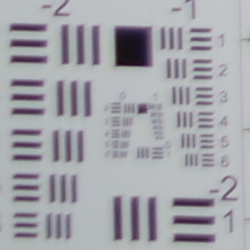
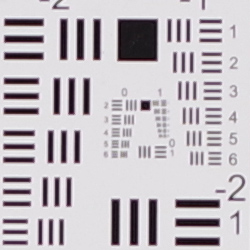
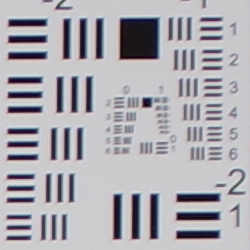
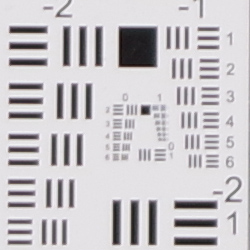
Low to moderate levels of chromatic aberration from the 18-50mm lens in JPEGs; much higher in uncorrected RAW files. Some very soft corners at wide angle.
| Aperture: Maximum | |
 |
 |
| 18mm@f/4: Lower left C.A.: Moderate Softness: Very soft |
18mm@f/4 Center C.A.: Very low Softness: Fairly sharp |
 |
 |
| 50mm@f/5.6: Upper right C.A.: Low Softness: Slightly soft |
50mm@f/5.6: Center C.A.: Very low Softness: Fairly sharp |
Chromatic Aberration. Chromatic aberration is moderate in the corners at full wide angle with the Pentax 18-50mm lens, though like most cameras these days, the K-S2 suppresses lateral chromatic aberration by default in JPEGs. The center shows very low levels. At full telephoto, chromatic aberration is fairly low in the corners, and very low in the center. (This distortion is visible as a slight colored fringe around the objects at the edges of the field of view on the resolution target.) See below for uncorrected results.
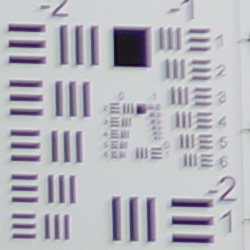
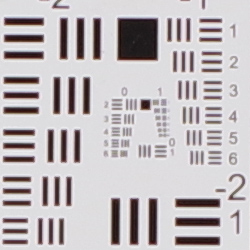
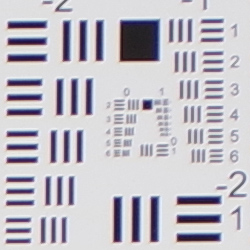
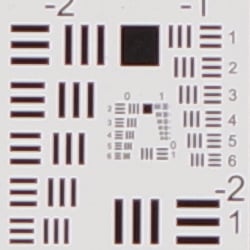
Corner Sharpness. The Pentax 18-50mm lens produced some soft corners, particularly at wide angle. The left corners are quite soft at wide angle when wide open, and softness extends a fair distance into the frame. The top right corner is fairly sharp, though, while the bottom right is in-between, indicating some decentering. The center was reasonably sharp, though not tack sharp. Corner performance was better at full telephoto, with all four corners only slightly soft. The center was fairly sharp, though again, not tack sharp.
Corner Shading. Moderate amounts of corner shading ("vignetting") can also be seen from the darker corner crops when wide-open, particularly at wide angle.
| Aperture: f/8 | |
 |
 |
| 18mm@f/8: Lower left C.A.: Moderate Softness: Soft |
18mm@f/8: Center C.A.: Very low Softness: Sharp |
 |
 |
| 50mm@f/8: Upper right C.A.: Moderate Softness: Very soft |
50mm@f/8: Center C.A.: Very low Softness: Sharp |
Stopped-down to f/8. Corner sharpness improved when stopped-down to f/8, but the left corners are still blurry with more obvious chromatic aberration correction reducing edge acuity, producing almost a double image effect. Sharpness in the center is slightly better than wide open but it's still not tack sharp even though sharpening is a little higher. Corners also improved slightly at full telephoto, but again, they are not tack sharp, nor is the center. Corner shading improved at both ends when stopped down to f/8, though some moderate shading is still visible at wide angle.
Built-in Lens Corrections
The Pentax K-S2 offers Distortion Correction, Lateral Chromatic Aberration Suppression, Diffraction Correction and Peripheral Illumination Correction lens correction options. Corrections are supported for most DA, DA L, and DFA lenses, as well as several of the company's FA Limited lenses, in both JPEG and RAW workflows. For JPEG shooting, the correction is made at capture time, while in RAW mode, correction information is saved as a file parameter.
Distortion Correction
| Distortion Correction On: Complex distortion at 18mm is <0.1 percent |
 |
Distortion Correction On: Complex distortion at 50mm is <0.1 percent |
 |
The Pentax K-S2 does not apply any geometric distortion correction to JPEGs by default. There is however a menu option to turn Distortion Correction on. RAW files are not corrected, but are tagged to have the same correction applied when using a RAW converter that supports the embedded lens profiles.
The crops above show JPEGs taken with the kit lens at wide angle and telephoto with Distortion Correction enabled. As you can see, the 0.9% barrel distortion in the uncorrected file has been corrected to less than 0.1% complex (slightly moustache-shaped) distortion. At the telephoto end, the 0.2% pincushion distortion in the uncorrected image was corrected to well under 0.1% complex distortion. Also notice some of the image has been cropped away in the process, especially at wide angle, so keep that in mind.
Chromatic Aberration Reduction
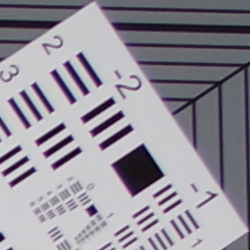
| Lateral Chromatic Aberration Reduction | |
 |
 |
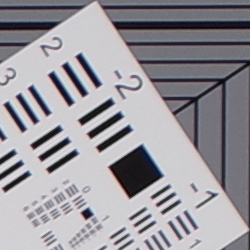
| 18mm@f/4: Enabled (default) | 18mm@f/4: Uncorrected |
 |
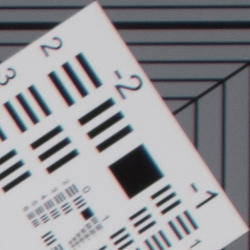 |
| 50mm@f/5.6: Enabled (default) | 50mm@f/5.6: Uncorrected |
As illustrated by the crops above, the 18-50mm exhibits some very high lateral chromatic aberration in the corners when uncorrected (right) at the wide-angle end, and stopping down doesn't help much. At full telephoto, uncorrected C.A. is moderately low, but still more than in corrected images.
Pentax K-S2's processor is reasonably effective at removing much of color fringing with Lateral Chromatic Aberration Correction enabled, though it still leaves some visible chromatic aberration behind in the form of magenta fringes, and can cause reduced edge acuity as well.
Note that we did not test Diffraction Correction, however it's enabled by default and the camera does appear to apply higher sharpening at smaller apertures to help compensate for diffraction.
Peripheral Illumination Correction
 |
 |
||
| 18mm@f/4 | 50mm@f/5.6 | ||
| Peripheral Illumination Correction: | Off (default) | On | |
The Pentax K-S2 also provides "Peripheral Illumination Correction," which corrects for lens shading (commonly called "vignetting"), attempting to produce a more uniform exposure across the frame by compensating for the light fall-off seen with some lenses in the corners of the frame. Mouse over the Off and On links above to see the effect on the 18-50mm kit lens at wide angle and telephoto at maximum aperture. PIC is disabled by default.
Overall, average to slightly above average optical performance for an inexpensive kit lens (especially if you get one that is well centered), and the Pentax K-S2's comprehensive built-in lens corrections help make the most of it.
Viewfinder Test Results
Coverage
Excellent accuracy from both the optical viewfinder and LCD.


The Pentax K-S2's optical viewfinder shows almost exactly 100% coverage with our Sigma 70mm f/2.8 prime lens. In Live View mode, the LCD provides just over 100% coverage. Excellent performance here.
The images above were taken from our standardized test shots. For a collection of more pictorial photos, see our Pentax K-S2 Photo Gallery .
Exposure
Color
Saturation & Hue Accuracy
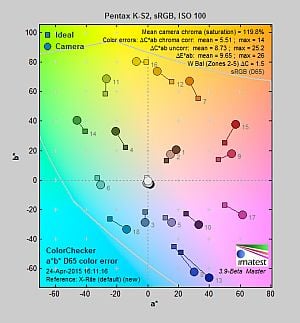
Very high mean saturation, with about average hue accuracy.
 |
||||
|
ISO Sensitivity
|
||||
| 1600 | ||||
| In the diagram above, the squares show the original color, and the circles show the color that the camera captured. More saturated colors are located toward the periphery of the graph. Hue changes as you travel around the center. Thus, hue-accurate, highly saturated colors appear as lines radiating from the center. Mouse over the links to compare ISOs, and click the links for larger versions. | ||||
Saturation. The Pentax K-S2's default image tone setting of "Bright" pushes most colors by quite a bit at base ISO, especially blues, greens, dark reds and purples. Mean saturation at ISO 100 is 119.8% or 19.8% oversaturated. That's about 10% higher than most other brands at default settings. Overall, colors are very bright and punchy, a trait we've come to expect from Pentax, and mean saturation remains higher than average throughout the ISO range. You can of course always select a different image tone preset and/or turn down settings such as saturation and contrast to suit your own tastes. Most consumer digital cameras produce color that's more highly saturated (more intense) than found in the original subjects. This is simply because most people like their color a bit brighter than life.
Skin tones. Caucasian skin tones from the Pentax K-S2 were a touch yellow using Manual white balance in our test shots, however Auto white balance produced a slightly more pinkish, "healthier" appearance. Good results here. Where oversaturation is most problematic is on Caucasian skin tones, as it's very easy for these "memory colors" to be seen as too bright, too pink, too yellow, etc.
Hue. The Pentax K-S2's mean "delta-C" color error of 5.51 after correction for saturation at ISO 100 is about average for a DSLR these days. Most noticeable were moderate shifts in orange toward yellow and cyan toward blue, with minor shifts and some reds, yellows, and greens. (The cyan to blue shift is very common among the digital cameras we test; we think it's a deliberate choice by camera engineers to produce better-looking sky colors.) Hue accuracy does degrade slightly at higher ISOs, but not as much as some cameras. Hue is "what color" the color is.


Sensor
Exposure and White Balance
Indoors, incandescent lighting
Very warm results with Auto white balance, but good color with Incandescent and Manual white balance settings.


The Pentax K-S2's Auto white balance had a difficult time with the warm color of the household incandescent bulbs used in this shot, producing a very warm image with a strong orange tint, even with "Strong Correction" enabled by default. (There is also a "Subtle Correction" Auto WB correction setting, however we did not test that option.) Results with the Incandescent setting are actually pretty good, though, just slightly on the warm side. The Manual setting produced the most accurate color balance, though just a touch cool.
* The Pentax K-S2 may have a slight compatibility issue with our Sigma 70mm f/2.8 reference lens, resulting in shots with brighter than normal exposures, so we won't comment on exposure accuracy for lab shots using this lens such as the above images. However our gallery shots taken with Pentax glass also shows inconsistent exposures.
Our test lighting for this shot is a mixture of 60 and 100 watt household incandescent bulbs, a pretty yellow light source, but a very common one in typical home settings here in the U.S.
Outdoors, daylight
Very bright, slightly cool colors with high contrast.
The Pentax K-S2 handled tough outdoor lighting under harsh sunlight fairly well, producing very bright though slightly cool colors. Default contrast is on the high side (as most users prefer), resulting in quite a few clipped highlights in the mannequins's shirt and some of the flowers, though shadows contained good detail, with only the very deepest shadows a little noisy. Skintones were just a touch warm and yellow using Manual white balance, so we preferred Auto white balance for our "Sunlit" Portrait shot here. Our Far-field shot was well exposed at 0 EV, again with punchy, slightly cool color. Only a few highlights were clipped at default exposure (mostly specular highlights) and very few shadows were lost. Details in the shadows are quite good, but deep shadows contain a moderate amount of luma noise, though chroma noise is well-controlled. Good results overall here.
* The Pentax K-S2 may have a slight compatibility issue with our Sigma 70mm f/2.8 reference lens, resulting in shots with brighter than normal exposures, so we won't comment on exposure accuracy for lab shots using this lens such as the above left Portrait shot (the Far-field shot on the right was taken with a Pentax 35mm f/2.8 Macro Limited lens).
See full set of test images with explanations
See thumbnails of all test and gallery images
Resolution
~2,500 lines of strong detail from JPEGs, about the same from converted RAW files.
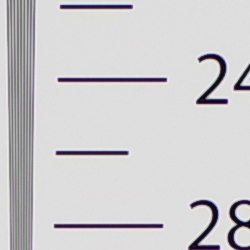
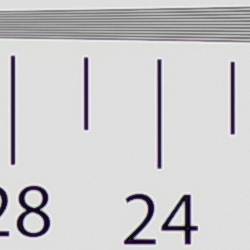
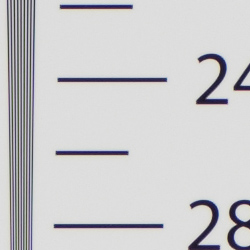
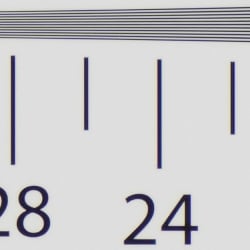
Our laboratory resolution chart reveals sharp, distinct line patterns down to about 2,500 lines per picture height in the horizontal direction, and to about the same 2,500 lph in the vertical direction in best quality JPEGs, though some aliasing in the form of moiré patterns can be seen as early as 2,100 lines per picture height. (These shots were taken with the AA Filter Simulation set to off for maximum resolution.) Complete extinction of the pattern didn't occur until just past 3,000 lines in both directions. We weren't able to resolve more with an Adobe Camera Raw conversion, though complete extinction of the pattern was extended to about 3,800 lines, and aliasing artifacts were much lower before the resolution limits. Use these numbers to compare with other cameras of similar resolution, or use them to see just what higher resolution can mean in terms of potential detail.
See full set of test images with explanations
See thumbnails of all test and gallery images
Sharpness & Detail
Very sharp images with excellent detail, though with moderate edge-enhancement on high-contrast subjects. Minor noise suppression visible at base ISO.

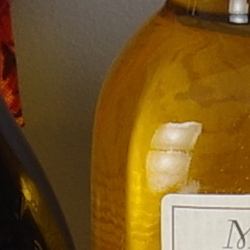
Sharpness. The Pentax K-S2 produces very sharp images with excellent detail at default settings. Images are slightly oversharpened as edge enhancement artifacts are visible on high-contrast subjects such as the sharpening halos around the lettering and border in our Mas Portell bottle label above left, but overall crispness is still quite pleasing. Edge enhancement creates the illusion of sharpness by enhancing color and tonal differences right at the edge of a rapid transition in color or tone.
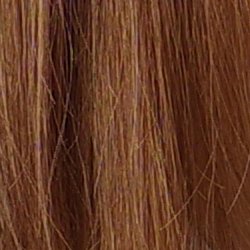
Detail. The crop above right shows only minor detail loss due to noise suppression. Individual strands are still distinguishable even in the lighter shadows, though they begin to merge as shadows deepen, and in places where the tone and color of adjacent strands is very close. Still, very good performance here, though false colors in the hair are noticeable. Some individual strands of hair also show aliasing in the form of "jaggies", however the K-S2's selectable AA filter should help prevent those from occurring when enabled (AA Filter Simulation was off by default). Noise-suppression systems in digital cameras tend to flatten-out detail in areas of subtle contrast. The effects can often be seen in shots of human hair, where the individual strands are lost and an almost "watercolor" look appears.
Anti-aliasing Filter Simulator
During the exposure, the Pentax K-S2's anti-shake actuator can oscillate the sensor assembly microscopically in either a linear (Type 1) or circular (Type 2) motion, simulating the effects of an anti-aliasing (or optical low-pass) filter. To see the effect on image sharpness and alias artifacts, roll over the links in the table below to compare the crops in our Resolution target at base ISO:

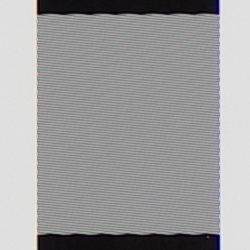


As you can see when mousing over the links above, AA Filter Simulation Type 1 blurs fine detail slightly, while Type 2 offers a slightly stronger effect, almost eliminating the aliasing artifacts and moiré that can be seen in the center of the starburst crop on the left, as well as in the fine line pattern crop on the right. It really is quite amazing to have on-demand anti-aliasing filtering like this, and the K-S2 even offers an AA bracketing mode allowing you to capture images with all 3 settings with one press of the shutter button..Keep in mind that even AA Type 2 may not avoid all aliasing artifacts, though. That will depend on multiple factors such as the subject matter, sharpness of lens, aperture setting, etc.
RAW vs In-Camera JPEGs
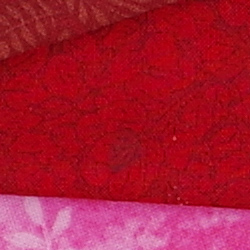
As noted above, the Pentax K-S2 does a great job at capturing lots of fine detail in its JPEGs, but more detail can often be obtained from carefully processing RAW files, while at the same time reducing sharpening artifacts. Take a look below, to see what we mean:
| Base ISO (100) | |
 |
 |
 |
 |
 |
 |
|
Camera JPEG, defaults
|
RAW via Adobe Camera Raw
|
In the table above, we compare an in-camera JPEG taken at base ISO using default noise reduction and sharpening (on the left) to the matching RAW file converted with Adobe Camera Raw 9.1 using default noise reduction with some strong but tight unsharp masking applied in Photoshop (200%, radius of 0.3 pixels, and a threshold of 0).
As is usually the case, Adobe Camera Raw delivers finer detail than the camera's processing as well as smaller sharpening halos with the settings we used, and its default noise reduction does better with our difficult red-leaf swatch, even resolving some of its thread pattern which the camera blurred away as noise. ACR also did a better job with color, rendering the pink fabric closer to reality instead of the more magenta interpretation of the camera. The ACR conversion does however show more noise compared to the camera's cleaner JPEG, though of course you can always adjust noise reduction to your likely. Overall, though, the Pentax K-S2 does a very good job with its JPEGs at base ISO, but as is usually the case you can extract even more detail with fewer sharpening artifacts and more accurate color with a good RAW converter.
ISO & Noise Performance
Excellent handling of noise versus detail in JPEGs to ISO 3200.
| Noise Reduction = Auto (Default) | ||
 |
 |
 |
| ISO 100 | ISO 200 | ISO 400 |
 |
 |
 |
| ISO 800 | ISO 1600 | ISO 3200 |
 |
 |
 |
| ISO 6400 | ISO 12,800 | ISO 25,600 |
 |
||
| ISO 51,200 | ||
The Pentax K-S2's images are pretty clean and very detailed from ISO 100 through 400, with just a touch of luminance noise becoming more visible in the shadows and darker midtones as ISO increases, however there are false colors in the mannequin's hair that are likely due to the AA filter being off by default, rather than chroma noise. There's a slight drop in fine detail at ISO 800 and then again at ISO 1600 thanks to stronger noise reduction, though detail is still excellent. At ISO 3200, there's a larger drop in image quality with increased blurring and more visible noise "grain" particularly in the shadows, but detail is still quite good. ISO 6400 shows stronger luminance and chrominance noise, though the noise "grain" remains fairly tight and there's still a fair amount usable detail left. Chroma blotching is more noticeable in the hair and shadows, though. Image quality at ISO 12,800 and above falls off quickly, though, with much stronger blurring and much less detail than at lower sensitivity levels. Chroma noise in the form of yellow and purple blotches becomes an issue at ISOs 25,600 and 51,200, and overall color balance shifts toward yellow/green, particularly at the highest ISO.
Overall, though, high ISO noise performance appears to be very good for a 20-megapixel APS-C camera. Note that these images were shot using the Pentax K-S2 "Auto" noise reduction setting. The Pentax K-S2 offers an unusually flexible amount of control over noise reduction applied to its JPEGs. In addition to "Auto", you can adjust how much NR is applied ("Off", "Low", "Medium" or "High") at all ISOs, or you can select "Custom" which allows you to choose from the same four options at each ISO sensitivity setting (in whole EV increments). Of course, the impact of noise and detail loss are highly dependent on the size the photos are printed at, and pixel-peeping on-screen has surprisingly little relationship to how the images look when printed: See the Print Quality section below for recommended maximum print sizes at each ISO.
A note about focus for this shot: We shoot this image at f/4, using one of three very sharp reference lenses (70mm Sigma f/2.8 macro for most cameras, 60mm f/2.8 Nikkor macro for Nikon bodies without a drive motor, and Olympus Zuiko 50mm f/2.0 for Four Thirds and Micro Four Thirds bodies). To insure that the hair detail we use for making critical judgements about camera noise processing and detail rendering is in sharp focus at the relatively wide aperture we're shooting at, the focus target at the center of the scene is on a movable stand. This lets us compensate for front- or back-focus by different camera bodies, even those that lack micro-focus adjustments. This does mean, though, that the focus target itself may appear soft or slightly out of focus for bodies that front- or back-focused with the reference lens. If you click to view the full-size image for one of these shots and notice that the focus target is fuzzy, you don't need to email and tell us about it; we already know it. :-) The focus target position will simply have been adjusted to insure that the rest of the scene is focused properly.
Extremes: Sunlit, dynamic range, and low light tests
High default contrast limits dynamic range in JPEGs. Good low-light performance, capable of capturing bright images in near darkness, but autofocus struggles in low light.


Sunlight:
The Pentax K-S2 struggled with the deliberately harsh lighting in the above test, thanks mostly to its high default contrast. The "-0.3 EV" exposure did the best job here, as the "-0.7 EV" exposure was a bit too dim in the face and the default "0 EV" exposure clipped too many highlights. Even at "-0.3 EV", a considerable number of highlights were blown in the mannequin's shirt and flowers, however very good detail was preserved in the shadows with relatively low levels of noise in all but the deepest shadows. Turning down the contrast or using one of the D-Range options will help in situations like this.
* The Pentax K-S2 may have a slight compatibility issue with our Sigma 70mm f/2.8 reference lens, resulting in shots with brighter than normal exposures, so we won't comment on exposure accuracy for lab shots using this lens such as the above images. However our gallery shots taken with Pentax glass also shows inconsistent exposures.
Because digital cameras are more like slide film than negative film (in that they tend to have a more limited tonal range), we test them in the harshest situations to see how they handle scenes with bright highlights and dark shadows, as well as what kind of sensitivity they have in low light. The shot above is designed to mimic the very harsh, contrasty effect of direct noonday sunlight, a very tough challenge for most digital cameras. (You can read details of this test here. In actual shooting conditions, be sure to use fill flash in situations like the one shown here; it's better to shoot in open shade whenever possible.)
D-Range Settings
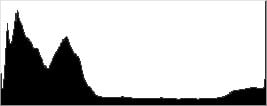
The Pentax K-S2 offers four Shadow Correction levels (Auto, Low, Medium and High, plus Off) as well as two Highlight Correction levels (Auto and On, plus Off). As the name implies, Shadow Correction works to raise shadow levels while attempting to keep highlights and midtones as they are, and inversely, Highlight Correction attempts to reduce highlights without darkening shadows and midtones. Both can be used simultaneously. See the images below to see their effect on our high-contrast "Sunlit" Portrait test shot.
|
Outdoor Portrait D-Range Examples
|
|||
 |
D-Range Off |
||
| Shadow Low |
|||
| Shadow Medium |
|||
| Shadow High |
|||
| Shadow Auto |
|||
 |
Highlight On |
||
Mouse over the links to see how the various settings for D-Range affects our "Sunlit" Portrait shot, and click on a link to get to the full-res image. (The effect can be a little subtle in shots like those above, so we decided to use a mouse-over to better show how each setting compares to Off.)
Shadow Correction. Above, we see a gradual lightening of shadows and midtones as the Shadow Correction setting is increased, with almost no impact to highlights, and the Auto setting produced results identical to Low. If you look closely at the shadow detail, you will notice an increase in noise as the setting is turned higher, but that's to be expected and noise levels are still pretty low. The camera reports an ISO of 100 for all four settings of Shadow Correction.
Highlight Correction. Highlight Correction works as expected when highlights are blown, toning them down to protect nearly all of them while keeping shadows and midtones roughly the same. Do be aware that Highlight Correction requires at least ISO 200 to be enabled, so noise is a little higher than base ISO. Sorry, we neglected to take an Auto lab shot.
|
Far-field D-Range Examples
|
|||
 |
|||
Here are the results of the available D-Range settings with our Far-field shot. Again, we see a lightening of shadows as the Shadow Correction setting is increased, and a slight reduction in highlights with Highlight Correction On (Auto HC decided no highlight correction was required, as very few were clipped).
HDR Capture
The Pentax K-S2 also has a High Dynamic Range (HDR) capture mode where the camera takes three images (underexposed, normal, and overexposed) in quick succession and combines them in-camera into one image. If performed properly, this method should result in much higher dynamic range, without the additional noise penalty that comes with boosting sensitivity or lightening shadows. (In fact, it can reduce shadow noise by combining shadows from the overexposed shot.)
There are four HDR settings available: Auto, and HDR 1/2/3 providing three blend settings, and each setting has three possible exposure ranges (±1 EV, ±2 EV and ±3 EV with ±2 EV as the default ). There's also an optional Auto Align feature for use when shooting without a tripod, which is enabled by default on the K-S2.
|
Far-field HDR Examples
|
||||
|
|
||||
Mouse-over the links above to compare thumbnails, and click on them to access full-resolution versions.
The Auto settings worked reasonably well on our Far-field test shot, reducing highlights and bringing out shadow detail. HDR1 mode produced a relatively realistic image though with an obvious and flat HDR look, but HDR2 and especially HDR3 resulted in an unnatural, very HDR-ish images with strong halos. As with most HDR systems there is a slight focal-length crop with Auto Align active, and watch out for ghosting that can occur when subjects move between exposures, as can be seen around leaves in the above shots.
Unlike the Pentax K-3, the K-S2's HDR mode does not support RAW or RAW+JPEG file types. (HDR is supported when shooting the K-3 in RAW mode, however the resulting RAW file is three times as large as a standard shot. The K-3 just bundles the individual captures into one file, to be processed later by their Digital Camera Utility software which can apparently blend or extract the separate RAW files.)
Dynamic Range Analysis (RAW mode)
While we once performed our own dynamic range measurements based on in-camera JPEGs as well as converted RAW images (when the camera was supported by Adobe Camera Raw), we've switched to using DxO Labs' results from their DxOMark website. As technology advanced, the dynamic range of modern high-end cameras in some cases exceeded the range of the Stouffer T4110 density scale that we used for our own measurements. DxO's approach based on RAW data before demosaicing is also more revealing, because it measures the fundamental dynamic range of the sensor, irrespective of whatever processing is applied to JPEGs, or to RAW data by off-the-shelf conversion software.
DxOMark has not tested the Pentax K-S2 yet, but we'll update this section once they do.
| 1 fc 11 lux |
1/16 fc 0.67 lux |
1/16 fc No NR |
|
|---|---|---|---|
| ISO 100 |
 2s, f2.8 |
 30s, f2.8 |
 30s, f2.8 |
| ISO 3200 |
 1/15s, f2.8 |
 1s, f2.8 |
 1s, f2.8 |
| ISO 51200 |
 1/250s, f2.8 |
 1/15s, f2.8 |
 1/15s, f2.8 |
Low Light. The Pentax K-S2 performed well in terms of image quality in our low-light tests, capturing clean, well-exposed images at the lowest light level (1/16 foot-candle) with the lowest sensitivity setting (ISO 100). As you'd expect, noise is higher at ISO 3200 but it remains well-controlled and very fine-grained. Unsurprisingly, the maximum ISO of 51,200 is quite noisy with noticeably less detail, and is best avoided except for small prints and in emergencies.
Color balance with Auto white balance is pretty good across ISOs and light levels, which isn't always the case, with just a slightly cool bias.
We did not detect any significant issues with hot pixels, and pattern noise (horizontal banding or streaking) is very low and difficult to detect even in deep shadows. Some heat blooming can be seen at the highest ISO emanating from the bottom right with long exposure noise reduction disabled (rightmost column above), though that's not uncommon at very high ISOs.
The Pentax K-S2's phase-detection autofocus system was only able to focus on our test subject down to just above the 1/4 foot-candle light level using an f/2.8 lens with its AF assist light turned off. That's poor performance for a DSLR, though it was able to focus in total darkness with the focus assist lamp enabled.
(Keep in mind that the longer shutter speeds here demand the use of a tripod to prevent any blurring from camera movement. A useful trick is to just prop the camera on a convenient surface, and use its self-timer to release the shutter. This avoids any jiggling from your finger pressing the shutter button, and can work quite well when you don't have a tripod handy.)
How bright is this? The one foot-candle light level that this test begins at roughly corresponds to the brightness of typical city street-lighting at night. Cameras performing well at that level should be able to snap good-looking photos of street-lit scenes.
NOTE: This low light test is conducted with a stationary subject, and the camera mounted on a sturdy tripod. Most digital cameras will fail miserably when faced with a moving subject in dim lighting. (For example, a child's ballet recital or a holiday pageant in a gymnasium.) Digital SLRs like the Pentax K-S2 do much better than point & shoots, but you still shouldn't expect a quick autofocus lock with moving subjects.
Output Quality
Print Quality
High-quality prints up to 24 x 36 inches at ISO 100-200; Nice 13 x 19 inch prints at ISO 1600; and 4 x 6 inch prints just pass the mark at ISO 25,600.
 ISO 100/200 prints looks great up to 24 x 36 inches with lots of detail and bright colors. At close inspection, you can see some pixelation along some edges, but when viewed at arm's-length and farther -- a normal viewing distance for such a large print -- the image overall looks great. We'd even go as far as calling 30 x 40 acceptable for wall display, particularly at ISO 100. ISO 200 images show very very slightly softer detail in certain areas, but overall, the print sizes at this sensitivity are the same as at base sensitivity.
ISO 400 images start to display subtle shadow noise and there's some slight softening of detail, but prints still look great up to 20 x 30 inches. Overall detail is very nice and colors are still vibrant and pleasing.
ISO 800 prints top out at 16 x 20 inches, as noise becomes a bit stronger and more visible, though mainly just in shadow areas. Fine detail in most places looks really nice, but some low contrast areas (such as our tricky red-leaf fabric in our Still Life target, for example) start to show a drop in detail.
ISO 1600 images still look quite good, with prints appearing nice up to 13 x 19 inches. As with ISO 800 prints, detail looks nice overall, but low contrast areas look a bit soft, though these characteristics are now more prominent as the sensitivity rises to ISO 1600. Visible shadow noise is also more noticeable, but colors remain vibrant.
ISO 3200 prints begin to show a more pronounced drop in detail, as noise becomes an issue, though colors are still quite nice. The noise itself, however, appears more fine-grained and not drastically detrimental to prints at sizes up to 11 x 14 inches.
ISO 6400 images begin to look quite noisy with a noticeable drop in fine detail, which prevents us from calling prints larger than 8 x 10 inches acceptable.
ISO 12,800 prints struggle with lots of noise and a lack of detail, but a 5 x 7 inch print just squeaks by as the maximum size we're comfortable with.
ISO 25,600 images, similar to the previous ISO, are quite soft and noisy, and here we feel a 4 x 6 inch print is the biggest you should go at this sensitivity.
ISO 51,200 prints are too noisy and display too little detail to provide an acceptable print.
With a 20.2-megapixel sensor, the Pentax K-S2 is the second-highest resolution APS-C DSLR in the Pentax family (under the 24.3-megapixel K-3 series), so it's no surprise the K-S2 does well in the print department. At base ISO and ISO 200, the K-S2 manages really large 24 x 36 prints, though you're pretty much right at the resolution limit of the sensor at that size. As sensitivity rises, the K-S2 does well, with a nice 13 x 19 inch print at ISO 1600. At extremely high sensitivities, the K-S2 struggles with noise and detail issues like most APS-C sensors, with print sizes topping out at 4 x 6 inches at ISO 25,600. However that's very good for an APS-C camera, matching some leading 24-megapixel models.
The images above were taken from our standardized test shots. For a collection of more pictorial photos, see our Pentax K-S2 Photo Gallery .
Not sure which camera to buy? Let your eyes be the ultimate judge! Visit our Comparometer(tm) to compare images from the Pentax K-S2 with those from other cameras you may be considering. The proof is in the pictures, so let your own eyes decide which you like best!
Performance
Timing and Performance
Good overall performance for its class.
| Startup/Play to Record | ||
|---|---|---|
|
Power on |
~1.0 second
|
Time it takes for camera to turn on and take a shot. |
|
Play to Record, |
~0.2 second
|
Time until first shot is captured. |
The Pentax K-S2's startup time was a little slow for a DSLR, but switching from Play to Record and taking a shot was quite fast.
| Shutter Response (Lag Time), Optical Viewfinder | ||
|---|---|---|
|
Full Autofocus |
0.124 second
|
Time from fully pressing shutter button to image capture. (All AF timing measured with Pentax 18-50mm f/4-5.6 kit lens.) |
|
Full Autofocus |
0.153 second
|
Time from fully pressing shutter button to image capture, Auto Flash enabled. |
|
Manual focus |
0.098 second
|
For most cameras, shutter lag is less in manual focus than autofocus, but usually not as fast as when the camera is "pre-focused." |
|
Pre-focused |
0.077 second
|
Time to capture, after half-pressing and holding shutter button. |
| Shutter Response (Lag Time), Live View mode | ||
|
Full Autofocus |
0.754 second
|
Time from fully pressing shutter button to image capture. |
|
Pre-focused |
0.214 second
|
Time to capture, after half-pressing and holding shutter button. |
The Pentax K-S2's full autofocus shutter lag when shooting the same target multiple times was much faster than average for a consumer DSLR. The K-S2 required only 0.124 second for full AF using the center focus point with the kit lens at medium focal length. (We also tested this with our Sigma 70mm f/2.8 macro reference lens, and got identical results.) Enabling the flash raised shutter lag only slightly to 0.153 second, reflecting the added delay caused by the metering preflash. Manual focus shutter lag was even faster than autofocus as expected, at 0.098 second. When prefocused, shutter lag dropped further to 0.077 second which is about average for a consumer DSLR.
As expected, full autofocus lag was slower in Live View mode. The Pentax K-S2 took about 0.75 second to focus in Live View in our tests. That's noticeably slower than using the optical viewfinder, but actually not bad for a DSLR. (How fast the lens can adjust focus makes a big difference here.) When prefocused, shutter lag fell to a more snappy 0.214 second in Live View mode.
To minimize the effect of different lens' focusing speed, we test AF-active shutter lag with the lens already set to the correct focal distance.
| Cycle Time (shot-to-shot) | ||
|---|---|---|
|
Single Shot mode |
0.35 second
|
Average time per shot. |
|
Single Shot mode |
0.35 second
|
Average time per shot. |
|
Early shutter |
No
|
Some cameras refuse to snap another shot if you release and press the shutter too quickly in Single Shot mode, making "No" the preferred answer. |
| Continuous H mode |
0.19 second (5.24 frames per second);
28 frames total; 8 seconds to clear |
Time per shot, averaged over 28 frame buffer. Slows to an average of 0.31 second or 3.2 fps when buffer is full. |
|
Continuous H mode |
0.19 second (5.23 frames per second);
9 frames total; 8 seconds to clear |
Time per shot, averaged over 9 frame buffer. Slows to an average of 0.84 second or 1.20 fps when buffer is full. |
|
Continuous H mode |
0.19 second (5.21 frames per second);
6 frames total; 8 seconds to clear |
Time per shot, averaged over 6 frame buffer. Slows to an average of 1.22 seconds or 0.82 fps when buffer is full. |
| Flash recycling |
2.3 seconds
|
Flash at maximum output. |
| *Note: Buffer clearing times measured with a SanDisk Extreme Pro 95MB/s UHS-I SDHC memory card. Slower cards will produce correspondingly slower clearing times. Slow cards may also limit length of bursts in continuous mode. ISO sensitivity and other settings such as highlight/shadow corrections or NR can also affect cycle times and burst mode performance. |
||
Shot-to-shot cycle times were quite good for a consumer DSLR, at 0.35 second for Large Best Quality JPEGs or RAW + L/B JPEG frames. (Note that fast single-shot times like these depend a lot on the tester's rhythm, so your results may vary.) We no longer test just RAW files in single-shot mode, as it's usually somewhere in between JPEG and RAW+JPEG cycle time.
Continuous H mode speed was decent at about 5.2 frames per second regardless of file type, very close to Pentax's 5.5 fps spec. Note that the K-S2 captures 12-bit RAW files in Pentax PEF or Adobe DNG format, and no compression options are given for RAW files. There is also a Continuous L mode rated at 3 frames per second, but we did not test that mode.
Buffer depth in continuous mode was good when shooting just JPEGs at 28 Large Best Quality JPEG frames before the camera slowed, though with RAW files buffer depths were somewhat shallow at 9 RAW frames or 6 RAW+L/B JPEG frames. This is typical of DSLRs in its price range, though. Also note that our test target was designed to be difficult to compress, so shooting typical subjects may yield deeper buffers.
Buffer clearing was reasonable with our fast UHS-I SDHC card, taking 8 seconds to clear after a max-length burst of frames in all three format modes.
The K-S2's built-in flash took an average of 2.3 seconds to recharge after full-power shots, which is quite fast.
Bottom line, the Pentax K-S2's performance was generally good for its class in our tests. Startup was a little slow for a DSLR, but AF speeds were very fast, and shutter lag, single shot cycle-times, burst speeds and flash recycle times were all good. Buffer depths with RAW files were somewhat shallow, but that's not unusual for its class.
Battery
Battery Life
Poor battery life for a DSLR.
| Operating Mode | Number of Shots |
|---|---|
|
Optical Viewfinder,
(CIPA standard) |
410
|
The Pentax K-S2 uses a custom rechargeable D-LI109 lithium-ion battery for power, and ships with a dedicated charger. Battery life when using the optical viewfinder is well below average for a DSLR, and Pentax does not specify battery life for Live View mode, which will certainly be a lot lower. We strongly recommend you pick up a spare battery and keep it freshly charged and on-hand for extended outings.
The table above shows the number of shots the camera is capable of (on either a fresh set of disposable batteries or a fully-charged rechargeable battery as appropriate), based on CIPA battery-life and/or manufacturer standard test conditions.
(Interested readers can find an English translation of the CIPA DC-002 standards document here. (180K PDF document))
Image Quality
Below are crops from our laboratory Still Life target comparing the Pentax K-S2 vs. the Pentax K-3, Canon T6i, Nikon D5500, Olympus E-M10 and Sony A6000. The K-S2 doesn't really have a direct predecessor in Ricoh's line, so we've instead compared it to the company's flagship model at this sensor size, as well as the nearest models in Canon and Nikon's DSLR lineups, and its closest mirrorless competitors from Olympus and Sony.
NOTE: These images are best quality JPEGs straight out of the camera, at default settings including noise reduction and using the camera's actual base ISO (not extended ISO settings). All cameras in this comparison were shot with our very sharp reference lenses. Clicking any crop will take you to a carrier page where you can click once again to access the full resolution image as delivered straight from the camera.
For those interested in working with the RAW files involved: click these links to visit each camera's respective sample image thumbnail page: Pentax K-S2, Pentax K-3, Canon T6i, Nikon D5500, Olympus E-M10 and Sony A6000 -- links to the RAW files appear beneath those for the JPEG images, wherever we have them.
Want to compare the feature-set of these cameras? We've prepared A vs. B comparisons for you -- click these links to see the Pentax K-S2 vs. Pentax K-3, Pentax K-S2 vs. Canon T6i, Pentax K-S2 vs. Nikon D5500, Pentax K-S2 vs. Olympus E-M10, and Pentax K-S2 vs. Sony A6000.
And remember, you can always go to our world-renowned Comparometer to compare images shot with the Pentax K-S2 side-by-side against any camera we've ever tested!
Pentax K-S2 vs Pentax K-3 at Base ISO
 |  |
 |  |
 |  |
Pentax K-S2 at ISO 100 | Pentax K-3 at ISO 100 |
Despite a slightly lower resolution than its flagship sibling, the Pentax K-S2's crops compare very well to those of the K-3. There's perhaps just fractionally less detail in the K-S2's rendering of the fabric swatches, and the hard-to-render red swatch has a little lower contrast. Otherwise, though, there's not really much to tell the two siblings apart. | |
Pentax K-S2 vs Canon T6i at Base ISO
|  |
|  |
|  |
Pentax K-S2 at ISO 100 | Canon T6i at ISO 100 |
Compared to the Canon T6i, the Pentax K-S2 looks quite a bit sharper at base sensitivity, despite a slight resolution disadvantage for the latter. That's at least partly down to stronger default sharpening from the Pentax. Look closely and the Canon has captured almost as much detail. Pentax definitely does better in that tricky red swatch, though, with the T6i's rendering of this area being rather on the soft side. Unfortunately, its default rendering turns the pink swatch magenta, as Pentax cameras tend to do. | |
Pentax K-S2 vs Nikon D5500 at Base ISO
|  |
|  |
|  |
Pentax K-S2 at ISO 100 | Nikon D5500 at ISO 100 |
Once again, the Pentax K-S2 is at a slight disadvantage resolution-wise, with 20 megapixels to the Nikon D5500's 24 megapixels. Here, though, there's a slightly more notable difference for the higher-res camera, especially in the pink fabric swatch, and like Canon, Nikon comes closer to the correct color for that swatch as well. The K-S2's mosaic label also looks a little oversharpened compared to that from the Nikon, but it does yield a crisper result in the red fabric swatch. | |
Pentax K-S2 vs Olympus E-M10 at Base ISO
|  |
|  |
|  |
Pentax K-S2 at ISO 100 | Olympus E-M10 at ISO 200 |
And finally, the tables turn: Against the 16-megapixel Olympus E-M10, it's the Pentax K-S2 which has a slight resolution advantage. We can see just a little more detail in its mosaic label, although again the stronger sharpening gives the impression of a greater advantage than is actually there. Olympus' color for the pink swatch is more realistic, though, and there are less sharpening haloes visible in the bottle crop. | |
Pentax K-S2 vs Sony A6000 at Base ISO
|  |
|  |
|  |
Pentax K-S2 at ISO 100 | Sony A6000 at ISO 100 |
Finally, we return to another comparison against a higher-res camera. Perhaps not surprisingly given its sensor know-how, Sony's A6000 does very well, besting the Pentax K-S2 for detail noticeably (and especially in the pink swatch), while minimizing sharpening haloes and coming much closer on the pink swatch color. | |
Pentax K-S2 vs Pentax K-3 at ISO 1600
 |  |
 |  |
 |  |
Pentax K-S2 at ISO 1600 | Pentax K-3 at ISO 1600 |
Bump the sensitivity a bit, and things start to get more interesting. Despite its slightly lower resolution, the Pentax K-S2 arguably holds onto just a little more detail than does its higher-end sibling in the mosaic crop. The noise pattern in its bottle crop is tighter, as well. But where the Pentax K-3 retains just a tiny bit of detail in the red fabric swatch, the K-S2 has already lost all of it. | |
Pentax K-S2 vs Canon T6i at ISO 1600
|  |
|  |
|  |
Pentax K-S2 at ISO 1600 | Canon T6i at ISO 1600 |
Much the same is true as we move to the Canon T6i. The Pentax does quite a bit better in the mosaic, and the noise in the bottle crop is a little less noticeable, but Canon does a far, far better job with the fabric swatches. | |
Pentax K-S2 vs Nikon D5500 at ISO 1600
|  |
|  |
|  |
Pentax K-S2 at ISO 1600 | Nikon D5500 at ISO 1600 |
The Nikon D5500 now lags just slightly in the mosaic, as well. However, it's a closer thing than with the K-3 or T6i, and there's little difference in the bottle crop, either. The D5500 doesn't do as well in the fabric crops as did the Canon, but it still bests the Pentax K-S2 here, as well. | |
Pentax K-S2 vs Olympus E-M10 at ISO 1600
|  |
|  |
|  |
Pentax K-S2 at ISO 1600 | Olympus E-M10 at ISO 1600 |
Interestingly, the Olympus E-M10's bottle crop actually looks cleaner than that from the K-S2 at first glance, although if you look closer this seems to be down to more aggressive noise reduction. This hurts its performance with the mosaic label, where the Pentax has a clear edge at ISO 1600. Once more, though, Olympus does a better job with the fabric swatches. | |
Pentax K-S2 vs Sony A6000 at ISO 1600
|  |
|  |
|  |
Pentax K-S2 at ISO 1600 | Sony A6000 at ISO 1600 |
And finally, we come to the Sony A6000. The mirrorless camera is, like its rivals, bested in the mosaic label by the lower-res Pentax. And there's a slightly unattractive, mottled look to the bottle crops, an artifact of its noise reduction. The Sony, too, does better than the K-S2 in the fabric swatches though -- it's even held onto a little of the thread pattern in the pink label. | |
Pentax K-S2 vs Pentax K-3 at ISO 3200
 |  |
 |  |
 |  |
Pentax K-S2 at ISO 3200 | Pentax K-3 at ISO 3200 |
Once we reach ISO 3200, it's clear that the Pentax K-S2's lower resolution has given it a slight edge on the K-3. The latter's bottle crop is more mottled, and the noise reduction has also lost more detail in the mosaic label. And really, there's so little difference in the fabric swatches -- neither camera handling them very well -- that the K-S2 is the clear winner of the pair. | |
Pentax K-S2 vs Canon T6i at ISO 3200
|  |
|  |
|  |
Pentax K-S2 at ISO 3200 | Canon T6i at ISO 3200 |
Against the Canon T6i, we see a similar result at ISO 3200. The Pentax handles the bottles and mosaic label better, stumbling only with that troublesome fabric swatch. | |
Pentax K-S2 vs Nikon D5500 at ISO 3200
|  |
|  |
|  |
Pentax K-S2 at ISO 3200 | Nikon D5500 at ISO 3200 |
And it's a similar story with the Nikon D5500, too. Only in the red swatch does the plucky Pentax lose its edge... | |
Pentax K-S2 vs Olympus E-M10 at ISO 3200
|  |
|  |
|  |
Pentax K-S2 at ISO 3200 | Olympus E-M10 at ISO 3200 |
Once more, heavier noise reduction gives the Olympus E-M10 a cleaner-looking bottle crop, but it's at the expense of a rather muddy mosaic label. The Olympus still handles the red swatch better, though. | |
Pentax K-S2 vs Sony A6000 at ISO 3200
|  |
|  |
|  |
Pentax K-S2 at ISO 3200 | Sony A6000 at ISO 3200 |
And finally, we come to the Sony A6000. At ISO 3200, it suffers the same fate as most of its rivals, bested by the Pentax K-S2 in the mosaic label. And once again, the bottle crop from the Pentax, while noisier, doesn't have the mottled noise reduction artifacts of the Sony. But that red fabric swatch rears its head one last time, with the Sony holding onto detail here while the Pentax has lost it all. | |
Pentax K-S2 vs. Pentax K-3, Canon T6i, Nikon D5500, Olympus E-M10, Sony A6000
 |  |  |  |  |  |
 |  |  |  |  |  |
 |  |  |  |  |  |
| Pentax K-S2 ISO 100 ISO 3200 ISO 6400 | Pentax K-3 ISO 100 ISO 3200 ISO 6400 | Canon T6i ISO 100 ISO 3200 ISO 6400 | Nikon D5500 ISO 100 ISO 3200 ISO 6400 | Olympus E-M10 ISO 200 ISO 3200 ISO 6400 | Sony A6000 ISO 100 ISO 3200 ISO 6400 |
| Detail comparison. Although the Pentax K-S2 certainly impressed at higher sensitivities in the mosaic label, it doesn't seem to have quite the same edge with fine, high-contrast detail. At base ISO the Sony A6000 and Nikon D5500 lead the way, and the Olympus E-M10 is hot on their heels. At ISO 3200, it's a similar story, while the Pentax K-S2 and K-3 have fallen behind a little more, as has the Canon T6i. By the time we reach ISO 6400, the Pentax K-S2 is about level pegging with the Canon T6i, besting only the K-3. The Nikon D5500 probably turns in the best result here, with the A6000 and E-M10 close behind it. | |||||
Pentax K-S2 Print Quality
High-quality prints up to 24 x 36 inches at ISO 100-200; Nice 13 x 19 inch prints at ISO 1600; and 4 x 6 inch prints just pass the mark at ISO 25,600.
ISO 100/200 prints looks great up to 24 x 36 inches with lots of detail and bright colors. At close inspection, you can see some pixelation along some edges, but when viewed at arm's-length and farther -- a normal viewing distance for such a large print -- the image overall looks great. We'd even go as far as calling 30 x 40 acceptable for wall display, particularly at ISO 100. ISO 200 images show very very slightly softer detail in certain areas, but overall, the print sizes at this sensitivity are the same as at base sensitivity.
ISO 400 images start to display subtle shadow noise and there's some slight softening of detail, but prints still look great up to 20 x 30 inches. Overall detail is very nice and colors are still vibrant and pleasing.
ISO 800 prints top out at 16 x 20 inches, as noise becomes a bit stronger and more visible, though mainly just in shadow areas. Fine detail in most places looks really nice, but some low contrast areas (such as our tricky red-leaf fabric in our Still Life target, for example) start to show a drop in detail.
ISO 1600 images still look quite good, with prints appearing nice up to 13 x 19 inches. As with ISO 800 prints, detail looks nice overall, but low contrast areas look a bit soft, though these characteristics are now more prominent as the sensitivity rises to ISO 1600. Visible shadow noise is also more noticeable, but colors remain vibrant.
ISO 3200 prints begin to show a more pronounced drop in detail, as noise becomes an issue, though colors are still quite nice. The noise itself, however, appears more fine-grained and not drastically detrimental to prints at sizes up to 11 x 14 inches.
ISO 6400 images begin to look quite noisy with a noticeable drop in fine detail, which prevents us from calling prints larger than 8 x 10 inches acceptable.
ISO 12,800 prints struggle with lots of noise and a lack of detail, but a 5 x 7 inch print just squeaks by as the maximum size we're comfortable with.
ISO 25,600 images, similar to the previous ISO, are quite soft and noisy, and here we feel a 4 x 6 inch print is the biggest you should go at this sensitivity.
ISO 51,200 prints are too noisy and display too little detail to provide an acceptable print.
With a 20.2-megapixel sensor, the Pentax K-S2 is the second-highest resolution APS-C DSLR in the Pentax family (under the 24.3-megapixel K-3 series), so it's no surprise the K-S2 does well in the print department. At base ISO and ISO 200, the K-S2 manages really large 24 x 36 prints, though you're pretty much right at the resolution limit of the sensor at that size. As sensitivity rises, the K-S2 does well, with a nice 13 x 19 inch print at ISO 1600. At extremely high sensitivities, the K-S2 struggles with noise and detail issues like most APS-C sensors, with print sizes topping out at 4 x 6 inches at ISO 25,600. However that's very good for an APS-C camera, matching some leading 24-megapixel models.
Field Test
Field Test Part II
Small town drama or big city glitter: This tiny DSLR handles it with gusto
By Mike Tomkins | Posted: 05/15/2015
 75mm-equivalent, 1/320 sec. @ f/9, ISO 200
For quite a few years now, I've been a big fan of Pentax and its interchangeable-lens cameras. Pentax DSLRs are unusually feature-rich for their price-points, and the Pentax K-S2 is no different. Not only does it offer up a bright, clear glass pentaprism viewfinder instead of its rivals' pentamirrors, and photographer-friendly twin control dials when competitors provide just one, it even includes weather sealing so you can shoot with confidence even when the heavens open up.
And despite all its many features, the K-S2 is exceptionally compact. According to brand-owner Ricoh, it's the smallest weather-resistant DSLR to date! (If weather sealing isn't important to you, and small size is your primary goal, you might also want to consider the Canon SL1, which is the smallest and lightest DSLR we've reviewed. That said, the K-S2 is only 0.2 inches wider and 0.1 inches deeper, despite a much longer list of features).
Some important firsts for Ricoh
What made me particularly keen to get my hands on the Pentax K-S2, though, was that it also marks a number of firsts for Ricoh. Most exciting of all is the tilt/swivel vari-angle LCD monitor, which promises to make live view shooting more versatile, and also protects the display when it's closed facing inwards. The K-S2 is also Ricoh's first DSLR to include Wi-Fi wireless networking in-camera, removing the need for fiddling with cables or flash cards if you want to get your photos onto your smartphone or tablet.

And for quick-and-easy pairing, the Wi-Fi function also comes accompanied by an NFC radio which sets up the connection automatically if you tap the camera against your Android phone or tablet. As if that wasn't enough, there's also a new kit lens which -- despite featuring a retractable design (another first for Ricoh) -- is also weather-sealed!
Colors mean your camera matches your personality
Of course, what I first noticed when I saw the Pentax K-S2 at the Consumer Electronics Show earlier this year was its unusual color scheme. By default the K-S2 features a traditional all-black design, and a white-and-light-gray version is also available, but the most unusual (and for some, controversial) of the K-S2 Standard Collection designs pairs a black body with dark gray grips and an orange base plate.
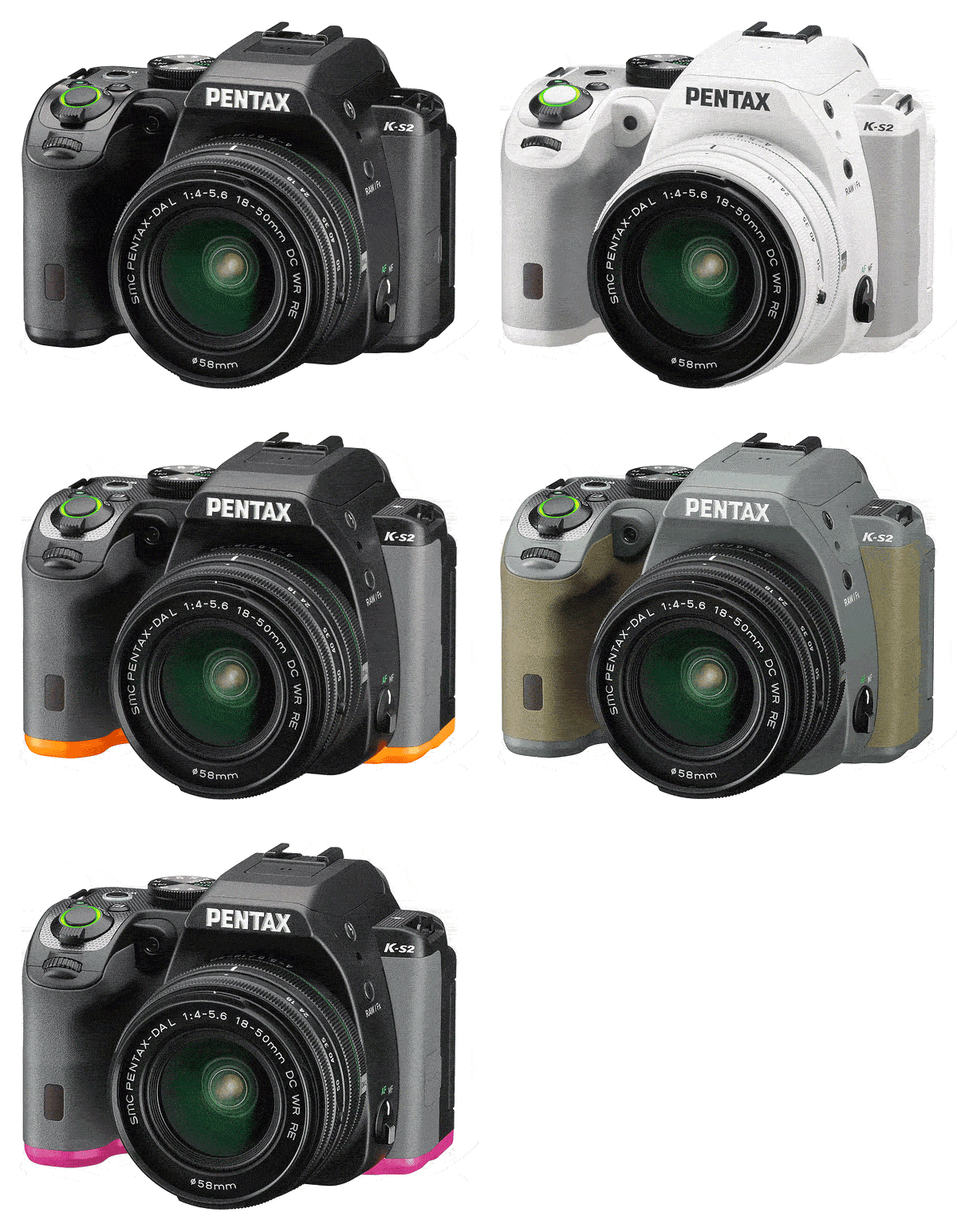
The effect looks somewhat reminiscent of a sports shoe, and I must admit that I wasn't a fan initially. In the time since CES it's grown on me, though, and there was perhaps a tiny tinge of disappointment when I opened the box to see an all-black review sample in front of me.
 75mm-equivalent, 1/400 sec. @ f/9, ISO 200
Sure, the colorful variants aren't as serious-looking, but I've come to realize that as photographers, we sometimes take ourselves rather too seriously. We don't limit ourselves to just black, white or silver for our cars, phones, or plenty of other important tools that we use on a daily basis, so why not put a little of ourselves into our cameras, too? We photographers are, after all, very visual people by our very nature!
If you feel as I now do, you'll be pleased to see that Pentax offers a total of nine other color combinations in the US market, letting you stamp your personality on your camera. (These are sold in two distinct groups: The Sports Collection and Nature Collection, with the former opting for bolder colors and the latter for more muted ones.) And if you don't, well -- there is still that plain black version for you.
Hands-on with the Pentax K-S2
Color choices aside, the Pentax K-S2's body is fairly stylish as DSLRs go. The top deck on either side of the pentaprism / flash housing is mostly flat, tapering off slightly at the left shoulder and front of the handgrip. It's inset with trim pieces that give it an attractive look and feel, and the rest of the body is similarly quite angular.
I found the K-S2 quite comfortable in-hand overall, although the handgrip is just a touch shallow for my large hands, leaving my fingertips pressed into the camera body just slightly. (I'm 6'1" tall, so if you have smaller hands you're likely fine.) The smaller-than-average body also meant that there wasn't quite room for my little finger on the grip, but it curled under the base of the camera just fine.

All of the controls were easy to reach, and for the most part they were comfortable to use as well. Button feel wasn't quite as good as that of the flagship K-3 II, but was typical of rival cameras at this price-point.
 27mm-equivalent, 1/500 sec. @ f/8, ISO 200
There was only one control that really troubled me much -- the Power switch which encircles the Shutter button. I found that unless I was very careful, I often turned the Power switch too far and set the camera for movie capture, then had to turn the switch back a click to the On position for still image capture. A little stronger detent at the On position would have helped, but this is a pretty minor quibble, all things considered.
Finally, a versatile tilt/swivel LCD!
We've seen articulated LCDs on DSLRs before, but for Ricoh, the presence of such a screen on the Pentax K-S2 is big news. Doubly so because it's a tilt/swivel type, which I vastly prefer over the more common tilt-only screens.
I have two reasons for that preference. Firstly, tilt/swivel screens like this can be closed facing inwards. That not only protects the screen from accidental bumps and knocks, it also means that it's not getting smudged by my nose when I bring the viewfinder to my eye. And secondly, tilt/swivel screens provide for a much greater range of viewing angles.
With the Pentax K-S2, I can frame images in live view mode over my head, from the waist or low to the ground, regardless of whether I prefer a portrait or landscape orientation, and still have the screen facing directly towards me. It makes the live view mode a much more attractive option, and I enjoyed being able to shoot from awkward angles without having to prostrate myself or simply point and pray, guessing my framing as I've done before on cameras with fixed displays.
 34mm-equivalent, 1/250 sec. @ f/7.1, ISO 100
Yes, the articulation mechanism is probably rather more fragile than a fixed-position screen would be, but with that said, it feels pretty rugged and sturdy. I'd only worry about it breaking if I dropped the camera with the screen extended. Regular usage isn't likely to hurt the mechanism, even in the rain. (This is a weather-sealed camera, remember, and while I've yet to shoot with it in a downpour I've been thoroughly impressed with other Pentax models' ability to shoot without issue even in driving rain.)
User-friendly selfie framing is a nice touch
While I'm not personally a big selfie shooter, the Pentax K-S2 has an added trick here that I really like. When the screen is facing forwards to allow for self-portrait framing, the regular shutter button -- which like that of any DSLR is a bit tricky to reach with the camera facing towards you -- swaps its role with the Wi-Fi button. To reinforce this change visually, there are illuminated rings around both buttons, and the ring for whichever is acting as the shutter button will light up green.
These aren't the only buttons which can light up, incidentally. There's also an illuminated ring around the OK button that sits at the center of the four-way controller on the rear deck. This lights up in blue when the camera is configured such that button can be used to switch the four-way controller buttons between focus point selection and their labeled actions.

You can choose two different brightness levels for all three of these illuminated rings, as well as disabling illumination altogether. (That comes in handy when you're shooting in low light and don't want to call attention to yourself, or to destroy your night vision.) The switch of shutter and Wi-Fi button functionality when the screen is facing forwards can also be disabled, if you'd prefer to use the regular shutter button while allowing your subjects to see themselves.
A more modern-feeling user interface...
 27mm-equivalent, 1/160 sec. @ f/6.3, ISO 100
Another change in the Pentax K-S2 compared to most of its predecessors can be found on-screen, where Ricoh has overhauled the menu system. This change actually took place in the entry-level K-S1 model first, but I didn't personally get my hands on that camera while it was in our offices, so it's with the K-S2 that I get my first introduction to the update.
No question about it: The updated menu system looks great on the Pentax K-S2's tack-sharp and extremely clear LCD monitor. It has a much more modern appearance with cleaner, more readable fonts and no more skeuomorphic faux-tabs lining the top of the screen. Instead, there are subtle rule marks between icons for the different menu sections, and these are separated from the menu items beneath with a darker background color. The menu page numbers for all but the currently-selected page are also absent, replaced with small dots that indicate there are more pages of options available.
...but it's much the same UI beneath the skin
The interesting thing is that while it's a night-and-day difference visually, in terms of its functionality the menu system is almost completely unchanged. (Not that this is a bad thing, for the most part, as it's pretty straightforward and self-explanatory.)
There are still the same number of options per screen, and many of the more obscure options are accompanied by icons which attempt to enlighten users as to the camera's settings and their purpose, sometimes more successfully than others. A new icon at bottom right of the screen is an example of the latter, showing what seems to be a waveform covered by a bidirectional arrow and a dot, all alongside a semicircle that's used to indicate a rear-dial function.
New users are more likely to figure out that this implies you can roll the rear dial to switch between menu tabs by simply trying the dial, rather than by looking at the icon. And there's no corresponding icon to tell you that you can roll the front dial to switch pages within a given menu tab, which seems a little inconsistent.

But while these icons could use a little work, there's no question that I prefer this updated menu system to those of past models for its fresher feel and greater readability. I can only hope that the same system is introduced in the flagship K-3 series cameras sooner rather than later. (Perhaps a feel-good firmware update for existing owners would be in order, Ricoh? Just a thought!)
A much smaller (but rather finicky) kit lens
One thing I'm not a fan of is the Pentax K-S2's new 18-50mm retracting, weather-sealed kit lens. On the plus side, when retracted it's significantly smaller than the 18-55mm zoom which has come bundled with many of Pentax's DSLRs over the last few years, from the entry level right the way up to the company's enthusiast-grade APS-C flagships. And yes, it's also weather-sealed, which is an impressive feat in a retractable lens. Image quality is also fairly good, by affordable kit-lens standards.

So why didn't I like this new optic? There are a few reasons. Perhaps the most frustrating is that its retraction mechanism is incredibly finicky. It would often get itself bound up, and no reasonable amount of force on the zoom ring (which serves double-duty as a retraction control) would either extend or retract the lens when this happened with frustrating regularity.
This problem seemed to happen more frequently with the camera facing lens downwards, but in no position did it seem to happen 100% of the time, and nor did any particular orientation of the camera body seem to completely eliminate the issue, either. The only way around the problem was to relax my grip, then have another try at retracting or extending the lens from the point at which it had become bound up. The second or third try would always achieve my intention, but I've never seen a problem like this on a retracting lens before, and I feel it's not unreasonable to expect the mechanism to work on the first time, every time.
 75mm-equivalent, 1/200 sec. @ f/8, ISO 100
I should note at this point that the problem is not specific to the sample lens I have in-hand. I had the opportunity to handle multiple copies of the same lens back at the Consumer Electronics Show earlier in the year, and noticed the exact same thing at the time. I'd merely written it off as a pre-production issue, presuming the lenses to be hand-assembled from preliminary parts, though, and thought no more of it at the time. Now I find myself wishing I'd spoken up, although realistically the design was likely finalized at that point anyway. (And I can't have been the only one to have noticed the issue.)
A rather narrow zoom ring...
The problem is exacerbated somewhat by the fact that the zoom ring is rather narrow. Sure, that's partly of necessity thanks to the lens' compact dimensions when retracted, but there's a small fixed-position ring that sits between the focus and zoom rings, and many's the time I found myself wishing that fixed ring were a bit narrower, and the zoom ring a bit wider. It's simply too easy to grip both the zoom ring and that fixed ring, then have to adjust your grip so that you can actually turn the dial.
...and it's simply too easy to retract the lens by mistake
And then there's the locking button which prevents the lens from extending when not in use, or from being retracted when you're shooting with the camera. It's both extremely small and a bit fiddly to press when you want to retract the lens, and yet I found myself accidentally pressing it with some regularity while zooming, resulting in my accidentally moving the lens past the 18mm position and retracting it just ever so slightly.

At this point, if shooting through the viewfinder, there is no real indication that anything is amiss. Sure, a tiny "MF" indication appears in the viewfinder display, indicating that the lens cannot autofocus, but otherwise the camera appears to be functioning completely normally. Your first indication that anything is amiss comes when you half-press the shutter button and nothing happens -- by which time you've potentially already missed your shot. The camera is clearly aware that something is amiss, as there's a huge warning on the main LCD monitor, but with your eye to the viewfinder there's no way to see it.
A lens for those who value compact size, first and foremost
 55mm-equivalent, 1/200 sec. @ f/8, ISO 100
I'd really like to see this addressed in a firmware update, as it would seem eminently possible to use the existing digits of the viewfinder display to show the word "LENS" or similar when you've strayed past the limits of the optical zoom, providing an immediate indication that something is amiss. Even were that fixed, though, I couldn't in good faith recommend this optic unless size is the be-all and end-all for you.
I simply found myself shooting with the 18-50mm lens as if it weren't a retractable optic, leaving it extended all the time (unless it was retracted accidentally), and only intentionally retracting the lens at the end of a shoot when it was time to pack my gear away in a camera bag. That rather defeats the purpose of the lens being retractable in the first place.
That's no knock on the camera itself
And of course, my issues with the lens don't reflect on the camera itself, at least beyond the fact that the lens is included in the kit. The whole point of an interchangeable-lens camera like this is that you can replace the lens whenever you want to, and the Pentax K-S2 will work just fine with other K-mount optics. For my first shoot, I stayed with the new retractable lens just to see what it was capable of. For my next Field Test, I'll likely switch to some of my other Pentax lenses, and see how the K-S2 handes with them.
On the road in search of great subjects
That first shoot, on which I shot the many images you'll find throughout this report, took place on a spur-of-the-moment road trip to nearby Nashville, Tennessee. I wanted some new subjects for my lens, and find it more inspiring to shoot in a new location. Although it's only a few hours down the road, I don't get to Nashville very often, so it seemed a good choice.

As these things have a tendency to do, though, the plan morphed when I stopped for lunch en-route in Cookeville, a small, historic railroad town that I'd always driven straight by in the past. It turned out to be a very photogenic place, and most of the photo in the gallery were shot there.
Shooting with the K-S2 is lots of fun
 42mm-equivalent, 1/60 sec. @ f/4.5, ISO 3200
Shooting with the Pentax K-S2 was, other than the lens, a very pleasant experience. Framing images through the glass pentaprism finder was a delight, and the camera happily kept up with me as I rattled off bracketed bursts of raw+JPEG images. Focus was swift and confident, and the images looked great for a camera at this price-point.
Slightly inconsistent metering, but great image quality
That's not to say everything was perfect. I did find the K-S2's exposure metering a bit inconsistent, and had to opt for one of my bracketed exposures more often than I'm used to. That's likely down to the use of a much coarser 77-segment metering sensor as used in most of Pentax's DSLRs, rather than the newer, much finer-grained 86,000 pixel metering sensor that I've grown used to since it was introduced in the Pentax K-3 in late 2013. However, simply bracketing exposures as I did was enough to save the day, and the K-S2's raw files contain enough leeway that if shooting raw only, I likely wouldn't have even bothered bracketing my shots.
Out of the box, the K-S2's colors were pretty accurate if a bit on the saturated side, and with blues tweaked to yield more attractive (if less realistic) skies, as Pentax's cameras tend to do. I personally quite like the rich look that Ricoh's DSLRs provide by default, but if you find them too vivid, it's easily tamed by dialing the saturation back just a little, or switching to a different custom image mode. (The Natural mode in particular provides a good rendering of the real world, and when I shoot in JPEG mode with my own Pentax DSLRs, I typically use this myself, then bump the saturation up a bit in post-processing for a punchier look.)
My respect for photojournalists and firefighters continues to grow
While shooting in Cookeville, I happened on one particularly unexpected subject. While shooting in Dogwood Park, I noticed smoke pouring from behind the trees nearby, and quickly made my way in that direction to find the sad site of a home engulfed in flames. (And that's no exaggeration -- sheets of flame were occasionally rising as much as 30 feet or more beyond the rooftop, and I could easily feel the heat from the fire despite staying a good couple of hundred feet back.)
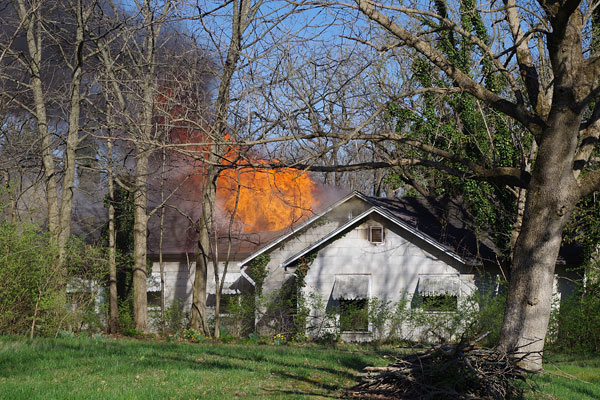
Photojournalism isn't really my niche, but I like to exercise my skills when I get the opportunity, and so I spent a while and rattled off dozens of photos from a variety of angles, trying to get a shot that truly captured the drama of the scene as firefighters battled the blaze. What I quickly learned is that shooting a fire is a very difficult task. For very good reason, law enforcement was working to keep everybody well back from the scene, and every time I thought I'd found a good angle, the wind conspired to carry thick, black smoke in my direction, making it darned-near impossible to shoot anything.
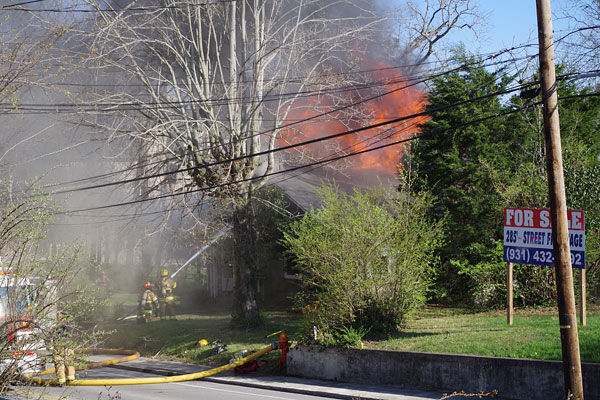
Between that and the fact that the firefighters had set up in a location that was hard to see from any vantage point available to me, it was clear that I wasn't going to win any awards. It was still interesting to step into the shoes of a photojournalist just briefly, though, and my respect for those who shoot the photos we see alongside the headlines on a daily basis has grown immensely. (Not to mention that for the firefighters: I have some firefighting training in my past, and I know just what a spectacularly tough job it can be!)
There's still plenty more to come!
After the fire, I headed on to Nashville, arriving much later than planned as the sun was setting. No matter -- although I wasn't entirely satisfied with my photos from the fire, I'd already gotten plenty of other images around Cookeville that I was quite happy with, and the Pentax K-S2 had performed admirably throughout. I wrapped my evening up with a few evening shots at moderately high sensitivities, all of which you'll see in the gallery.
And that brought my day's shooting to an end. In my second Field Test, I'll head out for some proper night shooting, testing out the Pentax K-S2's low-light chops. I'll also test the Wi-Fi functionality, and take a look at the K-S2 from a video standpoint as well. Hop on over to Part II of my Field Test now to see how the Pentax K-S2 fares!
Field Test Part III
It's time for fairground fun as the sun goes down
By Mike Tomkins | Posted: 07/27/2015
 60mm-equivalent, 1/80 sec. @ f/2.8, ISO 3200
In my first field test of the Pentax K-S2, I found plenty to like about this affordable mid-range shooter. From a pentaprism viewfinder, twin control dials and weather sealing to a tilt/swivel LCD and in-camera Wi-Fi, the K-S2 is positively packed with features. That's doubly impressive when you consider that its body is unusually compact by weather-sealed DSLR standards. (And yet it's also very comfortable in-hand.
At the end of that first test, I'd only really found one fly in the ointment: A retracting kit lens whose tiny controls made it fiddly to shoot with, which also tended to stick while extending or retracting, and which was also too easy to slightly retract. In fairness, though, the lens only adds about $50 to the street price, and you can now buy the camera body-only in the US market if you want to forego it in favor of a more satisfying lens.
Three main features remained for me to test
For my second field test, I left the finicky extending lens at home and set out with some nicer glass in search of new subjects with which to test the remainder of the camera's feature set. Specifically, I wanted to take a look at low-light image quality, both at higher sensitivities and using longer exposure times. I also wanted to try out the K-S2's new in-camera Wi-Fi features, a first for a Pentax DSLR. And finally, I still had video capture on the list to check.
Off to the fair for some night shooting
For my night shoot, I had a subject lined up that would kill two birds with one stone. I wanted something interesting and colorful to point my lens at once the sun went down. I also needed a suitable reward for my six-year old son Geoffrey, who had recently helped carry my camera gear around Jonesborough, Tennessee for my first field-test of Ricoh's flagship Pentax K-3 II DSLR. And so, we were off to the Anderson County fair, a small but quite busy and colorful annual fair that takes place about 20 miles outside of downtown Knoxville.

Definitely consider the K-S2's higher-end siblings
Incidentally, with a pricetag only $120 higher than the K-S2, the enthusiast-grade Pentax K-3 -- near-identical to the K-3 II that I mentioned above -- should also be on your shortlist if you're considering a new Pentax DSLR. And although the K-3 II itself currently sells for about $180 more than does the K-3 (and $300 more than the K-S2), it too is definitely worth considering if you're a fan of travel, the great outdoors or still-life photography.
 54mm-equiv., 1/4,000 sec. @ f/4.5, ISO 12,800
I'd suggest reading my Pentax K-3 Field Tests and Pentax K-3 II Field Test for more thoughts on those cameras. You can also compare their features with the Pentax K-S2 at the links below.
Pentax K-S2 vs. Pentax K-3
Pentax K-S2 vs. Pentax K-3 II
Starting off with some high shutter speed, high ISO shots
Although you could count the number of rides at the Anderson County Fair on two hands, they were for the most part quite brightly lit with lights of all different hues, and would lend themselves rather well to long-exposure photography. With no higher ground around the fairground -- at least other than the Ferris wheel, which wasn't going to offer a stable shooting platform -- I would perhaps be a bit limited in my framing choices, but I figured I'd get plenty of good shots nonetheless. I aimed to arrive right around sunset, and then shoot increasingly longer exposures through the transition from light to dark, then switch to handheld, high-ISO photography for the remainder of the evening. (The fair was set to close only an hour or so after sunset.)
To ensure Geoffrey got some time on the rides, I got there a little early. That gave me a chance to try a few quick shots of him on the rides, using higher shutter speeds that would both freeze the motion and push me into high ISO territory, and give me an idea of what to expect. I quickly found that ISO 3200 offered a pretty good balance, yielding sharp and fairly detailed results straight out of the camera. (Pixel-peeping the shot below, even though there's clearly some noise, it's reasonably film-like and you can make out individual eyelashes quite easily.)

For that particular shot, I first tried panning to follow him around the ride, using continuous autofocus to keep a lock on him. With so many layers of motion in the frame, though, it proved far too tough a challenge for the Pentax K-S2's autofocus. (And frankly, for my reflexes: It was really difficult to keep a single focus point on him at all times.) Even though the flagship K-3 series cameras have a more sophisticated autofocus system than does the K-S2, I thing they'd have struggled too. In the end, I focused manually and framed the shot I wanted, then kept both eyes open so I could look through the viewfinder, but also see when he was about to come into view. Then it was just a matter of rattling off a quick burst of frames, and waiting for one with a good pose and expression.
The tilt/swivel screen made framing very easy
Soon enough, the sun started disappearing below the horizon, and it was time to set up my tripod. This was the first time I've really tried shooting a fair at night. (Well, I did have a go once, about twenty years ago with a film camera, but the cost of processing and printing my film when I was living near hand-to-mouth meant that I shot relatively few frames, and so only got one or two keepers.) By contrast, shooting digital in live-view mode on the Pentax K-S2's tilt/swivel screen made it very easy to experiment.
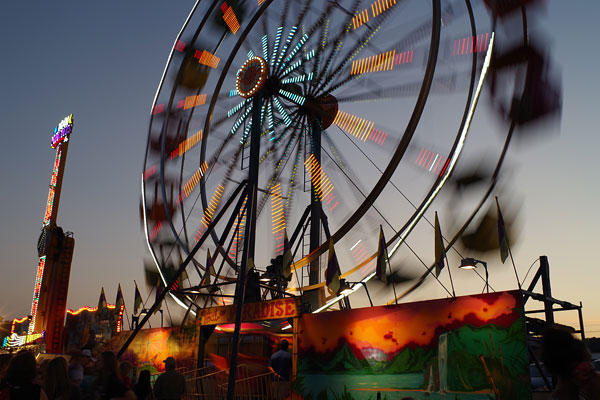
For most of my long exposures, I prefocused using the K-S2's contrast-detection autofocus while the ride was sitting stationary, then switched to manual focus mode so I could get the shot without a delay when the ride was moving as I wanted. I'd made one rookie mistake, though.
Whoops: Left the remote control at home
While I was getting my gear together before leaving the office -- a reasonably sturdy Manfrotto tripod, a few lenses, and of course the camera body -- I also grabbed my remote control. I should've slipped it straight in my pocket, but instead put it on the desk while I went to grab a camera bag, then promptly forgot to pick it up as I packed the bag.
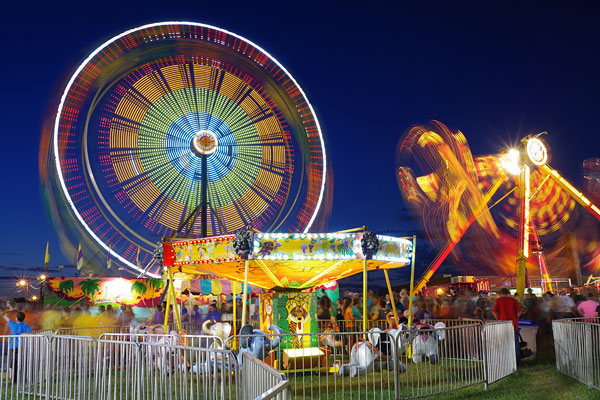
Without a remote, I didn't want to chance camera shake in a long exposure, and so opted for a two-second self-timer that would give the camera time to steady after I hit the shutter. That made it a bit tricky to time the motion so that the light trails would start where I wanted, though.
The best of twilight was very fleeting
And although this was a learning experience, I had to work very quickly, setting up, waiting for rides to start moving, getting the shot and then moving on to another location. This was the last day I could make it to the fair, sadly: Earlier in the week it had rained every evening that I'd been free. There was no fear of that on this particular evening, though, as the sky was nearly cloud-free. The most attractive skies were about 30 minutes after sunset, with just enough twilight remaining to provide a beautiful dark-blue contrast against the brightly-lit rides, and they only lasted for around ten minutes or so.
Excellent results for long exposures at low sensitivities
 31mm-equivalent, 2.5 sec. @ f/8.0, ISO 100
But boy, did those shots I got in that time really pop, with longer exposure times of two to four seconds not just yielding light trails in the foreground, but also bringing up the light levels in the background. One of my favorite subjects was a ride called The Claw, which spun and tumbled riders while simultaneously flipping them almost completely upside down. I struggled to get an angle I liked, but finally settled on the composition shown at right, with the ride sketching a tangled knot of light trails.
All too soon the best of the light was gone, and while shots against an inky-black sky still looked pretty cool, they lacked the impact of those against that rich, deep blue. It was time to break down my tripod and switch to handheld, high ISO shooting.
Very good results at high ISO, too
My earlier testing before the sun went down suggested that I'd want to stick to ISO 6400 or below for the most part, and indeed I did so. At ISO 12,800, noise levels ramped up quite a bit, and by the time I reached ISO 25,600 there was really quite a bit of noise viewed 1:1. Saying that, even at this extremely high sensitivity the images were certainly still quite usable. ISO 51,200 felt like a step too far for me, though. You can see examples across much of the high ISO range throughout this preview.
Having now had a chance to review my results 1:1 on my desktop monitor, I'd probably put the K-S2's high ISO image quality somewhere just a little behind that of Ricoh's current APS-C flagships, the K-3 and K-3 II, and a bit ahead of the previous generation K-5, K-5 II and K-5 IIs. That's a pretty impressive performance for an affordable model that can be had for just a little more than US$600 body-only, or a bit less than $700 complete with kit lens.
The K-S2 is a lot more fun without its retractable kit lens
All things considered, I had quite a bit of fun shooting with the K-S2 at the fair. In fact, probably quite a bit more so than I did in my previous field test, something which I think probably comes down to the fact that I left the rather awkward 18-50mm retracting kit lens at home, and brought a selection of nicer glass along for the evening.
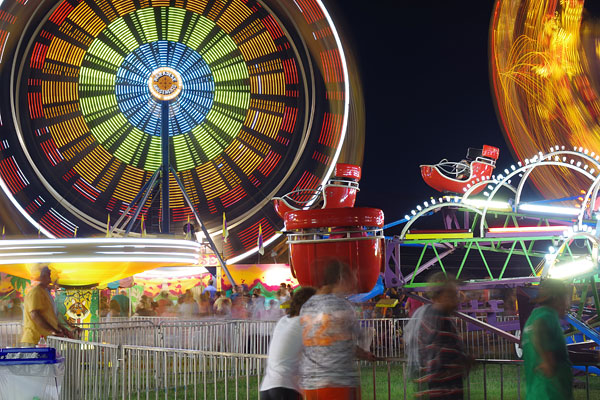
Pentax's in-camera Wi-Fi is clearly a first-generation offering
Sadly, the same can't be said for the K-S2's built-in Wi-Fi wireless networking connectivity, which arrives in the body of a Pentax DSLR for the first time.
That's not to say that the problems I experienced are necessarily insurmountable -- it's quite possible that Ricoh will be able to resolve some or all of them as it continues to develop its first-generation apps for Android and iOS. And in some respects, there was definitely a glimmer of promise.
Truly incredible (!) Wi-Fi range
The good news is that the Wi-Fi range was incredible, with my phone able to maintain a connection and trigger the shutter from as far away as 100 feet or so, with multiple walls and other objects between camera and phone. The live view feed was reasonably responsive too, at least on iOS. (On a high-powered Android smartphone, there was around a half-second lag, which is more than I'm used to these days.)
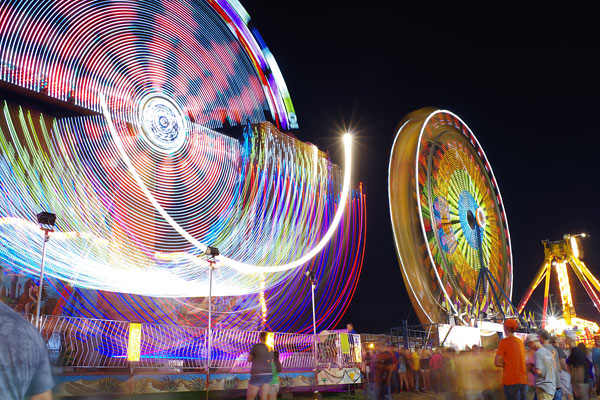
And live view doesn't just allow image capture and touch focus: You can also change exposure variables remotely, so long as you first set the Mode dial on the camera to the correct mode, or are happy to work using Hyper Program mode.
NFC pairing was very problematic
But in many other respects, both apps -- and especially the Android ones -- bore the hallmarks of a first-generation product. For one thing, although the built-in NFC radio of the K-S2 worked just fine and was easily read by my Android smartphone, the two devices failed to pair automatically most of the time.

The Pentax Image Sync app would claim to be connecting to the camera, but after waiting some time and then taking a look at my phone's Wi-Fi settings, I'd see that instead of the camera, I was instead once more connected to my office Wi-Fi network. (And never was there an error message to let me know the connection had failed.)
And on the occasions where both devices connected automatically -- or if I manually forced a connection -- it took as long as 15-20 seconds for the link to be established. (On iOS, again, things were a bit faster, but still slower than typical these days.)
Incredibly slow transfer speeds via Wi-Fi
 60mm-equiv., 1/1,000 sec. @ f/2.8, ISO 25,600
And once connected, image transfers were unbelievably slow, even with phone and camera right next to each other. Transferring two full-sized JPEGs or a single raw file took around a full minute. That's a rather lacklustre 340KB/second, which would be extremely slow even for a device using the 16-year old 802.11b standard, let alone one claiming to support 802.11b/g/n connections. (An 802.11n device should be able to transfer a 10-12mb JPEG from the K-S2 in just two or three seconds without problem.) And this poor transfer performance was true regardless of whether I was using Android or iOS.
The slow transfer performance is compounded by the fact that -- unlike most such apps -- Pentax Image Sync lacks any way to set the image size for download. Even if you only want a low-res version of your image to review, email, or share on social networks, you must first download the entire full-res, full-quality image to your phone or tablet.
That is, if you opt for the transfer option; you can alternatively use the Facebook option to share directly from Pentax Image Sync, but here you face the opposite problem: A heavily-compressed ~50-60KB file with a very low, fixed image size of just 576 x 386 pixels. That means your DSLR's shots will almost certainly underwhelm compared to photos shot with your smartphone, unless you ignore the built-in Facebook sharing option, download the full image, resize it manually and then share from your phone's gallery app.
Nor can you control live view image resolution or quality, something we've seen on at least a few cameras before. That means you can't prioritize remote live view frame rate over quality if you want to stray a significant distance from the camera.
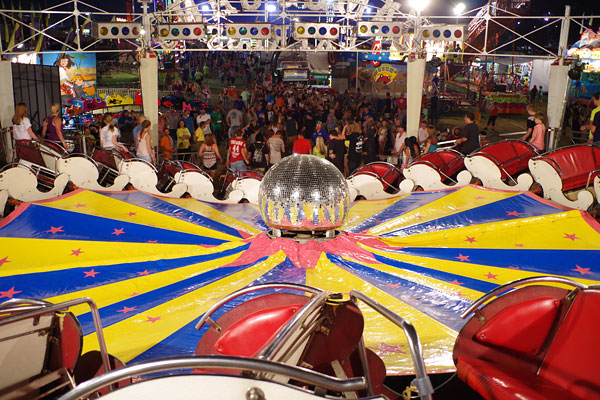
Image playback is quite limited, and very slow indeed on Android
Nor was the news any better once transfer was complete. Although it was possible to download JPEGs, raw files and eve movies to your smartphone or tablet -- many cameras limit you only to JPEG transfer via Wi-Fi -- the experience once the files were downloaded was far from optimal. Although thumbnails were shown for both raw files and movies prior to download in the Pentax app, these were replaced by generic icons once the files were downloaded. There was no way to open raw files or movies directly from the Pentax Image Sync app on either iOS or Android devices, or even see a low-res preview of their contents.
 60mm-equivalent, 1/80 sec. @ f/2.8, ISO 800
And on Android, there wasn't even any way to open JPEGs in your phone's own gallery app direct from the Pentax app. That wouldn't be so bad, except that the preview shown was at relatively low resolution, and yet any interaction with that preview was maddeningly slow.
I should note here that my smartphone is a Sony Xperia Z2, an 18-month old device with a powerful quad-core Snapdragon 801 processor and 3GB of RAM. It flies through just about any task I give it, but simply performing a pinch-zoom or pan of the preview in Ricoh's Pentax Image Sync app would result in a full second or more of delay between my gesture on the screen and anything happening.
Attempting to view images in the built-in Album app on the Sony smartphone was no less frustrating, although that's not entirely Pentax's fault. For whatever reason, no matter what I did the Sony app wouldn't see the images, which Pentax Image Sync stores on the phone's internal memory in /DCIM/Image Sync. Downloading's Google's stock Photos app resolved this, as it had no problem seeing and viewing the photos -- and it allowed me to view my photos without any noticeable delay when pinching to zoom or dragging to pan around the full-resolution image.
A rather clumsy and unintuitive app interface
And I'm afraid my concerns with Pentax Image Sync don't stop here, either. The interface is in some respects very unintuitive indeed. (And it wasn't just me who thought so: I gave the camera to friends and family and asked them to perform certain tasks, then watched as they stumbled at the very same hurdles I'd done.) This, at least, isn't such a huge issue because once you know where those hurdles are you'll have no problem clearing them, but for Ricoh's target market, the hurdles shouldn't be there in the first place.
For example, to download images and movies, there's an obvious icon depicting a list and checkbox. Tap it, and you see empty checkboxes on the various thumbnails. Tap a few, and the icon you first tapped is replaced with a realtime count of how many files you've selected. All great so far, but there's no button to start a download, share the images, or anything else you might want to do with them. Without hesitation, everybody who tried the Pentax Image Sync app -- myself included -- tapped on the count that replaced the first icon, presuming this would start the transfer. It doesn't, though: What it actually does is to clear all the checkboxes and return to regular playback.

Instead, to start the transfer -- once you've reselected all the images you'd just finished tagging moments ago -- you're expected to guess that the next step is to tap-and-hold on the screen. There's absolutely nothing in the Image Sync app to suggest this method, nor is it one I've seen used to initiate the next step after a bulk selection in any other app, but once you finally figure it out you're presented with an array of circular buttons, arranged in a circle around your fingertip. Almost all of these are empty and serve no purpose, at least on my phone. Only three of these buttons have a function: transfer, share to Facebook, or delete.
Another similarly unintuitive feature can be found in the ISO sensitivity dropdown when using remote live view. The top option in the list is Auto, but if you select this and then immediately go back into the ISO selection menu, you won't see the radio button next to the Auto option selected. Instead, there will be a dot indicating selection alongside another radio button, that for the sensitivity the camera is currently using. Pan around to a subject with different brightness, and the selection will change, but there's no way to see at a glance that you're using auto sensitivity.

Poor app ratings from Android early adopters
And I'm not alone in airing these concerns. Although the Pentax Image Sync app hasn't garnered sufficient ratings in Apple's iTunes store, the Android variant in Google's Play Store is currently at a low rating of 2.5/5 from 82 votes, and almost 60% of users have rated the app at two stars or lower, with many users complaining of connection and live view problems, as well as general slowness of the app. (Almost half of users gave the app its minimum possible 1/5 rating.)
There's a good chance Ricoh can fix these problems...
It's important to note that most -- perhaps even all -- of these issues could be fixed with updates to Ricoh's Pentax Image Sync app and perhaps new firmware for the camera itself, however. For example, the clumsy user interface and playback performance issues could certainly be resolved with an app update, as could the connection issues. And as for the slow data transfer, I highly doubt it's a hardware issue, nor is it likely down to performance of the camera itself.
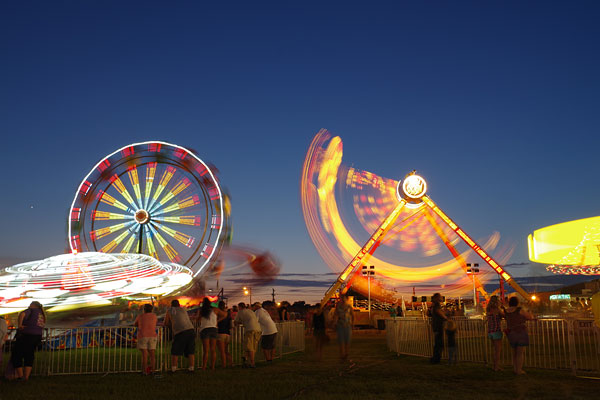
If Ricoh can work to improve the app, it could become very useful indeed and a major selling point for the Pentax K-S2. In fact, I'd go a step further: This could, with work, be a very significant reason to choose the K-S2 over its flagship siblings, which can only support Wi-Fi via Eye-Fi or Flucard SD cards that have their own drawbacks, not least of which is their limited capacity.
...but the K-S2's Wi-Fi isn't ready for prime-time so far
As of right now, though -- that is, version 1.0.4 of Pentax Image Sync and version 1.02 of camera firmware -- I really can't recommend the Pentax K-S2's Wi-Fi functionality. Speaking personally, I don't think I'd use it much at all as-is: There are simply too many pain points. Hopefully that will change in the not-too-distant future!
High-def video capture is possible, but quite limited
Finally, we come to the Pentax K-S2's movie-recording capabilities. As a Pentaxian myself, I have to say that video capture has always felt a bit like an afterthought in Pentax DSLRs, and the K-S2 is no different.
13 seconds @ 1,920 x 1,080 pixels, 29.970 fps; 37.5MB
|
Bleeding-edge features like 4K ultra-high def or high frame-rate videos aren't offered here. Nor do you have much in the way of control over how your videos are recorded: The compression scheme is fixed, using MPEG-4 AVC / H.264 with a pretty low bit-rate (and hence, high compression) of around 20-24Mbps. At Full HD (1,920 x 1,080 pixels) you have a choice of 30, 25 or 24 frames-per-second capture. Drop the resolution to HD (1,280 x 720 pixels) and that choice becomes either 60 or 50 fps.
Continuous autofocus isn't possible during movie capture
Perhaps a bigger issue for the consumer photographers who're likely to buy the Pentax K-S2 is the lack of continuous autofocus during movie capture. You can perform single autofocus operations by pressing the AF/AE button, but AF operation is relatively slow and very obvious in the recorded video, so you're better off forgoing autofocus altogether and pulling focus manually -- something which takes a degree of skill and patience which will likely elude many potential K-S2 owners.
13 seconds @ 1,280 x 720 pixels, 59.940 fps; 36.4MB
|
You'll want to disable Movie SR (and you'll wish you had mechanical stabilization)
Nor is there mechanical image stabilization during video capture. Instead, there's what Ricoh calls Movie SR, which is essentially software stabilization. It comes at a significant cost: An unsightly distortion of the image that, particularly at longer focal lengths, will quickly have your viewers feeling queasy.
If you're familiar with rolling shutter, you know what to expect: A jello-like wobbling of the entire frame, except that this is a double-whammy which happens on both the horizontal and vertical axes. Your only alternative, since few optically-stabilized lenses are available in Pentax's mount, is to use a tripod, put up with shaky videos, or stabilize videos (at the expense of resolution) post-capture in your video editor.
Movie image quality won't win any awards
And speaking of resolution, the Pentax K-S2's video image quality also lags the competition. Results are quite soft even at Full HD resolution, and very much so at HD resolution. Moiré also rears its ugly head too often, especially at HD resolution, leading to colorful, sparkling artifacts. (You can easily see this in the distant reflections off the water in both of my daytime videos.)
10 seconds @ 1,920 x 1,080 pixels, 29.970 fps; 28.8MB
|
There are some definite positives...
That's not to say the news is all bad: You can, at least, control the exposure mode: Program, aperture-priority, shutter-priority and manual capture are available, and some functions from user modes also apply to video. And digital filters can be applied, although these may cause frames to be dropped, resulting in a stuttery-looking video. You can also shoot interval movies, and here, both the high-dynamic range and clarity enhancement functions are available, although they can't be used with standard movies.
...but you'll probably never use the external mic jack
Surprisingly for a camera whose video capture mode is otherwise quite limited, you can also use an external 3.5mm stereo microphone, and manually control the audio levels in 20 steps, or disable audio capture altogether. The microphone jack is hidden under a small flap on the left side of the camera body. I really can't imagine that the vast majority of users will ever plug in an external microphone, though. If you care enough about your videos to want to improve audio quality, you'll almost certainly be put off the K-S2 by its subpar video image quality.
But be that as it may, it's still better that the Pentax K-S2 offers video capture -- even if limited -- than none at all. You never know when a video opportunity will present itself, and if you don't have a second camera handy, the K-S2 will at least let you get some footage of those unexpected subjects, albeit with limitations.
10 seconds @ 1,280 x 720 pixels, 59.940 fps; 29.9MB
|
It's time for my closing thoughts
And that brings me to the end of my Pentax K-S2 field test. We'll have our image quality comparison and final conclusion soon, but in the meantime, a few thoughts would probably be apropos.
Having read this field test, you may think I'm not a big fan of the Pentax K-S2, but that wouldn't be fair. Yes, video is a weak spot, and the Wi-Fi connectivity needs quite a bit of work to bring it up to par. And as I mentioned in my first field test, I'm really not a fan of the new retracting kit lens. Now that the camera is available without this optic, I strongly recommend passing on it and selecting another lens -- perhaps the 18-135mm zoom if you want an all-in-one solution, or some of the excellent DA Limited primes if you want to play to this camera's biggest strengths, which would be its very compact dimensions and high still image quality.
(Note, though, that the DA Limited primes aren't weather-sealed. The 20-40mm Limited zoom is a beautiful -- if rather short -- weather-sealed option, and you can also get reasonably good consumer-grade 18-55mm, 50-200mm and 55-300mm zooms with weather-sealing. But I digress...)
Shortcomings aside, there's plenty to recommend the K-S2
Some shortcomings like these aside, I think the Pentax K-S2 definitely has plenty to recommend it, especially compared to the competition from the likes of Canon and Nikon, which opt for lesser pentamirror viewfinders and a single control-dial interface at this pricepoint. With its impressively-compact body, the Pentax K-S2 is a really great all-weather still image shooter, and its tilt/swivel LCD monitor makes it all the more versatile.
The biggest argument against the K-S2? The incredibly impressive Pentax K-3
Honestly, I think that the biggest problem this camera faces is its flagship sibling, the Pentax K-3. With such a small difference in street pricing between the K-S2 and K-3, it's hard to recommend that you buy the mid-range model unless size, weight and the LCD articulation are particularly high on your wish list. While the K-S2 has a great build for its pricepoint, the Pentax K-3 is really unrivaled in terms of its build quality and feature-set among sub-$1,000 DSLRs.
My advice to you, dear reader, is this: Sit down and make a list of a few of the most important features you'll need in your next DSLR, based on the subjects you plan to shoot. If at least three of the top five aren't size, weight and LCD viewing versatility, go and read my Pentax K-3 review now. (You can thank me later!) But if they top your list, give the Pentax K-S2 a very close look -- just be aware that since it represents a brand-new direction for Pentax, it comes accompanied by some teething problems in the Wi-Fi and kit-lens departments.
Flash
Pentax K-S2 Flash

Built-in Flash Test Results
Coverage, Exposure and Range
A fairly powerful pop-up flash with somewhat narrow coverage.

Coverage. Flash coverage was a bit narrow at wide angle (18mm), with dark corners and edges, though we've seen narrower. Intensity also varies vertically, however we doubt that would be noticeable in most real-world shots. We no longer test coverage at telephoto, as it's invariably much better.


Exposure. When it came to exposure, the KS2's built-in flash exposed our Indoor Portrait subject well with +0.3 EV flash exposure compensation, which is better than the +0.7 EV flash compensation normally required for this shot, though we don't know if that is due to the Sigma 70mm lens (see note below). The camera's Slow-Sync flash mode produced an overly bright exposure without flash exposure compensation (0 EV), with a strong orange cast from the background incandescent lighting as a result of the slower shutter speed.
* Note that the Pentax K-S2 seems to have a slight compatibility issue with our Sigma 70mm f/2.8 reference lens, possibly resulting in brighter images than would be taken with a Pentax lens.
| Manufacturer-Specified Flash Range |
|---|
 7.0 feet ISO 100, f/5.6 |
Manufacturer Specified Flash Range. The Pentax K-S2's flash is rated with a Guide Number of 12/39 (m/ft) at ISO 100. That works out to a range of about 7 feet at f/5.6. As you can see in the flash range test shot above taken with those parameters using the kit lens, the Pentax K-S2 produced a bright flash exposure (actually slightly overexposed by about 0.5 EV), indicating the flash output rating is credible.
Note: Here we shoot with manufacturer-specified camera settings, at the range the company claims for the camera, to assess the validity of the specific claims. The specified range has been calculated for the sensitivity, lens and aperture used in the test shot above.
Technical Info
by Mike Tomkins | Posted: 02/09/2015
Sensor
Ricoh has based the Pentax K-S2 digital SLR around a 20.12 megapixel, APS-C sized CMOS image sensor. With dimensions of 23.5 x 15.6mm, it looks to be the same chip used in the entry-level K-S1. It's also the second highest-resolution chip used by Ricoh for its Pentax APS-C DSLR line, bested only by the 24-megapixel sensor of the flagship Pentax K-3.
Just as in that camera (and indeed, most DSLRs these days) there is no optical low-pass filter, which means that per-pixel sharpness should be maximized, but moiré and false color effects could be an issue with certain subjects. However, the presence of Pentax's clever anti-aliasing filter simulation function, first introduced on the K-3 DSLR, means that if you have a problem with moiré or false color you can simply reshoot with the function enabled to avoid the problem.
Total resolution of the K-S2's sensor is 20.42 megapixels, and raw files shot with the camera have a 12-bit depth as in Pentax's other entry-level and mid-range models, rather than the 14-bit depth of flagship models like the K-3.

Processor
Another similarity to the K-S1 is the Pentax K-S2's use of a PRIME M II image processor. That's an upgrade from the PRIME M processor featured in the earlier K-30 / K-50 / K-500 DSLRs and K-01 mirrorless camera, but less powerful than the PRIME III processor used in the flagship K-3.
ISO
As in all of Ricoh's current Pentax DSLRs at the APS-C sensor size, the Pentax K-S2 offers a sensitivity range of ISO 100 to 51,200 equivalents. The entire range is available by default, with no ISO expansion function needed to access the highest or lowest sensitivity options, and an Auto ISO function is also provided.
Burst
Ricoh rates burst performance of the K-S2 in continuous mode at 5.5 frames per second, with a burst depth of 30 large/fine JPEG or nine raw frames.
By way of comparison, the entry-level K-S1 is manufacturer rated just fractionally slower at 5.4 frames per second, with a significantly lesser burst depth of 20 JPEG or five raw frames. The lower-resolution (16-megapixel) Pentax K-50, meanwhile, is manufacturer-rated for a slightly swifter 6.0 frames per second, with similar buffer depths to those of the K-S2. Not surprisingly, all of these cameras are eclipsed by the flagship K-3, with burst shooting at a manufacturer-claimed 8.3 frames per second, and a buffer depth of 60 JPEG or 23 raw frames.

Optics
As you'd expect in a Pentax APS-C format DSLR, the Pentax K-S2 accepts K-mount lenses -- whether intended for a full-frame or APS-C image circle -- thanks to the KAF2 bayonet mount on its front deck. Where some affordable DSLRs opt for a less durable plastic lens mount, the K-S2's mount is crafted from stainless steel.
Both screw-drive lenses and those with internal autofocus motors are accepted, and you can also use older Pentax screw-mount lenses or larger-format 645 and 67 lenses with the appropriate adapters. Pentax's power zoom lenses -- of which there are only a few older models, all long-discontinued -- are supported in most respects, but the power zoom-related functionality won't be operational on this body.
Weather sealing
Impressively for an affordable camera like this, the Pentax K-S2 is fully weather-sealed, providing a similar level of dust and water-resistance to the flagship K-3 DSLR. There are around one hundred seals throughout the K-S2's body, and a healthy selection of weather-sealed lenses and accessories are also available, making this a great choice if you plan on shooting in rainy or dusty environments.
Kit lens
Launched alongside the Pentax K-S2, the smc Pentax DA-L 18-50mm F4-5.6 DC WR RE lens ships with the camera as a kit, and it's an impressive little optic in its own right.
Priced at around US$300 when purchased separately -- albeit in HD DA rather than smc DA-L form -- the HD Pentax DA 18-50mm F4-5.6 DC WR RE lens is equivalent to a 27.5-76.5mm optic when mounted on one of Ricoh's APS-C Pentax DSLR or mirrorless camera bodies. Its optical formula includes 11 elements in eight groups, and its iris has seven rounded aperture blades.
Just 1.6 inches long when retracted and weighing in at 5.6 ounces, it is nevertheless weather-sealed and can safely be used in rainy or dusty environments. In all, there are ten seals in the design, which also includes a quiet-focusing DC autofocus motor, and Ricoh's HD lens coating which offers a clear advantage over earlier coatings in terms of flare and contrast.

Shake reduction
As you'd expect on a Pentax-branded DSLR, image stabilization is handled in the camera body courtesy of a movable platter on which the image sensor is mounted. As well as correcting for horizontal and vertical translational motion, the system used in the Pentax K-S2 can also correct for side-to-side roll. To CIPA testing standards, the system is said to have a three-stop corrective ability.
And if you're an astrophotography fan, you'll be pleased to hear that the system works with the Astrotracer function of Pentax's optional O-GPS1 GPS unit, slowly moving the sensor during exposure to prevent star trails from forming during long exposures.
Dust removal
Of course, even with the best weather sealing in the world, dust is going to get into your camera during lens changes, so some method of removing dust from the sensor is a must. Unlike some affordable DSLRs which use the sensor shift mechanism to shake dust free from the sensor -- not terribly effective, in our experience -- the Pentax K-S2 uses a piezoelectronic element to vibrate the cover glass over the sensor at much higher frequencies. It's the same system used in the flagship K-3, and one which seems to work pretty well in our experience.

Viewfinder
Another relatively unusual feature at this pricepoint -- at least, compared to rivals, as past mid-range Pentax models have been similarly generously specified -- is the inclusion of a glass pentaprism viewfinder with a manufacturer-rated 100% coverage. Compared to the pentamirror finders of most DSLRs at this pricepoint, the K-S2's finder should prove noticeably brighter and more accurate.
The Pentax K-S2's viewfinder has 0.95x magnification, just as in the K-S1 and K-3, and an eyepoint of 22.3mm from the center of the viewfinder lens. A built-in dioptric adjustment is available within a -2.5m to +1.5m-1 range, and the standard Natural-Bright-Matte III focusing screen is interchangeable, if you prefer to use a different type.
Note that unlike some competitors, Ricoh hasn't included a proximity sensor adjacent to the viewfinder, so you'll want to disable the LCD monitor manually before raising the camera to your eye.
Articulated LCD
On the rear panel of the Pentax K-S2 is a 3.0-inch LCD monitor with a total resolution of around 921,000 dots. It uses an air-gapless design with a resin layer that fills the space between the LCD panel and the cover glass, providing better contrast and lower glare. The panel itself is a four dot-per-pixel design which supplements the typical red, green and blue dots with an extra white dot, improving visibility under strong ambient light, and reducing power consumption when shooting indoors or in low light.
In a first for a Pentax APS-C format DSLR, this LCD monitor is mounted on a side-mounted, tilt/swivel articulation mechanism. This allows it to be seen from most angles -- including in front of the camera itself for selfie shooting -- or to be closed facing inwards towards the camera body for an extra modicum of protection from minor knocks, scrapes and smudges.
And interestingly, if you orient the display so as to capture a self-portrait, the K-S2 will automatically switch the function of the Wi-Fi button at the rear right corner of the top deck so that it serves instead as a secondary shutter button. That's a very nice feature, because the Wi-Fi button is much easier to reach than is the standard shutter button, once the camera is turned to point the lens at your face.

Focus
Another upgrade relative to the entry-level K-S1, as well as the earlier K-50, is that the Pentax K-S2 sports a refined autofocus sensor.
The number and arrangement of autofocus points -- a total of 11, with the central nine points being cross-types that are sensitive to both horizontal and vertical detail -- is unchanged, but the K-S2's SAFOX X autofocus sensor performs better in low-light shooting. Sensitive to -3EV, it's the same AF module used in 2012's flagship K-5 II and IIs.
In continuous-servo mode, you can choose a single point to focus, and then optionally allow the camera to roam to any of eight surrounding points, handy so that you don't lose focus if you slip off your intended subject briefly.
Exposure and Creative options
The Pentax K-S2 is capable of shutter speeds as fast as 1/6,000 second, and meters exposures using a 77-segment multi-pattern metering sensor. Exposure compensation is available within a +/- 5EV range in either 1/3 or 1/2 EV steps. A built-in, popup flash strobe is included in the design, as is a hot shoe for external strobes, with flash sync at 1/180 second, and flash exposure compensation is within a -2 to +1EV range in 1/3 EV steps.
Exposure modes on offer include Program, Aperture-priority, Shutter-priority and Manual as you'd find on almost any DSLR, although true to Pentax form, they're called P, Av, Tv and M, rather than the more usual P, A, S and M. There are also the usual Pentax-specific modes you'd expect to see present -- Sv (Sensitivity priority) and TAv (Shutter and Aperture priority) -- plus a Bulb position.
Beginners can keep things friendly with both Auto and Scene-mode shooting, the latter providing a selection of 19 scene types. More advanced shooters can recall favorite settings with two User modes, and there's also a new Auto HDR mode on the Mode dial, which captures a three-shot high dynamic range image with clarity adjustment applied. If you want to fine-tune the look of your images for creative effect, a total of 11 custom image modes are provided in the K-S2. There are also nine digital filter functions which provide more eyecatching results.
The clarity adjustment, incidentally, is a new feature and is also available for single-shot, non-HDR images. Rather than the stereotypical (and now rather cliched) crunchy HDR look, with strong sharpening halos around subjects, this aims for a more natural result by tweaking the luminance channel. It provides a similar effect to the Clarity slider in Adobe's Photoshop Lightroom app, but can now be adjusted in-camera.

Movie
Want to shoot movies as well as stills? The Pentax K-S2 caters to your needs with the ability to record Full HD (1,920 x 1,080 pixel) video at rates of 30, 25, or 24 frames per second using H.264 compression. If you prefer to trade off some resolution for a higher frame rate, rates of 50 or 60 frames per second are alternately available at HD (1,280 x 720 pixel) resolution.
Movies include stereo audio, either from a built-in stereo mic or a 3.5mm microphone jack in the left side of the camera body, a relatively unusual option in an affordable DSLR. And you can also control the exposure mode for movie capture, with choices of Program, Aperture-priority, Shutter-and-Aperture priority, or Manual exposure -- but not Shutter-priority -- on offer.
And while it can't record 4K ultra-high def movies ordinarily, the Pentax K-S2 is able to create 4K time-lapse movies in-camera. It also offers an unusual "Star Stream" movie mode, which merges multiple frames to create moving star trails in your final video.
Wi-Fi / NFC
Another first for a Pentax DSLR is the presence of in-camera Wi-Fi wireless networking connectivity, complete with Near Field Communications (or NFC) for quick and easy pairing with Android devices. Through a free "Image Sync" app for both Android and iOS smartphones and tablets, the K-S2 can be controlled remotely, complete with a live view feed and the ability to adjust variables such as shutter speed, aperture and ISO sensitivity. It's a much more integrated solution than in past Pentax DSLRs, which at best have offered compatibility with Eye-Fi cards for image transfer, or with Pentax-branded Flucards for image transfer and remote control.

Connectivity
Wired connectivity in the K-S2 includes USB 2.0 High Speed data, a Type-D Micro HDMI high-definition video output, and the aforementioned 3.5mm microphone jack and flash hot shoe.
Storage
Images and movies are stored on Secure Digital cards, courtesy of a single SD card slot that is compatible with SDHC, SDXC and UHS-I cards. It also supports Eye-Fi and Flucard types, although given the in-camera Wi-Fi connectivity, there would seem to be little reason to use either.

Power
Power comes courtesy of a proprietary D-LI109 lithium-ion battery pack, the same type used in the earlier Pentax K-S1 and K-50, among others. Battery life is rated at 410 shots on a charge to CIPA testing standards, unchanged from both earlier cameras. Like the K-S1 before it, the Pentax K-S2 is no longer compatible with AA batteries, so you'll want to look to the K-50 instead if you need support for these in the camera body. (And the K-3 can also accept AA batteries courtesy of its optional portrait / battery grip.)
Tech2
by Mike Tomkins | Posted: 02/09/2015
While the Pentax K-S2 takes some visual cues from its siblings -- the square-shouldered look of the flagship K-3, for example -- this is very much its own camera. (And it bears very little resemblance to the model which, in terms of naming, is its nearest sibling, the flashy and somewhat 1990s car stereo-like Pentax K-S1.)

Seen from the front, the Pentax K-S2 is dominated by its KAF2 bayonet lens mount, compatible with a vast selection of K-mount lenses produced over the last few decades. The size of the mount compared to the body itself gives an idea of what a compact camera this is, for one which is fully weather-sealed and dustproof.
(According to Ricoh reps, the K-S2 is weather-sealed to a similar extent to the flagship Pentax K-3, already a fairly camera by enthusiast camera standards. As you can see in our walkaround of that camera, the lens mount appears quite a bit smaller compared to the overall camera body.)
For its compact size, the Pentax K-S2 is actually very comfortable in-hand, and I say that as somebody with pretty large hands. My little finger naturally curls beneath the bottom of the handgrip, and there's plenty of room for my other fingers inside the grip. At the base of the grip, you can see the receiver for the optional infra-red remote control.
At the top of the grip is the frontmost of the K-S2's twin control dials, a relatively unusual inclusion at this price-point. (Most consumer DSLRs opt for only a single dial, and so require you to switch between shutter and aperture control in Manual mode using a button.)
Tucked just inside the top of the grip is the autofocus assist lamp, while at the base of the lens mount next to the Shake Reduction badge is the lens mount release button. Save for these features -- and some which we'll see better in a moment from other angles -- the front of the K-S2 is relatively straightforward.

The top deck of the Pentax K-S2 is largely covered by two inlaid trim pieces, and all of the controls are found to the right of the viewfinder prism, popup flash strobe and hot shoe. Tucked in between the hot shoe and flash, you can see a small two-hole grille for the built-in stereo microphone.
The Mode dial sits closest to the viewfinder, and is fairly jam-packed with all the typical options you'd expect on a Pentax camera, plus one new option -- Auto HDR -- which we'll discuss in more detail in our Technical Info section.
The shutter button sits at the front of the handgrip, directly above the front control dial, and is encircled by the power switch. This has three positions, just as in the K-S1: off, on and movie mode. A little further back are the exposure compensation and green buttons -- the latter used to reset options or exposure variables to their defaults, for example when using the program shift function to bias exposure towards a slower shutter speed or wider aperture.
Finally, the Wi-Fi button sits at the back right corner of the top deck, and interestingly, it serves a dual purpose. If you swivel the LCD monitor to face forwards for selfie shooting, a ring around the Wi-Fi button lights up, indicating that it has taken over the job of the shutter button. It's a very nice touch, because it's much easier to reach with the camera facing towards yourself than the main shutter button would be.

The rear of the Pentax K-S2 is dominated by the side-mounted, tilt/swivel articulated LCD screen, a first for a Pentax APS-C format DSLR. I'm a big fan of these over the more common tilt-only displays, because they make it easier to shoot from a wide range of angles, for example a portrait-orientation shot over your head or low to the ground. And as an added bonus, the LCD monitor can be closed facing inwards for an extra modicum of protection from minor knocks, scrapes and smudges.
At the very top left corner of the rear panel is the live view button, which also acts as the delete button in Playback mode. Moving right a bit, the optical viewfinder is based around a glass pentaprism and manufacturer-rated at around 100% coverage. That, again, is a very unusual option at this pricepoint: Most consumer cameras instead use dimmer, less accurate pentamirror finders. Pentax has offered pentaprism finders in some of its consumer DSLRs for several years, though, so it's not a new feature for the K-S2.
Continuing right, we have the rear control dial -- also used to control playback zoom or switch to thumbnail viewing -- and the autofocus / autoexposure lock button. Beneath is a card access lamp and the playback button alongside a small trim piece that gives your thumb a little extra purchase for a more reassuring grip. Finally, beneath we have the four-way controller (with its directional buttons marked to show their alternate use in record mode), and the info / menu buttons.

Jumping to the right side, there's not too much to discuss. Tucked into the shoulder of the Pentax K-S2 is a small eyelet for the included neck strap, and beneath is a door to the flash card compartment, which holds a single SDHC, SDXC and UHS-I compatible Secure Digital card slot. A small logo inset in the rubber that wraps around the handgrip indicates the location of the Near Field Communications antenna, used for quick pairing with Android smartphones and tablets. Finally, a separate door covers the high-definition HDMI video output and USB data connection.

The left side of the Pentax K-S2 body is also relatively straightforward, with only a few noteworthy features. Beneath the popup flash strobe is the flash release button, and on the left shoulder of the K-S2's body is the other neckstrap eyelet. Beneath the flash release button is the Raw / Fx button, which can be used to switch between file formats or to access various other options, and near the base of the lens mount sits the focus mode dial. Finally, we have another relatively rare option at this price point: A 3.5mm stereo microphone jack sits behind a small flap inset into the rubber trim piece that lines the left side of the K-S2 body.
Conclusion
| Pro: | Cons: |
|---|---|
|
|
The Pentax K-S2 gives you features its rivals lack
The Pentax K-S2 is a camera without a direct predecessor, but one that builds on the company's heritage of impressively-specified mid-range cameras at an affordable price-tag that's well-below US$1,000. And there's no question about -- you're getting a whole lot of camera for your money. Like some of the company's past models, it gives you features like weather-sealing, twin control dials and a pentaprism viewfinder that rivals save for much pricier enthusiast-grade DSLRs.
It's the new tech that really had us excited though
But it has to be said that these features aren't what got us excited when the camera was first launched earlier this year. Although Pentax has brought some pretty rare features to the market in their past DSLRs, especially those taking advantage of its in-body stabilization system, it is in some ways a rather conservative company. Features like retracting lenses, wireless networking and articulated screens which have proven popular in rival models haven't been adopted with the same gusto by Pentax -- until now, that is.
As the second model in the company's K-S series, which is intended to foster innovations the company isn't yet ready to adopt in higher-end models, the Pentax K-S2 breaks new ground for the company, with several landmark firsts.
The tilt/swivel LCD is a great addition
Key among these for our money is the side-mounted tilt/swivel LCD monitor, which makes the camera much more versatile in live-view shooting, helping you frame from all manner of different angles. And it's doubly impressive when you consider that it's weather-sealed, to boot. Selfie shooters will really like its clever button-switching functionality, activated automatically when the screen is turned to face forwards: It makes for much better self-portrait ergonomics.
We'd recommend forgoing the 18-50mm kit lens
But sadly, not all of these features are such roaring successes right out of the gate. The new 18-50mm lens, while impressively compact and quite good ergonomically for a kit lens, has several issues. Its retraction mechanism has a tendency to bind up when extending or retracting the lens, something we've noted on multiple copies of the optic. Its controls are also very small and fiddly, and yet their placement is such that we frequently found ourselves retracting the lens slightly by mistake.
The K-S2's Wi-Fi networking is in need of some work
And nor were we really taken by the new in-camera Wi-Fi connectivity. The hardware itself shows great promise, with really spectacular Wi-Fi range, but it's let down by clumsy, unintuitive smartphone apps, and on the Android platform in particular, absolutely dismal performance when reviewing downloaded images. And image transfer speeds are also very slow compared to modern cameras from rivals. Given that these problems are likely software / firmware related, we're hopeful that they'll improve over time, but in the meantime you're likely to find Wi-Fi on the K-S2 a rather frustrating experience.
And with much of its new tech not meeting the early promise, we found ourselves very conflicted when it came time to conclude this review. After all, this is still a very powerful camera with numerous features that its rivals lack. Even if some of the new tech is a bit rough around the edges, you're getting a whole lot of DSLR for your money with the Pentax K-S2.
The K-S2's biggest challenge is its incredibly impressive sibling
But therein lies the rub: The Pentax K-S2 represents a pretty good buy for the price if you forego its kit lens in favor of another optic, but its enthusiast-grade sibling, the Pentax K-3, gives you a whole lot more. That camera is only a little bit bulkier -- and still very compact by enthusiast DSLR standards -- yet it has higher resolution, shoots faster, has better autofocus and metering systems, twin card slots, and a whole lot more. And while it lacks in-camera Wi-Fi, the wireless networking functionality provided by its third-party Pentax Flucard strikes us as much more mature, if not as seamlessly integrated.
Pretty much the only feature of the Pentax K-S2 that we'd miss in trading up to the Pentax K-3 is its tilt/swivel screen. And yet the K-3 is barely any more expensive than its selfie-friendly sibling. In fact, at the time of this writing we found multiple retailers listing the K-3 for the same or less than the body-only K-S2, and even including a couple of basic lenses or a portrait / battery grip in that price.
Not quite a Dave's Pick, but impressive as a very compact, all-weather DSLR
Were it not for the existence of its higher-end sibling, which we have to say represents an absolutely spectacular value, the Pentax K-S2 would probably have scored a Dave's Pick. And we have to say that if you buy one, you're probably still going to enjoy it very much, especially if you're a big selfie shooter. But if you don't need the lightest, smallest weather-sealed DSLR possible and can live without the tilt/swivel screen, we'd really recommend that you consider the Pentax K-3 instead. (You can read our review here, if you'd like to jump up to the fuller-featured camera.) And for that reason, we can't quite justify a Dave's Pick for the K-S2.
Now, Pentax: Please can you give us the K-S2's tilt/swivel screen in a K-3 series body? We have a feeling that design would sell like hotcakes!
Follow Imaging-Resource.com on Twitter!
Pros
- Very compact for a weather-sealed DSLR
- Good ergonomics and great viewfinder
- Excellent image quality
- Decent performance for its class
- Articulated screen is great for difficult compositions
- Offers features not found in other Pentax DSLRs
Cons
- 18-50mm kit lens is fiddly and prone to jamming when retracted
- Wi-Fi is slow and unintuitive
- Slow startup
- Limited movie mode
- Poor battery life for a DSLR
- Priced too close to its enthusiast-grade sibling