


Overview
by Mike Tomkins, Jeremy Gray, Zig Weidelich and Dave Pardue
Preview posted: 10/06/2016
Last Updated: 06/07/2017

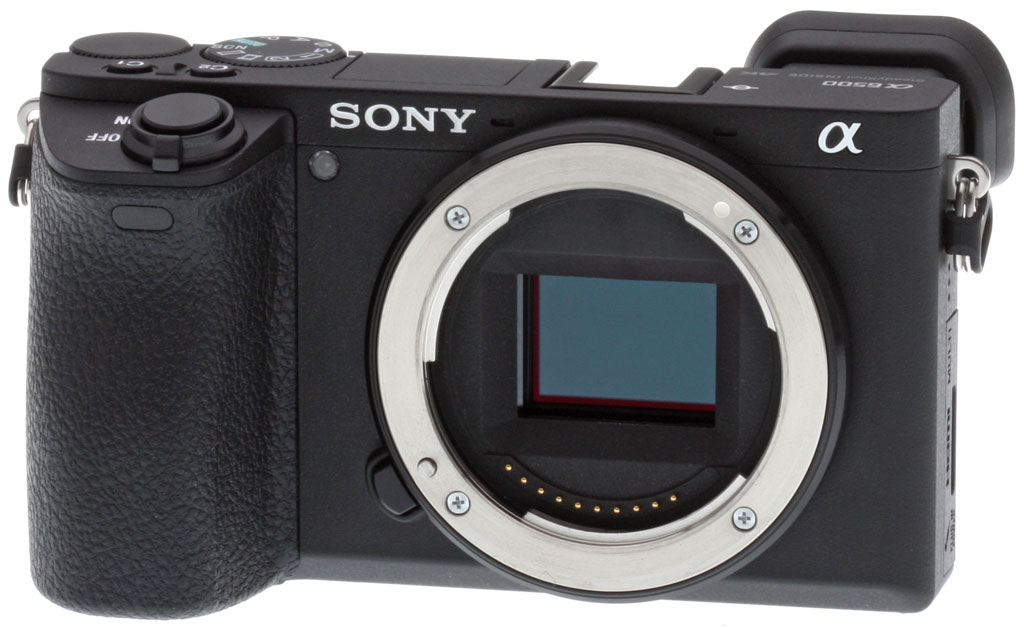
Sony's APS-C camera lineup has a new flagship model, the A6500. While it shares the same 4D Focus autofocus system as the earlier A6300, the A6500 features vastly improved continuous shooting capabilities thanks to an expanded buffer and a new front-end LSI chip. The sensor inside may offer the same 24.2-megapixels of resolving power, but it is now accompanied by in-body 5-axis image stabilization, a first for a Sony APS-C camera.
Other updates in the A6500 include a touch-screen display that allows for intuitive subject selection even when shooting through the viewfinder, a subtly restyled body for better handling, a revamped and more logical menu system and better high-sensitivity noise performance when shooting in JPEG mode.
The A6500 features a 24.2-megapixel APS-C Exmor CMOS sensor. The sensor, like the one found in the A6300, includes a variety of interesting technologies to help provide superior performance. The sensor combines a large photodiode substrate and a particularly thin wiring layer (compared to previous sensors from Sony) which allows the sensor to collect light more efficiently. Additionally, the sensor utilizes quick-transmission copper wiring that aids the A6500 in capturing ultra-high definition 4K and high-speed Full HD video.

The 3:2 ratio sensor records 6,000 x 4,000 pixel images in JPEG and raw file formats, with the latter format being 14-bit raw (although not uncompressed). Files can be recorded in sRGB and Adobe RGB color spaces, and the camera includes 13 types of Picture Effects (including Posterization, Pop Color, High Contrast Monochrome and more). Creative Styles such as Standard, Vivid and Sunset, all with contrast, saturation and sharpness adjustments are also available.
Not everything is the same as it was in the A6300, however, as Sony has made advancements to its BIONZ X image processing engine. A newly-developed front-end large scale integration (LSI) chip and an optimized image processing algorithm contributes to improved texture reproduction and image quality. In addition to better image quality, the A6500 is said to offer less noise, particularly in the mid-to-high ISO sensitivity range. The A6500's native ISO range is 100-25,600, but it can be expanded to up to ISO 51,200.

A6500 adds in-body 5-axis image stabilization and more
The A6500 can compensate for five types of camera shake with its new in-body 5-axis image stabilization system, which is a first for an APS-C camera from Sony. The camera uses a high-accuracy gyro sensor to provide stabilization equivalent to five stops according to CIPA testing standards. By pressing the shutter release halfway, you can monitor the image stabilization effect through the viewfinder or on the rear LCD, which allows you to ensure accurate framing and focus. When using an E-mount lens that has built-in optical image stabilization, the camera body handles horizontal, vertical and roll axis compensation while the lens compensates for pitch and yaw.

Despite this addition, thanks to reorganizing the camera's internal components, Sony was able to keep the A6500 body roughly the same size as the A6300. With a battery and Memory Stick Pro Duo card included, the A6500 weighs approximately a pound (453 grams) and has 4.75 x 2.75 x 2.13-inch dimensions (120 x 66.9 x 53.3 millimeters). That's only 1.7 ounces (49g) heavier and 0.18 inches (4.5mm) thicker than the A6300; the other dimensions are identical.

Constructed from magnesium alloy, the body is designed to be durable and reliable. It isn't just the body that's been crafted for durability, however, as the shutter mechanism has also been tested up to 200,000 release cycles. Speaking of the shutter, Sony has added braking mechanisms and elastic material that are said to reduce vibration during shutter release. Unfortunately, top shutter speed is still 1/4000s, even with the electronic shutter.

To help you shoot in adverse conditions, the A6500 also includes dust and moisture resistance, including sealing around buttons and dials and a double-layered structure that creates tight locks between various components and panels. Borrowing from the A7 II series, the A6500 also includes a more robust lens mount.

Two of the A6500's most notable body features relate to its displays. The 3-inch TFT LCD monitor on the rear of the camera now has a touch panel overlay. Sony shooters have been clamoring for better touchscreen integration in Sony's diverse camera lineup and the A6500 answers the call. The tilting display can angle up approximately 90 degrees and down roughly 45. When shooting through the camera's new electronic viewfinder (more on that in a moment), you can use the rear display to select a focus point using touch. The Touch Pad function allows the user to swipe a finger across the display and change the focus point.

Speaking of the electronic viewfinder, the A6500 includes an XGA OLED Tru-Finder. The high-contrast, high-resolution XGA OLED viewfinder is said to better reproduce darkness, color and fine details. It can be used with either 120 or 60 frames per second NTSC frame rates (100 or 50 for the PAL standard) and has approximately 2.36-million dots. The 0.39"-type electronic viewfinder offers a 35mm equivalent magnification of 0.70x and 100% field coverage.
Besides the new internal features, addition of touchscreen functionality and an improved electronic viewfinder, you couldn't be faulted for not seeing much difference between the A6300 and A6500 bodies. On the back of the camera, the button layout is identical, save for a button becoming a C3 button instead of a C2 button. This change is due to Sony adding an additional C button on the top deck of the camera (which is otherwise unchanged in layout and functionality from the A6300). While the camera looks basically the same, the feel of it is stated to have been improved. The front grip is further recessed for improved comfort and the release button is larger. The feel of the mode and control dials and the rear face buttons has been enhanced and the viewfinder's eyepiece cup is now softer.

The A6500 still includes a built-in pop-up flash which has a guide number of 6 meters at ISO 100 (19.7 feet) and offers a claimed flash coverage of 16mm. Up to +/-3 EVs of flash compensation is available and you can utilize flash bracketing. The flash recycles in approximately 4 seconds. The camera has the same 1/160s x-sync as its predecessor, which is somewhat disappointing.
When the A6300 was released last spring, we found its new 4D Focus autofocus system to be one of its strongest features, offering up a massive array of both phase detect and contrast detect autofocus points and great speed. The A6500 uses this same system which has 425 phase detection points and 169 contrast detect AF points. The hybrid AF system can acquire focus in as little as 0.05 second and has a sensitivity range of -1 to 20 EV.

To assist with continuous autofocus, the high-density focus system includes sophisticated tracking technology (which worked very well in the A6300). Additional focus features include Eye AF (which is compatible with AF-C), Lock-on AF (in which the camera automatically tracks a selected subject through the frame) and autofocus capabilities when using Focus Magnifier.
Here at Imaging Resource, we have consistently remarked when reviewing Sony cameras that the menu system needed work. The A6500's revamped menu system isn't perfect, but it's a definite improvement. The refined user interface has a new categorization scheme, which displays group names and colored tabs, however while menu items now appear to be grouped more logically, the colors don't seem to have any real meaning to them. And there can be a lot of pages -- literally dozens of them -- under each tab. Regarding file naming, the A6500 allows for customized file names so you don't have to use the standard DSC prefix.

The A6500 utilizes a 1200-zone evaluative metering system and Exmor CMOS metering sensor. Its sensitivity is -2 to 20 EV and it offers evaluative, center-weighted and spot metering. You can link the metering spot location to the focus area when using flexible spot or expand flexible spot autofocus areas. There are two new metering modes: "highlight" and "entire screen average." The former meters exposure while focused on the brightest part of the frame and the latter maintains an average for the entire image.
Your standard assortment of shooting modes are all present (program, aperture priority, shutter speed priority and manual), but the A6500 also includes creative modes, such as sweep panorama and scene selection. The A6500 also has a silent shooting mode which allows for shooting at up to 3fps with full AF/AE tracking without the noise of faster continuous shooting modes, ideal for situations where silence is a necessity.

Remote control shooting has been improved as well. The A6500 includes both Wi-Fi and NFC connectivity, so it is fully compatible with Sony's suite of PlayMemories Camera Apps, including Smart Remote Control, but you can also control the A6500 via a connected computer. You can control the camera's settings from the computer and even record images to both the camera and computer. The A6500 also adds Bluetooth 4.1 and can geotag images with GPS location info from your smartphone.
|
Demo of A6500 JPEG buffer performance in 11fps Hi+ mode
|
A6500 can shoot up to 307 consecutive frames at high speeds
The same improved LSI chip that contributes to improved high ISO image performance is also responsible for the A6500's vastly-expanded buffer depth. Naturally, how big the buffer depth is in the A6500 depends on image quality, but when you are shooting in the Hi Continuous drive mode and recording "Fine" JPEG images, Sony claims that the A6500 can record up to 307 images over a duration of 35 seconds.
The camera can shoot even faster than that, however, when recording in the Hi+ continuous shooting mode which provides 11fps shooting versus the 8fps shooting available in Hi. When shooting at 11fps, JPEG buffer depth decreases to 200 frames, which still eclipses the 47 Fine (44 Extra Fine) JPEG frames that the A6300 could consecutively capture. When recording RAW images, the A6500 is rated by Sony to capture up to 107 frames (100 when recording RAW + JPEG) when shooting in the Hi+ drive mode (11fps). And impressively, the A6500 managed slightly higher numbers in the lab, with an impressive 88-frame improvement in RAW file buffer depth.
|
Demo of A6500 RAW buffer performance in 11fps Hi+ mode
|
Like the A6300, the A6500 offers internal 4K recording. Shooting 3840 x 2160 resolution video in Super 35mm format -- which utilizes the image sensor's entire width -- the A6500 has full pixel readout capabilities and doesn't bin pixels. This results in the camera collecting 6K of information, thus oversampling it to produce 4K footage. 4K footage can be recorded up to 30 frames per second and 4K video is recorded at a 100 Mbps bit rate in the XAV S codec. Full HD video can be recorded at up to 120fps.

When recording 4K or Full HD video, users can select S-Log gamma recording which offers approximately 14 stops of exposure latitude in the S-Log3 setting. This is ideal for users who will be doing extensive post-production on video files as it provides expanded flexibility. The A6500's gamma display assist allows you to view video recording in S-Log gamma settings with more natural-looking contrast and exposure.
The new Slow and Quick mode supports both slow motion and quick motion. It does this by allowing selection of eight different frame rates ranging from 1 to 120fps. The end result is up to 60x quick motion and 5x slow motion video recording. The captured footage can be previewed right on your camera without the need to view it on a computer.

If you want to take full advantage of the camera's 4K video recording for still images, you can do that now too. The A6500 allows you to extract eight-megapixel stills from 4K video and two-megapixel stills from Full HD video.
The A6500 uses the same rechargeable NP-FW50 lithium-ion battery pack as the A6300, which allows for up to 310 shots when using the electronic viewfinder and 350 shots when using the LCD monitor according to CIPA battery life figures. Unsurprisingly given the A6500's higher performance and built-in image stabilization, that's down from 350 and 400 shots per charge respectively for the A6300. Like the A6300, the A6500 supports internal battery charging via USB.

Wired connectivity includes a Multi Micro USB 2.0 terminal, a Micro HDMI (Type-D) connector, Multi Interface hot shoe and a 3.5mm external mic jack (the A6500 includes a built-in stereo microphone). The Multi USB terminal also supports an optional RM-VPR1 wired remote control and tethered remote shooting from a Windows or Mac computer running Sony's Remote Camera Control utility. The A6500 doesn't include a headphone jack nor a vertical grip connector.
Also like the A6300, the A6500 records to Memory Stick Duo and SD memory cards and supports UHS-I, but not UHS-II, which is a bit surprising given the A6500's emphasis on continuous shooting performance. As mentioned above, the A6500 includes Wi-Fi and NFC compatibility as well as QR functionality.
Comparing the Sony A6500 to the A6300
With the A6300 released in March 2016, it might seem surprising that the A6500 was announced in early October of the same year, but the Sony A6300 will continue to be sold alongside the new model. While the two APS-C cameras look similar, there's no mistaking the A6500's place as the new flagship camera in Sony's mirrorless APS-C lineup. The sensor and autofocus systems are shared, but the vast increase in continuous shooting buffer makes the A6500 much more suited for high-speed shooting situations. Not only that, but the touchscreen functionality, enhanced electronic viewfinder, in-body image stabilization and redesigned menu system make the A6500 a much friendlier camera to use and all of these improvements address issues we had with the otherwise excellent A6300 camera.

The Sony A6500 retail kit package (as reviewed) contains the following items:
- Sony Alpha ILCE-6500 camera body
- NP-FW50 rechargeable Li-ion battery
- Shoulder strap
- Micro USB cable
- Accessory Shoe cap
- Body cap
- Eyepiece cup
- Large capacity SDHC/SDXC memory card. 32GB Class 10 should be a minimum; UHS Speed Class U3 designation is required for recording video bitrates of 100Mbps or more.
- Spare NP-FW50 battery pack (~US$50)
- BC-TRW Dedicated Battery Charger (~US$35)
- HVL-F60M External Flash/Video Light (~US$450)
- Lenses
Optics
The Sony A6500 is officially sold body-only, so we have no "kit" lens test results.
See below for our Sony A6500 viewfinder coverage test results.
Viewfinder Test Results
Coverage
Excellent coverage from the EVF and LCD monitor.


The Sony A6500's electronic viewfinder and LCD monitor both showed essentially 100% coverage in record mode in our tests. This is excellent performance, though expected given the preview is derived from the imaging sensor.
The images above were taken from our standardized test shots. For a collection of more pictorial photos, see our Sony Alpha ILCE-A6500 Photo Gallery .
Exposure
Color
Saturation & Hue Accuracy
Lower-than-average default saturation levels, with slightly below average hue accuracy.
 |
|||
|
ISO Sensitivity
|
|||
|
|
|||
| In the diagram above, the squares show the original color, and the circles show the color that the camera captured. More saturated colors are located toward the periphery of the graph. Hue changes as you travel around the center. Thus, hue-accurate, highly saturated colors appear as lines radiating from the center. Mouse over the links to compare ISOs and click on links for larger images. | |||
Saturation. The Sony A6500's mean default color saturation is oversaturated by 7.5% at base ISO, which is a bit lower than average these days but also more realistic. Mean saturation is stable as sensitivity rises up to ISO 6400, then falls off as sensitivity is increased further to a minimum of only 90.4% (undersaturated by 9.6%) at ISO 51,200 which looks quite drab. At low to moderately high ISOs reds are boosted quite a bit and dark blues and dark greens are boosted moderately. Most other colors are pushed just a bit or pretty close to accurate, though yellow and light greens are undersaturated at base ISO, and become quite muted at ISO 12,800 and above. Most consumer digital cameras produce color that's more highly saturated (more intense) than found in the original subjects. This is simply because most people like their color a bit brighter than life.
Skin tones. The Sony A6500 does fairly well with Caucasian skin tones when using either Auto or Manual white balance in simulated daylight. Brighter flesh tones have a healthy pinkish tint and darker areas are nudged toward orange, though overall skin tones are perhaps a bit exaggerated. Where oversaturation is most problematic is on Caucasian skin tones, as it's very easy for these "memory colors" to be seen as too bright, too pink, too yellow, etc.
Hue. The Sony A6500 shifts cyan toward blue and red toward orange moderately, but shifts in orange toward yellow and yellow to toward green are more pronounced than most cameras. (The cyan to blue shift is very common among the digital cameras we test; we think it's a deliberate choice by camera engineers to produce better-looking sky colors.) The yellow to green shift is unfortunate, as it is also desaturated, which leads to dingy-looking yellows. With an average "delta-C" color error of 6.35 after correction for saturation at base ISO, overall hue accuracy is slightly below average, and remains below average across the ISO range. Hue is "what color" the color is.


Sensor
Exposure and White Balance
Indoors, incandescent lighting
Warm, reddish cast with default Auto, but good color with Incandescent and Manual white balance. No exposure compensation required.


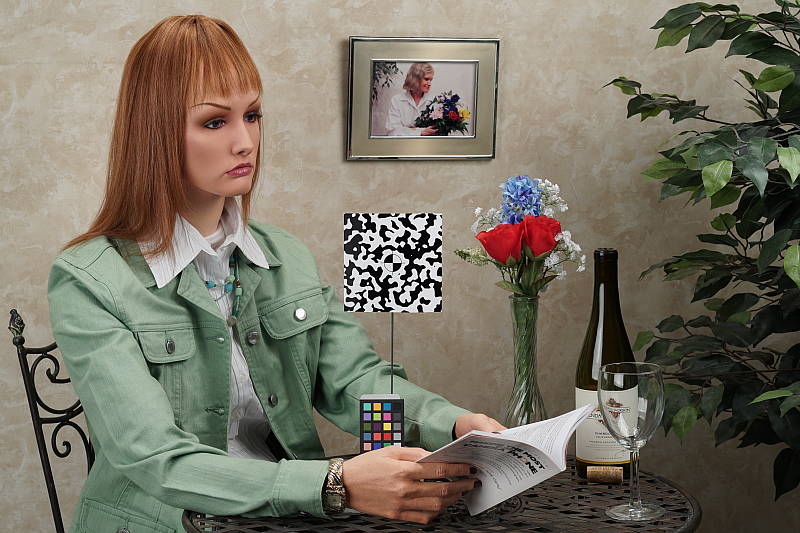
Indoors, under normal incandescent lighting, color balance was too warm and reddish with the default Auto white balance setting. In addition to the default "AWB Standard" mode, the A6500 gives you the option to prioritize the ambient light color ("AWB Ambience" mode), or the reproduction of accurate whites ("AWB White" mode). However, we did not test those options in the lab. Results with the Incandescent setting were better, though a bit yellow. The Manual setting was quite accurate, just slightly on the cool side. The Sony A6500 required no exposure compensation here, while +0.3 EV is about average for this shot. (Our test lighting for this shot is a mixture of 60 and 100 watt household incandescent bulbs, a pretty yellow light source, but a very common one in typical home settings here in the U.S.)
Outdoors, daylight
Excellent results under harsh lighting, with good handling of contrast and above average exposure accuracy.
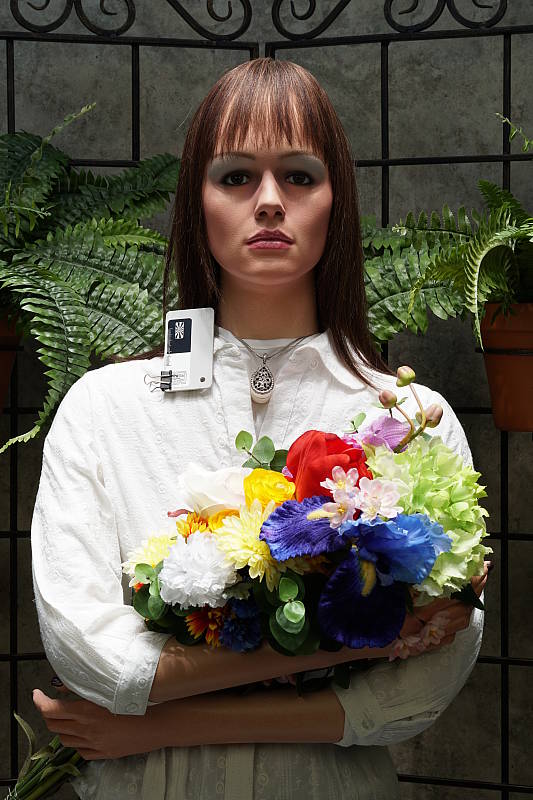
Outdoors, the Sony A6500 performed well. +0.3 EV exposure compensation was required to keep the mannequin's face bright in our "Sunlit" Portrait shot, which is better than average among the cameras we've tested. (Most cameras require about +0.7 EV here.) Contrast is a little high as you might expect under such harsh lighting, but despite the bright appearance, very few highlights were blown, even without the help of Dynamic Range Optimization DRO -- see below. Both Auto and Manual white balance produced decent though a bit too reddish skin tones under simulated daylight, and some of the yellow flowers look a bit green. Default exposure for our Far-field shot (above right) looks a touch underexposed, but as a result virtually no highlights were blown (just a few specular highlights) and no shadows were lost, again with DRO disabled. The Far-field shot with Auto white balance has good color balance, though colors are on the cool side, and not as pumped as most cameras. Still, excellent overall performance in harsh lighting, especially considering DRO was off for these shots.
See full set of test images with explanations
See thumbnails of all test and gallery images
Resolution
~2,750 to ~2,800 lines of strong detail from both JPEGs and RAW files.


In-camera JPEGs of our laboratory resolution chart reveal sharp, distinct line patterns up to about 2,800 lines per picture height in the horizontal direction, and to about 2,750 lines in the vertical direction. Some may argue for higher numbers, but lines begin to merge at these resolutions, and aliasing artifacts actually start to appear as low as about 2,500 lines. Complete extinction of the pattern doesn't occur until about 3,600 to 3,700 lines. Some color moiré is evident in JPEGs, though that's not uncommon. Adobe Camera Raw wasn't really able to extract more lines of resolution here from a matching RAW file, but it generated much stronger color moiré (different colors as well). Use these numbers to compare with other cameras of similar resolution, or use them to see just what higher resolution can mean in terms of potential detail.
See full set of test images with explanations
See thumbnails of all test and gallery images
Sharpness & Detail
Excellent default sharpness, with minimal sharpening artifacts. Mild to moderate noise suppression visible in the shadows and areas of low contrast.


Sharpness. The Sony A6500 captures sharp, crisp images at lower ISOs, with few visible edge enhancement artifacts. We often see some fairly bright and/or thick sharpening halos around high-contrast elements such as the lettering and lines in our bottle labels (above left), but the A6500's sharpening algorithm is adept at making details pop without introducing strong sharpening artifacts. Excellent results here, at least at low ISOs. Edge enhancement creates the illusion of sharpness by enhancing colors and tones right at the edge of a rapid transition in color or tone.
Detail. The crop above right shows mild to moderate noise suppression in the darker areas of the mannequin's hair. A number of low-contrast strands are smudged together, though higher contrast strands are still distinct. Overall, though, very good results here for a 24-megapixel APS-C camera. Noise-suppression systems in digital cameras tend to flatten-out detail in areas of subtle contrast. The effects can often be seen in shots of human hair, where the individual strands are lost and an almost "watercolor" look appears.
RAW vs In-Camera JPEGs
As noted above, the Sony A6500 produces sharp in-camera JPEGs with very good detail and few sharpening artifacts, at least at low ISOs. Additional detail can often be obtained from carefully processing RAW files with a good converter, though. Let's see how base ISO compares here:
| Base ISO (100) | |
 |
 |
 |
 |
 |
 |
|
Camera JPEG, defaults
|
RAW via Adobe Camera Raw
|
In the table above, we compare a best quality in-camera JPEG taken at base ISO using default noise reduction and sharpening (on the left) to the matching RAW file converted with Adobe Camera Raw 9.1 via DNG Converter 9.10 using default noise reduction with some moderate but tight unsharp masking applied in Photoshop (250%, radius of 0.3 pixels, and a threshold of 0).
Looking closely at the images, we can see that ACR extracts additional detail that isn't present in the JPEG from the camera, particularly in the troublesome red-leaf swatch where the fine thread pattern is likely treated as noise by the JPEG engine. Fine detail in the mosaic is also a bit better and more refined looking, but as is often the case, more luminance noise can be seen, though the in-camera JPEG shows more chroma noise in the shadows. You can of course apply stronger noise reduction (default ACR NR used here) to arrive at your ideal noise versus detail tradeoff. Also notice that the ACR conversion does not show the yellow-to-green shift in the olive oil bottle that the in-camera JPEG does, and colors are generally more accurate and pleasing.
Apart from some issues with color, the Sony A6500's in-camera JPEG processing is very good (at least at low ISOs) with generally excellent detail and very few sharpening artifacts.
ISO & Noise Performance
Very good high ISO performance for an APS-C camera.
|
Default High ISO Noise Reduction
|
 |
 |
 |
| ISO 100 | ISO 200 | ISO 400 |
 |
 |
 |
| ISO 800 | ISO 1600 | ISO 3200 |
 |
 |
 |
| ISO 6400 | ISO 12,800 | ISO 25,600 |  |
| ISO 51,200 | ||
The detail versus noise tradeoff is excellent at ISOs 100 through 800, with a nice, gradual drop in image quality as sensitivity rises. ISO 1600 is noticeably noisier, but fine detail is still very good for this sensitivity and sensor size and chroma noise is well controlled. At ISO 3200, image quality takes a larger hit due to stronger noise reduction, but a lot of fine detail is still intact, however flatter areas start to take on a slightly hammered look. Fine detail is still pretty good at ISO 6400 with a fairly tight noise "grain" and low chroma noise, but image quality rapidly deteriorates at higher ISOs, with lower saturation, progressively stronger noise "grain", more conspicuous noise reduction artifacts, and some blotchy yellow or purple chroma noise at the highest ISOs.
Overall, high ISO performance in JPEGs is similar to the A6300 though Sony seems to have dialed back default noise reduction a bit at higher ISOs leaving behind a bit more noise but retaining more fine detail as well. As always, see the Print Quality section below for maximum recommended print sizes at each ISO, as printed performance often doesn't correlate well to what's seen on-screen at 100%, and check out our Comparometer to see how the Sony A6500's JPEGs compare to other cameras we've tested.
Note that we now shoot this series at f/8 instead of f/4, for increased depth of field (at f/4, it was very difficult to focus for maximum sharpness in the crop area while maintaining consistent focus between models).
Extremes: Sunlit, dynamic range and low light tests
Excellent highlight and shadow detail. Very good low-light performance, capable of focusing and capturing bright images in near darkness.


Sunlight. The Sony A6500 handled the deliberately harsh lighting in the test above very well. We preferred the +0.3 EV exposure here as the mannequin's face is bright while very few highlights were clipped in the white shirt. The default (0 EV) exposure is just a tad dim in the face, while the +0.7 EV exposure is definitely too bright. As mentioned previously, contrast is a little high, but both highlight and shadow detail is very good at +0.3 EV. Overall, very good results here.
For best results, be sure to use fill flash in situations like the one shown above; it's better to shoot in the shade when possible. See below for results with Dynamic Range Optimization and High Dynamic Range features enabled.
Because digital cameras are more like slide film than negative film (in that they tend to have a more limited tonal range), we test them in the harshest situations to see how they handle scenes with bright highlights and dark shadows, as well as what kind of sensitivity they have in low light. The shot above is designed to mimic the very harsh, contrasty effect of direct noonday sunlight, a very tough challenge for most digital cameras. (You can read details of this test here. In actual shooting conditions, be sure to use fill flash in situations like the one shown here; it's better to shoot in open shade whenever possible.)
|
Outdoor Portrait DRO Comparison (0 EV)
|
|
 |
DRO Setting: Auto (Default) Off Level 1 Level 2 Level 3 Level 4 Level 5 |
 |
|
Dynamic Range Optimization is Sony's name for their dynamic range enhancement technology. DRO divides the image into small areas, analyzes the range of brightness of each area, and adjusts the camera's tone curve and other processing parameters accordingly to make the best use of the available dynamic range. DRO does not boost ISO for the entire image like some systems, so increased noise is less of an issue, though existing noise may be more visible in raised shadows. Auto DRO is enabled by default on the Sony A6500. You can also set the level manually, from 1 ("weak") to 5 ("strong"), or turn it off. As one would expect, DRO is only applied to JPEG files however RAW files are tagged for similar processing by compatible software.
The above thumbnails and histograms show the effects of the available levels of DRO on our "Sunlit" Portrait shot with no exposure compensation. Mouse over the links to load the associated thumbnail and histogram, and click on the links to visit the full resolution image. As you can see from the thumbnails and histograms, DRO worked as expected, boosting shadows and mid-tones without blowing additional highlights, yielding more balance exposures. The Auto DRO setting did a decent job here, and the five manual levels give quite a bit of control over the effect.

Above, you can see the effects of DRO settings on our Far-field shot. The default Auto setting produced a nicely balanced exposure, despite the harsh lighting. A useful feature.

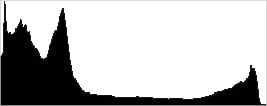


High Dynamic Range. The Sony A6500's HDR mode takes three images in rapid succession, one nominally exposed , one underexposed, and one overexposed, then combines them into one high dynamic range JPEG automatically (RAW images are not supported). Lighter areas from the underexposed image are combined with darker areas from the overexposed image to produce an image with compressed tonal range. The camera then saves a single composite image, as well as the nominally exposed image. The overlaid images are micro-aligned by the camera, but it can only correct for so much movement. If it can't micro-align successfully, an icon indicating HDR capture failed will appear. For best results, the subject should not move or blink, so it's not really intended for portraits. There is also a manual mode where you can select 1 EV ("weak") to 6 EV ("strong") difference in exposures.
Mouse over the links to load the associated thumbnail and histogram, and click on the links to visit the full resolution image. As you can see, the Auto setting did a decent job boosting shadows and mid-tones while reigning back highlights, however the overall exposure is a bit dim. The higher the manual setting, the more highlights are toned-down and shadows opened up, but higher settings can produce flat and unnatural results with this scene. Still, it's nice that Sony provides six manual levels, giving quite a bit of control over the effect.
Above, you can see the effects of HDR settings on our Far-field shot. Watch out for ghost and double images caused by movement within the scene during the capture sequence, though, as can be seen in the flag and leaves of some of the shots above.
Sony has one of the more flexible in-camera HDR implementations we've seen making it a useful feature for those that don't want to bracket and combine images in post.
Dynamic Range Analysis (RAW mode)
While we once performed our own dynamic range measurements based on in-camera JPEGs as well as converted RAW images (when the camera was supported by Adobe Camera Raw), we've switched to using DxO Labs' results from their DxOMark website. As technology advanced, the dynamic range of modern high-end cameras in some cases exceeded the range of the Stouffer T4110 density scale that we used for our own measurements. DxO's approach based on RAW data before demosaicing is also more revealing, because it measures the fundamental dynamic range of the sensor, irrespective of whatever processing is applied to JPEGs, or to RAW data by off-the-shelf conversion software.
In the following, we use DxO's "Print" dynamic range results, which are scaled based on camera resolution. As the name suggests, this scaling corresponds to the situation in which you print at a given size, regardless of how many megapixels the camera might have. (In other words, if you've decided to make a 13x19 inch print, that's the size you're printing, whether the camera's resolution is 16 or 300 megapixels.) For the technically-minded, you can find a discussion of the reasoning behind this here on the DxOMark website. Also note that DxO Labs uses a signal-to-noise (SNR) threshold of 1 when defining the lower boundary of acceptable luminance noise in their dynamic range measurements, which corresponds to the "Low Quality" threshold of the Imatest software we used to use for this measurement.

Here, we decided to compare the Sony A6500's dynamic range to its predecessor, the A6300, and also to the best performing APS-C camera to date in terms of dynamic range, the Nikon D7200. You can always compare other models on DxOMark.com.
As you can see from the above graph (click for a larger version), the Sony A6500's dynamic range (shown in orange) is very similar to the A6300's (yellow) at most ISOs, with nearly identical peaks of about 13.7 at base ISO. The A6500 scored a littler higher at ISO 400 and 800 and just a touch lower at the highest ISOs, but we doubt these minor differences can be discernible in real-world shots.
The Sony A6500's dynamic range still lags behind the class-leading Nikon D7200 (in red) at lower ISOs, with the D7200 managing a very impressive 14.6 EV at base ISO. But the A6500 catches up between ISO 400 and 800 and actually bests the D7200 significantly at ISOs above 6400, with over a 1.1 EV lead at the highest common ISO of 25,600.
Overall, very good dynamic range especially at higher ISOs, though some competitors from companies like Nikon and Pentax perform significantly better at low ISOs. Click here to visit the DxOMark page for the Sony A6500 for more of their test results and additional comparisons.
| 1 fc 11 lux |
1/16 fc 0.67 lux |
1/16 fc No NR |
|
|---|---|---|---|
| ISO 100 |
 2s, f2.8 |
 30s, f2.8 |
 30s, f2.8 |
| ISO 3200 |
 1/15s, f2.8 |
 1s, f2.8 |
 1s, f2.8 |
| ISO 25600 |
 1/125s, f2.8 |
 1/8s, f2.8 |
 1/8s, f2.8 |
Low Light. The Sony A6500 was able to capture bright images down to the lowest light level we take lab shots at (1/16 foot-candle or -2.0 EV) even at base ISO. Noise is very low at base ISO and well-controlled at ISO 3200, though as expected noise and noise reduction artifacts are quite high and objectional at the highest non-expanded ISO setting of 25,600.
Auto white balance did a good job here, producing a fairly neutral, just slightly cool color balance across tested ISOs and light levels.
We didn't detect any significant issues with hot pixels, banding (fixed-pattern noise), or heat blooming.
LL AF: The Sony A6500's autofocus system was able to focus on our low-contrast AF target down to -1.7 EV unassisted with an f/2.8 lens, which is pretty good, and it was able to focus on our newer high-contrast AF target down to a very dim -4.8 EV, which is excellent. The A6500 is also equipped with an AF assist lamp, which allows it to focus in complete darkness as long as the subject is within range and has sufficient contrast.
How bright is this? The one foot-candle light level that this test begins at roughly corresponds to the brightness of typical city street-lighting at night. Cameras performing well at that level should be able to snap good-looking photos of street-lit scenes.
NOTE: This low light test is conducted with a stationary subject, and the camera mounted on a sturdy tripod. Most digital cameras will fail miserably when faced with a moving subject in dim lighting. (For example, a child's ballet recital or a holiday pageant in a gymnasium.) Thanks to their larger pixels and in the case of the A6500, its Hybrid AF system, compact system cameras like the Sony A6500 tend to do much better than point & shoots, but you still shouldn't expect a quick autofocus lock with moving subjects. (A useful trick is to just prop the camera on a convenient surface, and use its self-timer to release the shutter. This avoids any jiggling from your finger pressing the shutter button, and can work quite well when you don't have a tripod handy.)
Output Quality
Print Quality
Terrific 30 x 40 inch prints at ISO 100/200/400; a nice 16 x 20 at ISO 1600; a good 5 x 7 at ISO 12,800.
 ISO 100/200 prints look terrific at 30 x 40 inches and higher. There is sharp detail in the finely detailed areas of our Still Life target such as the fabric swatches, and the colors are rich throughout. Feel free to print as large as you'd like at these ISOs until you run out of resolution at your intended viewing distance.
ISO 400 images are also quite good at 30 x 40 inches, with virtually no signs at this large print size that the ISO gain has been increased. A good level of fine detail and rich colors still abound at this lofty size, and artifacts are kept to a minimum.
ISO 800 delivers a very good 20 x 30 inch print, with excellent fine detail and nice colors throughout the image. Only minor traces of visible noise and noise reduction artifacts are visible in some flatter areas of our test target, along with a mild hint of softness encroaching in the red channel, but otherwise a good print here at a fairly large size for this ISO.
ISO 1600 yields a 16 x 20 inch print that certainly passes our "good" seal of approval for a print. There is a bit more noise apparent in flatter areas of our test target, as well as some contrast detail now lost in our tricky red-leaf swatch, which is fairly typical by this ISO for most enthusiast camera models. For ultra-critical printing purposes at this ISO we recommend 13 x 19 inches and smaller to be safe.
ISO 3200 shots are just passable at 13 x 19 inches. Noise levels in the shadowy areas behind the bottles in our test target are now approaching the tolerance overload, and most all contrast detail is now lost in our target red swatch of fabric, but we can still call the print "good" at this size. For your most critical prints we suggest a reduction in size to 11 x 14 inches.
ISO 6400 prints from the A6500 begin to display noticeable signs of ISO strain, and a reduction to 8 x 10 inches is warranted here for passing our good seal. Full colors are still present, although there is beginning to be a mildly scorched look to the print overall. For your most important work we therefore suggest remaining at ISO 3200 and lower when possible with this camera.
ISO 12,800 delivers a 5 x 7 inch print similar to the 8 x 10 at ISO 6400. The image is certainly passable for casual printing purposes but is a bit on the muted side overall.
ISO 25,600 yields a 4 x 6 that passes our good seal, so if that's all you need for print size then that lofty ISO can deliver for general purpose printing.
ISO 51,200 images are a bit too muted and scorched-looking to pass our good seal, and this ISO is best avoided.
The Sony A6500 turns in a solid print quality performance as we'd expect from this line. As the imaging pipeline has only been tweaked compared to the one found in the predecessor A6300, with most advancements coming in the performance arena, we didn't expect a noticeable increase in overall print sizes. Similar to most modern APS-C cameras, our recommendation is to shoot at ISO 3200 and below with this camera for your most critical printing purposes.
The images above were taken from our standardized test shots. For a collection of more pictorial photos, see our Sony Alpha ILCE-A6500 Photo Gallery .
Not sure which camera to buy? Let your eyes be the ultimate judge! Visit our Comparometer(tm) to compare images from the Sony Alpha ILCE-A6500 with those from other cameras you may be considering. The proof is in the pictures, so let your own eyes decide which you like best!
Performance
Timing and Performance
Excellent performance with very deep buffers, though buffer clearing is very slow.
| Startup/Play to Record | ||
|---|---|---|
| Power on |
~1.3 seconds
|
Time it takes to turn on and capture a shot. |
|
Play to Record, |
~0.9 second
|
Time until first shot is captured. |
The Sony A6500's startup time (power on to first shot) of 1.3 seconds was about average for a mirrorless camera, and about the same as the A6300's. Switching from Play to Record mode and taking a shot was just slightly slower than the A6300, at about 0.9 vs 0.7 second, however that's pretty close.
| Shutter Response (Lag Time) | ||
|---|---|---|
|
Full Autofocus, |
0.184 second
|
Time from fully pressing shutter button to image capture, with the lens already at the proper focal distance setting. |
|
Full Autofocus, |
0.292 second
|
Time from fully pressing shutter button to image capture, with the lens already at the proper focal distance setting, TTL Auto flash enabled. |
| Manual Focus |
0.127 second
|
For most cameras, shutter lag is less in manual focus than autofocus, but usually not as fast as when the camera is "prefocused". |
|
Prefocused |
0.019 second
|
Time to capture, after half-pressing and holding shutter button. |
The Sony A6500's full-autofocus shutter lag (with the subject at a fixed distance) was quite fast, measuring only 0.184 second in Single-area (Center) AF mode with our FE 35mm f/2.8 lens. That's just a hair slower than the 0.160 second result we got with the A6300 with the same lens.
Enabling the flash added a delay for preflash metering, increasing lag to about 0.292 second, but that's a noticeable improvement compared to 0.437 second for the A6300.
When manually focused, the Sony A6500's shutter lag was 0.127 second, also a bit slower than the A6300's 0.107 second. The A6500's prefocused shutter lag was incredibly fast at only 19 milliseconds, just a touch faster than the A6300's 20 millisecond result.
To minimize the effect of different lens' focusing speed, we test AF-active shutter lag with the lens already set to the correct focal distance.
| Cycle Time (shot to shot) | ||
|---|---|---|
| Single Shot mode |
0.62 second
|
Time per shot, averaged over a few frames (we no longer test for buffer depths in single-shot mode). |
|
Single Shot mode |
0.59 second
|
Time per shot, averaged over a few frames (we no longer test for buffer depths in single-shot mode). |
| Early shutter |
No
|
Some cameras don't snap another shot if you release and press the shutter too quickly in Single Shot mode, making "No" the preferred answer. |
|
Continuous Hi+ |
0.09 second
(11.11 fps); 231 frames total; 128 seconds to clear* |
Time per shot, averaged over 231 frames, then slowed to an average of about 0.66s or 1.52 fps when buffer was full. |
|
Continuous Hi+ |
0.09 second
(11.11 fps); 254 frames total; 81 seconds to clear* |
Time per shot, averaged over 254 frames, then slowed to an average of about 0.42s or 2.39 fps when buffer was full. |
|
Continuous Hi+ |
0.09 second
(11.11 fps); 110 frames total; 75 seconds to clear* |
Time per shot, averaged over 110 frames, then slowed to an average of about 0.79s or 1.27 fps when buffer was full. |
|
Continuous Hi+ |
0.09 second
(11.11 fps); 101 frames total; 100 seconds to clear* |
Time per shot, averaged over 101 frames, then slowed to an average of about 1.11s or 0.90 fps when buffer was full. |
|
Flash Recycling |
3.0 seconds
|
Flash at maximum output. |
|
*Note: Buffer clearing times measured with a SanDisk Extreme Pro 95 MB/sec UHS-I SDHC card. Slower cards will produce correspondingly slower clearing times. Slow cards may also limit length of bursts in continuous mode. ISO sensitivity and noise reduction settings can also affect cycle times and burst mode performance.
|
||
Single-shot cycle times were very good, at about 0.6 second for Large/Extra Fine JPEGs or RAW + Large/Fine JPEG frames, just a touch slower than the A6300. (Note that we no longer test single-shot mode with just RAW files, as the results are usually somewhere in between JPEG and RAW+JPEG modes.) Be aware that the Sony A6500 cannot capture best quality "Extra Fine" JPEGs together with RAW files, dropping to "Fine" quality JPEGs when shooting RAW+JPEG, just like the A6300.
The Sony A6500's top continuous Hi+ mode was very fast and consistent at about 11.1 frames per second no matter the file type, slightly exceeding Sony's spec and very closely matching the A6300's top speed.
Buffer depths were outstanding, at about five times deeper than the A6300 and roughly matching Sony's latest specifications. When shooting best quality Extra Fine JPEGs, buffer depth was 231 frames compared to the A6300's 44 frames, and dropping quality down to Fine JPEGs increased buffer depth to 254 frames in our tests. Of course, when shooting RAW or RAW+JPEG files, buffer depths were lower, but still outstanding at 110 and 101 frame respectively, compared to 22 and 21 frames respectively for the A6300.
However, buffer clearing took a long time with such deep buffers, taking between 75 seconds after a max-length RAW file burst up to whopping 128 seconds after a max-length burst of Extra Fine JPEGs. After making some rough calculations for write speeds, it appears the A6500 has made no speed improvements over the A6300 and A6000 in terms of writing to the SD card, with all three models writing at about 36MB/s. (This is one area where adding UHS-II card support would have really benefited performance if implemented correctly.) And to make matters worse, the A6500 does not allow you to change any settings while the card is being written to, nor can you check just-shot images before they are written. However you can at least review images which have already been written to the card while you're waiting for the buffer to clear.
The built-in flash was able to recycle from a full discharge in an average of 3.0 seconds, which is fairly typical.
Bottom line, the Sony A6500's performance is generally excellent and very similar to the A6300's, but with a buffer that is about 5 times as deep! However it's a shame that Sony didn't improve UHS-I card write speeds or add UHS-II support, as clearing times after long bursts are incredibly slow.
Battery
Battery Life
Fair battery life for a mirrorless camera.
| Operating Mode | Battery Life |
|---|---|
|
Still Capture,
(EVF, CIPA standard) |
310 shots
|
|
Still Capture,
(LCD Monitor CIPA standard) |
350 shots
|
The Sony A6500 uses a custom NP-FW50 rechargeable lithium-ion battery pack for power, and ships with a single battery and a Micro USB cable for in-camera charging. No AC/USB adapter is included and a dedicated battery charger is optional.
CIPA-rated battery life is fair for a mirrorless camera, but well below most DSLRs, especially when using the electronic viewfinder. We strongly recommend purchasing an additional battery or two for extended outings.
The table above shows the number of shots the camera is capable of (on a fully-charged rechargeable battery), based on CIPA battery-life and/or manufacturer standard test conditions.
(Interested readers can find an English translation of the CIPA DC-002 standards document here. (180K PDF document))
Image Quality
Below are crops from our laboratory Still Life target comparing the Sony A6500's image quality to that of its predecessor's, the A6500, as well as against several enthusiast or premium ILC models at similar price points and/or resolutions: the Canon M5, Fuji X-T2, Nikon D7200 and Olympus PEN-F.
NOTE: These images are from best quality JPEGs straight out of the camera, at default settings including noise reduction and using the camera's actual base ISO (not extended ISO settings). All cameras in this comparison were shot with our very sharp reference lenses. Clicking any crop will take you to a carrier page where you can click once again to access the full resolution image as delivered straight from the camera. For those interested in working with the RAW files involved, click these links to visit each camera's respective sample image thumbnail page: Sony A6500, Sony A6300, Canon M5, Fuji X-T2, Nikon D7200, and Olympus PEN-F -- links to the RAW files appear beneath those for the JPEG images, wherever we have them. And remember, you can always go to our world-renowned Comparometer to compare the Sony A6500 to any camera we've ever tested!
Sony A6500 vs Sony A6300 at Base ISO
 |  |
 |  |
 |  |
Sony A6500 at ISO 100 | Sony A6300 at ISO 100 |
Here we compare the Sony A6500 to its most recent sibling, the A6300. They use the same sensor, however Sony stated processing has been improved, especially at higher ISOs. As you see, virtually identical results here at base ISO with sharp, crisp detail, few visible sharpening artifacts, and pleasing contrast. You can see some moiré patterns in the red-leaf fabric, however that's pretty common these days among cameras with a weak or no anti-aliasing filter. Fine detail in the fabrics does look at little better from the A6500, but otherwise image quality here at ISO 100 is very similar, which is to say excellent. Our only real complaint is that color could be better, as both models tend to push yellow to green, orange to yellow and pink to red, and aren't quite as saturated as most cameras (except in reds which are heavily boosted). | |
Sony A6500 vs Canon EOS M5 at Base ISO
|  |
|  |
|  |
Sony A6500 at ISO 100 | Canon EOS M5 at ISO 100 |
|
In this comparison, we pit the A6500 against Canon's enthusiast 24-megapixel APS-C mirrorless, the EOS M5. The Sony has a very weak or no AA filter which helps maximize per-pixel sharpness and detail, and with Sony's excellent default processing the combination produces a sharper, crisper image without the obvious and unsightly sharpening halos produced by the Canon's default processing. We do see stronger aliasing artifacts from the A6300, though, especially in the red-leaf fabric, however the Canon blurs a lot of fine detail away in the fabric already here at base ISO. Color is however noticeably more pleasing and accurate from the Canon, with far fewer hue shifts than the Sony. | |
Sony A6500 vs Fujifilm X-T2 at Base ISO
|  |
|  |
|  |
Sony A6500 at ISO 100 | Fujifilm X-T2 at ISO 200 |
Here we compare the A6500 to the 24-megapixel APS-C Fuji X-T2 with the main difference being X-Trans vs Bayer color filtering, and of course in-camera processing. The Sony produces a slightly crisper, sharper image yet its sharpening algorithm produces less noticeable halos around high-contrast edges. Contrast is also higher from the Sony, especially in the red-leaf swatch, however it does contain visible moiré patterns while the Fuji image does not. Luma noise is a bit higher from the Fuji (but keep in mind its higher base ISO), however chroma noise in the shadows is much lower, a trait Fujis are known for. Color is more pleasing and accurate from the Fuji as well, with less orange to yellow, yellow to green and pink to red shifts, but the Sony preserves more of and perhaps even exaggerates the subtle coloration caused by offset printing in the mosaic label. | |
Sony A6500 vs Nikon D7200 at Base ISO
|  |
|  |
|  |
Sony A6500 at ISO 100 | Nikon D7200 at ISO 100 |
The Sony A6500 closely matches the 24-megapixel APS-C Nikon D7200 in terms of resolution, though there are plenty of differences otherwise. The D7200 image has lower chroma noise which is perhaps why the red-leaf swatch isn't as detailed, while the A6500 image has lower luma noise. Both produce sharp images, however the Nikon image contains much more obvious sharpening halos as seen in the olive oil bottle crop at the top, but the Sony exaggerates the offset printing coloration in the mosaic label which the Nikon attenuates, perhaps also treating it as chroma noise. Overall, colors are more pleasing and vibrant from the Nikon. | |
Sony A6500 vs Olympus PEN-F at Base ISO
|  |
|  |
|  |
Sony A6500 at ISO 100 | Olympus PEN-F at ISO 200 |
Here we compare the 24-megapixel APS-C A6500 to the 20-megapixel Micro Four Thirds Olympus PEN-F which has a list price and form factor much closer to the A6500 than Olympus' latest ILC, the E-M1 Mark II. At base ISO, the Sony A6500 produces a crisper, more detailed image with fewer sharpening halos. Fine detail and contrast are much better in our tricky red-leaf swatch from the Sony, however moiré patterns are much more visible. The A6500 also exaggerates the offset printing coloration in the mosaic label which the PEN-F attenuates, perhaps treating it as chroma noise. Colors are again more pleasing and accurate from the Olympus. | |
Sony A6500 vs Sony A6300 at ISO 1600
 |  |
 |  |
 |  |
Sony A6500 at ISO 1600 | Sony A6300 at ISO 1600 |
Very similar results here at ISO 1600 from these two siblings, however it appears default processing has indeed been tweaked. The A6300 image appears just a touch noisier with some green or turquoise tinted pixels in shadows and midtone areas that aren't present in the A6500 image, but detail is slightly better in the red-leaf swatch. (Noise in their respective RAW files looks identical, so the differences seen here are due to modified processing.) | |
Sony A6500 vs Canon EOS M5 at ISO 1600
|  |
|  |
|  |
Sony A6500 at ISO 1600 | Canon EOS M5 at ISO 1600 |
Like we saw at base ISO, the A6500 delivers a much sharper image with better detail at ISO 1600 than the M5, though aliasing artifacts are more visible. Noise levels are comparable, however the noise "grain" from the Canon is more consistent and film-like, while the Sony's noise reduction processing produces some darker pixels and some rectilinear artifacts which give flatter areas a sightly less natural look when examined closely. Colors continue to be better from the Canon. | |
Sony A6500 vs Fujifilm X-T2 at ISO 1600
|  |
|  |
|  |
Sony A6500 at ISO 1600 | Fujifilm X-T2 at ISO 1600 |
The Sony A6500 continues to produce a slightly sharper, crisper, more contrasty image at ISO 1600, and the offset printing coloration in the mosaic crop is no longer present in the A6500 image, suppressed by the Sony's high ISO noise reduction. The Sony also appears to do better in the red-leaf swatch, however much of the fine detail is distorted and false while the Fuji manages to be much more faithful to the subtle leaf pattern but with much lower contrast. The A6500 definitely does better with detail in the pink fabric, though, however the X-T2 continues to deliver much better overall color. | |
Sony A6500 vs Nikon D7200 at ISO 1600
|  |
|  |
|  |
Sony A6500 at ISO 1600 | Nikon D7200 at ISO 1600 |
The D7200's fairly strong blurring of the red-leaf fabric jumps out in this comparison, and its rendering in the mosaic crop appears softer as well. Noise levels are a little higher from the D7200 but its noise "grain" is more natural and film-like than the A6500's. Colors from the Nikon continue to be warmer and more pleasing than from the Sony. | |
Sony A6500 vs Olympus PEN-F at ISO 1600
|  |
|  |
|  |
Sony A6500 at ISO 1600 | Olympus PEN-F at ISO 1600 |
Here at ISO 1600 we can see the Olympus was working hard to produce a cleaner image than the Sony, however fine detail suffers as a result, with much more noticeable blurring and smearing in the mosaic and fabric crops, leading to a slightly water-colored painting effect. Almost all subtle detail is already lost by the PEN-F in our troublesome red-leaf fabric. It goes without saying that the Olympus continues to do better in terms of color, though. | |
Sony A6500 vs Sony A6300 at ISO 3200
 |  |
 |  |
 |  |
Sony A6500 at ISO 3200 | Sony A6300 at ISO 3200 |
The differences in default processing between the two siblings is more apparent here at ISO 3200, with the A6500 leaving behind a bit more luminance noise in flatter areas while preserving slightly better and more natural-looking detail and edges in the bottle crops. However, the A6300 appears to retain a bit more detail in our troublesome red-leaf swatch, though again much of it is heavily distorted and false. | |
Sony A6500 vs Canon EOS M5 at ISO 3200
|  |
|  |
|  |
Sony A6500 at ISO 3200 | Canon EOS M5 at ISO 3200 |
Here at ISO 3200, the Sony A6500 continues to produce a much crisper, more detailed image than the Canon M5, however its area-specific noise reduction can produce more noticeable artifacts in flatter areas and along edges than Canon's more traditional approach to noise reduction. The M5 blurs our tricky red-leaf fabric a lot more here at ISO 3200, but much of the A6500's apparent detail in that fabric is false. The Sony does better in the pink fabric, but colors are again more accurate from the Canon. | |
Sony A6500 vs Fujifilm X-T2 at ISO 3200
|  |
|  |
|  |
Sony A6500 at ISO 3200 | Fujifilm X-T2 at ISO 3200 |
The Sony A6500 still produces a slightly crisper, contrastier image with more punch here at ISO 3200, however noise levels are higher. Again, the red-leaf pattern may look more detailed from the Sony, but much of that detail is false, while the Fuji still renders at least some accurate detail though with lower contrast, and of course still produces more pleasing colors. | |
Sony A6500 vs Nikon D7200 at ISO 3200
|  |
|  |
|  |
Sony A6500 at ISO 3200 | Nikon D7200 at ISO 3200 |
Once again, the A6500 and D7200 retain similar levels of detail in most areas, however the Sony produces a crisper image overall. The Nikon's noise pattern is more natural and film-like, though, and its colors are warmer and more accurate. And while the A6500 seems to do a bit better in the red-leaf fabric, much of the apparent detail is heavily distorted at this ISO, as mentioned previously. | |
Sony A6500 vs Olympus PEN-F at ISO 3200
|  |
|  |
|  |
Sony A6500 at ISO 3200 | Olympus PEN-F at ISO 3200 |
Similar to what we saw at ISO 1600, the Olympus PEN-F managed to produce a cleaner image here at ISO 3200 with default noise reduction, but subtle and low-contrast detail really suffers leading to a very soft, smeared image compared to the Sony's which still retains a lot of fine detail in most areas. Color is still better from the Olympus, though. | |
Sony A6500 vs. Sony A6300, Canon EOS M5, Fujifilm X-T2, Nikon D7200, Olympus PEN-F
 |  |  |  |  |  |
 |  |  |  |  |  |
 |  |  |  |  |  |
| Sony A6500 ISO 100 ISO 3200 ISO 6400 | Sony A6300 ISO 100 ISO 3200 ISO 6400 | Canon EOS M5 ISO 100 ISO 3200 ISO 6400 | Fujifilm X-T2 ISO 200 ISO 3200 ISO 6400 | Nikon D7200 ISO 100 ISO 3200 ISO 6400 | Olympus PEN-F ISO 200 ISO 3200 ISO 6400 |
| Detail comparison. High-contrast detail is also important, pushing the camera in different ways, so we like to look at it separately here. As expected, the Sony A6500 performs very similarly in this regard to its predecessor, with only slight differences likely due to minor exposure variations. The Canon M5 does well at base ISO, though the image isn't as crisp as the Sony's despite visible sharpening halos. The Canon's image quality does however drop off more quickly as ISO climbs while the Sonys' show very little degradation. The Fuji X-T2 also does well at base ISO, however contrast is a little lower in part because of a tone curve that makes the white background darker than the others. Detail and contrast remain quite good as ISO climbs, however sharpness drops. The Nikon D7200 also does very well at base ISO, though with the most obvious sharpening halos of the group, however it doesn't do quite as well as the A6500 at higher ISOs. The Olympus PEN-F is at a slight resolution disadvantage with its 20-megapixel Four Thirds sensor, though it performed quite well at base ISO, however it too shows more obvious sharpening halos compared to the Sonys. The PEN-F only degraded a bit at ISO 3200 with a slight loss in detail, but at ISO 6400, fine detail suffers the most in this group. | |||||
Sony A6500 Print Quality Analysis
Terrific 30 x 40 inch prints at ISO 100/200/400; a nice 16 x 20 at ISO 1600; a good 5 x 7 at ISO 12,800.
ISO 100/200 prints look terrific at 30 x 40 inches and higher. There is sharp detail in the finely detailed areas of our Still Life target such as the fabric swatches, and the colors are rich throughout. Feel free to print as large as you'd like at these ISOs until you run out of resolution at your intended viewing distance.
ISO 400 images are also quite good at 30 x 40 inches, with virtually no signs at this large print size that the ISO gain has been increased. A good level of fine detail and rich colors still abound at this lofty size, and artifacts are kept to a minimum.
ISO 800 delivers a very good 20 x 30 inch print, with excellent fine detail and nice colors throughout the image. Only minor traces of visible noise and noise reduction artifacts are visible in some flatter areas of our test target, along with a mild hint of softness encroaching in the red channel, but otherwise a good print here at a fairly large size for this ISO.
ISO 1600 yields a 16 x 20 inch print that certainly passes our "good" seal of approval for a print. There is a bit more noise apparent in flatter areas of our test target, as well as some contrast detail now lost in our tricky red-leaf swatch, which is fairly typical by this ISO for most enthusiast camera models. For ultra-critical printing purposes at this ISO we recommend 13 x 19 inches and smaller to be safe.
ISO 3200 shots are just passable at 13 x 19 inches. Noise levels in the shadowy areas behind the bottles in our test target are now approaching the tolerance overload, and most all contrast detail is now lost in our target red swatch of fabric, but we can still call the print "good" at this size. For your most critical prints we suggest a reduction in size to 11 x 14 inches.
ISO 6400 prints from the A6500 begin to display noticeable signs of ISO strain, and a reduction to 8 x 10 inches is warranted here for passing our good seal. Full colors are still present, although there is beginning to be a mildly scorched look to the print overall. For your most important work we therefore suggest remaining at ISO 3200 and lower when possible with this camera.
ISO 12,800 delivers a 5 x 7 inch print similar to the 8 x 10 at ISO 6400. The image is certainly passable for casual printing purposes but is a bit on the muted side overall.
ISO 25,600 yields a 4 x 6 that passes our good seal, so if that's all you need for print size then that lofty ISO can deliver for general purpose printing.
ISO 51,200 images are a bit too muted and scorched-looking to pass our good seal, and this ISO is best avoided.
The Sony A6500 turns in a solid print quality performance as we'd expect from this line. As the imaging pipeline has only been tweaked compared to the one found in the predecessor A6300, with most advancements coming in the performance arena, we didn't expect a noticeable increase in overall print sizes. Similar to most modern APS-C cameras, our recommendation is to shoot at ISO 3200 and below with this camera for your most critical printing purposes.
Field Test Part I
Field Test Part II
All the action from awesome Austin: Sony's enthusiast mirrorless camera gets a real workout
By Mike Tomkins | Posted: 11/27/2016
 127mm-equivalent, 1/4,000 sec. @ f/2.8, ISO 200
Earlier this year, my colleague Jeremy Gray published his review of the Sony A6300, a followup to 2014's amazingly popular A6000. Now in double-quick time that camera, too, has a successor in the form of the Sony A6500. Recently, I was fortunate to shoot with the A6500 on a press experiential in Austin, Texas.
In all, I had three cameras on hand to shoot with during the week: The aforementioned A6500, the Translucent Mirror-based Sony A99 II and the pocket-friendly Sony RX100 V compact. With the A99 II in short supply, though, and the RX100 V perhaps not the most ideally-suited to the subjects on hand thanks to a relatively short lens, it was the A6500 with which I did the most shooting.
As is typical on a press experiential, Sony had plenty of great shooting subjects lined up to give all three cameras a good workout. After my first week with the A6500, I have to say that it acquitted itself mighty well, turning out a whole bunch of shots that I'm absolutely thrilled with!
The company also had plenty of glass for me to shoot with. In all, I used Sony's E 10-18 mm F4 OSS, Vario-Tessar T* E 16-70 mm F4 ZA OSS, FE 70-200 mm F2.8 GM OSS and FE 85 mm F1.4 GM lenses. Given the subjects on hand and my desire to bring them up close, the bulk of my shooting was with the 70-200mm optic, with the 85mm and 16-70mm lenses together taking the bulk of the remainder.
What's new in the Sony A6500?
But let's not get ahead of ourselves: I'll start from the beginning with my initial impressions on the physical design of the A6500.

Were you to compare the Sony A6500 side-by-side with the A6300, I doubt that any differences would instantly leap to your attention. (I didn't have both cameras side by side, however, so I've had to base my own comparisons on memory and our photos of the earlier camera.)
Looking at the two cameras' bodies, the most obvious change would likely be the handgrip, which has been reprofiled for greater comfort and a more secure grip, especially when shooting with longer lenses. It's both a little less wide and flat-fronted than before, and also just a touch deeper.
With the grip now narrower than before, there was no longer sufficient room for a control alongside the shutter button and the power switch which encircles it. That being the case, Sony's designers moved the existing Custom 1 button to the top of the body directly behind the handgrip, and for good measure added another Custom button right alongside it. (This is now labeled as Custom 2, and one more such button remains on the rear deck, which is now Custom 3.)
It's just a little trickier to reach these new custom buttons, in part because they're a little further from the shutter button, and also because they now sit on a slightly higher surface of the camera body. With that said, I still found them fairly comfortable to use once I'd familiarized myself with the new layout.
Sadly, Sony passed up an opportunity to add a front control dial to the body while it was reworking the grip. If I'm honest, I'd rather have seen the company gift a twin-dial design to the A6500, rather than adding another Custom button. The lack of that second dial was one of the main reasons I found myself preferring the much larger Sony A99 II body in terms of ergonomics, when I had the opportunity to shoot both cameras side-by-side.

In other respects, though, I found the Sony A6500's control layout pretty good. Sony tells us that the controls themselves now have a better feel, and while I didn't have an A6300 for a side-by-side comparison, I found almost everything pretty satisfactory on this front. I could easily tell when most controls were pressed or turned, and had no issues with accidentally changing settings either.
The biggest remaining concern for me on the control front is the movie button, which I still feel is very poorly placed. Mounted in the right side of the thumbgrip, it's in a position we've seen in a fair few of Sony's cameras, but I find that its location is both hard to detect by touch, doesn't give much in the way of button feel when pressed, and because of its location, it tends to induce rotation in the camera body when pressed.
 288mm-equivalent, 1/4,000 sec. @ f/2.8, ISO 500
It's difficult to hold the camera steady when starting or stopping movie capture, because while the fingers of your right hand remain curled around the grip, the palm of your hand has to move away from the body a little to let your thumb reach the movie button. That loosened grip is then exacerbated by the fact that your thumb is pushing sideways against the back corner of the camera body.
Of course, it's easy enough to edit the start and end off your video clips to resolve this, but I'd much rather see Sony relocate the movie button, preferably to the top deck alongside the shutter button.
After the subtle body tweaks, the most obvious change in the Sony A6500 for my money would have to be its improved burst shooting depth. Performance itself is unchanged, with the A6500 still manufacturer-rated at eight frames per second in Continuous Hi mode, or 11 fps in Continuous Hi+.
Hi+ mode improves performance compared to the Hi mode by disabling the live view feed between frames, and instead simply showing the image just captured. The difficulty here is that since you're never seeing your subject's current position but rather where it was some moments ago, it can be tough to track moving subjects well in this mode.
I preferred instead to switch to eight frames per second shooting with the viewfinder refresh rate boosted to 120 frames per second from the default 60 fps, and image review disabled. Here, I could track subjects much more easily and really take advantage of the buffer depth.

And that's what I did, shooting liberally in raw+JPEG mode and capturing long burst of frames documenting the action packed subjects Sony offered up, from rodeos and skateboard parks to tennis and lacrosse. Seldom if ever did I manage to fill the buffer, a testament to the processing performance improvement provided by the A6500's new front-end LSI and larger buffer memory.
Unfortunately, write performance was another matter. This has long been something of a bugbear for Sony's cameras, and the A6500 is no different. With no UHS-II compatibility, it can take a while for the A6500 to catch up after a burst and write your images to memory -- and until they're all written, they can't be checked for focus, exposure and composition.
You can now, however, at least review those images which have already been written to storage while you're waiting for the buffer to clear. And there's also now an indication on the display showing how many images are remaining in the buffer. That helps a bit with the watched-kettle-never-boils syndrome, giving you an idea of how much longer you'll have to wait before you can review those last images or access the camera's full capabilities.

Since I've just brought up the menu system, now's probably as good a time as any to discuss the changes here. The menu still has a tabbed design with multiple menu pages grouped under each tab, and as many as six options per page.
The tabs themselves are now color coded, although those colors don't seem to have any real meaning to them: Some record-mode settings are under the first red tab, and more are under a second purple tab, for example. And there can be a lot of pages -- literally dozens of them -- under each tab, so it can take a little while to familiarize yourself with precisely where the functions you're looking for are to be found.

However, the menu items themselves now seem to be grouped more logically. While there doesn't seem to be much rhyme or reason as to where any given group of settings will be located under the two record-mode tabs, you do at least get an indication of what the current screen full of settings will predominantly relate to -- autofocus or exposure, say -- and those settings are by and large grouped together in a fairly logical manner.
Really, the biggest thing missing now is for Sony to add a customizable menu of some kind where you can store those settings you most frequently use, along the lines of the My Menu option offered by rivals.
Finally, the Sony A6500 sports a touch-screen!
Also new on the user interface front is a touch-screen display, and this is a very welcome addition. The reason: It lets you quickly and intuitively select the primary subject in the scene. And it's not just when shooting at arm's length using the LCD monitor, either: You can also use it in what Sony calls "touchpad" mode when using the electronic viewfinder.
 241mm-equivalent, 1/1,250 sec. @ f/2.8, ISO 100
By default, when you're shooting through the viewfinder only the right half of the touch-screen is monitored for input. The reason for this is pretty simple. When you raise the camera to your eye, your face will block the left half of the screen, and the touch panel might be unintentionally triggered by bumping it against your face. You can, if you prefer, make the touch area even smaller, or allow full-screen control even when shooting through the viewfinder.
There is but one quirk to this design, but I stumbled upon it pretty quickly. If you turn the camera to shoot in portrait orientation rather than landscape, the active area of the touch-screen doesn't change. That means the active area of the screen is now the top half, while the bottom half is ignored -- but that doesn't really make much sense, given that both top and bottom halves of the screen are now equally reachable.
Initially, I thought that the touchpad functionality simply didn't work in portrait orientation. With the camera in this orientation, my thumb naturally fell on the disabled lower half of the screen. It wasn't until I stumbled on the menu item allowing you to select the touch area that I realized my mistake (and at the same time, the UI quirk.) I'd really like to see Sony change this behavior, whether simply by ignoring the touch area setting for portrait shooting, or by allowing the user to set a separate preference for this orientation.
The only other concern I had with Sony's touchpad implementation is that it is a bit on the laggy side compared to similar functionality from rivals. I found that when adjusting my focus point when shooting through the viewfinder, the on-screen indication consistently lagged behind my touches by about a quarter to half a second. It's not enough to be a problem, but enough to make the function seem less polished, given the Sony A6500's considerable performance in other respects.

I'm hopeful that this lag can be reduced through firmware optimization; it's a brand new feature for Sony, and as new code I'd guess the opportunities for optimization are better than for a feature which has already been polished and honed over numerous iterations. But even if not, it's still a very useful and intuitive feature -- you just have to put up with the lag and remember the active screen area when in portrait orientation.
The Sony A6500 has swift and capable autofocus for its class
The A6300 was no slouch in the autofocus department, with its point-dense hybrid autofocus system gaining high points in our review both for its performance and tracking capability. The Sony A6500 shares basically the same AF setup as its sibling, and I came away thoroughly impressed with its autofocus performance, finding it more than up to the task of following subjects around the lacrosse field or during the rodeo, those being two of the tougher subjects I shot with the A6500.

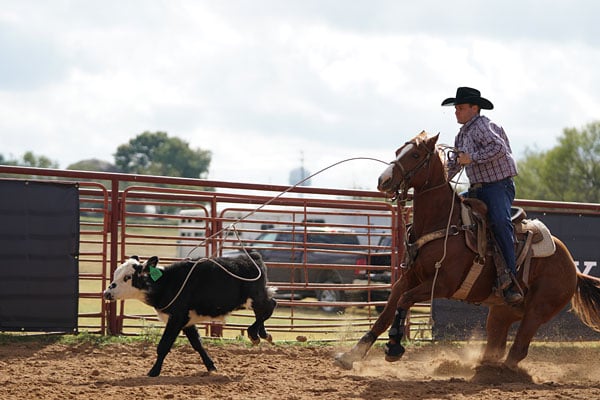
With that said, the tracking functionality isn't infallible. I did find it had a tendency to get confused sometimes, and switch between different subjects when they came sufficiently close together. For example, during the rodeo segment of our shoot, one of the shooting opportunities was what I believe was referred to as "pole bending" -- think the horseback equivalent of slalom skiing. Horse and rider would take a run down a row of poles, zig-zagging back and forth to cross each pole on the opposite side to the last one. At the end of the run, the horse and rider would then return at full speed parallel to the poles.
This was one of several subjects where I found that, shooting with a relatively long lens, the AF tracking would sometimes lose the moving horse which I'd initially selected as the subject, and suddenly fixate on one of the stationary poles instead. Of course, I could let up on the shutter button briefly, put the horse and rider back under my selected focus point and then continue, but I doubtless lost a few shots to this behavior.

Still, no camera I've shot with yet is perfect in this respect, and the A6500 also returned many sharply-focused shots even as I stood just a few feet to one side of the horses' path, as they thundered towards (and right past) me at one end of the poles. I mention it more for completeness than anything. And not only was I panning to follow the horses, but also zooming to try and keep the framing as I wanted it, mostly shooting with a fairly long focal length as well to get the shots I was after. These were really challenging shots, and the A6500 performed remarkably well with them despite the occasional tracking issues.
 127mm-equivalent, 1/200 sec. @ f/1.4, ISO 125
The one thing I've not had a chance to do much of yet with the Sony A6500 is low-light shooting. This is definitely on my to-do list for my next field test, but at low sensitivities at least I'm very pleased with what I've seen so far. The Sony A6500's images are crisp and detailed, and showed great color with for the most part accurate exposure.
If you're looking through the gallery, which I highly recommend doing, note that the lacrosse shots (which are just a tad underexposed) are down to myself, and not the camera. At the recommendation of prolific sports shooter and Sony Artisan Patrick Murphy-Racey, who was on hand to offer advice, I shot the lacrosse practice using manual exposure, and erred on the side of not losing the highlights in the teams' predominantly white uniforms).
Having not yet shot much at sensitivities beyond ISO 6400-equivalent (and then under very difficult lighting), I can't yet assess Sony's assertion that the high ISO noise levels in JPEG mode have been improved. In other respects, though, I'm very happy with what I've seen thus far in the image quality department.
And with that, I'll bring my first field test of the Sony A6500 to a close! For good measure, I've now published my second field test of the Sony A6500, which you can read here. Click the link now, and hop on over for the remainder of the story...

Field Test Part III
Sundown, fun town: The Sony A6500 takes on the night lights of Gatlinburg, Tennessee
By Mike Tomkins | Posted: 02/05/2017
 51mm-equivalent, 1/60 sec. @ f/4, ISO 1600
Late last year, I started my review of the Sony A6500 mirrorless camera with my first Field Test, packed with great action shots from a press experiential in Austin, Texas. The second part of my report has been a little while coming thanks to the holiday season, flu bugs, tradeshows and more, but the good news is that it's here now!
In this Field Test, I'll be looking at two main areas for which I didn't have enough content from the press experiential: Low-light shooting, and video capture. First of all, a quick recap of my earlier Field Test would probably be helpful for those of you who've not already read it, or who read it at the time but don't remember all of the details. (If you've not read it yet, though, I highly recommend going back and starting from the start.)
In my first real-world shoot with the Sony A6500 back in Austin, I came away pretty impressed by this camera and its capabilities. In terms of handling I had few complaints. I found the A6500's body to be pretty comfortable in-hand, even with my larger-than-average hands. Really, about all I'd change on the ergonomic front is the poorly-positioned movie button (something that we'll come back to in a bit), and the lack of a front control dial.
Although the Sony A6500's burst performance hasn't improved since the already-swift A6300, I found the newer model's much greater buffer depth allowed me to take better advantage of its impressive speed. Flash card write speed was still something of a weak spot, but this concern too was alleviated by the larger buffer, as well as a new on-screen indication showing how many shots remain to be written to the flash card.

I also came away fairly satisfied with the updated menu system, which while still quite sprawling is now rather more logically organized. And I loved the new touch-screen overlay on the LCD monitor, which makes focus point selection in particular rather easier. (Although for shots with portrait orientation, it can initially be a bit confusing until you know how the feature works.) I did find myself wishing for the function to be a bit less laggy, though.
 85mm-equivalent, 1/100 sec. @ f/5, ISO 3200
Autofocus performance, too, was good. I found that the A6500 handled the action subjects in the Austin shoot very well, although it did occasionally have a tendency to jump from one subject to another while tracking. And at the lower sensitivities which I largely shot on the Austin trip, image quality was excellent, with plenty of detail, good exposure and great color.
Time for some low-light shooting with the Sony A6500
As I've said, I predominantly shot at lower sensitivities with the Sony A6500 on my trip to Austin because most of the subjects arranged for the press experiential were at least fairly well lit. Hence I didn't really get the chance to explore the area above ISO 1600 much at all, and the bulk of my shots were at fairly near base ISO.
Clearly, I needed to correct the imbalance, so I headed up to nearby Gatlinburg, Tennessee for some shots around sunset, through twilight and into full darkness. Of course, the town itself was still reasonably well-lit, but nevertheless I found plenty of subjects which let me roam ll the way up to the Sony A6500's upper limit of ISO 51,200-equivalent.
Through all of this, I still found autofocus performance to be good, with the A6500 rarely hunting or failing to lock focus on the first try, and getting the shot in focus the overwhelming majority of the time. Like some cameras, it did occasionally yield a shutter speed that was a little slower than I could comfortably hand-hold, but I think that probably comes down to two factors.

One was that I was shooting with the FE 24-240mm F3.5-6.3 OSS (SEL24240) lens, and frequently shooting at the longer focal lengths it offered. This is a really fun lens to shoot with, incidentally. It's beautifully made and offers a good range of focal lengths to cover most situations you're likely to encounter for typical travel-zoom subjects. It also feels pretty nicely balanced when shooting two-handed with the Sony A6500 body, even when the lens is extended to its maximum length at the telephoto position. It's perhaps a bit on the heavy side for single-handed shooting, though, although it's possible in a pinch.
 360mm-equivalent, 1/400 sec. @ f/6.3, ISO 8000
The other thing that likely came into play is that, as I typically do for review work, I was shooting sets of three bracketed exposures for each subject I selected. In almost every case, the blurred exposure was the one with the slowest shutter speed of the trio. Most of the time, I'd still get a sharp exposure for all three frames, but just now and then that longest shutter speed would be a little more than I could handhold.
As I mentioned earlier I already discussed image quality for lower-sensitivity images in my first Field Test. (Click here if you want to take a look at that.) Image quality remains very good with low noise levels all the way up to ISO 3200-equivalent. Of course, viewed 1:1 some grain is noticeable in the shadows, but it's very fine and strikes me as quite film-like.
As you continue up the scale to ISO 6400-equivalent, the grain starts to get a bit coarser and more visible, but it's still only really noticeable when viewed 1:1 onscreen. By the time you reach ISO 12,800-equivalent, colors start to feel just slightly muted, and the noise (as well as the effects of noise reduction on finer details) continue to become more prominent, but images still remain very usable.
In regular use, I felt that the upper limit on image quality for my own tastes was at somewhere around ISO 16,000 to ISO 20,000-equivalent. Viewed 1:1, you're definitely losing many of the finer details by this point, and the effects of noise reduction are becoming quite visible. Beyond this point, ISO 32,000 to ISO 51,200-equivalent are usable in a pinch for smaller print sizes or viewing on-screen at reduced resolution, but look rather rough if viewed 1:1, and colors are definitely pretty muted.

All things considered, I'd say that the Sony A6500 turns in a very good performance on the image quality front! (Want to see more for yourself? Look in my Sony A6500 gallery for loads more shots across the whole sensitivity range.)
Video shot at the Sony A6500's maximum 4K resolution is absolutely jam-packed with detail, a fact I confirmed by viewing the output on my 55-inch Sony 4K TV. The image looks extremely lifelike, and just as for still imaging, exposure and color are also pretty darned good, which helps give subjects a feeling of realism.
Daytime video, 3,840 x 2,160 pixels @ 30 frames per second
|
Daytime video, 3,840 x 2,160 pixels @ 24 frames per second
|
Daytime video, 1,920 x 1,080 pixels @ 120 frames per second
|
Daytime video, 1,920 x 1,080 pixels @ 60 frames per second
|
Daytime video, 1,920 x 1,080 pixels @ 30 frames per second
|
Daytime video, 1,920 x 1,080 pixels @ 24 frames per second
|
There are only really two main downsides to shooting at this resolution: 4K filesizes are almost double those of Full HD clips at the same frame-rate, and your choice of frame-rate options are much more limited. Ultra high-def capture tops out at just 30 frames per second, so there are no significant opportunities for slow-motion videos in 4K, and more active subjects can look a bit choppy. (But both priority and fully manual exposure control are available for video capture, so you can switch to a slower shutter speed to blur motion, giving a more natural, less choppy-looking aesthetic.)
Once you're used to 4K, switching back to Full HD resolution can feel a bit jarring, reinforcing just how much more detail there is in that 4K image. If you can afford the storage space and don't need higher frame-rates than are available for 4K footage, there's no question that it's worth shooting ultra-high def today, even if you don't yet have an ultra high-def display.
Daytime video, 3,840 x 2,160 pixels @ 30 frames per second
|
Daytime video, 3,840 x 2,160 pixels @ 24 frames per second
|
Daytime video, 1,920 x 1,080 pixels @ 120 frames per second
|
Daytime video, 1,920 x 1,080 pixels @ 60 frames per second
|
Daytime video, 1,920 x 1,080 pixels @ 30 frames per second
|
Daytime video, 1,920 x 1,080 pixels @ 24 frames per second
|
Still, it's not really fair to compare Full HD to 4K. Compared to Full HD output from other cameras, I'd say the Sony A6500 does a pretty good job. There's still a good amount of fine detail, and as for 4K, movie exposure and color are generally pretty good. It's really nice to have the higher frame-rate 60 fps and even 120 fps capture in Full HD, too, both to help reduce the choppiness of moving subjects and for the slow-motion possibilities it provides.
And speaking of slow motion, the Sony A6500 also sports a raft of Quick and Slow Motion modes. You have a choice of recording at one, two, four, eight, 15, 30, 60 or 120 fps, and then outputting at 24, 30 or 60 frames per second. The result is anywhere from a 5x slow-motion effect with 120fps capture and 24fps output, to 60 fps fast-motion with 1fps capture and 60fps output. Note that it isn't possible to record with 120fps capture and 60fps output, however.
Daytime video, 3,840 x 2,160 pixels @ 30 frames per second
|
Daytime video, 3,840 x 2,160 pixels @ 24 frames per second
|
Daytime video, 1,920 x 1,080 pixels @ 120 frames per second
|
Daytime video, 1,920 x 1,080 pixels @ 60 frames per second
|
Daytime video, 1,920 x 1,080 pixels @ 30 frames per second
|
Daytime video, 1,920 x 1,080 pixels @ 24 frames per second
|
One other thing to bear in mind is that the faster your capture frame rate, the less rolling shutter or jello effect that may be visible in resulting videos, depending upon your subject. Shooting 120fps Full HD video, I noticed that there was far less tendency for moving subjects like cars to look tilted than there was at the slowest 24 or 30fps capture rates.
Full-time autofocus is available during movie capture, and so is Sony's SteadyShot image stabilization system. The Sony A6500 reacts fairly quickly to changes in subject distance, and includes the ability to track subjects as they move around the frame during movie capture. Focus shifts while recording a video clip are intentionally slower than those in still imaging, so as to give a smoother focus shift that's not so jarring.
Daytime video, 3,840 x 2,160 pixels @ 30 frames per second
|
Daytime video, 3,840 x 2,160 pixels @ 24 frames per second
|
Daytime video, 1,920 x 1,080 pixels @ 120 frames per second
|
Daytime video, 1,920 x 1,080 pixels @ 60 frames per second
|
Daytime video, 1,920 x 1,080 pixels @ 30 frames per second
|
Daytime video, 1,920 x 1,080 pixels @ 24 frames per second
|
And thanks to its in-body image stabilization, the Sony A6500 also provides a way to steady your movies even if the attached lens lacks built-in stabilization. The in-body image stabilization of the Sony A6500 isn't quite strong enough to stabilize the motion from walking, although it comes fairly close with wider lenses. It's certainly more than up to the task of filling in for a tripod when hand-holding your video clips, though.
All things considered, I think the Sony A6500's movie mode offers quite a bit of bang for your buck. And if you need an added measure of control, it even allows for uncompressed HDMI output to an external recorder. There are only really two things which jump to mind that I'd like to see changed.
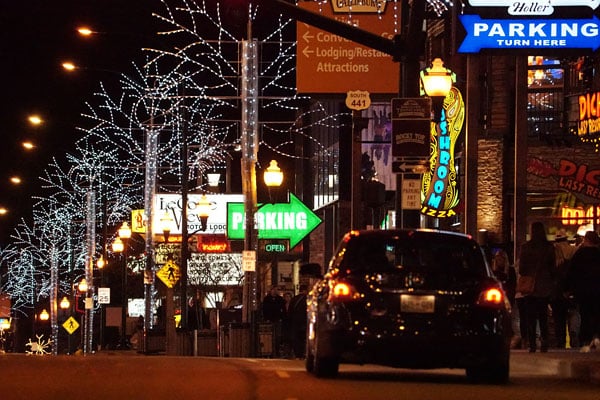
For one thing, I'm still not a big fan of the movie button placement, which is something I've mentioned in past reviews, as the design is similar to that shared by other recent Sony cameras. Since it's mounted in the outside of the thumb grip at the top right corner of the rear panel and the button itself is very small with relatively little button feel, it's hard to press properly without shaking the camera from side to side. I'd like to see a more traditional location used in future models, whether on the top deck or inside the thumbgrip.
I'd also like to see a headphone jack added to allow for in-camera audio levels monitoring. There's a microphone jack to complement the built-in stereo mic on this model, but a headphone jack sadly didn't make the cut.

Final thoughts on my time with the Sony A6500
As I reach the end of my time with the Sony A6500, it's time for my closing thoughts. Having shot with it quite extensively over the last couple of months, I find myself coming away very impressed indeed by this camera! It's relatively compact and quite comfortable to shoot with, yet offers a great degree of configurability and versatility, along with an extremely generous feature set.
Perhaps best of all, it shoots really great images and videos, with loads of detail and pretty realistic color. It's a whole lot of fun to use, and while there are still some improvements I'd like to see made here and there, I'd say it has be be hands-down my favorite sub-frame mirrorless camera to date!
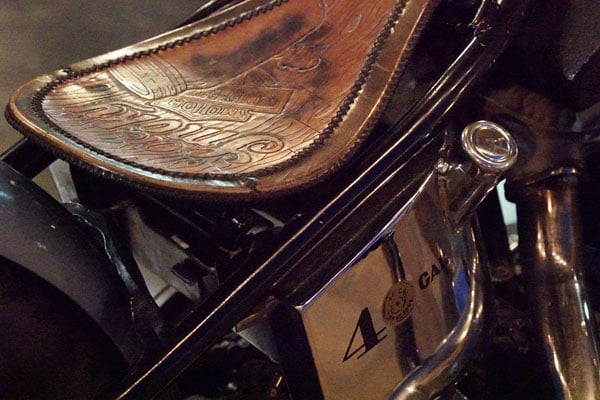
Flash
Sony A6500 Flash

Built-in Flash Test Results
Coverage and Range
A fairly weak flash with very narrow and uneven coverage at wide angle. Our standard indoor portrait shot required more than average exposure compensation and still came out a bit dim.

Coverage. The Sony A6500 isn't normally sold bundled with a kit lens, but flash coverage is unchanged from its predecessor and is still rated at 16mm, so above we show a flash coverage image from our A6300 test. As you can see, flash coverage is very narrow and uneven at 16mm, leaving very dark corners in our test image.

Exposure. Our Indoor Portrait test scene came out a little underexposed even with +1.0 EV flash exposure compensation at ISO 200, and positive flash exposure compensation had no effect above +0.3 EV in this test. The average amount of flash exposure compensation required for this scene is +0.7 EV, so the A6500's built-in flash performed a bit below average here. Be prepared to boost ISO to make up for the weak flash.
| Manufacturer-Specified Flash Range |
|---|
 7.0 feet, ISO 100, f/2.8 |
Manufacturer Specified Flash Test. The Sony A6500's built-in flash is rated with a Guide Number of 6 meters or 19.7 feet at ISO 100. That works out to about 7 feet at f/2.8. In the test shot above, the A6500's flash produced an acceptable flash exposure at those parameters, just slightly dim at about 1/6 EV lower than ideal.
High ISO Noise Reduction
Sony A6500 High ISO Noise Reduction
The Sony A6500 offers only three High ISO Noise Reduction settings: "Off", "Low" and "Normal" (default). The user manual doesn't say at what sensitivity High ISO Noise Reduction begins to be applied, so we've included crops from ISO 100 on up to find out.
See for yourself how the default and lowest noise reduction settings compare to RAW files with no noise reduction or sharpening applied. Click on any of the crops below to see the corresponding full-sized image.
| High ISO Noise Reduction Comparison In-Camera JPEGs vs RAW Simulated Daylight |
|||
|
Normal
|
Off
|
RAW (No NR)
|
|
| I S O 1 0 0 |
 |
 |
 |
 |
 |
 |
|
 |
 |
 |
|
|
Normal
|
Off
|
RAW (No NR)
|
|
| I S O 2 0 0 |
 |
 |
 |
 |
 |
 |
|
 |
 |
 |
|
|
Normal
|
Off
|
RAW (No NR)
|
|
| I S O 4 0 0 |
 |
 |
 |
 |
 |
 |
|
 |
 |
 |
|
|
Normal
|
Off
|
RAW (No NR)
|
|
| I S O 8 0 0 |
 |
 |
 |
 |
 |
 |
|
 |
 |
 |
|
|
Normal
|
Off
|
RAW (No NR)
|
|
| I S O 1 6 0 0 |
 |
 |
 |
 |
 |
 |
|
 |
 |
 |
|
|
Normal
|
Off
|
RAW (No NR)
|
|
| I S O 3 2 0 0 |
 |
 |
 |
 |
 |
 |
|
 |
 |
 |
|
|
Normal
|
Off
|
RAW (No NR)
|
|
| I S O 6 4 0 0 |
 |
 |
 |
 |
 |
 |
|
 |
 |
 |
|
|
Normal
|
Off
|
RAW (No NR)
|
|
| I S O 1 2 8 0 0 |
 |
 |
 |
 |
 |
 |
|
 |
 |
 |
|
|
Normal
|
Off
|
RAW (No NR)
|
|
| I S O 2 5 6 0 0 |
 |
 |
 |
 |
 |
 |
|
 |
 |
 |
|
|
Normal
|
Off
|
RAW (No NR)
|
|
| I S O 5 1 2 0 0 |
 |
 |
 |
 |
 |
 |
|
 |
 |
 |
|
As you can see, the Sony A6500's High ISO Noise Reduction already has a noticeable effect at sensitivities as low as ISO 100, and the "Off" setting really isn't off (which is often the case), as the A6500 still applies obvious noise reduction.
Overall, the Sony A6500's default noise reduction is a little less heavy-handed than the A6300 (except perhaps in the red channel), leaving more detail intact along with slightly higher noise levels rather than smudging away detail to produce a slightly cleaner image.
Conclusion
by Mike Tomkins | Posted: 06/07/2017
When Sony first told us of the A6500 late last year, we must admit we felt a mixture of surprise and bewilderment. Following very closely in the footsteps of the A6300, the Sony A6500 was in many respects extremely similar to that camera -- much more so than we'd have expected given that the duo launched just eight months apart. The A6500 is based around the same 24.2-megapixel, APS-C sized image sensor as previously featured in the A6300, and also retains its point-dense AF system, tilting LCD monitor, flash setup, storage, battery and wired / wireless connectivity options.
The Sony A6500's much larger buffer makes sports shooting far more satisfying
But our confusion quickly evaporated once we learned that the A6500 wasn't a replacement for the A6300, and that both cameras would sit side-by-side together at retail for the foreseeable future. So what differentiates the pair? Well there are several significant difference, but for my money, the really big deal here is an extremely worthwhile increase in buffer capacity. This helps to alleviate one of our main complaints with the A6300, as its much more limited buffer meant that it was pretty easy to run out of shots and have to wait for the buffer to clear. (And buffer clearing is traditionally a weak spot of Sony's otherwise-excellent cameras.)
Even though the A6500 has the same limited write speed as does the A6300, since both conspicuously lack support for high-speed UHS-II SD cards, you notice it keeping you waiting much less often because it takes much longer to completely fill the buffer. And on those thankfully rarer occasions when you do run up against the buffer capacity, a new indication on the LCD at least gives you a sense of how much longer you'll have to wait for the buffer to clear.
Additional buffer memory might not be a sexy change, but it's unquestionably one which makes the Sony A6500 a more satisfying camera with which to shoot sports and other active subjects. And it comes accompanied by several other feature additions and refinements which are also very welcome.
For one thing, the Sony A6500 finally sports a touch-screen overlay on its rear-panel, tilting LCD monitor, a feature we've been asking for at every opportunity. The new touch-screen makes AF point selection much more intuitive, for landscape-orientation shooting at least. (And although it can initially prove a little confusing for portrait shots, it works just great there too, once you realize Touch Pad Area function should be set to "whole screen" for best effect in this orientation.)
And the Sony A6500 also debuts a brand new in-body image stabilization system, a first for a Sony APS-C camera. If the attached lens has its own built-in stabilization system, that's still used for for yaw and pitch correction, while the in-body system supplements the lens-based one for roll and horizontal / vertical translation correction. And if your lens lacks built-in stabilization at all, the new in-camera system does it all, giving the Sony A6500 another significant advantage over the A6300.
Nor do the tweaks stop there. The Sony A6500 features a subtly restyled, more comfortable body with an extra customizable button, as well as a more comfortable viewfinder eyecup and a refined viewfinder. And Sony has also reworked the A6500's user interface, providing menus that, even if they're still a bit sprawling, are now rather easier to navigate menus
And on the image quality front, the Sony A6500 also brings a modest improvement in high ISO noise levels if you're a JPEG shooter. If you prefer raws, though, then the A6300 will keep up just fine as there's no noticeable difference there.
The Sony A6500 keeps all the best features of its much-loved sibling
In other respects, the Sony A6500 is very similar to its sibling, the A6300 -- and for the most part that's great news. Everything we loved about that camera, we get to keep on loving here. The A6500 sports the same solid build and premium feel, the same great image quality and generous lashings of performance. It also uses the same top-notch autofocus system as in the A6300, which is extremely point-dense and yet still works even at the Sony A6500's highest burst capture rate of 11 frames per second.
And of course, the A6500 isn't just for stills, either. You can shoot really great 4K footage in-camera or via uncompressed HDMI output to your external recorder of choice. The Sony A6500 can also shoot good-quality Full HD video, although HD content does look decidedly low-res after you've gotten used to ultra high-def. And Sony has provided a range of fun and useful options for high speed or low-frame rate video, allowing you to speed up or slow down the world as your artistic needs dictate.
The occasional weak points are relatively few and far between. As mentioned previously, it still takes a while to get to grips with the sprawling menu system even if it's now much better organized. The movie button is poorly located and tends to induce camera shake when pressed, and videographers will also mourn the absence of a headphone jack for audio levels monitoring. Sony's native lens selection is also still not as broad as those of some competing systems, although many rivals' lenses can be adapted for use with Sony's camera.
These few shortcomings are all shared with A6300 though; really the only cons specific to the A6500 are its significantly higher pricetag and an approximate 10% reduction in battery life to CIPA testing standards.
In a nutshell, the Sony A6500 takes an already-great camera and turns it into a really excellent one. It comes highly recommended by us, and is a clear Dave's Pick to boot!
Pros
- Excellent image quality
- Crisp, detailed JPEG images with few sharpening artifacts at low sensitivities
- JPEG image quality is slightly improved at high sensitivities compared to the A6300 (except in the red channel)
- RAW image quality appears identical to the A6300, which is to say excellent for an APS-C camera
- Above average exposure accuracy
- Extremely point-dense, hybrid autofocus system gives very fast autofocus; boasts eye AF, lock-on AF and very good tracking capabilities
- Very low shutter lag
- Very swift burst modes, up to 11.1 fps in Hi+ mode
- Easy to track subject in VF at up to 8 fps due to live view updates between frames in continuous modes
- Extremely generous buffer depths, far more so than its predecessor
- In-camera 4K video capture with full sensor-width readout and no pixel skipping / binning
- Regular, high-speed or slow-motion Full HD video from one to 120 fps
- Supports frame extraction from video clips (eight megapixel for 4K, two megapixel for Full HD)
- Uncompressed HDMI output is available
- Subtly-restyled body is comfortable in the hand, with most controls easily reached and great button feel
- All-magnesium alloy construction is lightweight yet solid
- Dust and moisture resistant
- In-body, five-axis stabilization
- Handy tilting LCD monitor handles glare quite well outdoors (but not quite as versatile as a tilt/swivel one)
- Finally (!), a touch-screen with which to select your subjects quickly and intuitively
- Revamped menu system is more logical, but still has a lot of pages that take time to learn
- Useful multi-shot modes
- Handy new countdown shows how many frames remain in the buffer waiting to be written to storage
- Built-in wireless networking; Sony's Wi-Fi and NFC implementation is among the best
- Tethered shooting possible from Windows / Mac OS, too
- Extensible via PlayMemories camera apps (but many come with an additional, modest pricetag)
- Electronic viewfinder is still great, and now has a softer eyepiece cup for better comfort
- Built-in flash means you always have it with you as a last resort
- Hot shoe means you hopefully won't have to use the built-in one often ;)
Cons
- JPEG colors could be better
- Very slow buffer clearing, with no UHS-II card support (but the huge buffer helps ensure you don't miss shots regardless)
- Touch Pad AF selection is rather laggy while moving the focus point
- No headphone jack with which to monitor audio levels
- Top shutter speed still tops out at only 1/4000s
- X-sync is still limited to just 1/160s
- Movie button is poorly-placed, making it difficult to start and stop movie capture without inducing rotation around the vertical axis if you're hand-holding the camera
- Touch Pad Area function is unintuitive in portrait-orientation shooting
- Mediocre battery life compared to the A6300, down by some ~11-12%
- No official portrait / battery grip option
- No uncompressed raw file format
- A bit pricey for an APS-C mirrorless camera
- Limited selection of native crop-sensor lenses
- Fairly weak internal flash with narrow coverage