


Overview
Panasonic DMC-GH1 Overview
Reviewed by Shawn Barnett, Dave Etchells, and Zig Weidelich
Review Date: 06/09/09
Not long after announcing its first Micro Four Thirds camera in September of 2008, Panasonic started giving hints that a next-generation of the camera might include what seemed like a glaring omission from the Lumix G1: Video. Within two weeks, Panasonic showed a prototype camera at the Photokina tradeshow that promised a capable high-definition video mode with a stereo microphone. Equally interesting was a prototype 14-140mm lens shown on the unnamed G-series body mockup, which featured the letters "HD."
Lauded for its small size, light weight, and high-resolution, high-speed electronic viewfinder, the original Panasonic G1 was a superbly executed debut for the Micro Four Thirds system, created as a new interchangeable lens digital camera standard with partner company Olympus. Support for video mode seemed natural, and now Panasonic has made it real with the introduction of the Lumix DMC-GH1.
Like the G1, the Panasonic GH1 is technically a non-SLR digital camera that uses an interchangeable lens design. By eliminating the mirror box and pentaprism arrangement, the Panasonic G-series fulfills the size promise of Micro Four Thirds, allowing both smaller body and smaller lens designs. Into this compact body, the Panasonic GH1 fits a 12.1-megapixel image sensor, a 60 frames-per-second electronic viewfinder with 800x600 gapless pixel resolution, a 3.0-inch tilt/swivel LCD display, and HD video capture.
There's also Supersonic Wave Filter dust reduction, a built-in flash, plus a hot shoe, a 23-point high-speed contrast detection AF system with face detection and tracking modes, and ISO sensitivity from 100 to 3,200 equivalent.
As well as accepting Panasonic's new Micro Four Thirds lenses, the Lumix GH1 can also use existing Four Thirds lenses with a special converter. Not all Four Thirds lenses will be compatible with the Panasonic GH1's contrast detection AF, though; nor will they be fast enough for HD movie mode in most cases.
The Panasonic DMC-G1 stores images on Secure Digital or SDHC cards, and draws its power from a lithium-ion battery. Connectivity options include USB 2.0 High Speed, plus both standard and high-definition video. Panasonic will be selling the Lumix GH1 digital camera in kit form with the 14-140mm lens in the USA for US$1,499.95, with only one body color: Black. Red and Gold will be available elsewhere. Estimated availability is early June 2009.
Panasonic GH1 User Report
by Shawn BarnettNote: as the GH1 and G1 are so similar in terms of their still photo capabilities, much of this User Report will be the same as the G1.
Shorter than the average digital SLR, but about as wide, the Panasonic G-series was designed to allow a smaller interchangeable lens digital camera system. Like the original Four Thirds system, Micro Four Thirds seeks to throw off the encumbrance of 35mm SLR design. Only now, in addition to rebelling against 35mm's large lenses, they're dumping its moving mirrors, expensive pentaprisms, and often complex, expensive solutions to the problem of integrating Live View into a digital SLR. Panasonic's first solution is the Lumix G1, a quite elegant little interchangeable-lens digital camera with much of what made the Lumix L10 interesting, most of what makes an SLR more useful, plus most of what's great about the standard enthusiast digicam, this time including video.
 The beauty of an SLR is that it delivers a truly live image to the photographer's eye. A mirror stands in the way of the sensor, gathering light from the lens that will be used to make the image, and reflecting it onto a focusing screen, whose image is then reflected through a pentaprism to the user's eye. In the old days of film, this was perfectly reasonable, because there was no other way to see the image you were about to shoot; but now with imaging sensors that can deliver a live view to an LCD, and capture the image, it seems a bit silly to have this elaborate opto-mechanical system when it can be done electronically. As such, the Panasonic Lumix GH1 eliminates the mirror and pentaprism altogether, while still allowing lens changing.
Look and feel. As a kit with the new 14-140mm HD lens, the Lumix GH1 is quite a bit heavier than the G1 with its 14-42mm lens. The body with battery and card is almost exactly the same, at 15.1 ounces (429g), but the combined weight more than doubles with the 14-140mm lens attached, to 32.2 ounces (914g). The lens is a little heavier than the camera, but I haven't found it so bad that I fell like the Panasonic GH1 is off balance at all. The grip is so close to the lens that it doesn't twist away when held with one hand; though of course you'll want to two-hand this camera.

At first glance the Panasonic GH1 has an odd shape, with certain features out of proportion to the overall camera's size. The center flash/viewfinder hump is wide and low, the mode dial is unusually large, and the shutter button seems to stand out, while the lens mount seems disproportionately small. It's unusual, quite burly looking despite its small size. Note that we received the gold version of the GH1 for our testing, but I'm using the black shots from Panasonic to better represent what most US buyers will be able to find. I should note that I prefer the black version in this case; it's a shame they don't offer a blue one as they do with the G1.
The GH1's soft, rubbery skin has a sheen as elegant and warm as it feels. Though it is small, the grip is good, and the camera is sufficiently wide that it still feels substantial. My pinkie finger doesn't fit on the grip, however. The thumbgrip on the back has a nice bevel up toward the right corner, a design element that probably couldn't have been done better given the short stature of the Panasonic GH1.
The left front of the Lumix GH1 has a flat area that serves as a good grip while reviewing photos. Both sides of the Panasonic GH1 rest in my palms comfortably, thanks to the beveled bottom edges. Note in the shot above that the Panasonic GH1's shutter defaults to open, even when the lens is removed. It's also not very deep in the camera, which means it's quite vulnerable to scratches and smudges from fingers and other objects. It will also collect sand and dust more readily, so use care when choosing an area to change the Panasonic GH1's lens.

On the Panasonic GH1's top deck are two switches that surround the mode dial. One powers up the camera, the other sets the Drive mode. I just love switches, especially for oft-changed items. The mode dial is large, but it seems a little stiffer than I remember the G1's mode dial, so hopefully they fixed it. Since the Panasonic GH1 supports Movie mode, they managed to squeeze one more mode onto the dial between Manual and Custom positions. They also moved the Color mode between Intelligent Auto and Portrait modes, making it more readily accessible.
Mounted prominently on the Panasonic GH1's pop-up flash housing are the two microphones. This whole assembly pops up with the flash, so be sure not to accidentally deploy the flash while recording, as it makes quite a racket in the video.
The Panasonic GH1's shutter release button is mounted on a metal stand, slightly redesigned from the G1's, positioned out on the top of the grip.
Just below the Panasonic GH1's shutter button is the Front dial. In Manual mode, you press in on the dial to switch between Aperture and Shutter speed settings on the LCD; in Program mode, pressing in on the Front dial activates the EV adjustment mode. Because the grip is so small, operation is a little awkward, as there's just enough room for three fingers as it is. The dial feels a little cheap, more worthy of a digicam than a digital SLR replacement, but it functions well enough.
Though they're somewhat nostalgic, we here at Imaging Resource headquarters think that the floppy camera strap rings are a hassle, one that gets worse when the camera is small like the Panasonic GH1. I just take them off and put them back in the box until I need them. We prefer built-in strap lugs that require no accessory rings. This becomes more important when you start to record video on the Panasonic GH1, as the slightest motion makes these rings jiggle, with or without a strap attached, and all that sound travels through the camera body straight to the microphones.

Only one item on the back of the Panasonic GH1 is new relative to the G1: the Record button nestled in the upper right corner, at the peak of the rubber thumbgrip. Serving as something like a shutter button for Movie mode, you can begin recording a movie with a single press, without switching the Mode dial to Movie mode.
LCD and EVF. It's easy to forget that the Panasonic GH1 is not an SLR, but I'm reminded when it comes to choosing whether to use the LCD or the electronic viewfinder (EVF) to compose my images. Because it looks like an SLR and I know the lens is interchangeable, I'm wont to just bring the viewfinder to my eye by default, especially out in daylight. Eventually I learned that you can set the Custom Menu to allow automatic switching between the LCD and EVF, thanks to the infrared sensors on the right side of the EVF eyepiece. With the LVF/LCD AUTO option set to ON, the camera switches to the EVF when you bring the camera to your eye. That's more convenient than a live-view SLR, because you have to choose to turn on the LCD's live view mode, whereas here all you need to do is move the camera.

Status display. Use the Panasonic GH1's front dial to adjust the EV settings; use the navigator to move from item to item to adjust.
Both the LCD and EVF are remarkable in their clarity and sharpness, with the LCD resolving 460,000 dots and the EVF resolving 480,000 RGB pixels.
The Panasonic GH1's electronic viewfinder is particularly impressive, easily the clearest EVF we've seen. It uses an LCOS (Liquid Crystal On Silicon) chip to display the viewfinder image at a 60 frame per second refresh rate, besting most any other electronic viewfinder on the market. As I move my eye around behind the Panasonic GH1's viewfinder, there is a tendency toward barrel or pincushion distortion at the edges depending on where your eye is, so be sure not to confuse that with lens distortion when aligning objects such as buildings or horizon lines.
Another difference between the Panasonic GH1's EVF and LCD is the relative contrast ratio. When looking through the EVF at a scene with a high contrast ratio, detail in shadow areas falls off abruptly into relative blackness, while the same shadow scene on the LCD still holds detail. It's just a difference in the amount of contrast the LCOS chip inside is able to display compared to the LCD.
 Swivel. The LCD has the best kind of swivel, which swings out and pivots to face most directions, even forward for self-portraits. You can choose to turn it inward to protect the LCD as well; though oddly the Panasonic GH1 won't automatically switch to the EVF at that point, until you raise the LCD to your eye. If you don't have it in LVF/LCD AUTO mode, though, you have to manually activate the EVF with the LVF/LCD button. The good news is that if you fold the Panasonic GH1's LCD inward, it does at least turn off.
The swivel hinge itself is firm yet smooth, with a solid feel, and it stays where you put it.
You can choose to leave the LCD off, and the EVF will only come on when you bring the LCD to your eye, or you can use the LCD panel as a status display. Just cycle through the modes with the Display button.
The LCD's 3:2 aspect ratio is the mode I'd choose to shoot stills, because it matches most SLRs, but you can also use 4:3 (as we did to shoot most of our test shots) or 16:9. Unlike the G1, which produced a constant pixel width of 4,000 in all aspect modes, the Panasonic GH1 has an oversized sensor, which allows for (almost) the same field-of-view at 3:2 and 16:9 aspect ratios when measured diagonally. Full resolution at 3:2 is 4,128 x 2,752 pixels or 11.4 megapixels, and 16:9 is 4,352 x 2,448 or 10.7 megapixels. Compare that to 4,000 x 2,672 pixels (10.7 megapixels) and 4,000 x 2,248 (9.0 megapixels) for the G1, respectively.
Diopter. I was impressed that the Panasonic GH1's diopter correction lens was able to compensate for my nearsightedness, and still have some wiggle room. It compensates better than any I've seen so far, from -4 to +4 diopter. Impressive.

Customize. I love how you can customize the histogram and the type of grid display you want.
Histogram. It's great that you get an optional histogram with the GH1, though I'm disappointed that only the background is translucent. What's a major bonus, however, is the ability to move the histogram around the screen to wherever you like. There's also a crosshairs gridline feature that you can move around the screen.
Focus. The Panasonic GH1 uses contrast-detect autofocus, but it still manages good speed and accuracy. With the new HD lens, autofocus shutter lag at both wide and telephoto extremes is faster, going from 0.372 and 0.357 to a slightly faster 0.336 and 0.320, respectively.
Snicking the Panasonic GH1's AF dial into Manual focus mode brings a nice surprise too, as it's very easy to get sharp focus via both the LCD and EVF. Just turn the focus ring on the front of the lens and the camera zooms to 10x. This is also true in Movie mode. I found it easy to make fine focus adjustments and actually see a difference onscreen, despite the fly-by-wire focusing ring. Even when the display gained up and got grainy in low light, there was still enough resolution and contrast to judge focus thanks to this zoom feature.
Panasonic GH1 Movie mode
Not only does the Panasonic GH1 offer high-definition video capability, but it does so with an extraordinarily robust feature set that includes continuous autofocusing capability while videos are being recorded. The 12.1-effective megapixel Live MOS image sensor in the Panasonic GH1 offers the same resolution and four-channel readout as that of the previous G1 model, but is said to be a new design. As with the G1, the Panasonic Lumix GH1 couples its sensor to a dual-CPU Venus Engine HD image processor.
Movies can be recorded at either 1080i (1920 x 1080 pixels, interlaced) or 720p (1280 x 720 pixels, progressive scan) modes. In the latter mode, the Panasonic GH1 can also offer an impressive 60 frames-per-second (NTSC; 50 frames per second for PAL). Note, though, that 1080i videos are actually captured at 24 fps progressive-scan (NTSC; 25fps PAL), and then converted in-camera to be written as 60fps interlaced (NTSC; 50fps PAL).

New Sensor. The Panasonic GH1's Four-Thirds Live MOS image sensor is a new design. The sensor is actually 14-megapixels total, allowing multiple aspect ratios (4:3, 3:2, or 16:9) with a similar angle of view.
The "HD" branding on the kit lens is an indication that it, too, is an important piece of the high-def video capabilities of the DMC-GH1. Specifically, the LUMIX G VARIO HD 14-140mm/F4.0-5.8 ASPH./MEGA O.I.S offers compatibility with the GH1's continuous autofocusing functionality, and features a low-noise AF motor so as to keep focusing sounds to a minimum, and not detract from the audio portion of videos captured with the GH1. Panasonic hasn't stopped at just offering continuous AF during movie recording in the Lumix GH1, either. Incredibly, the camera can use features such as Face Detection (linked to AF / AE / white balance), as well as Intelligent Exposure, Optical Image Stabilization, and even an Intelligent Scene Selector function -- all while recording videos! Panasonic's press materials also seem to suggest that still images can be captured during video recording, although it isn't clear as to whether this involves any interruption of the video, nor whether full-res still capture is possible during an ongoing video.
We're currently uncertain as to whether non-HD branded lenses will be compatible with continuous AF during video recording, or will simply offer lesser performance and more objectionable focusing noises.
Fast flash recycle. We were surprised in our testing with just how fast the Lumix GH1's flash recycled. After a full-power flash, it was ready to fire again in 2.3 seconds (the G1 was faster, ready in 1.4 seconds, but 2.3 is still pretty unusual). Most cameras take about five seconds. Flash range was good for a small strobe, exposing well at 12 feet at wide angle and 9 feet at telephoto.
Unique shutter: Panasonic had to create a new type of shutter for the Lumix GH1, one that is open at rest, rather than closed. The new mechanism uses at least two shutters: One closes from the bottom first, to prepare the sensor for image capture. Then that shutter falls first, and the second curtain follows after. Then the second curtain opens for the next exposure. This video of the G1's shutter shows two sequences, both with the shutter in High Speed Continuous mode. The first has the shutter speed set to 1/60 second, the second to 1/1,000 second. (Video was captured with the Casio FH20 at 420fps.) Because YouTube seems to remove a few frames, please feel free to download this video instead: PanG1_shutter.mp4
Not so fast. While we were impressed with the G1's high frame rate of 3.15 frames per second, the Panasonic GH1 hasn't been able to reach the same high speeds in our laboratory testing with the new HD kit lens. The fastest we've managed is 2.85 frames per second in JPEG Normal compression. Raise it to JPEG Fine, and speeds drop to 2.5 frames per second and remain there, regardless whether you switch back to JPEG Normal. We're still working this statistic out with Panasonic as of this writing, as our results don't match with their 3 fps claim, at least not with this lens. Switching to the 7-14mm f/4 improves matters, bringing the Panasonic GH1's top speed up to 3.02 fps. We don't have the 14-45mm kit lens to experiment, but it seems the GH1's top speed is affected by the lens mounted.
Fast shutter lag. While not quite up to current digital SLR camera standards, the Panasonic GH1's full autofocus shutter lag numbers are still good, better than most digicams. At wide-angle, the GH1 and its HD kit lens will capture a shot in 0.34 second, and at telephoto it's a little faster at 0.32 second. For contrast-detect with an SLR lens, that's pretty fast. These numbers are faster than the G1, incidentally, which turned in 0.37 and 0.36 for the same settings. Naturally it'll be different from lens to lens. Prefocus shutter lag is blazing fast, at 0.084 second.
Though it's a little bit of a drag that the screen blacks out before exposure to allow the shutter to close, I haven't found it a problem yet. The Panasonic GH1's autofocus is impressively fast and seems pretty accurate.
Image stabilization. Panasonic's Mega O.I.S. is impressive in most of the company's cameras, and the 14-140mm (28-280mm equivalent) stabilizes as well as expected. Whether at telephoto or wide-angle, I get a rock-steady image. Naturally it's a little less solid than the 14-45mm on the G1 at the 140mm telephoto setting, but still quite good.
Shutter speed preview: To see how motion captured at a given shutter speed will appear in your photo, try Shutter Speed Preview mode.
Depth-of-time preview. The Panasonic GH1 has a depth-of-field preview button, right below the five-button navigator on the back, which stops down the lens aperture to your current setting. But the GH1 also has a unique mode called Shutter Speed Preview. First press the Preview button to activate the depth-of-field preview, then press the Display button. The camera will then leave the aperture stopped down and essentially expose the sensor at the selected shutter speed, refreshing the display at the intervals set. For example, if you want to capture a waterfall at f/8 to get most of the picture in focus, and you want the water to appear as a soft cascade, you can set the camera to the aperture you want and see the live effect onscreen. If it's too bright or dark, you can make the necessary adjustments to ISO, aperture, and shutter speed and work out just how you want the photo to look without taking a bunch of test shots.
Missing. There are a few aspects I miss with the Panasonic GH1 that you'd get with an SLR. The first is the lack of a real-time optical live view of my subject. An SLR gives you the view at the speed of light, but electrical live view systems introduce some lag as the image is captured, processed, and written to the LCD. Extra lag means that you're more likely to miss the moment you see on the screen, adding to the overall shutter lag.
You also don't get a live view of moving subjects when shooting in Continuous mode. While it's great that you can capture 3 frames per second, the Panasonic GH1 only serves up the images you've captured while it shoots in Continuous mode; there's no return to live view in this mode, so you just have to aim and fire, hoping to get lucky, whereas with a digital SLR, the mirror moves back into position between frames, so you can keep the camera pointed at the subject. That's true even with the professional cameras that can crank out 10 to 11 frames per second.
We also encountered an error message that we have only seen previously on the Panasonic G1. If you accidentally press the lens-release button even slightly, a black screen comes up saying, "Please check that the lens is attached correctly." You can get around this error message if you set the SHOOT W/O LENS option to On.
Panasonic GH1 Size Comparison

Lumix GH1 vs Canon Rebel T1i. From the front, the Lumix GH1 isn't that much smaller than the Canon Rebel T1i, which is also video-capable. It's shorter, but the lens is larger (keep in mind it's a 10x zoom though, versus 3x on the T1i), and the GH1 is about as wide.

From the top you can see that the GH1 is a little slimmer front-to-back, thanks partly due to the lack of a mirror box inside. Note that the Panasonic GH1's optical viewfinder juts out quite a bit from the back, hence the substantial tilt up from the light table.
Panasonic GH1 Image Quality
Compared to its closest competition, the Panasonic GH1 comes in with better image quality than the Olympus E-30, and it's really too close to call when compared to the Nikon D5000, Canon XSi, and Canon T1i.
I picked a few more cameras than usual to make my standard ISO 1,600 comparisons, but I think you'll find the choices and results interesting. In summary, the Panasonic GH1 is better able to compete with the best from Nikon and Canon, and bests other Four Thirds players like the Olympus E-30 and even the Panasonic G1.
|
Panasonic GH1 vs Nikon D5000 @ ISO 1,600
|
|
 |
 |
 |
 |
 |
 |
|
Panasonic GH1 (12.1 megapixels)
|
Nikon D5000 (12.3 megapixels)
|
|
The Panasonic GH1 does very well against the Nikon D5000, which has Nikon's latest version of their 12.3-megapixel sensor. The GH1's 4:3 aspect ratio makes these 100% images appear larger than the D5000's 3:2 aspect ratio, despite the slightly lower resolution. Image quality overall is quite comparable. There's a little more luminance noise from the GH1, but more chroma noise left behind in the D5000's shadows. Color is slightly more vibrant in the D5000 shots, with the GH1 losing some saturation at ISO 1,600. Definition is also lost in the GH1's leaf crop. Noise suppression in the GHI seems to lose hold of the detail of this fabric, while the Nikon keeps more of the spirit of the design, though still losing fine detail.
|
|
|
Panasonic GH1 vs Canon XSi @ ISO 1,600
|
|
|
 |
|
 |
|
 |
|
Panasonic GH1 (12.1 megapixels)
|
Canon XSi (12.2 megapixels)
|
|
While the Panasonic G1 did only reasonably well against the Canon XSi, the Panasonic GH1 does quite a bit better. Again, the aspect ratio difference creates a noticeable size difference. The XSi still left a lot of chroma noise in its images by default, while the Panasonic G1 makes great strides in this area. Colors are still muted compared to the XSi, but not bad at all. |
|
|
Panasonic GH1 vs Canon T1i @ ISO 1,600
|
|
|
 |
|
 |
|
 |
|
Panasonic GH1 (12.1 megapixels)
|
Canon T1i (15.1 megapixels)
|
|
Here again, the Panasonic GH1 does quite well against a heavy hitter, the 15.1-megapixel Rebel T1i. Advantage goes back and forth in these crops. Sharpness is a little better from the GH1, but color saturation is slightly more vibrant from the Canon T1i (not everyone will agree that's better, though). The Canon T1i is actually resolving more area, again thanks to the differing aspect ratios, though it appears slightly softer. The noise suppression on the Canon T1i has gotten so aggressive, it's hard to decide which is the better of the leaf shots. Looking at the darker red and pink swatches beneath the red leaf fabric gives a slight edge to the T1i, but it's really up to the viewer which is better. I call them comparable, both offering some of what the fabric has to offer, but not as much detail as the Nikon D5000.
|
|
|
Panasonic GH1 vs Olympus E-30 @ ISO 1,600
|
|
|
 |
|
 |
|
 |
|
Panasonic GH1 (12.1 megapixels)
|
Olympus E-30 (12.3 megapixels)
|
|
This is the best illustration of how far Panasonic has come with the Micro Four Thirds sensor technology. The Olympus E-30 really pales by comparison at ISO 1,600 despite its relative newness. Before we'd have credited the smaller sensor size for this shortcoming, but we've just seen the GH1 trade jabs with three current APS-C-sized sensors, so its clear the GH1's sensor includes some significant advances.
|
|
|
Panasonic GH1 vs G1 @ ISO 1,600
|
|
|
 |
|
 |
|
 |
|
Panasonic GH1 (12.1 megapixels)
|
Panasonic G1 (12.1 megapixels)
|
|
As if to underscore the advances made in the Panasonic GH1's sensor and image processor, here's the GH1 vs its months-old predecessor, the G1. Less luminance noise, less chroma blotching in the shadows. More detail in the center mosaic shot. It's really astonishing to see just how much better the GH1's sensor is than its predecessor. There's more to the GH1 than its video mode, something these crops bear out.
|
|
Shooting with the Panasonic GH1


Zoom. The two lenses I had offered an impressive ability to choose my angle of view: from 280mm equivalent to 28mm, and a sky-engulfing 14mm equivalent with the 7-14mm lens.
Taking the Panasonic GH1 out for a stroll really made me appreciate its small size and versatility. Having the two very special lenses to test it with made the experience superb. The 7-14mm f/4 Aspherical is a hoot to shoot, offering angles on subjects that you don't normally see. And the 14-140 offers a 10x range that makes your vision easy to realize. Overall I found the Panasonic GH1 a nimble and fun image maker.
The primary limitation was the lack of an optical viewfinder, especially in bright sunlight. It wasn't that I couldn't switch to the technically excellent EVF with ease, but that the viewfinder left me with too little information about the shadows when I shot. Images that looked to have plugged shadows when viewed on both the LCD in daylight and through the EVF were actually better than I thought when I got back to the computer.

Sunlight. Auto white balance had a tough time with this shot, rendering it too orange for my tastes. This didn't happen with most sunlit shots, so it's likely that the yellow/orange flowers overwhelmed the system.
The Panasonic GH1 did struggle with its exposures in bright sunlight, however, just as we saw in our Outdoor lab shots. Auto white balance also struggled a bit, sometimes rendering sunlit scenes too warm. Finally, I noticed a tendency for the exposure to jump dramatically between shots, as if I was bracketing when I was not. It's as if the camera had changed its mind for the second shot.
The zoom on both lenses was a little stiffer than I like, but they didn't creep at all when at rest, so that's a plus.
Most of the Panasonic GH1's controls are very nice. I appreciate the switches for AF, power, and drive mode, but I'm not crazy about the location of the Front dial or the Playback button. Both are in just the wrong position for easy use. There's not much to be done to fix these poor locations, it's just one of the drawbacks to a small camera with a large, articulated LCD. Overall, I think they did a great job with the GH1's controls.

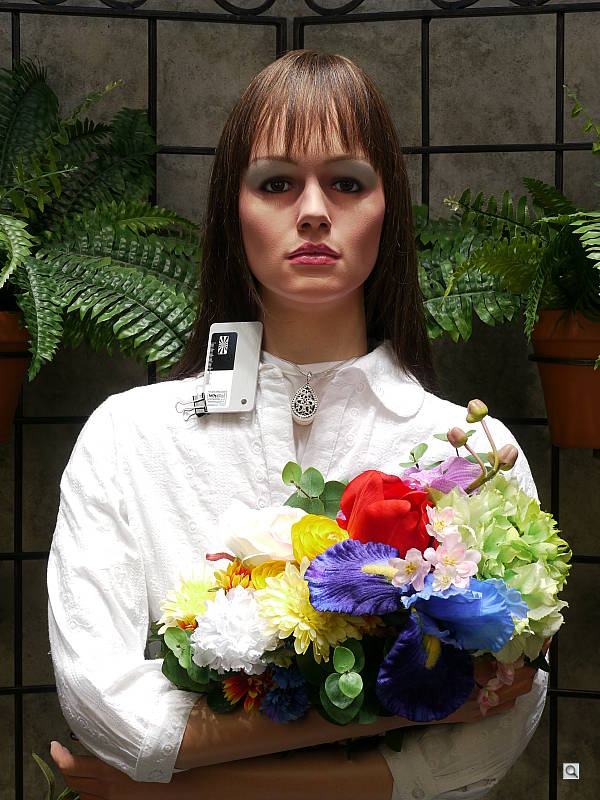
Wide angle. I'm only a few inches from the girl's face at the 7mm setting. Just a few inches back and I was seeing the side of her face.
Shooting video with the Panasonic GH1 was easy. To focus first, I just half-pressed the shutter button. To start recording without focusing, I then pressed the red Record button on the rear. If you're in Movie mode, you can start recording with the shutter button, but you'll catch a little of the autofocus action at the beginning of the video, which is undesirable.
I wish the Record button were positioned where the AF/AE Lock button is, because activating it in the upper right corner does produce a little more camera shake than I'd like. But there's no arguing with the Panasonic GH1's versatility, since you can have as much or as little control over exposure as you like. That's right, all four exposure modes are available: Program, Aperture priority, Shutter priority, and Manual exposure. No other interchangeable-lens video-capable camera on the market offers such versatility as of this writing.
Dave explored the GH1's video mode more thoroughly than I did, so see his special section on the GH1's video capabilities on the Video tab.
My time shooting with the Panasonic GH1 left me wanting more time. Despite the troubles with the EVF in high contrast situations the Panasonic GH1 is a fine camera platform, one that does shoot like a camera worth a lot more. Combined with the two optics I used, the GH1 is a kick. I'd like to shoot it with some high-quality primes to better investigate its true potential as a serious digital camera, but these two lenses were excellent in their own right.
The Panasonic G-series should make digital SLR manufacturers stand up and take notice, for this is one fine camera.
We got even better results when shooting RAW in terms of image sharpness. See our more detailed image analysis on the Optics and Exposure tabs, and see the Performance tab for timing data.
Analysis. We said the same of the G1, but it bears repeating: Panasonic has hit on a good combination that makes us appreciate the original mission of Four Thirds, which was to produce smaller cameras and smaller optics while achieving higher optical quality. The one element missing from the G1 was video, but the Panasonic GH1 fixes that. Indeed, the Panasonic GH1 offers a more complete video mode than any digital SLR or digital camera on the market, offering complete control over video exposure, from Program, through Shutter and Aperture priority, to full Manual exposure control.
The Panasonic GH1 has a soft, almost organic feeling, thanks to the rubber coating on most of the body. Though it's not much smaller than a Rebel, the lenses are smaller, making the overall package easier to carry around, and optical quality--thanks to lens design, system design, and post-capture processing--goes beyond what most kit lenses offer.
Image quality when printed is pretty close to what we get from the Canon Rebel T1i, which is pretty darn good. It's also surprising just how much better the GH1 is than its immediate predecessor, the G1, not to mention other Four Thirds cameras.
Panasonic GH1 Basic Features
- 12.1-megapixel N-MOS sensor
- Interchangeable lenses; kit comes with 14-140mm 10x zoom (28-280mm equivalent) lens
- 2x, 4x digital zoom
- Electronic optical viewfinder, 480,000 RGB pixels
- 3.0-inch color LCD monitor, 460,000 dots, articulating mount
- Full Manual through Automatic exposure available, including Aperture and Shutter priority and 10 Scene modes
- Movie mode, including Program, Shutter, Aperture, and Manual exposure modes
- Built-in flash with seven modes
- SD and SDHC memory cards supported
- USB 2.0 High Speed computer connection
- Lithium-ion rechargeable battery and charger
- Software for Mac and PC
Panasonic GH1 Special Features
- First Micro Four Thirds camera to support video
- Mega O.I.S. (Optical Image Stabilization) built into lens
- Special Film modes to simulate types of films
- High or low speed continuous modes
- Swiveling LCD mount
- High-speed electronic viewfinder
- RAW recording mode
- Shutter speeds from 1/4,000 to 60 seconds
- Aperture range from f/4 to f/22 (wide), f/5.8 to f/22 (tele)
- Intelligent Exposure with face detection and recognition
- Self-timer for delayed shutter release
- Spot, Center-Weighted, and Multi-Metering modes
- 1-Area, 23-Area, AF Tracking, and Face Detection autofocus modes
- Auto ISO, Intelligent ISO or 100 to 3,200 ISO equivalents in 1/3 stops
- White balance (color) adjustment with nine options, including a kelvin setting and two presets
- DPOF (Digital Print Order Format) printing compatibility
In the Box
The retail package contains the following items:
- Panasonic DMC-GH1 body and cap
- Lumix G Vario 14-140mm Interchangeable lens with Mega O.I.S.
- Battery pack
- Battery Charger/AC adapter
- AC cable
- Video cable
- USB cable
- Strap
- Lens hood
- Lens storage bag
- Lens cap
- Lens rear cap
- Instruction manual and registration information
- CD-ROM
Recommended Accessories
- Extra battery pack for extended outings
- Large capacity SDHC memory card. These days, 4-8GB cards are cheap enough, but you might want a little more if you intend to record a lot of video
- Medium camera case
Panasonic GH1 Conclusion
| Pro: | Con: |
|---|---|
|
|
Panasonic's approach to the interchangeable-lens digital camera, the G-series, includes no mirrors or pentaprisms to weigh the system down, making the goal of simple live view easier to realize. All that was missing from the Panasonic G1 was video capability, a problem solved in the GH1.
However, adding that capability was not an easy job. Indeed, it required a new lens motor design to get an external, removable lens to focus quickly enough for the contrast-detect autofocus system to do its work, and the design had to focus quietly enough for video recording. Panasonic calls these HD lenses, apparently for the High Definition video capture they enable.
The good news is that the Panasonic GH1 and its kit lens are quite capable, easily rivaling digital SLRs from the other major players. The overall kit includes just about everything you want from a high-end digital camera: Live view, articulating LCD, electronic viewfinder, image stabilization, face detection, fast autofocus, excellent optics, high resolution, and sophisticated HD movie capability. About the only real criticisms are difficulty tracking subjects while in continuous mode and the strong blurring we found in AVCHD video mode when subjects move at all. Both criticisms are related to capturing subjects in motion, so it's safe to say that the Panasonic GH1 isn't necessarily the best interchangeable-lens camera for action. Workarounds include popping an optical viewfinder into the hotshoe for tracking moving subjects while you shoot in continuous mode, and shooting in Motion JPEG for clearer action video.
We were impressed with multiple aspects of the GH1, foremost of which was the pleasure in using the camera. It's small, light, and brings home great images. Optical quality is surprising. Autofocus speed is impressive. And though the electronic viewfinder doesn't do well with shadow detail, it's still the best we've seen in lieu of a true optical viewfinder. Printed output finalizes the impression that the Panasonic GH1 is an excellent digital camera, as it easily outputs 13x19-inch prints from JPEGs and 20x30-inch prints from RAW files. The Panasonic GH1 is an improvement on the already excellent Lumix G1, and a five-star Dave's Pick.

Design
Panasonic Lumix DMC-GH1 Design
Roll-over the various controls and features with your mouse for a brief description. Note: Rollovers are best viewed with the latest versions Firefox, Safari, or Opera browsers, or Internet Explorer 6 or earlier.

Panasonic GH1 Front View
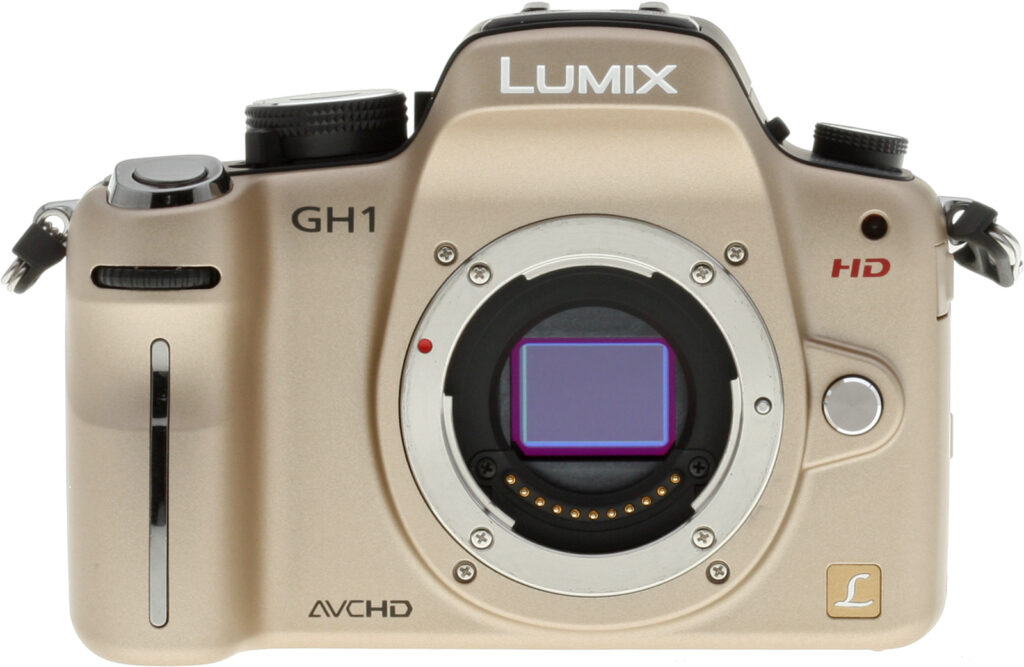
The Panasonic Lumix GH1 looks almost identical to the G1 from the front, except for the GH1, HD and AVCHD logos. Note that only the black body color is currently available in the US.

Panasonic GH1 Left View
(Shown here with the compact Lumix G Vario HD 14-140mm f/4-5.8 image-stabilized kit lens.)

Panasonic GH1 Right View
No noticeable difference from the G1 here, except for the plastic movie record button surround, and the mics on the pop-up flash housing.

Panasonic GH1 Top View
The Panasonic GH1's flash housing contains the stereo microphones used when recording video. The flash can't be deployed in movie mode, so it makes sense to mount the microphones there. The only other changes are the mode dial has a "Creative Motion Picture" mode added, used for shooting videos with manual settings, and the trim around the shutter release button has been restyled.

Panasonic GH1 Back View
The only difference here from the Lumix G1 here is the Movie Record mode button at the top right.

Panasonic GH1 Bottom View
No difference here.
Operation
Panasonic DMC-GH1 Operation
Like that of the G1, the Panasonic GH1's user interface can at first seem a little befuddling, because some common functions don't have external buttons visibly labeled. Exposure compensation is a prime example; there's no button labeled with a +/- symbol on the camera's body. To adjust the exposure, you can either push on the front control dial and then turn it, or press the Q.Menu button and scroll among the options there. Unless you've previously been in the Q.Menu and scrolled to another option, the exposure compensation control is the first one you'll see after pressing the Q.Menu button. The adjustment scale is laid out horizontally, but you must hit the up/down buttons to adjust the exposure setting. This seems counterintuitive, as the horizontal scale suggests the use of the left/right arrows or the front control dial, but instead these scroll through the various options on the Q.Menu.
While we found the GH1's user interface a little counterintuitive, a good many first-time users will just leave the camera in Intelligent Auto mode (which we found worked quite well), making the point moot.
Once we became accustomed to the Panasonic GH1's controls, we found that the user interface worked well. Because it would leave the Q.Menu cursor (option selection) on the function you last used, it tended to drop us back to where we wanted to go more times than not. Pushing the front dial to access the exposure compensation control was also very fast and quickly became second nature. The My Menu's keeping of our last five menu selections close at hand saved our delving into the extensive menu system for most choices while we were shooting. At the end of the day, we found the Panasonic GH1 a very pleasant and responsive camera to shoot with.
The four navigation buttons access oft-used commands, including ISO, white balance, AF mode, and a special function button can be assigned to any of several options. Pressing the Preview button gives you a Depth-of-field preview by stopping down the lens to the current aperture, and pressing the Display button immediately after puts the GH1 into Shutter speed preview mode.
Panasonic DMC-GH1 Record Mode Display
 The Panasonic GH1's rear-panel tilt-swivel 3-inch TFT color LCD monitor can be used for image review, status display, menu display, and as a viewfinder for image framing.
The illustrations below (courtesy of Panasonic) show what information is displayed on the GH1's LCD monitor (or electronic viewfinder) in Record Mode when used to preview. In most cases, the displays are identical, though there are a few items that are only displayed on the LCD monitor, as noted in the table footnotes below. Also, the Viewfinder mode displays more live information in the EVF than does the Monitor mode there: On the LCD, both modes display the same amount of info. (Click here to open a copy of the table describing the callouts in a separate window, if you want to keep it handy while you scroll through the illustrations below.)

LCD Monitor Style (Initial Display)

Monitor Style (Recording Display)
Panasonic DMC-GH1 Record Settings Display
 We have somewhat mixed feelings about using the rear panel LCD as a settings display. While it provides a much larger area than the more typical small black and white data readouts, it also consumes more power. The Panasonic GH1's battery life is a bit below average when compared to most consumer SLRs, and would arguably be better if it didn't require the main LCD screen to be lit so much of the time. While you can use the EVF as the primary viewfinder display, the info display shown above right isn't available there, and the status overlay that appears in the EVF is much less detailed than that shown on the rear-panel LCD. All that said, though, we do really like the amount of camera information that the GH1 makes available on its rear screen, and you can easily disable this screen with a press of the Display button.
The illustration below (courtesy of Panasonic) shows the setting information available via the GH1's Quick Menu:

The following table documents the information for all display illustrations above:
|
1
|
Flash Mode
|
24
|
Flash Output Adjustment
|
|
2
|
Film Mode
|
25
|
2nd Curtain Synchro
|
|
3
|
O.I.S. / Jitter Alert
|
26
|
Extended Optical Zoom
|
|
4
|
Drive Mode (Single 1, Burst, Auto Bracket, Self-timer)
|
27
|
Histogram
|
|
5
|
Record Mode
|
28
|
Travel Date
|
|
Recording Quality
|
AF Tracking Operation
|
||
|
6
|
Picture Size
|
29
|
Available Recording Time 3
|
|
7
|
Quality
|
30
|
White Balance Fine Adjustment
|
|
8
|
LCD Mode 2
|
31
|
White Balance Bracket
|
|
9
|
Intelligent Exposure
|
32
|
My Color Mode
|
|
10
|
Battery Indication
|
33
|
Current Date and Time 2,4
|
|
11
|
Card Access
|
Travel Destination Setting 2,4
|
|
|
12
|
Recording State (flashes red)
|
34
|
Custom Settings
|
|
Focus (green)
|
35
|
Program Shift
|
|
|
13
|
AF Area
|
36
|
AE Lock
|
|
14
|
Dial Operation Guide
|
37
|
Face Recognition
|
|
Elapsed Recording Time
|
38
|
AF Lock
|
|
|
15
|
Number of Recordable Pictures 3
|
39
|
Age 2,5
|
|
16
|
White Balance
|
Location 2,4
|
|
|
17
|
ISO Sensitivity
|
40
|
Name 2,5
|
|
18
|
Exposure Compensation Value
|
Number Of Days Passed Since Departure 2, 4
|
|
|
Manual Exposure Assistance
|
41
|
Self-timer 6
|
|
|
19
|
Shutter Speed
|
42
|
Spot Metering Target
|
|
20
|
Aperture Value
|
43
|
Audio Recording
|
|
21
|
Recording Mode
|
44
|
Wind Cut
|
|
22
|
Metering Mode
|
45
|
Digital Zoom
|
|
23
|
AF Mode
|
||
Notes:
|
|||
Panasonic GH1 Playback Mode Displays
 The Playback button on the rear panel accesses Playback mode, where you can review captured images. Pressing the Display button cycles through displays showing basic information about the captured image (aperture, shutter speed, size, JPEG quality, flash use, ISO, and sequence number), a screen showing a small thumbnail and more detailed exposure information (adding exposure compensation, white balance, focus and exposure modes, image stabilization setting, color space, and full file number to the above), a screen with a small thumbnail and RGB + luminance histogram displays, and finally an image with no information overlay at all.
 In playback mode, rotating the command dial located on the front of the camera just below the shutter button zooms in or out on the image being viewed. You can zoom in up to 16x (in steps of 2x), and pan around the full image via the arrow keys.
 When you zoom out beyond the full-image display, you can see displays of 12 or 30 thumbnails, or a calendar-based display that organizes images in groups by the date captured.
Optics
Panasonic GH1 Optics
Lumix Vario G HD Lens
 While the Panasonic GH1 is compatible with any Micro Four Thirds lens (and even standard Four Thirds lenses via an adapter), a new series of Vario G lenses have been designed especially for the GH1. These new "HD" lenses are designed for movie recording by incorporating a nearly silent inner focus direct-drive linear motor for continuous auto focusing, as well as seamless aperture adjustment. In fact, autofocus is not supported without an HD lens when shooting movies in AVCHD FHD mode. At the time of writing (May 2009), only one HD lens has been released, and it's bundled in the GH1 kit. The Lumix G Vario HD 14-140mm/F4.0-5.8 ASPH./MEGA O.I.S. has a 10x zoom and features optical image stabilization. As this review is being written, we've just tested it for SLRgear.com, and those results should be posted by the time this full review of the camera goes live on our main Imaging-Resource.com site.
Overall, the 14-140mm lens does very well, particularly for one with a 10x zoom ratio. It's particularly good from 14mm out to about 50mm, being quite sharp from corner to corner, even wide open. At longer focal lengths, its images are slightly softer, but still very good when compared with any other long-ratio zooms we've seen to date. (In fact, it's one of the best long-ratio zoom lenses we've seen, on any platform.) Some of its superior performance is doubtless due to the optical correction Panasonic applies in-camera: The camera itself corrects for a lot of the chromatic aberration, vignetting, and geometric distortion produced by the lens itself. Panasonic's own SilkyPix RAW converter and Adobe Camera Raw both also make these same corrections, so you should see similar performance when working from RAW with either of those two converters. Other RAW converters may or may not provide similar results.
Also announced at the same time as the Panasonic GH1 was the Lumix Vario G 7-14mm f/4 ASPH. We've also tested this lens on SLRgear.com, and it also did very well.
Micro Four Thirds
Given that the Panasonic GH1 is only the second Micro Four Thirds camera to be announced, it might be good to take a quick look at just what Micro Four Thirds is all about. (This section taken from the Panasonic G1 review, so you can skip it if you've already read that review.)

Panasonic and Olympus' Micro Four Thirds standard is aimed at allowing a significant reduction in the size and weight of interchangeable lens digital cameras, achieved by eliminating the bulky mirror box from the design. With the mirror box gone, the "back-focus distance" (or back focal length) of compatible lenses can be reduced. Technically, back focus distance is defined as the distance from the vertex of the lens's rear element to the sensor, but for practical purposes, it's easier to speak in terms of the distance from the lens-mounting flange to the sensor surface. In the existing Four Thirds system, this dimension was 40mm; for Micro Four Thirds, it has been slashed to just 20mm. Obviously, this change allows for a significant reduction in the size and weight of the camera body while retaining the same sensor size.

Smaller Lenses: This shot compares the G1's 14-45mm kit lens with an Olympus model of almost identical specs, but designed for the standard Four Thirds system. The two are about the same length, but the Micro Four Thirds lens is noticeably smaller in diameter. The difference in lens size is even more apparent as you move to more telephoto focal lengths.
That's not the only benefit, though. As well as smaller and lighter camera bodies, Micro Four Thirds offers the possibility of a significant reduction in the size and weight of the lenses, too. While the physical size of a lens depends somewhat on the size of the image circle it must produce, it turns out to depend even more strongly on the back focus distance the lens was designed for. Reducing the back focus distance can significantly decrease the length of the lenses needed to cover the area of a Four Thirds image sensor. Lenses for the new system can also be somewhat smaller in terms of diameter as well, and indeed the new mount is some 6mm smaller (44mm vs 50mm) than that called for in the original Four Thirds standard.

Thinner: The Panasonic G series doesn't use a traditional SLR mirror box, so the body can be thinner. Shown here are the Panasonic L10's Four Thirds lens mount, mirror box and sensor assembly (left) versus the G1's Micro Four Thirds lens mount and sensor assembly (right).
Removing the mirror box does have some potential disadvantages, though. Obviously, it removes the possibility for any Micro Four Thirds camera to offer a true through-the-lens optical viewfinder, with no way to divert the optical path to the viewfinder between exposures. Hence, Micro Four Thirds cameras will be limited solely to using a Live View function as seen on certain recent digital SLRs, where data streaming from the image sensor can be displayed on an LCD display, electronic viewfinder, or both. For similar reasons, with nowhere to put a phase detection autofocus sensor, Micro Four Thirds cameras are limited to using contrast detection autofocus. While this can offer higher focusing accuracy, and negates problems with front or back focusing, contrast detection has in the past always been slower than the phase detection systems found in digital SLRs.
Still, the Micro Four Thirds system promises interchangeable-lens cameras with good performance at significantly smaller overall sizes. With the Panasonic G1 and now the GH1, early indications are that the platform is off to a solid start.
Using your current Four Thirds lenses
This brings us to the issue of using current Four Thirds lenses on the new Micro Four Thirds system. It is indeed possible to use all your old glass, by virtue of the MA1 mount adapter, although there may be limitations with some lenses.


Micro Adapter. Standard Four Thirds lenses work via an adapter. Here, the adapter is shown along with the 14-50mm f/3.8-5.6 lens from the Lumix DMC-L10 kit.
The shots above show the MA1 adapter by itself, and attached to the 14-50mm lens that shipped as the kit optic with the Panasonic DMC-L10 SLR. The adapter is quite easy to use, just attach it to the lens and then attach the combination to the camera. Since all it's doing is adapting between the different flange sizes and adding 20mm of increased back focus distance, the mount adapter needs no optics in it, so it has no effect on image quality, lens speed, or any other optical characteristic.

Use what you have: Here's the little Olympus 25mm f/2.8 "pancake" lens attached to the GH1 with the MA1 adapter. Even with the adapter, it's still a compact package. With its firmware update, the 25mm Olympus lens worked fine on the G1, although it focused more slowly than the Panasonic kit lens.
That all sounds great, so what's the limitation? It turns out that not all lenses are able to move their elements quickly enough to work with the G series' contrast-detect autofocus. Normal phase-detect AF systems are fairly forgiving of focusing speed, because the correct focal distance setting is determined independently of the lens elements' motion: The camera looks at the subject, calculates the correct focal distance, commands the lens to move, and then snaps the shot once the lens reports back that it's moved to the correct setting.
With contrast-detect autofocus, though, the lens has to move multiple times, and must come to rest before the camera can take each "look" at the subject, to determine whether the focus is better or worse than it was at the previous focal setting. In order for the overall focus cycle to be performed quickly, the lens needs to be able to shift focal settings very quickly, multiple times per second. This is a demanding requirement, and not all lenses are up to the challenge. Olympus offers contrast-detect AF on some of their recent SLRs, but the feature only works with a few lenses that have focus motors both strong and fast enough to move the lens elements very quickly. Other manufacturers offer contrast-detect AF that works with any of their lenses, but at the cost of very slow AF times. (It's for this reason that Nikon refers to the contrast detect AF option in their SLRs as "tripod mode.")

A camera with your lens, Sir?: We couldn't resist this shot. The Olympus 150mm f/2 is quite a lens, if you've got the money, it's equivalent to a 300mm f/2 on a 35mm camera.
So, while some current Four Thirds lenses will work just fine on the new Micro Four Thirds system, with full support for AF operation, other lenses will be reduced to "guided manual" focus, in which the user will need to adjust the focus setting, looking to either the viewfinder (less accurate) or the camera's focus indicator (more accurate) for focus confirmation. And, without a firmware update, some Four Thirds lenses may not work with the Panasonic G series at all, because the camera won't respond to movements of the "fly by wire" focus ring on the lens. Fortunately, Olympus (the biggest Four Thirds lens maker by far) has committed to updating the firmware in their lenses to work with Micro Four Thirds standard cameras: Check with your lens manufacturer to see whether your current Four Thirds lenses are compatible.
Panasonic GH1 Autofocus
Like the Panasonic G1, the GH1 uses a very fast contrast-detect autofocus system, capable of adjusting focus sixty times/second. This fast AF is a key technology that enables live autofocus during movie recording. (Conventional contrast-detect AF systems on most digital SLR cameras are way too slow to perform continuous AF during movie recording, which is why no SLRs offer continuous AF during movie recording, at least as of this writing in late May, 2009.)
The Panasonic GH1 offers on-screen manual focus (with a very nice variable magnification of the LCD viewfinder display to assist in focus determination), as well as three AF servo modes; AF-S (single-shot focus), AF-C (continuous AF), and AF Tracking. In AF tracking mode, the camera will automatically track a subject after you've initially focused on it by half-pressing the shutter button.
AF Tracking: Watch a short YouTube video demonstrating the Panasonic GH1's autofocus tracking feature.
Panasonic's AF tracking is unique, in that it uses color and tone to track an object, so its less likely to be confused by a different-colored object momentarily passing between the subject and camera than would most conventional distance-only AF systems. The camera also continuously adjusts exposure as it tracks the subject, so the exposure will be correct, even if the lighting changes between when you lock the tracking and when you trip the shutter.
Besides its various servo modes, the Panasonic GH1's AF system sports several different focusing modes, including Face Detection, 23-area focusing, 1-area focusing, and Direct AF area. Face Detection AF works the way it does in most compact digital cameras, detecting up to 15 faces in a scene, and focusing on the most prominent one. When Face Recognition is enabled, the Panasonic GH1 goes further by trying to recognize individuals. Up to 6 faces can be registered, and the camera will display the person's name when it recognizes the face. In 23-area mode, the camera looks for the most prominent subject that's closest to the camera, even if the subject isn't in the center of the frame. Single-point AF is just what it sounds like, focusing on whatever is in the center of the frame.

Direct AF mode allows you to select the size and position of the active AF area.
Direct AF mode is a useful option that's set from the Custom Menu. When it's enabled, you can move the single AF area around the frame with the arrow keys, and change its size by rotating the front control dial. Size options range from quite small to relatively large, with a total of four sizes available.
As advertised, we found that the Panasonic GH1's AF system worked during video recording. We did notice, however, that the camera's AF system was much more responsive when recording to the Motion JPEG (AVI) file format than when recording AVCHD files, particularly when recording in "Full HD" mode (1920x1080 resolution).
Panasonic GH1 Sensor Cleaning
The Panasonic GH1 features an ultrasonic dust-reduction system, especially important since the GH1's shutter is normally open for full-time Live View. The system automatically runs at power-up, but can also be activated manually via a "Sensor Cleaning" Custom menu option. In the G1, manual sensor cleaning was combined with the "Pixel Refresh" menu option.
Kit Lens Test Results
Zoom
Excellent performance with the 14-140mm O.I.S. (Optical Image Stabilized) kit lens.


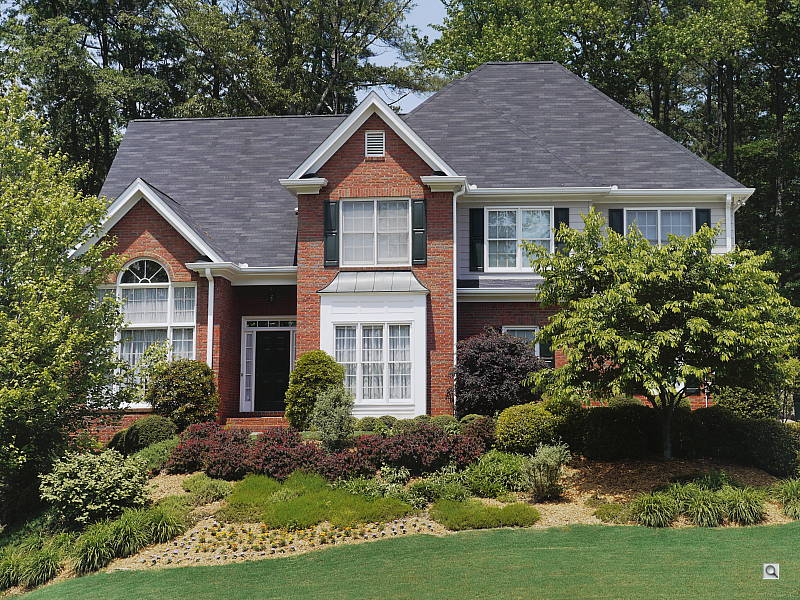
The Panasonic GH1 is sold bundled with a Lumix G Vario HD 14-140mm f/4-5.8 MEGA O.I.S. Micro Four-Thirds lens, the first Lumix G Vario with the "HD" designation. The kit lens possesses a very generous optical zoom range of 10x, and the 35mm equivalent focal range is about 28-280mm, because of the GH1's 2x "crop factor." Results were quite good at 14mm, with minimal corner softness and strong detail throughout the frame. Coma distortion in the trees was quite low, as was chromatic aberration. Results were also very good at the 140mm setting, with a hint of softness in the corners but no sign of visible coma distortion and very little chromatic aberration. The DMC-GH1 also offers a maximum digital zoom of 4x. Results at 4x were a bit soft (not surprising with that amount of interpolation), but almost artifact free. (Note that the camera focused on the leaves in this case, rather than on the house in the background.) Overall, an excellent result for a kit lens, especially a wide-angle with 10x optical zoom, and the optical image stabilization will come in handy for low-light photography, as well as subjects shot at full zoom.
Macro
An average area (for an "SLR" kit lens), with excellent detail. Flash throttles down well.


As with zoom performance, the Panasonic GH1's macro performance will depend entirely on the lens in use. However, with the 14-140mm O.I.S. kit lens set to 140mm, the Panasonic GH1 captured an average size minimum area measuring 3.22 x 2.42 inches (82 x 61 millimeters). Resolution and detail were excellent, albeit with a little softening in the corners from the lens. (Most lenses have some softening in the corners at macro distances, the Panasonic GH1's kit lens has less than most.) The Panasonic GH1's flash throttled down for the macro area pretty well, and there was no detectable shadow from the lens barrel, resulting in a good exposure with the flash.
Geometric Distortion
Low geometric distortion with the 14-140mm O.I.S. kit lens in JPEGs, very high barrel distortion at wide angle in uncorrected RAW files.
| In-Camera JPEG: Barrel distortion at 14mm is 0.5 percent |
 |
| In-Camera JPEG: Barrel distortion at 140mm is practically nonexistent |
 |
| Uncorrected RAW: Barrel distortion at 14mm is 2.5 percent |
 |
| Uncorrected RAW: Barrel distortion at 140mm is 0.2 percent |
 |
When shooting JPEGs, the Panasonic GH1's 14-140mm O.I.S. kit lens produced about 0.5 percent barrel distortion at wide-angle, somewhat less than that produced by most cameras we've tested, and hardly noticeable in most of its images. At the telephoto end, there was hardly one pixel of barrel distortion, practically imperceptible. This is the tendency for the lens to bend straight lines outward (like a barrel -- usually at wide-angle) or inward (like a pincushion -- usually at telephoto).
We suspected the camera was correcting distortion in JPEGs (a good thing for JPEG shooters), so we converted RAW files with dcraw, which does not correct for distortion. (SilkyPix and Adobe Camera Raw both apply distortion correction automatically, so their results are similar to in-camera JPEGs.) As you can see, at wide angle, the barrel distortion is very high at 2.5 percent, however distortion at telephoto is still quite low, at only about 0.2%. (The extent of distortion correction required at wide angle may also explain some of the softness we saw in the corners at short focal lengths.)
Chromatic Aberration
Moderate but dull when shooting JPEGs with the 14-140mm O.I.S. kit lens at both wide angle and telephoto. Brighter in uncorrected RAW files.
|
In-Camera JPEGs
|
|
 |
 |
| Wide: Moderate but dull, top left |
Wide: Moderate but dull, top right |
 |
 |
| Tele: Moderate but dull, top left |
Tele: Moderate but dull, top right |
When shooting JPEGs, chromatic aberration in the corners with the Panasonic GH1's 14-140mm kit lens is low to moderate at the 14mm setting, with 4-6 pixels of fairly dull fringing. At 140mm telephoto, this distortion is perhaps a bit lower. (This distortion is visible as a slight colored fringe around the objects at the edges of the field of view on the resolution target.)
|
Uncorrected RAW files
|
|
 |
 |
| Wide: Moderate, top left |
Wide: Moderate, top right |
 |
 |
| Tele: Moderate, top left |
Tele: Moderate, top right |
Like the Lumix G1 and other recent Panasonic point & shoot cameras, we were not surprised to find the GH1 reduces chromatic aberration during JPEG processing (good for JPEG shooters). Above are crops from uncorrected RAW files converted with dcraw. Chromatic aberration is more obvious and visible at both wide angle and telephoto than in the corrected JPEGs. (As mentioned above, note that SilkyPix and Adobe Camera Raw perform similar corrections to those performed by the camera, so you'll only see CA and distortion like that shown above when using a RAW converter that doesn't apply such corrections.)
Corner Sharpness
Slight blurring in the corners of the frame at wide angle, moderate softening at telephoto with the kit lens. Some slight shading (vignetting) in the corners at maximum aperture.


At wide angle, the extreme corners of our test targets were a little soft compared to the center. At telephoto, corners showed a bit more softness than at wide angle (with the left side being the softest), and the center was slightly softer as well. There was also some minor shading (vignetting) at maximum wide angle, as you can see in the top pair of crops: Note how it's darker in the corner than in the center. Despite the slightly soft corners, this is actually above average performance for a 14-140mm kit lens, especially considering the 10x zoom ratio, and that these shots were taken with the lens wide open. (Corner sharpness and vignetting typically improve when stopping down to a smaller aperture.)
The images above were taken from our standardized test shots. For a collection of more pictorial photos, see our Panasonic Lumix DMC-GH1 Photo Gallery .
Exposure
Panasonic GH1 Exposure Options
The Panasonic GH1 offers all the exposure options you'd expect in an SLR-class camera, plus a few Panasonic-specific options. Available exposure modes include Program AE, Manual, Aperture Priority, and Shutter Priority modes with shutter speeds from 1/4,000 to 60 seconds available, as well as a Bulb setting for longer exposures up to four minutes. The x-sync speed for flash photography is 1/160 second. A fully automatic mode called Intelligent Auto (iA) enables Shake Detection, Motion Detection, Scene Detection, Face Detection, Subject Detection and Light Detection to try to deliver optimum results under a wide range of conditions. (In our experience playing with the camera, iA did a surprisingly good job, under a wide range of lighting conditions.) The GH1 also offers a number of Scene modes, a My Color Mode and a Custom setting where up to three sets of shooting modes and settings can be stored and recalled. See the Modes and Menus page for more details.
While in Program AE mode, you can rotate the front control dial to select different combinations of aperture and shutter speed settings than those normally chosen by the autoexposure system. This is often called Program Shift. If the automatic program would have chosen 1/125 second and f/5.6, you could instead direct the camera to use 1/60 at f/8 or 1/30 at f/11, to get greater depth of field. It's a very nice touch that's common on a lot of SLRs these days, and is a handy option for those times when you need some measure of increased control, but still want the camera to do most of the work for you.
Another feature that's also pretty common, but still very welcome is the electronic analog exposure display visible in the viewfinder data readout as well as on the rear-panel shooting display when the camera is in Manual exposure mode. This shows the amount the camera thinks an image will be over- or underexposed, based on the settings you have selected, and helps you find the best exposure for the subject.
Panasonic GH1 Face Recognition New for the GH1 is Face Recognition. A lot of cameras now offer face detection, but the Panasonic GH1 goes further by trying to recognize individuals. Up to 6 faces can be registered, and the camera will display the person's name when it recognizes the face. In addition to just the name, a birthday can be registered, as well as focus priority. Focus priority allows the camera to optimize focus and exposure for the highest priority face it finds in a scene with multiple faces. Notice in the annimation at right that the exposure is being adjusted to compensate for Sally's face and then Jane's face. The included PHOTOfunSTUDIO software bundle can also be used to search for images containing specific people on your PC.
If you program in a birthday for a person, whenever the camera recognizes that person's face in an image in playback mode, it will display their age as of the date of the photo in an overlay over the image on the camera's screen. The birthday information is also written into the JPEG file's EXIF header, so it will also be accessible in Panasonic's bundled PHOTOfunSTUDIO software. (Sorry, Mac users; available only for Windows PCs.)
In practice, we found the GH1's face recognition to be a little problematic; how well it will work for you will likely depend on how distinctive the various faces are that you want it to recognize. We didn't play with it in our lab, but at a Panasonic demo for their 2009 models earlier this year, Panasonic staff demonstrated how PHOTOfunSTUDIO can be used to improve on the camera's face recognition, by "training" the software on a larger number of images.
Panasonic GH1 ISO Range ISO sensitivity ranges from 100 to 3,200, adjustable by pressing the ISO button (up arrow) on the back of the camera and then using the up/down or left/right arrow directions of the Multi-Selector to select values from those shown on the display. The ISO number can be adjusted in one-stop (default) or 1/3-stop increments, depending on the ISO increment setting selected in Record Menu 4.
 An Auto ISOmode is available, and you can set the upper limit to ISO 200, 400, 800, or 1,600 in Record Menu 4. (The "Off" setting defaults to a limit of ISO 400.) Intelligent ISO mode detects subject movement, and will boost ISO to increase the shutter speed in an attempt to freeze subject motion. The maximum ISOselected by Intelligent ISOis 800 with the flash off, and 400 with the flash on.
Panasonic GH1 Noise Reduction
The Panasonic GH1 gives you five choices for noise reduction, ranging from -2 to +2, with 0 being the default. While the user manual doesn't say, we can see by examining our Still Life ISO NRseries that the noise reduction controlled by this setting is applied at all ISOs, not just higher ones. A separate Long Shutter noise reduction On/Off setting is available for dark frame subtraction for long exposures (Panasonic documentation doesn't say how long exposures need to be before this kicks-in, but in our own testing, it seemed to take effect with shutter speeds of 1 second or longer.)
Panasonic GH1 White Balance Options White balance modes on the Panasonic GH1 include Auto, Daylight, Cloudy, Shade, Halogen, and Flash. No Fluorescent preset is provided. Kelvin temperature settings are also available, ranging from 2,500K to 10,000K in 100K steps, as are two Custom white balance settings, for setting white balance from a white or grey card. The effect of changes in white balance settings is shown in real-time, on the LCD monitor or EVF.
In most of the white balance modes, you can fine-tune the color by pressing the down arrow. You're then presented with a x/y axis graph with which you can adjust between Amber and Blue levels and Green and Magenta levels by using the four arrow buttons.
In Kelvin white balance mode, the up/down directions on the Multi Selector or rotating the front dial adjusts the Kelvin temperature with numerical readout, while a scale shows the color temperature relative to existing presets.
Custom white balance is set by selecting one of the two Custom White Balance settings, pointing the camera at a neutral white or grey card under the lighting you'll be shooting in, filling a frame in the center of the display with the reference target, and then pressing the Menu/Set button.
You can also bracket white balance exposures. The bracket setting is performed using the fine-tuning adjustment values, and three images are taken when the shutter button is pressed once. An Amber to Blue axis sequence can be selected, or a Green to Magenta axis sequence.
Panasonic GH1 Metering Options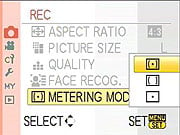 The Panasonic GH1 offers three metering modes, selected via the Metering Mode option in the Quick Menu or Record Menu 1: Multi-pattern, Center-Weighted, and Spot. The default Multi-segment metering mode takes readings throughout the image to determine exposure, using an array of 144 zones covering the bulk of the frame. Center-Weighted gives precedence to the center of the image while reading the whole frame. Spot metering, useful for high-contrast subjects, bases the exposure reading on the very center of the image, letting you set the exposure based on a small portion of your subject. You can lock an exposure reading by pressing the AF/AE Lock button on the back panel. Halfway pressing the Shutter button also locks exposure (and focus in AFS mode).
 Panasonic GH1 Exposure Compensation & Bracketing
The Panasonic GH1's Exposure Compensation adjustment increases or reduces the overall exposure from -3 to +3 exposure values (EV) in one-third stop increments, and like White Balance, the effect of Exposure Compensation is simulated on the preview. An Auto Bracketing feature captures multiple shots with different exposures. See the Drive Mode section on Auto Bracketing below for more details.
Panasonic GH1 iExposure The Panasonic GH1 offers three levels of what the company calls "iExposure" or Intelligent Exposure: Low, Standard and High, as well as an Off setting. iExposure attempts to automatically adjust contrast and exposure to improve apparent dynamic range in difficult lighting situations. It may raise ISOto achieve this. To see it's effectiveness with our high-contrast Outdoor Portrait scene, see the Imaging Quality page. (Overall, we felt that iExposure worked quite well.)
Panasonic GH1 Drive Modes The Panasonic GH1 offers a variety of shooting modes via the Drive Mode lever under the Mode Dial on of the camera's top panel. Drive options include Single Shot, Burst, Auto Bracket and Self-timer. The Burst Mode has rate options for "H" (3 frames-per-second) or "L" (2 frames-per-second). Auto Bracket lets you take a sequence of 3, 5, or 7 shots with either 1/3 EV or 2/3 EV exposure variation steps. The sequence can be selected from "0/-/+" (default/underexposed/overexposed) or" -/0/+" (underexposed/default/overexposed). The Self-timer mode offers 10 seconds, 10 seconds with 3 pictures taken at 2 second intervals, or 2 seconds. All Drive Mode options are set in Record Menus 3 and 4.
Panasonic GH1 Film Modes
 Pressing the Film Mode button lets you choose from nine preset "Film Modes," which have different characteristics such as contrast, saturation, sharpness, and noise reduction. You can also define two of your own.
Here's how Panasonic describes the available Film Modes (the descriptive verbiage below is theirs):
|
Film Mode
|
Effect
|
|
Standard (Color)
|
This is the standard setting
|
|
Dynamic (Color)
|
The saturation and contrast of the stored colors are increased
|
|
Nature (Color)
|
Brighter red, green, and blue. Enhanced beauty of nature
|
|
Smooth (Color)
|
The contrast is lowered for smoother and clearer color
|
|
Nostalgic (Color)
|
Lower saturation and contrast. Reflecting passage of time
|
|
Vibrant (Color)
|
Higher saturation and contrast than dynamic
|
|
Standard (B&W)
|
This is the standard setting
|
|
Dynamic (B&W)
|
The contrast is increased
|
|
Smooth (B&W)
|
Smooths the picture without losing the skin texture
|
|
My Film 1 /
My Film 2 |
The saved setting is used. (You can start with any of the preset modes, and adjust each parameters in 5 steps.)
|
|
Multi Film
|
It will take pictures changing the type of film in accordance with the setting every time the shutter button is pressed. (Up to 3 pictures.)
|
You can see the effect of the various preset Film Modes on our Still Life target, on the Panasonic GH1's Test Images page.
Multi Film is like a Film Mode bracketing feature, that lets you define up to 3 types of Film Modes to be used in a bracketing sequence.
The images above were taken from our standardized test shots. For a collection of more pictorial photos, see our Panasonic Lumix DMC-GH1 Photo Gallery .
Not sure which camera to buy? Let your eyes be the ultimate judge! Visit our Comparometer(tm) to compare images from the Panasonic Lumix DMC-GH1 with those from other cameras you may be considering. The proof is in the pictures, so let your own eyes decide which you like best!
Performance
Panasonic GH1 Performance
Timing and Performance
The Panasonic GH1's shutter response is a bit slower than average for consumer SLRs, but just a smidge faster focusing than the G1. The G1 beats it slightly in continuous-mode speed.
| Startup/Shutdown |
||
| Power on |
1.8 seconds
|
Time it takes to turn on and capture a shot. |
| Shutdown |
2.5 seconds
|
How long it takes camera to turn off before you can remove the memory card. |
|
Buffer clearing time
|
2 seconds after 20 large/fine JPEGs*
|
Worst case buffer clearing time. -- This is the delay after a set of shots before you can remove the card.
|
|
9 seconds after 5 RAW files*
|
||
|
14 seconds after 3 RAW+JPEG files*
|
||
|
*Note: Buffer clearing times measured with a SanDisk Extreme III 30MB/sec 8GB SDHC card. Slower cards will produce correspondingly slower clearing times. Slow cards may also limit length of bursts in continuous mode. ISO sensitivity and noise reduction settings can also affect cycle times and burst mode performance.
|
||
Startup and shut-down times are slower than those for many SLRs. Oddly, also slower than the Panasonic G1.
| Mode Switching | ||
|---|---|---|
| Play to Record, |
0.7 second
|
Time until first shot is captured. |
| Record to play |
1.3 seconds
|
Time to display a large/fine file immediately after capture. |
| Display |
0.4 second
|
Time to display a large/fine file already on the memory card. |
Mode switching is reasonably fast, except for Record to Play, which is slower than average.
| Shutter Response (Lag Time) | ||
|---|---|---|
|
Full Autofocus,
Single-area AF mode, Wide Angle |
0.336 second
|
Time from fully pressing shutter button to image capture, with the lens already at the proper focal distance setting. Very slightly faster than the G1. (All AF timing done with Panasonic 14-140mm kit lens. This measurement done at 14mm.)
|
|
Full Autofocus,
Single-area AF mode, Telephoto |
0.321 second
|
Time from fully pressing shutter button to image capture, with the lens already at the proper focal distance setting. (This measurement done at 140mm.) |
|
Full Autofocus,
Multi-area AF mode, Wide Angle |
0.320 second
|
Time from fully pressing shutter button to image capture, with the lens already at the proper focal distance setting. (This measurement done at 14mm.)
|
|
Full Autofocus,
Single-area AF mode, Wide Angle, Flash enabled |
0.661 second
|
Time from fully pressing shutter button to image capture, with the lens already at the proper focal distance setting, auto flash enabled. Very slightly slower than the G1. (This measurement done at 14mm.)
|
| Prefocused |
0.084 second
|
Time to capture, after half-pressing and holding shutter button. Very slightly slower than the G1. |
|
Continuous AF |
0.508 second
|
This mode usually shows no speed increase with our static subject; we have no way to measure performance with moving subjects. Noticeably slower than the G1. |
|
Manual Focus |
0.118 second
|
For most cameras, shutter lag is less in manual focus than autofocus, but usually not as fast as when the camera is "prefocused". |
The Panasonic GH1 showed full-autofocus shutter lag (with the subject at a fixed distance) that ranged from 0.321 at full telephoto to 0.336 second at wide angle, a bit faster than the G1. Interestingly, multi-area AF was slightly faster at 0.320 second at wide angle, which is unusual, as this mode is often slower than single-area AF. Competing consumer-level SLRs are up to twice as fast as the GH1 in this regard, but like the G1, the GH1 really felt more responsive than the numbers would seem to indicate when we were shooting with it. The lag was a bit slower in continuous mode AF, at about 0.508 second, with very little variation. When manually focused, the GH1's lag time drops to only 0.118 second, competitive with consumer SLRs, but again a bit slower than the G1. Likewise, its prefocused lag time of 0.084 is competitive, besting some SLRs in its general price range. Using the LCD monitor instead of the EVF had little impact on shutter lag numbers.
| Cycle Time (shot to shot) | ||
|---|---|---|
| Single Shot mode |
0.66 second
|
Time per shot, averaged over 20 shots, 2 seconds to clear*. Noticeably faster than the G1. |
|
Single Shot mode |
0.66 second
|
Time per shot, averaged over 5 shots, 9 seconds to clear*. |
|
Single Shot mode
RAW + LF JPEG |
0.69 second
|
Time per shot, averaged over 3 shots, 14 seconds to clear*. |
| Early shutter |
No
|
Some cameras don't snap another shot if you release and press the shutter too quickly in Single Shot mode, making "No" the preferred answer. |
|
Continuous High |
0.40 second (2.50 frames per second);
12 frames total; 2 seconds to clear* |
Time per shot, averaged over 12 shots, then slows to an average of about 1.35s or 0.74 fps. Slower than the G1, and slower than Panasonic's rated speed of 3 frames/second. |
|
Continuous High |
0.35 second (2.85 frames per second);
No apparent limit to buffer capacity (50+ shots of noise target without slowing); 1.7 seconds to clear* |
Time per shot, averaged over 40 shots. Still slightly slower than the G1, and slightly slower than Panasonic's rated speed of 3 frames/second, but within ~5% of the spec. |
|
Continuous High |
0.33 second (3.02 frames per second);
12 frames total; 2 seconds to clear* |
Time per shot, averaged over 12 shots. The 7-14mm Panasonic lens for some reason let the camera reach its maximum speed, while the kit lens did not. |
| Continuous High |
0.40 second (2.50 frames per second);
4 frames total; 6 seconds to clear* |
Time per shot, averaged over buffer length of 4 frames, then slows to an average of about 1.85s or 0.54 fps. |
|
Continuous High |
0.42 second (2.38 frames per second);
4 frames total; 12 seconds to clear* |
Time per shot, averaged over buffer length of 4 frames, then slows to 2.70s or 0.37 fps. |
| Flash Recycling |
2.3 seconds
|
Flash at maximum output. |
|
*Note: Buffer clearing times measured with a SanDisk Extreme III 30 MB/sec 8GB SDHC card. Slower cards will produce correspondingly slower clearing times. Slow cards may also limit length of bursts in continuous mode. ISO sensitivity and noise reduction settings can also affect cycle times and burst mode performance.
|
||
Single-shot cycle times are better than the Panasonic G1, at about 0.66 second (versus the G1's 0.85 second).
Continuous modes, however, were slower, and also somewhat variable in our testing, at least with the kit lens. In most of our tests, we clocked the GH1 at only 2.5 frames per second in Fine JPEG or RAW mode, and 2.38 frames per second in RAW + JPEG. In Normal-compression JPEG mode, the speed increased to 2.85 frames/second, coming within 5% of the official spec of 3 frames/second. Using a different lens (the Panasonic 7-14mm zoom), the GH1 reached a speed of 3.02 frames/second.
**We found the GH1's continuous-mode test results with the kit lens very puzzling, in that we measured speeds of either 2.5 fps or 2.85 fps under identical conditions. Most of the time, the camera shot at a rate of 2.5 fps, regardless of any settings for file size, compression, focus priority, etc. (Basically, any parameters we could think of to change.) A couple of times, though, we noticed the camera shooting more rapidly. When we measured its performance those times (which also happened to be with it set to normal vs fine JPEG quality), we clocked it at 2.85 fps. The camera seemed to arbitrarily revert to 2.5 fps, and we could find no combination of settings that would return it to the 2.85 fps performance level. (And yes, we did think of resetting all its record-mode and custom-menu settings, via the menu option that did that.) Dropping the battery for a period of time and then immediately shooting in Large/Normal JPEG mode seemed to reliably get us back to 2.85 fps, but over the course of normal usage, we always ended up back at 2.5 fps. Very strangely, when we switched to using the Panasonic 7-14mm zoom lens on the GH1, the camera easily attained frame rates of just over 3 fps, even with Large/Fine JPEGs. The bottom line is that, at least as of this writing, and with firmware versions 1.0 in both the camera and lens, the GH1 won't quite make it to its maximum frame rate of 3 fps.
The G1 managed 3.1 frames per second in our tests, so the GH1 is just slightly slower than its predecessor. Buffer depths also seem smaller at 12 frames for Large/Fine JPEGs, and 4 frames for RAW and RAW + JPEG. The G1 was able to record L/F JPEGs until the media was full using the same card as we used to test the GH1. The G1 managed 5 RAW or RAW+JPEG file before slowing down, 1 more than the GH1.
The flash recycled quickly at 2.3 seconds on average, but again not as fast as the G1 (1.4 seconds), and it also varied a lot, ranging from 1.8 to 3.53 seconds in our test.
| Download Speed | ||
|---|---|---|
| Windows Computer, USB 2.0 |
7,975 KBytes/sec
|
Typical Values: |
Download speeds were fast, quick enough that you probably won't feel the need for a separate card reader, even with large memory cards. (Note that this test was performed with a SanDisk Extreme III 30 MB/sec SD card: Slower cards would likely show slower transfer times.)
Bottom line, the Panasonic GH1 is a fairly responsive camera, well-suited to handling typical family shots, though not a good choice for really fast action. It's not quite as quick as the G1 in some respects while faster in others, but the GH1 is slower than most SLRs in almost every category.
Battery and Storage Capacity
Battery
Good battery life, but below average compared to an SLR using an optical viewfinder.
| Operating Mode | Number of Shots |
|---|---|
|
Still Capture,
(CIPA standard - Using EVF) |
320
|
|
Still Capture,
(CIPA standard - Using LCD) |
300
|
|
Movie Recording (AVCHD SH)
Using LCD |
120 minutes
|
|
Playback Time
Using LCD |
260 minutes
|
The Panasonic GH1 uses a custom rechargeable lithium-ion battery pack for power, and comes with both a single battery and charger. The rated 320 shots per charge is a bit below the capacity of typical SLRs, likely a consequence of the power drain for the electronic display. (When using the optical viewfinder on an SLR, there's very little power consumption except when the shutter fires or when you're in playback mode. The CIPA numbers for the Panasonic GH1 are in line with SLRs operating in Live View mode.) We do recommend getting a second battery for your GH1 if you plan any extended outings.
The table above shows the number of shots the camera is capable of (on a fully-charged rechargeable battery), based on CIPA battery-life and/or manufacturer standard test conditions.
(Interested readers can find an English translation of the CIPA DC-002 standards document here. (180K PDF document))
Storage
The Panasonic GH1 accepts SD/SDHC memory cards, and does not ship with a card.
| Image Capacity with 1GB Memory Card |
Fine | Normal | RAW | RAW + L/F JPG |
|
|---|---|---|---|---|---|
|
4,000 x 3,000 |
Images (Avg Size) |
148
6.9 MB |
293
3.5 MB |
69
14.8 MB |
47
21.7 MB |
|
Approx.
Comp. |
5:1
|
10:1
|
1.2:1
|
-
|
|
|
2,816 x 2,112 |
Images (Avg Size) |
265
3.9 MB |
518
2.0 MB |
-
|
-
|
|
Approx.
Comp. |
5:1
|
9:1
|
-
|
-
|
|
|
2,048 x 1,536 |
Images (Avg Size) |
622
1.6 MB |
1197
855 KB |
-
|
-
|
|
Approx.
Comp. |
6:1
|
11:1
|
-
|
-
|
|
We strongly recommend buying a large capacity SD/SDHC memory card at least a 2GB card, preferably a 4 or 8GB one, to give yourself extra space for extended outings, or when shooting RAW or video files. -- If you're going to shoot much video, you'll definitely want a large, fast card; look for a card with "class 6" speed or better. (Check the shopping link above, cards are really cheap these days, so no reason to skimp.)
Imaging
Panasonic GH1 Image Quality
Color
Saturation & Hue Accuracy
Good color and hue accuracy overall, with minor oversaturation of strong reds and blues. Some issues with orange through yellow, though.
 |
| In the diagram above, the squares show the original color, and the circles show the color that the camera captured. More saturated colors are located toward the periphery of the graph. Hue changes as you travel around the center. Thus, hue-accurate, highly saturated colors appear as lines radiating from the center. Click for a larger image. |
Saturation. The Panasonic GH1 pushes reds and blues a bit, and dark greens very slightly, while undersaturating lighter greens, some cyans and oranges. While the default saturation of 110.9% (10.9% oversaturated) is higher than that of the G1 (104.9%), the GH1 doesn't oversaturate as much as some consumer DSLRs. Most consumer digital cameras produce color that's more highly saturated (more intense) than found in the original subjects. This is simply because most people like their color a bit brighter than life.
Skin tones. Here, the Panasonic GH1 also did well, producing natural-looking skin tones, though just slightly on the pinkish side. Where oversaturation is most problematic is on Caucasian skin tones, as it's very easy for these "memory colors" to be seen as too bright, too pink, too yellow, etc.
Hue. The Panasonic GH1 did push cyan toward blue, red toward orange, and orange toward yellow. Shifts were relatively slight, but the net result is that colors in the orange through yellow range are less clearly delineated from each other than they would be with a camera having better hue accuracy. The yellow-toward-green shift was especially noticeable in the yellow yarn of our Still Life test image. Nonetheless, overall accuracy was still pretty good. (The blue to cyan shift is very common among the digital cameras we test; we think it's a deliberate choice by camera engineers to produce better-looking sky colors.) Hue is "what color" the color is.
Saturation Adjustment
The Panasonic DMC-GH1 lets you adjust the image saturation, contrast, and sharpness in five steps each. As can be seen below, the saturation adjustment was very subtle. We usually argue in favor of more subtle adjustments for saturation on the cameras we test, the Panasonic GH1 goes a bit too far in that direction; we'd like to see a wider range here (more steps), but still with the fine steps the GH1 currently offers.
| Saturation Adjustment Examples | ||
 |
 |
 |
| -2 | 0 | +2 |
The table above shows results with the default as well as the two "extreme" saturation settings. Click on any thumbnail above, then click again to see the full-sized image.


Sensor
Exposure and White Balance
Indoors, incandescent lighting
Very good performance: Slightly warm cast with Auto, very warm with Incandescent, very good color with the Manual and 2,600 Kelvin white balance settings. Average positive exposure compensation required.


Indoors, under normal incandescent lighting, color balance was just slightly warm with the Auto white balance setting, though the Panasonic GH1 did much better than most digital SLRs in this regard. (While slightly warm, results with the Auto setting are quite acceptable, and many users will in fact prefer a slightly warm look in situations like this, to better represent the mood of the original lighting.) Results with the Incandescent setting were much warmer; the Incandescent setting looks like it might be adjusted to match professional studio lighting, a little odd for a decidedly consumer camera model. The Manual setting produced the most accurate results, though the 2,600 Kelvin setting wasn't far off the mark either, being just slightly cooler. The Panasonic GH1 required an average amount of positive exposure compensation here, at +0.3 EV. Overall color looks good, though the blue flowers look a touch purplish, probably due to the DMC-GH1's tendency to punch up reds a little. ((Many digital cameras reproduce the blue flowers here with more of a purplish tint, so the Panasonic GH1 actually performs a bit better than average here.) Our test lighting for this shot is a mixture of 60 and 100 watt household incandescent bulbs, a pretty yellow light source, but a very common one in typical home settings here in the U.S.)
Outdoors, daylight
Bright colors overall, though a tendency toward high contrast under harsh lighting. Slightly below average exposure accuracy.

Outdoors, the Panasonic Lumix DMC-GH1 performed pretty well, with good color but slight overexposure in the outdoor far-field house shot. The Panasonic DMC-GH1 required a bit more than the average amount of positive exposure compensation (+1.0 EV) to keep facial tones bright on the "sunlit" portrait test, but that resulted in so many blown highlights that we opted for the +0.7EV shot for our sample image here. That left the model's face a little dark, but there were still a lot of blown highlights in her shirt. Default contrast is on the high side, but fortunately, there's a contrast adjustment to help compensate. Overall, good results here, especially when the contrast setting is turned down (see Extremes section below).
See full set of test images with explanations
See thumbnails of all test and gallery images
Resolution
Very high resolution, 1,650 ~ 1,800 lines of strong detail.


In camera JPEGs our laboratory resolution chart revealed sharp, distinct line patterns down to about 1,650 lines per picture height horizontally, and about 1,700 lines in the vertical direction. Extinction didn't occur until about 2,700 lines horizontally and vertically. We weren't able to extract much more resolution by processing the GH1's RW2 files using Adobe Camera Raw 5.4b, but ACR did hold definition in the target lines a bit better than the camera's own JPEG conversion did, making the target lines more distinct at all high frequencies. Note that ACR 5.4b is a release candidate, and will likely be tweaked before final, as it appears to have difficulty demosaicing GH1 files with repetitive detail near the Nyquist frequency (look at the strong moire and maze patterns starting at 2,800 lines in full size ACR converted resolution chart on the right). Use these numbers to compare with other cameras of similar resolution, or use them to see just what higher resolution can mean in terms of potential detail.
See full set of test images with explanations
See thumbnails of all test and gallery images
Sharpness & Detail
Good sharpness overall, though edge-enhancement artifacts on high-contrast subjects are visible. Moderate noise suppression visible in the shadows.


Sharpness. The Panasonic GH1 captures fairly sharp images overall, though a few edge enhancement artifacts are visible on high-contrast subjects such as the branches in the crop above left. Edge enhancement creates the illusion of sharpness by enhancing colors and tones right at the edge of a rapid transition in color or tone.
Detail. The crop above right shows some moderate noise suppression artifacts in the darkest areas of the model's hair, smudging individual strands together, though quite a few strands are visible in the lighter shadows. Overall detail is better than average, but there are some odd color blotches (visible on the left edge of the crop above), that we believe may be the result of insufficient anti-aliasing filtering, and the demosaicing problems that produces. (We only noticed these in the very fine, reddish detail of the mannequin's hair, a subject that has produced this sort of artifact on other cameras, including several SLRs, in the past.) Noise-suppression systems in digital cameras tend to flatten-out detail in areas of subtle contrast. The effects can often be seen in shots of human hair, where the individual strands are lost and an almost "watercolor" look appears.
RAW vs In-Camera JPEGs
As noted above, the Panasonic GH1 produces fairly sharp in-camera JPEGs. As is almost always the case, though, quite a bit more detail can be obtained from carefully processing RAW files than can be seen in the in-camera JPEGs. The Panasonic GH1's JPEGs are quite good straight from the camera, but it's surprising how much more detail is visible after processing in a good RAW converter. Take a look below, to see what we mean:

In the table above, mousing over a link at the bottom will load the corresponding crop in the area above, and clicking on the link will load the full resolution image.
SilkyPix appears to be a very sophisticated RAW processor that provides lots of control over the image processing it performs. In the crops above, we dialed up the sharpness setting in its demosaicing control panel somewhat (to 94), and then used a manual adjustment on its sharpening panel, starting with the "Emphatic Sharp" preset, but then dialing back the outline emphasis to 16 (from the default of 20 in that mode). We also applied unsharp masking at the output stage, with an intensity of 200% and radius of 0.3 pixel.
Adobe Camera Raw 5.4 release candidate was used for the ACR conversion version. The image was then sharpened in Photoshop using unsharp masking at 250% and radius of 0.3 pixel.
As you can see, all three RAW conversions contain a lot more fine detail than the camera JPEG, while at the same time showing fewer sharpening artifacts: The Panasonic DMC-GH1 rewards RAW shooters with really excellent detail. And the bundled SilkyPix RAW converter can give Adobe Photoshop and Camera Raw a very good run for the money, when it comes to the detail department.)
The crops above were taken from shots captured with an Olympus 14-54mm lens attached to the GH1 via a lens adapter: The 14-54mm Olympus optic is an exceptionally sharp pro-grade lens, and we wanted to see what the Panasonic GH1 could do with the best lens we had available (in this focal length range) attached to it. As it turns out, though, the kit lens that ships with the GH1 is no slouch, particularly at its wider focal lengths. See the shots below for a comparison:

The shots above were taken on different days from very slightly different positions, so the tree limbs in the background shift their position slightly relative to the house. But you can easily enough find common elements between the two to make careful comparisons. It's clear that the Olympus 14-54mm lens has a slight resolution advantage, but the Panasonic 14-140mm does remarkably well, particularly for a lens with a 10x zoom ratio.
ISO & Noise Performance
Low noise up to ISO 400, moderate to high at higher ISOs, but an improvement over the G1 at high ISOs.
|
Default High ISO Noise Reduction
|
 |
 |
 |
| ISO 100 | ISO 200 | ISO 400 |
 |
 |
 |
| ISO 800 | ISO 1600 | ISO 3200 |
The Panasonic GH1's images are quite clean at ISOs 100 and 200; very similar to the G1's. We start to see a very fine, tight "grain" pattern at ISO 400, but detail is still pretty good, with just a bit of chroma noise creeping into the shadows. The grain is slightly more evident at ISO 800, there's more chroma noise and detail starts to suffer due to noise reduction, but not as much as with the G1. At ISO 1,600, we see additional detail loss, as well as purple and yellow blotches. At ISO 3,200, noise grain is much courser and blurring stronger, resulting in a noticeable drop in detail with some obvious horizontal banding. That said, the Panasonic GH1's high-ISO images are improved over those of the earlier G1, and are generally better-looking than we've come to expect from Four-Thirds format cameras in the past. As always, see the Print Quality section below for maximum recommended print sizes at each ISO.
Extremes: Sunlit and low light tests
High resolution with good overall detail, but somewhat high default contrast and limited dynamic range. Reasonably good low-light performance, but autofocus struggled quite a bit at lower light levels.

Sunlight. The Panasonic Lumix DMC-GH1 struggled a bit with the deliberately harsh lighting of this test, as contrast was a little high at its default setting, and the dynamic range seemed limited. Although we liked the detail in the shirt better at +0.7 EV with the default contrast, we preferred the +1.0 EV exposure overall, because the exposure of the skin tone in the face was better. Depending on the photographer, you could lean one way or the other. Pros and advanced users will want to shoot darker, to hold highlight detail. For those DMC-GH1 owners that are going to want to just print an image, the +1.0 image would probably produce a better-looking print with little or no tweaking. The bottom line though, is that the GH1 had difficulty with the wide dynamic range of this shot, at least with its default settings.
Because digital cameras are more like slide film than negative film (in that they tend to have a more limited tonal range), we test them in the harshest situations to see how they handle scenes with bright highlights and dark shadows, as well as what kind of sensitivity they have in low light. The shot above is designed to mimic the very harsh, contrasty effect of direct noonday sunlight, a very tough challenge for most digital cameras. (You can read details of this test here.)
Contrast Adjustment
As mentioned previously, the camera's limited contrast adjustment was at least some help in handling the harsh lighting.
|
Minimum Contrast
|
|
 |
 |
| Contrast set to lowest, +1.0 EV |
Contrast set to lowest, Auto Exposure |
At its lowest contrast setting, the Panasonic GH1 did a better job of preserving highlight detail, maintaining fairly natural-looking skin tones, and holding more in the shadows, but the limited dynamic range makes it perform a bit below average in this regard.
| Contrast Adjustment Examples | ||
|
 |
 |
| -2 | 0 | +2 |
The shots above show the results of the minimum, default and maximum contrast settings. While you can see the extremes, it's pretty hard to evaluate small differences in contrast on small thumbnails like these, click on any thumbnail to go to the full-size image. That said, unlike the Saturation adjustment, the control for Contrast is not quite as subtle in its effect. It seems to basically leave the strongest highlights alone, and then apply a proportional boost to tones as it moves down the tone curve. To make the most of it in a shot like this, you'd want to drop the exposure to hold the highlights and then apply a good amount of contrast reduction (probably the maximum, the steps are pretty small).
The Panasonic GH1's contrast adjustment helps a little with the strong highlights here, but we'd really like to see more steps of this size, to cover a slightly greater range. And even with the lowest contrast setting, the dynamic range isn't terribly impressive: While dropping the exposure slightly helped the highlights, and the contrast adjustment opened up the shadows somewhat, the camera still struggles with the deliberately harsh lighting. (Which means it will also have issues with strong, direct sunlight.)
| Intelligent Exposure Examples | ||
 |
 |
 |
| Low at 0 EV | Standard at 0 EV | High at 0 EV |
 |
||
| Off at 0 EV | ||
Panasonic's iExposure
The above shots are examples of Panasonic's Intelligent Exposure (or iExposure) at work. There are three levels of iExposure available: Low, Standard and High, plus Off. Like the saturation adjustment, the difference between the three levels was very subtle, however all were an improvement over the Off setting, doing a nice job of pulling detail up out of the shadows, and delivering a nice exposure overall, with good tonality in the mannequin's face, and good detail in both highlights and shadows.
| Face Detection | ||
 |
 |
|
| Off at 0 EV | On at 0 EV | |
Face Detection
Like most Point & Shoot cameras these days (and some DSLRs in Live View mode), the Panasonic GH1 has the ability to detect faces, and adjust exposure and focus accordingly. The GH1 does it automatically in Intelligent Auto (iAuto) mode, when a Portrait scene mode is selected, or when Face Detection AF mode is selected. As you can see from the examples above, it really works, as the image with face detection enabled is better exposed for the face. We'd prefer a slightly higher exposure as the mannequin's face is still dim, but if combined with Panasonic's Intelligent Exposure (see the example above), we believe it would deliver very nice exposures, even under very difficult lighting such as this. Panasonic says the system can detect up to 15 faces in a scene, though we did not test that claim.
| 1 fc 11 lux |
1/2 fc 5.5 lux |
1/4 fc 2.7 lux |
1/8 fc 1.3 lux |
1/16 fc 0.67 lux |
1/16fc No NR |
|
|---|---|---|---|---|---|---|
| ISO 100 |
 1.6 sec f4.0 |
 3.2 sec f4.0 |
 6 sec f4.0 |
 15 sec f4.0 |
 30 sec f4.0 |
 30 sec f4.0 |
| ISO 200 |
 0.8 sec f4.0 |
 1.6 sec f4.0 |
 3.2 sec f4.0 |
 8 sec f4.0 |
 15 sec f4.0 |
 15 sec f4.0 |
| ISO 400 |
 0.4 sec f4.0 |
 0.8 sec f4.0 |
 1.6 sec f4.0 |
 5 sec f4.0 |
 8 sec f4.0 |
 8 sec f4.0 |
| ISO 800 |
 1/5 sec f4.0 |
 0.4 sec f4.0 |
 0.8 sec f4.0 |
 2.5 sec f4.0 |
 4 sec f4.0 |
 4 sec f4.0 |
| ISO 1600 |
 1/10 sec f4.0 |
 1/5 sec f4.0 |
 0.4 sec f4.0 |
 1.3 sec f4.0 |
 2 sec f4.0 |
 2 sec f4.0 |
| ISO 3200 |
 1/20 sec f4.0 |
 1/10 sec f4.0 |
 1/5 sec f4.0 |
 0.6 sec f4.0 |
 1 sec f4.0 |
 1 sec f4.0 |
Low light. The Panasonic DMC-GH1 performed reasonably well in our low light test, capturing acceptably bright images down to the lowest light level we test at, at all ISO settings. This darkest level equates to about 1/16 the brightness of average city street lighting at night, so the DMC-GH1 should be able to take well-exposed photos in almost any environment in which you can see well enough to walk around in. Automatic color balance was pretty good, something that's not a given at such low light levels. Using the default noise reduction setting, noise is low to moderate below ISO 800. At ISOs 800, 1,600 and especially 3,200, noise is rather high compared to most DSLRs these days, with moderate to strong horizontal banding detectable in darker areas. (The shape of the banding is quite interesting, as it is not straight, almost certainly a side-effect of the geometric distortion corrections the GH1 makes, as the curvature of the banding is most obvious in the corners of the frame.) That said, aside from the banding issue, the Panasonic GH1's image noise is better than what we've been accustomed to seeing from cameras with Four Thirds sensors in the past.
The camera's autofocus system was able to focus on the subject down to just below 1/4 foot-candle light level unassisted, which isn't nearly as good as most DSLRs, but is good for a camera using contrast-detect autofocus. The DMC-GH1 does have a focus-assist light option which allows it to autofocus in total darkness, as long as the subject is within range and has sufficient contrast. We heard of at least one reader complaint that his GH1 sometimes would trip the shutter without having been focused in dim lighting with the AF-assist light turned off, but didn't observe that behavior in our sample.
How bright is this? The one foot-candle light level that this test begins at roughly corresponds to the brightness of typical city street-lighting at night. Cameras performing well at that level should be able to snap good-looking photos of street-lit scenes.
NOTE: This low light test is conducted with a stationary subject, and the camera mounted on a sturdy tripod. Most digital cameras will fail miserably when faced with a moving subject in dim lighting. (For example, a child's ballet recital or a holiday pageant in a gymnasium.) Thanks to their phase-detect AF systems, digital SLRs tend to do much better than point & shoots, but you still shouldn't expect a quick autofocus lock with moving subjects. The GH1 uses contrast-detect autofocus, as is found in most point & shoot cameras, so its low-light focusing ability is less than that of SLRs with phase-detect systems. That said, though, the larger, more sensitive pixels of the GH1's sensor do better under dim lighting than do the tiny pixels of most point & shoots, (A useful trick is to just prop the camera on a convenient surface, and use its self-timer to release the shutter. This avoids any jiggling from your finger pressing the shutter button, and can work quite well when you don't have a tripod handy.)
Output Quality
Print Quality
Great print quality, good color, sharp 13x19 inch prints from camera JPEGs, 16x20 inch ones from RAW files. (Even 20x30 prints from RAW are very usable for wall display.)
 Like the G1 before it, the Panasonic GH1's printed output is really impressive, but to get the best results, you really need to work from its RW2 RAW files. In-camera JPEGs are a little soft looking, due in part to conservative in-camera sharpening, but likely also in part to noise-reduction processing, even at low ISO settings. SilkyPix (the RAW processing software bundled with the Panasonic GH1) and Adobe Camera Raw both reveal quite a bit more fine detail, particularly in areas of subtle subject contrast. Sharpening the in-camera JPEGs helps some, but never brings out the detail in lower-contrast regions that SilkyPix and ACR find in the RW2 files.
Working from RAW files, we felt that 20x30 inch prints would be entirely acceptable for display at any normal viewing distance: If we got up close and squinted, they were a little soft, but at normal viewing distances of more than a foot or so, they looked crisp and very detailed. The in-camera JPEGs might pass as 20x30s if viewed from a little distance, but looked entirely fine at 16x20, and sharp indeed when printed at 13x19.
ISO 800 shots made excellent 13x19 inch prints, just slightly soft, and with a little chroma noise to be seen in the shadows. (A good third-party noise reduction program would likely make short work of the little we saw.) ISO 800 prints at 11x14 inches were tack-sharp. At ISO 1,600, where we felt that 8.5x11 was about the limit for the G1, we think most people would be happy with prints from the Panasonic GH1's ISO 1,600 shots at 11x14. At ISO 3,200, though, chroma noise becomes much more of an issue, making even 5x7 inch prints problematic if they have much shadow area and large areas of flat tints. But if you crank the noise reduction setting up to +2, 5x7 inch output looks pretty good, albeit still with some chroma noise visible in the shadows. (Personally, we'd not push them to 8.5x11 output, but some folks might. The results at 3,200 don't seem to be as far ahead of those of the G1 as they do at lower ISO settings.)
Part of what makes the Panasonic GH1's high-ISO shots print so well is that what noise is there is very fine-grained, so it tends to drop out quite nicely in the printing process. Looking at its images under high magnification, in areas were there's lots of subject detail (so the anti-noise processing will be dialed back somewhat), it's apparent that Panasonic has opted to leave a fair bit of fine-grained luminance noise in the final images, rather than trying to flatten it out. This can make parts of its images look rough when you're pixel-peeping at 100% or larger on-screen; but when printed, the images look great, with plenty of detail, and only modest amounts of noise.
We also found the Panasonic GH1's prints very appealing when it came to color. Colors were bright and attractive, without appearing overdone. If there was any weak point, it might be in the GH1's handling of colors in the yellow to yellow-green portion of the spectrum. Yellows were shifted slightly toward green, while the yellow-greens were shifted a bit toward yellow. The net effect wasn't anything like a glaring problem, it's just something we noticed in the colors of the embroidery threads in our Still Life target.
All in all, very impressive print quality from a little camera; The verdict is clear, you no longer have to carry a full-size SLR to get excellent print quality.
Testing hundreds of digital cameras, we've found that you can only tell just so much about a camera's image quality by viewing its images on-screen. Ultimately, there's no substitute for printing a lot of images and examining them closely. For this reason, we now routinely print sample images from the cameras we test on our Canon Pro9000 studio printer, and on the Canon iP5200 here in the office. (See the Canon Pixma Pro9000 review for details on that model.)
Viewfinder
Panasonic GH1 Super High-Res Electronic Viewfinder
 The Panasonic GH1's electronic viewfinder is identical to the G1's, which set a new quality standard for EVFs in digital cameras. The keys to the Panasonic GH1's exceptional EVF performance lie in two technologies. First, the active element of the display is an LCOS (liquid crystal on silicon) chip. This technology actually controls the state of the liquid crystals with electric fields projected through the silicon. This means that all the active circuitry can be on the back side of the chip, so the entire display surface is active: With no dead areas between pixels, light is reflected from the entire surface, so there are no distracting black areas surrounding each pixel.
Because the LCOS chip is reflective, you generate an image by bouncing light off its surface, rather than by passing light through it as in a conventional transmissive LCD. It turns out that LCOS chips can also change states very rapidly; fast enough that you can display the red, green, and blue color channels in very quick succession with no blurring or crosstalk between the color channels. Human persistence of vision blends these together into a single pixel displaying a full range of color. Looking into the Panasonic GH1's EVF then, you don't see individual red, green, and blue stripes or dots -- there is no grid -- you just see a surface of continuous color, which looks more like an optical viewfinder. To be fair, this isn't a new innovation with Panasonic: The original Minolta A1 digicam used similar technology, but its EVF had much lower resolution, and considerably lower image quality overall. The concept has certainly been seen before, but the Panasonic G series' EVF takes the technology to another level.

Light for the GH1's EVF comes from a trio of red, green, and blue LEDs: They strobe on and off in very quick succession (180 times a second, for a 60 frames/second overall refresh rate), as the LCOS chip displays the red, green, and blue image planes in lock-step. I expected to see some tearing of the display, or perhaps a rainbow effect if the subject moved rapidly, but actually saw very little evidence of this.
The second key technology in the Panasonic GH1's EVF is a holographic diffraction grating that's curved above the LCOS chip. This optical element reflects the RGB light from the LED array onto the LCOS chip's surface, but lets the light reflected from the imaging chip pass through unobstructed, out the eyepiece and to the user's eye. Other technologies could be used to make a reflective imager work in a viewfinder, but the holographic grating allowed Panasonic's engineers to squeeze the whole assembly into an incredibly compact package.
 As befits its heritage in the high-end broadcast TV field, the Panasonic GH1's EVF has impressive specs. It has unusually high resolution for a camera EVF, displaying 800x600 (SVGA resolution) full-color pixels. (A total of 480,000 full-color pixels.) Panasonic equates this with 1.44 million dots in a conventional display, as most displays would need three separate dots for each full-color pixel. In practice, the effective perceptual equivalent of 480,000 full-color pixels is more like 960,000 RGB dots, but the fact remains that this is a very high-resolution, very smooth-looking display. As noted above, the GH1's EVF also refreshes at 60 frames/second, so there's very little flicker or tearing with moving subjects.
Thanks to its LED illumination, the Panasonic GH1's EVF also has a very wide color gamut, covering 100% of the NTSC color space, an unusually broad range for a camera display. As you'd expect, it also covers 100% of the field of view of the camera, since it's getting its image directly from the camera's image sensor. Finally the EVF's optics give an effective magnification of about 0.7x relative to a 50mm lens on a 35mm camera. This is about the same viewing magnification as is found on most higher-end SLRs. In practical terms, it means that with a 35mm lens attached (roughly equivalent to a 50mm lens on a 35mm camera), the image in the viewfinder will match what you're seeing through your other eye. This makes it easier to shoot with both eyes open, so the eye not looking through the viewfinder can give you much better peripheral vision of subjects about to come into the field of view, etc. The viewfinder also offers a generous diopter adjustment of -4 to +4, adjustable via a dial to the left. Infra-red sensors just to the right of the eyepiece are used to detect when an eye is moved close to the viewfinder, to automatically switch between the LCD monitor and viewfinder. An LVF/LCD button to the left of the eyepiece can also be used to switch manually.
Panasonic GH1 Full-time Live View
By its nature, the Panasonic GH1 is always in "Live View" mode: In that respect, it's like any point & shoot digicam with the combination of an electronic viewfinder and rear-panel LCD that works as a viewfinder as well. The differences with this camera are that it has interchangeable lenses, focuses a lot faster than the average digicam, and has a larger sensor to provide better low-light performance than typical pocket cameras.
To their credit, though, Panasonic seems to have made more of an effort in the Lumix GH1 to have the viewfinder display accurately mimic what you'll see in the final image file once you've snapped the shutter. They seem to be trying to go the point & shoot market one better with their viewfinder display accuracy and simulations, and they seem to be succeeding.


The shots above show two options the camera gives you for viewing your subject in record mode. On the left, the subject fills a larger area of the display, but the exposure information is overlaid on the bottom of the image. This gives more image area, but potentially makes the exposure info a bit harder to read. As seen on the right, you can instead opt for a smaller view of the subject, putting a sharply contrasting black background behind the exposure readouts, making them easier to see. The shots above show the display on the rear-panel LCD; the information overlay on the EVF screen is considerably less extensive. (See the Operation tab of this review for illustrations and callouts describing the information shown on the various displays.)


The Panasonic GH1 features a live histogram display with a nifty trick: you can select to have it displayed or not, and you position it pretty much anywhere on the display screen that you like. In the screen shots above, I've put it in the lower right corner. There are three grid options available as well, including one that is customizable.
Panasonic GH1 EVF & LCD User Experience
We have never been particular fans of EVFs over conventional optical viewfinders. Part of this has to do with the relatively low resolution of past EVFs, an issue that the EVF in the Panasonic G1 and GH1 addresses rather decisively. Resolution only accounts for part of our dislike though; the other part is dynamic range, or contrast ratio, to use the term more commonly associated with electronic displays. It's been our experience that electronic viewfinders generally do a poor job of holding detail in highlights, shadows, or both. We've often been frustrated when trying to compose landscape shots that contained important cloud detail with EVF cameras: Areas of clear sky and clouds were often indistinguishable from each other. At the other end of the tonal scale, detail in shadows has often been difficult to pick out.
 The viewfinder in the Panasonic GH1 seems to do a better than average job at the highlight end of the tonal scale, but we often found detail lacking at the shadow end of the scale. Looking into the EVF, dark areas of the image never became truly black. The effect was similar to what we remember seeing on early model LCD televisions, where the blacks just weren't very black. Of course, the GH1's live view circuitry amplifies the signal from the sensor whenever you're viewing a dimly-lit scene, so you can see what's going on pretty well, even you're shooting in rather dark surroundings. That's not the issue, though. Where we had trouble seeing what was going on was in situations where there were both bright and dark portions of the scene, and where there was important shadow detail we needed to see in order to frame properly, but these areas were too dark. There'd be good detail visible down to a certain brightness level, but beyond that would be nothing but a dark grey. We first noticed this with the GH1's EVF, but the effect is present (albeit to a somewhat lesser extent) in the rear-panel LCD as well.
In writing about this, while we noticed a lack of detail in shadow areas in the Panasonic GH1's EVF, we realized that we'd not made this a focus of our testing and analysis in the Live View SLRs we've tested to date. In the interest of fairness, we took a quick look back at some of the Live View SLRs we had around the office, to see how much of an issue this is with other cameras. What we found surprised us: There was a wide range of behavior in various cameras' Live View displays, and camera price wasn't at all an indicator of performance in this area. Some of the most expensive cameras showed only so-so shadow detail, while some relatively inexpensive cameras produced very clear displays.
Overall, Olympus was the big winner in the shadow-detail derby, as its cameras appear to selectively boost the image amplification in large, dark areas of the frame, while leaving brighter areas untouched. The result is very clear (if a little noisy) shadow detail, even when other parts of the image are very bright. Most other cameras we looked at (Canon 50D, Nikon D300, D700, Sony A350) didn't seem to adjust image brightness dynamically, and the GH1's LCD actually showed a bit more shadow detail under similar conditions than the Canon, Nikon, and Sony cameras. The GH1's EVF showed considerably less shadow detail than either its LCD screen or the LCD screens of the competing SLRs.
So the bottom line on the dynamic range of the GH1's viewfinders is a bit of a mixed bag: The LCD shows better than average dynamic range and shadow detail, while its EVF shows less than average. The good news is that you have the option of switching to the LCD if you really need to frame for the shadows.
Also worth considering is that it's harder -- if not impossible -- to track a moving subject with either the LCD or EVF. Once you start shooting in Continuous mode, the Panasonic GH1 does not return you to a Live View of the scene as does an SLR's optical viewfinder; instead, you're given a brief flash of the last image captured, which doesn't help you track at all. This is a limitation of all current live view systems, SLR or not.
Regardless, while we prefer an optical viewfinder, Panasonic's advanced technology offers users the best alternative that's ever been made available to still photographers in the GH1 (and G1).
Viewfinder Test Results
Accuracy
Excellent accuracy from both the electronic viewfinder and LCD monitor.


The Panasonic GH1's electronic viewfinder proved very accurate, showing essentially 100% coverage at both wide-angle and telephoto. The LCD monitor was also very accurate, at about 100% coverage as well. Excellent results here, as you'd expect from an electronic viewfinder.
Video
Check out the links below for more sample images, videos and image quality analysis:
- Panasonic Lumix DMC-GH1 Optics page (Crops from images shot with the camera's kit lens, if sold as a kit)
- Panasonic Lumix DMC-GH1 Sample Images page (Index to all standard test shots, with explanations)
- Panasonic Lumix DMC-GH1 Thumbnails page (Thumbnails of all shots, including RAWs, with EXIF data)
- Panasonic Lumix DMC-GH1 Gallery page (Regular photos taken with the Panasonic Lumix DMC-GH1)
Panasonic GH1 Video Recording
by Dave Etchells
The big news about the Panasonic GH1, of course, is its video recording capability. More specifically, it's about the fact that the Panasonic GH1 is the first (and so far only) SLR-style camera that can autofocus during live video recording.
For video fans, much of the allure of the Panasonic GH1 is the ability to use a variety of lenses with it, opening a range of creative capabilities. The large size of its sensor relative to those of typical consumer camcorders means that you can achieve shallow depth of field with large-aperture lenses. These things have been possible with digital SLRs for some time now, but the Panasonic GH1 brings this ability in a much smaller package than previously available. Another thing that was unprecedented in the GH1, but that has since appeared in other cameras (the Canon EOS 5D Mark II, with the latest firmware update, and the new Pentax K-7) is the option of full manual exposure control, adjusting both shutter speed (1/30 to 1/4,000 second) and aperture manually.

Depth of Field Control. This .MOV movie clip (NOTE: 35 MB download) shows the depth of field control you can achieve with the Panasonic GH1 using its kit lens. The video shows the effect on a macro subject of moving from the lens' maximum aperture down to f/22 and back again.
Arguably, this was what Panasonic had in mind from the very beginning of the Micro Four Thirds concept; a true "hybrid" camera that needn't make any excuses for its performance, whether shooting still of video imagery. When I was first briefed on the G-series concept by Panasonic's engineers in Japan, months before the initial announcement, a lot of my discussion with them revolved around the autofocus system. My concern had to do with whether contrast-detect AF could be fast enough to rival the performance of phase-detect AF systems in conventional SLR cameras. While they were certainly concerned about the AF speed for still photos, it turns out that a lot of the decisions made in the G-series AF system were actually driven by the needs of video recording: A critical goal of the G-series design was for the autofocus system to execute a complete AF cycle in 1/60 second -- because that's the basic frame time of an HDTV signal.
The Importance of the Lens
What the engineers were hoping to develop was not just a responsive still-camera AF system, but one that was fast enough to perform autofocus on the fly, while live video was being recorded. This was really a quantum leap beyond anything that had remotely been attempted in an interchangeable-lens hybrid camera prior to that time. To accomplish this, they needed a system and processor fast enough to read out a line of video data, compute the contrast magnitude for it, decide which way to move the lens, accelerate and move the lens and stop it at a precise location again, all within 1/60 second. The emphasis on stopping the lens movement is there because this turned out to be one of the tougher challenges. Accordingly, a good part of the ability of the GH1 to autofocus during video recording depends on the lens you're using with it. Only certain lenses, marked as HD-capable will support live video AF, and the first such is the (excellent) 14-140mm optic that ships with the GH1 body as its kit lens.
We found that we could generally eke out at least some live autofocus from the Panasonic GH1 with other, non-HD lenses, but the kit lens was faster and much more sure-footed than others we tried with it. That said, you can put any lens that you can find an adapter for onto the Panasonic GH1 and shoot with it using manual focus.
There's another lens consideration that's important for video recording: HD-certified lenses for the Micro Four Thirds system have continuously variable aperture settings. That is, the camera can adjust the lens aperture smoothly across the entire range of settings. Most lenses apparently can only vary their aperture setting in fixed steps. Such lenses will produce visible jumps in brightness if the light varies during video recording. (One way around this could be to record in constant-aperture mode when shooting videos with these lenses.)
Panasonic GH1 Video Basics: Speeds and Feeds
The Panasonic GH1 gives you two broad choices of video recording format, and several options for resolution and/or compression level within each of those file types. The table below lists these options.
|
Panasonic Lumix DMC-GH1 Video Options
|
|||
|---|---|---|---|
|
AVCHD Format (.MTS files)
|
|||
|
Menu Designation
|
Resolution
|
Frame Rate
|
Card Capacity
|
|
FHD |
1080i |
60i recording* |
2.1 MB/second
(15.5 minutes on 2GB card) |
|
SH |
720p |
60p recording |
2.1 MB/second
(15.5 minutes on 2GB card) |
|
H |
720p |
60p recording |
1.6 MB/second
(20.5 minutes on 2GB card) |
|
L |
720p |
60p recording |
1.1 MB/second
(29 minutes on 2GB card) |
|
Motion JPEG Format (.MOV files)
|
|||
|
Menu Designation
|
Resolution
|
Frame Rate
|
Card Capacity
(very approximate) |
|
HD |
1,280 x 720 |
30 fps |
~~8 MB/second
(~4 minutes on 2GB card) |
|
WVGA |
848 x 480 |
30 fps |
~~3.5 MB/second
(~9.5 minutes on 2GB card) |
|
VGA |
640 x 480 |
30 fps |
~~2.7 MB/second
(~12.5 minutes on 2GB card) |
|
QVGA |
320 x 240 |
30 fps |
~~0.7 MB/second
(~50 minutes on 2GB card) |
AVCHD vs Motion JPEG: Which to use?
There are significant differences and trade-offs between the two different video formats. The GH1's manual suggests using AVCHD for movies that will be played back on your HDTV via the camera's HDMI connection, and Motion JPEG for playback on a PC. AVCHD uses an H.264 MPEG codec to compress the video stream, which achieves much greater compression than Motion JPEG, but requires more processing power to both compress and decompress. Recent-model computers with a good H.264 codec installed should have no trouble playing back AVCHD video from the Panasonic GH1, but owners of older machines may find their CPUs struggling somewhat, resulting in jerky playback or dropped frames. Editing AVCHD likewise requires a powerful computer (at least by 2009 standards) and good editing software. On the other hand, as suggested by the manual, AVCHD playback from the camera to an HDTV via the camera's HDMI port works just great: HDTVs have very powerful custom processors built into them, designed to handle the rigors of HDTV decoding and display.
By contrast, Motion JPEG (.MOV format) files from the Panasonic GH1 should open and play back just fine on most relatively recent-model computers. On older machines, with slow video cards or slow hard drives, you may still notice occasional hesitations in the playback, but you'll encounter far less than with AVCHD. Likewise, .MOV files are much easier to edit on computers with only average processing power.
The difference in file sizes between AVCHD and Motion JPEG is pretty dramatic, though: With highly-detailed subject matter, 720p resolution AVCHD files will typically be a quarter the size of Motion JPEGs for any given recording length. Also, on the Panasonic GH1, 1,280 x 720 pixels is the maximum resolution available in Motion JPEG, while AVCHD recordings can go as large as 1,920 x 1,080 pixels (full 1080i HD resolution). If playback on a less-powerful computer isn't an issue for you, and you want to record the maximum amount of video in the smallest amount of space, AVCHD will be the way to go. At the highest quality settings (with 17 Mbps data rate), AVCHD video files amount to only about 2.1 megabytes/second, or roughly 128 MB/minute. That's still a lot of data, but is nothing like the file sizes you'd see with Motion JPEG. (Image quality with moving subjects will take a hit, but the lowest-quality AVCHD setting on the GH1 burns memory at a relatively parsimonious 68 MB/minute. At that rate, a 2GB memory card can hold up to 29 minutes of video.)
AVCHD and Motion Artifacts
Obviously, nothing comes for free, so there's got to be a trade-off with AVCHD, right? As it turns out there is, and it can show up big time when you have a lot of motion in the scene you're recording.
There are a couple of different flavors of AVCHD compression, in terms of the amount of data that's recorded. The highest (and apparently somewhat rare) spec results in a data rate of 24 Mbits/second being recorded onto the media, while the more common specification produces 17 Mbits/second. The Panasonic GH1 uses this latter specification. Either spec results in fairly extreme levels of image compression, which means you can encounter some pretty dramatic loss of detail if a lot of the scene is changing from frame to frame. The critical issue is how much of the frame changes between frames, because AVCHD uses a keyframe-based compression. That means that it records full image information (albeit still compressed) only every so often, and in between these "key frames," only frame to frame differences are recorded. It furthermore limits the recording to a particular data rate (the 17 Mbits/second mentioned above), so if there's a lot of change happening between frames, a lot of data can get thrown out. On the other hand, if most of the image is the stationary, with only a small subject in motion, detail remains pretty good all over.
It's important to note that this loss of detail isn't in any way limited to the Panasonic GH1; it's a characteristic of any AVCHD device (although those using the higher 24 Mb/s data rate limit will do somewhat better). The crops below show what we saw in the full-HD video clip above when I panned the camera to follow Charlotte:
|
AVCHD compression at work in the Panasonic GH1, at 1080i resolution
|
|
|---|---|

|

|
|
Here's a 1:1 crop from the start of the video. The camera's not moving, nor are any of the subjects. Not fantastic by digicam standards, but way better than old NTSC video. (In the reduced screen shot of the full-frame image in the first set of sample movies further down this page, notice how this crop represents only a small portion of the overall frame.) |
Here, Charlotte is just taking off, and I haven't started panning the camera much yet. As a result, there's still a reasonable amount of detail in Charlotte, but there are also patches where the detail is being suppressed. If you look closely at the grass, you'll also see local areas where detail is a little smooshed. (A technical term. ;-) |
 |
 |
|
Here, the camera and Charlotte are both moving more. Note how much more detail is lost in the grass blades and in Charlotte's coat. |
This crop represents pretty much the worst case of what we saw, but it is pretty bad. Soon after this, as I stopped panning the camera so much (Charlotte was running more or less straight away from me), the detail came back fairly quickly. But it was still very noticeable on a big HDTV screen when detail was lost like this. |
As it turns out, the subject in the shots above probably represents close to a worst-case for an AVCHD video recorder: There's a tremendous amount of detail in the blades of grass, foliage in the trees, flowers, stonework on the house, etc. The nature of the subject (Charlotte chasing her Frisbee) also required quite a lot of panning to follow the action. Panning is a worst-case scenario, too, because everything in the frame is changing all at once.
The above helps illustrate a couple of things to do to improve image quality in AVCHD videos:
- Subjects with large areas of relatively little detail (flat walls, sky, etc) will leave more video bandwidth available to record detail in parts of the image you're more interested in. (For instance, Charlotte would have been rendered with much more detail if the setting here had been a paved parking lot with a flat concrete wall in the background.)
- Unless you have to move quickly to track a fast-moving subject, you should always pan slowly when making videos. Most amateur videographers pan their cameras way too fast, making their videos hard to watch. With AVCHD, though, you pay a double penalty for this, as the rapidly-changing image content means loads of detail gets thrown away by the compression.
Best Bet for AVCHD: 720p Recording
Doing the Math: AVCHD Compression Ratio. It should really be no surprise that AVCHD loses a lot of image detail under some conditions. Let's look at how the output bit rate of 17 Mbit/s compares to the input data rate: For the Panasonic GH1 in FHD mode, that'd be 1,920 x 1,080 pixels x 3 (RGB color planes) x 8 (bits per color plane) x 24 frames/second = 1.19 Billion bits/sec! At the 60 fps playback rate, it's 2.9 Billion bits/sec. That's a compression ratio of 70:1 at 24 fps, or 175:1 at 60 fps.
The above examples are from a video recorded with the Panasonic GH1 at its "Full HD" setting of 1,920 x 1,080 pixels. In this mode, the sensor runs at 24 fps, but the playback is at 60 frames/second. That's a whale of a lot of data to squeeze into a 17 megabit/second data stream.
It turns out things get a whole lot better if you're willing to drop down to 720p resolution. This is still a pretty big, sharp picture, certainly compared with the 640x480 pixel VGA standard (2x the detail horizontally, 1.5x vertically, a total of 3x as much detail as in a VGA image), but recording at the Panasonic GH1's "SH" setting for AVCHD makes a huge difference in image integrity when dealing with lots of subject motion. You'll still see some loss of detail when panning rapidly, but it's nothing like the fingerpaint-like mush we saw above at 1080i.
The images below are screenshots from a video recorded on a different day than those above, but with the same subject and under generally similar conditions. (Note that, while I didn't notice or record what shutter speed the GH1 was recording at for either of these sets of example images, they were both captured in very bright daylight conditions. The 1080i examples above were shot under full sun, the ones below in slightly hazy sun, but still very bright.) Let's take a look at how 720p holds up:
|
AVCHD compression at work in the Panasonic GH1, at 720p resolution
|
|
|---|---|

|

|
|
Here's a 1:1 crop from the start of the video. As in the prior example, the camera's not moving, nor are any of the subjects. There's not a lot of detail lost to compression artifacts here, although the trade-off is that the spiky leaves of the plants in the background show some jaggies. |
Here, Charlotte is just taking off again, and I once again haven't started panning the camera much yet. As a result, there's still a reasonable amount of detail in Charlotte, but there are also patches where the detail is being suppressed. A lot of the detail in the front part of Charlotte's body is blurred, and if you look closely at the grass, you'll still see a few local areas where detail is a little blurred as well. (Look at the shadow area just to the left of her chest.) |
 |
 |
|
In this shot, the camera and Charlotte are both moving a fair bit, but the loss of detail isn't nearly as severe as we saw in the 1080i example above. |
This crop is from what was about the worst-looking frame I could find: Charlotte is fairly close to the camera, and was still moving fairly fast, so I was panning pretty quickly to follow here. Note how the detail in both Charlotte and the grass around her is considerably compromised. (And no, this isn't a focus problem, as the full frame shows that neither foreground nor background is sharp, either.) |
It's clear that the extreme image compression required by the AVCHD standard can have a significant impact on image quality when confronted with a moving subject or too-rapid panning of the camera. At least in the case of the Panasonic GH1, recording at 720p rather than 1080i can result in much better-looking video. At 720p, you can encounter some jaggies around sharp edges, but in our experience, the overall quality of the video was significantly improved.
Panasonic GH1 Audio Quality
 If you have the option, you'll always want to use an external mic of some sort for any serious video recording, regardless of the model of camera or camcorder you're using. A good-quality external mic adds so much to the audio quality, they're generally worth their price if you care much about recorded sound. Sound quality needs to be a serious issue to justify such an addition, though, as an external mic significantly increases the bulk of your overall system, and can easily cost a couple of hundred dollars. At least the Panasonic GH1 gives you the option of using an external mic, via a mini stereo phone jack on the side of its body. Many video-capable DSLRs lack this feature.
You needn't feel too bad, though, if price, bulk, or both limit you to using the Panasonic GH1's built-in microphones. Mounted on the top of the camera, they're more than the usual tiny pinhole in the camera front that you'll find on most competing video-capable still cameras. The pair of little mics can record stereo sound, and in our experience did quite a credible job. Audio was pretty crisp, and stereo localization of sound sources was generally excellent.

They did seem to be somewhat more sensitive to sounds closer to the camera than farther away, but our sense was that they did a good job of reproducing what our ears remembered hearing at the time of recording. There's also a wind cut filter that can be applied via an option on the GH1's Motion Picture menu. We didn't have an opportunity to play with this much, but it offers settings of Off, Low, Standard , and High, and did seem to cut wind noise somewhat. (We didn't use the camera in any very windy conditions, though, so can't speak authoritatively on this feature.)
One important note about audio recording with the Panasonic GH1: The camera's exposure system lets you change things like aperture and/or shutter speed while a recording is in process, but the clicking of the control wheel used to effect such changes is very audible on the audio track. If you want to make such on-the-fly exposure changes, you'll definitely want to either use an external microphone, or overdub the audio track to hide the clicking. (Other aspects of camera operation seem very quiet. If we were careful, we could zoom the lens without affecting the audio, and the focus motor did indeed seem pretty silent. We could hear it working if we listened closely during very quiet passages, but it wasn't at all obtrusive, at least on our sample of the camera/lens combo.)
Panasonic GH1 Live Autofocus Performance
 As noted earlier, the Panasonic GH1 requires "HD-rated" lenses for best results with live autofocus during video recording. In the manual, Panasonic notes that subject tracking may be compromised when using non-HD lenses in video recording, and that autofocus likely won't work at all with the camera set to the AVCHD/FHD recording mode. Non-HD lenses may work at lower recording resolutions.
This brings up an issue we noticed with the Panasonic GH1 while recording HD video: The camera clearly had a harder time tracking subject motion when it was recording in AVCHD format, and particularly at the FHD quality setting (1,920 x 1,080i pixel resolution). The GH1's autofocus seemed to have little trouble tracking moving subjects when recording at any resolution in Motion JPEG mode, but its response slowed slightly when we switched to AVCHD mode, at any of the 720p quality settings. When we stepped up to 1080i ("FHD") mode, focus response slowed very noticeably.
We don't have a specific test for focus slew rate, but a little playing around with the camera in the lab showed pretty clear differences in focus response time. In the test, we'd switch back and forth between focusing on an object about 15 feet away in the lab and a computer screen only about 15 inches from the front of the camera. Recording video in Motion JPEG mode, the camera took about a second to make the focus transition and lock sharply on whichever subject we had just switched to. In AVCHD "SH" mode (the highest-quality 720p mode), the lock time increased slightly, to somewhere between 1 - 1.5 seconds. When we switched to FHD mode, though, the focus lag increased to something on the order of 3 - 4 seconds. That'll still be fast enough to handle a majority of likely subjects, but kids or pets running directly toward or away from the camera are likely to get out of focus for at least a couple of seconds.
Another tip about video-mode autofocus with the Panasonic GH1: Because it lacks the direct distance-measuring capability of a phase-detect AF system, the GH1 can have trouble responding to too-rapid changes of subject distance. If the focal distance changes very abruptly (as in a quick shift from a foreground to background object, for instance), the camera can have difficulty figuring out how it should move the lens. It knows the scene is out of focus, but isn't sure whether to focus closer or further away. If the amount of mis-focus is extreme, it may end up "hunting" across the full focusing range of the lens, a very slow procedure. In practice, this wasn't a huge problem, but we found that it paid to be aware of how quick a focus shift we were asking the camera to make: Sometimes, panning just slightly more slowly from foreground to background or vice versa made for a big improvement in focus tracking.
Panasonic GH1 Sample Videos
Click on the links below to view/download our sample clips. You should have no problems playing the Motion JPEG files with most video players, including QuickTime. You may need to install an AVCHD codec or player to view the .MTS files.
(NOTE that these are extremely large files: If you think you'll be inclined to want to refer back to them, please download copies to your local hard drive, to save our bandwidth!)
|
Panasonic Lumix DMC-GH1 Video Samples
|
|||
|---|---|---|---|
 |
|||
|
Motion JPEG (.MOV)
|
|||
|
1280 x 720, 30fps |
848 x 480, 30fps |
640 x 480, 30fps |
320 x 240, 30fps |
|
AVCHD (.MTS)
|
|||
|
1280 x 720, 60fps high quality [SH] (sensor output is 60fps)
(20.9 MB) (This is a different scene from that above, shot on a different day. Conditions were very similar, but the sun was rather hazy, so not quite as bright as in the samples above. This gives a good idea of the reduction in motion artifacts when recording at the highest-quality 720p setting vs at 1,080i as in the example above, right.) |
|||
Overall, we found the resolution in the Panasonic GH1's videos to be quite good, although we don't have an HD camcorder here to compare them to: We suspect that a true camcorder would manage better sharpness and detail in HD mode, although much would depend on just how the camera compresses its video. Motion JPEG shots from the Panasonic GH1 look fine when compared to other .MOV movies we've shot with digicams in the past. We don't have a standardized test subject to use for these, so any movie image-quality comparisons we make are pretty subjective. That said, though, the GH1's movies seemed pretty crisp and full of detail. As noted above, we found that the limited bit rate of the AVCHD format caused significant motion artifacts when recording a rapidly moving subject, or when panning the camera quickly: Our first choice would be to record at the highest 720p quality setting: The minor jaggies we saw there were more than worth the reduction in compression artifacts.
|
Panasonic Lumix DMC-GH1 Night Video Samples
|
|||||
|---|---|---|---|---|---|
 |
|||||
|
Motion JPEG (.MOV)
|
|||||
|
1280 x 720, 30fps |
640x480, 30fps |
640x480, 30fps |
|||
|
AVCHD (.MTS)
|
|||||
One of the cool things about the Panasonic GH1 (shared with its video-capable SLR competitors) is the ability to shoot at high ISOs for nighttime video recording. I shot some pretty rough, hand-held nighttime videos the first weekend we had the GH1 production sample, when we went to see the new Star Trek movie (pretty cool flick, btw). The examples above show results at both ISO 800 and 1,600, in both Motion JPEG and AVCHD. All in all, not at all bad! -- At least, if you can ignore the jerky camera motion; I really should have used a tripod, but didn't think to bring one along. I was particularly prone to rotating the camera off-axis when I twisted the zoom ring on the lens, something other users may want to be aware of and watch for. Despite my less than stellar camera technique, though, the videos here show that the GH1 can indeed do a very passable job of shooting video after dark.
The AVCHD files here do show the somewhat sluggish AF speed we consistently saw with the Panasonic GH1 operating in that mode. When in AVCHD mode, autofocus remains active during video recording, but can be quite sluggish when compared to its speed for still images or when recording movies in Motion JPEG. You could see some of this in the Charlotte videos above, but it's very evident in the night shots above. (Unfortunately, I didn't know about the significantly improved focus response when recording AVCHD in 720p mode; both AVCHD examples shown above were shot with the FHD setting, producing 1080i video.
Overall, we found we much preferred recording in motion JPEG, despite its much larger file sizes. BUT, if you're planning on watching your movies on an HDTV, the AVCHD format generally looked much better when viewed that way. As noted earlier, the camera and manual both emphasize this, telling you to use AVCHD for viewing images on a TV and Motion JPEG for viewing on a computer.
Bottom line, while we have some issues with the AVCHD recording format in general, we found the Panasonic GH1 to be a highly capable video recording tool!
Flash
Panasonic GH1 Flash

The Panasonic GH1's built-in flash has a guide number rating of 36 feet (11 meters) at ISO 100, translating to a range of about 9 feet at ISO 100 with an f/4 lens or 6.2 feet at f/5.8. That's a little weaker than most digital SLRs, which are typically rated at 12 or 13 meters. The Panasonic GH1's flash is released manually by sliding the Flash Open lever toward the front. Raising the flash enables it, though it can be defeated using a menu selection. It never pops up automatically like some models, which can be good or bad, depending on your point of view. A novice would probably appreciate an auto-pop-up flash, but someone with experience might think it nuisance.
When open, the flash doesn't extend very high, so at wide angle even the smallest Micro Four Thirds lens casts a shadow when the lens hood is attached. As you can see from our test results below, it almost clears the 14-140mm kit lens at wide angle without the lens hood in our standard test shots, though you will run into shadows at times. The Panasonic GH1 has a dedicated AF assist LED, and unlike Panasonic's earlier SLR, the L10, the GH1's built-in flash can cannot be used as an auxiliary AF assist, probably because focusing speeds are not quite fast enough. The GH1's flash is disabled by pressing down until it clicks shut.
The built-in flash has seven modes: Auto, Auto with Red-Eye Reduction, Forced On, Forced On with Red-Eye Reduction, Slow Sync, Slow Sync with Red-Eye Reduction, and Forced Off. Flash modes are changed via the Record menu, and available settings vary depending on exposure mode. A Digital Red-Eye Reduction feature is offered, which when enabled, will attempt to remove red-eye after the photo is taken, via post-processing. A second curtain synchronization mode is also offered. X-Sync (the maximum shutter speed with the flash enabled) is 1/160 second, a bit below average these days, and there is no mention of a higher-speed FP (focal plane) mode. There doesn't appear to be wireless flash support, as offered on competing Olympus Four-Thirds SLRs.
The Panasonic GH1 allows you to adjust flash and ambient exposure independently of each other, by providing flash exposure compensation between -2 and +2 EV in one-third EV increments. Flash exposure bracketing is not supported, and there is no manual flash mode where output level can be set as a percentage of full power.

Like an SLR, the DMC-GH1 also has a dedicated hot shoe, for mounting external flash units, like Panasonic's DMW-FL360. Olympus flash units such as the FL-50, FL-36, FL-20 should also work, and non-dedicated units can also be used provided they have a compatible trigger voltage and polarity. (Panasonic does not seem to mention the trigger voltage or polarity in the GH1's user manual, though.) The advantages of a good external flash are many: more power for increased range, faster recycle times, longer battery life, reduced red-eye, auto zoom to match coverage to the current focal length, and the ability to adjust the tilt and swivel of the head to allow light from the flash to be bounced off nearby surfaces such as a ceiling, for a diffuse effect. Most external flash units have a more powerful AF assist illuminator built-in than the one on the body, and other useful features such as modeling flash are common on higher end models.
Flash Test Results
Coverage and Range
A moderately powerful flash, but uneven coverage. Slightly higher than average positive exposure compensation required. To take advantage of the Panasonic GH1's 140mm (280mm equivalent) maximum focal length, you'll definitely want to pick up an external flash.


Coverage. Flash coverage is rather uneven at wide angle, and the built-flash is no match for the 140mm focal length, producing a very dark coverage shot at full telephoto. From the ISO 100 series shots below, we can see coverage is better at telephoto, but still somewhat uneven. The length of the kit lens also casts a shadow at wide angle.
Exposure. Indoors under incandescent background lighting, the Panasonic GH1's flash performed quite well, requiring just slightly more than average positive exposure compensation of +1.0 EV for a bright image. The camera's slow-sync flash mode required no compensation, though the longer shutter time results in a warmer cast from the ambient background lighting.
| Flash Range: Wide Angle | |||||
|---|---|---|---|---|---|
| 6 ft | 7 ft | 8 ft | 9 ft | 10 ft | 11 ft |
 1/30 sec f4.0 ISO 100 |
 1/30 sec f4.0 ISO 100 |
 1/30 sec f4.0 ISO 100 |
 1/30 sec f4.0 ISO 100 |
 1/30 sec f4.0 ISO 100 |
 1/30 sec f4.0 ISO 100 |
| 12 ft | 13 ft | 14 ft | 15 ft | 16 ft | |
 1/30 sec f4.0 ISO 100 |
 1/30 sec f4.0 ISO 100 |
 1/30 sec f4.0 ISO 100 |
 1/30 sec f4.0 ISO 100 |
 1/30 sec f4.0 ISO 100 |
|
| Flash Range: Telephoto | |||||
|---|---|---|---|---|---|
| 6 ft | 7 ft | 8 ft | 9 ft | 10 ft | 11 ft |
 1/30 sec f5.8 ISO 100 |
 1/30 sec f5.8 ISO 100 |
 1/30 sec f5.8 ISO 100 |
 1/30 sec f5.8 ISO 100 |
 1/30 sec f5.8 ISO 100 |
 1/30 sec f5.8 ISO 100 |
| 12 ft | 13 ft | 14 ft | 15 ft | 16 ft | |
 1/30 sec f5.8 ISO 100 |
 1/30 sec f5.8 ISO 100 |
 1/30 sec f5.8 ISO 100 |
 1/30 sec f5.8 ISO 100 |
 1/30 sec f5.8 ISO 100 |
|
ISO 100 Range. Flash power remains fairly strong to about 12 feet at wide angle. After that, it drops off, but also varies in brightness (15 feet is brighter than 14 feet). At telephoto, the flash starts out a bit dim at our shortest distance of 6 feet but brightness doesn't drop off significantly until about 9 feet, gradually getting dimmer from there.
| Manufacturer-Specified Flash Range | |
|---|---|
| Wide Angle | Telephoto |
 9.0 feet ISO 100 |
 6.2 feet ISO 100 |
Manufacturer-Specified Flash Test. Panasonic rates the GH1's flash with a GN of 11 meters at ISO 100. That works out to about 9 feet at an aperture of f/4 and 6.2 feet at an aperture of f/5.8. In the shots above, the DMC-GH1 seems to as Panasonic says it will, providing reasonably bright exposures at the rated distances, however, as we saw in the flash range series above, the exposures with our test target are a bit dim.
Note: Our standard test method for flash range uses a fixed setting of ISO 100, to provide a fair basis of comparison between cameras. With the above test, we're also looking at whether their stated specification rings true.
High ISO Noise Reduction
Panasonic GH1 Noise Reduction
The Panasonic GH1 offers 5 levels of noise-reduction settings also allow you quite a bit of flexibility in choosing how you want to make the trade-off between subject detail and noise levels. The GH1 applies NR to its JPEGs at all ISOs, so we've included crops at all ISOs. The combination of shooting with NR turned down to the lowest setting (-2) and using a good noise-filtering program after the fact can produce very clean images with lots of fine detail in them. RAW images with no NR or sharpening are also shown for comparison.
See for yourself how the noise reduction works under daylight-balanced lighting. Click on any of the crops below to see the corresponding full-sized image.
| Noise Reduction Comparison Daylight-balanced illumination |
||||
|
NR = -2
|
NR = 0
|
NR = +2
|
RAW (no NR)
|
|
| I S O 1 0 0 |
 |
 |
 |
 |
 |
 |
 |
 |
|
 |
 |
 |
 |
|
|
NR = -2
|
NR = 0
|
NR = +2
|
RAW (No NR)
|
|
| I S O 2 0 0 |
 |
 |
 |
 |
 |
 |
 |
 |
|
 |
 |
 |
 |
|
|
NR = -2
|
NR = 0
|
NR = +2
|
RAW (no NR)
|
|
| I S O 4 0 0 |
 |
 |
 |
 |
 |
 |
 |
 |
|
 |
 |
 |
 |
|
|
NR = -2
|
NR = 0
|
NR = +2
|
RAW (No NR)
|
|
| I S O 8 0 0 |
 |
 |
 |
 |
 |
 |
 |
 |
|
 |
 |
 |
 |
|
|
NR = -2
|
NR = 0
|
NR = +2
|
RAW (no NR)
|
|
| I S O 1 6 0 0 |
 |
 |
 |
 |
 |
 |
 |
 |
|
 |
 |
 |
 |
|
|
NR = -2
|
NR = 0
|
NR = +2
|
RAW (No NR)
|
|
| I S O 3 2 0 0 |
 |
 |
 |
 |
 |
 |
 |
 |
|
 |
 |
 |
 |
|
The above crops show the effects of four (-2, 0 and +2) of the Panasonic GH1's five levels of noise reduction available, under the studio HMI lighting we use to simulate daylight. A RAWimage with no NR applied is also included for comparison. To our eyes, the default (0) level of noise reduction strikes a good balance between noise and subtle subject detail, although the red fabric swatch presents a real challenge, as it does for virtually all cameras we test. Cranking the noise reduction setting up to +2 produces very smooth-looking images, while still maintaining good detail in areas of high local contrast (as seen in the circular scale), but a lot of detail is lost in areas of subtle contrast (the red fabric swatch is a particularly challenging subject, and the detail loss there is worse than you'd find in most real-world examples). At the other end of the scale, the -2 noise reduction setting leaves a lot of noise in the image, but also leaves the subject detail largely undisturbed: Use this setting if you have good third-party noise reduction software; with appropriate processing, the result could be quite good. You should be able to do even better working from the RAWfiles.
But how does the Panasonic GH1 compare to the G1? See the following table which compares the default setting as well as RAW between the two siblings.
| ISO Comparison with G1 Daylight-balanced illumination |
||||
|
Panasonic DMC-G1
|
Panasonic DMC-GH1
|
|||
|
NR = 0
|
RAW (no NR)
|
NR = 0
|
RAW (no NR)
|
|
| I S O 1 0 0 |
 |
 |
|
|
 |
 |
|
|
|
 |
 |
|
|
|
|
NR = 0
|
Raw (No NR)
|
NR = 0
|
RAW (No NR)
|
|
| I S O 2 0 0 |
 |
 |
|
|
 |
 |
|
|
|
 |
 |
|
|
|
|
NR = 0
|
RAW (no NR)
|
NR = 0
|
RAW (no NR)
|
|
| I S O 4 0 0 |
 |
 |
|
|
 |
 |
|
|
|
 |
 |
|
|
|
|
NR = 0
|
Raw (No NR)
|
NR = 0
|
RAW (No NR)
|
|
| I S O 8 0 0 |
 |
 |
|
|
 |
 |
|
|
|
 |
 |
|
|
|
|
NR = 0
|
RAW (no NR)
|
NR = 0
|
RAW (no NR)
|
|
| I S O 1 6 0 0 |
 |
 |
|
|
 |
 |
|
|
|
 |
 |
|
|
|
|
NR = 0
|
Raw (No NR)
|
NR = 0
|
RAW (No NR)
|
|
| I S O 3 2 0 0 |
 |
 |
|
|
 |
 |
|
|
|
 |
 |
|
|
|
To our eyes, the GH1 has a slight noise advantage over the G1, and it's not just improved noise reduction. Even the RAW files are a touch cleaner. Unfortunately, the Panasonic GH1 seems to suffer from moderate banding at ISO 800 and up, more so than the G1.
Imatest Results
Panasonic GH1 Imatest Results
We routinely use Norman Koren's excellent "Imatest" analysis program for quantitative, thoroughly objective analysis of digicam test images. I highly recommend it to our technically-oriented readers, as it's far and away the best, most comprehensive analysis program I've found to date.
My comments below are just brief observations of what we see in the Imatest results. A full discussion of all the data Imatest produces is really beyond the scope of this review: Visit the Imatest web site for a full discussion of what the program measures, how it performs its computations, and how to interpret its output.
Here's some of the results produced by Imatest for the Panasonic GH1:
| sRGB Accuracy Comparison |
|||
The Panasonic DMC-GH1 showed good color accuracy, with only minor oversaturation of bright reds, deep blues and some purples. The GH1 actually undersaturates some yellows and greens. Hue accuracy was also generally good, with the typical cyan shift we see in most cameras we test, but a larger than average shift in the range of spectrum from orange through yellow. The shift of oranges toward yellow and yellows toward green was evident in some of our test images, notably those of the Still Life scene. The earlier G1 showed some of these tendencies, but to a lesser extent, so its color was a slightly more accurate overall. (The biggest difference in the color-error maps of the two cameras is that the GH1 saturated the deep purple color swatch a good bit more than did the G1.) Average saturation was 110.9% (oversaturated by 10.9%, mostly in the reds, blues, and purples). Average "delta-C" color error was 6.59 after correction for saturation, which is pretty good, just a step down from the best cameras we've tested. (Delta-C is the same as the more commonly referred to delta-E, but delta-C takes into account only color differences, ignoring luminance variation.) All in all, a very good color response for this class of camera. Mouse over the links below the illustration above to compare results with recent consumer SLRs with movie modes, as well as the Panasonic G1.
Adobe RGB Accuracy Comparison |
|||
As is true of most SLRs, when using the Adobe RGB color space (which provides a much wider gamut, or range of colors that can be expressed), the Panasonic GH1 delivers more highly saturated color, though the increase compared to sRGB is not as stark as with most cameras. Average saturation was 112% which is only slightly greater, and average saturation-corrected hue error was 5.9 "delta-C" units, actually slightly more accurate than the sRGB result. Again, mouse over the links below the illustration above to compare results with recent entry-level SLRs.
Panasonic GH1 Color Analysis

This image shows how the Panasonic GH1 actually rendered the colors of the MacBeth chart, compared to a numerically ideal treatment. In each color swatch, the outer perimeter shows the color as actually captured by the camera, the inner square shows the numerically correct color after correcting for the luminance of the photographed chart (as determined by a second-order curve fit to the values of the gray swatches), and the small rectangle inside the inner square shows the numerically correct color, without the luminance correction. This image shows the generally good hue and saturation accuracy, although the greenish tinge in the bright yellow and orange swatches is quite evident. The as-captured colors are a little bright for many blues, and a little dark for some warm tones, notably yellows and oranges. We did notice some yellows looked a little dull and greenish in some of our test images (see the yellow embroidery thread in our Still Life target), but felt that the overall visual impact of the GH1's color was quite positive. If Panasonic could just clean up their handling of the range of spectrum from orange through yellow-green, the GH1's color would be truly impressive. (The same comment we made for the G1 before it.)
Panasonic GH1 Noise Analysis
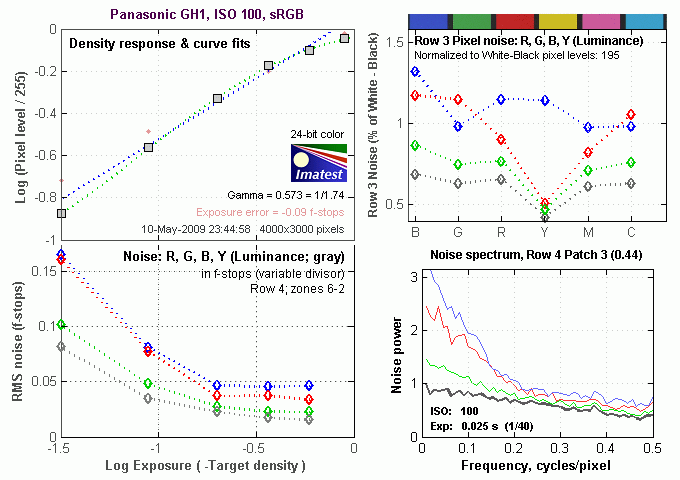


There's a lot in this particular graph, a lot more than we have room to go into here. (This set of plots has also changed a little in the more recent versions of Imatest. Some of the plots that were shown here previously are now shown in other Imatest output. Since we largely focus on the Noise Spectrum plot, we'll only show the graphic above, which includes that plot.)
In comparing these graphs with those from competing cameras, I've found that the Noise Spectrum graph at lower right is the most important. Cameras that manage to shift their noise spectrum to higher frequencies have much finer-grained noise structures, making their noise less visually objectionable. In the graph above, this would show up as a noise spectrum curve that remained higher on the right side, representing higher noise frequencies.
The Panasonic GH1 does a very good job of keeping a lot of the luminance noise energy (indicated by the black line) up at high frequencies. What little low-ISO luminance image noise that's there is quite fine-grained as a result. Chroma noise at low spatial frequencies, though, is much higher, especially in the blue and red channels, showing the greatest low-frequency noise bias we've seen in the DSLR category. When inspecting low ISO GH1 images very closely, you can see blotches of chroma noise in neutral colors, such as the darker gray patches in the MacBeth chart (see the exaggerated example at right - NOTE that this is zoomed 400% over the original file data, and the tone curve has been stretched quite a bit to reveal the noise). While the Panasonic GH1 did quite well at high ISO shooting, we did see quite a bit of chroma noise in shadow areas. Cranking the noise reduction setting up to +2 alleviated a lot of this, but we'd have been happier if it wasn't there in the first place.

Above is the same set of noise data at ISO 1,600. Here, the Noise Spectrum graph is shifted quite a bit toward the left-hand, lower-frequency side than it was at ISO 100, coarsening the "grain" of the image noise patterns quite a bit. The red, blue and green channels still exhibit a bit more noise at the low end of the frequency spectrum, but, interestingly, are much lower relative to the luminance noise than at lower ISOs, tracking it closely at all but the lowest frequencies. We were a little surprised to see this; that the differential between chroma and luminance noise was actually lower at high ISOs than at low ones. - Particularly given that our perception was consistently that chroma noise was the biggest issue at high ISO settings. Perhaps this is because the luminance noise tended to be so fine-grained, while the red and blue-channel noise tended to be rather blotchy. (Even though the luminance curve in the figure above is shifted quite a bit toward the left, low-frequency side relative to the curve at ISO 100 we saw earlier, the GH1 still spreads much more of its noise energy to higher frequencies than is common.)

Here's the same set of noise data at ISO 3,200. Here again, the Noise Spectrum graph is shifted even more toward the left-hand side, coarsening the "grain" of the image noise patterns further.

This chart compares the Panasonic GH1's noise performance over a range of ISOs against that of other SLR-style cameras capable of video recording. While we continue to show noise plots of this sort because readers ask for them, we each time point out that the noise magnitude is only a small part of the story, the grain pattern being much more important. Here, we can see that the Panasonic GH1's luminance noise magnitude starts out about average relative to its competition, but stays at or below the levels of the rest up to ISO 800. At ISOs 1,600 and 3,200, luminance noise levels are higher than its APS-C competition, but the GH1's noise levels are significantly lower than the Panasonic G1. This improvement in high ISO noise can be clearly seen when comparing GH1 to G1 shots. The GH1's shots are cleaner, and yet don't suffer in a loss of detail, so it's not due to more aggressive noise reduction. Great results! Do keep in mind these measurements are taken with each camera set at default settings, so the shape or position of the curve could be influenced by the settings you choose to use. Like the G1, the Panasonic GH1 offers five levels of noise reduction, with the above data collected using the default, middle level.
Panasonic GH1 Dynamic Range Analysis
A key parameter in a digital camera is its Dynamic Range, the range of brightness that can be faithfully recorded. At the upper end of the tonal scale, dynamic range is dictated by the point at which the RGB data "saturates" at values of 255, 255, 255. At the lower end of the tonal scale, dynamic range is determined by the point at which there ceases to be any useful difference between adjacent tonal steps. Note the use of the qualifier "useful" in there: While it's tempting to evaluate dynamic range as the maximum number of tonal steps that can be discerned at all, that measure of dynamic range has very little relevance to real-world photography. What we care about as photographers is how much detail we can pull out of the shadows before image noise becomes too objectionable. This, of course, is a very subjective matter, and will vary with the application and even the subject matter in question. (Noise will be much more visible in subjects with large areas of flat tints and subtle shading than it would in subjects with strong, highly contrasting surface texture.)
What makes most sense then, is to specify useful dynamic range in terms of the point at which image noise reaches some agreed-upon threshold. To this end, Imatest computes a number of different dynamic range measurements, based on a variety of image noise thresholds. The noise thresholds are specified in terms of f-stops of equivalent luminance variation in the final image file, and dynamic range is computed for noise thresholds of 1.0 (low image quality), 0.5 (medium image quality), 0.25 (medium-high image quality) and 0.1 (high image quality). For most photographers and most applications, the noise thresholds of 0.5 and 0.25 f-stops are probably the most relevant to the production of acceptable-quality finished images, but many noise-sensitive shooters will insist on the 0.1 f-stop limit for their most critical work.
The image below shows the test results from Imatest for an in-camera JPEG file from the Panasonic GH1 with a nominally-exposed density step target (Stouffer 4110), and the GH1's settings such as Contrast (0) and iExposure (Off) at their default positions.

Here, we can see that he tone curve shows pretty good gradation in highlights, but the shadow end trails off rather abruptly. These are very good numbers for a Four-Thirds sensor, but lag behind results from the larger APS-C sensors the competition uses.

Above are the results with iExposure adjusted to the Low setting. It produced almost no difference in the Imatest scores. (This is consistent with what we've seen with other approaches to extending "dynamic range" in photos. What we're measuring here is the overall, true dynamic range, as revealed in the camera's files. What features like iExposure do is to change how the camera uses its available dynamic range, playing with the tone curve to open up shadows and/or tone down highlights. This produces images that show more image detail in the highlights and shows to a human observer, but don't actually increase the underlying dynamic range at all.)

Above are the results with iExposure turned at the Standard setting. This time, there was a slight increase at the highest quality. A very subtle effect.
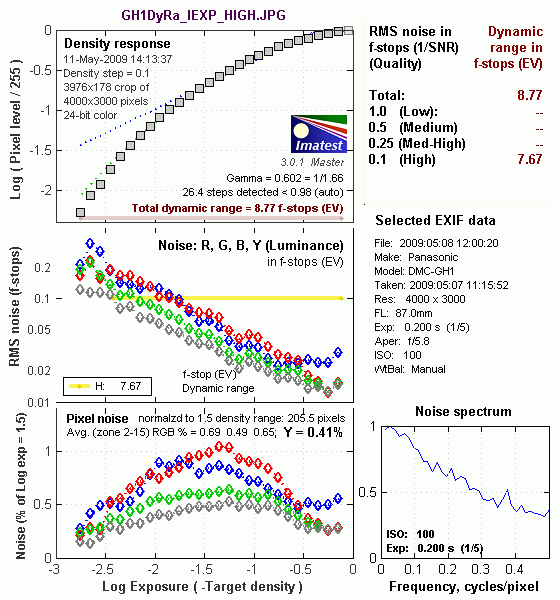
Above are the results with iExposure turned at the High setting. This time, there was a slight drop at the highest quality level. Again, a very subtle effect.
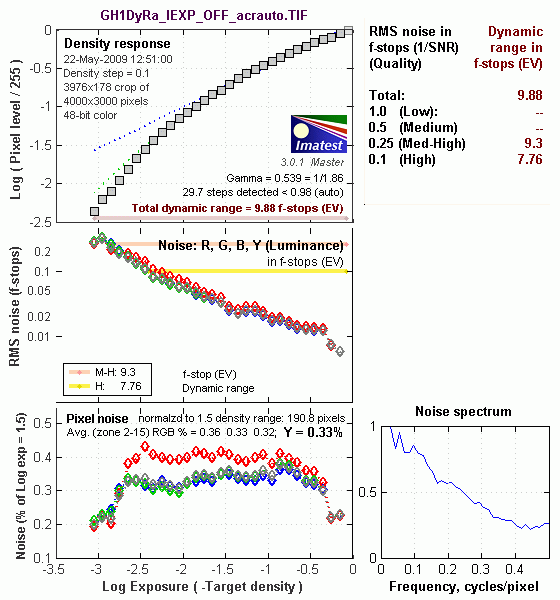
The illustration above shows the results from Adobe Camera Raw 5.4 beta, with Auto settings (slightly better results are likely possible with manually tweaking, but we weren't able to do much better, due to what appeared to be some truncation of the individual color channel tone curves at the deep shadow end of the tonal range). As can be seen, the score at the highest quality level wasn't any better than camera JPEG when using the "Standard" iExposure setting at 7.76 f-stops, though total dynamic range increased to 9.88 f-stops.
Dynamic Range, the bottom line:
The net result was that the Panasonic GH1 showed very good dynamic range when compared against other current Four-Thirds models, but lags behind most DSLRs with APS-C size sensors. Lumix GH1 RAW files processed in Adobe Camera Raw didn't improve the Imatest score at the highest quality setting, but the total dynamic range did improve. Note that the version of Adobe Camera Raw we used was a release candidate, so slightly better results may occur with the final release of that software tool.
To get some perspective, here's a summary of the Panasonic GH1's dynamic range performance, and how it compares to other digital SLRs that we also have Imatest dynamic range data for. (Results are arranged in order of decreasing dynamic range at the "High" quality level.):
| Dynamic Range (in f-stops) vs Image Quality (At camera's base ISO) (Blue = RAW via ACR, Yellow=Camera JPEG, Green=Current Camera) |
||||
| Model | 1.0 (Low) |
0.5 (Medium) |
0.25 (Med-High) |
0.1 (High) |
| Nikon D3X (Adobe Camera Raw 5.3b) |
-- | -- | 11.1 | 9.64 |
| Nikon D700 (Adobe Camera Raw 4.5) |
12.1 | 11.6 | 10.6 | 9.51 |
| Sony A900 (Adobe Camera Raw 4.6b) |
-- | 12.1 | 10.7 | 9.36 |
| Nikon D90 (Adobe Camera Raw 4.6b) |
12.1 | 11.8 | 10.7 | 9.27 |
| Fujifilm S3 Pro (Adobe Camera Raw 2) |
12.1 | 11.7 | 10.7 | 9.00 |
| Nikon D40x (Adobe Camera Raw 4.1) |
12.0 | 10.9 | 10.3 | 8.90 |
| Canon 5D Mark II (Adobe Camera Raw 5.2) |
-- | 10.8 | 10.0 | 8.89 |
| Canon EOS-1Ds Mark III (Adobe Camera Raw 4.5) |
11.5 | 10.7 | 9.96 | 8.84 |
| Nikon D3 (Adobe Camera Raw 4.5) |
11.7 | 11.0 | 10.0 | 8.75 |
| Canon EOS-1D Mark III (Adobe Camera Raw 4.5) |
11.7 | 10.7 | 9.99 | 8.73 |
| Pentax K20D (Adobe Camera Raw 4.5) |
11.4 | 10.6 | 9.82 | 8.56 |
| 8.5 Stops | ||||
| Nikon D300 (Adobe Camera Raw 4.3.1) |
11.4 | 10.9 | 9.87 | 8.45 |
| Sony A200 (Adobe Camera Raw 4.3.1) |
11.6 | 10.4 | 9.82 | 8.43 |
| Nikon D60 (Adobe Camera Raw 4.4.1) |
11.6 | 10.5 | 9.74 | 8.31 |
| Nikon D40 (Adobe Camera Raw 4.1) |
11.9 | 10.9 | 9.89 | 8.30 |
| Canon EOS-1Ds Mark III (Camera JPEG) |
10.9 | 10.2 | 9.71 | 8.23 |
| Pentax K100D (Adobe Camera Raw 3.6) |
11.3 | 10.3 | 9.51 | 8.23 |
| Pentax K200D (Adobe Camera Raw 4.4.1) |
-- | 10.5 | 9.54 | 8.19 |
| Pentax K10D (Adobe Camera Raw 3.7) |
10.6 | 10.0 | 9.29 | 8.19 |
| Sony A100 (Adobe Camera Raw 3.4) |
11.3 | 10.5 | 9.69 | 8.16 |
| Canon EOS-1Ds Mark II (Adobe Camera Raw 3) |
11.2 | 10.3 | 9.40 | 8.14 |
| Canon EOS 50D (Adobe Camera Raw 4.6) |
11.2 | 10.5 | 9.49 | 8.06 |
| Nikon D40x (Camera JPEG) |
10.8 | 10.0 | 9.42 | 8.04 |
| Canon Rebel XSi (Camera JPEG) (ALO on by default) |
11.3 | 10.1 | 9.34 | 8.01 |
| 8.0 Stops | ||||
| Fujifilm S3 Pro (Camera JPEG) |
-- | 9.90 | 9.40 | 7.94 |
| Nikon D3X (Camera JPEG) Advanced D-Lighting=Low) |
-- | -- | -- | 7.91 |
| Sony A350 (Adobe Camera Raw 4.4) |
11.6 | 10.5 | 9.61 | 7.89 |
| Canon EOS-1D Mark III (Camera JPEG) |
-- | 10.2 | 9.70 | 7.88 |
| Canon Rebel XS (Adobe Camera Raw 4.5) |
-- | 10.3 | 9.27 | 7.88 |
| Nikon D3 (Camera JPEG) |
-- | -- | -- | 7.87 |
| Canon Digital Rebel XTi (Adobe Camera Raw 3.6) |
10.8 | 9.88 | 9.18 | 7.84 |
| Canon EOS 5D (Adobe Camera Raw 3) |
11.0 | 10.4 | 9.21 | 7.83 |
| Canon EOS 50D (Camera JPEG) (ALO Off ) |
-- | 9.64 | 9.17 | 7.83 |
| Nikon D90 (Camera JPEG) |
-- | -- | -- | 7.77 |
| Panasonic DMC-GH1 (Adobe Camera Raw 5.4b) |
9.88 | -- | 9.30 | 7.76 |
| Panasonic DMC-GH1 (Camera JPEG iExposure=Standard) |
8.76 | -- | -- | 7.76 |
| Nikon D5000 (Camera JPEG), (Advanced D-Lighting=Low ) |
-- | -- | 9.28 | 7.75 |
| Canon EOS 40D (Adobe Camera Raw 4.2) |
11.2 | 10.1 | 9.26 | 7.72 |
| Canon Rebel XSi (Adobe Camera Raw 4.4.1) |
10.6 | 9.95 | 9.10 | 7.68 |
| Canon EOS 50D (Camera JPEG) (ALO STD by default) |
-- | -- | 8.90 | 7.68 |
| Nikon D700 (Camera JPEG) |
-- | -- | 9.05 | 7.67 |
| Canon 5D Mark II (Camera JPEG) (ALO STD) |
10.6 | 9.68 | 8.98 | 7.66 |
| Nikon D5000 (Camera JPEG), (Advanced D-Lighting=Off) |
-- | -- | 8.96 | 7.65 |
| Canon EOS-5D (Camera JPEG) |
10.2 | 9.68 | 8.82 | 7.65 |
| Olympus E-3 (Adobe Camera Raw 4.3) |
10.3 | 10.1 | 9.29 | 7.64 |
| Canon 5D Mark II (Camera JPEG) (ALO Off) |
-- | 9.67 | 8.96 | 7.62 |
| Nikon D60 (Camera JPEG) |
10.5 | 9.62 | 8.89 | 7.62 |
| Nikon D200 (Adobe Camera Raw 3) |
10.6 | 9.65 | 8.96 | 7.61 |
| Nikon D80 (Adobe Camera Raw 3.6) |
11.1 | 10.4 | 9.42 | 7.51 |
| 7.5 Stops | ||||
| Olympus E-500 (Adobe Camera Raw 3) |
10.7 | 9.97 | 8.90 | 7.46 |
| Olympus E-510 (Adobe Camera Raw 4.1) |
10.0 | 9.43 | 8.64 | 7.46 |
| Pentax K10D (Camera JPEG) |
-- | 9.49 | 8.88 | 7.44 |
| Nikon D300 (Camera JPEG) |
-- | -- | 8.70 | 7.44 |
| Olympus E-420 (Adobe Camera Raw 4.1.1) |
10.0 | 9.61 | 8.65 | 7.44 |
| Canon Rebel T1i (Camera JPEG) (ALO=STD by default) |
11.3 | 10.1 | 9.34 | 7.43 |
| Nikon D2Xs (Adobe Camera Raw 3.6) |
10.6 | 9.90 | 8.93 | 7.42 |
| Canon EOS 40D (Camera JPEG) |
10.6 | 9.52 | 8.78 | 7.42 |
| Nikon D3X (Camera JPEG) (Advanced D-Lighting=Off) |
-- | -- | -- | 7.37 |
| Nikon D50 (Camera JPEG) |
10.7 | 9.93 | 8.70 | 7.36 |
| Panasonic DMC-G1 (Adobe Camera Raw 5.2) |
10.7 | 9.78 | 8.70 | 7.32 |
| Sony A900 (Camera JPEG) (DRO off by default ) |
10.2 | 9.75 | 8.49 | 7.31 |
| Sony A200 (Camera JPEG) (DRO on by default) |
10.4 | 9.43 | 8.91 | 7.29 |
| Canon EOS 20D (Camera JPEG) |
10.3 | 9.66 | 8.85 | 7.29 |
| Canon EOS 30D (Camera JPEG) |
10.3 | 9.50 | 8.57 | 7.29 |
| Nikon D40 (Camera JPEG) |
10.4 | 9.80 | 8.89 | 7.28 |
| Sony A900 (Camera JPEG) (DRO on) |
10.1 | 9.76 | 8.47 | 7.26 |
| Canon Rebel XS (Camera JPEG) |
10.3 | 9.4 | 8.61 | 7.22 |
| Olympus E-520 (Adobe Camera Raw 4.5) |
11.0 | 9.46 | 8.70 | 7.20 |
| Sony A350 (Camera JPEG) (DRO on by default) |
10.3 | 9.55 | 8.85 | 7.19 |
| Nikon D80 (Camera JPEG) |
10.1 | 9.43 | 8.48 | 7.12 |
| Canon Digital Rebel XT (Camera JPEG) |
10.3 | 9.51 | 8.61 | 7.11 |
| Nikon D200 (Camera JPEG) |
-- | 9.07 | 8.36 | 7.11 |
| Panasonic DMC-G1 (Camera JPEG, iExposure = Low) |
-- | 9.29 | 8.50 | 7.09 |
| Panasonic DMC-G1 (Camera JPEG, iExposure = Standard) |
-- | 9.30 | 8.54 | 7.07 |
| Olympus E-300 (Camera JPEG) |
10.8 | 9.26 | 8.48 | 7.07 |
| Olympus E-410 (Adobe Camera Raw 4.1) |
10.2 | 9.40 | 8.24 | 7.05 |
| Olympus E-500 (Camera JPEG) |
10.0 | 9.14 | 8.16 | 7.05 |
| Canon Digital Rebel XTi (Camera JPEG) |
9.83 | 9.10 | 8.27 | 7.04 |
| Canon EOS-1Ds Mark II (Camera JPEG) |
10.3 | 9.38 | 8.60 | 7.04 |
| Panasonic DMC-G1 (Camera JPEG, iExposure = High) |
10.3 | 9.23 | 8.54 | 7.04 |
| Panasonic DMC-G1 (Camera JPEG, iExposure = Off) |
-- | 9.33 | 8.52 | 7.03 |
| Pentax K200D (Camera JPEG) |
-- | 9.50 | 8.30 | 7.01 |
| 7.0 Stops | ||||
| Canon Digital Rebel (Camera JPEG) |
10.1 | 9.11 | 8.47 | 6.97 |
| Nikon D2Xs (Camera JPEG) |
9.82 | 8.98 | 8.23 | 6.97 |
| Panasonic DMC-L10 (Adobe Camera Raw 4.2) |
10.4 | 9.34 | 8.48 | 6.91 |
| Sigma DP1 (Camera JPEG) |
-- | 8.95 | 8.13 | 6.91 |
| Pentax *istDs (Camera JPEG) |
10.2 | 10.0 | 8.87 | 6.90 |
| Sony A100 (Camera JPEG) |
10.2 | 9.24 | 8.39 | 6.89 |
| Pentax K100D (Camera JPEG) |
10.3 | 9.30 | 8.39 | 6.73 |
| Pentax K20D (Camera JPEG) |
10.2 | 9.21 | 8.09 | 6.66 |
| 6.5 Stops | ||||
| Nikon D2x (Camera JPEG) |
-- | 8.93 | 7.75 | 6.43 |
| Olympus E-3 (Camera JPEG) |
9.32 | 9.06 | 8.50 | 6.42 |
| Panasonic DMC-L10 (Camera JPEG) |
-- | 8.94 | 8.00 | 6.38 |
| Olympus E-420 (Camera JPEG) |
9.18 | 8.82 | 7.93 | 6.37 |
| 6.0 Stops | ||||
| Olympus E-410 (Camera JPEG) |
-- | -- | 7.60 | 5.99 |
| Nikon D70s (Camera JPEG) |
9.84 | 8.69 | 7.46 | 5.85 |
| Nikon D70 (Camera JPEG) |
9.81 | 8.76 | 7.58 | 5.84 |
| Olympus E-520 (Camera JPEG) |
9.32 | 8.68 | 7.74 | 5.74 |
| < 5.0 Stops | ||||
| Olympus E-510 (Camera JPEG) |
7.70 | 7.16 | 5.87 | 3.55 |
The results shown in the table are interesting. One of the first things that struck me when I initially looked at test data for a wide range of DSLRs, was that here again, purely analytical measurements don't necessarily correlate all that well with actual photographic experience. There's no question that the Fuji S3 Pro deserved its original place atop the list, as its unique "SR" technology did indeed deliver a very obvious improvement in tonal range in the highlight portion of the tonal scale relative to competing models of its day. (Amazing that it's now surpassed by even consumer-level models using today's technology.) I was also surprised to see the analytical results place the original Olympus E-300 as highly as they did, given that our sense of that camera's images was that they were in fact noisier than those of many other DSLRs that we looked at. In the other direction, I was quite surprised to see the Nikon D2x place as low on the listings as it did, given that we found that camera's shadow detail to be little short of amazing.
One thing that's going on here though, is that we tested each camera at its base ISO setting, which should produce best-case noise levels. This is in fact what many photographers will be most interested in, but it does perhaps place some of the Nikons (like the D40) at a disadvantage, as their lowest ISO setting is 200, as compared to the ISO 100 settings available on most other models.
Panasonic GH1 Resolution Chart Test Results

The chart above shows consolidated results from spatial frequency response measurements in both the horizontal and vertical axes. The "MTF 50" numbers tend to correlate best with visual perceptions of sharpness, so those are what we focus on here. The uncorrected resolution figures are 2,094 line widths per picture height in the horizontal direction (corresponding to the vertically-oriented edge), and 1,843 lines along the vertical axis (corresponding to the horizontally-oriented edge), for a combined average of 1,969 LW/PH. Correcting to a "standardized" sharpening with a one-pixel radius increased vertical resolution by quite a bit, but decreased the horizontal resolution slightly, resulting in a slightly lower average of 1,943 LW/PH.
The Panasonic GH1 delivers excellent resolution, very competitive with 12-megapixel DSLRs currently on the market. Its images straight from the camera show a lot of detail, and even more can be extracted with careful RAW processing.
To see what's going on, refer to the plots below, which show the actual edge profiles for both horizontal and vertical edges, in both their original and corrected forms. Here, you can see that a moderate amount of in-camera sharpening is applied in the horizontal direction (oversharpened by 5.13 %, explaining why standardized sharpening wasn't able to improve on the MTF 50 numbers much), while in-camera sharpening is not as aggressive in the vertical direction (3.87 % undersharpened). You should thus turn the camera's sharpening down a little for optimal results when sharpening in-camera JPEGs post-exposure in Adobe Photoshop or other image editing software.
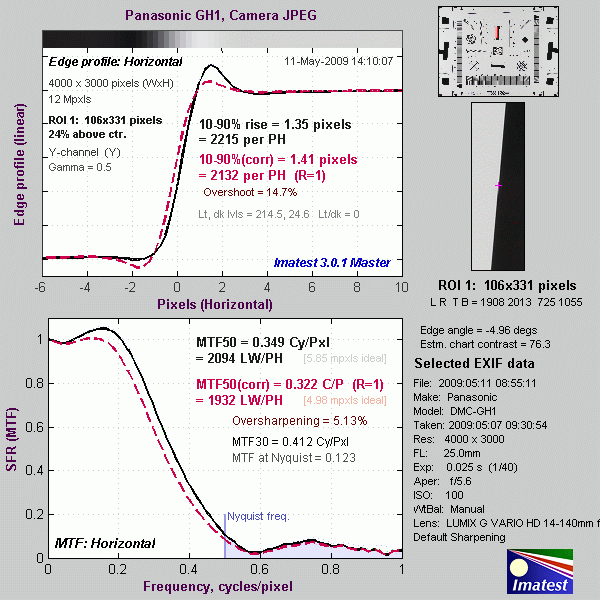

RAW Files
Panasonic GH1 High ISO RAW Image Quality
We've recently started looking at RAW files converted with dcraw, an excellent freeware raw converter. dcraw usually offers timely support for the latest cameras, but more importantly, it does not apply any noise-reduction, sharpening or other corrections such as geometric distortion correction to the output files. (We found that Adobe Camera Raw still applies some limited noise-reduction when its NR settings are set to zero, and it also applies other corrections depending on the make and model of the camera). There will always be differences between RAW converters, in terms of the sort of demosaicing algorithms they use (the processes by which they convert the separate Red, Green, and Blue data sets to an array of full-color RGB pixels), but dcraw seems to use a fairly generic algorithm that delivers good sharpness with relatively few artifacts, and can be counted on to not apply any noise reduction if you don't want it to.
Below are crops from Panasonic GH1 and G1 high ISO RAW files compared to RAW files from the Nikon D5000 and Canon T1i , converted with dcraw. (We compared the GH1 against the D5000 and T1i, as those cameras are close to its price point, and both also offer video capabilities. These are obviously still images, but we felt that the combination of price, video, and target markets made these cameras likely models that might also be considered by potential users of the GH1.)
| High ISO Image Quality Panasonic GH1 vs G1, Nikon D5000 and Canon T1i RAW Comparison RAW files converted with dcraw, no NR, no sharpening Simulated Daylight |
||||
|
|
GH1
|
G1
|
D5000
|
T1i
|
I
S O 8 0 0 |
|
|
 |
 |
|
|
 |
 |
|
|
|
 |
 |
|
|
|
GH1
|
G1
|
D5000
|
T1i
|
|
I
S 0 1 6 0 0 |
|
|
 |
 |
|
|
 |
 |
|
|
|
 |
 |
|
|
|
GH1
|
G1
|
D5000
|
T1i
|
I
S O 3 2 0 0 |
|
|
 |
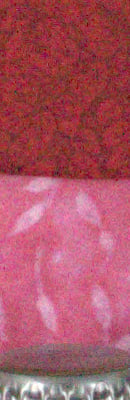 |
|
|
 |
 |
|
|
|
 |
 |
|
|
|
GH1
|
G1
|
D5000
|
T1i
|
|
I
S 0 6 4 0 0 |
N/A
ISO 6400 not supported |
N/A
ISO 6400 not supported |
 |
 |
|
N/A
ISO 6400 not supported |
N/A
ISO 6400 not supported |
 |
 |
|
|
N/A
ISO 6400 not supported |
N/A
ISO 6400 not supported |
 |
 |
|
|
|
GH1
|
G1
|
D5000
|
T1i
|
|
I
S 0 1 2 8 0 0 |
N/A
ISO 12800 not supported |
N/A
ISO 12800 not supported |
N/A
ISO 12800 not supported |
 |
|
N/A
ISO 12800 not supported |
N/A
ISO 12800 not supported |
N/A
ISO 12800 not supported |
 |
|
|
N/A
ISO 12800 not supported |
N/A
ISO 12800 not supported |
N/A
ISO 12800 not supported |
 |
|
As you can, the Four Thirds sensors of the Panasonic GH1 and G1 lag behind the APS-C sized sensors of the Nikon D5000 and Canon T1i in terms of noise at all ISOs above about 800. We were surprised by how close the Panasonic GH1 came to the T1i at ISO 800, though. The GH1 seems to have a slight but clear edge over the G1, but its sensor does seem to suffer from more banding. The banding isn't visible in the crops above, but can be seen in the black coffee mug on the right side of the test scene, in all of the dcraw-converted images linked above. Looking at in-camera JPEGs, the banding is only slightly visible in images shot at ISO 1,600 with the normal noise reduction, but becomes more visible as the NR setting is reduced, or under lower light levels. Overall, the Nikon D5000 seems to be the best performer of the group in terms of high ISO noise, but the Panasonic GH1 does quite well for a FourThirds-sensor camera, and has video features (live autofocus during movie recording and full manual exposure control, to name two) that the other cameras lack.
Shooting Modes
Panasonic DMC-GH1 Modes and Menus
 Capture Modes: When powered on, the Panasonic GH1 defaults to Record mode. The Exposure Mode dial on top of the camera sets the main shooting mode, with the following options:
 Intelligent Auto: This mode places the camera entirely in control of the exposure, though the user can adjust the exposure compensation and determine the flash mode.
 Program AE (with Shift): This mode places the camera in control of both aperture and shutter speed, while the user has access to all other menu functions. Once the camera's exposure system has been activated by half-pressing the shutter button, the user can shift the aperture value and shutter time by rotating the front dial. (The overall exposure remains the same, but you can ask the camera to use a larger or smaller aperture or faster/slower shutter speed.)
 Aperture Priority: Lets the user control the aperture setting while the camera selects the best shutter speed. (The aperture range varies with the lens in use.)
 Shutter Priority: The opposite of Aperture Priority, allows the user to set the shutter speed, from 1/4,000 to 60 seconds, while the camera selects the most appropriate aperture setting.
 Manual: Provides complete user control over the exposure, including both aperture and shutter speed settings. A Bulb shutter setting also becomes available in this mode, allowing variable length exposures for as long as you hold down the shutter button, to a maximum exposure time of four minutes.
 Creative Motion Picture: You can set the exposure mode to Program AE, Aperture Priority, Shutter Priority or Manual from the Motion Picture Menu and shoot video using those modes, including the use of exposure compensation. The shutter speed range is 1/30s to 1/4000s, and the available aperture depends on the lens (f4(W)/ f5.8 (T)to f22 with the 14-140mm kit lens). You can also set autofocus mode to AF-S or AF-C.
 Custom: Up to three sets of shooting modes and settings can be stored, and are accessed quickly in this mode. Settings for each of the three custom modes can be made via the Cust. Set Mem. option on the first screen of the GH1's Custom Menus.
 Scene Mode: Adjusts camera settings (color rendering, flash mode, etc.) to optimize for different subject types: Sunset, Party, Babies (including keeping track of birthdays for two different children, so the Panasonic software can display the child's age along with the photo), and Pets.
 Night Portrait: Allows slower shutter speeds to be used with flash. Balances the foreground subject illuminated by flash with the ambient light of the background. Sub-options include Night Portrait, Night Scenery, Illuminations (outdoor lighting at night), and Creative Night Scenery, which allows changes in the aperture value for special effects.
 Macro: This mode is for close-up pictures of small objects, enhancing color in flowers, etc. Sub-options include Flower, Food, Object and Creative. Creative lets you adjust the aperture, so you can select a larger aperture, to help blur background objects. (Note that, unlike digicams, the Panasonic GH1's macro mode doesn't affect the minimum focusing distance, which is solely a function of the lens being used with it.)
 Sports: Adjusts ISO and controls shutter speed to freeze fast-moving subjects. Sub-options include Normal Sports (intelligent ISO control & high shutter speeds), Outdoor Sports (the same, but lower ISOs for shooting in good lighting), Indoor Sports (favors higher ISO speeds for indoor lighting), and Creative Sports (allows direct control of shutter speed).
 Scenery: Optimizes settings to produce sharp, colorful landscapes. Sub-options include Normal, Nature, Architecture and Creative, the latter allowing control of the shutter speed. (Perhaps for deliberately blurring motion of waterfalls, fountains, etc.)
 Portrait: Optimizes camera settings to reproduce warm, soft skin tones against a slightly blurred background. Sub-options include Normal Portrait (large aperture and soft skin tones), Soft Skin (introducing additional color-based blurring of skin areas by the camera's processor), Outdoor Portrait (compensates for backlighting), Indoor Portrait (intelligent ISO control to prevent blurring) and Creative Portrait (allows direct control of aperture setting).
 My Color Mode: Lets you adjust color, brightness, or saturation of the image on-screen. (That is, the preview image shown on the LCD will reflect the color adjustments you've selected.) Here, the "Color" adjustment shifts the overall hue of the image from yellow at one extreme to blue at the other.
 Movie Record Button: Pressing this dedicated movie record button will start and stop movie recording. Movies will be recorded using whatever mode is currently selected. This button can be enabled or disabled in some modes via a Custom Settings Menu setting. (Confusingly, some modes (such as iA) provide only a limited options on the Custom Settings menu, and the Movie button will retain whatever setting it had when it was last set - But you can't change that setting in the current mode. So users might find themselves in iA mode unable to trigger a movie when they want to, and also unable to find the option on the Custom Settings menu that would let them do so.)
 Playback Mode: The Playback button on the rear panel accesses Playback mode, where you can review captured images. The left and right arrow keys, as well as the up and down keys, scroll through the images on the card. You can enlarge captured images or display them in an index format for quick viewing.
Panasonic GH1 Menus
Pressing the Menu button provides access to the camera's full menu system. The following options are available in most camera modes as menu tabs down the left side of the display. (Full auto mode greatly reduces the available options, to simplify camera operation.)
Options in blue are new or changed for the Panasonic GH1, versus the previous G1 model.
Panasonic GH1 Record Menu:

| Record Menu 1 Options | ||
|
Top-Level
Selection |
Second-Level
|
Notes
|
|
Aspect Ratio
|
- 4:3
- 3:2 - 16:9 - 1:1 |
Select normal, 35mm film or HDTV wide screen aspect ratios for images. (Maximum image width is always 4,000 pixels, wide/short aspect ratios just crop top and bottom.)
|
|
Picture Size
|
- L
- M - S |
Specifies the pixel dimensions of the pictures you will take. (Options are roughly 12, 6, and 3 megapixels in 4:3 aspect ratio mode.)
|
|
Quality
|
- Fine
- Standard - RAW & Fine JPEG - RAW & Std JPEG - RAW (no JPEG) |
Specifies the compression level and file type of images.
|
|
Face Recognition
|
- Off
- On - Memory - Set |
Up to 6 faces can be registered, with name, priority and age.
|
|
Metering Mode
|
- Multi-pattern
- Center-Weighted - Spot |
|

| Record Menu 2 Options | ||
|
Top-Level
Selection |
Second-Level
|
Notes
|
|
Stabilizer
|
- Off
- Mode 1 - Mode 2 - Mode 3 |
Optical Image Stabilizer modes. Mode 1 is continuous, Mode 2 is on when the shutter is pressed, Mode 3 is used when panning. (Mode 3 only compensates for up/down motion of the camera.)
|
|
Flash
|
- Auto Flash
- Auto Flash w/red-eye reduction - Forced Flash on - Forced Flash on w/red-eye reduction - Slow Sync. - Slow Sync. w/red-eye reduction |
Selects the flash mode.
|
|
D. Red-Eye
|
- Off
- On |
Dynamic Red-Eye reduction. If this option is enabled and the flash is in any of the red-eye reduction modes, the camera will examine the captured images and remove any red-eye that it finds.
|
|
Flash Synchro
|
- 1st
- 2nd |
Select either first or second shutter curtain sync. (Use second-curtain sync for motion trails that follow your subjects, rather than lead them.)
|
|
Flash Adjust
|
- +/-2 EV scale
|
Adjusts flash power higher or lower, in 1/3 EV steps. (Note: This adjustment is independent of the ambient exposure compensation, accessed via the front dial - So you can adjust flash and ambient exposure independently.)
|

| Record Menu 3 Options | ||
|
Top-Level
Selection |
Second-Level
|
Notes
|
|
I. Exposure
|
- Off
- Low - Standard - High |
Intelligent Exposure mode adjusts contrast and exposure to handle high-contrast subjects. This menu option varies the amount of the effect applied to your photos.
|
|
Ex. Opt. Zoom
|
- On
- Off |
When shooting at less than maximum image size, integrates an intelligent digital zoom with the lens' zoom ring, providing a greater zoom range without pixel interpolation.
|
|
Digital Zoom
|
- Off
- 2X - 4X |
Adds a fixed digital magnification (w/lower image quality) of 2x or 4x.
|
|
Burst Rate
|
- H
- L |
High or Low speed burst rate. High speed is 3 frames/second (max of 2.85 in our testing), low speed is 2 frames/second.
|
|
Auto Bracket
|
- Step
- Sequence |
Shoot groups of 3, 5 or 7 pictures with user selectable EV steps (1/3 or 2/3 EV between shots). The sequence of the bracketed shots (under/nominal/over) can also be set by the user.
|

| Record Menu 4 Options | ||
|
Top-Level
Selection |
Second-Level
|
Notes
|
|
Self Timer
|
- 10 Seconds
- 10 Seconds/3 shots - 2 Seconds |
Configures the Self Timer mode. The 10 second/3 pic mode shoots a sequence of 3 shots after an initial 10-second delay, with a couple of seconds between shots in the sequence. (Handy for making sure nobody blinked/everyone was smiling.)
|
|
Color Space
|
- sRGB
- Adobe RGB |
Select the color space for images to be recorded in.
|
|
Long Shutter NR
|
- On
- Off |
If enabled, the camera will shoot a "dark frame" for noise subtraction on long exposures. This doubles the time for each shot for long exposures, but reduces image noise.
|
|
ISO Limit Set
|
- Off
- 200 - 400 - 800 - 1600 |
Sets maximum Auto ISO limit or can be set to Off. When set to Off, Auto ISO is limited to 400 by default.
|
|
ISO Increment
|
- 1/3 EV
- 1 EV |
Default is 1 EV steps in ISO adjustment, but 1/3 EV steps can be handy for maintaining a specific shutter/aperture speed combination.
|

| Record Menu 5 Options | ||
|
Top-Level
Selection |
Second-Level
|
Notes
|
|
Audio Record
|
- Off
- On |
Audio is recorded for 5 seconds after each image is captured. The recorded audio is stored on the memory card as a MOV file with the audio playing under a screen-resolution (640x480) copy of the still image.
|
Panasonic GH1 Motion Picture Menu:

| Motion Picture Menu 1 Options | ||
|
Top-Level
Selection |
Second-Level
|
Notes
|
|
Record Mode
|
- AVCHD
- Motion JPEG |
Selects the video file format. AVCHDis meant for playback on an HDTVvia HDMI. Motion JPEG makes much larger files, but doesn't produce as many compression artifacts with moving subjects.
|
|
Record Quality
|
AVCHD:
- FHD (1920x1080, 17 Mbps) (60i recording, sensor output is 24 fps) - SH (1280x720, 17 Mbps) - H (1280x720, 13 Mbps) - L (1280x720, 9 Mbps) |
Specifies the video file quality (compression level).
(Our tests showed that lower compression artifacts lead to much better image quality in 1280x780 HD mode than in 1920x1080.) |
|
Motion JPEG:
- HD (1280x720, 30 fps) - WVGA (848x480, 30 fps) - VGA (640x480, 30 fps) - QVGA (320x240, 30 fps) |
||
|
ExposureMode (Movie)
|
- P
- A - S - M |
Selects the exposure mode in Creative Motion Picture Mode. Shutter speeds can range from 1/30 - 1/4,000, aperture range is set by the lens.
|
|
Metering Mode
|
- Multi-pattern
- Center-Weighted - Spot |
Selects the metering mode in Creative Motion Picture Mode.
|
|
I. Exposure
|
- Off
- Low - Standard - High |
Selects the intelligent exposure level in Creative Motion Picture Mode.
|
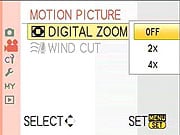
| Motion Picture Menu 2 Options | ||
|
Top-Level
Selection |
Second-Level
|
Notes
|
|
Digital Zoom
|
- Off
- 2x - 4x |
Sets the amount of digital zoom when recording movies.
|
|
Wind Cut
|
- Off
- Low - Standard - High |
Selects the microphone wind filter setting.
|
Panasonic GH1 Custom Menu:

| Custom Menu 1 Options | ||
|
Top-Level
Selection |
Second-Level
|
Notes
|
|
Cust. Set Mem.
|
- C1 Set1
- C2 Set2 - C3 Set3 |
You can maintain up to 3 separate custom shooting profiles, saving most of the settings on the camera. They can then be quickly accessed via the CUST option on the mode dial.
|
|
LVF Disp. Style
|
- Viewfinder style
- LCD monitor style |
Viewfinder style shrinks the EVF viewfinder display (Panasonic calls this the LVF), puts the shooting information at the bottom, LCD monitor style lets the viewfinder display cover the full area of the screen, overlays the shooting information over the live image. (Viewfinder mode shows more live information in the EVF than Monitor mode does.)
|
|
LCD Disp. Style
|
- Viewfinder style
- LCD monitor style |
Same as the above, only for the rear-panel LCD screen. (No difference in the amount of information displayed on the rear-panel LCD in the two modes, though.)
|
|
LCD Info. Disp.
|
- Off
- 1 (Brown) - 2 (Red) - 3 (Black) |
Selects the color scheme for the rear-panel LCD info display.
|
|
LVF/LCD Auto
|
- Off
- On |
Controls the eye sensor for the electronic viewfinder. When enabled, the viewfinder display will switch to the EVF automatically when you hold the camera to your eye.
|
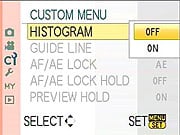
| Custom Menu 2 Options | ||
|
Top-Level
Selection |
Second-Level
|
Notes
|
|
Histogram
|
- Off
- On |
Display live histogram in Record Mode. You can position the histogram display anywhere within a horizontal band covering about 70% of the display area. (Histogram can't overlap with shooting information overlay areas.)
|
|
Guide Line
|
- Off
- Grid - Grid + Star - Positionable horiz/vertical lines |
Select grid overlay pattern. The fourth option lets you position single horizontal and vertical lines anywhere in the frame you want.
|
|
AF/AE Lock
|
- AE
- AF - AF/AE |
Controls the AF/AE lock button's function. When pressed, lock the Auto exposure, Auto Focus or both.
|
|
AF/AE Lock Hold
|
- Off
- On |
Normally, the AF/AE Lock button locks exposure/focus only while you're holding it down. With this option selected, pressing the AF/AE Lock button toggles the lock. (That is, once it's been pressed, the lock remains in effect until you press it again to release it.)
|
|
Preview Hold
|
- Off
- On |
Controls the Preview display option in Record mode. (For previewing effects of exposure, depth of field, and shutter speed.) When Preview Hold is enabled, the Preview button toggles the mode on and off. Otherwise, the Preview function is only active while you're pressing the Preview button.
|

| Custom Menu 3 Options | ||
|
Top-Level
Selection |
Second-Level
|
Notes
|
|
Pre AF
|
- Off
- Q-AF (Quick-AF) - C-AF (Continuous-AF) |
Quick AF focuses automatically whenever the camera stops moving, Continuous AF adjusts the AF all the time. Either mode will reduce AF times when you're switching between close and distant subjects, but both will use more battery power. (Continuous more so than Quick.)
|
|
Direct AF Area
|
- Off
- On |
When enabled, lets you modify the position and size of the AF area while shooting. Arrow keys move the AF area around, control dial adjusts the size.
|
|
Focus Priority
|
- Off
- On |
When enabled, the camera will only open the shutter when the subject is in focus. Does not apply to movie recording.
|
|
AF Assist Lamp
|
- Off
- On |
When enabled, AF assist light will illuminate when shooting in dim lighting.
|
|
AF + MF
|
- Off
- On |
Allows manual focusing after autofocus is done.
|
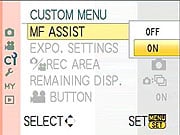
| Custom Menu 4 Options | ||
|
Top-Level
Selection |
Second-Level
|
Notes
|
|
MF Assist
|
- Off
- On |
Enables automatic zoom of the viewfinder image whenever the manual focus ring is moved. (While the shutter button is still being held down.) (Zoom is selectable between 5x and 10x, by rotating front dial.)
|
|
Expo. Settings
|
- Switch by pressing front dial
- Switch by pressing LVF/LCD button |
Normally, you switch between aperture and shutter speed (in manual mode) or EV adjust and program shift by pressing in on the front control dial. This option lets you also make that switch with the LVF/LCD button on the camera's back.
|
|
Record Area
|
- Picture
- Motion Picture |
Crops the viewfinder display to either 4:3 (Picture) or 16:9 (Motion Picture) aspect ratio, apparently as a guide for images that will be displayed on different-format output devices.
|
|
Remaining Display
|
- Still (shots left)
- Movie (time left) |
Selects between displaying number of shots and minutes left.
|
|
Motion Picture Button
|
- Off
- On |
Enables/disables the Motion Picture Button.
|

| Custom Menu 5 Options | ||
|
Top-Level
Selection |
Second-Level
|
Notes
|
|
Dial Guide
|
- Off
- On |
When enabled, the camera momentarily displays an icon telling you to push the front dial to switch between exposure settings.
|
|
Menu Resume
|
- Off
- On |
If set on, the camera will remember the last menu screen you were using, even if the camera is turned off.
|
|
Pixel Refresh
|
- Yes
- No |
Maps-out bad sensor pixels. Panasonic recommends doing this once a year.
|
|
Sensor Cleaning
|
- Yes
- No |
Performs dust reduction function (also done at each startup). Was combined with Pixel Refresh on G1.
|
|
Shoot W/O Lens
|
- Off
- On |
If set on, you can activate the shutter button without a lens mounted. (Useful for cleaning the sensor manually?)
|
Panasonic GH1 Setup Menu:

| Setup Menu 1 Options | ||
|
Top-Level
Selection |
Second-Level
|
Notes
|
|
Clock Set
|
- Hr/min/M/D/Y
|
Sets cameras time and date.
|
|
World Time
|
- Destination
- Home |
Lets you quickly switch time/date between two locations, "Home" and "Destination".
|
|
Travel Date
|
- Travel Setup
- Location |
You can set Arrival and Departure dates, as well as Location. Travel info is added to your photos. |
|
Fn Button Set
|
- Aspect Ratio
- Quality - Metering mode - I. Exposure - Guide Line - Record Area - Remaining Display |
Selects what the Fn Button does. (Fn button doubles as down-arrow key.) (Record Area and Remaining Display are as on Custom Menu 4 above.)
|
|
Economy
|
Power Save:
- Off - 1 Min - 2 Min - 5 Min - 10 Min |
Turns camera and/or LCD monitor off after a specified period of inactivity.
|
|
Auto LCD Off:
- Off - 15 Sec - 30 Sec |
||

| Setup Menu 2 Options | ||
|
Top-Level
Selection |
Second-Level
|
Notes
|
|
Auto Review
|
Review:
- Off - 1 Sec - 3 Sec - 5 Sec - Hold |
Selects the time that an image is displayed on the LCD monitor after the picture is taken. Camera can also automatically display a 4x zoomed review. Same options for Review and Zoom, both can be enabled at the same time (will display first normal, then zoomed review image).
|
|
Zoom:
- Off - 1 Sec - 3 Sec - 5 Sec |
||
|
Highlight
|
- Off
- On |
If on, any blown highlight areas will blink when the image is played back on the LCD screen.
|
|
Monitor / Viewfinder
|
Adjust brightness and/or contrast & saturation in 7 steps
|
Adjusts LCD when LCD in use, EVF when EVF is in use.
|
|
LCD Mode
|
- Off
- A* - * |
Enables auto brightness adjustment of LCD screen in response to bright surroundings. Alternatively the "*" option increases brightness all the time.
|
|
Scene Menu
|
- Off
- Auto |
Chooses whether or not the sub-option menu automatically appears when the camera is switched into one of its scene modes.
|

| Setup Menu 3 Options | ||
|
Top-Level
Selection |
Second-Level
|
Notes
|
|
Beep
|
- Muted
- Low - High |
Sets the beep volume for the focus confirmation, self-timer and the alarm.
|
|
Volume
|
- 0 to 7
|
Adjusts the volume of the speakers.
|
|
No. Reset
|
- Yes
- No |
Resets the file numbering.
|
|
Reset
|
- Yes
- No |
Resets most menu options back to their default settings. You have the option to reset either or both the Record settings and Custom settings.
|
|
USB Mode
|
- Select on connection
- PC - PictBridge |
Selects how the camera connects with your computer or printer. Set to always appear as a storage-class device (PC) or as a PictBridge controller, or to select each time the camera is connected.
|

| Setup Menu 4 Options | ||
|
Top-Level
Selection |
Second-Level
|
Notes
|
|
TV Aspect
|
- 16:9
- 4:3 |
Matches the video output's aspect ratio to that of your TV.
|
|
HDMI Mode
|
- Auto
- 1080i - 720p - 480p |
Selects the HD video output format.
|
|
Viera Link
|
- Off
- On |
When enabled, the GH1 can be controlled by other Panasonic Viera home electronics (TVs, projectors, home theater systems) its connected to via its HDMI link. (Some other brands of HDTV may also be able to control the camera, but control may not be as extensive as with Panasonic Viera models.)
|
|
Version Disp.
|
- Body Firmware
- Lens Firmware |
Displays the version of firmware in the body and lens.
|
|
Language
|
- English
- Francais - Espanol - Portugues |
Select the menu language. (US models only: Units sold in other parts of the world will have different language menu options.)
|
|
Format
|
- Yes
- No |
Formats the memory card.
|

| Setup Menu 4 Options | ||
|
Top-Level
Selection |
Second-Level
|
Notes
|
|
Format
|
- Yes
- No |
Formats the memory card.
|
Panasonic GH1 My Menu:

The Panasonic DMC-GH1's My Menu shows the five most recently-used menu options, handy for accessing frequently-used controls quickly. Unlike some My Menu features, you can't explicitly assign controls to this menu, rather, the most-recently used ones appear here automatically.
Panasonic GH1 Playback Menu:

| Playback Menu 1 Options | ||
|
Top-Level
Selection |
Second-Level
|
Notes
|
|
Slide Show
|
- All
- Picture Only - Motion Pic. Only - Favorite - Face Recog. |
Controls the slide show. Four fade effects are available: Natural, Swing, Urban and Off. You can specify duration, music, repeat and audio play. (Duration control is only available when the Fade Effects are off.)
|
|
Playback Mode
|
- Normal Play
- Picture Play - AVCHD Play - Motion JPEG Play - Face Recog. Play |
Selects the playback mode. Only the selected types of images/movies will be visible when playing images back. Normal play displays all image types.
|
|
Favorite
|
- On
- Off - Cancel |
In Favorite mode, you can mark images as your "Favorites", and then choose to show only those images in slide shows. When enabled, the down-arrow button marks/unmarks favorites in playback mode.
|
|
Title Edit
|
- Single
- Multi |
Add text comments to pictures. The text comments appear in playback mode, overlaid over the image. The text does not appear in the original image, though.
|
|
Text Stamp
|
- Single
- Multi |
You can stamp the recording date, date+time, age, travel date or title onto photos. A new small-size image is saved with the stamped information embedded in it.
|

| Playback Menu 2 Options | ||
|
Top-Level
Selection |
Second-Level
|
Notes
|
|
Resize
|
- Single
- Multi |
Allows you to resize your pictures. (Only resizes down to smaller sizes.)
|
|
Trimming
|
- Displays picture
|
Lets you crop pictures by zooming in until you have the framing you want, then pressing the shutter button. Only provides for about a 2x zoom, regardless of image resolution, but you can zoom & trim multiple times. (No limit on number of times you can zoom and trim.)
|
|
Aspect Conv.
|
- 3:2
- 4:3 - 1:1 |
Lets you change the aspect ratio of images.
|
|
Rotate
|
- Clockwise
- Counter-clockwise |
Allows you to manually rotate the selected picture.
|
|
Rotate Disp.
|
- On
- Off |
When enabled, if a picture was shot with the camera held vertically, it will be displayed on the LCD vertically. (NOTE that the GH1 always tags portrait-format files in the EXIF header, this menu option just controls how they're displayed by the camera.)
|
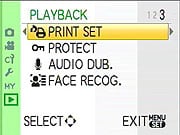
| Playback Menu 3 Options | ||
|
Top-Level
Selection |
Second-Level
|
Notes
|
|
Print Set
|
- Single
- Multi - Cancel |
DPOF (Digital Print Order Format). You can select which photos to print, how many, and whether a date stamp is added.
|
|
Protect
|
- Single
- Multi - Cancel |
Protect pictures that you do not want deleted. (Note though, that they aren't protected against memory card reformatting.)
|
|
Audio Dub.
|
|
You can add or replace audio memos to the currently selected image. As with post-capture audio, the audio is stored as a separate MOV file with the same file number.)
|
|
Face Recog.
|
All face recognition info for the selected image will be cleared.
|
|
Press Release
PANASONIC CONTINUES ITS DIGITAL PHOTOGRAPHY REVOLUTION WITH THE ADDITION OF THE LUMIX GH1 ITS NEW MICRO FOUR THIRDS DIGITAL CAMERA WITH HD RECORDING CAPABILITY
The Panasonic LUMIX DMC-GH1, a Creative HD Hybrid, Offers Professional-Level Still Photos and HD Video Performance Yet is Easy Enough for Entry-Level DSLR Consumers
Las Vegas, NV (March 3, 2009) -- Panasonic today introduced the DMC-GH1, the newest member of the company’s revolutionary LUMIX G Micro System – is a new digital interchangeable lens camera system that delivers professional-level features and performance in a compact and easy-to-use camera body.
Compatible with the Micro Four Thirds System standard, the new LUMIX GH1 features advanced video photography functions, such as the ability to record High Definition (HD) AVCHD 1080p/24p video.* In addition, the new LUMIX GH1 comes with a newly developed long-zoom interchangeable lens – the LUMIX G VARIO HD 14-140mm/F4.0-5.8 ASPH./MEGA O.I.S. This lens was specifically designed to support HD movie recording and features a silent motor and continuous auto focusing (AF) capability; two features which distinguish the LUMIX GH1 from DSLRs that offer HD video recording capabilities.
“Photographers of all levels – professionals, amateurs and beginners – will be stunned by the range of creative possibilities that the LUMIX GH1 creates in the world of high-quality photography and HD video. Users will be equally amazed by the camera’s easy-to-use design and small size,” said David Briganti, National Marketing Manager, Imaging, Panasonic Consumer Electronics Company. “Beyond its creative potential, the LUMIX GH1, a sister product to the award-winning LUMIX G1, is also innovative and differentiates itself from the pack by recording High Definition video with continuous AF, an indispensable feature for practical video recording.”
In late 2008, Panasonic redefined the traditional DSLR category with its launch of the Panasonic LUMIX G1 – a digital, interchangeable lens camera system that takes the radical step of eliminating the large, internal mirror structure that is currently contained in all traditional DSLR cameras. This innovation allows for dramatically smaller camera body and lens sizes and permits many new, advanced consumer features such as LUMIX G1 “Live View Finder”. With its 2008 launch, the LUMIX G1 achieved several honors, including:
World’s first entry into the Micro Four Thirds Standard system camera segment
World’s first interchangeable lens camera to offer colored body options to consumers
Winner, 2008 Camera of the Year (Popular Photography & Imaging magazine)
The new LUMIX GH1 provides cutting-edge video recording features, including the ability to record high-resolution full HD (1920 x 1080) video at 24 fps or smooth HD video (1280 x 720) movie at 60 fps using an AVCHD format (MPEG-4/H.264). The AVCHD format provides the important benefit of doubling the HD quality recording time compared with Motion JPEG. The LUMIX GH1 hosts a dedicated video record button on the back of the camera which lets users instantly start recording videos, even while shooting still photos – removing the fear of potentially missing a must-see video moment. The LUMIX GH1 also records video in high-quality stereo sound via Dolby Digital Stereo Creator, the global standard of audio recording. An optional stereo microphone (DMW-MS1) is also available to achieve a more intensive sound recording experience. Finally, a convenient Wind Cut function is provided to help to block out distracting video background noise.
Like the LUMIX G1, the LUMIX GH1 features the Live View Finder system which enables something that simply is not possible with conventional DSLR cameras – the ability to preview the effects of camera settings (e.g., exposure, aperture, shutter speed) before taking the photo. This helps take the guesswork out of the camera setting process and helps users ensure that every photo they capture comes out exactly as they envisioned.
The brilliant 1,440,000-dot equivalent Live View Finder system can also display information settings that a user can see without removing their eyes from the subject. Furthermore, a built-in eye sensor automatically switches on the viewfinder when the user looks into it, then switches it off and turns on the swivel 3.0-inch large 460,000-dot high-resolution LCD when the user looks away from the viewfinder. The 60-frames-per-second Live View is made possible by the Live MOS sensor, which takes real-time signals directly from the image sensor and sends them continuously to the LCD. Both the Live View Finder and LCD provide a 100% field of view – allowing the user to accurately frame and compose a shot from most any position.
The LUMIX GH1 kit lens – the LUMIX G VARIO HD 14-140mm/F4.0-5.8 ASPH./MEGA O.I.S. –provides a broad focal length range of 28-280mm (35mm camera equivalent) and supports continuous AF using the contrast AF system for both photo and movie capture. The low-noise lens design also seamlessly supports video recording by minimizing the mechanical sound generated by AF/AE actions.
At the core of the LUMIX GH1 lies a newly developed 12.1-megapixel high speed Live MOS sensor and Venus Engine HD, which features twin CPUs for outstanding processing capabilities. The Live MOS sensor is capable of high-speed readout over four channels to be compatible with full-HD movie recording. This sensor is also advantageous for photo recording with a high signal-to-noise ratio thanks to the new circuit structure that is unaffected by the noise generated in each of the circuits. This results in crisp photos – even those taken at high ISO levels. The multi-aspect type sensor allows users to take photos in 4:3, 3:2 or 16:9 aspect ratios with the same angle of view. The Venus Engine HD is also energy efficient, supporting long periods of AVCHD video recording on a single battery charge.
In addition to the digital camera’s HD video recording capability, the DMC-GH1 features the LUMIX Creative Movie mode which lets the user manually set the shutter speed and aperture, making their videos more creative and representative of their own personal video style preference. Changing the shutter speed gives the videos a special look, particularly suitable for shooting fast-moving subjects. Controlling the aperture is convenient when there are several subjects at varying distances, so the user can focus on the foreground and blur the background – or vice versa.
While the LUMIX DMC-GH1 has cutting-edge still image and video capture features, the LUMIX GH1 is also incredibly easy-to-use, thanks to Panasonic’s iA (Intelligent Auto) mode** – a user-friendly setting made popular in the LUMIX line of digital point-and-shoot camera products. Panasonic’s iA mode is a suite of technologies which engage automatically (no settings needed). The latest addition to the iA suite of features is Face Recognition, a feature that directs the camera to prioritize focus and exposure on a specific face that that the user had previously registered in the camera.*** This invaluable function makes it especially easy to take sharp and beautifully exposed images of things the user values most in their photos – the user’s friends and family.
Panasonic’s iA mode offers other innovative features which help deliver consistently outstanding photos: O.I.S. (Optical Image Stabilization) to help reduce blurring from hand-shake; Intelligent ISO Control to help limit motion blur by adjusting the ISO sensitivity if the subject moves as the shot is taken; AF Tracking that lets the camera lock onto any subject and keep it in focus even if it moves; Intelligent Exposure which optimizes the exposure for each part of an image, preventing blocked shadows and blown highlights, and helps ensure that gradation and details are reproduced beautifully; and Intelligent Scene Selector which automatically detects the five most common shooting situations - Portrait, Night Portrait, Scenery, Night Scenery and Close-up - and switches to the appropriate Scene mode.
Best of all, the benefits of Panasonic’s iA mode extend to motion image recording on the DMC-GH1. For example, the LUMIX GH1 motion iA includes O.I.S. and Face Detection, which automatically detects a face in the frame and adjusts focus, exposure, contrast, and skin complexion. Intelligent Exposure continually checks the ambient light level and adjusts the exposure setting as conditions change to prevent blown highlights and blocked shadows. Intelligent Scene Selector automatically switches between Normal, Portrait, Close-up, Scenery, and Low Light modes according to the environment.
The Contrast AF system adopted by the LUMIX GH1 is accurate, easy-to-use and fast. Users can choose from a wide range of AF modes, including multiple-area AF with up to 23 focus areas, 1-area AF with a selectable focus area, Face Detection, and AF Tracking. To help keep the images free of spots from dust and particles, the Supersonic Wave Filter dust reduction system helps prevent foreign contaminants from adhering to the image sensor.
After users capture their images using the LUMIX GH1, it’s easy for them to enjoy their photos or HD videos immediately on a large-screen Panasonic VIERA® high-definition television. All that is required is to remove the SD Memory Card from the LUMIX GH1 and insert it into the VIERA Image Viewer (SDHC/SD Memory Card slot) located in the VIERA HDTV or in the Panasonic Blu-ray disc player. Alternatively, an optional mini HDMI™ cable is available to output the images from the LUMIX GH1 directly to the Panasonic HDTV via VIERA Link™. Then, using the VIERA HDTV’s remote control, users can take advantage of the LUMIX GH1’s advanced playback and slideshow features.
In addition to the new LUMIX G lenses, the DMC-GH1 and LUMIX G Micro System is compatible with any interchangeable lens that complies with the Four Thirds standard.**** This gives users access to the entire range of Four Thirds lenses. Additional Micro Four Thirds lenses will be announced in the future, giving users a large, diverse line of high-performance lenses to add to their photographic toolboxes. With the LUMIX G Micro System and the growing assortment of lenses becoming available, the creative possibilities are endless.
The LUMIX DMC-GH1 is a system camera with a wide variety of options to choose from to match a wide range of shooting situations and styles. Accessories compatible with the LUMIX G Micro System include: External Flash: DMW-FL220(GN22) / DMW-FL360(GN36) / DMW-FL500(GN50); PL Filter: DMW-LPL62; ND Filter: DMW-LND62 (New); MC Protector: DMW-LMCH62; Mount Adapter: DMW-MA1; Stereo Microphone: DMW-MS1 (New); Battery Pack: DMW-BLB13; DC Cable: DMW-DCC3; Soft Cases: DMW-CG1, DMW-CG2 (New); Soft Bag: DMW-BAG1; Shoulder Strap (Stylish) DMW-SSTG1-A/C/R/K(New); Shoulder Strap (Woven) DMW-SSTG2-W; Shoulder Strap (Leather) DMW-SSTG3-T; Remote Shutter: DMW-RSL1.
For more information about the DMC-GH1 and all of Panasonic’s LUMIX G Micro System accessories, please visit www.panasonic.com/lumix.
*Full-HD (1920 × 1080) movies are output by the image sensor at 24p (NTSC)/25p (PAL), and recorded at 60i (NTSC)/50i (PAL). HD (1280 × 720) video is output and recorded by the image sensor at 60p (NTSC)/50p (PAL).
** Some functions in iA mode will not be available depending on the lens to attach.
***Turn Face Recognition item ON and register the person with full-face portrait on the shooting menu in advance. Recognition performance varies greatly depending on shooting conditions, i.e., according to factors such as angles, facial expression and lighting, so operation under all conditions cannot be guaranteed. Because the camera searches for faces that are similar to registered faces, there are cases where the faces are not correctly recognized when the registered image and the shooting image varies greatly. When facial characteristics are similar, particularly between parents and their children or brothers and sisters, the camera may not distinguish the faces.
****Some functions on DMC-GH1 are not available depending on the lens that is attached.