


Overview
By Dan Havlik, Dave Etchells, Mike Tomkins, Dave Pardue and Shawn Barnett
Preview posted September 17, 2012
Review posted August 8, 2013

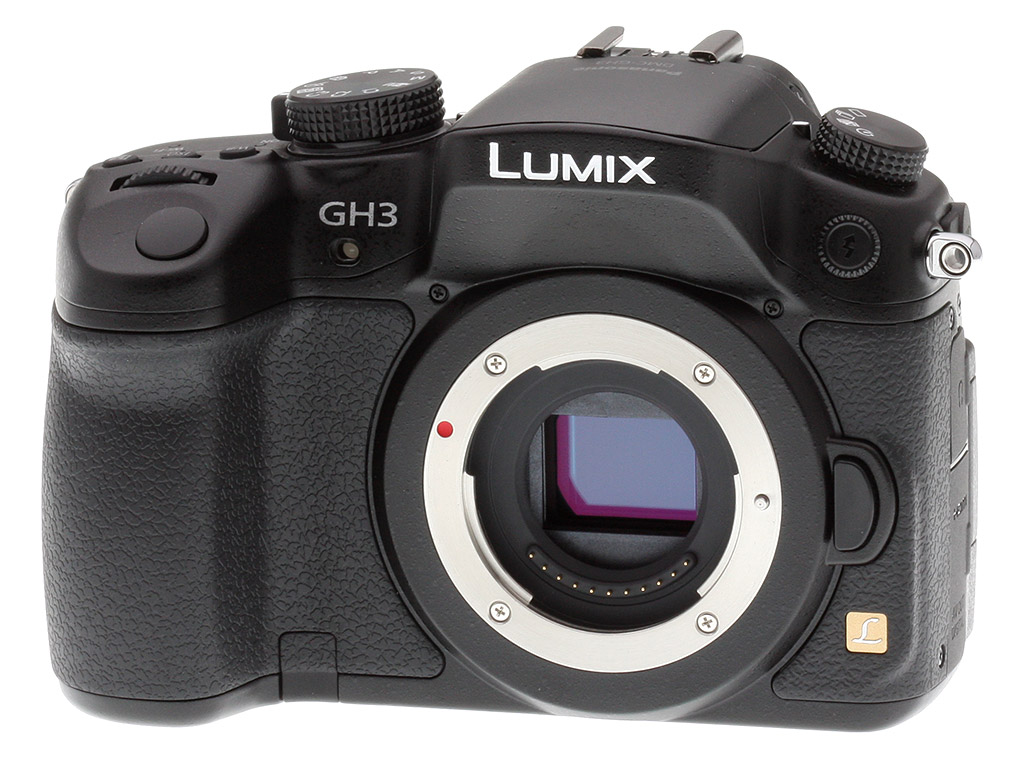
Panasonic's GH series of compact system cameras have had video recording as their main focus from day one. The GH1 saw good pickup among amateur video enthusiasts, and with the GH2, quite a few pros began using them as inexpensive alternatives to full-frame DSLRs. Now, the mirrorless Panasonic GH3 takes it to a whole new level, offering some of the richest video capabilities we've ever seen on a camera in its price range -- including bit rates as high as 72Mbps and speeds as fast as 60p. But maybe more importantly, the GH3 has improved its still photography chops, too, featuring a brand new 16-megapixel Live MOS sensor and a three-core Venus FHD engine processor designed to deliver more detail and reduced noise.
In addition to what Panasonic claims as its best sensor yet, the Panasonic GH3 boasts a radically overhauled user interface, a gorgeous Organic LED rear screen and electronic viewfinder, a more powerful built-in flash (compatible with a new wireless external flash system), fairly advanced WiFi image sharing and remote control capabilities, and a rugged magnesium-alloy body with dust- and splash-proofing.
However, make no mistake, Panasonic has very explicitly addressed the needs of professional video shooters with the GH3, and in the process has thrown down the gauntlet to heavyweights Canon, Nikon and Sony. Previous background discussions with Panasonic product planners and engineers certainly showed us that this was a market Panasonic was interested in pursuing, but we have to admit we were happily surprised by just how much they managed to pack into the new GH3. This is truly a serious video production tool.

Video features. Many of the Panasonic GH3's video capabilities are significant improvements over those of the GH2, and many in fact represent significant advances over the competition, especially at the GH3's street price of around US$1,100.
Here's a quick rundown of the key video-oriented capabilities of the Panasonic GH3:
- Full HD 1080p60 movies. That's right, true progressive-scan video at 1920 x 1080 and 60 frames/second. That means 60fps from the sensor, with no frame-doubling involved. (Alternate rates of 50, 24, and 25 fps are available, as well.)
- Bit rates as high as 72 Mbps (with All-I recording in MOV format). Dramatically higher bit rates mean very low compression and better video image quality.
- All-I recording modes. Great for editing: All-I recording is basically frame-by frame compression. There's no compression involving multiple frames, so it's much easier for editing software to break into the video stream wherever you want. (The Panasonic GH3 offers AVCHD Progressive, MPEG-4 and MOV recording formats. All-I recording is available with the MOV format.)
- Streaming video output through the HDMI port. Record streaming video on an external video recorder, as well as use the HDMI output for an external monitor. We've seen this on the Nikon D4, but it's impressive to see it on a camera with the size and cost of the GH3.
- Time code. Supports both drop frame and non-drop frame SMTPE time code, rec run or free run. If you don't know what this is, you don't need it. If you do, rejoice: This is a feature available in the Canon 5D Mark III and 1Dx, but not in the Nikon D4. The GH3 offers this at a price point one-third or less that of these competitors. (Quick explanation: Video frame rates are odd numbers like 29.97 frames/second, so frame counts don't line up exactly with seconds, minutes, and hours of real time. Time code sorts this out.)
- Slower slo-mo. The GH2 could record slow-motion video down to only 80% of real time. Nice, but not enough. The GH3 offers 48% and even 40% slow motion. (40% with 60p recording and 24p playback, 48% with 50p recording and 24p playback.)
- 3.5mm stereo mic input, plus level display and control. The GH3 allows for manual or auto level control, with a live level display on the OLED monitor. There's an optional adapter to provide XLR mic inputs, but passing through a 3.5mm stereo jack means the balanced connection is maintained only through the connection on the XLR adapter, not all the way to the signal circuitry inside the GH3.
- 3.5mm headphone monitor jack. With this feature, you can listen to what's being recorded through headphones, to monitor audio and block out external noise.
- Full-time AF, AF tracking, face recognition. Panasonic has been a leader with very fast contrast-detect autofocus, and the GH3 boasts particularly responsive AF.
- Full PASM exposure control during video recording. Thanks to contrast-detect AF, there are no limits on minimum aperture for AF operation.
- True continuous recording. The GH3 boasts no issues with overheating, regardless of how long you record. Equally significantly, it appears that in most places in the world, the Panasonic GH3 can record continuously to the memory card with no time limitations. Unfortunately in European countries using the PAL system, tax/tariff considerations limit recording duration to 29 minutes 59 seconds.

Other key GH3 upgrades. As we mentioned earlier, the Panasonic GH3 isn't just for shooting videos. It's also a very accomplished still photography tool, delivering image quality that's competitive with the best mirrorless cameras on the market, as well as with some prosumer DSLRs. Here's just a few of the features that make it stand out from the GH2 and other cameras in its class.
- Major revamp of user interface. There are a more lot more buttons here -- both dedicated and customizable -- than we're used to seeing. That's a pretty good thing for experienced users, and is somewhat reminiscent of the old Minolta 7D's interface. In total, there are five Fn buttons, plus three control dials for making quick changes to settings without having to dig into menus.
- Improved OLED viewfinder and touchscreen. Panasonic brought Organic LED technology to both the electronic viewfinder and the 3-inch, side-swiveling touchscreen on the GH3. Resolution on both is exceptional, and they provide excellent visibility even in bright, direct sunlight.
- Fast AF. We clocked the GH3's full-autofocus shutter lag (with the subject at a fixed distance) at 0.210 second using single-area (center) AF with the 12-35mm f/2.8 lens. When manually focused, the GH3's lag time dropped to 0.086 second. And the GH3's prefocused shutter lag time of 0.079 second is also speedy. These speeds are faster than many DSLRs.

- Interval shooting. Built-in intervalometer can delay recording start for up to 24 hours, can set intervals from 1 second to 99 minutes 59 seconds in 1-second increments, and can record up to 9999 shots in total.
- Wireless external flash. Can support up to four groups with ratio control between them.
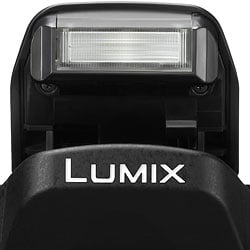
- Powerful built-in flash. Covers a wider angle -- 24mm equivalent -- to support the 12-35mm lens at the wide end. Also has a guide number of 12 meters at ISO 100, which isn't bad -- especially given such wide coverage. There's also a flash sync terminal.
- Full-featured Wi-Fi. You can pair the GH3 up with a smartphone or tablet for remote shooting, with a considerable amount of features still available. You can also send photos and videos from the camera to PCs, TVs, Web-based services and cloud storage.

Shooting with the Panasonic GH3
by Dan Havlik

At first glance, the Panasonic Lumix DMC-GH3 doesn't appear to be a heck of a lot different from its predecessors, the Panasonic GH1 and GH2. However, this compact system camera has been significantly upgraded from what's come before, and that's saying a lot. The GH2 earned a rave review from yours truly more than two years ago, separating itself from the pack for its blazing autofocus and serious video capabilities. In fact, its video features made it a darling among professional videographers looking for a lightweight, relatively inexpensive camera to use when bigger, bulkier, pricier cameras didn't fit the bill.
The GH3 further builds on its predecessors' accomplishments, offering features until now available only on much higher-end, video-oriented professional models. The GH3 can record full 1080p at 60fps from the sensor, use bit rates as high as 72 Mbps, and add a SMPTE time code option, and all for a fraction of the price of its rivals. However, it does offer a few conundrums for prospective buyers. For one, while it looks a lot like a DSLR and is even more durable than its predecessors -- with a magnesium alloy body and ample weather sealing -- it's not a DSLR at all. And while it's slightly smaller than most DSLRs, it's quite a bit bigger than other mirrorless CSCs.
And if you're considering the GH3 versus an HD-shooting DSLR, you're no doubt aware that Micro Four Thirds sensors are smaller than many DSLRs, with an assumed sacrifice in image quality -- especially in low light at high sensitivities. The GH3's completely new, 16-megapixel Live MOS sensor was designed to bridge the gap with these larger-sensored DSLRs, reducing noise levels and producing more details thanks to a specially designed low-pass filter. Can the drastically revamped Panasonic GH3 up the ante enough to compete with prosumer DSLRs by shooting crisp, high-resolution movies and still images? Let's take a look at Panasonic's latest flagship model and find out.
In the hand. While the Panasonic GH3 looks similar to the two models that have come before it, it feels discernibly different once you put it in your hand. The more durable, fully weatherized GH3 weighs about 2.8 ounces more than does the GH2: 16.6 ounces (body only without the battery) for the GH3, versus 13.8 ounces for its predecessor. Most of that added heft comes from the camera's new die-cast, magnesium alloy body. By way of comparison, the GH2's body consists of a plastic shell laid over a steel frame, which makes the older model feel a bit on the flimsy side.

The GH3, on the other hand, is serious and tough. I mainly shot with it using Panasonic's 12-35mm f/2.8 aspherical lens, and like the GH3 the lens is splash-proof and dust-proof, though not fully weather-sealed. Used in conjunction with the GH3, it's a solid shooting combo for either stills or video work. When placed side-by-side with the full-frame Canon 6D, which I also have in the office, the GH3 with its smaller Micro Four Thirds sensor was noticeably less wide and shorter, since this mirrorless model has no pentaprism on top, and no mirror box at its core.
At the same time though, while both body and lenses were smaller than those of competing DSLRs, the GH3 isn't as portable as many of its mirrorless rivals. I still needed some type of camera bag to stash it in, just as I did for the Canon 6D, although I could at least get away without using a heavy, professional pack. In terms of price, the difference is more clear: the GH3 retails for about US$1,000 less than the 6D, and that's a significant savings if you're on a budget.
The Panasonic GH3 features a fairly substantial handgrip for a compact system camera, and the grip, front, and sides of the body (including the SD card door) are covered in textured rubber for a comfortable, non-slip, tactile feel. The top and bottom portions of the camera, meanwhile, are matte, black polycarbonate. The GH3 is an attractive looking camera, though it does look like a miniaturized DSLR. I made the same observation about the more retro-looking -- and considerably smaller -- Olympus OM-D E-M5. After all, if you want a camera that's smaller than a DSLR, but looks and behaves like one, why not just make a smaller DSLR?
In the end though, the GH3's design definitely holds appeal for on-the-go photographers and videographers; it just depends on your point of view. It's either a lightweight, compact, serious pro camera or a larger, more substantial, high-end mirrorless model. I found it to be a comfortable -- if not particularly original -- camera body to shoot with.
Controls. Along with making the GH3 a more durable camera, Panasonic has also redesigned the camera's exterior interface, giving photographers and videographer tons of options right at their fingertips. In a nutshell, there are more physical buttons on this camera than you'll find on many prosumer DSLRs. Some are dedicated for specific functions; others are fully customizable to match your shooting style. Panasonic is clearly bucking the trend of burying settings in the menu system. More buttons means more of a good thing, because they save precious time from having to dig through a camera's menus to make adjustments.
The most distinctive change to the GH3's physical controls is that Panasonic has done away with the four-way cluster of buttons on the lower right rear of the GH2. Instead, those buttons have been moved to various places on the camera, most of which make more logical sense. In particular, I like how the White Balance, ISO, and Exposure Compensation buttons have moved to the top deck of the camera behind the shutter release, for easier and more intuitive access.
Replacing the cluster of controls on back is a jog wheel, which makes it easy to scroll through settings or quickly review photos in playback. Panasonic has also scattered five, programmable function (Fn) buttons all over the camera body. Control freaks will love having these handy options. At the same time, those who don't want to spend a lot of time customizing all the buttons on their rig will appreciate the fact that each of these Fn buttons have a default setting. For instance, Fn4 is the trash button in Playback mode.
Another change to the button layout on the Panasonic GH3 that I liked was moving the red, dedicated Movie Recording button to the back of the camera, versus having it behind the shutter button on the previous model. (In the previous placement on the GH2, it was possible to accidentally trigger the video mode when you were trying to shoot a still.) Next to the Movie button on back, there's also a toggle switch to select autofocus options including full-time AF with face detection and tracking functions, which is a handy feature when shooting video.
Some of the other tweaks to the Panasonic GH3's control layout are more subtle. The Control dial, for instance, is less crammed with options. The standalone settings for Portrait, Landscape and Macro have been removed and placed in the menu. While it's more aesthetically appealing, I wish they had left the Macro option somewhere on the exterior of the camera.
Overall though, when more and more cameras are stripping away external controls and stowing them in menus, Panasonic deserves kudos for offering more button options for photographers who want to change settings on the fly.
OLED touchscreen and EVF in use. Panasonic has upgraded both the screen and the electronic viewfinder on the GH3 from the previous model, which really improves the user experience. The GH3 now has a 3-inch, Organic LED panel with touch control. Resolution has been ramped up to around 614,000 dots, which means the screen is a 640 x 320-pixel screen with each pixel comprised of separate RGB dots. My photos and videos looked wonderful in playback, and gave me a good sense of image and video quality so I didn't have to worry about reshooting.
The screen flips out to the side and rotates, letting you compose shots from variety of angles. You can even view it from in front of you for self-portraits, if that's your thing. I wasn't too keen on the touchscreen control features on the previous model but they've noticeably improved with the Panasonic GH3. The new display features capacitive touch technology, which is far more sensitive and responsive than the resistive technology of the old screen. In fact, it's the same technology that most smartphones use.

The touchscreen on the predecessor GH2 was confounding, sometimes responding when I didn't want it to and other times not responding at all. Along with being more sensitive to your fingertips, the touch functions on the GH3 do a better job of getting out of the way when you don't need them. For instance, swiping through photos is a breeze on the GH3. While "pinch and enlarge" zooming in on images is not quite as easy as on a smartphone, it's also very handy in a pinch, if you'll excuse the pun.
The Panasonic GH3's revamped EVF is also OLED-based, and it's quite nice as well. In our testing, we found it offered a 100% field of view, giving us very accurate results when composing photos. There's rather generous dioptic correction on the EVF, so it can be adjusted to attune itself to most eyes.
The EVF offers 1,746,000 dots (873 x 500 pixels) of resolution (16:9 aspect ratio), and I generally saw a crisp live feed with much detail even in the highlights and shadows, which are traditionally the bugaboo for EVFs. It's still not going to make you forget the wonderful optical viewfinders on full-frame DSLRs such as the Canon 6D, but it's top-notch EVF technology. The one area where this EVF -- and all EVFs, for that matter -- lag behind their optical counterparts (literally), is in the GH3's proximity sensor. This turns on the viewfinder when you bring your eye to it, and while it's pretty quick to activate, there's still a split second blackout. This caused me to miss some fast action shots in a basketball game I was shooting. The EVF is fast, yes, but just not fast enough when you're trying to capture a decisive moment. The solution, of course, is to forgo the rear screen Live View and just leave the EVF on all the time, but that's not always practical.

Autofocus. To be honest, I was not a fan of most early compact system cameras, mainly because the contrast-detection-based autofocus systems on those models were slow as molasses. It's fair to say, though, that things have improved dramatically with more recent CSCs. Where I first really noticed the change to faster focusing speeds was with the Panasonic GH2. That model, which I reviewed for IR in 2011, was one of the first mirrorless CSCs not only to equal the AF speed of some digital SLRs -- which typically use faster Phase Detection-based autofocus systems -- but to surpass them.
The Panasonic GH3 is even quicker than the GH2 when it comes to focusing, which is another step in the right direction. According to our lab testing, the GH3's contrast-detect autofocus is very fast, and even quicker than most consumer DSLRs, though not as fast as most pro models. Our lab results showed that GH3's full-autofocus shutter lag (with the subject at a fixed distance) was 0.210 second using single-area (center) AF with the 12-35mm f/2.8 lens. When manually focused, the GH3's lag time dropped to 0.086 second. And the GH3's prefocused shutter lag time of 0.079 second is also speedy.
In real world use, this meant I could confidently use the Panasonic GH3 in a variety of shooting situations, including fast action sports and spur-of-the-moment, candid street photography, or when trying to capture the unpredictable behavior of animals and children. In most of these cases, autofocus lock took a split second, helping me get sharp results.
While I was pleased with these results from the Panasonic GH3, I wasn't that surprised, considering how well its predecessor fared. While the GH3 was several hundredths of a second faster at autofocusing across the board in our testing compared to the GH2, that difference isn't very noticeable in real-world shooting. However, what was more apparent was how well the GH3 focused in dark, low contrast situations, which should have been a challenge for its AF system. For example, while shooting basketball in an indoor gym under terrible, muddy lighting, the GH3 had no problem locking in on players shooting or dribbling to the hoop.

Operational performance. The Panasonic GH3 proved to be a fast performer in other areas, as well. During my field testing, I seldom felt like it was struggling to keep up with me. (Except, as mentioned earlier, when the camera auto switches from Live View on the rear OLED monitor to the EVF via the GH3's proximity sensor.)
The GH3 is powered by a newly developed Venus Engine processor, and along with improving image and video quality -- which I'll detail in the next few sections -- the processor kept the camera humming along. The GH3's start-up time to first shot is quite fast for a CSC -- we timed it at less than a second -- but shut down is a bit slower at 2.5 seconds.
For continuous shooting, the GH3 has a healthy burst rate of just over six frames per second when capturing full-resolution JPEGs. Oddly, that drops to about five fps when shooting raw images, but it's still not too bad.
If you're interested in using the GH3's burst mode to capture fast action, there is one drawback to this CSC versus a DSLR. When shooting high-speed bursts with the GH3, the camera's Live View is not available, so you won't be able to see the action you're photographing --just the shots as they're recorded. The same holds true for the camera's super-high-speed burst mode, which can capture 20 frames per second at a reduced resolution of 4 megapixels. I find this to be rather annoying when shooting sports because I can't follow along and anticipate the movement of the athletes to capture them at the decisive moment. You do get Live View if you drop continuous shooting down to the middle speed, which is about four frames per second, but there's a noticeable blackout time between each shot, and it's a lot longer than I've experienced with most DSLRs.
On the plus side, the Panasonic GH3 has great buffer depth when recording full resolution JPEGs, letting you shoot almost infinitely without the camera pausing to catch up. (Our lab testing surpassed 80 consecutive shots with no sign of slowing.) When it does finally come, that pause is relatively brief, too, lasting just a few seconds. The GH3 clears its buffer quickly, so long as you use a fast memory card such as the blazing fast SanDisk Extreme Pro 95MB/sec UHS-1 SDHC card we used in lab testing. Buffer depths with RAW files are also generous, at 24 raw frames and 20 Raw+JPEG frames in our tests.
Switching from mode to mode is also quite fast on the GH3, and the camera nimbly moved from shot to shot, with single-shot cycle times clocking in at 0.48 second for Large/Fine JPEGs, 0.48 second for RAW and 0.46 second for RAW+L/F JPEGs, according to our lab tests. Overall, the Panasonic is a very fast camera to use and should be able to keep up with most shooting situations.
One last note on performance: The GH3 boasts pretty good battery life. Panasonic rates the camera as good for up to 540 shots between charges depending on the lens used. Most prosumer DSLRs still hold a big advantage over compact system cameras here, but the GH3 is starting to bridge the gap. And it should, considering it's bigger than most CSCs, and has a bigger grip to hold a bigger battery! And if you need better endurance, consider purchasing the DMW-BGGH3 battery grip, which effectively doubles battery life with a second lithium-ion battery installed.

Image quality. The Panasonic GH3 and its redesigned, 16-megapixel Live MOS image sensor produced great image quality with a few exceptions. First, the good news. I like the fact that Panasonic kept the resolution of the GH3 at 16 megapixels while upgrading the imaging chip in other ways. One of the drawbacks to Micro Four Thirds-format sensors -- compared to, for instance, 35mm-sized, full-frame chips -- is that their smaller size simply doesn't allow as much space for large pixels. By not trying to cram in extra pixels, Panasonic is able to maintain a pixel size of approximately 3.74 microns. Again, not great by full-frame DSLR standards, but larger than if it had raised the resolution.
Where Panasonic aims to get the most out of those 16 megapixels is by adding a new optical low-pass filter over the sensor, which is designed to optimize the GH3's resolution while helping to control moiré. Meanwhile, Panasonic says its been able to control image noise -- which has often been a problem for Micro Four Thirds cameras -- by preventing sensor noise from entering the GH3's output signal.
Does it work? For the most part, yes. The Panasonic GH3 is aimed at more advanced photographers and it captures images for those with more discerning tastes. Where many consumer and even enthusiast cameras (including DSLRs) tend to default to overly bright JPEGs with pumped up colors and hues, the GH3 has a more sophisticated palette. Overall color saturation levels are about average, with some tendencies to push dark red, purples and dark green a bit while undersaturating yellow, aqua and cyan.
The GH3 does quite well in capturing skin tones, thanks to its slightly understated color. Caucasian skin tones looked natural with a slight -- but not overdone -- push to pink which made people in my images look healthy. Darker skin tones nudged toward red, but, again, it looked natural. Some consumer cameras can push too hard in these directions, occasionally making people look doll-like.


The Panasonic GH3 produced slightly muted colors compared to some cameras, which I prefer. Most photographers interested in this camera are probably already quite familiar with Photoshop, and will find the more natural tones of the GH3's JPEGs to give you more editing latitude. Exposure accuracy was about average for outdoor shots, with some blown highlights and inky shadows.
I was pleasantly surprised with how much resolution and detail the Panasonic GH3 was able to capture, considering it's using a 16-megapixel chip. My shots out in the field were very rich in detail, even when I zoomed in to 200% and printed at 13x19 inches. Our lab tests also showed that the GH3 produced very high resolution images, with 2,300 lines of strong detail. There was very good sharpness overall, and the Panasonic 12-25mm f/2.8 lens I tested the GH3 with helped produce crisp images that rival anything you'd get from an enthusiast or prosumer-level DSLR.
In our lab testing we noticed a few minor issues. Some sharpening artifacts (or "halos") from edge enhancement, which create the illusion of sharpness by pumping up colors and tones at the edge of transitions in color or tone, were evident in high-contrast photo subjects, though the GH3 didn't sharpen as much as some competing models. But the camera offers a wide range of sharpening settings (11 steps), so you can always tweak sharpening to your liking (or shoot raw and sharpen yourself). Our testing also found that the GH3's noise reduction efforts already start to smudge detail a bit at low ISO -- most notably in the shadows -- and this smudging intensifies at higher ISOs, but that's no surprise. Still, the GH3 overall strikes a nice balance between noise and detail, with high ISO performance quite good for a Micro Four Thirds model, though not as good as the best APS-C cameras.
| Panasonic GH3 - Images at ISO 800 and ISO 3200 |
 |
| f/2.8, 1/60s, 60mm (35mm equivalent) focal length, ISO 800 |
 |
| f/2.8, 1/50s, 60mm (35mm equivalent) focal length, ISO 3200 |
In terms of dynamic range, the GH3 scored very well for a Micro Four Thirds model in our testing, rating as good as (or in the case of raw files, slightly better than) the Olympus OM-D EM-5, one of our benchmark CSCs for image quality. And if the camera's normal dynamic range isn't enough, you can try out Panasonic's built-in i.Dynamic modes to pump up the drama even more. (See our comparison chart below.)
Video. The Panasonic GH3 is a great still photo shooter, but where it really shines is as a video camera. Along with HD video image quality that I would place ahead of most larger-sensored prosumer DSLRs, the GH3 comes loaded with options and features to make the life of the videographer richer and easier.
Earlier in this review, we highlighted nearly a dozen features designed not just for weekend warriors looking to capture footage of their kids playing soccer, but also for professional videographers making feature-length videos. At the same time, the GH3's small size and inconspicuous looks make it ideal for shooting "run-and-gun" type footage in tricky situations. Also, the fact the camera is splashproof, dustproof and rugged opens up a variety shooting options that most compact system cameras (and many DSLRs) wouldn't be able to handle. It adapted easily to whatever video scenario we threw at it.
The HD video we shot looked sharp, full of rich color, and surprisingly steady despite shooting it primarily hand-held. The ability to quickly put the GH3 into full-time autofocus mode via a simple turn of the focus mode lever on the back of the camera was convenient. I particularly liked that the GH3 gives you full PASM (Program, Aperture Priority, Shutter Priority, Manual) control during video recording, with no minimum aperture requirements for any of the autofocus modes. Unfortunately, the GH3's small size and DSLR-style form factor aren't ideal for handholding for long periods of time. For that, you're going to want a tripod, monopod or steadicam-type device.
While I put the Panasonic GH3 through its paces and was impressed with the quality of the video -- and the audio that I captured with the camera's built-in stereo microphone -- I barely scratched the surface of what the GH3 can do as a motion picture camera. With premium video features, including full 1080 HD recording at 60 frames per second, superior video quality thanks to bit rates up to 72 Mbps, and All-I recording modes that makes editing much easier, the GH3 is simple enough for the amateur and advanced enough to keep video pros happy.
Wi-Fi. The Panasonic GH3's wireless feature set is one of the most robust we've ever tested on an interchangeable-lens camera, offering remote shooting and image transfer when you pair the GH3 with a smartphone or tablet equipped with the company's Lumix Link app (available for both Apple iOS and Android devices). You can connect your smart device via a direct connection with the camera, or via a wireless network.
Once connected and using the GH3's Remote Shooting mode, you can control most of the camera's still photography functionality via the Lumix Link app on your phone or tablet. That includes changing exposure settings, selecting the focus with a single tap on the screen and operating the power zoom if the lens supports it, as well as more subtle adjustments. We found it all fairly easy and intuitive to use, as long as you're familiar with setting Wi-Fi connections. Just be aware that some settings and menus are not available when using your smart device as a remote control.
For instance, you can record video remotely, but you have to use the timer recording function. You can't stop recording from your connected device -- you either have to wait for the timer to run out or stop it on the camera itself. And you won't see the video on your phone or tablet during filming.
As for file transferring, you can opt to either send your photos and videos to a connected device as they're being shot -- including your computer, a compatible TV or even a cloud sync service -- or you can transfer them after the shoot from the camera's storage. It's important to know that while JPEG files can be sent or shared to all kinds of connected devices or services (and MP4 videos to most), raw or raw+JPEGs stills and MOV or AVCHD movies can only be shared with a PC.

Summary. The Panasonic GH3 is an exceptional mirrorless camera that's not only a huge step above its predecessor, the GH2, in terms of image quality and functionality, but also a serious contender among high-end DSLRs -- especially when it comes to its video quality and feature set.
Panasonic GH3 - Additional Modes and Filters
by Dave Pardue
Creative shooting filters are becoming more refined these days, and I'm glad to see them included on high quality enthusiast cameras like the Panasonic GH3. Many photographers, including some of my esteemed colleagues here at IR, turn their noses up when I mention using creative filters, but I personally enjoy having them at my disposal. I chose my six favorites from the GH3 Creative Control Mode on the dial to display below, but there are a total of 14 filters for you to choose from (one of which is displayed in another table below). And while it is certainly true that many effects can be recreated after the fact in post-processing, I find it a great luxury not to have to wait or do the work myself!
After all, if you want to preserve the original you can shoot in raw+JPEG, and the raw file will be there unaltered for you to tweak all you want. Or if you prefer, you can shoot one shot with a filter and one without. Either way, you have several options at your disposal should you need them, be it for instant gratification or for creative inspiration in the moment.
| Panasonic GH3 - Creative Filters | |
 |
 |
| Expressive | Retro |
 |
 |
| Dynamic Monochrome | Cross Process |
 |
 |
| High Dynamic | Impressive Art |
|
Panasonic does a great job of giving their users well thought out, high quality filters for their shooting preferences. Impressive Art appears to be directly inspired by Olympus' Dramatic Tone. In fact, they look almost identical. I love them both and use them often (but please don't tell my colleagues here at IR). Another filter of particular note is High Dynamic; see how much more of the treeline detail it renders visible, without the expense of blowing out the clouds too badly.
|
|

The GH3 also comes equipped with an i.Dynamic menu setting, or Intelligent Dynamic Range Control. This allows the camera to automatically adjust contrast and exposure across a shot in order to maximize the dynamic range. It can be set to high, standard, low or off, and is a useful control mode for difficult lighting and exposure situations.
Below are side-by-side comparisons showing each of the four available settings attempting to create optimal dynamic range for a fairly difficult shot.
| Panasonic GH3 - i.Dynamic setting | |
 |
 |
| i.Dynamic (off) | i.Dynamic (low) |
 |
 |
| i.Dynamic (standard) | i.Dynamic (high) |
As these images progress from zero dynamic range assistance all the way to high, you can see more and more detail in the tree in the foreground, as well as in the distant treeline, without blowing out any of the brighter areas. Many professional and enthusiast cameras have some form of this control available, and Panasonic's i.Dynamic mode has been available for some time now. If that's not enough, the GH3 also has a basic HDR setting that can be set to Auto or to custom EV ranges, but it's only accessible when shooting in JPEG-only mode. |
|
And now for one of my favorite filter modes of all time: One Point Color. Selective color modes have been around for many years, but until I tried the GH3 I have found other cameras' take on it a bit limiting because you have to choose from a specific color as set by the camera (e.g. red, green or blue). With the GH3 you can select any color in the spectrum to be your selection by choosing an eyedropper tool on the OLED monitor and then tapping the area/color you wish to isolate.
Below are examples using somewhat non-standard colors to show the versatility of this mode. Also note, you can call up a slider on the touchscreen that allows you to dial in how much or little isolation you want. So you can go from total isolation of a color (such as the red flowers below) to just partial isolation (as with the yellow flowers allowing some green foliage to still come through). The GH3's One Point Color is a very clever and tweakable filter, indeed.
| Panasonic GH3 - One Point Color | |
 |
 |
|
Using the same subject I chose a different spot from the variegated leaves to achieve different results.
|
|
 |
|
|
In this image I was able to select the cat's green eyes as my color choice, which allowed them to stand out for a slightly more dramatic effect. In the process, I also picked up some color from the herb garden.
|
|
| Panasonic GH3 - Evening Scene Modes | |
 |
 |
| Intelligent Auto | Romantic Sunset Glow |
 |
 |
| Cool Night Sky | Vivid Sunset Glow |
|
Again, these could certainly be created in post-production from a standard non-filtered shot, but if you find a nice evening scene to shoot, why not shoot several options? Of the images above, I would certainly start the editing process using one of the filtered shots, as I find them far more appealing.
|
|

On the right is an example of the GH3's burst mode at the high speed (H) setting. (To see a larger version, click the image.)
As our reviewer, Dan, mentioned above, this setting doesn't allow you to see your shots as you take them in Live View, so if that is important to you, you'll need to set it to middle speed (M). You will go from 6 frames per second to four in order to access Live View.
I didn't have much problem foregoing Live View as I captured this pass of Charlotte on the first try, shooting 10 images across roughly two seconds-worth of frisbee catching action.
Panasonic GH3 Technical Info
by Mike Tomkins
 |
|
Although Panasonic has developed a new Live MOS image sensor for the Lumix GH3 compact system camera, it hasn't boosted the resolution, suggesting it feels the existing 16.1 megapixels to be more than adequate. That's not to say the company hasn't paid attention to resolution, though. The sensor is overlaid by a newly-developed optical low-pass filter that it says is optimized to provide a better balance of resolution against moiré reduction. Instead of continuing to cram in more megapixels, Panasonic says that it's worked to reduce the image sensor's noise levels, and on preventing sensor noise from entering the output signal. A newly-developed Venus Engine image processor also has its part to play, as does the connectivity for both sensor and processor. The power supply and signal lines are designed to be as close to the same length as possible, which Panasonic says helps prevent noise entering the signal processing circuit, power supply line and grounding line. The latest-generation of Venus Engine uses both 3D Noise Reduction and Multi-process Noise Reduction algorithms in an attempt to further tame noise. By default, the Panasonic GH3 offers a sensitivity range of ISO 200 to 12,800 equivalents, just slightly abbreviating the ISO 160 to 12,800 range of the GH2. You can now extend these in the new camera to encompass everything from ISO 125 to 25,600 equivalents, however. Burst shooting performance has also improved a little, stepping from five to six frames per second at full resolution, and burst depth has more than doubled to 18 RAW+JPEG frames. If you change the resolution to 4 megapixels, you still get an impressive speed increase to 20 frames per second, but that's only half the rate offered by the GH2 at the same resolution. Burst depth in this high-speed mode is 80 JPEG frames, enough for a four second burst. |
|
 |
 |
The new sensor and processor are housed inside a die-cast magnesium alloy body, quite a step forward from the GH2, which featured a plastic shell over a stamped steel frame. The Panasonic GH3's body is also weather-sealed, providing both splash and dust-proofing that's not present in the earlier camera. With a tilt-swivel display and a popup flash strobe in the design, we'd imagine it's quite a task to weather-seal a camera like this, but the effort will doubtless be appreciated by users who no longer need to bother with rain covers if they're shooting with a weather-sealed lens. |
The Lumix GH3's Micro Four Thirds lens mount provides access to what Panasonic claims to be the largest lineup of interchangeable lenses for a mirrorless camera Panasonic currently has 20 Lumix G and Leica DG-branded lenses. Add in lenses made by Panasonic's Micro Four Thirds partners, and the GH3 has a tremendous range of optics available to it: everything from pancake primes to telephoto zooms. And it doesn't hurt that a majority of these lenses also happen to be highly rated for sharpness and performance. |
 |
 |
Note, though, that the only weather-sealed options in Panasonic's lineup are the Lumix G Vario 12-35mm f/2.8 and the Lumix G X Vario 35-100mm f/2.8. The optional battery grip is also weather-sealed, completing the system. |
The GH3 offers full-time autofocus with face detection and tracking functions. Like all Micro Four Thirds cameras -- and most mirrorless models -- the GH3 relies solely on contrast detection autofocus, with no phase detect sensor available. That's no longer the hindrance it once was, however. |
Panasonic claims its AF system to offer both better accuracy and greater performance than the dedicated phase detection systems used by typical digital SLRs. To extract the maximum possible performance from the GH3's autofocus system, Panasonic has once again increased the speed at which data is clocked off the image sensor. Where recent models have had 120 fps readout, the Lumix GH3 reads out a whopping 240 frames per second, matching the speed used by partner Olympus' FAST-branded system in the OM-D E-M5. |
|
 |
|
The Panasonic GH3's electronic viewfinder is newly-developed, and has an eyepoint of 21mm, a 100% field of view, and 0.67x magnification. A generous +/-4.0m-1 of dioptric correction is available. An adjacent proximity sensor automatically enables the viewfinder when you bring the camera to your eye, and offers three sensitivity levels: high, low or off. The viewfinder is based on a 16:9 aspect Organic LED panel with an RGBG Bayer filter array, and a resolution of 873 x 500 pixels (1,744,000 dots). Panasonic says the display has a contrast ratio of 10,000:1, and a response time of just 2.1 milliseconds. By contrast, the 800 x 600 pixel, field sequential (time-multiplexed) display in the GH2 had a contrast ratio of just 150:1, and a response time of 16.7 milliseconds. |
|
 |
 |
Panasonic has also overhauled the Lumix GH3's primary display, which is also now based on an Organic LED panel. It's still an articulated, 3:2-aspect, 3.0-inch monitor, but resolution has increased slightly to 614,000 dots. That roughly equates to a 640 x 320 panel, with each pixel comprised of separate RGB dots. The side-mounted articulation mechanism allows viewing from most directions, including in front of the camera. The Panasonic GH3's OLED monitor also retains the touch panel introduced in the GH2, but it now uses capacitive rather than resistive technology. That is the same technique used on high-end smartphones, and translates to increased sensitivity. |
Also new is the Lumix DMC-GH3's built-in popup flash, which now has slightly higher strength than that in the GH2, despite offering wider coverage. Where that camera's strobe offered a guide number of 11 meters at ISO 100, the strobe in the Panasonic GH3 has an ISO 100 guide number of 12 meters. (Note, though, that the GH3 doesn't actually offer an ISO 100 setting. At the default ISO 200 base sensitivity, the strobe has an equivalent guide number of 17 meters.) Coverage is now 24mm equivalent, quite a bit wider than the 28mm coverage of the flash in the Lumix GH2. |
 |
 |
Another new addition in the Panasonic GH3 is support for wireless flash control, with a new DMW-FL360L flash strobe. Of course, there's still a hot shoe for external strobes, but Panasonic has now supplemented this with a PC sync terminal, making it simpler to hook the GH3 up to studio strobes. X-sync is still at 1/160 second, and flash exposure compensation is available with a wider range of +/- 3 EV in 1/3 EV steps. |
The Panasonic GH3's Mode dial is much less cluttered, with the standalone Portrait, Landscape and Macro positions removed. Otherwise, the selection of modes is unchanged: Intelligent Auto, Scene, Program, Aperture- and Shutter-priority, Manual, three Custom settings positions, Movie and My Color. There are now 23 still image and 20 movie scene modes, a significant increase from those in the GH2. |
 |
 |
Another handy option added since the GH2 is the Lumix GH3's brand-new level gauge function. It's a dual-axis type, which not only helps you get level horizons by balancing left-to-right roll, but also to prevent converging verticals by ensuring front-to-back pitch is neutralized too. |
Metering and exposure compensation features are also unchanged. The Panasonic GH3 determines exposures with a 144-zone multi-pattern metering system using information from the main image sensor, and provides a choice of Intelligent Multiple, Center-weighted, or Spot metering modes. |
Exposure compensation is possible within a range of +/-5 EV in 1/3 EV steps, and three, five, or seven-frame bracketing is available with a step size of 1/3, 2/3, or 1 EV. Shutter speeds for still imaging range from 1/4000 to 60 seconds, plus Bulb. As well as a mechanical shutter, the GH3 provides an electronic shutter function. Although white balance is mostly unchanged -- Auto, five presets, Custom, and color temperature -- there are now only two Custom positions, where the Lumix GH2 offered a choice of four. Panasonic has added quite a few creative options to the Lumix DMC-GH3 that weren't present in its predecessor. These include both multiple exposure and time lapse (interval) modes, as well as a high dynamic range mode. This last option captures multiple shots and merges them in-camera to create a single image with greater dynamic range than is possible in a single exposure. There's one very interesting difference between how Panasonic has implemented the function, and how it's done by basically of the company's rivals. When you capture an HDR image with the Panasonic GH3, the camera doesn't stop working while processing is performed. Instead, the camera multitasks, processing your HDR image in the background while allowing you to keep shooting should a photographic opportunity present itself. Very smart! Other creative tools available in the Panasonic GH3 include Creative Controls and Photo Styles. The former provides a selection of 14 different filters such as Cross Process, Miniature Effect and Star Filter that can fairly radically alter the look of your images. The latter offers a choice of six different color "looks" that provide a more subtle difference. Each can be tweaked for contrast, saturation, sharpness, and noise reduction, with an 11-step range, and you can store the tweaked filters for later reuse. There seems to be a surge of cameras providing for wireless connectivity with smartphones and tablets of late, and the Panasonic GH3 is the latest model to join the trend. A built-in Wi-Fi radio provides IEEE 802.11b/g/n wireless connectivity, and in concert with Panasonic's Lumix Link application on Android and iOS devices, allows both remote control and remote live view monitoring of the GH3 body. Remotely controllable options include shutter release, focus, exposure compensation, ISO sensitivity, white balance, and photo style, among others. Of course, you can also simply transfer your data via Wi-Fi to the connected device, whether it's a JPEG or raw still image, or a movie (with limitations on file type). Once on the Internet-connected smartphone or tablet, you can send your artworks to Panasonic's Lumix Club cloud service, or to social networking and sharing sites such as Facebook, Flickr, Picasa, Twitter, and YouTube. You can also view your creations from a DLNA device. While the Panasonic DMC-GH3 doesn't include a built-in GPS receiver, it is possible to geotag images as they're passed through your smartphone or location-aware tablet. The connected device's GPS or network location info is used to provide the necessary geotags. |
|
 |
|
Other connectivity includes both a 3.5mm microphone input and headphone output, a 2.5mm remote terminal, a high-definition HDMI video output (which can provide video monitoring with or without overlays), a standard-def NTSC/PAL video output (NTSC only for US cameras), and a USB 2.0 High Speed data connection. The remote terminal is compatible with Panasonic's DMW-RSL1 remote shutter release cable. Power comes courtesy of a proprietary 7.2 volt, 1,860 mAh lithium ion rechargeable battery pack. Battery life is CIPA-rated at approximately 500 frames with the Lumix G Vario HD 14-140mm f/4.0-5.8 zoom lens, and 540 frames with the Lumix G X Vario 12-35mm f/2.8 zoom lens. |
|
 |
 |
|
Images and movies are stored on Secure Digital cards, including both the higher-capacity SDHC and SDXC types, and the higher-speed UHS-I types. |
We've already mentioned the weather-sealed DMW-BGGH3 detachable battery grip; here it is shown mounted on the DMC-GH3 camera body. |
Panasonic offers a couple of other new accessories alongside the Lumix GH3. These include the DMW-FL360L flash strobe (guide number 36 meters @ ISO 100; two-second fast charge; bounce head; wireless-capable; includes LED video light function), and the DMW-MS2 stereo shotgun microphone (plug-in power type; stereo / shotgun directional control switchable in menu; has shock mount to suppress camera / handling noise; includes windjammer). |
|
Panasonic GH3 Image Quality Comparison
Below are crops comparing the Panasonic GH3 with the Panasonic GH2, Olympus OM-D E-M5, Fuji X-E1, Pentax K-5 II and Nikon D7100.
NOTE: These images are best quality JPEGs straight out of the camera, at default settings including noise reduction. All cameras in this comparison were shot with our very sharp reference lenses.
Panasonic GH3 versus Panasonic GH2 at base ISO
 |
 |
 |
 |
 |
 |
Panasonic GH3 at ISO 125 |
Panasonic GH2 at ISO 160 |
Two years separate these two camera models, and it certainly shows in the first two crops above. The GH3 is sharper in most target areas, noticeably so in the mosaic tiles, as well as better at rendering accurate colors. A marked improvement in image quality. Note that ISO 200 is the GH3's native base ISO (ISO 125 is an extended ISO). |
|
Panasonic GH3 versus Olympus OM-D EM-5 at base ISO
|
 |
|
 |
|
 |
Panasonic GH3 at ISO 125 |
Olympus OM-D E-M5 at ISO 200 |
The E-M5 is super-sharp and crisp at base ISO, and turns in a stronger performance in most areas than the GH3, especially the mosaic tiles and the pink fabric swatch. The GH3 does resolve detail better in our tricky red swatch of fabric. |
|
Panasonic GH3 versus Fuji X-E1 at base ISO
|
 |
|
 |
|
 |
Panasonic GH3 at ISO 125 |
Fuji X-E1 at ISO 100 |
The GH3 shows slightly more detail in the first two images, but far outshines the X-E1 in the rendering of fine detail across all 3 fabric swatches. Note that ISO 200 is the X-E1's native base ISO (ISO 100 is an extended ISO). |
|
Panasonic GH3 versus Pentax K-5 II at base ISO
|
 |
|
 |
|
 |
Panasonic GH3 at ISO 125 |
Pentax K-5 II at ISO 100 |
The K-5 II pumps the yellows in the mosaic and the magenta in the lower pink swatch beyond what is actually on the target. The cameras are otherwise fairly similar in the ability to resolve fine detail. |
|
Panasonic GH3 versus Nikon D7100 at base ISO
|
 |
|
 |
|
 |
Panasonic GH3 at ISO 125 |
Nikon D7100 at ISO 100 |
The five previous cameras featured in our comparisons boast resolution of roughly 16 megapixels, so we decided to throw a 24.1 megapixel camera into the mix to see the comparison results. The detail in the D7100 is quite good, and generally superior to the GH3 as would be expected, although perhaps not quite as good in the pink fabric swatch. |
|
Most digital SLRs and CSCs will produce an excellent ISO 100 shot, so we like to push them and see what they can do compared to other cameras at ISO 1600, 3200, and 6400. Recent advances in sensor technology have made ISO 1600 look a lot more like ISO 100, but there are still cameras whose quality starts to fall apart at this setting. We also choose 1600 because we like to be able to shoot at least at this level when indoors and at night.
Panasonic GH3 versus Panasonic GH2 at ISO 1600
 |
 |
 |
 |
 |
 |
Panasonic GH3 at ISO 1600 |
Panasonic GH2 at ISO 1600 |
Once again the much newer GH3 is far superior to its predecessor in the line, with better color, detail, and less noise processing artifacts. |
|
Panasonic GH3 versus Olympus OM-D E-M5 at ISO 1600
|
 |
|
 |
|
 |
Panasonic GH3 at ISO 1600 |
Olympus OM-D E-M5 at ISO 1600 |
While the E-M5 outperformed at base ISO, here its aggressive noise processing starts to show unwanted signs of unnatural image blurring and distortion, especially noticeable in the first crop. The GH3's images are very reasonable for ISO 1600. |
|
Panasonic GH3 versus Fuji X-E1 at ISO 1600
|
 |
|
 |
|
 |
Panasonic GH3 at ISO 1600 |
Fuji X-E1 at ISO 1600 |
The GH3 imparts noticeably more noise here than the X-E1, and a bit more softness in certain areas like the mosaic. We'll give the nod to the Fuji here. |
|
Panasonic GH3 versus Pentax K-5 II at ISO 1600
|
 |
|
 |
|
 |
Panasonic GH3 at ISO 1600 |
Pentax K-5 II at ISO 1600 |
The K-5 II again pumps certain color saturations to an artificial level, and loses all contrast in the red swatch. It does however slightly outperform the GH3 in the fine detail of the mosaic tiles. |
|
Panasonic GH3 versus Nikon D7100 at ISO 1600
|
 |
|
 |
|
 |
Panasonic GH3 at ISO 1600 |
Nikon D7100 at ISO 1600 |
The D7100 shows more apparent noise in the first crop, especially noticeable in the shadowy area. It again handles the red fabric swatch much better but doesn't perform nearly as well with the pink swatch. |
|
These days, ISO 3200 is a very viable shooting option for most good cameras, so let's take a look at some comparisons there.
Panasonic GH3 versus Panasonic GH2 at ISO 3200
 |
 |
 |
 |
 |
 |
Panasonic GH3 at ISO 3200 |
Panasonic GH2 at ISO 3200 |
Similar results at ISO 3200 to those we saw before, with the GH3 far outperforming its predecessor, the GH2. |
|
Panasonic GH3 versus Olympus OM-D E-M5 at ISO 3200
|
 |
|
 |
|
 |
Panasonic GH3 at ISO 3200 |
Olympus OM-D E-M5 at ISO 3200 |
Interesting results here, as the two cameras show differing results while attempting noise suppression. The GH3 has noticeable artifacts in the first crop, and some softness and blotchiness in the mosaic, but does a good job with the pink fabric swatch. The E-M5 looks more crisp at first glance, especially with the bottle and mosaic, but it does demonstrate some blotchy areas due to noise suppression. It also has a hard time with the pink fabric swatch. |
|
Panasonic GH3 versus Fuji X-E1 at ISO 3200
|
 |
|
 |
|
 |
Panasonic GH3 at ISO 3200 |
Fuji X-E1 at ISO 3200 |
With the exception of the swatch of pink fabric at the bottom, the GH3 again loses this round to the X-E1, with more noise, blotchiness, and loss of detail in most other areas. |
|
Panasonic GH3 versus Pentax K-5 II at ISO 3200
|
 |
|
 |
|
 |
Panasonic GH3 at ISO 3200 |
Pentax K-5 II at ISO 3200 |
As we've now said a few times, the K-5 II shows artificially pumped yellows in the mosaic and magentas in the pink fabric swatch. It does however turn in a better performance across the first two crops, except it shows more noise in the shadows. |
|
Panasonic GH3 versus Nikon D7100 at ISO 3200
|
 |
|
 |
|
 |
Panasonic GH3 at ISO 3200 |
Nikon D7100 at ISO 3200 |
As before, the D7100 has quite a bit more apparent noise in the first crop. It handles the mosaic detail and red swatch better, but loses most detail in the pink swatch. |
|
Detail: Panasonic GH3 versus Panasonic GH2, Olympus OM-D E-M5, Fuji X-E1, Pentax K-5 II and Nikon D7100.
 |
 |
 |
 |
 |
 |
 |
 |
 |
 |
 |
 |
 |
 |
 |
 |
 |
 |
| Panasonic GH3 ISO 125 ISO 3200 ISO 6400 |
Panasonic GH2 ISO 160 ISO 3200 ISO 6400 |
Olympus E-M5 ISO 200 ISO 3200 ISO 6400 |
Fuji X-E1 ISO 100 ISO 3200 ISO 6400 |
Pentax K-5 II ISO 100 ISO 3200 ISO 6400 |
Nikon D7100 ISO 100 ISO 3200 ISO 6400 |
| Detail comparison. Anytime we put the E-M5 into this table it tends to outshine most any other camera in producing super-sharp detail, even as ISO rises. As we saw in the previous crop comparisons at ISO 3200 and 6400, the sharpening that is applied does have consequences, although not completely evident here. The GH3 certainly stacks up well against not only its predecessor, but also the X-E1 and the K-5 II, neither of which look as sharp as ISO rises. The higher resolution of the D7100 allows it to resolve detail in the lettering fairly well. | |||||
Panasonic GH3 Print Quality Analysis
Overall, very good 24 x 36 inch prints at ISOs 125 and 200; ISO 1600 capable of a nice 13 x 19; ISO 6400 prints a good 5 x 7.
ISO 125 and 200 images are excellent at 24 x 36 inches, with accurate colors and nice detail. 36 x 48 inch prints are also suitable for wall display purposes.
ISO 400 prints look quite good at 20 x 30 inches, with wall display prints possible up to 30 x 40 inches.
ISO 800 yields a nice 16 x 20 inch print. 20 x 30s are fine for less critical applications, but there is some minor luminance noise apparent in the shadowy areas of our test target, and some of the reds are a bit on the soft side.
ISO 1600 is capable of a good 13 x 19 inch print. There is some loss of contrast in our target red swatch here, but this is quite common for most cameras as ISO rises.
ISO 3200 prints are good at 8 x 10 inches, although most all contrast is lost in our red fabric swatch and there is some minor grain in the shadows. Colors are beginning to be slightly muted as well, but enough color detail is preserved for good prints.
ISO 6400 produces a nice 5 x 7, if just a bit muted in color. 8 x 10s are also OK here for less critical applications.
ISO 12,800 has a bit too much apparent grain across the image and a decline in overall color saturation to be called good at 4 x 6, but may still be usable in certain situations where an aged and grainy look is desired.
ISO 25,600 does not print a usable 4 x 6 and is best avoided.
The Panasonic GH3 certainly holds its own in the print quality department, yielding high quality 24 x 36 inch prints at base ISO and ISO 200. This quality is maintained nicely at ISO 800 with relatively large prints for its Micro Four Thirds sensor size, and allows for good 8 x 10 prints up to ISO 3200. This performance is not quite as high as many current APS-C cameras, and also not quite on par with one of its main high-end mirrorless rivals --the Olympus OM-D E-M5 -- but for the most part it only falls behind by a print size at some ISOs, so is still in the same general ballpark for overall image quality.
In the Box
The Panasonic GH3 retail box (body only) ships with the following items:
- Panasonic GH3 body
- Body cap
- Battery pack (DMW-BLF19)
- Battery charger w/AC cable
- USB connection cable
- Shoulder strap
- PHOTOfunSTUDIO 8.5 PE
- SILKYPIX Developer Studio 3.1 SE
- LoiloScope (trial version)
Recommended Accessories
- Extra battery pack (DMW-BLF19) for extended outings
- Large capacity SDHC/SDXC memory card. These days, 16GB is a good tradeoff between cost and capacity for a consumer DSLR, but if you plan to capture HD movie clips or shoot in RAW format, look for larger cards with Class 6 or faster ratings.
- Lenses, especially the Lumix 12-35mm f/2.8, 35-100mm f/2.8 and 20mm f/1.7
- Battery grip (DMW-BGGH3)
- External shoe mount flash (DMW-FL500), or other accessory flash
- Stereo shotgun microphone (DMW-MS2)
- Medium size camera bag
Panasonic Lumix GH3 Conclusion
| Pro: | Con: |
|---|---|
|
|
Panasonic's flagship GH-series cameras have been widely praised for their video capabilities, and have long been in demand from professional videographers and filmmakers. However, the product engineers behind the company's latest compact system camera, the Panasonic GH3, didn't focus solely on upgrading its movie mojo. They developed a brand new 16-megapixel Live MOS sensor, and added an advanced optical low-pass filter. Together, these help the GH3 deliver excellent image quality across the board. Both still photos and videos trump that of its predecessor, the acclaimed GH2. In fact, the camera's sharp and detailed images rival those of most mirrorless models on the market, and only fall short in terms of high ISO and dynamic range to the best APS-C-sensor-type CSCs.
But don't get us wrong. We know that where the Panasonic GH3 truly stands out from the competition is as a video camera. Its die-cast, magnesium alloy body is small and lightweight, but the GH3 is rugged and weatherized and suited for "run and gun" video shoots out in the field. The camera also comes loaded with a deep set of advanced video tools -- typically found on professional-level cameras -- that make it a more-than-capable option for videographers. Not only that, but it's also a bargain-priced one.
That said, the GH3 isn't intimidating. It's entirely approachable for enthusiast photographers, especially those serious about wanting to shoot more high quality video. The GH3's movies are astoundingly good, especially when you shoot at the highest bit rate of 72Mbps, which produces HD video with very low compression and top quality. What makes the Panasonic GH3 even more of a joy to use for all types of shooters is its fast autofocus system. It simply locks onto a subject and captures sharp still images and video faster than many DSLRs can.
While the Panasonic GH3 is a mirrorless, compact system camera, it's designed to look like a DSLR. And that's both good and bad. On the upside, it's comfortable and comforting to hold, with an excellent hand grip that's perfect for long shooting sessions. It also boasts a ton of external controls -- including five customizable function buttons -- that making taking pictures on the fly easier and more instinctive, rather than having to dive into electronic menus to change settings. On the downside, the GH3 is quite a bit bigger and heavier than most other CSCs, which many photographers often choose for their portability.
Overall, we found shooting both still images and video with the Panasonic GH3 to be a wholly rewarding experience. It's fun, fast and feature packed. For videographers looking for a pro-level camera that can capture fantastic HD footage at a third of the price of similarly-featured models, the GH3 is a no-brainer choice. For savvy amateur shutterbugs, it's an excellent all-around shooter that will allow you to explore new ground and greatly expand your skills. Of course, the Panasonic GH3 is a Dave's Pick. It's simply one of the best mirrorless cameras we've reviewed -- and not just this year.
Optics
The Panasonic GH3 does not normally ship with a standard kit lens, so we do not have any kit lens test results to share.
See below for viewfinder accuracy test results.
Panasonic GH3 Viewfinder Accuracy
Viewfinder Test Results
Accuracy
Very good accuracy from the electronic viewfinder and OLED monitor.


The Panasonic GH3's electronic viewfinder and OLED monitor both proved quite accurate in record mode, showing just over 100% coverage with our low-distortion Olympus 50mm f/2 reference lens. Very good results here.
The images above were taken from our standardized test shots. For a collection of more pictorial photos, see our Panasonic Lumix DMC-GH3 Photo Gallery .
Exposure
Color
Saturation & Hue Accuracy
About average saturation levels, with slightly below average hue accuracy.
 |
||
|
ISO Sensitivity
|
||
| In the diagram above, the squares show the original color, and the circles show the color that the camera captured. More saturated colors are located toward the periphery of the graph. Hue changes as you travel around the center. Thus, hue-accurate, highly saturated colors appear as lines radiating from the center. Mouse over the links to compare ISOs and click for larger versions. | ||
Saturation. The Panasonic GH3 produces typical saturation levels compared most cameras at default settings. The Lumix GH3 pushes dark red, purples, and dark green slightly, and darker blues a fair bit, but undersaturates yellow, aqua and cyan. Average saturation is 108.7% (8.7% oversaturated) at the base ISO of 200, which gradually drops as ISO rises to 6,400, but drops a little quicker at ISOs 12,800 and 25,600, ending up at 102%. Most consumer digital cameras produce color that's more highly saturated (more intense) than found in the original subjects. This is simply because most people like their color a bit brighter than life.
Skin tones. Here, the Panasonic GH3 does fairly well, producing natural-looking Caucasian skin tones with a push towards pink when Auto white balance is used, giving a healthy appearance. Darker skin tones have a small nudge towards red, but overall results are pretty good here. Where oversaturation is most problematic is on Caucasian skin tones, as it's very easy for these "memory colors" to be seen as too bright, too pink, too yellow, etc.
Hue. The Panasonic GH3 shifts orange toward yellow and cyan toward blue, but most other shifts are quite minor. The camera's average "delta-C" color error after correction for saturation is 5.71 for JPEGs at the base ISO of 200 (125 is an extended ISO, as is 25,600). That's just a bit below average these days, and color error remains fairly stable throughout the ISO range. Hue is "what color" the color is.
Saturation Adjustment
The Panasonic GH3 lets you adjust image saturation in eleven steps each, giving unusually fine control over the effect. The saturation setting also has little effect on contrast, which is good.
| Saturation Adjustment Examples | ||
 |
 |
 |
| -5 | 0 | +5 |
The table above shows results with the default as well as the two "extreme" saturation settings. Click on any thumbnail above, then click again to see the full-sized image.


Sensor
Exposure and White Balance
Indoors, incandescent lighting
Warm colors with Auto and Incandescent white balance setting. Best color balance with the Manual setting, a little cool with 2,600 Kelvin. Average positive exposure compensation required.


Indoors, under normal incandescent lighting, color balance is quite warm with the Auto white balance setting. Results with the Incandescent setting are also much too warm, with a slightly stronger orange-yellow cast. The Manual setting produced very accurate results, while the 2,600 Kelvin setting which should match the color temperature of our lights is a bit too cool with a slight bluish cast. The Panasonic GH3 required +0.3 EV exposure compensation here, about average for this shot. (Our test lighting for this shot is a mixture of 60 and 100 watt household incandescent bulbs, a pretty yellow light source, but a very common one in typical home settings here in the U.S.)
Outdoors, daylight
Slightly cool colors overall, with a tendency toward high contrast under harsh lighting. About average exposure accuracy.
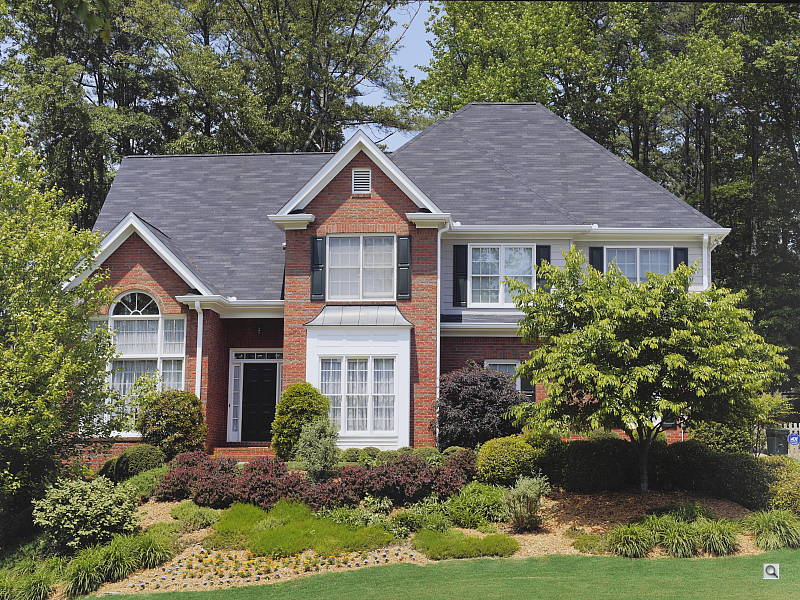
Outdoors, the Panasonic GH3 performed pretty well, with good though slightly cool color in the Far-field shot. Skintones are reasonably realistic in our "Sunlit" Portrait shot, with a healthy-looking push of pinks and reds which is preferable to too flat or yellow. Exposure accuracy is about average, as the camera required +0.7 EV compensation for our "Sunlit" Portrait shot to keep facial tones reasonably bright. That's average for this shot, but it led to a few blown highlights while leaving some dark shadows, though performance here is better than average particularly for a Micro Four Thirds sensor. The default exposure is a bit dim for the Far-field shot, but there are very few blown highlights, though there are some deep shadows that are a bit noisy. Default contrast is on the high side, but that's how most consumers prefer their photos.
See full set of test images with explanations
See thumbnails of all test and gallery images
Resolution
Very high resolution, ~ 2,300 lines of strong detail.


In camera JPEGs, our laboratory resolution chart reveal sharp, distinct line patterns to about 2,300 lines per picture height horizontally, and about 2,300 lines in the vertical direction. (Some might argue for higher, but aliasing artifacts begin to appear before that.) Complete extinction of the pattern didn't occur until about 3,100 lines horizontally and to 3,100 lines vertically. We weren't able to extract significantly more high-contrast resolution by processing the Panasonic GH3's RW2 file using Adobe Camera Raw, and the ACR conversion also shows some color moiré which is practically nonexistent in the camera JPEG.
Use these numbers to compare with other cameras of similar resolution, or use them to see just what higher resolution can mean in terms of potential detail.
See full set of test images with explanations
See thumbnails of all test and gallery images
Sharpness & Detail
Very good sharpness overall, with just minor edge-enhancement artifacts on high-contrast subjects. Moderate noise suppression visible in the shadows even at base ISO.


Sharpness. The Panasonic GH3 captures sharp, detailed images overall. Some minor edge enhancement artifacts are visible on high-contrast subjects such as the "halos" along the thicker branches and pine cones in the crop above left, but default sharpening here is fairly conservative compared to more consumer-oriented models. Edge enhancement creates the illusion of sharpness by enhancing colors and tones right at the edge of a rapid transition in color or tone.
 |
|
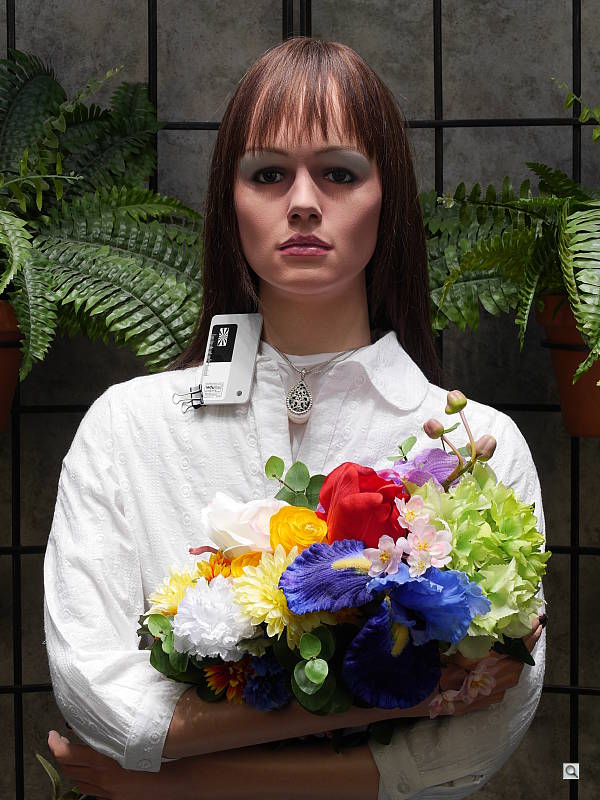
Detail. The crop above right shows the effect of noise suppression in the form of smudging of individual strands together in the darker areas of the model's hair, as well as in areas with low local contrast. Processing RAW files with a good converter can produce much improved detail and can also reduce noise reduction and demosaicing artifacts, as can be seen in the ACR converted RAW crop at right. (Mouse over the links to compare.) Noise-suppression systems in digital cameras tend to flatten-out detail in areas of subtle contrast. The effects can often be seen in shots of human hair, where the individual strands are lost and an almost "watercolor" look appears.
Intelligent Resolution
The Panasonic GH3 offers four levels of "Intelligent Resolution," which essentially sharpens fine detail and outlines, while reducing noise in areas with little or no detail (such as a cloudless sky). To see how well it works, compare the crops below at each setting.

In the table above, mousing over a link at the bottom will load the corresponding crop in the area above, and clicking on the link will load the full resolution image.
As you can see, fine detail contained in and around the lettering on the bottle has progressively stronger local sharpening applied as the setting is increased, while noise in flatter areas that would normally be emphasized with standard, global sharpening is actually reduced. Sharpening halos are however more visible at higher settings. According to Panasonic, the Extended setting is designed to produce more natural results when making large prints.
RAW vs In-Camera JPEGs
As noted above, the Panasonic GH3 produces sharp in-camera JPEGs with good detail, though default noise reduction is a bit high at base ISO. As is almost always the case, quite a bit more detail can be obtained from carefully processing RAW files than can be seen in the in-camera JPEGs, with fewer sharpening artifacts to boot. Take a look below, to see what we mean:
 |
|||
In the table above, mousing over a link at the bottom will load the corresponding crop in the area above, and clicking on the link will load the full resolution image.
The first crop from the left is from an in-camera Fine JPEG at default settings. The second is a raw file converted with SilkyPix 3.1 SE (the converter/editor Panasonic bundles with their RAW-capable cameras), using default settings. The third crop is also a RAW conversion done with SilkyPix but with noise reduction and sharpening set as low as they go within the editor, and then sharpened using SilkyPix's output unsharp masking feature set to 300%, a radius of 0.3 pixels, and a threshold of 0. Adobe Camera Raw 7.2 was used for the ACR conversion at right. Default settings were used for conversion, though no sharpening was applied in ACR. The image was then sharpened in Photoshop using the same sharpening settings as we used with SilkyPix.
As you can see, the in-camera JPEG contains pretty good fine detail. SilkyPix however had trouble with the pine needles, flattening them out and making them look reminiscent of a watercolor painting when viewed up close. It's likely doing some fairly heavy-handed noise reduction under the hood which can't be disabled. The results we got using SilkyPix are a bit disappointing, but we must confess we didn't experiment with different settings for very long, so you may be able to do better. The ACR conversion extracted the most detail, but also shows more noise, especially in areas with little detail such as the sky. You can always turn up the luminance noise reduction (default of zero was used here), or process the files in your favorite noise reduction program or plugin if you find the noise objectionable. Bottom line, though, as is usually the case shooting in RAW mode provides better detail, color, and control than in-camera JPEGs when using a good converter.
ISO & Noise Performance
Very good high ISO performance for a Micro Four Thirds model.
|
Default Noise Reduction
|
||
 |
 |
 |
| ISO 125 | ISO 200 | ISO 400 |
 |
 |
 |
| ISO 800 | ISO 1,600 | ISO 3,200 |
 |
 |
|
| ISO 6,400 | ISO 12,800 | ISO 25,600 |
The Panasonic GH3's images are detailed and pretty clean at ISOs 125 through 400, with only minor luminance and chrominance noise visible in the shadows. ISO 800 shows stronger noise reduction efforts as well as more chroma noise, blurring some very fine detail in the process, though overall detail remains very good. ISO 1,600 is of course a little softer with more noticeable chroma and luma noise, but still pretty good. What looks to be a sudden increase in sharpening likely to make up for stronger noise reduction makes luminance noise more obvious with a peppering effect at ISO 3,200. At ISO 6,400. much stronger noise reduction kicks in reducing the frequency of the peppered effect, but with a large hit to fine detail. Chroma noise in the form of purple blotching in shadows and midtones is also quite noticeable at this ISO. ISO 12,800 is worse as you'd expect, with more noticeable yellow and purple chroma noise, and obvious sharpening artifacts that give the image an almost crystalline appearance. These artifacts are very noticeable and distracting at ISO 12,800, along with much stronger chroma noise in the form of purple and yellow blotches. It's hard to tell from the crop, but image quality at ISO 25,600 is pretty bad with strong luma and chroma noise along with heavy blurring, leaving little fine detail. Color balance also shifts toward green at the highest ISOs.
Overall, though, high ISO performance is very good for a Micro Four Thirds model, but still trails a bit compared to the best APS-C models. We're of course pixel-peeping to an extraordinary extent here, since 1:1 images on an LCD screen have little to do with how those same images will appear when printed. See the Print Quality section below for our evaluation of maximum print sizes at each ISO setting.
A note about focus for this shot: We shoot this image at f/4, usually using one of three very sharp reference lenses (70mm Sigma f/2.8 macro for most cameras, 60mm f/2.8 Nikkor macro for Nikon bodies without a drive motor, and Olympus Zuiko 50mm f/2.0 for Four Thirds and Micro Four Thirds bodies). To insure that the hair detail we use for making critical judgements about camera noise processing and detail rendering is in sharp focus at the relatively wide aperture we're shooting at, the focus target at the center of the scene is on a movable stand. This lets us compensate for front- or back-focus by different camera bodies, even those that lack micro-focus adjustments. This does mean, though, that the focus target itself may appear soft or slightly out of focus for bodies that front- or back-focused with the reference lens. We know this; if you click to view the full-size image for one of these shots and notice that the focus target is fuzzy, you don't need to email and tell us. :-) The focus target position will have been adjusted to insure that the rest of the scene is focused properly.
Extremes: Sunlit, dynamic range and low light tests
Somewhat high default contrast but good dynamic range. Good low-light performance.


Sunlight. The Panasonic GH3 did fairly well with the deliberately harsh lighting of this test. Contrast is a little high at its default setting, but dynamic range is good. We felt the +0.7 EV exposure is the best compromise here. Although skin tones around the eyes are a bit dark, we prefer it to the +1.0 EV exposure overall, because there are very few clipped highlights. It's really the photographer's choice here as to which direction to go in. For those Panasonic GH3 owners that are going to want to just print an image with little or no tweaking, the +1.0 image would probably produce a better-looking face uncorrected. The bottom line though, is that the Panasonic GH3 performed well with the wide dynamic range of this shot, much better than prior models.
Because digital cameras are more like slide film than negative film (in that they tend to have a more limited tonal range), we test them in the harshest situations to see how they handle scenes with bright highlights and dark shadows, as well as what kind of sensitivity they have in low light. The shot above is designed to mimic the very harsh, contrasty effect of direct noonday sunlight, a very tough challenge for most digital cameras. (You can read details of this test here.)
Dynamic Range Analysis
A key parameter in a digital camera is its Dynamic Range, the range of brightness that can be faithfully recorded. At the upper end of the tonal scale, dynamic range is dictated by the point at which the RGB data "saturates" at values of 255, 255, 255. At the lower end of the tonal scale, dynamic range is determined by the point at which there ceases to be any useful difference between adjacent tonal steps. Note the use of the qualifier "useful" in there: While it's tempting to evaluate dynamic range as the maximum number of tonal steps that can be discerned at all, that measure of dynamic range has very little relevance to real-world photography. What we care about as photographers is how much detail we can pull out of the shadows before image noise becomes too objectionable. This, of course, is a very subjective matter, and will vary with the application and even the subject matter in question. (Noise will be much more visible in subjects with large areas of flat tints and subtle shading than it would in subjects with strong, highly contrasting surface texture.)
What makes most sense then, is to specify useful dynamic range in terms of the point at which image noise reaches some agreed-upon threshold. To this end, Imatest computes a number of different dynamic range measurements, based on a variety of image noise thresholds. The noise thresholds are specified in terms of f-stops of equivalent luminance variation in the final image file, and dynamic range is computed for noise thresholds of 1.0 (low image quality), 0.5 (medium image quality), 0.25 (medium-high image quality) and 0.1 (high image quality). For most photographers and most applications, the noise thresholds of 0.5 and 0.25 f-stops are probably the most relevant to the production of acceptable-quality finished images, but many noise-sensitive shooters will insist on the 0.1 f-stop limit for their most critical work. A full discussion of all the data Imatest produces is really beyond the scope of this review: Visit the Imatest website for details of what the program measures, how it performs its computations, and how to interpret its output.
 JPEG. The graph at right (click for a larger version) was generated using Imatest's dynamic range analysis for an in-camera Panasonic GH3 JPEG file with a nominally-exposed density step target (Stouffer 4110). At default settings and native base ISO of 200, the results show 11.3 f-stops of total dynamic range, and 9.14 f-stops at the "High" quality level. From the chart in the top left, we can see roll-off at the highlight end of the tone curve is gradual, but for shadows it isn't quite as well-behaved, which could lead to some visible gradation in very deep shadows. Still, these scores are actually very good for a Micro Four Thirds model, very similar to the Olympus E-M5's. Note, that this measurement has a margin of error of about 1/3 f-stop, so differences of less than 0.33 can be ignored when comparing results to other models.
 Raw. The graph at right is from the same Stouffer 4110 stepchart image captured as a raw (.RW2) file, processed with Adobe Camera Raw using the Auto setting, then tweaked from there for best results. As can be seen, the score at the highest quality level increased insignificantly compared to the in-camera JPEG, to 9.28 from 9.14 f-stops, while total dynamic range increased more dramatically from 11.3 to 12.8 f-stops with a better behaved tonal curve at the shadow end. The results here are very good for a Micro Four Thirds model and slightly better than the Olympus E-M5, but still a bit lower than leading APS-C models. It's worth noting here is that ACR's default noise reduction settings reduced overall noise somewhat (see the plot in the lower left-hand corner) relative to the levels in the in-camera JPEG, which would tend to boost the dynamic range numbers for the higher quality thresholds.
Contrast Adjustment
The camera's contrast adjustment was at least some help in handling the harsh lighting.
|
Minimum Contrast
|
|
 |
 |
| Contrast set to lowest, +0.7 EV |
Contrast set to lowest, Auto Exposure |
The Panasonic GH3's lowest contrast setting does a good job bringing out detail in the shadows and darker midtones, but it does little did little to preserve clipped highlight detail in the "Sunlit" Portrait shot. (The default Far-field shot had few highlights clipped to begin with.) Overall, pretty good performance.
| Contrast Adjustment Examples | ||
|
 |
 |
| -5 | 0 | +5 |
Like saturation, the Panasonic GH3 offers 11(!) contrast settings, providing more than the usual latitude in this adjustment. The table above shows results with the default as well as the two "extreme" contrast settings. Click on any thumbnail above, then click again to see the full-sized image.
| Face Detection | ||
 |
 |
 |
| Aperture Priority, 0 EV, f/8 Face Detection Off |
Aperture Priority, 0 EV, f/8 Face Detection On |
iAuto, 0 EV, f/2.5 |
Face Detection
Like most cameras these days, the Panasonic GH3 has the ability to detect faces (up to 15 in a scene), and adjust exposure and focus accordingly. As you can see from the examples above, face detection improved exposure in Aperture Priority at f/8, but iAuto mode really performed well where the camera had control over aperture, and automatically applied Intelligent D-Range.


Panasonic's Intelligent Dynamic Range
The above shots are examples of Panasonic's Intelligent Dynamic Range Control (or iD-Range) at work, with no exposure compensation. Note that the camera does not take multiple shots and merge them as HDR mode does (see below). It's a system that adjusts local contrast and exposure more akin to Nikon's Active D-lighting, Canon's Automatic Lighting Optimization or Sony's Dynamic Range Optimization.
There are three levels of iD-Range available on the Panasonic GH3: Low, Standard and High, plus Off. It's automatically invoked in iAuto and some scene modes and manually selectable in PASM modes. Here, the camera had sufficient native dynamic range that it managed to avoid clipped highlights without the help of iDynamic, so the settings had little effect.
|
Far-field HDR Examples
|
||||
|
|
||||
HDR mode
Here, you can see the Panasonic GH3's High Dynamic Range mode at work with our Far-field shot. HDR mode takes three images at different exposures and combines them to increase dynamic range. Mouse over the links, and click on them the view the full resolution files. Notice the double images and ghosting of objects or people moving between frames. Also notice the angle of view is narrower in the HDR image, likely because the image has been cropped and upsized during the alignment process.
| 1 fc 11 lux |
1/2 fc 5.5 lux |
1/4 fc 2.7 lux |
1/8 fc 1.3 lux |
1/16 fc 0.67 lux |
1/16fc No NR |
|
|---|---|---|---|---|---|---|
| ISO 125 |
 1.6 s f2.8 |
 3.2 s f2.8 |
 6 s f2.8 |
 13 s f2.8 |
 25 s f2.8 |
 25 s f2.8 |
| ISO 200 |
 1 s f2.8 |
 2 s f2.8 |
 4 s f2.8 |
 8 s f2.8 |
 15 s f2.8 |
 15 s f2.8 |
| ISO 400 |
 0.5 s f2.8 |
 1 s f2.8 |
 2 s f2.8 |
 4 s f2.8 |
 8 s f2.8 |
 8 s f2.8 |
| ISO 800 |
 1/4 s f2.8 |
 0.5 s f2.8 |
 1 s f2.8 |
 2 s f2.8 |
 4 s f2.8 |
 4 s f2.8 |
| ISO 1600 |
 1/8 s f2.8 |
 1/4 s f2.8 |
 0.5 s f2.8 |
 1 s f2.8 |
 2 s f2.8 |
 2 s f2.8 |
| ISO 3200 |
 1/15 s f2.8 |
 1/8 s f2.8 |
 1/4 s f2.8 |
 0.5 s f2.8 |
 1 s f2.8 |
 1 s f2.8 |
| ISO 6400 |
 1/30 s f2.8 |
 1/15 s f2.8 |
 1/8 s f2.8 |
 1/4 s f2.8 |
 0.5 s f2.8 |
 0.5 s f2.8 |
| ISO 12800 |
 1/60 s f2.8 |
 1/30 s f2.8 |
 1/15 s f2.8 |
 1/8 s f2.8 |
 1/4 s f2.8 |
 1/4 s f2.8 |
| ISO 25600 |
 1/125 s f2.8 |
 1/60 s f2.8 |
 1/30 s f2.8 |
 1/15 s f2.8 |
 1/8 s f2.8 |
 1/8 s f2.8 |
Low Light. The Panasonic Lumix DMC-GH3 performed well in our low light tests, able to capture bright images down to the lowest light level we test at, at all ISO settings. The darkest level equates to about 1/16 the brightness of average city street lighting at night, so the Panasonic GH3 should be able to take well-exposed photos in almost any environment in which you can see well enough to walk around in.
Using default noise reduction setting, noise is well-controlled up to ISO 3,200. Some very minor horizontal banding (pattern noise) is visible in the shadows at very high ISOs and lower light levels, but nothing unusual. We didn't notice any significant issues with hot pixels or heat blooming.
Automatic color balance was a little cool particularly at lower light levels, but not bad.
The camera's autofocus system was able to focus on our subject down to below the 1/16 foot-candle light level unassisted with an f/2.8 lens which is excellent, especially for a camera with contrast-detect autofocus. The Panasonic GH3 does have a focus-assist light option which allows it to autofocus in total darkness, as long as the subject is within range and has sufficient contrast.
How bright is this? The one foot-candle light level that this test begins at roughly corresponds to the brightness of typical city street-lighting at night. Cameras performing well at that level should be able to snap good-looking photos of street-lit scenes.
NOTE: This low light test is conducted with a stationary subject, and the camera mounted on a sturdy tripod. Most digital cameras will fail miserably when faced with a moving subject in dim lighting. (For example, a child's ballet recital or a holiday pageant in a gymnasium.) Thanks to their phase-detect AF systems, digital SLRs tend to do much better than point & shoots, but you still shouldn't expect a quick autofocus lock with moving subjects. The GH3 uses contrast-detect autofocus, as is found in most point & shoot cameras, so its low-light focusing ability may be less than that of some SLRs with phase-detect systems. That said, though, the larger, more sensitive pixels of the GH3's sensor do better under dim lighting than do the tiny pixels of most point & shoots, (A useful trick is to just prop the camera on a convenient surface, and use its self-timer to release the shutter. This avoids any jiggling from your finger pressing the shutter button, and can work quite well when you don't have a tripod handy.)
Output Quality
Print Quality
Very good 24 x 36 inch prints at ISOs 125/200; ISO 1600 capable of a nice 13 x 19; ISO 6400 prints a good 5 x 7.
 ISO 125/200 images are excellent at 24 x 36 inches, with good colors and nice detail. 36 x 48 inch prints are also suitable for wall display purposes.
ISO 400 prints look quite good at 20 x 30 inches, with wall display prints possible up to 30 x 40 inches.
ISO 800 yields a nice 16 x 20 inch print. 20 x 30s are fine for less critical applications, but there is some minor luminance noise apparent in the shadowy areas of our test target, and some of the reds are a bit on the soft side.
ISO 1600 is capable of a good 13 x 19 inch print. There is some loss of contrast in our target red swatch here, but this is quite common for most cameras as ISO rises.
ISO 3200 prints are good at 8 x 10 inches, although most all contrast is lost in our red fabric swatch and there is some minor grain in the shadows. Colors are beginning to be slightly muted as well, but enough color detail is preserved for good prints.
ISO 6400 produces a nice 5 x 7, if just a bit muted in color. 8 x 10s are also OK here for less critical applications.
ISO 12,800 has a bit too much apparent grain across the image and a decline in overall color saturation to be called good at 4 x 6, but may still be usable in certain situations where an aged and grainy look is desired.
ISO 25,600 does not print a usable 4 x 6 and is best avoided.
The Panasonic GH3 certainly holds its own in the print quality department, yielding high quality 24 x 36 inch prints at base ISO and ISO 200. This quality is maintained nicely at ISO 800 with relatively large prints for this sensor size, and allows for good 8 x 10s up to ISO 3200. This performance is not quite as good as many current APS-C cameras, and also not quite on par with one of its bigger four-thirds rivals the Olympus OM-D E-M5, but for the most part it only falls behind by a print size at some ISOs, so is still in the same general ballpark for overall image quality.
Testing hundreds of digital cameras, we've found that you can only tell just so much about a camera's image quality by viewing its images on-screen. Ultimately, there's no substitute for printing a lot of images and examining them closely. For this reason, we now routinely print sample images from the cameras we test on our Canon Pro9000 Mark II studio printer, and on the Canon Pixma MP610 here in the office. (See the Canon Pixma Pro9000 Mark II review for details on that model.)
The images above were taken from our standardized test shots. For a collection of more pictorial photos, see our Panasonic Lumix DMC-GH3 Photo Gallery .
Not sure which camera to buy? Let your eyes be the ultimate judge! Visit our Comparometer(tm) to compare images from the Panasonic Lumix DMC-GH3 with those from other cameras you may be considering. The proof is in the pictures, so let your own eyes decide which you like best!
Performance
Timing and Performance
Generally very good performance for a Compact System Camera.
|
Startup/Shutdown
|
||
|
Power on |
~0.8 second
|
Time it takes to turn on and capture a shot. |
|
Shutdown |
~2.5 seconds
|
How long it takes camera to turn off before you can remove the memory card. |
|
Buffer clearing time
|
4 seconds after
80 Large/Fine JPEGs* |
Worst case buffer clearing time. -- This is the delay after a set of shots before you can remove the card.
|
|
9 seconds after
24 RAW files* |
||
|
18 seconds after
20 RAW+ L/F JPEG files* |
||
|
*Note: Buffer clearing times measured with a SanDisk Extreme Pro 95MB/sec UHS-1 SDHC card. Slower cards will produce correspondingly slower clearing times. Slow cards may also limit length of bursts in continuous mode. ISO sensitivity and noise reduction settings can also affect cycle times and burst mode performance.
|
||
Startup time is quite fast for a Compact System Camera, but shutdown is a bit sluggish, likely due to sensor cleaning. Buffer clearing times are good given the deep buffers.
| Mode Switching | ||
|---|---|---|
|
Play to Record, |
~0.7 second
|
Time until first shot is captured. |
|
Record to Play |
~0.6 second
|
Time to display a large/fine file immediately after capture. |
|
Display |
~0.2 second
|
Time to display a large/fine file already on the memory card. |
Mode switching is quite fast.
| Shutter Response (Lag Time) | ||
|---|---|---|
|
Full Autofocus,
Single-area AF mode |
0.210 second
|
Time from fully pressing shutter button to image capture, with the lens already at the proper focal distance setting. (All AF timing done with the Panasonic 12-35mm f/2.8 H-HS12035 lens.)
|
|
Full Autofocus,
Multi-area AF mode |
0.212 second
|
Time from fully pressing shutter button to image capture, with the lens already at the proper focal distance setting.
|
|
Full Autofocus,
Single-area AF mode, Flash enabled |
0.380 second
|
Time from fully pressing shutter button to image capture, with the lens already at the proper focal distance setting, auto flash enabled.
|
|
Continuous AF
|
0.209 second
|
This mode usually shows no speed increase with our static subject; we have no way to measure performance with moving subjects.
|
|
Manual Focus
|
0.086 second
|
For most cameras, shutter lag is less in manual focus than autofocus, but usually not as fast as when the camera is "prefocused".
|
|
Prefocused |
0.079 second
|
Time to capture, after half-pressing and holding shutter button. |
The Panasonic GH3's contrast-detect autofocus is very quick for a CSC. It's faster than most consumer DSLRs' phase-detection AF as well, though slower than most high-end DSLRs. The GH3's full-autofocus shutter lag (with the subject at a fixed distance) is 0.210 second using single-area (center) AF with the 12-35mm f/2.8 lens in our tests. 23-area AF is only slightly slower at 0.212 second. Enabling the flash increases lag quite a bit to 0.380 second, but that's still pretty good. When manually focused, the GH3's lag time drops to 0.086 second, which is also quite fast. The GH3's prefocused shutter lag time of 0.079 second is also fairly quick, though not as fast as some CSCs.
To minimize the effect of different lens' focusing speed, we test AF-active shutter lag with the lens already set to the correct focal distance.
| Cycle Time (shot to shot) | ||
|---|---|---|
|
Single Shot mode |
0.48 second
|
Time per shot, averaged over 20 shots with no signs of slowing, 2 seconds to clear*. |
|
Single Shot mode |
0.48 second
|
Time per shot, averaged over 20 shots with no signs of slowing, 3 seconds to clear*. |
|
Single Shot mode
RAW + L/F JPEG |
0.46 second
|
Time per shot, averaged over 20 shots with no signs of slowing, 14 seconds to clear*. |
|
Early shutter |
No
|
Some cameras don't snap another shot if you release and press the shutter too quickly in Single Shot mode, making "No" the preferred answer. |
|
Continuous High |
0.17 second (6.06 frames per second);
80 frames total; 4 seconds to clear* |
Time per shot, averaged over 80 frames with no signs of slowing. |
|
Continuous High |
0.20 second (5.11 frames per second);
24 frames total; 9 seconds to clear* |
Time per shot, averaged over buffer length of 24 frames, then slows to an average of 0.53s or 1.88 fps with about 31% variation. |
|
Continuous High |
0.19 second (5.15 frames per second);
20 frames total; 18 seconds to clear* |
Time per shot, averaged over buffer length of 20 frames, then slows to an average of about 1.05s or 0.95 fps. |
|
Continuous Super High |
0.05 second (20.0 frames per second);
80 frames total; 11 seconds to clear* |
Time per shot, averaged over maximum buffer length of 80 frames. |
|
Flash Recycling |
4.1 seconds
|
Flash at maximum output. |
|
*Note: Buffer clearing times measured with a SanDisk Extreme Pro 95 MB/sec UHS-1 SDHC card. Slower cards will produce correspondingly slower clearing times. Slow cards may also limit length of bursts in continuous mode. ISO sensitivity and noise reduction settings can also affect cycle times and burst mode performance.
|
||
Single-shot cycle times are quite fast. We measured 0.48 second for Large/Fine JPEGs, 0.48 second for RAW and 0.46 second for RAW+L/F JPEGs.
Continuous High mode is pretty fast at about 6.1 frames per second when shooting full-resolution JPEGs. This drops to about 5.1 frames per second with RAW files, and 5.2 fps for RAW+JPEGs, though. Note that Live View is not available during bursts in Continuous High mode. Continuous Medium and Low speed modes offer 4 and 2 frames per second respectively, while supporting Live View.
Full resolution buffer depth is essentially unlimited for Large/Fine JPEGs, with a fast card. When shooting RAW or RAW+JPEG files, buffer depth drops to 24 and 20 frames respectively, which is still very good. Buffer clearing times are good with our 95MB/s UHS-1 card, considering the deep buffers.
The flash recycled after a full discharge in an average of 4.1 seconds.
| Download Speed | ||
|---|---|---|
|
Windows Computer, USB 2.0 |
9,424 KBytes/sec
|
Typical Values: |
Download speeds are reasonably fast, quick enough that you probably won't feel the need for a separate card reader, even with large memory cards. (Note that this test was performed with a SanDisk Extreme Pro 95MB/sec UHS-1 SD card: Slower cards would likely show slower transfer times.)
Bottom line, the Panasonic GH3's performance is generally very good. Mode switching and autofocus is fast, cycle times and burst speeds are good, and buffer clearing is good given the deep buffers.
Battery Life
Above average battery life for a Compact System Camera.
| Operating Mode | Battery Life |
|---|---|
|
Still Capture, CIPA standard
(with H-HS12035 lens) |
540 shots
|
|
Still Capture, CIPA standard
(with H-VS014140 lens) |
500 shots
|
The Panasonic GH3 uses a custom rechargeable lithium-ion battery pack for power, and comes with both a single battery and charger. The CIPA rated 500-540 shots per charge depending on the lens is above average for a Compact System Camera, but still lower than a typical prosumer DSLR when using an optical viewfinder. We strongly recommend getting a second battery for your GH3 if you plan any extended outings, and if you need longer battery endurance, consider purchasing the DMW-BGGH3 battery grip which effectively doubles battery life with a second lithium-ion battery installed.
The table above shows the number of shots the camera is capable of (on a fully-charged rechargeable battery), based on CIPA battery-life and/or manufacturer standard test conditions.
(Interested readers can find an English translation of the CIPA DC-002 standards document here. (180K PDF document))
Video
Check out the links below for more sample images, videos and image quality analysis:
- Panasonic Lumix DMC-GH3 Optics page (Crops from images shot with the camera's kit lens, if sold as a kit)
- Panasonic Lumix DMC-GH3 Sample Images page (Index to all standard test shots, with explanations)
- Panasonic Lumix DMC-GH3 Thumbnails page (Thumbnails of all shots, including RAWs, with EXIF data)
- Panasonic Lumix DMC-GH3 Gallery page (Regular photos taken with the Panasonic Lumix DMC-GH3)

The Panasonic GH2 turned out to be a powerhouse of a camera or video recording, and the updated GH3 takes Panasonic's flagship Micro Four Thirds compact system camera to the next level. The GH3 includes many features normally found only on higher-end video cameras such as very high bitrate recording formats (up to 72 Mbps for ALL-Intra), unlimited continuous recording time* and full 1080/60p video (at 50 Mbps IPB).
Unlike a number of other video-capable interchangeable lens cameras, which tended to feel as if their video features were a tacked-on afterthought, Panasonic designed the GH3 with video recording as a top priority. The GH3 has a special heat-dispersing design to enable longer recording times (overheating while recording video was a issue that plagued earlier HD-DSLRs like the 5D Mark II and 7D), as well as SMPTE-compliant Time Code for more professional editing capabilities.
The GH3 offers up to 1920 x 1080 resolution video with frame rates up to 60 frames per seconds. Users get other advanced video features, such as three video formats, full-time autofocus and AF tracking, manual audio control with a 3.5mm external microphone jack and full manual exposure controls. Overall, the Panasonic GH3 is an impressive camera for video recording that stands out among its competitors, with features and capabilities that make it a great choice for beginner, advanced and professional users alike.
*For users in PAL countries, continuous video recording time is limited to 29 minutes, 59 seconds. The GH3 comes in two models, PAL or NTSC versions, depending on where they're sold.
Panasonic GH3 Basic Video Specs
- Full HD 1,920 x 1,080 Progressive recording at 60p (50p for PAL).
- 1080i (1,920 x 1,080), 60 fields/second HD recording, derived from 60 fps sensor output (50 fields/second in PAL, derived from 50 fps sensor output) .
- 720p (1,280 x 720), 60/50p HD recording, also derived from 60/50 fps sensor output.
- 640 x 480 VGA at 30p SD recording.
- Three video formats: AVCHD (.MTS), MPEG-4 (.MP4), H.264 (.MOV).
- H.264 includes ALL-Intra (ALL-I) options for ultra-high bit rate recording, with no inter-frame compression.
- SMPTE-compliant time code for syncing multiple video or sound recordings in post production.
- Seamless File Generation: in MOV, AVCHD Progressive and AVCHD formats, new video files are created seamlessly for longer continuous recording capability.
- Full-time Autofocus in video, including AF tracking, Face Recognition AF and Touch AF (refocus by touching the screen at desired point of focus).
- Manual focus with 1x, 4x, 5x and 10x magnification to check focus.
- True aperture-priority, shutter-priority, and full-manual video exposure options.
- Full ISO control in all Movie exposure modes.
- Exposure compensation adjustment is available in all movie recording modes, and can be adjusted during recording.
- Extra Tele Conversion digital zoom supported (magnification available depends on video resolution and aspect ratio).
- Dolby Digital stereo audio recording via built-in microphone, plus external stereo input via 3.5mm mic jack. (Dolby Digital in AVCHD mode, AAC in MP4 mode, and LPCM for MOV format.)
- Microphone level adjustment with monitoring ability via 3.5mm headphone jack.
- Uncompressed, clean HDMI output for use with an external capture device or monitor.
- Available "Silent Operation" mode: zoom (with compatible lens), aperture, shutter speed, exposure compensation, ISO and mic adjustment are touch-controlled.
- Up to 40 two-megapixel resolution still images can be captured during each video recording session, without pausing the recording (when recording is started from a still-image capture mode) in Motion Picture Priorities Mode.
- Up to 10 full-resolution still images can be captured per video recording session, but the video is paused briefly for each (also available only when recording is begun from a still-image capture mode) in Still Picture Priorities Mode.
- Slow-motion recording at 0.4x (60 fps), 0.48x (50 fps) and 0.8x (30 fps) normal speed, played back at 24 fps; fast-motion recording at 1.6x (15 fps), 2x (12 fps) and 3x (8 fps) normal speed, played back at 24 fps. (24p mode only; camera will switch to this frame rate regardless of prior setting).
- Creative Control mode for special effects and image styles.
- Video divide is the only in-camera editing feature.
Panasonic GH3 Video: Image Size, Frame Rate, and Encoding
Expanding upon the video capabilities of the much-loved GH2, the Panasonic GH3 records at a variety of resolutions, frame rates, bit rates and recording file formats. Users can record video in either the more space-efficient AVCHD format or the more broadly compatible MP4 file formats. For better video editing, shooters also have the option of recording in H.264 (.MOV) format. New for the GH3, the H.264 format gives users the choice of ALL-Intra and IPB bitrate modes, giving you ultra high bit rate video for increased image quality and much better flexibility when editing and color correcting or grading footage. All-Intra mode has a bitrate of 72 Mbps, while IPB mode is 50 Mbps. The ALL-Intra data compression scheme compresses each frame individually, rather than trying to eliminate redundant information from one frame to the next. This improves image quality, but file sizes for this format are much larger than for others, so you need to use large memory cards with fast write speeds.

Video capability. The Panasonic GH3's video options are well-suited to both consumer and advanced use.
Depending on where you're buying your GH3, it can record in either NTSC or PAL frame rates (NTSC being 30p and 60p, and PAL being 25p and 50p) as well as 1080p 24p. Note that, while the frame rate for the AVCHD interlaced recording at 17Mbps is 60 or 50 fields per second in the files, the sensor is capturing at 60 or 50 frames per second respectively (60p/50p). There is also an AVCHD 30p format at 24Mbps that is recorded at 60i with the sensor output of 30 frames per second (30p).
There's some confusion in the market in what "60i" actually means in camera specs, thanks to some companies stretching the truth a little in its definition. Some cameras claim 1080/60i output, but they're only reading fresh data from the sensor 30 times per second. While the output is encoded and output as 60 fields per second, the content of both fields are essentially identical, having been captured as a single frame every 1/30 of a second. (For PAL countries, just substitute 50/25 fps for the 60/30 being referred to here.)
Panasonic is careful to explain the output data and timing properly, but there might still be a little confusion, because the 1080/30p mode actually outputs as 60i, with the sensor data updated every 1/30 of a second, as just described. There are thus the following output options at 1080 resolution:
- 60p, with data being read from the sensor 60 times/second
- 60i, with data being read from the sensor 60 times/second
- "30p", which is actually output as two 60i interlaced fields, but with data only coming from the sensor every 1/30 second
- 24p, output as true 24 progressively scanned frames per second, with data coming from the sensor every 1/24 second
There is also a special variable frame rate mode that lets you record at 0.4x, 0.48x and 0.8x slower frame rates and 1.6x, 2.0x, and 3.0x faster frame rates. When using this variable speed frame rate setting, the video file format and underlying frame rate is automatically switched to the 1080p/24p IPB recording format, at a lower bit rate of 24 Mbps.
A new feature for the GH3 is that video can be recorded for an unlimited time* rather than the 29 minute 59 second restriction that the GH2 and many other video-capable interchangeable lens cameras impose. This allows the GH3 to function much closer to a camcorder, in that you can record for as long as your memory card has space or battery has juice. *Note that in PAL recording formats, the GH3 still has a 29 minute 59 second video recording limit.
The GH3 also features seamless file creation, for the AVCHD and MOV file formats, which automatically creates new files for seamless recording as needed. This was a problem for early video-still cameras like the Canon 5D Mark II that would stop recording at around 12 minutes, when it reached its 4GB file size limit.
The table below shows the specs for various video recording options:
|
Panasonic Lumix DMC-GH3 Video Options
|
||
|---|---|---|
|
AVCHD Format (.MTS files)
|
||
|
Menu Designation
|
Resolution
|
NTSC Frame Rate
|
|
FHD/60p*
|
1080p
1,920 x 1,080 |
60 fps
(sensor output is 60 fps) (28 Mbps) |
|
FHD/24p
|
1080p
1,920 x 1,080 |
24 fps
(24 Mbps) |
|
FHD/30p
|
1080i
1,920 x 1,080 |
60 fields/s
(sensor output is 30 fps) (24 Mbps) |
|
FHD/60i
|
1080i
1,920 x 1,080 |
60 fields/s
(sensor output is 60 fps) (17 Mbps) |
MP4 Format (.MP4 files) |
||
Menu Designation |
Resolution |
NTSC Frame Rate |
FHD/60p**
|
1080p (1,920 x 1,080) |
60p |
FHD/30p
|
30p |
|
HD/30p
|
720p (1,280 x 720) |
|
VGA/30p
|
640 x 480 (4:3 aspect ratio) |
|
|
H.264 Format (.MOV files)
|
||
|
Menu Designation
|
Resolution
|
NTSC Frame Rate
|
|
FHD/60p
|
1080p 1,920 x 1,080 |
60 fps
(IPB - 50 Mbps) |
|
FHD/30p/I
|
30 fps
(ALL-Intra -72 Mbps) |
|
|
FHD/30p
|
30 fps (IPB - 50 Mbps) |
|
FHD/24p/I
|
24 fps (ALL-Intra -72 Mbps) |
|
FHD/24p/I***
|
24 fps (IPB - 50 Mbps) |
|
HD/60p/I
|
720p (1,280 x 720) |
60 fps (ALL-Intra -72 Mbps) |
* Uses AVCHD Progressive format. |
||
Panasonic GH3 Video: Image Quality
The GH3 provides a plethora of video recording formats, resolutions and bit rate levels, and overall produces very impressive video quality. Notably, the high bitrate ALL-I MOV format videos are very sharp with crisp detail and a high dynamic range, with plenty of shadow details. Both the MOV and MP4 sample videos we shot displayed nice, accurate colors with low contrast. The AVCHD videos still had great image quality, but more contrast, while while stopping short of being too contrasty. The low contrast images and high dynamic range of the GH3 footage is great for video editors looking to use color correction and grading tools in post production.
Moiré and aliasing artifacts were noticeable in problem areas like roofing and window blinds, even on the ALL-I MOV videos. The moiré patterns were more of the jaggy line patterns; we didn't seen any color moiré patterns. Overall, moiré was not severe, but something to watch out for when filming.
In our night videos, shot at ISO 6400, the GH3 did a decent job. While high ISO noise was quite visible, the images were unusually crisp, showing lots of fine detail. Dynamic range was really great as well, with lots of details in the shadows. (This is perhaps an example of the GH3's moderate contrast helping to preserve detail.) While we don't show any below, as they were rather dark, shots at ISO 3200 were considerably cleaner.
It's interesting to compare the GH3's video output with some much higher-priced full-frame cameras. Taking the Canon 5D Mark III as a particular example, the full-frame 5D Mark III delivered cleaner-looking video, with noticeably less image noise, but the GH3 wins hands-down when it comes to crispness and better handling of the very contrasty night-time illumination, with greatly improved shadow detail. (See our Canon 5D Mark III video page for a full set of videos to compare against those from the GH3.)
Here are some examples of video shot with our test sample of the Panasonic DMC-GH3:
| Panasonic GH3: Video Samples
|
|---|
| 1,920 x 1,080 Progressive, 24 frames per second, AVCHD Download Original |
| 1,920 x 1,080 Progressive, 24 frames per second, MOV, ALL-I Download Original |
| 1,920 x 1,080 Night, Progressive, 60 frames per second, AVCHD, ISO 6400 Download Original |
| 1,920 x 1,080 Night, Progressive, 30 frames per second, AVCHD, ISO 6400 Download Original |
1,920 x 1,080 |
| 1,280 x 720 Night Progressive, 30 frames per second, MP4, ISO 6400 Download Original |
Panasonic GH3 Video: Focusing
The GH3 like many recent video-capable still cameras features full-time autofocus capabilities. The GH3 also features subject tracking and face recognition AF, as well as manual focusing. Panasonic warns that depending on the lens used, the AF operation noise may be picked up by the built-in microphones. The Panasonic 14-140mm f/3.5-5.6 and 12-35mm f/2.8 lenses we tested with the GH3 were extremely quiet. Even with an ear pressed up next to the lenses, the auto-focusing operation was nearly silent. Nevertheless, if you are filming with critical audio, particularly in a quiet environment, either use manual focusing or turn off Continuous AF so autofocus won't continue during recording.
- Full-time continuous autofocus - AFS/AFF/AFC
- The camera will autofocus automatically in both AFS/AFF and AFC modes.
- If "Continuous AF" is set to OFF in the menu settings then the focus will be locked before recording, otherwise the camera will focus continually during recording.
- Focus can be adjusted with a half-press of the shutter button.
- Touch-screen display is also capable of touch-AF, to move the focus point around the frame.
- AF area mode options:
- Pinpoint (AFS mode only)
- 1-Area
- 23-Area
- AF Tracking (Half-press shutter button to lock AF point on target before recording. To reset, tap on icon on the display or press the Fn.3 button.)
- Face Detection
- Manual focus is also available during movie recording.
- Magnified focus-assist display for manual focus can be positioned anywhere within the ~60% central area of the frame. (Nice!)
- AF+MF option allows for manual focus override while holding the shutter button half-way.
Panasonic GH3 Video: Exposure Control

Like most cameras in this class, the GH3 provides the full array of manual exposure settings. The GH3 allows you to begin recording video in any stills shooting mode, however even in P, A, S and M modes, the exposure settings cannot be changed during recording nor are current still-image exposure settings used for video recording in these modes. The GH3 features a dedicated Motion Picture mode, which allows for full manual control of the exposure.
- Video-specific P, A, S, and M exposure
modes:
- Select PASM modes from Motion Picture menu
- Metering can be selected, just as in stills mode:
- Multiple (whole frame evaluative metering)
- Center-Weighted
- Spot Metering
- Full ISO sensitivity control, ISO can be adjusted during recording
- Auto ISO is available, but ISO Limit Set value from still-capture mode does not apply will.
- Photo Style adjustments
- Standard
- Vivid
- Natural
- Monochrome
- Scenery
- Portrait
- Custom
- Record Highlight - display blown/over-exposed highlights overlays (blinking black/white)
- Flicker Decrease - shutter speed can be adjusted to reduce flickering or stuttering associated with certain video frame rates when shooting under fluorescent lighting with old-style magnetic ballasts that run at line frequency.
- Shutter speed settings are preset to: 1/50, 1/60, 1/100, 1/120
Panasonic GH3 Video: Audio recording

No detailed specifications are provided for the sampling rate of the GH3's audio track during movie recording, though video players report 16-bit PCM audio with a 48K sampling rate for MOV, MPEG AAC with a 48 KHz sample rate for MP4 video, and Dolby Digital AC3 audio at 48 KHz sample rate and 192 Kbps bit rate for AVCHD.
- Built-in stereo microphone
- External, 3.5mm microphone input jack
- Headphone jack for monitoring audio
- Real Time: Actual live sound coming through microphone.
- Record Sound: The earphone audio is delayed very slightly, so it synchronizes with the live display in the viewfinder or OLED screen. (This avoids the annoying lag you'll hear in the audio with some cameras when watching the viewfinder display.)
- Note: Panasonic warns not to use headphone cables longer than 3 meters (9.8 feet).
- Audio recording level is adjustable (19 steps)
- Silent Operation feature that enables touch icons for various exposure settings (aperture, ISO, shutter speed), mic level adj., and zoom (when using a power-zoom compatible lens) to prevent the sounds of pressing buttons or scrolling wheels being recorded by microphones.
- Great for video when using built-in mic, as operational sounds are very prone to audible noises.
- Time Code
- SMPTE-compliant time code for easy syncing of multiple cameras and/or audio recorded with external recording devices.
- Rec Run or Free Run options (advance time code only while shooting, or be counting up all the time)
- Reset time code to zero, manually set to any value, or set to current time
- Drop frame (to equalize time code and frame rate) or non-drop frame options
- Optionally display time code in viewfinder/OLED monitor
Panasonic GH3 Video: Rolling Shutter Artifacts
Pretty much every video-capable still camera on the market distorts moving objects, or the entire scene, if the camera is being panned quickly or the subject is moving rapidly. The technical term for this is "rolling shutter artifacts," but many users simply call it the "Jello effect," because the image can jiggle and sway like Jello as the camera is moved. This occurs because the image is captured and read out line by line, so the bottom of an object may no longer be underneath the top of it by the time the camera gets around to capturing that part of the frame.
The GH3 is impressive when it comes to handling rolling shutter artifacts, although the artifacts are not avoided completely. At the slower frame rates of 30p and 24p, rolling shutter is noticeable but quite low compared to other cameras we've seen. At the faster 60p frame rate, rolling shutter artifacts are very minimal.
There are plug-ins out there to fix rolling shutter when editing your footage on the computer, but software correction is not a surefire solution. It's simply something that you must keep in mind when moving the camera while recording video. If you just pan slowly while filming, you're not likely to notice it much at all.
| Panasonic GH3: Rolling Shutter Artifacts
|
|---|
Panasonic GH3 Video: Image Stabilization
Panasonic's image stabilization technology is lens-based, so IS effectiveness and impact on the audio track will depend entirely on the lens you're using. The GH3 features two settings in their Optical Image Stabilizer system, "Normal" and "Panning." Normal mode compensates for vertical and horizontal vibrations, while Panning only compensates for vertical vibrations. For video recording, however, the GH3 will automatically set to Normal mode; Panning O.I.S. mode is not available. Of course, you also have the option of disabling image stabilization either on the lens or via the camera menus when using a lens without an external switch.
Panasonic GH3 Video: HDMI Output
The Panasonic GH3 provides uncompressed, clean HDMI output at up to 1080p/60p for use with either an external HD monitor or an HD video capture/recording device. Users have the option of selecting the output resolution as well as disabling the graphical information overlays normally shown on the camera's display. Disabling the graphical overlays (hence the use of the term "clean") is essential for capturing usable footage via an HDMI video capture/recording device. There are no specifications in the GH3 manual as to the quality level of the uncompressed HDMI signal, however we've seen reports stating that it is an 8-bit 4:2:0 signal, which is not as high quality as 4:2:2, which many professional videographers and filmmakers prefer. Nevertheless, the output is still uncompressed, which should give users much higher quality video than the standard recording formats used when recording to the internal memory card.
There are a few caveats regarding HDMI output with the GH3 that are noted in the user manual. First, if you are recording video at 24 frames per second, you must set the HDMI output resolution to AUTO and not a manual resolution option. Also, note that the OLED monitor on the back of the GH3 will turn off during recording while outputting an HDMI signal to an external device.
Panasonic GH3 Video Mode: The Bottom Line
All in all, the Panasonic GH3 is a unique camera that blurs the line between a still camera and a dedicated video camera more than anything that has preceded it. It incorporates a host of advanced features normally not found on a camera of this price or size, such as very high bitrate recording formats, industry-standard SMTPE time code, and unlimited video recording time. The GH3 is also quite flexible when it comes to lenses, with many third-party manufacturers producing lens adapters allowing for a wide range of new and vintage glass to be used with the GH3 (Panasonic themselves make lens adapters to use Four-Thirds, Leica M and Leica R lenses). With great image quality (and super-high bit rates), advanced video formats, frame rates up to 1080/60p plus rich audio recording capabilities, all for around $1000, the GH3 is an outstanding choice for still photographers transitioning or experimenting with video as well as seasoned video professionals. There's really nothing like it on the market, anywhere near its price. When you add its compact size to the equation, nothing else matches it, period.
Panasonic GH3 Video: Cool Videos
While our test shots reveal a lot about the Panasonic GH3's performance, they're hardly representative of what talented videographers, cinematographers, and editors can do with the camera and its footage. There are a multitude of examples of creative work created with the GH3 over on Vimeo. Here's a small handful of outstanding work shot on the GH3 (be sure to search further on Vimeo for "GH3"):
| Panasonic GH3: Creative videos
|
|---|
"Genesis" - Panasonic GH3 launch film, by Philip Bloom Professionally produced by director/cinematographer Philip Bloom, this was one of the launch films for the GH3 camera when it was announced by Panasonic on the 17th September before Photokina 2012. View on Vimeo |
"GH3 meets funfair", by pilpop |
|
"Beautiful Decay [Panasonic Lumix GH3]", by Martin Wallgren
This short video was shot with a pre-production version of the GH3 running firmware v0.4. Nevertheless, the images are outstanding with great color and detail. View on Vimeo |
|
Every Lost Breath - GH3 Middle East launch film, by Sherif Mokbel
Produced for Panasonic for the Middle East launch of the GH3, this short piece by Sherif Mokbel was shot with no budget, this piece really showcases the low-light performance of the GH3. View on Vimeo |
Flash
Panasonic GH3 Flash
Flash Test Results
Exposure and Range
A powerful flash for a built-in. Less than average positive exposure compensation required.


Coverage. Without a kit lens, we have no flash coverage results.
Exposure. Indoors under incandescent background lighting, the Panasonic GH3's flash produced a bright exposure of our indoor portrait scene at ISO 200 with +0.3 EV flash exposure compensation. The typical amount required for this shot is +0.7 EV, so the GH3's performance is above average here. The camera's slow-sync flash mode required no compensation for bright results, though the longer exposure resulted in a very warm cast from the ambient background lighting.
ISO 200 Range. Since flash range is lens dependent, we did not shot a wide and tele range series for the GH3.
| Manufacturer-Specified Flash Range |
|---|
 14.0 feet ISO 200 |
Manufacturer-Specified Flash Range Test. Panasonic rates the GH3's flash Guide Number at 12m at ISO 100, or 17m at ISO 200. That works out to about 14 feet at f/4 and ISO 200, as shot above. As you can see, the Panasonic GH3 captured a bright flash target (actually overexposed by about 1/3 EV), so the built-in flash performs to specification. Our standard test method for flash range uses either a fixed setting of ISO 200, to provide a fair basis of comparison between cameras. We've now also begun shooting two shots using the manufacturer-specified camera settings, at the range the company claims for the camera (at Auto ISO if so specified), to assess the validity of the specific claims.
High ISO Noise Reduction
Panasonic GH3 Noise Reduction
The Panasonic GH3 offers no fewer than 11(!) noise reduction levels, offering very fine granularity on noise reduction strength, however there doesn't appear to be a way to assign different NR levels to specific ISO ranges as weve seen on some cameras. The Panasonic GH3 user manual doesn't say when noise reduction kicks in, so we've included crops from the entire range of ISOs in the tables below.
See for yourself how the Panasonic GH3's default, -2 and -5 (lowest) noise reduction settings compare to RAW without noise reduction under daylight-balanced lighting. (Note that these RAW images also have no sharpening applied, so they're a little softer than camera JPEGs at low ISOs.) Click on any of the crops below to see the corresponding full-sized image.
| High ISO Noise Reduction Comparison Daylight-balanced illumination |
||||
|
Default
|
-2
|
-5
|
RAW (no NR)
|
|
|
I
S O 1 2 5 |
 |
 |
 |
 |
 |
 |
 |
 |
|
 |
 |
 |
 |
|
|
Default
|
-2
|
-5
|
RAW (no NR)
|
|
|
I
S O 2 0 0 |
 |
 |
 |
 |
 |
 |
 |
 |
|
 |
 |
 |
 |
|
|
Default
|
-2
|
-5
|
RAW (no NR)
|
|
|
I
S O 4 0 0 |
 |
 |
 |
 |
 |
 |
 |
 |
|
 |
 |
 |
 |
|
|
Default
|
-2
|
-5
|
RAW (no NR)
|
|
|
I
S O 8 0 0 |
 |
 |
 |
 |
 |
 |
 |
 |
|
 |
 |
 |
 |
|
|
Default
|
-2
|
-5
|
RAW (no NR)
|
|
|
I
S O 1 6 0 0 |
 |
 |
 |
 |
 |
 |
 |
 |
|
 |
 |
 |
 |
|
|
Default
|
-2
|
-5
|
RAW (no NR)
|
|
|
I
S O 3 2 0 0 |
 |
 |
 |
 |
 |
 |
 |
 |
|
 |
 |
 |
 |
|
|
Default
|
-2
|
-5
|
RAW (no NR)
|
|
|
I
S O 6 4 0 0 |
 |
 |
 |
 |
 |
 |
 |
 |
|
 |
 |
 |
 |
|
|
Default
|
-2
|
-5
|
RAW (no NR)
|
|
|
I
S O 1 2 8 0 0 |
 |
 |
 |
 |
 |
 |
 |
 |
|
 |
 |
 |
 |
|
|
Default
|
-2
|
-5
|
RAW (no NR)
|
|
|
I
S O 2 5 6 0 0 |
 |
 |
 |
 |
 |
 |
 |
 |
|
 |
 |
 |
 |
|
The Panasonic GH3's default noise reduction setting provides a good tradeoff between noise and detail at lower ISOs to our eye, but we'd shoot with the lowest setting at higher ISOs and reduce noise ourselves in post-processing (or just shoot RAW). As you can see, the GH3 already applies noise reduction at its lowest (extended) ISO of 125. At the other end of the ISO range, you can see that the GH3 works pretty hard at reducing chroma noise even at the lowest NR setting.
Pricing and availability
The Panasonic GH3, available in black, started shipping in December 2012 at a list price of US$1,300 for the camera body only. However, it now retails at a street price as low as US$1,100. It is not currently sold in a kit.