


Overview
|
Nikon Z6 with Eye AF. See how it compares to the Sony A7 III! |
Nikon Z6 Overview
by Jeremy Gray

Nikon made a big splash with respect to its centennial celebration from July of 2017 into 2018. Making it to 100 years is a huge deal for any company, but it's a particularly impressive accomplishment when you consider a camera company achieving the feat. The photography industry has changed radically over the past 100-plus years and Nikon was able to successfully push evolution and survive the advancements of others. Many cameras in its immense catalog continue to tug on the heartstrings of countless photographers and their DSLRs are in the kits of innumerable enthusiasts and professionals. However, times change, and more and more photographers have eschewed DSLRs in favor of mirrorless cameras.
When digital began to gain a foothold, Nikon was there, changing with the times. When mirrorless stormed onto the scene in the last few years, Nikon continued to develop very capable DSLR cameras and had only a very short-lived entry into consumer-grade mirrorless cameras with their Nikon 1 system.
Now, over 100 years into their existence, Nikon is changing with the times yet again, hoping to deliver photographers something rooted in their illustrious past yet very much a camera not only of the mirrorless present, but also of the mirrorless future. Enter the Nikon Z6 and Nikon Z7, Nikon's first cameras in their full-frame mirrorless system.
Hands-on with the Nikon Z7: A video introduction to Nikon's flagship full-frame mirrorless camera (the Z6 looks and operates the same). |
Nikon Z6 Key Features and Specs
- Smaller and lighter camera body
- New larger Z mount with shorter flange distance
- 3.6M-dot electronic viewfinder
- 3.2-inch tilting touchscreen display
- 24.5-megapixel full-frame backside-illuminated sensor
- 5-axis in-camera image stabilization
- 12 frames per second continuous shooting
- 273 phase-detect autofocus points on sensor
- Low-light autofocus down to -6 EV (with firmware v2.00)
- Native ISO range of 100-51,200 (50-204,800 expanded)
- Full width 4K/30p video with full pixel readout
- Built-in Bluetooth and Wi-Fi
Camera Design and Body: Losing a mirror and gaining versatility
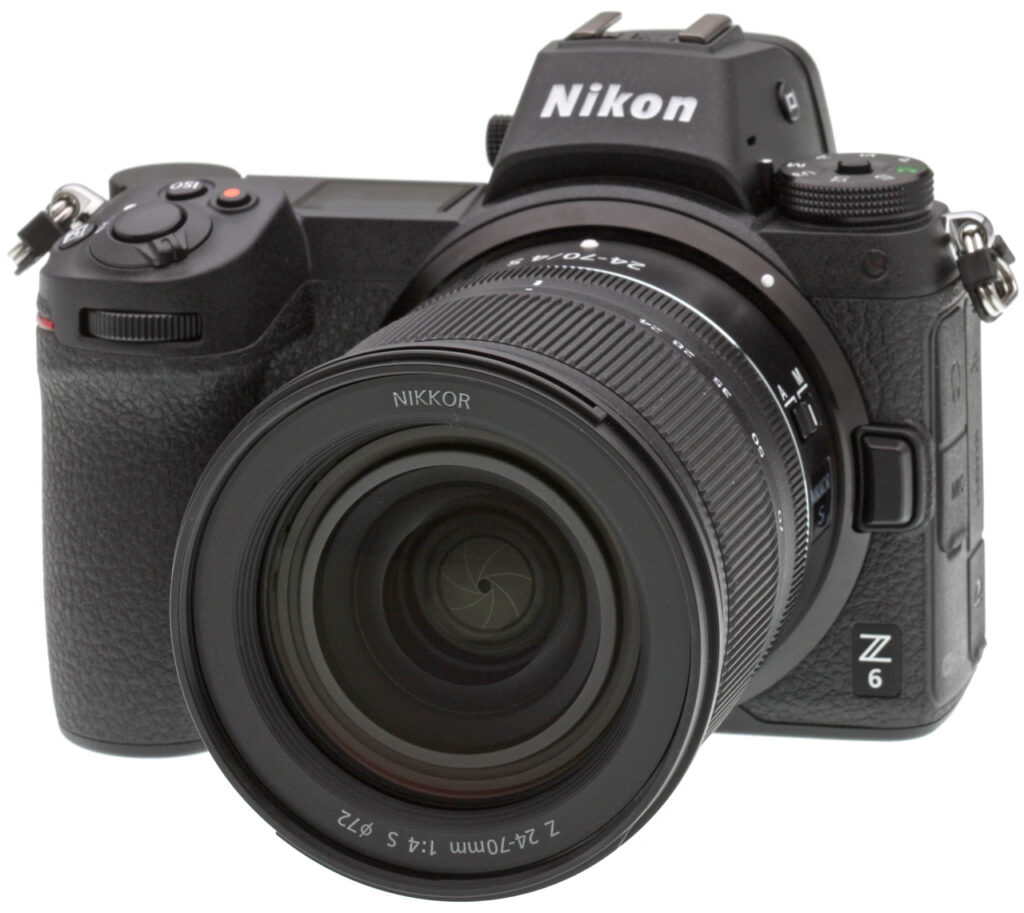
The first thing you notice with the new Z6 (or Nikon Z 6 as it is officially named), other than it looking identical to the higher-megapixel Z7 (Nikon Z 7), is that it is considerably smaller and more compact than a full-frame Nikon DSLR. The Z6 is 5.3 inches (134 millimeters) wide, 4 inches (100.5 millimeters) tall and 2.7 inches (67.5 millimeters) thick. With a battery and memory card inserted, the camera body weighs one pound, 7.9 ounces (675 grams).
 |
|
This image shows the Nikon Z7, which shares the same camera body as the Nikon Z6, save for the logo to the left of the lens mount, next to the Nikon D850. As we can see, the Z6/Z7 is quite a bit smaller than the Nikon D850. Precisely, the Z6/Z7 is 0.4 inches (12 millimeters) narrower, 0.9 inches (23.5 millimeters) shorter and 0.4 inches (11.5 millimeters) thinner.
|
Nikon has established a style, control layout and overall design language over the years and they are not abandoning it. They have taken advantage of the opportunity of a new system to streamline aspects of the camera's design, but they are not reinventing the wheel when it comes to ergonomics, which this longtime Nikon shooter is very thankful for. The Z6 has been designed to be smaller and lighter and yet at the same time very familiar. If you have shot with enthusiast and professional Nikon DSLRs, the Z6 will offer a similar layout. For example, you will still find the ISO button on the top of the camera near the shutter release, you will find the AF-ON button in a similar location and the Z6 continues to rely on the tried-and-true dual command dial interface.
 |
|
It is sometimes the case that a smaller body can become less comfortable to hold and use. This is not the case with the Z6, it has a thin, but deep, grip which allows even larger hands to comfortably hold the camera. The Z6 also has two front function buttons, like the Nikon D850, between the front grip and the lens mount. The Fn2 button has a raised line to help you distinguish between the two buttons while shooting.
|
On the back of the camera, there continues to be familiarity. To the left of the viewfinder are playback and delete buttons. To the right of the viewfinder there is a display button surrounded by a switch for toggling between still and video shooting, and an AF-ON button. There is a rear command dial above the thumb grip, although you'll notice that the dial is exposed at the top, which is different from Nikon's higher-end DSLR cameras, as they often have the rear dial recessed. Beneath the AF-ON button is a subselector joystick for focus point selection, menu navigation and more. Further down, there is an information button, which will bring up a user-customizable menu, from which you can arrange custom functions from a list of over 30. Further down, there is a traditional OK button surrounded by a directional pad. Finally, there are four buttons at the bottom to the right of the large touchscreen display: zoom in, zoom out, menu and drive mode (burst and self-timer functionality is accessed via this button).

The top of the camera features a locking mode dial to the left of the viewfinder, a standard hot shoe on top of the viewfinder, an OLED top status display, shutter release and a trio of buttons: movie record, ISO and exposure compensation. The Z6 utilizes the same layout as the D500/D5/D850 DSLR cameras, which places all exposure-related controls within reach of your right hand. Regarding the camera's mode dial, it offers a relatively sparse, but pro-oriented, modes. P, A, S and M modes are present, there are three user-customized modes and finally an Auto mode. You won't find any scene modes or special modes on the dial.
A difficulty with electronic viewfinders, particularly for photographers moving from a DSLR, has been that it can feel like an unnatural experience. However, in our opinion the Z6's electronic viewfinder is excellent and certainly one of the best we have used. Nikon has invested extensive engineering and development in their new electronic viewfinder, including high-end Nikkor optics, complete with aspherical lens elements. The result of the engineering is a 0.5-inch 3.69-million dot electronic viewfinder with 100 percent frame coverage, 0.8x magnification, a 37-degree viewing angle and OLED display technology. The EVF also features a 21mm eyepoint, a -4 to +2m-1 diopter adjustment, an eye sensor, and includes color balance and 11-level manual brightness controls.
 |
|
Whereas a DSLR camera offers an optical viewfinder, which allows a photographer to always look through the viewfinder and see the frame, a mirrorless camera must instead use an electronic viewfinder. An electronic viewfinder needs to read from the image sensor to deliver a real-time view of a scene. While this results in lower battery life than a DSLR, the EVF offers distinct advantages over an optical viewfinder, including real-time preview of picture and exposure settings. You can also view the user-customizable "i" menu through the electronic viewfinder, allowing quick access and changing of settings including ISO, AF-area mode, Picture Control and more.
|

Despite the more compact and lightweight design of the Z6, it maintains Nikon's rugged magnesium alloy design and weather sealing. In fact, the Nikon Z6 features the same level of water and dust resistance as the Nikon D850, and it performed incredibly well during our own weather testing.
Nikon focused heavily on the ergonomics and control layout of their new mirrorless Z cameras and based on our extensive time with them, we can say that the Z6/Z7 is comfortable to hold and feels very well-built.

New Z lens mount and adapter pave the way for flexibility, versatility and improved optics
One of the biggest (literally) aspects of the new Z mirrorless system is its new lens mount. It's an important part of not only the Z6, but the future of Nikon's new camera system. First, let's alleviate a worry many Nikon shooters are likely to have about a new mirrorless camera. You will be able to use your existing F-mount lenses on the new mirrorless cameras. This is achieved via an FTZ adapter, which was made available alongside the camera. Every F-mount lens can be adapted for use with the Z6, and the adapter allows for full AF and AE compatibility with over 90 existing Nikkor lenses. Further, for all adapted lenses, the Z6's in-camera image stabilization allows for image stabilization. VR lenses are able to utilize their own stabilization and be further aided by the in-camera stabilization of the Z6 for roll axis correction. Nikon notes that Nikkor F-mount lenses may not offer the same level of stability as native Nikkor Z lenses, though.

To help appreciate the new mount, consider that the F mount, which is found on Nikon's latest DSLR cameras, was created in 1959. A lot has changed in camera and lens technology since 1959. The new Z mount is noticeably larger, especially when seen on the smaller Z6 camera body. Precisely, the mount has a 55mm diameter, a full 11mm more than the F mount. Further, the flange distance is a very short 16mm. The F mount's flange distance is 46.5mm. Nikon tells us that with the larger opening and shorter flange distance, the Z mount lets in 100 percent more light than the F mount.
The considerable differences in the mount dimensions and design has multiple effects. As we will discuss further later, the Z mount allows lenses as fast as f/0.95 (and even faster), which is notably faster than any Nikkor F-mount lens. Another important result is that Nikon has been able to engineer lenses with optimized central and peripheral luminous flux, which is important to image quality, usability and improving control of chromatic aberrations. You're used to having to stop down lenses to get the best sharpness, right? Nikon assures us -- and showed us examples -- of how this is not the case with Nikkor S-Line lenses (the new Z mount lenses exist within the newly-dubbed S-Line); they will be at or near their best wide open! When you consider that Nikkor S-Line lenses can be designed with faster maximum apertures but also will be sharp wide open, that opens up many new possibilities.
First batch of Nikkor S lenses
A camera is only as good as the lens you use. Fortunately for Nikon, some of the initial pressure to create new lenses is relieved by their FT-Z adapter, allowing existing Nikon shooters to fully utilize the lenses they already own (although autofocus is not supported with older screw-drive AF Nikkors). For new shooters or for those wanting the latest and greatest for the Nikon Z6, there were a trio of lenses when it launched: the Nikon Z 35mm f/1.8 S, the Nikon Z 50mm f/1.8 S, and the Nikon Z 24-70mm f/4 S which is the new kit lens. These native lenses are smaller, lighter and deliver higher overall performance. The S-Line of lenses are designed for both stills and video recording and include compensation for focus breathing, quiet operation, smooth exposure control and a new control ring. The lenses all feature weather sealing as well.

The new kit lens, the 24-70mm f/4 S, features a compact and lightweight design. When not in use, you can retract the lens to make it more compact. A neat aspect of the retractable design is that unlike many retractable lenses, you don't need to press a button to extend it. The weather-sealed lens features 14 elements across 11 groups and includes an aspherical ED element, a trio of aspherical elements and Nikon's Nano Crystal coating. The front lens element also has a fluorine coating. The lens has an impressive close-focus distance of 0.3 meters across the entire focal length range. Sold separately, it costs about US$999.
When the Z7 launched in September 2018 -- the Z6 launched two months later in November -- the Nikkor Z 35mm f/1.8 S also launched for US$849.95. This prime lens has been designed to offer sharpness across the frame and deliver consistent, pleasing bokeh. The lens features a new multi-focusing system which includes a pair of autofocus drive units for fast and accurate focusing. The lens has a pair of ED glass elements and three aspherical elements in addition to Nano Crystal Coating.
 |
|
The first three S-Line lenses. From left to right, the new 24-70mm f/4 S kit lens, the 35mm f/1.8 S and the 50mm f/1.8 S. As you can see, the three lenses share the same styling and design and are very similar in overall size.
|
In October 2018, the Nikkor Z 50mm f/1.8 S became available. This standard prime lens has been designed for high-resolution imaging and soft bokeh. The lens has a pair of ED elements and two aspherical elements. The lens features a new powerful stepping motor (STM) for quiet and accurate autofocus during still and motion photography. The lens costs just under US$600.
As of this writing (August 2019), Nikon has released three additional S-Line lenses:
- Nikkor Z 14-30mm f/4 S for ~US$1,300
- Nikkor Z 24-70mm f/2.8 S for ~US$2,300
- Nikkor Z 85mm f/1.8 S for ~US$800 .
And Nikon expects to release another three S-Line lenses in 2019: The Nikkor Z 58mm f/0.95 S Noct, 20mm f/1.8 and 70-200mm f/2.8. In 2020, Nikon has an additional three lenses planned, although of course more could be added to their roadmap later. These three lenses are the 50mm f/1.2 (a lens Nikon F mount users have longed for), 24mm f/1.8 and 14-24mm f/2.8. While product names and specifications have not all been finalized, it's a versatile assortment of lenses covering 14mm to 200mm focal lengths.
Image sensor: New 24.5-megapixel backside-illuminated full-frame sensor
The Z6's imaging pipeline is centered around a new backside-illuminated 24.5-megapixel CMOS full-frame image sensor. The sensor features built-in focal-plane phase-detection autofocus pixels, and is equipped with an optical low-pass filter (unlike the higher-resolution Z7). The Z6 is designed as an all-purpose FX-format camera compared to the Z7 in part thanks to the Z6's superior high ISO performance and full-width 4K UHD video recording capabilities. Specifically, the Z6 has a native ISO range of 100 to 51,200 and can be extended to ISO 50 to 204,800.
An image sensor is only one part of the image quality equation. Alongside the new sensor, there's a new EXPEED 6 image processor. Further, Nikon has added a mid-range sharpening option to its Picture Control sharpness parameters in addition to the existing sharpening and clarity settings users can adjust. There are 20 options for Creative Picture Control in total and image quality settings can be adjusted on a scale from 0 to 100.
Autofocus and Performance: 273 on-sensor autofocus points and fast continuous shooting
273-point autofocus system covers much more of the image area than Nikon's full-frame DSLRs

The Nikon Z6's image sensor includes 273 on-chip autofocus points. The hybrid phase-detection/contrast-detection autofocus system covers about 90 percent of the imaging area both horizontally and vertically. The autofocus system has been designed to perform well in low light in particular, as detection is rated down to -4 EV (ISO 100, f/2.0 lens, AF-S mode) in low-light AF mode which prioritizes the use of slower contrast-detect autofocus; the Z6 is rated down to -2 EV without low-light AF mode. (Note that version 2.00 firmware improves the Z6's low-light AF rating to -6 and -3.5 EV respectively.)
The camera includes AF-S, AF-C and AF-F (this mode is only available during movie recording) autofocus drive modes and includes the following AF-area modes: pinpoint, single-point, dynamic-area AF, wide-area AF (small), wide-area AF (large) and auto-area AF. You can lock focus by either pressing the shutter release halfway or by pressing the center of the subselector joystick. With the conveniently-located AF-ON button you should also be able to use back button autofocus, although that has not been verified. Face detection AF is supported, and touch AF & touch shutter functions (via the touchscreen display) are provided. (Note that firmware version 2.00 adds eye detection AF.)
To ensure fast and accurate autofocus, the Z6 uses an optimized algorithm for full-frame image sensors to automatically switch between focal-plane phase detect autofocus and contrast-detect autofocus. This system is fully-utilized by the new Nikkor Z lenses. Nikon promises fast, quiet and reliable autofocus, which not only benefits stills shooters, but also helps make the Z6 a versatile hybrid camera.
High-speed shooting powered by new EXPEED 6 image processor
As we have mentioned, the Nikon Z6 comes with a new processor to help provide it with high-speed imaging performance. The EXPEED 6-driven Z6 can shoot full-resolution images at up to 12 frames per second with continuous autofocus (and continuous autoexposure with firmware v2.00) in Continuous H (extended) mode. There is a catch, however, as these speeds do not apply when shooting 14-bit RAW files. When recording 14-bit files, the camera tops out at 9 frames per second. Buffer depths are pretty good, and buffer clearing is quick. See our Performance test results for details.

Metering and shooting modes
The Z6 utilizes a TTL metering system using the camera's image sensor. Metering modes include matrix metering, center-weighted metering, spot metering and highlight-weighted metering. Regarding center-weighted metering, this utilizes a 75 percent weighting toward a 12mm circle in the center of the frame, although you can also set the camera to meter based on an average of the entire frame. The spot metering is tied to the selected focus point and relies upon 1.4 percent of the frame. The camera offers plus/minus 5.0 EV of exposure compensation as well.
Mechanical shutter speed range is 30s to 1/8,000s, plus there are bulb and time modes. A Silent Photography mode uses an electronic shutter to eliminate shake and noise caused by shutter release, however the top speed remains 1/8,000s. An electronic front-curtain shutter (EFCS) option is also available, which tops out at 1/2,000s. Firmware version 2.00 adds an Auto shutter mode, which will switch between EFCS and fully mechanical shutter to avoid the effects of shutter shock.

For increasing the dynamic range of JPEG images, the camera offers Nikon's Active D-Lighting. The available settings include auto, extra high, high, normal, low and off. You can also record HDR images in camera.
The Z6 includes a new 16:9 crop for recording still images, which Nikon states will make it easier to drop still images into a video workflow. In addition to the new 16:9 and standard 3:2 aspect ratios, the camera also offers a 1:1 aspect ratio and a DX crop mode which produces up to a 10.3-megapixel image file, though oddly it doesn't support the Z7's 5:4 mode. The Z6 records .NEF raw files in 12 or 14-bit color depth and can record large (24.3MP), medium (13.7MP) and small (6.1MP) .NEF files.
Regarding flash, the Z6 includes a standard ISO 518 hot-shoe with sync and data contacts and the camera offers a 1/200s flash sync speed. The camera can utilize Nikon's Advanced Wireless Lighting technology and take advantage of the wireless tech in the company's latest speedlights. The camera offers TTL and i-TTL flash control and -3 to +1 EV flash compensation.

Built-in image stabilization delivers up to five stops of correction
The Nikon Z6 features built-in sensor shift image stabilization which can deliver up to five stops of stabilization. The system relies on a dedicated VR microcomputer and operates via a movable magnesium frame. The camera has detection for pitch, yaw, rotational and translation shake. It is a closed-loop system and has a trio of Hall-effect sensors which provide positional feedback.
Video: A powerful multimedia camera with 4K/30p video
Video has not always been a strong suit for Nikon DSLR cameras. For a while, features and specifications lagged behind the competition. Autofocus performance has long been a weak area as well because of the lack of phase-detect AF during video recording and video-optimized lenses, as we have noted in our numerous Nikon DSLR Field Tests. Nikon bucks the trend with their new mirrorless system.
The Z6 records 3840 x 2160 (4K UHD) video at up to 30 frames per second (progressive) and can also record at 25p and 24p frame rates. 1920 x 1080 (Full HD) video can be recorded at 120p, 100p, 60p, 50p, 30p, 25p and 24p frame rates. There is also a Full HD slow-motion video recording feature, which allows for 4x slow-motion video at 25p and 30p and 5x slow-motion video played back at 24p. The camera records in MOV and MP4 formats and utilizes H.264/MPEG-4 video coding. Maximum clip length is 29 minutes and 59 seconds.
For serious videographers, the camera offers audio input and output jacks, timecode functionality, 10-bit N-Log recording and more. Regarding 10-bit N-Log, you can record 4:2:2 video to an HDMI recorder and view the footage with a normal look while recording, instead of the flat look typical of log video. The N-Log format features a 12-stop dynamic range according to Nikon. In addition to recording 10-bit video externally, you can also simultaneously record 8-bit video to the camera's memory card.

The camera offers numerous usability improvements over previous Nikon cameras as well, including focus peaking during 4K video recording, organic exposure levels through the electronic viewfinder and quiet adjustments using the Nikkor S-Line lenses' new control ring. You can also adjust the autofocus tracking speeds across five different levels. Further, autofocus can be controlled via the subselector joystick while recording. During video recording, the Z6 has 231 PDAF points available because of the shorter 16:9 aspect ratio, and 91 in DX crop mode.
Unlike the Z7, the Nikon Z6 performs full-pixel readout for full sensor width 4K UHD video recording and thus does not perform pixel binning or cropping. It reads 6K video and then resamples to 4K output, like some Sony cameras do, which yields very high image quality. And a future firmware update is slated to add 12-bit ProRes RAW video out support.
Additional features include Active D-lighting during video recording and the ability to capture in-camera timelapse videos. All in all, the Nikon Z6 is a much better video camera than Nikon's recent DSLRs.
Storage, power and connectivity

The Nikon Z6 writes files to a single XQD card slot. While it's disappointing that there's not a second card slot, Nikon tells us that the camera will be able to use faster CFexpress cards via a future firmware update. It's certainly utilizing very fast storage even if there's not a second slot.
With respect to power, the camera uses a new EN-EL15b battery. Interestingly, the camera is compatible with the EN-EL15a battery used in the recent Nikon D850 camera and even older EN-EL15 batteries, which will be appreciated by Nikon DSLR shooters that have them. The EN-EL15b version of the battery features new components which allow the Z6 to be charged via USB with the battery in the camera. You cannot charge the older ones in-camera.

As we touched on earlier, battery life is often a disadvantage of a mirrorless camera compared to a DSLR and that remains the case here. The CIPA standard battery life rating for the Z6 is only about 310 shots per charge when using the EVF and 380 shots with the LCD monitor, however real-world battery life far exceeds the CIPA figures. To help maintain good battery life out in the field, you can press a button on the side of the viewfinder which kills all LCD functions and the EVF will only turn on when you bring it up to your eye. The LCD will light up when you press buttons but will otherwise remain off. It's a neat power-saving feature. A further note, the Z7 comes with a charging AC adapter but the Z6 does not, it will need to be purchased separately if you would like this accessory.


Nikon has also developed the MB-N10 Multi-Power Battery Pack, which holds two EN-EL15b batteries, effectively increasing the number of shots possible and/or movie recording time by approximately 1.8 times, and the dual battery slot design allows hot swapping of batteries while the camera is in use, eliminating downtime. It provides the same level of weather resistance as the Z6/Z7, and supports USB charging using the EH-7P Charging AC Adapter. Sadly, it has no controls for improved portrait-oriented shooting. Pricing for the MB-N10 is set at around US$200, with availability from November 2019.

The Z6 is a connected camera. It offers built-in Wi-Fi and Bluetooth and SnapBridge 2.5 functionality. Via SnapBridge, you can add location data to image files on the camera. The built-in Wi-Fi supports both 2.4 and 5 GHz wireless. Further, the camera offers a direct PC connection and allows for JPEG and RAW transfer directly to a connected computer. The Z6 is also compatible with the Nikon WT-7, allowing for FTP functionality.
On the left side of the camera, there are an array of ports, which are covered with rubber flaps and sealed against weather. There are 3.5mm stereo headphone and microphone jacks closer to the front of the camera, and USB, HDMI and accessory ports closer to the rear of the camera. The USB 3.0 and HDMI ports are Type C and the accessory terminal can be used with the optional MC-DC2 remote in addition to other accessories.
Nikon Z6 Price and Availability
The Nikon Z6 began shipping in late November 2018 for a suggested retail price of US$1,995.95 in a body-only configuration. The Z6 is also available in a kit with the new Nikkor Z 24-70mm f/4 S lens for a list price of US$2,599.95. Street prices have since dropped by about $200, to just under US$1,800 for the body and US$2,400 for the 24-70 f/4 kit.
In the Box
The retail Nikon Z6 24-70mm f/4 kit contains the following items:
- Nikon Z6 camera body
- Nikkor Z 24-70mm f/4 S lens
- LC-7B 72mm front lens cap
- LF-N1 rear lens cap
- HB-85 lens hood
- EN-EL15b lithium-ion battery
- MH-25A battery charger
- BF-N1 body cap
- DK-29 finder eyepiece
- BS-S1 accessory shoe cover
- UC-E24 USB cable
- HDMI/USB cable clip
- AN-DC19 camera strap
- Warranty cards
Optics
Viewfinder Test Results
Coverage
Excellent coverage accuracy from the EVF and LCD monitor in record mode.


The Z6's OLED electronic viewfinder and LCD monitor both tested at about 100% coverage in record mode, which is excellent.
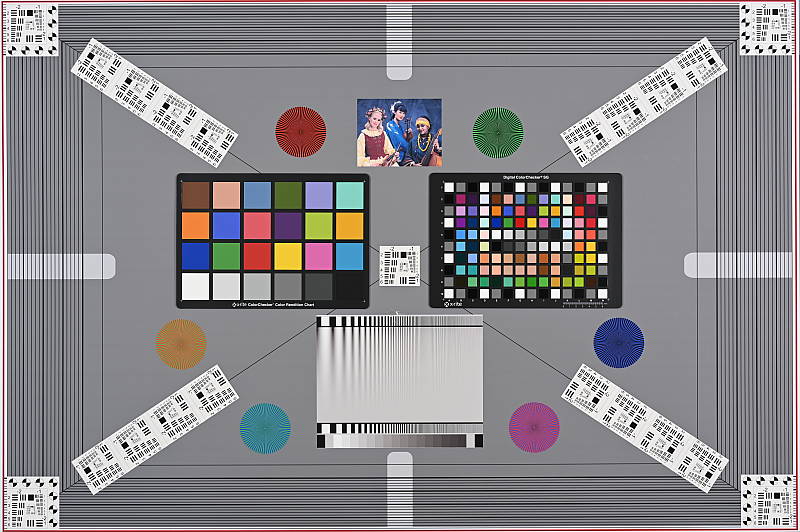
The images above were taken from our standardized test shots. For a collection of more pictorial photos, see our Nikon Z6 Photo Gallery .
Exposure
Color
Saturation & Hue Accuracy
Bright colors with about average mean hue accuracy.
 |
|||
|
ISO Sensitivity |
|||
| 400 | |||
| 6400 | |||
| 102400 | |||
|
|
|
|
|
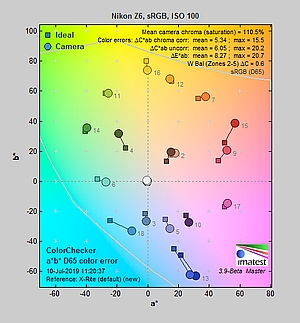
| In the diagram above, the squares show the original color, and the circles show the color that the camera captured. More saturated colors are located toward the periphery of the graph. Hue changes as you travel around the center. Thus, hue-accurate, highly saturated colors appear as lines radiating from the center. Mouse over the links above to compare ISOs, and click to load a larger version. | |||
Saturation. The Nikon Z6 pumps dark blues and dark reds a lot, lighter reds and greens are moderately pushed, while most other colors slightly boosted, but it undersaturates yellow and cyan tones slightly when using default settings. Overall, mean saturation is typical at 110.5% or 10.5% oversaturated at base ISO. The Z6’s mean saturation is stable up to ISO 25,600, but gradually falls at higher ISOs to a minimum of 105.7% at the maximum extended ISO of 204,800. That’s still quite good, though, as many cameras dial back saturation more significantly at higher ISOs to help manage chroma noise. Most consumer digital cameras produce color that’s more highly saturated (more intense) than found in the original subjects. This is simply because most people like their color a bit brighter than life.
Skin tones. The Nikon Z6’s rendering of Caucasian skin tones in “sunlit” outdoor lighting when using default Auto white balance was slightly on the warm, yellow side. Manual white balance on the other hand produced much more pinkish and healthy-looking skin tones, though they appear somewhat oversaturated. Where oversaturation is most problematic is on Caucasian skin tones, as it’s very easy for these “memory colors” to be seen as too bright, too pink, too yellow, etc.
Hue. The Nikon Z6 produces a few color shifts relative to the accurate translation of colors in its images, as do almost all cameras. Cyan has a pronounced shift toward blue (we think it’s a deliberate choice by camera engineers to produce better-looking sky colors), reds are shifted slightly toward orange while dark orange and yellow are slightly shifted toward red. Mean “delta-C” color error at base ISO was 5.34 after correction for saturation, which is about average (lower numbers are better), and it remained below 6.0 across the ISO range which is pretty good. Note that the above results were obtained with custom white balance in simulated daylight. See the “Indoors, incandescent lighting” section below for how the Z6 performed in tungsten lighting. Hue is “what color” the color is.
 |
 |
 |
| See full set of test images with explanations See thumbnails of all test and gallery images |
||
Sensor
Exposure and White Balance
Indoors, incandescent lighting
The Z6 struggled a bit to produce a neutral color balance under incandescent lighting using presets or manual (custom) white balance. No exposure compensation required.
 |
 |
| Auto WB (Default) 0 EV |
Auto WB (Keep White) 0 EV |
 |
 |
| Auto WB (Keep Warm) 0 EV |
Incandescent WB 0 EV |
 |
 |
| 2,600K WB 0 EV |
Manual WB 0 EV |
Indoors, in typical incandescent lighting, color balance with the default Auto “Keep overall atmosphere” option was warm but not too bad (we’ve seen a lot warmer, and some users may prefer this look as being more representative of the actual lighting). The “Keep white” Auto white balance setting was pretty good but a bit cool and magenta, while the “Keep warm” option was very warm and orange as expected. The Incandescent setting was also quite warm but with more of a yellow/green tint. The 2,600 Kelvin setting which should match our lighting was fairly neutral, but with a slight green bias. Oddly, the Manual (Custom) white balance setting was almost as warm as the default Auto white balance, despite attempting to obtain better results several times. However, you can always tweak the color temperature or use the WB fine-tuning feature to better match your lighting. The Z6 required no exposure compensation for this shot while most cameras need about +0.3 EV, though the resulting image is a bit dim (however +0.3 EV was too bright and we don’t adjust our lights for this shot). Our test lighting for this shot is a mixture of 60 and 100 watt household incandescent bulbs, a pretty yellow light source, but a very common one in typical home settings here in the U.S.
Outdoors, daylight
Vibrant color with good exposure outdoors, but high default contrast.
 |
| Manual White Balance +0.7 EV |
The Nikon Z6 generally handled tough outdoor lighting under harsh sunlight well in terms of color and exposure. We found skin tones a touch yellow in our “Sunlit” Portrait shot with auto white balance, though, so we preferred the more pinkish skin tones produced when using manual (custom) WB, however they appear a bit oversaturated. Default contrast is quite high, so some highlights were clipped in the mannequin’s shirt, some of the flowers and even in her nose, though deep shadows contain excellent detail and are relatively clean here at base ISO. The Z6 required +0.7 EV exposure compensation to keep the face and eyes reasonably bright, which is about average for this shot.
Resolution
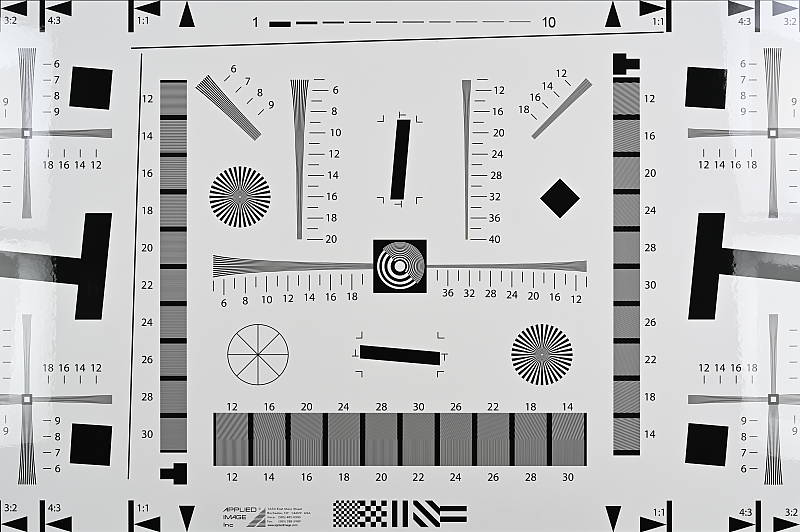
~2,900 lines of strong detail.
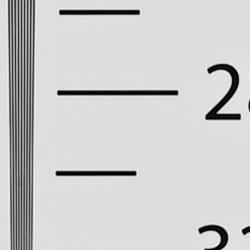 |
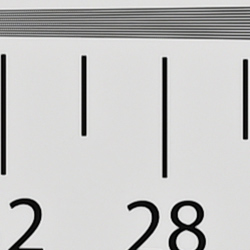 |
| Strong detail to ~2,900 lines horizontal Camera JPEG |
Strong detail to ~2,900 lines vertical Camera JPEG |
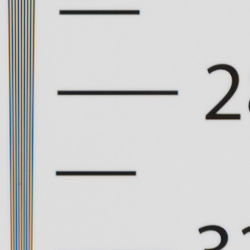 |
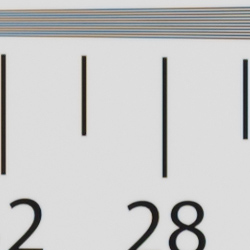 |
| Strong detail to ~2,900 lines horizontal ACR processed RAW |
Strong detail to ~2,900 lines vertical ACR processed RAW |
Our laboratory resolution chart reveals sharp, distinct line patterns up about 2,900 lines per picture height from both in-camera JPEG and ACR converted RAW files in both directions. The in-camera JPEG shows more obvious aliasing in the form of strong luminance moiré patterns starting at about 2,300 lines, though, however color moiré is well-controlled. The ACR conversion shows less obvious luminance moiré than the in-camera JPEGs, but color moiré patterns are quite evident, even at lower resolutions. Use these numbers to compare with other cameras of similar resolution, or use them to see just what higher resolution can mean in terms of potential detail.
Sharpness & Detail
Very sharp images with excellent detail for the resolution, though with minor sharpening halos and aliasing artifacts. Minimal noise suppression artifacts at base ISO.
 |
 |
| Very good definition of high-contrast elements, but with minor evidence of edge enhancement. |
Subtle detail: Hair Noise suppression tends to blur detail in areas of subtle contrast, though detail remains strong in the darker parts of the model’s hair here. |
Sharpness. The Nikon Z6 produces sharp, detailed images at default settings, though edge enhancement artifacts are visible around high-contrast subjects, such as the sharpening halos around the lines and lettering in the crop above left. Default sharpening is a little high but still quite pleasing, and you can always turn it down or tweak other settings such as mid-range sharpening and clarity to taste. Edge enhancement creates the illusion of sharpness by enhancing color and tonal differences right at the edge of a rapid transition in color or tone.
Detail. The crop above right shows only minimal detail loss due to noise suppression at base ISO, as the darker areas of the mannequin’s hair show a lot of detail. Individual strands are still distinguishable even in the lighter shadows, though some begin to merge as shadows deepen, and in places where the tone and color of adjacent strands is very close. The hair is also virtually free from chroma noise, but some strands do show signs of the “jaggies” and other aliasing artifacts despite the camera having an optical low-pass filter. Still, a very good performance here. Noise-suppression
systems in digital cameras tend to flatten-out detail in areas of subtle
contrast. The effects can often be seen in shots of human hair, where the
individual strands are lost and an almost “watercolor” look appears.
Shutter Shock. Like the Nikon Z7, the Z6’s shutter mode defaults to fully mechanical, and this is unfortunate because like other mirrorless cameras we’ve tested in mechanical shutter mode (such as the Sony A7R III, Canon EOS R and various APS-C and Micro Four Thirds cameras), the Z6’s mechanical first curtain shutter can cause some blurring due to “shutter shock” at certain shutter speeds. (Mirrorless cameras tend to suffer from shutter shock more than DSLRs, because their mechanical shutters need to close before opening again for the exposure. DSLRs start with a closed shutter (unless in live view mode) so they only need to open them at the start of the exposure which theoretically doesn’t generate as much vibrations as closing the shutter and then immediately opening it again). Most other manufacturers default to Electronic Front Curtain Shutter (EFCS) these days to avoid blurring from shutter vibrations, however the Z6’s EFCS mode limits the top shutter speed to 1/2000s and the top ISO to 25,600 so the Z6 defaults to mechanical shutter so as not to limit exposure settings.
When we reviewed the Z7, we said it needed an Auto Shutter mode that automatically switched between EFCS and fully mechanical shutter as needed to avoid shutter shock, and it appears that Nikon listened. Firmware v2.00 for the Z6/Z7 added an Auto Shutter mode among other improvements. We’ve briefly tested it on both the Z6 and Z7, and have determined that at shutter speeds of 1/250s and below Auto Shutter mode uses EFCS while higher shutter speeds use the fully mechanical shutter. While we did not investigate if the switch-over shutter speed varies with the lens used or when IBIS is enabled, etc., the new feature appears to work to prevent the effects of shutter shock as intended. So be sure to upgrade and use Auto Shutter mode if you want to “set and forget” to avoid shutter shock and still access the camera’s full range of shutter speeds and sensitivity.
RAW vs In-Camera JPEGs
As noted above, the Nikon Z6 does a great job at producing crisp images with lots of fine detail in its JPEGs. Let’s see how a RAW conversion using our standard converter (Adobe Camera Raw) at base ISO compares:
| Base ISO (100) | |
 |
 |
 |
 |
 |
 |
|
Camera JPEG, defaults
|
RAW via Adobe Camera Raw
|
In the table above, we compare an in-camera JPEG taken at base ISO using default noise reduction and sharpening (on the left) to the matching RAW file converted with Adobe Camera Raw 9.1 via DNG Converter 11.1 using the default camera profile and noise reduction with some moderate unsharp mask sharpening applied in Photoshop (300%, radius of 0.3 pixels, and a threshold of 0).
Here, we can see that Adobe Camera Raw combined with moderate sharpening in Photoshop delivers slightly finer detail than the camera JPEG, with fewer sharpening halos around high-contrast edges. Noise is slightly more visible in the ACR conversion (default NR used), but is still very low. Contrast is much higher from the in-camera JPEG and colors are warmer and more saturated compared to the Adobe Standard profile used (especially reds and blues), though plenty of camera profiles are available in ACR including Vivid, Standard, Neutral, Portrait, Landscape and Flat.
Bottom line: The Nikon Z6’s default JPEG processing produces great detail and crispness at base ISO when using default settings. Contrast and saturation are on the high side giving in-camera images a lot of “pop”, but as is usually the case, you can extract additional detail with fewer sharpening artifacts when carefully processing RAW files.
ISO & Noise Performance
Very good high ISO performance.
| Noise Reduction = Default | ||
 |
 |
 |
| ISO 50 | ISO 100 | ISO 200 |
 |
 |
 |
| ISO 400 | ISO 800 | ISO 1600 |
 |
 |
 |
| ISO 3200 | ISO 6400 | ISO 12,800 |
 |
 |
 |
| ISO 25,600 | ISO 51,200 | ISO 102,400 |
 |
||
| ISO 204,800 | ||
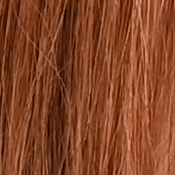
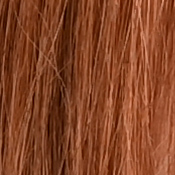
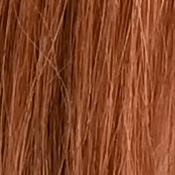
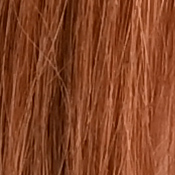
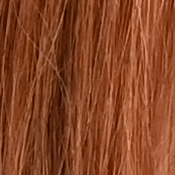
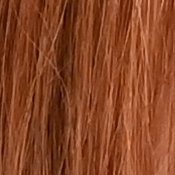
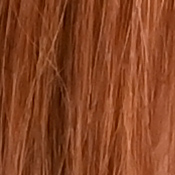
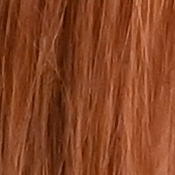
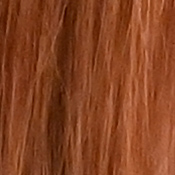
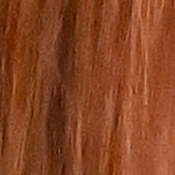
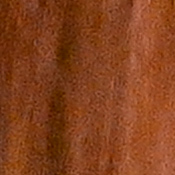
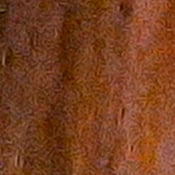
Nikon Z6 images are very crisp and clean at ISOs 50 through 800, with almost no chrominance noise and just a touch of luminance noise becoming more visible in the shadows as ISO increases. ISO 1600 shows a bit of softening due to noise reduction but is still very clean and quite detailed. ISO 3200 is probably the first sensitivity where there is noticeable luma noise and blurring due to noise reduction when viewed at 100% magnification, though noise is still very fine-grained and chroma noise is still very low. ISO 6400 shows stronger smudging with more visible luma noise and noise reduction artifacts, but fine detail is still pretty good and chroma noise is still well controlled. ISO 12,800 still offers good detail versus noise for such a high ISO, however luminance noise starts to look a little artificial. Image quality drops off rapidly at ISO 25,600 and above, with high luma noise, strong blurring and other noise reduction artifacts, as well as progressively stronger chroma noise in the form of yellow and purple blotching.
Still, high ISO performance is very good for a full-frame camera, though detail retention isn’t quite as good as some competing models at higher ISOs due to somewhat heavy-handed noise reduction. Of course, the impact of noise and detail loss are highly dependent on the size the photos are printed at, and pixel-peeping on-screen has surprisingly little relationship to how the images look when printed: See the Print Quality section below for recommended maximum print sizes at each ISO.
Extremes: Sunlit, dynamic range and low light tests
High default contrast led to some blown highlights in default JPEGs. RAW files show excellent dynamic range, but banding is sometimes visible in deep shadows. Excellent low-light performance, capable of focusing in near darkness.
 |
 |
 |
| +0.3 EV | +0.7 EV | +1.0 EV |
Sunlight. Surprisingly, the Nikon Z6 struggled a little with the deliberately harsh lighting in the above test, because of its somewhat high default contrast. We felt that the default and +0.3 EV exposures were too dim, while +1.0 EV blew too many highlights. The best overall exposure was +0.7 EV but it still led to some blown highlights in the mannequin’s shirt, flowers and even her nose. There are also some dark shadows at +0.7 EV, but detail in them is excellent and shadow noise is relatively low for the resolution. Note that these shots were captured with the Nikon Z6’s Active D-Lighting control set to its default of “Off”, and enabling it would have likely preserved most highlights even at +0.7 EV. See below for how Active D-Lighting helps with hot highlights and dark shadows.
Because digital cameras are more like slide film than negative film (in that they tend to have a more limited tonal range), we test them in the harshest situations to see how they handle scenes with bright highlights and dark shadows, as well as what kind of sensitivity they have in low light. The shot above is designed to mimic the very harsh, contrasty effect of direct noonday sunlight, a very tough challenge for most digital cameras. (You can read details of this test here. In actual shooting conditions, be sure to use fill flash in situations like the one shown here; it’s better to shoot in open shade whenever possible.)

|
| 100% crop of shadow area in ACR converted ISO 100 NEF file with +3.0 EV exposure boost applied. |
PDAF banding in shadows. Faint bands or stripes that are darker than the surrounding area are sometimes visible in dark shadows (vertical in the crop here taken in portrait mode; they would obviously be horizontal in landscape mode), especially in ACR-converted NEF files after exposure is lifted significantly, an artifact related to the Z6 sensor’s integrated PDAF pixels. The crop to the right was taken from the default exposure “Sunlit” Portrait (Z6OUTBAP0) NEF file converted in ACR with +3.0 EV exposure compensation applied. As you can see, there are faint vertical bands which will limit usable dynamic range in shadows to a degree. We think it’s a fairly minor issue, though, and perhaps Nikon will reduce or eliminate them in a future firmware update (some raw converters such as Raw Therapee already have a PDAF lines filter as this is not unique to the Nikon Z series). But it’s really up to you to decide whether it is a significant enough issue to be concerned about. Please note that our lab shots were taken with firmware v1.00. It’s possible newer firmware versions have already or will address this issue, though we didn’t see it specifically mentioned in any of the release notes yet. We were however not able to replicate it with the same scene and settings using v2.00 firmware.
Active D-Lighting
Active D-Lighting attempts to preserve detail in both highlights and shadows in high-contrast situations, while maintaining moderate levels of contrast. The series of shots below show the effect of the various Active D-Lighting settings (Off (default), Low, Normal, High, Extra High and Auto) available on the Nikon Z6 on our high-contrast “Sunlit” Portrait scene.
Note that Active D-Lighting is different from the Retouch menu’s D-Lighting, as it is performed during image capture instead of after. (It does affect only JPEG images, though, Nikon very properly doesn’t apply tonal adjustments like this to RAW file data. NEF files are however tagged so that Nikon software can automatically apply the effect when converted.)
|
“Sunlit” Portrait Active D-Lighting (0 EV)
|
|
 |
ADL Settings:
Low Normal High |
 |
|
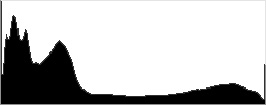
Mouse over the links to see how the various levels of Active D-Lighting affects our “Sunlit” Portrait shot at default exposure, and click on any link to get to the full-res image. (Active D-Lighting’s effect can be a little subtle in shots like those above, so we decided to use a mouse-over with matching histograms to better show how each setting compares.)
As you can see from the thumbnail images and histograms above, Active D-Lighting boosted shadows and deeper midtones while highlights were maintained and even reduced at higher settings. As mentioned previously, the default ADL setting for the Z6 is Off while in more consumer-oriented Nikons the default is Auto.
HDR Mode
Like more recent Nikon DSLRs, the Z6 offers an in-camera high-dynamic-range imaging function. When enabled, the Z6 captures two images with one push of the shutter button — one underexposed and one overexposed — and combines them in-camera to produce a high-dynamic-range JPEG. (RAW format is not supported.) There are three exposure differentials available: 1, 2 and 3 EV, as well as an Auto option, and there are three Smoothing options: Low, Normal and High. You can also elect to do a series of HDR shots without having to re-enable the mode each time, or select a Single Photo option.
|
“Sunlit” Portrait HDR (0 EV)
|
|
|
|
HDR Settings: |
Mouse over the links to see how the Auto, 1 EV, 2 EV and 3 EV levels of HDR with default Normal Smoothing compare. Click on a link to get to the full-res image.
As you can see, Auto produced an effect somewhere between 1 and 2 EV with this scene, but all four settings worked as expected without producing ugly “HDR halos” using the default smoothing setting. Obviously moving subjects should be avoided, as you can run into ghosting of moving objects in HDR shots. We think Nikon Z6’s HDR feature is one of the better in-camera implementations, however you can most certainly do better by bracketing more exposures and combining the images yourself.
Dynamic Range (RAW mode)
While we once performed our own dynamic range measurements based on in-camera JPEGs as well as converted RAW images (when the camera was supported by Adobe Camera Raw), we’ve switched to using DxO Labs’ results from their DxOMark website. As technology advanced, the dynamic range of modern high-end cameras in some cases exceeded the range of the Stouffer T4110 density scale that we used for our own measurements. DxO’s approach based on RAW data before demosaicing is also more revealing, because it measures the fundamental dynamic range of the sensor, irrespective of whatever processing is applied to JPEGs, or to RAW data by off-the-shelf conversion software.
In the following, we use DxO’s “Print” dynamic range results, which are scaled based on camera resolution. As the name suggests, this scaling corresponds to the situation in which you print at a given size, regardless of how many megapixels the camera might have. (In other words, if you’ve decided to make a 13×19 inch print, that’s the size you’re printing, whether the camera’s resolution is 16 or 300 megapixels.) Also note that DxO Labs uses a signal-to-noise (SNR) threshold of 1 when defining the lower boundary of acceptable luminance noise in their dynamic range measurements, which corresponds to the “Low Quality” threshold of the Imatest software we used to use for this measurement.
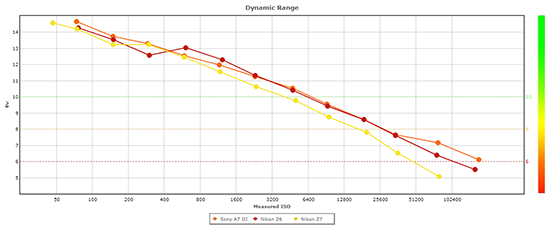 |
Here, we compare the Nikon Z6’s dynamic range test results to its higher-resolution sibling’s, the Z7, and to the Sony A7 Mark III’s, which is arguably its closest rival.
As you can see, the Z6’s dynamic range (in red above) doesn’t quite match the Z7’s peak (yellow), which isn’t a surprise given the Z7’s lower base ISO and its higher resolution (remember these results are normalized for the same print size so higher resolution cameras benefit from normalization more than lower res ones; when comparing “Screen” dynamic range, the Z6 actually performed slightly better at base ISO, and much better above ISO 400). Peak dynamic range at the lowest ISO was 14.3 stop versus 14.6 stops for the Z7. Interestingly, the Z6’s dynamic range jumps between ISO 400 and 800 to be significantly better than the Z7’s by over 1/2 stop, and remains significantly better at all higher ISOs.
The Sony A7 III’s dynamic range (in orange above) tested insignificantly higher than the Z6’s at base ISO but significantly higher at ISO 400 and again at ISOs 51,200 and 102,400, however it otherwise pretty much matched the Z6 except at ISOs 800 and 1600 where the Nikon performed up to about 1/2 a stop better.
Bottom line: Very good dynamic range for a full-frame camera, though not quite as good as some higher resolution models at low ISOs. Click here to visit the DxOMark page for the Nikon Z6 for more of their test results and additional comparisons.
Low-Light AF: In the lab, the Z6’s hybrid autofocus system was able to focus on our legacy low-contrast AF target reliably down to about -3.4 EV unassisted with an f/2.8 lens, and it was able to focus on our newer high-contrast target down to -6.4 EV. Using the Z6’s Low-light AF mode improved those result to -8.0 EV for our low-contrast target and to well below -8.0 EV (the limit or our test) with our high-contrast target. The Z6 has a built-in AF illuminator which will allow it to focus in complete darkness as long as the subject is within range and has sufficient contrast. (Note: Tested with firmware v2.00.)
NOTE: This low light test is conducted with a stationary subject, and the camera mounted on a sturdy tripod. Most digital cameras will fail miserably when faced with a moving subject in dim
lighting. (For example, a child’s ballet recital or a holiday pageant in a gymnasium.) Mirrorless cameras like the Nikon Z6 do much better than point & shoots, but you still shouldn’t expect a quick autofocus lock with moving subjects.
Output Quality
Print Quality
Impressive, high-quality 30 x 40-inch prints all the way up to ISO 800; Pleasing 11 x 14-inch prints at ISO 12,800; Usable 5 x 7-inch prints at ISO 51,200.
 ISO 50 through 800 images are all very similar from a print quality standpoint, and make excellent prints up to a whopping 30 x 40 inches — the largest print size we test here at IR. Much like with other 24MP full-frame cameras, we’re pushing the resolving power of the sensor when printing at this size, and you can see minor pixelation if you look very closely. However, given the large, wall-sized print, you won’t typically view these kinds of prints up-close, so from a normal viewing distance, the print quality is outstanding. Overall, at these lower ISOs, the Z6 produces excellent prints that are filled with fine detail and rich, vibrant colors. Even as the ISO rises to 800, the print quality remains excellent. There is a hint of noise starting to creep into the shadow areas, but overall, it’s very minor, and we don’t observe any significant detail loss.
ISO 1600 prints begin to display some noticeable noise and their related effects. There’s a bit more noise in the shadows now, with a minor drop in fine details. However, the overall print quality is still very good, and ISO 1600 easily makes excellent, large 24 x 36-inch prints. In fact, with careful post-processing, you might be able to get away with 30 x 40-inch prints here as well.
ISO 3200 images top-out with pleasing 20 x 30-inch prints. Despite the increasing ISO, noise remains very well controlled in terms of graininess. However, there’s some noticeable softness, especially if you print larger sizes at this sensitivity.
ISO 6400 prints look great up to 13 x 19 inches, though a 16 x 20-inch print would work for less critical applications or with some post-processing. Higher-contrast detail remains strong, but we can now see noise is taking its toll on finer and lower-contrast details as well as coming across stronger in the shadow areas. Colors, however, still look great.
ISO 12,800 images work very nicely up to 11 x 14-inch prints. ISO noise and graininess surprisingly look very well controlled at this print size. Noise is certainly visible, especially in the shadows, but the NR processing does a nice job at retaining detail and controlling objectionable, grainy noise.
ISO 25,600 prints almost make it to 8 x 10 inches! Things are just a bit too soft for our liking, though. Stick with 5 x 7 inches here for critical prints, however for other applications, an 8 x 10 could work.
ISO 51,200 images just pass the mark for a 5 x 7-inch print. Noise is quite strong now, and combined with NR processing, makes for grainy, soft prints at anything larger.
ISO 102,400 and ISO 204,800 are both extended ISOs for the Z6 and unfortunately are too noisy and lacking in enough fine detail for pleasing, usable prints.
In spite of its run-of-the-mill 24-megapixel resolution, the full-frame Nikon Z6 has a solid, very respectable performance when it comes to print quality. Competing closely with other similarly priced cameras, the Z6 is easily capable of impressively large 30 x 40-inch prints at ISOs up to 800. Despite the sensitivity increase, noise remains very low and fine detail remains clean and crisp. Even as the ISO rises more dramatically, the Z6 offers well-controlled noise and balanced noise reduction processing that offers a pleasing amount of detail and low noise. At ISO 12,800, you can easily print up to 11 x 14 inches, and even all the way up the native ISO range at 51,200, the Z6 can print a nice 5 x 7-inch print. However, although the Z6 offers extended ISOs all the way up to 102,400 and 204,800, both of these sensitivity levels are too noisy for our tastes, offering images that are too soft and devoid of enough detail for usable, pleasing prints.
The images above were taken from our standardized test shots. For a
collection of more pictorial photos, see our
Nikon Z6 Photo Gallery
.
Not sure which camera to buy? Let your eyes be the ultimate judge!
Visit our Comparometer(tm)
to compare images from the Nikon Z6 with those from other
cameras you may be considering. The proof is in the pictures, so let
your own eyes decide which you like best!
Performance
Timing and Performance
Average to excellent performance for its class.
| Startup/Play to Record | ||
|---|---|---|
|
Power on |
~1.5 seconds
|
Time it takes for camera to turn on. |
|
Play to Record, |
~0.7 second
|
Time until first shot is captured. |
About average startup time to first shot for a mirrorless camera. Switching from Play to Record and taking a shot was about twice as fast.
| Shutter Response (Lag Time) M-shutter / EFCS / E-shutter |
||
|---|---|---|
|
Full Autofocus |
0.219/0.205/0.137
second |
Time from fully pressing shutter button to image capture using optical viewfinder. All timing performed with the Nikkor Z 24-70mm f/4 S kit lens at ~50mm. |
|
Manual focus |
0.066/0.058/0.117
second |
For most cameras, shutter lag is less in manual focus than autofocus, but usually not as fast as when the camera is “prefocused”. |
|
Prefocused |
0.065/0.056/0.116
second |
Time to capture, after half-pressing and holding shutter button. |
In terms of the Z6’s ability to determine that it’s properly focused when shooting the same target multiple times (with no change of focus setting between iteration, to remove the impact of lens AF speed), its speed was good but not exceptional. The Z6’s full AF shutter lag measured 0.219 second with the mechanical shutter (default mode), 0.205 second with electronic first curtain shutter (EFCS) enabled and 0.137 second when using the all electronic shutter.
Manual focus lag was fast at 66 milliseconds with the mechanical shutter, 58 milliseconds with EFCS and 0.117 second with the electronic shutter.
When prefocused, shutter lag wasn’t much different than manual focus at 65, 56 and 116 milliseconds respectively, which is good.
To minimize the effect of different lens’ focusing speed, we test AF-active shutter lag with the lens already set to the correct focal distance.
| Cycle Time (shot to shot) | ||
|---|---|---|
|
Single Shot mode |
0.39 second
|
Time per shot, averaged over a few frames (we no longer test for buffer depths in single-shot mode). |
|
Single Shot mode |
0.42 second
|
Time per shot, averaged over a few frames (we no longer test for buffer depths in single-shot mode). |
|
Early shutter |
No
|
Some cameras don’t snap another shot if you release and press the shutter too quickly in Single Shot mode, making “No” the preferred answer. |
|
Continuous H Ext. |
0.08 second
(12.0 fps); 47 frames total; 3.4 seconds to clear* |
Time per shot, averaged over 47 shot buffer, then slowed to an average of 0.14s or 6.9 fps when the buffer was full. |
|
Continuous H Ext. |
0.08 second
(12.0 fps); 35 frames total; 3.8 seconds to clear* |
Time per shot, averaged over 35 shot buffer, then slowed to an average of 0.15s or 6.5 fps when the buffer was full. |
|
Continuous H Ext. |
0.08 second
(12.0 fps); 29 frames total; 5.5 seconds to clear* |
Time per shot, averaged over 29 shot buffer, then slowed to an average of 0.22s or 4.6 fps when the buffer was full with a lot of variation. |
|
Continuous H Ext. |
0.11 second
(9.0 fps); 35 frames total; 3.8 seconds to clear* |
Time per shot, averaged over 35 shot buffer, then slowed to an average of 0.19s or 5.2 fps when the buffer was full with a lot of variation. |
|
Continuous H Ext. |
0.11 second
(9.0 fps); 28 frames total; 5.0 seconds to clear* |
Time per shot, averaged over 28 shot buffer, then slowed to an average of 0.25s or 4.1 fps when the buffer was full with a lot of variation. |
|
Flash recycling |
N/A
|
Flash at maximum output. |
|
*Note: Buffer depths and clearing times measured with a Lexar Pro 2933x XQD 2.0 400MB/s flash card except where otherwise noted. Slower cards will produce correspondingly slower clearing times. Slower cards may also limit length of bursts in continuous mode. ISO sensitivity and noise reduction settings can also affect cycle times and burst mode performance.
|
||
Single-shot cycle times were quite fast at about 0.4 second for both best quality JPEG and RAW+JPEG frames. (Note that we no longer test single-shot mode with just RAW files, as the results are usually somewhere in between JPEG and RAW+JPEG.)
We tested the Z6’s fastest Continuous H Extended burst mode which supports continuous AF but AE is locked at the first frame (firmware v2.00 and up add continuous AE). Performance matched Nikon’s specification of 12 frames per second for JPEG and 12-bit NEF files, and 9 frames per second with 14-bit NEF files. Continuous H mode with full AF/AE support is rated at 5.5 fps for all file types, and the Continuous L rate is programmable from 1-5 fps. When using the all-electronic shutter (Silent mode), the maximum frame rate is a little slower for 14-bit NEFs at 8 fps but JPEG, TIFF and 12-bit NEFs are still rated up to 12 fps.
Buffer depth when shooting best quality JPEGs at 12 fps was good at 47 frames, a few more than Nikon’s 44 frame spec. When shooting losslessly compressed 12-bit NEF files, the buffer depth was 35 frames, and 29 frames when shooting RAW+JPEG. As mentioned previously, shooting 14-bit NEFs reduced the maximum frame rate to 9 frames per second, but RAW and RAW+JPEG buffer depths were little changed at 35 and 28 frames respectively.
Buffer-full rates averaged from 6.9 fps to about 4.1 fps depending on the file type, but cycle times can vary a lot when the buffer is full, particularly with 14-bit NEFs.
Buffer clearing was pretty fast with our Lexar Pro 2933x XQD 2.0 card. We measured clearing times ranging from only 3.4 to 5.5 seconds depending on the file type, and the camera lets you adjust settings while clearing.
To see how buffer depths and clearing times varied with RAW file type, we also tested Compressed (lossy) and Uncompressed NEFs, at 12 and 14 bits:
|
Full resolution NEF
bit depth & compression |
Burst
rate (fps) |
Buffer
capacity (frames) |
Clearing time (sec) |
Buffer-full rate (fps) |
|---|---|---|---|---|
|
12-bit Compressed
|
12.0
|
42
|
4.0
|
~6.2
|
|
12-bit Lossless
|
12.0
|
35
|
3.8
|
~6.5
|
|
12-bit Uncompressed
|
12.0
|
31
|
4.9
|
~5.7
|
|
14-bit Compressed
|
9.0
|
41
|
3.4
|
~~5.4
|
|
14-bit Lossless
|
9.0
|
35
|
3.8
|
~~5.2
|
|
14-bit Uncompressed
|
9.0
|
33
|
4.7
|
~~4.7
|
|
Note: Buffer depths and clearing times measured with a Lexar Pro 2933x XQD 2.0 400MB/s flash card.
|
||||
As you can see, shooting in 12-bit mode increased the frame rate but didn’t have a significant impact on buffer depth, though clearing times were generally a bit higher. And as expected, clearing times usually improved as compression was increased, despite deeper buffers.
Bottom line, the Z6’s performance in the lab ranged from average to excellent for its type. Startup and play to record times were about average for a mirrorless. Autofocus speeds were good as was shutter lag, though not exceptional. Cycle times and the fastest burst mode were excellent for its class, even rivalling some pro sports DSLRs in terms of burst rate (if not in AF performance), while buffer depths were pretty good. Buffer clearing times were pretty short, thanks to the use of fast XQD cards.
Battery
Battery Life
Below average CIPA-rated battery life.
| Operating Mode | Number of Shots |
|---|---|
|
Still Capture
(CIPA standard, EVF) |
|
|
Still Capture
(CIPA standard, LCD Monitor) |
|
The Z6 uses a custom EN-EL15b rechargeable lithium-ion battery pack for power, and comes with both a single battery and dedicated charger, though in-camera charging via USB is also supported. Older EN-EL15a and EL-EL15 batteries can also be used, but battery life is lower and they can’t be recharged in-camera.
The CIPA-rated 310 shots per charge using the EVF and 380 shots with the LCD are below average for a mirrorless camera, and keep in mind the Z6 doesn’t have a built-in flash which only reduces CIPA battery life (it’s fired for 50% of shots in the CIPA battery-life test). We highly recommend getting a second battery for your Z6. As of this writing, a battery grip is unfortunately not available for the Z6, though Nikon is apparently developing one.
The table above shows the number of shots the camera is capable of on fully-charged battery, based on CIPA battery-life and/or manufacturer standard test conditions. While real-world battery life tends to be much better for mirrorless cameras, CIPA-rated battery life is still very useful for comparison purposes.
(Interested readers can find an English translation of the CIPA DC-002 standards document here. (180K PDF document))
Image Quality
Below are crops from our laboratory Still Life target comparing the Nikon Z6’s JPEG image quality to its higher resolution sibling’s, the Z7, as well as to Nikon’s last 24-megapixel DSLR, the Nikon D750. We also compare the Z6 to the Canon EOS R, Panasonic S1 and Sony A7 III full-frame mirrorless cameras. Remember, you can always use our Comparometer to compare the Z6 to any camera we’ve tested.
NOTE: These images are from best quality JPEGs straight out of the camera, at default settings including noise reduction and using the camera’s actual base ISO (not extended ISO settings). All cameras in this comparison were shot with our very sharp reference lenses. Clicking any crop will take you to a carrier page where you can click once again to access the full resolution image as delivered straight from the camera. For those interested in working with the RAW files involved: click these links to visit each camera’s respective sample image thumbnail page: Nikon Z6, Nikon Z7, Nikon D750, Canon EOS R, Panasonic S1, and Sony A7 III — links to the RAW files appear beneath those for the JPEG images, wherever we have them. And remember, you can always go to our world-renowned Comparometer to compare the Nikon Z6 to any camera we’ve ever tested!
Nikon Z6 vs Nikon Z7 at Base ISO
 |
 |
 |
 |
 |
 |
|
Nikon Z6 at ISO 100
|
Nikon Z7 at ISO 64
|
|
Here, we’ve decided to compare the 24-megapixel Nikon Z6 to its higher resolution sibling, the 45-megapixel Z7. As you can see, the Z7 easily out-resolves the Z6 as expected, and its image is also slightly sharper due to the lack of an optical low-pass filter. Noise levels are a bit higher from the Z7 as well, despite its slightly lower base ISO. But otherwise, the two camera produce very similar image quality with crisp detail, visible but not too prominent sharpening halos along high-contrast edges, and bright, warm colors. Above, the Z6 actual shows stronger aliasing in the red-leaf fabric which is ironic considering it has an anti-aliasing filter while the Z7 does not, though those artifacts would change with distance, etc. |
|
Nikon Z6 vs Nikon D750 at Base ISO
 |
 |
 |
 |
 |
 |
|
Nikon Z6 at ISO 100
|
Nikon D750 at ISO 100
|
|
Above we compare the Z6 to Nikon’s most recent 24-megapixel DSLR, the D750, to see how Nikon’s default processing has changed since 2014. Immediately noticeable is the difference in how reds are rendered. The Z6 boosts them quite a bit more than the D750 does. The D750’s slight yellow to green shift is gone, though the Z6 appears a little too warm and reddish overall. The Z6 also produces higher contrast and applies slightly stronger sharpening for a crisper looking image with more “pop”. The D750 did noticeably better with detail in our red-leaf swatch, however some of difference is because the leaf pattern has faded somewhat since 2014, so it’s difficult to compare. Both images contain some moiré patterns and other aliasing artifacts. |
|
Nikon Z6 vs Canon EOS R at Base ISO
 |
 |
 |
 |
 |
 |
|
Nikon Z6 at ISO 100
|
Canon EOS R at ISO 100
|
|
Here we compare the Z6 to the 30-megapixel Canon EOS R. As you can see, the EOS R does resolve slightly more detail thanks to its higher pixel count. The Nikon image is a little crisper and more contrasty, but sharpening halos are more visible as well. Interestingly, moiré patterns are more visible from the Nikon in the red-leaf fabric though the Canon shows some too, even though both cameras have anti-aliasing filters. We suspect the filter on the Nikon is a little weaker than the Canon’s. Colors are more vibrant and punchy from the Nikon though generally warmer, while noise levels in flatter areas appear lower. |
|
Nikon Z6 vs Panasonic S1 at Base ISO
 |
 |
 |
 |
 |
 |
|
Nikon Z6 at ISO 100
|
Panasonic S1 at ISO 100
|
|
Above we compare the Z6 to Panasonic’s new 24-megapixel full-frame S1 at base ISO. The S1 renders fine detail a little more faithfully than the Z6, although higher contrast and different tone curves give the Z6 image more pop. Colors are warmer from the Nikon, but actually a bit more accurate from the Panasonic overall. Both cameras generate visible sharpening haloes, although they are not too objectionable. Both also show similar aliasing in our red-leaf fabric, but as you can see, the Panasonic holds onto more fine detail there. Noise levels appear just slightly higher from the S1, but they are pretty close. |
|
Nikon Z6 vs Sony A7 III at Base ISO
 |
 |
 |
 |
 |
 |
|
Nikon Z6 at ISO 100
|
Sony A7 III at ISO 100
|
|
Although both are 24-megapixel full-frame cameras, the Sony A7 III’s more sophisticated processing holds onto to more fine detail while producing a sharper, crisper image with fewer sharpening artifacts. Colors are a little more accurate overall from the Sony as well, and not as warm as from the Z6. Again, both cameras show aliasing artifacts in our red-leaf swatch but the Sony doesn’t blur away as much of the fine thread pattern as the Nikon. Noise levels appear similar here at base ISO. |
|
Nikon Z6 vs Nikon Z7 at ISO 1600
 |
 |
 |
 |
 |
 |
|
Nikon Z6 at ISO 1600
|
Nikon Z7 at ISO 1600
|
|
The Z7 continues to easily out-resolve the Z6 here at ISO 1600, however noise levels are noticeably higher from the Z7 when viewed at 100%, as expected. |
|
Nikon Z6 vs Nikon D750 at ISO 1600
 |
 |
 |
 |
 |
 |
|
Nikon Z6 at ISO 1600
|
Nikon D750 at ISO 1600
|
|
The Z6’s more aggressive processing produces a brighter, more contrasty image here at ISO 1600. Noise levels appear a little lower than from the D750 as well, but fine detail looks a bit more natural from the D750. Again, the Z6 blurs more fine detail in our tricky red-leaf swatch, but as mentioned it has faded some since the D750 was shot so it’s difficult to say how much is from processing changes. |
|
Nikon Z6 vs Canon EOS R at ISO 1600
 |
 |
 |
 |
 |
 |
|
Nikon Z6 at ISO 1600
|
Canon EOS R at ISO 1600
|
|
Here at ISO 1600, the EOS R still manages to hold onto more detail than the Z6 while producing similar noise levels, however the Nikon produces a crisper, more vibrant and contrasty image, but with more noticeable sharpening haloes as well. The Canon easily bests the Nikon in our troublesome red-leaf fabric, even though both show moiré patterns. |
|
Nikon Z6 vs Panasonic S1 at ISO 1600
 |
 |
 |
 |
 |
 |
|
Nikon Z6 at ISO 1600
|
Panasonic S1 at ISO 1600
|
|
At ISO 1600, the S1 continues to resolve significantly more fine detail and produce a crisper image than the Z6, likely due to less heavy-handed default noise reduction. Noise levels are however higher from the Panasonic, and the noise “grain” appears a bit digital-looking compared to the Z6’s more film-like luma noise “grain”. |
|
Nikon Z6 vs Sony A7 III at ISO 1600
 |
 |
 |
 |
 |
 |
|
Nikon Z6 at ISO 1600
|
Sony A7 III at ISO 1600
|
|
Here at ISO 1600, the Sony A7 III still comes out ahead of the Z6 with a crisper, more detailed image. Noise levels are similar, though the Sony’s noise “grain” pattern isn’t quite as natural-looking upon close inspection. Color continues to be warmer if not as accurate from the Nikon. |
|
Nikon Z6 vs Nikon Z7 at ISO 3200
 |
 |
 |
 |
 |
 |
|
Nikon Z6 at ISO 3200
|
Nikon Z7 at ISO 3200
|
|
Once again, at ISO 3200 the Z7 handily out-resolves the Z6 and produces a crisper image as well, though with significantly higher noise levels. |
|
Nikon Z6 vs Nikon D750 at ISO 3200
 |
 |
 |
 |
 |
 |
|
Nikon Z6 at ISO 3200
|
Nikon D750 at ISO 3200
|
|
Similar to what we saw at ISO 1600, the Z6’s revised processing produces a punchier, more contrasty image than the D750, with lower noise levels and warmer colors. The D750 image appears a little soft and dingy in comparison, but fine detail looks perhaps a bit more authentic |
|
Nikon Z6 vs Canon EOS R at ISO 3200
 |
 |
 |
 |
 |
 |
|
Nikon Z6 at ISO 3200
|
Canon EOS R at ISO 3200
|
|
The EOS R continues to deliver more detail here at ISO 3200, while the Z6 image is contrastier, a little crisper and more vibrant. Luminance noise is lower from the Nikon, though its sharpened “grain” pattern doesn’t look quite as consistent and film-like as the Canon’s. |
|
Nikon Z6 vs Panasonic S1 at ISO 3200
 |
 |
 |
 |
 |
 |
|
Nikon Z6 at ISO 3200
|
Panasonic S1 at ISO 3200
|
|
The Panasonic S1 continues to hold into more fine detail than the Z6 here at ISO 3200, but at the expense of lower contrast and slightly higher noise levels. Colors continue to the warmer from the Z6. |
|
Nikon Z6 vs Sony A7 III at ISO 3200
 |
 |
 |
 |
 |
 |
|
Nikon Z6 at ISO 3200
|
Sony A7 III at ISO 3200
|
|
Once again, the Sony A7 III comes out ahead with a sharper, more detailed image, although noise in flatter areas appears a bit higher with a less natural-looking “grain” pattern. |
|
Nikon Z6 vs. Nikon Z7, Nikon D750, Canon EOS R, Panasonic S1, Sony A7 III
 |
 |
 |
 |
 |
 |
 |
 |
 |
 |
 |
 |
 |
 |
 |
 |
 |
 |
| Nikon Z6 ISO 100 ISO 3200 ISO 6400 |
Nikon Z7 ISO 64 ISO 3200 ISO 6400 |
Nikon D750 ISO 100 ISO 3200 ISO 6400 |
Canon EOS R ISO 100 ISO 3200 ISO 6400 |
Panasonic S1 ISO 100 ISO 3200 ISO 6400 |
Sony A7 III ISO 100 ISO 3200 ISO 6400 |
| Detail comparison. High-contrast detail is also important, pushing the camera in different ways, so we like to look at it separately here. As you can see, apart from the resolution difference, the Z6 and Z7 are very similar. The Z6 shows a noticeable improvement in contrast and sharpness over the D750, at least at higher ISOs, but we can also see its warmer almost pinkish rendering of the white background. The higher-resolution Canon EOS R does better at base ISO, but sharpness drops off faster as ISO climbs. The Nikon Z6 and Panasonic S1 are about on par, while the Sony A7 III comes out ahead in this group across the range of ISOs except when compared to the higher-resolution Z7. | |||||
Nikon Z6 Print Quality Analysis
Impressive, high-quality 30 x 40-inch prints all the way up to ISO 800; Pleasing 11 x 14-inch prints at ISO 12,800; Usable 5 x 7-inch prints at ISO 51,200.
ISO 50 through 800 images are all very similar from a print quality standpoint, and make excellent prints up to a whopping 30 x 40 inches — the largest print size we test here at IR. Much like with other 24MP full-frame cameras, we’re pushing the resolving power of the sensor when printing at this size, and you can see minor pixelation if you look very closely. However, given the large, wall-sized print, you won’t typically view these kinds of prints up-close, so from a normal viewing distance, the print quality is outstanding. Overall, at these lower ISOs, the Z6 produces excellent prints that are filled with fine detail and rich, vibrant colors. Even as the ISO rises to 800, the print quality remains excellent. There is a hint of noise starting to creep into the shadow areas, but overall, it’s very minor, and we don’t observe any significant detail loss.
ISO 1600 prints begin to display some noticeable noise and their related effects. There’s a bit more noise in the shadows now, with a minor drop in fine details. However, the overall print quality is still very good, and ISO 1600 easily makes excellent, large 24 x 36-inch prints. In fact, with careful post-processing, you might be able to get away with 30 x 40-inch prints here as well.
ISO 3200 images top-out with pleasing 20 x 30-inch prints. Despite the increasing ISO, noise remains very well controlled in terms of graininess. However, there’s some noticeable softness, especially if you print larger sizes at this sensitivity.
ISO 6400 prints look great up to 13 x 19 inches, though a 16 x 20-inch print would work for less critical applications or with some post-processing. Higher-contrast detail remains strong, but we can now see noise is taking its toll on finer and lower-contrast details as well as coming across stronger in the shadow areas. Colors, however, still look great.
ISO 12,800 images work very nicely up to 11 x 14-inch prints. ISO noise and graininess surprisingly look very well controlled at this print size. Noise is certainly visible, especially in the shadows, but the NR processing does a nice job at retaining detail and controlling objectionable, grainy noise.
ISO 25,600 prints almost make it to 8 x 10 inches! Things are just a bit too soft for our liking, though. Stick with 5 x 7 inches here for critical prints, however for other applications, an 8 x 10 could work.
ISO 51,200 images just pass the mark for a 5 x 7-inch print. Noise is quite strong now, and combined with NR processing, makes for grainy, soft prints at anything larger.
ISO 102,400 and ISO 204,800 are both extended ISOs for the Z6 and unfortunately are too noisy and lacking in enough fine detail for pleasing, usable prints.
In spite of its run-of-the-mill 24-megapixel resolution, the full-frame Nikon Z6 has a solid, very respectable performance when it comes to print quality. Competing closely with other similarly priced cameras, the Z6 is easily capable of impressively large 30 x 40-inch prints at ISOs up to 800. Despite the sensitivity increase, noise remains very low and fine detail remains clean and crisp. Even as the ISO rises more dramatically, the Z6 offers well-controlled noise and balanced noise reduction processing that offers a pleasing amount of detail and low noise. At ISO 12,800, you can easily print up to 11 x 14 inches, and even all the way up the native ISO range at 51,200, the Z6 can print a nice 5 x 7-inch print. However, although the Z6 offers extended ISOs all the way up to 102,400 and 204,800, both of these sensitivity levels are too noisy for our tastes, offering images that are too soft and devoid of enough detail for usable, pleasing prints.
Field Test Part I
Nikon Z6 Field Test Part I
Hard to find fault with this $2,000 full-frame mirrorless camera
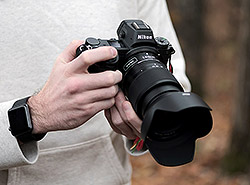 Introduction
Ah, behold the sportier, more affordable brother to the Z7! The new Nikon Z6 is practically identical to the Z7, particularly from the outside. The body design is the same, the weight is the same, the buttons and the controls are all identical between both cameras, too. It’s on the inside where the big differences lie…
Instead of the Z7’s impressively high-res 45.7-megapixel full-frame sensor, the Z6, rather, offers a more reasonable 24 megapixels of resolving power. For me, 24MP is more than enough resolution for detail-rich images and a decent amount of cropping potential. Unless you need to create massive photo print installations or produce images that require tons of super-fine detail, 24MP is plenty for most photographers. Plus, I enjoy the much more manageable, space-saving 24MP files compared to the 45+ MP images of higher-res cameras. I tend to shoot a lot of images, and with RAW enabled, all those files add up quickly! Furthermore, the Z6’s 24MP sensor gives this camera a little performance boost when it comes to continuous shooting. Videographers will also enjoy the addition of full-pixel readout using the full sensor width for 4K video shooting (in other words, no pixel binning or line skipping, and no 4K crop!).
Nikon Z6 Field Test Part II
The Z6 proves to be a very capable landscape & wildlife camera
 In this second Field Test, I will be looking at the Z6 as a wildlife and landscape camera, including considering how the FTZ adapter works on the Z6 and what type of image quality you can expect from its 24-megapixel sensor in low light situations. I will also look at how the camera’s raw files handle extensive edits during raw file processing.
I know that the design of the Z6 (and identical Z7) camera bodies has been discussed here previously, but I wanted to touch on a few aspects of the design which I really like. First, the electronic viewfinder is excellent. With 3.6 million dots and a 0.8x magnification, the EVF is large, sharp and very easy to use. While there is some blackout while shooting at its fastest speeds, the EVF works well for tracking subjects while shooting. The only aspect of the EVF I don’t like is that I found that the eye sensor was a bit inconsistent, and I occasionally found myself accidentally turning off the rear display because the camera thought I was looking through the viewfinder. You can change the EVF mode to deal with this, but this means losing the automatic switching which, in many cases, works well.
Field Test Part II
Hard to find fault with this $2,000 full-frame mirrorless camera
by William Brawley | Posted 11/26/2018
 |
|
Nikon 500mm f/5.6E PF + FTZ Adapter: 500mm, f/5.6, 1/2000s, ISO 450
Note: This image has been modified. Click for the original full-size image. |
Introduction
Ah, behold the sportier, more affordable brother to the Z7! The new Nikon Z6 is practically identical to the Z7, particularly from the outside. The body design is the same, the weight is the same, the buttons and the controls are all identical between both cameras, too. It’s on the inside where the big differences lie…
Instead of the Z7’s impressively high-res 45.7-megapixel full-frame sensor, the Z6, rather, offers a more reasonable 24 megapixels of resolving power. For me, 24MP is more than enough resolution for detail-rich images and a decent amount of cropping potential. Unless you need to create massive photo print installations or produce images that require tons of super-fine detail, 24MP is plenty for most photographers. Plus, I enjoy the much more manageable, space-saving 24MP files compared to the 45+ MP images of higher-res cameras. I tend to shoot a lot of images, and with RAW enabled, all those files add up quickly! Furthermore, the Z6’s 24MP sensor gives this camera a little performance boost when it comes to continuous shooting. Videographers will also enjoy the addition of full-pixel readout using the full sensor width for 4K video shooting (in other words, no pixel binning or line skipping, and no 4K crop!).
Having shot with the Z6 for only about a week now at this point, this first Field Test will cover more of my general shooting experience, including handling and usability, image quality and some initial impressions on performance and AF speed (having used both native and F-mount lenses).
Additional Field Tests are in the works, both for more in-depth performance testing, as well as a full video-centric Field Test from IR’s resident video expert, Jaron Schneider.
OK, let’s get started…
Handling & Ergonomics
As I mentioned, the design and hand-feel of the Z6 are the same as the Z7. If you’re familiar with the Z7, or if you’ve already read Jeremy Gray’s in-depth Z7 Field Test Part I, then you’re all set to grab and use the Z6. From a usability standpoint, the two cameras should basically operate exactly the same.
 |
Given the detailed nature of Jeremy’s first Field Test on the Z7 with regard to handling, button layout and overall operability, I won’t go into as much detail about using the Z6, as it’s all extremely similar. However, I do want to talk about my experience shooting with this camera and how it compares to other cameras I’ve used and owned.
Right off the bat, I’m surprised and pleased by how small and compact the Z6 (and Z7) is, especially since it’s a full-frame camera. Side-by-side, the Z6 is very similar in size to my Olympus E-M1 II, yet it obviously manages to have a significantly larger sensor in there. I’m rather impressed with how Nikon managed to create such a small camera with such a big sensor!
In the hand, the Z6 feels solid and very well built. Nothing is flimsy or plastic-y. It feels just as sturdy as a high-end Nikon DSLR. The large, contoured handgrip offers nice comfort and a very secure hold. The grip obviously isn’t as large as the one on the D850, for example, but it’s still deep and big enough for a full, comfortable grip. The Z6 is similar in size to the rival Sony A7 III, and the grip on the Z6 is slightly larger than the A7 III’s and, to me, feels more comfortable. My pinky finger is less likely to wrap under the Z6’s body like it does when holding the Sony, for instance.
 |
For those familiar with Nikon’s DSLRs, the layout of the controls on the Z6 is very similar, and there shouldn’t be much of a learning curve when it comes to figuring out how to operate and how to customize the controls to your liking. Even as someone who’s not super-accustomed to shooting Nikon cameras, I found the Z6 to be a pleasure to use and easy to operate. Controls and buttons are plentiful, easy to press and manipulate, and offer good tactile feedback. And despite the compact size of the body, the physical controls don’t feel significantly miniaturized or cramped compared to larger DSLR counterparts. I especially love the easy-to-reach On/Off switch around the shutter release button (a classic Nikon control design), making it really fast to power the camera off and on as needed.
 |
The joystick control is another one of my favorite controls on a camera. I love having immediate access to maneuvering the AF point. The lack of such a control, such as on the new Canon EOS R, is really frustrating for me. Thankfully, most higher-end cameras now offer a joystick control. And while the Z6 has a lot of individual AF points, there aren’t that many, which makes the joystick control feel responsive, and it’s really fast to move an AF point anywhere around the frame.
 |
The Z6 also has a tilting, touchscreen rear display. Like the Z7, the Z6’s rear display uses an up/down tilting design, rather a flip-out, vari-angle style. From a photographer’s standpoint, I really prefer the simpler tilting design of the Z6’s display. It’s much easier, I find, to quickly adjust for shooting from low or high angles, and I can keep the camera profile smaller, without having a screen jutting out to the side. For video work, on the other hand, I can certainly see the appeal to a vari-angle, articulated screen, and especially one that flips completely forward. Given the Z6’s video chops, I’m a bit surprised that Nikon opted for the tilting display on this camera (as well as on Z7, to be honest). However, as a fan of the tilting display style, I’m not complaining!
 |
Like most modern mirrorless cameras, the rear display’s touchscreen lets you easily tap to move the AF point. While I mostly shot using the viewfinder and thus the joystick to move to the AF points, I find it very handy to also have a touchscreen to adjust AF as needed. Tap-to-focus is pretty responsive, I found, but I wish there was a way to simply tap-to-move the AF point and not just tap-to-refocus, as I sometimes had to wait (just a brief moment, mind you) while the camera refocused where I tapped. Sometimes I just want to move the AF point, that’s all.
The Z6, just like the Z7, is also fully touch-capable. In other words, in addition to tap-to-focus (and a touch shutter mode, which I never used) you can also interact with all on-screen menu items from the “i” menu, as well as fully navigate the menu system by tapping and swiping to scroll. The menus on the Z6 look just like they do on Nikon DSLRs — they haven’t been redesigned to be particularly touch-friendly. However, navigating by touch still works well in my experience. You can even swipe through images in Playback mode as well as pinch-to-zoom, just like on an iPhone. To me, full touch functionality, such as navigating menus, feels superfluous, as I instinctively use the physical directional control and OK button to navigate the camera’s menus. But, for those who want touch controls, it’s nice that the Z6 offers this functionality. For those who hate touch controls, however, you can disable it completely in the menus.
 |
If I had to nit-pick and give a criticism to any of the buttons on the Z6, it would be to the two front-facing Fn1 and Fn2 buttons. Placed between the grip and lens mount, these thin buttons can be easy to press by accident by those with larger hands as there isn’t a lot of space between the lens and grip. I didn’t mis-press the buttons very often; however, I did simply forget they were there in the first place on many occasions (out of sight, out of mind). However, this is something you’d easily get used to as you use the camera more and more.
Lastly, I wanted to mention the EVF. Like many photographers, I enjoy a good viewfinder. Heck, I’ll take any viewfinder over the lack of one any day. Thankfully, the electronic viewfinder on the Z6 is a gorgeous one. The OLED viewfinder is huge, offering a really bright, crisp and full view of your scene. Images appear vibrant, info text is sharp and there are no artifacts or tearing that can be seen on some lower-quality LCD-type EVFs. The refresh rate is also excellent, and I never experienced any lag or problems trying to track moving subjects. It’s really a fantastic electronic viewfinder.
 |
|
Nikon Z 24-70mm f/4 S: 24mm, f/4, 1/25s, ISO 500
|
Z-mount Lenses
Despite the full-frame format, the Nikon Z-mount lenses released so far (a 24-70mm f/4, 35mm f/1.8 and 50mm f/1.8) are surprisingly compact and very lightweight. They balance perfectly with the Z6; the 24-70mm and Z6 make an excellent single-lens travel combo that’s versatile and won’t weigh you down. Of course, being a full-frame camera, I expect larger, heavier Z-mount lenses in the future, such as f/2.8 zoom lenses. So while I couldn’t try heavy, native Z-mount lenses, I had no issues shooting with bigger, heavier F-mount lenses using the FTZ adapter. For example, the Z6 mounted with the 105mm f/1.4E lens or the 70-200mm f/2.8E VR zoom worked beautifully. Yes, they are front-heavy, but not excessively so. Both of these lenses are hefty enough that I use them exclusively with two hands, so most of the lenses’ weight is supported by my left hand and the overall balance is really nice. In the end, the Z6 body is smaller than, say, the D850, so naturally, big, heavy lenses are going to feel more unbalanced and more difficult to hold in one hand, but overall, the Z6 handled heavier adapted lenses quite well.
 |
|
Nikon 300mm f/4E PF + FTZ Adapter: 300mm, f/4, 1/2000s, ISO 400
Note: This image has been modified. Click for the original full-size image. |
Image Quality
With a more reasonable 24-megapixel sensor, the Nikon Z6 isn’t for the super pixel-peepers out there. However, based on the images I’ve shot so far, the Z6 is more than capable of capturing images with excellent fine detail. The overall image quality from this camera is fantastic, especially at lower ISOs. As I mentioned earlier, to me, the Z6 is all about balance. Twenty-four megapixels strikes an excellent balance of resolving power and manageable file sizes. I’m perfectly happy with the level of fine detail I was able to capture with this camera, and I was able to shoot all day without filling up a single XQD card.
 |
|
Nikon Z 50mm f/1.8 S: 50mm f/1.8, 1/800s, ISO 100, +0.3EV
|
At this point, most of the shooting scenarios I’ve been in with the Z6 haven’t required high ISOs: sunrise/morning wildlife shooting, daytime/outdoor portrait shooting with fast-aperture lenses, and general daytime photography. So far, I’m extremely impressed with the image quality from the Z6. In addition to excellent sharpness, I find the color reproduction from untouched JPEG images (at the default picture style) to be really nice and accurate, yet with a pleasing vibrancy that doesn’t feel overly saturated.
Dynamic range performance, too, is quite nice, although I wasn’t expecting anything less given Nikon’s history of cameras with fantastic dynamic range. Even with high-contrast scenes, I found shadow tones to be deep and contrast-y without feeling overly “crushed” while at the same time, images retain lots of highlight detail. Even with straight-from-camera JPEGs, the Z6 often produced photos that I felt needed little or no editing to display excellent highlight and shadow detail.
 |
|
Nikon 105mm f/1.4E + FTZ Adapter: 105mm, f/1.6, 1/8000s, ISO 125
|
For example, take a look at this image above. In this scene, the aircraft is entirely indoors, and while the image is pretty high contrast, there’s still visible shadow detail if you look closely. The most striking thing, however, is the excellent detail in the sky. Instead of just over-exposing the sky to expose for the darker foreground properly, the Z6 managed to retain a ton of detail in the bright sky.
Higher ISOs – an initial look
As I mentioned, most of my shooting with the Z6 so far has been during the day, so I haven’t needed higher ISOs all that much up to this point. I often enabled Auto ISO, setting other exposure parameters manually, and then letting the camera’s ISO float as required. Shooting some early morning wildlife and birds-in-flight with the adapted 500mm f/5.6E PF and 300mm f/4E PF lenses, the camera still rarely climbed above ISO 1600.
 |
|
Nikon 500mm f/5.6E PF + FTZ Adapter: 500mm, f/5.6, 1/2000s, ISO 1400
|
Nevertheless, I wanted to briefly mention some initial impressions on the Z6’s high ISO performance. Nikon full-frame cameras (and even APS-C models), especially in recent years, have consistently displayed excellent quality when it comes to high ISO images. Based on some mid-range higher ISO images that I’ve shot so far, the image quality is, unsurprisingly, really nice from the Z6. Visible noise is barely noticeable in JPEG images with default noise reduction, and the little noise that I do see is very finely grained. The camera’s processing does a great job of preserving fine detail while removing or reducing unsightly noise.
 |
|
Nikon Z 24-70mm f/4 S: 70mm, f/4, 1/50s, ISO 51200, -0.3EV
|
 |
|
100% Crop
|
Performance so far
Lastly, I want to touch on my initial impressions of the performance of the Nikon Z6. Most of the photo ops arranged during the Nikon press event in Florida revolved around portraiture and other static subjects, which weren’t all that taxing on the Z6 in terms of AF or continuous burst shooting. However, thankfully, we did have a chance to try the Z6 at some wildlife photography — one of my favorite photographic subjects. We had an early morning air-boat ride across classic Florida swampland, giving us an opportunity to photograph wading birds, raptors, alligators and birds-in-flight. Although this wasn’t the most high-intensity stress test for the Z6’s performance, it was still a fairly challenging shooting situation, with fast-moving, unpredictable subjects, and difficult autofocus scenarios in which birds and other animals were often partially obscured with foliage and tall, wetland grasses. Plus, given the lack of native Z-mount telephoto lenses, it was a great opportunity to test out C-AF performance with the FTZ adapter.
 |
|
Nikon 500mm f/5.6E PF + FTZ Adapter: 500mm, f/5.6, 1/2000s, ISO 1000
Note: This image has been modified. Click for the original full-size image. |
As a supertelephoto fan, and someone who often finds himself needing a longer focal length than initially anticipated, I went “big” from the get-go, or at least long. I grabbed the FTZ adapter and mounted the new 500mm f/5.6E Phase Fresnel F-mount lens. I put “big” in quotes because this 500mm lens is exactly the opposite. Despite the focal length, this lens is amazingly compact and perfectly usable on the Z6 and operated handheld. The PF lens design (and not-that-bright f/5.6 aperture, too) does wonders to make this a super-compact super-telephoto lens! (Side note: my colleague Jeremy Gray is in the process of Field Testing this 500mm f/5.6E lens right now, so keep an eye out for that in the coming weeks!)
 |
|
Nikon 300mm f/4E PF + FTZ Adapter: 300mm, f/4, 1/2000s, ISO 100
Note: This image has been modified. Click for the original full-size image. |
OK, back the Z6… Photographing wildlife with the Nikon Z6 and the 500mm f/5.6 lens was extremely enjoyable. Not only was the lens and camera combo both lightweight and comfortable to hold while zooming across the swamp in a boat, but the camera performed extremely well, with fast autofocus and accurate subject tracking performance. Most of the time, I set the Z6 to the “Dynamic-Area AF” point option, which gave me a user-selectable/movable single AF point that’s then surrounded on all sides by helper AF points in case my subject moved out from under my primary AF point. Although I didn’t necessarily track my “keeper rate,” my sense is that the Z6 did very well at tracking moving subjects. Most of my images were in-focus unless I, myself, did a poor job at tracking my subject. I do plan to test the Z6’s subject tracking further with different AF point modes and subjects, but from my experience so far, unless I messed up, the Z6 performed admirably. No complaints or frustrations from me in the field.
 |
|
Nikon 300mm f/4E PF + FTZ Adapter: 300mm, f/4, 1/2000s, ISO 250
Note: This image has been modified. Click for the original full-size image. |
In terms of AF speed, adapted F-mount lenses work extremely well. I never experienced any issues with focus accuracy or speed. Traditionally, adapting DSLR lenses onto mirrorless cameras comes with a noticeable drop in AF speed and performance, but with the Z6, this is definitely not the case, at least in my experience so far. With the 500mm lens, and any other F-mount lenses I grabbed, the Z6’s AF speed felt fast and “DSLR-like” — snappy, decisive and quick, without any visible hunting or wobbling. During the trip, I didn’t have a Nikon DSLR along with me to compare AF speed, but back home, I did a quick comparison with the Z6 and the D850 and the 24-70mm f/2.8E VR lens. Doing a quick focus acquisition test, autofocusing between a close object and a distance one, I was hard-pressed to see any noticeable difference between AF speed of the Z6 and the D850.
 |
|
Nikon Z 24-70mm f/4 S: 24mm, f/4, 1/25s, ISO 200
|
Summary
Overall, the Nikon Z6 is shaping up to be a very nice, all-around, enthusiast-grade mirrorless camera. Based on my experience thus far, I’m having a hard time finding any sizable criticism for the Z6. The image quality is fantastic, as is characteristic of modern Nikon cameras, and the build quality is superb. The camera feels great in the hand, offering lots of physical controls despite the smaller body design. For long-time Nikon shooters, the Z6’s controls will feel familiar, which is by design. However, as someone who’s not a “Nikonian,” I still found the Z6 was easy to pick up and operate without much, if any, confusion.
 |
|
Nikon 85mm f/1.8 + FTZ Adapter: 85mm, f/1.8, 1/160s, ISO 100, -0.3EV
|
Now, if I had to nit-pick, then yes, the single XQD card slot can be annoying. For one, XQD cards aren’t all that common yet and are still fairly expensive. Secondly, I can certainly understand wanting two memory card slots for backup security. For me, personally, my feeling is that if a camera has two slots, then great! But it’s not a deal-breaker for me or the type of photography I shoot. Other than this, I’m struggling to find any serious fault with the Nikon Z6. The camera feels great, works great and produces great photographs. I honestly can’t ask for much more.
Upcoming
But I’m not done yet! There’s still much more to test with the Z6. In an upcoming Field Test, I’ll explore its autofocus and performance features in more depth, as well as more closely examine higher ISO image quality. Sound off in the comments below if there’s something specific you’d like me to test out on the camera!
Field Test Part III
The Z6 proves to be a very capable landscape & wildlife camera
by Jeremy Gray | Posted 08/06/2019
 |
| Nikon 200-500mm f/5.6E lens adapted with Nikon FTZ adapter at 330mm, f/5.6, 1/640s, ISO 250. This image has been cropped. Click for the full-size image. Click here for the RAW file. |
Recap of Field Test Part I
In our previous coverage of the Nikon Z6, we evaluated the Z6’s body and design, image quality, autofocus and performance. We have also discussed the Z6’s video features in a separate video-centric Field Test.
In this second Field Test, I will be looking at the Z6 as a wildlife and landscape camera, including considering how the FTZ adapter works on the Z6 and what type of image quality you can expect from its 24-megapixel sensor in low light situations. I will also look at how the camera’s raw files handle extensive edits during raw file processing.
 |
| Nikon Nikkor Z 24-70mm f/2.8 S lens at 70mm, f/8, 1/80s, ISO 220. This image has been converted and processed to taste in Adobe Camera Raw. Click for the full-size image. Click here for the RAW file. |
In the Field
I know that the design of the Z6 (and identical Z7) camera bodies has been discussed here previously, but I wanted to touch on a few aspects of the design which I really like. First, the electronic viewfinder is excellent. With 3.6 million dots and a 0.8x magnification, the EVF is large, sharp and very easy to use. While there is some blackout while shooting at its fastest speeds, the EVF works well for tracking subjects while shooting. The only aspect of the EVF I don’t like is that I found that the eye sensor was a bit inconsistent, and I occasionally found myself accidentally turning off the rear display because the camera thought I was looking through the viewfinder. You can change the EVF mode to deal with this, but this means losing the automatic switching which, in many cases, works well.
Another nice aspect of the camera’s design are its two displays: the top information display and the rear 3.2-inch touchscreen. The top display is a dot-matrix OLED display and shows important camera settings. The rear touchscreen has 2.1 million dots of resolution, making it very vivid and sharp. The tilting design feels very robust and works well. With that said, it only tilts up and down and not a fully-articulating display nor a triaxial design such as what you find on a number Fujifilm cameras.
 |
| Nikon 200-500mm f/5.6E lens adapted with Nikon FTZ adapter at 500mm, f/5.6, 1/640s, ISO 2800. This image has been converted and processed to taste in Adobe Camera Raw. Click for the full-size image. Click here for the RAW file. |
I have been using Nikon DSLR cameras since I started with photography, so over the years, I have grown used to the general design layout of Nikon cameras and menus. The Z6, despite being much smaller than something like a Nikon D850, feels immediately familiar. For users who might not be accustomed to Nikon controls, I think that there’s a lot to like. The dedicated ISO and exposure compensation buttons being located near the shutter release makes a lot of sense, allowing you to access major exposure-related controls in one area. There have been some minor compromises, however. For example, there’s no dedicated AF-L button on the camera, meaning you will need to assign one of the two function buttons on the front or the rear AF-ON button to this task.
 |
| Nikon Nikkor Z 24-70mm f/2.8 S lens at 70mm, f/8, 1/80s, ISO 140. This image has been converted and processed to taste in Adobe Camera Raw. Click for the full-size image. Click here for the RAW file. |
All in all, the Nikon Z6 looks and feels like a Nikon camera. For me, this is a positive, although I understand that some potential users may prefer the control layout of a competing camera brand. However, I am confident that everyone will appreciate the excellent electronic viewfinder and sturdy feel of the Z6.
Landscape photography with the Z6 is a good experience
The Z6 is a good landscape camera for a variety of reasons, although perhaps not as compelling of an option as the Z7, due to the difference in megapixel count and resolving power. With that said, you get the same great mirrorless camera body, including an excellent electronic viewfinder and solidly-built tilting touchscreen.
 |
| Nikon Nikkor Z 24-70mm f/2.8 S lens at 70mm, f/9, 8s, ISO 100. This image has been converted and processed to taste in Adobe Camera Raw. Click for the full-size image. Click here for the RAW file. |
To recap, the Nikon Z6 has a 24.5-megapixel backside-illuminated CMOS image sensor, which delivers a native ISO range of 100-51,200. This image sensor is paired with Nikon’s latest EXPEED 6 image processor.
When considering dynamic range, let’s see how the Z6 fares compared to the Z7, Sony A7 III and Canon EOS R. All four are full-frame mirrorless cameras and save for the 45MP Z7 are in the same general megapixel class. Thanks to our friends at Photons to Photos, we can compare all four cameras across their respective ISO ranges. At base ISO, the Sony performs best with an 11.6 EV dynamic range and the Canon EOS R delivers the smallest dynamic range at 10.6 EV. The Nikon Z6 and Z7 are very similar to one another, at 11.01 and 10.98 EV, respectively. In most situations, the difference between these four cameras won’t be very noticeable, which is to say that all four, including the Z6, are solid performers for even the most demanding types of landscape photography.
 |
| Nikon Nikkor Z 24-70mm f/2.8 S lens at 50mm, f/2.8, 1/160s, ISO 100. Click for the full-size image. Click here for the RAW file. |
 |
| Nikon Nikkor Z 24-70mm f/2.8 S lens at 50mm, f/2.8, 1/160s, ISO 100. This image has been converted and processed to taste in Adobe Camera Raw. Click for the full-size image. Click here for the RAW file. |
Another aspect to consider when looking at a camera for landscape photography is the extent of fine detail it can resolve. As mentioned earlier, the Z7’s resolving capabilities are top-notch and, in that respect, the Z6 cannot quite keep pace. However, the Z6 does produce very flexible raw files (as does the Z7, for that matter), which is also an important consideration. You are able to push the shadow and highlight details quite far when working with Z6 raw files, which makes it easier to realize your creative vision, even when the lighting conditions are less than ideal. Further, the Z6 produces images with pleasing colors and smooth tonal transitions.
 |
| Nikon Nikkor Z 24-70mm f/2.8 S lens at 24mm, f/8, 1/25s, ISO 500. This image has been converted and processed to taste in Adobe Camera Raw. Click for the full-size image. Click here for the RAW file. |
If you want to shoot nightscapes, you may be curious how the Z6 performs in low light. In a particularly extreme example, consider the ISO 51,200 image below, which is the maximum native ISO of the Z6. Now, the image quality is not great, of course, but considering the ISO, I think it’s pretty impressive.
 |
| Nikon Nikkor Z 24-70mm f/2.8 S lens at 70mm, f/2.8, 1/25s, ISO 51,200. Click for the full-size image. Click here for the RAW file. |
 |
| Nikon Nikkor Z 24-70mm f/2.8 S lens at 70mm, f/2.8, 1/25s, ISO 51,200. 100 percent crop from original JPEG image. Click for the full-size image. Click here for the RAW file. |
 |
| Nikon Nikkor Z 24-70mm f/2.8 S lens at 70mm, f/2.8, 1/25s, ISO 51,200. 100 percent crop from original JPEG image. Click for the full-size image. Click here for the RAW file. |
Â
 |
| Nikon Nikkor Z 24-70mm f/2.8 S lens at 70mm, f/2.8, 1/25s, ISO 51,200. Raw image processed with Adobe Camera Raw default settings. Click for the full-size image. Click here for the RAW file. |
 |
| Nikon Nikkor Z 24-70mm f/2.8 S lens at 70mm, f/2.8, 1/25s, ISO 51,200. 100 percent crop from raw image processed with Adobe Camera Raw default settings. Click for the full-size image. Click here for the RAW file. |
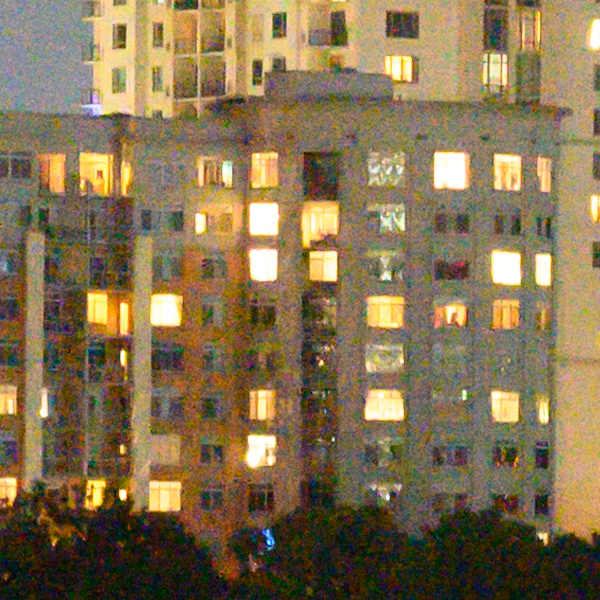 |
| Nikon Nikkor Z 24-70mm f/2.8 S lens at 70mm, f/2.8, 1/25s, ISO 51,200. 100 percent crop from raw image processed with Adobe Camera Raw default settings. Click for the full-size image. Click here for the RAW file. |
Â
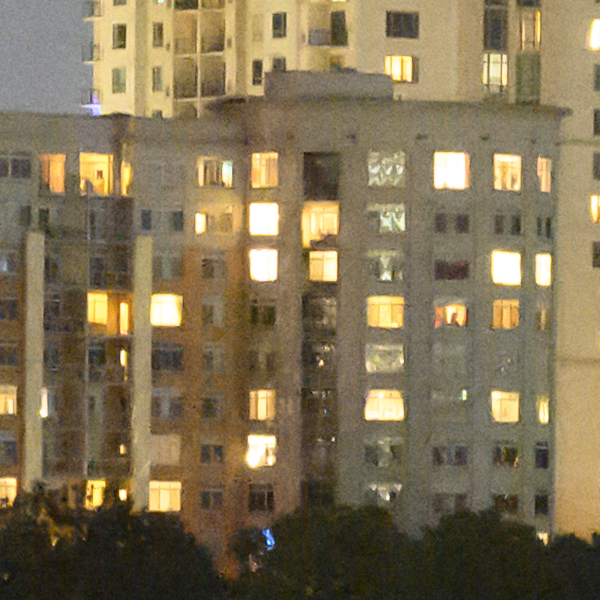 |
| Nikon Nikkor Z 24-70mm f/2.8 S lens at 70mm, f/2.8, 1/25s, ISO 51,200. 100 percent crop from raw image processed with additional noise reduction than Adobe Camera Raw default settings. Click for the full-size image. Click here for the RAW file. By applying additional noise reduction to the raw file, you can reduce noise further while maintaining better detail retention than the JPEG file with in-camera noise reduction applied. Of particular importance during raw noise reduction at ISO 51,200 is removing color noise, which is quite bad with the raw file straight from the camera. |
Back to more realistic landscape shooting scenarios, the Z6 is simply an enjoyable camera to use and a very capable landscape camera for under $2,000 USD. It produces sharp images with good dynamic range and pleasing colors, and the camera body itself is well-designed.
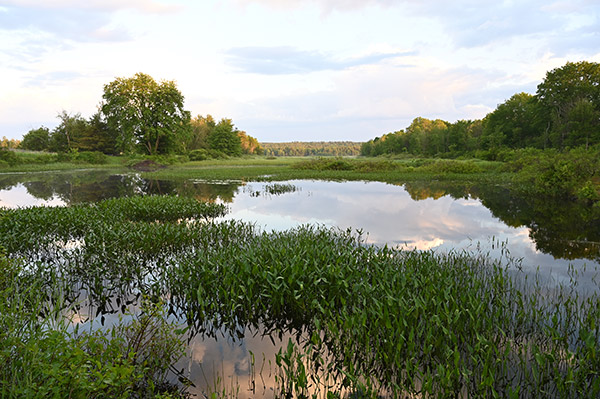 |
| Nikon Nikkor Z 24-70mm f/2.8 S lens at 24mm, f/8, 1/25s, ISO 280. Original JPEG image. Click for the full-size image. Click here for the RAW file. |
 |
| Nikon Nikkor Z 24-70mm f/2.8 S lens at 24mm, f/8, 1/25s, ISO 280. This image has been converted and processed to taste in Adobe Camera Raw. Click for the full-size image. Click here for the RAW file. As you can see, you can recover quite a lot of detail from the shadow and highlight areas when processing raw files from the Z6. The highlights behind the large tree to the left proved unrecoverable, but overall, it’s a dramatic transformation. |
Â
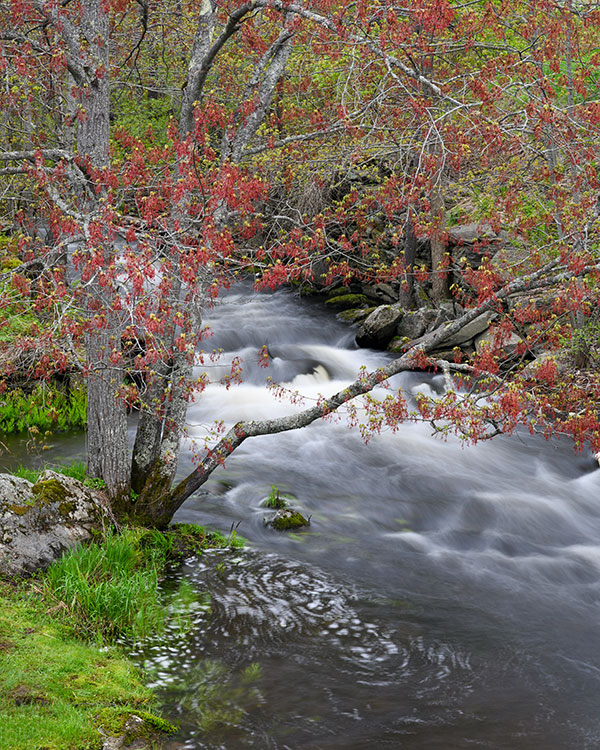 |
| Nikon Nikkor Z 24-70mm f/2.8 S lens at 70mm, f/13, 3s, ISO 100. This image has been converted and processed to taste in Adobe Camera Raw. Click for the full-size image. Click here for the RAW file. |
Provided you have an FTZ adapter, the Z6 is a capable wildlife camera
The Nikon Z6 is a really solid all-around wildlife camera for a variety of reasons. Not the least of which is that the camera’s autofocus system works really well and offers wide coverage of the image area. Further, the focus is quite quick, especially after recent firmware updates that improved both continuous autofocus and low-light autofocus performance. The Z6 has a 273-point phase-detect autofocus system, which is fewer points than are found on the Z7’s higher-megapixel image sensor. However, I found that the Z6’s autofocus system performed comparatively.
 |
| Nikon 200-500mm f/5.6E lens adapted with Nikon FTZ adapter at 500mm, f/5.6, 1/640s, ISO 5600. This image has been converted and processed to taste in Adobe Camera Raw. Click for the full-size image. Click here for the RAW file. Part of the appeal of the Z6 as a wildlife camera is that it performs really well in low-light, both in terms of image quality at high ISO and with respect to autofocus performance. |
The large, crisp electronic viewfinder is another reason why I enjoy shooting wildlife with the Z6, and the same goes for the built-in image stabilization. The Z6’s IS system works very well, especially when trying to keep the viewfinder image stable when shooting, even when using a long lens such as an adapted Nikon 200-500mm f/5.6E telephoto zoom. Plus, the ability to shoot with a completely silent shutter is great for particularly skittish animals, though I didn’t find the mechanical shutter on the Z6 all that noisy, to be honest. You can also easily switch to the silent (electronic) shutter mode by assigning it to the “i” quick-access menu, which is very convenient.
 |
| Nikon 200-500mm f/5.6E lens adapted with Nikon FTZ adapter at 500mm, f/5.6, 1/640s, ISO 5600. This image has been converted and processed to taste in Adobe Camera Raw. Click for the full-size image. Click here for the RAW file. |
Speaking of the 200-500mm f/5.6E lens, to use this with the Nikon Z6 you must use the FTZ adapter, which does add cost to the Z6 unless you get it in a special bundle which has been available at various points since the camera launched. At the time of writing, the adapter adds over $200 to the purchase price. With that said, it’s absolutely worth it if you already have Nikon F-mount lenses or want to use your Z6 for wildlife photography, as there are no native Nikkor Z mount lenses well-suited to most wildlife situations (at this time).
 |
| Nikon 200-500mm f/5.6E lens adapted with Nikon FTZ adapter at 480mm, f/5.6, 1/640s, ISO 2500. This image has been converted and processed to taste in Adobe Camera Raw. Click for the full-size image. Click here for the RAW file. |
Fortunately, when using an adapted lens, the Z6 performs well. Autofocus performance is quick, and it doesn’t ever feel like you’re using a non-native lens or being subjected to a second-class shooting experience. Given the wide array of excellent long F-mount lenses and how well the FTZ adapter works, the lack of telephoto native Z-mount lenses wouldn’t dissuade me from considering the Z6.
 |
| Nikon 200-500mm f/5.6E lens adapted with Nikon FTZ adapter at 500mm, f/5.6, 1/640s, ISO 500. This image has been converted and processed to taste in Adobe Camera Raw. Click for the full-size image. Click here for the RAW file. |
In fact, compared to Nikon’s other full-frame cameras in this price range, the Z6 delivers very good autofocus area coverage, autofocus performance and shooting speeds. The Z6 can shoot at up to 12 frames per second, which is very quick. At these speeds, you are limited to 12-bit raw files and the buffer fills up in about three seconds, but it also clears quickly. If you want 14-bit raw files, shooting speeds are capped at 9 fps. Nikon also added recently continuous AE in the Continuous H+ shooting speeds via firmware 2.0, more on that shortly.
 |
| Nikon 200-500mm f/5.6E lens adapted with Nikon FTZ adapter at 500mm, f/5.6, 1/400s, ISO 2800. This image has been cropped. Click for the full-size image. Click here for the RAW file. |
For both landscape and wildlife photographers, it’s worth considering how rugged a camera is. While I wasn’t personally subjected to harsh weather while shooting with the Z6, the identical Z7 body has been through our rigorous weather testing protocol. To read the full details on the sealing found on Nikon’s two Z camera bodies, click here. The primary takeaway is that the Z6/Z7 are at the top of their class in terms of weather sealing and you should feel confident photographing wildlife in moderate precipitation.
Overall, the Nikon Z6 is a very good camera for wildlife photography. While the smaller size of the Z6 relative to Nikon’s full-frame DSLR cameras is canceled out slightly by the need to use adapted F-mount telephoto lenses, many other aspects of the mirrorless camera’s design work well. The autofocus system and overall performance impress in particular, while the excellent electronic viewfinder, the silent shutter mode, and very good build quality also pay dividends for wildlife shooting.
 |
| Nikon 200-500mm f/5.6E lens adapted with Nikon FTZ adapter at 500mm, f/5.6, 1/500s, ISO 5000. This image has been converted and processed to taste in Adobe Camera Raw. Click for the full-size image. Click here for the RAW file. |
Where does the Nikon Z6 stand in the summer of 2019?
When I tested the Nikon Z7 last fall, I had numerous positive takeaways. Many of these opinions of the Z7 apply to the Z6, especially when considering the overall design of the camera. There are some usability compromises to be made when moving from a full-frame Nikon DSLR such as the D850 to a mirrorless camera like the Z6, but there are also advantages to be gained. The electronic viewfinder in particular is fantastic. Further, despite the more compact nature of the camera, most controls remain intact.
 |
| Nikon Nikkor Z 24-70mm f/2.8 S lens at 52mm, f/8, 0.4s, ISO 100. This image has been converted and processed to taste in Adobe Camera Raw. Click for the full-size image. Click here for the RAW file. |
A concern I had with the Z7 was a lack of native lenses, which Nikon has been addressing. There are now six native Z-mount lenses available for the Nikon Z6 and Z7 cameras, including a very interesting 14-30mm f/4 zoom lens and what I think is Nikon’s best-ever 24-70mm f/2.8 zoom. Other lenses in the pipeline for 2019 include the Nikkor Z 58mm f/0.95 S Noct, which will be fascinating, and a new 70-200mm f/2.8 S pro zoom. In 2020, Nikon currently has seven lenses listed for release, including three they’ve announced: the 20mm f/1.8 S, 50mm f/1.2 S and 14-24mm f/2.8 S. Nikon still has a ways to go to catch up to Sony’s full-frame mirrorless lens selection, for example, but given how well the FTZ adapter works, there is not necessarily a dire need. If you have a bevy of AF-S F-mount lenses already, the Z6 can handle basically any type of photography very well.
 |
| Nikon 200-500mm f/5.6E lens adapted with Nikon FTZ adapter at 410mm, f/5.6, 1/500s, ISO 1100. This image has been converted and processed to taste in Adobe Camera Raw. Click for the full-size image. Click here for the RAW file. |
Firmware
It’s also worth considering that Nikon has continually been improving the Z6 via firmware updates. In firmware version 2.0, which was released in May just before I got my hands on the Z6, Nikon added eye-detect autofocus, improved the low-light autofocus accuracy and speed, and updated the continuous shooting performance, among other smaller changes.
Firstly, eye-detection autofocus is a big deal for portrait and event shooters. This new feature continuously tracks eyes throughout the frame in AF-S and AF-C focus modes. It also allows you to choose eyes from multiple people in the frame and can reacquire focus on the eyes if the subject is temporarily obstructed. You can read more about this feature and see how it compares to the Sony A7 III by clicking here.
Regarding improved autofocus performance in low light, while I don’t have a scientific way to test this, anecdotally, compared to the Nikon Z7 (with version 1.0 firmware) I used last fall, the Z6’s low-light autofocus performance does seem improved. I think that there might be a bit more room for improvement here, but the fact that Nikon has been able to add autofocus features and improve autofocus performance bodes well for future improvements via firmware.
 |
| Nikon 200-500mm f/5.6E lens adapted with Nikon FTZ adapter at 440mm, f/5.6, 1/800s, ISO 1800. This image has been converted and processed to taste in Adobe Camera Raw. Click for the full-size image. Click here for the RAW file. |
For continuous shooting, Nikon has added AE tracking to the Z6 when it is shooting in fastest Continuous H+ (12 fps) burst mode, which used to only offer continuous AF. Previously, the camera offered full AF/AE tracking only at up to 5.5 fps, so this is a significant change and should make the camera better suited to outdoor sports and general wildlife photography.
Overall
The Nikon Z6 is a great full-frame mirrorless camera, and it is as much a jack-of-all-trades as any camera Nikon has released. As Nikon continues to flesh out the Z-mount lens selection and introduces improvements and new features to the Z6 via firmware, it will only become better. Of course, the lens selection is the kicker at the moment because until the native lens selection is more fleshed out, the Nikon Z6 will primarily appeal to Nikon DSLR users rather than brand-new full-frame photographers.
 |
| Nikon 200-500mm f/5.6E lens adapted with Nikon FTZ adapter at 500mm, f/5.6, 1/640s, ISO 1250. This image has been cropped. Click for the full-size image. Click here for the RAW file. |
Nikon Z6 Field Test Part II Summary
A very capable all-around full-frame mirrorless camera
What I like:
- Great camera body design, including an excellent EVF and impressive weather resistance
- Reliable autofocus performance
- Impressive image quality in many situations
What I didn’t like:
- Native lens selection remains a concern, although Nikon is actively addressing it
- You basically need the FTZ adapter to use the Z6 as a wildlife camera
The Nikon Z6 offers a lot of value for photographers who already have AF-S Nikon F-mount lenses, thanks to the capable FTZ adapter. However, for those who are brand-new to Nikon, the situation is murkier. Having used most of the native Z lenses, including both 24-70mm f/2.8 zoom lenses and the 14-30mm f/4 S, the Z6 is a great choice for general shooting and landscape photography, even without an existing selection of Nikon F-mount lenses. For portrait shooters, the recent addition of eye-detect autofocus and three native f/1.8 primes (with a pair of even faster 50mm lenses on the way) are sure to make the Z6 an appealing option. If you want to shoot wildlife images, a personal favorite type of photography for me, then you simply must use long Nikon F-mount lenses with the FTZ adapter. Nikon’s lens roadmap does little to change this current reality, as the longest lens listed yet is their upcoming 70-200mm f/2.8 zoom. Sports photographers will likely enjoy the Z6’s impressive autofocus performance and AF area coverage, although blackout times while shooting bursts may make it tricky to track very fast action while shooting.
Moving past lenses and considering just the Z6 itself, it’s definitely a highly capable camera. It is very well-designed, and its image quality and overall performance are impressive. Mirrorless is no longer “the future” for Nikon full-frame photography, it’s the present, and based on the Z6, this longtime DSLR shooter doesn’t mind that at all.
 |
| Nikon Nikkor Z 24-70mm f/2.8 S lens at 70mm, f/6.3, 1/80s, ISO 3200. This image has been converted and processed to taste in Adobe Camera Raw. Click for the full-size image. Click here for the RAW file. |
Video
The best video camera Nikon has ever made, but also just par for the course
by Jaron Schneider | Posted: 04/15/2019
It’s been a few months since the Nikon Z6 was announced, and at the time it was released it looked extremely promising for video shooters. Let’s face it: if you are a Nikon shooter, the odds are pretty high that your video shooting experience has been pretty lackluster to this point. Nikon’s DSLRs have never really fully embraced video production, with a lack of features like focus peaking, poor autofocus performance, and an overall shortage of recording options. With the Z6, that seemed to change. With all those features now packaged into a small and lightweight body, yet still boasting a full-frame sensor and even adding N-Log, high bitrate recording options and 4:2:2 10-bit via an external HDMI recorder, it looked extremely promising.
And it is. The Nikon Z6 is without a doubt Nikon’s best video shooting camera they have ever released. It’s not close.
Simultaneously, the Z6 is sort of just… OK, when compared to the market it currently finds itself in.
Among a very competitive space, the compromises made in Nikon’s first of two full-frame mirrorless cameras lands it squarely in the middle of the pack, with little that makes it feel like a unique video shooting experience, and with few rewards for choosing it over the long-standing competition. So while we should spend time praising the Z6 for everything it finally does right under the banner of Nikon, it is also important to recognize we cannot review these products in a vacuum.
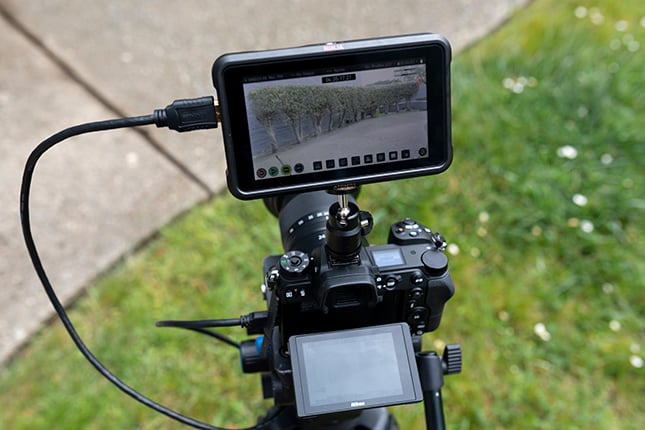 |
The Basics
Before we get into the shooting experience with the Z6, it is important to look at what the camera is capable of first and set those expectations. In that frame of reference, most of you reading this review will know what to expect, as Nikon did a great job marketing the Z6 as a video camera at launch.
The Nikon Z6 offers several resolution and frame rate options for the video shooter:
- 3840 x 2160 (4K UHD): 30p (progressive), 25p, 24p
- 1920 x 1080 (Full HD): 120p, 100p, 60p, 50p, 30p, 25p, 24p
- 1920 x 1080 (Full HD, Slow Motion); 30p 4x, 25p 4x, 24p 5x
(Actual frame rates for 120p, 100p, 60p, 50p, 30p, 25p and 24p are 119.88, 100, 59.94, 50, 29.97, 25 and 23.976 fps, respectively; quality selection available at all sizes except 3840 x 2160, 1920 x 1080 120p/100p and 1920 x 1080 slow-mo, when quality is fixed at â [high])
It should be noted that these video frame rates and resolutions are all captured in true full frame on the Z6, though a DX crop mode is also available (except for slow-mo which is FXÂ only). Max recording time is 29 minutes and 59 seconds in all modes except Slow Motion which is limited to 3 minutes, though keep in mind playback time is multiplied by the speed-up factor.
While these are not standout, unique options for a modern hybrid camera, they do match up well against the most popular of the full frame video camera systems outside of Panasonic’s latest offering in the form of the Lumix S1. Compared to Sony and Canon, they are either identical or superior. In the case of Sony, these look pretty similar. In the case of Canon… well, Canon has yet to figure out full frame video at all. Comparing anyone to Panasonic at this point is tough to do, as they are the only ones who seem to have figured out 4K 60p capture in a full frame camera, and even they have caveats with it on both the S1 and S1R. So while they push no boundaries with their specifications here, Nikon also hasn’t let themselves fall behind by much either.
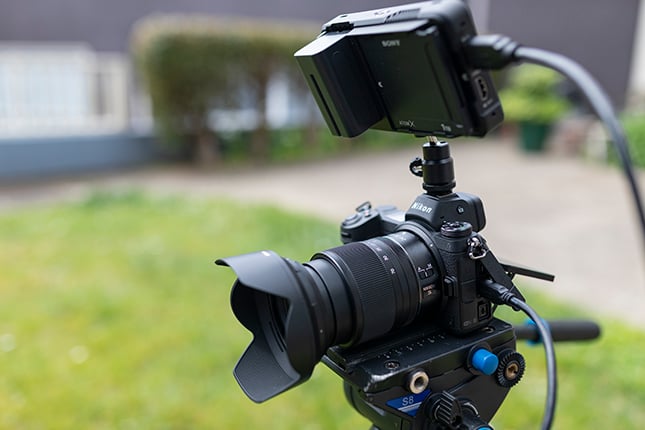 |
I mentioned N-Log a bit earlier, and it’s excellent that Nikon chose to include it with the Z6. However, it’s a shame that you cannot use it if you do not use an external recorder. I was at first confused about why Nikon would prevent it from being used with internal recordings, even if we were limited to 4:2:0 8-bit, but when I looked in the manual and saw the maximum bitrate, Nikon’s decision to only allow N-Log in the 4:2:2 10-bit external recorder maximum made more sense.
For internal video recording, even with its exceptionally fast XQD memory card, the Z6 is only capable of recording video with a maximum bitrate of 144 Mbps, which theoretically should be enough to offer decent latitude in post. It’s not outstanding, but it’s much better than what Sony is offering with their A7 III and A7R III (more on that below).
To contrast this, the Canon 1DX II writes at 500 Mbps in 4K (24p, 25p and 30p) and a blazing 800 Mbps in 4Kp60 thanks to the speed of CFast (it does this without even having C-log as an option, which to this day still baffles me). The Canon EOS R writes 4K at a stellar 480 Mbps. The Panasonic GH5 writes at a wicked 400 Mbps in 4K 10-bit 4:2:2 internal, and that’s to a regular SD card (though Panasonic does specify using a pretty fast SD card with a UHS Speed Class 3 rating).
XQD today is capable of writing nearly as fast as the fastest CFast will ever reach, so blaming the rather modest bitrates on the type of card Nikon chose to go with is a poor scapegoat, especially seeing what Panasonic is able to do with an SD card. Additionally, the Panasonic S1, with its impending optional video upgrade, will write at 150 Mbps in 4:2:2 10-bit with internal recording Log profiles and can use the same XQD media as Nikon. 150 Mbps isn’t obviously much faster than the Z6’s 144 Mbps, but the hangup might be in the Z6’s 4:2:0 8-bit color depth maximum.
What’s worse is that the Full HD video writes at a piddling 56 Mbps in 50p/60p and an even worse 28 Mbps in 25p/24p; this is even in high-quality mode! The normal modes are an even worse 28 Mbps and 14 Mbps. The super slow motion video clips max out at 36 Mbps, which is also not great considering how many frames per second they need to be capturing.
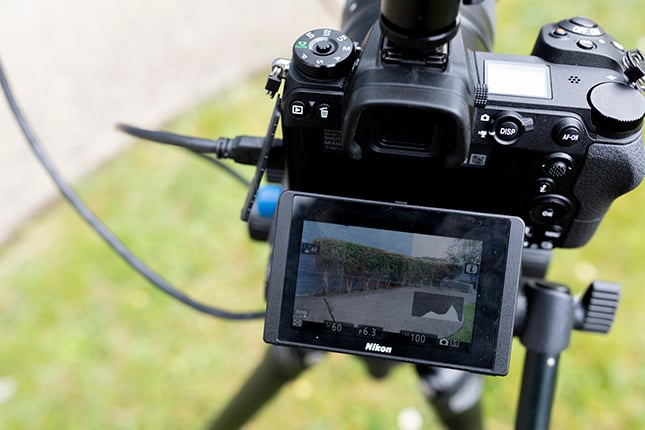 |
These numbers are pretty similar to the Panasonic S1’s Full HD performance before the video-specific firmware unlock (a paid upgrade, price still TBD) makes them much better, boosting Full HD capture to 100 Mbps (the same as is found in the GH5). So based on this we know better, higher-quality Full HD video is possible, but Nikon opted not to offer that to their Z6 camera.
As mentioned above, Sony is actually worse with regards to 4K capture, with both the A7R III and A7 III maxing out at 100 Mbps in 4K. It’s good to see that Nikon made an improvement over Sony, albeit slight, but it’s still a bit disappointing that it’s not higher.
So going back to my commentary on the lack of internal N-Log, the low video bitrate of the camera coupled with only 4:2:0 8-bit internal recording makes Nikon’s decision to leave it out of internal capture easier to understand. While Sony has no problem offering their S-Log profiles at those low settings, Nikon appears to have decided they were too low to give color graders enough legroom for meaningful post-production changes. This decision can be compared to the one Panasonic made with their S1 when they limited the 4Kp60 video capture to a crop, signaling that they did not believe that the full frame 4Kp60 capture was up to their standards.
With the limitations on internal recording and the availability of N-Log only when connected to an external recorder, it’s pretty clear that Nikon wanted video shooters to focus on the camera’s capabilities when connected to something like an Atomos HDMI recorder.
 |
Using the Z6 for Video
I am going to start out here stating one thing I’m pretty confident with saying: if you’re super serious about shooting video, you are going to want to always be shooting with an external recorder with the Nikon Z6. That’s not to say the Standard profile 4:2:0 8-bit 4Kp24 video looks bad, but it’s also not outstanding in any way either. It’s fine. Just. Fine.
Before I get to N-Log and external video capture, let me go over the internal recording.
Looking at clips I captured both in extremely bright light and in the warm glow of a San Francisco sunrise, I found the resulting footage to be pretty contrasty overall. The camera tends to crush the blacks wherever it can, and while this can look very dramatic, it’s not the most “cinematic” when combined with the overly saturated nature of the Nikon standard picture profile. Some contrast is good, but I want to be able to control when a shadow envelops a subject entirely, rather than what is happening here.
There are, however, both a “Neutral” and “Flat” picture option in the Z6 and both lighten the heaviness of the contrast slightly, with Flat doing the best job if you don’t want to shoot in N-Log but still want to try and get some shadow detail. I will say that while these are certainly better than the near total-loss of detail that can occur in Standard profile, they really only help with actual shadows cast by subjects and objects, not really bringing out more detail in dark brown or black objects. So while these are better than Standard for keeping shadow detail overall, there are still situations where these profiles will err on the side of greater contrast.
If you like contrast and the dramatic effect it can give, then you’ll likely enjoy all three of these profiles. Then again, you can always add contrast in post if you’re shooting in N-Log. Most video shooters would likely prefer more options in post than getting it just one way in camera, which is why N-Log is likely going to be the popular pick here. More on that later.
As far as the overall “quality” of the footage goes, the Z6 produces nice looking video, in general. However, to me, it just doesn’t seem to have the same level of sharp detail and clean color fidelity as what I’ve feel like I’ve seen out of other 4K hybrid cameras. Looking closely, though, it seems that a significant difference is that the Z6’s default image sharpening maintains a much lighter touch than what I’ve come to expect, and certainly more so than when compared directly against the GH5, for example. The Z6 does offer pretty extensive control over its video image sharpening, though, with three separate controls governing how sharpening is applied. There’s an overall “sharpening” setting, with a range of +9 to -9, and a default of +3, and a “mid-level sharpening” setting with a range of +6 to -6, with a default of +2. Finally, there’s a “clarity” setting that seems to control local contrast somehow, with a range of +3 to -3, and a default of +1. Boosting “sharpening” and “mid-level sharpening” a little on the Z6 produces footage that looks more like the GH5’s, and there’s an extremely wide range between maximum and minimum settings.
ISO performance overall is rather excellent on the Z6. When shooting internally, your range is ISO 100 through High 2 (ISO 204800), and when shooting in N-Log through an external recorder it condenses to ISO 800 through ISO 51200. In both cases, and perhaps more in N-Log, the ISO performance is outstanding. Though 25600 and above are probably too noisy for high-level shooters, many Z6 owners are going to be very happy with the level of noise control exhibited by the Z6 both in N-Log and in Standard. Boy, have we come a long way with ISO performance, and the Z6 is one of the most impressive examples of this in a Nikon camera to date.
A quick note on battery life: I think it’s pretty darn good. I shot extensively with the camera and never really worried about the battery dying on me. I would equate it to about what you would expect out of a Panasonic GH5.
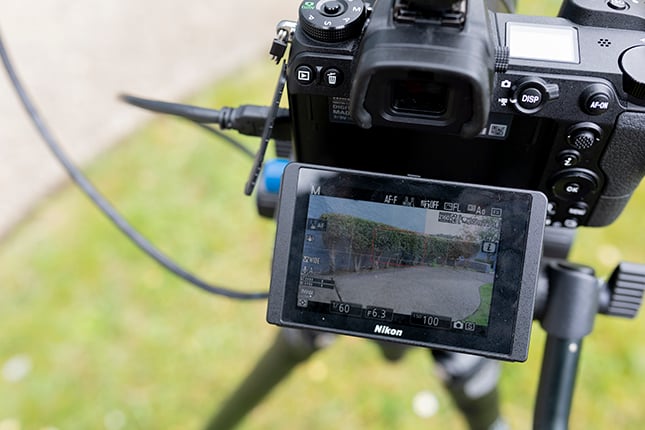 |
Using the Z6 for video was, overall, a pretty par-for-the-course experience. I really do like the footage quality, and the options once you hook to an external recorder are great. But it also had a few niggling details that made it sort of annoying to use when compared to competing cameras. Many of these could easily be fixed with a firmware update, but until that happens, I found them annoying:
- The Z6 doesn’t show the length of a current clip while recording, instead showing you how much time you have left on the card. I would prefer both, but really I need to know how long a clip is. So it counts down rather than up, and I would like this reversed or at least give me the option to show both.
- You cannot get a “clean” LCD when recording video. Though you do get one when connected to an external recorder, all the display options for the Z6 on the camera will always leave some overlay text or info on the monitor no matter what. You also cannot customize these screens to show only the information you are interested in.
- There is no exposure meter visible while shooting video, and I could not find a way to turn it on. So although the LCD is cluttered with information that you can’t make go away, one of those bits of information isn’t the most important thing for a video maker: exposure! This was extremely frustrating. This would hopefully be something we see fixed in a firmware update. (There is, however, an on-screen histogram that you can enable.)
- By default, the Z6 will auto shut itself off even when connected to an external recorder. The way to turn this off isn’t super clear, especially if you only notice this after you’ve started shooting. Not having the external recorder override the Z6’s standby timer is an annoying misstep, seeing as the Z6 already recognizes external recorders and can automatically switch to N-Log if you have the option enabled in the menus beforehand. This would yet another feature I hope to see in a future firmware update.
- Speaking of finding things in the menu, in my opinion, I found the menus to be very confusing. It’s not as bad as what Sony has been putting out in their last few cameras, but it’s a close second. Many features that should be next to each other are scattered throughout the convoluted menu, and it’s very challenging to find anything specific. For example, all of the video capture settings are found in the video section (like file type, frame rate and quality) but HDMI out functions like N-Log and bit depth are located in the “wrench” section, two clicks deep. Additionally, the general layout feels odd, with the “pencil” category being a sort of catch-all for a wide variety of features they didn’tÂÂ put in either the camera or video section, leading to jumping back and forth between them when making initial setup choices with the Z6.
- The in-body image stabilization is better than nothing, but also not particularly good either. I think it beats Sony’s by a hair, while Panasonic’s is the best. (And Canon of course has only lens-based IS available.) When shooting hand-held, I felt like I still had to be very conscious of the stabilization and what it wanted to do and how I could move to make its job easier, rather than all of that the other way around. When walking, a side by side comparison of the GH5 vs the Z6 shows a huge gap in capability, as the Z6 looks only a little better than what you would expect with no stabilization, while the GH5 almost looks good enough to skip using a gimbal.
- A slight side note, but the focus-by-wire on both the 35mm f/1.8 and the 24-70mm f/4 felt only passable, not great. Especially on the 35mm, it can be hard to fine-tune a wide-open aperture to a specific focal distance since turning the focus ring the same speed did not result in the focal plane moving in tandem all the time. Sometimes a light turn would blast me well past the area I wanted to focus on, and sometimes much more turning was required to move the plane of focus just a little. Overall, the focusing experience felt inconsistent.
A few points about Autofocus Performance
- Autofocus performance is OK, but not outstanding. It feels, as I said, kind of like a “on par” result. Not worst, not the best. Despite a ton of both phase and contrast detect autofocus points, the performance of the autofocus seemed slow and frequently inaccurate, though it’s particularly sluggish when using N-Log. Nikon themselves even mention N-Log negatively affecting AF performance: “The camera may also have trouble focusing; this is not a malfunction.”
- When you have a subject walking towards the camera, the camera was capable of following their movements very well without missing focus. When shooting something like a set piece or a scene you have complete control over, you should have no problem keeping your subject in focus using either internal recording or N-Log (the latter here being a very pleasant surprise given Nikon’s statement about reduced AF performance in N-Log).
- When moving between two focus points in a frame, one close and another far, in both internal recording and N-Log the camera didn’t do a good job. Tapping two focus points on the rear LCD resulted in the camera spending a moment to hunt right after shifting focus, a hallmark of contrast-based autofocus technology. This means that you can’t rely on the autofocus to give you a smooth transition focus without it looking like obvious autofocus (this is a problem a camera like the A7 III or the S1 have managed to avoid). Additionally, the focus points on the rear of the camera don’t feel particularly accurate. Even when tapping the same locations back and forth to select focus, the Z6 seemed to waver on where exactly it would try and pick up focus, and it wasn’t always exactly where I tapped on the rear LCD. Sometimes it would be a bit to the right, or a bit to the left of the intended target. In a focusing case like this, I cannot recommend trusting the autofocus at all.
- Though serious video shooters will often be shooting with manual focus anyway, it was a bit unfortunate that I felt that the autofocus left a lot to be desired. A lot of hunting and missed points overall.
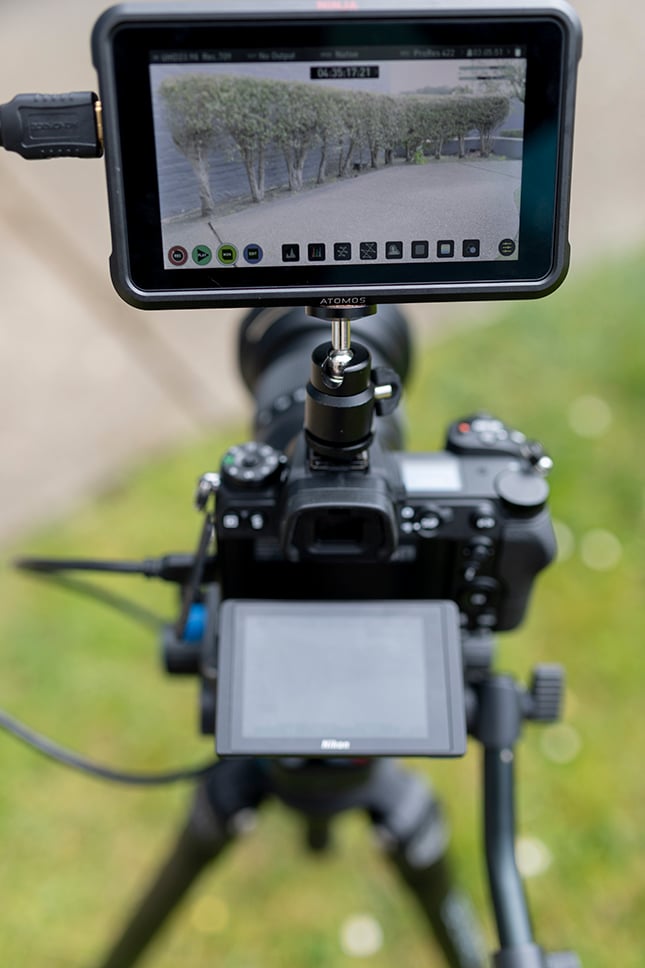 |
One of the major complaints about this camera when it was first announced was the single memory card slot. Personally, I don’t care that much. Since I’m going to be using an external recorder anyway and my recorder only has one miniSSD slot, having just one XQD didn’t feel all that different. I do wish, however, that the Z6 allowed me to capture video to the card at the same time as using an external recorder, but it cannot. That kind of brings up another issue, and that’s how N-Log was implemented…
About N-Log
As far as the look and operability of N-Log goes, I’ve got nothing but good things to say about it. When comparing it to other Log profiles, I have to say it’s the closest to Panasonic’s V-Log, with the V-Log LUT working very well on N-Log footage. It’s actually so close in quality that when looking at my external recorder at two shots I had, one done on my GH5 in V-Log and then repeated on the Z6 in N-Log, I really could not visually tell the difference. Seeing as I really like V-Log, this is nothing but praise.
 |
| Un-graded: N-Log from Z6 vs. V-Log from GH5. Frame grabs straight from Premiere Pro. Click for full-resolution. |
 |
| Graded: N-Log from Z6 vs. V-Log from GH5. Frame grabs straight from Premiere Pro. Click for full-resolution. |
My issues with N-Log have nothing to do with its quality, but rather with its implementation. Locking users out of N-Log unless an external recorder is attached is pretty frustrating, especially when you consider the HDMI port is a Mini HDMI (Type C), not full size (Type A). Mini HDMI isn’t intrinsically bad, and does allow a manufacturer to save space by using it, but it’s also less physically stable. Because it’s so small, it can easily come loose during shooting. There is a reason Panasonic ditched it in lieu of a full-size HDMI going from the GH4 to the GH5. The Z6 does ship with an HDMI cable clamp included in the box to help alleviate this issue. For those like myself who find the Mini HDMI off-putting, it helps.
What’s more, not being able to internally record N-Log feels like kind of a weird decision. Sony, despite not even allowing 4:2:2 10-bit external output on their modern cameras, does let users record S-Log even to the very low quality 4:2:0 8-bit. As long as you know the limitations, at least letting shooters determine their own levels of contrast and color saturation is really nice.
Locking users out of N-Log internally meant that even if the camera was capable, it’s of course not possible to record on camera and through an external recorder simultaneously. Ideally, you would be able to do both so that you have your backup file, despite being limited to one XQD card in camera and a miniSSD on your recorder. But with this design, Nikon still hits shooters with the single-copy problem, which is a bit of a drag. It’s not a deal breaker, but it’s unfortunate.
I think overall, the problem of not having N-Log internal is that it’s often extremely cumbersome to have an external recorder at all. The benefit of using these types of cameras (like the GH5, the 5D Mark IV, the S1, the A7R III) is that they are compact, easy to maneuver, and allow for hybrid photo/video shooting. So while N-Log is nice, it’s often more cumbersome to get to it than to just try and deal with the overly-saturated, contrasty nature of internal recording on the Z6. And it’s unfortunate that was a decision that I had to make, when devices like the Z6 by their very nature should be more flexible than this.
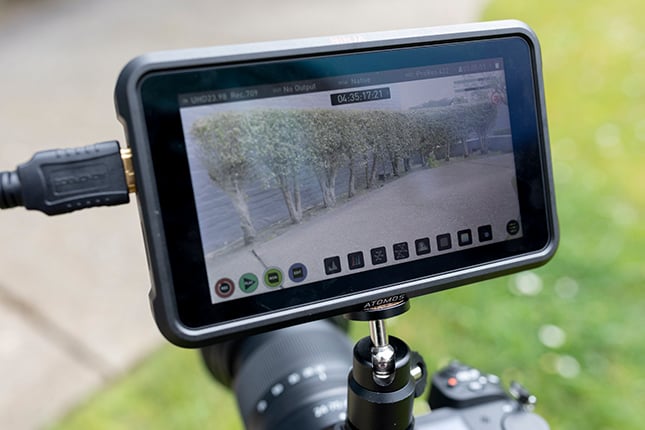 |
One last note: when shooting with N-Log, you are getting a slight crop on that full frame video. It is pretty slight and almost unnoticeable, but it’s there. So when shooting in N-Log, it’s not actually full frame anymore, but it is pretty close. It’s difficult to come down too hard on Nikon for this one, as it was probably the only way they could handle the increased data as a result of N-Log.
What I liked:
- True full frame 4K video
- N-Log is a great log profile
- 4:2:2 10-bit external recording
- Very good ISO performance, and especially so when shooting in log
- Small, lightweight body with well-placed buttons
- Decent number of frame rate and recording options
What could use improvement
- Numerous choices, like not having the camera’s standby power-off feature automatically get disabled when connected to an external recorder and the lack of a clean LCD view, feel like obvious oversights on what is expected with a modern video device.
- The menus are confusing. Not the worst on the market, mind you, but they came darn close.
- Autofocus struck me as unreliable overall, so I recommend always shooting manually. There is a weird delay in autofocus as well when connected to an external recorder.
- On-sensor stabilization is there, but one of the weakest iterations of the technology among competitors; it’s just not very good. It looked at least as good as the competition when standing still in some cases, but does a pretty bad job when walking comes into play, with poor compensation for footfalls or vertical shaking. It’s perhaps usable when standing still and hand-holding the camera, but is entirely inadequate when walking. Overall, it was inconsistent.
- There is no 4Kp60 in this camera at all, and considering you have to use an external recorder to get the best quality pro-level video, it seems like a missed opportunity. Even 60p with a crop is better than not having it at all. Sure, the only competitor who has it is Panasonic with the S1, but the other competitors like the A7 III and A7R III are much older, while the Z6 was released closer to the S1. We weren’t happy not seeing it on Canon’s EOS R, and we aren’t happy it’s missing here either.
- Relatively low megabit rate video internally, meaning 1080p video is significantly less sharp than 4K, and 4K footage has limited dynamic range in camera.
- You cannot record to the XQD card and use an external recorder at the same time.
Final Thoughts
So where do we stand with the Z6? Well, there are a host of small niggling details that should have been addressed with firmware before launch. Overall, the firmware feels at best untuned for a video shooter’s expectations and at worst unfinished. There are extra steps across multiple functions that make the camera feel like it’s fighting you instead of working with you. These issues could be fixed via a firmware update, but at the time of this review they are an annoyance I could not ignore.
Combine those firmware issues with no internal log recording and the “just OK” IBIS and autofocus, and you have a video camera that, while exhibiting excellent image quality, is just par for the course overall. Unfortunately, the Z6 doesn’t seem to push any boundaries and though it’s easily Nikon’s best video camera, comparing it to the field yields a great many concessions based on the competition.
One could argue that this is a good choice for current Nikon shooters to finally have a Nikon-based camera system for video. At the time of this review, the FTZ mount adapter ships with the Z6 at no additional cost, which certainly helps sell the system and should convince many current Nikon owners to stay with the brand. For many current Nikon shooters, this will be a strong enough reason to make that Z6 purchase — especially if you shoot both stills and video — but if we are looking at just specs and features for video it becomes less clear. Including the FTZ adapter now is a great move from Nikon, and makes it easier to recommend to current Nikon DSLR owners. I said at the start of this review, the Z6 is Nikon’s best video-capable camera to date, but even as that, it doesn’t do enough to stand out in a very competitive crowd to make a compelling case to select it over the competition. This seems first and foremost a camera that gives existing Nikon shooters ample reasons to remain loyal to the brand, but at the same time isn’t likely to pull people in from other platforms like Canon, Panasonic or Sony.
We understand that at the time of publication, the Nikon Z6 is slated to receive considerable performance enhancements from Nikon in the form of firmware updates. These updates will include features like RAW video and Eye-AF. While these are sure to be excellent additions, we reviewed the Z6 in its current form as purchasable in the first half of 2019, as some of these firmware updates have no firm timeline nor expected performance marks. When these updates are released, we will add to this review as needed.
Weather Testing
Very well-sealed, weather-resistant full-frame mirrorless cameras.
by Dave Etchells | Posted: 05/04/2019
Imaging Resource’s weather-testing approach
This is one of an ongoing series of weather-resistance tests of camera systems. Manufacturer claims about weather resistance are all over the map, in part because there’s no established standard that’s relevant to how photographers actually use cameras. Our aim is to establish a consistent basis for comparing weather resistance between cameras in a way that makes sense for photographers. If you’re interested in the details behind the tests, you can read the loooong article I wrote about the rationale behind our camera weather-testing approach.
Camera tested: The Nikon Z7 (but the Z6 should be identical)
 |
The Nikon Z6 was announced in late August 2018, along with the Z7, as Nikon’s first entries in the full-frame mirrorless market. The Z7 is their current flagship mirrorless model, but the Z6 shares the same physical design, so our results here should apply equally to this model as well. Nikon represents both cameras as being “weather resistant”, even calling attention to that feature in their marketing.
We performed our tests with the Nikkor Z 50mm f/1.8 S lens attached. All Z-mount lenses have a gasket around their flange that seals against the camera’s flange, to prevent any water from getting inside via that route. We’re told that Z-mount lenses themselves also have internal sealing of a similar level to that in the camera bodies.
Visible weather seals on the Z7
We don’t currently disassemble the cameras we test, so we can only comment on the weather seals that are visible when you open the various compartments and peel back the port covers.
Lens flange
This is more a function of the lens in use than of the camera itself, but in the case of the Nikon Z system, all the lenses have similar sealing, namely a thin gasket made of fairly stiff plastic that surrounds the lens flange and seals against a flat part of the camera flange itself.
 |
|
The Nikon Z-series lenses all have seals surrounding their mounts. The seals press against the body flange, keeping out water. The water seen here on the lens mount (and on the lens flange in the image below) was almost certainly dragged in when we removed the lens from the body after testing. |
 |
This shot shows the mount end of the Nikkor 50mm f/1.8S after a 35 minute water test. The water you see on the mount was almost certainly dragged in as we removed the lens from the body, as opposed to having leaked there during the test itself. This was one of the earlier tests we did; we’ve learned since then to remove lenses very slowly, to avoid creating a suction as the lens separates from the body.
(A note for all of you: A surprising amount of water can wick into the crevice between the body and the lens barrel, even when there’s an effective gasket blocking the water from leaking into the camera when the lens is attached. When you remove the lens, though, all that water that’s wicked into the crevice can get pulled into the body. If you’ve been shooting in the rain, it’s a good idea to (a) use a soft cloth or paper towel to get as much water out of the lens/body gap as possible, and (b) once you’ve twisted the lens loose, separate it from the body very slowly. This avoids creating suction that can pull water into the body.)
 |
|
The Nikon Z7’s battery compartment appears well-sealed. The gasket running all around its periphery is made of an impermeable, rubber-like substance that shouldn’t leak, even after prolonged exposure. |
Battery compartment
The Z7’s battery compartment seems to be quite well sealed, with a continuous seal around the perimeter of the lid, made of what seems to be an impermeable, soft silicone rubber compound. The seal dips down a bit where the latch mechanism is, but it seems to be a continuous surround, made of a pretty impermeable material. (This as compared to the open-cell foam that’s more common in camera seals, and that the Z7 itself uses around the memory card compartment door.)
 |
|
The Z7’s card slot is protected with two open-cell foam gaskets. There’s a roughly U-shaped one around the card area at the back of the camera, as shown in the image above. There’s also a strip behind the compartment door that seals against the back of the door when you snap it into its closed and locked position, which is shown in the image below. |
 |
Memory card compartment
The Z7’s memory card compartment has foam gasket material around the edges of the door opening. It’s an interesting design, with a U-shaped gasket around the front and up the two sides, and then a strip at the rear. Closing the door is a two-step process, first folding it down snug against the body, and then pressing to snap it inward. We can’t see the full extent of the U-shaped seal without removing the door itself, but it seems likely that it runs all the way back. When the door is closed, a thin rim or lip on the door presses against the U-shaped seal, and when the door is snapped back into the fully-closed position, the rear of the door flap presses against the foam seal at the back. This seems like a pretty solid gasket design, provided that the U-shaped seal’s rear legs mate tightly with the rear seal.
 |
|
The Z7’s port flaps seal quite tightly against the ports themselves. Each port has a little raised lip around it that the plastic of the flap fits around. The small traces of water you see here probably wicked in as we pulled the flaps back after our test, but in any case, there’s no sign of water anywhere within the little “moats” around each port. |
Port covers
The port covers on the Z7 are two flaps that fit pretty tightly over the ports themselves. Each port has a raised ridge around it on the camera body, and the stiff-but-flexible plastic flaps press firmly over them, creating tight seals around each port opening. It seems like a very secure seal design.
 |
|
We’ve sometimes seen problems with hot shoes that have a lot of electrical contacts in them to connect to accessories, as rainwater can be conductive enough to fool the camera into thinking there’s an unknown accessory attached. The Nikon Z7 had no such problem. The protective cover doesn’t do much to keep water off the few contacts that are present, but we had no problems with it while the camera was being drenched. (Note that we didn’t test with a flash attached.) |
Hot shoe/other
The Z7’s flash hot shoe has only the relatively large electrical contacts that connect to the bottom of the flash’s foot, and don’t seem prone to being fooled by the slight conductivity of rainwater. The hot shoe is covered by a hard plastic protective cover that will guard against getting general schmutz on the contacts, but which doesn’t provide any sealing against water getting on them. As noted, though, this doesn’t seem to matter, as the shoe connection doesn’t have the sort of fine accessory contacts that we’ve seen cause problems for some cameras that use them.
Water exposure tests performed on the Z7
Our baseline weather testing protocol currently involves exposing cameras to simulated rainfall at a rate of 1 cm/hour (or just a smidgen under 0.4 in/hour) for 35 minutes, while actuating the camera controls according to a set script. (Our thought being that seals around moving components are more likely to leak when the parts they’re sealing are moving relative to each other.) For cameras that successfully pass this test, we give them a double-dose of 70 minutes the following day, to see if they can withstand what most people would consider very heavy exposure.
(For reference, meteorologists refer to rainfall rates greater than 0.75 cm/hour (0.3 in/hour) as “heavy rain”. So our test at 1 cm/hour represents a significant level of rainfall, although it’s far from what you’d see in the tropics or a thunderstorm. I suspect that few amateur photographers would probably stand out in a rainstorm like this for more than 30 minutes at a time, so it seems like a good test for cameras that claim weather resistance, and in fact does seem a good level for separating levels of resistance in higher-end camera models. We plan to extend our tests to cover lower-end cameras at lower precipitation rates in a system using custom-designed dripper nozzles, but that’s some ways off in the future yet.)
In the case of the Z7, we exposed it to the 35-minute protocol, and found that it did quite well. We put it in our drybox overnight, and then gave it an additional 70-minute exposure the next day.
Functional observations
As noted, the Z7 did very well in our testing, with little evidence of problems during the tests themselves. We found the following, in both the 35-minute and subsequent 70-minute tests. (No difference in behavior was observed between the two.)
-
Touch-screen was unreliable/unusable
This is extremely common; the touch-screens on all cameras we’ve tested to date having the feature become either unresponsive or very unreliable when wet. This is likely because the water greatly changes the capacitance of your fingertip, so the electronics have a hard time telling where you’re pressing, if they’re able to detect a touch at all. You need to set your camera up in such a way that you’re not relying on the touch-screen to operate it, if you expect it to get wet while shooting.
 |
|
As with pretty much every other camera with an eye sensor to automatically switch between the rear LCD and viewfinder displays, the Z7 was confused by drops of water covering the sensor. It would automatically switch to the EVF if we didn’t have that feature disabled, but the problem cleared itself immediately when the camera was held upright again. |
-
Viewfinder eye-detect sensor triggered falsely in face-down position
This is also very common. Many cameras use a small infrared sensor next to the viewfinder eyepiece to automatically switch between the rear LCD and electronic viewfinder when you hold the camera to your eye. A drop of water on the surface can reflect light back into the sensor, fooling it into thinking that you’re looking through the eyepiece. Different cameras are more or less sensitive to this, and the Z7 seemed less so than many, with the eye sensor only triggering falsely when the camera was in the face-down position as if slung from a neckstrap. The problem cleared itself when the camera was returned to a normal vertical orientation, allowing the water to drain off. If you’re going to be shooting where drops of water can strike the eye sensor, we recommend disabling automatic viewfinder-switching, using a manual control to do so instead.
And that’s pretty much it, in terms of any functional issues. All the controls worked as intended, and we were able to operate the camera with complete confidence, even through the second double-dose of rainfall. In total, the camera saw 105 minutes of “heavy rainfall” across two days, and other than the largely-unavoidable problems mentioned above, it performed flawlessly.
Post-Test Analysis
As noted above, the Z7 performed flawlessly during the water exposure itself. Opening it up, we didn’t find any overt water — that is, visible drops of water — anywhere, but did find a small amount of condensation on the inside of the battery compartment door. Here’s a rundown of the post-exposure findings:
Lens flange and shutter/sensor box
As noted earlier, we’re learning to remove lenses verrry slooowly after a weather test, to minimize water trapped in the crevice between the lens and body getting pulled further onto the flange due to the slight suction that happens as the lens is pulled off. We also try to remove as much of the wicked water as possible before opening, by pressing a paper towel or microfiber cloth tightly into the lens barrel/body gap.
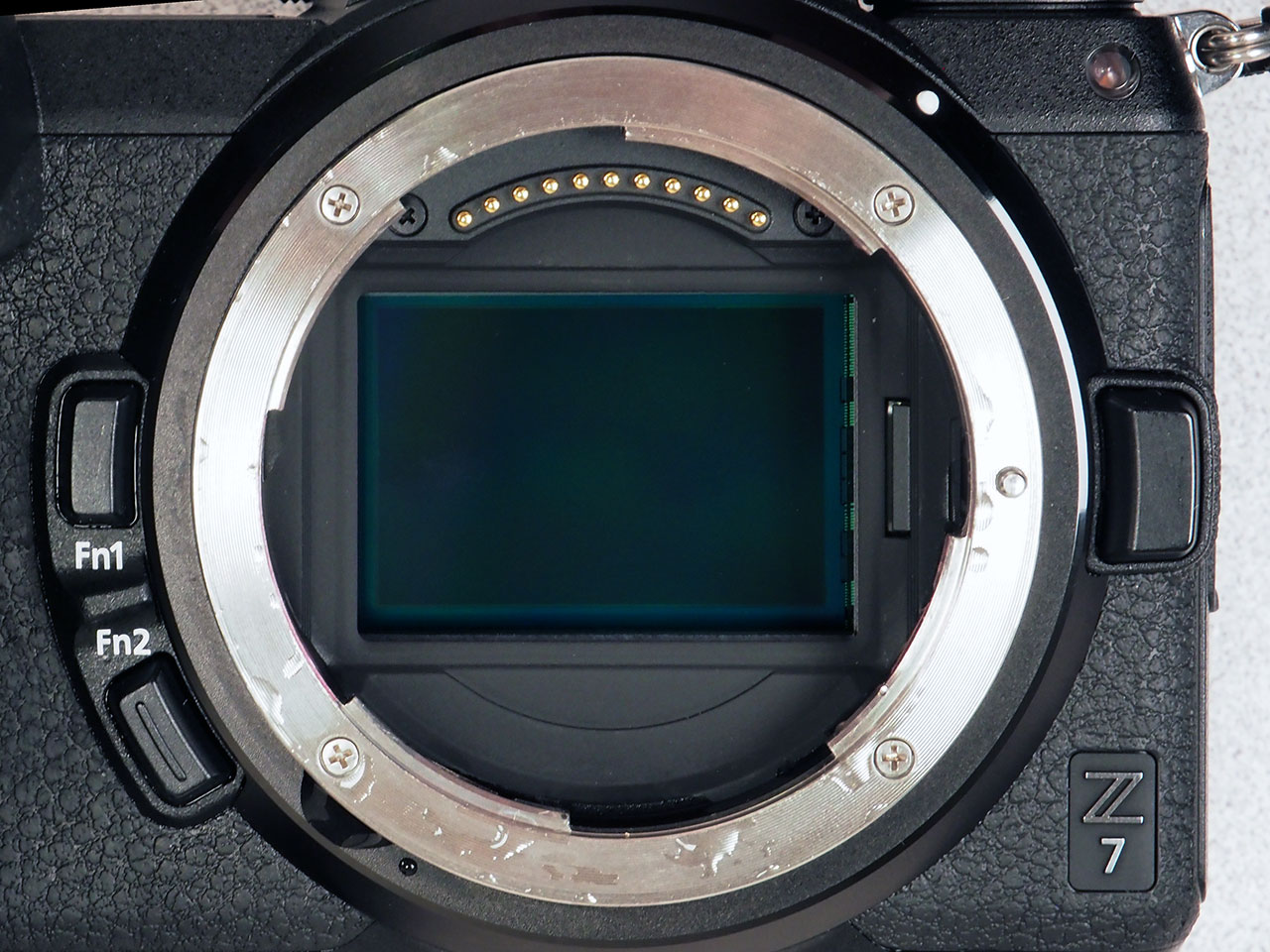 |
|
Here are the shots of both body flange and lens mount again. As noted previously, we’re pretty certain that the water here was just sucked in as we removed the lens. |
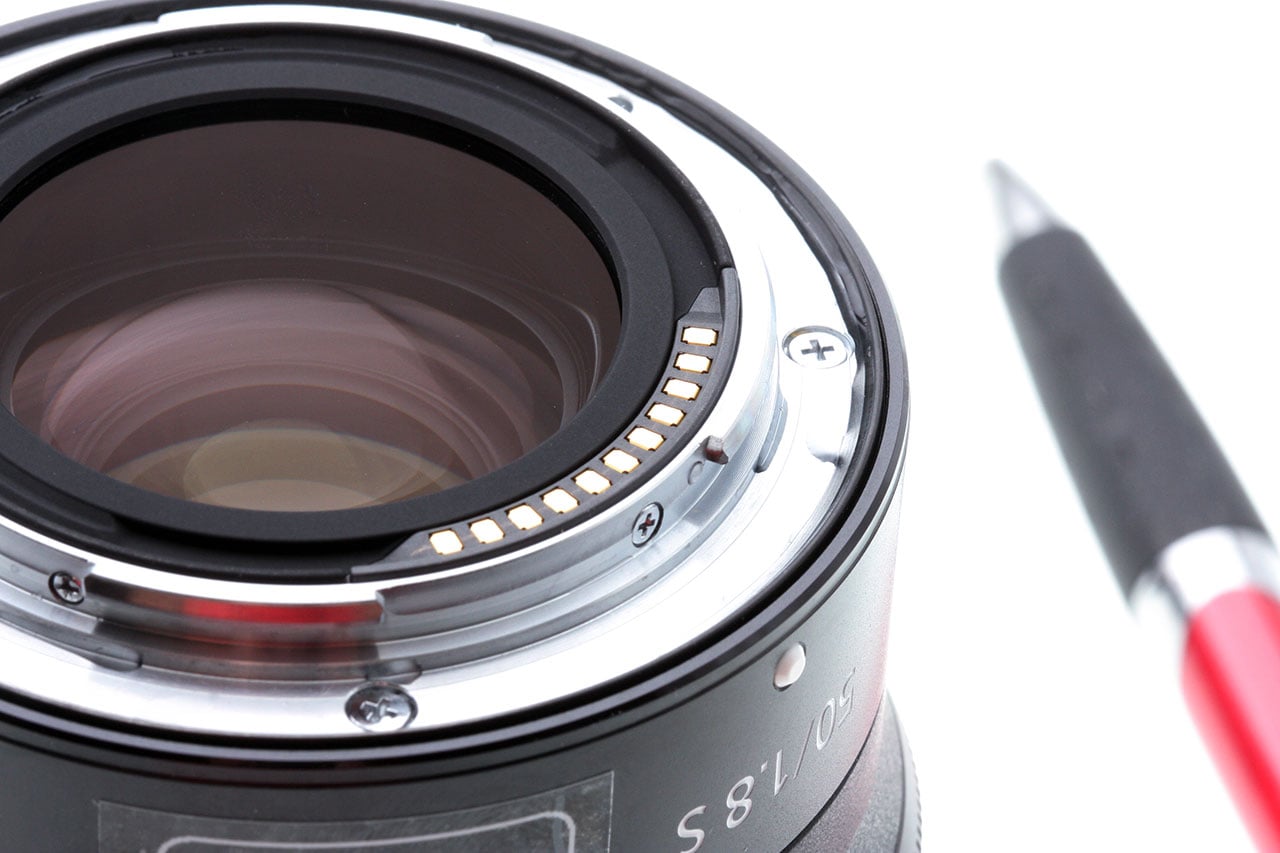 |
We weren’t quite slow enough in opening the Z7 body on the cycle these shots were taken from, so there’s some water on both the lens mount and the body flange themselves. We’re 100% certain, though, that this was strictly caused by the water caught in the lens barrel/body crevice being sucked in when we removed the lens.
 |
|
When we were inspecting the Z7 body after our test, we noticed areas inside the body next to the bottom of the lens flange that looked wet, being darker-toned than the body parts around them. Fortunately, it appears that these are just places where some adhesive seeped down during the camera’s assembly. |
Inspecting the body closely, we were initially concerned by what looked like a few wet areas just inside the lower rim of the flange. When we looked closely, though, it became clear that what were seeing was just some adhesive that had spread into that area during the camera’s assembly. This was confirmed by the fact that the darker areas we saw didn’t go away over time, as the camera dried out, and they didn’t smudge when we gently wiped at them with a Kimwipe. (The fact that they didn’t smudge at all meant it was almost certainly a fully-set adhesive, rather than oil or some other substance.)
Memory card slot
No signs of water anywhere inside the compartment, or on the memory card itself when removed.
Port flaps and covers
As noted in the photo caption above, there was a small amount of water on the camera body itself, but outside the area protected by the lips around each I/O port. (And even there, the little bit of water that was present was likely just wicked in as we pried the flaps open after the test.)
Battery compartment
I saved this for last, as there was a bit more to discuss. As mentioned earlier, the sealing around the battery compartment door itself seems very good; it’s a closed-cell, soft, rubbery sort of material, so won’t be prone to absorbing moisture or allowing it to pass through in the course of longer water exposure.
We found no sign of water inside the battery compartment or on the battery itself. The battery compartment is where we often find water in cameras that are less well-sealed than the Z7. The top-right control cluster on most cameras is where the most-used controls are located, including the shutter button, various quick-access buttons for things like exposure compensation, sensitivity or other frequently-used functions, and typically front/top and rear control dials for setting things like aperture and shutter speed, or scrolling through menu entries. There are a lot of interfaces between things that have to move and the camera body, so a lot of seals are needed, and ones that can handle motion between the surfaces they’re sealing against. When water gets in through one of those routes, it often ends up in the battery compartment.
 |
|
After its second dousing in a long, 70-minute session the day after the first 35-minute test, we found these tiny, almost microscopic amounts of condensation on the metal shield on the inside of the battery compartment door. This suggests that at least some water made its way inside the body, but given the flawless behaviour during the test, we aren’t too worried about it. We’d be comfortable using a Z6 or Z7 in heavy rain for a couple of hours, but as with any camera that’s gotten wet, we’d want to let it air out in our drybox for a few days afterwards. |
 |
While we saw no “overt” water in the battery compartment, after our long 70-minute test (which as noted above came the next day after the camera had already seen our standard 35-minute test), we did find some small amounts of condensation on the metal shield attached to the inside of the compartment door. We also saw this with the Canon EOS R, and it suggests that some amount of water got somewhere inside the body, and the warmer environment in that area caused it to evaporate and eventually condense on the metal door shield.
It’s hard to say just how much water might have ended up inside, but the amount condensed on the battery door was a really small amount, certainly a fraction of a milligram.
Given that the camera showed absolutely no signs of malfunction during even the very prolonged water exposure, we have to say that the amount of water represented by this condensation is insignificant. We’d have no concern using the Z7 in even heavy rain for a couple of hours at a time. (It may well be able to withstand even longer water exposure, but our current protocol is not to go beyond the 35 + 70 minutes of testing with any cameras.)
Summary: How weather-resistant is the Nikon Z7?
Overall, the Nikon Z7’s weather sealing is at the top of the class among full-frame mirrorless cameras we’ve tested to date. In our tests, it handled heavy rain for a total of 105 minutes. (Which was the natural end of the test cycle; we didn’t stop because of any problem with the camera.) After that very heavy water exposure, we found only tiny, secondary indications of any water incursion at all, and the camera exhibited no operational problems during the water exposure other than the unavoidable ones with touch-screens and viewfinder eye sensors that are simply the result of how such components operate.
Bottom line, the Z7 is one of the best-sealed full-frame mirrorless cameras we’ve tested to date, withstanding heavy simulated rainfall for almost two hours. It may well be able to hold up even longer than that, and should be able to withstand more moderate amounts of precipitation for significantly longer periods.
Conclusion
 |
| Nikon Z 24-70mm f/2.8 S lens at 24mm, f/8, 1/25s, ISO 280 |
When Nikon decided to throw their hat into the full-frame mirrorless ring, they did so not with just one body, but rather a pair of cameras. The Nikon Z7, on the one hand, sporting a high-res 45.7MP sensor, and the Nikon Z6 on the other, with a more modest 24.5MP chip. However, while the Z7 garners deserved praise for its stunning image quality, the Z6 meanwhile rightfully holds its own when it comes to image quality yet also stands out against its high-res sibling by offering more speed and performance features as well as enhanced video quality and specs. Overall, the Nikon Z6 aims to be the more well-rounded full-frame camera from Nikon’s mirrorless lineup (so far). With faster burst shooting, deeper buffers and higher-end video recording, along with a more affordable price tag, the Nikon Z6 pulls it all together as an enticing option for both enthusiasts and more advanced photo and video creators looking for a compact yet versatile full-frame mirrorless camera.
Of course, there are some drawbacks and issues to the Z6, just like with any camera. Many of the downsides are shared with the Z7, seeing as these two cameras are extremely similar in many ways. Introducing an all-new camera system is no easy feat, and there are still some issues to overcome. However, Nikon accomplished a nice balancing act with the Z6 when it comes to features, quality, performance and price.
Read on to see how the Nikon Z6 fared in our review…
Design & Ergonomics
Given the fact that the Z6 is physically identical to the Z7, if you’re already familiar with the Z7, you can simply scroll past this section. The Z6 looks, feels and functions exactly the same.
For those unfamiliar, however, suffice it to say, the Nikon Z6 offers an all-around excellent user experience when it comes to its design and basic handling characteristics. The build quality is fantastic, with a deep and comfortable grip yet a surprisingly compact overall size. The camera body feels extremely sturdy, and if our weather testing results are any indication, the Z6 should have no issues withstanding rain, dirt and other inclement conditions.
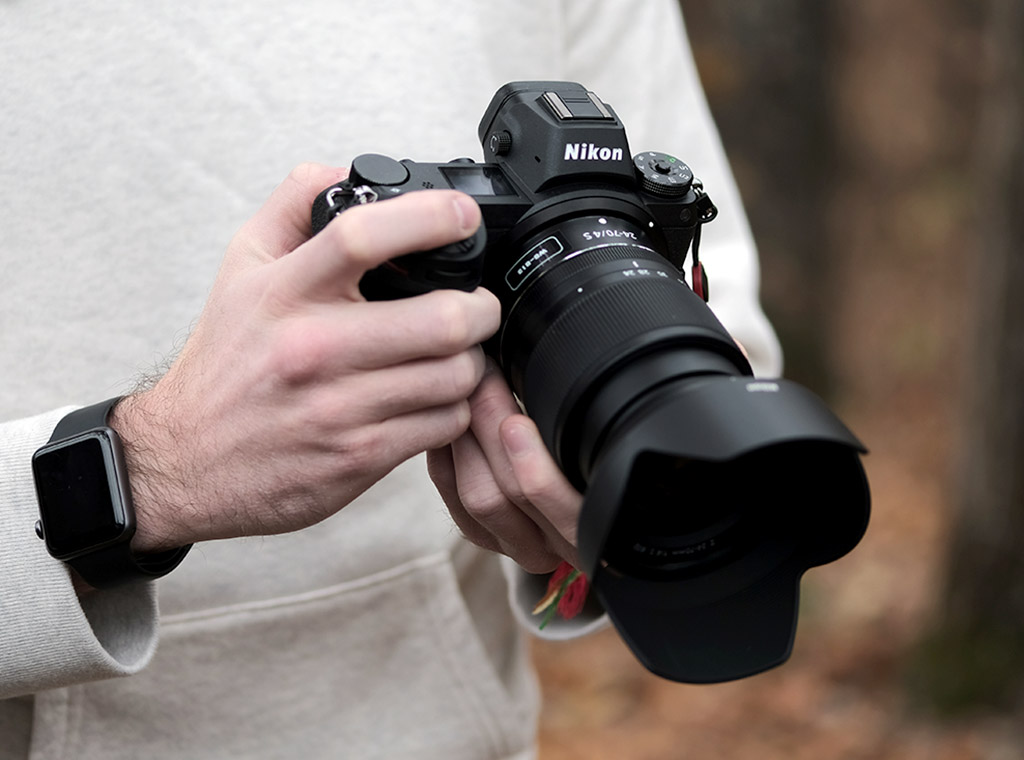 |
Despite it and the Z7 being all-new cameras, Nikon made a conscious decision to focus on familiarity and a design language similar to their DSLRs, and it shows. The Nikon Z6 feels like a Nikon. From the way the grip feels in the hand to the placement, shape and operation of all the buttons and dials, and even the design of the menus — and heck, even that charming red chevron styling on the grip — the Z6 looks, feels and behaves like a tried-and-true Nikon camera. And this is a good thing, not only for new owners but also existing Nikon customers.
It can be argued though, given the minimal amount of native Z-mount lenses currently available, that these Z6 and Z7 cameras are very much designed for current Nikon DSLR owners, who can easily use their existing F-mount lenses via an adapter. For these customers, the Z6 and Z7 already feel familiar; there isn’t a big learning curve going from your trusty Nikon DSLR over to a Z6 mirrorless camera. The Z6/Z7 bodies fit right into your kit and workflow. And despite being DSLR lenses, we found that modern adapted F-mount glass using the FTZ adapter work extremely well, with excellent handling and little to no noticeable performance loss when it comes to autofocus.
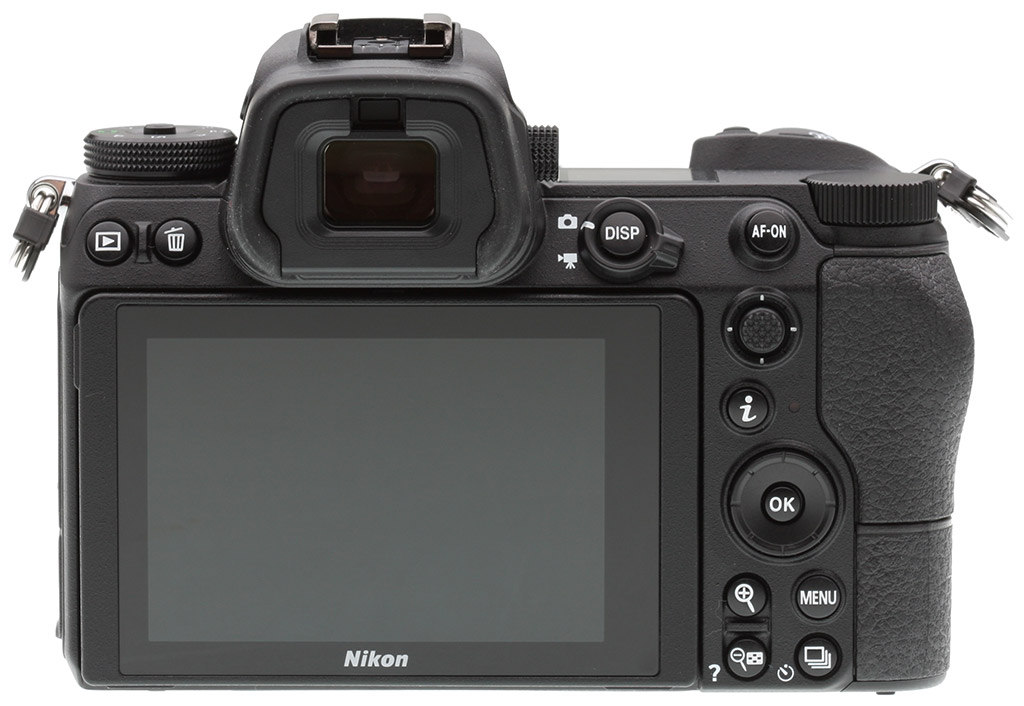 |
Regardless of whom the Z6 is designed for or if it feels like a Nikon, in and of itself, the camera offers little to complain about when it comes to its design and operability. The physical controls are plentiful, easy to operate and offer lots of customizability — all of which are key factors for an enthusiast-grade camera. The joystick control is a lovely addition, and the rear touchscreen works well and adds versatility to both stills and video shooting.
The various screens on the Z6 are all excellent. The small yet useful top-deck display is a very nice touch that we don’t often see on compact mirrorless cameras. And the EVF offers a wonderful user experience, with a bright, crisp display and a very large magnification factor. The tilting design of the rear LCD screen, however, is perhaps a bit of a head-scratcher. A vari-angle, or fully articulated design, would be more helpful in some situations, especially for video recording. On the other hand, for stills shooting, there are a few of us here at IR that prefer the Z6’s tilting design, as it’s simpler to use for low-down or high-up shooting angles.
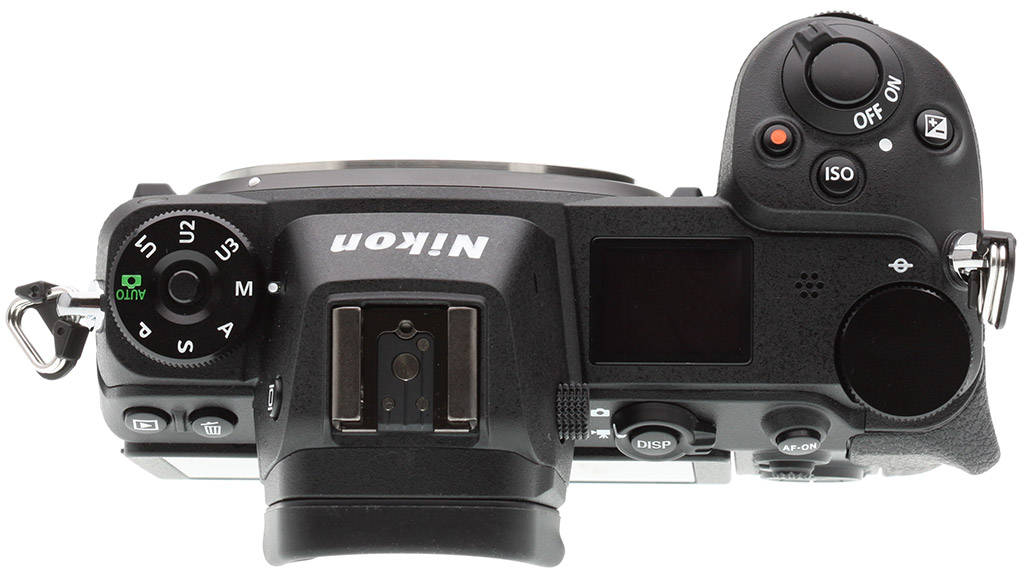 |
Perhaps the only significant area of complaint about the Z6’s design is the choice of a single XQD card slot. First, the choice of XQD (and later CFexpress with a future firmware update) is certainly a bit of future-proofing, as the cards are not only robust but also offer incredibly fast read and write speeds — a welcomed feature for lots of data-hungry shooting, particularly video. On the other hand, the cards are not as common at the moment and are still rather expensive. And then, there’s the complaint about the single card slot. On an enthusiast-grade camera like the Z6 it’s perhaps not as big of an issue as on the more professionally-oriented (and more expensive) Z7, but many other competitive and similarly priced cameras offer dual card slots. Dual slots are great for workflow and data backup purposes, and while it’s not a dealbreaker in our opinion (and physically, we don’t think Nikon could have even fit two XQD slots in the current body dimensions), we’d have loved to have seen dual card slots in some fashion.
 |
| Nikon 200-500mm f/5.6E + FTZ Adapter: 500mm, f/5.6, 1/640s, ISO 2800 |
Image Quality & Video
At 24-megapixels, the Nikon Z6 goes up against a fair number of other full-frame cameras when it comes to image resolution. The Z6 likely shares a sensor similar to that inside the Sony A7 III, the Panasonic S1, and the Nikon D750 to name a few. There are differences, of course, given varying numbers of on-sensor phase-detect pixels or the lack thereof, but a 24MP 35mm sensor is a fairly common one these days among enthusiast-grade full-frame cameras.
Overall, we don’t find much to complain about when it comes to the Z6’s image quality. The 24MP chip offers a great amount of resolving power, while still balancing reasonable file sizes. The Z6 is easily capable of extremely large wall-sized prints, even as the ISO rises — think 30 x 40 inches at ISO 800. If you want or need larger prints, or rely heavily on cropping potential, then the 24MP resolution might be a bit limiting in those cases. For the most part, the Z6 is capable of vibrant, detail-rich images with very good dynamic range and flexible raw files.
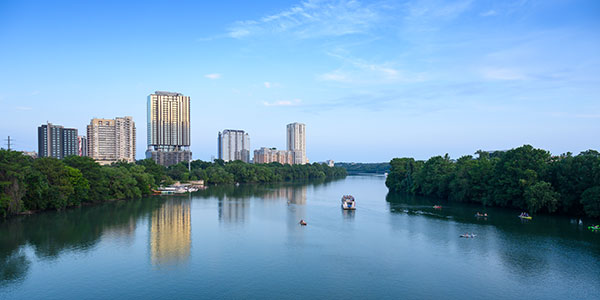 |
| Nikon Z 24-70mm f/2.8 S: 24mm, f/8, 1/25s, ISO 500 |
High ISO performance, as we’ve come to expect with modern full-frame cameras, is quite impressive, making the Nikon Z6 a good choice for low-light situations. The Z6 offers an extremely wide ISO range, with extended sensitivity reaching up to ISO 204,800. (But while the camera can hit that high ISO level, we don’t necessarily recommend doing so, as image quality is severely degraded at that point.) In our Print Quality testing, the maximum native ISO of 51,200 was the highest ISO we were comfortable using for prints. For most uses, though, the high ISO performance of the Z6 is excellent, with straight-from-camera JPEGs offering a good balance between fine detail and well-controlled noise (although we would have preferred a lighter touch to default noise reduction), and of course even better results are possible from carefully processed raw files.
Like the Z7, the Z6 did however exhibit a few image quality foibles during our testing, such as oversaturated reds and warm custom white balance under incandescent lighting, but these issues have easy workarounds (such as tweaking settings or shooting in raw mode). Also, the on-chip PDAF pixels can cause faint banding in deep shadows in certain situations, however the artifacts seem to be a pretty rare occurrence and were only visible when exposure was boosted considerably in post.
 |
| Nikon 200-500mm f/5.6E + FTZ adapter at 500mm, f/5.6, 1/640s, ISO 500 |
Despite being a stills-focused camera, the Z6 is nonetheless very much in the realm of a hybrid camera, offering a very healthy dose of high-end video features as well as excellent video quality. With full-width, oversampled 4K up to 30fps, Full HD up to 120fps and Log recording (albeit limited to an HDMI recorder) as well as IBIS and phase-detect AF, the Z6 is a capable video camera, especially for those still photographers who dabble in the world of video. However, the Z6 isn’t the most versatile nor full-featured video camera, as it comes with a number of limitations, such as the aforementioned HDMI recorder limitation with N-Log video. There’s also a 29:59 recording limit, somewhat underwhelming bitrates and the performance of the in-body image stabilization during video recording could be better. So while the Z6 isn’t as full-featured for video as the Panasonic GH5 or S1, for example, the Nikon Z6 still captures pleasing, high-quality video and offers a decent feature set for those wanting to explore the more advanced world of video.
Performance
When it comes to speed and performance, the Nikon Z6 is fast, nimble and responsive for a camera of this class. It’s not the fastest camera around, but it’s not designed to be, nor priced as such. It performed admirably in our lab testing and in the field with swift overall AF speeds, but not groundbreakingly fast. Continuous burst speeds matched up very closely to Nikon’s specs, and at its fastest 12fps mode, the Z6 hits right up there with high-end sports cameras. Buffer performance is similarly great, with the Z6 offering generous buffer depths paired with very short clearing times thanks to its super-fast XQD memory card slot.
 |
|
Nikon 500mm f/5.6E PF + FTZ Adapter: 500mm, f/5.6, 1/2000s, ISO 1000
|
One of the big selling points to the Z6 (and Z7) is the ease at which you can adapt your existing Nikon F-mount DSLR lenses. The FTZ adapter is a no-frills mount adapter, and surprisingly, we found the AF performance of modern adapted Nikon F-mount lenses to be very good. In the field, we were able to successfully use long, supertelephoto lenses to capture birds in flight and other wildlife subjects, for example, with few if any noticeable performance issues. This is quite remarkable, as we’d typically expect some kind of performance hit, particularly when it comes to autofocus, when adapting DSLR lenses to a mirrorless camera, but that doesn’t appear to be the case with the Nikon Z6.
Also, one interesting thing to note is that when the Z6 was first released, the camera’s fastest 12fps burst rate offered continuous focusing, but not continuous auto-exposure. This has now been changed with the recent v2.00 firmware update; 12fps Continuous H Extended burst mode now offers both C-AF and C-AE. Furthermore, the firmware update added C-AF with Eye-Detection AF functionality, which as we tested here in this video, works quite well, although it doesn’t seem as precise nor as responsive as Sony’s long-existing Eye-AF technology. Regardless, it’s a handy feature to include, especially for portrait photographers that often use lenses with shallow depth of field.
Battery life is perhaps one area of concern, as the Z6 is CIPA-rated for significantly less battery life compared to a full-frame DSLR. In general, mirrorless cameras often have much lower battery life than DSLRs, due to their nature: more use of the rear LCD and an EVF draws way more power than the optical viewfinder along with generally less usage of the rear screen on a DSLR. However, although CIPA battery ratings for the Z6 are underwhelming, the Z6 fared far better in real-world usage, much like we experienced with the Z7.
 |
|
Nikon 300mm f/4E PF + FTZ Adapter: 300mm, f/4, 1/2000s, ISO 100
|
Summary
The Nikon Z6 is a terrific, well-rounded camera. All in all, as we said at the end of our Field Test Part I, there isn’t a lot to complain about when it comes to the Z6. The body is compact and robust yet features lots of physical controls as well as a styling and design language that should be familiar to existing Nikon owners but easy to understand for newcomers. Image quality is very good, the AF performance is terrific (and even better now with updated firmware) and the video features — while not groundbreaking — are a nice starting point for those getting more seriously into video shooting. With excellent overall features, impressive image quality, nice build quality and design as well as a very competitive price point of US$1999 (or less depending on sales/promos) the Nikon Z6 is a great all-around package. And while at this point, the Z6 (and Z7) appeals perhaps a bit more towards current Nikon owners, the Z6 is still a compelling camera for anyone looking to jump into the full-frame camera arena. While not perfect, all told, the Nikon Z6 certainly is another one to add to our Dave’s Pick list!
Pros & Cons
- Great overall image quality
- Terrific high ISO performance (especially from raw files)
- Very good dynamic range (but see Con about shadow banding)
- Good AF-S speeds
- Eye-detection AF for stills
- Able to autofocus in extremely low light (especially in dedicated Low-Light AF mode)
- Fast cycle times
- Up to 12fps burst speeds with continuous AF and AE
- Good buffer depths
- Swift buffer clearing (thanks to fast XQD cards)
- In-body image stabilization
- Rugged build quality
- Comfortable handling
- Excellent weather resistance
- Familiar control layout for existing Nikon users
- Well-organized menus (mostly)
- Excellent, full-width oversampled 4K/30p video
- 4:2:2 10-bit 4K via HDMI out
- N-Log video HDMI output
- 4K focus peaking
- Separate settings menus for stills and video
- Large, High-res OLED EVF with 100% coverage
- Smooth viewfinder performance, even when shooting continuously
- EVF works well in low light
- Top deck status display
- Tilting high-res 3.2-inch touchscreen LCD
- USB 3.1 Type-C port
- Built-in SnapBridge Bluetooth/Wi-Fi communications
- Type-C Mini HDMI port
- Headphone and microphone jacks
- New native lenses are sharp
- 24-70mm f/4 S kit lens is surprisingly compact
- Adapted F-mount lenses work well
- Single card slot
- While touchscreen is responsive, touchscreen is underutilized (no AF touchpad function)
- Rear display does not offer swivel functionality
- Below average CIPA-rated battery life (though real-world battery endurance is much better)
- It can be tricky to get good white balance in incandescent lighting
- Colors can be a bit warm or reddish
- Default high ISO NR is a bit strong
- Limited native lens selection (as expected for a new lens mount)
- Top burst speed slows down to 9fps when shooting 14-bit NEF files
- Banding may occur in deep shadows related to PDAF pixels
- 1/200s x-sync speed (most competing models are 1/250s)
- Optional MB-N10 battery grip has no controls
- Video mode seems like a work in progress and could use firmware improvements (see our Video page for details)