

Overview
---
Special update: The Sony RX1R II was named Best Enthusiast Fixed-lens Camera and awarded New Technology of the Year in our 2015 Camera of the Year awards!
---

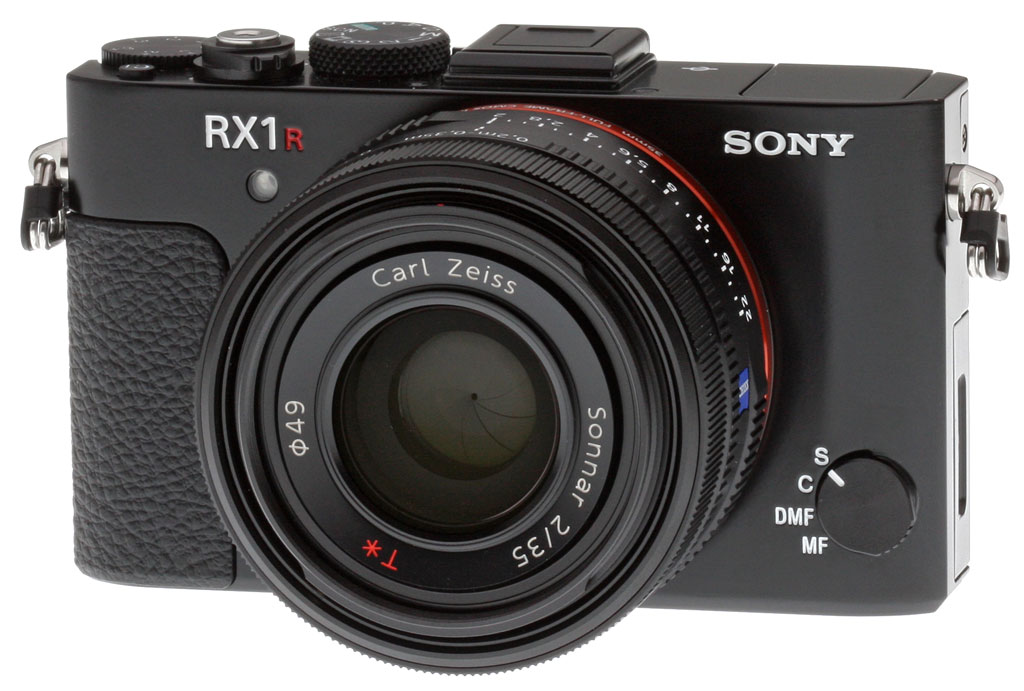
Surprise, Sony RX1 fans: Your favorite camera got a major update, and the Sony RX1R II is here to serve as your next object of desire! Not all of us can justify the expense of a fixed-lens camera with a pricetag of several thousand dollars, even if it does sport a full-frame image sensor. But for those who can, the RX1R II is a truly spectacular proposition.
Of course, the original RX1 and RX1R were also pretty amazing accomplishments. A duo of palm-sized full-frame cameras which can fit in your pocket, both were equipped with a bright Carl Zeiss Sonnar T* 35mm f/2.0 prime lens. They differed solely in the presence or absence of an optical low-pass filter, allowing you to select a camera which was either resistant to moiré and false color, or as detail-hungry as possible.
Prevent moiré or get the maximum detail: It's your choice
So how do you top those cameras? The answer, it seems, is to combine them into a single model offering the best of both worlds, courtesy of a groundbreaking new variable low-pass filtering function. In a nutshell, what Sony has done is to modify the low-pass filter such that you can enable the full strength of the low-pass filter to combat moiré aggressively, switch to a reduced-strength filter that helps gather more detail, or disable the effect of the low-pass filter altogether.
If you switch back and forth between, say, shooting landscapes where you want to gather every last detail, and shooting man-made subjects with lots of high-frequency detail, we really can't overstate this: Variable low-pass filtering could be quite revolutionary for your photography. (And it could save you quite a bit of money, given that to manage the same thing until now, you'd have needed to buy both an RX1 and RX1R.)

New body, same ergonomics
The variable low-pass filtering is clearly the big story, but there's a whole lot more to the Sony RX1R II than just that new feature. In fact, its body is actually brand new, even if at first glance it looks little changed from the original.
The Sony RX1R II is just fractionally (0.1 inch / 2mm) thicker than before, and its weight has climbed by a scant 2% (0.3 ounces / 9g) compared to the RX1. Compared to the RX1R, the weight gain is a still relatively insignificant 5% (0.9 ounces / 25g).

For that slight increase in heft, you get some very useful new features, but the core concept remains unchanged. Upgrading Sony RX1 and RX1R owners -- and we're sure there will be more than a few -- will feel right at home here, with next to no learning curve at all.
The controls are all where you expect them to be, and the RX1R II exudes the same feeling of quality as did its predecessors. (And that's to be expected, at this pricepoint.)
Same great Carl Zeiss lens
Perhaps the defining feature of the original RX1 and RX1R was their shared lens, a Carl Zeiss 35mm prime with a bright f/2.0 maximum aperture. The Sony RX1R II inherits that exact same optic, and we're told there have been no tweaks to its design at all.
That's good news, because it's a really great lens. When we reviewed the original RX1, we commended its exceptional sharpness and corner performance, and while we noted typical levels of distortion and chromatic aberration, the camera itself was able to resolve both issues very well in JPEGs using optional corrections.

Much-improved framing with OLED Tru-Finder and tilting display
With the Sony RX1R II, though, you're going to be able to make much better use of that lens. The reasons for this are twofold: a new tilting LCD monitor, and a built-in, pop-up viewfinder.
The tilting screen is a big boon, helping you shoot over a crowd, from the hip or low to the ground. It tilts upward 109 degrees and downwards 41 degrees, so it's not selfie-friendly. (But frankly, if you're buying a $3,300 camera, you're probably not using it to take selfies.)
The LCD panel itself is unchanged: a 3.0-inch, 4:3-aspect Xtra Fine TFT LCD with 1,228,000 dot resolution. Sadly, it still lacks touch control, something we find especially handy for movie capture, but also very useful to quickly identify a subject for focus and/or metering.

The pop-up viewfinder is bright, beautiful and deploys really easily
Perhaps even more significant for the Sony RX1R II's target customers -- predominantly pros and enthusiasts -- will be its new viewfinder, however. It's a new feature for the RX1-class cameras, but we've seen much the same Organic LED-based design in the RX100 IV.
However, where that camera required that you first raise the finder with its mechanical lever and then pull the rear element backwards to lock it into place, the RX1R II's finder is much simpler to deploy. You simply flick the lever and as well as raising, it will now also slide the rear element backwards by itself, thanks to a spring-loaded mechanism. Push on the top of the finder to retract it back into the camera, and the rear element will also retract by itself.

That change alone already makes it a much nicer viewfinder than that in the RX100 IV, but it comes complemented by another change: The ability to choose whether retracting the viewfinder will power the camera off or not. If you predominantly shoot with the viewfinder, you likely want it to switch off straight away after you've retracted it. However, if you like to bounce back and forth between framing in the finder or on the monitor, now you can configure the camera appropriately to facilitate that.
The finder itself is based around a 0.39-inch type Organic LED panel with a high resolution of 2,359,296 dots. It has a manufacturer-rated 100% coverage, 0.74x magnification, a 19mm eyepoint and a -4.0 to +3.0m-1 diopter adjustment. (This last is changed using a small slider on the side of the finder, making it a bit tough to change accurately.) Like that in the RX100 IV, the viewfinder includes Zeiss T* coatings to reduce reflections and improve contrast.

A very generous eyecup, too, albeit a rather fiddly one

The new viewfinder also includes another feature which that on the RX100 IV lacks: A nice, soft rubber eyecup that helps shield stray light, letting you focus on the subject, though we weren't quite so enamored with it upon getting our hands on the camera.
Don't get us wrong: It's a really nice eyecup, and it answers a key complaint we had with the RX100 IV finder. The problem, though, is that you have to manually attach or detach it every time the finder is raised or lowered, something which is a little fiddly to do.
And because the eyecup could easily catch on something and get lost, it's not just a matter of sliding it in place, either. You also have to tighten a small thumbscrew to affix the eyecup in place. (Although it's technically called a thumbscrew, we should note that it actually tightens -- and does so reasonably easily -- by rolling the tip of your index finger over it.)
Once installed, the eyecup is a great addition to the Sony RX1R II's viewfinder. Our bet, however, is that you'd be inclided to leave it in place most of the time, though, rather than fussing with removing and reinstalling it over and over. (But doing so means you lose the size advantage of a retractable finder.)
No free lunch: The pop-up flash made way for the viewfinder
Something had to make way for the new pop-up finder, not surprisingly. There was likely next to no unused space in the RX1 and RX1R bodies, after all, and the finder in the successor model takes up quite a bit of room.

So what did you lose? Hopefully, something Sony RX1R II owners wouldn't have had too much call to use anyway, given the camera's high sensitivity and the presence of a hot shoe for external strobes. What's not present any more, though, is the built-in, pop-up flash of the earlier cameras.
And speaking of the viewfinder and lack of a built-in flash, battery life for the RX1R II is CIPA-rated at 220 shots per charge using the LCD with the same battery pack, which is identical battery life as the RX1/RX1R, but keep in mind the lack of a pop-up flash which is normally fired for 50% of shots using the CIPA standard. When using the more power-hungry OLED EVF, the RX1R II's battery life drops slightly to 200 shots per charge.
Much the same imaging pipeline as the A7R II
The Sony RX1R II inherits its new imaging pipeline basically unchanged from another Sony camera, the interchangeable-lens A7R II. That's good news, because the A7R II has great image quality, and provides detail by the boatload. Just as in that camera, the RX1R II's backside-illuminated Exmor R CMOS image sensor has 42.4-megapixel resolution, and pipes its output to a BIONZ X-branded image processor.
Not that the 24.3-megapixel Sony RX1 and RX1R were any slouches in this department, mind you, but the RX1R II significantly outperforms its predecessors. And likely to best the A7R II with an equivalent lens as well, since the company can more precisely align the lens and sensor (and bring the pair much closer) in a fixed-lens camera like the RX1R II.

Same performance, but now with much better autofocus
Although its continuous burst rate of up to five frames per second in Speed Priority Continuous mode is unchanged, the Sony RX1R II's new image sensor and processor cooperate to improve performance in another important respect.
Autofocus speed is said to be about a third faster thanks to the switch to a Fast Hybrid AF system (although we couldn't confirm that with a static subject in the lab). This works using 399 distinct phase-detection autofocus points on the image sensor, and in informal testing at the New York press event at which the camera was launched, it seemed both responsive and reasonably swift. The earlier RX1-class cameras both relied solely on contrast-detection autofocus, which was more prone to hunting and operated rather more slowly.
But that's not the only improvement. Where the RX1 and RX1R were capable of five frames per second with focus locked from the first frame, the Sony RX1R II can manage the same trick while adjusting focus between frames! That's right, continuous autofocus has now landed in the RX1-series, as the sharp-eyed amongst you will already have noticed from the new position on the autofocus mode dial on the camera's front deck.

A much broader sensitivity range, too
Another change enabled by the new image sensor and processor is a much broader sensitivity range. The default range of ISO 100 to 25,600-equivalents is actually unchanged from the earlier cameras, but where they only allowed ISO expansion down to ISO 50, the Sony RX1R II is expandable to encompass everything from 50 to 102,400-equivalents.
A related change to firmware is that you can now define a minimum shutter speed for the Auto ISO sensitivity option, ensuring that the sensitivity is raised if you'd otherwise stray below that speed. That's a handy addition if you want to be certain to avoid blur not only from camera shake, but also from subject motion.

More firmware tweaks, as well
And that's not the only firmware change, either. Sony now provides a greater choice of aspect ratio options for RX1R II owners, with the existing 3:2 and 16:9 options supplemented by 1:1 and 4:3 options. And if you appreciate the ability to fine-tune white balance, you'll be thrilled to discover that you now have twice the granularity for amber/blue adjustments, and four times as many on the green/magenta axis, letting you more precisely tune colors to your liking.
Like the Sony A7S II before it, the RX1R II also ships with support for 14-bit uncompressed raw files as an option, something which has been added to the A7R II and A7 II via firmware updates. And the RX1R II also includes a Bright Monitoring function which increases brightness of the LCD monitor to help when framing and focusing in low light, achieved by allowing slower shutter speeds than is normally the case for live view.
The Sony RX1R II also inherits the 50Mbps XAVC S movie mode that we've seen on other recent Sony cameras, something which offers better picture quality and fewer artifacts than the AVCHD-only capture of the RX1 and RX1R. Note, though, that the RX1R II doesn't gain the ability to record in 4K like some of Sony's other cameras; instead, it's still limited to Full HD recording at 24, 25, 30, 50 or 60 frames per second.

Improved connectivity reflects today's reality
Sony has also revisited its connectivity options in the RX1R II, reflecting the modern world we live in. (A photo that can't be easily transferred to your phone and shared online just isn't a photo these days, it seems.)

Both Wi-Fi wireless networking and Near-Field Communications are provided, making it really easy to pair and share from Android devices. Apple devices can't use NFC, but that's the fault of their maker, and you'll still be able to share easily to your iPad or iPhone after pairing manually.
Also making their debut in the RX1R II are Sony's PlayMemories Camera Apps, a selection of user-installable apps that can extend the functionality of the camera, sometimes for an additional cost. There are over 32 compatible apps as of this writing, including Smart Remote Control, Star Trail, Time-lapse and Smooth Reflection, and more could well be added in the future, which is kind of the point.
Wired connectivity remains the same, with a Multi Interface Hot Shoe, Multi/Micro USB 2.0 port, Micro (Type D) HDMI port, and a 3.5mm external stereo mic jack.
Price and availability
The Sony RX1R II began shipping in November 2015 with a list price of US$3,300.
In the Box
The retail package contains the following items:
- Sony Cyber-shot DSC-RXR1 II camera
- NP-BX1 Lithium-ion battery
- AC-UD11 AC adapter
- BC-DCX Battery charger
- Micro USB cable
- Shoulder strap
- Lens cap
- Shoe cap
- Eyecup
- Cleaning cloth
- Instruction manual
Recommended Accessories
- Large capacity SDHC/SDXC memory card. 16GB Class 10 should be a minimum.
- LCJ-RXH Leather jacket case (~US$250)
- Extra rechargeable battery pack (~US$25)
- LHP-1 Lens hood(~US$180)
- External flash
Optics
Lens Test Results
Fixed 35mm lens
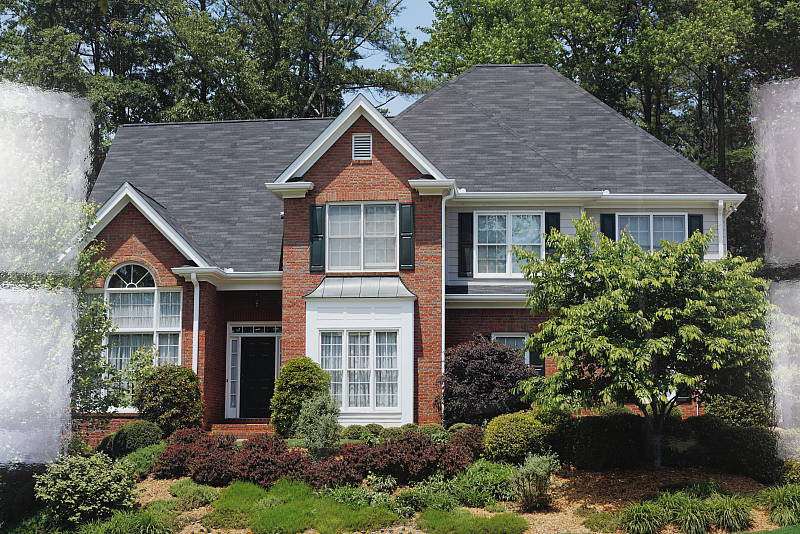
Excellent far-field performance from the fixed 35mm f/2 Carl Zeiss lens.
 |
| 35mm @ f/8 |
The Sony RX1R II is equipped with the exact same Carl Zeiss-branded 35mm f/2 lens as its predecessors. Construction consists of 8 elements in 7 groups, with a 9-bladed diaphragm providing a minimum aperture of f/22.
Sharpness and contrast are superb across the frame at f/8, and chromatic aberration is almost nonexistent since the camera suppresses it (see below). Performance in the corners appears to be very good, with just a hint of softening and very little coma distortion.
Digital Zoom. The Sony RX1R II still offers three types of digital zoom which come in handy for a wide-angle fixed-focal-length camera, though we did not test these modes here. Sony’s Clear Image digital zoom is available with up to 2x magnification, standard digital zoom up to 4x, and Smart Zoom is available where the camera crops away the unused portion of the image when a lower resolution is selected. You can combine the various zooms as well, but maximum total zoom is 4x at full resolution increasing to 16x at the small image size (11MP). There are also 1.4x and 2.0x “digital teleconverter” modes which just crop the full-res image.
See below for our lab results including macro area, geometric distortion, corner performance, chromatic aberration, etc.
Macro
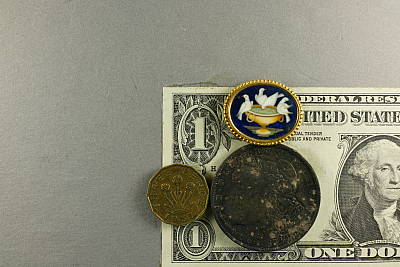
A larger-than-average minimum coverage area, with excellent detail.
 |
| Macro @ f/8 |
The Sony RX1R II captured a fairly large minimum area measuring 5.45 x 3.64 inches (139 x 92 millimeters) in macro mode. Detail is excellent over most of the frame at f/8, while corners and edges are just slightly soft. (Most lenses have some softening in the corners at macro distances.)
Geometric Distortion
About average geometric distortion.
| Barrel distortion is ~0.8 percent |
 |
The Sony RX1R II’s lens produced about 0.8 percent complex barrel distortion, which is about average for cameras we’ve tested (including those with zoom lenses), and geometric distortion is not corrected in firmware unless enabled. See below for details. This is the tendency for the lens to bend straight lines outward (like a barrel — usually at wide-angle) or inward (like a pincushion — usually at telephoto).
Chromatic Aberration and Corner Sharpness
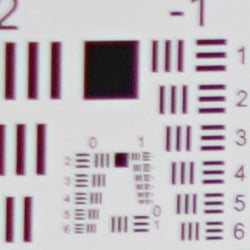
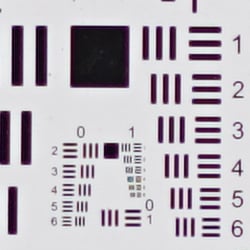
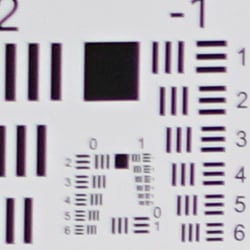
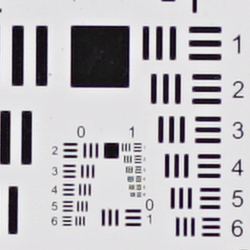
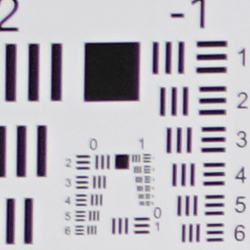
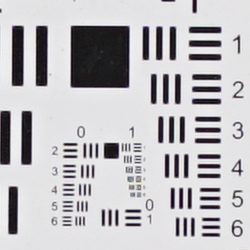
Low to moderate levels of CA (the camera suppresses it in JPEGs). The lens produces fairly sharp corners even when wide open.
|
Aperture: f/2
|
|
 |
 |
| f/2: Upper left C.A.: Moderate Softness: Reasonably sharp |
f/2: Center C.A.: Very low Softness: Very sharp |
|
Aperture: f/5.6
|
|
 |
 |
| f/5.6: Upper left C.A.: Low Softness: Fairly Sharp |
f/5.6: Center
C.A.: Very low |
|
Aperture: f/8
|
|
 |
 |
| f/8: Upper left C.A.: Low Softness: Fairly Sharp |
f/8: Center
C.A.: Very low |
Chromatic Aberration. Chromatic aberration in the corners is moderate and noticeable in the above shot at f/2, especially with shading correction applied which lightens corners significantly when the lens is wide open (more on that below). The center of the image shows almost no CA. Stopping-down from max aperture dramatically reduces the appearance of CA in the corners, though it’s still slightly visible at f/8.
Corner Softness. Wide open at f/2, the RX1R II’s lens is quite sharp across most of the frame, with only minor softening in the corners. There’s some loss of contrast in the corners particularly when wide open, but that’s also likely due to the shading and CA correction applied (see below). When stopped down to f/5.6, corners have better sharpness and contrast, but are still just a hair softer than the center which is very sharp. This is also true for f/8 which produces a small improvement over f/5.6. Still, very good corner performance for a compact 35mm full-frame lens.
Corner Shading. There’s very little corner shading (“vignetting”) in JPEGs even wide open, as the Sony RX1R II corrects for it by default (see below).
Lens Corrections
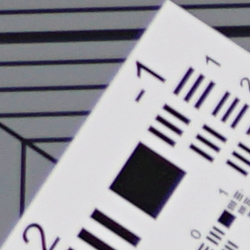
Like its predecessor, the Sony RX1R II includes the ability to automatically correct for geometric distortion, chromatic aberration, and lens shading (vignetting), as images are captured.
Geometric Distortion
| Barrel distortion is ~0.2 percent |
 |
Above, you can see with Distortion Correction enabled (set to Auto), the lens shows significantly less geometric distortion (~0.2% versus ~0.8%) in JPEGs, though edges are cropped away in the process. The default Distortion Correction setting is Off.
Chromatic Aberration
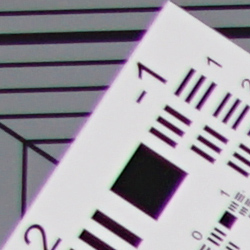
| CA Correction Auto | CA Correction Off |
 |
 |
| f/2: Upper left C.A.: Moderately low |
f/2: Upper left C.A.: Higher and brighter |
As you can see, lateral chromatic aberration is higher and much brighter with Chromatic Aberration Correction disabled, so the Sony RX1R II’s processor does a pretty good job at eliminating most of it in JPEGs. The default for this setting is Auto.
Lens Shading
 |
|
| Aperture: f/2.0 | |
| Auto | Off |
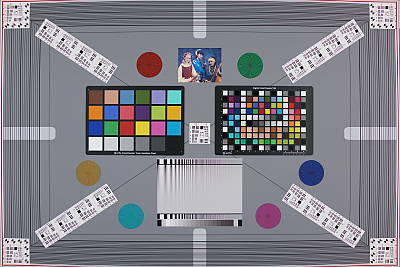
Mouse-over the links above to see the difference Lens Shading Correction makes when wide-open at f/2 (the worst-case scenario). The default setting for this correction is Auto, which means the camera will apply Shading Correction depending on the current aperture and perhaps other shooting conditions.
As you can see, corners are brightened significantly without affecting brightness at the center, so actual vignetting is quite pronounced at maximum aperture. (We measured just under 1 EV of fall-off in the corners at f/2, and just over 1/2 EV at f/8.)
We weren’t able to reproduce the shading correction tint issue we ran into with the RX1 (the slight hue shift in our RX1R II lab shots is due to minor differences in our studio lamp temperatures). And yes, the Sony RX1R II still bakes shading correction into its .ARW files.
Overall, very good to excellent performance from the Sony RX1R II’s 35mm f/2 lens, and it’s nice to be able to individually control the application of various lens corrections offered.
Viewfinder Test Results
Coverage
Very good accuracy from the EVF and LCD monitor.
 |
 |
|
EVF
|
LCD Monitor
|
The Sony RX1R II’s electronic viewfinder and LCD monitor both produced just under 99% coverage in our tests, though it’s a little difficult to accurately measure with the lens’ barrel distortion. This is very good performance.
The images above were taken from our standardized test shots. For a
collection of more pictorial photos, see our
Sony Cyber-shot DSC-RX1R II Photo Gallery
.
Exposure
Color
Saturation & Hue Accuracy
Slightly lower than average saturation levels and about average hue accuracy.
 |
|||
|
ISO Sensitivity |
|||
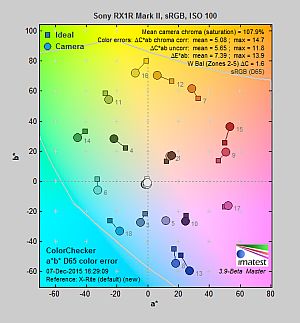
| In the diagram above, the squares show the original color, and the circles show the color that the camera captured. More saturated colors are located toward the periphery of the graph. Hue changes as you travel around the center. Thus, hue-accurate, highly saturated colors appear as lines radiating from the center. Mouse over the links to compare ISOs and click on a link for a larger version. | |||
Saturation. The Sony RX1R II’s mean default color saturation is 107.9% at base ISO or in other words, oversaturated by 7.9%. That’s just a touch lower than average these days. Mean saturation remains very stable up to ISO 1600, after which it begins to gradually drop as sensitivity is increased, to a minimum of 100.5% at maximum ISO. Reds, dark blues and dark green are boosted the most, but not as much as we often see. Most other colors are pushed just a bit, though light orange and light green are slightly undersaturated, and yellow is moderately undersaturated. Overall, saturation levels are still pleasing to our eyes, and you can of course tweak saturation to your liking. Most consumer digital cameras produce color that’s more highly saturated (more intense) than found in the original subjects. This is simply because most people like their color a bit brighter than life.
Skin tones. The Sony RX1R II does fairly well with Caucasian skin tones. Brighter flesh tones have a healthy-looking pinkish tint, though darker areas are nudged slightly toward orange. Still, pretty realistic results here. Where oversaturation is most problematic is on Caucasian skin tones, as it’s very easy for these “memory colors” to be seen as too bright, too pink, too yellow, etc.
Hue. Like many cameras, the Sony RX1R II shifts cyan toward blue, red toward orange, orange toward yellow and yellow toward green, but shifts are relatively minor. (The cyan to blue shift is actually fairly minor and very common among the digital cameras we test; we think it’s a deliberate choice by camera engineers to produce better-looking sky colors. The yellow to green shift combined with its desaturation is however unfortunate, as it can produce somewhat dingy-looking yellows.) With an average “delta-C” color error of 5.08 after correction for saturation at base ISO, overall hue accuracy is about average, and it’s fairly stable across the ISO sensitivity range. Hue is “what color” the color is.
 |
 |
 |
| See full set of test images with explanations See thumbnails of all test and gallery images |
||
Sensor
Exposure and White Balance
Indoors, incandescent lighting
Slightly warm cast with Auto white balance; Incandescent is pretty good, and Manual is very good. Less than average exposure compensation required.
 |
 |
| Auto White Balance 0 EV |
Incandescent White Balance 0 EV |
 |
|
| Manual White Balance 0 EV |
Indoors, under normal incandescent lighting, color balance is a bit too warm and orange with the Auto white balance setting, though results here are better than average. White balance with the Incandescent setting is quite good and only a touch warm. Results with the Manual setting are the most accurate, though just slightly cool. The Sony RX1R II required no exposure compensation here, while +0.3 EV is about average for this shot. (Our test lighting for this shot is a mixture of 60 and 100 watt household incandescent bulbs, a pretty yellow light source, but a very common one in typical home settings here in the U.S.)
Outdoors, daylight
Excellent results under harsh lighting, with very good handling of contrast, color, and exposure.
 |
 |
| Manual White Balance, +0.3 EV |
Auto White Balance, 0 EV |
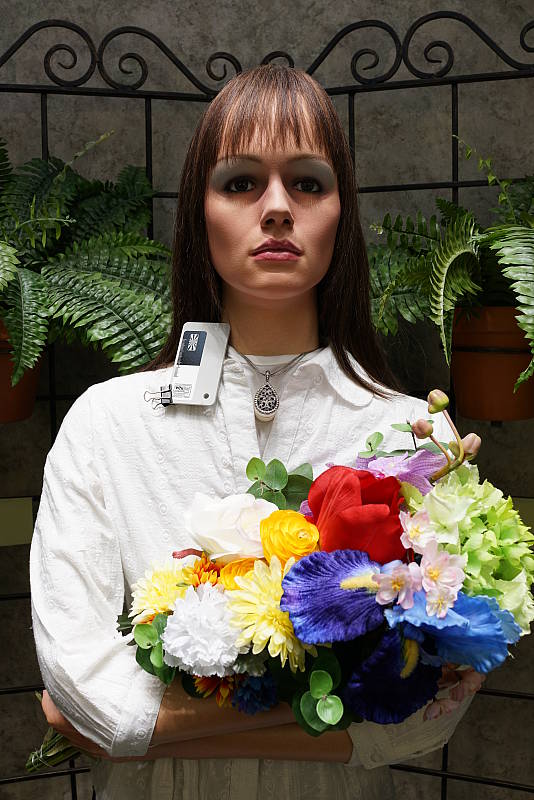
Outdoors, the Sony RX1R II performed extremely well. Only +0.3 EV of exposure compensation was required to keep the mannequin’s face bright in our “Sunlit” Portrait shot, which is less than the +0.7 EV average among the cameras we’ve tested. Contrast is a little high as you might expect under such harsh lighting, but despite the bright appearance, the camera does a great job of holding onto detail in both the shadows and bright highlights, even without the help of DRO (see below). We preferred Manual color balance for our “Portrait” shot, though Auto white balance produced very similar results. Default exposure is excellent in our Far-field shot with almost no highlights blown, however there are some dark shadows that are discolored at very low levels, though detail is actually quite good. The Far-field shot with Auto white balance has very good color balance, just a touch cool. Overall, great performance in harsh lighting, especially considering DRO was off for these shots.
See full set of test images with explanations
See thumbnails of all test and gallery images
Resolution
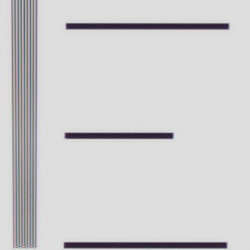
~3,750 lines of strong detail from JPEGs, about the same from RAW files.
 |
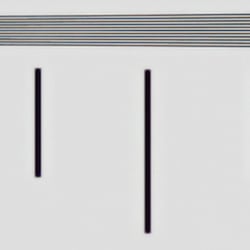 |
| Strong detail to ~3,750 lines horizontal Camera JPEG |
Strong detail to ~3,750 lines vertical Camera JPEG |
 |
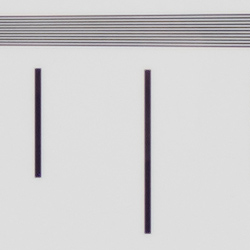 |
| Strong detail to ~3,750 lines horizontal ACR converted RAW |
Strong detail to ~3,750 lines vertical ACR converted RAW |
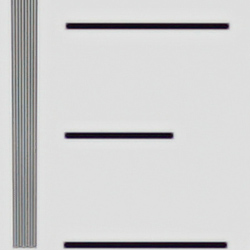
An in-camera JPEG of our laboratory resolution chart reveals sharp, distinct line patterns up to about 3,750 lines per picture height in the horizontal direction and to about 3,750 lines per picture height in the vertical direction, though some minor aliasing can be seen starting as low as 3,300 lines. Complete extinction of the pattern didn’t occur before the 4,000 line limit of our chart in both directions. Adobe Camera Raw wasn’t really able to extract more resolution here from matching RAW file, but it produced a lot more color moiré and false colors at and above the limits of resolution. Use these numbers to compare with other cameras of similar resolution, or use them to see just what higher resolution can mean in terms of potential detail.
See full set of test images with explanations
See thumbnails of all test and gallery images
Sharpness & Detail
Excellent detail and sharpness, with very few sharpening artifacts. Mild noise suppression visible in the shadows and areas of low contrast.
 |
 |
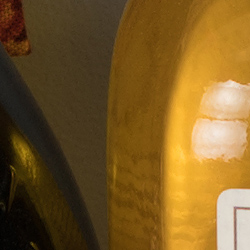
| Excellent definition of high-contrast elements with very low sharpening artifacts. |
Subtle detail: Hair Noise suppression tends to blur detail in areas of subtle contrast. |
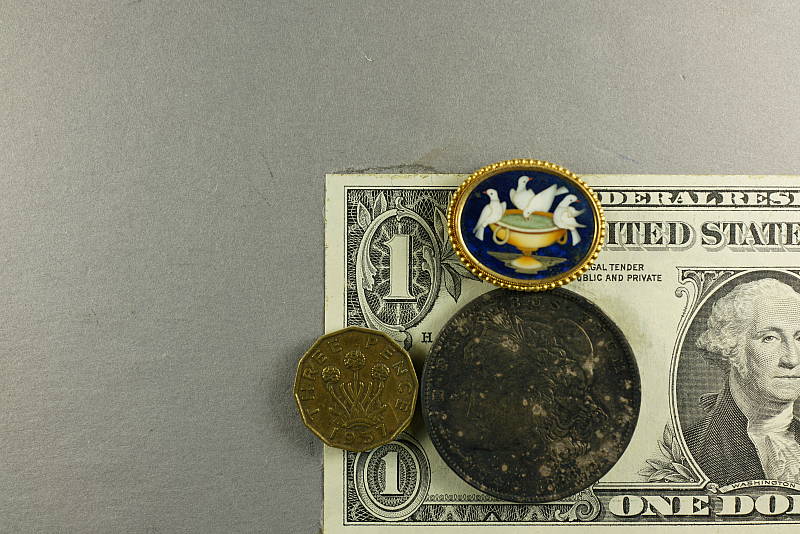
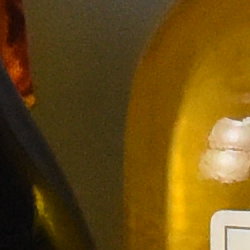
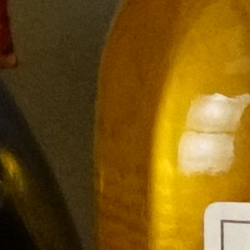
Sharpness. The Sony RX1R II captures incredibly sharp, crisp and detailed images, and the camera’s sharpening algorithm doesn’t generate obvious sharpening halos around edges with high contrast that we often see around the lines and letters of our bottle label crop (above left). The RX1R II’s RAW images don’t need a lot of sharpening especially with the low pass filter turned off, but Sony really has done an excellent job with the RX1R II’s low-ISO JPEG processing. Edge enhancement creates the illusion of sharpness by enhancing colors and tones right at the edge of a rapid transition in color or tone.
Detail. The crop above right shows fairly mild noise suppression in the darker areas of the mannequin’s hair. A number of low-contrast strands are smudged together, though higher contrast strands are distinct, though as you can see some suffer from the “jaggies” and other aliasing artifacts (see below). Still, outstanding results here considering the resolution. Noise-suppression systems in digital cameras tend to flatten-out detail in areas of subtle contrast. The effects can often be seen in shots of human hair, where the individual strands are lost and an almost “watercolor” look appears.


Variable Low-Pass Filter. As you can see, the Sony RX1R II’s variable low-pass filter works quite well at reducing and even eliminating aliasing artifacts such as moiré, and Sony has included bracketing support in case you’re not sure which setting to use. (LPF bracketing is also useful for blending areas from different settings to selectively remove or reduce aliasing in problem areas of static images). Very cool!
RAW vs In-Camera JPEGs
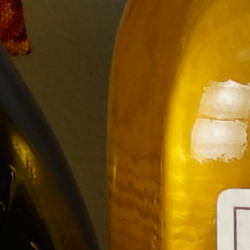
As noted above, the Sony RX1R II produces in-camera JPEGs with incredible amounts of crisp detail. Additional detail can often be obtained from carefully processing RAW files with a good converter, so let’s have a look at base ISO:
| Base ISO (100) | |
 |
 |
 |
 |
 |
 |
|
Camera JPEG, defaults
|
RAW via Adobe Camera Raw
|
In the table above, we compare an in-camera JPEG taken at base ISO using default noise reduction and sharpening (on the left) to the matching RAW file converted with Adobe Camera Raw 9.1 via DNG Converter 9.3 using default noise reduction with some moderate but tight unsharp masking applied in Photoshop (250%, radius of 0.3 pixels, and a threshold of 0).
As you can see, the Adobe Camera Raw conversion renders just a touch more detail than the camera, while higher contrast and saturation makes the in-camera image pop a bit more, but the ACR conversion also reveals a bit more luminance noise in flat areas. You can always turn up the luminance noise reduction (default of zero was used here), though noise levels are already quite low. Also note the moiré pattern in the red-leaf pattern in both images (LPF was Off ).
Bottom line: Although Adobe Camera Raw is able to extract a little more detail and produce perhaps a slightly more natural-looking image, there’s really very little to complain about the Sony RX1R II’s JPEG engine at low ISOs. It provides a great balance of fine, crisp detail, low noise, and low sharpening artifacts straight out of the camera.
ISO & Noise Performance
Surprisingly good high ISO performance.
|
Default High ISO Noise Reduction
|
 |
 |
 |
| ISO 50 | ISO 100 | ISO 200 |  |
 |
 |
| ISO 400 | ISO 800 | ISO 1600 |
 |
 |
 |
| ISO 3200 | ISO 6400 | ISO 12,800 |
 |
 |
 |
| ISO 25,600 | ISO 51,200 | ISO 102,400 |
The Sony RX1R II’s JPEG images are quite clean and extremely detailed at ISOs 50 though 400, with very little image degradation, and image quality drops in a nice, very gradual manner up to ISO 1600. ISO 3200 produces a more noticeable drop in image quality with higher noise and some noise reduction artifacts, however fine detail is still quite good, and chroma noise remains very low. ISO 6400 shows more noise and artifacts from noise reduction, but fine detail is still pretty good, and more objectional chroma noise still remains low. ISO 12,800 is significantly noisier, and sharpening combined with strong noise reduction give the image a rough look in darker areas and shadows, but chroma noise is still well-controlled. Interestingly, the camera’s shading correction seems to back-off at this sensitivity and above, likely because the exposure boost in the image corners and edges would reveal too much noise, however that results in a dimmer periphery with lower saturation as well. Image quality drops rapidly from ISO 25,600 on, though, with images that almost look like stippled paintings, and strong chroma blotching becomes an issue at ISO 51,200 and 102,400 as well.
Overall, though, the RX1R II offers surprisingly good high ISO performance especially considering its resolution and pixel size. As always, see the Print Quality section below for maximum recommended print sizes at each ISO.
A note about focus for this shot: We used to shoot this image at f/4, however depth of field became so shallow with larger, high-resolution sensors that it was difficult to keep important areas of this shot in focus, so we have since started shooting at f/8, the best compromise between depth of field and sharpness.
Extremes: Sunlit, dynamic range and low light tests
Excellent highlight and shadow detail. Excellent low-light performance, capable of capturing bright images in near darkness.
 |
 |
 |
| 0 EV | +0.3 EV | +0.7 EV |
Sunlight. The Sony RX1R II handled the deliberately harsh lighting in the test above brilliantly. We preferred the +0.3 EV exposure here, as the default 0 EV exposure is a touch dim in the face while the +0.7 EV exposure is a bit too bright. Contrast is a little high, but shadow and highlight detail are both very good. Despite the bright appearance, very few highlights are blown in the mannequin’s shirt and face at +0.3 EV, though the red channel is clipped in some of the flowers as is often the case, and in specular highlights where you’d expect clipping. There are some dark shadows however they’re fairly clean with lots of detail, though very deep shadows are posterized and discolored, as expected. Overall, excellent performance here.
For best results, be sure to use fill flash in situations like the one shown above; it’s better to shoot in the shade when possible. See below for results with Dynamic Range Optimization and High Dynamic Range features enabled.
Because digital cameras are more like slide film than negative film (in that they tend to have a more limited tonal range), we test them in the harshest situations to see how they handle scenes with bright highlights and dark shadows, as well as what kind of sensitivity they have in low light. The shot above is designed to mimic the very harsh, contrasty effect of direct noonday sunlight, a very tough challenge for most digital cameras. (You can read details of this test here. In actual shooting conditions, be sure to use fill flash in situations like the one shown here; it’s better to shoot in open shade whenever possible.)
| Face Detection | ||
 |
 |
 |
| Aperture Priority, 0 EV Face Detection Off |
Aperture Priority, 0 EV Face Detection On |
Auto Mode, 0 EV |
Face Detection. Like most cameras these days, the Sony RX1R II has the ability to detect faces (up to 8 in a scene), and adjust exposure and focus accordingly. As you can see from the examples above, face detection worked as expected in Aperture Priority at f/8, producing a brighter image than without it by reducing the shutter speed from 1/40 to 1/25s (that’s a bit slow for handheld use and the type of subject, but it had little other choice since the aperture and ISO was manually selected). Full Auto mode also produced a better exposure than Aperture Priority without face detection. It selected a larger aperture of f/3.5 while maintaining a relatively fast shutter speed of 1/160s, and automatically applied DRO (see below) to reduce overall contrast.
|
Outdoor Portrait DRO Comparison
|
|
 |
DRO Setting: |
 |
|
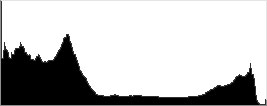
Dynamic Range Optimization is Sony’s name for their dynamic range enhancement technology. DRO divides the image into small areas, analyzes the range of brightness of each area, and adjusts the camera’s image processing parameters accordingly to make the best use of the available dynamic range. Auto DRO is enabled by default on the Sony RX1R II. You can also set the level manually, from 1 (“weak”) to 5 (“strong”), or turn it off. As one would expect, DRO is only available for JPEG files.
The above thumbnails and histograms show the effects of the various levels of DRO on our “Sunlit” Portrait shot with no exposure compensation. Mouse over the links on the right to load the associated thumbnail and histogram, and click on the link to visit the full resolution image.
As you can see from the thumbnails and associated histograms, increasing DRO progressively boosts shadows and midtones while leaving highlights essentially intact, though boosting shadows does make noise slightly more visible. The Auto setting did a decent job overall though it could have boosted more, and the five manual levels give quite a bit of control over the effect.

Above, you can see the effect of DRO settings on our Far-field shot. The default Auto setting produced a nicely balanced exposure, despite the harsh lighting. A useful feature that works well.

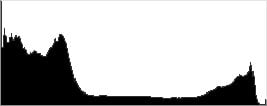
High Dynamic Range. The Sony RX1R II’s HDR mode takes three images in rapid succession, one nominally exposed , one underexposed, and one overexposed, then combines them into one high dynamic range JPEG automatically. Lighter areas from the underexposed image are combined in-camera with darker areas from the overexposed image to produce an image with compressed tonal range. The camera then saves a single composite image, as well as the nominally exposed image. The overlaid images are micro-aligned by the camera, but it can only correct for so much movement. If it can’t micro-align successfully, an icon indicating HDR capture failed will appear. For best results, the subject should not move or even blink, so it’s not really intended for portraits. There is also a manual mode where you can select 1 EV (“weak”) to 6 EV (“strong”) difference in exposures.
Mouse over the links to load the associated thumbnail and histogram, and click on the link to visit the full resolution image.
As you can see, the Auto setting did a decent job, producing results somewhere between the 2 and 3 EV manual settings. The higher the manual setting, the more highlights were toned-down and shadows opened up, but as you can see higher settings can produce flat and unnatural results with this subject.

Above, you can see the effect of HDR settings on our Far-field shot. Watch out for ghost images from subject movement during the capture sequence, though, as can be seen in some of the shots above. It appears that the RX1R II attempts to eliminate them during the merging process, but isn’t always 100% successful.
Dynamic Range Analysis (RAW mode). While we once performed our own dynamic range measurements based on in-camera JPEGs as well as converted RAW images (when the camera was supported by Adobe Camera Raw), we’ve switched to using DxO Labs’ results from their DxOMark website. As technology advanced, the dynamic range of modern high-end cameras in some cases exceeded the range of the Stouffer T4110 density scale that we used for our own measurements. DxO’s approach based on RAW data before demosaicing is also more revealing, because it measures the fundamental dynamic range of the sensor, irrespective of whatever processing is applied to JPEGs, or to RAW data by off-the-shelf conversion software.
In the following, we use DxO’s “Print” dynamic range results, which are scaled based on camera resolution. As the name suggests, this scaling corresponds to the situation in which you print at a given size, regardless of how many megapixels the camera might have. (In other words, if you’ve decided to make a 13×19 inch print, that’s the size you’re printing, whether the camera’s resolution is 16 or 300 megapixels.) For the technically-minded, you can find a discussion of the reasoning behind this here on the DxOMark website. Also note that DxO Labs uses a signal-to-noise (SNR) threshold of 1 when defining the lower boundary of acceptable luminance noise in their dynamic range measurements, which corresponds to the “Low Quality” threshold of the Imatest software we used to use for this measurement.
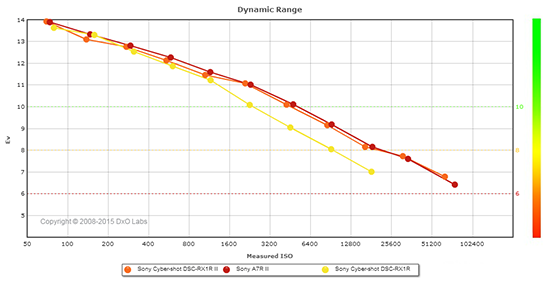 |
Here, we compare the Sony RX1R II’s dynamic range to its predecessor, the RX1R, and also to the Sony A7R II, which uses a similar if not identical sensor. You can always compare to other cameras directly on dxomark.com.
As you can see from the above graph (click for a larger image), the RX1R II’s dynamic range (orange) is similar to its predecessor (yellow) from base ISO up to ISO 1600, but the newer model pulls away significantly at higher ISOs, offering at least one EV of additional dynamic range at all remaining ISO sensitivity settings they share.
Unsurprisingly, the Sony RX1R II’s dynamic range is nearly identical to Sony’s A7R II mirrorless ILC, with both cameras offering a peak dynamic range of around 13.9 EV at base ISO, to a minimum of between 6.42 and 6.78 EV at maximum ISO.
Bottom line: Excellent dynamic range results from the Sony RX1R II, with exceptional results at higher ISOs. Click here to visit the DxOMark page for the Sony RX1R II for more of their test results and additional comparisons.
| 1 fc 11 lux |
1/16 fc 0.67 lux |
1/16 fc No NR |
|
|---|---|---|---|
| ISO 100 |
 1s, f2.0 |
 15s, f2.0 |
 15s, f2.0 |
| ISO 3200 |
 1/30s, f2.0 |
 0.5s, f2.0 |
 0.5s, f2.0 |
| ISO 102400 |
 1/1000s, f2.0 |
 1/60s, f2.0 |
 1/60s, f2.0 |
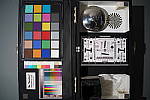
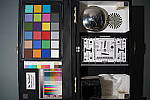
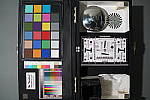
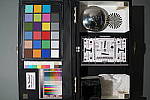
Low Light. The Sony RX1R II performed very well in our low light tests, producing usable exposures with very low noise down to the lowest light level we test at (1/16 fc) at base ISO of 100. Noise is very low at base ISO and surprisingly low at ISO 3200, though as expected, at the highest ISO of 102,400 luminance noise is very high and blotchy chroma noise can be seen in darker areas. With noise reduction minimized (right-most column), noise “grain” is quite fine and tight and not too objectionable, except at the highest ISO.
We found a few hot or bright pixels at base ISO, particularly when long exposure noise reduction is turned off (where you’d expect to find them), but nothing out of the usual. Banding (fixed pattern noise) in deep shadows is very low and we did not detect any significant heat blooming.
Auto white balance did a very good job here, producing a fairly neutral, just slightly cool color balance.
The Sony RX1R II’s autofocus system was able to focus on our test target down to below the 1/16 foot-candle light level unassisted with its f/2 lens, which is excellent. And with the AF illuminator enabled, the camera was able to focus in complete darkness. This of course will vary with subject type, distance, etc.
How bright is this? The one foot-candle light level that this test begins at roughly corresponds to the brightness of typical city street-lighting at night. Cameras performing well at that level should be able to snap good-looking photos of street-lit scenes. (A useful trick is to just prop the camera on a convenient surface, and use its self-timer to release the shutter. This avoids any jiggling from your finger pressing the shutter button, and can work quite well when you don’t have a tripod handy.)
NOTE: This low light test is conducted with a stationary subject, and the camera mounted on a sturdy tripod. Most digital cameras will fail miserably when faced with a moving subject in dim lighting. (For example, a child’s ballet recital or a holiday pageant in a gymnasium.) Thanks to its larger sensor and Hybrid AF, compact system cameras like the Sony RX1R II tend to do better than point & shoots, but you still shouldn’t expect a quick autofocus lock with moving subjects.
Output Quality
Print Quality
High-quality prints up to 30 x 40 inches at ISO 50-800; Nice 8 x 10 inch prints all the way up to ISO 12,800; and usable 4 x 6 inch prints at ISO 51,200.
 ISO 50 through 800 prints all look practically identical and equally impressive up to a whopping 30 x 40 inches and beyond. Prints show lots of detail and pleasing colors, and we see no apparent noise as the ISO increases all the way up to ISO 800! Truly impressive print quality performance.
ISO 1600 images show just a hint more noise than lower sensitivities, but it’s mainly situated in the shadows. The prints, up to a sizable 24 x 36 inches, are still very impressive, with lovely fine detail.
ISO 3200 prints look very similar to ISO 1600 with only a slight increase in shadow noise. We are going to call it at 16 x 20 inches here, but we’re totally fine with larger 20 x 30 inch prints for less critical situations.
ISO 6400 images show an increased level of noise as expected, but at up to 11 x 14 inches, visible noise is still mainly constrained to the shadows and doesn’t impact detail elsewhere to a major degree; even the tricky red-leaf fabric of our Still Life target shows detail at this print size.
ISO 12,800 prints still look amazingly nice up to 8 x 10 inches. Noise becomes a bit too strong for our liking if printed any larger, however there’s still a lot of fine detail available, so an 11 x 14 could be usable for less critical applications.
ISO 25,600 images still show a good level of detail at similar print sizes to the previous sensitivity, but noise is visibly stronger, forcing us to limit prints to just 5 x 7 inches.
ISO 51,200 prints are getting quite noisy, but the Sony RX1R II still manages a good 4 x 6 inch print, which is an impressive feat.
ISO 102,400 images are both too noisy and lacking in fine detail to be considered usable for making prints.
The Sony RX1R II, simply put, manages a fantastic showing in our print quality department. Packing a high-res 42-megapixel full-frame sensor, the Sony RX1R II manages some impressively large prints, especially at lower ISOs. From expanded low ISO 50 all the way up to ISO 800, the RX1R II can manage massive prints up to 30 x 40 inches — and larger, depending on how much you want to push the sensor’s resolving power. 30 x 40 inches is the largest print size we test nowadays, and up to ISO 800, the RX1R II produces stunning prints with tons of crisp detail with little to no impact from noise. Even when raising sensitivity, images maintain pleasing noise characteristics. Prints as large as 8 x 10 inches are totally usable up to ISO 12,800. Going higher with ISO sensitivity, we do observe noise beginning to impact print size, and ISO 51,200 is the highest we’re willing to go. Here, we top-out with a usable 4 x 6 inch print. We don’t recommend using ISO 102,400 for prints, as the images are just too noisy and lacking in detail.
The images above were taken from our standardized test shots. For a
collection of more pictorial photos, see our
Sony Cyber-shot DSC-RX1R II Photo Gallery
.
Not sure which camera to buy? Let your eyes be the ultimate judge!
Visit our Comparometer(tm)
to compare images from the Sony Cyber-shot DSC-RX1R II with those from other
cameras you may be considering. The proof is in the pictures, so let
your own eyes decide which you like best!
Performance
Timing and Performance
Generally faster than the RX1, but buffer clearing is still slow.
| Startup/Play to Record/Buffer Clearing | ||
|---|---|---|
|
Power on |
~1.5 seconds
|
Time it takes to turn on and capture a shot. |
|
Play to Record, |
~1.0 second
|
Time until first shot is captured. |
Powerup to first shot was slightly improved over the ~1.7 seconds we measured for the RX1. Switching from Play to Record mode and taking a shot was also slightly improved over the RX1’s one second result.
| Shutter Response (Lag Time) | ||
|---|---|---|
|
Full Autofocus, |
0.261 second
|
Time from fully pressing shutter button to image capture, with the lens already at the proper focal distance setting. |
|
Manual Focus |
0.059 second
|
For most cameras, shutter lag is less in manual focus than autofocus, but usually not as fast as when the camera is “prefocused”. |
|
Prefocused |
0.016 second
|
Time to capture, after half-pressing and holding shutter button. |
Looking at the Sony RX1R II’s ability to determine that it’s properly focused when shooting the same, static target multiple times without defocusing between shots (our standard test), its autofocus speeds were good for a “compact camera”. The Sony RX1R II’s full-autofocus shutter lag (with the subject at a fixed distance) was 0.261 second in Single-area (center) AF mode. This is a slight improvement over the 0.271 second result we measured for the RX1.
When manually focused, the Sony RX1R II’s lag time dropped to 0.059 second, which is very good, but slightly slower than the 0.038 second we measured for the RX1.
The Sony RX1R II’s prefocused shutter lag was only 0.016 second which is excellent, and identical to the shutter lag we measured for the RX1.
To minimize the effect of different lens’ focusing speed, we test AF-active shutter lag with the lens already set to the correct focal distance.
| Cycle Time (shot to shot) | ||
|---|---|---|
|
Single Shot mode |
0.64 second
|
Time per shot, averaged over a few frames (we no longer test for buffer depths in single-shot mode). |
|
Single Shot mode |
0.62 second
|
Time per shot, averaged over a few frames (we no longer test for buffer depths in single-shot mode). |
|
Early shutter |
No
|
Some cameras refuse to snap another shot if |
|
Speed Priority mode |
0.20 second
(5.00 fps); 24 frames total; 33 seconds to clear* |
Time per shot, averaged over buffer length of 24 frames, then slows to an average of 1.48s or 0.67 fps when buffer is full. |
|
Speed Priority mode |
0.20 second
(5.00 fps); 23 frames total; 24 seconds to clear* |
Time per shot, averaged over buffer length of 23 frames, then slows to an average of 1.24s or 0.81 fps when buffer is full. |
|
Speed Priority mode |
0.20 second
(5.00 fps); 22 frames total; 36 seconds to clear* |
Time per shot, averaged over buffer length of 22 frames, then slows to an average of 1.76s or 0.57 fps when buffer is full. |
|
Continuous mode |
0.33 second
(3.00 fps); 28 frames total; 32 seconds to clear* |
Time per shot, averaged over buffer length of 28 frames, then slows to an average of 1.47s or 0.68 fps when buffer is full. |
|
Continuous mode |
0.33 second
(3.00 fps); 10 frames total; 22 seconds to clear* |
Time per shot, averaged over buffer length of 10 frames, then slows to an average of 2.23s or 0.45 fps when buffer is full. |
|
Continuous mode Uncompressed RAW + L/F JPEG |
0.33 second
(3.02 fps); 10 frames total; 27 seconds to clear* |
Time per shot, averaged over buffer length of 10 frames, then slows to an average of 2.71s or 0.37 fps when buffer is full. |
|
*Note: Buffer clearing times measured with a SanDisk Extreme Pro 95MB/sec UHS-I SDHC card. Slower cards will produce correspondingly slower clearing times. Slow cards may also limit length of bursts in continuous mode. ISO sensitivity and noise reduction settings can also affect cycle times and burst mode performance.
|
||
Single-shot cycle time was about 0.6 second when shooting Large/Extra Fine JPEGs or uncompressed RAW+ Large/Fine JPEG files, which is pretty fast and improved over the RX1.
The Sony RX1R II’s Speed Priority burst mode is rated at 5 fps, and our lab results agree. And because the RX1R II features phase-detect AF pixels built into the imager, it supports continuous autofocus at 5 fps. There’s also a standard Continuous mode rated at 3 fps, which our lab results also confirmed.
Buffer depths were quite good in Speed Priority mode and when shooting compressed RAW files considering the camera’s class and resolution. We managed 24 frames for Large/Extra Fine JPEGs, 23 frames for compressed RAW and 22 frames for compressed RAW+Large/Fine JPEGs (like many Sonys, the RX1R Mark II does not support RAW + Extra Fine JPEGs), which is much improved over the RX1’s 12-15 frame buffer despite the larger files.
In standard Continuous mode we tested with uncompressed RAW files, which dropped the buffer depth to 10 frames for RAW and RAW+L/F JPEG, though best quality JPEGs increased slightly to 28 frames because of the slower burst speed. Note that our target for this test was designed to be difficult to compress, so maximum JPEG burst lengths should be even longer with typical subjects.
Buffer clearing times were slow even with our fast UHS-I card, ranging from 22 to 36 seconds after max length bursts, depending on the file type. The RX1R II does allow you adjust settings and take additional shots while writing to the memory card, though.
Bottom line, the Sony RX1R II’s overall performance is good and generally improved over the RX1. However buffer clearing times are still quite long, though keep in mind the larger file sizes.
Battery Life
Below average battery life for a compact camera.
| Operating Mode | Battery Life |
|---|---|
|
Still Capture,
(CIPA standard, LCD Monitor) |
220 shots
|
|
Still Capture,
(CIPA standard, EVF) |
200 shots
|
The Sony RX1R II uses a custom NP-BX1 rechargeable lithium-ion battery pack for power, and ships with a dedicated battery charger and USB power adapter for both external and in-camera charging. The battery is CIPA-rated for 220 shots on a charge when using the LCD monitor and 200 shots when using the electronic viewfinder, and keep in mind there’s no built-in flash, so battery life is below average for a “compact camera”. We definitely recommend getting a second battery for your RX1R II if you plan any extended outings or shoot a lot of video.
The table above shows the number of shots the camera is capable
of (on a fully-charged rechargeable battery), based on CIPA battery-life
and/or manufacturer standard test conditions.
(Interested readers can find an English translation of the CIPA DC-002 standards document here. (180K PDF document))
Image Quality
Below are crops from our laboratory Still Life target comparing the Sony RX1R II’s image quality to both its predecessors, the RX1R and the RX1, as well as its closest interchangeable lens sibling, the Sony A7R II. Since resolution is the name of the game here, we’ve also compared it against the highest-resolution DSLRs from Canon and Nikon, namely the Canon 5DS R and Nikon D810. Do note that except for the comparison with the low-pass-filter-equipped RX1 at base ISO, the RX1R II’s variable low-pass filter was turned Off for these shots, for maximum sharpness and resolution.
NOTE: These images are from best quality JPEGs straight out of the camera, at default settings including noise reduction and using the camera’s actual base ISO (not extended ISO settings). All cameras in this comparison were shot with our very sharp reference lenses. Clicking any crop will take you to a carrier page where you can click once again to access the full resolution image as delivered straight from the camera. For those interested in working with the RAW files involved: click these links to visit each camera’s respective sample image thumbnail page: Sony RX1R II, Sony RX1R, Sony RX1, Sony A7R II, Canon 5DS R, and Nikon D810 — links to the RAW files appear beneath those for the JPEG images, wherever we have them. And remember, you can always go to our world-renowned Comparometer to compare the Sony RX1R II to any camera we’ve ever tested!
Sony RX1R II vs Sony RX1R at Base ISO
 |
 |
 |
 |
 |
 |
|
Sony RX1R II at ISO 100
|
Sony RX1R at ISO 100
|
|
Here, we compare the Sony RX1R II to one of its predecessors, the AA-filter-less RX1R. The resolution advantage the 42-megapixel RX1R II has over the 24-megapixel RX1R is very evident in the mosaic and red-leaf fabric crops in both detail and scale, while noise is very low from both cameras at base ISO. Sony’s sharpening algorithm has improved since the RX1R, generating almost no halos along high-contrast edges. Except for the very next comparison, the RX1R II had its variable low-pass filter set to Off, and both show moiré patterns in the red-leaf swatch. |
|
Sony RX1R II vs Sony RX1 at Base ISO
 |
 |
 |
 |
 |
 |
|
Sony RX1R II at ISO 100
|
Sony RX1 at ISO 100
|
|
Here we compare the RX1R II with its variable low-pass filter set to High to the Sony RX1, which has a fixed low-pass filter. As you can see, the RX1R II’s image is a bit softer than the previous comparison, but it easily out-resolves the RX1 at base ISO, with both cameras showing fewer aliasing artifacts than the previous comparison. |
|
Sony RX1R II vs Canon 5DS R at Base ISO
 |
 |
 |
 |
 |
 |
|
Sony RX1R II at ISO 100
|
Canon 5DS R at ISO 100
|
|
Here, we can see the 50-megapixel AA-filter-less Canon 5DS R does capture a little more detail in the mosaic and red-leaf fabric than the 42-megapixel RX1R II with its variable low-pass filter set to Off, though noise in the shadows is slightly higher from the Canon even here at base ISO. |
|
Sony RX1R II vs Nikon D810 at Base ISO
 |
 |
 |
 |
 |
 |
|
Sony RX1R II at ISO 100
|
Nikon D810 at ISO 64
|
|
As expected, the Sony RX1R II out-resolves the Nikon D810 at base ISO. The D810’s image is a little crisper, but also contains visible sharpening haloes while the RX1R II does not. Both show moiré patterns in the red-leaf fabric. |
|
Sony RX1R II vs Sony A7R II at Base ISO
 |
 |
 |
 |
 |
 |
|
Sony RX1R II at ISO 100
|
Sony A7R II at ISO 100
|
|
Unsurprisingly, the Sony RX1R II and A7R II both show very similar detail, noise and color, but the A7R II’s image is a bit sharper, perhaps because of the excellent FE 55mm f/1.8 Zeiss lens we used is a bit sharper than the RX1R II’s fixed lens, or maybe the variable low-pass filter still impacts sharpness slightly when set to Off. |
|
Sony RX1R II vs Sony RX1R at ISO 1600
 |
 |
 |
 |
 |
 |
|
Sony RX1R II at ISO 1600
|
Sony RX1R at ISO 1600
|
|
The Sony RX1R II continues to easily out-resolve the RX1R at ISO 1600 with fewer sharpening artifacts, however noise levels are higher. |
|
Sony RX1R II vs Sony RX1 at ISO 1600
 |
 |
 |
 |
 |
 |
|
Sony RX1R II at ISO 1600
|
Sony RX1 at ISO 1600
|
|
As expected, it’s a very similar story here with the Sony RX1R II easily out-resolving the RX1 at ISO 1600, but with higher noise levels. (Note that the RX1R II had its variable low-pass filter set to Off for this shot, as we only shot the other filter settings at base ISO.) |
|
Sony RX1R II vs Canon 5DS R at ISO 1600
 |
 |
 |
 |
 |
 |
|
Sony RX1R II at ISO 1600
|
Canon 5DS R at ISO 1600
|
|
The Canon 5DS R continues to capture a sharper, more detailed image at ISO 1600, but noise is noticeably higher than the RX1R II, and not just in the shadows. The Canon’s noise is however very fine-grained with a low chroma component, making it not too objectionable. |
|
Sony RX1R II vs Nikon D810 at ISO 1600
 |
 |
 |
 |
 |
 |
|
Sony RX1R II at ISO 1600
|
Nikon D810 at ISO 1600
|
|
At ISO 1600, the Sony’s stronger noise reduction appears to offset its resolution advantage over the Nikon, though the D810 generates stronger moiré patterns and lower contrast in the red-leaf swatch. Noise from the Nikon is also a little more visible in the shadows, but it’s fine-grained and film-like. |
|
Sony RX1R II vs Sony A7R II at ISO 1600
 |
 |
 |
 |
 |
 |
|
Sony RX1R II at ISO 1600
|
Sony A7R II at ISO 1600
|
|
Very similar results here from the two Sony cousins, however the A7R II continues to produce a slightly sharper image than the RX1R II. |
|
Sony RX1R II vs Sony RX1R at ISO 3200
 |
 |
 |
 |
 |
 |
|
Sony RX1R II at ISO 3200
|
Sony RX1R at ISO 3200
|
|
The RX1R II again continues to capture more detail than its AA filter-less predecessor, however noise levels are higher. The RX1R does a slightly better job in the red-leaf swatch, but that’s probably because the RX1R II can still resolve some of the thread pattern which it seems to treat as noise, blurring it more than the RX1R. |
|
Sony RX1R II vs Sony RX1 at ISO 3200
 |
 |
 |
 |
 |
 |
|
Sony RX1R II at ISO 3200
|
Sony RX1 at ISO 3200
|
|
It’s a very similar story here compared to its AA-filtered predecessor, offering better detail in the mosaic and pink fabric, but higher noise and more blurring in the red-leaf fabric. (Note again that the RX1R II had its variable low-pass filter set to Off for this shot, as we only shot the other filter settings at base ISO.) |
|
Sony RX1R II vs Canon 5DS R at ISO 3200
 |
 |
 |
 |
 |
 |
|
Sony RX1R II at ISO 3200
|
Canon 5DS R at ISO 3200
|
|
At ISO 3200, the Canon 5DS R struggles to maintain its resolution advantage, as higher noise levels and stronger noise reduction interfere with the rendering of fine detail. This is particularly evident in the red-leaf swatch where the Canon smears the pattern much more than the Sony. The Canon images does however continue to appear sharper in most areas. |
|
Sony RX1R II vs Nikon D810 at ISO 3200
 |
 |
 |
 |
 |
 |
|
Sony RX1R II at ISO 3200
|
Nikon D810 at ISO 3200
|
|
Here at ISO 3200, the Sony RX1R II generates higher noise levels and more noise reduction artifacts which counteract its resolution advantage over the Nikon D810, as the Nikon produces similar detail but a sharper, crisper image overall. Strong moiré patterns still interfere in the red-leaf swatch, however fine detail is still better than the Sony at this sensitivity. |
|
Sony RX1R II vs Sony A7R II at ISO 3200
 |
 |
 |
 |
 |
 |
|
Sony RX1R II at ISO 3200
|
Sony A7R II at ISO 3200
|
|
As expected, similar image quality from the two 42-megapixel Sonys here are ISO 3200, though the A7R II continues to produce a sharper image. |
|
Sony RX1R II vs. Sony RX1R, Sony RX1, Canon 5DS R, Nikon D810, Sony A7R II
 |
 |
 |
 |
 |
 |
 |
 |
 |
 |
 |
 |
 |
 |
 |
 |
 |
 |
| Sony RX1R II ISO 100 ISO 3200 ISO 6400 |
Sony RX1R ISO 100 ISO 3200 ISO 6400 |
Sony RX1 ISO 100 ISO 3200 ISO 6400 |
Canon 5DS R ISO 100 ISO 3200 ISO 6400 |
Nikon D810 ISO 64 ISO 3200 ISO 6400 |
Sony A7R II ISO 100 ISO 3200 ISO 6400 |
| Detail comparison. High-contrast detail is also important, pushing cameras in different ways, so we like to look at it too. The Nikon D810 jumps out here with the highest contrast, but it also shows the most visible sharpening haloes. The Sony A7R II produces better contrast than the RX1R II, which as mentioned previously, is likely due to a sharper lens. The Canon 5DS R also does quite well with excellent sharpness and detail, though contrast isn’t quite as high the D810 and A7R II, however its ISO 6400 image shows more noise than the rest. As expected, the two Sony 24-megapixel models show less detail, but also the lowest contrast. | |||||
Sony RX1R II Print Quality
High-quality prints up to 30 x 40 inches at ISO 50-800; Nice 8 x 10 inch prints all the way up to ISO 12,800; and usable 4 x 6 inch prints at ISO 51,200.
ISO 50 through 800 prints all look practically identical and equally impressive up to a whopping 30 x 40 inches and beyond. Prints show lots of detail and pleasing colors, and we see no apparent noise as the ISO increases all the way up to ISO 800! Truly impressive print quality performance.
ISO 1600 images show just a hint more noise than lower sensitivities, but it’s mainly situated in the shadows. The prints, up to a sizable 24 x 36 inches, are still very impressive, with lovely fine detail.
ISO 3200 prints look very similar to ISO 1600 with only a slight increase in shadow noise. We are going to call it at 16 x 20 inches here, but we’re totally fine with larger 20 x 30 inch prints for less critical situations.
ISO 6400 images show an increased level of noise as expected, but at up to 11 x 14 inches, visible noise is still mainly constrained to the shadows and doesn’t impact detail elsewhere to a major degree; even the tricky red-leaf fabric of our Still Life target shows detail at this print size.
ISO 12,800 prints still look amazingly nice up to 8 x 10 inches. Noise becomes a bit too strong for our liking if printed any larger, however there’s still a lot of fine detail available, so an 11 x 14 could be usable for less critical applications.
ISO 25,600 images still show a good level of detail at similar print sizes to the previous sensitivity, but noise is visibly stronger, forcing us to limit prints to just 5 x 7 inches.
ISO 51,200 prints are getting quite noisy, but the Sony RX1R II still manages a good 4 x 6 inch print, which is an impressive feat.
ISO 102,400 images are both too noisy and lacking in fine detail to be considered usable for making prints.
The Sony RX1R II, simply put, manages a fantastic showing in our print quality department. Packing a high-res 42-megapixel full-frame sensor, the Sony RX1R II manages some impressively large prints, especially at lower ISOs. From expanded low ISO 50 all the way up to ISO 800, the RX1R II can manage massive prints up to 30 x 40 inches — and larger, depending on how much you want to push the sensor’s resolving power. 30 x 40 inches is the largest print size we test nowadays, and up to ISO 800, the RX1R II produces stunning prints with tons of crisp detail with little to no impact from noise. Even when raising sensitivity, images maintain pleasing noise characteristics. Prints as large as 8 x 10 inches are totally usable up to ISO 12,800. Going higher with ISO sensitivity, we do observe noise beginning to impact print size, and ISO 51,200 is the highest we’re willing to go. Here, we top-out with a usable 4 x 6 inch print. We don’t recommend using ISO 102,400 for prints, as the images are just too noisy and lacking in detail.
Field Test Part I
Sony RX1R II Field Test Part I
Big upgrades all around for Sony’s super-premium compact
 The super-premium compact gets super-upgraded
Ever since the first Sony RX1 debuted, I was curious about this “little” camera. Housing a comparably massive full-frame sensor into its nearly-pocketable compact body made my then-primary camera, a Canon 5D Mark II, look and feel ancient and downright gargantuan. For photography on the go — traveling, hiking, around town, etc. — I was drawn to the compactness as well as the full-frame image quality it provided.
On the other hand, the fixed 35mm lens was cause for some thought. Personally, I’m not a big fan of the 35mm focal length. In the right hands, however, images shot at 35mm can be downright stunning; it’s just not for me and for what I like to shoot most of the time. The major factor, however, as to why I didn’t jump to buy an RX1 right away was the price. It’s flat-out expensive.
Now in its second generation — combining the RX1 and specialized RX1R together — the new Sony RX1R II maintains its stylist, compact design and 35mm f/2 Zeiss lens. However, on the inside, the camera packs a sizeable array of new features, new technologies and upgrades that should improve both performance and image quality.
Sony RX1R II Field Test Part II
Performance testing: C-AF, Variable Low-Pass Filter, Video & Wi-Fi
 A deeper look at performance and new features
In the first section of my Field Test, I mainly focused on the Sony RX1R II’s design and build quality as well as its general-use performance and image quality. In this follow-up Field Test, I’ll take a closer look at some of its new features, including the improved autofocus system and the variable low-pass filter. Plus, I’ll test out the video capabilities and wireless connectivity, before wrapping things up with my final thoughts.
Off the street & onto the court: the RX1R II as a sports camera?
Unlike the original pair of RX1-series cameras, the new “Mark II” version features on-sensor phase-detect autofocus similar to the A7 II and A7R II cameras. This should lead to speedier autofocus, particularly with continuous AF. In fact, the original RX1 didn’t have continuous AF capabilities for still images at all!
Field Test Part II
Big upgrades all around for Sony’s super-premium compact
by William Brawley | Posted 12/17/2015
 |
|
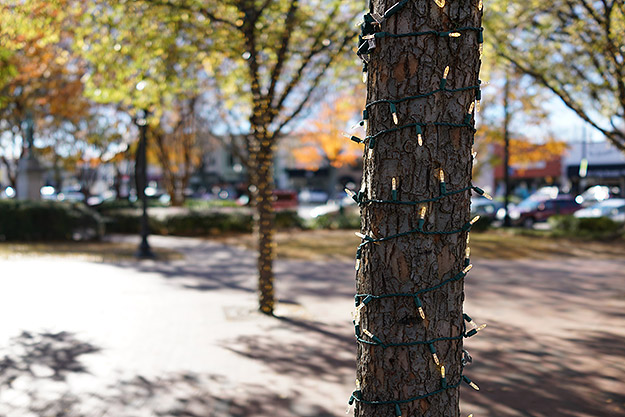
f/2, 1/1000s, ISO 100
|
The super-premium compact gets super-upgraded
Ever since the first Sony RX1 debuted, I was curious about this “little” camera. Housing a comparably massive full-frame sensor into its nearly-pocketable compact body made my then-primary camera, a Canon 5D Mark II, look and feel ancient and downright gargantuan. For photography on the go — traveling, hiking, around town, etc. — I was drawn to the compactness as well as the full-frame image quality it provided.
On the other hand, the fixed 35mm lens was cause for some thought. Personally, I’m not a big fan of the 35mm focal length. In the right hands, however, images shot at 35mm can be downright stunning; it’s just not for me and for what I like to shoot most of the time. The major factor, however, as to why I didn’t jump to buy an RX1 right away was the price. It’s flat-out expensive.
Now in its second generation — combining the RX1 and specialized RX1R together — the new Sony RX1R II maintains its stylist, compact design and 35mm f/2 Zeiss lens. However, on the inside, the camera packs a sizeable array of new features, new technologies and upgrades that should improve both performance and image quality.
With an MSRP of around $3,300, I can tell you right now, it’s still way out of my budget. Nevertheless, who doesn’t love playing with expensive things, even for just a little while? We were already thoroughly impressed with the original RX1 model, so let’s dive in to see if Sony can make a great camera even greaterâ¦
 |
|
f/2, 1/2000s, ISO 100, -0.3EV
|
Exterior design throws no surprises at first glance
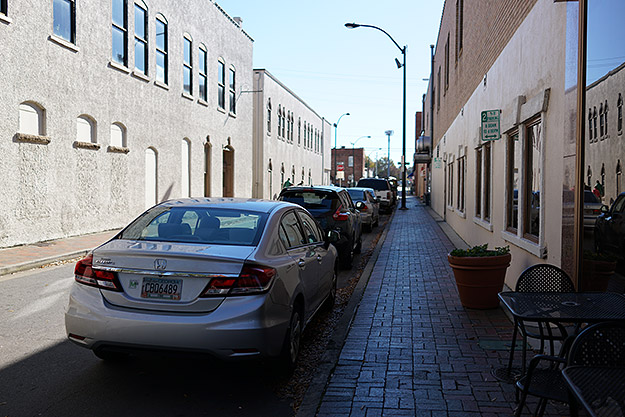
Well, right off the bat, there’s not much in the way of changes to the RX1R II’s external design, shape or ergonomics, at least from a first glance. The first of two primary external changes is the tilting LCD screen that replaces the fixed screen of the original model. What’s become almost a de-facto feature of digital cameras nowadays, the tilting screen will most certainly be helpful for shooting at awkward angles or when using a tripod. It’s not a full 180-degree tilting screen, so it’s not “selfie-friendly” — but, in my opinion, that’s a-okay.
Lack of a touchscreen is a bummer
Sadly, though, the screen does not have touch capabilities. While that might be a relief or simply of no concern to some, I’ve become quite fond of a tap-to-focus feature, in particular, seen on many touchscreen-capable cameras. Navigating menus with the touchscreen on cameras can be frustrating, and I usually avoid doing so, but having the ability to instantly adjust your focus point with a simple tap is very handy.
Like many modern LCD screens, the RX1R II’s is bright and crisp. The panel also works well in sunny conditions outdoors. The LCD appears to be an air-gapless design, where the LCD panel itself is placed right up next to the glass surface, which helps reduce glare problems.
 |
All hail the glorious pop-up EVF!
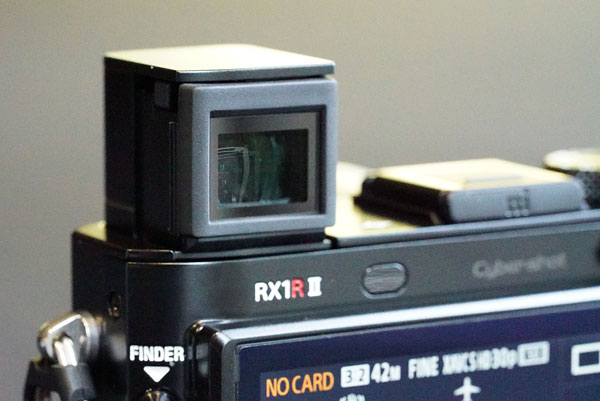
The other big change — and a change that I’m calling an absolutely fantastic improvement (for the most part) — is the built-in, pop-up electronic viewfinder. Though not as large as the OLED viewfinders on the A7-series cameras, the EVF on the RX1R II shares a similar resolution, making it crisp, clear and easy to use. The Sony RX1R II is certainly small and lightweight enough that it’s comfortable and easy to hold out front like a typical point-and-shoot camera. However, the addition of a viewfinder helps not only in bright, sunny conditions*, but also puts you in a more stable, three-points-of-contact shooting position. After years of DSLR-shooting, using an EVF to compose and shoot photos has become second nature to me.

Those familiar with the RX100 III and RX100 IV cameras will see the inspiration for the RX1R II’s pop-up EVF right away. What’s unique about this one, though, is that it pops up and is ready to use immediately. On the two relevant RX100-series cameras, you must first manually pull out the rear element in order to see the EVF properly (you also need to push it in manually to close the EVF back into the camera). With the RX1R II, Sony’s devised a way to not only pop the EVF up and outwards in one fell swoop when you press the button, but you can also close the EVF when you’re done by simply pressing it down. Neat!
[*I did notice, however, that in certain bright conditions with lots of overhead light or otherwise directional glare, I still needed to shield my eye from glare. Straight out of the box, the RX1R II’s EVF has very little in the way of an eyecup to help block stray light. Thankfully, Sony includes a handy, slide-on eyecup, which helps in this regard. However, with the eyecup attached, the EVF is now fixed and can’t be retracted into camera. The eyecup also takes some fiddling to get into place, I found, but once attached it felt firmly in-place.]
 |
|
f/2.8, 1/320s, ISO 100
|
Well-behaved EVF eye-sensor avoids frustrations
I’ve spent a lot of time with a number of Sony A7-series cameras, and while there’s lots to love about those cameras, one thing that keeps bugging me is the very sensitive EVF proximity sensor in some of the models. Thankfully, the proximity sensor that automatically switches on the EVF is much less sensitive on the RX1R II. I can easily use the tilting LCD panel for some top down shooting in a comfortable position without worrying that my torso will trigger the EVF sensor. On the A7 II, for instance, the eye sensor triggers at a strangely far 5 or 6 inches, whereas the RX1R II and original A7S both have a more comfortable 3-4 inch range for the EVF proximity sensor.
Hefty, high-quality build welcomes a two-hand hold
As for handling, the build quality feels amazing, and for $3,300, I would hope so. The camera feels rock-solid, and there’s a nice bit of “heft” to it. Despite its small size overall, I did feel more comfortable holding it with two hands — either resting mostly in my left hand while using the rear LCD or in a traditional “stance” with the EVF up to my eye and left hand under the lens. There’s not much in the way of a front grip, nor is there much of a protrusion for a thumb rest on the rear, so I found it a little awkward to operate and shoot with one-handed — there’s enough heft to the camera to warrant a two-hand grip, in my opinion.
 |
|
f/2.5, 1/1000s, ISO 100
|
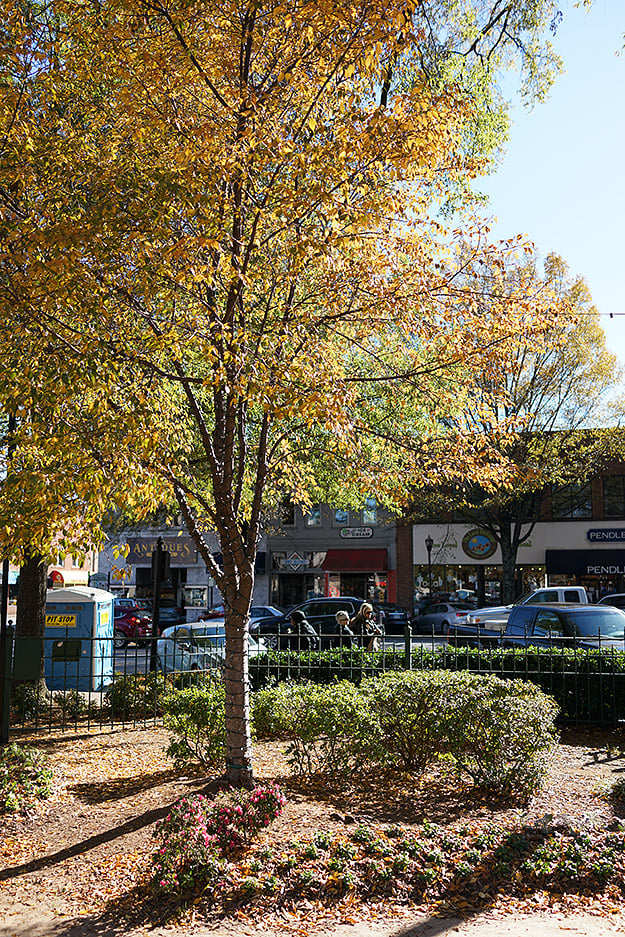
The control scheme on the “Mark II” here is basically identical to the original RX1-series camera, so no real surprises there if you’re familiar with the predecessor. So far, in my experience with the RX1R II, I haven’t had any qualms about the controls or button layout. In fact, the Sony RX1R II provides a lot of customization to assign or re-assign the various controls to fit your style. With the lack of touchscreen, I still want the quickest, most streamlined way to adjust my focus point. I use “Flexible Spot” autofocus mode almost exclusively, and by default, the central button inside the rear control dial will instantly bring you to the interface for moving the focus point, which is nice and very convenient.
 |
|
f/4, 1/1250s, ISO 100
|
Big sensor with bigger resolution captures fantastic images
I had high hopes for impressive image quality from the Sony RX1R II, and sure enough, the camera delivered. With its 42-megapixel CMOS sensor and on-demand low-pass filter, the camera captures stunningly sharp, highly detailed images. We were very impressed by the fixed 35mm f/2.0 Zeiss lens on the original RX1-series cameras, and so far, I’ve been similarly impressed here with “Mark II,” even with wide-open shots. And while the RX1R II has impressive resolving power, I did notice some chromatic aberration and purple fringing at times, particularly in bright scenes along high-contrast edges towards the corners of the frame. Thankfully, these artifacts are not severe, and if you’re not afraid to adjust a few sliders in Lightroom, it’s easily work to clear this up in post.

So far, I’ve only shot images with default settings regarding the camera’s new adjustable-strength optical low-pass filter, which is to say “off.” With the filter disabled, the RX1R II — like other cameras without a low-pass filter — is capable of capturing sharper, finer detail, but at the risk of more moiré and false color artifacts. For the most part, if you’re shooting natural scenes without much in the way of fine, repeating patterns, the risk of moiré is low. However, on certain fabric patterns or other objects like brick walls — as in the example crop on the right from the above photo — moiré patterns and false colors can be quite visible with the LPF completely disabled. Be sure to stay tuned for the second part of my RX1R II Field Test, where I’ll examine the adjustable LPF in more detail, include real-world side-by-side comparisons with the different filter modes.
On a related note about the RX1R II’s high-resolution sensor, we continue to see a number of new cameras pack in more and more pixels and with that, file sizes are steadily increasing as well. The Sony RX1R II is no different. RAW files from this camera, in particular thanks to its new uncompressed option, are absolutely massive! Weighing in around the 80MB+ range, I was quickly filling up memory cards in no time. Thankfully, memory cards are growing in capacity, while decreasing in price, so stock up on a bunch if you plan to head out shooting for extended periods of time.
 |
|
f/4, 1/160s, ISO 100, +0.7EV
|
Excellent low-light, high-ISO performance from the new sensor
While the RX1R II is currently the only Sony camera with the adjustable optical low-pass filter technology, it otherwise shares a similar imaging pipeline to the Sony A7R II, including the same 42.4-megapixel backside-illuminated Exmor R CMOS full-frame image sensor paired with the BIONZ X-branded image processor. Not only is this a massive increase in image resolution from the original 24.3-megapixel RX1, but also provides a much larger range of ISOs than the predecessor. While the RX1 topped-out at ISO 25,600 (its native maximum ISO with no higher expansion beyond that), the new RX1R II can go beyond the native ISO 25,600 to a whopping ISO 102,400.
 |
|
|
f/2, 1/100s, ISO 51,200, -0.3EV
|
|
 |
 |
|
Straight-from-camera JPEG
|
RAW (Adobe Camera Raw defaults)
|
|
*Note: The default ACR chroma noise reduction removed the faint yellow painted leaf spots from the hat’s decoration, but the Sony in-camera JPEG NR processing left them visible.
|
|
 |
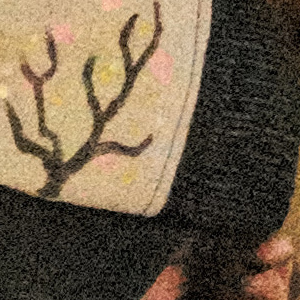 |
|
Capture One RAW conversion (Defaults)
|
Capture One RAW conversion (Luminance NR off)
|
|
Thanks to a note from reader “cas,” I tried Capture One as well to convert the RAW file of this high ISO shot. Phase One actually offers a free version of Capture One “Express” just for Sony cameras! As you can see in the two crops directly above, the Capture One conversions handle these faint colors much better than ACR. In fact, it even brought out (or left in, rather) faint pink-colored paint spots, which were part of the hat’s decoration (it even did it better than the in-camera JPEG). At default settings, fine detail is not as a crisp as the ACR conversion, but reducing the luminance NR preserves sharper detail, at the obvious expense of more visible grain.
(Click on the crops above for the full-resolution Capture One RAW convesion images.) |
|
A big portion of my shooting so far with the RX1R II has been in low-light situations, either outside at night with very poor lighting, or indoors with equally low light. The RX1R II’s high ISO performance is excellent, especially with RAW files. Images, though certainly noisy and grainy at very high ISOs at close inspection, nevertheless, still show an impressive amount of fine detail.
I shoot with RAW+JPEG* at all times for my Field Tests when possible, and I found that with JPEGs at higher ISOs, the default NR processing was a bit heavy-handed. At very high ISOs, in particular, details can get a bit on the mushy side. If you don’t plan on making at very large prints or pixel-peeping these JPEGs, I’d say the RX1R II’s JPEGs looks quite usable. For better detail control, the RAW files are the way to go. Even with just the default NR settings for Adobe Lightroom or Adobe Camera Raw in Photoshop (+25 chroma NR, +/-0 luminance NR), high ISOÃÂ RAW images show a lot more detail than their JPEG counterparts, and then you’re free to adjust the level of noise reduction as you see fit.
[*For some unexplained reason, this Sony camera still can’t record an “Extra Fine” quality JPEG paired with a RAW with using RAW+JPEG mode.]
 |
|
|
f/2.5, 1/100s, ISO 20,000
|
|
 |
 |
|
JPEG
|
RAW (Adobe Camera Raw defaults)
|
Well thought-out Auto ISO operation
I also really enjoyed the way the Sony RX1R II handles Auto ISO operation. The camera allows you to set both a minimum and maximum ISO and without any limitation to the high ISO, which I’ve seen in other cameras.ÃÂ (The minimum ISO is limited however to 100; no expanded low ISOs with Auto ISO.) You can manually set a specific minimum shutter speed for Auto ISO mode, which helps prevent accidental camera shake or subject blur due the camera itself deciding to lower the shutter speed rather than increase the ISO.
In addition, the RX1R II also brings a new feature within Auto ISO (one shared with other recent Sony cameras like the RX10 II and A7 II, for instance), and that’s a shutter speed biasing setting. In other words, it gives you the choice of “Standard,” in which the camera will automatically choose a shutter speed based on the focal length of the lens, as well as two “faster” and two “slower” adjustment options.
 |
|
f/2, 1/60s, ISO 10,000
|
In Standard mode, I would expect the shutter speed to be at least 1/30s to match as close to the 35mm focal length as possible (assuming the camera uses the “1/focal length” rule of thumb for shutter speed), however, the camera most often chose to use 1/100s as the shutter speed — which is great considering the higher-resolution sensor. If the lighting conditions become so dark that the camera hits the limit of the ISO (at whichever sensitivity you specify in the max. ISO menu), the camera will then use a slower shutter speed in order to get a proper exposure. With the speed biasing preferences, the faster options force the camera to use a faster shutter speed to help prevent blurring (thus increasing ISO), while the slower options bias exposure settings the other direction in order to allow for a lower ISO but at slower shutter speed.
 |
|
f/4, 1/100s, ISO 6400
|
Tiny body means tiny batteries = troubling battery life
Lastly, let’s talk about the RX1R II’s battery life. As I mentioned earlier in my Caffeine Priority article highlighting the matter, I found the Sony camera’s battery life to be unexpectedly poor. Though admittedly, I was shooting a lot in colder temperatures — which is known to decrease battery life — I was still surprised to find the battery meter on its last “tick-mark” after only an hour or so of sporadic shooting.
I believe it was a combination of factors, in addition to the colder weather: the battery packs themselves are very small and CIPA-rated to only 200 shots using the EVF; I perhaps wrongly assumed leaving the camera on standby would be more power efficient than turning it off and on again between shooting opportunities; and lastly, that I soon realized that by leaving the camera powered-on and the EVF opened, the camera was resting up against my body and thereby activating the less power-efficient EVF with the camera’s proximity sensor.
On the plus side, Sony RX1R II’s NP-BX1 battery packs are very small and relatively affordable. If you’re traveling around or otherwise going to be shooting for an extended period of time, you can easily carry multiple spare batteries without much bulk.
 |
|
f/4, 1/250s, ISO 100
|
What’s next for Field Test Part II…
I’ve only just scratched the surface of my shooting experience with the Sony RX1R II. In my next Field Test installment, I aim to do some side-by-side shooting with the camera’s variable low-pass filter technology, as well as further test the camera’s autofocus performance and its video capabilities. As always, let me know in the comments if there are any particular features or aspects of camera you’d like me to test out or look into further.
Field Test Part III
Performance testing: C-AF, Variable Low-Pass Filter, Video & Wi-Fi
by William Brawley | Posted 03/07/2016
 |
|
f/2, 1/1250s, ISO 2500. JPEG conversion from RAW using Capture One 9.
Click here for in-camera JPEG & RAW file. |
A deeper look at performance and new features
In the first section of my Field Test, I mainly focused on the Sony RX1R II’s design and build quality as well as its general-use performance and image quality. In this follow-up Field Test, I’ll take a closer look at some of its new features, including the improved autofocus system and the variable low-pass filter. Plus, I’ll test out the video capabilities and wireless connectivity, before wrapping things up with my final thoughts.
Off the street & onto the court: the RX1R II as a sports camera?
Unlike the original pair of RX1-series cameras, the new “Mark II” version features on-sensor phase-detect autofocus similar to the A7 II and A7R II cameras. This should lead to speedier autofocus, particularly with continuous AF. In fact, the original RX1 didn’t have continuous AF capabilities for still images at all!
To really put the RX1R II’s continuous autofocus performance to the test, I was lucky yet again to have the opportunity to photograph a Georgia State men’s basketball game. The relatively dim, artificial indoor lighting, plus fast-moving subjects, made for a good way to put the camera through its paces.
Fixed 35mm lens can be a limited factor for sports shooting
Now, for starters, the Sony RX1R II is most assuredly not a “sports camera,” the most obvious evidence of this being its fixed 35mm lens. For a vast majority of sporting events, you’ll likely not be right up against the action, and therefore need a longer focal length to really zero-in on the action. Luckily, with basketball you can often find yourself right up under the basket, and so a wide-angle lens in this case isn’t a deal-breaker.
 |
 |
|
The 35mm lens feels a little too wide for this shot. A tighter focal lens could probably worked better. However, with 42 megapixels to work with, you can certainly crop in.
|
| f/2, 1/1250s, ISO 2000. JPEG conversion from RAW using Capture One 9. Click here for in-camera JPEG & RAW file. |
But, 42MP images allows for room to crop!
Nevertheless, I found the 35mm f/2 lens on the RX1R II to be a little too wide for most basketball shots unless the players were battling it out right at the basket — which can make for some pretty cool, dramatic shots, though. Still, I think something like a fast 50mm prime or a 24-70mm f/2.8 lens would be more appropriate for this, but now we’re talking using a completely different camera. Thankfully, given the RX1R II’s 42MP sensor, you have some leeway to crop in as needed.
Burst rate is not the quickest, but you can work around it
So, how did it perform? Surprisingly well, actually. For starters, the burst speed of the Sony RX1R II isn’t particularly fast, at a maximum of 5fps. For most things, a 5fps burst with C-AF is decent, but during a high-speed basketball game with players rushing past up toward the basket, this burst rate can be a bit tricky to work with. Sometimes I’d only get about 5-6 frames shot before action was over, for instance, and all of those frames may not all be “winners,” so to speak.
 |
|
f/2, 1/1250s, ISO 2000. JPEG conversion from RAW using Capture One 9.
Click here for in-camera JPEG & RAW file. |
Phase-detect AF provides quick, accurate focus most of the time
Continuous focusing performance was quite good, though there were some hit-or-miss scenarios here and there. Providing a solid, objective assessment of continuous AF performance based on a basketball game feels rather tricky. The RX1R II was quick to acquire focus most of the time, and small focus adjustments were also fast.
On the other hand, sometimes user error, like panning poorly or failing to keep up with the pace of the player, can cause the AF point to move off your intended subject, resulting in missed, out-of-focus shots. Using the camera’s “Expand Flexible Spot” AF mode, which features smaller “helper” AF points surrounding a primary point, can help maintain focus when a subject moves slightly out of alignment with your AF point. However, other times, the situation just didn’t work in my favor; a group of players move apart, and I ended up focusing on the background, for example. I can’t fault the camera in that situation.
 |
|
f/2, 1/1250s, ISO 2500. In-camera JPEG.
|
There were times, however, when the camera simply did not focus as expected once I began reviewing the files. Sadly, there’s no way to display the AF point location on playback (either in-camera on via desktop software), so it’s difficult to tell if the camera was at fault or if I was.
 |
In this first sequence above, the RX1R II simply did not lock-on to the subject throughout the entire burst, despite being prominently in the central region of the frame. At other times, as shown below, the camera focused only intermittently throughout a burst, providing a mix of sharp and out-of-focus images.
 |
Overall, I felt the C-AF performance worked well. With the slower burst speeds, I often relied more on timing and snapped off a small burst of frames right at the opportune time. I found the AF was quick to catch the intended subject in focus most of the time. And while the ISO was particularly high in this indoor environment and fine detail is decreased due to noise (and NR processing for JPEGs), you can clearly see subjects are more in focus compared to the background.
Better sharpness or moiré protection? Get both with a variable LPF
One of the major innovations with the RX1R II is its variable-strength optical low-pass filter. Somewhat similar to what Ricoh does in a few of their DSLRs, like the K-3 II, the Sony RX1R II can adjust the strength of the low-pass filtering effect or disable it entirely. However, while the Pentax version simulates an OLPF by moving the sensor itself ever so slightly, the Sony version is a true optical low-pass filter with varying voltage applied to the optical materials to alter the strength of the effect.
 |
The Sony RX1R II offers three levels of LPF adjustment: Off, Standard or “Hi,” though it defaults to the “Off” setting. As with other cameras, capturing images without an optical low-pass filter can result is better fine detail resolving power, but at the risk of unsightly and difficult-to-remove moiré and aliasing artifacts. Often, when shooting things like landscapes and other natural scenes, it’s fine to disable the LPF for maximum detail. However, if you’re more of a fashion or architectural photographer, who photographs lots of fabrics or buildings with loads of fine, repeating patterns, these subjects can be highly susceptible to moiré issues.
I recently took the camera around midtown Atlanta, as I wanted to see just what effect the variable low-pass filter had on image detail and if the LPF does a good job at reducing or eliminating moiré if and when it happens. The variety of buildings and other man-made structures offered nice, potentially moiré-inducing subject matter.
 |
Low-pass filter bracketing removes the guess work
One especially nice feature about the RX1R II is the Low Pass Filter Bracketing mode. Are you out shooting and can’t decide which LPF strength is the optimal choice for a particular subject? No matter, as you can capture a quick burst of three frames each with a different LPF strength. You’ve saved yourself a lot of hassle if moiré issues do appear, but if not, you then have a sharper, more finely-detailed photo.
Moiré issues can appear, as expected, but it’s not too bad
For the most part, I found the RX1R II handles moiré and aliasing rather well, even with the LPF disabled. As expected, moiré and aliasing artifacts can appear when the LPF is disabled — and at “Standard” strength to a lesser degree — but I often had to look closely to see evidence of artifacts. Nevertheless, the risk of moiré is there, and so for critical applications on subjects that might show these artifacts, I’d recommend enabling the LPF to at least the “Standard” strength setting — or better yet, use bracketing!
|
Variable Low-Pass Filter Moiré & Aliasing Comparison
|
||
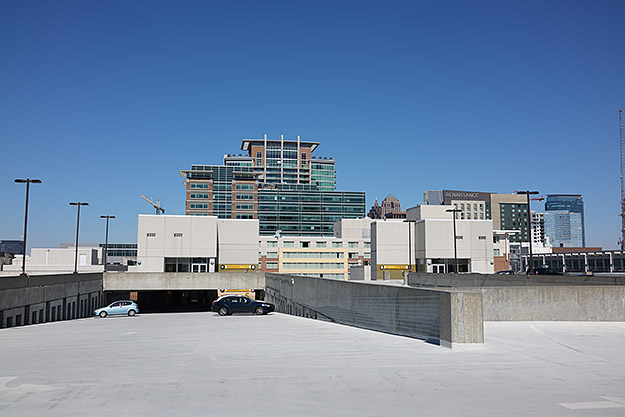 |
||
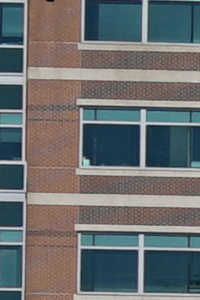 |
 |
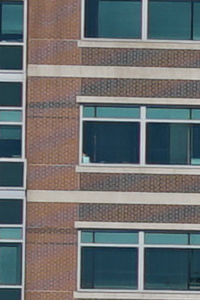 |
|
Low-Pass Filter “Standard“
|
Low-Pass Filter “Hi“
|
Low-Pass Filter “Off“
|
|
f/8, 1/250s, ISO 50.
|
||
In terms of the fine detail gained when disabling the low-pass filter, the difference is certainly visible, but only if you’re looking at images near or at 100%. The RX1R II’s 42MP sensor provides tons of fine detail already, but if you need that extra push of detail, then disabling the LPF completely will give you a bit more fine detail.
|
Variable Low-Pass Filter Detail Comparison
|
||
 |
||
 |
 |
 |
|
Low-Pass Filter “Standard“
|
Low-Pass Filter “Hi“
|
Low-Pass Filter “Off“
|
|
The effect of the variable low-pass filter is subtle, but noticeable. The “Standard” strength provides a good middle ground between moiré protection and sharp resolving power. You can see a clear difference in sharpness in the “HI”-strength effect versus disabling the low-pass filter completely.
|
||
|
f/8, 1/250s, ISO 50.
|
||
Nice set of video features, though lack of 4K is disappointing
The video featureset on the Sony RX1R II is quite robust, and altogether very similar to the features of the A7-series cameras, with the big exception of 4K video support. The RX1R II’s video resolutions top-out at 1080p, though it does support up to 60fps at full HD. The 60p option is great if you want to shoot any kind of fast action, sports or other quick-moving subjects, as it provides nice, smooth motion on playback and can be slowed down in post-production for better-looking slow-mo.
For even better results at slow-motion video, the RX1R II offers 120fps video, but the resolution dips to 720p. If you’re okay with the reduction in pixels, the results are even more pleasing with crisper, smoother slow-motion video.
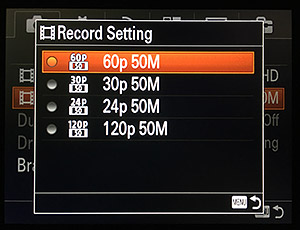
The RX1R II offers a variety of video formats, as well. Alongside the high-quality 50Mbps XAVC S format, there are also AVCHD and mobile-friendly H.264 MP4 options. Confusingly, the Sony menus do not indicate what video resolution matches to a particular framerate when in XAVC or AVCHD mode, which seems rather odd since resolutions are listed clearly for MP4 mode. I had forgotten that XAVC S 120fps video was only 720p and was rather surprised to find a batch of smaller-resolution videos together with the other 1080p ones.
Video quality looks very nice, with lots of fine detail using XAVC S-format video. Shooting mostly during mid-day sun, I was pleased to see good dynamic range performance as well, with nice detail in the shadows and decent control of the highlights. Continuous AF in video functions quite well, though it seems to lag and struggle on low-contrast subjects or in low lighting conditions. Most of the time, it works well, with nice, smooth transitions between different subjects and no hunting or wobbling. The camera provides manual focusing as well for video with optional focus peaking and magnification.
Handy “Dual Record” feature is like RAW+JPEG for video
Like other recent Sony cameras, the RX1R II also offers a neat Dual Record function, that lets you record the same video in two different file formats. In a way similar to RAW+JPEG for stills, you can record video in the high-bitrate XAVC S format to save for later editing or simply to preserve a higher quality file, and then also have a lower resolution H.264 MP4 file for easier, quicker social sharing and viewing on mobile devices. There’s a few limitations to this Dual Record mode, however. Firstly, the function is disabled for XAVC S at 60fps, and then there’s no configuration for resolution or frame rate for the smaller “side-car” MP4 files — it’s 720/30p only. Still, it’s a rather handy feature, especially if you plan to share lots of videos via mobile devices.
Wi-Fi works, but be sure to update the in-camera app
The Sony RX1R II, like many of Sony’s recent cameras, all share a rather similar array of wireless connectivity features. Utilizing built-in Wi-Fi and NFC connectivity, both iOS and Android devices can play nicely with the RX1R II and wirelessly transfer media and remotely trigger the camera for hands-free shooting.
I’m an iOS guy, so I couldn’t make use of the quick and easy NFC pairing feature, but as with most other Wi-Fi-capable cameras, the RX1R II can act as its own hotspot, to which you then connect your smart device. The process was very straightforward and getting up and running took only a few moments, though my iPhone 6S sometimes took quite a while to “see” the camera’s Wi-Fi network.
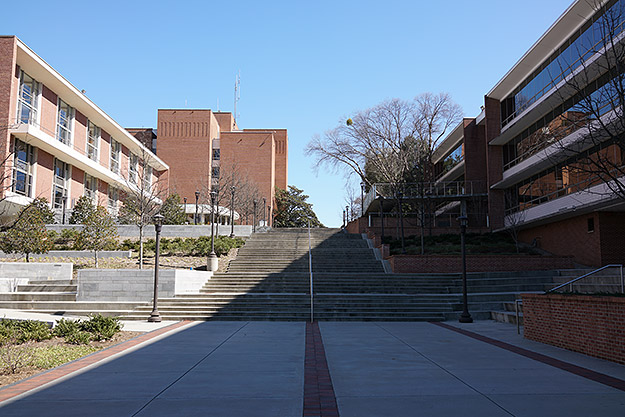 |
Out-of-the-box wireless features are sparse
Out of the box, I was a little disappointed in the featureset of the Sony PlayMemories Mobile app. Transferring media worked well — no surprises there really. For videos, you can only view XAVC S files via the app; no transferring. However, there’s no viewing or transferring of AVCHD video files with the app. The smaller H.264 MP4 videos can be transferred, however.
What did surprise me, though, was the remote control features, which were severely lacking, at least initially. All I could do was trigger the shutter release and adjust exposure compensation (which interestingly allows for +/-5EVs of adjustment rather the +/-3EVs of the RX1R II’s physical EC dial). Thankfully, Sony updated the remote control features a lot since the release of the RX1R II, adding much-needed functionality, such as tap-to-focus, touch shutter and full exposure adjustments. However, rather than updating the phone app to bring new remote features, you instead need to update the companion “Smart Remote Control” software that runs on the camera itself.
 |
In-camera “app store” is frustrating to use. Better to update & purchase apps via a PC
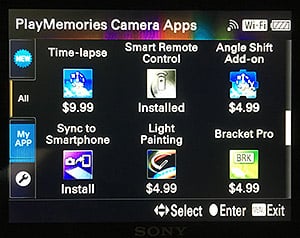
The RX1R II, like other recent Sony cameras, features it’s own in-camera “app store,” which let’s you download and install additional apps to expand the functionality of the camera. You can also download (and in some cases, purchase) these apps on a computer and install them via USB onto the camera. However, going the in-camera route is slow and time-consuming, I found.
First, you must make a Sony PlayMemories account on a computer, then go back to the camera and one-by-one enter your email and password letter by letter using the 4-way control wheel. Yuck. Plus, even if I wasn’t planning on buying extra apps (like the $9.99 Star Trails app) or installing any of the free apps, you still need a Sony account and login to install updates to the preexisting Smart Remote Control app. (Again, you could opt to download the updated app via a computer and transfer them to the camera.) However, all said and done, once the Smart Remote Control app was updated, the wireless functionality was much more robust.
Wireless performance can be sluggish, but usable range is nice
Operation-wise, the wireless system worked pretty well. My main gripe was that the live view display in the app had a tendency to lag every now and then — even with the phone right next to the camera. There was also a noticeable delay when tapping the screen to set the focus point, although the delay wasn’t too bad to the point of frustration. The range of the wireless connectivity was pretty good, too. I was able to get about 30 feet way, even indoors and through a couple walls, before the connection finally dropped.
You can also adjust a number of settings and dials on the camera itself without interrupting the wireless connection, which is nice. You have a limited subset of in-camera menu options while the Smart Remote Control app is up and running — you don’t have access to the full in-camera menu system. Nevertheless, despite a few downsides and hurdles to overcome, wireless functionality worked rather well. Just be sure to update the in-camera Smart Remote Control before heading out.
 |
|
f/2, 1/2000s, ISO 4000. JPEG conversion from RAW using Capture One 9.
Click here for in-camera JPEG & RAW file. |
Summary: Expensive, yes, but is it the ultimate compact camera?
All in all, the Sony RX1R II is a stunning camera, plain and simple. The original RX1 was an impressive feat of engineering to get such a large sensored camera down to such a small physical size. The image quality produced from that original camera was amazing, and now the new RX1R II takes a big leap forward. The 42MP sensor produces fantastic images, even at very high ISOs. Plus, the innovative variable low-pass filter combines two cameras in one: one for ultimate resolution and one that protects you from unsightly artifacts. And finally, the built-in EVF and tilting LCD add much-welcomed convenience and flexibility in varying shooting conditions.
There are a few compromises and downsides, the main one that I experienced being the lackluster battery life. The RX1R II is such a powerful camera with such a high resolution sensor that the compact-camera-sized battery pack struggles to provide a lot of juice for extended shooting periods. Luckily, the batteries are relatively inexpensive and small, so you can carry a lot of them. Also, depending on your shooting style and subject matter, the fixed 35mm lens can feel a bit limiting. However, for travel photography, street photography and a wide range of general-use applications, the Sony RX1R II is perhaps the ultimate compact camera.
Technical Info
We’ve seen cameras with low-pass filters, ones without them, and recently, the Pentax K-3, that had a mechanically-simulated one. Sony’s just taken the whole thing up a notch, though, with technology that lets them vary the strength of the low-pass filter electronically. Also, unlike Ricoh’s approach in their Pentax SLRs, Sony’s is a true optical low-pass filter (OLPF), so there’s no limit on maximum shutter speed.
This is really quite an innovation, as the amount of the effect is continuously variable, and as noted, it avoids any limit on maximum shutter speed.
It turns out that Sony’s illustrations in the product presentation and in the demo room afterwards were simplified for the sake of communicating the concept, and so left out some details. I managed to get a more complete story by talking with Mr. Tsutomu Hamaguchi, the General Manager of Sony’s DSC (Digital Still Camera) Business, who came from Japan to attend the event. (It speaks volumes that Sony’s top manager for the DSC business as well as the company CEO both attended the RX1R II rollout in New York.)
How OLPFs work
To understand what Sony’s doing, let’s very quickly review how conventional OLPFs work.
The illustration below shows the light path through a conventional OLPF filter stack. The very selective blurring — the OLPF’s job — is produced by filters made from birefringent materials, which bend or diffract light differently, depending on its polarization. The incoming light is randomly polarized, so is split into two half-images, shifted from each other very slightly in one direction. (Horizontally, in the illustration below).
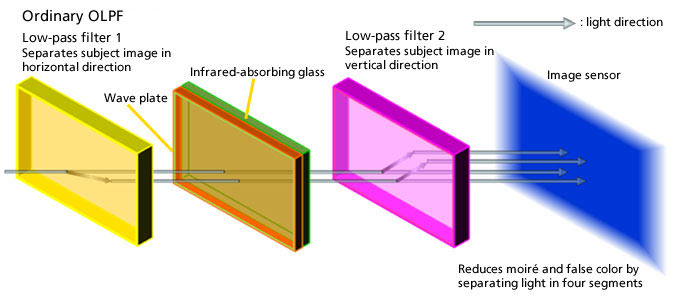 |
The so-called “wave plate” is technically a quarter-wave plate, which changes linearly-polarized light back into circularly-polarized light. This means that each of the half-images coming from the first LPF will be split again by the second LPF, this time vertically.
So the net effect will be to create very slightly-offset copies of the image in both horizontal and vertical directions. The resulting blurring of the image removes high spatial frequencies that would otherwise cause moiré patterns when divided up into pixels by the image sensor.
Conventional either/or OLPFs
One more piece of useful background information: Some current cameras are available in versions both with and without OLPFs. (The original Nikon D800 and D800e are good examples.) It turns out that just removing the OLPF stack would result in changes in the focus properties of the camera, so in order to make a non-OLPF version of a camera, manufacturers left the filter stack in place, but just made the second LPF in the stack reverse the effects of the first one. So rather than splitting the horizontally-doubled image vertically, the second LPF element in cameras like the Nikon D800e simply reversed the effects of the first one. The net result is essentially the same as having no LPF present, but all the other optical properties remain the same, so the camera behaves the same optically as one having a normal filter stack.
Switchable low pass filtering X 2
OK, now on to what Sony’s doing in the RX1R II…
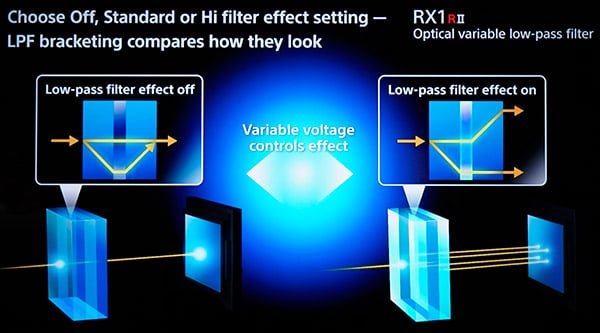 |
The illustration above is from one of Sony’s presentations in the demo room, following the product announcement. In the “off” case, it shows the light rays being doubled, but then recombined, the same as we just described in the case of the Nikon D800e. In the “on” case, it shows the light being further split, to produce a doubled image, just as in a conventional OLPF.
What wasn’t clear from Sony’s presentation graphics, but is important to note, is that this on/off behavior is provided for both the first and second LPFs, allowing the LPF to be controlled for both the horizontal and vertical directions.
So in actuality, the three-layer stack of birefringent material/LCD/birefringent material in the illustration above exists for both the horizontal and vertical LPF elements. The net result is a 7-layer stack; one of the variable LPFs shown above for the horizontal direction, a quarter-wave plate, and then another variable LPF sandwich for the vertical direction.
(This raises the interesting possibility that LPF behavior could be controlled separately for horizontal and vertical directions. I’m not sure if being able to split the two orientations would have a lot of real-world application, but it’s interesting to contemplate. Want to eliminate moire from venetian blinds, but keep maximum sharpness horizontally? No problem!)
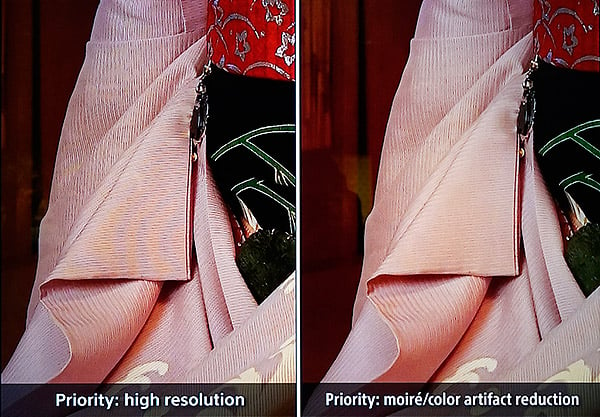 |
|
Even though this is just a screen capture from a 4K display, the effect of the RX1R II’s variable LPF is quite evident. On the left, the color banding from moiré is quite visible, yet completely absent on the right, with the variable OLPF enabled. This is the best of both worlds; OLPF when you need it (with no shutter speed or flash limitations), none when you don’t need it.
|
How do they do it? The magic of liquid crystals…
So how do liquid crystals make it possible to vary LPF behavior like this?
It’s basically the same idea as the do/undo LPF-cancelling approach that Nikon used in the D800e. The two birefringent halves of each of the RX1R II’s LPFs are set so undisturbed light that’s split by the first is recombined by the second.
The key is that liquid crystals work by rotating the polarization of light. In an LCD display, there are two polarizers, with the liquid crystals sandwiched between them. The amount of light that’s transmitted depends on how much the liquid crystal layer rotates the polarization of the light. If the two polarizers are aligned with each other, when the liquid crystals are off, the light just flows on through. When the liquid crystal layer is turned all the way on, though, the polarization is rotated 90 degrees after exiting the first polarizer, so none of it gets through the second one.
Much the same thing happens here: If nothing is done to the light leaving the first half of an LPF element, it just gets recombined when it passes through the second. If, on the other hand, it’s plane of polarization is rotated by the LCD layer, the light won’t recombine, and the full low pass filter effect will be felt. If the LCD is only partially activated, it only partially rotates the polarization, so the LPF effect is less.
Low-pass bracketing!
A lot of times, you’re not sure whether a subject will moiré or not. That’s where one of the RX1R II’s cool features comes into play; low-pass bracketing.
It’s just what it sounds like. The RX1R II can shoot at 5 fps, and can adjust the amount of OPLF on the fly, so there’s a low-pass bracketing mode that snaps three shots, with the LPF on, off, and set to a mid-range level. This strikes me as a great feature(!) I’ve generally been against the trend towards the complete elimination of LPFs, because once moiré happens in an image, you’re pretty well stuck with it, at least not without spending a ridiculous amount of time in Photoshop, and even then, you may not be able to fully vanquish it. But LPF means losing detail and crispness in your image, and that’s a tough bargain to accept.
With the RX1R II, you don’t have to make that choice, or rather, only have to make the trade-off when you really need to. Just buy a big memory card, enable LPF bracketing, and be happy 🙂
Overall, this is yet another innovation from Sony that will make a real, practical difference for real-world photographers. And the RX1R II is just the first implementation of it; I think it’s safe to say that we’ll see this feature implemented across Sony’s mirrorless line going forward. Kudos (again) to Sony for bringing innovation with real impact for photographers!
Conclusion
div.conclusion-experiment ul li {
list-style-image: none!important;
list-style: none;
background-repeat: no-repeat;
background-position: 0px 4px;
background-size: 1.5em auto;
padding-left:25px;
padding-top: 3px;
padding-bottom: 5px;
}
div.conclusion-experiment h4 {
clear: left;
border-bottom: 1px rgb(224, 224, 224) solid;
padding-bottom: 5px;
}
div.conclusion-experiment ul {
padding-left: 10px;
width: 300px;
float: left;
}
div.conclusion-experiment ul.pros {
}
div.conclusion-experiment ul.cons {
}
div.conclusion-experiment ul.pros li {
background-image: url(‘/PRODS/sony-a99/assets/images/ui/pro-mark.jpg’);
}
div.conclusion-experiment ul.cons li {
background-image: url(‘/PRODS/sony-a99/assets/images/ui/con-mark.jpg’);
}
 |
|
f/4, 1/250s, ISO 100
|
Similar exterior with even more impressive technology inside
Before the Sony A7, there was the RX1 (and the AA-filterless RX1R version), Sony’s first foray into the combination of a full-frame sensor and a small, highly portable camera body. The RX1 and RX1R were stunning but expensive cameras, yet the images they produced were excellent. Now, with the introduction of the Sony RX1R II, Sony’s uber-premium compact camera takes a big leap forward with nearly double the pixel count, vastly improved autofocus performance, and a rather innovative adjustable optical low-pass filter system. The camera is still as expensive as ever and keeps the same 35mm f/2 Zeiss lens, so despite image quality performance and new features, there are still some limitations, be it price or its fixed focal length lens. Nevertheless, the Sony RX1R II is very tempting camera…
 |
Mega resolution upgrade offers stunning image quality
As mentioned, the predecessors’ image quality was excellent, and that is still true with this new model, but even more so. With a 42-megapixel backside-illuminated full-frame sensor, the camera packs in even more resolving power. In fact, the camera shares much of the same imaging pipeline as the highly acclaimed Sony A7R II. Image quality is fantastic, particularly at low to moderate ISO’s straight out of the camera. The Sony RX1R II also allows for some impressively high ISO sensitivities, and the resulting images are very good — especially if you edit from RAW and apply noise reduction yourself. Furthermore, as is characteristic of recent Sony cameras, the dynamic range performance from the RX1R II is outstanding.
 |
|
f/2.5, 1/100s, ISO 20,000
|
Variable low-pass filter provides helpful versatility
One of the all-new features of this camera is its unique variable optical low-pass filter. Unlike the predecessor, which was offered in two models — one with an OLPF and one without — the Sony RX1R II lets you adjust the strength of an actual optical low-pass filter, or disable it completely. It’s like two cameras in one: no filter for ultimate sharpness and detail, and two “on” modes for protection against unsightly moiré and aliasing artifacts. The system works very well. Images do indeed show increased detail when not using the OLPF, and if you can’t decide which filter setting to choose for a given subject, the camera includes an OLPF bracketing mode! (Don’t miss our Field Test Part II for more on this!)
Single focal length can be limiting, but it’s a sharp lens nonetheless
The camera keeps the same fixed Zeiss-branded 35mm f/2 lens as its predecessor. While overall, the lens is nice and sharp, we did find noticeable vignetting if in-camera shading correction is turned off (the camera also bakes-in vignetting correction to RAWs, so keep that in mind if you like to do you own corrections). The macro-mode performance of the lens is also a little lacking, as we found with the earlier RX1 models, too. Furthermore, the fixed, single focal length lens could be a limitation depending on what you photograph the most. For street photography, traveling and some landscapes, the 35mm lens is perfectly suited to handle these subjects, and the added resolution makes cropping even more practical.
 |
|
f/2, 1/1250s, ISO 2500. JPEG conversion from RAW using Capture One 9.
Click here for in-camera JPEG & RAW file. |
While no pure sports shooter, AF performance is much improved
The predecessor was not a speed-demon camera, and the same can be said for this updated model for the most part, though there are a number of performance improvements. Despite nearly double the megapixels of the earlier model, the camera offers an improved buffer depth and maintains a respectable 5fps burst rate with continuous AF. The 5fps burst rate is respectable for a camera of this size and given its massive resolution, but it can be a bit slow for really high-speed fast action subjects.
The C-AF note is an important one, given the earlier RX1’s complete lack of C-AF functionality (its 5fps Speed Priority mode locked focus on the first frame). However, the RX1R II now sports on-chip phase-detect sensors, like the A7R II, which provides continuous autofocus capabilities with rather respectable performance. Despite lab tests not indicating significant AF speed improvements, in real-world shooting, AF performance was quick and snappy in most situations, though AF speeds can sometimes slow down when attempting to focus on lower contast subjects.
Disappointing battery life is its primary performance weakness
Overall performance drawbacks and downsides are relatively minor. Buffer clearing is rather slow, for starters, but the poor battery life leaves a lot to be desired. The camera uses the same compact-camera battery pack as the predecessor (and a number of other Sony compacts), and these tiny rechargeable batteries don’t pack a lot of juice for such a high-resolution, high-performance camera. Luckily, the batteries are small enough and relatively inexpensive that it’s easy to carry a bunch of spares.
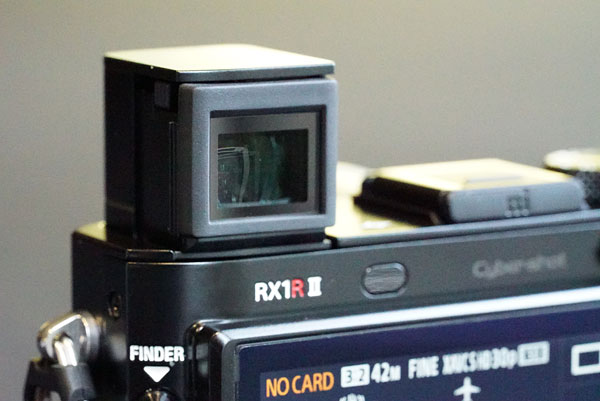 |
Pop-up EVF adds clever, handy convenience
Not a lot has changed design-wise compared to the original, at least at first glance. The relatively large protruding lens is again paired onto a similarly sized compact, bar-shaped camera body. There’s not much in the way of contours or a handgrip, but it can still be operated with one hand. However, given the nice, solid heft to the camera, two hands are recommended.
The big design changes are the tilting LCD screen and the very handy built-in, pop-up EVF — similar to the one on the RX100 IV. The pop-up EVF is a much-welcomed feature, especially when in bright, sunny conditions, and does away with the necessity of the bulky, pricey add-on EVF we saw on the original RX1. The Sony RX1R II’s EVF functions very well — more or less like the built-in EVFs of the A7-series cameras. The nice pop-up and push-down mechanism makes it very simple and convenient to use and stow the EVF quickly. The rear LCD also works nicely and resists glare somewhat, but our biggest gripe here is the lack of touch functionality.
The best compact camera around?
The Sony RX1R II takes what made the original so remarkable — compact size, massive full-frame sensor and stunning image quality — and takes it up to a new, even more impressive level. The image quality, at both low and high ISOs, is just as impressive, if not more so, thanks to the big resolution increase. Plus, the nifty variable low-pass filter technology adds flexibility and convenience by combining what used to require two separate cameras into one device. The autofocus system gets a major upgrade, and now the RX1R II is a much more capable camera in a wider variety of situations. And although its fixed 35mm lens and a $3,300 price tag can be a limiting factor or a big strain on the wallet — or both — it’s nevertheless an excellent camera and a stunning feat of engineering. As our pick for the Best Enthusiast Fixed-lens Camera of 2015 in our Camera of Year Awards, there’s no question that the Sony RX1R II is a solid choice for a Dave’s Pick.
Pros & Cons
- Same superb fixed Carl Zeiss 35mm f/2 lens as its predecessor
- Excellent image quality straight out of the camera at low to moderate ISOs
- Extremely high resolution
- Surprisingly good high ISOÂ performance
- Outstanding dynamic range
- Variable low-pass filter works well, and supports bracketing for when you don’t know which setting to use
- Built-in, pop-up high-res EVF
- Titling LCD
- Good autofocus speeds
- Can autofocus in very low light
- Incredibly low prefocused shutter lag
- Hybrid AF supports continuous autofocus in both burst mode and movies
- Decent 5fps burst speed for a full-frame compact
- Improved buffer depth despite the much larger files
- Uncompressed RAW now offered (though we wish lossless compressed was an option)
- Built-in Wi-Fi with NFC
- Supports Sony’s PlayMemories Camera Apps
- 1080/60p video
- High-speed video (120fps at 720p)
- Now ships with dedicated battery charger in addition to USB charger
- Excellent build quality
- Fixed, single focal length lens
- Significant corner shading wide open without shading compensation
- Shading compensation baked into RAWÂ files (so shoot with it disabled if you want to compensate it yourself)
- Macro focus setting doesn’t get you very close
- 1/2000s max shutter speed at f/2, but “extended” ISO 50 helps
- Poor battery life
- No built-in flash
- Not a touchscreen LCD
- Slow buffer clearing
- Can’t access menus while buffer is clearing
- Lousy documentation
- Pricey (but nothing else like it on the market)
- No image stabilization for stills
- No 4K video
Follow Imaging-Resource.com on Twitter!