
Affinity for iPad Launches With Free Photo Editing, Vector Design, and Layout Tools

Imaging Resource is reader-supported. When you buy through links on our site, we may earn an affiliate commission. How this works.
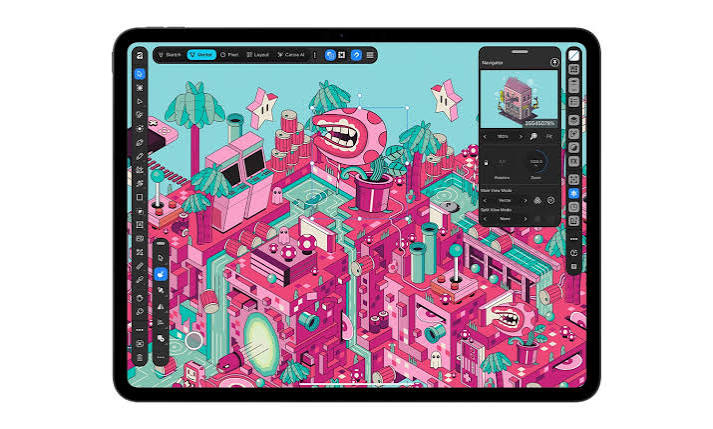
Canva has brought Affinity to the Apple iPad, giving users access to photo editing, vector design, and page layout tools in a single mobile app. The new release arrives about a year after the standalone desktop application launched, with an interface designed specifically for touch controls and Apple Pencil.
Affinity for iPad brings the core creative features of the desktop software to Apple’s tablets. More notably, Canva is making the app’s primary sketching, vector, photo editing, and layout tools available for free to users with a Canva account.
Affinity Brings Desktop Creative Tools to iPad
The new iPad app includes Sketch Studio, which lets users create hand-drawn designs using Apple Pencil. It supports the stylus’s pressure and tilt capabilities, while the Sketch to Shapes tool can convert hand-drawn forms into vector shapes.
Affinity also supports RAW processing, allowing photographers to edit RAW files, make intelligent selections, and create complex composites. Users can even sketch over photographs to plan the placement of subjects or props before completing a composition.
Another addition is the Mask Tool, which follows the Apple Pencil as users trace around an object. Canva says this makes it easier to create precise masks around challenging subjects such as hair, fur, and foliage.
Masks, color grading, and retouching remain editable and undoable, even in projects containing thousands of layers.
The app also includes Layout tools for combining text and images, giving users another way to create layered designs and finished compositions.
Designed for Apple Pencil and Large Projects
Affinity for iPad supports Apple Pencil pressure, tilt, barrel roll, squeeze, and hover features, alongside natural touch gestures.
Canva says the app can handle large projects containing thousands of editable layers while maintaining smooth performance. Adjustments, filters, and effects update in real time, and the software supports major file formats.
These capabilities aim to make the iPad app more than a simplified companion to the desktop version, giving users a mobile workspace for complex creative projects.
Optional AI Tools Through Canva AI Studio
Affinity for iPad also includes access to AI-powered tools through Canva AI Studio. Canva says these features are intended to automate repetitive editing tasks and give creators more time to focus on their work.
Available tools include Generative Expand, image upscaling, motion blur reduction, and noise reduction. The Decompose Layer tool can also separate a flattened image into editable layers, potentially making it easier to continue working with artwork that was not originally created in Affinity.
Unlike the core creative tools, these AI features require a Canva premium subscription.
Pricing and Availability
Affinity for iPad is now available to download from the Apple App Store. Its core sketching, vector design, photo editing, and layout features are free for users with a Canva account.
Access to the additional AI tools requires a Canva premium plan. In the US, Canva Pro costs $18 per month or $144 per year.
More in News
 NewsAdobe Partners With UMG and WMG to Bring Licensed Song Clips to Premiere Mobile3 Nov 2026
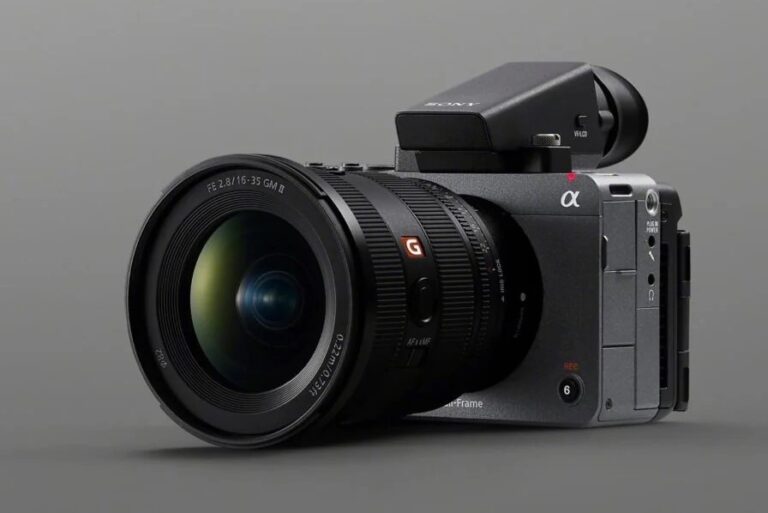 NewsSony FX5 Starts Shipping in Europe, North American Deliveries Expected November 8–93 Nov 2026
 NewsFujifilm X-T6 Rumored to Be Delayed Again3 Nov 2026
 NewsThe Insta360 Ace Pro 3 is rumored to be coming, but there’s one upgrade we really hope to see3 Nov 2026
 NewsCanon Warns Camera Prices Could Rise in 2027 if Memory Costs Remain High2 Nov 2026
 NewsNikon Raises Full-Year Operating Profit Forecast by 50%, but Cuts Camera Outlook2 Nov 2026