


Overview

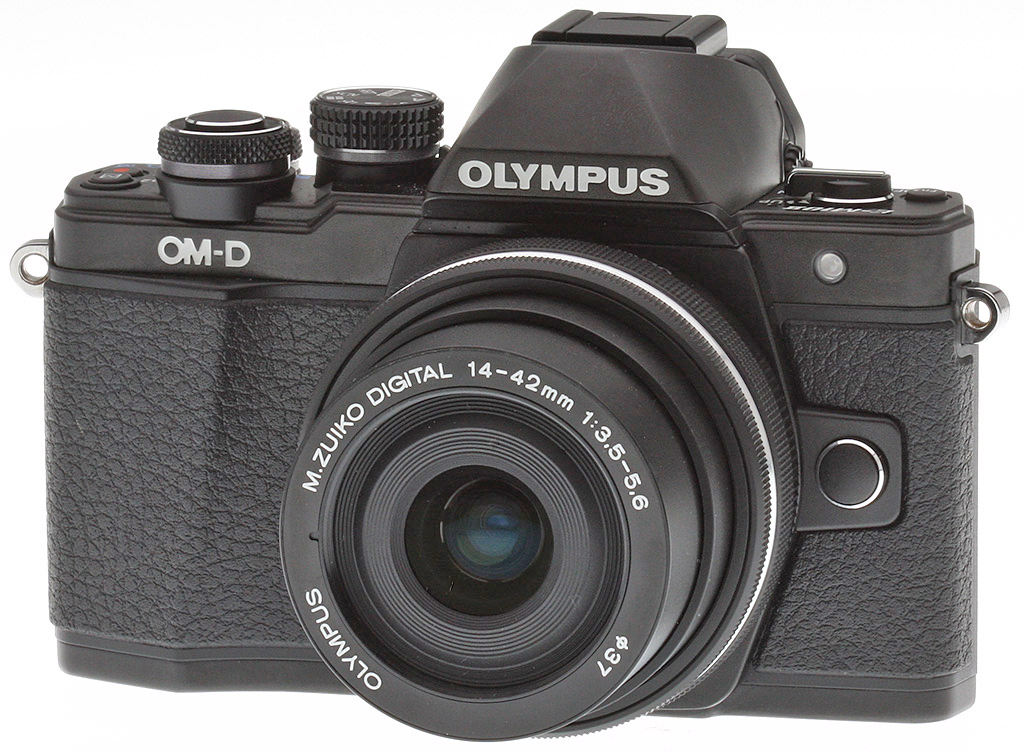
In early 2014, Olympus announced the most affordable model of OM-D cameras yet produced in the form of the E-M10. It sported a nice array of many of the higher-end specifications of its storied older siblings the E-M1 and the E-M5 at an entry-level price point. In the summer of 2015, Olympus upped the ante on this entry-level model with the E-M10 II, a camera that brings a few new tricks to the table, particularly the inclusion of the company's well-regarded 5-axis image stabilization technology.
Built around the same 16.1-megapixel Live MOS sensor, the E-M10 Mark II features the same basic imaging pipeline as the original E-M10. The sensor again leaves out the anti-aliasing filter in order to achieve greater image sharpness. It also uses Olympus' TruePic VII image processor and 12-bit lossless RAW file compression. The original kit lens for the E-M10 was the 14-42mm f/3.5-5.6 II R, but "Mark II" now comes with the pancake version of that lens -- the 14-42mm f/3.5-5.6 EZ -- as the standard kit lens. (The 14-42mm EZ was later offered as part of an E-M10 Premium Kit option.)
Additional notable upgrades to this OM-D family member include a 2.36M-dot OLED EVF with a 100% field of view and a magnification of 1.23x (a 35mm eq. of 0.62x), providing a boost in both resolution and magnification. Also new is the "AF Targeting Pad" mode, which allows you to use your thumb to move the focus point on the touchscreen LCD while you keep your eye glued to the viewfinder. (Pretty cool!) There's even a new "Simulated Optical Viewfinder" (S-OVF), which is reported to offer a viewfinder experience more akin to optical viewfinders and with more dynamic range -- we'll be sure to take a look at that and report what we find!

The Olympus E-M10 Mark II is also reported to have improved overall ergonomics -- a claim which we take an in-depth look at in both our walkaround section as well as in our real-world Field Testing (spoiler alert: it is indeed much improved!). This model also comes with a new "silent shutter" mode that can be employed across the various single and continuous drive modes as well as with the self-timer, and we can report from using it that it is absolutely silent. The electronic shutter offers shutter speeds up to 1/16,000 second, while the mechanical shutter tops out at 1/4000 second.
In addition to useful features from the predecessor like Live Bulb, Live Time and Live Composite modes, the Olympus E-M10 II is the first in the line to have a 4K video timelapse mode, which allows for up to 999 frames at 5 fps that the camera will combine into a 4K video all in-camera (a big upgrade from the 720p maximum resolution of the original model). Sequential (burst) shooting speed is rated as slightly improved in "high-speed" mode from 8 fps to 8.5 fps, while "low-speed" mode allows for up to 4 fps with continuous AF active. See our Performance page for actual test results.

The Olympus E-M10 II also gets upgraded video capabilities, now able to capture Full HD (1920 x 1080) and HD (1280 x 720) video at up to 60p versus 30p for its predecessor. It can also capture Full HD and HD at 24p as well as 30p, and there's a new ALL-I compression option with a bitrate of 77Mbps in addition to 52, 30 and 18Mbps IPB options. The E-M10 Mark II also offers a new High-Speed movie mode that captures VGA (640 x 480) video at 120 fps.
The most obvious trade-off in considering an E-M10 II over its higher-end siblings is the lack of weather-sealing, as that is a big selling-point for the E-M1 and E-M5/E-M5 II lines. Otherwise the E-M10 II is a compelling choice at an affordable price.

The Olympus E-M10 II started shipping in early September 2015 in black or black/silver versions for a US retail price of about $650 (body-only) and about $800 when kitted with the newer, more compact M.Zuiko 14-42mm f/3.5-5.6 EZ lens. An external grip (ECG-3) is available for approximately $60 and an accessory leather strap (CSS-S119L) for about $80.
About the OM-D family
In 1972 a man named Yoshihisa Maitaini and his staff at Olympus designed the "OM" family of film cameras ("OM" = "Olympus Maitaini")*. The line was viewed as revolutionary in terms of being smaller, lighter and less noisy than current competing SLR cameras of the day. The OM line was permanently discontinued in 2002, but then later resurrected as a digital line sporting a similar body style in the form of the E-M5 from 2012, a camera which won Best Compact System Camera in our Camera of the Year awards for that year.
In 2013, the flagship E-M1 was announced, and garnered Best Professional Camera of 2013 in our Camera of the Year awards. The E-M10 line debuted in 2014, which won our "Best Entry-level Mirrorless Camera" award for that year. Now, 2015 has ushered in both the E-M5 II and the E-M10 II, with the E-M5 II drawing considerable interest with its new High Resolution shooting mode.

*From Wikipedia
In the Box
The Olympus E-M10 II retail kit package (as reviewed) contains the following items:
- Olympus OM-D E-M10 Mark II camera body (in black or silver)
- M.ZUIKO Digital ED 14-42mm f/3.5-5.6 EZ zoom lens (in black or silver, when ordered as a kit)
- BLS-50 Rechargeable Li-ion battery
- BCS-5 Battery charger
- USB cable
- Shoulder strap
- Olympus Viewer 3 software (CD-ROM)
- Instruction manual
- Warranty card
Recommended Accessories
- Large capacity SDHC/SDXC memory card. 16GB Class 10 should be a minimum, UHS-II type recommended.
- Spare battery BLS-50 (~US$60)
- Camera case
- Additional lenses
Optics
The Olympus E-M10 II is sold in the US body-only, or bundled with the compact M.ZUIKO 14-42mm f/3.5-5.6 EZ kit lens. Below are our test results with the kit lens. Test images on other pages of these test results were shot with our reference prime lenses unless otherwise noted. Also, please see our full test results of this lens on SLRgear.com.
Kit Lens Test Results
Zoom
A typical 3x zoom range for a kit lens, with very good performance.


As mentioned, the Olympus E-M10 II is available bundled with an M.ZUIKO 14-42mm f/3.5-5.6 EZ Micro Four-Thirds lens. This compact kit lens possesses a typical optical zoom range of 3x, and its 35mm equivalent focal range is about 28-84mm, because of the E-M10 II's 2x "crop factor."
Far-field performance at 14mm (maximum wide angle), 25mm (medium) and 42mm (full telephoto) is quite good for a kit lens, with good to very good sharpness and contrast across most of the frame, and very low chromatic aberration. Corners do however exhibit some mild softening at wide angle, and some corner shading can be seen at full telephoto. (Corner shading is likely also present at other focal lengths, but this scene isn't very good for judging that.) Still, very good far-field performance for a kit lens, especially one that's so compact.
See below for comments on macro performance, geometric distortion, chromatic aberration, corner softness, vignetting, etc.
Macro
An average sized minimum area, with good detail. Built-in flash produced a dim image.


As with zoom performance, the Olympus E-M10 II's macro performance will depend entirely on the lens in use. However, with the 14-42mm EZ lens set to 42mm, the Olympus E-M10 II captures a fairly average minimum area for a kit lens, measuring 2.62 x 1.96 inches (67 x 50 millimeters), though that is a little better than the II R lens' 73 x 54 mm minimum area.
Sharpness is very good over much of the frame but corners are slightly soft and extreme corners show some noticeable vignetting, even at f/8. (Most lenses have some softening in the corners at macro distances.) The E-M10 II's built-in flash throttled down too much at closest distance, producing a dim image.
Geometric Distortion
Moderate geometric distortion with the 14-42mm lens in JPEGs at wide angle, much higher distortion in uncorrected RAW files.
| In-Camera JPEG: Barrel distortion at 14mm is ~0.6% |
 |
| In-Camera JPEG: Barrel distortion at 42mm is < 0.1% |
 |
In in-camera JPEGs, the 14-42mm EZ lens produces just over 0.6 percent barrel distortion at wide angle, which is moderate and noticeable in some images. At the telephoto end, there is slightly less than 0.1 percent of barrel distortion which is barely perceptible. See below for uncorrected results. This is the tendency for the lens to bend straight lines outward (like a barrel -- usually at wide-angle) or inward (like a pincushion -- usually at telephoto).
Chromatic Aberration, Corner Sharpness and Vignetting
Very low chromatic aberration in JPEGs. Mild corner softening at wide angle but very good corner performance at telephoto. Noticeable corner shading at both ends wide open.
Aperture: maximum |
|
 |
 |
| 14mm @ f/3.5: Lower left C.A.: Very low Softness: Slightly soft |
14mm @ f/3.5: Center C.A.: Very low Softness: Very sharp |
 |
 |
| 42mm @ f/5.6: Lower left C.A.: Very low Softness: Fairly sharp |
42mm @ f/5.6: Center C.A.: Very low Softness: Fairly sharp |
Chromatic Aberration. Chromatic aberration is very low at both wide angle and telephoto in JPEGs, but keep in mind the E-M10 II suppresses lateral chromatic aberration during processing. See below for uncorrected results.
Corner Softness. All four corners are slightly soft wide open at wide angle from our sample lens, with the bottom corners perhaps just slightly softer than the top. Sharpness is very good in the center and across much of the frame. Wide open at full telephoto, corner performance is better than at wide angle with all four corners exhibiting good sharpness, though the center isn't quite as sharp as wide angle, with lower contrast.
Vignetting. There's noticeable vignetting (corner shading) wide open at both wide angle and telephoto, as indicated by the darker corner crops compared to the center. See below to see how stopping down or enabling Shading Compensation helps.
Aperture: f/8 |
|
 |
 |
| 14mm @ f/8: Lower left C.A.: Low Softness: Slightly soft |
14mm @ f/8: Center C.A.: Very low Softness: Very sharp |
 |
 |
| 42mm @ f/8: Lower left C.A.: Very low Softness: Fairly sharp |
42mm @ f/8: Center C.A.: Very low Softness: Sharp |
Chromatic Aberration. With the aperture stopped down to f/8, chromatic aberration in the corners is low to very low, though it's a little more visible at wide angle stopped down versus wide open.
Corner Softness. Corner sharpness improved at both wide angle and telephoto when stopped-down to f/8, though corners at wide angle still aren't as sharp as they are at telephoto, and the center at telephoto still isn't quite as sharp as it is at wide angle. There's a slight drop in sharpness in the center at wide angle due to diffraction, however at full telephoto, an improvement in contrast helps offset any diffraction limiting.
Vignetting. Corner shading also improved when stopped down at f/8, but it's still visible.
In-camera Lens Corrections
Geometric Distortion Correction
Like all Micro Four Thirds cameras, the E-M10 II automatically applies geometric correction to JPEGs that can't be disabled.
| Uncorrected RAW: Barrel distortion at 14mm is 2.4% |
 |
| Uncorrected RAW: Pincushion distortion at 42mm is 0.6% |
 |
To see how much correction is taking place in the camera, we convert RAW files with dcraw or RawDigger, which do not correct for distortion. As you can see at wide angle, barrel distortion is quite strong at about 2.4%, though pincushion distortion at telephoto is much lower at 0.6%. These are slightly higher numbers than what we saw with the previous II R kit lens, but not a surprise given the more compact design of the EZ version. It is however interesting that geometric distortion isn't better corrected in in-camera JPEGs, since the camera is already applying a lot of correction at wide angle.
We expect to see high distortion at wide angle from smaller interchangeable lenses though, so it's nothing to be too concerned about unless you are using a RAW converter which does not understand the embedded lens profile to perform distortion corrections automatically. Most RAW converters these days are capable of applying distortion correction automatically, as specified by the manufacturer. There is however going to be some loss of resolution in the corners as a result of such correction, because pixels in the corners of the frame are being "stretched" to correct for the distortion. Obviously, a lens that doesn't require such correction that is also sharp in the corners to begin with would be preferable, but relaxing constraints on barrel and pincushion distortion likely brings other benefits in the lens design, such as cost, size and weight.
Chromatic Aberration Suppression
The Olympus E-M10 II suppresses lateral chromatic aberration automatically in JPEGs.
|
In-camera JPEG
|
Uncorrected RAW
|
 |
 |
| Wide @ f/3.5: Upper left C.A.: Very low |
Wide @ f/3.5: Upper left C.A.: Moderately high |
 |
 |
| Tele @ f/5.6: Upper left C.A.: Very low |
Tele @ f/5.6: Upper left C.A.: Moderately low |
As mentioned previously, the E-M10 II suppresses lateral chromatic aberration in JPEGs. As you can see from comparing the in-camera JPEGs (left) to uncorrected RAW crops above, the E-M10 II's C.A. suppression is very effective at suppressing the lateral chromatic aberration in our 14-42mm EZ test shots, though there's actually fairly low C.A. to correct at telephoto.
Shading Compensation
The Olympus E-M10 II features optional Shading Compensation to reduce vignetting in JPEG images.
 |
 |
| Wide Angle, f/3.5 | Telephoto, f/5.6 |
| Off (default) | On |
Mouse over the links above to compare thumbnails (note that it may take a few seconds to load the "On" images), and click on the links to load the full resolution wide-angle images.
As you can see, the Olympus E-M10 II's Shading Compensation effectively reduces corner shading at both ends of the 14-42mm lens when wide open, so it is a useful feature. Note that Shading Compensation is off by default, and is not available with all lenses. It may also produce more visible noise in the periphery at higher ISOs.
Overall, well above average performance for an inexpensive zoom kit lens, especially for a compact model.
Viewfinder Test Results
Accuracy
Excellent accuracy from the EVF and LCD monitor.


The Olympus E-M10 II's electronic viewfinder and LCD monitor both proved very accurate in record mode, showing just over 100% coverage with our Olympus Zuiko Digital 50mm f/2.0 low distortion prime. Excellent results here.
The images above were taken from our standardized test shots. For a collection of more pictorial photos, see our Olympus OM-D E-M10 II Photo Gallery .
Exposure
Color
Saturation & Hue Accuracy
Bright colors with very good hue accuracy.
 |
||
|
ISO Sensitivity
|
||
| In the diagram above, the squares show the original color, and the circles show the color that the camera captured. More saturated colors are located toward the periphery of the graph. Hue changes as you travel around the center. Thus, hue-accurate, highly saturated colors appear as lines radiating from the center. Mouse over the links to compare ISOs and click for a larger version. | ||


Saturation. The Olympus E-M10 II pushes darker reds by a fair amount and a number of other colors moderately, but most colors are pretty close to accurate in terms of saturation. Default mean saturation at base ISO of 200 is 113.5% (13.5% oversaturated), which is a little higher than average. Mean saturation falls fairly gradually and only mildly as ISO rises, to a minimum of 108.3% at ISO 25,600 which is still quite vibrant for the sensitivity. Most consumer digital cameras produce color that's more highly saturated (more intense) than what's found in the original subjects. This is simply because most people like their color a bit brighter than life.
Skin tones. The Olympus E-M10 II did fairly well here when white balance was matched to the lighting, producing pleasant Caucasian skin tones that were just slightly on the warm side. Where oversaturation is most problematic is on Caucasian skin tones, as it's very easy for these "memory colors" to be seen as too bright, too pink, too yellow, etc.
Hue. The Olympus E-M10 II exhibits very good overall hue accuracy, with a better-than-average Delta-C color error after correction for saturation of only 3.91 at base ISO. And hue accuracy is very good across the ISO sensitivity range. Hue is "what color" the color is.


Sensor
Exposure and White Balance
Indoors, incandescent lighting
Auto white balance struggled, but good color balance with Incandescent and Manual white balance settings. Average exposure compensation required.


Indoors, under normal incandescent lighting, color balance was much too warm and orange with the default Auto white balance setting. The E-M10 II has a "Keep Warm Color" option for Auto white balance which is On by default. When turned Off, the results were too cool with a cyan tint. Results with the Incandescent setting were not bad, though, just slightly cool. The Manual setting was pretty good, but with a very slight shift towards green. The Olympus E-M10 II required an average amount of positive exposure compensation here, at +0.3 EV. (Our test lighting for this shot is a mixture of 60 and 100 watt household incandescent bulbs, a pretty yellow light source, but a very common one in typical home settings here in the U.S.)
Outdoors, daylight
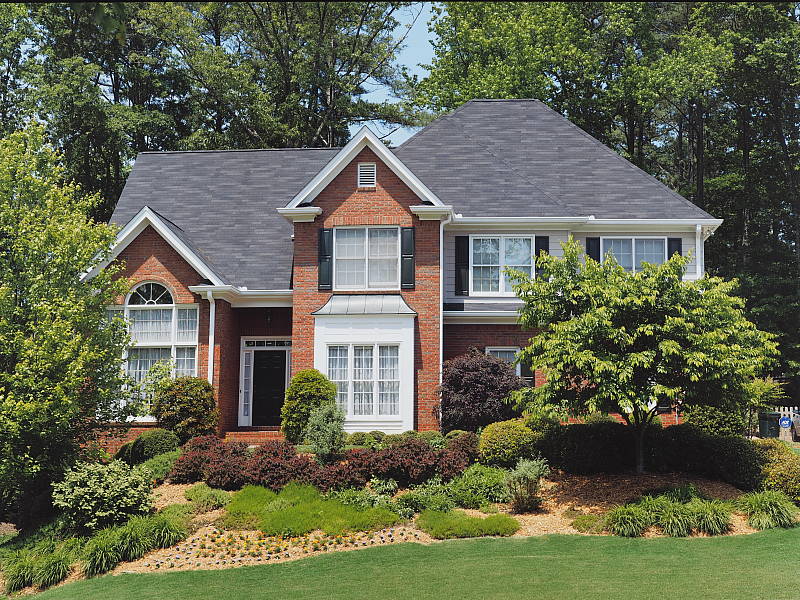
Realistic looking colors overall, with good exposure.
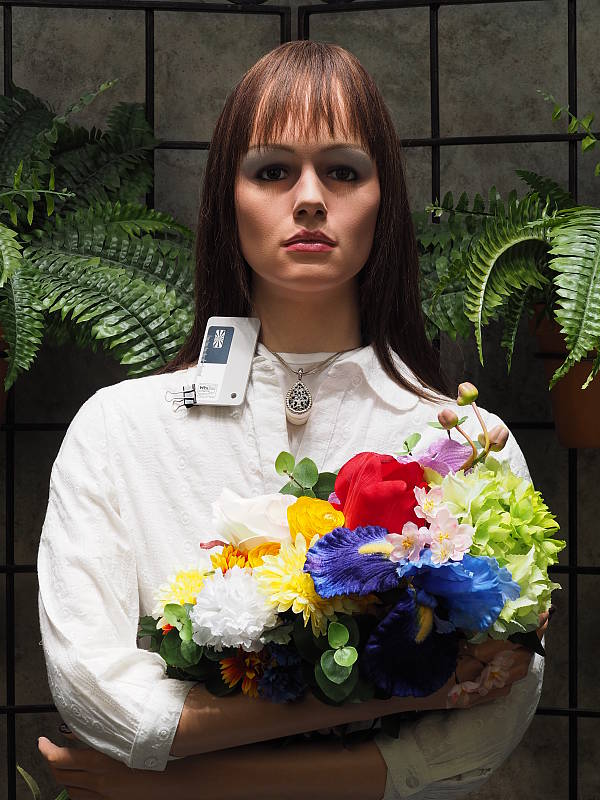
Outdoors, the Olympus E-M10 II performed well, with natural colors and good exposure. Skin tones are good but slightly warm and yellow with the Auto white balance setting in our "Sunlit" Portrait shot, so we preferred Manual white balance for is slightly pinker rendering. The Olympus E-M10 II required an average amount of positive exposure compensation (+0.7 EV) to keep the mannequin's face relatively bright. Default contrast is a bit high as it is from most cameras, but despite the bright appearance in some areas there are very few blown highlights in the mannequin's shirt and flowers, which is much better than average. And there are few lost shadows as well. The Far-field shot has very good exposure at default settings and almost no blown highlights or lost shadows. Noise in the shadows is fairly low, though there is often a lot of discoloration in very deep shadows. (Note that these shots were taken at ISO 200 as ISO 100 is an extended setting with inferior dynamic range.)
See full set of test images with explanations
See thumbnails of all test and gallery images
Resolution
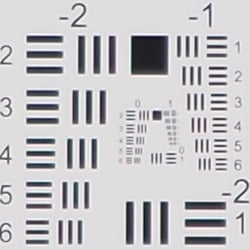
~2,400 lines of strong detail in native resolution JPEG and RAW files.


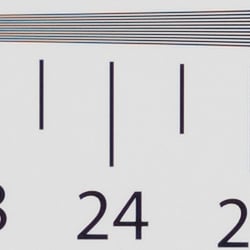
An in-camera JPEG of our laboratory resolution chart reveals sharp, distinct line patterns down to about 2,400 lines per picture height in the horizontal direction, and to about 2,400 lines in the vertical direction, although some strong aliasing is visible well before those limits. Complete extinction of the pattern doesn't occur until about 3,200 to 3,400 lines. Adobe Camera Raw wasn't really able to extract more resolution here but generated far less luminance aliasing, though false colors and color moiré are much more apparent past the limits of resolution. Use these numbers to compare with other cameras of similar resolution, or use them to see just what higher resolution can mean in terms of potential detail.
See full set of test images with explanations
See thumbnails of all test and gallery images
Sharpness & Detail
Very sharp images though edge-enhancement artifacts on high-contrast subjects are visible. Mild noise suppression visible in the shadows.


Sharpness. The Olympus E-M10 II captures very sharp, crisp images overall, though as is often the case, edge enhancement artifacts are visible on high-contrast subjects when default settings are used, such as sharpening halos around the lines and lettering in the crop above left. However, images that look oversharpened when viewed on screen at 100% often look better when printed, and you can always turn down the in-camera sharpening if desired. Edge enhancement creates the illusion of sharpness by enhancing colors and tones right at the edge of a rapid transition in color or tone.
Detail. The crop above right shows fairly mild noise suppression artifacts in the darkest areas of the model's hair as base ISO, smudging individual strands together when contrast between them is low, though quite a few individual strands remain visible. Overall detail is very good for a 16-megapixel Micro Four Thirds model, and chroma noise in particular is well controlled. Noise-suppression systems in digital cameras tend to flatten-out detail in areas of subtle contrast. The effects can often be seen in shots of human hair, where the individual strands are lost and an almost "watercolor" look appears.
RAW vs In-Camera JPEGs
As noted above, the Olympus E-M10 II does a great job at capturing sharp images with lots of fine detail in its JPEGs, however more detail can often be obtained by carefully processing RAW files, while at the same time reducing sharpening artifacts. To see what we mean, take a look below:
|
Base ISO (200)
|
|
 |
 |
 |
 |
 |
 |
|
Camera JPEG, defaults
|
RAW via Adobe Camera Raw
|
In the table above, we compare an in-camera JPEG taken at base ISO using default noise reduction and sharpening (on the left) to the matching RAW file converted with DNG Converter 9.2/Adobe Camera Raw 9.1 using default noise reduction with some strong but tight unsharp masking applied in Photoshop (300%, radius of 0.3 pixels, and a threshold of 0).
As you can see, the Adobe Camera Raw conversion contains fine detail superior to the camera's Super Fine JPEG at default settings, especially in the red-leaf swatch where low-contrast detail is better and much of the thread pattern is resolved, though ACR does leave behind more noise at default noise reduction settings. The in-camera JPEG generally has more "pop," with higher contrast, sharpening and saturation, however you can always adjust those attributes in the conversion as well. Overall, the E-M10 II's JPEG engine does a very good job capturing most of the detail offered by its 16-megapixel sensor, at least at low ISOs. (And its expanded ISO 100 setting does even better, but at the cost of lower dynamic range.)
ISO & Noise Performance
Very good high ISO performance for its class.
|
Default High ISO Noise Reduction
|
 |
 |
 |
| ISO 100 | ISO 200 | ISO 400 |
 |
 |
 |
| ISO 800 | ISO 1600 | ISO 3200 |
 |
 |
 |
| ISO 6400 | ISO 12,800 | ISO 25,600 |
The Olympus E-M10 II's images are quite clean and detailed at ISOs 100 through 400, though there's a minor increase in noise in the shadows as ISO rise within this range. ISO 800 shows a slight drop in overall image quality, but fine detail is still quite strong. At ISO 1600, we see some moderate detail loss due to stronger noise and noise reduction efforts, but fine detail is still pretty good. ISO 3200 is the first step in sensitivity where image quality suffers a large drop with much stronger blurring of fine detail and some noticeable chroma noise. Image quality drops off rapidly at ISO 6400 and above, with stronger noise, visible noise reduction and sharpening artifacts, as well as a shift in color towards green.
Overall, though, high ISO noise performance is competitive with the best we've seen from a Micro Four Thirds model thus far, and even competes well with some APS-C rivals. As always, see the Print Quality section below for maximum recommended print sizes at each ISO.
Note that we now shoot this series at f/8 instead of f/4, for increased depth of field (at f/4, it was very difficult to focus for maximum sharpness in the crop area while maintaining consistent focus between models).
Extremes: Sunlit, dynamic range and low light tests
High contrast but with very good dynamic range. Very good low-light performance as well.


Sunlight
The Olympus E-M10 II did very well with this difficult shot, requiring the average amount of exposure compensation (+0.7 EV) to keep the mannequin's face reasonably bright in this harsh lighting. As mentioned previously, despite the bright appearance of the mannequin's shirt, dynamic range is surprisingly good, with very few highlights blown and good detail in the shadows as well, though very deep shadows do sometimes exhibit blotchy discoloration or desaturation. Still, performance here is well above average, particularly for a Micro Four Thirds model.
Because digital cameras are more like slide film than negative film (in that they tend to have a more limited tonal range), we test them in the harshest situations to see how they handle scenes with bright highlights and dark shadows, as well as what kind of sensitivity they have in low light. The shot above is designed to mimic the very harsh, contrasty effect of direct noonday sunlight, a very tough challenge for most digital cameras. (You can read details of this test here. In actual shooting conditions, be sure to use fill flash in situations like the one shown here; it's better to shoot in open shade whenever possible.)
| Face Detection | ||
 |
 |
 |
| Off at 0 EV Aperture priority, f/8 |
On at 0 EV Aperture priority, f/8 |
Full Auto f/2 |
Face Detection. Like most cameras these days, the Olympus E-M10 II has the ability to detect faces, and adjust exposure and focus accordingly. As you can see from the examples above, it worked well, as the center image with face detection enabled is better exposed for the face without having to use exposure compensation. The Full Auto setting worked even better by choosing Portrait scene mode which selected a larger aperture (f/2) and applied i-Enhance and Auto Gradation to reduce strong shadows and highlights. An excellent performance under very difficult lighting such as this.
|
Outdoor Portrait Gradation Comparison (+0.3 EV)
|
|
 |
Gradation Normal (Default) Auto Low Key High Key |
 |
|
Gradation. Similar to dynamic range optimization systems from other manufacturers, the Olympus E-M10 II's Gradation setting applies local contrast adjustments in an attempt to preserve shadow detail and prevent highlight clipping with the Auto setting. Above are examples of the Normal (default), Auto, Low Key and High Key settings applied to our "Sunlit" Portrait shot with +0.3 exposure compensation. Mouse over the links to load the associated thumbnail and histogram, and click on the links to visit the full resolution image.
As you can see, the Low Key setting applies Gradation for making subjects darker (in the thumbnail and histogram above, you can see that the camera shifted levels to the left, darkening the image dramatically), while the High Key setting does the opposite for brighter images (shifting levels to the right so that lighter tones are blown, but darker ones are opened up). The Auto setting did a good job here, boosting shadows and midtones without blowing additional highlights, for a much better overall exposure.
|
Far-field Gradation Comparison
|
|||
 |
|||
Above, we can see the Gradation options at work in our Far-field test shot series. Mouse over the links to load the associated thumbnail, and click on the links to visit the full resolution image.
|
High Dynamic Range
|
|||
|
|
|||
HDR setting: |
|||
High Dynamic Range. The E-M10 II's in-camera HDR feature works by combining four shots at different exposures. Two strength settings are available: HDR1 and HDR2, with the later providing a more extreme result. ISO is fixed to 200, and slowest shutter speed is 1 second (4 seconds total).
Above, you can see the E-M10 II's in-camera HDR mode at work with our Far-field shot. HDR1 did a pretty good job brightening shadows and toning down highlights, though you can probably do better by using the bracketing mode and combining the images yourself in software. HDR2 mode looks overprocessed and too flat for this scene, with soft details.
Notice that the HDR images are not cropped compared to the non-HDR image, which can imply the camera does not microalign the source images, or at least can't compensate for much camera motion. This is pretty much confirmed by the user manual which says to use a tripod for HDR shots, potentially making this mode less useful than those offered by some other manufacturers, however we found we were able to capture some HDR images hand-held with no alignment issues.
Dynamic Range Analysis (RAW mode)
A key parameter in a digital camera is its Dynamic Range, the range of brightness that can be faithfully recorded. At the upper end of the tonal scale, dynamic range is dictated by the point at which the RGB data "saturates" at values of 255, 255, 255. At the lower end of the tonal scale, dynamic range is determined by the point at which there ceases to be any useful difference between adjacent tonal steps. Note the use of the qualifier "useful" in there: While it's tempting to evaluate dynamic range as the maximum number of tonal steps that can be discerned at all, that measure of dynamic range has very little relevance to real-world photography. What we care about as photographers is how much detail we can pull out of the shadows before image noise becomes too objectionable. This, of course, is a very subjective matter, and will vary with the application and even the subject matter in question. (Noise will be much more visible in subjects with large areas of flat tints and subtle shading than it would in subjects with strong, highly contrasting surface texture.)
While we once performed our own dynamic range measurements based on in-camera JPEGs as well as converted RAW images (when the camera was supported by Adobe Camera Raw), we've switched to using DxO Labs' results from their DxOMark website. As technology advanced, the dynamic range of modern high-end cameras in some cases exceeded the range of the Stouffer T4110 density scale that we used for our own measurements. DxO's approach based on RAW data before demosaicing is also more revealing, because it measures the fundamental dynamic range of the sensor, irrespective of whatever processing is applied to JPEGs, or to RAW data by off-the-shelf conversion software.
In the following, we use DxO's "Print" dynamic range results, which are scaled based on camera resolution. As the name suggests, this scaling corresponds to the situation in which you print at a given size, regardless of how many megapixels the camera might have. (In other words, if you've decided to make a 13x19 inch print, that's the size you're printing, whether the camera's resolution is 16 or 300 megapixels.) For the technically-minded, you can find a discussion of the reasoning behind this here on the DxOMark website. Also note that DxO Labs uses a signal-to-noise (SNR) threshold of 1 when defining the lower boundary of acceptable luminance noise in their dynamic range measurements, which corresponds to the "Low Quality" threshold of the Imatest software we used to use for this measurement.

Here, we compare the Olympus E-M10 II's dynamic range to a couple of competing cameras, the Canon T6i/750D DSLR and the Sony A6000 mirrorless ILC. (DxOMark dynamic range test results for the E-M10 II are very similar to the E-M10, so we didn't compare them here.)
As you can see from the above graph (click for a larger version), the E-M10 II's dynamic range (in orange) is actually slightly better than the Canon T6i's (yellow) at lower ISOs, producing a peak value of about 12.5 EV versus 12 EV for the Canon at base ISO. Above ISO 800, the Canon however overtakes the E-M10 II, but again only slightly, helped by its higher resolution which is an advantage in normalized comparisons like this.
The E-M10 II's dynamic range isn't as good as the Sony (red), particularly at base ISO where the A6000 manages 13.1 EV vs 12.5 EV, but keep in mind the E-M10 II's base ISO setting is 200 versus 100 for the Sony, plus again the Sony's resolution is higher from a larger APS-C sensor. The Sony continues to do better than the Olympus across the ISO range, varying from almost equal at ISO 200 to up to about a full stop better at ISO 12,800.
Still, the Olympus E-M10 II offers impressive dynamic range for a Micro Four Thirds camera. Click here to visit the DxOMark page for the Olympus E-M10 II for more of their test results and additional comparisons.
| 1 fc 11 lux |
1/16 fc 0.67 lux |
1/16 fc No NR |
|
|---|---|---|---|
| ISO 200 |
 1s, f2.8 |
 15s, f2.8 |
 15s, f2.8 |
| ISO 3200 |
 1/15s, f2.8 |
 1s, f2.8 |
 1s, f2.8 |
| ISO 25600 |
 1/125s, f2.8 |
 1/8s, f2.8 |
 1/8s, f2.8 |
Low Light
The Olympus E-M10 II performed quite well in low lighting, capturing bright exposures at the lowest light level we test (1/16 foot-candle), even at base ISO. Noise is low at ISO 200 and well-controlled at ISO 3200, though the top ISO 25,600 is noisy as you'd expect, and is probably best avoided except for small prints or web images. We didn't notice any significant issues with fixed pattern noise, heat blooming or hot pixels.
White balance was fairly neutral using the Auto setting, just slightly cool.
The camera's autofocus system was able to focus on our subject down to below the 1/16 foot-candle light level unassisted with an f/2.8 lens, which is excellent, and in total darkness with the aid of its focus assist lamp.
How bright is this? The one foot-candle light level that this test begins at roughly corresponds to the brightness of typical city street-lighting at night. Cameras performing well at that level should be able to snap good-looking photos of street-lit scenes.
NOTE: This low light test is conducted with a stationary subject, and the camera mounted on a sturdy tripod. Most digital cameras will fail miserably when faced with a moving subject in dim lighting. (For example, a child's ballet recital or a holiday pageant in a gymnasium.) Thanks to their phase-detect AF systems, digital SLRs tend to do much better than point & shoots, but you still shouldn't expect a quick autofocus lock with moving subjects. The E-M10 II uses contrast-detect autofocus as is found in most point & shoot cameras, so its low-light focusing ability is less than that of most SLRs with phase-detect systems. That said, though, the larger, more sensitive pixels of the E-M10 II's sensor do better under dim lighting than do the tiny pixels of most point & shoots, (A useful trick is to just prop the camera on a convenient surface, and use its self-timer to release the shutter. This avoids any jiggling from your finger pressing the shutter button, and can work quite well when you don't have a tripod handy.)
Output Quality
Print Quality
Excellent 24 x 36 inch prints at ISO 100/200; a nice 13 x 19 at ISO 3200; and a good 4 x 6 at ISO 12,800.
 ISO 100/200 images are excellent at 24 x 36 inches, with sharp detail and rich colors throughout our test target. Prints are usable for wall display purposes up to 36 x 48 inches from a normal viewing distance.
ISO 400 prints are similar to the E-M10 II's predecessor, the E-M10, with 24 x 36 inch prints showing just a slight bit too much noise in flatter areas to secure our "good" rating. While okay for less critical applications, a reduction to 20 x 30 inches tightens the image up nicely here.
ISO 800 shots also allow for 20 x 30 inch prints, just passing our "good" standard. There is a slight trace of noise visible in the flatter areas of our test target, but there's a nice amount of fine detail still present overall.
ISO 1600 requires a reduction in print size to 16 x 20 inches, which is still a nice, large print for this sensor size at this sensitivity. The print is beginning to show some loss of contrast detail in our target's tricky red-leaf swatch, but otherwise makes for quite a good image in general.
ISO 3200 prints hold up quite well at 13 x 19 inches, with plenty of good high-contrast detail and retaining good color reproduction.
ISO 6400 shows similar results as those we've reported in many a Micro Four Thirds camera, with image quality degrading rather abruptly and requiring a reduction in print size to 8 x 10 inches. Even at this size there is still a trace of noise in flatter areas, and all contrast detail is gone from our target red-leaf swatch. For this reason, remaining at ISO 3200 and lower is best for most Micro Four Thirds cameras for all but less critical applications.
ISO 12,800 yields a 5 x 7 inch print that almost passes our good rating. It's okay for less critical needs, but we'll pin the 4 x 6 inch print here with our official "good" seal of approval.
ISO 25,600 is not terrible at 4 x 6 inches, but is too noisy to earn our good rating and is best avoided in most cases.
The Olympus E-M10 II continues in the tradition Olympus has set of producing quality cameras in their OM-D and PEN lines that are capable of delivering high quality images in prints up to ISO 3200. At higher ISO sensitivities, prints begin to noticeably suffer from either too much noise or a lack of detail, but remaining at ISO 3200 and lower will leave you happy with your results in the print quality department with the E-M10 II.
The images above were taken from our standardized test shots. For a collection of more pictorial photos, see our Olympus OM-D E-M10 II Photo Gallery .
Not sure which camera to buy? Let your eyes be the ultimate judge! Visit our Comparometer(tm) to compare images from the Olympus OM-D E-M10 II with those from other cameras you may be considering. The proof is in the pictures, so let your own eyes decide which you like best!
Performance
Timing and Performance
Excellent performance for its class, with incremental improvements over its predecessor.
| Startup/Play to Record | ||
|---|---|---|
| Power on |
~0.8 second
|
Time it takes to turn on and capture a shot. |
| Play to Record, |
~0.5 second
|
Time until first shot is captured. |
Startup time including taking a shot was very good for a mirrorless camera at about 0.8 second, and improved over the E-M10's 1.3 seconds. Switching from Play to Record mode and taking a shot was also quite good and slightly improved at about 0.5 versus 0.6 second.
| Shutter Response (Lag Time) | ||
|---|---|---|
|
Full Autofocus, |
0.157 second
|
Time from fully pressing shutter button to image capture, with the lens already at the proper focal distance setting. (All AF timing performed with the M.Zuiko 45mm f/1.8 ED lens.) |
|
Full Autofocus, |
0.383 second
|
Time from fully pressing shutter button to image capture, with the lens already at the proper focal distance setting, TTL Auto flash enabled. |
|
Manual Focus |
0.082 second
|
For most cameras, shutter lag is less in manual focus than autofocus, but usually not as fast as when the camera is "prefocused". |
|
Prefocused |
0.060 second
|
Time to capture, after half-pressing and holding shutter button. |
The Olympus E-M10 II's full-autofocus shutter lag in single-area AF mode (center AF position) was only 0.157 second when tested with M.Zuiko 45mm f/1.8 ED lens. That's much faster than average for a mirrorless ILC and competitive with prosumer DSLRs. (The E-M10 tested at 0.234 second with the 14-42mm II kit lens so it appears AF speed has improved, but we can't say by how much as different lenses were used.)
Full autofocus shutter lag increased to 0.383 second with the flash enabled, to account for the additional delay for the preflash metering, however that's still quite fast and slightly improved over the E-M10's 0.397 second.
When manually focused the E-M10 II's shutter lag time was 82 milliseconds, very fast and improved over the E-M10's 96 milliseconds. The E-M10 II's prefocused shutter lag time of 60 millisecond was quite quick, and again slightly improved over the E-M10's 66 milliseconds. Note that the type of lens used usually makes no difference for these two measurements.
To minimize the effect of different lens' focusing speed, we test AF-active shutter lag with the lens already set to the correct focal distance.
| Cycle Time (shot to shot) | ||
|---|---|---|
| Single Shot mode |
0.46 second
|
Time per shot. |
|
Single Shot mode |
0.49 second
|
Time per shot. |
| Early shutter |
No
|
Some cameras don't snap another shot if you release and press the shutter too quickly in Single Shot mode, making "No" the preferred answer. |
|
Continuous H Mode |
0.12 second (8.36 frames per second);
25 frames total; 5 seconds to clear* |
Time per shot, averaged over 25 shot buffer capacity, then slows to an average of 0.27s or 3.65 fps when buffer is full. |
| Continuous H Mode |
0.12 second (8.28 frames per second);
15 frames total; 5 seconds to clear* |
Time per shot, averaged over 15 shot buffer capacity, then slows to an average of 0.38s or 2.62 fps when buffer is full. |
|
Continuous H Mode |
0.12 second (8.33 frames per second);
14 frames total; 9 seconds to clear* |
Time per shot, averaged over 14 shot buffer capacity, then slows to an average of 0.65s or 1.54 fps when buffer is full. |
| Flash Recycling |
4.0 seconds
|
Flash at maximum output. |
|
*Note: Buffer clearing times measured with a SanDisk Extreme Pro 95MB/sec UHS-I SDHC card. Slower cards will produce correspondingly slower clearing times. Slow cards may also limit length of bursts in continuous mode. ISO sensitivity and noise reduction settings can also affect cycle times and burst mode performance.
|
||
Single-shot cycle times were excellent for its class at just under 0.5 second for best quality JPEG and RAW+JPEG files versus about 0.6 second for the E-M10. We no longer test just RAW file cycle time in single-shot mode, as it's usually somewhere in between JPEG and RAW+JPEG.
Continuous H mode performance was quite good, at about 8.3 to 8.4 frames per second depending on the file type. That's marginally improved over the E-M10's 8.1 fps and very close to the E-M10 II's 8.5 fps specification. Note that focus and exposure are fixed at the first frame of a burst in this mode. There is also a "low speed" mode rated at up to 4.0 fps (up from 3.5 fps) which supports continuous AF and exposure, however we didn't test that mode in the lab.
Buffer depths when shooting JPEGs were improved though still not exceptional, at 25 frames for Large/Super Fine JPEGs and 14 frames for RAW+JPEG versus 19 and 10 frames for the E-M10 respectively. Buffer depth with just RAW files was identical to the E-M10, at 15 frames. Buffer full frame rates were however markedly improved: The E-M10 would slow down to under a frame per second with a full buffer, while the E-M10 II managed about 3.7 fps when shooting JPEGs, 2.6 fps with RAW, and 1.5 fps with RAW+JPEG files. Be aware that our test target for this was designed to be difficult to compress, so JPEG burst lengths should be longer with typical subjects.
Buffer clearing times were good and very similar to the E-M10's, ranging from 5 seconds after a burst of 25 LSF JPEGs to 9 seconds after a burst of 14 RAW+JPEG frames with a fast 95MB/s UHS-I card, and you can take additional shots and adjust settings while the buffer is still clearing.
Built-in flash recycle time was a bit sluggish at an average of 4.0 seconds after full power discharge.
Since the E-M10 II is UHS-II compliant, we also tested continuous mode with our SanDisk Extreme Pro UHS-II SDHC card, and here are the results:
| Burst Mode with UHS-II Card | ||
|---|---|---|
|
Continuous H mode |
0.11 second (8.93 frames per second);
28 frames total; 3 seconds to clear* |
Time per shot, averaged over buffer length of 28 frames, then slows to an average of 7.08 fps when buffer is full. |
|
Continuous H mode |
0.11 second (8.90 frames per second);
18 frames total; 3 seconds to clear* |
Time per shot, averaged over buffer length of 18 frames, then slows to an average of 5.29 fps when buffer is full. |
|
Continuous H mode |
0.11 second (8.89 frames per second);
13 frames total; 5 seconds to clear* |
Time per shot, averaged over buffer length of 13 frames, then slows to an average of 2.78 fps when buffer is full. |
|
*Note: Buffer clearing times measured with a SanDisk Extreme Pro 280MB/sec UHS-II card.
|
||
Switching to a UHS-II card sped up the average burst rate slightly to about 8.9 fps but more importantly, it generally increased buffer depths by a few frames and reduced buffer clearing times by a few seconds, though buffer depth for RAW+JPEG mode actually reduced by one frame. Buffer-full rates also improved significantly (almost doubling), so it's clearly worthwhile to use a fast UHS-II card with the Olympus E-M10 II.
Bottom line, the Olympus E-M10's performance was already very good for its class and the E-M10 II only improves on it, if only slightly in some cases. The E-M10 Mark II offers faster startup, faster autofocus, lower shutter lag, slightly improved cycle times and better burst performance compared to its predecessor.
Battery
Battery Life
Slightly below average battery life for a mirrorless camera.
| Operating Mode | Number of Shots |
|---|---|
|
Still Capture,
(CIPA standard) |
320
|
The Olympus E-M10 II uses a custom BLS-50 rechargeable lithium-ion battery pack for power, and comes with both a single battery and charger. The rated 320 shots per charge (Olympus makes no distinction between using the EVF or LCD monitor) is a bit below average for a mirrorless ILC, but well below the capacity of most DSLRs with their optical viewfinders. We recommend getting a second battery for your E-M10 II if you plan any extended outings.
The table above shows the number of shots the camera is capable of (on a fully-charged rechargeable battery), based on CIPA battery-life and/or manufacturer standard test conditions.
(Interested readers can find an English translation of the CIPA DC-002 standards document here. (180K PDF document))
Image Quality
Below are crops from our laboratory Still Life target comparing Olympus E-M10 II image quality to its predecessor, the E-M10, as well as against several competing models at similar price points or in similar categories: the Canon T6i, Nikon D5500, Panasonic G7 and Sony A6000.
NOTE: These images are from best quality JPEGs straight out of the camera, at default settings including noise reduction and using the camera's actual base ISO (not extended ISO settings). All cameras in this comparison were shot with our very sharp reference lenses. Clicking any crop will take you to a carrier page where you can click once again to access the full resolution image as delivered straight from the camera. For those interested in working with the RAW files involved, click these links to visit each camera's respective sample image thumbnail page: Olympus E-M10 II, Olympus E-M10, Canon T6i, Nikon D5500, Panasonic G7 and Sony A6000 -- links to the RAW files appear beneath those for the JPEG images, wherever we have them. And remember, you can always go to our world-renowned Comparometer to compare the Olympus E-M10 II to any camera we've ever tested!
Olympus E-M10 II: ISO Low (approx. ISO 100) vs ISO 200
 |
 |
 |
 |
 |
 |
Olympus E-M10 II at ISO 100 |
Olympus E-M10 II at ISO 200
|
Like all recent OM-D and PEN models, the Olympus E-M10 II offers an expanded low ISO setting down to approximately ISO 100. We usually avoid expanded low ISO settings for our image quality comparisons as we don't normally see much improvement in image quality, and they often come at the cost of reduced dynamic range. However, like the E-M10 before it, the Olympus E-M10 II produces significantly more detail in ISO 100 JPEGs compared to the lowest standard ISO of 200, especially in our fabric crop as shown above. Dynamic range is definitely lower with extended-low ISO settings, but if your subject and lighting suits, you may want to use the E-M10 II's extended low-ISO setting for maximum detail. | |
Olympus E-M10 II vs Olympus E-M10 at Base ISO
|  |
|  |
|  |
Olympus E-M10 II at ISO 200 | Olympus E-M10 at ISO 200 |
As expected, very we see similar results from the E-M10 II and its predecessor, but there are some subtle differences. The E-M10 II shows slightly less noise reduction artifacts in flatter areas, however the E-M10 seems to do a bit better with our tricky red-leaf fabric. Colors from the E-M10 II are better and a little more saturated, and contrast appears slightly higher as well. | |
Olympus E-M10 II vs Canon T6i at Base ISO
|  |
|  |
|  |
Olympus E-M10 II at ISO 200 | Canon T6i at ISO 100 |
The 24-megapixel Canon T6i out-resolves the 16-megapixel E-M10 II, offering better detail in most areas of our test target, especially in our tricky red-leaf fabric. The Olympus image is however crisper and more vibrant. Both exhibit obvious sharpening halos around high-contrast edges, but the E-M10 II's are thinner. | |
Olympus E-M10 II vs Nikon D5500 at Base ISO
|  |
|  |
|  |
Olympus E-M10 II at ISO 200 | Nikon D5500 at ISO 100 |
Here's another comparison to a 24-megapixel APS-C rival. Once again, the 24-megapixel APS-C D5500 wins in terms of resolving more detail and this time Nikon's processing is more similar to the Olympus than Canon's, producing a very sharp, crisp image though like the Olympus, thin but obvious sharpening halos can seen along high-contrast edges. | |
Olympus E-M10 II vs Panasonic G7 at Base ISO
|  |
|  |
|  |
Olympus E-M10 II at ISO 200 | Panasonic G7 at ISO 200 |
These two Micro Four Thirds rivals have essentially the same pixel count and sensor size, but processing is quite different. They offer similar amounts of detail, but the Panasonic's processing is more conservative with less sharpening, lower contrast and lower saturation as well. Some may find the G7's image a little dull in comparison while others will find it more natural, though the EM10 II does produce more pleasing colors. | |
Olympus E-M10 II vs Sony A6000 at Base ISO
|  |
|  |
|  |
Olympus E-M10 II at ISO 200 | Sony A6000 at ISO 100 |
Yet another comparison with a 24-megapixel APS-C model, and again, the higher resolution offered by the Sony clearly out-resolves the E-M10 II in the mosaic and fabric crops. And the Sony manages to produce a crisp image without obvious sharpening halos, though the Olympus does better with colors. | |
Olympus E-M10 II vs Olympus E-M10 at ISO 1600
 |  |
 |  |
 |  |
Olympus E-M10 II at ISO 1600 | Olympus E-M10 at ISO 1600 |
Once again, very similar results from the two Olympus models here at ISO 1600, though the E-M10 II manages to hold onto a bit more detail in the mosaic crop and continues to produce better colors as well, while the E-M10 does a bit better in the red-leaf fabric. | |
Olympus E-M10 II vs Canon T6i at ISO 1600
|  |
|  |
|  |
Olympus E-M10 II at ISO 1600 | Canon T6i at ISO 1600 |
The Canon T6i continues to capture more detail than the E-M10 II at ISO 1600, but it also leaves behind more noise. The T6i's noise "grain" however is quite fine and film-like, chroma noise is lower than the E-M10 II's, and there are fewer noise reduction artifacts. And the Canon does much better with our tricky red-leaf fabric. | |
Olympus E-M10 II vs Nikon D5500 at ISO 1600
|  |
|  |
|  |
Olympus E-M10 II at ISO 1600 | Nikon D5500 at ISO 1600 |
Similar to the Canon T6i, the Nikon D5500 continues to capture more detail, but also shows more noise in the shadows, though again it's quite fine grained and film like. However this time, the APS-C model struggles a bit more with the red-leaf fabric, offering somewhat better detail than the E-M10 II but with lower contrast. | |
Olympus E-M10 II vs Panasonic G7 at ISO 1600
|  |
|  |
|  |
Olympus E-M10 II at ISO 1600 | Panasonic G7 at ISO 1600 |
Similar to what we saw at base ISO, the Panasonic G7 produces a less vibrant but more natural-looking image than the E-M10 II, with higher noise and lower noise reduction and sharpening artifacts. Both have difficulty with our red-leaf swatch but the G7 hangs on to a touch more detail in the fabric and the mosaic crops. The Olympus continues to deliver more pleasing colors, though. | |
Olympus E-M10 II vs Sony A6000 at ISO 1600
|  |
|  |
|  |
Olympus E-M10 II at ISO 1600 | Sony A6000 at ISO 1600 |
Once again, the 24-megapixel APS-C A6000 captures more detail than the E-M10 II at ISO 1600, while producing fewer sharpening artifacts. Luminance noise levels are comparable, but the Olympus does a bit better at keeping chroma noise in check, while producing better colors. The Sony does better in the red-leaf fabric overall, though some of the detail is false or exaggerated. | |
Olympus E-M10 II vs Olympus E-M10 at ISO 3200
 |  |
 |  |
 |  |
Olympus E-M10 II at ISO 3200 | Olympus E-M10 at ISO 3200 |
As expected, similar results from the two Olympus models at ISO 3200, though overall we'd say the E-M10 II has a slight edge. The E-M10 II holds onto a touch more detail in the mosaic and and offers slightly better color and contrast, but image quality is pretty close otherwise. | |
Olympus E-M10 II vs Canon T6i at ISO 3200
|  |
|  |
|  |
Olympus E-M10 II at ISO 3200 | Canon T6i at ISO 3200 |
The Canon T6i continues to resolve more detail than the E-M10 II at ISO 3200, but again, it shows more noise. Overall the Canon produces a more true-to-life rendering with fewer artifacts, although colors are a bit drab in comparison. | |
Olympus E-M10 II vs Nikon D5500 at ISO 3200
|  |
|  |
|  |
Olympus E-M10 II at ISO 3200 | Nikon D5500 at ISO 3200 |
It's a similar story here against the D5500, with the Nikon continuing to offer a bit more detail but with higher levels of noise. Both struggle with our red-leaf fabric though the Nikon arguably does a slightly better job. | |
Olympus E-M10 II vs Panasonic G7 at ISO 3200
|  |
|  |
|  |
Olympus E-M10 II at ISO 3200 | Panasonic G7 at ISO 3200 |
The Panasonic's more conservative processing continues to render better detail with slightly higher noise and fewer noise reduction artifacts, but the Olympus' image is brighter and punchier, with better color. | |
Olympus E-M10 II vs Sony A6000 at ISO 3200
|  |
|  |
|  |
Olympus E-M10 II at ISO 3200 | Sony A6000 at ISO 3200 |
The Sony A6000 continues to capture more detail, but the image starts to take on a bit of veiled effect, and flatter areas show more noise reduction artifacts with a more processed look. Again, contrast in the red-leaf pattern is better from the Sony, but much of the detail is false. | |
Olympus E-M10 II vs. Olympus E-M10, Canon T6i, Nikon D5500, Panasonic G7, Sony A6000
 |  |  |  |  |  |
 |  |  |  |  |  |
 |  |  |  |  |  |
| Olympus E-M10 II ISO 200 ISO 3200 ISO 6400 | Olympus E-M10 ISO 200 ISO 3200 ISO 6400 | Canon T6i ISO 100 ISO 3200 ISO 6400 | Nikon D5500 ISO 100 ISO 3200 ISO 6400 | Panasonic G7 ISO 200 ISO 3200 ISO 6400 | Sony A6000 ISO 100 ISO 3200 ISO 6400 |
| Detail comparison. We also like to take a look at high-contrast detail, as results often differ from what we see in the tables above. Here, the E-M10 II continues the Olympus tradition of producing great results with high-contrast detail as ISO rises, as did the E-M10. As you can see, contrast and detail remains very good at ISO 3200, and even ISO 6400 only shows a slight drop in detail and saturation. Excellent results, perhaps just slightly better than the E-M10. The Nikon D5500 however performs the best in terms of detail here, but it does lose sharpness and contrast as sensitivity climbs. The Sony A6000 also does better, but it generated the most false colors at the highest ISO. The Canon T6i drops in contrast noticeably as ISO climbs, but still retains good detail at ISO 6400. Trailing the pack in terms of contrast is the Panasonic G7, although detail is actually very good even at ISO 6400. | |||||
Excellent 24 x 36 inch prints at ISO 100/200; a nice 13 x 19 at ISO 3200; and a good 4 x 6 at ISO 12,800.
ISO 100/200 images are excellent at 24 x 36 inches, with sharp detail and rich colors throughout our test target. Prints are usable for wall display purposes up to 36 x 48 inches from a normal viewing distance.
ISO 400 prints are similar to the E-M10 II's predecessor, the E-M10, with 24 x 36 inch prints showing just a slight bit too much noise in flatter areas to secure our "good" rating. While okay for less critical applications, a reduction to 20 x 30 inches tightens the image up nicely here.
ISO 800 shots also allow for 20 x 30 inch prints, just passing our "good" standard. There is a slight trace of noise visible in the flatter areas of our test target, but there's a nice amount of fine detail still present overall.
ISO 1600 requires a reduction in print size to 16 x 20 inches, which is still a nice, large print for this sensor size at this sensitivity. The print is beginning to show some loss of contrast detail in our target's tricky red-leaf swatch, but otherwise makes for quite a good image in general.
ISO 3200 prints hold up quite well at 13 x 19 inches, with plenty of good high-contrast detail and retaining good color reproduction.
ISO 6400 shows similar results as those we've reported in many a Micro Four Thirds camera, with image quality degrading rather abruptly and requiring a reduction in print size to 8 x 10 inches. Even at this size there is still a trace of noise in flatter areas, and all contrast detail is gone from our target red-leaf swatch. For this reason, remaining at ISO 3200 and lower is best for most Micro Four Thirds cameras for all but less critical applications.
ISO 12,800 yields a 5 x 7 inch print that almost passes our good rating. It's okay for less critical needs, but we'll pin the 4 x 6 inch print here with our official "good" seal of approval.
ISO 25,600 is not terrible at 4 x 6 inches, but is too noisy to earn our good rating and is best avoided in most cases.
The Olympus E-M10 II continues in the tradition Olympus has set of producing quality cameras in their OM-D and PEN lines that are capable of delivering high quality images in prints up to ISO 3200. At higher ISO sensitivities, prints begin to noticeably suffer from either too much noise or a lack of detail, but remaining at ISO 3200 and lower will leave you happy with your results in the print quality department with the E-M10 II.
Field Test Part I
Field Test Part II
Five-axis Video, HDR, 4K-timelapse fun and more...
By Dave Pardue | Posted: 10/22/2015
I wrote the first Field Test for this camera with a beta sample, but Olympus was able to supply us with a full production sample for this second round of real-world testing. Included in the new kit was the M.Zuiko 14-42mm EZ kit lens, which first debuted in 2014 alongside the original E-M10, so we'll start part II with images from this lens and a quick comparison with the non-EZ version. [Special note to readers: After our first report we were told that an issue had developed with some serial number ranges for this product that caused as issue while mounting some plastic-mount lenses. The issue has been resolved and the E-M10 II will be made available again for purchase beginning in November.]
Taking a closer look at the EZ 14-42mm kit lens

[Images have been slightly modified in post-production -- click any image for access to the full resolution image as delivered straight from the camera as well as all related EXIF data.]


The M.Zuiko 14-42mm II lens that's been kitted with so many Olympus cameras over the past five years has long been one of my favorite lenses of the "kit" variety, providing a "generous sweet spot of sharpness" even wide open, according to our original review on our sister site SLRGear.com. And because I've personally had a few bad experiences with "power-zoom" kit lenses from other companies, primarily in the sharpness department, I was a bit wary about mounting the newer, more compact EZ version of the 14-42mm lens onto the E-M10 II. Fortunately we'd already tested it as well at SLRGear, and it is still a good performer at both wide and tele when wide open, fairly similar to the original Mark II lens.
| Sharpness graphs for the 14-42mm EZ and Mark II "kit" lenses - wide open (f/3.5) at wide angle (14mm) - |
 |
 |
Both of these kit lens offerings from Olympus display good sharpness characteristics, even wide open. Our test sample of the Mark II lens is slightly more sharp in the center, and in the corners, but they're overall fairly similar performers, and much better than average for kit lenses across their range. |
In the middle focal lengths it's also good for a kit lens, though not quite as sharp as the original Mark II. Still, in general and as far as kit lenses go, Olympus models tend to be at or near the top of the class, and this EZ model is one you can count on for all but the most critical sharpness needs. There is just a touch more chromatic aberration than in the Mark II, but otherwise you can expect fairly similar results. [Editor's note: In our testing we have experienced quite a bit of manufacturing sample variation on things like kit lenses, so keep that in mind.]
Olympus E-M10 II - Additional 14-42mm EZ kit lens images |
 |
| 1/100s / f/5.6 / ISO 250 / 84mm eq. / M.Zuiko 14-42mm EZ (kit) |
 |
| 1/800s / f/6.3 / -2.0 EV / ISO 200 / 84mm eq. / M.Zuiko 14-42mm EZ (kit) |
EZ kit lens: Even if you decide to stick with the kit lens and never venture to a wider-aperture prime, it's still nice to know that you can get fairly good bokeh (background blur) from just the kit lens. Both of these images have decent subject-to-background isolation, especially the butterfly -- far more than you can achieve with a smartphone or smaller-sensored pocket camera. |
Balancing out with High Dynamic Range (HDR)
HDR has been a common term in photographic circles for ages, but only in the past 5 years have cameras begun to incorporate the creation of HDR images in-camera. For anyone new to this technique, HDR processing brings out more detail in both shadow areas and highlight areas than could be achieved in a single exposure. In the film days this was generally done in the darkroom, and in prior digital camera days it was (and often still is) performed in post-processing. But for an entry-level camera like the E-M10 II, it's great to now have onboard where the camera does the hard work for you.
It basically snaps three images across multiple exposures and then stacks them together to create an HDR image for you. There are two overall settings, HDR1 and HDR2, with HDR1 being more realistic-looking to my eye and HDR2 being a bit unrealistic, but likely useful in certain situations. The camera will also shoot and save the multiple exposures for you, for anyone who'd rather do the processing yourself after the fact. I prefer just letting the camera do it for me, and below is an example of HDR1. You can see in the first image how the clouds are a bit blown out and the foreground bushes a bit dark, and using HDR1 brings the two into better exposures for a much more appealing and realistic image, and brings deeper overall tonality to the sky itself.
Olympus E-M10 II - High Dynamic Range (in-camera) |
 |
| 1/250s / f/11 / ISO 200 / 24mm eq. / M.Zuiko 12-40mm f/2.8 Pro (No HDR)) |
 |
| 1/320s / f/11 / ISO 200 / 24mm eq. / M.Zuiko 12-40mm f/2.8 Pro (HDR1 enabled) |
Use the HDR1 setting when you want to bring out some shadow detail while also preserving detail in highlight areas like clouds. I shot this handheld, but Olympus recommends the use of a tripod, as the camera does fire off three sequential images. This does, of course, make it best to use on fairly stationary subjects. |
Cranking the gain? (It's a sensor size thing!)
I briefly touched on higher ISO images in Field Test Part I, but I wanted to take a closer look here. In the price range of the E-M10 II there is a lot of competition across a multitude of sensor sizes, ranging from small 1/2.3" type sensors all the way up to APS-C sensors found in most enthusiast DSLR's. And of course there is the hugely popular 1-inch type compact camera market first pioneered by the Sony RX100 series and now having several players in that game. The E-M10 II's Four Thirds sensor sits in between the 1-inch and the APS-C sensors for size, and I've generally found that Four Thirds-sensored cameras can be pushed on average two stops higher than the 1-inch type sensors for quality printing as ISO rises to the middle ranges (ISO 800-3200).
What does this mean in the real world? Mostly that I feel very confident using ISO 1600 with cameras like the E-M10 II, while I don't with 1-inch cameras unless I'm only using them to display as small sizes on a monitor. For anything large, and certainly for printing purposes, the much larger size of the Four Thirds sensor makes a fairly big difference in how much the gain can be cranked (and thus allow faster shutter speeds when needed in moderate light) versus 1-inch sensors. Below is an example from our test lab "low light" shots, which simulate average restaurant conditions showing the E-M10 II on the left and the Sony RX100 IV on the right.
Olympus E-M10 II - Cranking the gain vs the RX100 IV |
|
 |
|
| Olympus E-M10 II / ISO 1600 | Sony RX100 Mark IV / ISO 1600 |
Our E-M10 II low-light lab image at ISO 1600 is able to preserve fine detail while introducing very little in the way of noise and noise-reduction artifacts, allowing it to be a very usable gain setting when needed. The RX100 IV though with its smaller sensor shows considerable strain at this setting and is best avoided for all but less critical applications. The RX100 IV is an excellent camera for what it is, and I'm not trying to pick on it, but just want you to know the trade-offs in choosing a smaller sensor. (Note: These images are close to 1:1; made slightly smaller to fit this page.) |
|
So what about the real world... far from the test lab? Below are a few shots at ISO 1600 with the E-M10 II:
Olympus E-M10 II - ISO 1600 |
 |
| 1/40s / f/2.2 / ISO 1600 / 50mm eq. / M.Zuiko 25mm f/1.8 |
 |
| 1/5s / f/1.8 / ISO 1600 / 150mm eq. / M.Zuiko 75mm f/1.8 |
Inside and out: Being able to comfortably crank the ISO up to 1600 without fear of too much noise is a freeing thing for a photographer in a variety of settings, and not something you'll get in the majority of shooting situations with a 1-inch sensored camera in my opinion (and in our lab-testing). It's most certainly not something you'll want to try with a smartphone or traditional small-sensored compact camera. Also noteworthy is that these are both shot handheld, at fairly slow shutter speeds, and the five-axis IS certainly shows its muscle here. |
Track-pad focusing: "It's all thumbs"
One brand-new feature to the OM-D line is AF Targeting Pad. When set to "on", you can use your thumb (or any digit) to move the focus box around on the touchscreen (assuming touchscreen controls are activated). In this way, when using the EVF it's very easy to move the focus point. It also works in conjunction with Zoom Frame Assist, which allows you to assign a magnifier to one of the assignable buttons (such as a function button) and then zoom in to fine-tune your focus point. I found it a bit cumbersome to set this up, and had to spend some time with the manual to figure it out, but like so many things regarding Olympus menus, once I figured it out I was good to go. As I've said before in several Olympus Field Tests, the menus can be confusing at times, but I find the end results worth the somewhat steep learning curve.
 |
| 1/250s / f/5 / -1.0 EV /ISO 200 / 58mm eq. / M.Zuiko 12-40mm f/2.8 |
When your subject is on the move: I found the new AF Targeting pad very useful in certain situations. With your eye remaining at the EVF window, you can easily use your thumb to set your focus point. There was a bit of a learning curve, but once beyond that the AF Targeting option, in combination with Zoom Frame Assist, proved very useful and handy to have onboard. [Special note about this shot: As mentioned last week in one of our regular Caffeine Priority posts, I've always had a special fascination with dolphins, and have long held the desire to be in their natural element with them. This is the first time I was able to get fairly close, and is the most enjoyable shoot I've experienced since joining IR. It was October, so I put on tight-fitting winter clothes (didn't happen to have a wet suit on hand) and waded out to chest-deep water in order to get close. These bottlenose dolphins were returning from a day of "strand-feeding" which is a somewhat unique thing to the South Carolina and Georgia coastlines, and I was able to get close enough that the 12-40mm f/2.8 Pro lens provided enough range to capture a few good shots. The swells, as seen in the image below, brought the water over my head so I had to time the jumps to keep the camera dry. The 12-40mm Pro is water resistant, but the E-M10 II is the only OM-D body without it. As such I had to be extra careful, but this just added to the mystery of the shoot. At one point a dolphin turned directly towards me and submerged before I could get a clear shot. My daughter later reported that she saw him near the surf, and that was the highlight of her trip.] |
 |
| 1/400s / f/5 / -1.0 EV / ISO 200 / 58mm eq. / M.Zuiko 12-40mm f/2.8 |
Live Composite: Light painting onto a canvas of pixels
I began the first Field Test by discussing this camera as a fun family vacation companion, but have mostly focused on why I myself love it as the perfect sneak-away companion. And whether chasing alligators, pelicans or dolphins, that it certainly is. So what else can it do along the whole family frontier? Let's start with something super-fun, called Live Composite mode. While not new to the OM-D line and having been unveiled in last year's E-M10 as well as the TG-4, Live Composite mode is still fairly new and is ultra-fun to use. Unlike Live Bulb and Live Time mode, which open the shutter for as long as you prefer and continue to expose the image, Live Composite mode takes a series of shorter images and stacks them together, but only adds new light sources as it goes and thereby tends to not over-expose other areas of the image. The result is that you can literally "paint" onto an image like canvas using all manner of light sources, check your results as you go and then stop it as soon as you like what you see.
My daughter and I bought several packs of glow sticks from the Dollar Store and headed out to the local lake to give it a shot. Once you learn how to get started, it's super-easy to use. The manual is fairly clear on how to do it, but just in case you have the camera already, here's what to do: (1) Put the camera onto a tripod and pick an adequate location for your light painting show (It doesn't have to be dark, but the effect is generally better if it is). (2) Set the mode dial to M (manual) and rotate the rear control dial clockwise until you see "LIVECOMP" as the shutter speed (At this point you can press the menu button to directly change the Live Composite settings should you choose to do so). (3) Press the shutter button once, which allows the camera to set the initial exposure value. (4) Within a short time the screen will tell you that Live Composite shooting is now ready, so just push the shutter button once again to begin your show. (5) Paint with whatever light source you have, such as a flashlight, glowsticks, etc, and check the screen to see your results. Experiment, get crazy and have fun... you'll quickly learn what works in your surroundings. (6) When you like what you see, click the shutter button one last time to end, and that image will now be saved to your SD card. Then try as many passes (paintings?) as you'd like!
Olympus E-M10 II - Live Composite Mode |
 |
| Using three colored glowsticks and waving them slowly in various patterns. |
 |
| My daughter posed as a magician while I wrote with the glowsticks, and then I used a flashlight to paint her into the scene. You can also use a flashlight to paint in surrounding foreground elements, rocks, etc. (The streaks in the top right and center left are jet trails.) |
 |
| Using one color for effect, and painting around someone to create a silhouette. In a normal Live Bulb situation the moon here would be extremely blown out, and the background would look more like daytime. This mode keeps that in check and allows you a lot of creative freedom and time to experiment. |
Live Composite Mode is addictively fun, and is a certain hit for the whole family to participate in. It's fairly straightforward to do once you learn how to set it up, so make sure and try this mode out when you get a chance. Perfect for family art competitions! |
Partial Color Mode
As we've seen with several previous Olympus Pen and OM-D bodies, the E-M10 II comes equipped with Partial Color Mode, which allows the user to select from one of 18 hues to remain in the image as the sole color. There's a selector wheel that displays as you're making changes to the desired hue, allowing you to preview the results as you scroll. It really couldn't be easier, and the additional hues above and beyond the basic primary colors make it far more versatile for those of you, like me, who enjoy the effect in certain situations. I assumed the shot below would be best in simple green, but experimentation with the selector wheel proved that his eyes were more vivid in a green-yellow hue.

Expanding the horizons with a few crazy-wide (Pro) lenses
The M. Zuiko 7-14mm f/2.8 Pro lens was released earlier this year, and I had so much fun shooting with it that it was hard to take it off the camera body to switch lenses... it's just such a versatile landscape companion. As with the 12-40mm f/2.8 Pro lens, the 7-14mm balances very nicely on the E-M10 II. They're designed more for the beefier grip on the E-M1 of course, but for E-M1 owners wanting a second OM-D body as a back-up and/or a body to hold a different lens for switching quickly, it's nice to know that the balance is still good on this body. I didn't have the opportunity to shoot the 40-150mm f/2.8 Pro with this camera, but its size generally requires a tripod collar regardless of the body used, so the E-M10 II will still work as needed, especially if you have the tripod collar attached.
Olympus E-M10 II with the M.Zuiko 7-14mm f/2.8 Pro |
 |
| 1/640s / f/8 / ISO 200 / 28mm eq. / M.Zuiko 7-14mm f/2.8 Pro |
 |
| 1/250s / f/22 / -0.3 EV / ISO 640 / 14mm eq. / M.Zuiko 7-14mm f/2.8 Pro |
And if you want to extend your shooting fun, grab an 8mm f/1.8 fisheye lens to accompany your rig. Fisheye lenses are generally thought of as gimmicky, but this particular one is not, and the actual fisheye effect is fairly subtle as well. It's also water-resistant, although the E-M10 II isn't, so it's ideally suited for use on the older OM-D siblings like the E-M1 or E-M5 II. Still, as long as you avoid drizzle and splashing to the camera, it's a nice addition to any of the Four Thirds camera bodies you might own. It can make the normal look unusual, and the unusual look surreal.
Olympus E-M10 II with the M.Zuiko 8mm f/1.8 fisheye Pro |
 |
| 1/250s / f/6.3 / -1.3 EV / ISO 200 / 16mm eq. / M.Zuiko 8mm f/1.8 Pro |
 |
| 1/250s / f/3.2 / ISO 200 / 16mm eq. / M.Zuiko 8mm f/1.8 Pro |
Video!
Heading to the video side of things, we'll start with a new feature to the OM-D line, which is 4K timelapse video. You'll need to be in one of the PASM modes to access this feature, and it can output 4K video as well as HD and Full HD files. As mentioned in my first Field Test for this camera, and as is the case with most all Olympus menus, I found it slightly cumbersome to engage the first time. For starters, you'll be selecting an icon from within a list of words as menu items, and I just don't see the logic there. The icons don't suggest much in the way of timelapse video to me, and it's something I hope they'll address with future models. Another cumbersome thing is that if you switch the "interval/timelapse" setting to "on" and then scroll further to access the settings, it doesn't actually turn it "on". You need to choose "on", click the "OK" button, and then scroll to the settings. Again, I'm just not sure why this added step, but no big deal.
There are a wealth of settings to tweak here, including the number of frames to be shot (up to 999), the time until it starts, the length between shots, whether or not to actually output a movie file with the collected images, and lastly which type file to output, and at what frame rate (4K is limited to 5fps). It conveniently displays below this how long the outputted movie file will be, based on your settings, and that's a nice touch since it would be tricky to calculate in your head on the spot. For the 4K timelapse film below I chose three second intervals between shots, and 299 total images. Remember to include a charged battery and an SD card with plenty of space, as it keeps all images used for the film, and the film file itself can also be quite large (the one below is 467mb).
Olympus E-M10 II - 4K timelapse video 4K timelapse - 299 images - 5fps Download Original (467.4MB AVI) |
Bringing five-axis image stabilization to this entry-level OM-D body is another big improvement to the line, so for the first video below I shot handheld from a bike I was also pedaling as well, to see just how much five-axis could smooth out the ride. My video experience is fairly limited, but I was impressed with the IS in general, as it certainly corrected a lot of what would have otherwise been a choppy ride.
Summing it all up
I've been reviewing cameras here at IR for three years now, and this is the most fun I've had with a camera thus far. It's loaded to the hilt with features and customizability, and it feels amazing in the hands - just the right size and weight, control dials thoughtfully placed along with three function buttons also logically placed, and even the EZ kit lens is capable of delivering good images.
I maintain my long-standing gripe with Olympus menus that I mentioned in the first Field Test. They just aren't very intuitive nor user-friendly, and that is by and large my single biggest concern with the E-M10 II. But the camera is so packed with great stuff for the price I can gladly overlook that one major gripe, because the rest of the camera is pure shooting pleasure to this reviewer and camera enthusiast.
Intuitive control surface, nice EVF, terrific AF system, five-axis IS, packed with cool features and with a phenomenally good available lens selection, all at an entry-level price, the Olympus E-M10 II is the best value in a camera I've seen yet.

Olympus E-M10 II Overview • Gallery
Lab Samples • E-M10 vs E-M10 II
Field Test Part II
Searching for the ideal family vacation camera
By Dave Pardue | Posted: 08/25/2015
I'm guessing everyone has a slightly different idea of what a perfect vacation camera is for them, but for our core enthusiast readers I'm guessing that a lot of you are like me in that you want a fairly small and lightweight package for traveling, but something that's still not only versatile but can also deliver the goods in the image quality department. Olympus was kind enough to send us an early sample of the E-M10 II shortly before I was leaving for South Carolina for a family vacation, and that gave me the perfect opportunity to see where this camera would stand in the ranks of ideal family vacation companions.


The Particulars
Twin control dials were once the exclusive domain of premium cameras costing thousands of dollars, and it's nice that some entry-level models now offer this. To me personally as a photographer, it will be difficult to go review an interchangeable lens camera that doesn't have them now, regardless of the price point, as it's just something I've grown to count on. In challenging shooting situations like capturing wildlife in motion or indoor sports it's great to have so much control right there at your fingertips, and to be able to instantly change both aperture and shutter speed with just a wee rock of your finger and thumb and no need to take your eye away from the viewfinder. The E-M10 from last year has twin dials, but the E-M10 II improves upon the both the tactile feel and positioning to a substantial degree for my tastes (see our walkaround for a direct comparison image).
Also mentioned in the walkaround but worth repeating here is that the mode dial is now on the right side, easily switched with your right forefinger and thumb as opposed to being on the left like on the original E-M10. This may not seem like a big deal, but I switch modes quite a bit while on something like a vacation, often using shutter-priority for wildlife, aperture-priority for people and landscape shots and the "art" mode to access my own personal addiction, "Dramatic Tone" (discussed a bit later) so I like the new position a lot better on the E-M10 II. Some photographers may not care about such a small detail, but I'm betting that for anyone who shoots a lot of photos in any outing that you'll appreciate the attention to detail given overall in this control scheme.
 |
Olympus E-M10 II shown with the M.Zuiko 12-40mm f/2.8 Pro lens. The twin control dials have been improved in both their feel and ergonomic positioning, and the mode dial has been thankfully moved to a more accessible position on the right hand side of the EVF. [Editor's note: This Field Test was shot with a pre-production sample, but we'll be receiving a full production unit for our lab testing and Field Test Part II.] |
I love the thumb rest of the OM-D line, and this one borrows from the flagship E-M1 as there is a function button embedded in the slope above the thumb. This is really awesome to me, as once again it's so easy to access without even removing your eye from the viewfinder. The other two function buttons are also easily accessible and obvious, with one being to the right of the shutter button and one to the left of the on/off switch, a natural for your left thumb to activate. All three are highly customizable, with a large range of possibilities for assigning to each.
Now for a small gripe: the lack of a dedicated "drive" button. For this report I switched the drive setting often, jumping from one of the burst modes for wildlife shooting (discussed in a bit), then back to stills for people shots or landscapes, and then to other modes such as the self-timer when needed or the new (and awesome) "silent shutter mode". Even the fixed-lens Stylus 1 that I reviewed in 2013 has a dedicated drive button. You enthusiasts may be asking why not just assign it to a function button, but that's not an option at this time, though it seems an obvious choice for a future firmware update. The function buttons have tons of options, but "drive" isn't one of them. Not to worry though, as you can assign one of the 4-way arrow keys to "drive" -- this does take that key away from being a dedicated focus box positioning key, but you can still use another to pull that screen up and then adjust the focus point that way.


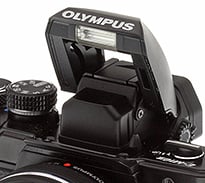
The flash and its pop-up mechanism look and spring to life in seemingly the same way as it did on the E-M 10, but there's a notable difference. On the E-M10 you had a little button to activate the flash, but on the E-M10 II you rock the on/off lever upwards in order to spring it to life. I found this out accidentally (I'd yet to notice the flash icon and didn't have a manual to consult for this report) and was a bit unnerved at first. It's actually a bit cumbersome, and your thumb -- which is the natural digit to trigger this -- can actually get in the way of the flash unit popping up. The jury is still out for me as to whether or not this is a clever switch or an unnecessary one, so I'll wait on calling it a gripe just yet. This is the only model in the OM-D line with a built-in flash, which is an advantage to many photographers who like having one. And it doesn't sacrifice on the hot shoe in order to provide a flash as some entry-level cameras do.
The "Play" button is exactly where I like it to be, and that's at the bottom right. My right thumb can find it without me having to look, making scanning images very fast. Also, it's right by the 4-way pad which is where it should be. Both Olympus and some other companies have moved it around to all sorts of odd locales on other cameras, and I can say that's actually been a deal-breaker for me. It wasn't too bad on the E-M10, being just above the thumb rest, but some cameras have it on the top left of the camera and this is simply not a good place to have that button for any reason. Note to any designers reading: PLEASE put the play button where it belongs -- if not bottom right then at least near the 4-way control pad. The E-M10 II got this and the other buttons just right for my tastes. (Not all of my colleagues agree on this, FYI.)
By Land or by Sea
The E-M10 II isn't weather-sealed like it's bigger brother, the E-M5 II (as well as the E-M5 and E-M1), and this is a consideration you'll need to weigh if traveling to water-oriented destinations. I got caught in more than one summer squall with the E-M10 II, and had to take precautions by stowing it in a camera bag and then protecting the bag with my body. The E-M5 II isn't much larger than the E-M10 II, but has a current street price of over $1000 for a body-only version. At that price, it's a highly intriguing option for the enthusiast photographer, and certainly a very good price for what you get. But it's a bit beyond what one could consider a "family vacation camera", at least in my opinion, because for that great an expense you'll be hesitant to let young kids use the "family camera" too.
That being said, the rock-solid build quality of the E-M10 II (you really have to hold and shoot with it to know what I mean) is such that I was never concerned with having it near the sand or the ocean, and this allowed me to capture images I was happy to show to the clan at the end of the day. I wasn't given a 14-42mm EZ kit lens for this first report, but I did have the phenomenally good Olympus 12-40mm f/2.8 M.Zuiko Pro lens along for the ride, and this became my go-to landscape and sightseeing lens. It balances quite nicely on the E-M10 II and was a rather elegant combination to hold and shoot with. (You can see that combination pictured above).
 |
| 1/250s / f/9 / -0.3 EV / ISO 200 / 24mm eq. / M.Zuiko 12-40mm f/2.8 Pro lens |
 |
| 1/200s / f/9 / -0.3 EV / ISO 200 / 24mm eq. / M.Zuiko 12-40mm f/2.8 Pro lens |
Capturing images of the obvious tourist attractions is all fine and good (there are plenty in the E-M10 II gallery for you) and I do it because my kids ask me to, but what really gets my creative juices flowing is trying to capture the natural world in a way that evokes the way I felt when I was there. These two images were only slightly processed to balance shadows and highlights, but there is no artificial saturation boost. |
[Images have been slightly modified in post-production -- click any image for access to the full resolution image as delivered straight from the camera as well as all related EXIF data.]
People and pets
Another great divide between enthusiast-grade cameras like the E-M10 II and smartphones or point-and-shoots is the ability to get above-average people and pet shots. The larger sensor, wider available apertures and shallow depth of field potential allow for much greater flexibility and creative control over things like subject-to-background isolation, and I'd not want to miss key vacation moments due to only having a smartphone or point-and-shoot camera. They definitely have their place, and it's great to always have a camera at your disposal, but they're just for casual snapshots for the most part.
Of course, there is a caveat, in that an extensive lens arsenal isn't exactly cheap, but you can add to your collection over time and build it up as you go. Great lenses are timeless, and a lot of fun to use! And the nice thing about the Micro Four Thirds standard is that the best lenses can be made both smaller and lighter by nature than can their rival APS-C or Full Frame cameras and lenses. The shot below of a friend's dog "Snickers" was taken with an Olympus 75mm f/1.8 lens, set at f/2 and taken from only about 10 feet away. Calculating the actual depth of field for that combination yields an in-focus depth of approximately 4 inches, and makes the background elements virtually fade into oblivion. This effect doesn't always work, but I do like it in this shot, and you can't squeeze that kind of background blur from a lesser camera and lens. (You do need to be extra-careful with your focus given the thin depth of field - I didn't quite get his eye for the focus point as the moment was fleeting and I only had a second to get it, but I think it's close enough for this shot.)
 |
| 1/80s / f/2 / ISO 200 / 150mm eq. / M.Zuiko 75mm f/1.8 lens |
 |
| 1/160s / f/2.2 / ISO 1250 / 150mm eq. / M.Zuiko 75mm f/1.8 lens |
Being able to push the sensitivity beyond the ISO 1000 mark is a big advantage for Micro Four Thirds cameras vs their smaller-sensored rivals. I needed ISO 1250 for the above shot in order to achieve a fairly fast shutter speed (little boys and dogs don't usually sit very still) but the noise level is certainly tolerable. (The odd-looking patterns in the bokeh (background blur) seen above and behind them is not moiré, it's a special outdoor bug screen.) |

Speaking of people and pets, the 3-inch 1.04M-dot touchscreen LCD monitor is really terrific, even in sunlight. The tilting design feels pretty much unchanged from the E-M10, and works well for my needs. I love to pull it out to horizontal for people shots, as seen in this image, so that I don't have it up to my eye as that can often make people and pets nervous. Cameras with a variable-angle LCD that can be swiveled out to the side are great for video, but usually that means they can't be tilted up to a horizontal position unless they're out to the side. I prefer not having to move it out to the side to get that position, as that's just too much fumbling and I like it to be in the same plane as the lens for ease in composition anyway. To each his own, as I'm sure some shooters will prefer a variable angle LCD. As well as tilting upwards some 85 degrees, this one can also be angled downward by 45 degrees, so you can easily compose shots while holding the camera over your head.
The Great Escape!
I love my family as much as anyone, but when we're on vacation I still need some alone time, and having a high quality enthusiast camera and a few choice lenses along for the ride provides the perfect escape route for me. Capturing wildlife in its natural element can be both challenging and rewarding, but you've got to have the right gear, and this is where I believe the E-M10 II shines the brightest for the enthusiast photographer. In an "entry-level" package you have an exceedingly capable EVF (more on that in Part II) and burst speeds more than adequate for most enthusiast needs, all while still being imminently portable compared to the classic DSLR wildlife rigs.

And there's another big reward to be had for the "family guy" in that I was able to go show my kids pictures of things like alligators they saw at a distance but that they'd never be able to get close enough to safely see up-close (and nor would I, were I shooting with a cheaper camera or smartphone). We were staying on a beach with a lagoon on the other side, so I could walk in either direction and generally find some form of wildlife either eating, flying about or drying its wings in the sun. Burst mode ("sequential" in Olympian parlance) comes in both "low" and "high" flavors, and you can custom-configure how many shots-per-second you get from each within the menu. For low you have the option of between 1 and 4 frames per second, and in high between 5 and 8.5 fps.
I didn't have a manual for this first report, but was reminded by William Brawley's excellent E-M 10 sports and wildlife report on the original E-M10 that you can only rely on C-AF in sequential low mode, so that's what I primarily used. I like to shoot to my heart's content when in burst mode and don't like worrying about the buffer filling too fast, nor the memory card for that matter, so I virtually always disable RAW while in burst mode. Some enthusiasts will cringe at this, while some are like me and would rather "travel light" and rely on the JPEGs. Hey, to each his own style, and this camera can accommodate us all. We'll have details about timing and buffer clearing coming shortly, incidentally, just as soon as we've had time to run a production-level camera through our lab testing.

But one thing those reports won't show is how well the C-AF works in the real world, so I enlisted William to walk towards the E-M10 II while I fired off a few burst sequences, just to double-check that it doesn't do C-AF in "high" mode. Sure enough we confirmed that it indeed doesn't, but what we also found was just how well it did at C-AF while in low mode! The burst shown here is a GIF animation of the whole sequence, and I've made 1:1 crops from the first and last frames of the original high resolution images so that you can see how well it nails focus. Granted, this is just a walking test, and some wildlife and sports obviously move faster, but at least this is a starting gauge to show you that it's doing its job really well. We've done walking tests of higher-end "enthusiast" DSLR's some of which didn't fare this well.
Olympus E-M10 II - Sequential Low burst mode |
|
 |
 |
First frame (1:1) |
Last frame (1:1) |
Subject focus tracking: Sequential low provides up to 4 fps and utilized continuous AF to follow the subject. In our walking test, the E-M10 II was able to continually nail focus throughout the range of this test over an 11-frame burst. |
|
Going Long
To see how it fares in the real, real world I enlisted the Olympus 12-40mm f/2.8 Pro as well as the Olympus 75-300mm wildlife lens (both pictured above). Below are some of the results, and there are more in our E-M10 II gallery page as well. I generally used shutter priority with C-AF enabled and the drive on sequential low mode. For my general tastes, I find that Olympus cameras with Four Thirds sensors can handle up to ISO 1600 without much worry regarding noise. Fortunately, it's easy to set a "hard ceiling" on the sensitivity in the menu, and for these wildlife shots I generally kept it to ISO 800 and below, and let the camera select the sensitivity based on where I wanted the shutter speed and aperture to fall.

I've always wanted to capture a decent pelican shot, and for this sequence I waded out into the water until the waves prevented me going further. Fortunately this guy swooped in fairly close and the 600mm equivalent focal length was enough to capture a fair amount of detail (the above GIF images are cropped in a good bit, but three of the original images are available in our gallery). I also managed to get a sequence of him diving and feeding but it was a bit underexposed as his speed accelerated enormously on the hunting dive and this lens is fairly dim at maximum telephoto. This shot would likely be better taken with a higher-end OM-D that has robust weather-sealing, but I was careful to have a safety strap and steer clear of the worst waves. Next time I'll try and tote the 40-150mm (80-300mm eq.) Pro lens, or perhaps we'll soon get lucky and receive a sample unit of the highly anticipated M.Zuiko 300mm f/4!
Olympus E-M10 II - Capturing wildlife |
 |
| 1/500s / f/6.7 / ISO 400 / 600mm eq. / M.Zuiko 75-300mm lens This darter (Anhinga) looks almost prehistoric to me, casually drying his/her wings in the sun. They're similar in appearance to -- and often mistaken for -- cormorants (a.k.a. "shags"). |
 |
| 1/1,000s / f/5 / ISO 800 / 80mm eq. / M.Zuiko 12-40mm f/2.8 Pro lens I needed ISO 800 here for the 1/1000s shutter speed while keeping it stopped down to f/5 for some focus depth. The image appears more noisy than it actually is, as it was a dim and foggy morning. Not prehistoric looking like the cormorant, but I do love these as well! (Note to readers who love birds -- I'm struggling in identifying the exact species- - believe it's a type of gull or skimmer -- please advise in the comments section below if you can help me out there!) |
 |
| 1/500s / f/6.3 / -1.3 EV / ISO 1250 / 416mm eq. / M.Zuiko 75-300mm lens It's better to have a good bit of zoom reach for one of these. |
Silent Shutter Mode

The new "Silent Shutter" mode is a welcome addition to the OM-D family, and I was almost stunned by how well it works. Turning all sounds off on the Stylus 1 for instance still results in the faintest little "click" that can be heard, but Silent Shutter is, well.... silent! It's a real help when trying to sneak up on an alligator (not that I didn't notice him noticing me.... "Never Smile at a Crocodile" as they say) and even more help when trying to approach certain birds, like the egret or darter above. You can use silent shutter in any drive mode from still to sequential to self-timer, and you can also disable it from the drive menu if not needed, as it can take up quite a bit of menu real estate and add to your scrolling.
While we're on the subject of menus I'd like to add another gripe to this report, and that's some of the oddities found within Olympus menu systems in general. On a positive note they have the "Super Control Panel" and were the first company that I'm aware of to employ a now often copied single menu page where you can access many of the most common settings (shown below). Unfortunately, as you dive deeper in the menus there are some things that get a bit confusing, even to those of us who use these a lot. For one thing, I don't understand why so many of the menus have lists with spelled words, and then suddenly an icon instead of words. Virtually every menu panel has a series of words, then an icon randomly thrown in. It's confusing and I'm just not sure the point of the mix-and-match style here. It's almost like the menu system has a split personality.
 |
 |
Ups and downs of the menu system: The Super Control Panel found on all mid-level and higher-end Olympus cameras over the past few years (left image above) is both user-friendly and easily understood, but the menu configurations which employ a blend of words and icons within the same list seem confusing and unnecessary to me. This is not at all a deal breaker, but it does involve a learning curve for shooters not familiar with Olympus menus, and is something I hope their designers fix at some point soon. |
|
The Smaller Side of Life
For those of you interested in macro imagery, below is a shot of a "writing spider" (Argiope aurantia) known for creating a web that resembles writing or zig-zag sewing. This was taken with the (excellent) Olympus M.Zuiko 60mm f/2.8 macro lens.
Olympus E-M10 II - Macro photography |
 |
| 1/1,000s / f/3.5 / -1.0 EV / ISO 200 / 120mm eq. / M.Zuiko 60mm f/2.8 lens |
 |
[1:1 crop from above image] [Clicking the first image above will access the unedited image; the second will access the edited version.] |
Dramatic Tone ("sssh!")
Being a website dedicated to the enthusiast photographers of the world, one might expect us to publicly denounce creative filters as mere folly, but I can't help myself when it comes to the Olympus filter called "Dramatic Tone" (found by flipping the mode switch to the "ART" setting and then scrolling to it). Obviously, as with any creative tool it should be employed sparingly and only when called for, but there are instances that I find it quite fun. You can also add the effect with the Olympus Viewer software after the fact, but I like the instant gratification of seeing it live in the field, and my kids tend to love it, so it certainly suits to have it on your primary "family vacation camera".
Below are a few images that I found warranted the treatment, and to you photography purists out there I do apologize. If it makes you feel any better, my colleagues routinely give me quite a pranging for using this filter, and even more abuse for actually posting images into a Field Test! Alas, I wish I could curb the addiction, but I fear there's no hope for me on that one.
Olympus E-M10 II - Dramatic Tone |
 |
| 1/800s / f/7.1 / ISO 200 / 24mm eq. / M.Zuiko 12-40mm f/2.8 Pro lens |
 |
| 1/100s / f/3.5 / ISO 200 / 38mm eq. / M.Zuiko 12-40mm f/2.8 Pro lens |
 |
| 1/60s / f/2.8 / ISO 250 / 24mm eq. / M.Zuiko 12-40mm f/2.8 Pro lens |
The coolest filter: Yes, it is to be used sparingly, but when needed for bringing flair to shots like these I hereby grant you permission to use this filter without feeling guilty. |
Summary
To wrap up Part I of this Field Test I can say for certain that I'm rather smitten with this little camera. It is ergonomically excellent to me, feels great in the hands, balances nicely with a wide variety of lenses and is highly customizable. It has terrific autofocus, even very dependable continuous AF while in "sequential low" burst mode, and is capable of delivering stunning images. I had a few minor gripes like the lack of a dedicated drive button and some odd irregularities with the traditional Olympus menus systems, but overall thus far I've simply had a ball with the E-M10 II.
Have I found the "ideal family vacation camera"...? Well, there's more shooting to be done, especially in low light as well as exploration on the video front, both of which will be needed in determining just how well the five-axis image stabilization works in those departments. But so far this little camera is hitting the key bases and knocking the ball right out of the ballpark.


We're expecting a full production E-M10 II sample shortly plus the kit lens, and we'll pen a Field Test Part II with that one, where we'll explore video, flash, 4k timelapse video and more, so check back with us often. In the meantime head to our E-M10 II gallery page for many more images from this first report.
Olympus E-M10 II Overview • Gallery
Lab Samples • E-M10 vs E-M10 II
Flash
Olympus E-M10 II Flash

Built-in Flash Test Results
Coverage and Range
A weak flash with narrow coverage. Above average positive exposure compensation required.
| Coverage |
 |
| 14mm, f/3.5, ISO 200 |
Coverage. Flash coverage is quite narrow and a little uneven vertically at wide angle, leaving the corners of our flash target image quite dark at 14mm, thought that's not unusual. Some of the corner shading can also attributable to the lens itself. We no longer test flash coverage at telephoto, as it is invariably better.


Exposure. Indoors under incandescent background lighting, the Olympus E-M10 II's flash underexposed our indoor portrait scene at ISO 200 and f/4, despite the +1.0 EV flash exposure compensation used. (An average of +0.7 EV is normally needed for this shot.) You'll likely need to boost ISO (or enable Auto ISO) for typical indoor shots. The camera's slow-sync flash mode was a little better but still somewhat dim at +1.0 EV even with the longer shutter time (1/15s vs 1/100s), and it didn't seem to respond to flash exposure compensation at all, producing the same brightness no matter how much flash exposure compensation we dialed in. Auto white balance worked well in normal flash mode but produced an image that is very warm and orange in slow-sync mode, because of the tungsten ambient lighting.
| Manufacturer-Specified Flash Range |

|
| 6.7 feet f/4, ISO 200 |
Manufacturer-Specified Flash Range Test. The Olympus E-M10 II's built-in flash has a Guide Number of 5.8m at ISO 100, or 8.2m at ISO 200. That works out to a range of 6.7 feet at ISO 200 and f/4. As you can see above, the E-M10 II produced a flash target that is underexposed by almost 1/2 EV, which means Olympus' flash rating is pretty optimistic.
High ISO Noise Reduction
Olympus E-M10 II High ISO Noise Reduction
The Olympus E-M10 II offers four settings for noise reduction, or "Noise Filter" as the company calls it: "Off", "Low", "Standard" and "High". The user manual doesn't state at which ISO noise reduction kicks in, so we've started with ISO 100 (extended) to find out.
See for yourself how the Olympus E-M10 II's "Standard" and "Off" High ISO NR settings compare to RAW without noise reduction under daylight-balanced lighting. (Note that these RAW images also have no sharpening applied, so they are softer than camera JPEGs at low ISOs.) Click on any of the crops below to see the corresponding full-sized image.
| High ISO Noise Reduction Comparison Daylight-balanced illumination |
|||
|
"Standard"
|
"Off"
|
RAW (no NR)
|
|
|
I
S O 1 0 0 |
 |
 |
 |
 |
 |
 |
|
 |
 |
 |
|
|
"Standard"
|
"Off"
|
RAW (no NR)
|
|
|
I
S O 2 0 0 |
 |
 |
 |
 |
 |
 |
|
 |
 |
 |
|
|
"Standard"
|
"Off"
|
RAW (no NR)
|
|
|
I
S O 4 0 0 |
 |
 |
 |
 |
 |
 |
|
 |
 |
 |
|
|
"Standard"
|
"Off"
|
RAW (no NR)
|
|
|
I
S O 8 0 0 |
 |
 |
 |
 |
 |
 |
|
 |
 |
 |
|
|
"Standard"
|
"Off"
|
RAW (no NR)
|
|
|
I
S O 1 6 0 0 |
 |
 |
 |
 |
 |
 |
|
 |
 |
 |
|
|
"Standard"
|
"Off"
|
RAW (no NR)
|
|
|
I
S O 3 2 0 0 |
 |
 |
 |
 |
 |
 |
|
 |
 |
 |
|
|
"Standard"
|
"Off"
|
RAW (no NR)
|
|
|
I
S O 6 4 0 0 |
 |
 |
 |
 |
 |
 |
|
 |
 |
 |
|
|
"Standard"
|
"Off"
|
RAW (no NR)
|
|
|
I
S O 1 2 8 0 0 |
 |
 |
 |
 |
 |
 |
|
 |
 |
 |
|
|
"Standard"
|
"Off"
|
RAW (no NR)
|
|
|
I
S O 2 5 6 0 0 |
 |
 |
 |
 |
 |
 |
|
 |
 |
 |
|
As you can see, the E-M10 II's noise filter applies noise reduction at all ISOs, even the "Off" setting. The "Off" setting does apply progressively less luminance noise suppression than the default, but as you can see, chroma noise is still fairly aggressively suppressed at all settings.
As we've seen before with Olympus models supporting extended low ISO settings, E-M10 II JPEGs at the ISO 100 setting show much better detail in the red-leaf fabric (and elsewhere) than at ISO 200, a much bigger difference than the ISO 100 and 200 RAW files show. It seems Olympus is concerned with showing slightly higher chroma noise at ISO 200 versus 100 in its JPEGs.
Walkaround
by William Brawley | Posted: 08/25/2015

Much like how the original E-M10 borrowed many of the design aspects and controls of the E-M5, the same goes this time around for the new E-M10 II and updated E-M5 II -- though the E-M10 II does bring a few unique changes to its controls and dial layout not seen on other OM-D cameras.

The E-M10 II (top) controls share a lot in common with the E-M5 Mark II (bottom).
The styling of the E-M10 II is still classic OM-D, with lots of external controls and dials and a cool retro-look with a large centrally-placed electronic viewfinder. Size-wise, the Olympus E-M10 II is, not surprisingly, nearly identical to its predecessor -- a slightly miniaturized version of the E-M5, or the E-M5 Mark II in this case.
The first thing you notice that's different on the E-M10 Mark II compared to the original is the cluster of top-deck control dials. Gone are the larger, flatter dials of the 'Mark I,' now replaced by thicker E-M5 II-style control dials with diamond-pattern knurling. The orientation of these dual control dials is also reverse, if you will, to match that of the E-M5 II. Now, like the E-M5 II, the thumb-facing dial is moved over close to the thumb grip, making this dial much more accessible and comfortable. And the front dial, meanwhile, is relatively unchanged location-wise, which is fine by us.
Both the front and rear command dials on the E-M10 II feel rather lightweight in terms of their rotation resistance. While some might think this will lead to easy accidental setting changes, in use, the dials feel responsive and have a pleasant "click" to them. The PASM mode dial, on the other hand, has a lot more resistance. Unlike the E-M5 II or E-M1, the mode dial here is not a locking dial, so having a stronger detent helps prevent accidental mode changes. Lastly, like its predecessor, at the rightmost edge of the top deck, sit a programmable function (Fn2) button and the video start/stop record button.

Hopping over to the other side of the EVF where the PASM mode dial used to sit, the E-M10 II now features a newly designed dual-mode power switch. The thin, chrome-topped switch also does double-duty as the lever for the pop-up flash. Simply push the switch forward past the "on" position to deploy the flash. Moving the power switch up to the top-deck feels like a smart move to us, as the original power switch located on the bottom right corner on the original model seems a little out of place. Furthermore, the E-M10 II also gains room for an additional programmable Function button (Fn3) next to the on/off switch.

Moving down to the back of the camera, things remain largely unchanged compared to the original E-M10, at least from a visual standpoint. The button cluster on the right side of the camera is nearly identical, though the 4-way directional button gets a slight cosmetic change and the playback button is now situated where the power switch used to be -- next to the delete/trash button, which altogether feels like a much more logical spot for such a button. The thumbrest gets a bit beefier and it now houses the Fn1 programmable function button, as the rear control dial now takes up the spot where it used to sit on the original model, but it still remains prominent, providing ample grip. Also notice the Flash Up button to the left of the EVF is gone, now integrated into the new power switch as mentioned previously.
The 3-inch tilting, touchscreen LCD remains unchanged from the previous model, though firmware-wise, the E-M10 II offers a cool, new touch-AF mode called AF Targeting Pad, which lets you use your finger to move the AF point around while composing shots using the EVF. Similar to the new Touch Pad AF mode on the recent Panasonic GX8, you can move the AF point anywhere within the E-M10 II's grid of AF areas using you finger while having the EVF up to your eye. It's a little cramped up there, particularly if you're a left-eye dominant shooter, with a finger right in front of your face while the camera's up at your eye. An articulating, tilt/swivel LCD would make this feature much easier to use.

One of the major changes to the Olympus E-M10 II is the EVF, which is now an OLED display with a 2,360K-dot resolution -- like the E-M5 II -- an improvement to the 1,440K-dot screen in the predecessor. The magnification also gets a noticeable boost, up from 0.57x to 0.62x, though eyepoint has dropped slightly, from 20mm to 19.2mm. A -4 to +2m-1 diopter adjustment is still provided.

On the bottom of the camera, we have the battery and memory card slots, as well as a standard tripod socket. Unlike the higher-end E-M5 II and E-M1, which conveniently separates the bottom-placed battery port and side-facing SD card slot, the E-M10 and E-M10 II put both of these items under the same door. For the most part this causes no problems, but if you shoot with a tripod often, you'll want to make sure your tripod plate is thin so as not to block the battery/memory card door, otherwise that can get frustrating.

The battery itself, at least in model name, it slightly different that on the previous model: now a BLS-50 lithium-ion battery pack compared to the BLS-5 on the original, though they appear to be backwards compatible with each other, including the earlier BLS-1 battery pack. According to Olympus, the E-M10 II is CIPA-rated for 320 shots per charge, exactly the same as the earlier model. A dedicated battery charger is included in the bundle, as the E-M10 II does not support in-camera charging.
The sides of the camera body remain unchanged compared to the original E-M10; the left completely is blank, while the right features a micro HDMI (Type-D) port that supports clean output for external recording, and a multi connector that supports USB 2.0 Hi-Speed data transfer, a wired remote and analog A/V out.

Conclusion
How many cameras with a street price under $600 (body-only) can produce a 16 x 20 inch print at ISO 1600 that we at IR have officially given our "good" rating for quality? Good luck finding many of those. And how many at that price range offer precision twin control dials, 5-axis image stabilization, a terrific feel in the hands and features like 4K time-lapse video? For our tastes, this is the only one currently sporting such cool features and ergonomics for anywhere near that price.

A camera whose positives far outweigh any drawbacks
As discussed in our walkaround and in our Field Test part 1, the E-M10 II feels phenomenally good in the hands. It's a great size and weight for one thing, small and light enough to be considered portable, and yet just beefy enough for handheld stability for shooting action sequences with longer lenses.
We found the performance of the E-M10 II to be stellar for its class, with fast start-up times, excellent image quality and dynamic range for its class, and with improved buffer depth over the E-M10. Plus, we found the continuous burst mode (with C-AF in low speed burst) to be quite good for catching the action.
With a quality lens selection galore, right down to the kit lens
And speaking of lenses, we found the 14-42mm EZ kit lens to be perfectly suitable for everyday shooting situations (see our Field Test part II for more on that!). While not having quite the storied specs of the earlier 14-42mm II kit lens, it's still quite close and offers a much smaller profile for "traveling light". Of course the quality offerings of the overall Olympus lens line needs little introduction to our enthusiast readers, but for anyone new to photography getting into your first real camera system, you'll be hard-pressed to run out of quality choices with the Olympus M.Zuiko lens line-up.
And loaded with creative fun
As we discovered in our Field Test part II, the E-M10 II is simply loaded to the hilt with creative features and options. Not just your tried and true camera filters, but a plethora of additional options like 4K time-lapse video (created in-camera for you), live composite mode brought over from the original E-M10 and very good HDR capabilities (especially in setting "1"). You can practice a new creative mode each week and it would take you quite some time before you ran out of new options!

With upgraded video features to boot
On the video side of things, the E-M10 II receives a few notable upgrades, including a 60p option for both HD and Full HD resolutions and a new high speed (120fps) movie mode at VGA resolution (640 x 480). Perhaps most important is the previously mentioned 5-axis image stabilization, which brings an unprecedented amount of compensation for camera shake with both stills and video. (Please see our Field Test part II for video examples shot with 5-axis IS enabled.)
And just a few drawbacks to consider
Of course, every camera has at least a few drawbacks, and for us the largest with the E-M10 II is that the menu system and settings can be a bit perplexing at times and generally require a bit of a learning curve for anyone not yet familiar with Olympus menus (a steeper learning curve than with most other companies' menus, we've found). But once you learn the ropes this camera is capable of a professional level of customization, so this is an issue you'll likely only face for a short period of time while getting to know the camera, and after that we believe you'll find the initial trickiness more than worth the effort - we certainly did.
All leave us feeling confident in our overall recommendation!
To wrap up our review of the Olympus E-M10 II, we can simply say that as of this writing it's the best quality we've seen in a camera with a street price under $600. There are cameras out there in this price range that can perhaps do "this" or "that" better, but none that come so jam-packed with features and quality as the Olympus E-M10 II. This is a bona fide Dave's Pick and an easy recommendation from us for a terrific all-around "do-it-all" camera for the money.
Pros
- Excellent value for the money
- Superb, professional-grade ergonomics
- Excellent image quality, with slightly improved JPEG rendering at higher ISOs
- Great high ISO performance for 4/3" sensor
- Vibrant colors with very good hue accuracy
- Very good dynamic range for its class
- 14-42mm EZ lens is very compact
- Generally very good optical performance for a kit lens
- Fast startup for a mirrorless camera
- Super fast single-shot autofocus
- Fast cycle times
- Improved burst performance over predecessor (8.9 vs 8.1 fps)
- Improved buffer depth with faster clearing when using UHS-II card
- Built-in flash, and it can function as wireless commander
- Can autofocus in very low light
- Improved video capabilities like 60p and 5-axis image stabilization
- Loaded with creative options like 4K timelapse video
Cons
- Below average battery life
- Weak built-in flash
- Default auto white balance too warm in incandescent lighting
- Default sharpening a bit high
- Frustrating menu system with a steep learning curve
- EZ kit lens may not be quite as sharp as non-EZ 14-42mm II kit lens (though the sample we got with our E-M10 II was quite good)
- - -
Olympus E-M10 II:
Field Test part I - Field Test part II - Image Quality
Follow Imaging-Resource.com on Twitter!