

Overview
- Core Technology
- Imaging
- Photographer Friendly
- Gets the Shots
- Designed for Pros
- Workflow
- FUJINON GF Lenses
- System








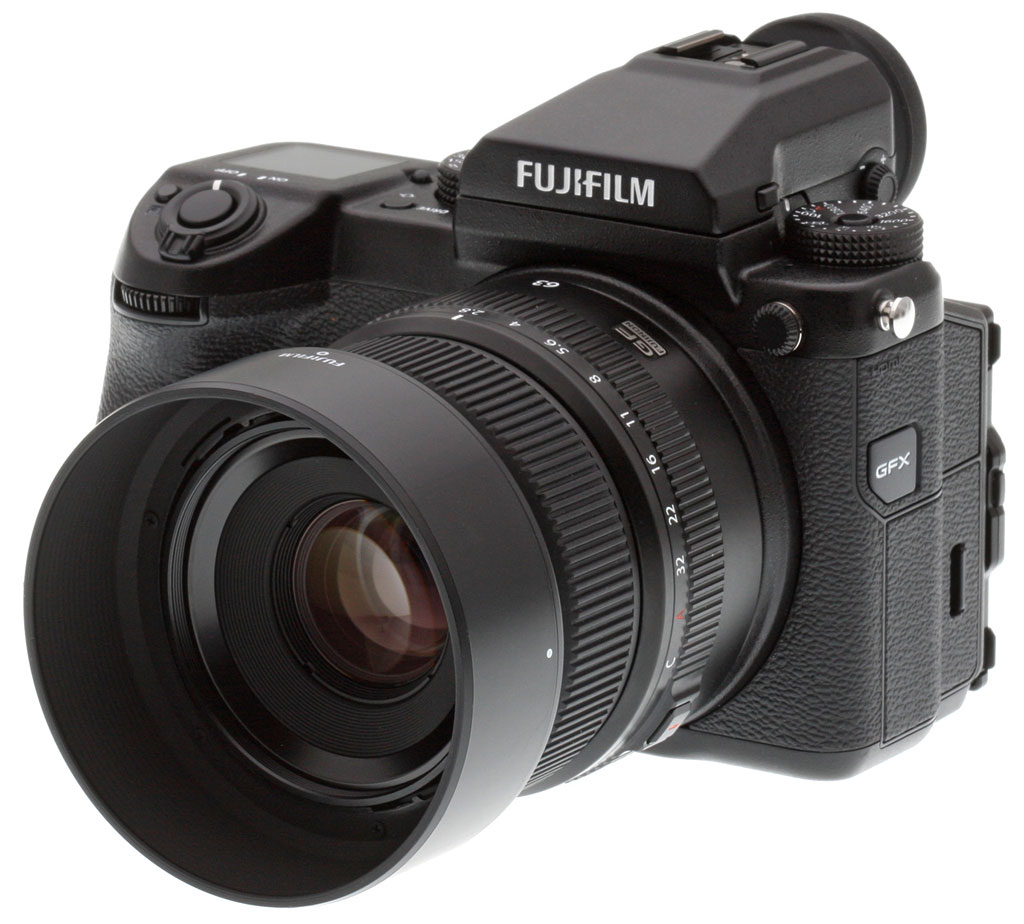
The FUJIFILM GFX 50S features a 43.8x32.9mm CMOS medium format sensor, boasting an effective resolution of 51.4 million pixels. Both the shape of the light-gathering micro-lenses and the processing from the photodiodes have been optimized to achieve a high level of sharpness and broad dynamic range. The lowest native ISO sensitivity of 100 and the 14-stop dynamic range, achieved with 14-bit RAW data delivers high definition images in a variety of conditions with notably rich skin tones and intricate foliage detail.
Learn more about GFX 50S TechnologyThe FUJIFILM GFX 50S sports the X-Processor Pro image processing engine, capable of drawing the very best out of the 51.4 megapixel sensor. Its advanced processing accelerates and optimizes the camera's performance in a variety of areas including stunning color reproduction with Fujifilm's unique Film Simulation modes, in-camera RAW conversion to the 8-bit TIFF format, accurate contrast AF, quick startup time, and minimal shutter release time lag and shooting intervals between frames.
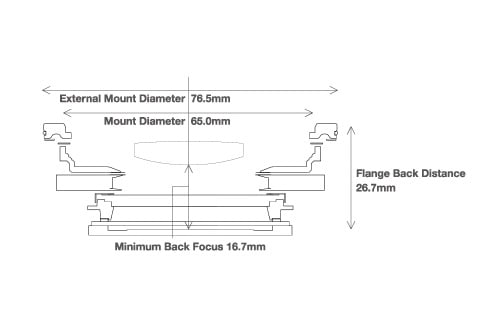
Learn more about GFX 50S TechnologyThe FUJIFILM GFX 50S uses the G Mount, which has a mount diameter of 65mm, flange back distance of 26.7mm and minimum back focus distance of 16.7mm. It uses as many as 12 electronic contact points for sending and receiving data, plus it supports the use of a wide variety of lenses and accessories. The short back focus distance, made possible because of the Fujifilm mirrorless system's structure, affords greater freedom in lens design to contribute to the development of fast, compact and high-performance GF lenses while preventing vignetting to deliver edge-to-edge sharpness.
Learn more about GFX 50S TechnologyThe FUJIFILM GFX 50S saves pictures in a variety of formats and quality, including two sizes and three compression levels of JPEGs, as well as compressed/uncompressed RAW. Even when you are shooting only in RAW, the camera records 12-megapixel thumbnails at the same time, for detailed, instant previews inside Lightroom and other organizers and RAW converters. Check even fine details while sorting your images, without having to wait for RAW conversion! Its in-camera RAW conversion function also enables RAW files processing with the ability to save them as 8-bit TIFFs.
Learn more about GFX 50S ImagingISO: With a standard ISO sensitivity range of ISO 100-12,800 and extended settings down to ISO 50 and up to ISO 1,024,000, the GFX 50S can capture anything from sun-on-snow to dim interiors and after-dark night shots.
White Balance: Two-dimensional (red/blue) white balance fine-tuning and the ability to store up to three custom white balance settings lets you precisely adjust the camera to your lighting and subject.
Image Quality Controls: Adjust dynamic range, highlight and shadow tone, color saturation, sharpness and noise reduction in fine steps, for from-camera JPEGs you can use without tweaking.
Learn more about GFX 50S Image QualityThe GFX 50S’s 11 film simulation settings distill 80 years of Fujifilm’s color-producing know-how from photographic film manufacturing down to easy menu choices. Much more than simple color filters, they reproduce the unique and complex color and tone rendering of classic film emulsions.
There's a lot more to the GFX 50S's film simulation options than can fit here. Click the button below for more details about these unique and subtle settings, for inspiration on how you might use them in your own work.
Learn more about GFX 50S Film SimulationsHigh-magnification, high-definition EVF: Detachable 3.69 million-dot EVF gives 100% frame coverage at a magnification of 0.85x, and diopter adjustment from -4 to +2. (Optional tilting adapter)
Large, tilting touchscreen LCD Smart three-way tilting 3.2-inch touch screen monitor gives an enlarged live view up to 16.7x, and lets you touch to select AF areas, bring up an RGB histogram, display the 3D electronic level and enlarge the Live View image.
Sub Monitor for instant status Top-panel LCD is viewable in all conditions, including bright sunlight, provides an always-on, customizable, instant view of camera settings.
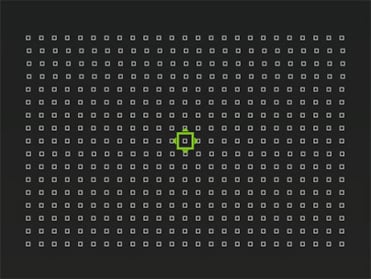
Learn more about GFX 50S usabilityThe GFX 50S’s autofocus system sports your choice of 117 or 425 AF points, six sizes of focus area that can be moved around the frame, six AF modes, face/eye-detection AF and both magnified viewfinder images and focus peaking for manual-focus assist. AF modes include:
- AF-S Single Point
- AF-C Single Point
- AF-S Zone
- AF-C Zone
- AF-S Wide
- AF-C Wide
Five Types of Bracketing (+/- EV for 2/3/5/7/9 frames, Film Simulation, Dynamic Range (100/200/400%), ISO sensitivity, White Balance)
Built-in interval timer for time-lapse, 1sec-24hr per shot, 1-999 shots, plus “infinite” (shoots until the card is full)
Multiple Exposure, combine two exposures into one for creative effects.
Learn more about GFX 50S exposure optionsThe FUJIFILM GFX 50S employs the worlds first focal-plane shutter specifically designed for medium-format mirrorless cameras. An electronic first curtain reduces shutter noise and minimizes shutter-caused vibration for maximumally sharp images, while offering shutter speeds as fast as 1/4,000 second and a rated life of 150,000 cycles.
Learn more about GFX 50S Exposure OptionsFull HD (1920x1280) video recording in a medium-format camera, at 29.97p, 25p, 24p and 23.98p!
Not only that, but Fujifilm’s unique film simulation modes work for video recording too. Use CLASSIC CHROME for a old-school documentary-themed look, or ACROS for stunning black and white imagery, with all the richness of classic film emulsions.
Learn more about GFX 50S Video CapabilitiesDust-resistant, weather-resistant and freezeproof to -10C
The GFX 50S body is made from robust magnesium alloy, which feels both solid and durable in the hand. The body is weather-sealed in 58 points to achieve a high level of resistance to dust and moisture.The GFX 50S is compact and lightweight despite the large size of its sensor, plus its dust and weather-resistant body means it's equally effective in the studio or out in the field.
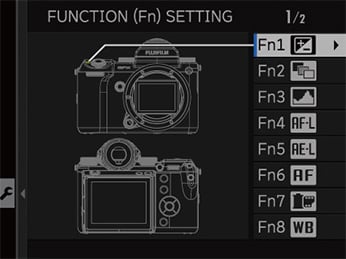
Learn more about the GFX 50S Build Quality- Customize to fit the way you work: Ten customizable buttons, custom menus too
- Protect your work: Embedding copyright data in EXIF
- Voice Memo Function: Easily save shooting notes and comments while you work
- Wireless Connectivity: Remotely control the camera and transfer images to your smartphone or tablet. (Great for location services or shooting landscapes with the camera on a tripod.)
Tethered Shooting: Use the optional HS-V5 for Windows software to tether the FUJIFILM GFX 50S using a USB cable or via Wi-Fi. This enables you to directly save pictures on to a computer or control the camera from the computer. An optional Photoshop/Lightroom plugin lets you tether directly from those programs as well.
Wireless Connectivity: Remotely control the camera and trsnser or view in-camera images with the free FUJIFILM Camera Remote app on your smartphone or Tablet
In-camera RAW conversion (including Film Simulations!): RAW conversion can be performed in the field without a computer. Exposure compensation, white balance, image quality and other in-camera settings can all be easily changed. You can even apply a Film Simulation mode of your choice to RAW images.
Learn more about GFX Workflow SolutionsExceptional optical quality: FUJINON lenses have catered to the needs of professional medium and large-format photographers, and are a standard of excellence in the demanding broadcast TV industry. Now, that expertise has been applied to lenses for the GFX system. Built to exacting quality standards and designed to meet the resolution requirements of the GFX line into the future, they are pinnacles of optical and mechanical design.
Built to last: All GF lenses have solid brass lens mounts, for strength, durability and reliability, while a system of seals makes them resistant to dust, water, and temperatures down to -10C (14F).
Learn more about FUJINON GF LensesThe FUJIFILM GFX 50S is more than just a camera, it’s an entire system designed to help professional photographers, realize their creative vision with maximum image quality, flexibility and throughput. Besides the body and lenses, the growing GFX System includes:
- Remote control and external power solutions
- Audio in/out and HDMI-out connections, plus an optional camera-mounted external mic
- Optional electronic viewfinder tilt adapter
- Optional FUJINON H-mount lens and view-camera adapters
- Optional dedicated shoe-mount external flashes
- Optional vertical grip
- FUJINON H-series and view-camera lens adapters
by Jeremy Gray, Mike Tomkins, Zig Weidelich and William Brawley
Preview posted: 01/19/2017
Review finalized: 08/22/2017

Fujifilm stole the show back at Photokina 2016 with the surprise development announcement of its GFX 50S, a super-high-res medium-format camera in a mirrorless form factor. Now that we've had the chance to put it through its paces both in the lab and out in the field, we're proud to present our Fuji GFX 50S review for your reading pleasure!
The Fuji GFX system itself is brand new, and it's clear that Fujifilm's designers had several key goals for its creation: Keeping size and weight to an absolute minimum, while not compromising on handling or image quality.
At launch, the GFX system was comprised of the GFX 50S camera body itself and three GF lens models. Since then, Fujifilm has announced two additional GF lenses and plans for a sixth to launch by the end of 2017. There are also several GFX accessories including a portrait / battery grip, tilting viewfinder adapter, and adapters allowing use of various medium and large-format lens models from the days of film photography.

The GFX 50S pairs a mirrorless design and high-res 51.4-megapixel sensor
The key to the GFX 50S' compact form factor is its mirrorless design. Instead of providing a DSLR-style thru-the-lens optical viewfinder, the GFX 50S opts instead for a high-res electronic finder. That decision allowed Fujifilm to do away with the bulky mirror box typical of a medium-format DSLR like Ricoh's competing Pentax 645Z.
And the advantage of paring down that mirror box is clear: Despite using the exact same sensor size as its Ricoh rival, Fujifilm's camera is about 5% less wide, 20% less tall and and a whopping 26% less deep, with dimensions of 5.8 x 3.7 x 3.6 inches. Loaded and ready to go, the GFX 50S' body-only weight is just 29.1 ounces without the electronic viewfinder accessory, or 32.5 ounces with it mounted, again comparing very favorably to the 54.7-ounce weight of Ricoh's camera. That's barely more than half the weight of its rival!

And this despite using not just the same sensor size, but also while sporting much the same sensor resolution. Like the Pentax 645Z before it, the GFX 50S offers up around 51.4-megapixel resolution from a 43.8 x 32.9mm, Bayer-filtered CMOS image sensor with approximately 1.7x the light-gathering area of a 35mm full-frame chip.
Although its size and resolution are quite familiar, as is performance which we'll come to in just a moment, Fujifilm describes the sensor in the GFX 50S as being a "Fujifilm exclusive", indicating that it's not the exact same Sony-sourced sensor used in the Pentax 645Z. Of course, that doesn't necessarily mean that it was an in-house design -- it could be a variant of the Sony chip, but with tweaks to the color filter array, microlenses and/or pixel structure to meet Fujifilm's needs.

We hinted at performance of the GFX 50S in the previous paragraph, and here too Fujifilm's camera looks to be on level pegging with Ricoh's now almost three-year old Pentax 645Z design. Like that camera, the GFX 50S will be capable of capturing full-resolution images at up to 3.0 frames per second.

Burst depth is claimed to be on the order of eight uncompressed raw or 13 losslessly-compressed raw frames, with JPEG burst depth essentially limited only by available storage space and power. However, in our lab tests, the GFX captured 40 best quality JPEGs and 21 losslessly-compressed RAW files before slowing. This is significantly better than its closest rival, the Pentax 645Z. The Pentax offers the same burst rate, but could only manage 12 best-quality JPEGs or 10 RAW files before slowing. The GFX's support of fast UHS-II cards also means buffer clearing is much faster than the 645Z. See our Performance page for details.
Sensitivity is another area in which the GFX 50S looks quite similar to its Ricoh rival at first glance. Both cameras have a base sensitivity of ISO 100 equivalent, with the 50S able to roam as high as ISO 12,800-equivalent by default, and spanning a range from ISO 50 to 102,400-equivalents with its extended sensitivity range enabled. The 645Z doesn't have an extended range, and instead provides everything from ISO 100 to 204,800-equivalents by default. That gives Fujifilm a slight edge on the lower end of the range, and Ricoh a similar edge at the higher end.

The viewfinder and displays are a couple of areas in which the GFX really distinguishes itself from its Ricoh rival, just as you'd expect of a mirrorless camera. Where the 645Z uses a Keplerian telescopic trapezoid prism finder with 98% coverage, the GFX 50S instead selects a high-res 3.69 million dot organic LED-based finder with 0.85x magnification and a manufacturer-claimed 100% coverage.

And while its rear-panel display has the same 3.2-inch diagonal measurement as in the 645Z, the GFX 50S boasts higher display resolution (2.36 million dots, vs. 1.04 million for the 645Z), a more versatile articulation mechanism (tilting in three directions, vs. two directions for the 645Z) and includes touch-control capability, a feature its Ricoh rival lacks altogether.

There's also a small monochrome LCD on the top deck of the GFX 50S. It's rather smaller than the top-deck info display of Ricoh's camera, but still manages to fit in all of the main exposure variables for at-a-glance confirmation of setup. Interestingly, it has a dark background with lighter text rather than the more typical dark text, light background design used in the 645Z. It also remains active even when the camera is powered off.
Of course, as a camera aimed at pros your purchase doesn't end at the sales counter. Fujifilm knows that professionals need a high level of service, and the company has stepped up to the plate with its Fujifilm Professional Services program, priced at US$500 per year or thereabouts. You'll need to register your GFX within 30 days of purchase for eligibility, but once you've done so you'll receive a array of goodies and services.
Member benefits include a welcome kit and swag bag, a personalized Fujifilm Professional Services card with dedicated hotline access, four Check & Clean Program Service vouchers, a 50 percent discount on additional Check & Clean Program Services, two business day turnaround for Check & Clean services, 30 percent discount on non-warranty repairs, two business day turnaround for non-warranty repairs and GFX system loaners for covered equipment while it is being repaired if the repair is expected to exceed two business days.
Read more on the new program here!

Available in the North American market since late February 2017, the Fuji GFX 50S is priced at around US$6,500 body-only, making it just slightly more affordable than the Pentax 645Z, which as of press time now lists for around US$7,000 body-only.
Pricing for the first three Fujinon GF lenses is set at around US$1,500 for the GF 63mm F2.8 R WR, US$2,300 for the GF 32-64mm F4 R LM WR and US$2,700 for the GF 120mm F4 R LM OIS WR Macro.
In the Box
The GFX 50S body-only retail kit (as reviewed) contains the following items:
- Fujifilm GFX 50S (Body Only)
- EVF-GFX1 Interchangeable EVF
- NP-T125 Rechargeable Lithium-ion Battery Pack
- BC-T125 Battery Charger
- Plug Adapter
- Body Cap
- Shoulder Strap
- 2 Strap Clips
- 2 Strap Clip Locks
- Cable Protector
- Hot Shoe Cover (Body/EVF)
- Connector Cover for EVF
- Vertical Battery Grip Connector Cover
- Sync Terminal Cover
- User Manual
- Limited 1-Year Warranty
Recommended Accessories
- Fujinon GF Lenses
- Large capacity SDHC/SDXC memory cards. 32GB should be a minimum, and we highly recommend fast UHS-II cards.
- At least one spare NP-T125 Battery Pack
- VG-GFX1 Vertical Battery Grip
- EVF-TL1 EVF Tilt Adapter
- RR-90 Remote Release
- Camera Bag
Optics
The Fujifilm GFX 50S is officially sold body-only, so we have no "kit" lens results for you here. We do however present our viewfinder accuracy test results below.
Viewfinder Test Results
Accuracy
Very good accuracy from the electronic viewfinder and LCD monitor.


The Fuji GFX 50S' electronic viewfinder and LCD monitor proved fairly accurate, both showing just over 99% coverage, though that's a bit short of Fuji's 100% spec.
The images above were taken from our standardized test shots. For a collection of more pictorial photos, see our Fujifilm GFX 50S Photo Gallery .
Exposure
Color
Saturation & Hue Accuracy
Bright colors with very good hue accuracy.
 |
||||
|
ISO Sensitivity
|
||||
| In the diagram above, the squares show the original color, and the circles show the color that the camera captured. More saturated colors are located toward the periphery of the graph. Hue changes as you travel around the center. Thus, hue-accurate, highly saturated colors appear as lines radiating from the center. Mouse over the links to compare ISOs, and click for larger versions. | ||||
Saturation. The Fuji GFX 50S produces images with bright, pleasing colors using the standard film simulation (Provia) at default settings. The camera pushes most colors by small amounts, dark red and dark orange by moderate amounts, but undersaturates aqua just a bit. Default mean saturation at the base ISO of 100 was 113.2% (13.2% oversaturated), which is a bit higher than average these days. You can of course tweak saturation and/or select a different film simulation mode if the default is not to your taste. Mean saturation was quite stable up to ISO 25,600 but fell as ISO was increased from there, ending up at 103.6% at the maximum extended ISO. Most consumer digital cameras produce color that's more highly saturated (more intense) than found in the original subjects. This is simply because most people like their color a bit brighter than life.
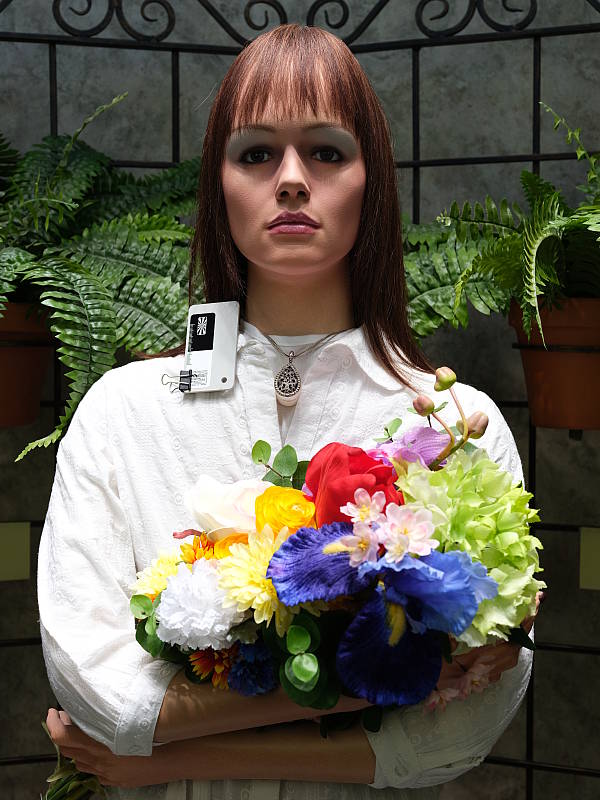
Skin tones. The GFX rendered pleasant Caucasian skin tones that were just a touch on the pinkish side when white balance was adjusted to match the light source at base ISO, because of the moderate push in reds. Results were quite pleasing, though, with a natural and healthy look. (Here, too, the GFX's saturation and/or film mode options may come into play for some users, letting them tweak the color of skin tones if they find the default rendering a bit too saturated for their personal tastes. Note that Fujifilm claims their Astia film simulation produces "true-to-life" skin tones.) Where oversaturation is most problematic is on Caucasian skin tones, as it's very easy for these "memory colors" to be seen as too bright, too pink, too yellow, etc.
Hue. The GFX produced only a few color shifts relative to the ideal reproduction of hues, and has excellent hue accuracy overall. Of note is the almost no yellow to green shift that we often see from digital cameras. The largest shift is in cyan toward blue, however we think it's a deliberate choice by camera engineers to produce better-looking sky colors. Average "delta-C" color error after correction for saturation at base ISO was only 3.78 (lower numbers are better), which is very good, and hue accuracy remained better than average across the ISO range. Hue is "what color" the
color is.


Sensor
Exposure and White Balance
Indoors, incandescent lighting
Auto and Incandescent white balance were quite warm, but very good results with the Manual setting. Above average exposure compensation required.


Indoors, under typical incandescent lighting, color balance was quite warm using the Auto setting, with a fairly strong red/pink cast. Results with the Incandescent white balance setting were also very warm, with a strong yellow/orange cast. The Manual white balance setting was quite accurate, though. The GFX required +0.7 EV exposure compensation here, while most cameras need about +0.3 EV for this scene. Our test lighting for this shot is a mixture of 60 and 100 watt household incandescent bulbs, a pretty yellow light source, but a very common one in typical home settings here in the U.S.
Outdoors, daylight
Very good color and exposure outdoors.
Outdoors, the Fuji 50S produced very nice color at default settings. The 50S required +0.3 EV exposure compensation for our "Sunlit" Portrait shot. This is better than average exposure accuracy, as most cameras need +0.7 EV to keep the face bright for this shot, but it did lead to a lot of blown highlights in the mannequin's shirt and flowers. Skin tones were pleasing, with a healthy-looking pinkish cast that's not too overdone with Manual white balance, and Auto wasn't much different (though not quite as bright for some reason). The Fuji 50S did a very good job with our high-contrast Far-field shot, clipping very few highlights at default exposure, however the exposure looks slightly dim overall. Deep shadows contain excellent detail with low noise except in the darkest tones. Color was pleasing with the Auto white balance setting, though just a touch cool. See the "Extremes: Sunlit..." section below to see how the GFX's Highlight/Shadow Tone and D-Range settings deal with harsh lighting like this.
See full set of test images with explanations
See thumbnails of all test and gallery images
Resolution
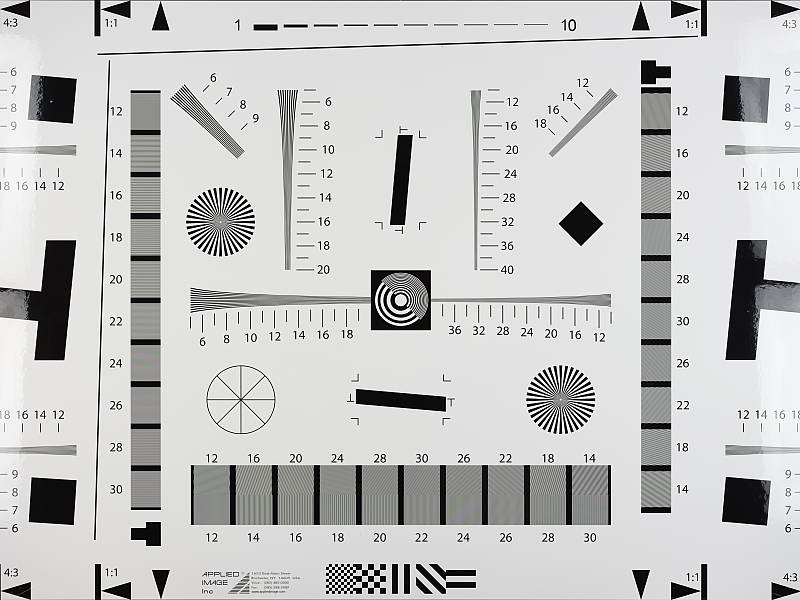
>4000 lines of strong detail.


Our laboratory resolution chart reveals sharp, distinct line patterns all the way up to the 4,000 lines per picture height limit of our chart from both in-camera JPEG and ACR converted RAW files, though the in-camera JPEG shows stronger aliasing in the form of luminance moiré starting at about 3,800 lines. Both show some color moiré/false colors although at different frequencies, however the ACR conversion shows less luminance moiré, likely because lighter sharpening was applied than the in-camera default.
See full set of test images with explanations
See thumbnails of all test and gallery images
Sharpness & Detail
Very sharp images at default settings, with only minor edge-enhancement artifacts appearing along high-contrast edges. Very mild noise suppression is visible in the shadows at base ISO.

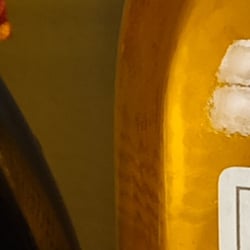
Sharpness. The Fuji GFX 50S captures very sharp images by default, though there are still some minor edge enhancement artifacts visible along high-contrast edges such as the relatively thin sharpening "halos" around the lines and letters of the bottle label above left. Excellent results here. Edge enhancement creates the illusion of sharpness by enhancing colors and tones right at the edge of a rapid transition in color or tone.
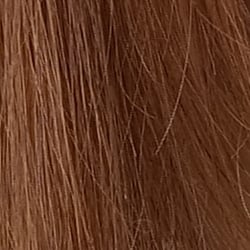
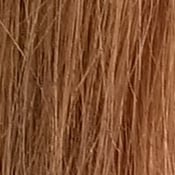
Detail. The crop above right shows incredible detail with only mild detail loss due to noise suppression at base ISO. Very few individual strands of hair merge together even when local contrast is low and as shadows deepen, and chroma noise appears to be very effectively controlled. We do however see "jaggies" and other aliasing artifacts thanks to the lack of an optical low-pass filter, though this is becoming common. Noise-suppression systems in digital cameras tend to flatten-out detail in areas of subtle contrast. The effects can often be seen in shots of human hair, where the individual strands are lost and an almost "watercolor" look appears.
RAW vs In-Camera JPEGs
As noted above, the Fuji GFX 50S produces incredibly sharp and detailed JPEG images at default settings. Let's see how an Adobe Camera Raw conversion compares.
|
Base ISO (100)
|
|
 |
 |
 |
 |
 |
 |
|
Camera JPEG, defaults
|
RAW via Adobe Camera Raw
|
In the table above, we compare an in-camera JPEG taken at base ISO using default noise reduction and sharpening (on the left) to the matching RAW file converted with Adobe Camera Raw 9.1 via DNG Converter 9.12 using default noise reduction with moderate but tight unsharp masking applied in Photoshop (USM of 250%, radius of 0.3 pixels, and a threshold of 0).
As you can see, the ACR RAW conversion did indeed retain some fine detail that was lost in the in-camera JPEG, although overall contrast and saturation is lower at default settings. In the mosaic crop, we can see ACR retained much of the offset printing coloration that is present in the bottle label, although some of the coloration appears to be false or exaggerated. In contrast, the in-camera JPEG crops shows almost no coloration, likely the result of the GFX's very effective chroma noise suppression. You can also see that ACR produced much better contrast in our tricky red-leaf swatch while not boosting the saturation as much as the JPEG engine. As is usually the case, noise is more visible in the ACR converted JPEG at default NR settings, however it is remarkable low.
Bottom line, the Fuji GFX 50S produces stunning JPEGs straight from the camera, though as is usually the case, you can produce even better results when working with RAW files and a good converter.
ISO & Noise Performance
Outstanding high ISO performance.
|
Default High ISO Noise Reduction
|
 |
 |
 |
| ISO 50 | ISO 100 | ISO 200 |
 |
 |
 |
| ISO 400 | ISO 800 | ISO 1,600 |
 |
 |
 |
| ISO 3,200 | ISO 6,400 | ISO 12,800 |
 |
 |
 |
| ISO 25,600 | ISO 51,200 | ISO 102,400 |
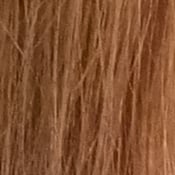
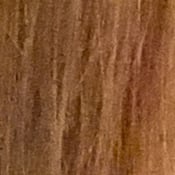
The Fuji GFX's images are very clean and incredibly detailed with almost no drop in image quality up to ISO 800. At ISO 1,600, noise reduction efforts are a little stronger as you'd expect, but noise is quite low and fine detail is still outstanding. ISO 3,200 is the first ISO step to show a significant drop in fine detail due to noise and the effects of noise reduction, however detail remains quite good. At ISO 6,400 detail is still very good but luminance noise becomes more noticeable, however the noise is still very fine-grained, and chroma noise is still well-controlled. Image quality at ISO 12,800 is still pretty good, though noise grain is of course more visible and some mild chroma blotching can be seen in the darker areas. Image quality drops off more rapidly at ISO 25,600 and above, with progressively more visible noise grain, stronger blurring and more noticeable noise reduction artifacts. Image quality at ISO 25,600 is not bad, but fine detail at ISOs 51,200 and 102,400 is quite soft with heavy luminance noise accentuated by sharpening artifacts, as well as chrominance noise in the form of large yellow and purple blotches. Still, high ISO performance is outstanding, among the best we've seen from any camera.
We're pixel-peeping to the extreme here though, which isn't always representative of what you see in prints. As always, see the Print Quality section below for maximum recommended print sizes at each ISO.
Extremes: Sunlit, dynamic range and low light tests
Mediocre dynamic range in JPEGs at default settings. Very good low-light performance.


Sunlight. The Fuji GFX 50S struggled with the harsh lighting of this test at default settings at the base ISO of 100 (which should be best case). We preferred the +0.3 EV exposure overall, because the exposure at +0.7 EV exposure compensation was too bright with far too many clipped highlights. Even at default exposure (0 EV), quite a few highlights were blown in the mannequin's shirt and flowers. There are quite a few dark shadows as well, though they contain good detail and relatively low noise with the default Provia film simulation. (Note that some other higher-contrast film simulations such as Pro Neg. Hi and especially Velvia frequently blow highlights and crush deep shadows, clipping them abruptly as can be seen in some of our Gallery shots.)
Overall, the Fuji GFX's JPEGs performed below average here without the help of any highlight and shadow adjustments, nor any dynamic range enhancement applied (see below). The good news is the blown highlights and detail in dark shadows in the above test scene are easily recoverable in the RAF RAW files, so the dynamic range captured by the GFX's sensor appears to be excellent.
Because digital cameras are more like slide film than negative film (in that they tend to have a more limited tonal range), we test them in the harshest situations to see how they handle scenes with bright highlights and dark shadows, as well as what kind of sensitivity they have in low light. The shot above is designed to mimic the very harsh, contrasty effect of direct noonday sunlight, a very tough challenge for most digital cameras. (You can read details of this test here.)


Face Detection
The Fuji 50S not only offers face detection to optimize focus and exposure for human faces, but also eye detection, and you can even specify which eye gets priority (right, left, or auto).
As you can see there are only subtle differences in exposure above with all of them still underexposed in the face, which is disappointing. Focus appears to be better, though, but at f/8 it's pretty difficult to discern a significant difference here. In hindsight, we should have taken this series at a wide aperture. Still, given the GFX's very high resolution and the format's more shallow depth of field, this feature should come in handy to help focus on the eyes in portraits when shooting at wide apertures.
Contrast Adjustment
The Fuji GFX 50S does not offer a traditional contrast adjustment. Instead, it offers Shadow and Highlight Tone settings, which let you adjust contrast in highlights and shadows independently. There are seven settings each on the GFX, ranging from -2 to +5.
| Far-field Highlight and Shadow Tone Comparison | |||||||
 |
|||||||
|
Highlight:
|
-2 | -1 | 0 | +1 | +2 | +3 | +4 |
|
Shadow:
|
-2 | -1 | 0 | +1 | +2 | +3 | +4 |
Shadow and Highlight Tone. Above you can see the effects the seven settings for Highlight and Shadow Tone control on our high-contrast Far-field shot. Mouse over the links to load the associated thumbnail and click on the links to visit the full resolution image.
Note how the Highlight settings mainly affect the brighter portions of the image, while the Shadow settings impact the darker areas. Both settings can be used simultaneously, giving more flexibility to tune the tone curve at both ends compared to a single contrast setting. Nice.


D-Range is Fuji's name for their dynamic range enhancement technology. D-Range is designed to preserve hot highlights, by exposing for highlights and then boosting mid-tones and shadows. There are three levels: DR100 100% (default), DR200 200%, DR400 400%, as well as an Auto mode which can select DR100 or DR200. DR200 is available at ISO 200 and above while DR400 is available at ISO 400 and above, so all the examples above were taken at ISO 400. Mouse over the links above to load the corresponding thumbnail image. Click on the links to get to the full resolution images.
As you can see the images above, the Fuji GFX's higher D-Range settings were effective at toning down highlights without impacting shadows and midtones significantly in our Far-field shot. As they say, though, there's no free lunch, because improved highlight retention comes at a cost of increased noise. This is because the camera's sensitivity needs to be raised to take advantage of the D-Range feature, though that's really not much of penalty because the GFX's ISO performance is so good. (Note that the Fuji GFX does not offer a multi-shot in-camera HDR mode.)
Dynamic Range Analysis
We've recently switched to using DxOMark's dynamic range results because cameras were starting to exceed what we could measure ourselves with a standard Stouffer T4110 step chart, however DxOMark no longer publishes test results for Fuji sensors so we have no DxOMark results to share.
Looking at base ISO RAW files, though, it appears that the Fuji GFX's peak dynamic range is excellent; very similar to the Pentax 645Z but better than the best full-frame camera tested thus far (the Nikon D810). And if we look at the Photons to Photos website, their "Photographic" dynamic range results (which are not directly comparable to DxOMark's numbers) confirm the GFX indeed offers excellent dynamic range.
| 1 fc 11 lux |
1/16 fc 0.67 lux |
1/16 fc No NR |
|
|---|---|---|---|
| ISO 100 |
 3s, f2.8 |
 50s, f2.8 |
 50s, f2.8 |
| ISO 3200 |
 1/10s, f2.8 |
 1.5s, f2.8 |
 1.5s, f2.8 |
| ISO 12800 |
 1/40s, f2.8 |
 0.4s, f2.8 |
 0.4s, f2.8 |
Low Light. The GFX 50S performed extremely well in our low light tests, able to capture bright images down to the lowest light level we test at. The darkest level equates to about 1/16 the brightness of average city street lighting at night, so the Fuji GFX should be able to take well-exposed photos in almost any environment in which you can see well enough to walk around in.
Using the default high ISO noise reduction setting, noise is extremely low at base ISO 100 and very low at ISO 3200. The maximum native ISO of 12,800 is of course a bit noisy, but the noise "grain" is fairly tight and fine detail is still very good.
Automatic color balance performed well in low light, just a touch cool at one foot-candle, shifting to slightly magenta at 1/16 foot-candle.
We didn't notice any significant issues with hot pixels (there may be a few at ISO 100 but at this resolution it's difficult to distinguish them from specs of dust!), heat blooming or banding (fixed pattern noise).
We did however notice the Fuji GFX required shutter speeds of about 1/2 stop to just over 2/3 stop slower compared to other cameras for a similar scene brightness in the same lighting at the same aperture and ISO. We don't know if that has anything to do with the actual T-stop (transmission efficiency) of the Fujinon lenses we used or if the camera's sensitivity is overrated, or a combination of both, but it is something to be aware of.
Low Light AF. The Fuji GFX's contrast-detect autofocus system was able to focus in fairly low light. With our low-contrast AF target, the camera was able to focus down to about -2.5 EV, and with our new high-contrast AF target, the GFX was able to autofocus down to about -4.4 EV unassisted with an f/2.8 lens, which is very good. We test this on a sturdy tripod, though, so hand-held results may differ significantly. Unlike most cameras, the Fuji GFX 50S does not have a built-in AF assist lamp.
How bright is this? The one foot-candle light level that this test begins at roughly corresponds to the brightness of typical city street-lighting at night. Cameras performing well at that level should be able to snap good-looking photos of street-lit scenes.
NOTE: This low light test is conducted with a stationary subject, and the camera mounted on a sturdy tripod. Most digital cameras will fail miserably when faced with a moving subject in dim lighting. (For example, a child's ballet recital or a holiday pageant in a gymnasium.) Thanks to its much larger sensor, mirrorless cameras like the Fuji GFX tend to do better than point & shoots, but you still shouldn't expect a quick autofocus lock with moving subjects.
Output Quality
Print Quality
Stunningly detailed 30 x 40 inch prints up to ISO 3200; Usable 11 x 14 inch prints up to ISO 25,600; Nice 8 x 10 inch prints all the way until ISO 51,200!
 ISO 50 through 1600 images are stunningly detailed with amazingly clean noise characteristics as ISO rises, making the medium-format GFX capable of producing crisp, clear prints all the way up to 30 x 40 inches. Up to ISO 400, images are pretty much identical, and we only start to see a hint of shadow noise -- that appears more like a fine grain -- at ISO 800, which doesn't negatively affect print quality size. Throughout this ISO range, prints are super crisp with tons of resolution, and colors are pleasing and nicely saturated. A stunning print quality performance from the GFX!
ISO 3200 prints begin to display a bit more shadow noise, but the level of sharp, fine detail is still excellent all the way up to 30 x 40 inches. At lower ISOs, you could probably get away with printing even larger sizes, however 30 x 40 in. prints are the largest we test. Here at ISO 3200, we'd recommend stopping right at 30 x 40 inches; any larger and noise might become an issue.
ISO 6400 images display slightly stronger noise, but they maintain a film-like graininess, which isn't overly detrimental to print quality. At this ISO, the Fuji GFX still manages to produce an impressively-large 24 x 36 inch print. Detail is excellent, and despite the increase in shadow/background noise, it's not likely to have a negative effect given the typical viewing distance for a print of this size.
ISO 12,800 prints top-out at 16 x 20 inches; an amazingly large print for this ISO sensitivity. Color is still rich, and the prints still have nice contrast, but noise reduces fine detail in some lower-contrast areas, such as our notoriously tricky red fabric swatches. In other places, fine detail is still visible and quite sharp and clear.
ISO 25,600 images still manage to have very well-controlled noise, despite now hitting the GFX's expanded ISO range, but noise is stronger now and it's taking its toll on subtler, finer detail. An 11 x 14 inch print just passes muster, which is still quite remarkable.
ISO 51,200 prints reach a new benchmark: 8 x 10 inches. Never before have we had a camera capable of a usable 8 x 10 inch print at this ISO setting. At this print size, noise is surprisingly well-controlled and the print has lots of detail throughout. In the shadows, a combination of noise and noise reduction processing reduces fine detail to a degree as well as displays a somewhat mottled appearance in some areas. Colors are also slightly less vibrant. Overall, feel free to print 8 x 10's all the way up to this ISO!
ISO 102,400 images, alas, finally hit a point of too much noise and too little detail for us to consider acceptable. Perhaps a 5 x 7 inch print would work for less critical applications, but we'd avoid this ISO if printmaking is your end goal.
Wow! Talk about an absolutely stunning performance in our print quality analysis. The new 50MP medium-format Fuji GFX packs an incredible amount of resolving power and sophisticated image processing, making it capable of impressive prints at up to 30 x 40 inches (at least) all the way up to ISO 3200! Below ISO 3200, you could make even larger prints, but we hit the limit of our testing size. As ISO rises, the GFX displays excellent noise control, with a very gradual increase in noise; and the noise that we can see is very finely-grained, almost film-like. As such, the camera is capable of shockingly large prints, such as a 24 x 36 at ISO 6400 and even just hitting the mark for a quality 11 x 14 inch print at ISO 25,600. At ISO 51,200, the Fuji GFX takes the crown as king of the 8 x 10 inch print! Besting high ISO heavyweights from Nikon, such as the D810, which topped-out at ISO 25,600 for that print size, the GFX manages an impressively clean 8 x 10 at this super-high ISO level. At the maximum expanded ISO of 102,400, however, images are a bit too noisy for our taste, and this ISO should be avoided for quality prints.
The images above were taken from our standardized test shots. For a collection of more pictorial photos, see our Fujifilm GFX 50S Photo Gallery .
Not sure which camera to buy? Let your eyes be the ultimate judge! Visit our Comparometer(tm) to compare images from the Fujifilm GFX 50S with those from other cameras you may be considering. The proof is in the pictures, so let your own eyes decide which you like best!
Performance
Timing and Performance
Mixed performance for its class.
| Startup/Play to Record | ||
|---|---|---|
|
Power on |
~1.3 seconds
|
Time it takes to turn on and capture a shot. |
|
Play to Record, |
~1.3 seconds
|
Time until first shot is captured. |
Powerup to first shot was sluggish compared to most DSLRs, but not bad for a mirrorless camera. Switching from Play to Record mode and taking a shot took the same amount of time, which is quite slow, requiring one shutter press to get out of review mode and another to take the shot.
| Shutter Response (Lag Time) (Default Electronic First Curtain Shutter Mode) |
||
|---|---|---|
|
Full Autofocus, |
0.476 second
|
Time from fully pressing shutter button to image capture, with the lens already at the proper focal distance setting. (All timing performed with the Fujinon GF 63mm f/2.8R WR lens.) |
|
Manual Focus |
0.270 second
|
For most cameras, shutter lag is less in manual focus than autofocus, but usually not as fast as when the camera is "prefocused". |
|
Prefocused |
0.108 second
|
Time to capture, after half-pressing and holding shutter button. |
The shutter lag numbers above measure time from shutter button press to image capture, with the lens already set to the correct focus distance. This largely removes the issue of differences in lens focusing speed, and measures how fast the camera can measure and act on focus information. In this metric, the Fuji GFX was on the slow side for a modern camera, even for one relying on contrast-detect AF. The Fuji GFX 50S' full-autofocus shutter lag (with the subject at a fixed distance) was 0.476 second in Single-point (center) AF-S mode. That was with the 50S' Rapid AF option set to Off. With Rapid AF set to On, the measured lag time actually increased slightly to 0.481 second, but that's an insignificant difference. By comparison, most mirrorless cameras test at below 0.25 second these days, and the Pentax 645Z's phase-detect AF lag tested about 3 times faster at 0.158 second.
When manually focused, the Fuji GFX 50S' shutter lag time dropped to 0.270 second, which while faster than autofocus, is a bit slow for manual focus lag. Interestingly, enabling Rapid AF significantly improved manual focus lag to 0.111 second, pretty close to the 645Z's 0.117 second result.
The Fuji GFX 50S' prefocused shutter lag of 0.108 second is a bit faster than the 645Z's 0.112 second, but that's slower than most cameras. The Fuji's Rapid AF setting made no difference here.
To minimize the effect of different lens' focusing speed, we test AF-active shutter lag with the lens already set to the correct focal distance.
| Cycle Time (shot to shot) | ||
|---|---|---|
|
Single Shot mode |
1.0 second
|
Time per shot, averaged over a few frames (we no longer test for buffer depths in single-shot mode). |
|
Single Shot mode |
1.0 second
|
Time per shot, averaged over a few frames (we no longer test for buffer depths in single-shot mode). |
|
Early shutter |
No
|
Some cameras refuse to snap another shot if you release and press the shutter too quickly in Single Shot mode, making "No" the preferred answer. |
|
Continuous mode |
0.33 second
(2.99 fps); 40 frames total; 3 seconds to clear* |
Time per shot, averaged over buffer length of 40 frames, then slows to an average of 0.57s or 1.75 fps when buffer is full. |
|
Continuous mode |
0.34 second
(2.97 fps); 21 frames total; 2 seconds to clear* |
Time per shot, averaged over buffer length of 21 frames, then slows to an average of 0.57s or 1.75 fps when buffer is full. |
|
Continuous mode |
0.34 second
(2.97 fps); 11 frames total; 5 seconds to clear* |
Time per shot, averaged over buffer length of 11 frames, then slows to an average of 0.62s or 1.62 fps when buffer is full. |
|
Continuous mode |
0.33 second
(2.99 fps); 8 frames total; 6 seconds to clear* |
Time per shot, averaged over buffer length of 8 frames, then slows to an average of 0.62s or 1.61 fps when buffer is full. |
|
Continuous mode |
0.33 second
(2.99 fps); 8 frames total; 8 seconds to clear* |
Time per shot, averaged over buffer length of 8 frames, then slows to an average of 0.62s or 1.63 fps when buffer is full. |
|
*Note: Buffer clearing times measured with a 64GB Lexar Pro 2000x UHS-II SDXC card. Slower cards will produce correspondingly slower clearing times. Slow cards may also limit length of bursts in continuous mode. ISO sensitivity and noise reduction settings can also affect cycle times and burst mode performance.
|
||
Single-shot cycle time was one second when shooting Large Super Fine JPEGs or RAW+ Large Super Fine JPEG files. This is sluggish compared to most ILCs and DSLRs. (Note that we no longer test single-shot mode with just RAW files, as the results are usually somewhere in between JPEG and RAW+JPEG.)
The Fuji GFX 50S' Continuous mode speed is rated at 3.0 fps, and our lab results confirmed that. That's slow by today's standards, but on par with the 3-year-old Pentax 645Z DSLR which uses a similar sensor.
Buffer depths were fairly good in Continuous mode when shooting best quality JPEGs. We managed 40 frames before the camera slowed down, and that's with a difficult to compress target. (You may be able to do better with typical scenes.) When shooting lossless compressed RAW or RAW+JPEG files, buffer depths decreased to 21 and 11 frames respectively which isn't bad, but when shooting uncompressed RAW files, the buffer depth dropped to only 8 frames.
Buffer clearing times were quite fast with our fast UHS-II card, taking between 2 and 8 seconds to clear after a max-length burst depending on the file type. The GFX allows you to change settings while the buffer is clearing, however you cannot view just-shot images until after they are written to the card.
Bottom line, the Fuji GFX 50S' overall performance is sedate by modern standards, although it was never intended to be a sports camera. Power-up time, mode switching, autofocus speed, shutter lag and single-shot cycle times are all slower than most ILCs, but not bad considering the class. The 3 frames-per-second burst mode isn't what anyone would call quick these days, but buffer depths when shooting JPEGs or lossless compressed RAW files are reasonable, and buffer clearing is pretty quick with a fast UHS-II card.
Battery Life
Decent battery life for a large sensor mirrorless camera.
| Operating Mode | Battery Life |
|---|---|
|
Still Capture,
(EVF, CIPA standard) |
400 shots
|
|
Still Capture,
(LCD Monitor, CIPA standard) |
400 shots
|
The Fuji GFX 50S uses a custom NP-T125 10.8V 1250 mAh rechargeable lithium-ion battery pack for power, and comes with a dedicated charger. The battery is rated for 400 shots per charge when using the detachable EVF or LCD monitor, however that's with Auto Power Save On. With it Off, battery life drops to 340 shots with either display active. That's decent battery life for a mirrorless camera with such a large sensor, but quite poor compared to most DSLRs. We definitely recommend getting a second battery for your GFX 50S if you plan any extended outings or shoot a lot of video. You may also want to consider purchasing the optional VG-GFX1 vertical grip which doubles battery life with a second battery.
The table above shows the number of shots the camera is capable of on fully-charged battery, based on CIPA battery-life and/or manufacturer standard test conditions. While real-world battery life tends to be much better for mirrorless cameras, CIPA-rated battery life is still very useful for comparison purposes.
(Interested readers can find an English translation of the CIPA DC-002 standards document here. (180K PDF document))
Image Quality
Below are crops from our laboratory Still Life target comparing the Fuji GFX 50S' image quality to the highest resolution challengers we have tested to date: The 50-megapixel full-frame Canon 5DS R, the 51-megapixel medium format Pentax 645Z, the 101-megapixel medium format Phase One XF 100MP, and the 42-megapixel full-frame Sony A7R II Mark II. We've also decided to change up our typical IQ Comparison layout to accommodate larger crops -- the 250 x 250-pixel square crops normally seen in our IQ tables just don't show much from very high resolution images like these when viewed at 100%. And we've included one stop higher in terms of ISO sensitivity.
NOTE: These images are from best quality JPEGs straight out of the camera (except for the Phase One XF 100MP which cannot produce in-camera JPEGs), at default settings including noise reduction and using the camera's actual base ISO (not extended ISO settings). All cameras in this comparison were shot with our very sharp reference lenses. Clicking any crop will take you to a carrier page where you can click once again to access the full resolution image as delivered straight from the camera. For those interested in working with the RAW files involved: click these links to visit each camera's respective sample image thumbnail page: Fuji GFX 50S, Canon 5DS R, Pentax 645Z, Phase One XF 100MP and Sony A7R Mark II -- links to the RAW files appear beneath those for the JPEG images, wherever we have them. And remember, you can always go to our world-renowned Comparometer to compare the Fuji GFX 50S to any camera we've ever tested!
Fuji GFX 50S versus Canon 5DS R at Base ISO
 |
Fuji GFX 50S at ISO 100 |
 |
Canon 5DS R at ISO 100 |
 |
Fuji GFX 50S at ISO 100 |
 |
Canon 5DS R at ISO 100 |
 |
Fuji GFX 50S at ISO 100 |
 |
Canon 5DS R at ISO 100 |
Here we compare the medium format Fuji GFX 50S with the full-frame Canon 5DS R at base ISO. Although on paper the Fuji has just a slightly higher resolution (51.1MP with a 8256 x 6192 pixel image versus 50.3MP with a 8688 x 5702 image for the Canon), when framed vertically the 4:3 Fuji has a larger advantage over the 3:2 Canon in terms of resolving power than their relative pixel counts would imply. As a result, the Fuji does resolve a bit more detail in this comparison, but it also applies stronger default sharpening and contrast producing a crisper image with more "pop," though with slightly more noticeable sharpening halos as well. (Note that the Canon was shot with Fine Detail Picture Style which does a better job rendering fine detail without visible sharpening artifacts than Canon's Standard Picture Style, but images also have lower contrast.) The Fuji does however show slightly lower noise levels here at ISO 100, particularly chroma noise in the shadows, but it also doesn't reproduce the subtle offset printing coloration in the mosaic crop. Both cameras show some aliasing artifacts but that is to be expected from cameras without optical low-pass filters. Interestingly, the Canon produces higher contrast in our tricky red-leaf swatch. Both cameras produce very pleasing colors as we've come to expect from Canon and Fuji. |
Fuji GFX 50S versus Pentax 645Z at Base ISO
|
Fuji GFX 50S at ISO 100 |
 |
|
Pentax 645Z at ISO 100
|
|
Fuji GFX 50S at ISO 100 |
 |
|
Pentax 645Z at ISO 100
|
|
Fuji GFX 50S at ISO 100 |
 |
|
Pentax 645Z at ISO 100
|
The Fuji GFX 50S and Pentax 645Z use very similar if not identical sensors, so it's no surprise they both resolve very similar levels of detail. The Fuji's image appears crisper due to more sophisticated default processing and perhaps a slightly better lens, and it has more pleasing, accurate colors as well. The Pentax on the other hand produces much better contrast in our red-leaf swatch but it renders the pink fabric much too magenta. As expected, both show some aliasing artifacts. |
Fuji GFX 50S versus Phase One XF 100MP at Base ISO
|
Fuji GFX 50S at ISO 100 |
 |
Phase One XF 100MP at ISO 50 |
|
Fuji GFX 50S at ISO 100 |
 |
Phase One XF 100MP at ISO 50 |
|
Fuji GFX 50S at ISO 100 |
 |
Phase One XF 100MP at ISO 50 |
|
Although not a fair comparison, here we compare the Fuji GFX 50S to the highest resolution camera we have ever tested at IR, the 101-megapixel Phase One XF 100MP, which has an even larger medium format sensor and sells for approximately 7.5x the price as the GFX 50S. The XF easily out-resolves the 51-megapixel GFX 50S as expected, reproducing the finest of details the Fuji simply cannot. The Phase One XF 100 MP also renders a much sharper image, while at the same time producing fewer sharpening halos around high-contrast edges. The Phase One also produces much better contrast in our tricky red-leaf swatch. Noise in flatter areas is more visible from the Phase One already here at base ISO though, even at its lower base sensitivity of 50. Be aware the Phase One camera does not produce in-camera JPEGs, requiring the use of computer software (in this case we used Phase One's Capture One at default settings), so this is another reason this comparison is unfair but still interesting. |
Fuji GFX 50S versus Sony A7R II at Base ISO
|
Fuji GFX 50S at ISO 100 |
 |
Sony A7R II at ISO 100 |
|
Fuji GFX 50S at ISO 100 |
 |
Sony A7R II at ISO 100 |
|
Fuji GFX 50S at ISO 100 |
 |
Sony A7R II at ISO 100 |
The 51-megapixel GFX easily out-resolves Sony's 42-megapixel full-frame A7R II mirrorless, as expected. Once again, the Fuji shows lower chroma noise in the shadows, but the Sony does a better job at reproducing the offset printing coloration in the mosaic crop. Sharpening halos are practically nonexistent from the Sony, but they aren't very obtrusive from the GFX. Both cameras show some aliasing artifacts but the difference in resolution happens to make moiré patterns more visible from the Sony in our red-leaf swatch. Similar to what we saw with the other cameras, the Sony A7R II produces much better contrast in our red-leaf swatch, however overall color is warmer and more accurate from the Fuji. |
Fuji GFX 50S versus Canon 5DS R at ISO 1600
 |
Fuji GFX 50S at ISO 1600 |
 |
Canon 5DS R at ISO 1600 |
 |
Fuji GFX 50S at ISO 1600 |
 |
Canon 5DS R at ISO 1600 |
 |
Fuji GFX 50S at ISO 1600 |
 |
Canon 5DS R at ISO 1600 |
The Fuji GFX's image quality advantage over the Canon 5DS R increases here a ISO 1600, with the Canon producing much higher luminance noise as can be readily seen in flatter areas, and as a consequence, its default noise reduction begins to blur fine detail more than the Fuji's does. This is particularly evident in the red-leaf swatch which has become noticeably softer with much of the fine thread pattern blurred away. The Fuji has also lost some subtle detail in the red-leaf fabric, though not to the same extent. Contrast in the red-leaf swatch does however remain better from the Canon. |
Fuji GFX 50S versus Pentax 645Z at ISO 1600
|
Fuji GFX 50S at ISO 1600 |
 |
Pentax 645Z at ISO 1600 |
|
Fuji GFX 50S at ISO 1600 |
 |
Pentax 645Z at ISO 1600 |
|
Fuji GFX 50S at ISO 1600 |
 |
Pentax 645Z at ISO 1600 |
Here at ISO 1600, the Fuji produces a noticeably cleaner, crisper and brighter image even though amount of detail preserved is still comparable. However most of the difference is due to better JPEG processing from the Fuji, as noise levels in RAW files appear very similar. Subtle detail in our tricky red-leaf swatch has been degraded more by the Pentax, however contrast is still a bit better. The Fuji continues to produce better colors. |
Fuji GFX 50S versus Phase One XF 100MP at ISO 1600
|
Fuji GFX 50S at ISO 1600 |
 |
Phase One XF 100MP at ISO 1600 |
|
Fuji GFX 50S at ISO 1600 |
 |
Phase One XF 100MP at ISO 1600 |
|
Fuji GFX 50S at ISO 1600 |
 |
Phase One XF 100MP at ISO 1600 |
While the Phase One XF continues to readily out-resolve the GFX here at ISO 1600, its resolution advantage isn't nearly as great as at base ISO. The Phase One's image is much grainier and default noise reduction distorts fine detail and edges more than the GFX. The Phase One image is crisper and contrast remains higher in the red-leaf swatch, though, however color is better from the Fuji. In case you're wondering, resampling the Phase One down to the GFX's image size of 51 megapixels reduces the appearance of noise, but the GFX's image is still significantly cleaner. |
Fuji GFX 50S versus Sony A7R II at ISO 1600
|
Fuji GFX 50S at ISO 1600 |
 |
Sony A7R II at ISO 1600 |
|
Fuji GFX 50S at ISO 1600 |
 |
Sony A7R II at ISO 1600 |
|
Fuji GFX 50S at ISO 1600 |
 |
Sony A7R II at ISO 1600 |
Here at ISO 1600, the Fuji GFX 50S continues to out-resolve the Sony A7R II. Both show similar levels of noise, however the Fuji's grain pattern is a bit more regular and film-like. The Sony shows much higher contrast in our red-leaf swatch and still shows more moiré patterns, however most of the fine thread pattern has been blurred away by noise reduction. |
Fuji GFX 50S versus Canon 5DS R at ISO 3200
 |
Fuji GFX 50S at ISO 3200 |
 |
Canon 5DS R at ISO 3200 |
 |
Fuji GFX 50S at ISO 3200 |
 |
Canon 5DS R at ISO 3200 |
 |
Fuji GFX 50S at ISO 3200 |
 |
Canon 5DS R at ISO 3200 |
The Fuji GFX's image quality continues to pull away from the Canon 5DS R's at ISO 3200, with a much cleaner, crisper, more detailed image all around. The Canon's default noise reduction is working pretty hard at this point, which unfortunately blurs and distorts fine detail while still leaving behind a lot of noise "grain". |
Fuji GFX 50S versus Pentax 645Z at ISO 3200
|
Fuji GFX 50S at ISO 3200 |
 |
Pentax 645Z at ISO 3200 |
|
Fuji GFX 50S at ISO 3200 |
 |
Pentax 645Z at ISO 3200 |
|
Fuji GFX 50S at ISO 3200 |
 |
Pentax 645Z at ISO 3200 |
|
Here at ISO 3200, the GFX continues to produce a noticeably cleaner, crisper and punchier JPEG image with better color than the 645Z. And again, the leaf pattern in our tricky red-leaf swatch has been blurred more by the Pentax's default noise reduction. |
Fuji GFX 50S versus Phase One XF 100MP at ISO 3200
|
Fuji GFX 50S at ISO 3200 |
 |
Phase One XF 100MP at ISO 3200 |
|
Fuji GFX 50S at ISO 3200 |
 |
Phase One XF 100MP at ISO 3200 |
|
Fuji GFX 50S at ISO 3200 |
 |
Phase One XF 100MP at ISO 3200 |
The Fuji GFX 50S image is dramatically cleaner than the Phase One image here at ISO 3200, with fewer noise reduction artifacts. The XF 100MP continues to be a little crisper with better contrast, but overall the Fuji comes out ahead here with lower noise, fewer noise reduction artifacts and better color. Keep in mind this is with default settings, so it's possible with some careful processing the added resolution provided by the 100MP will allow you to apply stronger noise reduction while still retaining better detail, but the Fuji still comes out ahead in terms of noise when you simply resample the Phase One image down to the same 51 megapixel size. |
Fuji GFX 50S versus Sony A7R II at ISO 3200
|
Fuji GFX 50S at ISO 3200 |
 |
Sony A7R II at ISO 3200 |
|
Fuji GFX 50S at ISO 3200 |
 |
Sony A7R II at ISO 3200 |
|
Fuji GFX 50S at ISO 3200 |
 |
Sony A7R II at ISO 3200 |
Again, the Fuji GFX 50S bests the Sony A7R II in this comparison at ISO 3200, producing a cleaner, crisper, more detailed image with better color and fewer noise reduction artifacts. The Sony continues to produce better contrast in our troublesome red-leaf swatch, however fine detail is more distorted than the Fuji's. |
Fuji GFX 50S versus Canon 5DS R at ISO 6400
 |
Fuji GFX 50S at ISO 6400 |
 |
Canon 5DS R at ISO 6400 |
 |
Fuji GFX 50S at ISO 6400 |
 |
Canon 5DS R at ISO 6400 |
 |
Fuji GFX 50S at ISO 6400 |
 |
Canon 5DS R at ISO 6400 |
At ISO 6400, the Fuji GFX's image quality is so much better than the Canon 5DS R's, that it can barely see the Canon in its rear-view mirror! The GFX appears more than a stop better in terms of noise, and still produces a much sharper (even though sharpening tends to exacerbate noise) and clearer image with far fewer noise reduction artifacts. |
Fuji GFX 50S versus Pentax 645Z at ISO 6400
|
Fuji GFX 50S at ISO 6400 |
 |
Pentax 645Z at ISO 6400 |
|
Fuji GFX 50S at ISO 6400 |
 |
Pentax 645Z at ISO 6400 |
|
Fuji GFX 50S at ISO 6400 |
 |
Pentax 645Z at ISO 6400 |
|
Here at ISO 6400, the Fuji continues to produce a noticeably cleaner, crisper and more detailed JPEG than the Pentax with a tighter noise grain and better color as well, but again that's mostly due to better processing from the Fuji as RAW files contain similar noise characteristics. Both cameras blur our troublesome red-lead swatch, but the GFX holds on to a bit more detail. |
Fuji GFX 50S versus Phase One XF 100MP at ISO 6400
|
Fuji GFX 50S at ISO 6400 |
 |
Phase One XF 100MP at ISO 6400 |
|
Fuji GFX 50S at ISO 6400 |
 |
Phase One XF 100MP at ISO 6400 |
|
Fuji GFX 50S at ISO 6400 |
 |
Phase One XF 100MP at ISO 6400 |
The Fuji image is again dramatically cleaner than the Phase One here at ISO 6400, with far fewer noise reduction artifacts. The XF 100MP continues to be a little crisper with better contrast, but overall the Fuji comes out ahead here with lower noise, better detail retention, fewer noise reduction artifacts and better color. |
Fuji GFX 50S versus Sony A7R II at ISO 6400
|
Fuji GFX 50S at ISO 6400 |
 |
Sony A7R II at ISO 6400 |
|
Fuji GFX 50S at ISO 6400 |
 |
Sony A7R II at ISO 6400 |
|
Fuji GFX 50S at ISO 6400 |
 |
Sony A7R II at ISO 6400 |
Once again, the Fuji GFX 50S easily wins this comparison, producing a cleaner, crisper, more detailed image with better color and fewer noise reduction artifacts than the Sony A7R II. |
High-Contrast Detail: Fuji GFX 50S versus Canon 5DS R, Pentax 645Z, Phase One XF 100MP, and Sony A7R II
Base ISO |
ISO 6400 |
ISO 12,800 |
|
Fuji GFX 50S Base ISO: 100 |
 |
 |
 |
|
Canon 5DS R
Base ISO: 100 |
 |
 |
 |
Pentax 645Z Base ISO: 100 |
 |
 |
 |
|
Phase One
Base ISO: 50 |
 |
 |
 |
Sony A7R II Base ISO: 100 |
 |
 |
 |
| Detail comparison. High-contrast detail is also important, pushing the camera in different ways, so we like to look at it too. Here, the Fuji GFX 50S does very well, producing better contrast and lower noise than the Canon 5DS R and Sony A7R II, and fewer false colors than the Pentax 645Z. Unsurprisingly, the Phase One performs the best in terms of detail and contrast at base ISO, however noise is quite noticeable at ISO 6400 and 12,800. | |||
Fuji GFX 50S Print Quality Analysis
Stunningly detailed 30 x 40 inch prints up to ISO 3200; Usable 11 x 14 inch prints up to ISO 25,600; Nice 8 x 10 inch prints all the way until ISO 51,200!
ISO 50 through 1600 images are stunningly detailed with amazingly clean noise characteristics as ISO rises, making the medium-format GFX capable of producing crisp, clear prints all the way up to 30 x 40 inches. Up to ISO 400, images are pretty much identical, and we only start to see a hint of shadow noise -- that appears more like a fine grain -- at ISO 800, which doesn't negatively affect print quality size. Throughout this ISO range, prints are super crisp with tons of resolution, and colors are pleasing and nicely saturated. A stunning print quality performance from the GFX!
ISO 3200 prints begin to display a bit more shadow noise, but the level of sharp, fine detail is still excellent all the way up to 30 x 40 inches. At lower ISOs, you could probably get away with printing even larger sizes, however 30 x 40 in. prints are the largest we test. Here at ISO 3200, we'd recommend stopping right at 30 x 40 inches; any larger and noise might become an issue.
ISO 6400 images display slightly stronger noise, but they maintain a film-like graininess, which isn't overly detrimental to print quality. At this ISO, the Fuji GFX 50S still manages to produce an impressively-large 24 x 36 inch print. Detail is excellent, and despite the increase in shadow/background noise, it's not likely to have a negative effect given the typical viewing distance for a print of this size.
ISO 12,800 prints top-out at 16 x 20 inches; an amazingly large print for this ISO sensitivity. Color is still rich, and the prints still have nice contrast, but noise reduces fine detail in some lower-contrast areas, such as our notoriously tricky red fabric swatches. In other places, fine detail is still visible and quite sharp and clear.
ISO 25,600 images still manage to have very well-controlled noise, despite now hitting the GFX's expanded ISO range, but noise is stronger now and it's taking its toll on subtler, finer detail. An 11 x 14 inch print just passes muster, which is still quite remarkable.
ISO 51,200 prints reach a new benchmark: 8 x 10 inches. Never before have we had a camera capable of a usable 8 x 10 inch print at this ISO setting. At this print size, noise is surprisingly well-controlled and the print has lots of detail throughout. In the shadows, a combination of noise and noise reduction processing reduces fine detail to a degree as well as displays a somewhat mottled appearance in some areas. Colors are also slightly less vibrant. Overall, feel free to print 8 x 10's all the way up to this ISO!
ISO 102,400 images, alas, finally hit a point of too much noise and too little detail for us to consider acceptable. Perhaps a 5 x 7 inch print would work for less critical applications, but we'd avoid this ISO if printmaking is your end goal.
Wow! Talk about an absolutely stunning performance in our print quality analysis. The new 50MP medium-format Fuji GFX 50S packs an incredible amount of resolving power and sophisticated image processing, making it capable of impressive prints at up to 30 x 40 inches (at least) all the way up to ISO 3200! Below ISO 3200, you could make even larger prints, but we hit the limit of our testing size. As ISO rises, the GFX displays excellent noise control, with a very gradual increase in noise; and the noise that we can see is very finely-grained, almost film-like. As such, the camera is capable of shockingly large prints, such as a 24 x 36 at ISO 6400 and even just hitting the mark for a quality 11 x 14 inch print at ISO 25,600. At ISO 51,200, the Fuji GFX 50S takes the crown as king of the 8 x 10 inch print! Besting high ISO heavyweights from Nikon, such as the D810, which topped-out at ISO 25,600 for that print size, the GFX manages an impressively clean 8 x 10 at this super-high ISO level. At the maximum expanded ISO of 102,400, however, images are a bit too noisy for our taste, and this ISO should be avoided for quality prints.
Field Test Part I
Field Test Part II
The medium format GFX tries its hand at landscape photography

At Photokina 2016, Fujifilm did something many Fuji shooters had been eagerly anticipating: they announced a camera with a sensor larger than APS-C size. What was surprising about this announcement was that Fujifilm opted to skip over the popular full-frame format and dive straight into medium format territory with the Fuji GFX 50S, a 50-megapixel medium format mirrorless camera.
Launching in late February 2017, the Fujifilm GFX 50S hit store shelves with a body-only price tag around US$6,500. This price tag makes it about $2,500 less expensive than the competing Hasselblad X1D mirrorless camera, which also employs a 50-megapixel sensor, albeit in a slimmer, sleeker camera body with many less physical controls than the GFX 50S.
I have been testing the Fujifilm GFX 50S as a landscape camera using the GF 32-64mm f/4 R LM WR zoom lens, the only zoom lens launched alongside the camera. Let's take a look at how the GFX 50S and zoom lens performs as a landscape photographer's tool.
Key Features and Info
- Mirrorless camera with a DSLR-inspired camera body
- 51.4-megapixel medium-format CMOS sensor
- ISO 100-12800 range
- 425-point contrast detect autofocus system
- Detachable OLED EVF
- 3.2-inch tilting touchscreen display
- UHS-II support
- $6,500 body-only price
Camera Body & Handling: Fuji GFX looks and controls like other Fuji cameras

Size-wise, the Fujifilm GFX 50S is very similar to a full-frame DSLR camera despite having a larger sensor and new, robust G lens mount. It is comparable in size to a Nikon D810, for example, which means that it's larger than many other mirrorless cameras but also surprisingly small for a medium format camera.
What sets the GFX 50S apart physically from a full-frame DSLR camera -- apart from the obvious lack of a mirror and the larger sensor inside -- is the flat top deck of the camera and the large protruding area on the back where the tilting display is. If not for the tilting display assembly, the GFX would be a fairly slim camera. The electronic viewfinder, when attached, gives the camera more of a DSLR look. (More on the electronic viewfinder in a bit.) The grip is quite similar to that of a DSLR. The front grip is deep, but fairly narrow, offering a comfortable holding position and easy access to the front command dial. The rear thumb rest area is nice as well, with protrusion to rest your thumb against for a stronger hold on the camera.

Despite its size, the GFX 50S proved very user-friendly thanks to generally excellent physical controls and design. This is Fujifilm's largest digital camera, but it borrows a lot of aspects of its design from its X-series mirrorless cameras, such as the dedicated ISO and shutter speed dials. These dials have engraved markings, and they rotate nicely, not requiring too much force but also not being prone to accidental rotation while using the camera. If you want to lock the dials, you can do so by pressing a central locking button, but I never felt it necessary as accidentally moving the dials seemed difficult.
On the topic of the button layout, it's mostly good news all around, albeit with a few issues. The exposure compensation button on the top of the camera is small, and I found that it didn't always register my press. Another minor issue is the location of the playback and delete buttons, which are located on the area that juts out on the rear of the camera; on top of the rear display. They are difficult to press with the right hand; you really need to hold the camera in an unnatural position to press them. It's a similar story with the focus mode switch, which sits at the other top corner of the rear display. There isn't a lot of free space on the camera, but nonetheless, the playback and delete buttons seem to be in an odd spot. On the other hand, the camera's buttons mostly feel great, and the shutter release in particular is nice and responsive.
The Fuji GFX 50S' rear display is a large 3.2-inch touchscreen LCD monitor. The display has 2.36M dots and is sharp. The display is quite reflective, though, and can be difficult to view in bright light; however you can tilt the display to help alleviate this. The touchscreen tilts 90-degrees upwards, 45-degrees downwards and 60-degrees toward the right. The latter tilt is triggered by pressing a release button on the left side of the display and is very useful when shooting the camera in vertical orientation. The tilting mechanism itself is quite robust and feels durable.

You can use the touchscreen display for many functions, such as navigating the Quick Menu, tapping for focus and tapping to trigger a shot. However, you cannot use the touchscreen to navigate the camera's standard menus.
There is a second display on the top deck of the camera, a "sub monitor" as Fuji calls it, that uses an E-Ink display. By default, it is dark with light text. The text is readable from practically any angle, which is very nice. The display lights up by pressing the illumination button to the left of the sub monitor, which reverses the colors, making the background light and the text dark.

You can customize what shows up on the sub monitor for both stills and movie shooting. For shooting stills, you can select shutter speed, aperture, exposure compensation, ISO, movie mode, frames remaining, recording time, shooting mode, photometry, drive mode, focus mode, white balance, image size, image quality, battery level, card slot options, shutter type, film simulation and dynamic range. When the camera is off, the sub monitor displays the card slot info, remaining images and battery level (or levels when using the vertical grip with the additional battery pack).
I want to point out something about the GFX 50S's menus. When you turn the camera off -- or it turns off on its own after a period of idling -- the camera doesn't keep track of where you were in the menus.
The detachable electronic viewfinder, known officially as the EVF-GFX1, is very good. It's a 0.5-inch 3.69M-dot OLED viewfinder with 100% coverage and a 35mm equivalent magnification of 0.85x. In real-world use, the viewfinder's large size and sharp display proved very good. The circular eyepiece cup around the viewfinder is very comfortable and does an excellent job of blocking out ambient light. I did notice that there is some stuttering of the live view when shooting in low light, but this is not unusual while in auto-exposure modes. When using manual exposure, I didn't experience this stuttering, laggy effect.
The live view feed to the EVF and to the rear monitor sometimes displays an odd "shimmering-like" effect whenever the camera autofocuses. It's as if the video quality of the live view feed drops during the focusing operation. Since your eye is up close, I noticed it more when using the EVF and with scenes with lots of fine detail. It can be a little distracting, but it's not bad.

There is also an optional adapter for the GFX that lets you tilt and rotate the whole electronic viewfinder. This adapter, the EVF-TL1, costs US$570, which is very high for what amounts to a pretty small piece of plastic. Nonetheless, the adapter offers vertical movement up to 90-degrees and horizontal movement in either direction up to 45-degrees. There is a locking knob toward the front of the adapter to control vertical movement. To move the viewfinder side to side, you have to unlock a tab underneath the EVF. This metal tab requires considerable force to move but works fine. The tilting adapter does add quite a bit of size to the top of the GFX 50S and even some depth as the EVF sticks out quite a bit further when attached to the TL1 than when attached straight to the camera. With that said, it is very useful out in the field, and I use it frequently. If you often work at unusual angles and don't want to rely entirely on the tilting touchscreen -- which doesn't work so well in bright light outdoors -- then the adapter is worth the price.
Another optional accessory I tried is the vertical grip for the GFX. The VG-GFX1 vertical battery grip, like the tilt adapter, is quite expensive, selling for around $600. The grip is very comfortable but does employ a somewhat unusual design. Rather than have the shutter release and dials near the "top" of the grip, which would place them on the corner of the camera body, the grip has an indented area about two-thirds of the way up that houses the shutter release and buttons. It's an odd-looking design, but it works very well and gives you a similar grip on the camera as if you were holding it in the horizontal orientation.

The grip is full-featured, including a joystick for moving the AF point, six function buttons (such as Q and exposure compensation buttons) and a menu/OK button. The two command dials feel exactly like the ones on the camera body itself, which I like as sometimes battery grips have different dials than the camera itself. The grip also has a DC input and a loop for the strap. One of the best reasons to get the grip is to double the camera's battery life from 400 to 800 shots. It's disappointing that the grip doesn't come with a battery, as those are $120 separately, so you're looking at $720 to get the full use of the grip.
While not the sleekest camera I've seen, the GFX 50S employs a very functional design that can become surprisingly compact with the viewfinder detached, especially for a medium format camera. In real-world use, the GFX 50S feels like a full-frame camera rather than a medium format one, which is something that medium format cameras have rarely been able to accomplish.
Despite being a first-generation product, the design seems very refined. A few small things stand out, such as the battery and memory card compartments being on the sides of the camera, making them easy to access, even when using a tripod. Further, this allows removal of the primary battery with the vertical grip attached. On many cameras I've used with vertical grips, you have to remove the grip to access the primary battery as it's typically on the bottom of the camera. It's not all good news, however, as I've already touched on the odd placement of the playback and delete buttons, but also the neck strap lugs, rugged as they may be, allow the GFX's strap to become easily twisted. It's a small issue, but it's one worth pointing out.

Overall, the GFX 50S is very comfortable and user-friendly. It is a thoughtfully-designed camera that puts a lot of controls at your fingertips and offers quick access to all the primary shooting settings. The tilting display is also a highlight here, as its touchscreen functionality is very useful. When you want to instead use a viewfinder, the EVF proved to be very good and one of the best EVFs, if not the best, I have used.

Fujifilm GFX Shooting Features and Experience
We've already covered First Shots from the GFX, which we called the best we have ever seen. It's going to be hard to expand much on that, so I will keep this section fairly brief. The GFX uses a 51.4-megapixel medium format CMOS sensor (maximum image is 51.1 megapixels). It is not as big as the medium format sensor found in a camera like the Phase One XF 100MP, but rather a smaller medium format sensor, like the one found in the Hasselblad X1D. The sensor size is 43.8 x 32.9 millimeters and has a 4:3 aspect ratio. The focal length multiplier is 0.8x when using the GFX, so the 32-64mm zoom lens I used with the camera is a 25-51mm equivalent in 35mm terms.


While full-frame sensors are very impressive, the GFX sensor is outstanding. Its lack of an anti-aliasing filter does make it more susceptible to moiré, but it also allows the sensor to capture a very fine level of detail unlike anything produced by full-frame sensors. Obviously when you are comparing a 50-megapixel medium format sensor to a roughly 40-megapixel full-frame sensor, such as those in the Nikon D810 or Sony A7R II for example, the differences aren't always dramatic nor are they visible when viewing files at smaller sizes or making small prints. But when you print full-size image files, the differences are quickly evident.
Another impressive area for the GFX is its dynamic range performance. I have been able to pull shadow detail out of images unlike anything I've been able to do with full-frame cameras I've used. Highlight detail is easily recovered as well. The files are very flexible, particularly at lower ISOs.


It is not just low ISO performance which impresses, the camera also does surprisingly well at high ISO despite its high megapixel count. The extra sensor size and what Fujifilm has done to the sensor pays big dividends. You can see a variety of high ISO samples here. I was very impressed with the GFX's high ISO performance. I wouldn't hesitate to use this camera at ISO 1600 or even ISO 3200 when planning on making large prints.


As is often the case with high-end photographic gear, the difference in performance compared to the best full-frame cameras can be fairly small, and it is up to the consumer to determine whether or not the difference is worth the sometimes high increase in cost. The GFX's image quality is phenomenal, there is no disputing that, but its advantages over great full-frame cameras aren't easily noticed until you push the files to their limits.
The Fujifilm GFX relies on a contrast detect autofocus system; it has no phase detection autofocus. Further, it is important to keep in mind what the GFX is and who it is designed for. It's a medium format camera aimed at slower-paced shooting, such as landscapes, portraiture and the like. This is not a sports camera, and the limited autofocus speed backs up that sentiment.
Let's get the negatives out of the way first. The Fuji GFX's autofocus system is slow. I haven't previously used a medium format camera, so I cannot comment on how it compares to other MF systems, such as the Pentax 645Z or the recent Hasselblad X1D. However, I can say that compared to APS-C Fujifilm cameras, the GFX is sluggish. The camera has a mode called "Rapid AF," which decreases the display quality but increases autofocus speeds, according to the manual. I used the feature some and didn't find it to offer much of a speed increase.

The GFX's low light autofocus is also an area of weakness. When shooting in dim morning or evening conditions, which are common lighting conditions for me, the GFX regularly struggled. With a polarizing filter attached, the problem was unsurprisingly exacerbated. I have shot with many cameras in similar conditions and didn't encounter as many issues as I did with the GFX.
Now to the positives. The GFX has 425 autofocus points, which cover a huge portion of the image area. Considering the size of the sensor, this is very impressive. The autofocus point density and coverage is better than most cameras I've used, even those with much smaller sensors to cover.
Autofocus modes include single point, zone and wide/tracking. Moving points around using the dedicated autofocus joystick also works very well and you can adjust the size of the points/zone using the rear command dial. When using zone and wide/tracking AF modes, the number of focus points decreases to 117.
Overall, autofocus is not fast, but it is consistently accurate and works well for the types of photography for which the GFX is designed. I enjoyed the density of autofocus points in the image area, but the low-light autofocus performance was disappointing.

The conditions recently have been quite snowy here in Maine, which provided a good opportunity to challenge the GFX's exposure and white balance metering. The camera uses a TTL 256-zone metering system, which proved to be quite good. In scenes with a lot of white areas, the camera tended to underexpose, sometimes considerably, but it was consistent, so exposure compensation worked well. White balance metering was mostly good as well, although it struggled a bit in low light conditions, tending to produce images with a bluish tint.
Metering options include multi, spot, average and center-weighted, with spot metering linked to a single autofocus point. Available exposure compensation is +/- 5 EV in 0.3 EV steps. I regularly used the GFX with a live histogram on the display, which works very well as it can be quite difficult to accurately assess exposure using just the image on the camera's display. The GFX also has a highlight alert option, which while useful, isn't quite as good as using the histogram.

You will want to refer to our lab testing for the Fuji GFX 50S for the full details on its performance, but suffice it to say, it's not a speedy camera. The GFX relies on an X-Processor Pro, which is quick for single shot cycling, but can't handle many of the GFX's large image files. I tested the GFX with a Lexar 64GB 2000x SDXC II card, which is rated with a max read speed of 300 MB/s and a max write speed 260 MB/s. It worked great for my type of photography. Single images were processed quickly, and I could view them almost immediately. The camera worked quickly, menus were snappy and changing settings was fast.
During my own testing with the camera, I was able to shoot a buffer of 7 frames both in RAW and RAW+JPEG modes at 3 frames per second, with the buffer clearing in around 10 seconds in both cases. This buffer depth is obviously small, but it should be sufficient for many types of photography. Another aspect of the camera's overall speed worth pointing out is that when using the mechanical shutter, the viewfinder blackout is fairly long. When you shoot continuously, you don't have a true live view look through the viewfinder, but captured images display in the viewfinder instead.
Another weak area for the GFX is its battery life, which is rated for 400 shots. You can double the battery life by using the optional vertical grip with a second battery, but I was chewing through battery life in fewer shots than that, so your mileage may vary.
Overall, the camera is far from fast, but it never felt sluggish during my landscape work. I think that some portrait photographers could feel hampered by the GFX's buffer depth, but the buffer clears pretty quickly. It will never be an action or sports camera, clearly, but that isn't the design intent.

Film simulations are one of my favorite features on Fujifilm cameras. They are capable of capturing colors, contrast and tones in ways unlike anything found on non-Fuji cameras. The Fujifilm GFX 50S is no different. It includes the same standard suite of Film Simulations you've come to expect in Fuji cameras, except this time with a relatively new one, Acros. You can read more about the film simulation here, but basically it is a new black and white film simulation with a sharp, fine-grained look and rich tonality. I already liked Fujifilm's standard black and white option, but Acros is my new favorite, allowing me to create beautiful black and white images right in the camera.


While the Fujifilm GFX 50S offers the standard assortment of exposure settings like other Fujifilm cameras, there is also a good Auto ISO mode I wanted to bring attention to. The user has access to three customizable Auto ISO slots, which let you customize both the ISO range that the camera will utilize and the minimum shutter speed. There isn't a way to adjust for the focal length of the lens being used, but with three slots, you have a lot of flexibility.

Historically, it would seem odd to even consider using Auto ISO with a medium format camera. They've typically required special treatment, such as always using a tripod or keeping the ISO within a narrow range, but the GFX 50S is different. You really can use it as you would other mirrorless cameras or DSLRs. You need to ensure that focus is spot-on, but other than that, you can walk around with the camera and capture good shots in ever-changing situations.
As I've mentioned, I used the GFX exclusively with the GF 32-64mm f/4 R LM WR lens. This lens offers a 25-51mm equivalent focal length and an aperture range of f/4 to f/32. Its optical formula includes three aspherical elements, one Super ED element and one ED element. The lens' front element is fluorine coated as well. These elements are encased in a solid lens barrel, which is dust- and weather-sealed.

It is an internally focusing lens and relies on a linear AF motor. Autofocus speeds are pretty quick, all things considered. What I really like about the lens is how good its zoom, focus and aperture rings feel. The zoom ring, in particular, feels fantastic, rotating smoothly but with purposeful resistance.
The lens balances nicely on the GFX 50S, weighing in at a fairly hefty 1.93 pounds (875 grams). The lens isn't much different in size from a Nikon 24-70mm f/2.8G lens, for example, and is considerably smaller and lighter than the newer Nikon 24-70mm f/2.8E lens. No, it's not as fast, but that's the sort of void the lens fills in the GFX system so it feels like a fair comparison.
As I'll discuss further down below, the f/4 aperture of the 32-64mm lens is fine for daytime shooting, typical landscapes-type shots, portraiture and other similar subject matter, but it can be limiting for certain situations, such as astrophotography, which I do quite a bit.
While I couldn't test the lens like our lab would, it proved to be a very sharp lens, offering great performance across the entire frame. It does have some vignetting at maximum aperture, particularly at the wide end, but it offers excellent performance overall, in my opinion.

In the Field
Acadia National Park is one of my favorite places to shoot. While much of the park is closed or simply too dangerous to access during the winter, one of my go-to locations, Duck Brook, is easily accessible no matter the season. The only difficulty in winter is navigating the often icy rocks. Water flow was good when I visited recently, making it a suitable test subject for the GFX 50S.
The GF32-64mm f/4 lens has a 77mm filter thread, meaning I could use the same filters I used with my Nikon 24-70mm f/2.8G lens within my Nikon system, which proved convenient. What was also very convenient was the tilting display and tilt adapter for the EVF. I typically like to set my gear up low when shooting landscapes, which often requires getting down on the ground to be able to see through the viewfinder of a camera. Not so with the EVF tilt adapter.

As winter storm Stella closed in on us here in eastern Maine in mid-March, I decided to take the GFX out and test its weather resistance in hopes of getting some nice black and white images in the blizzard-like conditions.
First things first, the GFX survived fine. Its weather sealing looks good, and the seals around the battery and memory card compartments are strong. There aren't any obvious gaps surrounding any of the buttons. The only area I noted moisture was between the camera body and the rear display, but it was easy to dry and I don't foresee this being a problem. To help prevent any potential water issues with the EVF, I opted to use the included hot shoe mount cover that came with the camera and rely only on the rear display. Despite Fuji's weather resistance claims, the conditions were particularly bad, so I had brought a few cloths with me to dab away snow on the camera and lens as needed.

In addition to dealing well with the elements, the GFX 50S also works well while wearing gloves, something important to me since I spend a lot of time shooting in very cold conditions. The touchscreen worked well with a pair of my gloves designed for touchscreen devices, but regular gloves were a no-go. The dedicated autofocus joystick worked fine for moving the AF point around with gloves on, although I did accidentally press the joystick a few times, which resets the AF point to center. The directional pad and other buttons worked well with gloves with the exception of the small exposure compensation button, which required a very deliberate press. Overall, the GFX 50S handles as well with gloves as any other camera I've used.

The dark stormy conditions also gave me a good reason to test out the GFX's high ISO capabilities a bit. I wanted to shoot at around 1/500 of a second to capture the snow as it fell, but with the GF 32-64mm zoom lens having a maximum aperture of f/4, this meant I had to dial the ISO upwards. I like that both shutter speed and ISO have dedicated dials on the GFX 50S body, which made adjusting settings a quick, simple process.

Using the Fujinon GF32-64 f/4 is tricky for night shooting. The focal length of the lens requires a fairly short exposure time in order to ensure that the stars are sharp, but the maximum aperture of f/4 on this zoom lens therefore requires a higher ISO to get those shorter exposure time. There are ways around this, such as stacking multiple high ISO images to reduce visible noise, but I instead decided to take advantage of the GFX's long shutter speed options. You can record single images with shutter speeds as long as 60 minutes on the GFX without needing to use an intervalometer or cable release, which is great. (The GFX actually has a built-in intervalometer function, which is both easy to use and convenient.)
 |
| Fujinon GF 32-64mm f/4 R LM WR at 32mm (25mm eq.), f/4, 30 minutes (sky) and 15 minutes (foreground), ISO 400 (sky) and ISO 3200 (foreground). This image has been modified and stacked. Click for sky image and foreground image. |
In part due to the f/4 lens, focusing at night can be quite challenging. The GFX's lenses don't include a built-in focus scale, so you need to rely on an electronic focus scale on the display. This method works well and allows for very fine, precise focus adjustments.
Unsurprisingly, making a series of long exposure images can drain the GFX's battery quite quickly. And I'm sure the cold environment I was in didn't help either. I went through one battery in a short few hours, which is far shorter than the battery life I get from my DSLR cameras.
 |
| Fujinon GF 32-64mm f/4 R LM WR at 32mm (25mm eq.), f/4, 30 minutes (sky) and 8 minutes (foreground), ISO 400 (sky) and ISO 1600 (foreground). This image has been modified and stacked. Click for sky image and foreground image. |
This is definitely not a strong night photography camera, at least not with the current trio of GF lenses. The ability to shoot star trails with a single frame, or longer ones with only a few files, is very nice, but for shooting photos of the Milky Way, Fuji will need to release faster wide-angle lenses or you will need to adapt other lenses to the GFX. With that said, the sensor is excellent and the camera handles well in the field at night, so the potential is there.
As a landscape camera, the Fujifilm GFX 50S is excellent. The Fujinon GF32-64 f/4 lens is fantastic and offers great performance across the frame throughout its 25-51mm equivalent focal length range.
With the addition of the vertical battery grip and tilt adapter, the GFX becomes a very flexible, usable camera in a variety of situations. Its tilting touchscreen display works well, and the control layout is generally good. The camera is rugged with dependable weather sealing, which makes it well-suited for landscape and nature photography.

Autofocus speed is a weak area for the GFX, to be sure, but it proved sufficient for landscape work, but fast-paced portrait shooters could be limited by the GFX's autofocus speed and continuous shooting performance.
The primary highlight of the GFX is its sensor, which excels in a wide variety of situations across an impressive ISO range. Its sharpness is unmatched by full-frame cameras, and Fujifilm's traditionally excellent color rendering and film simulation options translate well from the X series to the GFX.

What I like:
- Fantastic image quality
- Functional design
- Small for a medium format camera
- Detachable EVF is excellent
- Zoom lens works very well
- Great tilting touchscreen display
- Ample autofocus point coverage
What I dislike:
- Although AF coverage is good, autofocus speed is underwhelming, especially in low light
- Slow continuous shooting performance, as expected
- Sparse video features
- Max flash sync of 1/125s could be limiting for studio photographers
- Some may consider the GFX an unattractive camera

Field Test Part III
Taking a closer look at the GFX for video and portraiture

I have been shooting with the Fuji GFX 50S since early March, and it has continued to impress me. In my first Field Test, I discussed the GFX with the GF 32-64mm f/4 lens, mostly in the context of shooting landscape images. I covered the camera's ergonomics, autofocus and overall performance as well.
In this second Field Test, I will be discussing using the GFX 50S with the GF 63mm f/2.8 lens, expanding the prior discussion in a few ways and covering new topics, including the GFX 50S's video recording features and quality and its wireless functionality. I will also be discussing using the GFX as a portrait camera, primarily in the context of fast-paced environmental portraiture, and evaluate the camera's face detect and eye autofocus capabilities.
You should read my first Field Test if you haven't yet. But as a general recap and to ensure I won't be retreading too much in this second Field Test, here are the strengths and weaknesses of the GFX 50S so far.
What has impressed me so far
- Familiar Fujifilm ergonomics and design proved fast and comfortable in real-world use
- Battery and memory card slots are easily accessible, even when using the camera on a tripod
- Camera's weather sealing has held up to extreme conditions
- Detachable OLED electronic viewfinder is large and very sharp
- Tilt adapter for the EVF is useful in the field, although expensive
- The vertical battery grip is great
- Tilting touchscreen display works well in many situations
- Top e-Ink information display is customizable and helpful
- Medium format sensor delivers fantastic image quality across wide range of ISO speeds
- Autofocus points cover a big portion of the large image area
What has not impressed me
- A few buttons are oddly-placed and small
- The neck strap attachment mechanism is odd and the strap becomes easily twisted
- Continuous shooting performance is slow and buffer depth is very shallow
- Accessories are good, but overpriced
Overall, the Fuji GFX 50S has been very impressive, particularly as a landscape camera. It's clearly not the right camera for everyone, nor is it meant to be a jack of all trades, but when it comes to delivering high-resolution images, you'll be very hard-pressed to do better than the GFX at its price point.
Now let's dig into the Fuji GFX 50S a bit further and see how it does in other situations while looking at more of its features.
Fujifilm's Film Simulations and other picture settings
The Fuji GFX 50S, like other digital Fuji cameras, includes Film Simulations. I briefly discussed them in my first Field Test and wanted to expand upon the options further. You can also see all the Film Simulations in action in the video below.
The standard Film Simulation is, unsurprisingly, dubbed "Standard" and is based on Fuji's Provia film. The Velvia, or "vivid," film simulation is well-suited for nature or landscape scenes as it is a higher contrast, more saturated palette. I'm a big fan of Vivid, although it can at times add a bit of an unappealing tint to white areas of a scene, such as making snow appear unnaturally blue. In my case, this is also due in part to the occasionally inconsistent automatic white balance metering. For outdoor portraiture, Fuji recommends their Astia-based "soft" film simulation, which enhances the typical range of hues for skin tones while maintaining bright blues of daylight skies. Another simulation Fuji recommends for outdoor portraiture is the "PRO Neg. Hi," which offers higher contrast than the indoor-portrait oriented "PRO Neg. Std" film simulation. A relative newcomer to the color film simulation suite is Classic Chrome, which has soft, less saturated color and higher shadow detail.
Moving to the monochrome options, there's a standard Monochrome option and a new Acros film simulation. In addition to a standard mode, Monochrome and Acros are available with yellow, red and green filters, which deepen the gray tones corresponding to the complementary hues of the selected color. For example, if you have selected the red filter, blues and greens will appear darker. I like both the yellow and red filters for shooting black and white landscapes whereas the green option is a solid choice for portraiture given that it darkens red and brown tones. Finally, there is a sepia Film Simulation available.
Fuji GFX 50S Film Simulation 1920 x 1080 video showing resized still images shot with every Film Simulation setting the GFX offers. Further, the video shows the Color Chrome Effect and the Grain Effect. There will be more on Color Chrome in the final GFX 50S Field Test. For full-size images, see the Fuji GFX 50S Gallery. Download Original (130.1MB .MP4 File) |
In addition to Film Simulation, there are additional ways to augment the look of your images in-camera. First up is Dynamic Range to help reduce overall contrast in a scene by reducing the brightness of highlight areas and increasing it in shadow areas. When using Auto Dynamic Range, the camera uses either 100 percent (standard) or 200 percent. Regarding the 200 percent option, it is available only at ISO 200 and above. There's also a further 400 percent Dynamic Range option, which is available at ISO 400 and above.

In the same vein as Dynamic Range, there are also separate highlight and shadow tone adjustments, available from -2 to +4 in whole number intervals. Additional image settings are color, sharpness and noise reduction, which can be set in whole number intervals from -4 through +4.
Fuji GFX 50S Noise Reduction Comparison 100% center crops from highest-quality JPEG images shot with the GF 63mm f/2.8 lens at f/8 with an ISO setting of 12800. Noise reduction setting noted in caption. (Click images for full-size JPEG files) |
||
 |
 |
 |
NR: -4 (min) |
NR: 0 (default) |
NR: +4 (max) |
Dog hair may be generally annoying, but it does make a great test of noise reduction. In these shots, captured at ISO 12800, you can see the effect of the built-in noise reduction on these 100 percent crops of straight-from-the-camera JPEG images. Personally, I think that the default noise reduction strikes a good balance.
There is a "Lens Modulation Optimizer" option available, which is designed to "improve definition by adjusting for diffraction and the slight loss of focus at the periphery of the lens." You can see a 100 percent corner crop at f/32 with the optimizer disabled versus enabled to see the difference. With the GF63mm f/2.8, the effect is not dramatic, but it is noticeable in JPEG images. Granted, if you're shooting at apertures which introduce diffraction, you're really not taking good advantage of the GFX's sensor.
Fuji GFX 50S Lens Modulation Comparison |
|
 |
 |
Lens Modulation ON |
Lens Modulation OFF |
If you find that you shoot with adjusted settings frequently for different situations, you can save dynamic range, film simulation, grain effect, color chrome effect, white balance, highlight tone, shadow tone, color, sharpness and noise reduction settings in seven different Custom Setting banks.
A closer look at autofocus
The GFX offers Face Detect and Eye Detect autofocus modes. Standard face detection AF generally worked well during my testing, proving capable of keeping a face in focus as the subject moved both side to side and toward the camera. Even though the camera could track the face continuously, it is worth considering that with a medium-format camera like the GFX, even a slight miss in focus can make a very big difference. Errors, be it user or camera, are magnified. For this reason, I don't foresee employing face detect AF in many cases. I'd treat it more like a last resort than a viable method for reliable autofocus.

 |
| 100 percent crop from the unedited JPEG of the above image. Face Detect AF tracked the subject very well as she walked toward the camera, but as you can see, the focus was not nailed perfectly. It's close enough for many purposes, and I'm still satisfied with the image, but I would not rely on Face Detect AF if you want excellent autofocus accuracy. |
The Eye Detect AF feature is rather interesting. You can select if you want the camera to prioritize one eye over the other. Like Face Detection autofocus, it does work, but it can be a bit slow and occasionally misses its mark.
While we are on the topic of underwhelming autofocus performance, the GFX 50S's continuous autofocus performance in general is disappointing. It is very slow, especially compared to recent full-frame cameras I've used, such as the Nikon D5, Sony A7R II and Sony A99 II. This isn't terribly surprising given the GFX 50S's reliance on a contrast detect autofocus system and its larger sensor. With that said, when focus is acquired, it is very accurate. Unlike a DSLR, there is no need to worry about autofocus fine-tuning and calibrating specific lenses in to specific camera bodies. When the GFX is in focus, it is truly in focus. The issue is that when using continuous autofocus, it can take a while to acquire focus.
It's the same story regarding low-light autofocus performance. Simply put, the GFX 50S is slow in low light. In some cases, the camera refuses to acquire focus even when the light levels aren't that low. Anecdotally, the GFX struggled in conditions that many other cameras I've used, including every recent enthusiast or pro-level camera, did not. With that said, there are instances when the camera indicates that it cannot focus, but if you ignore it and capture the image anyways, it can manage to acquire focus despite the focus area remaining red. Generally though, the GFX comes up short in low light.
 |
| Fujinon GF 32-64mm f/4 R LM WR at 42mm (33mm equiv.), f/4, 1/125s, ISO 1250. The GFX was slow to focus in these low light conditions and with a subject who is moving slightly and me handholding the camera, the slow speeds contributed to the focus just missing. There is very little room for error with the GFX and it really tests my own technique and the speed of its autofocus system. This image has been modified. Click for original image. Click here for RAW file. |
I used manual focus more with the GFX than I typically would with other cameras, and it was mostly a positive experience but not without its issues. The native GF lenses are focus-by-wire. What this basically means is that the focus ring does not physically move the elements of the lens to achieve focus, but instead acts as an input device to tell the camera how to move the lens elements. Compared to a mechanically-coupled focus ring, the focus rings on GF lenses feel a bit loose and don't have the same feeling of resistance.

An aspect of the GF focus rings I do like is that by rotating it faster, you can move through a larger focus distance range. When you slow down, a larger rotation distance, all else equal, can make more precise, much smaller focus adjustments. It takes a little while to get used to the rotation speed affecting how the focus ring interacts with the focus distance, but once you're used to it, it feels natural and intuitive.

How easy is it to get a sharp, manually focused image with the GFX? That's a more complicated question to answer than you might expect. Let's first consider what sorts of magnification the GFX offers. By pressing in on the rear command dial, you can zoom in on the selected focus area. Rotating the dial switches between three different zoom amounts. I found the most zoomed-in option to be sufficient for most purposes, but I would like an option to zoom in even further for particularly challenging or small subjects.

On top of zooming in on the subject, the GFX also has focus peaking options. There are "low" and "high" settings available in white, red and blue colors. There's a fundamental issue with focus peaking, however, both low and high settings severely overstate the area that is in focus. For example, at f/2.8, the camera may tell me that a large amount of area is in focus when it is not. There needs to be an option for less sensitive focus peaking if it is to be a very useful tool for GFX users. As it stands now, focus peaking is a tool best used with experience. You cannot trust the dots themselves, but rather the intensity of the dots. An in-focus subject will show a lot of focus peaking (I liked the red color the best) whereas an out of focus subject will show less dots. Further, the more intense the color -- and the reason why choosing white is a bad idea -- the closer you are to having your subject in focus.
GF 63mm f/2.8 lens: An optically impressive standard prime lens

Launched alongside the GFX 50S, the GF 63mm f/2.8 R WR is a standard 50mm-equivalent prime lens. The GF 63mm has 10 elements in 8 groups, including a fluorine-coated front element to help repel moisture; the lens itself is dust and weather-resistant and has a rubber gasket around the mount. The lens has a 9-bladed aperture diaphragm for nice out of focus blur characteristics. The focus ring rotates smoothly with a bit of resistance, allowing precise focus adjustments (although I am not a huge fan of the digital focus scale on the GFX).


An interesting aspect of the lens, especially in contrast to the GF 32-64mm lens, is that the 63mm lens is not an internally focusing lens. Instead, when you power on the camera, the end of the lens extends slightly and continues to move in and out as the lens focuses. This does keep the lens more compact when not in use, which is nice, but it is a bit jarring to be shooting and have the lens moving so frequently -- and loudly.

Unsurprisingly, given Fuji's pedigree of making great glass, the GF 63mm f/2.8 is very sharp. But how much sharper is it than the GF 32-64mm lens at 64mm? While not in a laboratory environment, I did want to test the two lenses against each other at default picture settings and Provia Film Simulation. Below, you can see 100 percent crops from manually-focused JPEG images. Click on the links in the captions for accompanying RAW files.


Optically, the GF 63mm and GF 32-64mm at 64mm are remarkably similar, even when shot wide open. Both lenses offer fantastic sharpness when paired with the GFX 50S's excellent sensor. I think the zoom lens at 64mm might even be slightly better wide open, but stopping either lens down a single stop results in better performance, meaning the GF 63mm at f/4 is perhaps slightly better than the 32-64mm at f/4. Both lenses show some signs of diffraction beyond f/8, but remain sharp through f/16. Sharpness falls off more dramatically through f/32.
An aspect of the GFX 50S sensor that's important to keep in mind is that given its high resolution, any issue with optics will be magnified. Fortunately, I have not observed either lens exhibiting optical issues such as chromatic aberration or fringing. Regarding the GF 63mm f/2.8, it displays only minor vignetting when shooting wide open. Stopping down resolves vignette quickly, and it is essentially gone by f/5.6 and barely noticeable at f/4. In real world images, it was not noticeable at all.
 |
| Fujinon GF 63mm f/2.8 R WR at 63mm (50mm equiv.), f/2.8, 1/150s, ISO 100. This is about as close as the GF 63mm f/2.8 lens can focus, which is not bad, but it is certainly not a macro lens. Click for full size image. Click here for RAW file. |

Shooting portraiture with the GFX highlights its strengths & weaknesses
I have taken the Fuji GFX 50S out for a couple of natural light portrait sessions. Portraiture is not my specialty, but I wanted to see how the GFX handled the situation as portraiture can be challenging to a camera in several ways. Getting accurate and pleasing skin tones can be difficult and can challenge a camera's exposure and white balance metering, for example. For the sessions I did, I was working handheld, and the model was regularly moving and mixing up poses, putting the GFX's focus to the test.


Regarding white balance and exposure metering, I found that the GFX routinely did a great job reflecting the ambient lighting conditions while not giving my subject poor skin tones. Melissa, here, has a naturally warm skin tone, and the GFX did a good job of maintaining that rather than trying to neutralize it. The exposure was often handled very well in the camera, too, using multi metering without the need for exposure compensation.

I tried back button autofocus some when shooting portraits. It's my preferred method for autofocus with most cameras as it allows me to easily focus and recompose, but I found that the contrast detect autofocus system was too slow to use back button autofocus reliably. It was easier to just use the shutter release for autofocus with "focus priority" turned on (even in single-shot drive mode, the default is "release priority" -- meaning the camera will capture a shot even if you don't fully achieve crisp focus).

I don't want to continue to drone on about how continuous autofocus is problematic with the GFX, so I will instead mention that its "store AF area by orientation feature" is awesome when shooting portraits. I regularly like to switch up between landscape and portrait orientation, and the GFX, with that feature is enabled (which it is not by default), allowed me to work faster by not forcing me to constantly readjust the focus area every time I switched back and forth between orientations. It's a great feature.

During the second portrait session in particular, I did some burst shooting to see how the GFX's rather small RAW buffer handled a faster-paced scenario than my typical landscape and nature work. The GFX, as we saw in the first Field Test and in our Performance results, does not shoot continuously very fast nor have a large buffer depth. However, it cycles quickly and clears its small buffer rapidly. In the real-world, I never had to wait for the camera to capture a shot; shooting speeds were plenty fast for portraiture.

An aspect of medium format photography that became readily apparent as the sun began setting is that without in-body image stabilization or optical image stabilization in either of the two lenses I used, shutter speed selection is very important. I think that I have good hand-holding technique -- it is something I have thought a lot about and work hard at in the field -- but the GFX's large sensor has excellent resolution and that means it captures and even emphasizes camera shake and motion blur. The camera routinely selected shutter speeds that were a bit too slow to capture sharp portraits, so I had to override it and go into shutter speed priority. Alternatively, you can select a minimum shutter speed in the Auto ISO customization menu. Ultimately, I elected to choose the shutter speed and aperture and then let the camera adjust ISO accordingly. This worked well, but other photographers might want different levels of control, which is done easily enough with the GFX.

On the topic of lenses, the GF 63mm f/2.8 is incredible optically. Its bokeh is beautiful, and the lens is tack sharp. It really is a great portrait lens. However, its focus speeds are slower than the 32-64mm zoom lens, and there were occasional issues with focus accuracy when stopped down. The GF 32-64, on the other hand, was fast and accurate with greater consistency.
 |
| Fujinon GF 63mm f/2.8 R WR lens at 63mm (50mm equiv.), f/2.8, 1/250s, ISO 250. I love the depth that images captured with the GFX and GF 63mm lens have. This image has been modified. Click for original image. Click here for RAW file. |

 |
| Fujinon GF 63mm f/2.8 R WR lens at 63mm (50mm equiv.), f/2.8, 1/250s, ISO 100. 100 percent crop of the image above. On top of having nice bokeh, the GF 63mm f/2.8 is incredibly sharp when everything comes together. Click for full-size image. Click here for RAW file. |
Overall, the GFX 50S is an awesome camera for capturing highly-detailed portraits. The medium format sensor renders colors beautifully and creates images with a sort of depth that I find both difficult to quantify and hard to replicate with smaller sensors. That's subjective, of course, but the sharpness of the sensor is not.

Video: 1080/30p is a frustrating limit, but the quality is not bad
It seems like every big new camera has impressive video quality and features such as 4K or at least something high speed, but the Fuji GFX 50S is an exception to the trend. Its video resolution tops out at 1920 x 1080. Further, the fastest frame rate is a mere 30 fps. Despite the specs being nothing to write home about, the video quality itself is decent. Plus, the GFX even has microphone and headphone jacks, which is somewhat surprising given its lack of emphasis on video.


To record video with the GFX 50S, you first must enter the "Drive Mode" menu and select video, which will immediately cut the frame to a 16:9 ratio (if the image area wasn't already set to that). Then, use shutter release button to start and stop video recording.
Fuji GFX 50S Video Compilation 1920 x 1080 video made with various 1920 x 1080 clips at 30 frames per second. Shot using the Fuji GF 32-64mm f/4 lens in aperture priority mode. ISO speeds noted as they change in the bottom left corner of the frame. Download Original (425.2MB .MP4 File) |
Fuji GFX 50S Video ISO Test 1920 x 1080 video showing clips throughout the ISO range (200 to 6400). Clips shot in aperture priority mode. ISO settings marked in the frame. Download Original (277.1MB .MP4 File) |
While recording video, the lowest ISO you can use is 200, which is a bit odd and could potentially be an issue when shooting in bright conditions with a fast lens, perhaps requiring the use of a neutral density filter. The maximum usable ISO is 6400. When recording, Auto ISO is available as is exposure compensation, which are nice features to have. The camera does a pretty good job automatically selecting exposure and adjusting to a changing scene.
Autofocus is not nearly as impressive, though, thanks to the GFX utilizing a contrast detect autofocus system. In fact, continuous autofocus hunts so frequently, even in high contrast situations, that I wouldn't use AF-C when recording video unless it is absolutely necessary. Further, only the largest autofocus area is available when using AF-C.
Fuji GFX 50S Video Continuous Autofocus Test 1920 x 1080 video showing continuous autofocus performance when switching subjects, shooting a static subject and shooting a moving subject. Download Original (149.9MB .MP4 File) |
Overall, the GFX 50S' Full HD video quality is quite nice. Across a wide range of ISO sensitivities, the camera records good-looking video. Granted, the frame rate is capped at 30 frames per second, which is a low ceiling for Full HD video recording these days.
 |
| Fujinon GF 32-64mm f/4 R LM WR lens at 35mm (28mm equiv.), f/13, 2.1s, ISO 100. This image has been modified. Click for original image. Click here for RAW file. This is a focus stack of three separate images. The linked image is roughly the middle image in the series. |
What I like:
- Fuji's Film Simulations are as excellent as they are varied
- GF63mm f/2.8 lens is very sharp
- Generally excellent user interface
What I dislike:
- Video features are sparse
- Continuous autofocus is slow and hunts a lot
- Low light autofocus is not great
- Face Detect and Eye Detect AF is interesting but flawed
- Native lens selection is lacking, although new glass is coming soon
I have now had the chance to test the Fuji GFX -- and its vertical grip and EVF tilt adapter -- over a period of nearly three months with two of its three native lenses. I have shot images of varied subjects in many different situations. Heck, I've even shot with the GFX in a pair of severe winter storms. I can confidently say this about the Fuji GFX 50S: It's a special camera. The autofocus is generally very accurate, although it can be slow in low light and its continuous autofocus performance is poor. The camera can't shoot fast bursts either -- it is not a sports camera. However, its sensor is incredible, and the camera body itself is well-designed, easy to use and surprisingly compact for a medium format camera.
 |
| Fujinon GF 32-64mm f/4 R LM WR lens at 32mm (25mm equiv.), f/11, 10s, ISO 100. This image has been modified. Click for original image. Click here for RAW file. This is a focus stack of eight separate images. The linked image is the middle image in the series. |
I want to take a quick stroll down memory lane. I shot for a long time with 12-megapixel cameras; first a Nikon D300 and then a Nikon D3. The jump from the DX sensor to the FX sensor at the time blew my mind, and I thought we were reaching a pinnacle of sorts for digital imaging. Of course, my naiveté was made apparent a few years later when I bought a D800E. Landscape photography is my passion, it's what I enjoy the most, so I wanted more resolution, and I was willing to sacrifice speed to get it. Like the first time I used the D3, my first images captured with the D800E took me aback. In terms of resolution, I thought that this was probably as far as it really needed to go. And for a while that was true -- it may still be true for most photographers. Higher-resolution sensors came along, and I've shot with some of them, pixel-peeped lab images from others, but no camera ever made me look at my D800E and think that I could do all that much better with another camera body.
Enter the Fuji GFX 50S, another instance of trading speed for resolution, like moving from the D3 to the D800E. For the first time since shooting with the D800E, a camera surprised me. The level of detail that I can capture -- easily, no less -- with the GFX is staggering, and it filled me with a sense of excitement out in the field I don't often experience. For me, that's what photography is all about, it's about being deliberate in the field, experiencing nature first-hand and sharing my vision of it with others. I want my images and large prints to jump off the screen and wall and transport viewers to a special place or moment. To that end, I believe that the Fuji GFX 50S is an excellent photographic tool.
But is the GFX the right tool for you? You need to ask yourself a series of questions and determine how much you value different aspects of a camera and the overall camera system. You must consider the relative importance of characteristics such as image quality, shooting speed, autofocus performance, camera body size, native lens selection and much more. If you ultimately decide that image quality is of utmost importance to you, then you will be hard-pressed to top the Fuji GFX 50S.
 |
| Fujinon GF 32-64mm f/4 R LM WR lens at 32mm (25mm equiv.), f/8.0, 60s, ISO 100. This image has been modified. Click for original image. Click here for RAW file. This is a focus stack of three separate images. The linked image is the middle image in the series. |
Field Test Part IV
Investigating Color Chrome, the sensor and additional features

In Field Test Part I and Part II, I covered much of the Fujifilm GFX 50S' features and performance. However, the camera has numerous other features that could easily fly under the radar. I wanted to dig deeper into topics such as the new Color Chrome Effect, in-camera RAW processing, wireless and tethered shooting and finish with a collection of observations I've made during my extended time with the camera. Let's get to it and put a bow on my Fujifilm GFX 50S Field Testing.
Fuji Color Chrome Effect: What is it and does it look good?
As part of Fujifilm's ongoing GFX Technologies series, the company has gone behind the scenes with its new Color Chrome Effect. The GFX is the first Fujifilm camera to include the all-new Color Chrome Effect feature.
Its look is derived from Fujifilm's short-lived color reversal film, Fortia. Fortia hit the market in 2004 and was marketed as offering a higher contrast, more saturated look than Velvia. Despite attracting something of a cult following, Fortia had a limited run, being produced only in 2004. There was also a Fortia SP film that was produced from 2005 to 2007. Both Fortia and Fortia SP were exclusive to the Japanese market, however, so not many photographers had a chance to use it.
Fujifilm states that users have been clamoring for a way to recreate Fortia in digital cameras, receiving questions such as "if you set Color +4 in Velvia mode, would it become Fortia?" The short answer is no. The longer answer is no because Fortia renders colors differently than Velvia and has different tonality in high contrast situations. Typically, saturation skyrockets in high contrast images, and the Color Chrome effect aims to reproduce high contrast scenes without that accompanying increase in saturation.


Color Chrome is not a Film Simulation, so it works differently. It is turned on via a separate menu option, and Fujifilm recommends leaving it turned off unless you specifically desire to use it because it requires additional processing power. In fact, Fujifilm says the optimal workflow is to apply Color Chrome during in-camera RAW conversion rather than while shooting because even the powerful X-Processor Pro the GFX uses needs around a second to process the Color Chrome effect. Further, you cannot use continuous autofocus with Color Chrome turned on.
The effect is not always obvious either, and you might think that you can achieve similar effects during post-processing, but it is more complicated than that. The Fujifilm image designer responsible for the new Color Chrome Effect had this to say when asked if the effect could be replicated on your computer after shooting, "yes, but it would take me an hour for each image. I also need to know the sensor characteristics of each image." It is not something I would always have turned on, but I do really like the Color Chrome effect overall.
The Fujifilm GFX 50S offers a wide range of in-camera image size and aspect ratios. Given its high-megapixel sensor, I didn't hesitate to utilize different aspect ratios in the camera depending on my subject. The default aspect ratio of the GFX 50S is 4:3 with an image size of 8256 x 6192 pixels (51.1 megapixels). If you'd prefer a 3:2 ratio, that's available too, with a size of 8256 x 5504 (45.4 megapixels). Additional aspect ratios and megapixel counts are as follows: 16:9 (38.3 megapixels), 1:1 (38.3 megapixels), 65:24 (25.2 megapixels), 5:4 (48 megapixels) and 7:6 (44.9 megapixels). There are also "small" options for each of the available aspect ratios, which top out at 4000 x 3000 pixels (12 megapixels). Image ratio settings are embedded in RAW files such that when opening a RAW file in Adobe Lightroom, the software automatically applies the image ratio to the RAW file -- and you can also "uncrop" RAW files back out to full-resolution if you want.

The GFX 50S can convert RAW images to JPEG copies in-camera with a wide array of settings. When you are viewing a RAW image, press the "MENU/OK" button to bring up the playback menu and then select RAW conversion. You can also access this menu by pressing the "Q" button during playback. In either case, you can select a variety of settings when converting RAW files to JPEG including:
- Reflect Shooting Conditions (this creates a JPEG copy using the settings in effect when the photo was captured)
- File Type (file format)
- Image Size
- Image Quality
- Push/Pull Processing (exposure adjustments)
- Dynamic Range
- Film Simulation
- Grain Effect
- Color Chrome Effect (recall that this is Fujifilm's recommended way to apply color chrome effect to images due to processing requirements at the time of capture)
- White Balance
- White Balance Shift (fine-tune white balance)
- Highlight Tone
- Shadow Tone
- Color
- Sharpness
- Noise Reduction
- Lens Modulation Optimizer
- Color Space (sRGB versus Adobe RGB).
You can also create a cropped copy of images using the rear command dial to zoom in and out and the directional buttons to move the crop around the image. There's also an option to simply resize the image.

If you want to process a RAW image and transfer it to a compatible smart device -- more on this later -- to immediately share it or distribute a file, these options are great. Otherwise, I don't foresee myself making use of in-camera RAW conversion. Nonetheless, it works fine, and it's great to have for photographers who want to use it.
At the computer: Working with Fujifilm GFX 50S files
While not a situation unique to the Fujifilm GFX 50S, but rather any high-resolution camera, I would like to discuss how working with the GFX files can affect photography workflows. Uncompressed RAW files from the GFX are around 120 megabytes and highest-quality JPEG files roughly a quarter of that. Opening up a .RAF file from the GFX in Photoshop and performing some relatively straightforward non-destructive adjustments can quickly make the file balloon up to a massive size. It's worth considering whether you need a faster or larger storage drive to make working with GFX files a better experience.
It is not just hard drive speed and space that I considered when working with files from the GFX 50S, but also how the files worked in my standard editing workflow. GFX files are fully supported by Adobe, both in Lightroom and Photoshop, and its RAW editing works well. Capture One Pro has replaced Lightroom in my personal workflow since I reviewed Capture One Pro 10, but the GFX 50S is currently not supported. The company's official stance is to not comment on any future developments, but there is a history of non-Phase One medium format cameras not being officially supported in Capture One Pro. I'm hopeful the GFX will buck that trend. Other software I've tested, such as Alien Skin's Exposure X2 and ON1 Photo RAW, both support the GFX's .RAF files.
A deeper dive into the GFX 50S's image sensor
We've discussed the sensor in the GFX to some extent in our previous coverage, including in my first Field Test, but there is an aspect of the GFX sensor that I wanted to touch on further: ISO invariance. Just as a quick overview of ISO invariance, it essentially means that the noise levels in an image captured at say ISO 100 at -4 EV exposure compensation with its exposure increased by 4 EV during post-processing is the same as an image captured at ISO 1600 (4 stops higher than ISO 100) with 0 EV exposure compensation. Put another way, an image sensor with ISO invariance will produce, all else equal, identical images with a four-stop underexposed image at ISO 100 compared to a properly exposed image captured at ISO 1600 after equalizing the exposures. Not all cameras are ISO invariant, but it is generally a desirable trait as it means that you aren't punished for brightening an underexposed image during post-processing.


There is more to it though, because the native ISO range of the GFX 50S sensor is 100 to 12800, but the sensor's true analog range is 100 to 1600. Beyond ISO 1600, the camera inserts information into the metadata of the image file, which a RAW converter then uses to digitally brighten the image. Suppose you capture an image at ISO 3200, this is really an image with the same analog noise as an image captured at ISO 1600 with a stop's worth of digital noise added due to the metadata telling your RAW converter to brighten the image by one stop. You can see this fleshed out in the data at Photons to Photos -- where we see that the dynamic range bottoms out at ISO 1600 -- and by digging into test files in our Gallery. With no additional analog noise being introduced beyond ISO 1600, you can capture images at these "extended" ISOs without fear of losing dynamic range, as it remains the same through ISO 12800.
Sometimes cameras offer less dynamic range when using an electronic shutter, but that is not the case with the GFX 50S. In the two images below, both shot at ISO 100 with -5 EV exposure compensation, you can see that when the images have their exposures adjusted, they offer essentially identical quality.


So we have seen that you aren't punished particularly for underexposing shots with the GFX 50S, but what happens if you overexpose? As is always the case, you don't have the same freedom to fix overexposure as you do underexposure, but the GFX still offers pretty good flexibility. An image captured with no exposure compensation at ISO 100 looks essentially the same as an image captured with +1 EV that has its exposure decreased by a stop during post-processing.
If you are using the GFX, it is likely because you want the ultimate in image quality. With that in mind, it makes sense to use it at the lowest possible ISO to capture the image you want. But it's amazing how much leeway you have when working with the GFX. I would feel comfortable shooting at ISO 1600, for example, and making a very large print from the file. When considering that the Fujifilm GFX 50S is a medium format camera, that's a striking capability. Further, the camera handles ISO increases very well and maintains a strong dynamic range through its entire native ISO range.


Remote Shooting: Controlling the GFX wirelessly & tethered
Like other Fujifilm cameras, the GFX has built-in Wi-Fi. This built-in wireless connectivity allows the GFX 50S to be connected to a compatible smart device. I used the GFX with my iPhone and tested its various wireless capabilities. Starting with the connection process, it is straightforward. Go to 'Wireless Communication' in the Shooting Setting 2 menu and press OK. On my phone, I went to the Wi-Fi settings and connected to my GFX's Wi-Fi signal. Once completed, I opened the Fujifilm Cam Remote app on my phone.

As you can see above, the app has remote control, image receiving, camera browsing and geotagging capabilities. When transferring images, it can take a fair bit of time in the app to scroll and select images. By default, images are transferred at a size of 3 megapixels, but you can change that. When I tried to transfer full-size images, the application disconnected however.
Remote control functionality works well and offers a decent amount of control over the camera. Although you cannot change any settings on the camera itself and have them register in the remote control app without disconnecting and reconnecting, you can change a fair amount of settings within the app, including: ISO, film simulation, white balance, flash mode and self-timer. You can change aperture, shutter speed and exposure compensation, as well, depending on the exposure mode you are using.

You can move the autofocus point around the screen and record either stills or video within the app. The live view on my phone was sharp and nearly real-time with a steady, fast refresh rate. The application works well and the performance is solid, although being able to change exposure mode in the app or having physical adjustments made on the camera appear in the app while connected would make it even better.
For this Field Test, I had the opportunity to test Fujifilm's Tether Shooting Plug-in PRO for Adobe Lightroom. The software costs around $80 and offers a lot of great features and functionality for tethered shooting through Lightroom.
Once you have the plug-in installed and the camera plugged in, you can control the camera through your computer. In my case, I tested it with a MacBook Pro. The Live View quality is okay, although not high enough fidelity to allow for precise manual focusing through the software, in my opinion. Autofocus worked well, but the Focus Area function caused issues with the software. Checking the Focus Area box brings up a focus area overlay, but unchecking the box caused the software to slow down dramatically and crash a few times.

You can make a lot of changes to camera settings through the plug-in, but you can also make changes on the camera itself and have them reflected in the plug-in by switching between PC and Camera tabs on the computer. It's a quick process to switch control from one to the other and back. You can change settings including image size, film simulation, focus mode, metering mode and much more. You can see the different shooting settings options below.

Another aspect of shooting tethered that I really enjoyed was being able to move the cursor around the frame to get a real-time readout of different RGB values. The histogram in general is very nice when shooting tethered.

Even when the camera is set to specific values, such as f/11, 1/500s shutter speed, ISO 200, etc., you can still adjust them in the plug-in without needing to change anything on the camera, which is very convenient.

There are some features missing from the tethered shooting plug-in that I'd like to see added at some point. I would like to be able to see what focal length the lens is currently set to within the plug-in When using different image area settings, it would be nice if the plug-in grayed out the area in the navigator that won't be captured with your selected image area settings. Right now it entirely blacks it out, but it would be nice to still have a sense of the full frame. The plug-in can be a bit sluggish, too. When changing basic settings such as exposure compensation, it takes a few seconds for the change to be reflected. In general, the software feels sluggish and it needs a bit more optimization, particularly with regards to the focus area crashing issue.
Overall, the tethered software works quite well and offers extensive control. Considering the cost of the camera, though, it would be nice to have software like this packaged with the camera.
Printing GFX images: At what point does its resolving power matter?
It is one thing to pixel peep test shots, and I think that this is the best way to make very objective, quantitative comparisons between cameras and lenses. It is another thing altogether to print images. There is something inherently subjective about print quality and sometimes subtleties can become apparent in a large print that would not have been obvious if you were looking at a dynamic range chart or reading off a table of numbers taken from rigorous testing. Ultimately cameras are tools used to make photographs, and there is no better way to view a photograph than a print, in my opinion.
To that end, printing is important to me and ultimately what I care about most is a camera's ability to help me make prints that I am proud to share with others. The brilliant sensor of the GFX 50S and the excellent Fujinon lenses combine to deliver phenomenal prints. While the resolving power is not apparent when making small prints, such as 11 x 14 or 16 x 20 inch prints, there is a special quality to images made with the GFX that are apparent at all print sizes. The resolving power of the 50-megapixel sensor is particularly noticeable when making big prints, such as 20 x 30 inches or larger.
Fujifilm GF lenses: A look at the present and future of the GFX system
It's obvious that the Fujifilm GFX sensor is incredible. The sensor is sharp, it performs remarkably well, and it can bring out the best in good glass. However, it's a double-edged sword because it can bring out the worst in bad glass. Having had the chance to test two of the three launch lenses with the GFX 50S, the GF 32-64mm f/4 and GF 63mm f/2.8, I can confidently say that Fujifilm is on the right track so far. The company is in the process of building a new camera system, and they have so far made the most of their opportunity. A 50-megapxiel sensor seems like a lot and is plenty of resolving power for many situations, but of course we know that megapixel count will increase and Fujifilm must future-proof their glass, much like Sony is doing with their G Master lens lineup. To that end, all GF lenses are being designed to work with sensors up to 100 megapixels, as Fuji states.
Needing to cover a large sensor than full-frame lenses do, it is unsurprising that GF lenses are rather large and expensive given their focal lengths. While $1,500 for a high-quality lens such as the GF 63mm f/2.8 doesn't seem out of line, considering it fills a similar role as a 50mm standard prime lens on a full-frame sensor, the price tag feels high. After all, a 50mm f/1.4 or f/1.8 lens costs well under $1,000 for a full-frame camera. Similarly, the GF 32-64mm f/4 lens is essentially a (less versatile and slower) 24-70mm f/2.8 sort of zoom, but it costs $2,300. While comparable to the retail prices for a Sony 24-70mm f/2.8 G Master lens or a Nikon 24-70mm f/2.8E lens, the GF 32-64 has less zoom range and is slower.

A better comparison would be to look at GF lenses versus Hasselblad lenses. The GF series of lenses look very affordable relative to the leaf shutter Hasselblad lenses. For example, the Hasselblad 120mm f/4 macro lens is around $5,800 versus the GF 120mm f/4 macro lens which costs $2,700. The Hasselblad 100mm f/2.2 lens is $4,470 compared to the upcoming Fujifilm GF 110mm f/2 lens, which fills a similar role, and will cost just under $2,800 despite being longer and faster. Granted, Hasselblad does have a medium format sensor in their system that is larger than the sensor found in the GFX, but nonetheless, they are both medium format camera systems and the price difference in lenses is stark.
What about Hasselblad's X system lenses to go with their new X1D mirrorless camera, a direct competitor to the GFX 50S considering it uses what is essentially the same sensor? The X series currently has no zoom lens to compare to the GF 32-64mm f/4, but it does have a 120mm f/3.5 macro lens coming out. That will retail for $4,495. That's a lot more money for a slightly faster optic (which is arguably not that relevant to macro photography).
Fujifilm's GF system is new, so it would be unfair to expect a dozen lenses to have been ready at launch. However, it is crucial that Fujifilm release lenses quickly for the GF system because the GFX 50S is not only competing against more expensive medium format cameras, such as the X1D and more traditional ones from Hasselblad and Phase One, but it's also competing against high-resolution full-frame cameras, which offer much wider selections of lenses than the GFX 50S.

It certainly helps that in late June, Fujifilm will be releasing a new GF 23mm f/4 lens (18mm equivalent focal length) and GF 110mm f/2 lens (87mm equivalent), but the longest lens will still have a 35mm equivalent focal length under 100mm and fast glass options are limited, particularly with wide-angle lenses.
As of right now and including the pair of new lenses coming soon, the GFX 50S's biggest weakness is not its slow performance nor its unremarkable autofocus, but rather its lack of glass. Fujifilm is asking people to pay nearly $10,000 just to get into the GFX system. While that is a great price relative to other medium format cameras, it is not an easy sell when photographers can choose a high-resolution full-frame camera, such as the Canon 5DS R, Nikon D810, Pentax K-1 or Sony A7R II, which offer a lot more bang for the buck, vastly larger selections of high-quality lenses and only marginally weaker imaging performance.
- You can bring up a live color histogram when shooting by pressing the selected function button. I opted for the rear function button located above the 'Q' button.
- You can view a 3D electronic level by pressing its respective function button. This is not a default function, so it must be selected through the camera's settings.
- While opening the menu does not default to the prior-used menu selection, when you customize your "My Menu," the GFX will then default to that screen, providing immediate access to up to 15 selected settings.

- By default, AF-S is set to release priority rather than focus priority. I understand why this would be the case for AF-C, but for AF-S, focus priority makes more sense to me.
- You can set the self-timer to persist after powering off the camera.
- There is no way to have the focus distance saved after powering off the camera. This is the result of the focus-by-wire lenses rather than a function of the camera itself, but it is nonetheless annoying.
- When utilizing both card slots, you can choose to have stills and video files recorded to separate cards. This is available even when using the second card as a backup card.
- Setting function buttons is very easy on the GFX. You can hold the DISP/BACK button to bring up an interactive diagram showing all custom functions and customize assignments from there.
- If you have the camera set to record to two SD cards, the second as a backup for example, but only have one in the camera, it won't work. I haven't found a workaround yet except either changing the settings or putting the second card back in. Not big deal, really, but notable if you want to change your workflow up on the fly.

Fujifilm GFX Field Test Part III Summary
The GFX 50S is an impressive camera system with room to grow

What I like:
- Decent in-camera RAW processing
- Very flexible when processing RAW files
- New Color Chrome Effect is subtle, but excellent
- Tethered shooting is generally a good experience
- Impressive GF lenses
What I dislike:
- Tethered software has some bugs to work out
- While the glass is good, the current selection is sparse

The Fujifilm GFX system is young, and there will likely be firmware updates to work out some of its quirks. The selection of native lenses is not vast and no firmware can fix that, but Fujifilm appears dedicated to the GF system, not just now, but for the future as well. If you buy a GFX 50S, you're not really buying one camera, you're buying into a system which you expect will grow and mature over time.
When using the camera, it already feels like it's the result of years of development and prior product releases, it genuinely feels polished. When your lens of choice isn't perfect for the shot you're capturing and you start to look for alternatives, the reality of the newness of the GFX sets in, however. Fujifilm is hard at work developing more glass for the camera, and I look forward to seeing what Fujifilm does with the GF system because it shows a lot of promise.
Who is the GFX 50S suited for currently? Landscape photographers, for sure, because the GF 32-64mm is fantastic and the upcoming GF 23mm f/4 should be as well. Portrait photographers should also consider the GFX 50S, especially with the GF 110mm f/2 lens on the horizon. Wedding photographers could make use of it as well, although I question the capabilities of the GFX autofocus system to handle candid or fast-paced situations. If action or sports photography is important to you, the GFX 50S would not be a good choice, though I wonder if any medium format camera ever would be.

Technical Info
The best lab images we've ever seen
Our Fuji GFX is back Stateside and, as expected, we wasted no time getting this new medium format camera into our lab. We now have our classic First Shots series of laboratory test images ready for pixel-peeping as well as comparing in our Comparometer.
As you may already know, we recently posted a handful of real-world gallery images shot straight from Yokohama, Japan, as well as took a closer look at the camera's image quality based on this gallery shots. But now, we've been able to get the camera under controlled settings and photograph with it throughout its full range of ISO sensitivities, from expanded ISO 50 all the way to a whopping 102,400. As always, we have both straight-out-of-camera JPEGs and their corresponding RAW files (in uncompressed format) for your assessment, at both default noise reduction processing level and the lowest possible setting (files ending in "NR1" in this case).
Digital medium format has long been a pricey endeavor, with systems from the likes of Hasselblad and Phase One easily costing multiple thousands of dollars. Pentax, meanwhile, offered a highly competitive option, with their relatively affordable 645D and 645Z DSLRs. Fuji, with the GFX-50S, is following Pentax's strategy, with a compact and highly accessible medium format camera system that doesn't completely break the bank or, at least, is priced for the dedicated high-end pros or rental houses. Sharing a similar 50-megapixel CMOS sensor that sits inside the 645Z, the GFX's sensor is instead paired to Fuji's newest X Processor Pro image processor; the same chip that powers their X-Pro2 and X-T2 cameras.
So, how do the images look? Well, based on this initial First Shots assessment, the Fuji GFX is simply stunning, both at low and high ISOs. This camera produces the best lab shots we've ever come across. Detail is fantastic, and high ISO performance is excellent. Don't just take our word for it, though, check out a few comparisons below, or jump over to the Fuji GFX Samples Page or our Comparometer to see for yourself!
Fuji GFX vs. Pentax 645X


Fuji GFX vs. Canon 5DS R


Fuji GFX vs. Sony A7R II


(Note: Size difference in crop comparisons due to differing resolutions.)
Tech2
A closer look at real-world image quality from Fuji's medium format camera
With its huge 50-megapixel medium format sensor, there's no doubt that with the Fuji GFX, high image quality, as well as top-notch fine detail resolving power, are some of its key attributes. After posting an initial batch of real-world gallery images shortly after receiving the camera during the CP+ trade show in Japan, it made sense to take another look, this time with a fine-toothed comb, and dive into the GFX's image quality performance. Here, we'll take a closer look at a variety of topics such as resolving power and sharpness, as well as a few "gotchas" like moiré and dealing with the shallower depth of field that comes with a larger sensor size.
Please note that this is just an initial look at the camera's image quality based on real-world images. We'll have much more definitive image quality comparisons and detailed analysis, once we get the camera back to the States and into our lab.
Fuji GFX Image Quality and Fine Detail


In the image above, which was shot at f/2.8, shows that despite the very shallow depth of field, the 63mm f/2.8 lens is very sharp and the GFX is capable resolving lots of fine detail with this lens, even wide open. As you can see in the 100% crop example, you make out single strands of hair as well as various subtle textures like the felt-like fabric and the herringbone pattern on the hatband of this man's hat.


In this next example, the resolving power of the Fuji GFX is perhaps even more apparent and definitely extremely impressive. In this fairly wide shot, you can zoom all the way in and not only make out people inside this building, but you can also discern incredibly small details such as the distinctive Adidas logo on the woman's hat and even a subtle pattern on the back wall inside the building through the glass window!
While I've only just begun shooting the GFX, and so far, most of the gallery images have been shot at low ISOs, there are a few shots at relatively higher ISOs, such as ISO 1600. Fear not, though, as we plan to add more low-light and higher ISO shots to our review as we test the camera further. For now, let's look at a few example of ISO 1600 shots up close:


In this ISO 1600 image, although I perhaps didn't completely nail focus on this player's face, the image still displays a lot of fine detail, such as individual hairs and beads of sweat. The in-camera noise reduction, set to its default level, does appear to be softening the image somewhat, but overall, the quality is very good. In the second crop of the player's jersey, you can see that even lower-contrast detail like the mesh texture of the jersey comes through despite the higher ISO and NR processing. The characteristic of the noise itself at this ISO level is quite pleasant and not distracting nor overly detrimental to the overall image quality (at least in my opinion).

In this ISO 1600 image, shot under more pleasing lighting conditions, again showcases the level of fine detail the GFX is able to capture despite the raised ISO sensitivity.
The weather here in Yokohama has been rather varied, but the majority of the conditions has been party cloudy or straight overcast. It's also winter, so there's not a lot of plants or foliage in bloom yet (I also have to be in a major city), but I was able to capture a few shot of colorful flowers to provide an example of the GFX's color rendition capabilities. With the default Provia film simulation preset, the images below display nice contrast and bright, vibrant colors that aren't overly saturated. This behavior feels similar to our experience with other Fuji cameras, such as the X-T2.


Like a growing number of cameras these days, the Fuji GFX's Bayer-type sensor does not utilize an optical low-pass filter. While this is excellent for capturing more per-pixel sharpness -- the GFX's forte -- it raises the risk of capturing unsightly and difficult-to-remove moiré and other aliasing artifacts. In my time shooting with the camera so far, I have managed to capture a few images with visible moiré, but overall, the occurrence of these artifacts has been fairly minimal. However, depending on a number of factors, such as focal length, distance to your subject as well as the type and size of objects in the frame like meshes, fabrics and other fine, repeating patterns, your experience might be different, so bear that in mind.


Keeping things sharp: GFX's large, high-res sensor can be tricky
The last thing I want to discuss is the potential difficulty in shooting a camera with such a large, high-resolution sensor. Given the GFX's high-resolution and large sensor size, it can be very tricky to capture and crisp, sharp image with focus where you want it. Like I experienced and discuss in my Canon 5DSR Field Test, the high-megapixel count of the GFX makes precise focusing all the more critical. Viewing photos at 100%, the resolution is so high that you can really tell even if your focus is off ever so slightly. The depth of field physically does not change as the megapixel count increases, but close-up, the perceived depth of field is much more noticeable.
As with the 5DSR, using the rule-of-thumb for shutter speeds of "1/focal length" may not be sufficient to get super-crisp shots. The high megapixel count makes for small pixels, and therefore much smaller amounts of movement pose a risk for per-pixel blurring. Thus, you'll need to account for this with a faster shutter speed; "1/2x focal length" is a good zone for the 5DSR, while around "1/4x focal length" was recommended to us for the 100MP Phase One XF camera. On the plus side, the GFX's sensor has a pixel-pitch of 5.3 microns, which is larger than those in the 5DSR's sensor, so this shutter speed warning might not be as critical, but it's worth mentioning and something to consider while shooting this camera. Opting for a faster shutter speed, if you can, is my recommendation.


Now, combined with the high resolution, the GFX's larger sensor can create shallower depths of field than a full-frame camera, all things being equal. This adds to the complexity to get sharp, accurately focused images. Although, I've only had the opportunity to shoot with the 63mm f/2.8 lens, which offers a 50mm-equivalent field of view in 35mm terms. It isn't the most telephoto lens, which would shorten up that DOF even further, but you can still get very shallow DOF images with this 63mm lens. If you're shooting with Single-Shot AF mode, and you subject moves slightly (or you do), you definitely run the risk of having your shot come out slightly soft. Given the GFX's large sensor, the impact of stopping down with regards to diffraction-related softening is much less of an issue -- the 63mm lens, in fact, lets you stop down all the way to f/32. So, unless you're going for that ultra-shallow DOF look for creative reasons, don't be afraid to dial down that aperture to insure sharp photos!
 |
Fuji 63mm f/2.8 R WR: 63mm, f/2.8, 1/640s, ISO 100 |
 |
Fuji 63mm f/2.8 R WR: 63mm, f/5.0, 1/640s, ISO 100 |
Notice how difference in the depth of field is here in these shots, going from f/2.8 to just f/5. |
That's all for now, but keep an eye on this space as we continue with our Fuji GFX review. We'll be updating the Gallery page with more shots from Japan and beyond, too. If there are particular questions or features you'd like us to explore, please let us know in the comments below!
Tech3
Delving into portraits, higher ISO's and more
By Dave Pardue | Posted: 03/17/2017
As I started writing this extended gallery piece I couldn't help but notice that the Fuji GFX is not only the most popular camera on our website as of today (populated by readers in the Most Popular pod on our homepage) but it also has been for some time, and is leagues ahead of the next camera on the list. That wouldn't be at all surprising to me, given several factors such as how good our First Shots looked from a first pass through our test lab. However, the relatively high price tag compared to even most full frame cameras makes that enormous popularity all the more intriguing. My colleague William Brawley had just brought the camera stateside after an initial gallery sampling in Japan, and asked if I'd take it out for a portrait spin. (Well... sure!)
Given the enormous sensor housed inside, I was, like many others, surprised by how relatively light the camera is. Even with the 63mm f/2.8 attached, which is the only lens I had to work with, the entire package is scarcely larger than a typical full-frame DSLR. Given this reasonable weight and the ability to fit in my relatively small "everyday" camera bag (a slim, over-the-shoulder Lowepro) I therefore kept the camera with me a lot more than I would have expected, including on some extended family hikes in the hills. This is obviously not your father's medium format camera here, and the more I shot with it the more I could understand the attraction. It's not without a few obvious and immediate drawbacks in the performance arena, which we'll be exploring in depth for you from the lab and from the field. But, then again, that's not why people spend their money for a medium format camera.

(Images have been resized to fit this page, cropped and/or altered in post-production, primarily to balance shadows and highlights as needed. Clicking any image will take you to a carrier page with access to the original, full-resolution image as delivered by the GFX. For additional images, EXIF data and access to the RAW files from these images for downloading please see our Fuji GFX-50S gallery page.)
Portraits: The medium format Fuji way
Of the two prime lenses announced alongside the Fujifilm GFX, the 120mm f/4 (95mm eq.) certainly sits more snugly in the range of common portrait territory, but the 50mm-equivalent 63mm f/2.8 is a full stop brighter, and sports a focal length that is definitely still within the common portrait wheelhouse, especially for capturing more of the subject than just basic head shots. As you'll see from these images as well as a few down below, the much larger sensor adds to the shallow depth of field potential lost by the shorter focal length and dimmer aperture than what's typically found on most classic portrait lenses and somewhat levels the playing field for this lens when shooting wide open.
 |
1/320s / f/2.8 / ISO 100 [Film Simulation: Monochrome+Ye] |
Separation anxiety: An f/2.8 lens at 50mm eq. focal length is generally not enough firepower in the shallow depth of field department to really separate a subject from distracting background elements, but as we'll see even more down below, the large sensor makes up a good bit of the difference in that regard. One thing to note with high-resolution sensors is that nailing focus becomes all the more critical. I slightly missed focus on this image, hitting the front tip of the jacket collar instead of the eye. At this viewing size that's OK, but if you decide to make the glorious jump into the medium format world with the GFX you'll certainly want to pay special attention to critical focus. |
 |
1/340s / f/2.8 / ISO 2500 [Film Simulation: F2/Fujichrome/Velvia] |
Natural velvet: I used Velvia film simulation here initially for the saturation boost to both the warm and cool colors intermingling in the shot, but decided after the fact to re-process the RAW to also try Fuji's new "Color Chrome Effect". It's fairly subtle, but provides what appears to be a depth in the color richness. This is one of the many options available in-camera for processing from the RAW file after the fact, which is a very useful feature that a few manufacturers now offer on select models. |
 |
1/280s / f/2.8 / ISO 125 [Film Simulation: Classic Chrome] |
The relatively new Classic Chrome film simulation is a terrific all around setting for a variety of subject matter. It delivers good contrast but doesn't go overboard, and can yield a rather timeless look. |
While I've very much enjoyed shooting with the capable and reasonably lightweight 63mm f/2.8, it will be interesting to see if our friends at Fuji have a special portrait lens on the drawing board for this mount coming at some point down the road, especially given their excellent XF 56mm f/1.2 and XF 90mm f/2 portrait lenses for their X-series mount. When they do, this photographer will surely be eager to try it out!
ISO freedom: Cranking the gain on a large sensor
When you crank the volume on a tiny speaker it breaks up quickly and turns to noise, but not so with a quality speaker of ample proportions. So too are we accustomed to that luxury while cranking the ISO gain as the sensor size increases, and as we saw from the initial lab images of our Still Life test target from the GFX, this sensor and processor combination are indeed designed to allow for that freedom in spades. I suppose the use of higher ISOs isn't the first reason people reach out for a medium format camera, but it's certainly nice to know you have that power at your disposal when you need it.
 |
1/600s / f/2.8 / ISO 4000 [Film Simulation: F1b/Studio Portrait/Astia] |
Turning up the heat: ISO 3200 is the highest setting I'm generally comfortable with in the MFT and APS-C worlds (with a few notable exceptions to that rule in the Fuji X-T2 and the Nikon D500) and ISO 6400 for Full Frame cameras (though again there are exceptions, such as the Nikon D5 and D810). This camera brings additional freedom to the equation, and depending on your own comfort level for noise, the ability to shoot in lower light settings and still keep the shutter speed relatively fast certainly increases. |
 |
1/1900s / f/2.8 / ISO 5000 [Film Simulation: Classic Chrome] |
Rare calm: I had the shutter speed cranked here because these kids were mostly on the move. They stopped briefly to pose for this shot, captured at ISO 5000. In this setting I learned much about the drawbacks of this camera in the performance arena, as I wasn't able to nail focus while they were running around as I would've been able to with something like the X-T2. But as mentioned earlier, this isn't the common use case for a medium format camera. |
Stay tuned for much more to come from us in the higher-ISO image quality department, as we'll soon bring you our signature Image Quality Comparisons and Print Quality Analysis. Those should both prove eye-opening based on the initial results from our laboratory First Shots. We'll have more to come from the lab and the field in the performance department as well.
Fujinon 63mm f/2.8: A nifty fifty with shallow DOF
We touched on the 63mm f/2.8 lens earlier, but let's take a closer look at the relatively shallow depth of field attainable with this combination. After all, when you think 50mm eq. at f/2.8, you're not generally thinking about the subject-to-background isolation potential afforded by something longer and brighter, as the classic portrait lenses generally provide. This is where the third part of the equation comes into play in the form of that huge sensor housed inside, one that can take an otherwise average-sounding aperture and focal length and make it behave more like something a bit more exotic.
 |
1/600s / f/2.8 / ISO 200 [Film Simulation: F1b/Studio Portrait/Astia] |
Frosted bokeh: This image more than any other in this collection showcases the shallow DOF possible with this combination, and also hints at the general flavor of the bokeh. |
 |
1/250s / f/2.8 / ISO 1250 [Film Simulation: Pro Neg Hi] |
A rose by any other film: More bokeh flavor here, in combination with yet another of my favorite film simulation modes - Pro Neg Hi. This mode retains more contrast than Pro Neg Std, yet still gives a relatively soft and natural glow to the subject matter at hand. |
 |
1/220s / f/2.8 / ISO 200 [Film Simulation: Pro Neg. Std] |
Film: Pro Neg Std is my favorite film simulation for portraits, and a definite go-to setting for people. It has a relatively subdued look in the colors that I find generally appealing for skin tones, but still retains good contrast to give enough pop for most purposes. Of course, if you prefer the more dramatic looks, you can most certainly achieve those as well, as seen in some of the other examples here. In this shot, the focus is on the left subject, but from this distance and shooting wide open, the right hand subject is slightly out of focus, which is simply a characteristic of such a large sensor at this setting. You have plenty of ISO freedom to stop down, but then those distracting trees would get even more so. (Ah, the trade-offs in photography.) |
Fuji Film Simulations: Let's go to 11!
If you've not yet surmised, I'm a Fuji Film Simulation addict. Admitted, convicted, not restricted. I fell for them years ago and think about them often when I'm shooting with Fuji cameras (and yearn for them when I'm not). Their default simulation, called "Standard" and based on their Provia film, is fine and certainly the most "true" to the real life scene in front of you, but I rarely use it as I'm often going for a certain look from the start. You can certainly achieve this after the fact, but I very much like getting a head start on the look I want, knowing the RAW file will still be there later for choosing another direction or for converting in-camera. I'm quite certain these film simulations have changed the way I shoot, and most definitely expand the artistic canvas while out in the field.
 |
1/125s / f/2.8 / ISO 1600 [Film Simulation: Acros] |
Acros accommodates the gym: I was very much going for a tough-girl vibe here, and Acros is great way to get there. Richer and deeper than its Monochrome counterparts, Acros can get you into the old-school arena quickly and dependably. |
There are 9 Film Simulations found in the GFX, and the two monochrome versions each come in 4 flavors, yielding 15 in total. In this piece and throughout our GFX gallery, I've covered 11 of these for you, including all 6 of the color varieties. They really can radically alter an image and give it the "feel" you're after, while generally remaining subtle enough to not seem like a gimmick. To each his own, as some purist photographers will surely disagree, but I'm also certain that there are some of you reading this who are fellow film simulation addicts like myself. (And I'd love to hear from both sides in the comments down below... do you have a favorite film simulation or two? Do you shun their very existence? Let's hear it! Family-friendly, please.)

 |
1/220s / f/2.8 / ISO 100 [Film Simulation: Monochrome+R] |
Booster: Adding the yellow or red filter to either the Monochrome or the Acros film simulation can subtly boost the face, and I chose that for this shot after-the-fact, using in-camera processing from the RAW file. I'd chosen a color simulation for this shot initially, and it was too much with the red truck. This is, yet again, another coveted reason for having in-camera RAW processing where on-the-fly changes are desired. (And, of equal importance, for the many times we camera reviewers don't yet have access to compatible RAW processing software given the early nature of the product.) |
So my addiction to film simulations remains alive and well, and even bolstered by the relatively new ability to process RAWs in-camera after the fact. Of course, you can also bracket 3 different simulations while shooting, but you do lose the RAW file option in that scenario. I do use the bracketing feature though, when I'm sure it'll be narrowed to one of those three, as that saves time and lends to the artistic enjoyment of selecting images after the fact.
GFX Extended Gallery Conclusion
Shooting with the Fuji GFX was an enjoyable experience for me and really taxed my skill level. Only once have I shot with this high a resolution (Canon 5DS) and once again found it a good learning experience. In addition, the enormous sensor housed in such a reasonably-sized package is very alluring for a variety of subjects, and when combined with the high ISO prowess and Fuji's film simulation modes, the camera lends itself to a wealth of artistic expression for the adventurous photographer, even while on-the-go. Of course, the medium format class is also known as a primary tool for landscape photographers, and our own Jeremy Gray is working on a Field Test for you as I type from the late winter locale of Maine, USA. Stay tuned for his experienced take from the field and snow, landscapes aplenty, and for more on factors like weather-sealing as well.
 |
1/60s / f/16 / ISO 1000 [Film Simulation: F2/Fujichrome/Velvia] |
"Hey babe, the sky's on fire." - James Taylor (Ibiza, Spain, 1968) |
For more images from this collection and from our tour of Japan please see our Fujifilm GFX Gallery!
• Fuji GFX Gallery • Lab Samples •
Tech4
by Mike Tomkins
Posted: 01/19/2017
The Fuji GFX 50S sports a brand-new medium-format, mirrorless camera body crafted from magnesium alloy. According to Fuji, its choice of a mirrorless design allowed a one-third reduction in weight, as compared to a similar camera with a DSLR design and the same sensor size.

The GFX 50S body is weather and dust-resistant, and freezeproof to allow use in temperatures as low as 14°F (-10°C). Dedicated dials are provided for shutter speed and ISO sensitivity control on the camera body itself, while there's a ring dedicated to aperture control on all GFX lenses.
Each of these controls also has an Auto position, so you can attain fully-manual control by switching all three to their Auto positions, then return to priority or manual control by switching some or all of the controls back away from their Auto positions.
And if you prefer the more commonplace front-and-rear dial control over exposure used by most cameras, the Fuji GFX 50S can also function in that manner if you switch over to command dial operation.
At the heart of the Fuji GFX 50S is a 4:3-aspect, medium-format CMOS image sensor with dimensions of 43.8 x 32.9mm, referred to by the company as the Fujifilm G format. The sensor has an effective resolution of 51.4 megapixels, and a standard Bayer RGBG color filter array. Output image dimensions are a maximum of 8,256 x 6,192 pixels. The total pixel count had not been disclosed.

According to Fuji, the sensor itself is an exclusive, indicating that the precise design hasn't been used previously, although it could still be related to an existing chip such as the similarly-specified Sony sensor used in the Pentax 645Z.
As well as its native 4:3 aspect ratio, the Fuji GFX 50S also allows users to shoot with a choice of 3:2, 16:9, 1:1, 65:24, 5:4 or 7:6 aspect ratios. As compared to a 35mm full-frame sensor, the Fuji GFX 50S image sensor has 1.7x the surface area, allowing it to gather significantly more light.
Output from the GFX 50S' new image sensor is handled by Fujifilm's proprietary X Processor Pro image processor, as featured previously in the X-Pro2 and X-T2 cameras.
As is typical of medium-format cameras, the Fuji GFX 50S has rather sedate performance. Burst capture is possible at either 1.8 or 3.0 frames per second, depending upon whether or not you opt for its electronic first-curtain shutter function.

At the higher rate, Fujifilm claims the GFX 50S can capture eight uncompressed RAW or 13 losslessly compressed RAW frames in a burst. In the lab, the GFX was able to capture up to 21 lossless compressed RAW files, but the number uncompressed RAW files matched Fujifilm's spec. At the lower rate, the uncompressed RAW burst depth is unchanged, but losslessly compressed RAW files can be shot for as long as sufficient card space and power remain. The same is also true of JPEG capture at either rate, however in the lab the GFX managed 40 best quality JPEGs before slowing. See our Fuji GFX Performance page for details.
The Fuji GFX 50S provides a generous default sensitivity range of ISO 100 to 12,800-equivalents, and this can be expanded to encompass everything from ISO 50 to 102,400 equivalents if image quality isn't your overriding concern.

The GFX 50S debuts a new Fujifilm G lens mount with a flange-back distance of 26.7mm.
At launch, three optics were available for the Fuji G mount. These were the GF63mmF2.8 R WR, the GF32-64mmF4 R LM WR, and the GF120mmF4 R LM OIS WR Macro. Two additional models were launched later in 2017: the GF110mmF2 R LM WR and the GF23mmF4 R LM WR. A sixth lens, the GF45mmF2.8 R WR, should be available before the end of the year. Fujifilm also plans on launching a telephoto prime as well as a teleconverter in 2018.
According to Fuji, all G-mount optics are designed to be capable of resolving detail sufficient for a 100-megapixel image sensor, far in excess of the GFX 50S' actual 51-megapixel resolution. They also all feature dust, weather and freeze-proofing to the same degree as the GX 50S camera body, as well as hydrophobic fluorine coatings to protect their front elements. And as noted previously, all Fuji GF lenses also include a dedicated aperture control ring. This has a locking function to prevent accidental changes, and offers up Auto and Command positions, the latter used if you prefer to control aperture from the camera body rather than the lens ring.

The GF23mmF4 R LM WR super-wide angle prime lens has a 15-element, 12-group design with two aspherical, one super extra-low dispersion and three extra-low dispersion elements, and has an 18mm equivalent focal length. Dimensions are 4.1 x 3.5 inches (103.0 x 89.8mm), and the 23mm prime weighs in at around 29.8 ounces (845g). List price is around US$2,600.

The GF63mmF2.8 R WR prime lens has a 50mm equivalent focal length, a 10-element, eight-group design with one extra-low dispersion element, and uses the front group for focus control. Dimensions are 3.3 x 2.8 inches (84 x 71mm), and the 63mm prime weighs in at around 14.3 ounces (405g). List price is around US$1,500

The GF32-64mmF4 R LM WR zoom lens, meanwhile, has a more complex 14-element, 11-group design with three aspherics, one ED lens and one Super ED lens. It has an internally-focusing design with linear AF motor and has a 35mm-equivalent focal length of 25-51mm. Dimensions are 3.6 x 4.6 inches (92.6 x 116mm), and the 32-64mm zoom weighs in at around 30.8 ounces (875g). List price is around US$2,300.

The GF110mmF2 R LM WR prime lens has a 14-element, 9-group design with four ED elements, and is designed for portraits with an 87mm equivalent focal length and a fast f/2.0 maximum aperture. Dimensions are 3.7 x 4.9 inches (94.3 x 125.5mm), and the 110mm prime weighs around 35.6 ounces (1010g). List price is around US$2,800.

Finally, the GF120mmF4 R LM OIS WR Macro prime lens has a 14-element, 9-group design with three ED elements, and includes optical image stabilization with a claimed five-stop corrective strength. Maximum reproduction ratio is 0.5x and the 35mm-equivalent focal length is 95mm. Dimensions are 3.5 x 6.0 inches (89.2 x 152mm), and the 120mm prime weighs around 34.5 ounces (980g). List price is around US$2,700.
To help combat the effects of dust adhering to the image sensor's cover glass, Fujifilm has included an ultrasonic dust removal system in the GFX 50S.
Since the Fuji GFX 50S is a mirrorless camera, it must forgo a true optical thru-the-lens finder. In its place is an electronic viewfinder based around a 0.5-inch, 3.69-million dot Organic LED panel. Eyepoint is 23mm from the eyepiece lens, and there's a claimed 100% coverage with 0.85x magnification (50mm lens at infinity and -1 diopter adjustment dialed in). The diopter correction, incidentally, has a -4 to +2 diopter working range.
A proximity sensor is built in to allow the camera to automatically enable or disable the viewfinder as needed when you raise it to your eye or lower it again. The GFX 50S viewfinder is also detachable if you prefer to travel light and shoot using the LCD monitor instead, and can be supplemented by mounting it on top of the optional EVF-TL1 tilt adapter, which allows 90-degree vertical tilt and 45-degree rotation.

The Fuji GFX 50S includes two built-in displays, one in color on its rear panel, and another being monochrome and located on the top deck.
The rear-panel display has a 3.2-inch diagonal and a 4:3 aspect ratio, and offers up a total of 2.36-million dot resolution. It has a claimed 100% coverage, and has a tilting design as seen previously in the X-T2. This allows not just tilting up and down in landscape orientation, but also tilting upwards when shooting in portrait orientation. (Here, it can't be tilted downwards but you can achieve the same thing by simply rotating the camera itself by 180 degrees to aim the display downwards.)
There's also a touch-sensitive overlay, allowing the rear-panel display to be used to control autofocus point selection, menus and the camera's playback mode, where you can use much the same gestures that you would to browse images on your smartphone.

The smaller 1.28-inch top-deck display, meanwhile, serves to show exposure variables and the like. It has a dark background with lighter text color, and can be viewed in the dark too courtesy of an adjacent illumination button. This display remains active even when the camera itself is powered off, and the resolution is 128 x 128 pixels with a 1:1 aspect ratio.
Exposures are determined using the image sensor, with the Fuji GFX 50S using a 256-zone metering system. As well as the default multiple metering, a choice of spot, center-weighted and average metering modes are also provided.
To help push the exposure in your chosen direction, Fuji has also included a healthy +/-5 EV of exposure compensation, set in 1/3 EV steps. For movie capture, there's a more abbreviated +/-2 EV exposure compensation range. You can also bracket exposures within a +/-3 EV range in 1/3 EV steps, with a total of two, three, five, seven or nine frames in each bracketed series.

Autofocus, too, is handled by the image sensor. The Fuji GFX 50S has a 117-point contrast detection autofocus system at the standard point size, with a grid of 13 x 9 focus points, although this can be increased to 425 points (25 x 17 grid) at the smallest AF point size. In total, you can select from six AF point sizes. There are also 3 x 3, 5 x 5 and 7 x 7 zone AF modes on offer when using the 117-point mode, as well as nine-point wide / tracking AF. And of course, you have a choice of single or continuous-servo AF operation.
The active focus point can be selected either using the touch-panel overlay on the rear of the camera, or using the same focus lever control as seen previously on the Fuji X-Pro2. And it's worth noting that since it doesn't have to rely on an external autofocus sensor, the GFX 50S' autofocus system shouldn't be prone to slight front- or back-focus concerns as can happen on cameras which must rely on a separate AF sensor, such as the Pentax 645Z.
The Fuji GFX 50S offers up a selection of program, aperture-priority, shutter-priority or manual shooting modes. Shutter speeds from the mechanical focal-plane shutter range from 60 minutes to 1/4,000 second, plus a bulb mode which is also limited to 60 minutes or less. Program autoexposure is limited to a maximum of four seconds, while at the other end of the range an electronic shutter function can manage exposures as swift as 1/16,000 second. X-sync is at 1/125 second or slower.

A total of ten white balance modes are on offer, including auto, seven presets including underwater, plus custom and kelvin modes.
As noted previously, flash X-sync is at 1/125 second or slower. There is not surprisingly no built-in flash in this pro-oriented model, but a hot shoe and sync terminal are both provided for external strobes. Both first and second-curtain sync are available, along with Auto FP (high-speed sync).

The Fuji GFX 50S includes the company's clever Film Simulation modes. These are applicable both for still and video capture, and in total your choices are for Standard, Provia, Velvia, and Astia film looks, plus Classic Chrome, PRO Neg.Hi, PRO Neg.Std, Black&White (optionally with yellow, red or green filters), Sepia and Acros (with optional yellow, red or green filters). Grain and color effects can be enabled separately, and a two-step strength control is available. If you prefer, you can also bracket any three film simulation types, and bracketing is also available for white balance, ISO sensitivity, dynamic range and exposure.
If you want to get yourself in the picture or just avoid camera shake when shooting tripod-mounted, both two and 10-second self-timers are available. An interval timer function is also included, with programmable start time, interval from one second to 12 hours, 59 minutes and 59 seconds, and number of shots up to 999 frames.

Although the focus is clearly on its still imaging capabilities, Fujifilm has nonetheless included video capture on the feature list for the GFX 50S. You can record movies at either Full HD (1,920 x 1,080 pixel) or HD (1,280 x 720 pixel) resolution, and have a choice of 29.97, 25, 24 or 23.98 frames per second capture rates.
H.264 / MPEG-4 AVC compression is used, and movies are stored in a .MOV container with 48KHz linear PCM stereo audio. Full HD movies have a 36Mbps bitrate, while HD movies have an 18Mbps bitrate, and both are limited to 30 minutes per clip maximum.

The Fuji GFX 50S includes dual SD card slots, and can use the secondary slot as an overflow for when the first slot is filled, as a backup of the card in the first slot, or to segregate images with RAWs on one card, and JPEGs on the other.
Both slots are compatible with the higher-capacity SDHC and SDXC card types, as well as with the higher-speed UHS-I and UHS-II card types. You can also select whether to use losslessly compressed or uncompressed 14-bit .RAF RAW files, and can choose from one of three JPEG compression levels. TIFFs can't be captured natively, but you can convert RAW images to 8-bit TIFFs in-camera.

The Fuji GFX 50S includes a generous selection of wired and wireless connectivity options.
Wireless connectivity includes support for 802.11b/g/n Wi-Fi networks in infrastructure mode using WEP, WPA or WPA2 encryption, and allows for remote shooting, geotagging by piggybacking off your phone's GPS receiver, printing using Fuji's Instax Share tech, and image transfer.
Wired options include USB 3.0 High Speed data using a Micro USB terminal, a Type-D Micro HDMI video output, dual 3.5mm jacks for microphones and headphones, a 2.5mm remote release connector, hot shoe and flash sync terminal, and a 15-volt DC input. The Micro USB terminal is also compatible with an optional RR-90 remote release, and tethered shooting from a PC is supported.

Power comes courtesy of a new 10.8V 1230mAh NP-T125 lithium-ion rechargeable battery pack. Fuji says that this is sufficient for 400 shots on a charge when using the GF63mmF2.8 R WR lens and either the LCD or EVF with the GFX 50S' Auto Power Save function is enabled. With Auto Power Save disabled, that number drops to 340 shots.
Several optional accessories are available for the Fuji GFX 50S, including the VG-GFX1 vertical battery grip, EVF-TL1 EVF tilt adapter, H Mount Adapter G and View Camera Adapter G.
The VG-GFX1 battery grip offers duplicate controls for portrait-orientation shooting, and allows a second battery to be installed for roughly double the battery life. You can also charge a battery in the grip in two hours with an optionally-available AC-15V accessory.

The optional EVF-TL1 EVF tilt adapter, meanwhile, sits between the GFX 50S body and the included EVF accessory, and allows the finder to be tilted up to 90 degrees vertically, and swiveled +/-45 degrees horizontally.
Finally, the H Mount Adapter G and View Camera Adapter G allow use of historic glass on the GFX 50S body, a capability that will be particularly useful until Fuji has had sufficient time to build out its GF lens lineup. The H Mount Adapter G allows the use of a total of nine Super EBC Fujinon HC lenses and one teleconverter developed for the GX645AF medium format film camera using manual focus with flash sync speeds up to 1/800s, as well as the ability to adjust the aperture via the GFX's control dial when in manual or aperture priority mode. Electrical contacts permit lens-to-body communication for applying in-camera lens corrections and for recording metadata. Included with the adapter is a removable tripod foot. The View Camera Adapter G allows the GFX 50S to be used as a digital back by mounting the camera to the back of a 4x5 view camera body. The adapter is mounted in the film camera loading position of the view camera, and either the in-lens or in-body focal plane shutter can be used.
Conclusion
Last year, Fujifilm announced the GFX system, their new medium format mirrorless statement. The first camera in the system is the Fujifilm GFX 50S and we have had a lot of time with the camera both in our lab and in the real world. Be sure to read all our coverage for the full details on its performance throughout our testing if you haven't already. We're now ready to wrap up our coverage of the Fujifilm GFX 50S camera. Let's take a look at its strengths and weaknesses.
Image Sensor & Image Quality: The Fujifilm GFX 50S produces some of the best image quality we've seen
While the Fujifilm GFX 50S is a medium format camera, its sensor is smaller than what you will find in a camera like the medium format Phase One XF100MP. The GFX 50S' imager is a 51.4-megapixel 43.8 x 32.9 millimeter Bayer-filtered CMOS sensor. It's worth pointing out that the largest image size that the GFX produces is 51.1 megapixels (8256 x 6192 pixels). In case you're curious, the larger medium format sensor in the XF 100MP is 53.7 x 40.4 mm.
Sharpness: Very sharp and detailed images
In our resolution testing, the Fujifilm GFX 50S easily exceeded the 4,000 line limit of our chart. (We definitely need a higher resolution chart!) With that said, the JPEG file displays luminance moiré at around 3,800 lines due to aliasing. At various frequencies, both RAW and JPEG files show some color moiré.
|
| Fujinon GF 63mm f/2.8 R WR lens at 63mm (50mm equiv.), f/2.8, 1/250s, ISO 100. 100 percent crop of the image above. The GF 63mm f/2.8 is a sharp lens, even wide open. Click for full-size image. Click here for RAW file. |
Unsurprisingly given the large, high-megapixel sensor, the GFX performs very well here, delivering incredible detail and sharpness. The camera, while offering very good JPEG results, can show even better image quality with a good RAW conversion process.
Color and Exposure: Accurate colors, but some exposure issues
With the standard film simulation, Provia, the GFX 50S boosts the saturation of most colors by only small amounts, although it does moderately increase dark red and dark orange while under saturating aqua. Mean saturation at base ISO is a bit higher than average, but hue accuracy is very good. We often see a yellow to green shift from many digital cameras, but the GFX 50S displayed almost none.
Furthermore, like other Fujifilm cameras the GFX 50S has many other film simulations to choose from which allows users to customize the look of their images. In addition to each simulation offering a different look, they're all able to be further fine-tuned.
An area where the GFX struggled, at least with default JPEG images, is with our "Extremes" testing. Our extreme sunlit test case produced a lot of dark shadows or blown highlights. On the plus side, the camera offers Fujifilm's effective dynamic range expansion feature, and you can recover the lost detail easily with RAW files, so the camera sensor's dynamic range appears to be excellent. DxOMark has yet to test the GFX 50S and perhaps never will, but we can instead look to Photons to Photos (which utilizes a different methodology than DxOMark), to compare the GFX's "Photographic" dynamic range to other cameras. Click this link to see how the Fujifilm GFX 50S compares to the Hasselblad X1D-50C, Pentax 645Z, Nikon D810, Pentax K-1 and Sony A7R II. At ISO 100, the Hasselblad X1D comes out on top with a peak dynamic range of 11.98, followed closely by the GFX 50S at 11.9 and the Pentax 645Z at 11.77, which is excellent. Current leading high-res full-frame cameras top out at 11.59, 11.43 and 11.42 for the D810, K-1 and A7R II respectively.
High ISO and Print Quality: A new benchmark
High ISO performance from Fujifilm GFX 50S JPEGs is outstanding. Up to ISO 800, there is very minimal drop in image quality. Even at ISO 1600, the noise remains low and fine details are well preserved. In fact, the first really noticeable drop in image quality doesn't occur until ISO 3200, when the effects of noise suppression finally start to take a toll on fine detail. Image quality of course declines more rapidly at higher ISOs, but up through ISO 51,200 it's surprisingly good. At ISO 102,400 images become quite soft, though, with a lot of noise and dull colors.
The GFX produces highly-detailed 30 x 40 inch prints at up to ISO 3200, which is very impressive. From ISO 50 through 400, 30 x 40 inch prints are practically identical. Some fine grain pops up at ISO 800 and 1600 and at 3200, shadow noise is more noticeable, although not enough to downgrade our print size recommendation. We should note that you could definitely make great prints at even larger sizes, but the 30 x 40 inch size is the upper limit of our test. At ISO 6400, a good 24 x 36 inch print is still possible as detail remains excellent. 16 x 20 inch prints at ISO 12,800 look good, which is an amazing result for a print of that size. At ISO 51,200, the GFX manages to produce a nice 8 x 10 inch print, which is a new benchmark for our tested cameras.
Shutter Speed Concerns
An issue that arose during our testing of the Fujifilm GFX 50S is that it required shutter speeds of about 1/2 to 2/3 stops slower than other cameras needed for similar brightness. We are unsure if this is due to the camera overstating its sensitivity or due to the transmission characteristics of the Fujinon GF lenses we've used, or perhaps a combination of both. Regardless, it is something to be aware of when considering its high ISO performance, and how it impacts your experience with the camera will depend on what you intend to shoot.
Overall Image Quality
Overall, image quality on the whole is excellent from the Fujifilm GFX 50S with very few weak areas other than limited dynamic range in JPEGs at default settings. The lack of an optical low pass filter does make the GFX 50S more prone to moiré, but it also allows the camera to capture very high detail, which is certainly a worthwhile tradeoff considering the target audience for the camera, though fashion photographers may disagree.
|
| Fujinon GF 32-64mm f/4 R LM WR lens at 32mm (25mm equiv.), f/11, 10s, ISO 100. This image has been modified. Click for original image. Click here for RAW file. This is a focus stack of eight separate images. The linked image is one of the middle ground focus images from the stacking series. |
Shooting Experience
Autofocus is accurate, but it's not quick
Autofocus speed is an area of weakness for the Fujifilm GFX 50S. It's not unexpected for a medium format camera to have somewhat slow autofocus as the camera is clearly not designed for fast-paced subjects, but nonetheless, the GFX's contrast-detect autofocus proved a lot slower in the lab than the Pentax 645Z's phase-detect AF, a camera with the same sized sensor. The 645Z produced a full autofocus shutter lag about three times faster than the GFX's. On the plus side, low-light autofocus was quite good while on a tripod, with the GFX focusing down to -2.5 EV with our legacy low-contrast target and -4.4 EV with our high-contrast target with an f/2.8 lens.
In real-world use, the contrast-detect autofocus system scores points for its very impressive frame coverage and 425 autofocus points to choose from. However, in the field, its speed varied quite dramatically depending upon the lens used. The GF 32-64mm f/4 zoom lens, while very impressive optically, is a particularly sluggish focuser, for example. The Fuji GFX 50S can also struggle to achieve focus in dim lighting, especially when hand-held.
|
| Fujinon GF 32-64mm f/4 R LM WR lens at 35mm (28mm equiv.), f/13, 2.1s, ISO 100. This image has been modified. Click for original image. Click here for RAW file. This is a focus stack of three separate images. The linked image is roughly the middle image in the series. Even in the dim forest, the camera did well acquiring focus. There is not a lot of room for error with the GFX, however, so a tripod helps ensure good autofocus results. |
Continuous autofocus performance is not very good and it constantly hunts. Subject tracking performance is not great, although when using continuous autofocus and face detect, the camera did prove quite successful in the field. Another interesting portrait-oriented autofocus feature on the GFX 50S is its eye detect autofocus, which allows the user to select emphasis on the left or right eye. The feature works well in the field and could help when shooting with a very shallow depth of field.
There's no doubt that the GFX's autofocus performance is a mixed bag and the speeds are on the slower side, but the wide frame coverage and autofocus accuracy proved to be very nice and made the camera fairly easy to use out in the real world.
Performance: The GFX is certainly not designed for speed
The Fujifilm GFX 50S delivers mixed performance in other areas as well. Power on to first shot is a fairly sluggish 1.3 seconds, for example, which is okay when compared to most mirrorless cameras and actually a bit faster than the Pentax 645Z, but much slower than most DSLRs. And switching from Play to Record mode and taking a shot is no faster.
|
| Fujinon GF 32-64mm f/4 R LM WR lens at 32mm (25mm equiv.), f/4.0, 1/250s, ISO 800. This image has been modified. Click for original image. Click here for RAW file. The camera's cycle times were sufficient for shooting a series of portrait images, but the speeds are too slow for fast-paced shooting situations. |
When looking at single-shot shooting performance, the Fuji GFX 50S has cycle times of a second, which is a bit slow compared to most interchangeable lens cameras. The camera tops out at around 3 frames per second in continuous mode though its buffer when shooting best quality JPEGs was 40 frames and buffer depth when shooting lossless compressed RAW images was 21 frames, which is pretty good considering the resolution. In real-world use, the speeds were sufficient for subjects such as landscapes, portraits and certainly still life, but are obviously not going to cut it for sports or perhaps even quick-paced events, such as weddings. On the plus side, thanks to its UHS-II support, the GFX can clear its buffer quite quickly with a fast card, ranging from 2 to 8 seconds depending on the file recording settings.
Battery life is rated for 400 shots, which is decent for a large sensor mirrorless camera, but does mean that you may want a second battery -- and perhaps even the optional vertical battery grip, despite its high price point.
Overall, the Fujifilm GFX 50S is not a fast camera. There are not many cameras to compare it to that are equivalent, but nonetheless, when compared to modern full-frame DSLRs and mirrorless cameras, the GFX 50S is a slow camera.
Camera Body and Handling: Very functional and user-friendly shooting experience
The Fujifilm GFX 50S camera body is large for a mirrorless camera, but quite small for a medium format camera. The body looks and feels familiar to Fujifilm ILC shooters and includes a wealth of durability features, including 58 points of weather sealing. The robust magnesium alloy body includes dual SD cards, both of which support UHS-II, so that's very nice.
The GFX comes with a detachable 3.69M-dot electronic viewfinder with close to 100% coverage and 0.85x magnification. The EVF itself proved very good in the field, especially with the optional EVF Tilting Adapter attached, although it does show some "shimmering" artifacts when focusing, which can be distracting. Granted, that happens when using the tilting rear display as well.
Speaking of the rear display, it's quite good. It's a 3.2-inch LCD with a 4:3 aspect ratio (like the sensor) and has approximately 2,360K dots. It tilts, although its tilting range isn't dramatic. The display tilts 90° upward, about 45° downward and around 60° toward the right (which is great for shooting in portrait orientation with the optional vertical battery grip). In addition to being able to tilt the display, its brightness adjustments and coating helped make it work well even in bright lighting conditions. If you want to make the camera as compact as possible, it's not a problem at all to use the camera without its EVF attached.
The EVF and rear monitor can show an electronic level, live RGB histograms and much more during shooting. Along with the top e-Ink display, all the displays are extensively customizable. Fujifilm's Q menu is fully customizable as well and works well with the touchscreen display. Between the user-assignable function buttons on the camera and the Q menu, the Fujifilm GFX 50S is very user-friendly. It also has twin-dial controls -- each of the dials can be pressed in for further functionality -- and has a dedicated autofocus joystick. The GFX is a very functional camera.
Video and Other Additional Shooting Features
The Fujifilm GFX 50S can record video, but it is clearly not a camera designed for video capture. It can record Full HD (1920 x 1080) video at up to 29.97p, additionally offering 25p, 24p and 23.98p frame rate recording options. It can record clips at up to 36Mbps bit rates up to 30 minutes in length. Its video quality is okay and its continuous autofocus is even poorer than it is when shooting stills, so there really is not a lot positive to say about the GFX's video capabilities except that it does in fact have video recording.
Wireless shooting is possible with the Fujifilm GFX 50S as well. The camera has built-in Wi-Fi and works well with Fujifilm's accompanying smartphone app, although transferring large files from the camera is of course very slow. But for taking small versions and quickly sharing them, it works perfectly well and the remote control capabilities are functional too. We also tested the GFX 50S as a tethered camera using Adobe Lightroom and the official Fujifilm plug-in. The software, at the time of testing, had some quirks and performance issues but remains a very capable method of using the GFX and is well-suited for studio work.
Where the Fujifilm GFX System Stands
Normally we wouldn't dedicate a section to a camera system as a whole in a review conclusion, but the Fujifilm GFX 50S is the first camera in the new medium format series from Fujifilm, so it seems worthwhile to touch on how the system is shaping up so far. Ultimately, lenses are a critical part of an interchangeable lens camera system and the GFX, despite releasing at the end of February, already has five rather diverse native lenses available: The Fujinon GF 23mm f/4 R LM WR, Fujinon GF 63mm f/2.8 R WR, Fujinon GF 110mm f/2 R LM WR, Fujinon GF 120mm f/4 R LM OIS WR Macro and Fujinon GF 32-64mm f/4 R LM WR zoom lens.
In 35mm equivalent terms, these lenses cover focal lengths from 18mm to 95mm. The notable absence in the Fujinon GF lens lineup is a long zoom or long prime lens, both of which have been mentioned by the company as possibilities down the line with the latter being confirmed in some capacity to release in 2018 alongside a teleconverter. We do know that a GF 45mm f/2.8 R WR (36mm equivalent) prime lens will be coming later this year as well. Also missing are fast wide-angle lenses. Hopefully Fujifilm will address that omission in the not-too-distant future.
With Fujifilm's move into a new system, some growing pains are to be expected. Fujifilm has already made some improvements with firmware updates and we hope to see more in the coming months to help improve autofocus performance in particular. Nonetheless, as it stands now, the Fujifilm GFX 50S has priced itself to go head-to-head with the best full-frame cameras on the market, DSLR and mirrorless alike, and it has delivered image quality to best them. The GFX has also priced itself well under medium format competition, making it an attractive option for those looking to make the jump into medium format.
Review Summary
The Fujifilm GFX 50S is not the perfect camera, although it may be a nearly perfect tool for some photographers depending on what they want to do with the camera. Its image quality is excellent and the camera itself is well-built and functional, lending itself well to landscape and nature photography. It also includes some nice portrait-oriented features that make the camera an intriguing option for portrait photographers and perhaps even wedding photographers. On the other hand, the camera is not fast in terms of autofocus or continuous shooting speeds, meaning it is not the right camera for photographing fast-moving subjects or sports. Further, its sensor size will limit the optical options for longer lenses (the longest available native lens is 120mm (95mm equivalent)) which in turns limits the use of the GFX for wildlife photography, even slower-paced wildlife shooting.
|
| Fujinon GF 32-64mm f/4 R LM WR lens at 32mm (25mm equiv.), f/8.0, 60s, ISO 100. This image has been modified. Click for original image. Click here for RAW file. This is a focus stack of three separate images. The linked image is the middle image in the series. |
If image quality trumps all other concerns, then the GFX 50S is, quite simply, one of the most impressive cameras we've ever tested. It's no slouch in many real-world usage scenarios either, featuring sufficient performance and Fujifilm's typical excellent physical controls, which seem as refined and functional as ever. The Fuji GFX 50S therefore easily earns an enthusiastic Dave's Pick.
Pros
- Incredible resolution and detail
- Pleasing JPEGs straight out of the camera
- Excellent high ISO performance
- Outstanding dynamic range in RAW files
- Stunning print quality
- Superb 63mm f/2.8 lens
- Very good 32-64mm f/4 zoom lens
- Bright colors with very good hue accuracy
- Fuji Film Simulations
- New Color Chrome Effect is nice
- Effective Highlight/Shadow Tone and D-Range settings
- 3fps burst performance may not be fast, but is good for the class
- Good buffer depths for the class when shooting JPEG or lossless compressed RAW
- Fast buffer clearing
- Dual SD card slots, both with UHS-II support
- Large, detachable high-res EVF
- Very good (over 99%) viewfinder coverage
- Decent battery life for its class
- Dedicated autofocus joystick
- Customizable controls
- Rear monitor can tilt three ways
- Good touchscreen functionality
- Customizable e-Ink top display
- Compact body for a medium format camera
- Plentiful physical controls
- Robust, wealter-sealed construction
- Built-in Wi-Fi works well
- USB 3.0 port
Cons
- Slow autofocus
- Sluggish power-on and cycle times
- No AA filter means it's prone to aliasing artifacts
- Low-light AF can struggle when hand-held
- Requires about 1/2 to 2/3 stop longer shutter speeds compared to other cameras
- Very limited native lens selection, although it is quickly expanding
- No fast native wide-angle lenses are available yet
- Expensive accessories such as the EVF tilt adapter and vertical battery grip
- Camera does not save menu state when powered off
- Cumbersome neck strap anchor point; the neck strap is constantly twisted
- Limited dynamic range in JPEGs at default settings
- Maximum flash sync of 1/125s could be an issue for studio and portrait photographers
Follow Imaging-Resource.com on Twitter!